steering wheel FORD FLEX 2014 1.G Workshop Manual
[x] Cancel search | Manufacturer: FORD, Model Year: 2014, Model line: FLEX, Model: FORD FLEX 2014 1.GPages: 554, PDF Size: 8.04 MB
Page 477 of 554
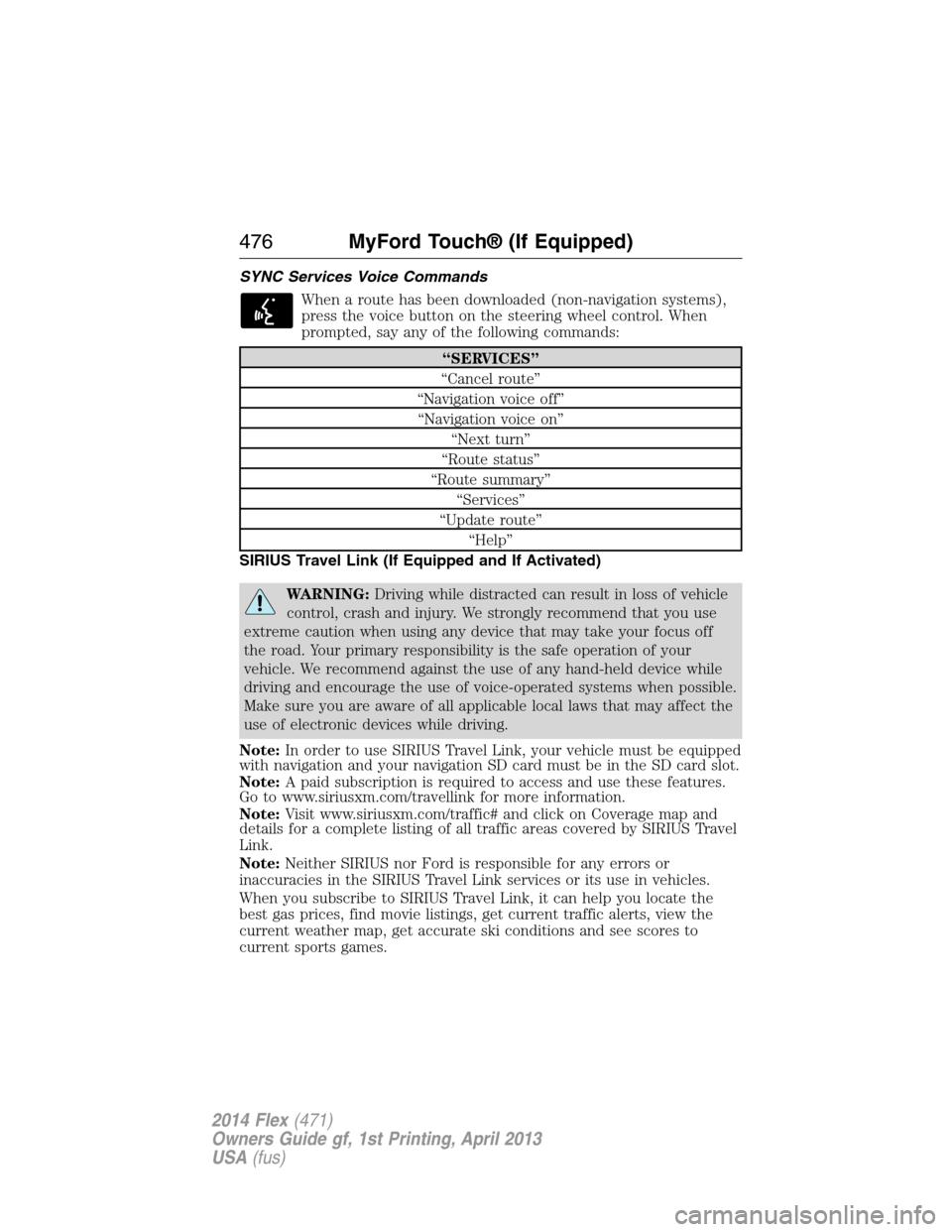
SYNC Services Voice Commands
When a route has been downloaded (non-navigation systems),
press the voice button on the steering wheel control. When
prompted, say any of the following commands:
“SERVICES”
“Cancel route”
“Navigation voice off”
“Navigation voice on”
“Next turn”
“Route status”
“Route summary”
“Services”
“Update route”
“Help”
SIRIUS Travel Link (If Equipped and If Activated)
WARNING:Driving while distracted can result in loss of vehicle
control, crash and injury. We strongly recommend that you use
extreme caution when using any device that may take your focus off
the road. Your primary responsibility is the safe operation of your
vehicle. We recommend against the use of any hand-held device while
driving and encourage the use of voice-operated systems when possible.
Make sure you are aware of all applicable local laws that may affect the
use of electronic devices while driving.
Note:In order to use SIRIUS Travel Link, your vehicle must be equipped
with navigation and your navigation SD card must be in the SD card slot.
Note:A paid subscription is required to access and use these features.
Go to www.siriusxm.com/travellink for more information.
Note:Visit www.siriusxm.com/traffic# and click on Coverage map and
details for a complete listing of all traffic areas covered by SIRIUS Travel
Link.
Note:Neither SIRIUS nor Ford is responsible for any errors or
inaccuracies in the SIRIUS Travel Link services or its use in vehicles.
When you subscribe to SIRIUS Travel Link, it can help you locate the
best gas prices, find movie listings, get current traffic alerts, view the
current weather map, get accurate ski conditions and see scores to
current sports games.
476MyFord Touch® (If Equipped)
2014 Flex(471)
Owners Guide gf, 1st Printing, April 2013
USA(fus)
Page 479 of 554
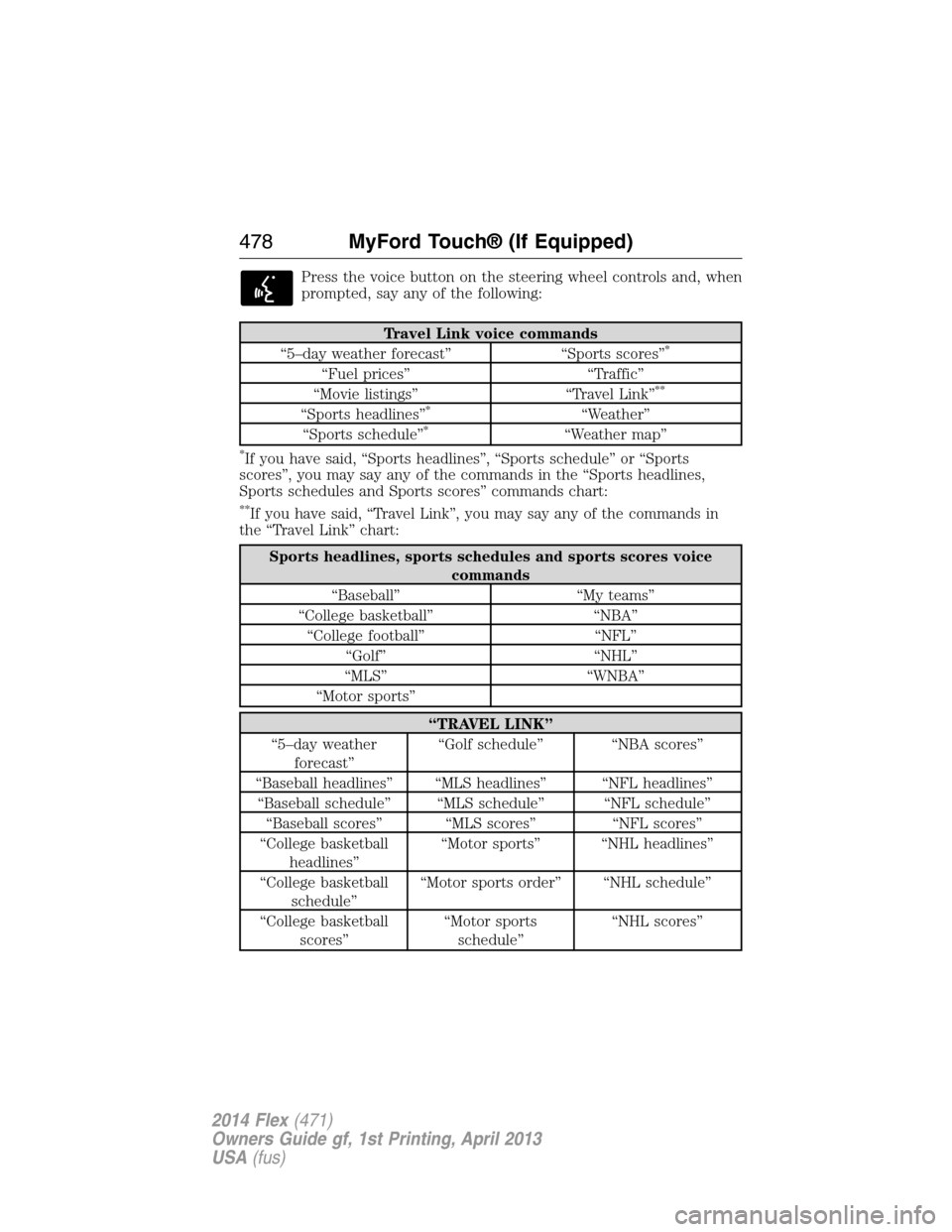
Press the voice button on the steering wheel controls and, when
prompted, say any of the following:
Travel Link voice commands
“5–day weather forecast” “Sports scores”*
“Fuel prices” “Traffic”
“Movie listings” “Travel Link”**
“Sports headlines”*“Weather”
“Sports schedule”*“Weather map”
*If you have said, “Sports headlines”, “Sports schedule” or “Sports
scores”, you may say any of the commands in the “Sports headlines,
Sports schedules and Sports scores” commands chart:
**If you have said, “Travel Link”, you may say any of the commands in
the “Travel Link” chart:
Sports headlines, sports schedules and sports scores voice
commands
“Baseball” “My teams”
“College basketball” “NBA”
“College football” “NFL”
“Golf” “NHL”
“MLS” “WNBA”
“Motor sports”
“TRAVEL LINK”
“5–day weather
forecast”“Golf schedule” “NBA scores”
“Baseball headlines” “MLS headlines” “NFL headlines”
“Baseball schedule” “MLS schedule” “NFL schedule”
“Baseball scores” “MLS scores” “NFL scores”
“College basketball
headlines”“Motor sports” “NHL headlines”
“College basketball
schedule”“Motor sports order” “NHL schedule”
“College basketball
scores”“Motor sports
schedule”“NHL scores”
478MyFord Touch® (If Equipped)
2014 Flex(471)
Owners Guide gf, 1st Printing, April 2013
USA(fus)
Page 482 of 554
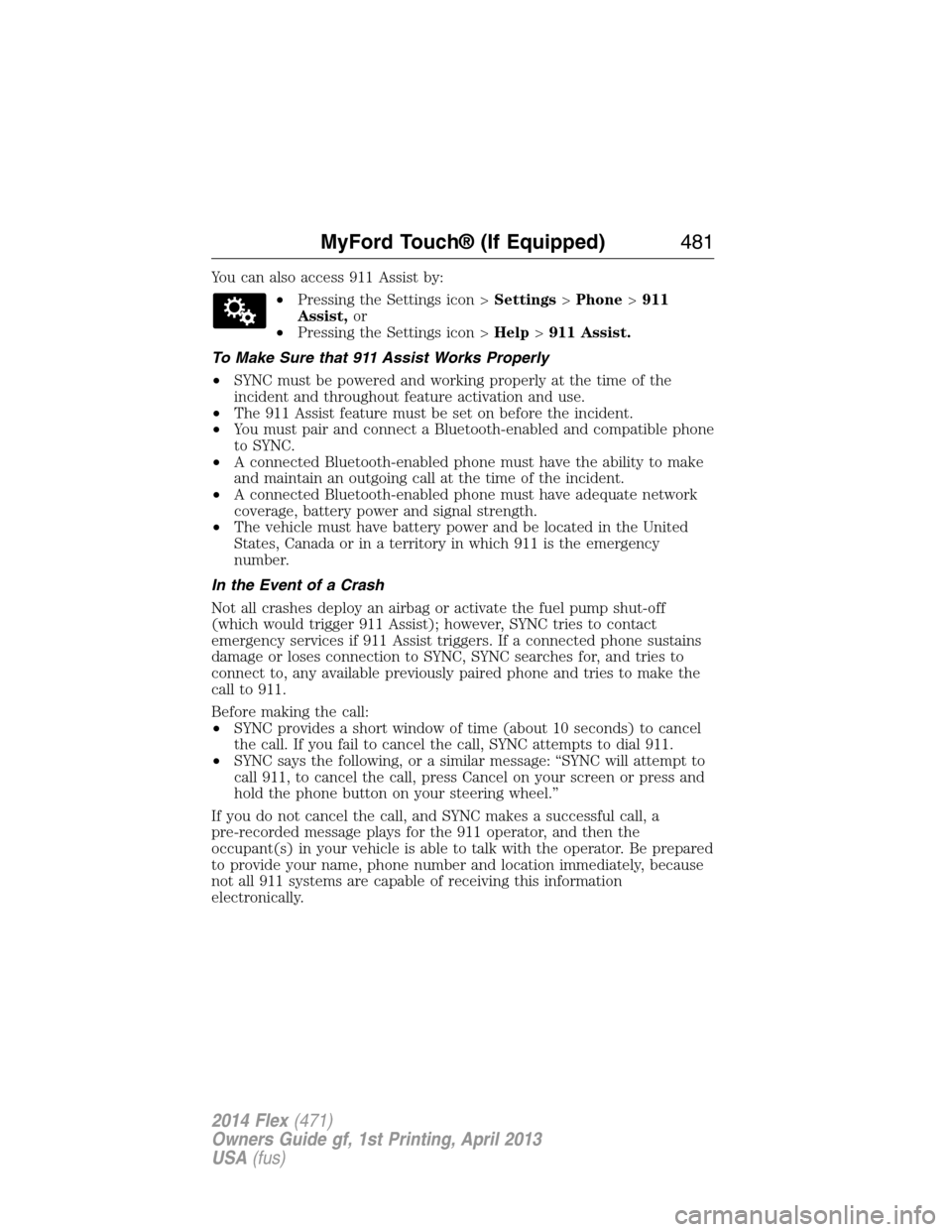
You can also access 911 Assist by:
•Pressing the Settings icon >Settings>Phone>911
Assist,or
•Pressing the Settings icon >Help>911 Assist.
To Make Sure that 911 Assist Works Properly
•SYNC must be powered and working properly at the time of the
incident and throughout feature activation and use.
•The 911 Assist feature must be set on before the incident.
•You must pair and connect a Bluetooth-enabled and compatible phone
to SYNC.
•A connected Bluetooth-enabled phone must have the ability to make
and maintain an outgoing call at the time of the incident.
•A connected Bluetooth-enabled phone must have adequate network
coverage, battery power and signal strength.
•The vehicle must have battery power and be located in the United
States, Canada or in a territory in which 911 is the emergency
number.
In the Event of a Crash
Not all crashes deploy an airbag or activate the fuel pump shut-off
(which would trigger 911 Assist); however, SYNC tries to contact
emergency services if 911 Assist triggers. If a connected phone sustains
damage or loses connection to SYNC, SYNC searches for, and tries to
connect to, any available previously paired phone and tries to make the
call to 911.
Before making the call:
•SYNC provides a short window of time (about 10 seconds) to cancel
the call. If you fail to cancel the call, SYNC attempts to dial 911.
•SYNC says the following, or a similar message: “SYNC will attempt to
call 911, to cancel the call, press Cancel on your screen or press and
hold the phone button on your steering wheel.”
If you do not cancel the call, and SYNC makes a successful call, a
pre-recorded message plays for the 911 operator, and then the
occupant(s) in your vehicle is able to talk with the operator. Be prepared
to provide your name, phone number and location immediately, because
not all 911 systems are capable of receiving this information
electronically.
MyFord Touch® (If Equipped)481
2014 Flex(471)
Owners Guide gf, 1st Printing, April 2013
USA(fus)
Page 484 of 554
Register for Vehicle Health Report and set your report preferences at
www.SYNCMyRide.com. After registering, you can request a Vehicle
Health Report (inside your vehicle). Return to your account at
www.SYNCMyRide.com to view your report. You can also choose for
SYNC to remind you automatically to run reports at specific mileage
intervals. Cellular phone airtime usage may apply when reporting.
The system allows you to check your vehicle’s overall health in the form
of a diagnostic report card. The Vehicle Health Report contains valuable
information, such as:
•Vehicle Diagnostic Information
•Scheduled maintenance
•Open Recalls and Field Service Actions
•Items noted during vehicle inspections by your authorized dealer that
still need servicing.
Making a Report
If your vehicle is equipped with Navigation, touch the i
(Information) button to access these features. If your vehicle is
not equipped with Navigation, touch the corner of the
touchscreen with the green tab.
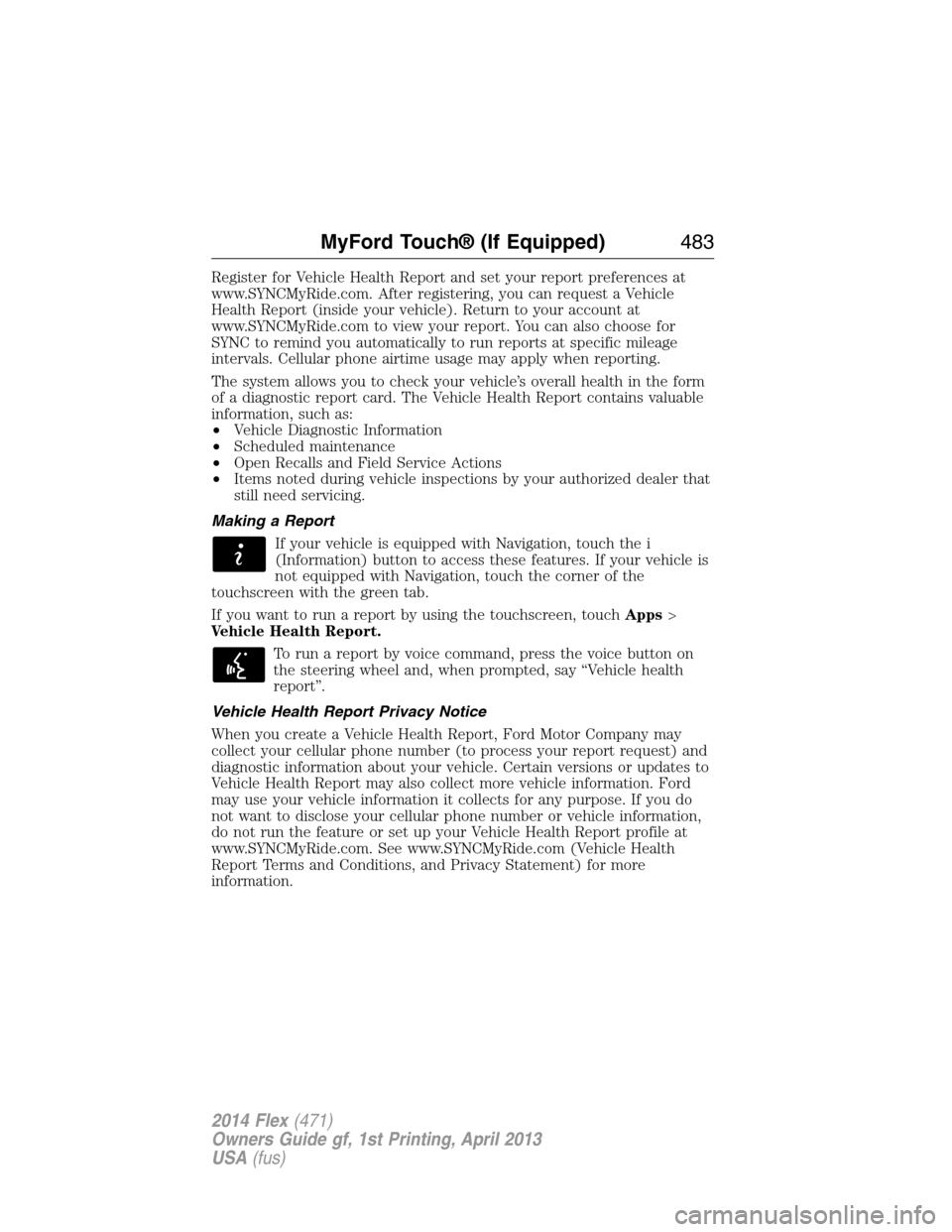
If you want to run a report by using the touchscreen, touchApps>
Vehicle Health Report.
To run a report by voice command, press the voice button on
the steering wheel and, when prompted, say “Vehicle health
report”.
Vehicle Health Report Privacy Notice
When you create a Vehicle Health Report, Ford Motor Company may
collect your cellular phone number (to process your report request) and
diagnostic information about your vehicle. Certain versions or updates to
Vehicle Health Report may also collect more vehicle information. Ford
may use your vehicle information it collects for any purpose. If you do
not want to disclose your cellular phone number or vehicle information,
do not run the feature or set up your Vehicle Health Report profile at
www.SYNCMyRide.com. See www.SYNCMyRide.com (Vehicle Health
Report Terms and Conditions, and Privacy Statement) for more
information.
MyFord Touch® (If Equipped)483
2014 Flex(471)
Owners Guide gf, 1st Printing, April 2013
USA(fus)
Page 486 of 554
From this screen, you can also make other adjustments, such as 12– or
24–hour mode, activate GPS time synchronization and have the system
automatically update for new time zones.
You can also turn the outside air temperature display on and off. It
appears at the top center of the touchscreen, next to the time and date.
The system automatically saves any updates you make to the settings.
Display
You can adjust the touchscreen display through the touchscreen or by
pressing the voice button on your steering wheel controls and when
prompted, say, “Display settings”.
Press the Settings icon >Display,then select from the
following:
Brightnessallows you to make the screen display brighter or dimmer.
Modeallows you to set the screen to a certain brightness or have the
system automatically change based on the outside light level, or turn the
display off.
•If you selectAUTOorNIGHT,you have the options of turning the
display’s Auto Dim feature on or off and changing the Auto Dim
Manual Offset feature.
Edit Wallpaper
•You can have your touchscreen display the default photo or upload
your own.
Uploading Photos for Your Home Screen Wallpaper
Note:You cannot load photos directly from your camera. You must
access the photos either from your USB mass storage device or from an
SD card.
Note:Photographs with extremely large dimensions (such as 2048 x
1536) may not be compatible and appear as a blank (black) image on the
display.
Your system allows you to upload and view up to 32 photos.
To access, press theSettings icon >Display>Edit Wallpaper,and then
follow the system prompts to upload your photographs.
Only the photograph(s), which meets the following conditions, display:
•Compatible file formats are as follows: .jpg, .gif, .png, .bmp.
•Each file must be 1.5 MB or less.
•Recommended dimensions: 800 x 384.
MyFord Touch® (If Equipped)485
2014 Flex(471)
Owners Guide gf, 1st Printing, April 2013
USA(fus)
Page 508 of 554
View/Edit Route
Access these features when a route is active:
•View Route
•Edit Destination/Waypoints
•Edit Turn List
•Detour
•Edit Route Preferences
•Edit Traffic Preferences
•Cancel Route.
Nokia is the digital map provider for the navigation application. If you
find map data errors, you may report them directly to Nokia by going to
http://mapreporter.navteq.com. Nokia evaluates all reported map errors
and responds with the result of their investigation by e-mail.
Navigation Map Updates
Annual navigation map updates are available for purchase through your
dealership, by calling 1-800-NAVMAPS (in Mexico, call 01–800–557–5539)
or going to www.navigation.com/ford. You need to specify the make and
model of your vehicle to determine if there is an update available.
Navigation Voice Commands
When in navigation mode, press the voice button on the
steering wheel control. After the tone, say any of the following
commands:
Navigation system voice commands
“Cancel next waypoint”1“Navigation”3
“Cancel route”1“Navigation voice volume
decrease”1
“Destination”2“Navigation voice volume increase”
“Destination
“Destination
“Destination favorites” “Show heading up”
“Destination home” “Show map”
“Destination intersection” “Show north up”
“Destination nearest
1
“Destination nearest POI” “Show turn list”1
MyFord Touch® (If Equipped)507
2014 Flex(471)
Owners Guide gf, 1st Printing, April 2013
USA(fus)
Page 536 of 554
Normal scheduled maintenance*
At every oil change
interval as indicated by
the information displayChange engine oil and filter.**
Rotate tires, inspect tire wear and measure
tread depth.
Perform multi-point inspection
(recommended).
Inspect automatic transmission fluid level (if
equipped with dipstick). Consult dealer for
requirements.
Inspect brake pads, shoes, rotors, drums,
brake linings, hoses and parking brake.
Inspect cabin air filter (if equipped).
Inspect engine cooling system strength and
hoses.
Inspect exhaust system and heat shields.
Inspect rear axle and U-joints. Lubricate if
equipped with grease fittings (All-wheel drive
vehicles).
Inspect half-shaft boots (if equipped).
Inspect steering linkage, ball joints,
suspension, tie-rod ends, driveshaft and
U-joints. Lubricate if equipped with grease
fittings.
Inspect wheels and related components for
abnormal noise, wear, looseness or drag.
*Do not exceed one year or 10000 miles (16000 kilometers) between
service intervals.
**Reset your Intelligent Oil-Life Monitor after each engine oil and filter
change. See theInstrument Clusterchapter.
Scheduled Maintenance535
2014 Flex(471)
Owners Guide gf, 1st Printing, April 2013
USA(fus)
Page 550 of 554
HD Radio™ ...............................447
Headlamps
aiming ......................................308
bulb specifications ..................314
flash to pass ..............................99
high beam .................................99
replacing bulbs .......................310
Head restraints .........................146
Heated steering wheel ..............495
Heating ......................135, 137–138
Help ............................................494
Homelink wireless control
system ........................................167
Hood ..........................................288
How to use voice commands ...441
I
Ignition ...............................179, 355
Illuminated visor mirror ...........108
Information displays .................117
Inspection/maintenance (I/M)
testing ........................................194
Instrument panel
cleaning ...................................319
cluster ......................................111
Intelligent Access Key ................64
J
Jack ............................................347
positioning ...............................347
storage .....................................347
Joining two calls
(multiparty/conference call) ....394
Jump-starting your vehicle ......267K
Keyless entry system
autolock .....................................77
keypad .......................................82
locking and unlocking doors ....84
programming entry code .........82
Keys .......................................64, 86
positions of the ignition .........179
L
Lamps
bulb replacement
specifications chart ................314
headlamps, flash to pass ..........99
interior lamps .........................103
replacing bulbs .......................310
LATCH anchors ...........................30
Liftgate ........................................79
Lights, warning and indicator ..111
Listening to music ....................444
Load limits .................................243
Locks
autolock .....................................77
childproof ..................................36
doors ..........................................75
Lubricant specifications ...........356
Lug nuts ....................................353
M
Making and receiving calls .......467
MAP DVD - Loading and
Unloading ..................................467
Map icons ..................................505
Map mode ..................................504
Map preferences .......................502
Index549
2014 Flex(471)
Owners Guide gf, 1st Printing, April 2013
USA(fus)
Page 553 of 554
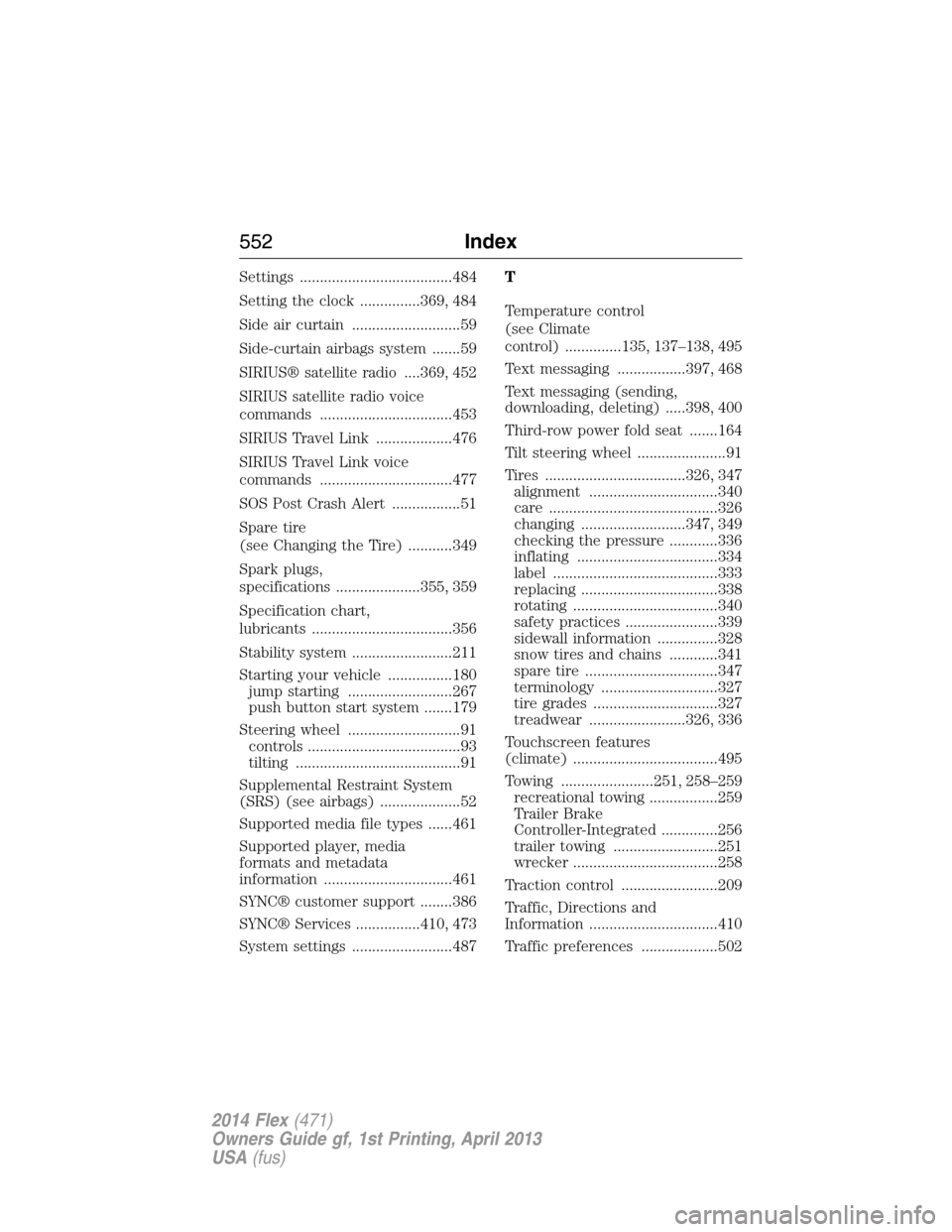
Settings ......................................484
Setting the clock ...............369, 484
Side air curtain ...........................59
Side-curtain airbags system .......59
SIRIUS® satellite radio ....369, 452
SIRIUS satellite radio voice
commands .................................453
SIRIUS Travel Link ...................476
SIRIUS Travel Link voice
commands .................................477
SOS Post Crash Alert .................51
Spare tire
(see Changing the Tire) ...........349
Spark plugs,
specifications .....................355, 359
Specification chart,
lubricants ...................................356
Stability system .........................211
Starting your vehicle ................180
jump starting ..........................267
push button start system .......179
Steering wheel ............................91
controls ......................................93
tilting .........................................91
Supplemental Restraint System
(SRS) (see airbags) ....................52
Supported media file types ......461
Supported player, media
formats and metadata
information ................................461
SYNC® customer support ........386
SYNC® Services ................410, 473
System settings .........................487T
Temperature control
(see Climate
control) ..............135, 137–138, 495
Text messaging .................397, 468
Text messaging (sending,
downloading, deleting) .....398, 400
Third-row power fold seat .......164
Tilt steering wheel ......................91
Tires ...................................326, 347
alignment ................................340
care ..........................................326
changing ..........................347, 349
checking the pressure ............336
inflating ...................................334
label .........................................333
replacing ..................................338
rotating ....................................340
safety practices .......................339
sidewall information ...............328
snow tires and chains ............341
spare tire .................................347
terminology .............................327
tire grades ...............................327
treadwear ........................326, 336
Touchscreen features
(climate) ....................................495
Towing .......................251, 258–259
recreational towing .................259
Trailer Brake
Controller-Integrated ..............256
trailer towing ..........................251
wrecker ....................................258
Traction control ........................209
Traffic, Directions and
Information ................................410
Traffic preferences ...................502
552Index
2014 Flex(471)
Owners Guide gf, 1st Printing, April 2013
USA(fus)