tires FORD FLEX 2015 1.G Owners Manual
[x] Cancel search | Manufacturer: FORD, Model Year: 2015, Model line: FLEX, Model: FORD FLEX 2015 1.GPages: 571, PDF Size: 5.52 MB
Page 9 of 571
Wheels and Tires 330
Tirecare ...........................................332
Tire Pressure Monitoring System (TPMS)...................348
Changing a road wheel.................................353
Technical specifications.................................359
Wheel lug nut torque..................................359
Capacities and Specifications 361
Engine specifications..................................361
Engine drivebelt......................................361
Maintenance product specifications and capacities.............362
Part numbers........................................366
Vehicle identification number............................367
Vehicle certification label...............................368
Transmission code designation............................368
Accessories 369
Accessories.........................................369
Extended Service Plan 371
Audio System 374
MyFord™ system.....................................376
Satellite radio information...............................387
Auxiliary input jack...................................390
USB port...........................................391
SYNC® 392
Pairing your phone for the first time.......................397
911 Assist™.........................................412
Vehicle Health Report..................................415
8Table of Contents
2015 Flex(471)
Owners Guide gf, 1st Printing, October 2014
USA(fus)
Page 103 of 571
Note:Modification of the vehicle ride height (e.g. using much larger
tires) may degrade feature performance.
A camera sensor is centrally mounted behind the windshield of the
vehicle, and monitors the conditions to decide when to switch the high
beams off and on.
Once the system is active the high beams will switch on if:
•The ambient light level is low enough that high beams are needed.
•There is no traffic in front of the vehicle.
•Vehicle speed is greater than 32 mph (52 km/h).
•Severe weather is not detected.
The high beams will switch off if:
•An approaching vehicle’s headlights or a preceding vehicle’s tail lamps
are detected.
•The vehicle speed falls below 27 mph (44 km/h).
•The ambient light level is high enough that high beams are not
needed.
•Severe rain, snow or fog is detected.
•The camera is blocked.
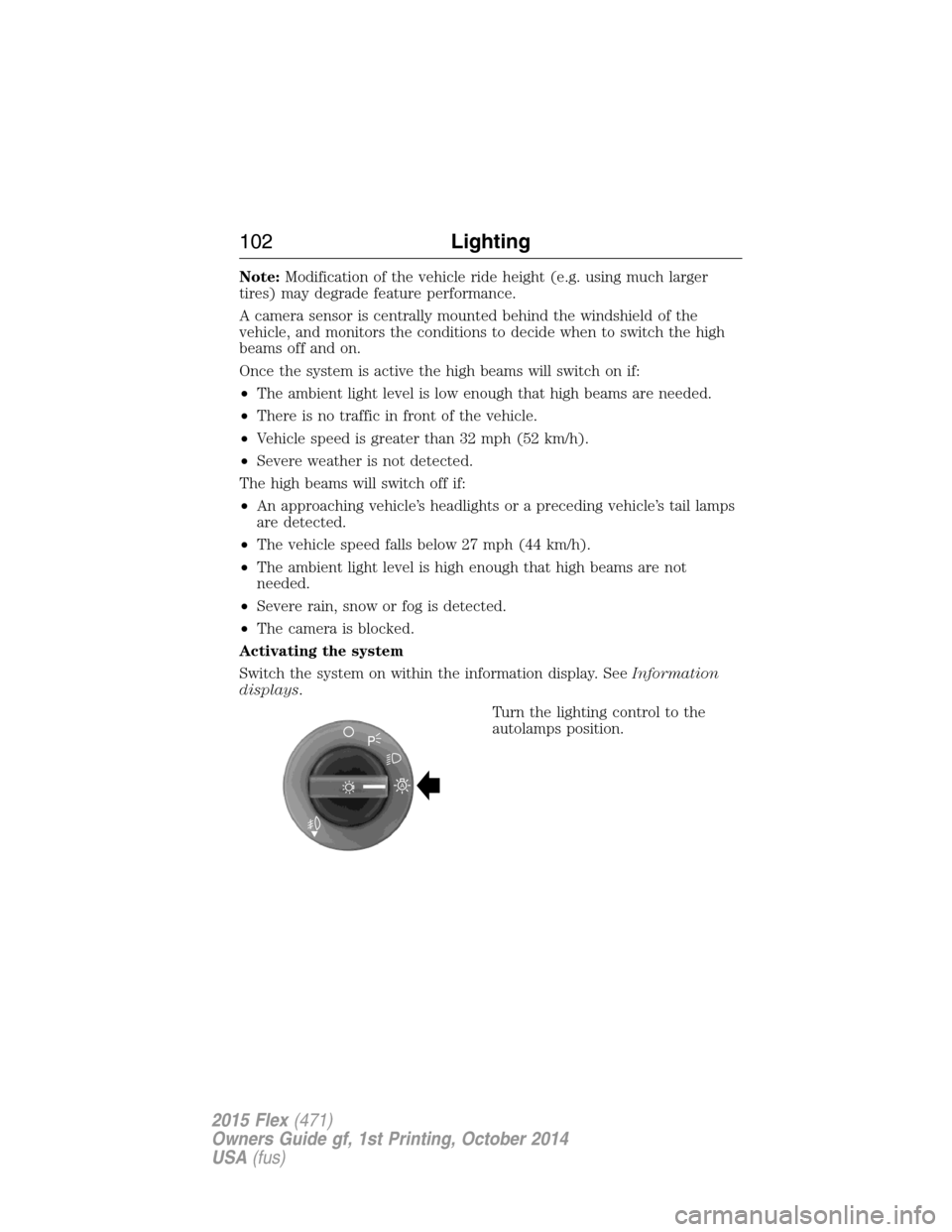
Activating the system
Switch the system on within the information display. SeeInformation
displays.
Turn the lighting control to the
autolamps position.
A
102Lighting
2015 Flex(471)
Owners Guide gf, 1st Printing, October 2014
USA(fus)
Page 138 of 571
Passenger Sensing
System MessageAction / Description
Occupant Sensor
BLOCKED Remove
Objects Near
Passenger SeatDisplayed when objects are by the passenger
seat. After the objects are moved away from
the seat, if the warning stays on or continues
to come on contact your authorized dealer as
soon as possible.
Reminder Messages Action / Description
Steering column lock:
Remove and re-insert
key while turning
wheel to unlockDisplays when you need to turn the steering
wheel in order to disengage the steering lock.
Shift to Park Displayed when the engine is turned off and
shift select lever is in any position other than
P (Park).
Tire Messages Action / Description
LOW Tire Pressure Displays when one or more tires on your
vehicle have low tire pressure.
Tire Pressure Monitor
FaultDisplays when the tire pressure monitoring
system is malfunctioning. If the warning stays
on or continues to come on, contact your
authorized dealer.
Tire Pressure Sensor
FaultDisplayed when a tire pressure sensor is
malfunctioning, or your spare tire is in use.
For more information on how the system
operates under these conditions, refer toTi r e
Pressure Monitoring System (TPMS)in the
Wheels and tireschapter. If the warning stays
on or continues to come on, contact your
authorized dealer as soon as possible.
Information Displays137
2015 Flex(471)
Owners Guide gf, 1st Printing, October 2014
USA(fus)
Page 204 of 571
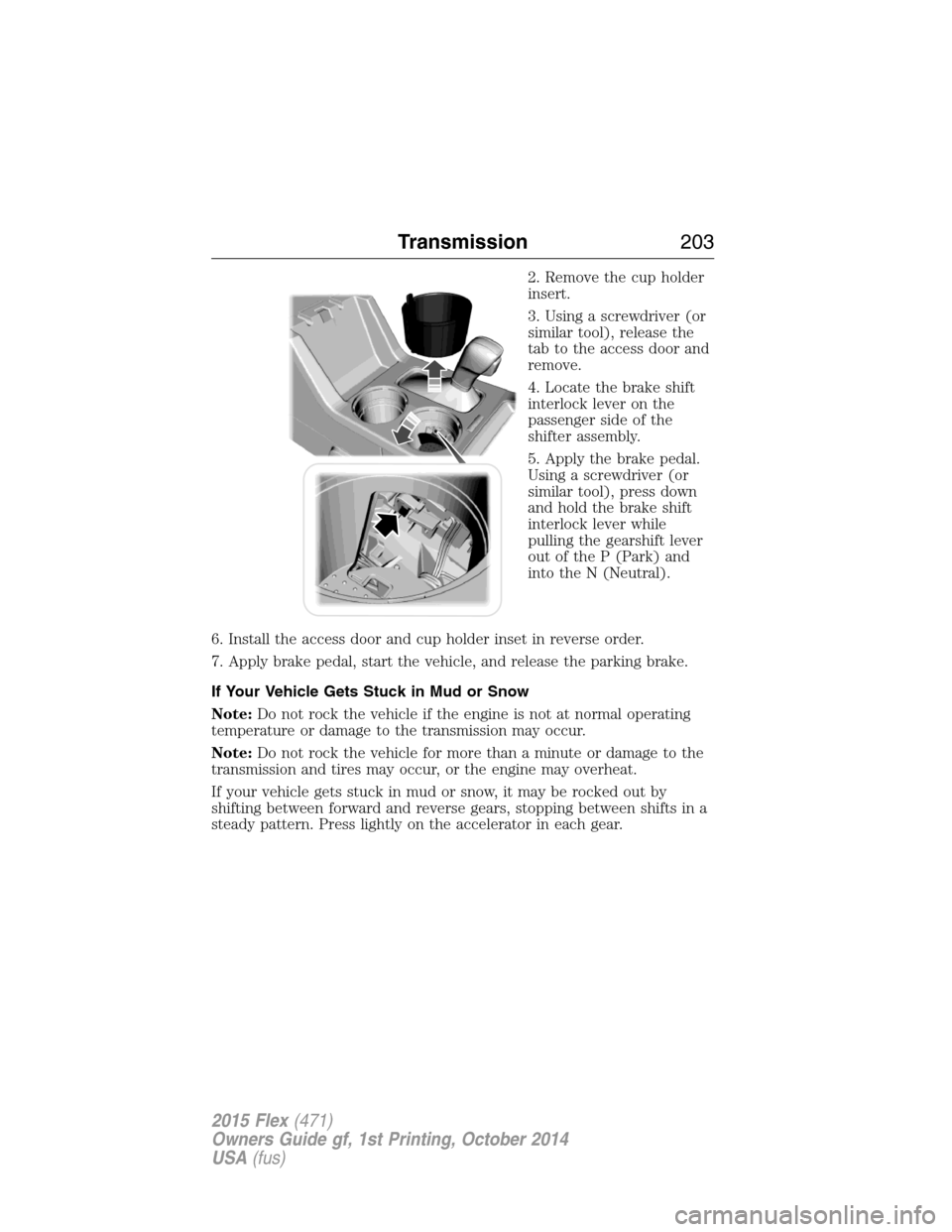
2. Remove the cup holder
insert.
3. Using a screwdriver (or
similar tool), release the
tab to the access door and
remove.
4. Locate the brake shift
interlock lever on the
passenger side of the
shifter assembly.
5. Apply the brake pedal.
Using a screwdriver (or
similar tool), press down
and hold the brake shift
interlock lever while
pulling the gearshift lever
out of the P (Park) and
into the N (Neutral).
6. Install the access door and cup holder inset in reverse order.
7. Apply brake pedal, start the vehicle, and release the parking brake.
If Your Vehicle Gets Stuck in Mud or Snow
Note:Do not rock the vehicle if the engine is not at normal operating
temperature or damage to the transmission may occur.
Note:Do not rock the vehicle for more than a minute or damage to the
transmission and tires may occur, or the engine may overheat.
If your vehicle gets stuck in mud or snow, it may be rocked out by
shifting between forward and reverse gears, stopping between shifts in a
steady pattern. Press lightly on the accelerator in each gear.
Transmission203
2015 Flex(471)
Owners Guide gf, 1st Printing, October 2014
USA(fus)
Page 207 of 571
WARNING:If the parking brake is fully released, but the brake
warning lamp remains illuminated, the brakes may not be
working properly. See your authorized dealer.
WARNING:Do not spin the wheels at over 35 mph (56 km/h).
The tires may fail and injure a passenger or bystander.
Note:Do not rock the vehicle if the engine is not at normal operating
temperature or damage to the transmission may occur.
Note:Do not rock the vehicle for more than a few minutes or damage to
the transmission and tires may occur or the engine may overheat.
If your vehicle gets stuck in mud or snow it may be rocked out by
shifting between forward and reverse gears, stopping between shifts, in a
steady pattern. Press lightly on the accelerator in each gear.
If your vehicle is equipped with AdvanceTrac® with Roll Stability
Control™, it may be beneficial to disengage the AdvanceTrac® with Roll
Stability Control™ system while attempting to rock the vehicle.
Emergency Maneuvers
•In an unavoidable emergency situation where a sudden sharp turn
must be made, remember to avoid “over-driving” your vehicle (i.e.,
turn the steering wheel only as rapidly and as far as required to avoid
the emergency). Excessive steering will result in less vehicle control,
not more. Additionally, smooth variations of the accelerator and/or
brake pedal pressure should be utilized if changes in vehicle speed are
called for. Avoid abrupt steering, acceleration or braking which could
result in an increased risk of loss of vehicle control, vehicle rollover
and/or personal injury. Use all available road surface to return the
vehicle to a safe direction of travel.
•In the event of an emergency stop, avoid skidding the tires and do not
attempt any sharp steering wheel movements.
•If the vehicle goes from one type of surface to another (i.e., from
concrete to gravel) there will be a change in the way the vehicle
responds to a maneuver (steering, acceleration or braking). Again,
avoid these abrupt inputs.
206All-Wheel Drive (If Equipped)
2015 Flex(471)
Owners Guide gf, 1st Printing, October 2014
USA(fus)
Page 209 of 571
After driving through mud, clean off residue stuck to rotating driveshafts
and tires. Excess mud stuck on tires and rotating driveshafts causes an
imbalance that could damage drive components.
Note:Driving through deep water may damage the transmission.
If the front or rear axle is submerged in water, the axle lubricant and
PTU (power transfer unit) lubricant should be checked and changed if
necessary.
“Tread Lightly” is an educational
program designed to increase public
awareness of land-use regulations
and responsibilities in our nations
wilderness areas. Ford Motor
Company joins the U.S. Forest
Service and the Bureau of Land Management in encouraging you to help
preserve our national forest and other public and private lands by
“treading lightly.”
Driving on Hilly or Sloping Terrain
Note:Avoid driving crosswise or turning on steep slopes or hills. A
danger lies in losing traction, slipping sideways and possibly rolling over.
Whenever driving on a hill, determine beforehand the route you will use.
Do not drive over the crest of a hill without seeing what conditions are
on the other side. Do not drive in reverse over a hill without the aid of
an observer.
Although natural obstacles may make it necessary to travel diagonally up
or down a hill or steep incline, you should always try to drive straight up
or straight down.
When climbing a steep slope or hill, start in a lower gear rather than
downshifting to a lower gear from a higher gear once the ascent has
started. This reduces strain on the engine and the possibility of stalling.
If you do stall out, do not try to turnaround because you might roll over.
It is better to back down to a safe location.
Apply just enough power to the wheels to climb the hill. Too much
power will cause the tires to slip, spin or lose traction, resulting in loss of
vehicle control.
208All-Wheel Drive (If Equipped)
2015 Flex(471)
Owners Guide gf, 1st Printing, October 2014
USA(fus)
Page 215 of 571
PRINCIPLES OF OPERATION
WARNING:Vehicle modifications involving braking system,
aftermarket roof racks, suspension, steering system, tire
construction and wheel or tire size may change the handling
characteristics of your vehicle and may adversely affect the
performance of the AdvanceTrac® system. In addition, installing any
stereo loudspeakers may interfere with and adversely affect the
AdvanceTrac® system. Install any aftermarket stereo loudspeaker as far
as possible from the front center console, the tunnel, and the front
seats in order to minimize the risk of interfering with the
AdvanceTrac® sensors. Reducing the effectiveness of the
AdvanceTrac® system could lead to an increased risk of loss of vehicle
control, vehicle rollover, personal injury and death.
WARNING:Remember that even advanced technology cannot
defy the laws of physics. It is always possible to lose control of a
vehicle due to inappropriate driver input for the conditions. Aggressive
driving on any road condition can cause you to lose control of your
vehicle increasing the risk of personal injury or property damage.
Activation of the AdvanceTrac® system is an indication that at least
some of the tires have exceeded their ability to grip the road; this could
reduce the operator’s ability to control the vehicle potentially resulting
in a loss of vehicle control, vehicle rollover, personal injury and death. If
your AdvanceTrac® system activates, SLOW DOWN.
214Stability Control
2015 Flex(471)
Owners Guide gf, 1st Printing, October 2014
USA(fus)
Page 223 of 571
![FORD FLEX 2015 1.G Owners Manual The system does not position the vehicle where I want in the
space
The vehicle is rolling in the opposite direction of the transmission (i.e.
rolling forward when R [Reverse] is selected)
The transmis](/img/11/5116/w960_5116-222.png "FORD FLEX 2015 1.G Owners Manual The system does not position the vehicle where I want in the
space
The vehicle is rolling in the opposite direction of the transmission (i.e.
rolling forward when R [Reverse] is selected)
The transmis")
The system does not position the vehicle where I want in the
space
The vehicle is rolling in the opposite direction of the transmission (i.e.
rolling forward when R [Reverse] is selected)
The transmission is in R (Reverse); the vehicle must be moving
forward to detect a parking space
An irregular curb along the parking space prevents the system from
aligning the vehicle properly
Vehicles or objects bordering the space may not be positioned correctly
The vehicle was pulled too far past the parking space. The system
performs best when you drive the same distance past the parking
space
The tires may not be installed or maintained correctly (i.e. not inflated
correctly, improper size, or of different sizes)
A repair or alteration has changed detection capabilities
A parked vehicle has a high attachment (i.e. salt sprayer, snowplow,
moving truck bed, etc.)
The parking space length or position of parked objects changed after
your vehicle passed
The temperature around your vehicle changes quickly (i.e. driving from
a heated garage into the cold, or after leaving a car wash)
REAR VIEW CAMERA SYSTEM (IF EQUIPPED)
WARNING:The rear view camera system is a reverse aid
supplement device that still requires the driver to use it in
conjunction with the interior and exterior mirrors for maximum
coverage.
WARNING:Objects that are close to either corner of the
bumper or under the bumper, might not be seen on the screen
due to the limited coverage of the camera system.
WARNING:Back up as slow as possible since higher speeds
might limit your reaction time to stop the vehicle.
222Parking Aids
2015 Flex(471)
Owners Guide gf, 1st Printing, October 2014
USA(fus)
Page 236 of 571
Blocked Sensor
WARNING:Do not use ACC when towing a trailer with brake
controls. Aftermarket trailer brakes will not function properly
when ACC is activated because the brakes are electronically controlled.
Failing to do so may result in loss of vehicle control, which could result
in serious injury.
WARNING:Do not use tires sizes other than those
recommended because this can affect the normal operation of
ACC. Failing to do so may result in a loss of vehicle control, which
could result in serious injury.
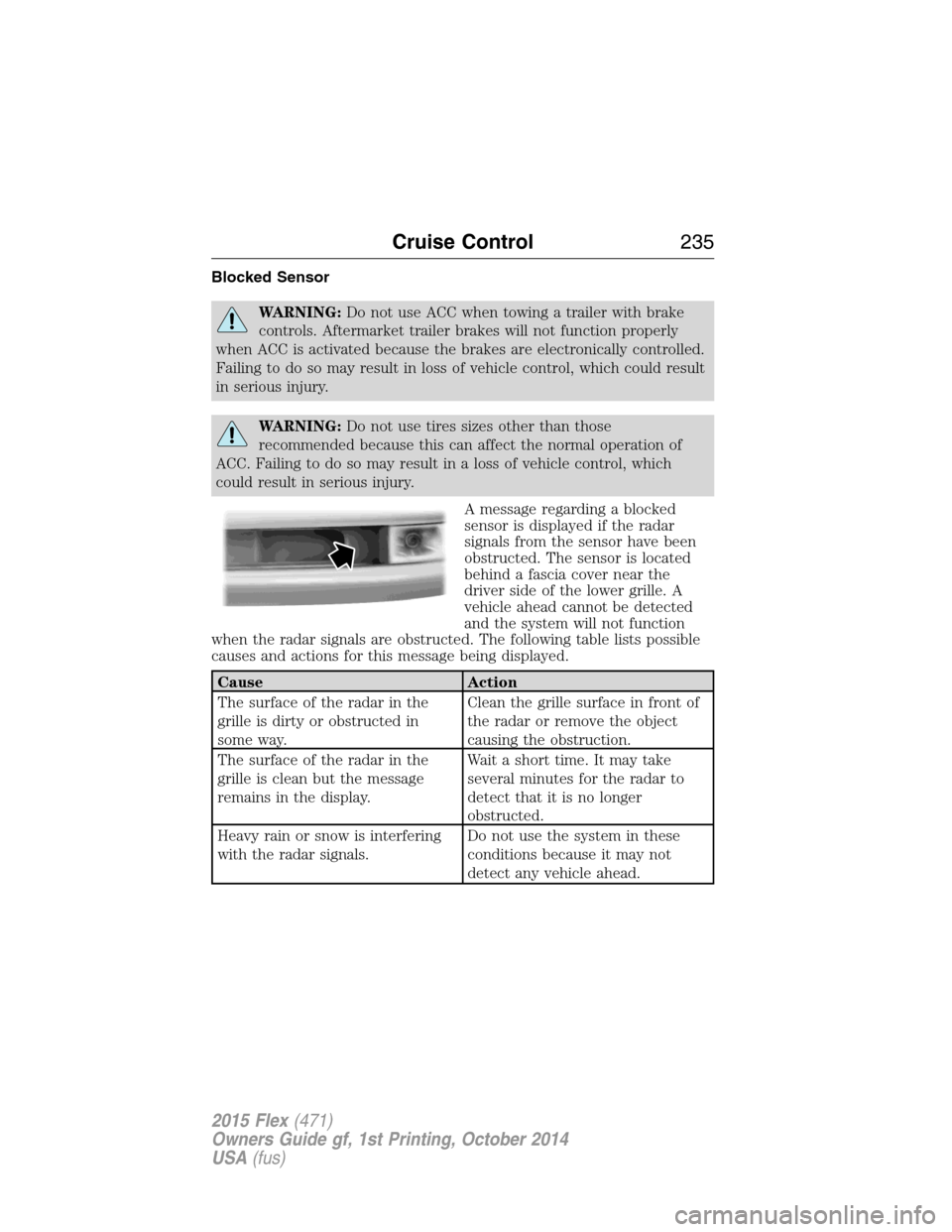
A message regarding a blocked
sensor is displayed if the radar
signals from the sensor have been
obstructed. The sensor is located
behind a fascia cover near the
driver side of the lower grille. A
vehicle ahead cannot be detected
and the system will not function
when the radar signals are obstructed. The following table lists possible
causes and actions for this message being displayed.
Cause Action
The surface of the radar in the
grille is dirty or obstructed in
some way.Clean the grille surface in front of
the radar or remove the object
causing the obstruction.
The surface of the radar in the
grille is clean but the message
remains in the display.Wait a short time. It may take
several minutes for the radar to
detect that it is no longer
obstructed.
Heavy rain or snow is interfering
with the radar signals.Do not use the system in these
conditions because it may not
detect any vehicle ahead.
Cruise Control235
2015 Flex(471)
Owners Guide gf, 1st Printing, October 2014
USA(fus)
Page 254 of 571
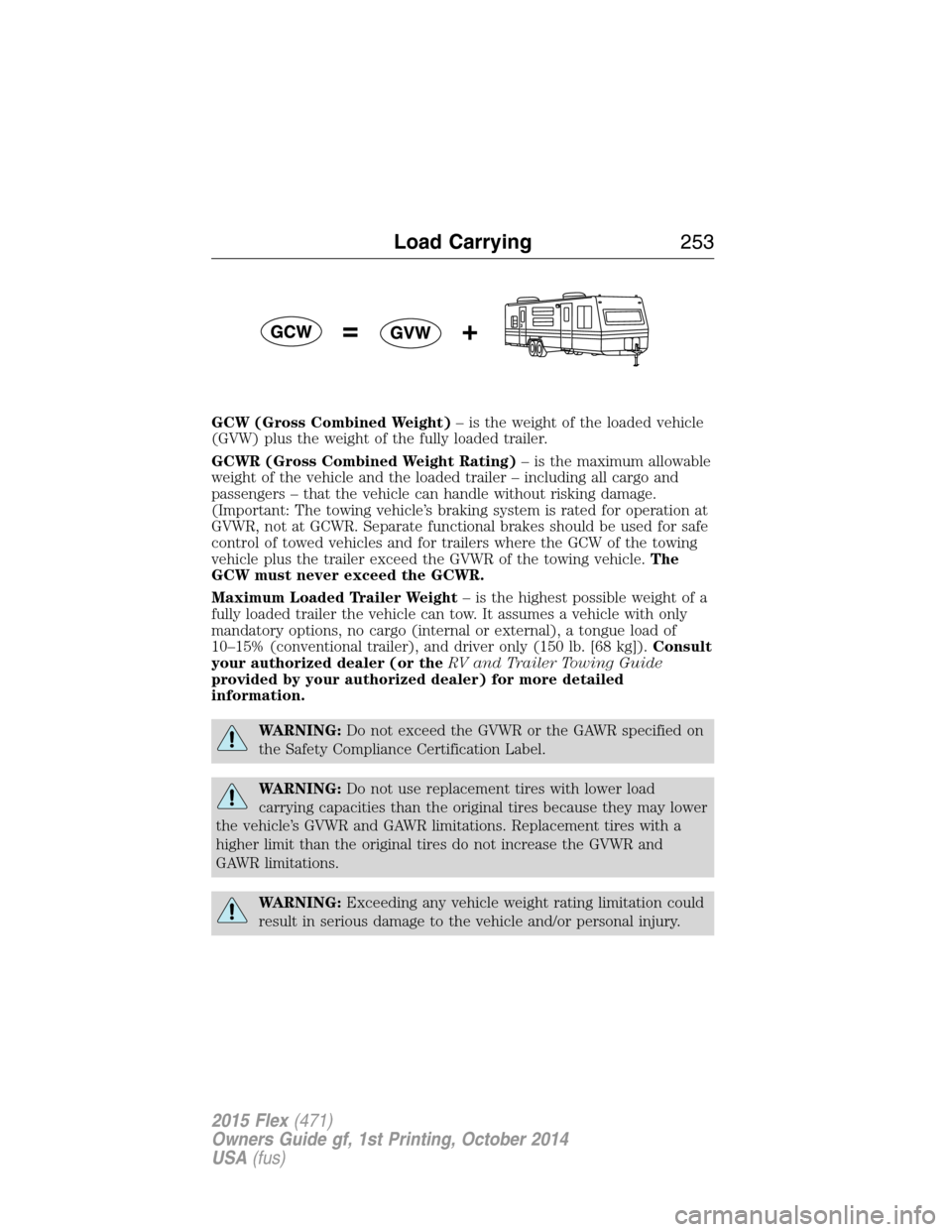
GCW (Gross Combined Weight)– is the weight of the loaded vehicle
(GVW) plus the weight of the fully loaded trailer.
GCWR (Gross Combined Weight Rating)– is the maximum allowable
weight of the vehicle and the loaded trailer – including all cargo and
passengers – that the vehicle can handle without risking damage.
(Important: The towing vehicle’s braking system is rated for operation at
GVWR, not at GCWR. Separate functional brakes should be used for safe
control of towed vehicles and for trailers where the GCW of the towing
vehicle plus the trailer exceed the GVWR of the towing vehicle.The
GCW must never exceed the GCWR.
Maximum Loaded Trailer Weight– is the highest possible weight of a
fully loaded trailer the vehicle can tow. It assumes a vehicle with only
mandatory options, no cargo (internal or external), a tongue load of
10–15% (conventional trailer), and driver only (150 lb. [68 kg]).Consult
your authorized dealer (or theRV and Trailer Towing Guide
provided by your authorized dealer) for more detailed
information.
WARNING:Do not exceed the GVWR or the GAWR specified on
the Safety Compliance Certification Label.
WARNING:Do not use replacement tires with lower load
carrying capacities than the original tires because they may lower
the vehicle’s GVWR and GAWR limitations. Replacement tires with a
higher limit than the original tires do not increase the GVWR and
GAWR limitations.
WARNING:Exceeding any vehicle weight rating limitation could
result in serious damage to the vehicle and/or personal injury.
Load Carrying253
2015 Flex(471)
Owners Guide gf, 1st Printing, October 2014
USA(fus)