battery FORD FLEX 2016 1.G Owners Manual
[x] Cancel search | Manufacturer: FORD, Model Year: 2016, Model line: FLEX, Model: FORD FLEX 2016 1.GPages: 417, PDF Size: 4.52 MB
Page 7 of 417
Post-Crash Alert System..........................225
Customer Assistance
Getting the Services You Need...............226
In California (U.S. Only).............................227
The Better Business Bureau (BBB) Auto
Line Program (U.S. Only)......................228
Utilizing the Mediation/Arbitration Program (Canada Only).......................229
Getting Assistance Outside the U.S. and Canada........................................................229
Ordering Additional Owner's Literature....................................................230
Reporting Safety Defects (U.S. Only)..............................................................231
Reporting Safety Defects (Canada Only)..............................................................231
Fuses
Fuse Specification Chart...........................233
Changing a Fuse...........................................242
Maintenance
General Information
...................................243
Opening and Closing the Hood..............243
Under Hood Overview - 3.5L Duratec........................................................245
Under Hood Overview - 3.5L Ecoboost™................................................246
Engine Oil Dipstick.......................................247
Engine Oil Check..........................................247
Oil Change Indicator Reset.......................247
Engine Coolant Check
...............................248
Automatic Transmission Fluid Check ............................................................
252
Brake Fluid Check........................................253
Power Steering Fluid Check.....................254
Washer Fluid Check....................................254
Changing the 12V Battery.........................254
Checking the Wiper Blades.....................256
Changing the Wiper Blades.....................256 Adjusting the Headlamps.........................257
Removing a Headlamp.............................258
Changing a Bulb...........................................258
Bulb Specification Chart
............................261
Changing the Engine Air Filter................263
Vehicle Care
General Information
...................................264
Cleaning Products
.......................................264
Cleaning the Exterior..................................264
Waxing.............................................................265
Cleaning the Engine
...................................266
Cleaning the Windows and Wiper Blades..........................................................266
Cleaning the Interior...................................267
Cleaning the Instrument Panel and Instrument Cluster Lens........................267
Cleaning Leather Seats.............................268
Repairing Minor Paint Damage..............268
Cleaning the Alloy Wheels
.......................268
Vehicle Storage
............................................269
Wheels and Tires
General Information.....................................271
Tire Care
...........................................................273
Using Snow Chains.....................................287
Tire Pressure Monitoring System..........288
Changing a Road Wheel
............................291
Technical Specifications..........................296
Capacities and Specific- ations
Engine Specifications - 3.5L Duratec........................................................297
Engine Specifications - 3.5L Ecoboost™................................................297
Motorcraft Parts - 3.5L Duratec.............298
Motorcraft Parts - 3.5L Ecoboost™......299
Vehicle Identification Number...............300
Vehicle Certification Label........................301
4
Flex (), enUSA, First Printing Table of Contents
Page 10 of 417
ABOUT THIS MANUAL
Thank you for choosing Ford. We
recommend that you take some time to
get to know your vehicle by reading this
manual. The more that you know about
your vehicle, the greater the safety and
pleasure you will get from driving it.
WARNING
Driving while distracted can result in
loss of vehicle control, crash and
injury. We strongly recommend that
you use extreme caution when using any
device that may take your focus off the
road. Your primary responsibility is the safe
operation of your vehicle. We recommend
against the use of any hand-held device
while driving and encourage the use of
voice-operated systems when possible.
Make sure you are aware of all applicable
local laws that may affect the use of
electronic devices while driving. Note:
This manual describes product
features and options available throughout
the range of available models, sometimes
even before they are generally available. It
may describe options not fitted to the
vehicle you have purchased.
Note: Some of the illustrations in this
manual may show features as used in
different models, so they may appear
different to you on your vehicle.
Note: Always use and operate your vehicle
in line with all applicable laws and
regulations.
Note: Pass on this manual when selling
your vehicle. It is an integral part of your
vehicle.
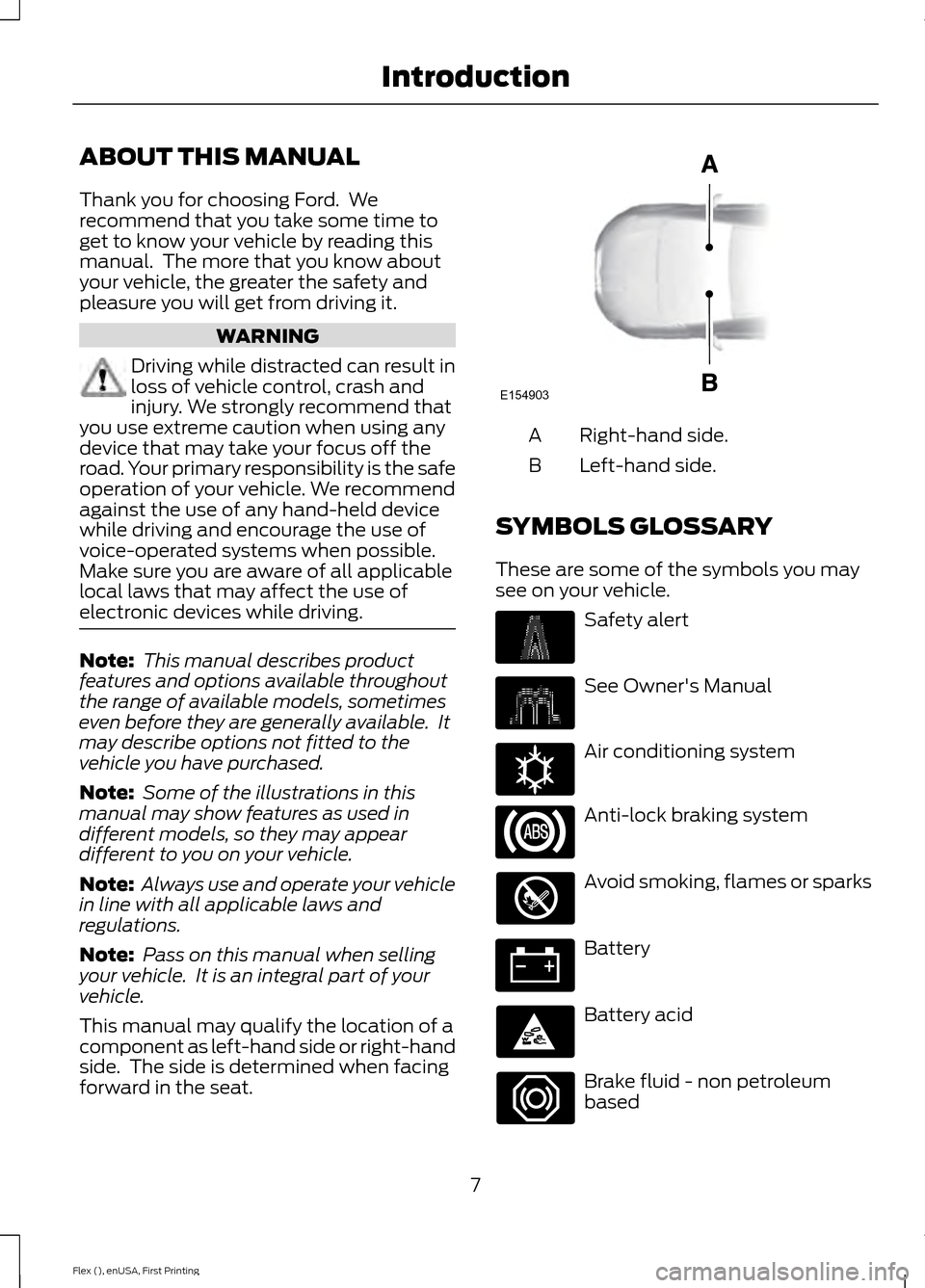
This manual may qualify the location of a
component as left-hand side or right-hand
side. The side is determined when facing
forward in the seat. Right-hand side.
A
Left-hand side.
B
SYMBOLS GLOSSARY
These are some of the symbols you may
see on your vehicle. Safety alert
See Owner's Manual
Air conditioning system
Anti-lock braking system
Avoid smoking, flames or sparks
Battery
Battery acid
Brake fluid - non petroleum
based
7
Flex (), enUSA, First Printing IntroductionE154903 E162384
Page 14 of 417
CALIFORNIA PROPOSITION 65
WARNINGS
Some constituents of engine
exhaust, certain vehicle components,
certain fluids contained in vehicles
and certain products of component wear
contain or emit chemicals known to the
State of California to cause cancer and
birth defects or other reproductive harm. Battery posts, terminals and related
accessories contain lead and lead
compounds, chemicals known to the
State of California to cause cancer and
reproductive harm. Batteries also contain
other chemicals known to the State of
California to cause cancer. Wash your
hands after handling. PERCHLORATE
Certain components in your vehicle such
as airbag modules, safety belt
pretensioners and remote control batteries
may contain perchlorate material. Special
handling may apply for service or vehicle
end of life disposal.
For more information visit:
Web Address
www.dtsc.ca.gov/hazardouswaste/ perchlorate
FORD CREDIT
(U.S. Only)
Ford Credit offers a full range of financing
and lease plans to help you acquire your
vehicle. If you have financed or leased your
vehicle through Ford Credit, thank you for
your business. For your convenience we offer a number
of ways to contact us, as well as to help
manage your account.
Phone: 1-800-727-7000
For more information regarding Ford Credit,
as well as to access Account Manager,
please go to www.fordcredit.com.
REPLACEMENT PARTS
RECOMMENDATION
Your vehicle has been built to the highest
standards using quality parts. We
recommend that you demand the use of
genuine Ford and Motorcraft parts
whenever your vehicle requires scheduled
maintenance or repair. You can clearly
identify genuine Ford and Motorcraft parts
by looking for the Ford, FoMoCo or
Motorcraft branding on the parts or their
packaging.
Scheduled Maintenance and
Mechanical Repairs
One of the best ways for you to make sure
that your vehicle provides years of service
is to have it maintained in line with our
recommendations using parts that
conform to the specifications detailed in
this Owner
’s Manual. Genuine Ford and
Motorcraft parts meet or exceed these
specifications.
Collision Repairs
We hope that you never experience a
collision, but accidents do happen. Genuine
Ford replacement collision parts meet our
stringent requirements for fit, finish,
structural integrity, corrosion protection
and dent resistance. During vehicle
11
Flex (), enUSA, First Printing Introduction
Page 52 of 417
GENERAL INFORMATION ON
RADIO FREQUENCIES
This device complies with Part 15 of the
FCC Rules and with Industry Canada
license-exempt RSS standard(s).
Operation is subject to the following two
conditions: (1) This device may not cause
harmful interference, and (2) This device
must accept any interference received,
including interference that may cause
undesired operation.
Note:
Changes or modifications not
expressively approved by the party
responsible for compliance could void the
user's authority to operate the equipment.
The term IC before the radio certification
number only signifies that Industry Canada
technical specifications were met.
The typical operating range for your
transmitter is approximately
33 ft (10 m).
Vehicles with the remote start feature will
have a greater range.
One of the following could cause a
decrease in operating range:
• Weather conditions.
• Nearby radio towers.
• Structures around the vehicle.
• Other vehicles parked next to your
vehicle.
The radio frequency used by your remote
control can also be used by other radio
transmitters, for example amateur radios,
medical equipment, wireless headphones,
wireless remote controls, cell phones,
battery chargers and alarm systems. If the
frequencies are jammed, you will not be
able to use your remote control. You can
lock and unlock the doors with the key.
Note: Make sure to lock your vehicle before
leaving it unattended. Note:
If you are in range, the remote control
will operate if you press any button
unintentionally.
Intelligent Access
(If Equipped)
The system uses a radio frequency signal
to communicate with your vehicle and
authorize your vehicle to unlock when one
of the following conditions are met:
• You activate the front exterior door
handle switch.
• You press the luggage compartment
button.
• You press a button on the transmitter.
If excessive radio frequency interference
is present in the area or if the transmitter
battery is low, you may need to
mechanically unlock your door. You can
use the mechanical key blade in your
intelligent access key to open the driver
door in this situation. See
Remote
Control (page 49).
REMOTE CONTROL
Integrated Keyhead Transmitter (If
Equipped) Use the key blade to start your vehicle and
unlock or lock the driver door from outside
your vehicle. You can also use the key
blade to lock and unlock the glove
compartment. The transmitter portion
functions as the remote control.
49
Flex (), enUSA, First Printing Keys and Remote ControlsE210695
Page 53 of 417
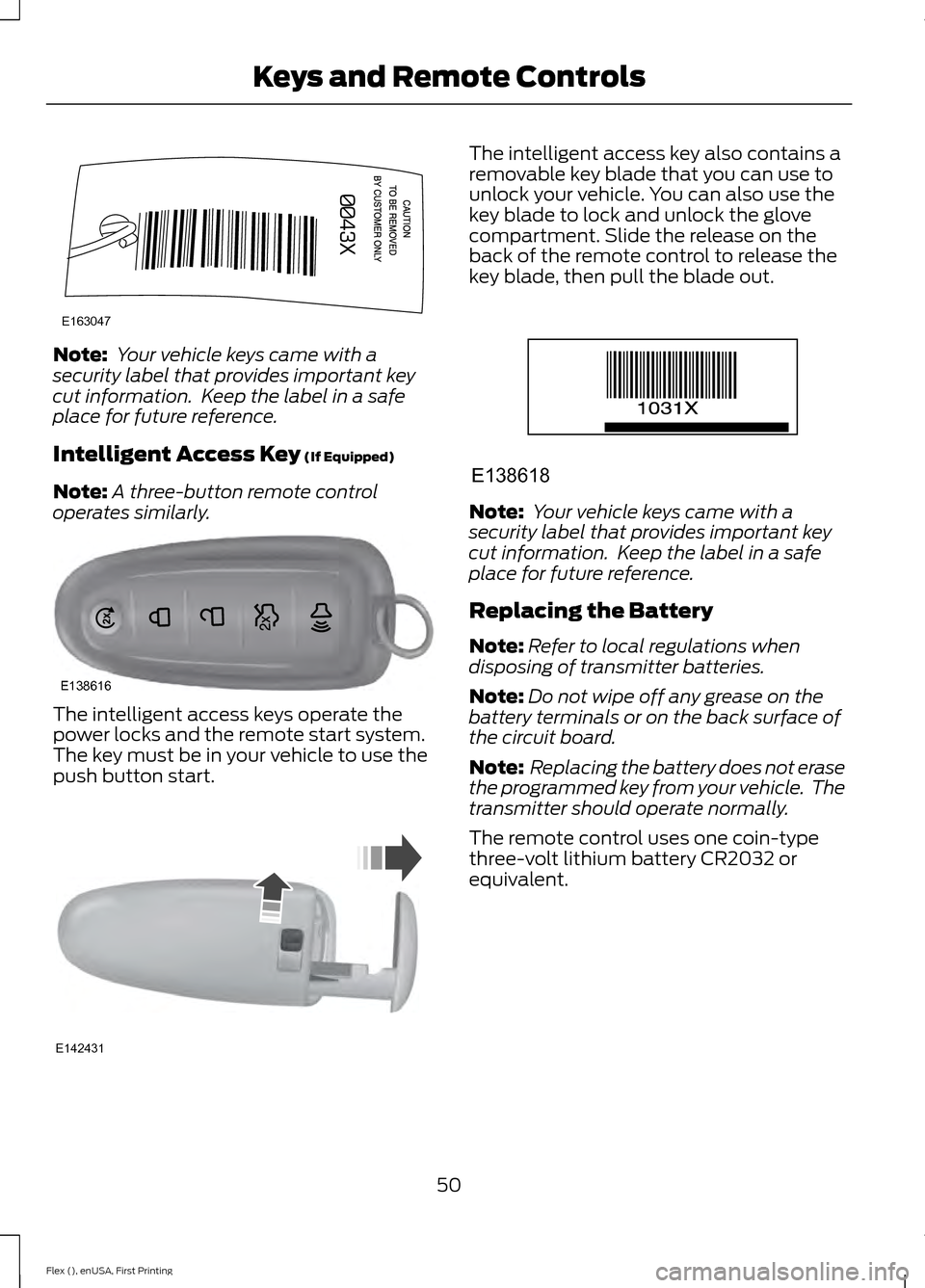
Note:
Your vehicle keys came with a
security label that provides important key
cut information. Keep the label in a safe
place for future reference.
Intelligent Access Key (If Equipped)
Note: A three-button remote control
operates similarly. The intelligent access keys operate the
power locks and the remote start system.
The key must be in your vehicle to use the
push button start. The intelligent access key also contains a
removable key blade that you can use to
unlock your vehicle. You can also use the
key blade to lock and unlock the glove
compartment. Slide the release on the
back of the remote control to release the
key blade, then pull the blade out.
Note:
Your vehicle keys came with a
security label that provides important key
cut information. Keep the label in a safe
place for future reference.
Replacing the Battery
Note: Refer to local regulations when
disposing of transmitter batteries.
Note: Do not wipe off any grease on the
battery terminals or on the back surface of
the circuit board.
Note: Replacing the battery does not erase
the programmed key from your vehicle. The
transmitter should operate normally.
The remote control uses one coin-type
three-volt lithium battery CR2032 or
equivalent.
50
Flex (), enUSA, First Printing Keys and Remote ControlsE163047 E138616 E142431 E138618
Page 54 of 417
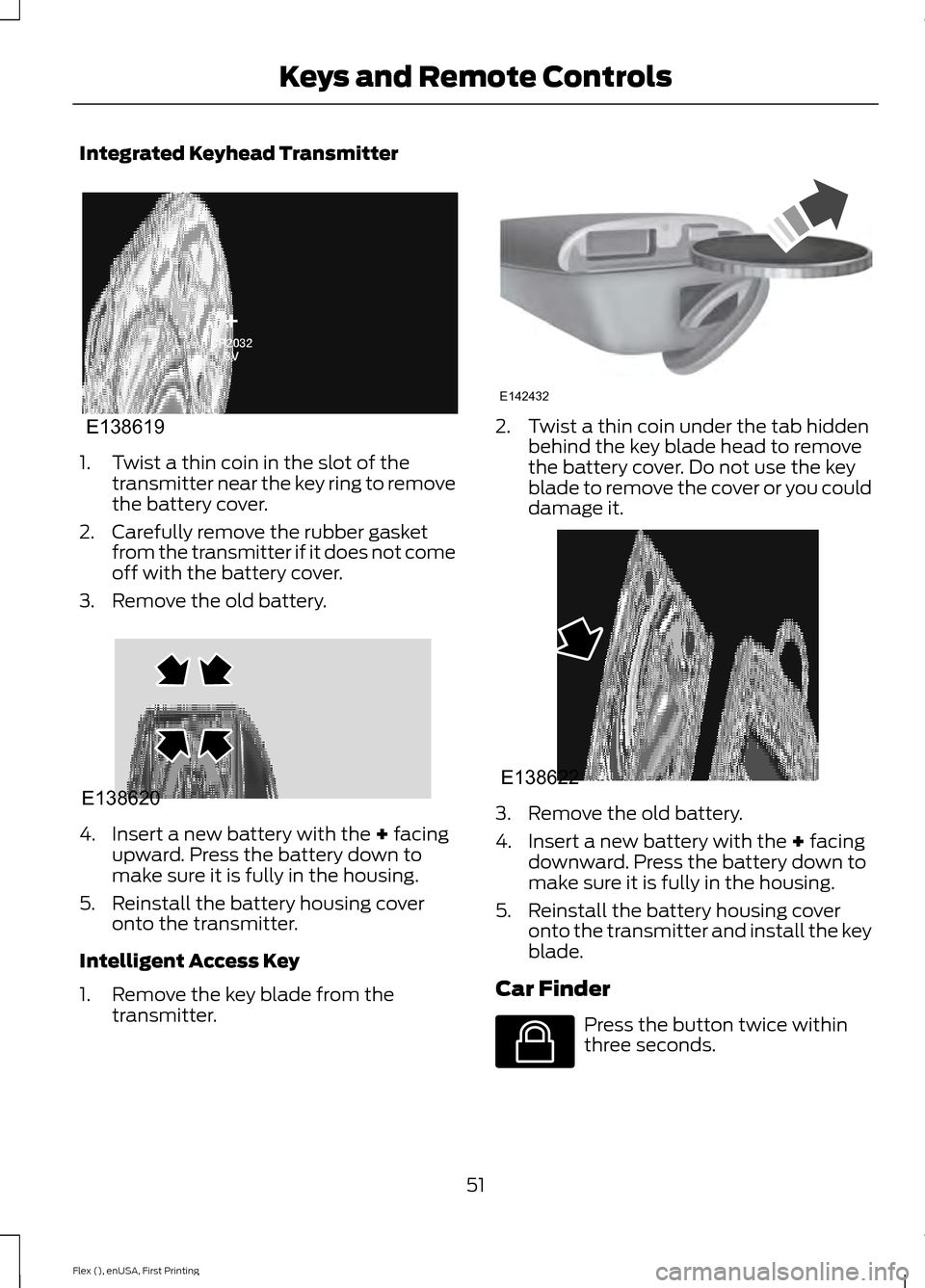
Integrated Keyhead Transmitter
1. Twist a thin coin in the slot of the
transmitter near the key ring to remove
the battery cover.
2. Carefully remove the rubber gasket from the transmitter if it does not come
off with the battery cover.
3. Remove the old battery. 4. Insert a new battery with the + facing
upward. Press the battery down to
make sure it is fully in the housing.
5. Reinstall the battery housing cover onto the transmitter.
Intelligent Access Key
1. Remove the key blade from the transmitter. 2. Twist a thin coin under the tab hidden
behind the key blade head to remove
the battery cover. Do not use the key
blade to remove the cover or you could
damage it. 3. Remove the old battery.
4. Insert a new battery with the + facing
downward. Press the battery down to
make sure it is fully in the housing.
5. Reinstall the battery housing cover onto the transmitter and install the key
blade.
Car Finder Press the button twice within
three seconds.
51
Flex (), enUSA, First Printing Keys and Remote ControlsE138619 E138620 E142432 E138622 E138623
Page 55 of 417
The horn sounds and the direction
indicators flash. We recommend you use
this method to locate your vehicle, rather
than using the panic alarm.
Note:
If any door or the liftgate is open, or
if the hood is open on vehicles with an
anti-theft alarm or remote start, the horn
will sound twice and the direction indicators
will not flash.
Sounding the Panic Alarm Press the button to sound the
panic alarm. Press the button
again or switch the ignition on to
turn it off.
Note: The panic alarm only operates when
the ignition is off.
Remote Start (If Equipped) WARNING
To avoid exhaust fumes, do not use
remote start if your vehicle is parked
indoors or in areas that are not well
ventilated. Note:
Do not use remote start if your fuel
level is low. The remote start button is on the
transmitter.
This feature allows you to start your
vehicle from the outside. The transmitter
has an extended operating range.
Vehicles with automatic climate control
can be configured to operate when the
vehicle is remote started. See Automatic
Climate Control
(page 115).
Many states and provinces have
restrictions for the use of remote start.
Check your local and state or provincial
laws for specific requirements regarding
remote start systems. The remote start system does not work if
any of the following occur:
•
The ignition is on.
• The anti-theft alarm triggers.
• You switch off the feature.
• The hood is open.
• The transmission is not in park (P).
• The battery voltage is below the
minimum operating voltage.
• The service engine soon indicator was
on the last time your vehicle was
driven.
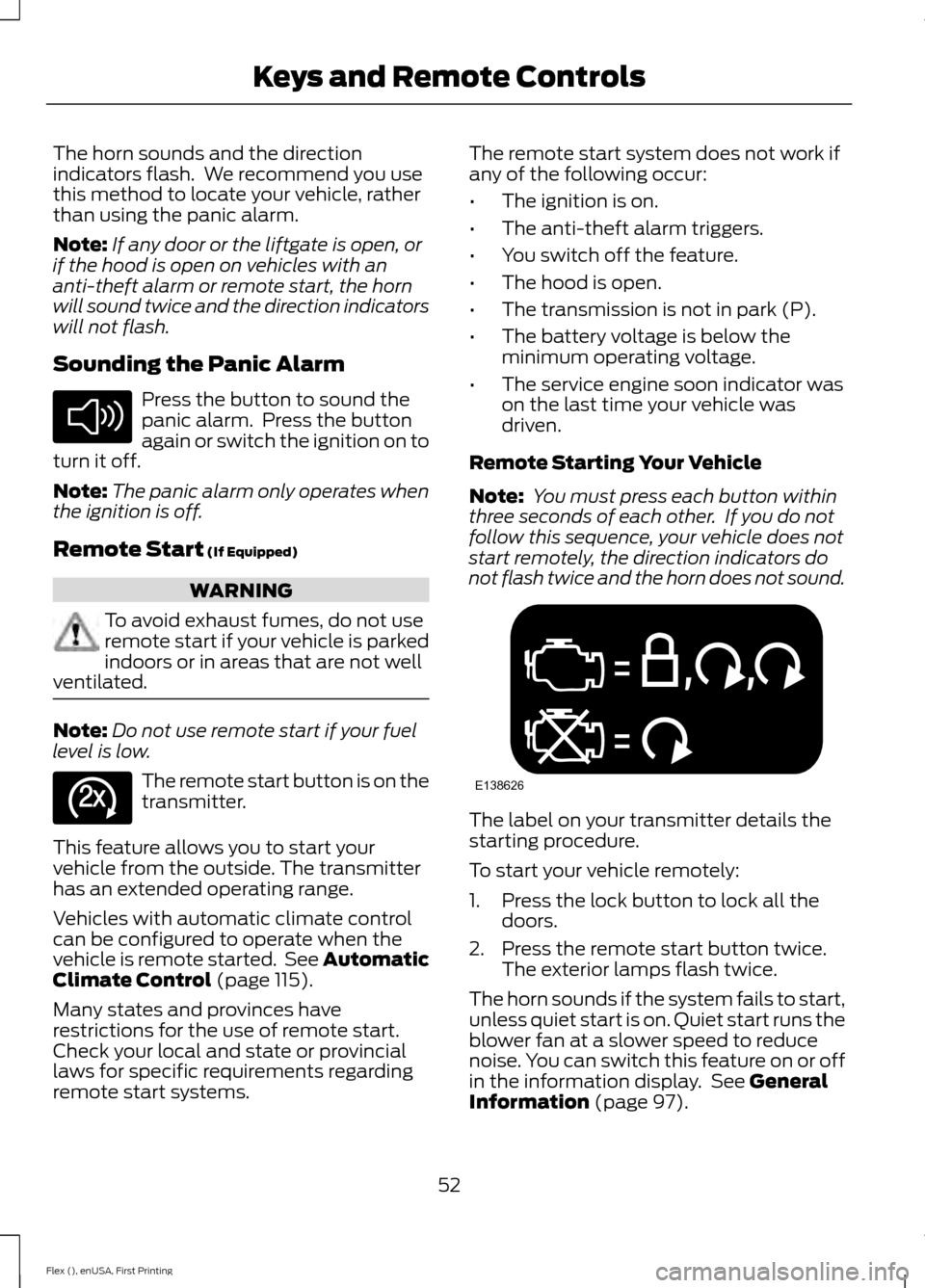
Remote Starting Your Vehicle
Note: You must press each button within
three seconds of each other. If you do not
follow this sequence, your vehicle does not
start remotely, the direction indicators do
not flash twice and the horn does not sound. The label on your transmitter details the
starting procedure.
To start your vehicle remotely:
1. Press the lock button to lock all the
doors.
2. Press the remote start button twice. The exterior lamps flash twice.
The horn sounds if the system fails to start,
unless quiet start is on. Quiet start runs the
blower fan at a slower speed to reduce
noise. You can switch this feature on or off
in the information display. See
General
Information (page 97).
52
Flex (), enUSA, First Printing Keys and Remote ControlsE138624 E138625 E138626
Page 66 of 417
7. Switch the ignition off. The horn
sounds indicating programming is
complete.
Illuminated Entry
The interior lamps and some exterior
lamps illuminate when you unlock the
doors with the remote control.
The lamps turn off if:
• The ignition is on.
• You press the remote control lock
button.
• 25 seconds have elapsed.
The lamps do not turn off if:
• You switch them on with the lighting
control.
• Any door is open.
Illuminated Exit
The interior lamps and some exterior
lamps illuminate when all doors are closed
and you switch the ignition off.
The lamps will turn off if all the doors
remain closed and:
• 25 seconds have elapsed.
• You lock your vehicle from the outside.
Battery Saver
If you leave the courtesy lamps, interior
lamps or headlamps on, the battery saver
shuts them off 10 minutes after you switch
the ignition off.
Battery Saver for Intelligent Access
Keys (If Equipped)
If you leave the ignition switched on and
the engine is not running, the battery saver
will turn the ignition off when it detects a
certain amount of battery drain, or after
45 minutes have elapsed. MANUAL LIFTGATE (If Equipped) WARNINGS
It is extremely dangerous to ride in a
cargo area, inside or outside of a
vehicle. In a crash, people riding in
these areas are more likely to be seriously
injured or killed. Do not allow people to ride
in any area of your vehicle that is not
equipped with seats and seatbelts. Be sure
everyone in your vehicle is in a seat and
using a seatbelt properly. Failure to follow
this warning could result in serious
personal injury or death. Make sure to close and latch the
liftgate to prevent drawing exhaust
fumes into your vehicle. This will also
prevent passengers and cargo from falling
out. If you must drive with the liftgate open,
keep the vents or windows open so outside
air comes into your vehicle. Failure to
follow this warning could result in serious
personal injury. Note:
Be careful when opening or closing
the liftgate in a garage or other enclosed
area to avoid damaging the liftgate.
Note: Do not hang anything, for example a
bike rack, from the glass or liftgate. This
could damage the liftgate and its
components.
Note: Do not leave the liftgate open while
driving. This could damage the liftgate and
its components.
63
Flex (), enUSA, First Printing Locks
Page 68 of 417
•
The ignition is on and the transmission
is not in park (P).
• The battery voltage is below the
minimum operating voltage.
• The liftgate is not fully closed and your
vehicle speed is at or above 3 mph
(5 km/h).
If the liftgate starts to close after it has
fully opened, this indicates there may be
excessive weight on the liftgate or a
possible gas strut failure. A repetitive tone
sounds and the liftgate closes under
control. Remove any excessive weight from
the liftgate. If the liftgate continues to
close after opening, have the system
checked by an authorized dealer.
Opening and Closing the Liftgate WARNING
Make sure all persons are clear of the
power liftgate area before using the
power liftgate control.
Note:
Be careful when opening or closing
the liftgate in a garage or other enclosed
area to avoid damaging the liftgate.
Note: Do not leave the liftgate open while
driving. This could damage the liftgate and
its components.
From the Instrument Panel Press the button on the
instrument panel.
With the Remote Control Press the button twice within
three seconds. With the Outside Control Button
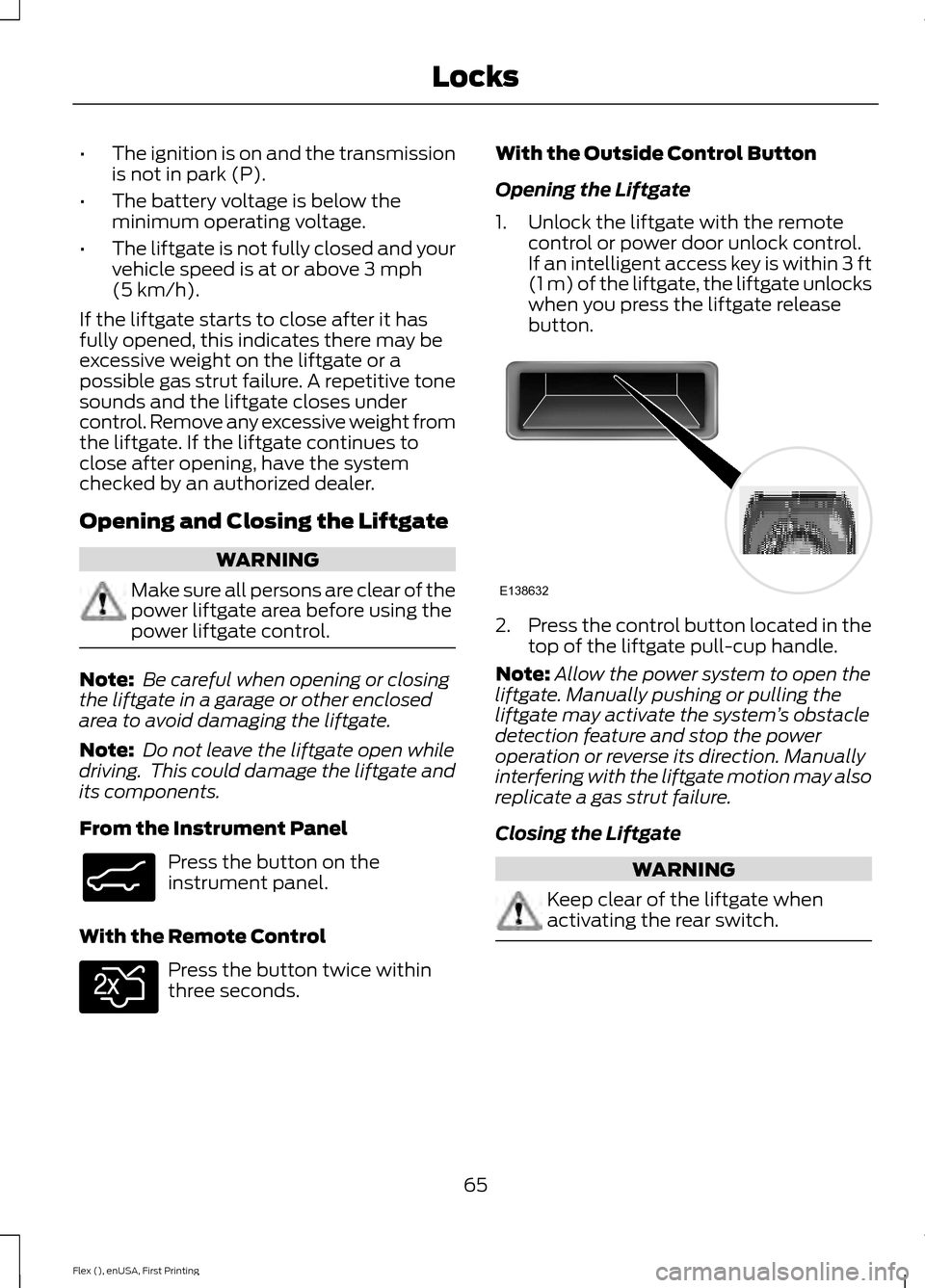
Opening the Liftgate
1. Unlock the liftgate with the remote
control or power door unlock control.
If an intelligent access key is within
3 ft
(1 m) of the liftgate, the liftgate unlocks
when you press the liftgate release
button. 2.
Press the control button located in the
top of the liftgate pull-cup handle.
Note: Allow the power system to open the
liftgate. Manually pushing or pulling the
liftgate may activate the system ’s obstacle
detection feature and stop the power
operation or reverse its direction. Manually
interfering with the liftgate motion may also
replicate a gas strut failure.
Closing the Liftgate WARNING
Keep clear of the liftgate when
activating the rear switch.
65
Flex (), enUSA, First Printing LocksE138633 E138630 E138632
Page 69 of 417
Press and release the liftgate control
button.
Stopping the Liftgate Movement
Note:
Do not apply sudden excessive force
to the liftgate while it is in motion. This
could damage the power liftgate and its
components.
You can stop the liftgate movement by
doing any of the following:
• Pressing the liftgate control button.
• Pressing the liftgate button on the
remote control twice.
• Pressing the liftgate button on the
instrument panel.
• Activating the obstacle detection
feature.
• Moving your foot under and away from
the center rear bumper in a single-kick
motion. *
* This method only works for vehicles with
the hands-free liftgate feature.
Setting the Liftgate Open Height
1. Open the liftgate.
2. Stop the liftgate movement by pressing
the control button on the liftgate when
it reaches the desired height. Note:
Once the liftgate has stopped
moving, you can also manually move it to
the desired height.
3. Press and hold the liftgate control button on the liftgate until you hear a
tone, indicating programming is
complete.
Note: You can only use the liftgate control
button to program the height.
Note: You cannot program the height if the
liftgate position is too low.
The new open liftgate height is recalled
when the power liftgate is opened. To
change the programmed height, repeat the
above procedure. Once you open the
power liftgate, you can manually move it
to a different height.
Note: The system recalls the new
programmed height until you reprogram it,
even if you disconnect the battery.
When operating the power liftgate after
you have programmed a lower height than
fully open, you can fully open the liftgate
by manually pushing it upward to the
maximum open position.
Obstacle Detection
When Closing
The system stops when it detects an
obstacle. A tone sounds and the system
reverses to open. Once you remove the
obstacle, you can power close the liftgate.
Note: Entering your vehicle while the
liftgate is closing can cause your vehicle to
bounce and activate obstacle detection. To
prevent this, let the power liftgate close
completely before you enter your vehicle.
Before driving off, check the instrument
cluster for a liftgate or door ajar message or
warning indicator. Failure to do this could
result in unintentionally leaving the liftgate
open while driving.
66
Flex (), enUSA, First Printing LocksE138636