seats FORD FLEX 2017 1.G Workshop Manual
[x] Cancel search | Manufacturer: FORD, Model Year: 2017, Model line: FLEX, Model: FORD FLEX 2017 1.GPages: 496, PDF Size: 5.92 MB
Page 272 of 496
CLEANING THE INTERIOR
WARNINGS
Do not use cleaning solvents, bleach
or dye on the vehicle
’s safety belts,
as these actions may weaken the
belt webbing. On vehicles equipped with
seat-mounted airbags, do not use
chemical solvents or strong
detergents. Such products could
contaminate the side airbag system and
affect performance of the side airbag in a
collision. For fabric, carpets, cloth seats, safety belts
and seats equipped with side airbags:
•
Remove dust and loose dirt with a
vacuum cleaner.
• Remove light stains and soil with
Motorcraft Professional Strength
Carpet & Upholstery Cleaner.
• If grease or tar is present on the
material, spot-clean the area first with
Motorcraft Spot and Stain Remover. In
Canada, use Motorcraft Multi-Purpose
Cleaner.
• If a ring forms on the fabric after spot
cleaning, clean the entire area
immediately (but do not oversaturate)
or the ring will set.
• Do not use household cleaning
products or glass cleaners, which can
stain and discolor the fabric and affect
the flame retardant abilities of the seat
materials. CLEANING THE INSTRUMENT
PANEL AND INSTRUMENT
CLUSTER LENS WARNING
Do not use chemical solvents or
strong detergents when cleaning the
steering wheel or instrument panel
to avoid contamination of the airbag
system. Note:
Follow the same procedure as
cleaning leather seats for cleaning leather
instrument panels and leather interior trim
surfaces. See Cleaning Leather Seats
(page 270).
Clean the instrument panel and cluster
lens with a clean, damp and soft cloth,
then use a clean, dry and soft cloth to dry
these areas.
• Avoid cleaners or polishes that increase
the gloss of the upper portion of the
instrument panel. The dull finish in this
area helps protect you from
undesirable windshield reflection.
• Do not use any household cleaning
products or glass cleaners as these
may damage the finish of the
instrument panel, interior trim and
cluster lens.
• Wash or wipe your hands clean if you
have been in contact with certain
products such as insect repellent and
suntan lotion to avoid possible damage
to the interior painted surfaces.
• Do not allow air fresheners and hand
sanitizers to spill onto interior surfaces.
If a spill occurs, wipe off immediately.
Your warranty may not cover these
damages.
If a staining liquid like coffee or juice has
been spilled on the instrument panel or on
interior trim surfaces:
269
Flex (), enUSA, First Printing Vehicle Care
Page 273 of 496
1. Wipe up spilled liquid using a clean,
soft cloth as quickly as possible.
2. Use Motorcraft Premium Leather and Vinyl Cleaner or a commercially
available leather cleaning product for
automotive interiors. Test any cleaner
or stain remover on an inconspicuous
area.
3. Alternatively, wipe the surface with a clean, soft cloth and a mild soap and
water solution. Dry the area with a
clean, soft cloth.
4. If necessary, apply more soap and water solution or cleaning product to
a clean, soft cloth and press it onto the
soiled area. Allow this to set at room
temperature for 30 minutes.
5. Remove the soaked cloth, then with a clean, damp cloth, use a rubbing
motion for 60 seconds on the soiled
area.
6. Dry the area with a clean, soft cloth.
CLEANING LEATHER SEATS (If
Equipped)
Note: Follow the same procedure as
cleaning leather seats for cleaning leather
instrument panels and leather interior trim
surfaces.
For routine cleaning, wipe the surface with
a soft, damp cloth and a mild soap and
water solution. Dry the area with a clean,
soft cloth.
For cleaning and removing stains such as
dye transfer, use Motorcraft Premium
Leather and Vinyl Cleaner or a
commercially available leather cleaning
product for automotive interiors.
Note: Test any cleaner or stain remover on
an inconspicuous area. You should:
•
Remove dust and loose dirt with a
vacuum cleaner.
• Clean and treat spills and stains as
soon as possible.
Do not use the following products as these
may damage the leather:
• Oil and petroleum or silicone-based
leather conditioners.
• Household cleaners.
• Alcohol solutions.
• Solvents or cleaners intended
specifically for rubber, vinyl and
plastics.
REPAIRING MINOR PAINT
DAMAGE
Authorized dealers have touch-up paint to
match your vehicle ’s color. Your vehicle
color code is printed on a sticker on the
front, left-hand side door jamb. Take your
color code to your authorized dealer to
make sure you get the correct color.
Before repairing minor paint damage, use
a cleaner such as Motorcraft Bug and Tar
Remover to remove particles such as bird
droppings, tree sap, insect deposits, tar
spots, road salt and industrial fallout.
Always read the instructions before using
cleaning products.
CLEANING THE WHEELS
(If
Equipped)
Note: Do not apply a cleaning chemical to
warm or hot wheel rims and covers.
Note: Some automatic car washes may
cause damage to the finish on your wheel
rims and covers.
270
Flex (), enUSA, First Printing Vehicle Care
Page 325 of 496
Monday-Saturday, 8:30am-9:00pm EST.
Sunday, 10:30am-7:30pm EST.
In the United States, call 1-800-392-3673.
In Canada, call 1-800-565-3673.
Times are subject to change due to
holidays.
SYNC Owner Account
Why do I need a SYNC owner account?
•
Essential for keeping up with the latest
software downloads available for
SYNC.
• Access to customer support for any
questions you may have.
Driving Restrictions
For your safety, certain features are
speed-dependent and restricted when your
vehicle is traveling over 3 mph (5 km/h).
Safety Information WARNING
Driving while distracted can result in
loss of vehicle control, crash and
injury. We strongly recommend that
you use extreme caution when using any
device that may take your focus off the
road. Your primary responsibility is the safe
operation of your vehicle. We recommend
against the use of any hand-held device
while driving and encourage the use of
voice-operated systems when possible.
Make sure you are aware of all applicable
local laws that may affect the use of
electronic devices while driving. When using SYNC:
•
Do not operate playing devices if the
power cords or cables are broken, split
or damaged. Place cords and cables
out of the way, so they do not interfere
with the operation of pedals, seats,
compartments or safe driving abilities.
• Do not leave playing devices in your
vehicle during extreme conditions as it
could cause them damage. See your
device's manual for further information.
• Do not attempt to service or repair the
system. See an authorized dealer.
Privacy Information
When a cellular phone is connected to
SYNC, the system creates a profile within
your vehicle that is linked to that cellular
phone. This profile is created in order to
offer you more cellular features and to
operate more efficiently. Among other
things, this profile may contain data about
your cellular phone book, text messages
(read and unread), and call history,
including history of calls when your cellular
phone was not connected to the system.
In addition, if you connect a media device,
the system creates and retains an index of
supported media content. The system also
records a short development log of
approximately 10 minutes of all recent
system activity. The log profile and other
system data may be used to improve the
system and help diagnose any problems
that may occur.
The cellular profile, media device index,
and development log will remain in the
vehicle unless you delete them and are
generally accessible only in the vehicle
when the cellular phone or media player
is connected. If you no longer plan to use
the system or the vehicle, we recommend
you perform a Master Reset to erase all
stored information.
322
Flex (), enUSA, First Printing SYNC™
Page 372 of 496
911 Assist Privacy Notice
When you switch on 911 Assist, it may
disclose to emergency services that your
vehicle has been in a crash involving the
deployment of an airbag or activation of
the fuel pump shut-off. Certain versions or
updates to 911 Assist may also be capable
of electronically or verbally disclosing to
911 operators your vehicle location or other
details about your vehicle or crash to assist
911 operators to provide the most
appropriate emergency services. If you do
not want to disclose this information, do
not switch the feature on.
Safety Information
WARNING
Driving while distracted can result in
loss of vehicle control, crash and
injury. We strongly recommend that
you use extreme caution when using any
device that may take your focus off the
road. Your primary responsibility is the safe
operation of your vehicle. We recommend
against the use of any hand-held device
while driving and encourage the use of
voice-operated systems when possible.
Make sure you are aware of all applicable
local laws that may affect the use of
electronic devices while driving. •
Do not attempt to service or repair the
system. Have an authorized dealer
check your vehicle.
• Do not operate playing devices if the
power cords or cables are broken, split
or damaged. Place cords and cables
out of the way, so they do not interfere
with the operation of pedals, seats,
compartments or safe driving abilities. •
Do not leave playing devices in your
vehicle during extreme conditions as it
could cause them damage. See your
device's user guide for further
information.
• For your safety, some SYNC 3 functions
are speed-dependent. Their use is
limited to when your vehicle is traveling
at speeds under 3 mph (5 km/h). Make
sure that you review your device's
manual before using it with SYNC 3.
Speed-restricted Features
Some features of this system may be too
difficult to use while your vehicle is moving
so they are restricted from use unless your
vehicle is stationary.
• Screens crowded with information,
such as Point of Interest reviews and
ratings, SiriusXM Traffic and Travel Link
sports scores, movie times or ski
conditions.
• Any action that requires you to use a
keyboard is restricted, such as entering
a navigation destination or editing
information.
• All lists are limited so the user can view
fewer entries (such as phone contacts
or recent phone call entries).
See the following chart for more specific
examples.
369
Flex (), enUSA, First Printing SYNC™ 3
Page 376 of 496
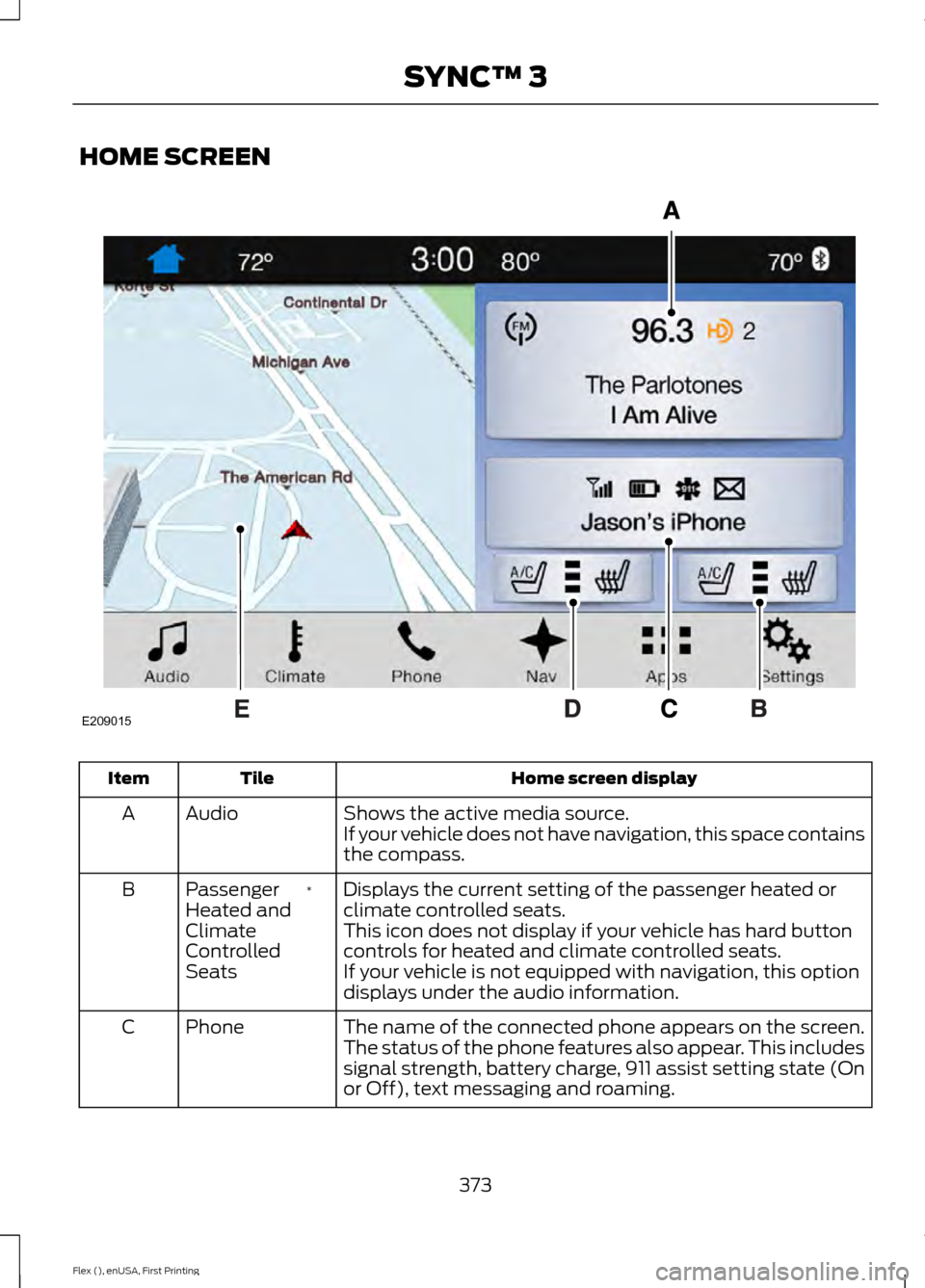
HOME SCREEN
Home screen display
Tile
Item
Shows the active media source.
Audio
A
If your vehicle does not have navigation, this space contains
the compass.
Displays the current setting of the passenger heated or
climate controlled seats.
*
Passenger
Heated and
Climate
Controlled
Seats
B
This icon does not display if your vehicle has hard button
controls for heated and climate controlled seats.
If your vehicle is not equipped with navigation, this option
displays under the audio information.
The name of the connected phone appears on the screen.
The status of the phone features also appear. This includes
signal strength, battery charge, 911 assist setting state (On
or Off), text messaging and roaming.
Phone
C
373
Flex (), enUSA, First Printing SYNC™ 3E209015
Page 377 of 496
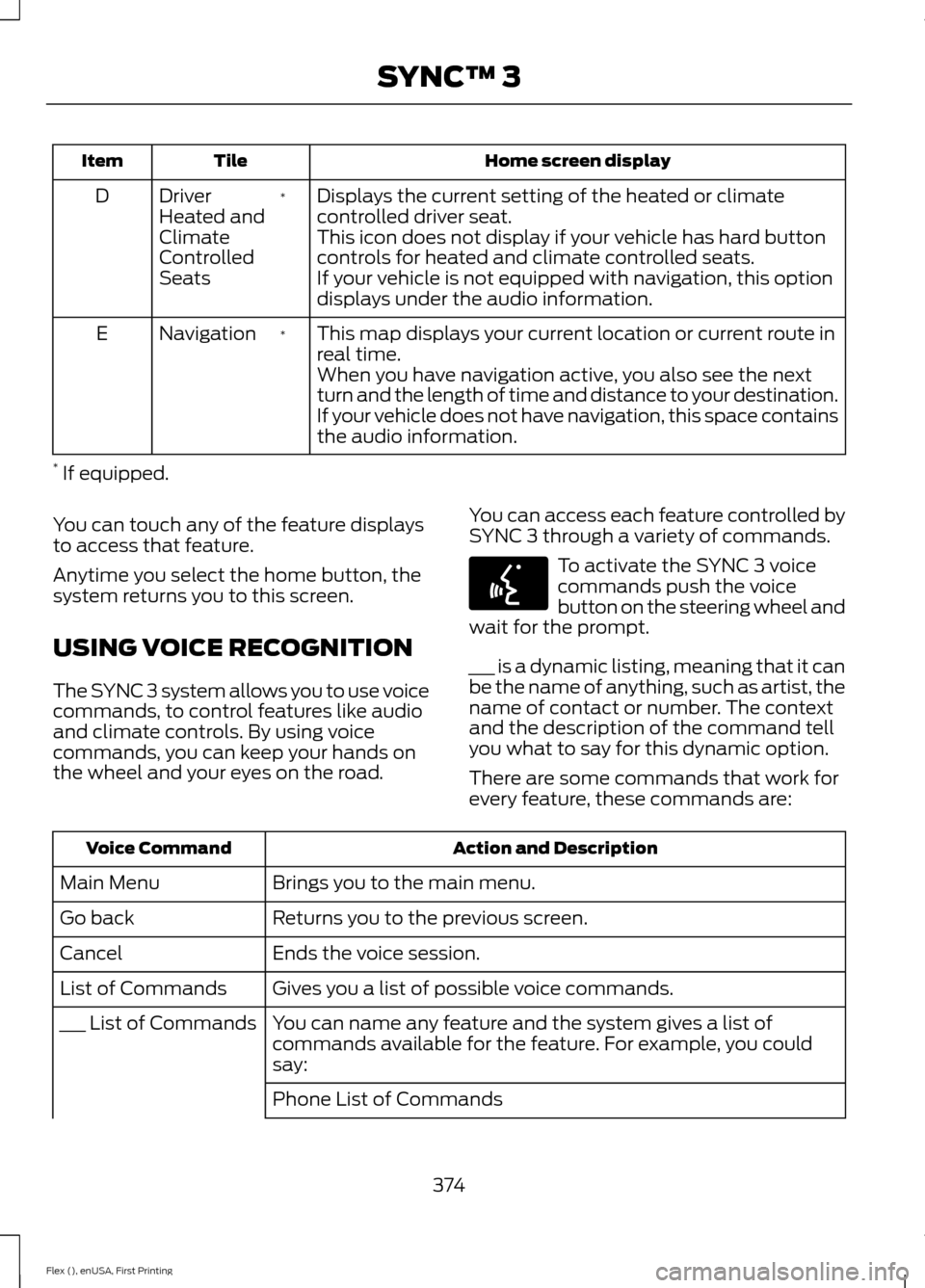
Home screen display
Tile
Item
Displays the current setting of the heated or climate
controlled driver seat.
*
Driver
Heated and
Climate
Controlled
Seats
D
This icon does not display if your vehicle has hard button
controls for heated and climate controlled seats.
If your vehicle is not equipped with navigation, this option
displays under the audio information.
This map displays your current location or current route in
real time.
*
Navigation
E
When you have navigation active, you also see the next
turn and the length of time and distance to your destination.
If your vehicle does not have navigation, this space contains
the audio information.
* If equipped.
You can touch any of the feature displays
to access that feature.
Anytime you select the home button, the
system returns you to this screen.
USING VOICE RECOGNITION
The SYNC 3 system allows you to use voice
commands, to control features like audio
and climate controls. By using voice
commands, you can keep your hands on
the wheel and your eyes on the road. You can access each feature controlled by
SYNC 3 through a variety of commands. To activate the SYNC 3 voice
commands push the voice
button on the steering wheel and
wait for the prompt.
___ is a dynamic listing, meaning that it can
be the name of anything, such as artist, the
name of contact or number. The context
and the description of the command tell
you what to say for this dynamic option.
There are some commands that work for
every feature, these commands are: Action and Description
Voice Command
Brings you to the main menu.
Main Menu
Returns you to the previous screen.
Go back
Ends the voice session.
Cancel
Gives you a list of possible voice commands.
List of Commands
You can name any feature and the system gives a list of
commands available for the feature. For example, you could
say:
___ List of Commands
Phone List of Commands
374
Flex (), enUSA, First Printing SYNC™ 3E142599
Page 395 of 496
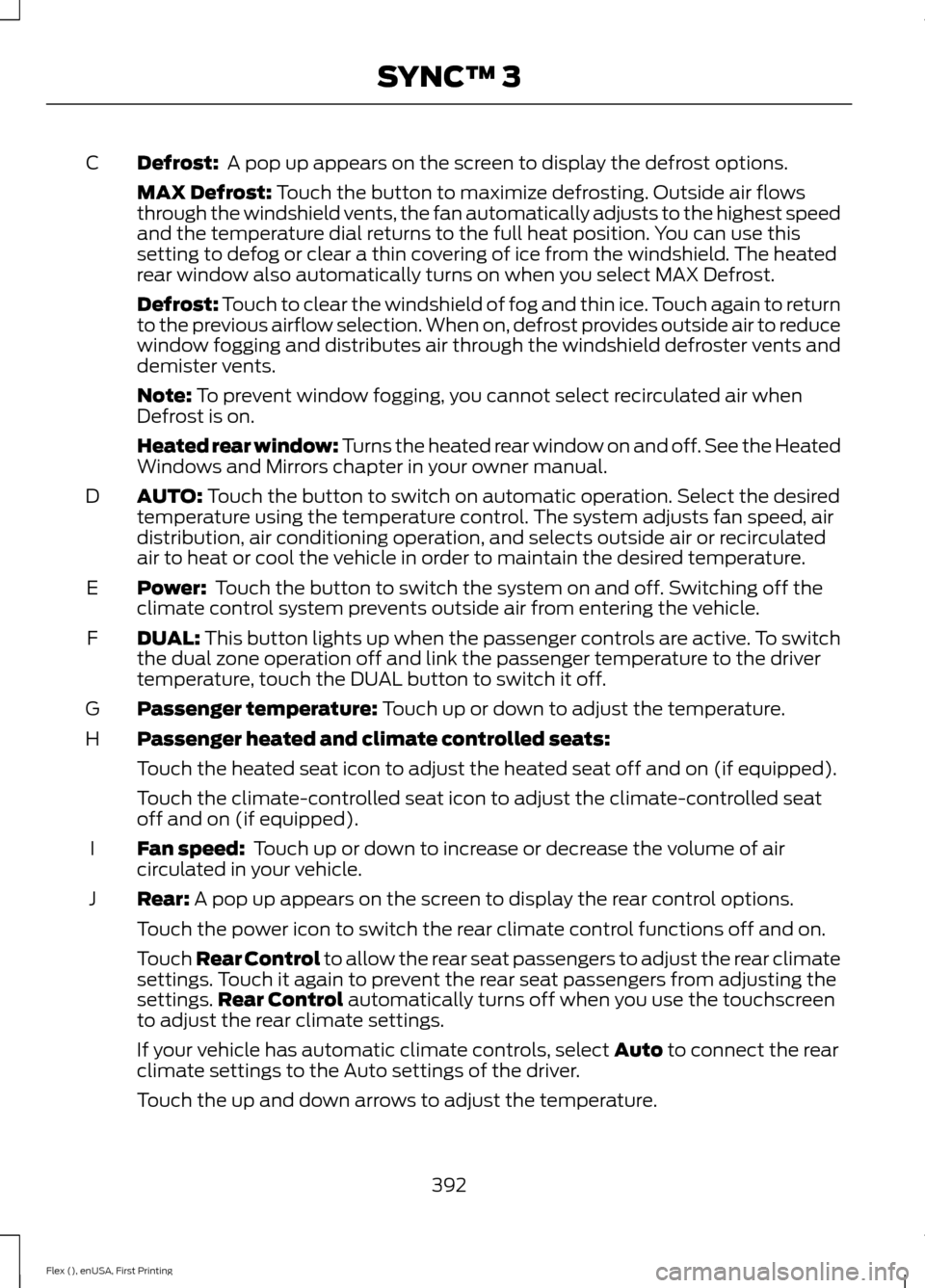
Defrost: A pop up appears on the screen to display the defrost options.
C
MAX Defrost:
Touch the button to maximize defrosting. Outside air flows
through the windshield vents, the fan automatically adjusts to the highest speed
and the temperature dial returns to the full heat position. You can use this
setting to defog or clear a thin covering of ice from the windshield. The heated
rear window also automatically turns on when you select MAX Defrost.
Defrost: Touch to clear the windshield of fog and thin ice. Touch again to return
to the previous airflow selection. When on, defrost provides outside air to reduce
window fogging and distributes air through the windshield defroster vents and
demister vents.
Note:
To prevent window fogging, you cannot select recirculated air when
Defrost is on.
Heated rear window: Turns the heated rear window on and off. See the Heated
Windows and Mirrors chapter in your owner manual.
AUTO:
Touch the button to switch on automatic operation. Select the desired
temperature using the temperature control. The system adjusts fan speed, air
distribution, air conditioning operation, and selects outside air or recirculated
air to heat or cool the vehicle in order to maintain the desired temperature.
D
Power:
Touch the button to switch the system on and off. Switching off the
climate control system prevents outside air from entering the vehicle.
E
DUAL:
This button lights up when the passenger controls are active. To switch
the dual zone operation off and link the passenger temperature to the driver
temperature, touch the DUAL button to switch it off.
F
Passenger temperature:
Touch up or down to adjust the temperature.
G
Passenger heated and climate controlled seats:
H
Touch the heated seat icon to adjust the heated seat off and on (if equipped).
Touch the climate-controlled seat icon to adjust the climate-controlled seat
off and on (if equipped).
Fan speed:
Touch up or down to increase or decrease the volume of air
circulated in your vehicle.
I
Rear:
A pop up appears on the screen to display the rear control options.
J
Touch the power icon to switch the rear climate control functions off and on.
Touch Rear Control to allow the rear seat passengers to adjust the rear climate
settings. Touch it again to prevent the rear seat passengers from adjusting the
settings. Rear Control
automatically turns off when you use the touchscreen
to adjust the rear climate settings.
If your vehicle has automatic climate controls, select
Auto to connect the rear
climate settings to the Auto settings of the driver.
Touch the up and down arrows to adjust the temperature.
392
Flex (), enUSA, First Printing SYNC™ 3
Page 396 of 496
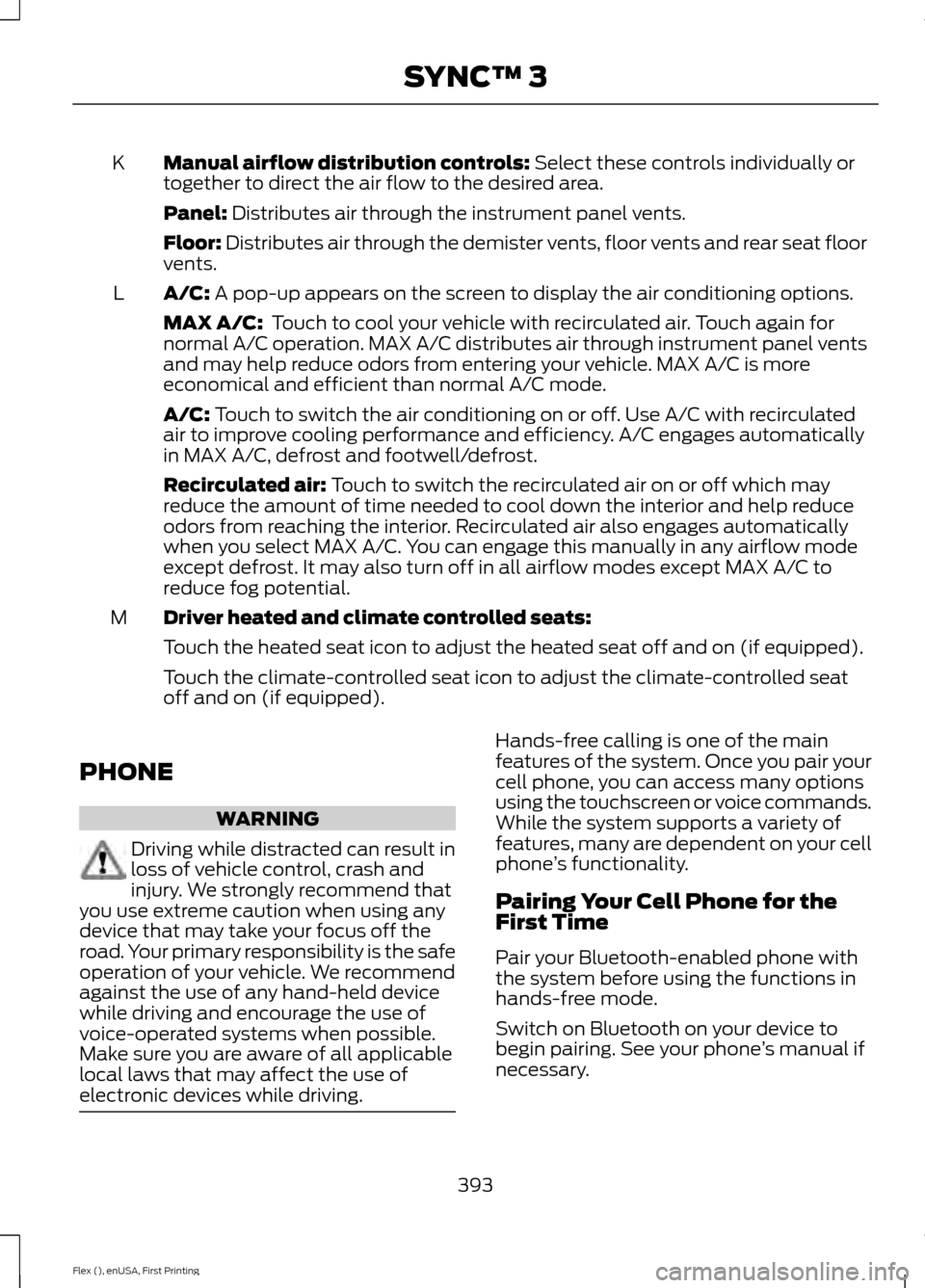
Manual airflow distribution controls: Select these controls individually or
together to direct the air flow to the desired area.
K
Panel:
Distributes air through the instrument panel vents.
Floor:
Distributes air through the demister vents, floor vents and rear seat floor
vents.
A/C:
A pop-up appears on the screen to display the air conditioning options.
L
MAX A/C:
Touch to cool your vehicle with recirculated air. Touch again for
normal A/C operation. MAX A/C distributes air through instrument panel vents
and may help reduce odors from entering your vehicle. MAX A/C is more
economical and efficient than normal A/C mode.
A/C:
Touch to switch the air conditioning on or off. Use A/C with recirculated
air to improve cooling performance and efficiency. A/C engages automatically
in MAX A/C, defrost and footwell/defrost.
Recirculated air:
Touch to switch the recirculated air on or off which may
reduce the amount of time needed to cool down the interior and help reduce
odors from reaching the interior. Recirculated air also engages automatically
when you select MAX A/C. You can engage this manually in any airflow mode
except defrost. It may also turn off in all airflow modes except MAX A/C to
reduce fog potential.
Driver heated and climate controlled seats:
M
Touch the heated seat icon to adjust the heated seat off and on (if equipped).
Touch the climate-controlled seat icon to adjust the climate-controlled seat
off and on (if equipped).
PHONE WARNING
Driving while distracted can result in
loss of vehicle control, crash and
injury. We strongly recommend that
you use extreme caution when using any
device that may take your focus off the
road. Your primary responsibility is the safe
operation of your vehicle. We recommend
against the use of any hand-held device
while driving and encourage the use of
voice-operated systems when possible.
Make sure you are aware of all applicable
local laws that may affect the use of
electronic devices while driving. Hands-free calling is one of the main
features of the system. Once you pair your
cell phone, you can access many options
using the touchscreen or voice commands.
While the system supports a variety of
features, many are dependent on your cell
phone
’s functionality.
Pairing Your Cell Phone for the
First Time
Pair your Bluetooth-enabled phone with
the system before using the functions in
hands-free mode.
Switch on Bluetooth on your device to
begin pairing. See your phone ’s manual if
necessary.
393
Flex (), enUSA, First Printing SYNC™ 3
Page 487 of 496
Checking the Transmission Fluid
Level................................................................... 254
Autowipers........................................................79
Auxiliary Power Points................................145 110 Volt AC Power Point................................... 145
12 Volt DC Power Point..................................... 145
Locations............................................................... 145
AWD See: All-Wheel Drive......................................... 168
B
Battery See: Changing the 12V Battery..................... 256
Blind Spot Information System..............195
Switching the System Off and On...............196
System Errors....................................................... 196
System Limitations............................................ 196
Using the System............................................... 195
Bonnet Lock See: Opening and Closing the Hood..........244
Booster Seats..................................................28 Types of Booster Seats...................................... 29
Brake Fluid Check........................................255
Brakes................................................................175 General Information........................................... 175
Breaking-In......................................................217
Bulb Specification Chart...........................263
C
Cabin Air Filter................................................124
California Proposition 65..............................11
Capacities and Specifications - 3.5L Duratec.........................................................304
Alternative Engine Oil for Extremely Cold Climates........................................................... 307
Specifications..................................................... 304
Capacities and Specifications - 3.5L Ecoboost™.................................................308
Alternative Engine Oil for Extremely Cold Climates............................................................ 312
Specifications..................................................... 309
Capacities and Specifications................299
Cargo Nets
.....................................................203
Car Wash See: Cleaning the Exterior.............................. 266Center Console
..............................................147
Console Refrigerator and Freezer.................147
Second Row Center Console.......................... 147
Changing a Bulb..........................................260 Brake and Rear Lamps, Rear Direction
Indicator and Reversing Lamp.................262
Front Direction Indicator and Front Parking Lamp.................................................................. 261
Front Fog Lamp.................................................. 262
Headlamp.............................................................. 261
Headlamp Low Beam and Headlamp High Beam.................................................................. 261
LED Lamps........................................................... 263
License Plate Lamp.......................................... 263
Changing a Fuse...........................................242 Fuses....................................................................... 242
Changing a Road Wheel
...........................293
Dissimilar Spare Wheel and Tire Assembly
Information..................................................... 293
Tire Change Procedure.................................... 294
Changing the 12V Battery.........................256
Changing the Engine Air Filter................265
Changing the Wiper Blades
.....................258
Front Wiper Blades........................................... 258
Rear Window Wiper Blade............................. 259
Checking MyKey System Status..............60
Checking the Wiper Blades
.....................258
Child Restraint and Seatbelt Maintenance..................................................41
Child Restraint Positioning
.........................30
Child Safety.......................................................18
General Information............................................. 18
Child Safety Locks..........................................32 Left-Hand Side...................................................... 33
Right-Hand Side................................................... 33
Cleaning Leather Seats
.............................270
Cleaning Products.......................................266 Materials............................................................... 266
Cleaning the Engine
...................................268
Cleaning the Exterior..................................266 Exterior Chrome Parts...................................... 267
Exterior Plastic Parts......................................... 267
Stripes or Graphics............................................ 267
Underbody............................................................ 267
Under Hood.......................................................... 267
Cleaning the Instrument Panel and Instrument Cluster Lens........................269
Cleaning the Interior
...................................269
484
Flex (), enUSA, First Printing Index
Page 488 of 496
Cleaning the Wheels..................................270
Cleaning the Windows and Wiper Blades...........................................................268
Clearing All MyKeys
.......................................59
Climate.............................................................391
Climate Control
..............................................116
Climate Controlled Seats..........................139 Cooled Seats........................................................ 139
Heated Seats........................................................ 139
Collision Warning System........................200 PRINCIPLE OF OPERATION.......................... 200
Coolant Check See: Engine Coolant Check........................... 250
Crash Sensors and Airbag Indicator
.......50
Creating a MyKey...........................................58
Programming/Changing Configurable
Settings............................................................... 58
Cross Traffic Alert
.........................................197
False Alerts........................................................... 199
Switching the System Off and On...............199
System Errors....................................................... 199
System Lights, Messages and Audible Alerts.................................................................. 198
System Limitations............................................ 199
Using the System................................................ 197
Cruise Control
...................................................77
Principle of Operation...................................... 188
Type 1........................................................................\
. 77
Type 2........................................................................\
77
Cruise control See: Using Cruise Control................................188
Customer Assistance
.................................226
D
Data Recording
..................................................9
Event Data Recording.......................................... 10
Service Data Recording........................................ 9
Daytime Running Lamps............................85
Direction Indicators
.......................................86
Lane Change.......................................................... 86
Doors and Locks.............................................63
Driver and Passenger Airbags...................45 Children and Airbags...........................................45
Proper Driver and Front Passenger Seating
Adjustment........................................................ 45
Driving Aids.....................................................195
Driving Hints
....................................................217 Driving Through Water................................218
DRL
See: Daytime Running Lamps......................... 85
E
Economical Driving.......................................217
Emission Control System...........................161 On-Board Diagnostics (OBD-II).................... 162
Readiness for Inspection and Maintenance (I/M) Testing.................................................... 162
End User License Agreement..................457 VEHICLE SOFTWARE END USER LICENSE
AGREEMENT (EULA) ................................. 457
Engine Block Heater....................................153 Using the Engine Block Heater...................... 154
Engine Coolant Check...............................250 Adding Coolant.................................................. 250
Coolant Change.................................................. 252
Engine Coolant Temperature Management.................................................. 253
Fail-Safe Cooling................................................ 252
Recycled Coolant................................................ 251
Severe Climates.................................................. 251
Engine Immobilizer See: Passive Anti-Theft System..................... 73
Engine Oil Check
..........................................248
Adding Engine Oil.............................................. 248
Engine Oil Dipstick......................................248
Engine Specifications - 3.5L Duratec
.........................................................299
Drivebelt Routing............................................... 299
Engine Specifications - 3.5L Ecoboost™
.................................................299
Drivebelt Routing.............................................. 300
Entertainment...............................................381 AM/FM Radio...................................................... 382
Apps....................................................................... 390
Bluetooth Stereo or USB................................ 389
CD (If equipped)................................................ 388
HD Radio ™ Information (If
Available)........................................................ 385
SIRIUS® Satellite Radio (If Activated)........................................................ 383
Sources................................................................... 381
Supported Media Players, Formats and Metadata Information................................ 390
USB Ports............................................................. 390
485
Flex (), enUSA, First Printing Index