instrument panel FORD FLEX 2017 1.G Owners Manual
[x] Cancel search | Manufacturer: FORD, Model Year: 2017, Model line: FLEX, Model: FORD FLEX 2017 1.GPages: 496, PDF Size: 5.92 MB
Page 4 of 496
Introduction
About This Manual...........................................7
Symbols Glossary
.............................................7
Data Recording
..................................................9
California Proposition 65..............................11
Perchlorate.........................................................11
Ford Credit
..........................................................11
Replacement Parts Recommendation.......................................12
Special Notices................................................12
Mobile Communications Equipment.....................................................13
Export Unique Options..................................13
Environment
Protecting the Environment........................15
At a Glance
Instrument Panel Overview........................16
Child Safety
General Information
.......................................18
Installing Child Restraints
............................19
Booster Seats..................................................28
Child Restraint Positioning
.........................30
Child Safety Locks..........................................32
Seatbelts
Principle of Operation..................................34
Fastening the Seatbelts...............................35
Seatbelt Height Adjustment
......................38
Seatbelt Warning Lamp and Indicator Chime.............................................................39
Seatbelt Reminder........................................39
Child Restraint and Seatbelt Maintenance.................................................41
Seatbelt Extension.........................................41
Personal Safety System ™
Personal Safety System ™
..........................43Supplementary Restraints
System
Principle of Operation..................................44
Driver and Passenger Airbags
...................45
Front Passenger Sensing System............46
Side Airbags
.....................................................48
Safety Canopy ™
............................................49
Crash Sensors and Airbag Indicator
.......50
Airbag Disposal................................................51
Keys and Remote Controls
General Information on Radio Frequencies..................................................52
Remote Control..............................................53
Replacing a Lost Key or Remote Control...........................................................56
MyKey ™
Principle of Operation
...................................57
Creating a MyKey
...........................................58
Clearing All MyKeys
.......................................59
Checking MyKey System Status..............60
Using MyKey With Remote Start Systems..........................................................61
MyKey Troubleshooting
................................61
Doors and Locks
Locking and Unlocking.................................63
Manual Liftgate
..............................................66
Power Liftgate
.................................................67
Keyless Entry
....................................................70
Security
Passive Anti-Theft System.........................73
Anti-Theft Alarm............................................74
Steering Wheel
Adjusting the Steering Wheel - Vehicles With: Manual Adjustable Steering
Column...........................................................75
1
Flex (), enUSA, First Printing Table of Contents
Page 7 of 496
Transporting the Vehicle...........................224
Customer Assistance
Getting the Services You Need...............226
In California (U.S. Only).............................227
The Better Business Bureau (BBB) Auto Line Program (U.S. Only)
......................228
Utilizing the Mediation/Arbitration Program (Canada Only).......................229
Getting Assistance Outside the U.S. and Canada........................................................229
Ordering Additional Owner's Literature....................................................230
Reporting Safety Defects (U.S. Only)..............................................................231
Reporting Safety Defects (Canada Only)..............................................................231
Fuses
Fuse Specification Chart...........................233
Changing a Fuse...........................................242
Maintenance
General Information
...................................244
Opening and Closing the Hood..............244
Under Hood Overview - 3.5L Duratec........................................................246
Under Hood Overview - 3.5L Ecoboost™................................................247
Engine Oil Dipstick
......................................248
Engine Oil Check..........................................248
Oil Change Indicator Reset......................249
Engine Coolant Check...............................250
Automatic Transmission Fluid Check...........................................................254
Brake Fluid Check........................................255
Power Steering Fluid Check.....................256
Washer Fluid Check....................................256
Changing the 12V Battery.........................256
Checking the Wiper Blades
.....................258
Changing the Wiper Blades
.....................258 Adjusting the Headlamps........................259
Removing a Headlamp.............................260
Changing a Bulb..........................................260
Bulb Specification Chart...........................263
Changing the Engine Air Filter
................265
Vehicle Care
General Information...................................266
Cleaning Products.......................................266
Cleaning the Exterior..................................266
Waxing
.............................................................267
Cleaning the Engine
...................................268
Cleaning the Windows and Wiper Blades..........................................................268
Cleaning the Interior
...................................269
Cleaning the Instrument Panel and Instrument Cluster Lens.......................269
Cleaning Leather Seats.............................270
Repairing Minor Paint Damage
...............270
Cleaning the Wheels..................................270
Vehicle Storage
..............................................271
Wheels and Tires
General Information....................................273
Tire Care..........................................................275
Using Snow Chains
.....................................289
Tire Pressure Monitoring System..........290
Changing a Road Wheel...........................293
Technical Specifications
..........................298
Capacities and Specific- ations
Engine Specifications - 3.5L Duratec........................................................299
Engine Specifications - 3.5L Ecoboost™................................................299
Motorcraft Parts - 3.5L Duratec............300
Motorcraft Parts - 3.5L Ecoboost™......301
Vehicle Identification Number
................302
Vehicle Certification Label.......................303
4
Flex (), enUSA, First Printing Table of Contents
Page 19 of 496
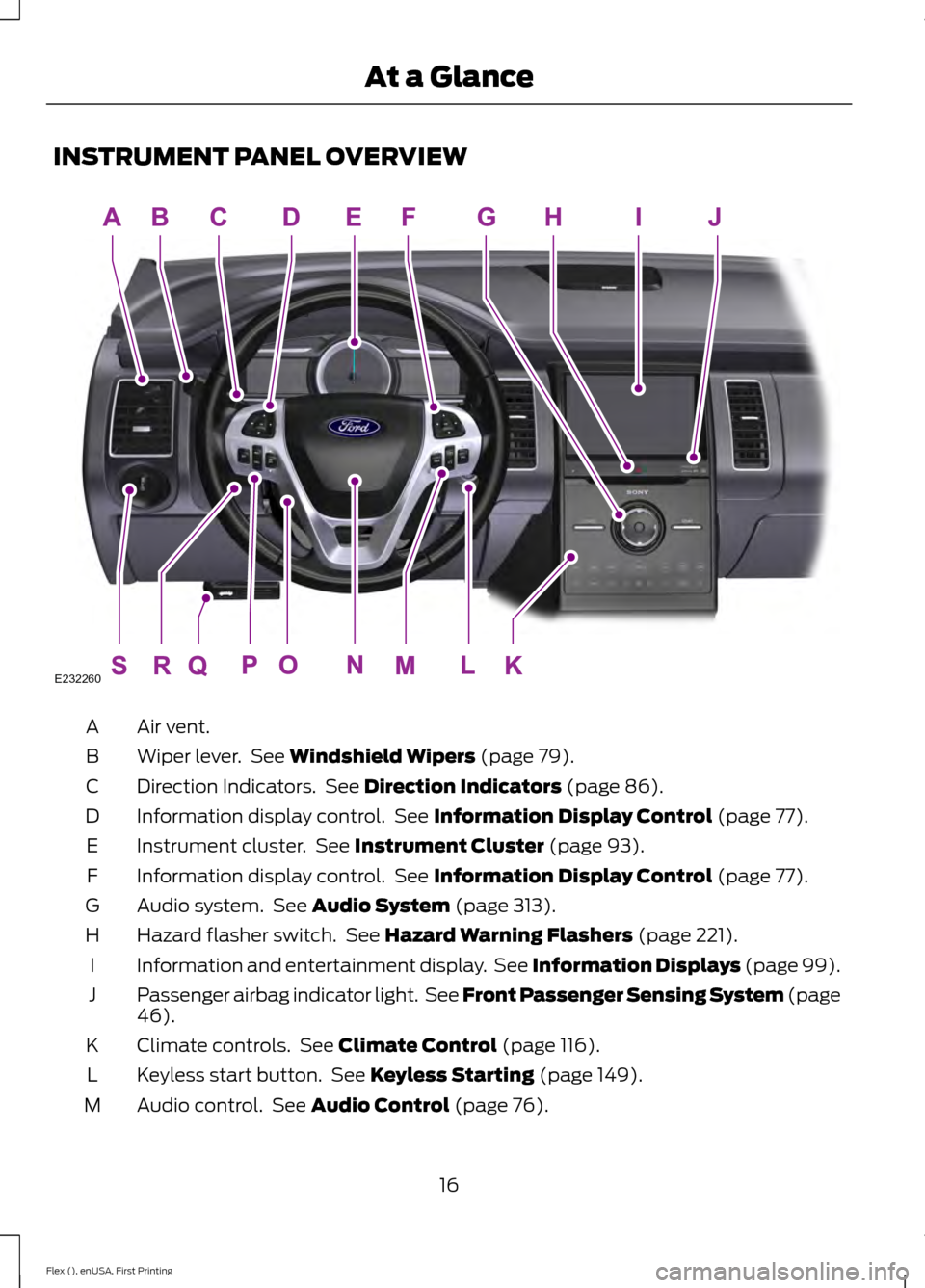
INSTRUMENT PANEL OVERVIEW
Air vent.
A
Wiper lever. See Windshield Wipers (page 79).
B
Direction Indicators. See
Direction Indicators (page 86).
C
Information display control. See
Information Display Control (page 77).
D
Instrument cluster. See
Instrument Cluster (page 93).
E
Information display control. See
Information Display Control (page 77).
F
Audio system. See
Audio System (page 313).
G
Hazard flasher switch. See
Hazard Warning Flashers (page 221).
H
Information and entertainment display. See Information Displays (page 99).
I
Passenger airbag indicator light. See Front Passenger Sensing System (page
46
).
J
Climate controls. See
Climate Control (page 116).
K
Keyless start button. See
Keyless Starting (page 149).
L
Audio control. See
Audio Control (page 76).
M
16
Flex (), enUSA, First Printing At a GlanceE232260
Page 20 of 496
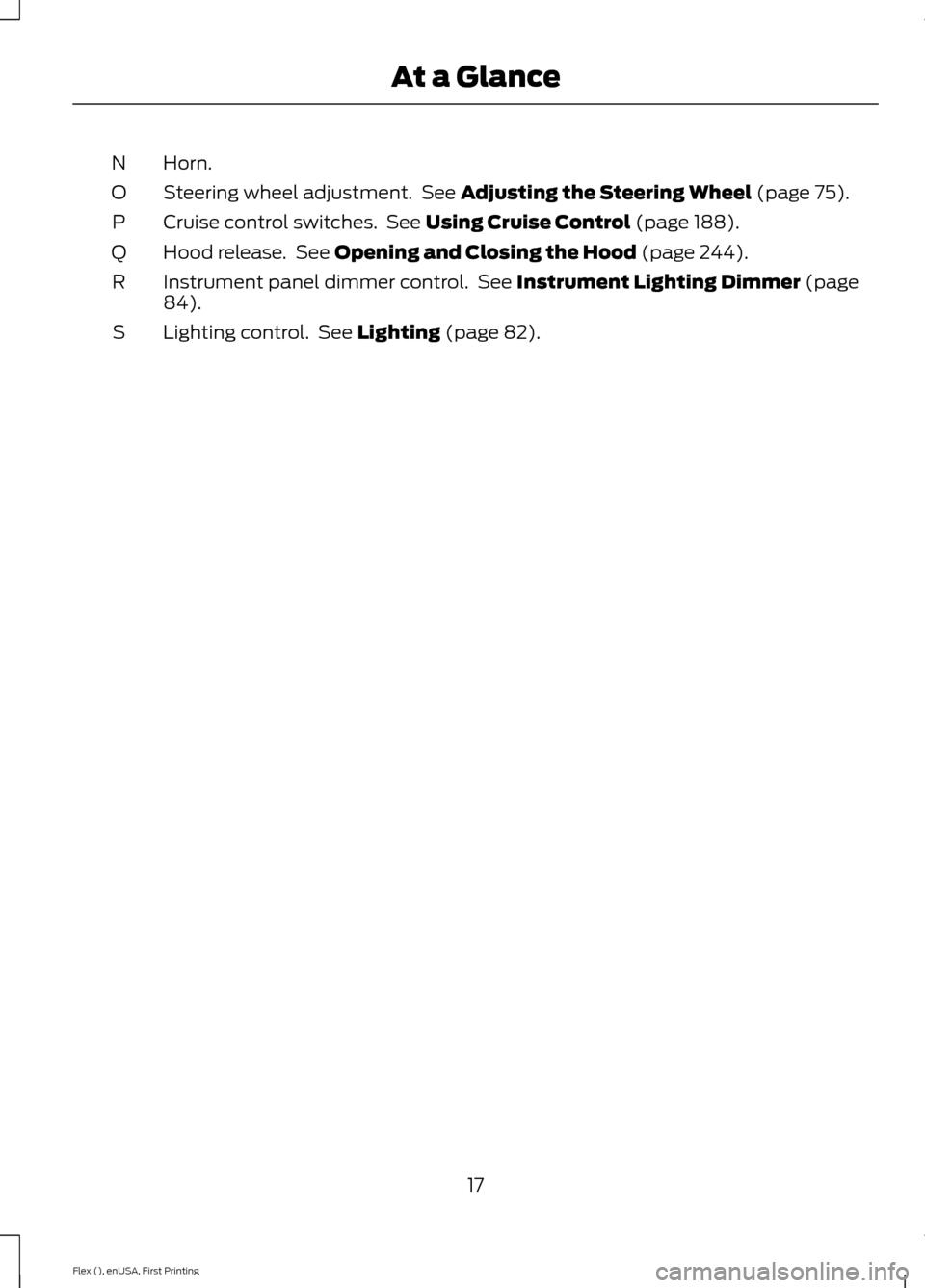
Horn.
N
Steering wheel adjustment. See Adjusting the Steering Wheel (page 75).
O
Cruise control switches. See
Using Cruise Control (page 188).
P
Hood release. See
Opening and Closing the Hood (page 244).
Q
Instrument panel dimmer control. See
Instrument Lighting Dimmer (page
84).
R
Lighting control. See
Lighting (page 82).
S
17
Flex (), enUSA, First Printing At a Glance
Page 49 of 496
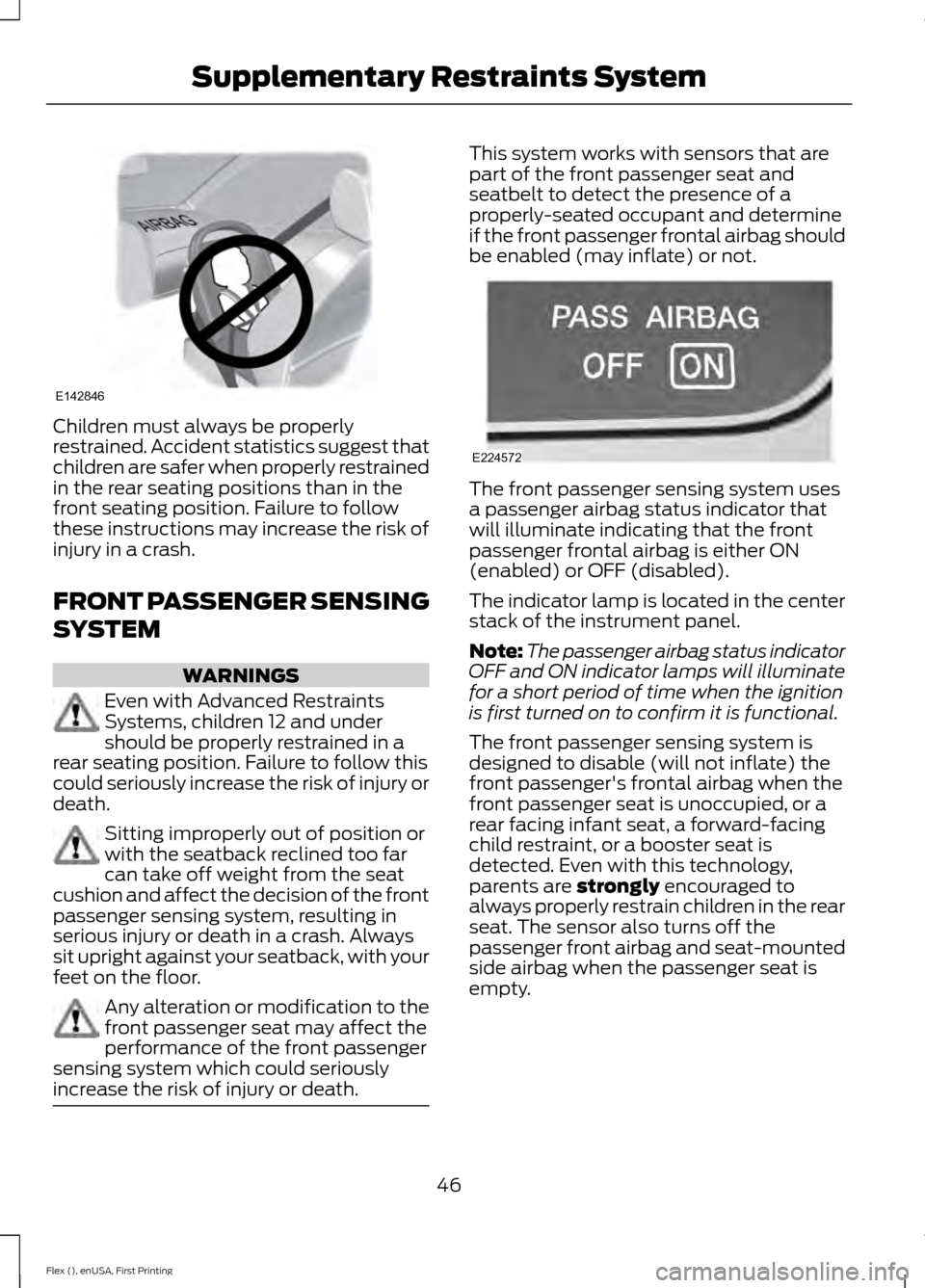
Children must always be properly
restrained. Accident statistics suggest that
children are safer when properly restrained
in the rear seating positions than in the
front seating position. Failure to follow
these instructions may increase the risk of
injury in a crash.
FRONT PASSENGER SENSING
SYSTEM
WARNINGS
Even with Advanced Restraints
Systems, children 12 and under
should be properly restrained in a
rear seating position. Failure to follow this
could seriously increase the risk of injury or
death. Sitting improperly out of position or
with the seatback reclined too far
can take off weight from the seat
cushion and affect the decision of the front
passenger sensing system, resulting in
serious injury or death in a crash. Always
sit upright against your seatback, with your
feet on the floor. Any alteration or modification to the
front passenger seat may affect the
performance of the front passenger
sensing system which could seriously
increase the risk of injury or death. This system works with sensors that are
part of the front passenger seat and
seatbelt to detect the presence of a
properly-seated occupant and determine
if the front passenger frontal airbag should
be enabled (may inflate) or not.
The front passenger sensing system uses
a passenger airbag status indicator that
will illuminate indicating that the front
passenger frontal airbag is either ON
(enabled) or OFF (disabled).
The indicator lamp is located in the center
stack of the instrument panel.
Note:
The passenger airbag status indicator
OFF and ON indicator lamps will illuminate
for a short period of time when the ignition
is first turned on to confirm it is functional.
The front passenger sensing system is
designed to disable (will not inflate) the
front passenger's frontal airbag when the
front passenger seat is unoccupied, or a
rear facing infant seat, a forward-facing
child restraint, or a booster seat is
detected. Even with this technology,
parents are strongly encouraged to
always properly restrain children in the rear
seat. The sensor also turns off the
passenger front airbag and seat-mounted
side airbag when the passenger seat is
empty.
46
Flex (), enUSA, First Printing Supplementary Restraints SystemE142846 E224572
Page 53 of 496
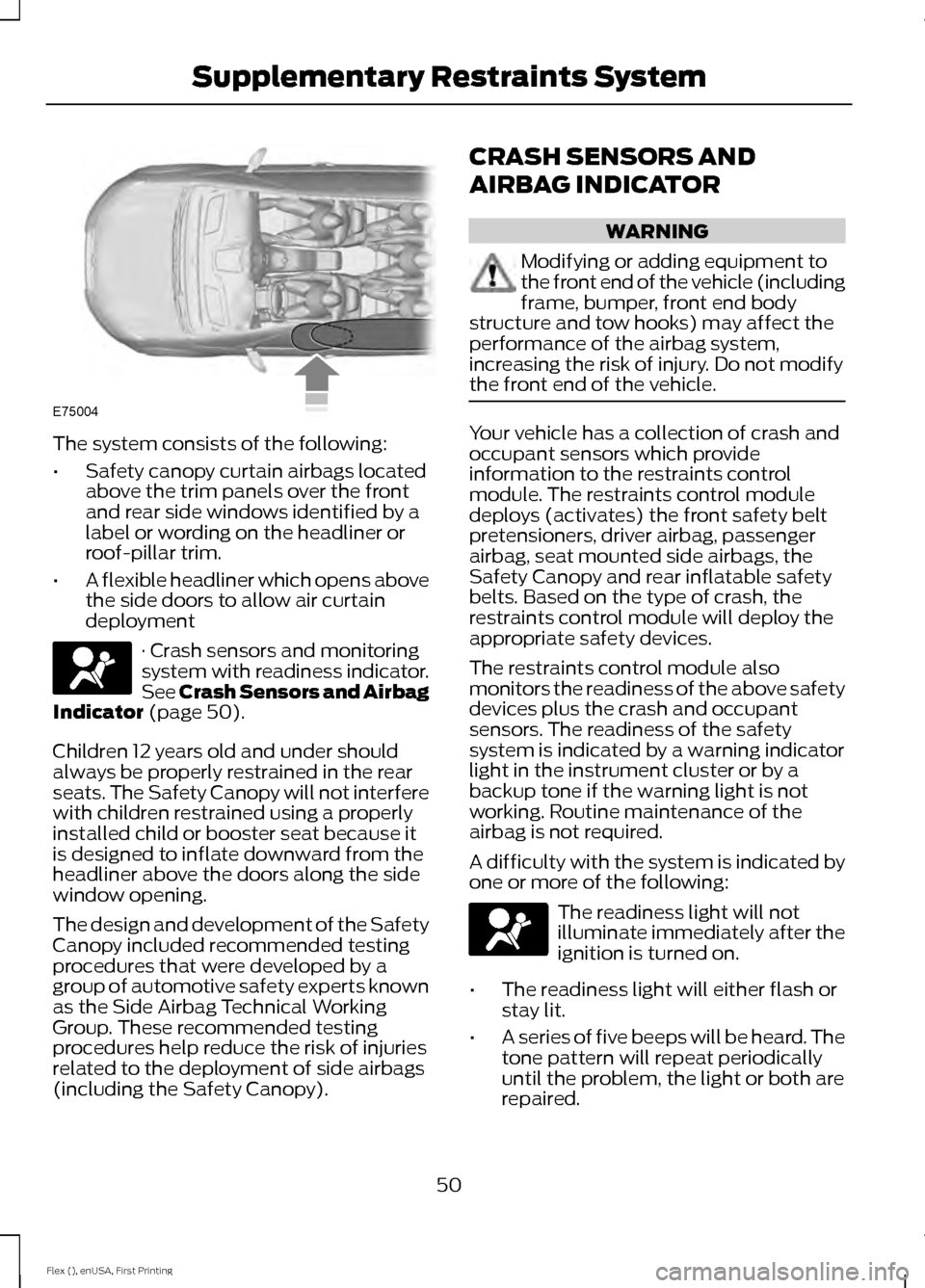
The system consists of the following:
•
Safety canopy curtain airbags located
above the trim panels over the front
and rear side windows identified by a
label or wording on the headliner or
roof-pillar trim.
• A flexible headliner which opens above
the side doors to allow air curtain
deployment · Crash sensors and monitoring
system with readiness indicator.
See Crash Sensors and Airbag
Indicator (page 50).
Children 12 years old and under should
always be properly restrained in the rear
seats. The Safety Canopy will not interfere
with children restrained using a properly
installed child or booster seat because it
is designed to inflate downward from the
headliner above the doors along the side
window opening.
The design and development of the Safety
Canopy included recommended testing
procedures that were developed by a
group of automotive safety experts known
as the Side Airbag Technical Working
Group. These recommended testing
procedures help reduce the risk of injuries
related to the deployment of side airbags
(including the Safety Canopy). CRASH SENSORS AND
AIRBAG INDICATOR WARNING
Modifying or adding equipment to
the front end of the vehicle (including
frame, bumper, front end body
structure and tow hooks) may affect the
performance of the airbag system,
increasing the risk of injury. Do not modify
the front end of the vehicle. Your vehicle has a collection of crash and
occupant sensors which provide
information to the restraints control
module. The restraints control module
deploys (activates) the front safety belt
pretensioners, driver airbag, passenger
airbag, seat mounted side airbags, the
Safety Canopy and rear inflatable safety
belts. Based on the type of crash, the
restraints control module will deploy the
appropriate safety devices.
The restraints control module also
monitors the readiness of the above safety
devices plus the crash and occupant
sensors. The readiness of the safety
system is indicated by a warning indicator
light in the instrument cluster or by a
backup tone if the warning light is not
working. Routine maintenance of the
airbag is not required.
A difficulty with the system is indicated by
one or more of the following:
The readiness light will not
illuminate immediately after the
ignition is turned on.
• The readiness light will either flash or
stay lit.
• A series of five beeps will be heard. The
tone pattern will repeat periodically
until the problem, the light or both are
repaired.
50
Flex (), enUSA, First Printing Supplementary Restraints SystemE75004 E67017 E67017
Page 59 of 496
2. Press the remote start button twice.
The exterior lamps flash twice.
The horn sounds if the system fails to start,
unless quiet start is on. Quiet start runs the
blower fan at a slower speed to reduce
noise. You can switch this feature on or off
in the information display. See General
Information (page 99).
Note: If you remote start your vehicle with
an integrated keyhead transmitter, you must
switch the ignition on before driving your
vehicle. If you remote start your vehicle with
an intelligent access transmitter, you must
press the push button ignition switch on the
instrument panel once while applying the
brake pedal before driving your vehicle.
The power windows do not work during
remote start and the radio does not turn
on automatically.
The parking lamps remain on and the
vehicle runs for 5, 10 or 15 minutes,
depending on the setting.
Extending the Engine Running Time
To extend the engine running time duration
of your vehicle during remote start, repeat
steps 1 and 2 while the engine is running.
If the duration is set to 10 minutes, the
duration extends by another 10 minutes.
For example, if your vehicle had been
running from the first remote start for 5
minutes, your vehicle continues to run now
for a total of 20 minutes. You can extend
the remote start up to a maximum of 35
minutes.
Wait at least five seconds before remote
starting after the engine stops running.
Turning Your Vehicle Off After Remote
Starting Press the button once. The
parking lamps turn off. You may have to be closer to your vehicle
to remotely switch off your vehicle after
remote starting. This is due to the added
noise of your running vehicle.
You can switch this feature on or off in the
information display. See
General
Information (page 99).
Memory Feature
(If Equipped)
You can use the remote control to recall
memory settings for the driver seat, power
mirrors, power steering column and power
adjustable foot pedals. Press the unlock
button on the remote control or unlock
your vehicle with the intelligent access key
to recall the memory positions. You can
program the remote control or intelligent
access key to recall memory positions. See
Memory Function
(page 130).
REPLACING A LOST KEY OR
REMOTE CONTROL
Replacement keys or remote controls can
be purchased from an authorized dealer.
Authorized dealers can program remote
controls for your vehicle. See
Passive
Anti-Theft System (page 73).
56
Flex (), enUSA, First Printing Keys and Remote ControlsE138625
Page 71 of 496
If there is a problem with the open or close
request, a tone will sound for one of the
following reasons:
•
The ignition is on and the transmission
is not in park (P).
• The battery voltage is below the
minimum operating voltage.
• The liftgate is not fully closed and your
vehicle speed is at or above 3 mph
(5 km/h).
If the liftgate starts to close after it has
fully opened, this indicates there may be
excessive weight on the liftgate or a
possible strut failure. A repetitive tone
sounds and the liftgate closes under
control. Remove any excessive weight from
the liftgate. If the liftgate continues to
close after opening, have the system
checked by an authorized dealer.
Opening and Closing the Liftgate WARNING
Make sure all persons are clear of the
power liftgate area before using the
power liftgate control.
Note:
Make sure the area behind your
vehicle is free from obstruction and that
there is enough room for you to operate the
liftgate. Objects too close to your vehicle,
for example a wall, garage door or another
vehicle may come into contact with the
moving liftgate. This could damage the
liftgate and its components.
Note: Be careful when opening or closing
the liftgate in a garage or other enclosed
area to avoid damaging the liftgate.
Note: Do not leave the liftgate open while
driving. This could damage the liftgate and
its components. From the Instrument Panel Press the button on the
instrument panel.
With the Remote Control Press the button twice within
three seconds.
With the Outside Control Button
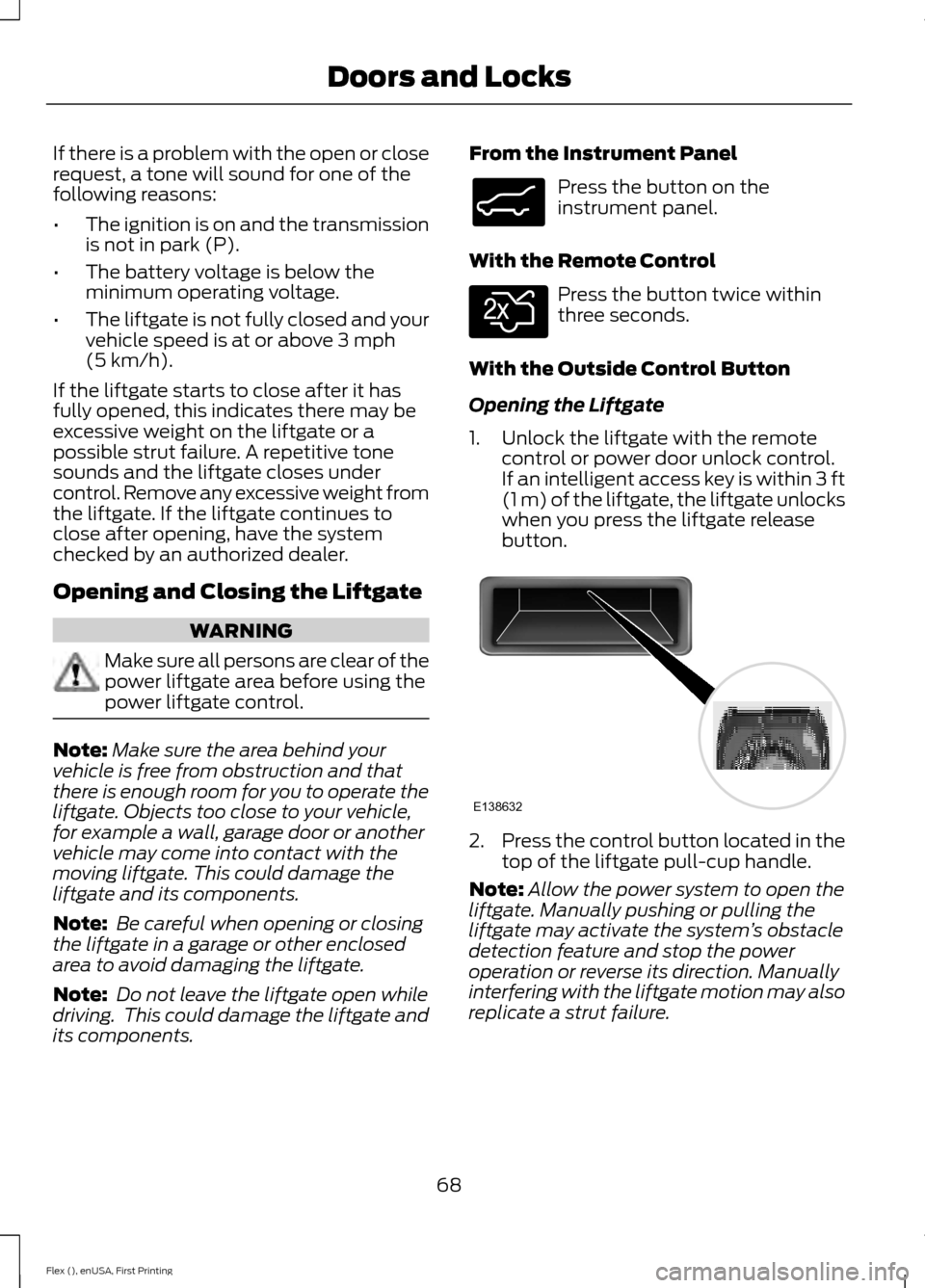
Opening the Liftgate
1. Unlock the liftgate with the remote control or power door unlock control.
If an intelligent access key is within
3 ft
(1 m) of the liftgate, the liftgate unlocks
when you press the liftgate release
button. 2.
Press the control button located in the
top of the liftgate pull-cup handle.
Note: Allow the power system to open the
liftgate. Manually pushing or pulling the
liftgate may activate the system ’s obstacle
detection feature and stop the power
operation or reverse its direction. Manually
interfering with the liftgate motion may also
replicate a strut failure.
68
Flex (), enUSA, First Printing Doors and LocksE138633 E138630 E138632
Page 72 of 496
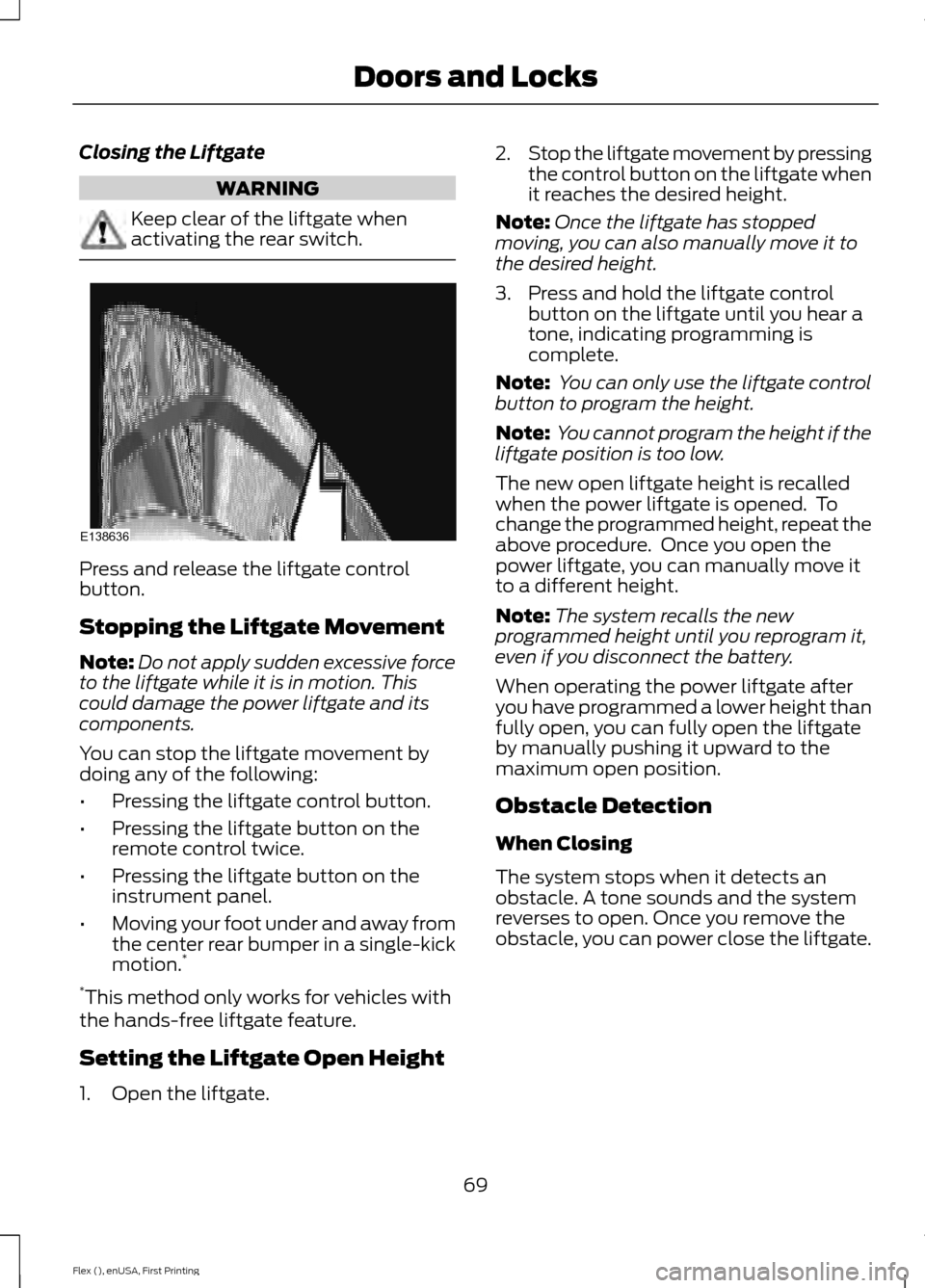
Closing the Liftgate
WARNING
Keep clear of the liftgate when
activating the rear switch.
Press and release the liftgate control
button.
Stopping the Liftgate Movement
Note:
Do not apply sudden excessive force
to the liftgate while it is in motion. This
could damage the power liftgate and its
components.
You can stop the liftgate movement by
doing any of the following:
• Pressing the liftgate control button.
• Pressing the liftgate button on the
remote control twice.
• Pressing the liftgate button on the
instrument panel.
• Moving your foot under and away from
the center rear bumper in a single-kick
motion. *
* This method only works for vehicles with
the hands-free liftgate feature.
Setting the Liftgate Open Height
1. Open the liftgate. 2.
Stop the liftgate movement by pressing
the control button on the liftgate when
it reaches the desired height.
Note: Once the liftgate has stopped
moving, you can also manually move it to
the desired height.
3. Press and hold the liftgate control button on the liftgate until you hear a
tone, indicating programming is
complete.
Note: You can only use the liftgate control
button to program the height.
Note: You cannot program the height if the
liftgate position is too low.
The new open liftgate height is recalled
when the power liftgate is opened. To
change the programmed height, repeat the
above procedure. Once you open the
power liftgate, you can manually move it
to a different height.
Note: The system recalls the new
programmed height until you reprogram it,
even if you disconnect the battery.
When operating the power liftgate after
you have programmed a lower height than
fully open, you can fully open the liftgate
by manually pushing it upward to the
maximum open position.
Obstacle Detection
When Closing
The system stops when it detects an
obstacle. A tone sounds and the system
reverses to open. Once you remove the
obstacle, you can power close the liftgate.
69
Flex (), enUSA, First Printing Doors and LocksE138636
Page 85 of 496
GENERAL INFORMATION
Condensation in Lamp Assemblies
Exterior lamps have vents to
accommodate normal changes in air
pressure.
Condensation can be a natural by-product
of this design. When moist air enters the
lamp assembly through the vents, there is
a possibility that condensation can occur
when the temperature is cold. When
normal condensation occurs, a fine mist
can form on the interior of the lens. The
fine mist eventually clears and exits
through the vents during normal operation.
Clearing time may take as long as 48 hours
under dry weather conditions.
Examples of acceptable condensation are:
•
The presence of a fine mist (no streaks,
drip marks or large droplets).
• A fine mist covers less than 50% of the
lens.
Examples of unacceptable condensation
are:
• A water puddle inside the lamp.
• Streaks, drip marks or large droplets
present on the interior of the lens.
If you see any unacceptable condensation,
have your vehicle checked by an authorized
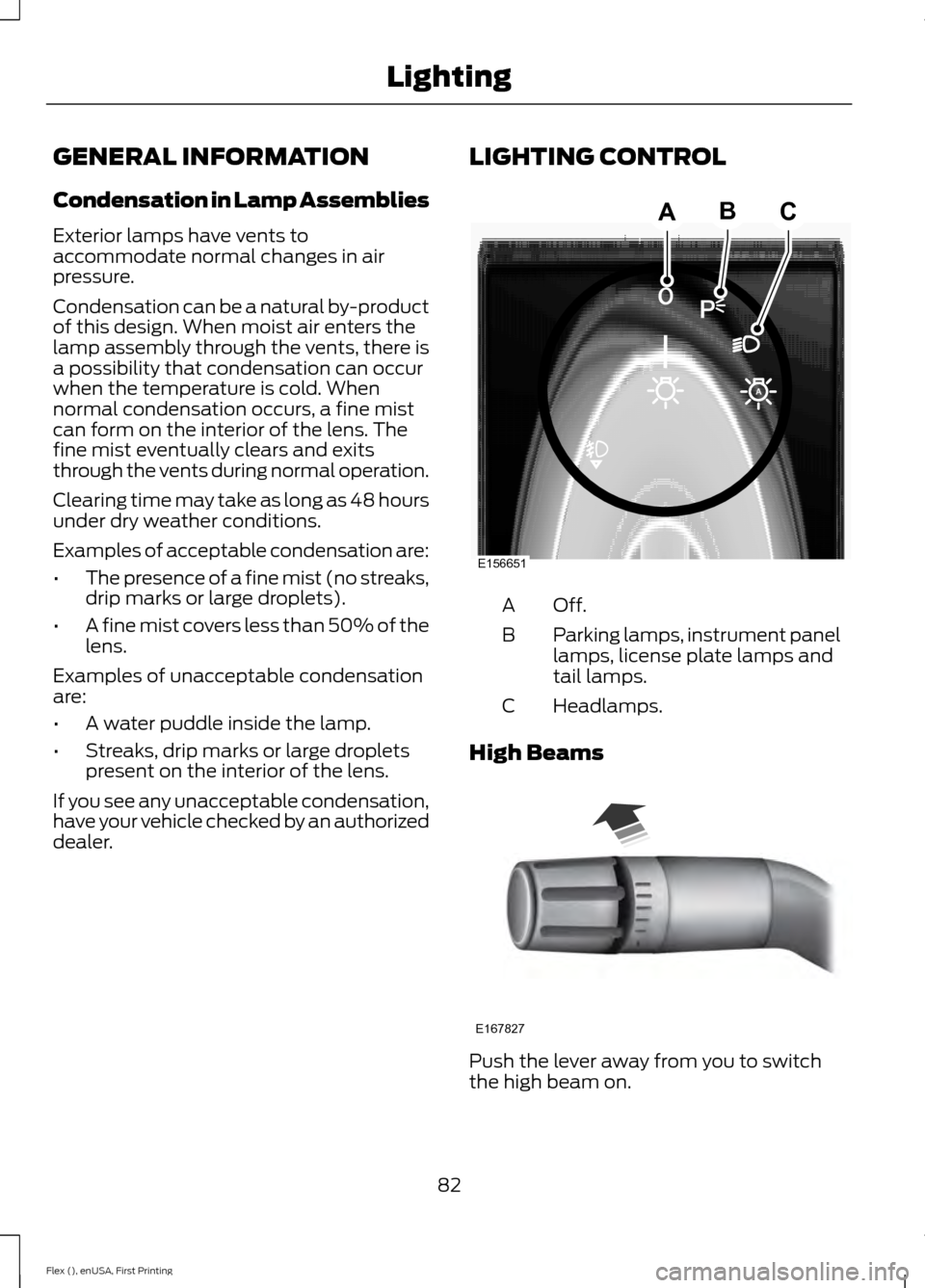
dealer. LIGHTING CONTROL
Off.A
Parking lamps, instrument panel
lamps, license plate lamps and
tail lamps.
B
Headlamps.
C
High Beams Push the lever away from you to switch
the high beam on.
82
Flex (), enUSA, First Printing LightingE156651
ABC E167827