power steering FORD FLEX 2019 Owner's Manual
[x] Cancel search | Manufacturer: FORD, Model Year: 2019, Model line: FLEX, Model: FORD FLEX 2019Pages: 513, PDF Size: 39.3 MB
Page 346 of 513
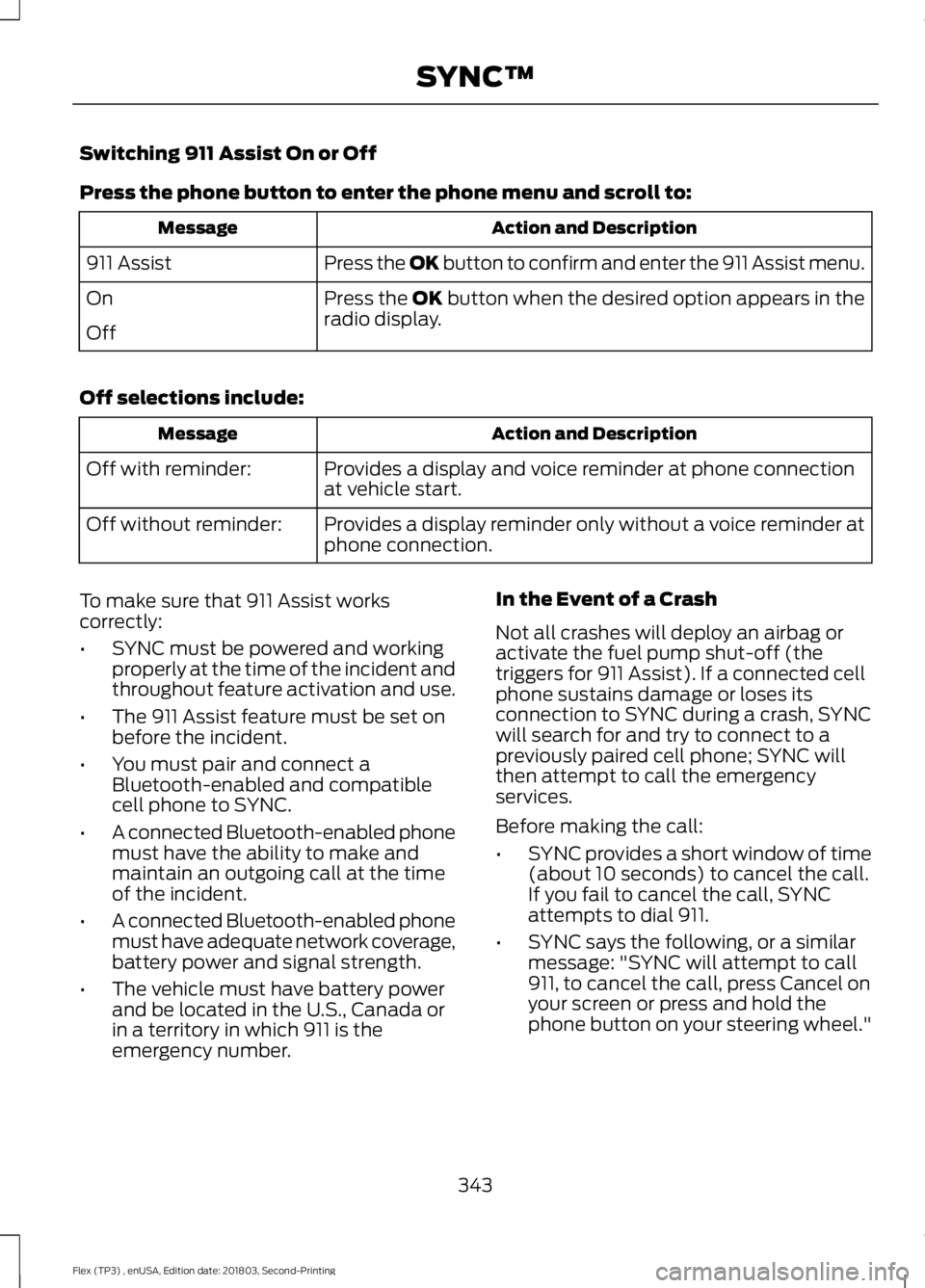
Switching 911 Assist On or Off
Press the phone button to enter the phone menu and scroll to:
Action and Description
Message
Press the OK button to confirm and enter the 911 Assist menu.
911 Assist
Press the OK button when the desired option appears in the
radio display.
On
Off
Off selections include: Action and Description
Message
Provides a display and voice reminder at phone connection
at vehicle start.
Off with reminder:
Provides a display reminder only without a voice reminder at
phone connection.
Off without reminder:
To make sure that 911 Assist works
correctly:
• SYNC must be powered and working
properly at the time of the incident and
throughout feature activation and use.
• The 911 Assist feature must be set on
before the incident.
• You must pair and connect a
Bluetooth-enabled and compatible
cell phone to SYNC.
• A connected Bluetooth-enabled phone
must have the ability to make and
maintain an outgoing call at the time
of the incident.
• A connected Bluetooth-enabled phone
must have adequate network coverage,
battery power and signal strength.
• The vehicle must have battery power
and be located in the U.S., Canada or
in a territory in which 911 is the
emergency number. In the Event of a Crash
Not all crashes will deploy an airbag or
activate the fuel pump shut-off (the
triggers for 911 Assist). If a connected cell
phone sustains damage or loses its
connection to SYNC during a crash, SYNC
will search for and try to connect to a
previously paired cell phone; SYNC will
then attempt to call the emergency
services.
Before making the call:
•
SYNC provides a short window of time
(about 10 seconds) to cancel the call.
If you fail to cancel the call, SYNC
attempts to dial 911.
• SYNC says the following, or a similar
message: "SYNC will attempt to call
911, to cancel the call, press Cancel on
your screen or press and hold the
phone button on your steering wheel."
343
Flex (TP3) , enUSA, Edition date: 201803, Second-Printing SYNC™
Page 371 of 513
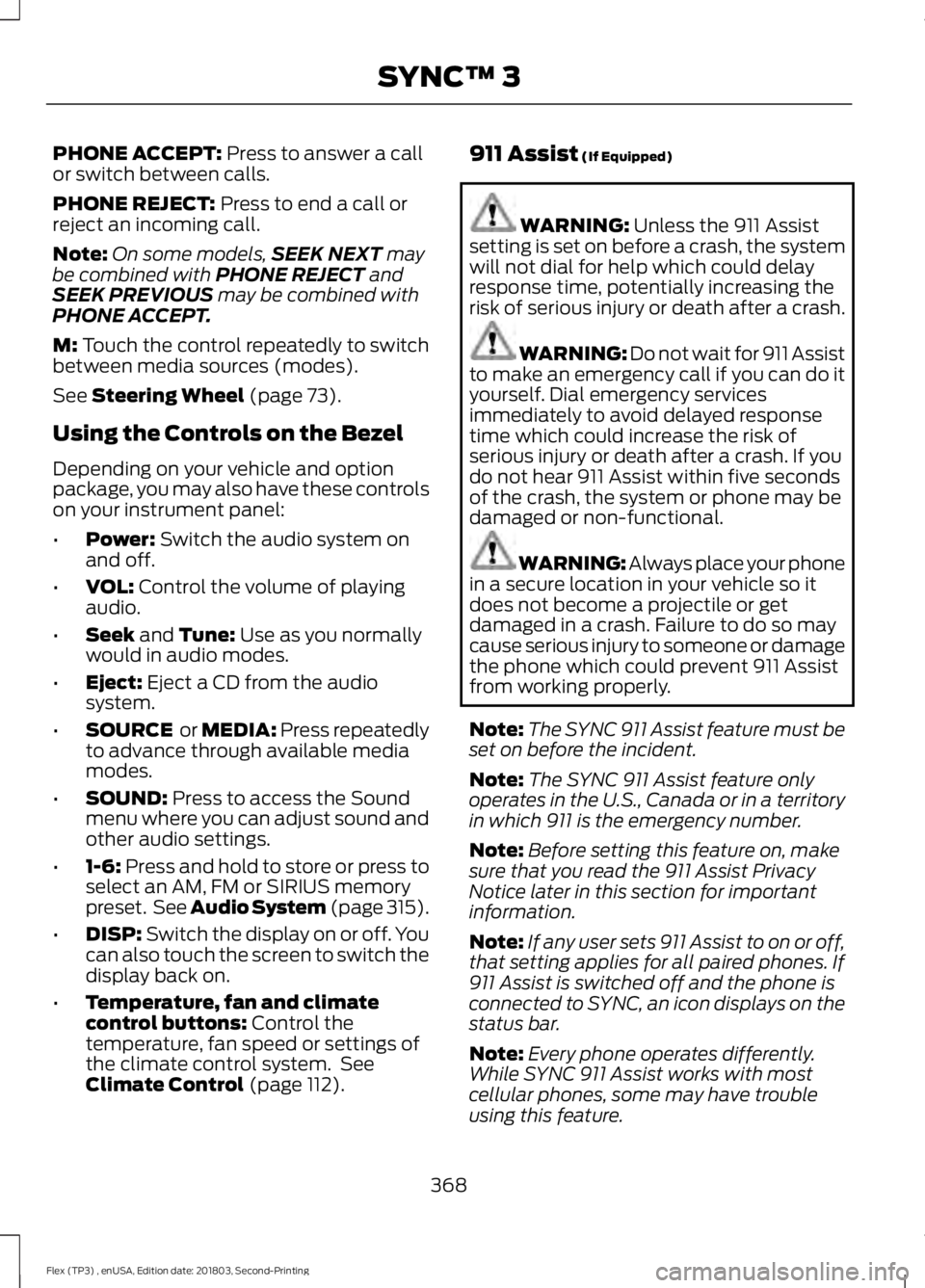
PHONE ACCEPT: Press to answer a call
or switch between calls.
PHONE REJECT:
Press to end a call or
reject an incoming call.
Note: On some models, SEEK NEXT
may
be combined with PHONE REJECT and
SEEK PREVIOUS may be combined with
PHONE ACCEPT.
M:
Touch the control repeatedly to switch
between media sources (modes).
See
Steering Wheel (page 73).
Using the Controls on the Bezel
Depending on your vehicle and option
package, you may also have these controls
on your instrument panel:
• Power:
Switch the audio system on
and off.
• VOL:
Control the volume of playing
audio.
• Seek
and Tune: Use as you normally
would in audio modes.
• Eject:
Eject a CD from the audio
system.
• SOURCE
or MEDIA: Press repeatedly
to advance through available media
modes.
• SOUND:
Press to access the Sound
menu where you can adjust sound and
other audio settings.
• 1-6:
Press and hold to store or press to
select an AM, FM or SIRIUS memory
preset. See Audio System (page 315).
• DISP:
Switch the display on or off. You
can also touch the screen to switch the
display back on.
• Temperature, fan and climate
control buttons:
Control the
temperature, fan speed or settings of
the climate control system. See
Climate Control
(page 112). 911 Assist
(If Equipped) WARNING:
Unless the 911 Assist
setting is set on before a crash, the system
will not dial for help which could delay
response time, potentially increasing the
risk of serious injury or death after a crash. WARNING: Do not wait for 911 Assist
to make an emergency call if you can do it
yourself. Dial emergency services
immediately to avoid delayed response
time which could increase the risk of
serious injury or death after a crash. If you
do not hear 911 Assist within five seconds
of the crash, the system or phone may be
damaged or non-functional. WARNING: Always place your phone
in a secure location in your vehicle so it
does not become a projectile or get
damaged in a crash. Failure to do so may
cause serious injury to someone or damage
the phone which could prevent 911 Assist
from working properly.
Note: The SYNC 911 Assist feature must be
set on before the incident.
Note: The SYNC 911 Assist feature only
operates in the U.S., Canada or in a territory
in which 911 is the emergency number.
Note: Before setting this feature on, make
sure that you read the 911 Assist Privacy
Notice later in this section for important
information.
Note: If any user sets 911 Assist to on or off,
that setting applies for all paired phones. If
911 Assist is switched off and the phone is
connected to SYNC, an icon displays on the
status bar.
Note: Every phone operates differently.
While SYNC 911 Assist works with most
cellular phones, some may have trouble
using this feature.
368
Flex (TP3) , enUSA, Edition date: 201803, Second-Printing SYNC™ 3
Page 372 of 513
![FORD FLEX 2019 Owners Manual If a crash deploys an airbag (excluding
knee airbags and rear inflatable safety
belts [if equipped]) or activates the fuel
pump shut-off, your SYNC-equipped
vehicle may be able to contact emergency
se](/img/11/40710/w960_40710-371.png "FORD FLEX 2019 Owners Manual If a crash deploys an airbag (excluding
knee airbags and rear inflatable safety
belts [if equipped]) or activates the fuel
pump shut-off, your SYNC-equipped
vehicle may be able to contact emergency
se")
If a crash deploys an airbag (excluding
knee airbags and rear inflatable safety
belts [if equipped]) or activates the fuel
pump shut-off, your SYNC-equipped
vehicle may be able to contact emergency
services by dialing 911 through a paired and
connected Bluetooth enabled phone. You
can learn more about the 911 Assist
feature, by visiting:
Website
www.owner.ford.com
www.syncmyride.ca
www.syncmaroute.ca
For important information about airbag
deployment and the fuel pump shut-off
please see the Supplementary Restrains
and Roadside Emergencies sections of
your owner manual.
To switch 911 Assist on and off please view
the settings information. See Settings
(page 411).
To make sure that 911 Assist works
correctly:
• SYNC must be powered and working
properly at the time of the incident and
throughout feature activation and use.
• The 911 Assist feature must be set on
before the incident.
• You must pair and connect a Bluetooth
enabled and compatible cell phone to
SYNC.
• A connected Bluetooth enabled phone
must have the ability to make and
maintain an outgoing call at the time
of the incident.
• A connected Bluetooth enabled phone
must have adequate network coverage,
battery power and signal strength.
• The vehicle must have battery power
and be located in the U.S., Canada or
in a territory in which 911 is the
emergency number. In the Event of a Crash
Not all crashes will deploy an airbag or
activate the fuel pump shut-off (the
triggers for 911 Assist). If a connected cell
phone sustains damage or loses its
connection to SYNC during a crash, SYNC
will search for and try to connect to a
previously paired cell phone; SYNC will
then attempt to call the emergency
services.
Before making the call:
•
SYNC provides a short window of time
(about 10 seconds) to cancel the call.
If you fail to cancel the call, SYNC
attempts to dial 911.
• SYNC says the following, or a similar
message: "SYNC will attempt to call
911, to cancel the call, press Cancel on
your screen or press and hold the
phone button on your steering wheel."
If you do not cancel the call, and SYNC
makes a successful call, a pre-recorded
message plays for the 911 operator, and
then the occupant(s) in your vehicle is able
to talk with the operator. Be prepared to
provide your name, phone number and
location immediately, because not all 911
systems are capable of receiving this
information electronically.
911 Assist May Not Work If
• Your cellular phone or 911 Assist
hardware sustains damage in a crash.
• The vehicle's battery or the SYNC
system has no power.
• The phone(s) thrown from your vehicle
are the ones paired and connected to
the system.
369
Flex (TP3) , enUSA, Edition date: 201803, Second-Printing SYNC™ 3
Page 396 of 513
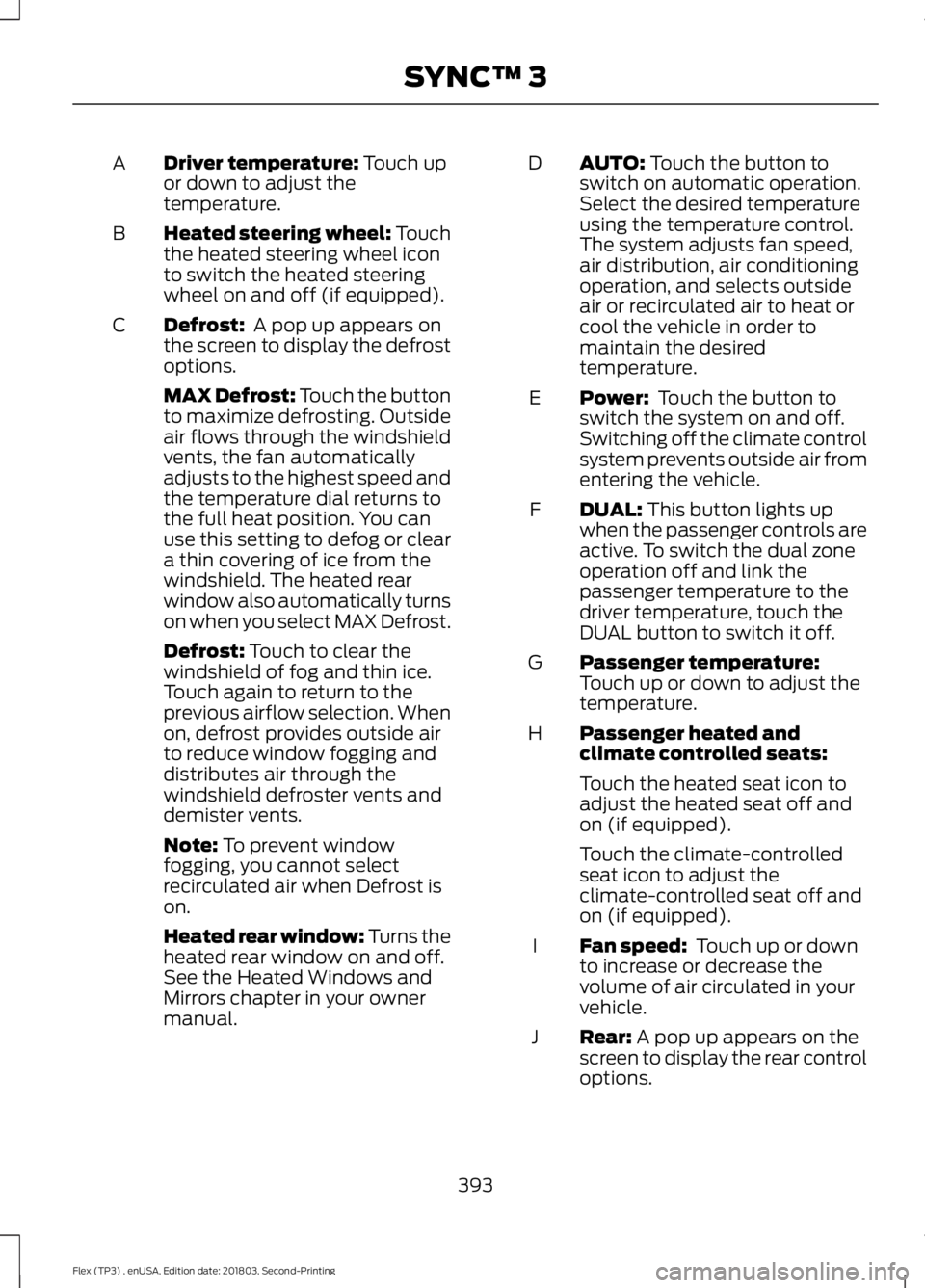
Driver temperature: Touch up
or down to adjust the
temperature.
A
Heated steering wheel: Touch
the heated steering wheel icon
to switch the heated steering
wheel on and off (if equipped).
B
Defrost:
A pop up appears on
the screen to display the defrost
options.
C
MAX Defrost: Touch the button
to maximize defrosting. Outside
air flows through the windshield
vents, the fan automatically
adjusts to the highest speed and
the temperature dial returns to
the full heat position. You can
use this setting to defog or clear
a thin covering of ice from the
windshield. The heated rear
window also automatically turns
on when you select MAX Defrost.
Defrost:
Touch to clear the
windshield of fog and thin ice.
Touch again to return to the
previous airflow selection. When
on, defrost provides outside air
to reduce window fogging and
distributes air through the
windshield defroster vents and
demister vents.
Note:
To prevent window
fogging, you cannot select
recirculated air when Defrost is
on.
Heated rear window: Turns the
heated rear window on and off.
See the Heated Windows and
Mirrors chapter in your owner
manual. AUTO:
Touch the button to
switch on automatic operation.
Select the desired temperature
using the temperature control.
The system adjusts fan speed,
air distribution, air conditioning
operation, and selects outside
air or recirculated air to heat or
cool the vehicle in order to
maintain the desired
temperature.
D
Power:
Touch the button to
switch the system on and off.
Switching off the climate control
system prevents outside air from
entering the vehicle.
E
DUAL:
This button lights up
when the passenger controls are
active. To switch the dual zone
operation off and link the
passenger temperature to the
driver temperature, touch the
DUAL button to switch it off.
F
Passenger temperature:
Touch up or down to adjust the
temperature.
G
Passenger heated and
climate controlled seats:
H
Touch the heated seat icon to
adjust the heated seat off and
on (if equipped).
Touch the climate-controlled
seat icon to adjust the
climate-controlled seat off and
on (if equipped).
Fan speed:
Touch up or down
to increase or decrease the
volume of air circulated in your
vehicle.
I
Rear:
A pop up appears on the
screen to display the rear control
options.
J
393
Flex (TP3) , enUSA, Edition date: 201803, Second-Printing SYNC™ 3
Page 502 of 513
A
A/C
See: Climate Control........................................... 112
About This Manual...........................................7
ABS See: Brakes............................................................ 173
ABS driving hints See: Hints on Driving With Anti-Lock
Brakes................................................................. 174
Accessories....................................................438 Exterior Style....................................................... 438
Interior Style........................................................ 438
Lifestyle................................................................. 438
Peace of Mind..................................................... 438
Accessories See: Replacement Parts
Recommendation............................................ 12
ACC See: Using Adaptive Cruise Control............188
Active Park Assist.........................................179 Automatic Steering into Parking
Space.................................................................. 181
Deactivating the Park Assist Feature..........182
Troubleshooting the System.......................... 182
Using Active Park Assist.................................. 180
Adjusting the Headlamps
........................259
Horizontal Aim Adjustment.......................... 260
Vertical Aim......................................................... 259
Adjusting the Pedals......................................77
Adjusting the Steering Wheel - Vehicles With: Manual Adjustable Steering
Column............................................................74
Adjusting the Steering Wheel - Vehicles With: Power Adjustable Steering
Column............................................................73
End of Travel Position......................................... 73
Memory Feature.................................................... 73
Airbag Disposal................................................51
Air Conditioning See: Climate Control........................................... 112
Air Filter See: Changing the Engine Air Filter.............263
Alarm See: Anti-Theft Alarm......................................... 72
All-Wheel Drive.............................................166
Ambient Lighting...........................................84 Adjusting the Brightness................................... 84Changing the Color.............................................
84
Switching Ambient Lighting Off..................... 84
Switching Ambient Lighting On..................... 84
Anti-Theft Alarm
.............................................72
Arming the Alarm................................................. 72
Disarming the Alarm............................................ 72
Appendices...................................................460
Apps.................................................................408 ........................................................................\
......... 408
SiriusXM Traffic and Travel Link................... 410
At a Glance........................................................15
Audible Warnings and Indicators
.............94
Headlamps On Warning Chime..................... 94
Key in Ignition Warning Chime........................ 94
Keyless Warning Alert........................................ 94
Parking Brake On Warning Chime.................94
Audio Control
...................................................74
Seek, Next or Previous........................................ 74
Audio System
.................................................315
General Information.......................................... 315
Audio Unit - Vehicles With: AM/FM/CD/ SYNC/Satellite Radio
..............................316
Accessing the Auxiliary Media
Sources.............................................................. 316
Accessing the Clock Settings......................... 316
Accessing the Menu........................................... 317
Accessing the Phone Features....................... 317
Accessing the Sound Settings....................... 317
Adjusting the Volume........................................ 317
Changing Radio Stations.................................. 317
Ejecting the CD..................................................... 317
Listening to a CD................................................. 317
Listening to Satellite Radio............................. 317
Listening to the Radio........................................ 317
Menu Structure................................................... 318
Muting the Audio................................................ 318
Playing or Pausing Media................................ 318
Switching the Audio Unit On and Off.........318
Using Seek, Fast Forward and Reverse.............................................................. 318
Using the Display Control................................ 318
Using the Number Block.................................. 318
Audio Unit - Vehicles With: Premium AM/FM/CD...................................................321
Adjusting the Volume........................................ 321
Changing Radio Stations................................. 321
Ejecting the CD.................................................... 321
Inserting a CD....................................................... 321
499
Flex (TP3) , enUSA, Edition date: 201803, Second-Printing Index
Page 506 of 513
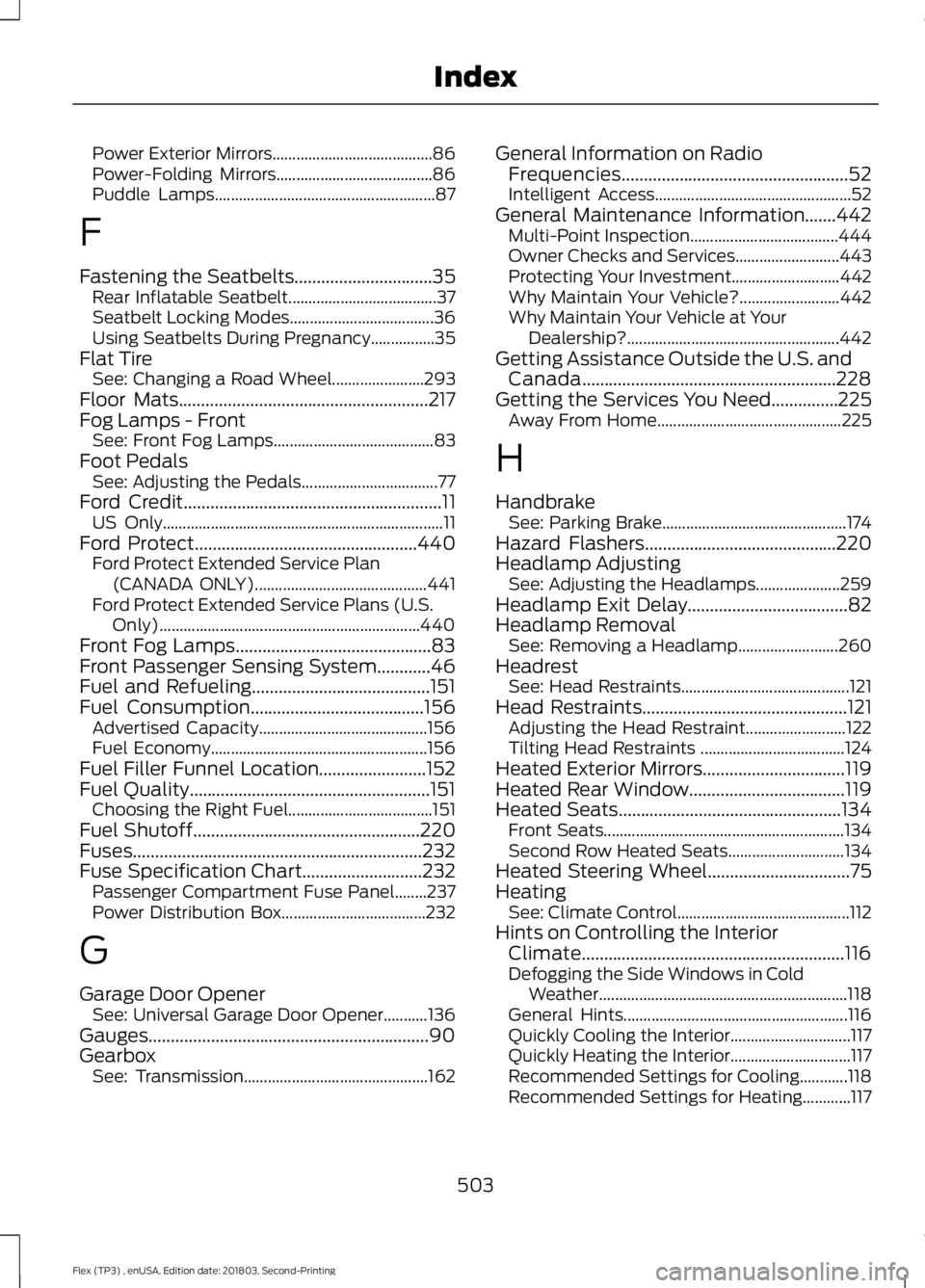
Power Exterior Mirrors........................................
86
Power-Folding Mirrors....................................... 86
Puddle Lamps....................................................... 87
F
Fastening the Seatbelts...............................35 Rear Inflatable Seatbelt..................................... 37
Seatbelt Locking Modes.................................... 36
Using Seatbelts During Pregnancy................35
Flat Tire See: Changing a Road Wheel....................... 293
Floor Mats........................................................217
Fog Lamps - Front See: Front Fog Lamps........................................ 83
Foot Pedals See: Adjusting the Pedals.................................. 77
Ford Credit
..........................................................11
US Only...................................................................... 11
Ford Protect..................................................440 Ford Protect Extended Service Plan
(CANADA ONLY)........................................... 441
Ford Protect Extended Service Plans (U.S. Only)................................................................. 440
Front Fog Lamps............................................83
Front Passenger Sensing System............46
Fuel and Refueling........................................151
Fuel Consumption.......................................156 Advertised Capacity.......................................... 156
Fuel Economy...................................................... 156
Fuel Filler Funnel Location
........................152
Fuel Quality......................................................151 Choosing the Right Fuel.................................... 151
Fuel Shutoff...................................................220
Fuses.................................................................232
Fuse Specification Chart...........................232 Passenger Compartment Fuse Panel........237
Power Distribution Box.................................... 232
G
Garage Door Opener See: Universal Garage Door Opener...........136
Gauges...............................................................90
Gearbox See: Transmission.............................................. 162General Information on Radio
Frequencies...................................................52
Intelligent Access................................................. 52
General Maintenance Information.......442 Multi-Point Inspection..................................... 444
Owner Checks and Services.......................... 443
Protecting Your Investment........................... 442
Why Maintain Your Vehicle?......................... 442
Why Maintain Your Vehicle at Your Dealership?..................................................... 442
Getting Assistance Outside the U.S. and Canada.........................................................228
Getting the Services You Need...............225 Away From Home.............................................. 225
H
Handbrake See: Parking Brake.............................................. 174
Hazard Flashers...........................................220
Headlamp Adjusting See: Adjusting the Headlamps..................... 259
Headlamp Exit Delay
....................................82
Headlamp Removal See: Removing a Headlamp......................... 260
Headrest See: Head Restraints.......................................... 121
Head Restraints
..............................................121
Adjusting the Head Restraint......................... 122
Tilting Head Restraints .................................... 124
Heated Exterior Mirrors
................................119
Heated Rear Window...................................119
Heated Seats
..................................................134
Front Seats............................................................ 134
Second Row Heated Seats............................. 134
Heated Steering Wheel
................................75
Heating See: Climate Control........................................... 112
Hints on Controlling the Interior Climate...........................................................116
Defogging the Side Windows in Cold Weather.............................................................. 118
General Hints........................................................ 116
Quickly Cooling the Interior.............................. 117
Quickly Heating the Interior.............................. 117
Recommended Settings for Cooling............118
Recommended Settings for Heating............117
503
Flex (TP3) , enUSA, Edition date: 201803, Second-Printing Index
Page 507 of 513
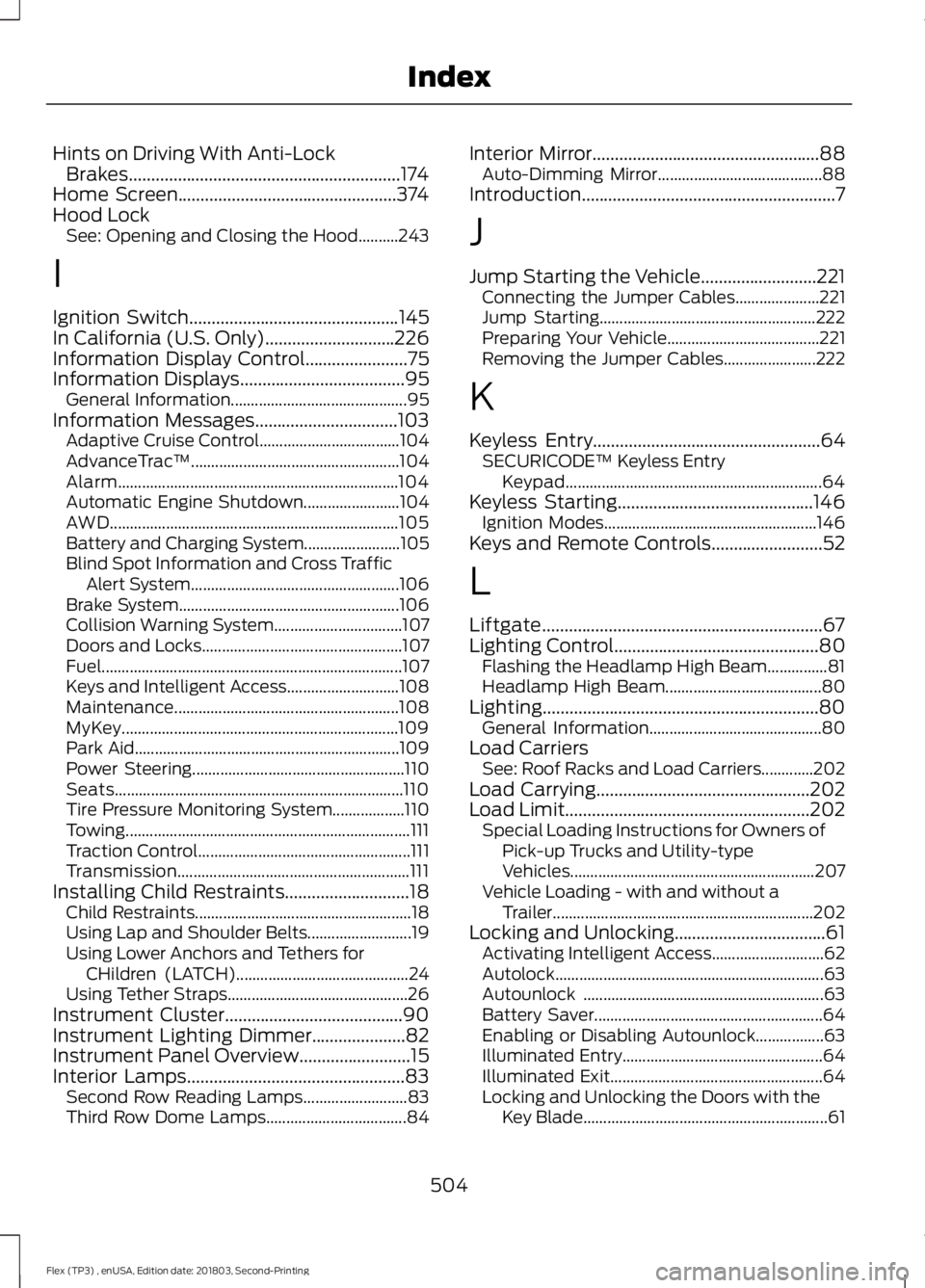
Hints on Driving With Anti-Lock
Brakes.............................................................174
Home Screen.................................................374
Hood Lock See: Opening and Closing the Hood..........243
I
Ignition Switch
...............................................145
In California (U.S. Only).............................226
Information Display Control.......................75
Information Displays.....................................95
General Information............................................ 95
Information Messages
................................103
Adaptive Cruise Control................................... 104
AdvanceTrac ™.................................................... 104
Alarm...................................................................... 104
Automatic Engine Shutdown........................ 104
AWD
........................................................................\
105
Battery and Charging System........................ 105
Blind Spot Information and Cross Traffic Alert System.................................................... 106
Brake System....................................................... 106
Collision Warning System................................ 107
Doors and Locks.................................................. 107
Fuel........................................................................\
... 107
Keys and Intelligent Access............................ 108
Maintenance........................................................ 108
MyKey..................................................................... 109
Park Aid.................................................................. 109
Power Steering..................................................... 110
Seats........................................................................\
110
Tire Pressure Monitoring System.................. 110
Towing....................................................................... 111
Traction Control..................................................... 111
Transmission.......................................................... 111
Installing Child Restraints
............................18
Child Restraints...................................................... 18
Using Lap and Shoulder Belts.......................... 19
Using Lower Anchors and Tethers for CHildren (LATCH)........................................... 24
Using Tether Straps............................................. 26
Instrument Cluster
........................................90
Instrument Lighting Dimmer.....................82
Instrument Panel Overview
.........................15
Interior Lamps.................................................83
Second Row Reading Lamps.......................... 83
Third Row Dome Lamps................................... 84Interior Mirror...................................................88
Auto-Dimming Mirror......................................... 88
Introduction.........................................................7
J
Jump Starting the Vehicle..........................221 Connecting the Jumper Cables..................... 221
Jump Starting...................................................... 222
Preparing Your Vehicle...................................... 221
Removing the Jumper Cables....................... 222
K
Keyless Entry
...................................................64
SECURICODE™ Keyless Entry
Keypad................................................................ 64
Keyless Starting............................................146 Ignition Modes..................................................... 146
Keys and Remote Controls.........................52
L
Liftgate...............................................................67
Lighting Control
..............................................80
Flashing the Headlamp High Beam...............81
Headlamp High Beam....................................... 80
Lighting
..............................................................80
General Information........................................... 80
Load Carriers See: Roof Racks and Load Carriers.............202
Load Carrying
................................................202
Load Limit.......................................................202
Special Loading Instructions for Owners of
Pick-up Trucks and Utility-type
Vehicles............................................................. 207
Vehicle Loading - with and without a Trailer................................................................. 202
Locking and Unlocking..................................61 Activating Intelligent Access............................ 62
Autolock................................................................... 63
Autounlock ............................................................ 63
Battery Saver......................................................... 64
Enabling or Disabling Autounlock.................63
Illuminated Entry.................................................. 64
Illuminated Exit..................................................... 64
Locking and Unlocking the Doors with the Key Blade............................................................. 61
504
Flex (TP3) , enUSA, Edition date: 201803, Second-Printing Index
Page 509 of 513
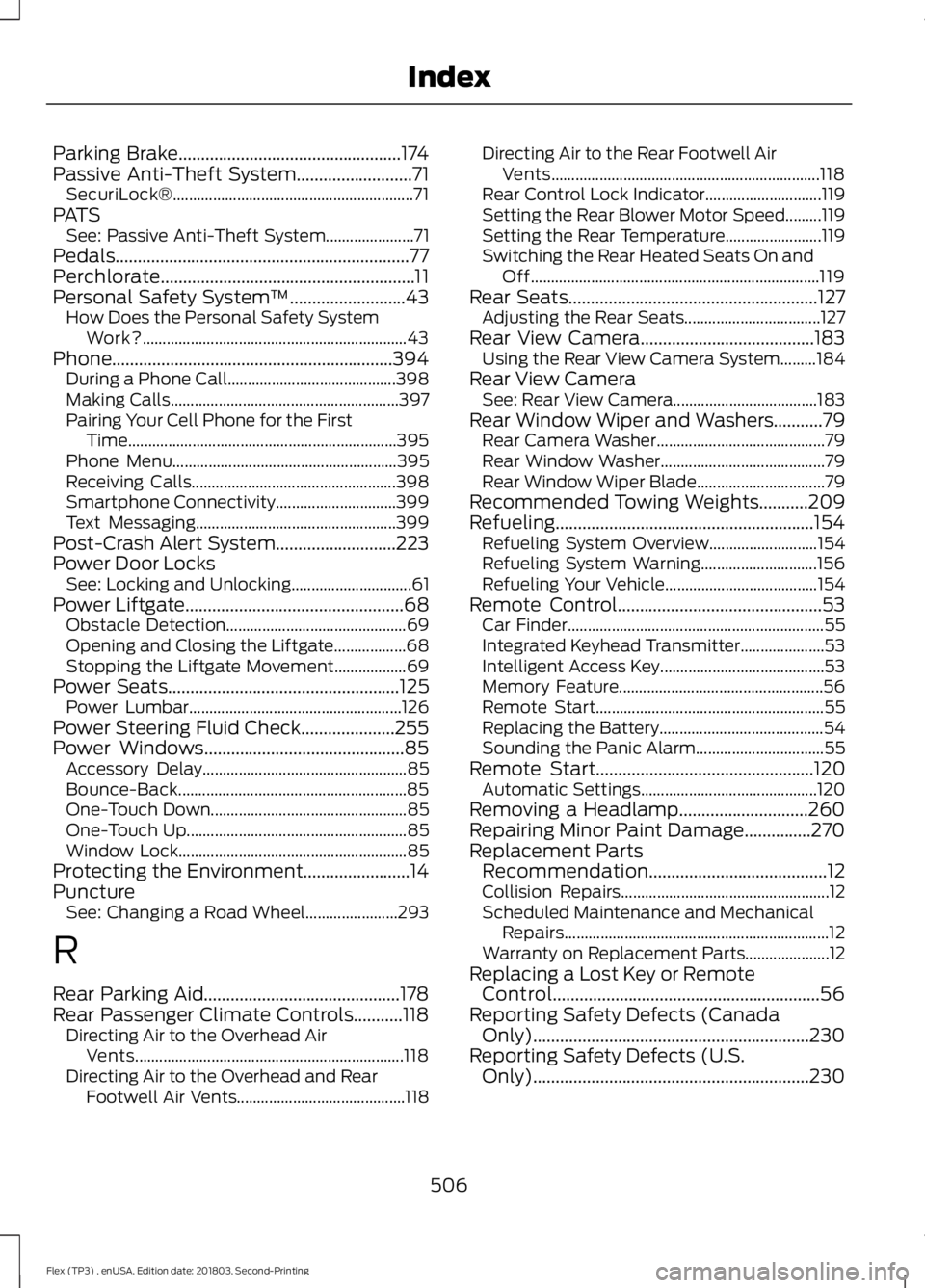
Parking Brake..................................................174
Passive Anti-Theft System..........................71 SecuriLock®............................................................ 71
PATS See: Passive Anti-Theft System...................... 71
Pedals..................................................................77
Perchlorate.........................................................11
Personal Safety System ™
..........................43
How Does the Personal Safety System
Work?.................................................................. 43
Phone...............................................................394 During a Phone Call.......................................... 398
Making Calls......................................................... 397
Pairing Your Cell Phone for the First Time................................................................... 395
Phone Menu........................................................ 395
Receiving Calls................................................... 398
Smartphone Connectivity.............................. 399
Text Messaging.................................................. 399
Post-Crash Alert System
...........................223
Power Door Locks See: Locking and Unlocking.............................. 61
Power Liftgate
.................................................68
Obstacle Detection............................................. 69
Opening and Closing the Liftgate.................. 68
Stopping the Liftgate Movement.................. 69
Power Seats
....................................................125
Power Lumbar..................................................... 126
Power Steering Fluid Check.....................255
Power Windows.............................................85 Accessory Delay................................................... 85
Bounce-Back......................................................... 85
One-Touch Down................................................. 85
One-Touch Up....................................................... 85
Window Lock......................................................... 85
Protecting the Environment........................14
Puncture See: Changing a Road Wheel....................... 293
R
Rear Parking Aid............................................178
Rear Passenger Climate Controls...........118 Directing Air to the Overhead Air
Vents................................................................... 118
Directing Air to the Overhead and Rear Footwell Air Vents.......................................... 118Directing Air to the Rear Footwell Air
Vents................................................................... 118
Rear Control Lock Indicator............................. 119
Setting the Rear Blower Motor Speed.........119
Setting the Rear Temperature........................ 119
Switching the Rear Heated Seats On and Off........................................................................\
119
Rear Seats
........................................................127
Adjusting the Rear Seats.................................. 127
Rear View Camera.......................................183 Using the Rear View Camera System.........184
Rear View Camera See: Rear View Camera.................................... 183
Rear Window Wiper and Washers...........79 Rear Camera Washer.......................................... 79
Rear Window Washer......................................... 79
Rear Window Wiper Blade................................ 79
Recommended Towing Weights
...........209
Refueling..........................................................154 Refueling System Overview........................... 154
Refueling System Warning............................. 156
Refueling Your Vehicle...................................... 154
Remote Control..............................................53 Car Finder................................................................ 55
Integrated Keyhead Transmitter..................... 53
Intelligent Access Key......................................... 53
Memory Feature................................................... 56
Remote Start......................................................... 55
Replacing the Battery......................................... 54
Sounding the Panic Alarm................................ 55
Remote Start
.................................................120
Automatic Settings............................................ 120
Removing a Headlamp.............................260
Repairing Minor Paint Damage...............270
Replacement Parts Recommendation........................................12
Collision Repairs.................................................... 12
Scheduled Maintenance and Mechanical Repairs.................................................................. 12
Warranty on Replacement Parts..................... 12
Replacing a Lost Key or Remote Control............................................................56
Reporting Safety Defects (Canada Only)
..............................................................230
Reporting Safety Defects (U.S. Only)
..............................................................230
506
Flex (TP3) , enUSA, Edition date: 201803, Second-Printing Index
Page 510 of 513
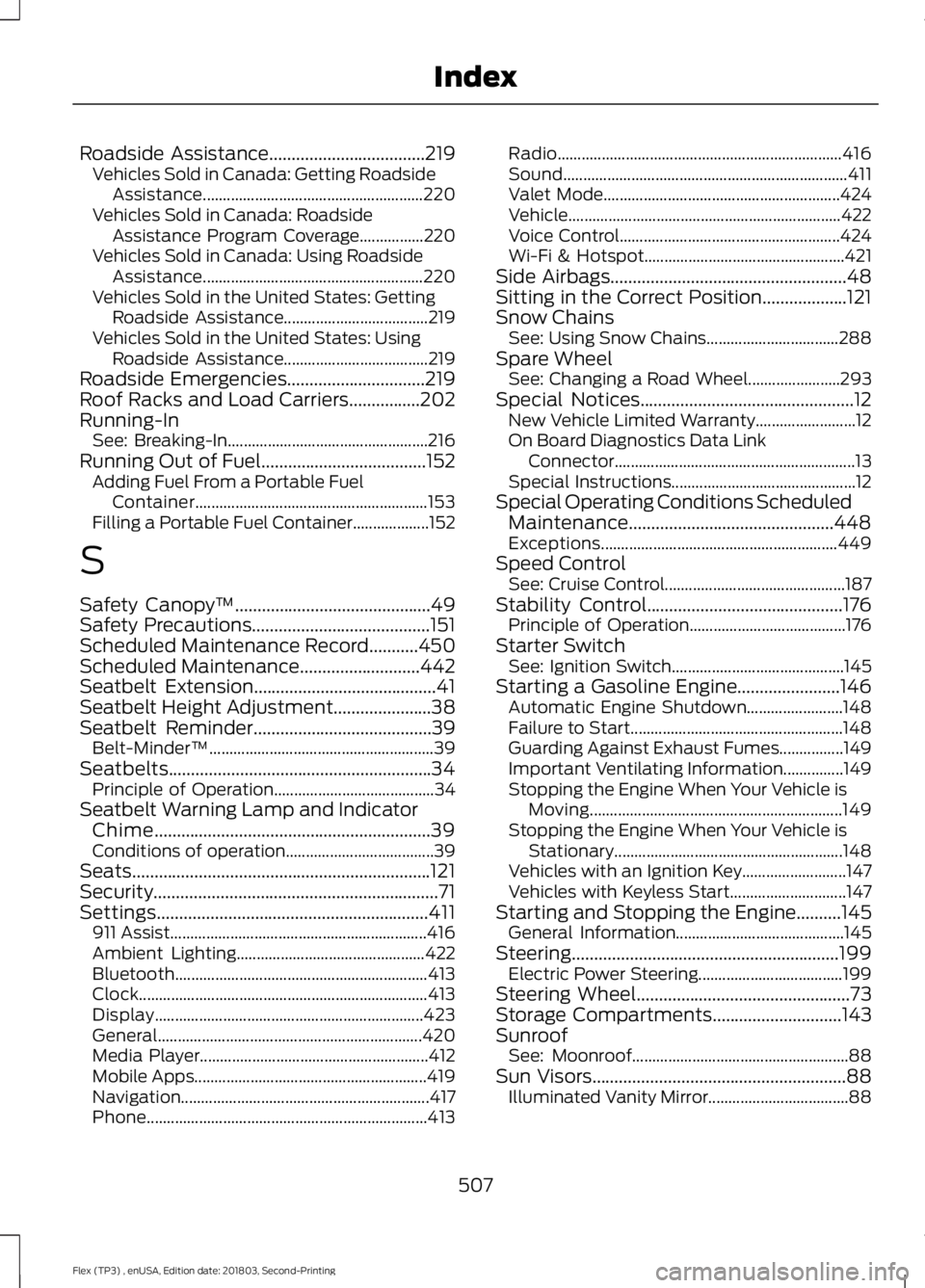
Roadside Assistance...................................219
Vehicles Sold in Canada: Getting Roadside
Assistance....................................................... 220
Vehicles Sold in Canada: Roadside Assistance Program Coverage................220
Vehicles Sold in Canada: Using Roadside Assistance....................................................... 220
Vehicles Sold in the United States: Getting Roadside Assistance.................................... 219
Vehicles Sold in the United States: Using Roadside Assistance.................................... 219
Roadside Emergencies...............................219
Roof Racks and Load Carriers................202
Running-In See: Breaking-In.................................................. 216
Running Out of Fuel.....................................152 Adding Fuel From a Portable Fuel
Container.......................................................... 153
Filling a Portable Fuel Container................... 152
S
Safety Canopy ™
............................................49
Safety Precautions........................................151
Scheduled Maintenance Record
...........450
Scheduled Maintenance...........................442
Seatbelt Extension.........................................41
Seatbelt Height Adjustment
......................38
Seatbelt Reminder........................................39 Belt-Minder™........................................................ 39
Seatbelts...........................................................34 Principle of Operation........................................ 34
Seatbelt Warning Lamp and Indicator Chime
..............................................................39
Conditions of operation..................................... 39
Seats...................................................................121
Security
................................................................71
Settings.............................................................411 911 Assist................................................................ 416
Ambient Lighting............................................... 422
Bluetooth............................................................... 413
Clock........................................................................\
413
Display................................................................... 423
General.................................................................. 420
Media Player......................................................... 412
Mobile Apps.......................................................... 419
Navigation.............................................................. 417
Phone...................................................................... 413Radio.......................................................................
416
Sound....................................................................... 411
Valet Mode........................................................... 424
Vehicle.................................................................... 422
Voice Control....................................................... 424
Wi-Fi & Hotspot.................................................. 421
Side Airbags
.....................................................48
Sitting in the Correct Position...................121
Snow Chains See: Using Snow Chains................................. 288
Spare Wheel See: Changing a Road Wheel....................... 293
Special Notices................................................12 New Vehicle Limited Warranty......................... 12
On Board Diagnostics Data Link Connector............................................................ 13
Special Instructions.............................................. 12
Special Operating Conditions Scheduled Maintenance..............................................448
Exceptions........................................................... 449
Speed Control See: Cruise Control............................................. 187
Stability Control
............................................176
Principle of Operation....................................... 176
Starter Switch See: Ignition Switch........................................... 145
Starting a Gasoline Engine.......................146 Automatic Engine Shutdown........................ 148
Failure to Start..................................................... 148
Guarding Against Exhaust Fumes................149
Important Ventilating Information...............149
Stopping the Engine When Your Vehicle is Moving............................................................... 149
Stopping the Engine When Your Vehicle is Stationary......................................................... 148
Vehicles with an Ignition Key.......................... 147
Vehicles with Keyless Start............................. 147
Starting and Stopping the Engine..........145 General Information.......................................... 145
Steering............................................................199 Electric Power Steering.................................... 199
Steering Wheel................................................73
Storage Compartments
.............................143
Sunroof See: Moonroof...................................................... 88
Sun Visors.........................................................88 Illuminated Vanity Mirror................................... 88
507
Flex (TP3) , enUSA, Edition date: 201803, Second-Printing Index