rear entertainment FORD FOCUS 2003 1.G Owners Manual
[x] Cancel search | Manufacturer: FORD, Model Year: 2003, Model line: FOCUS, Model: FORD FOCUS 2003 1.GPages: 216, PDF Size: 4.15 MB
Page 19 of 216
Press the security release control and remove the front panel. To
reposition the panel, insert the right-hand edge first, then the left-hand
side, until the retaining latch is engaged.
Replacement panels:Your Ford Dealer will require the following if you
need to order a replacement panel:
•Your name and address.
•The vehicle identification number (visible in the corner of the
windscreen).
•The audio unit type.
•Proof of identification (i.e. driver’s license).
•A vehicle invoice (if the audio unit was installed in the vehicle prior to
delivery) or a parts invoice if the audio unit was purchased separately
form the vehicle, or an appropriate vehicle registration document.
9.Clock:Press and hold CLK until
the hour digit flashes. Turn the
volume control to increase/decrease
the hours. Press again to set the minutes. Turn the volume control to
increase/decrease the minutes.
10.Power/volume:Press to turn
ON/OFF; turn to increase or
decrease volume levels. The display
will indicate the level selected.
11.Scan:Press SCAN to hear a
brief sampling of all listenable radio
stations. Press again to stop.
12.Bass/Treble:Press once for
bass, twice for treble. Turn the
volume control to decrease/increase
the output. The display will indicate the level selected.
13.AMS(Automatic Music Search):
Press to advance to the next tape
selection.
14.Fade/Balance:Press once for
fade and twice for balance. Turn the
volume control to shift sound to the
rear/front speakers, or to the left and right speakers.
VOL ON/OFF
SCAN
FADE/BALBASS/TREB
FADE/BALBASS/TREB
Entertainment Systems
19
Page 22 of 216
Replacement panels:Your Ford Dealer will require the following if you
need to order a replacement panel:
•Your name and address.
•The vehicle identification number (visible in the corner of the
windscreen).
•The audio unit type.
•Proof of identification (i.e. driver’s license).
•A vehicle invoice (if the audio unit was installed in the vehicle prior to
delivery) or a parts invoice if the audio unit was purchased separately
form the vehicle, or an appropriate vehicle registration document.
8.Clock:Press and hold until the
hour digit flashes. Turn the volume
control to increase/decrease the
hours. Press again to set the minutes. Turn the volume control to
increase/decrease the minutes.
9.Power/volume:Press to turn
ON/OFF; turn to increase or
decrease volume levels. The system
may function for up to an hour after
the ignition is turned off.
10.Scan:Press for a brief sampling
of all listenable radio stations or CD
tracks. Press again to stop.
11.Bass/Treble:Press once for
bass, twice for treble. Turn the
volume control to increase/decrease
the output. The display will indicate the level selected.
12.Fade/Balance:Press once for
fade and twice for balance. Turn the
volume control to shift sound to the
rear/front speakers or to the left/right speakers.
13.Eject:Press to eject the CD.
VOL ON/OFF
SCAN
FADE/BALBASS/TREB
FADE/BALBASS/TREB
Entertainment Systems
22
Page 25 of 216
6.Memory presets:To set a
station: Select frequency band
AM/FM; tune to a station, press and
hold a preset button until sound returns. With a CD, press the preset
control that corresponds to the desired disc. CD 1–01. CD 3–01, NO
DISC or NO DISCS will be displayed depending on what preset button
was selected.
AutoStore:AutoStore allows you to set strong radio stations on the FM
band without losing your original manually set preset stations. Press and
hold AM/FM to activate. AST will flash in the display. When the six
strongest stations are filled, the sound will be restored.
7.Fade:Press FADE; turn the
volume control to shift sound to the
rear/front speakers. The display will
indicate the level selected.
Balance:Press BAL; turn the
volume control to shift sound to the
left/right speakers. The display will
indicate the level selected.
8.Bass:Press BASS to adjust the
bass levels. Turn the volume control
to decrease/increase the bass
output.
Entertainment Systems
25
Page 27 of 216
11.Scan:Press SCAN to move up
the radio frequency band. SCAN
automatically finds a station, plays it
for five seconds, then moves to the next station. Press again to stop.
CD:Press SCAN to sample CD selections for eight seconds. Press again
to stop.
DSP:
Press once to enter occupancy mode and use the volume control to
optimize sound for ALL seats, DRIVER or REAR. Press twice to select one
of the settings: DSP OFF, NEWS, JAZZ, CONCERT, CHURCH or STADIUM.
12.Clock:Press CLK to access
clock mode. Press and release
SEEK
/to select
hours/minutes. Turn the volume control to set both hours and minutes.
13.Menu:Press MENU to access
main menu functions. Use
SEEK
/for adjustments.
Tune adjust:Press MENU until MAN appears in the display. Press
orto manually move up/down the radio frequency band.
Compression:Press MENU until COMP appears in the display. Press
SEEK to engage/disengage the feature. Compression adjust brings soft
and loud CD passages together for a more consistent listening level.
Shuffle:Press MENU until SHUF appears in the display. Press SEEK to
engage/disengage the feature.
Audio distortion reduction (CLIP):Press and hold MENU until the
display changes. Then, press MENU until the CLIP menu displays. Press
SEEK to engage/disengage the feature. The feature automatically detects
sound distortions and reduces the volume level until the distortion has
been eliminated.
Automatic volume control (AVC) (if equipped):With this feature,
radio volume changes automatically with vehicle speed to compensate for
road and wind noise. Press MENU until AVC is displayed, then use the
SEEK
/control to adjust the volume.
SCAN
CLK
MENU
Entertainment Systems
27
Page 31 of 216
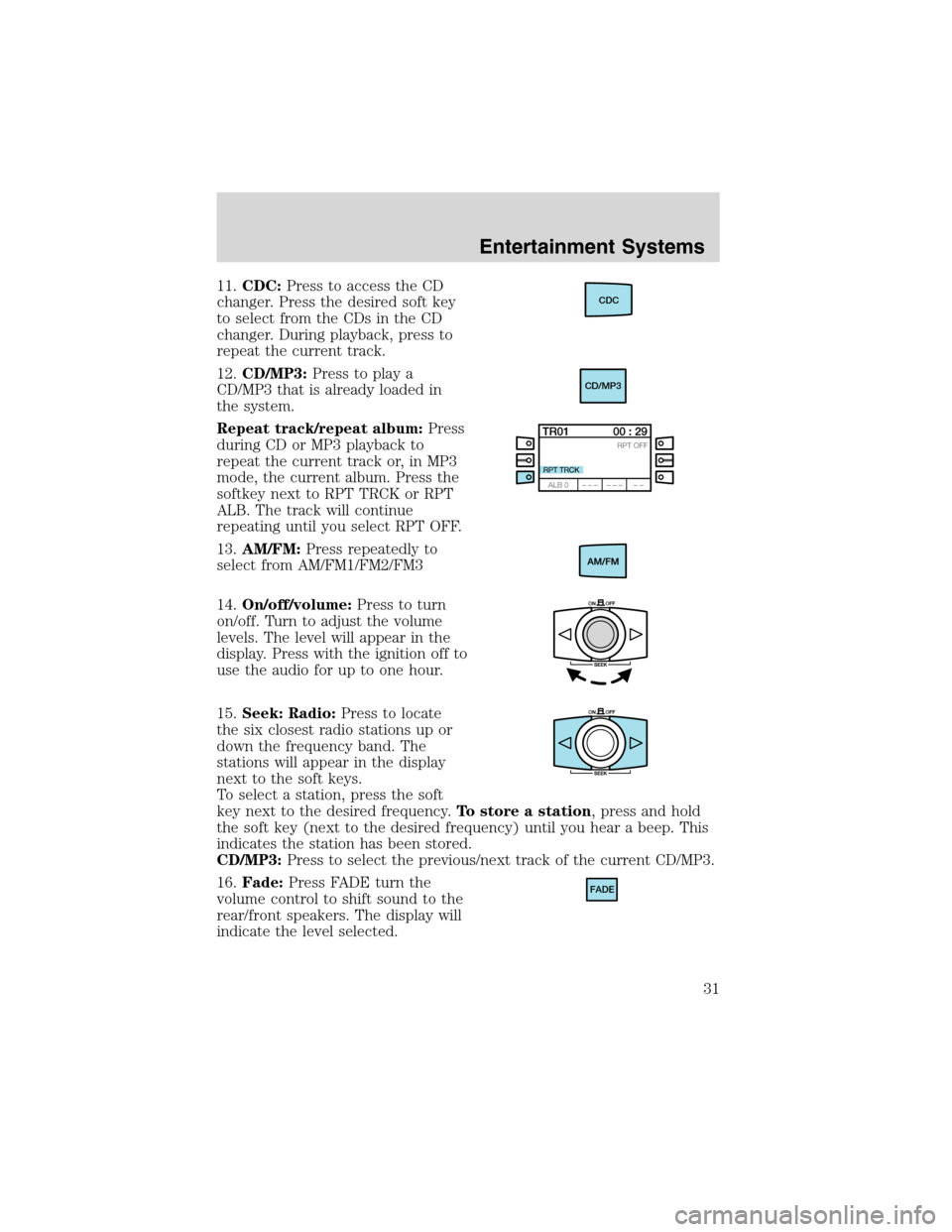
11.CDC:Press to access the CD
changer. Press the desired soft key
to select from the CDs in the CD
changer. During playback, press to
repeat the current track.
12.CD/MP3:Press to play a
CD/MP3 that is already loaded in
the system.
Repeat track/repeat album:Press
during CD or MP3 playback to
repeat the current track or, in MP3
mode, the current album. Press the
softkey next to RPT TRCK or RPT
ALB. The track will continue
repeating until you select RPT OFF.
13.AM/FM:Press repeatedly to
select from AM/FM1/FM2/FM3
14.On/off/volume:Press to turn
on/off. Turn to adjust the volume
levels. The level will appear in the
display. Press with the ignition off to
use the audio for up to one hour.
15.Seek: Radio:Press to locate
the six closest radio stations up or
down the frequency band. The
stations will appear in the display
next to the soft keys.
To select a station, press the soft
key next to the desired frequency.To store a station, press and hold
the soft key (next to the desired frequency) until you hear a beep. This
indicates the station has been stored.
CD/MP3:Press to select the previous/next track of the current CD/MP3.
16.Fade:Press FADE turn the
volume control to shift sound to the
rear/front speakers. The display will
indicate the level selected.CDC
CD/MP3
FADE
Entertainment Systems
31