lock FORD FOCUS 2004 1.G User Guide
[x] Cancel search | Manufacturer: FORD, Model Year: 2004, Model line: FOCUS, Model: FORD FOCUS 2004 1.GPages: 232, PDF Size: 5.06 MB
Page 29 of 232
broadcasting a particular program type. Select AUDIO and press ENTER.
Select PTY to view the broadcast information or PTY SEARCH to search
for stations broadcasting a particular program type. There are 30
different possible program types, some being: News, Inform, Sports, Talk,
Rock, Country, Jazz, etc. If no station is found broadcasting the selected
program type, NO PTY will appear in the display at the end of the
search.
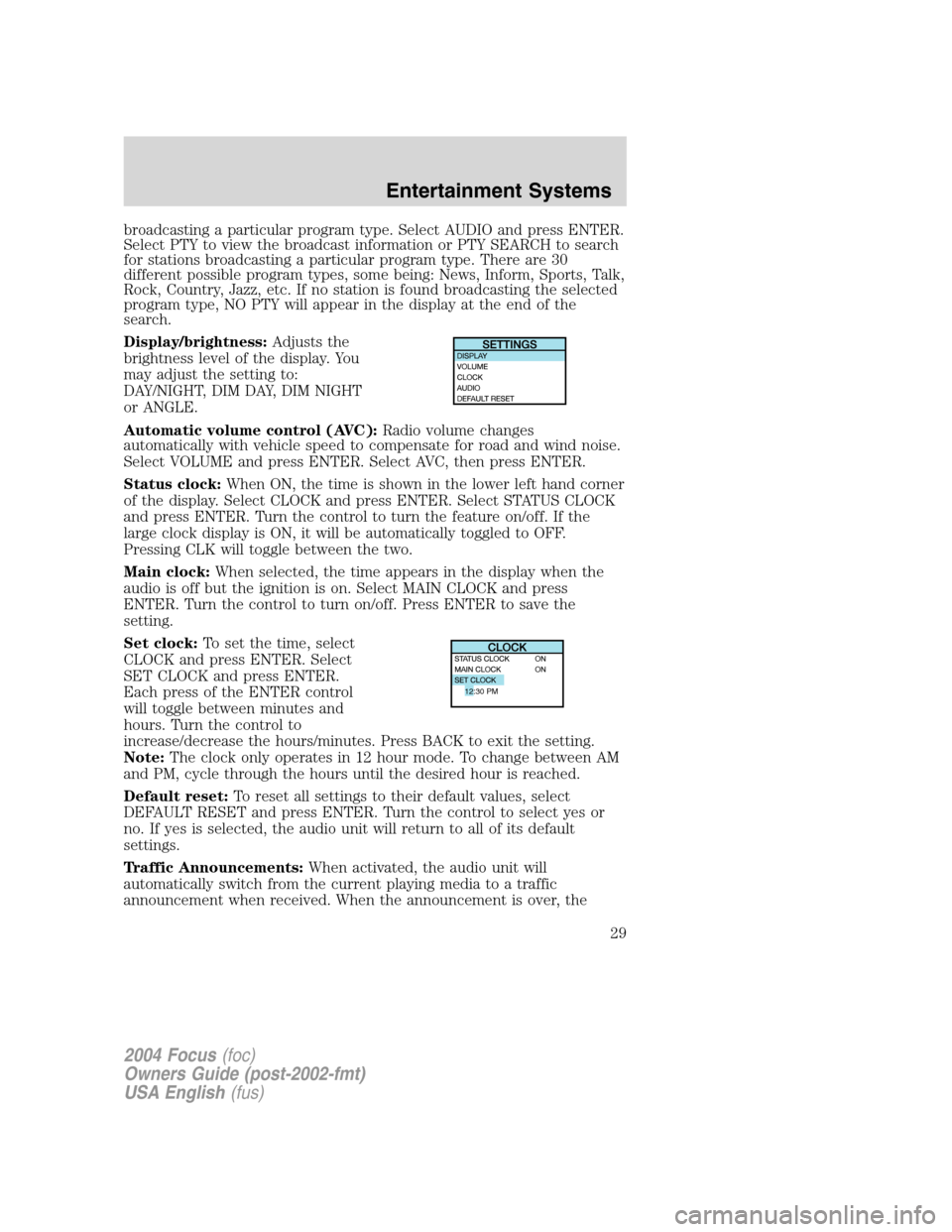
Display/brightness:Adjusts the
brightness level of the display. You
may adjust the setting to:
DAY/NIGHT, DIM DAY, DIM NIGHT
or ANGLE.
Automatic volume control (AVC): Radio volume changes
automatically with vehicle speed to compensate for road and wind noise.
Select VOLUME and press ENTER. Select AVC, then press ENTER.
Status clock: When ON, the time is shown in the lower left hand corner
of the display. Select CLOCK and press ENTER. Select STATUS CLOCK
and press ENTER. Turn the control to turn the feature on/off. If the
large clock display is ON, it will be automatically toggled to OFF.
Pressing CLK will toggle between the two.
Main clock: When selected, the time appears in the display when the
audio is off but the ignition is on. Select MAIN CLOCK and press
ENTER. Turn the control to turn on/off. Press ENTER to save the
setting.
Set clock: To set the time, select
CLOCK and press ENTER. Select
SET CLOCK and press ENTER.
Each press of the ENTER control
will toggle between minutes and
hours. Turn the control to
increase/decrease the hours/minutes. Press BACK to exit the setting.
Note: The clock only operates in 12 hour mode. To change between AM
and PM, cycle through the hours until the desired hour is reached.
Default reset: To reset all settings to their default values, select
DEFAULT RESET and press ENTER. Turn the control to select yes or
no. If yes is selected, the audio unit will return to all of its default
settings.
Traffic Announcements: When activated, the audio unit will
automatically switch from the current playing media to a traffic
announcement when received. When the announcement is over, the
12:30 PM
2004 Focus (foc)
Owners Guide (post-2002-fmt)
USA English (fus)
Entertainment Systems
29
Page 40 of 232
VOR
1. Park the vehicle on a level surface approximately 7.6 meters (25 feet)
from the vertical wall or the screen directly in front of it.
2. Measure the height of the headlamp bulb center from the ground and
mark a 2.5 meters (8 foot) horizontal reference line on the vertical wall
or screen at this height. (A piece of masking tape works well.)
3. Turn on the low beam headlamps to illuminate the wall or screen and
open the hood.
4. On the wall or screen you will observe an area of high intensity light.
The top of the high intensity area should touch the horizontal reference
line. If not, the beam will need to be adjusted.
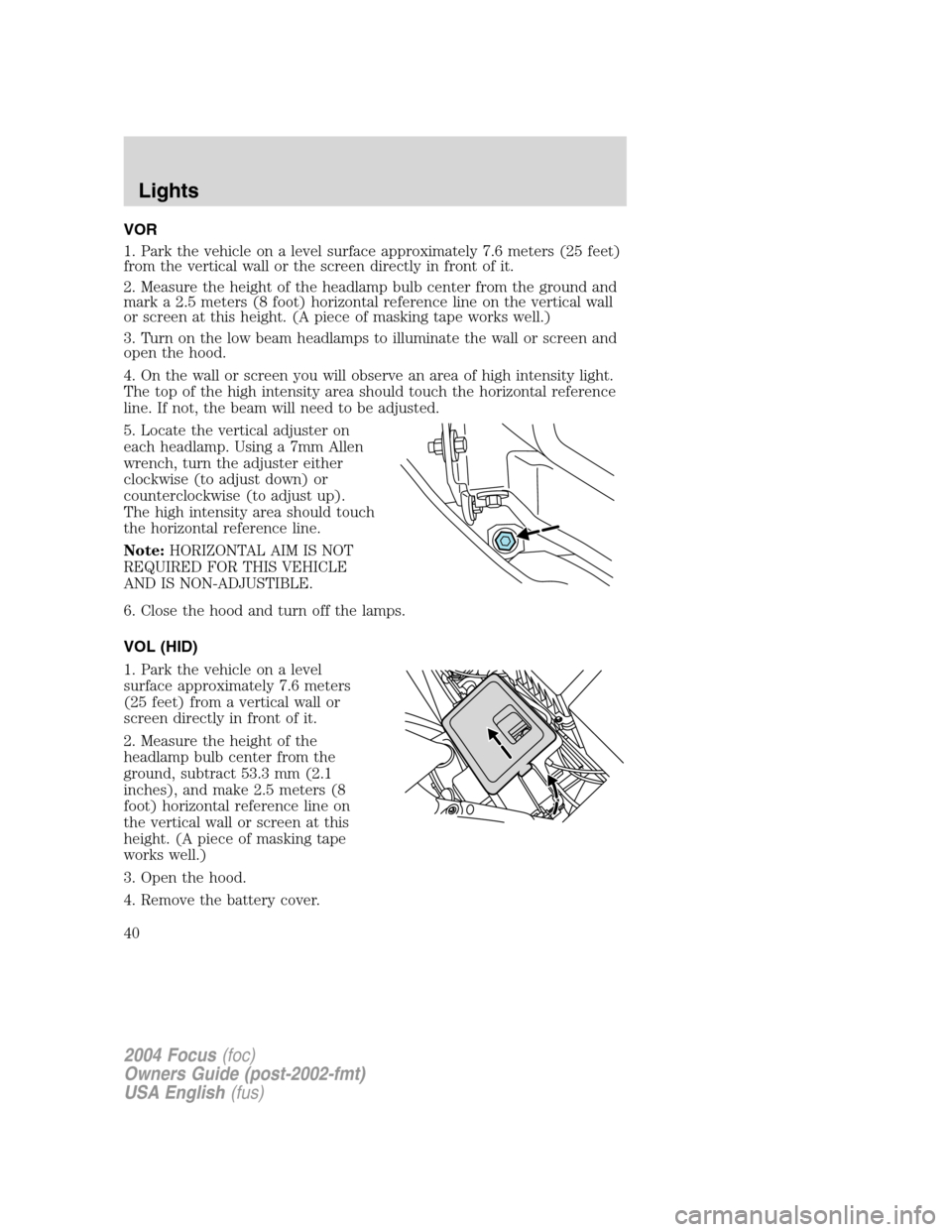
5. Locate the vertical adjuster on
each headlamp. Using a 7mm Allen
wrench, turn the adjuster either
clockwise (to adjust down) or
counterclockwise (to adjust up).
The high intensity area should touch
the horizontal reference line.
Note:HORIZONTAL AIM IS NOT
REQUIRED FOR THIS VEHICLE
AND IS NON-ADJUSTIBLE.
6. Close the hood and turn off the lamps.
VOL (HID)
1. Park the vehicle on a level
surface approximately 7.6 meters
(25 feet) from a vertical wall or
screen directly in front of it.
2. Measure the height of the
headlamp bulb center from the
ground, subtract 53.3 mm (2.1
inches), and make 2.5 meters (8
foot) horizontal reference line on
the vertical wall or screen at this
height. (A piece of masking tape
works well.)
3. Open the hood.
4. Remove the battery cover.
2004 Focus(foc)
Owners Guide (post-2002-fmt)
USA English(fus)
Lights
40
Page 41 of 232
5. Remove the headlamp bulb cover by releasing the four snap hooks
(two top and two bottom).
Note:On the left headlamp, pull the bulb cover approximately 1 inch
rearward and then slide it out until the vertical aiming adjuster is
accessible.
6. Turn on the low beam to illuminate the wall or screen. On the wall or
screen you will observe an area of high intensity light. If the left side of
each light pattern is not at the reference line, the beam needs to be
adjusted.
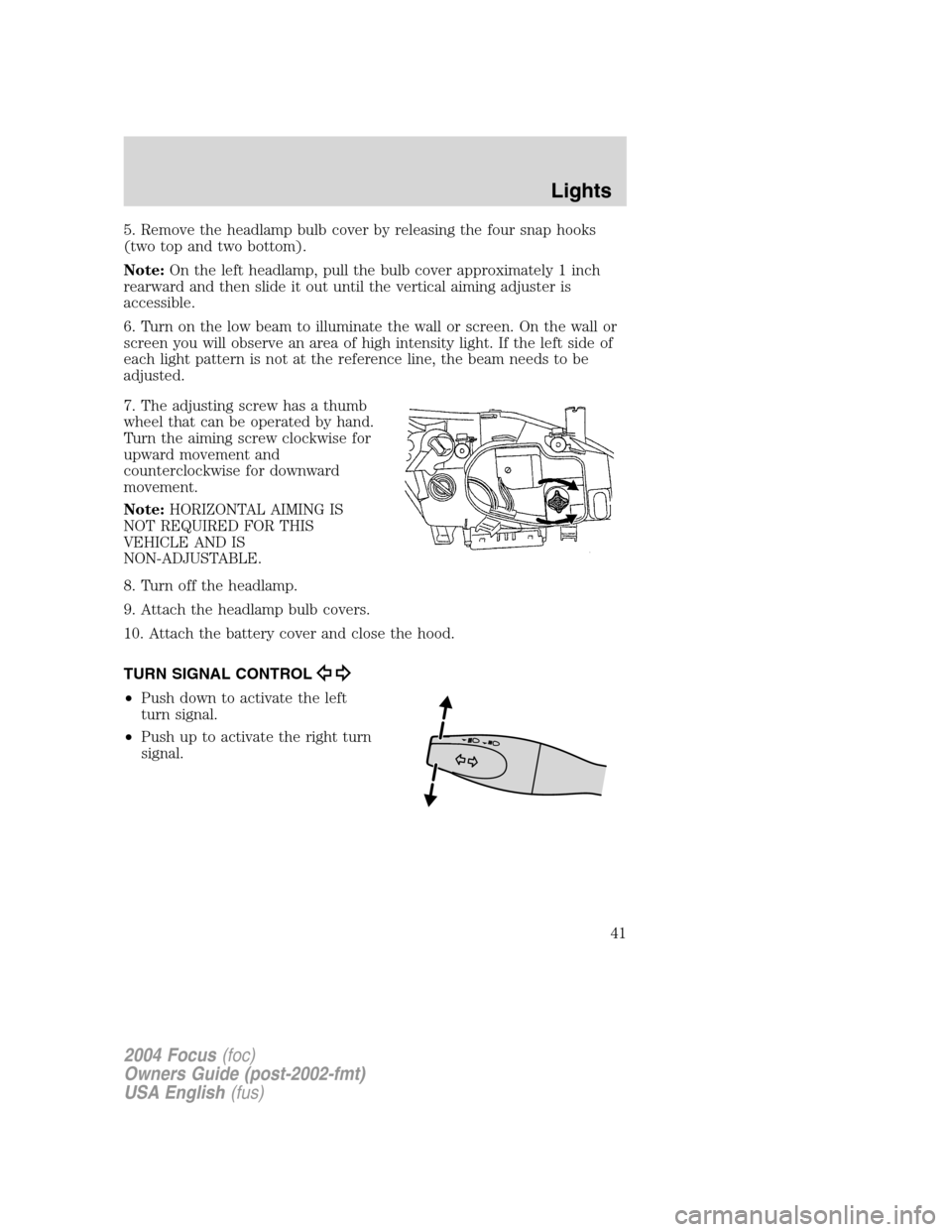
7. The adjusting screw has a thumb
wheel that can be operated by hand.
Turn the aiming screw clockwise for
upward movement and
counterclockwise for downward
movement.
Note:HORIZONTAL AIMING IS
NOT REQUIRED FOR THIS
VEHICLE AND IS
NON-ADJUSTABLE.
8. Turn off the headlamp.
9. Attach the headlamp bulb covers.
10. Attach the battery cover and close the hood.
TURN SIGNAL CONTROL
•Push down to activate the left
turn signal.
•Push up to activate the right turn
signal.
2004 Focus(foc)
Owners Guide (post-2002-fmt)
USA English(fus)
Lights
41
Page 45 of 232
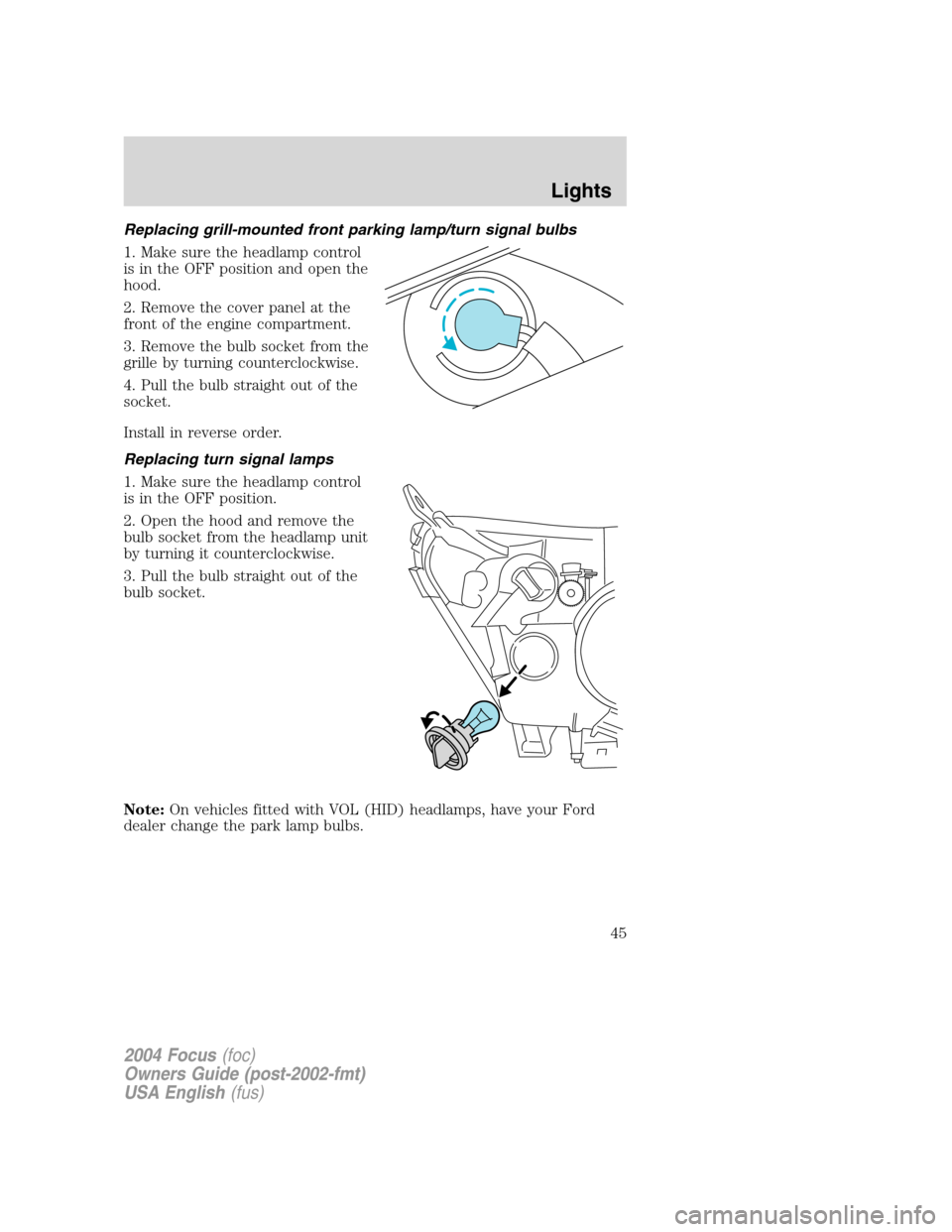
Replacing grill-mounted front parking lamp/turn signal bulbs
1. Make sure the headlamp control
is in the OFF position and open the
hood.
2. Remove the cover panel at the
front of the engine compartment.
3. Remove the bulb socket from the
grille by turning counterclockwise.
4. Pull the bulb straight out of the
socket.
Install in reverse order.
Replacing turn signal lamps
1. Make sure the headlamp control
is in the OFF position.
2. Open the hood and remove the
bulb socket from the headlamp unit
by turning it counterclockwise.
3. Pull the bulb straight out of the
bulb socket.
Note:On vehicles fitted with VOL (HID) headlamps, have your Ford
dealer change the park lamp bulbs.
2004 Focus(foc)
Owners Guide (post-2002-fmt)
USA English(fus)
Lights
45
Page 46 of 232
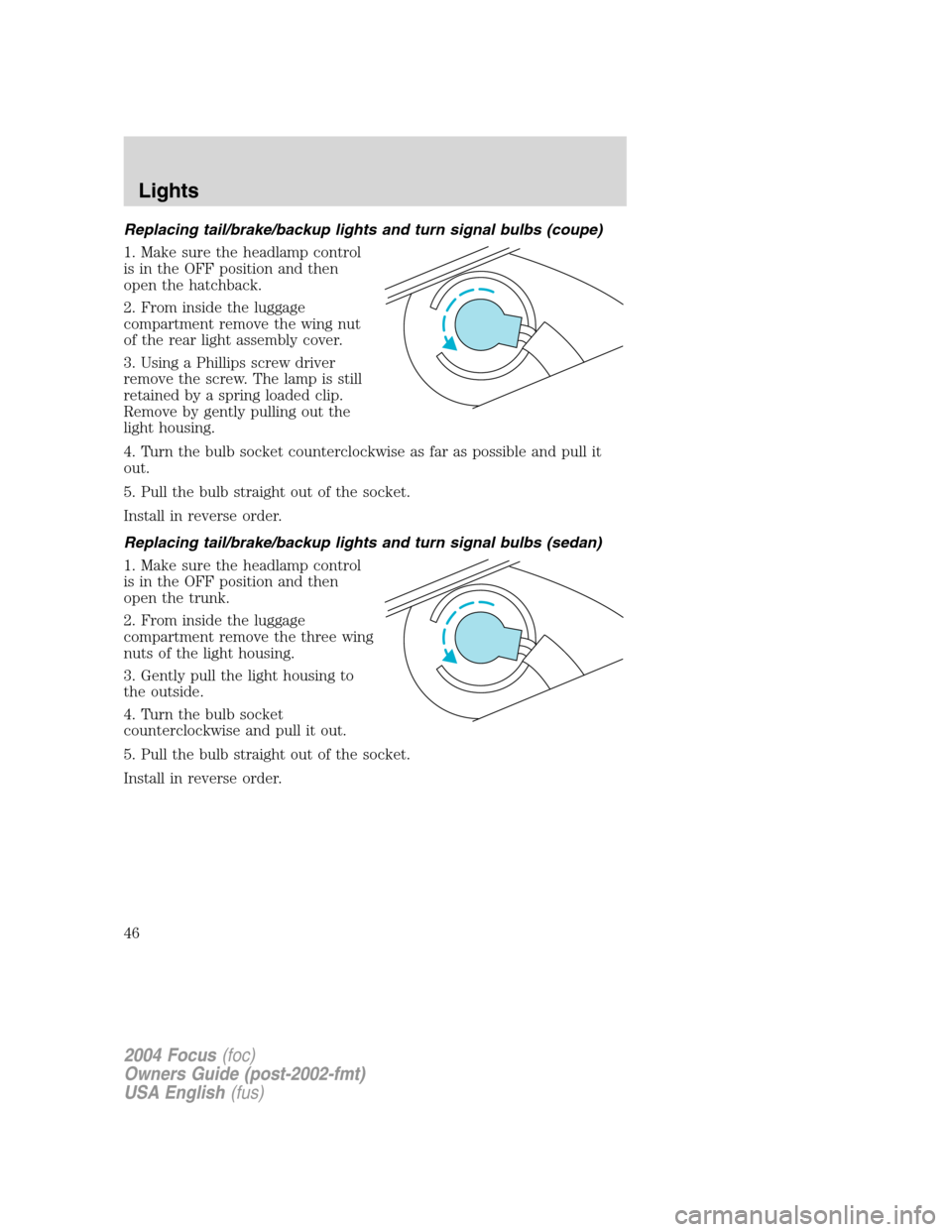
Replacing tail/brake/backup lights and turn signal bulbs (coupe)
1. Make sure the headlamp control
is in the OFF position and then
open the hatchback.
2. From inside the luggage
compartment remove the wing nut
of the rear light assembly cover.
3. Using a Phillips screw driver
remove the screw. The lamp is still
retained by a spring loaded clip.
Remove by gently pulling out the
light housing.
4. Turn the bulb socket counterclockwise as far as possible and pull it
out.
5. Pull the bulb straight out of the socket.
Install in reverse order.
Replacing tail/brake/backup lights and turn signal bulbs (sedan)
1. Make sure the headlamp control
is in the OFF position and then
open the trunk.
2. From inside the luggage
compartment remove the three wing
nuts of the light housing.
3. Gently pull the light housing to
the outside.
4. Turn the bulb socket
counterclockwise and pull it out.
5. Pull the bulb straight out of the socket.
Install in reverse order.
2004 Focus(foc)
Owners Guide (post-2002-fmt)
USA English(fus)
Lights
46
Page 47 of 232
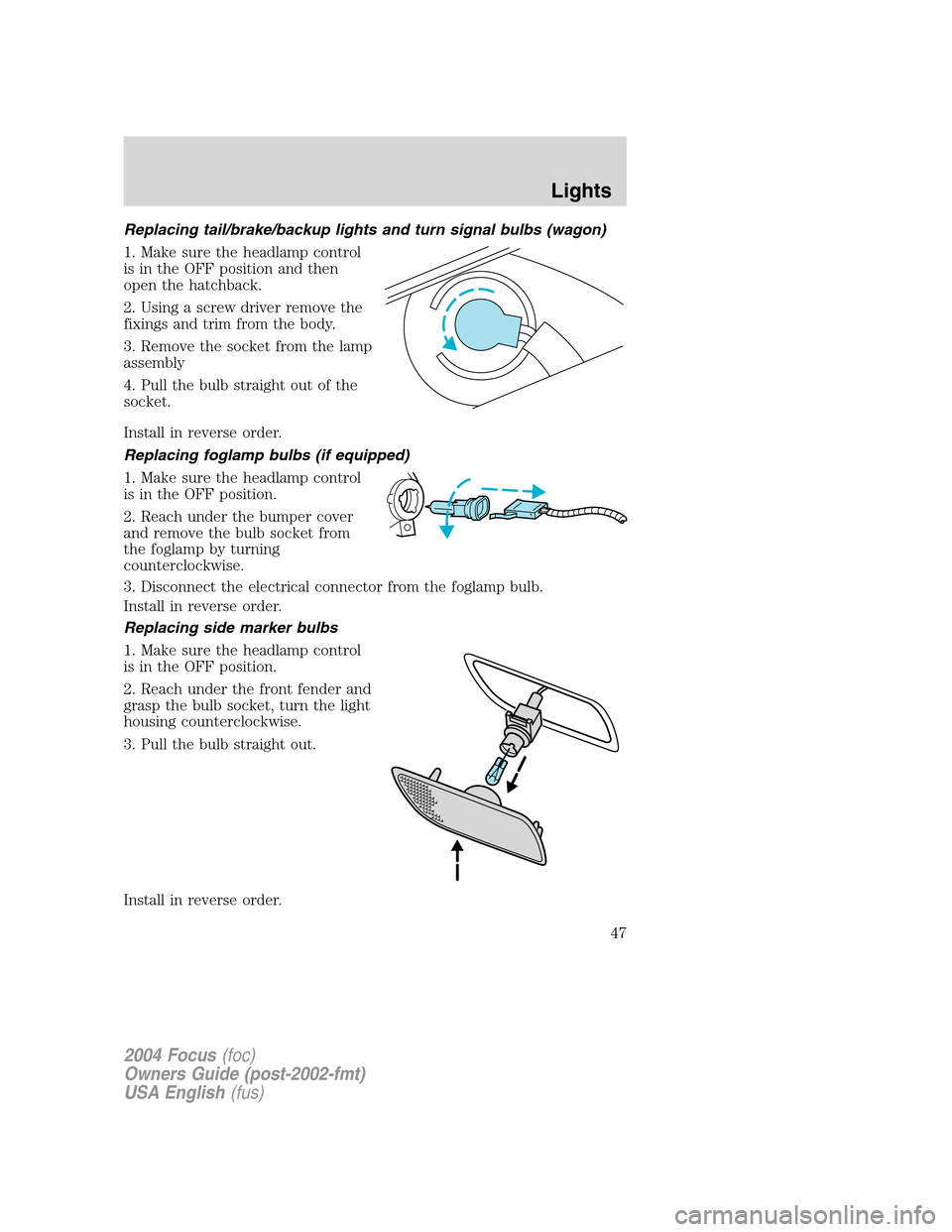
Replacing tail/brake/backup lights and turn signal bulbs (wagon)
1. Make sure the headlamp control
is in the OFF position and then
open the hatchback.
2. Using a screw driver remove the
fixings and trim from the body.
3. Remove the socket from the lamp
assembly
4. Pull the bulb straight out of the
socket.
Install in reverse order.
Replacing foglamp bulbs (if equipped)
1. Make sure the headlamp control
is in the OFF position.
2. Reach under the bumper cover
and remove the bulb socket from
the foglamp by turning
counterclockwise.
3. Disconnect the electrical connector from the foglamp bulb.
Install in reverse order.
Replacing side marker bulbs
1. Make sure the headlamp control
is in the OFF position.
2. Reach under the front fender and
grasp the bulb socket, turn the light
housing counterclockwise.
3. Pull the bulb straight out.
Install in reverse order.
2004 Focus(foc)
Owners Guide (post-2002-fmt)
USA English(fus)
Lights
47
Page 51 of 232
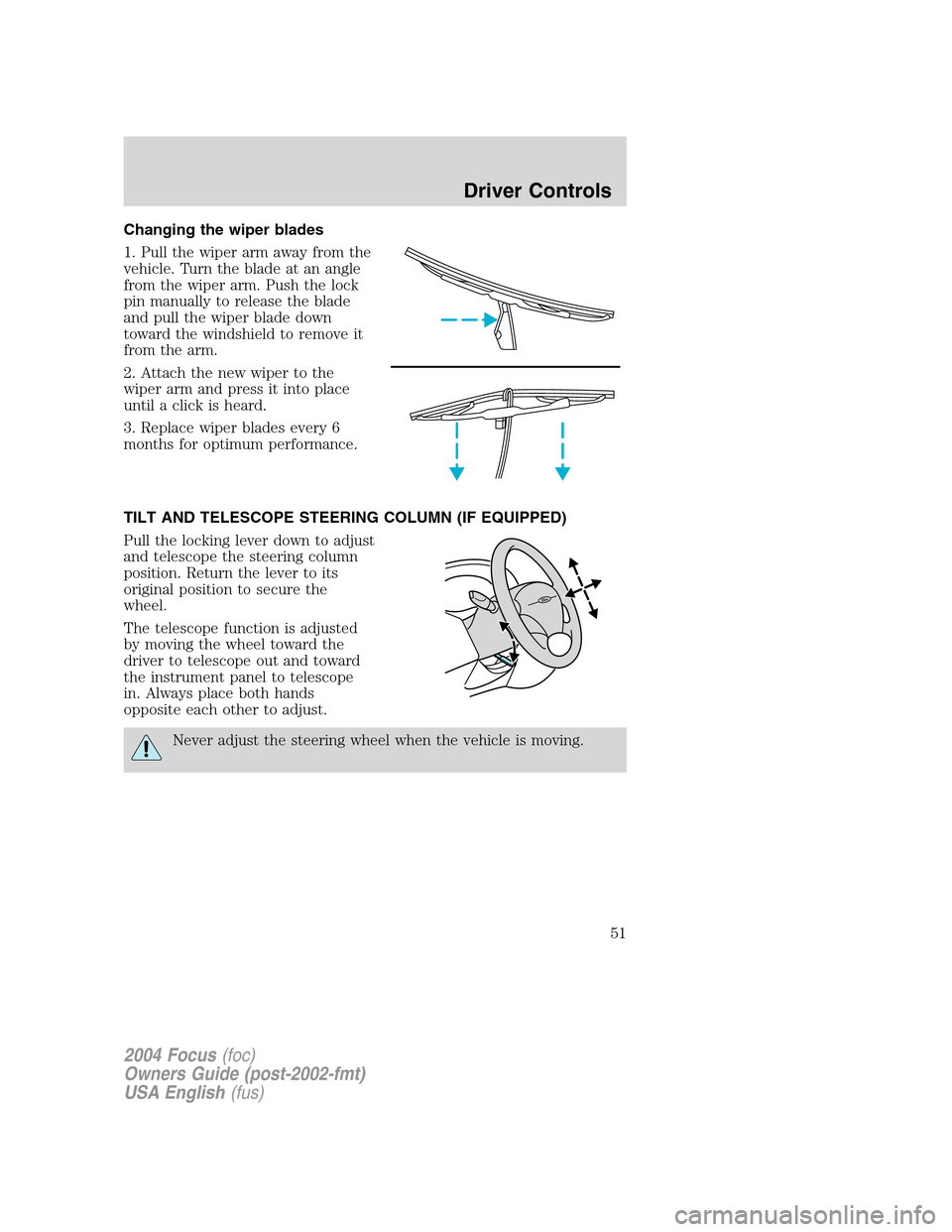
Changing the wiper blades
1. Pull the wiper arm away from the
vehicle. Turn the blade at an angle
from the wiper arm. Push the lock
pin manually to release the blade
and pull the wiper blade down
toward the windshield to remove it
from the arm.
2. Attach the new wiper to the
wiper arm and press it into place
until a click is heard.
3. Replace wiper blades every 6
months for optimum performance.
TILT AND TELESCOPE STEERING COLUMN (IF EQUIPPED)
Pull the locking lever down to adjust
and telescope the steering column
position. Return the lever to its
original position to secure the
wheel.
The telescope function is adjusted
by moving the wheel toward the
driver to telescope out and toward
the instrument panel to telescope
in. Always place both hands
opposite each other to adjust.
Never adjust the steering wheel when the vehicle is moving.
2004 Focus(foc)
Owners Guide (post-2002-fmt)
USA English(fus)
Driver Controls
51
Page 53 of 232
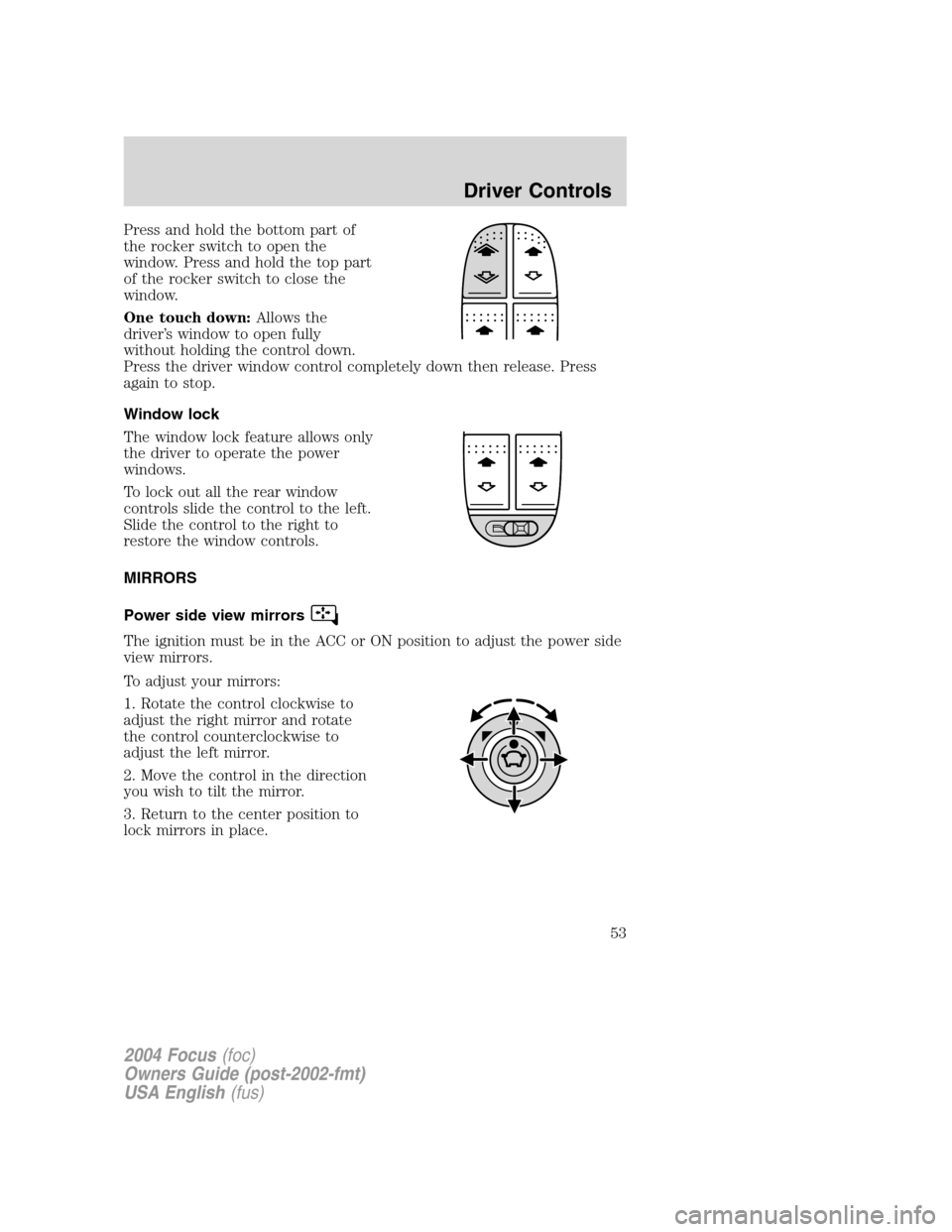
Press and hold the bottom part of
the rocker switch to open the
window. Press and hold the top part
of the rocker switch to close the
window.
One touch down:Allows the
driver’s window to open fully
without holding the control down.
Press the driver window control completely down then release. Press
again to stop.
Window lock
The window lock feature allows only
the driver to operate the power
windows.
To lock out all the rear window
controls slide the control to the left.
Slide the control to the right to
restore the window controls.
MIRRORS
Power side view mirrors
The ignition must be in the ACC or ON position to adjust the power side
view mirrors.
To adjust your mirrors:
1. Rotate the control clockwise to
adjust the right mirror and rotate
the control counterclockwise to
adjust the left mirror.
2. Move the control in the direction
you wish to tilt the mirror.
3. Return to the center position to
lock mirrors in place.
2004 Focus(foc)
Owners Guide (post-2002-fmt)
USA English(fus)
Driver Controls
53
Page 59 of 232
and security when appropriately used, particularly in emergency
situations. Safety must be paramount when using mobile communications
equipment to avoid negating these benefits.
Mobile Communication Equipment includes, but is not limited to cellular
phones, pagers, portable email devices, in vehicle communications
systems, telematics devices and portable two-way radios.
A driver’s first responsibility is the safe operation of the vehicle.
The most important thing you can do to prevent a crash is to
avoid distractions and pay attention to the road. Wait until it is safe to
operate Mobile Communications Equipment.
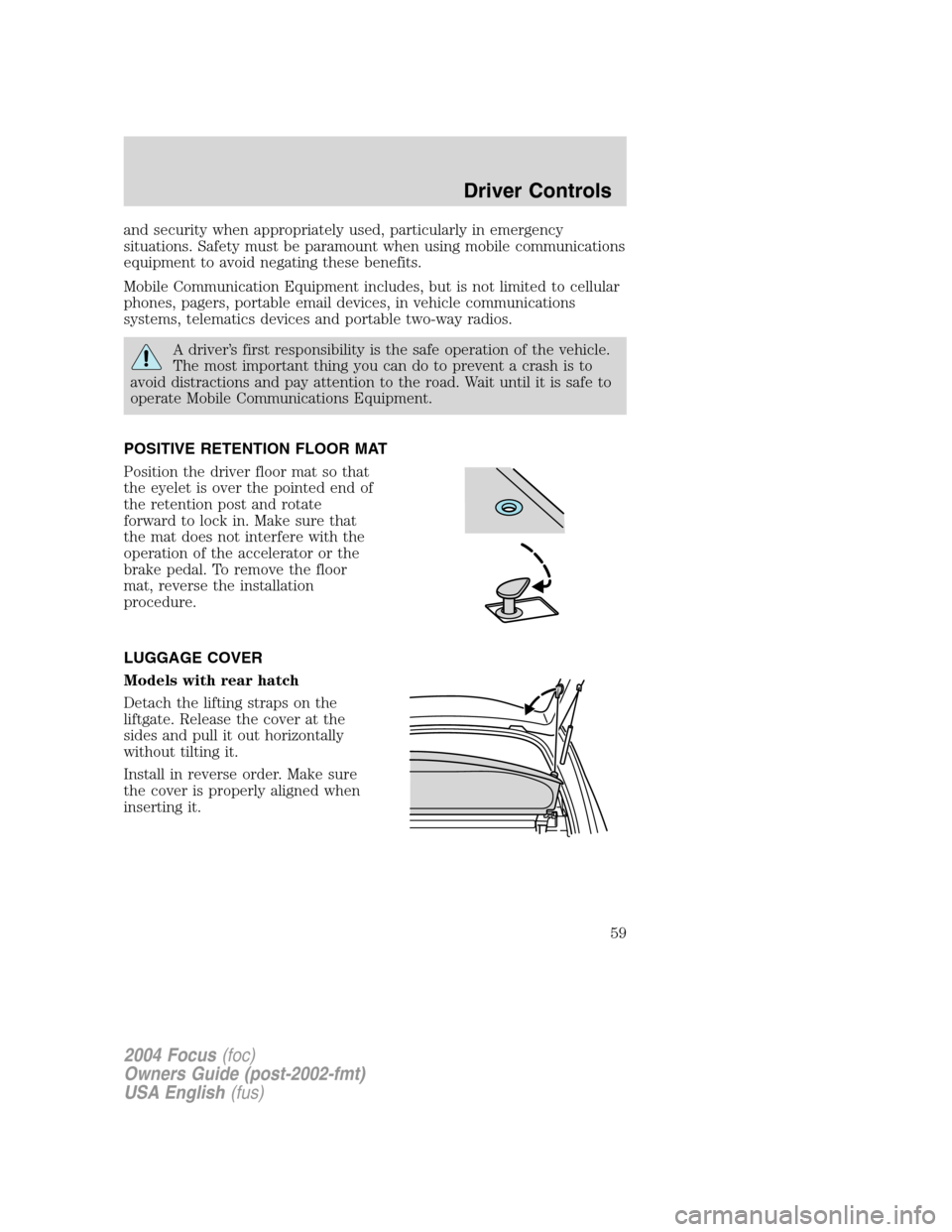
POSITIVE RETENTION FLOOR MAT
Position the driver floor mat so that
the eyelet is over the pointed end of
the retention post and rotate
forward to lock in. Make sure that
the mat does not interfere with the
operation of the accelerator or the
brake pedal. To remove the floor
mat, reverse the installation
procedure.
LUGGAGE COVER
Models with rear hatch
Detach the lifting straps on the
liftgate. Release the cover at the
sides and pull it out horizontally
without tilting it.
Install in reverse order. Make sure
the cover is properly aligned when
inserting it.
2004 Focus(foc)
Owners Guide (post-2002-fmt)
USA English(fus)
Driver Controls
59
Page 61 of 232
KEYS
The key operates all locks on your vehicle. In case of loss, replacement
keys are available from your dealer.
You should always carry a second key with you in a safe place in case
you require it in an emergency.
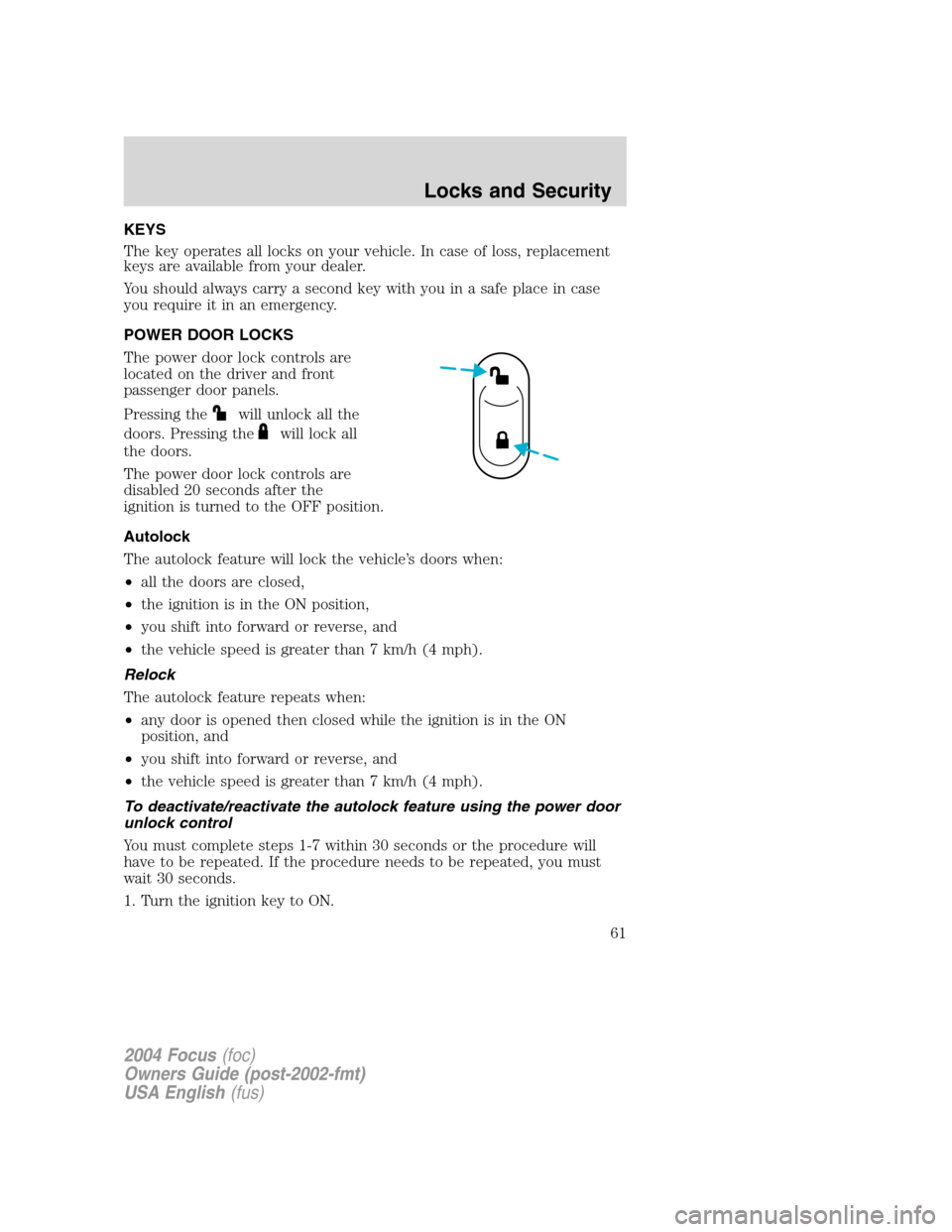
POWER DOOR LOCKS
The power door lock controls are
located on the driver and front
passenger door panels.
Pressing the
will unlock all the
doors. Pressing the
will lock all
the doors.
The power door lock controls are
disabled 20 seconds after the
ignition is turned to the OFF position.
Autolock
The autolock feature will lock the vehicle’s doors when:
•all the doors are closed,
•the ignition is in the ON position,
•you shift into forward or reverse, and
•the vehicle speed is greater than 7 km/h (4 mph).
Relock
The autolock feature repeats when:
•any door is opened then closed while the ignition is in the ON
position, and
•you shift into forward or reverse, and
•the vehicle speed is greater than 7 km/h (4 mph).
To deactivate/reactivate the autolock feature using the power door
unlock control
You must complete steps 1-7 within 30 seconds or the procedure will
have to be repeated. If the procedure needs to be repeated, you must
wait 30 seconds.
1. Turn the ignition key to ON.
2004 Focus(foc)
Owners Guide (post-2002-fmt)
USA English(fus)
Locks and Security
Locks and Security
61