ECT FORD FOCUS 2008 2.G Owner's Guide
[x] Cancel search | Manufacturer: FORD, Model Year: 2008, Model line: FOCUS, Model: FORD FOCUS 2008 2.GPages: 256, PDF Size: 2.13 MB
Page 39 of 256
Illuminates 4 footwells and 3
cupholders with a choice of 7 colors.
The ambient lighting control switch
is located on the instrument panel.
To activate, press and release the
control switch to cycle through the
7 color choices plus the OFF state.
The lights come on whenever the
headlamps/parklamps are turned on via the headlamp switch.Note:The
ambient lights will stay on as long as the headlamp switch is ON (same
as parklamps), even after the car is turned off/keys removed.
BULB REPLACEMENT
Headlamp Condensation
The headlamps are vented to equalize pressure. When moist air enters
the headlamp(s) through the vents, there is a possibility that
condensation can occur. This condensation is normal and will clear
within 45 minutes of headlamp operation.
Using the right bulbs
Replacement bulbs are specified in the chart below. Headlamp bulbs
must be marked with an authorized “D.O.T.” for North America to ensure
lamp performance, light brightness and pattern and safe visibility. The
correct bulbs will not damage the lamp assembly or void the lamp
assembly warranty and will provide quality bulb burn time.
Function Trade number
Headlamps H13
Park and turn lamp (front) 3457 NAK
Side marker lamp (front) 168
Fog lamps (if equipped) H11 LL
Stop/turn and tail lamps 3057K
Backup lamp 921
License plate lamp C5W L
* High-mount brake lamp LED
* To replace these lamps - see your authorized dealer.
To replace all instrument panel lights - see your authorized dealer
2008 Focus(foc)
Owners Guide (post-2002-fmt)
USA(fus)
Lights
39
Page 40 of 256
Replacing the interior bulbs
Check the operation of all bulbs frequently.
Replacing exterior bulbs
Check the operation of all the bulbs frequently.
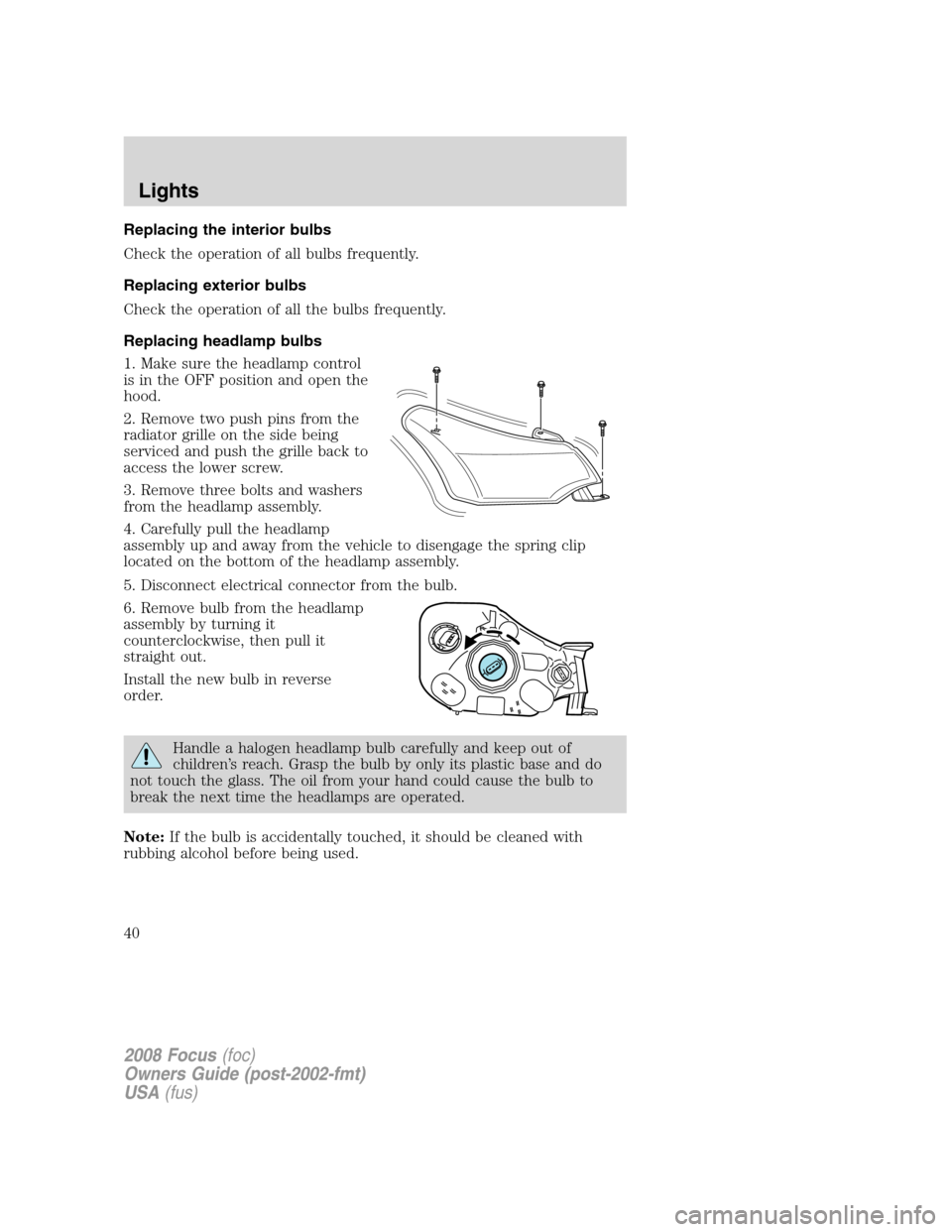
Replacing headlamp bulbs
1. Make sure the headlamp control
is in the OFF position and open the
hood.
2. Remove two push pins from the
radiator grille on the side being
serviced and push the grille back to
access the lower screw.
3. Remove three bolts and washers
from the headlamp assembly.
4. Carefully pull the headlamp
assembly up and away from the vehicle to disengage the spring clip
located on the bottom of the headlamp assembly.
5. Disconnect electrical connector from the bulb.
6. Remove bulb from the headlamp
assembly by turning it
counterclockwise, then pull it
straight out.
Install the new bulb in reverse
order.
Handle a halogen headlamp bulb carefully and keep out of
children’s reach. Grasp the bulb by only its plastic base and do
not touch the glass. The oil from your hand could cause the bulb to
break the next time the headlamps are operated.
Note:If the bulb is accidentally touched, it should be cleaned with
rubbing alcohol before being used.
2008 Focus(foc)
Owners Guide (post-2002-fmt)
USA(fus)
Lights
40
Page 42 of 256
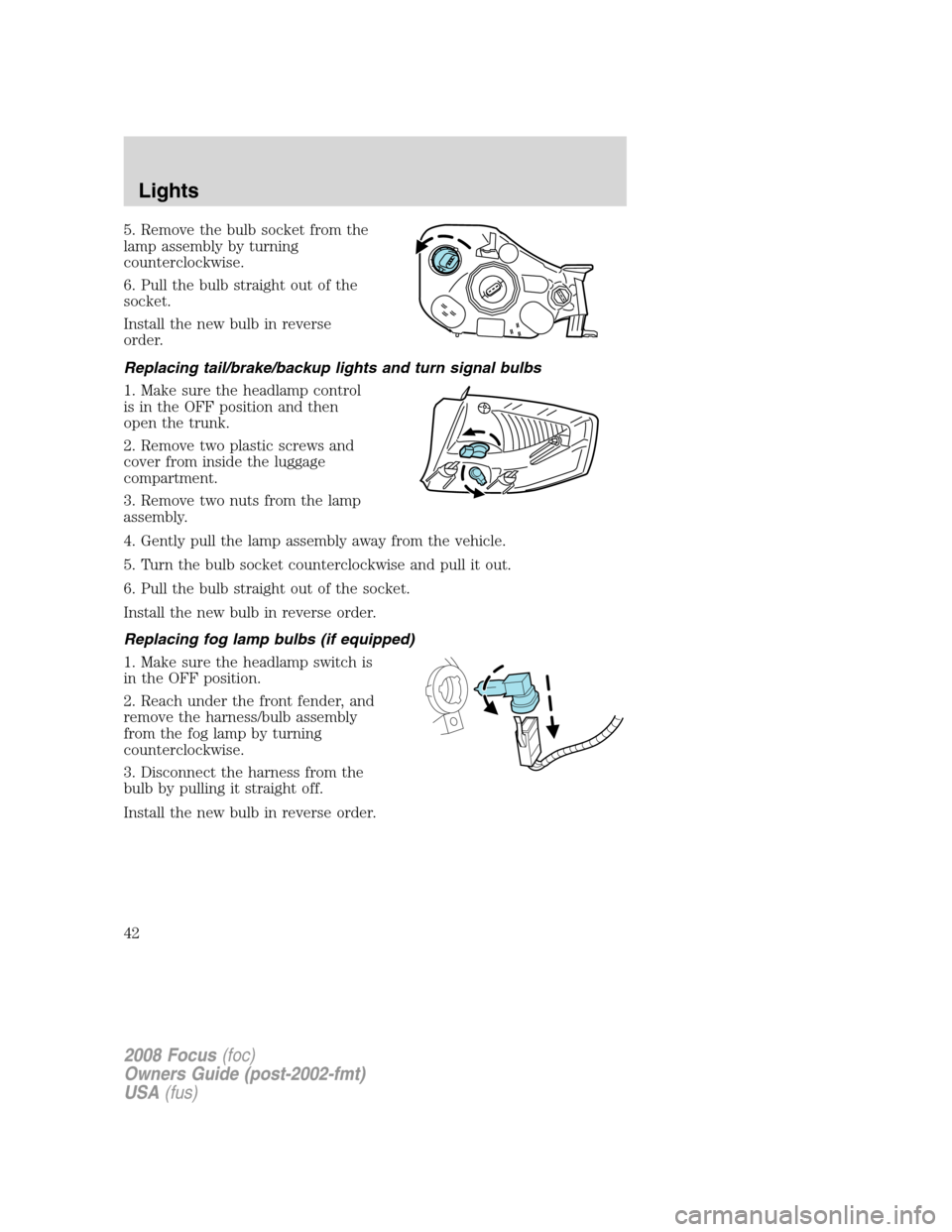
5. Remove the bulb socket from the
lamp assembly by turning
counterclockwise.
6. Pull the bulb straight out of the
socket.
Install the new bulb in reverse
order.
Replacing tail/brake/backup lights and turn signal bulbs
1. Make sure the headlamp control
is in the OFF position and then
open the trunk.
2. Remove two plastic screws and
cover from inside the luggage
compartment.
3. Remove two nuts from the lamp
assembly.
4. Gently pull the lamp assembly away from the vehicle.
5. Turn the bulb socket counterclockwise and pull it out.
6. Pull the bulb straight out of the socket.
Install the new bulb in reverse order.
Replacing fog lamp bulbs (if equipped)
1. Make sure the headlamp switch is
in the OFF position.
2. Reach under the front fender, and
remove the harness/bulb assembly
from the fog lamp by turning
counterclockwise.
3. Disconnect the harness from the
bulb by pulling it straight off.
Install the new bulb in reverse order.
2008 Focus(foc)
Owners Guide (post-2002-fmt)
USA(fus)
Lights
42
Page 45 of 256
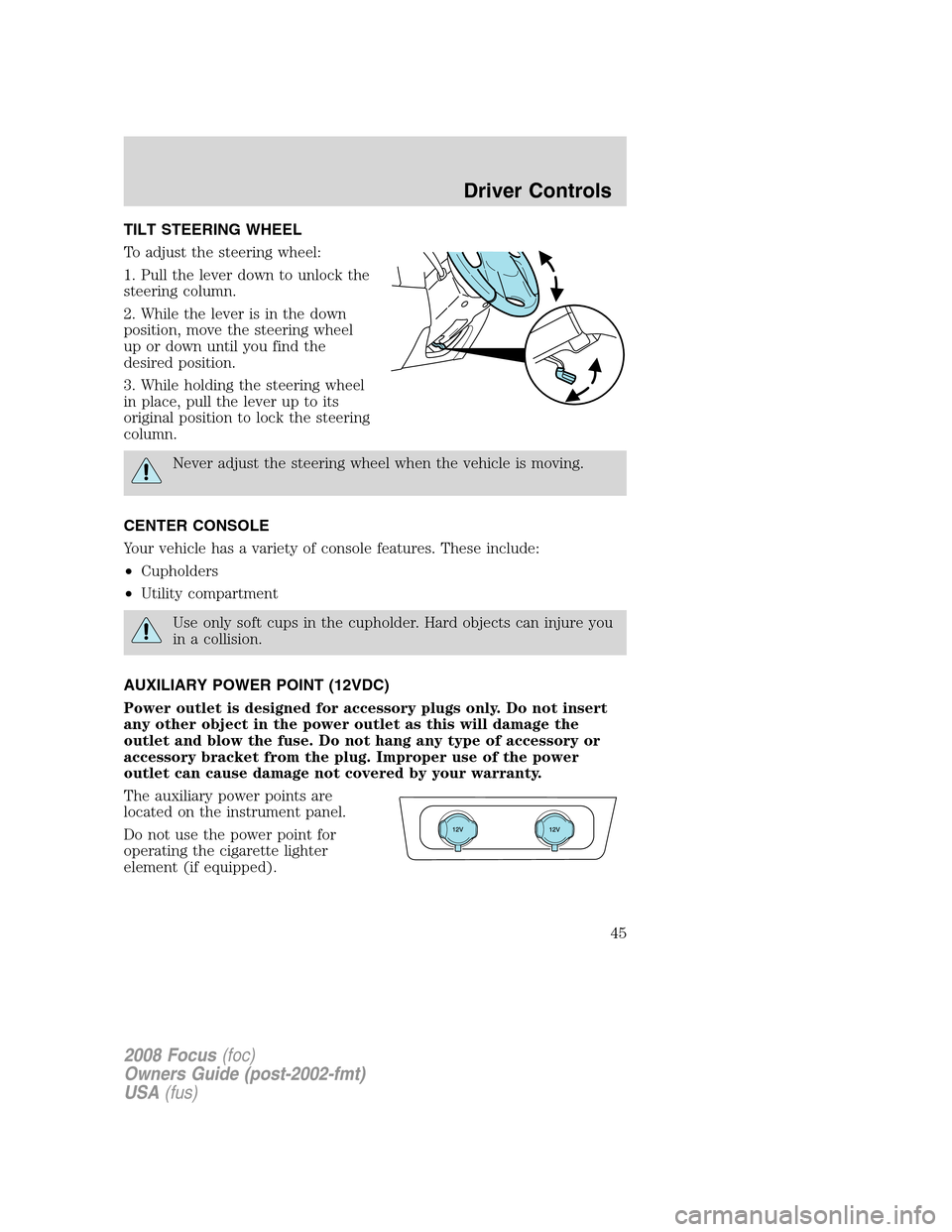
TILT STEERING WHEEL
To adjust the steering wheel:
1. Pull the lever down to unlock the
steering column.
2. While the lever is in the down
position, move the steering wheel
up or down until you find the
desired position.
3. While holding the steering wheel
in place, pull the lever up to its
original position to lock the steering
column.
Never adjust the steering wheel when the vehicle is moving.
CENTER CONSOLE
Your vehicle has a variety of console features. These include:
•Cupholders
•Utility compartment
Use only soft cups in the cupholder. Hard objects can injure you
in a collision.
AUXILIARY POWER POINT (12VDC)
Power outlet is designed for accessory plugs only. Do not insert
any other object in the power outlet as this will damage the
outlet and blow the fuse. Do not hang any type of accessory or
accessory bracket from the plug. Improper use of the power
outlet can cause damage not covered by your warranty.
The auxiliary power points are
located on the instrument panel.
Do not use the power point for
operating the cigarette lighter
element (if equipped).
2008 Focus(foc)
Owners Guide (post-2002-fmt)
USA(fus)
Driver Controls
45
Page 46 of 256
To prevent the fuse from being blown, do not use the power point(s)
over the vehicle capacity of 12 VDC/180W. If the power point or cigar
lighter socket is not working, a fuse may have blown. Refer toFuses and
relaysin theRoadside Emergencieschapter for information on
checking and replacing fuses.
To have full capacity usage of your power point, the engine is required to
be running to avoid unintentional discharge of the battery. To prevent
the battery from being discharged:
•do not use the power point longer than necessary when the engine is
not running,
•do not leave battery chargers, video game adapters, computers and
other devices plugged in overnight or when the vehicle is parked for
extended periods.
Always keep the power point caps closed when not being used.
Cigar lighter (if equipped)
Do not plug optional electrical accessories into the cigarette lighter
socket.
Do not hold the lighter in with your hand while it is heating, this will
damage the lighter element and socket. The lighter will be released from
its heating position when it is ready to be used.
Improper use of the lighter can cause damage not covered by your
warranty.
POWER WINDOWS
Do not leave children unattended in the vehicle and do not let
children play with the power windows. They may seriously injure
themselves.
When closing the power windows, you should verify they are free
of obstructions and ensure that children and/or pets are not in
the proximity of the window openings.
2008 Focus(foc)
Owners Guide (post-2002-fmt)
USA(fus)
Driver Controls
46
Page 48 of 256
Automatic dimming interior rear view mirror (if equipped)
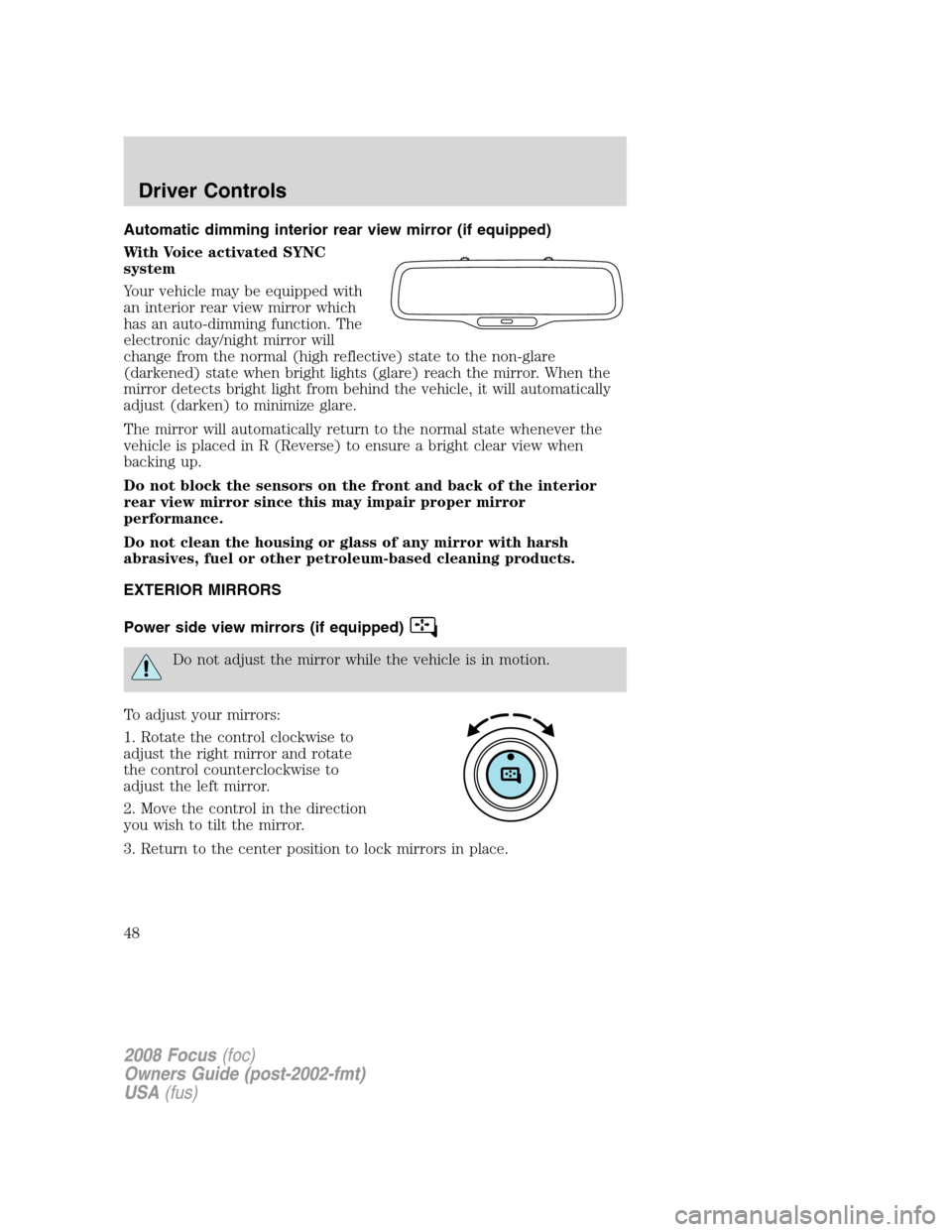
With Voice activated SYNC
system
Your vehicle may be equipped with
an interior rear view mirror which
has an auto-dimming function. The
electronic day/night mirror will
change from the normal (high reflective) state to the non-glare
(darkened) state when bright lights (glare) reach the mirror. When the
mirror detects bright light from behind the vehicle, it will automatically
adjust (darken) to minimize glare.
The mirror will automatically return to the normal state whenever the
vehicle is placed in R (Reverse) to ensure a bright clear view when
backing up.
Do not block the sensors on the front and back of the interior
rear view mirror since this may impair proper mirror
performance.
Do not clean the housing or glass of any mirror with harsh
abrasives, fuel or other petroleum-based cleaning products.
EXTERIOR MIRRORS
Power side view mirrors (if equipped)
Do not adjust the mirror while the vehicle is in motion.
To adjust your mirrors:
1. Rotate the control clockwise to
adjust the right mirror and rotate
the control counterclockwise to
adjust the left mirror.
2. Move the control in the direction
you wish to tilt the mirror.
3. Return to the center position to lock mirrors in place.
2008 Focus(foc)
Owners Guide (post-2002-fmt)
USA(fus)
Driver Controls
48
Page 52 of 256
Turning off speed control
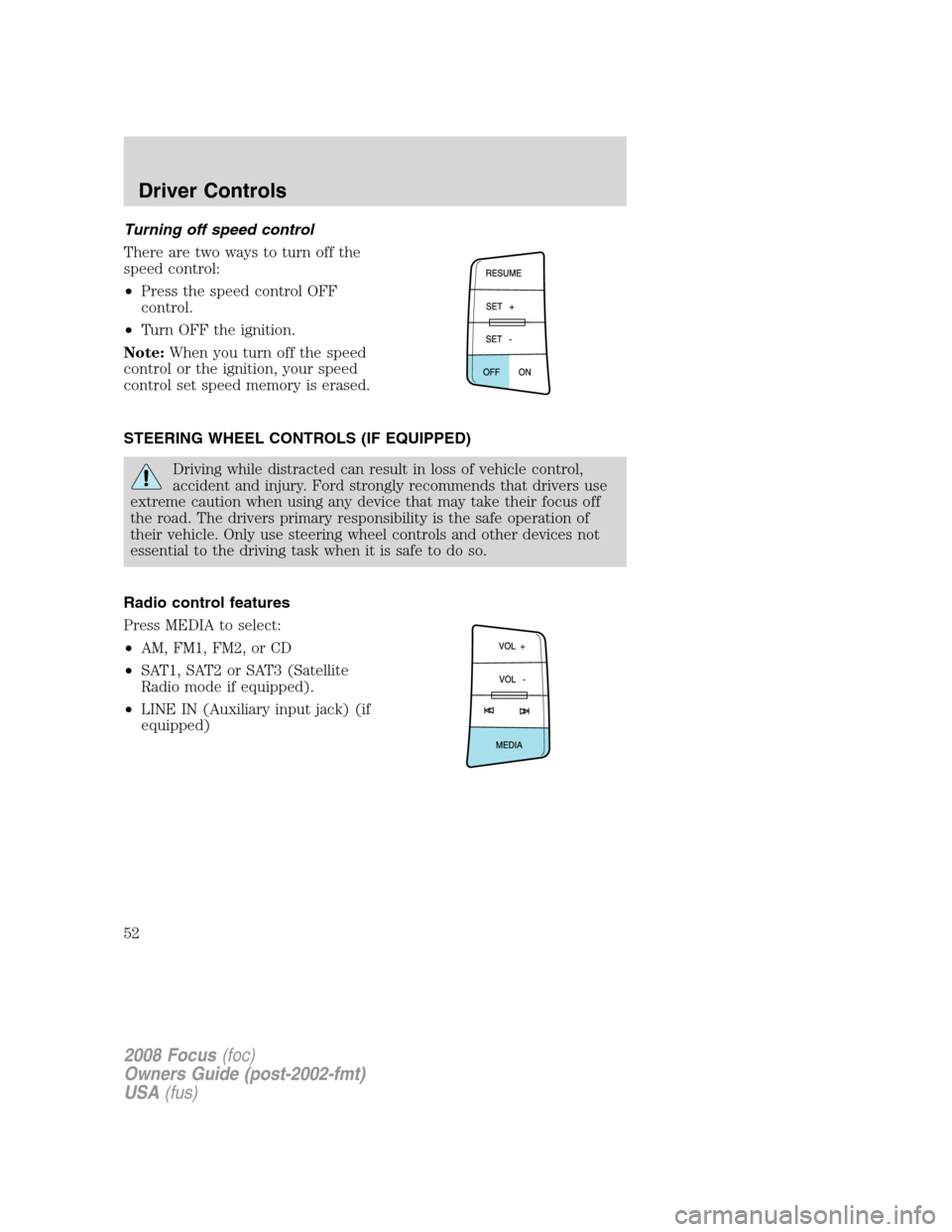
There are two ways to turn off the
speed control:
•Press the speed control OFF
control.
•Turn OFF the ignition.
Note:When you turn off the speed
control or the ignition, your speed
control set speed memory is erased.
STEERING WHEEL CONTROLS (IF EQUIPPED)
Driving while distracted can result in loss of vehicle control,
accident and injury. Ford strongly recommends that drivers use
extreme caution when using any device that may take their focus off
the road. The drivers primary responsibility is the safe operation of
their vehicle. Only use steering wheel controls and other devices not
essential to the driving task when it is safe to do so.
Radio control features
Press MEDIA to select:
•AM, FM1, FM2, or CD
•SAT1, SAT2 or SAT3 (Satellite
Radio mode if equipped).
•LINE IN (Auxiliary input jack) (if
equipped)
2008 Focus(foc)
Owners Guide (post-2002-fmt)
USA(fus)
Driver Controls
52
Page 53 of 256
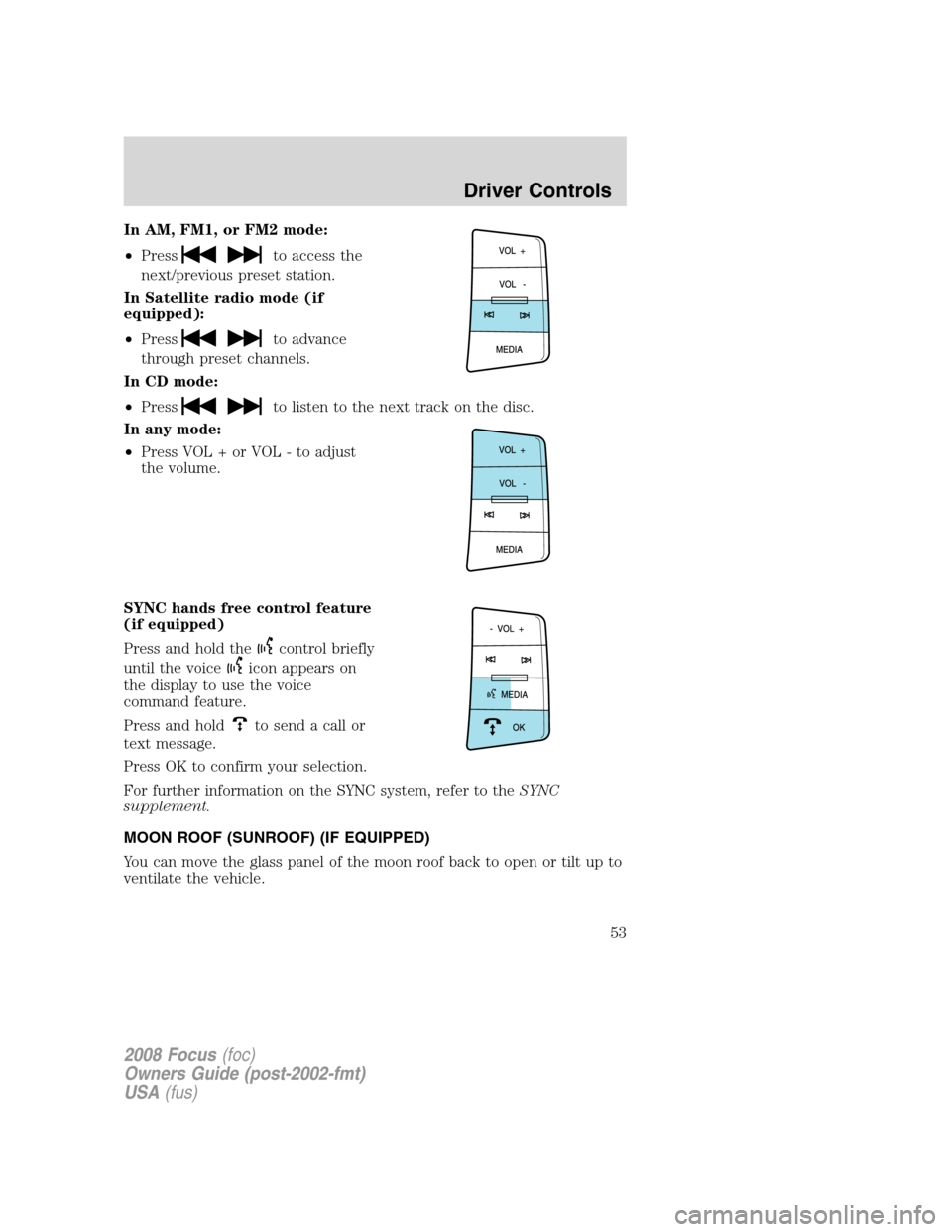
In AM, FM1, or FM2 mode:
•Press
to access the
next/previous preset station.
In Satellite radio mode (if
equipped):
•Press
to advance
through preset channels.
In CD mode:
•Press
to listen to the next track on the disc.
In any mode:
•Press VOL + or VOL - to adjust
the volume.
SYNC hands free control feature
(if equipped)
Press and hold the
control briefly
until the voice
icon appears on
the display to use the voice
command feature.
Press and hold
to send a call or
text message.
Press OK to confirm your selection.
For further information on the SYNC system, refer to theSYNC
supplement.
MOON ROOF (SUNROOF) (IF EQUIPPED)
You can move the glass panel of the moon roof back to open or tilt up to
ventilate the vehicle.
2008 Focus(foc)
Owners Guide (post-2002-fmt)
USA(fus)
Driver Controls
53
Page 54 of 256
Before operating the moon roof you should verify that it is free
of obstructions and ensure that children and/or pets are not in
the proximity of moon roof opening.
Do not let children play with the moon roof or leave children
unattended in the vehicle. They may seriously hurt themselves.
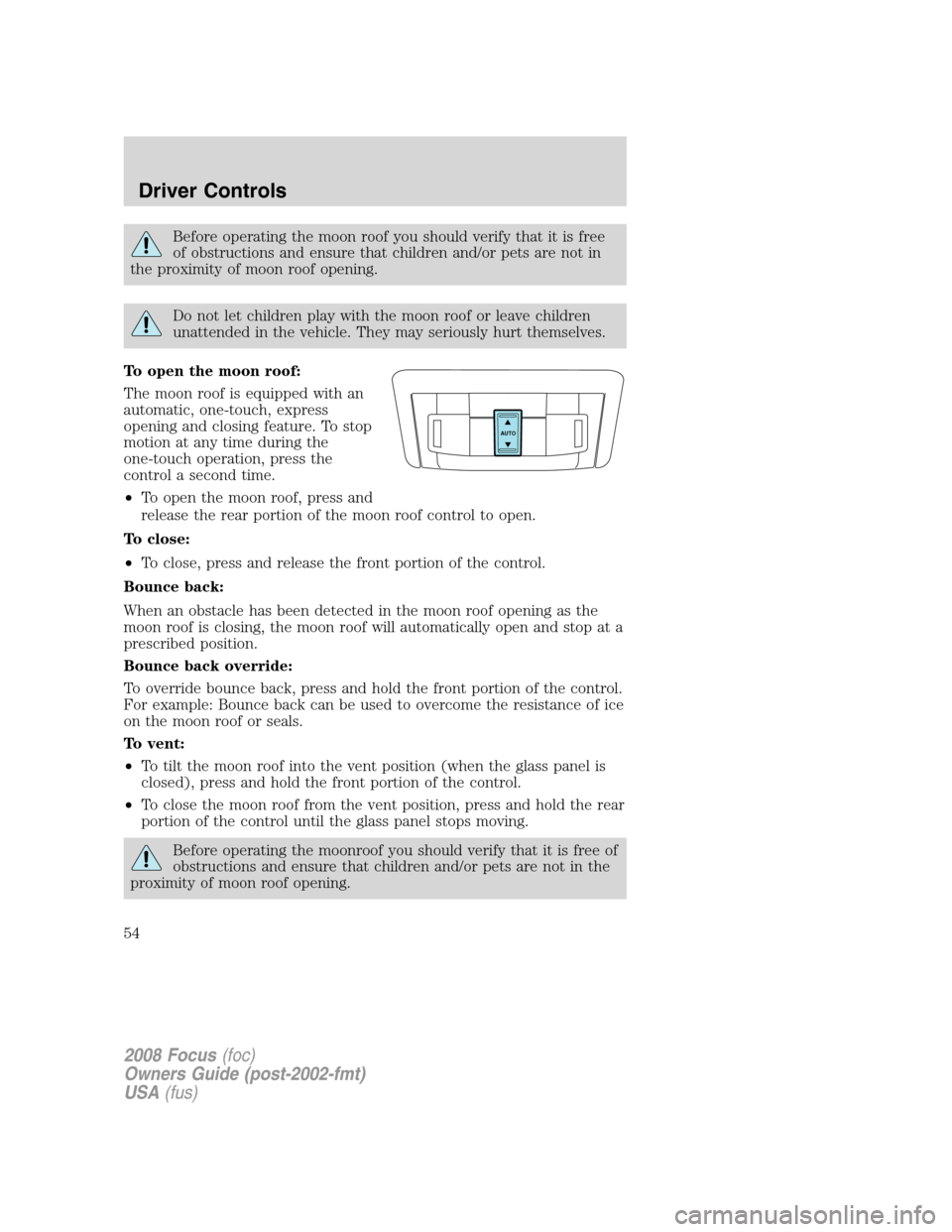
To open the moon roof:
The moon roof is equipped with an
automatic, one-touch, express
opening and closing feature. To stop
motion at any time during the
one-touch operation, press the
control a second time.
•To open the moon roof, press and
release the rear portion of the moon roof control to open.
To close:
•To close, press and release the front portion of the control.
Bounce back:
When an obstacle has been detected in the moon roof opening as the
moon roof is closing, the moon roof will automatically open and stop at a
prescribed position.
Bounce back override:
To override bounce back, press and hold the front portion of the control.
For example: Bounce back can be used to overcome the resistance of ice
on the moon roof or seals.
To vent:
•To tilt the moon roof into the vent position (when the glass panel is
closed), press and hold the front portion of the control.
•To close the moon roof from the vent position, press and hold the rear
portion of the control until the glass panel stops moving.
Before operating the moonroof you should verify that it is free of
obstructions and ensure that children and/or pets are not in the
proximity of moon roof opening.
AUTO
2008 Focus(foc)
Owners Guide (post-2002-fmt)
USA(fus)
Driver Controls
54
Page 55 of 256
Do not let children play with the moon roof or leave children
unattended in the vehicle. They may seriously hurt themselves.
Relearning function:In case the moon roof does not close properly
anymore, follow this relearning procedure.
•Tilt the moon roof into the vent position as far as possible. Release the
switch.
•Press and hold the same switch again for 30 seconds until you see the
moon roof move.
•Release the switch and immediately press and hold it again. The moon
roof will close, open fully and then close again. Do not release the
switch before the moon roof has reached the closed position for the
second time.
Safety mode:If the system detects a malfunction, it enters a safety
mode. The moon roof will move about 0.5 seconds at a time and then
stop again. Press the switch repeatedly until the moon roof is closed.
Have the system checked by your authorized dealer immediately.
MESSAGE CENTER (IF EQUIPPED)
With the ignition in the RUN
position, the message center,
located on your instrument cluster,
displays important vehicle
informationthrough a constant
monitor of vehicle systems.Yo u
may select display features on the message center for a display of status.
The system will also notify you of potential vehicle problems with a
display of system warnings followed by a long indicator chime.
Selectable features
Reset
Press this control to select and reset
functions shown in the INFO menu
and SETUP menu.
2008 Focus(foc)
Owners Guide (post-2002-fmt)
USA(fus)
Driver Controls
55