tow FORD FOCUS 2015 3.G Owner's Manual
[x] Cancel search | Manufacturer: FORD, Model Year: 2015, Model line: FOCUS, Model: FORD FOCUS 2015 3.GPages: 453, PDF Size: 5.32 MB
Page 152 of 453
PARKING BRAKE
Vehicles With Automatic
Transmission
WARNING
Always set the parking brake fully
and leave your vehicle with the
transmission selector lever in
position P. Note:
If you park your vehicle on a hill and
facing uphill move the transmission selector
lever to position P and turn the steering
wheel away from the curb.
Note: If you park your vehicle on a hill and
facing downhill move the transmission
selector lever to position P and turn the
steering wheel toward the curb.
Vehicles With Manual
Transmission WARNING
Always set the parking brake fully.
Note:
If you park your vehicle on a hill and
facing uphill select first gear and turn the
steering wheel away from the curb.
Note: If you park your vehicle on a hill and
facing downhill select reverse gear and turn
the steering wheel toward the curb.
All Vehicles
Note: Do not press the release button while
pulling the lever up.
To apply the parking brake:
1. Press the foot brake pedal firmly.
2. Pull the parking brake lever up to its fullest extent.
To release the parking brake: 1. Press the brake pedal firmly.
2. Pull the lever up slightly.
3. Press the release button and push the
lever down.
HILL START ASSIST WARNINGS
The system does not replace the
parking brake. When you leave your
vehicle, always apply the parking
brake and shift the transmission into park
(P) for automatic transmission or first gear
for manual transmission. You must remain in your vehicle once
you have activated the system.
During all times, you are responsible
for controlling your vehicle,
supervising the system and
intervening, if required. If the engine is revved excessively, or
if a malfunction is detected, the
system will be deactivated.
The system makes it easier to pull away
when your vehicle is on a slope without the
need to use the parking brake.
When the system is active, your vehicle will
remain stationary on the slope for two to
three seconds after you release the brake
pedal. This allows you time to move your
foot from the brake to the accelerator
pedal. The brakes are released
automatically once the engine has
developed sufficient drive to prevent your
vehicle from rolling down the slope. This
is an advantage when pulling away on a
slope, for example from a car park ramp,
traffic lights or when reversing uphill into
a parking space.
149
Focus (CDH), enUSA, First Printing Brakes
Page 157 of 453
Press the parking aid button to switch the
system off. If a fault is present in the
system, a warning message appears in the
information display and does not allow you
to switch the system on. See Information
Messages (page ?).
FRONT PARKING AID
(If Equipped) WARNINGS
The parking aid system can only
assist you to detect objects when
your vehicle is moving at parking
speeds. Take care when using the system
to avoid personal injury. The parking aid system may not
prevent contact with small or moving
objects that are close to the ground.
The parking aid system gives an audible
warning when it detects a large object
helping to avoid damage to your vehicle.
To help avoid personal injury you must take
care when using the parking aid system. Traffic control systems, inclement
weather, air brakes and external
motors and fans may affect correct
operation of the sensing system; this may
include reduced performance or a false
alerts. Front Sensing System
When the parking aid system produces an
audible warning, the audio system may
reduce the set volume to a predetermined
level.
Note:
Keep the sensors free from snow, ice
and large accumulations of dirt. If the
sensors are blocked system accuracy may
be affected. Do not clean the sensors with
sharp objects.
Note: If your vehicle sustains damage
leaving the sensors misaligned, this will
cause inaccurate measurements or false
alerts. The front sensors are active when the
transmission is in any position other than
park (P). When your vehicle approaches
an object, a warning tone sounds. When
your vehicle moves closer to an object, the
warning tone repeat rate increases. The
warning tone sounds continuously when
an object is 12 in (30 cm) or less from the
front bumper.
You can also press the parking aid button
to switch the front parking aid system on
without selecting reverse ®).
The system automatically turns off when
your vehicle speed reaches
7 mph
(12 km/h). Sensor coverage area is up to 28
in (70 cm) from the front
bumper and 6-14 inches (15-35
centimeters) to the side of the
front bumper.
A
If the transmission is in reverse (R), the
front sensing system provides audio
warnings when the vehicle is moving and
the detected obstacle is moving towards
the vehicle. Once the vehicle is stationary,
the audio warning will be stopped after 2
seconds.
154
Focus (CDH), enUSA, First Printing Parking AidsE184301
A
Page 158 of 453
The system detects objects when:
•
Your vehicle is moving forward at low
speed.
• Your vehicle is moving forward at low
speed and an object is approaching the
front of your vehicle at a low speed.
Press the parking aid button to switch the
system off. If a fault is present in the
system, a warning message appears in the
information display and does not allow you
to switch the system on. See Information
Messages (page ?).
Obstacle Distance Indicator
(If
Equipped)
The system provides obstacle distance
indication through the information display.
The distance indicator displays when the
transmission is in reverse (R).
The indicator displays:
• As the distance to the obstacle
decreases the indicator blocks
illuminate and move towards the
vehicle icon.
• If there is no obstacle detected, the
distance indicator blocks are greyed
out.
Vehicles with automatic transmission
If the gearshift is in neutral (N), the system
provides obstacle distance indication
through the information display. If your
vehicle moves the front sensing system
provides an audible warning when the
vehicle is moving at
5 mph (8 km/h) or
below and an obstacle is located inside
the detection area. Once the vehicle is
stationary, the audio warning will be
stopped after 4 seconds. If the gearshift is in drive (D) or any other
forward gear, the front sensing system
provides audio warnings when the vehicle
is moving and an obstacle is located inside
the detection area. Once the vehicle is
stationary, the audio warning will be
stopped after 2 seconds.
ACTIVE PARK ASSIST (If Equipped) WARNING
Designed to be a supplementary park
aid, this system may not work in all
conditions. This system cannot
replace the driver ’s attention and
judgment. The driver is responsible for
avoiding hazards and maintaining a safe
distance and speed, even when the system
is in use. Note:
The driver is always responsible for
controlling the vehicle, supervising the
system and intervening if required.
The system detects an available parallel
parking space and automatically steers
your vehicle into the space (hands-free)
while you control the accelerator, gearshift
and brakes. The system visually and
audibly instructs you to park your vehicle.
The system may not function correctly if
something passes between the front
bumper and the parking space (a
pedestrian or cyclist) or if the edge of the
neighboring parked vehicle is high off the
ground (for example, a bus, tow truck or
flatbed truck).
Note: The sensors may not detect objects
in heavy rain or other conditions that cause
disruptive reflections.
Note: The sensors may not detect objects
with surfaces that absorb ultrasonic waves.
155
Focus (CDH), enUSA, First Printing Parking Aids
Page 163 of 453
The system uses three types of guides to
help you see what is behind your vehicle:
•
Active guidelines: Show the intended
path of your vehicle when reversing.
• Fixed guidelines: Show the actual path
your vehicle is moving in while reversing
in a straight line. This can be helpful
when backing into a parking space or
aligning your vehicle with another
object behind you.
• Centerline: Helps align the center of
your vehicle with an object (for
example, a trailer).
Note: If the transmission is in reverse (R)
and the luggage compartment is ajar, no
rear view camera features display.
Note: When towing, the camera only sees
what is towed behind your vehicle. This
might not provide adequate coverage as it
usually provides in normal operation and
some objects might not be seen. In some
vehicles, the guidelines may disappear once
the trailer tow connector is engaged.
The camera may not operate correctly
under the following conditions:
• Nighttime or dark areas if one or both
reverse lamps are not operating.
• Mud, water or debris obstructs the
camera's view. Clean the lens with a
soft, lint-free cloth and non-abrasive
cleaner.
• The rear of your vehicle is hit or
damaged, causing the camera to
become misaligned.
Camera Guidelines
Note: Active guidelines are only available
when the transmission is in reverse (R). Active guidelines
A
Centerline
B
Fixed guideline: Green zone
C
Fixed guideline: Yellow zone
D
Fixed guideline: Red zone
E
Rear bumper
F
Active guidelines only show with fixed
guidelines. To use active guidelines, turn
the steering wheel to point the guidelines
toward an intended path. If the steering
wheel position changes while reversing,
your vehicle might deviate from the original
intended path.
The fixed and active guidelines fade in and
out depending on the steering wheel
position. The active guidelines do not
display when the steering wheel position
is straight.
160
Focus (CDH), enUSA, First Printing Parking AidsABCD
F
E
E142436
Page 167 of 453
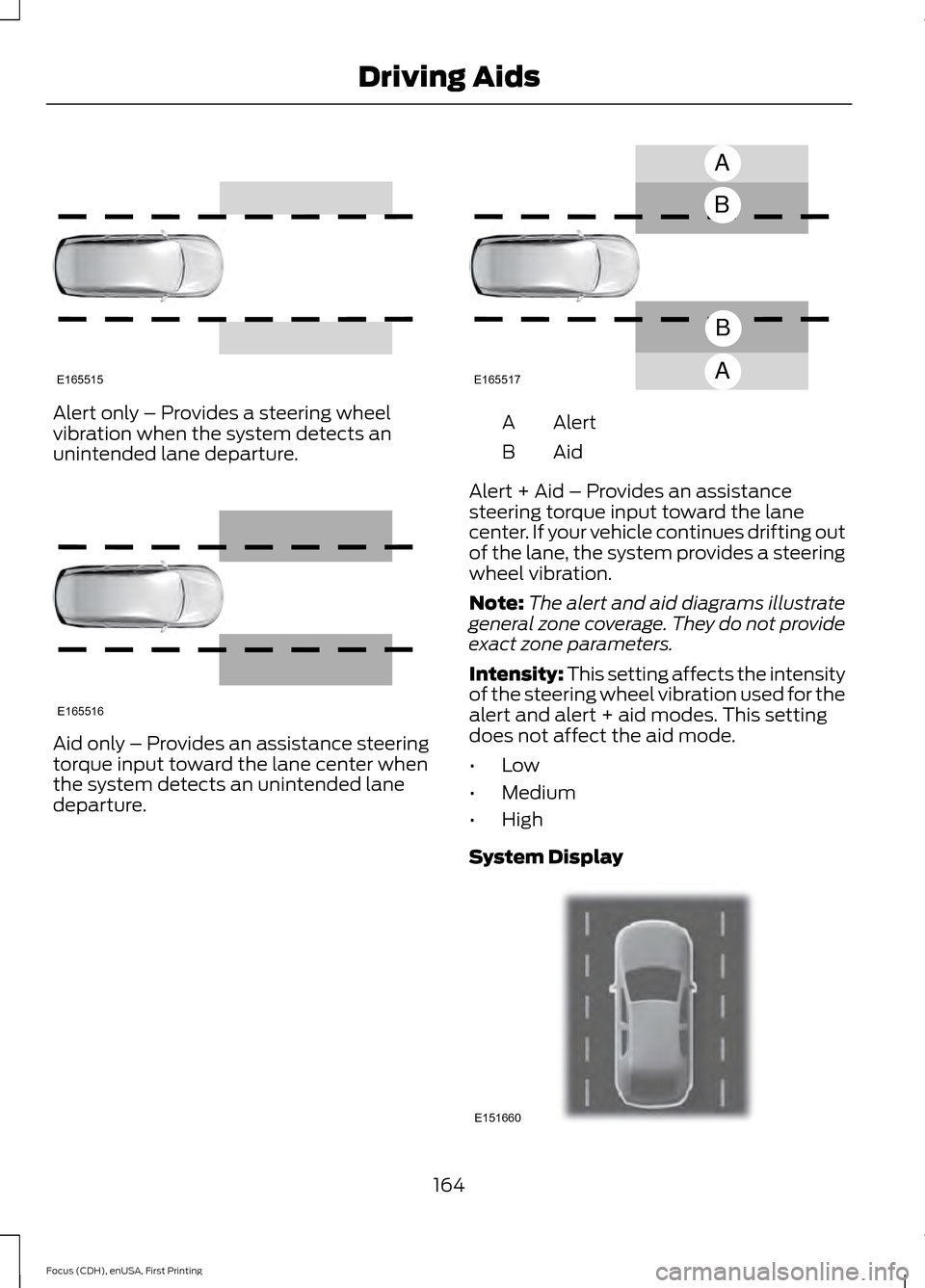
Alert only – Provides a steering wheel
vibration when the system detects an
unintended lane departure.
Aid only – Provides an assistance steering
torque input toward the lane center when
the system detects an unintended lane
departure. Alert
A
AidB
Alert + Aid – Provides an assistance
steering torque input toward the lane
center. If your vehicle continues drifting out
of the lane, the system provides a steering
wheel vibration.
Note: The alert and aid diagrams illustrate
general zone coverage. They do not provide
exact zone parameters.
Intensity: This setting affects the intensity
of the steering wheel vibration used for the
alert and alert + aid modes. This setting
does not affect the aid mode.
• Low
• Medium
• High
System Display 164
Focus (CDH), enUSA, First Printing Driving AidsE165515 E165516 A
B
A
B
E165517 E151660
Page 174 of 453
•
Driving in reverse faster than 5 mph
(8 km/h).
• Backing out of an angled parking spot.
False Alerts
Note: If your vehicle has a factory equipped
tow bar and it is towing a trailer, the sensors
will detect the trailer and turn the Blind Spot
Information and Cross Traffic Alert systems
off to avoid false alerts. For non-factory
equipped tow bars, you may want to turn
the Blind Spot Information System off
manually.
There may be certain instances when there
is a false alert by either the Blind Spot
Information or the Cross Traffic Alert
systems that illuminates the alert indicator
with no vehicle in the coverage zone. Some
amount of false alerts are normal; they are
temporary and self-correct.
System Errors
If either system senses a problem with the
left or right sensor, the Blind Spot
Information System warning indicator will
illuminate and a message will appear in
the information display.
All other system faults will display only
with a message in the information display.
See
Information Messages (page 99).
Switching the Systems Off and On
You can temporarily switch off one or both
systems in the information display. See
(page
96). When you switch off the Blind
Spot Information System, you will not
receive alerts and the information display
will display a system off message.
Note: The Cross Traffic Alert system always
switches on whenever the ignition is
switched on. However, the Blind Spot
Information System will remember the last
selected on or off setting. One or both systems cannot be switched
off when MyKey is used.
See Principle of
Operation (page 58).
You can also have one or both systems
switched off permanently at an authorized
dealer. Once switched off, the system can
only be switched back on at an authorized
dealer.
ECO MODE
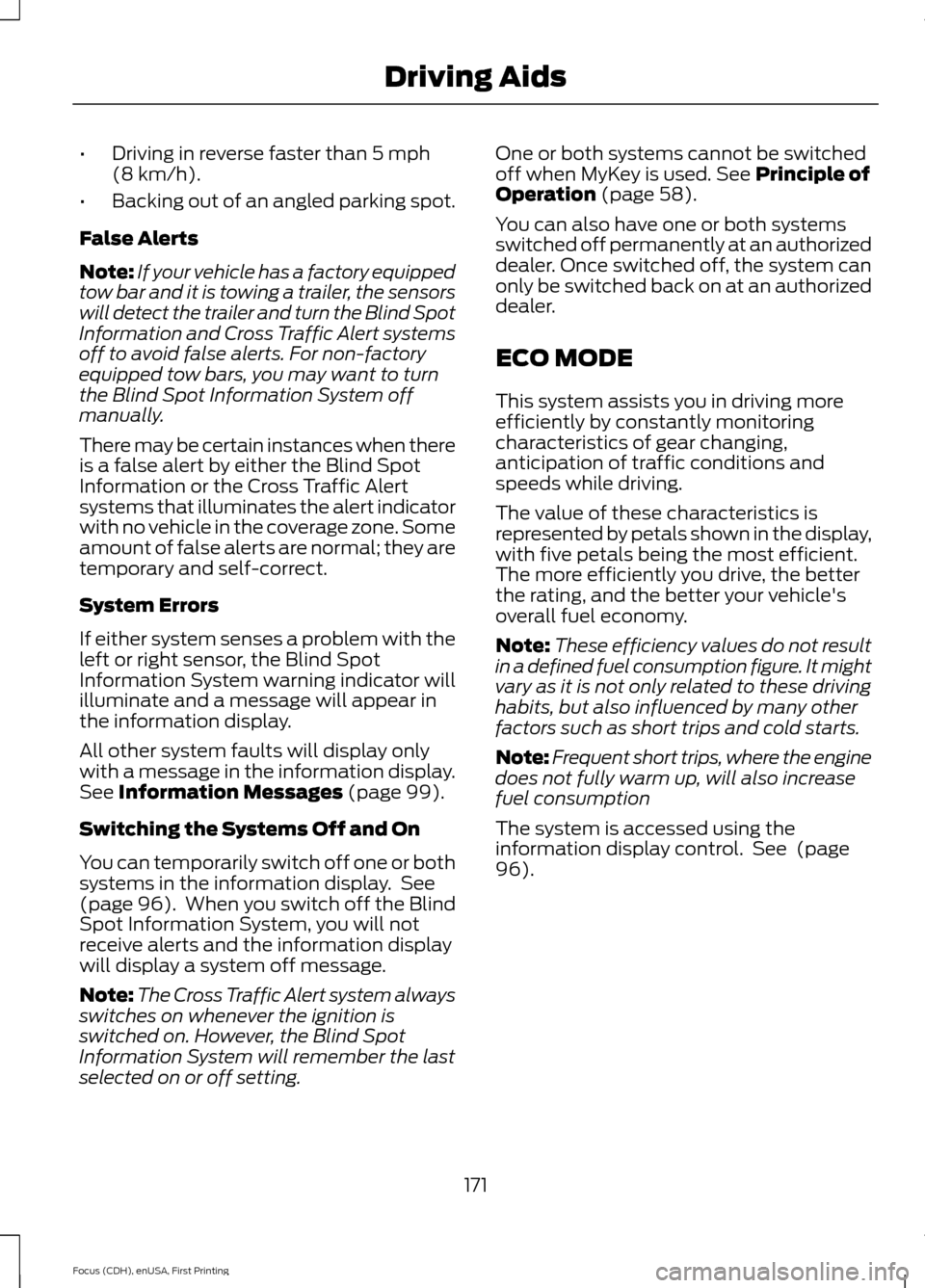
This system assists you in driving more
efficiently by constantly monitoring
characteristics of gear changing,
anticipation of traffic conditions and
speeds while driving.
The value of these characteristics is
represented by petals shown in the display,
with five petals being the most efficient.
The more efficiently you drive, the better
the rating, and the better your vehicle's
overall fuel economy.
Note: These efficiency values do not result
in a defined fuel consumption figure. It might
vary as it is not only related to these driving
habits, but also influenced by many other
factors such as short trips and cold starts.
Note: Frequent short trips, where the engine
does not fully warm up, will also increase
fuel consumption
The system is accessed using the
information display control. See
(page
96).
171
Focus (CDH), enUSA, First Printing Driving Aids
Page 180 of 453
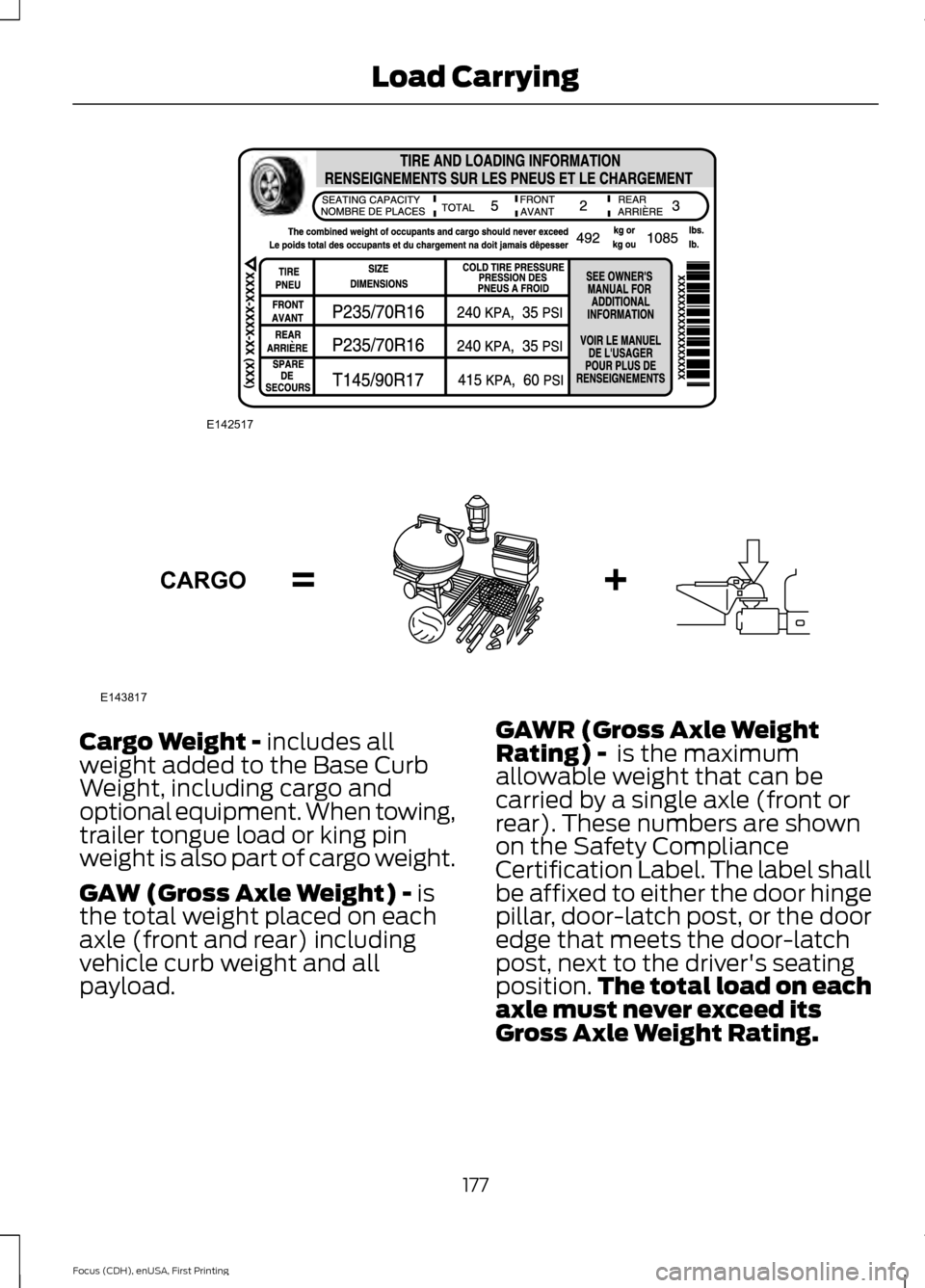
Cargo Weight - includes all
weight added to the Base Curb
Weight, including cargo and
optional equipment. When towing,
trailer tongue load or king pin
weight is also part of cargo weight.
GAW (Gross Axle Weight) -
is
the total weight placed on each
axle (front and rear) including
vehicle curb weight and all
payload. GAWR (Gross Axle Weight
Rating) -
is the maximum
allowable weight that can be
carried by a single axle (front or
rear). These numbers are shown
on the Safety Compliance
Certification Label. The label shall
be affixed to either the door hinge
pillar, door-latch post, or the door
edge that meets the door-latch
post, next to the driver's seating
position. The total load on each
axle must never exceed its
Gross Axle Weight Rating.
177
Focus (CDH), enUSA, First Printing Load CarryingE142517 E143817CARGO
Page 181 of 453
Note:
For trailer towing
information refer to the RV and
Trailer Towing Guide available at
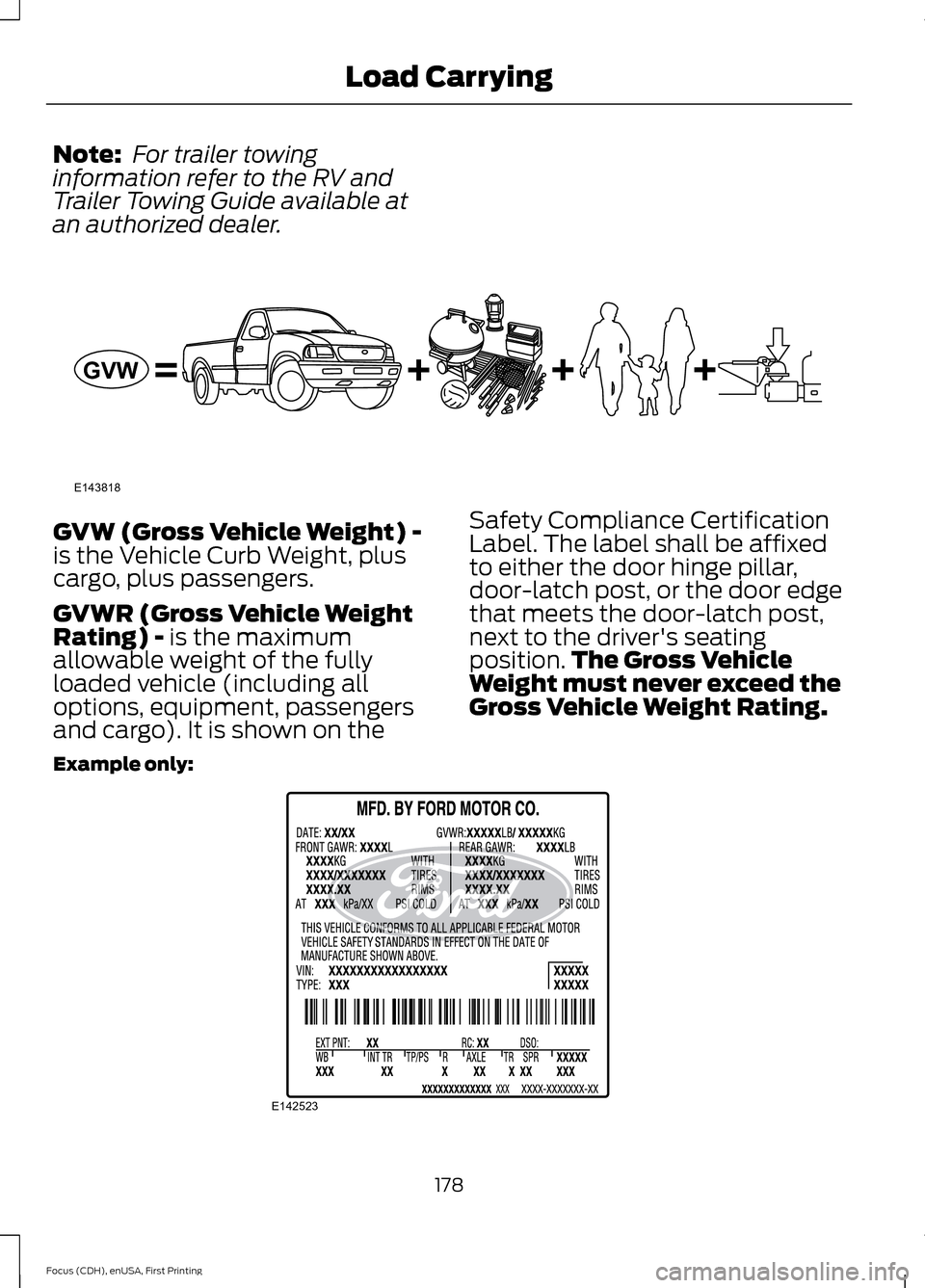
an authorized dealer. GVW (Gross Vehicle Weight) -
is the Vehicle Curb Weight, plus
cargo, plus passengers.
GVWR (Gross Vehicle Weight
Rating) - is the maximum
allowable weight of the fully
loaded vehicle (including all
options, equipment, passengers
and cargo). It is shown on the Safety Compliance Certification
Label. The label shall be affixed
to either the door hinge pillar,
door-latch post, or the door edge
that meets the door-latch post,
next to the driver's seating
position.
The Gross Vehicle
Weight must never exceed the
Gross Vehicle Weight Rating.
Example only: 178
Focus (CDH), enUSA, First Printing Load CarryingE143818GVW E142523
Page 182 of 453
WARNING
Exceeding the Safety
Compliance Certification
Label vehicle weight rating limits
could result in substandard
vehicle handling or performance,
engine, transmission and/or
structural damage, serious
damage to the vehicle, loss of
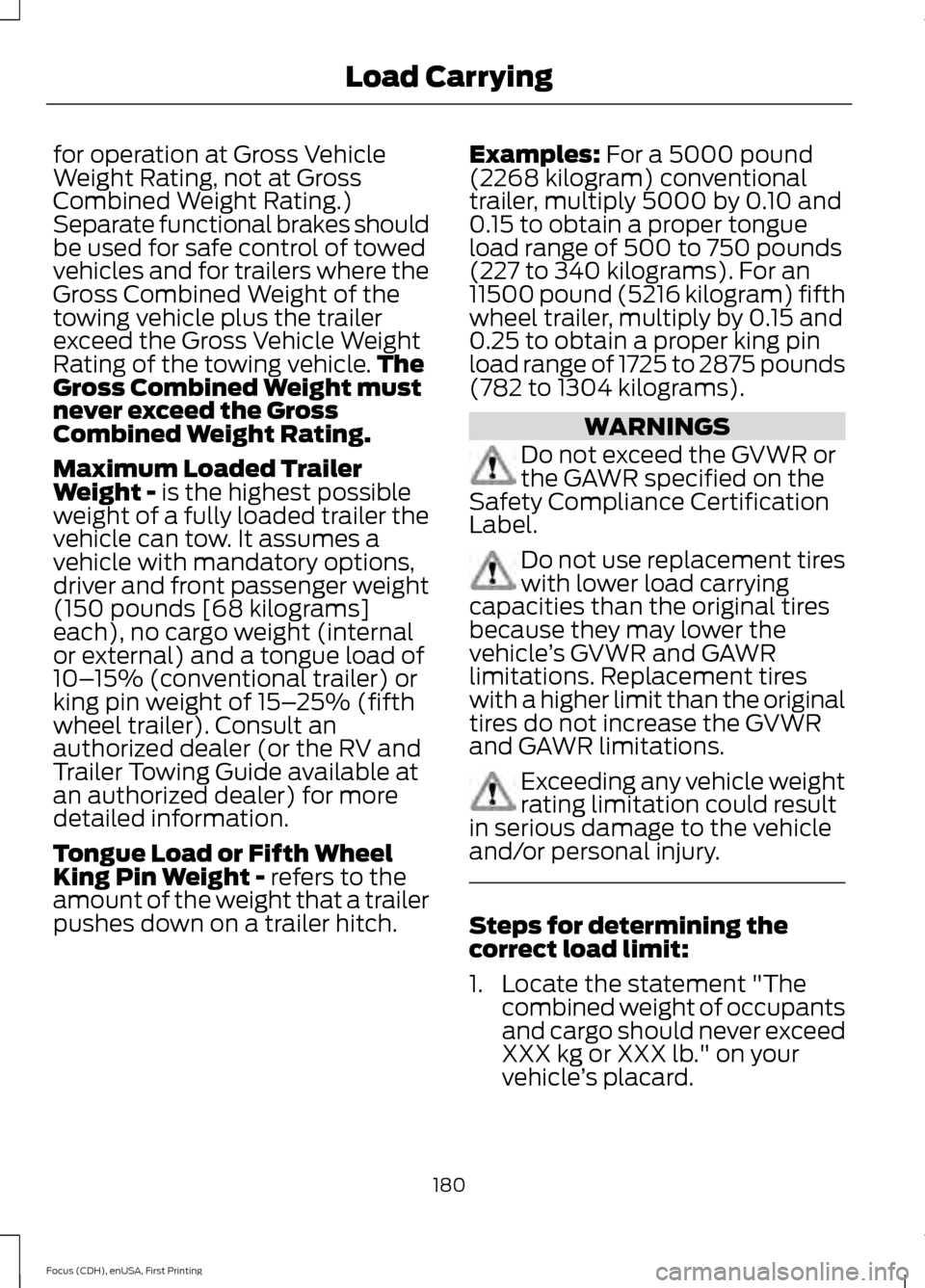
control and personal injury. GCW (Gross Combined Weight)
- is the Gross Vehicle Weight plus
the weight of the fully loaded
trailer. GCWR (Gross Combined
Weight Rating) - is the maximum
allowable weight of the vehicle
and the loaded trailer, including
all cargo and passengers, that the
vehicle can handle without risking
damage. (Important: The towing
vehicle
’s braking system is rated
179
Focus (CDH), enUSA, First Printing Load CarryingE142524 E143819GCW
GVW
Page 183 of 453
for operation at Gross Vehicle
Weight Rating, not at Gross
Combined Weight Rating.)
Separate functional brakes should
be used for safe control of towed
vehicles and for trailers where the
Gross Combined Weight of the
towing vehicle plus the trailer
exceed the Gross Vehicle Weight
Rating of the towing vehicle.
The
Gross Combined Weight must
never exceed the Gross
Combined Weight Rating.
Maximum Loaded Trailer
Weight - is the highest possible
weight of a fully loaded trailer the
vehicle can tow. It assumes a
vehicle with mandatory options,
driver and front passenger weight
(150 pounds [68 kilograms]
each), no cargo weight (internal
or external) and a tongue load of
10– 15% (conventional trailer) or
king pin weight of 15– 25% (fifth
wheel trailer). Consult an
authorized dealer (or the RV and
Trailer Towing Guide available at
an authorized dealer) for more
detailed information.
Tongue Load or Fifth Wheel
King Pin Weight -
refers to the
amount of the weight that a trailer
pushes down on a trailer hitch. Examples:
For a 5000 pound
(2268 kilogram) conventional
trailer, multiply 5000 by 0.10 and
0.15 to obtain a proper tongue
load range of 500 to 750 pounds
(227 to 340 kilograms). For an
11500 pound (5216 kilogram) fifth
wheel trailer, multiply by 0.15 and
0.25 to obtain a proper king pin
load range of 1725 to 2875 pounds
(782 to 1304 kilograms). WARNINGS
Do not exceed the GVWR or
the GAWR specified on the
Safety Compliance Certification
Label. Do not use replacement tires
with lower load carrying
capacities than the original tires
because they may lower the
vehicle ’s GVWR and GAWR
limitations. Replacement tires
with a higher limit than the original
tires do not increase the GVWR
and GAWR limitations. Exceeding any vehicle weight
rating limitation could result
in serious damage to the vehicle
and/or personal injury. Steps for determining the
correct load limit:
1. Locate the statement "The
combined weight of occupants
and cargo should never exceed
XXX kg or XXX lb." on your
vehicle ’s placard.
180
Focus (CDH), enUSA, First Printing Load Carrying