warning light FORD FOCUS 2015 3.G Owner's Manual
[x] Cancel search | Manufacturer: FORD, Model Year: 2015, Model line: FOCUS, Model: FORD FOCUS 2015 3.GPages: 453, PDF Size: 5.32 MB
Page 97 of 453
It also lights momentarily when you switch
the ignition on to confirm the lamp is
functional. If it does not light when you
switch the ignition on, or begins to flash at
any time, have the system checked by an
authorized dealer.
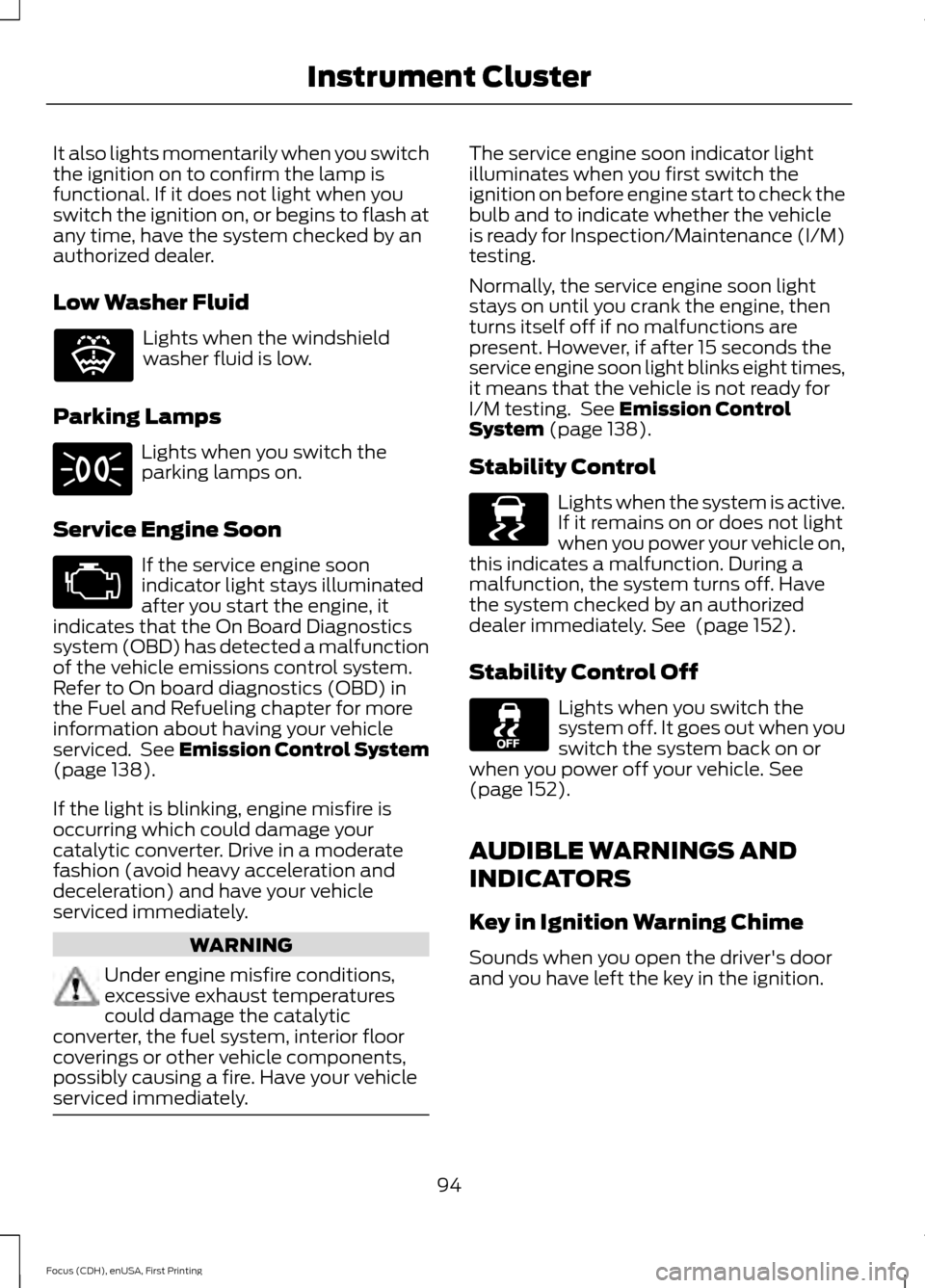
Low Washer Fluid
Lights when the windshield
washer fluid is low.
Parking Lamps Lights when you switch the
parking lamps on.
Service Engine Soon If the service engine soon
indicator light stays illuminated
after you start the engine, it
indicates that the On Board Diagnostics
system (OBD) has detected a malfunction
of the vehicle emissions control system.
Refer to On board diagnostics (OBD) in
the Fuel and Refueling chapter for more
information about having your vehicle
serviced. See Emission Control System
(page 138).
If the light is blinking, engine misfire is
occurring which could damage your
catalytic converter. Drive in a moderate
fashion (avoid heavy acceleration and
deceleration) and have your vehicle
serviced immediately. WARNING
Under engine misfire conditions,
excessive exhaust temperatures
could damage the catalytic
converter, the fuel system, interior floor
coverings or other vehicle components,
possibly causing a fire. Have your vehicle
serviced immediately. The service engine soon indicator light
illuminates when you first switch the
ignition on before engine start to check the
bulb and to indicate whether the vehicle
is ready for Inspection/Maintenance (I/M)
testing.
Normally, the service engine soon light
stays on until you crank the engine, then
turns itself off if no malfunctions are
present. However, if after 15 seconds the
service engine soon light blinks eight times,
it means that the vehicle is not ready for
I/M testing. See
Emission Control
System (page 138).
Stability Control Lights when the system is active.
If it remains on or does not light
when you power your vehicle on,
this indicates a malfunction. During a
malfunction, the system turns off. Have
the system checked by an authorized
dealer immediately.
See (page 152).
Stability Control Off Lights when you switch the
system off. It goes out when you
switch the system back on or
when you power off your vehicle.
See
(page 152).
AUDIBLE WARNINGS AND
INDICATORS
Key in Ignition Warning Chime
Sounds when you open the driver's door
and you have left the key in the ignition.
94
Focus (CDH), enUSA, First Printing Instrument ClusterE132353 E138639
Page 99 of 453
GENERAL INFORMATION
WARNING
Driving while distracted can result in
loss of vehicle control, crash and
injury. We strongly recommend that
you use extreme caution when using any
device that may take your focus off the
road. Your primary responsibility is the safe
operation of your vehicle. We recommend
against the use of any hand-held device
while driving and encourage the use of
voice-operated systems when possible.
Make sure you are aware of all applicable
local laws that may affect the use of
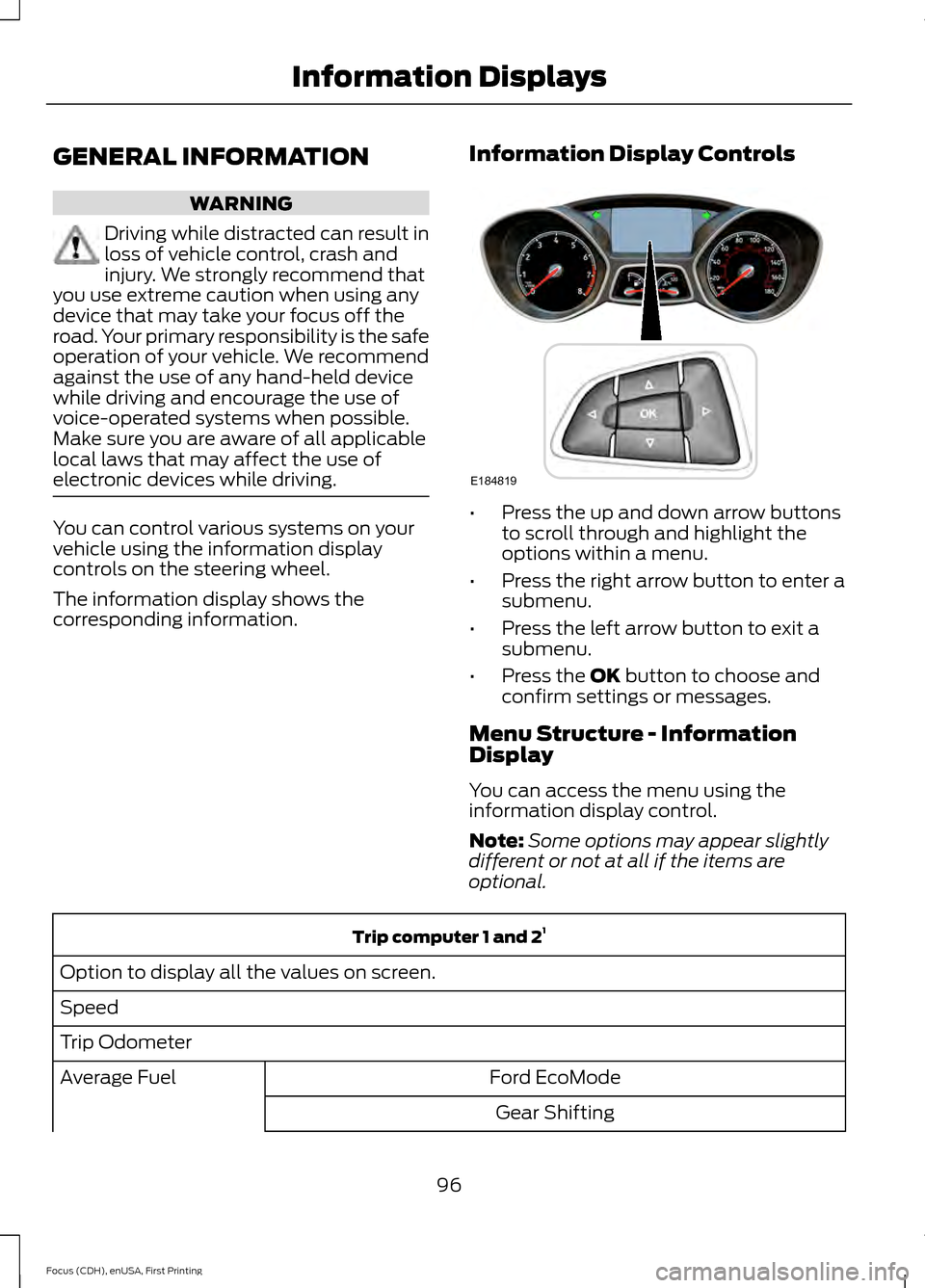
electronic devices while driving. You can control various systems on your
vehicle using the information display
controls on the steering wheel.
The information display shows the
corresponding information.
Information Display Controls •
Press the up and down arrow buttons
to scroll through and highlight the
options within a menu.
• Press the right arrow button to enter a
submenu.
• Press the left arrow button to exit a
submenu.
• Press the OK button to choose and
confirm settings or messages.
Menu Structure - Information
Display
You can access the menu using the
information display control.
Note: Some options may appear slightly
different or not at all if the items are
optional. Trip computer 1 and 2
1
Option to display all the values on screen.
Speed
Trip Odometer Ford EcoMode
Average Fuel
Gear Shifting
96
Focus (CDH), enUSA, First Printing Information DisplaysE184819
Page 101 of 453
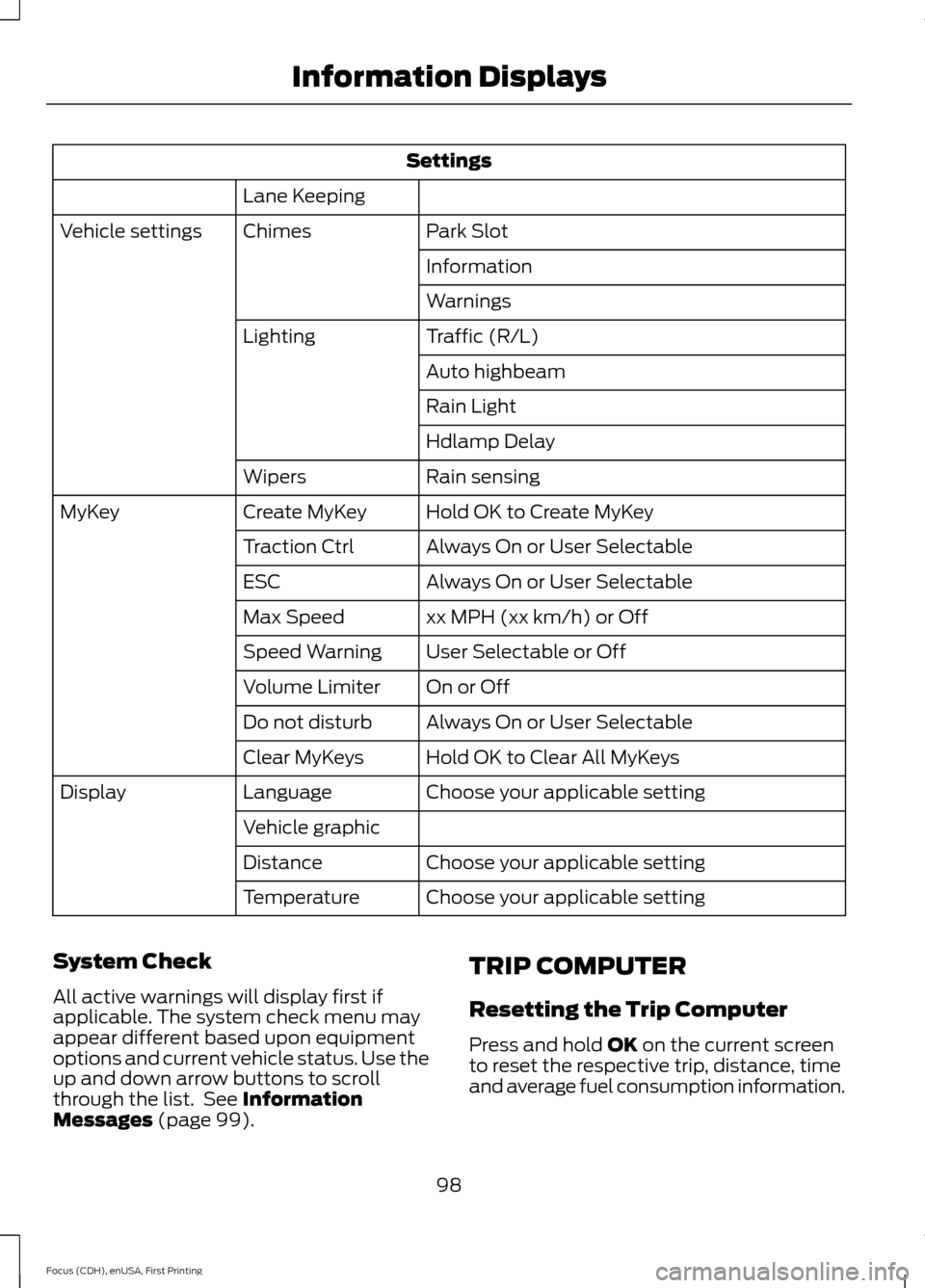
Settings
Lane Keeping Park Slot
Chimes
Vehicle settings
Information
Warnings
Traffic (R/L)
Lighting
Auto highbeam
Rain Light
Hdlamp Delay
Rain sensing
Wipers
Hold OK to Create MyKey
Create MyKey
MyKey
Always On or User Selectable
Traction Ctrl
Always On or User Selectable
ESC
xx MPH (xx km/h) or Off
Max Speed
User Selectable or Off
Speed Warning
On or Off
Volume Limiter
Always On or User Selectable
Do not disturb
Hold OK to Clear All MyKeys
Clear MyKeys
Choose your applicable setting
Language
Display
Vehicle graphicChoose your applicable setting
Distance
Choose your applicable setting
Temperature
System Check
All active warnings will display first if
applicable. The system check menu may
appear different based upon equipment
options and current vehicle status. Use the
up and down arrow buttons to scroll
through the list. See Information
Messages (page 99). TRIP COMPUTER
Resetting the Trip Computer
Press and hold
OK on the current screen
to reset the respective trip, distance, time
and average fuel consumption information.
98
Focus (CDH), enUSA, First Printing Information Displays
Page 117 of 453
SITTING IN THE CORRECT
POSITION
WARNINGS
Do not recline the seat backrest too
far as this can cause the occupant
to slide under the safety belt,
resulting in serious injury in the event of a
crash. Sitting improperly, out of position or
with the seat backrest reclined too
far, can result in serious injury or
death in the event of a crash. Always sit
upright against your seat backrest, with
your feet on the floor. Do not place objects higher than the
seat backrest to reduce the risk of
serious injury in the event of a crash
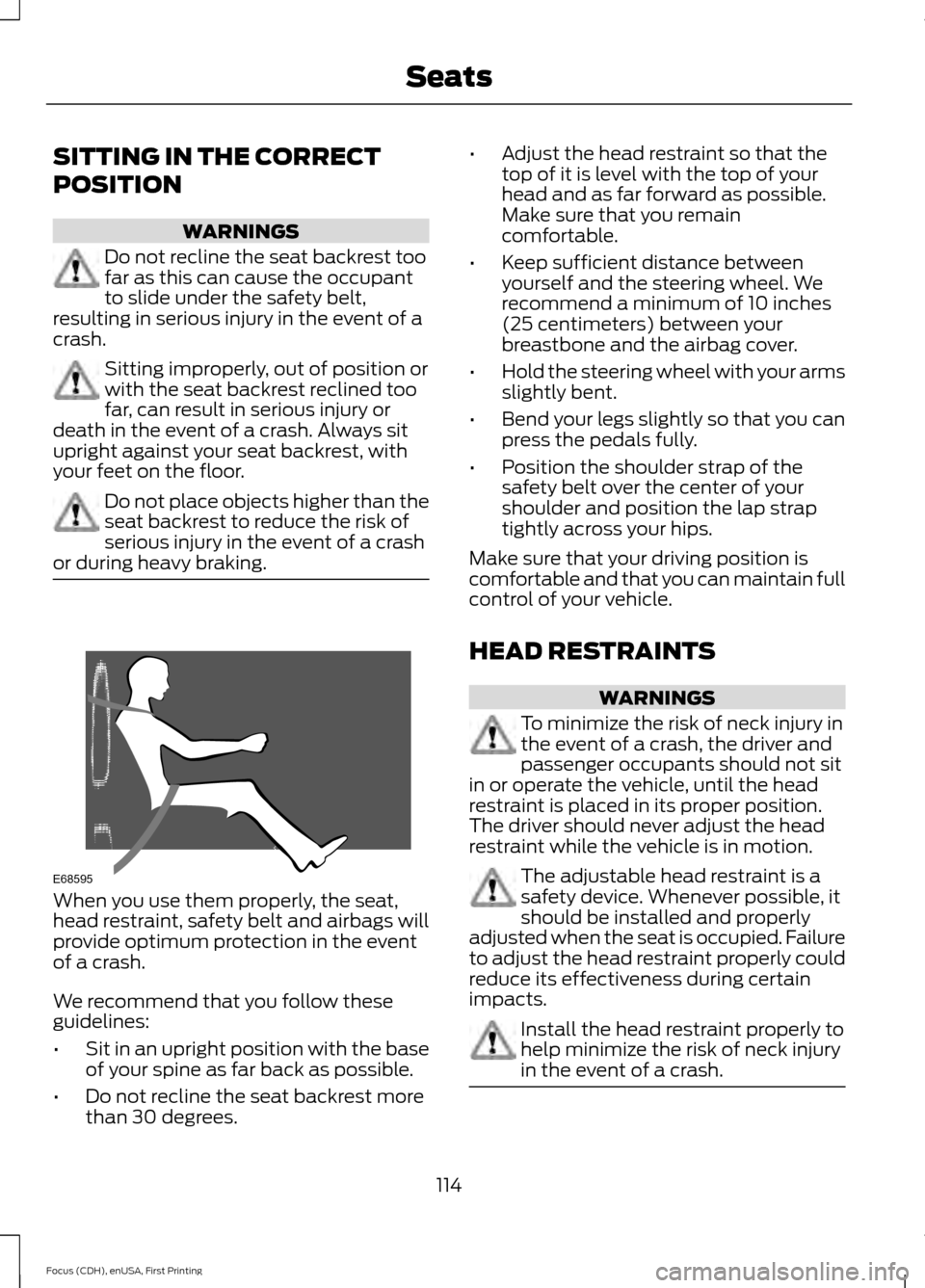
or during heavy braking. When you use them properly, the seat,
head restraint, safety belt and airbags will
provide optimum protection in the event
of a crash.
We recommend that you follow these
guidelines:
•
Sit in an upright position with the base
of your spine as far back as possible.
• Do not recline the seat backrest more
than 30 degrees. •
Adjust the head restraint so that the
top of it is level with the top of your
head and as far forward as possible.
Make sure that you remain
comfortable.
• Keep sufficient distance between
yourself and the steering wheel. We
recommend a minimum of 10 inches
(25 centimeters) between your
breastbone and the airbag cover.
• Hold the steering wheel with your arms
slightly bent.
• Bend your legs slightly so that you can
press the pedals fully.
• Position the shoulder strap of the
safety belt over the center of your
shoulder and position the lap strap
tightly across your hips.
Make sure that your driving position is
comfortable and that you can maintain full
control of your vehicle.
HEAD RESTRAINTS WARNINGS
To minimize the risk of neck injury in
the event of a crash, the driver and
passenger occupants should not sit
in or operate the vehicle, until the head
restraint is placed in its proper position.
The driver should never adjust the head
restraint while the vehicle is in motion. The adjustable head restraint is a
safety device. Whenever possible, it
should be installed and properly
adjusted when the seat is occupied. Failure
to adjust the head restraint properly could
reduce its effectiveness during certain
impacts. Install the head restraint properly to
help minimize the risk of neck injury
in the event of a crash.
114
Focus (CDH), enUSA, First Printing SeatsE68595
Page 122 of 453
HEATED SEATS (If Equipped)
WARNING
People who are unable to feel pain
to their skin because of advanced
age, chronic illness, diabetes, spinal
cord injury, medication, alcohol use,
exhaustion or other physical conditions,
must exercise care when using the heated
seat. The heated seat may cause burns
even at low temperatures, especially if
used for long periods of time. Do not place
anything on the seat that insulates against
heat, such as a blanket or cushion. This
may cause the heated seat to overheat.
Do not puncture the seat with pins, needles
or other pointed objects. This may damage
the heating element which may cause the
heated seat to overheat. An overheated
seat may cause serious personal injury. Do not do the following:
•
Place heavy objects on the seat.
• Operate the heated seat if water or any
other liquid is spilled on the seat. Allow
the seat to dry thoroughly.
• Operate the heated seats unless the
engine is running. Doing so can cause
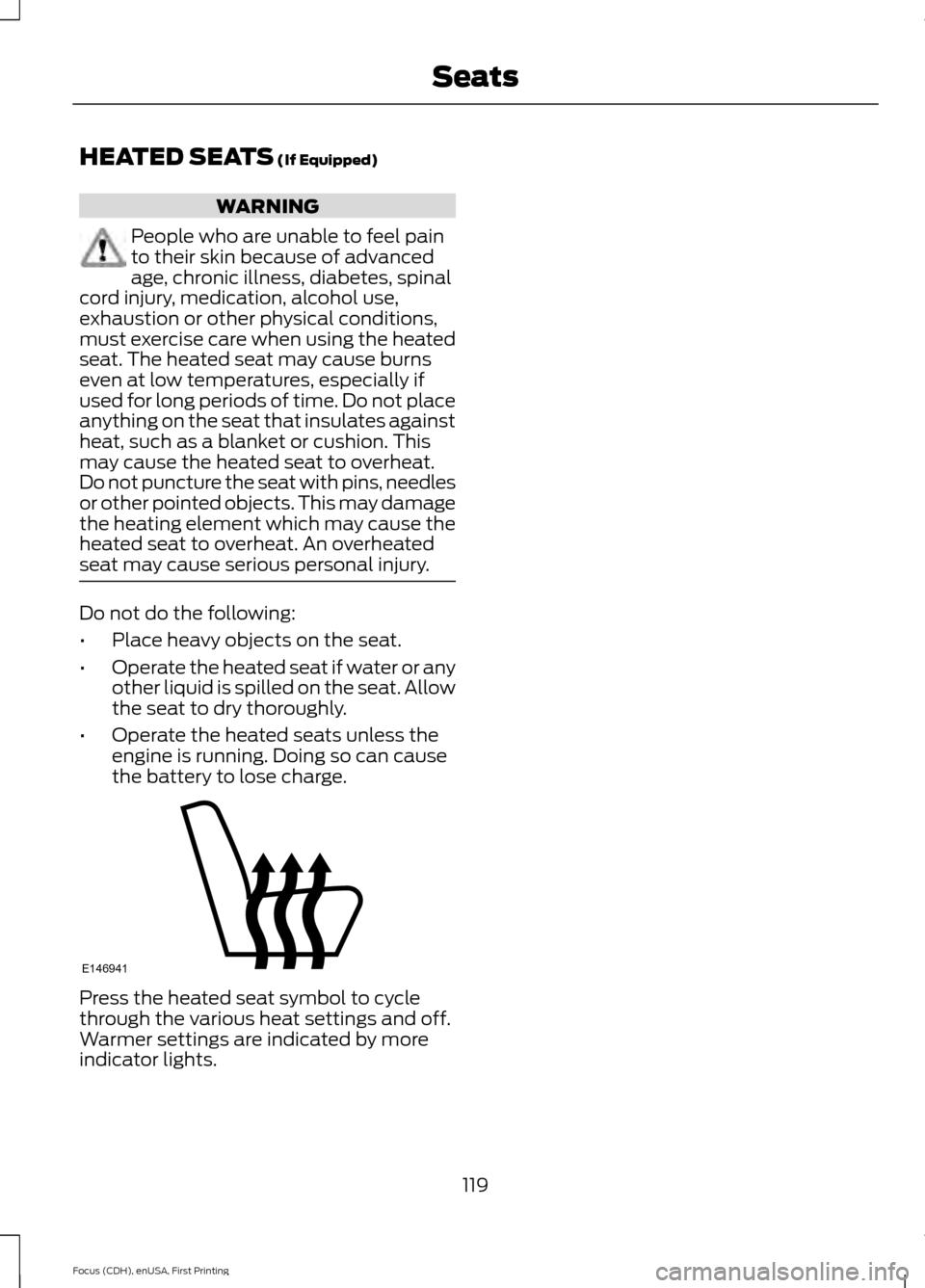
the battery to lose charge. Press the heated seat symbol to cycle
through the various heat settings and off.
Warmer settings are indicated by more
indicator lights.
119
Focus (CDH), enUSA, First Printing SeatsE146941
Page 123 of 453
12 Volt DC Power Point
WARNING
Do not plug optional electrical
accessories into the cigar lighter
socket. Incorrect use of the lighter
can cause damage not covered by your
warranty, and can result in fire or serious
injury. Note:
After starting your vehicle, you can
use the socket to power 12-volt appliances
with a maximum current rating of 20 amps.
After you switch your vehicle off, the power
supply works only for a maximum of 30
minutes.
Note: Do not insert objects other than an
accessory plug into the power point. This
damages the outlet and can blow the fuse.
Note: Do not hang any type of accessory or
accessory bracket from the plug.
Note: Do not use the power point over the
vehicle capacity of 12 volt DC 180 watt or a
fuse may blow.
Note: Do not use the power point for
operating a cigar lighter element.
Note: Incorrect use of the power point can
cause damage not covered by your
warranty.
Note: Always keep the power point caps
closed when not in use.
Run the vehicle for full capacity use of the
power point.
To prevent the battery from running out of
charge:
• Do not use the power point longer than
necessary after switching the vehicle
off.
• Do not leave devices plugged in
overnight or when your vehicle is in park
(P) for extended periods. Location
You may find power points in the following
locations:
•
On the center console
• In the center console.
120
Focus (CDH), enUSA, First Printing Auxiliary Power Points
Page 133 of 453
AUTO-START-STOP (If Equipped)
The system reduces fuel consumption and
CO2 emissions by shutting down the
engine when your vehicle is idling, for
example at traffic lights. WARNINGS
The engine may restart
automatically if required by the
system.
Switch the ignition off before
opening the hood or performing any
maintenance. Failure to do so may
result in serious injuries due to automatic
engine restart. Always switch the ignition off before
leaving your vehicle, as the system
may have turned the engine off, but
the ignition will still be on and automatic
restart may occur. Note:
The auto-start-stop indicator
illuminates green when the engine shuts
down. See Warning Lamps and Indicators
(page 92). It flashes amber with a message
when the driver needs to shift to neutral or
press a pedal. See Information Messages
(page
99). If it illuminates grey, the system
is not available. Using Auto Start-Stop With a
Manual Transmission
To Stop the Engine
1. Stop your vehicle.
2. Shift into neutral.
3. Release the clutch and accelerator
pedal. To Re-Start the Engine
Press the clutch pedal.
Note:
To obtain maximum benefit from the
system, move the transmission selector
lever to neutral and release the clutch pedal
during any stop of longer than three
seconds.
Note: Auto Start-Stop also comes with
stall recovery. If you fully press the clutch
pedal after stalling the engine, the engine
automatically restarts.
Using Auto Start-Stop With an
Automatic Transmission
To Stop the Engine
1. Stop your vehicle in drive (D).
2. Release the accelerator pedal.
3. Maintain pressure on the brake pedal.
Note: If your vehicle is in an engine off Auto
Start-Stop state and you move the
transmission to reverse (R) while the brake
pedal is not pressed, a message will appear
on your instrument cluster. Press the brake
pedal within 10 seconds or you will need to
shift to park (P). A manual restart will be
required.
Note: If the Shift to P, Restart Engine
message appears and the amber Auto
Start-Stop indicator flashes, automatic
restart is not available. You must restart
your vehicle manually.
To Re-Start the Engine
Release the brake pedal or press the
accelerator pedal.
Limitations of Use
The system may not shut down the engine
under certain conditions, for example:
• Low engine operating temperature.
• To maintain the interior climate.
• The battery charge level is low.
130
Focus (CDH), enUSA, First Printing Unique Driving Characteristics
Page 136 of 453
FUEL QUALITY - GASOLINE
Choosing the Right Fuel
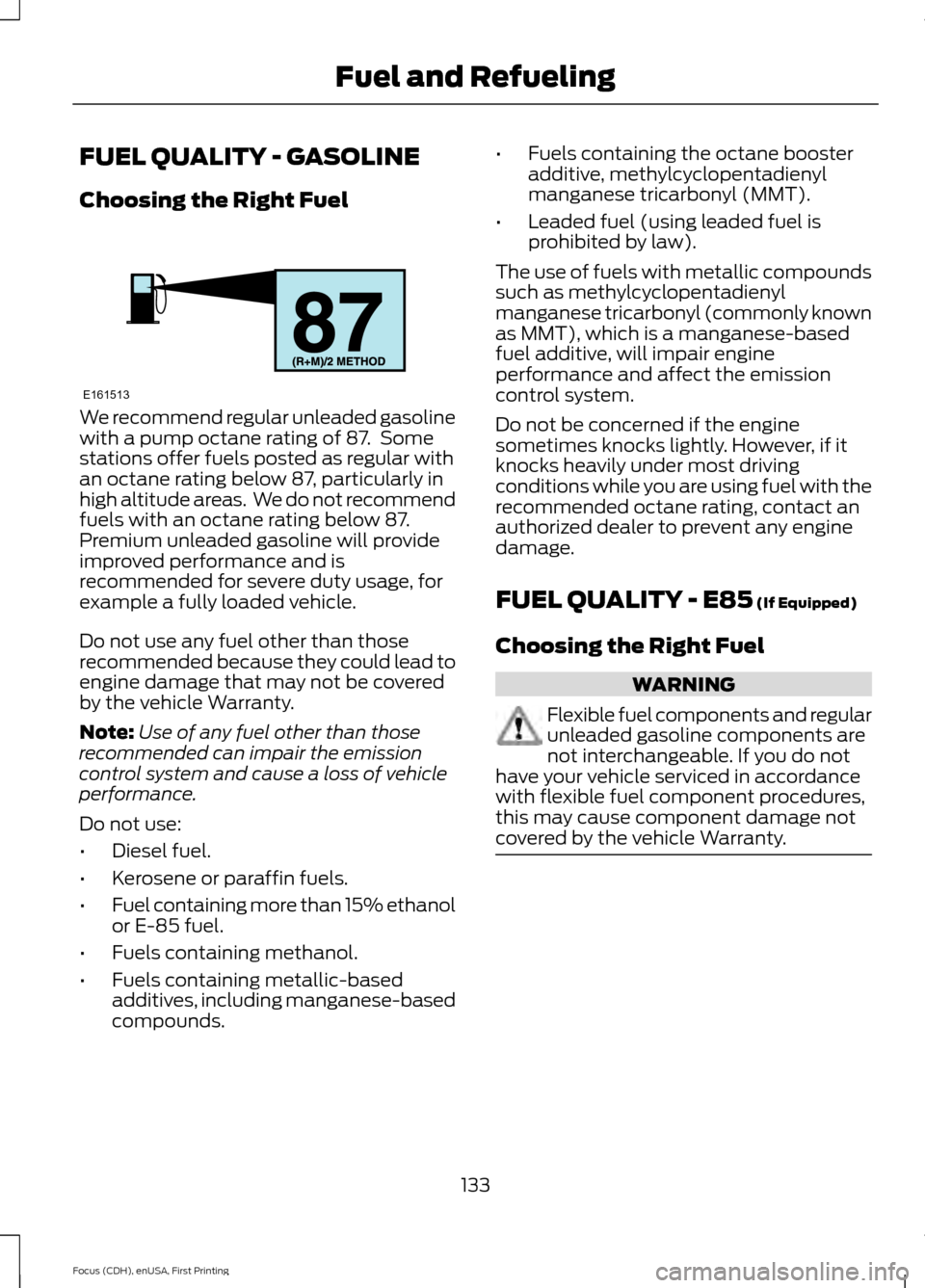
We recommend regular unleaded gasoline
with a pump octane rating of 87. Some
stations offer fuels posted as regular with
an octane rating below 87, particularly in
high altitude areas. We do not recommend
fuels with an octane rating below 87.
Premium unleaded gasoline will provide
improved performance and is
recommended for severe duty usage, for
example a fully loaded vehicle.
Do not use any fuel other than those
recommended because they could lead to
engine damage that may not be covered
by the vehicle Warranty.
Note:
Use of any fuel other than those
recommended can impair the emission
control system and cause a loss of vehicle
performance.
Do not use:
• Diesel fuel.
• Kerosene or paraffin fuels.
• Fuel containing more than 15% ethanol
or E-85 fuel.
• Fuels containing methanol.
• Fuels containing metallic-based
additives, including manganese-based
compounds. •
Fuels containing the octane booster
additive, methylcyclopentadienyl
manganese tricarbonyl (MMT).
• Leaded fuel (using leaded fuel is
prohibited by law).
The use of fuels with metallic compounds
such as methylcyclopentadienyl
manganese tricarbonyl (commonly known
as MMT), which is a manganese-based
fuel additive, will impair engine
performance and affect the emission
control system.
Do not be concerned if the engine
sometimes knocks lightly. However, if it
knocks heavily under most driving
conditions while you are using fuel with the
recommended octane rating, contact an
authorized dealer to prevent any engine
damage.
FUEL QUALITY - E85 (If Equipped)
Choosing the Right Fuel WARNING
Flexible fuel components and regular
unleaded gasoline components are
not interchangeable. If you do not
have your vehicle serviced in accordance
with flexible fuel component procedures,
this may cause component damage not
covered by the vehicle Warranty. 133
Focus (CDH), enUSA, First Printing Fuel and RefuelingE161513
Page 141 of 453
1.
Fill the fuel tank completely and record
the initial odometer reading.
2. Each time you fill the tank, record the amount of fuel added.
3. After at least three to five tank fill ups, fill the fuel tank and record the current
odometer reading.
4. Subtract your initial odometer reading from the current odometer reading.
5. Calculate fuel economy by dividing miles traveled by gallons used (For
Metric: Multiply liters used by 100, then
divide by kilometers traveled).
Keep a record for at least one month and
record the type of driving (city or highway).
This provides an accurate estimate of the
vehicle ’s fuel economy under current
driving conditions. Additionally, keeping
records during summer and winter show
how temperature impacts fuel economy.
In general, lower temperatures mean lower
fuel economy.
EMISSION CONTROL SYSTEM WARNINGS
Do not park, idle, or drive your vehicle
in dry grass or other dry ground cover.
The emission system heats up the
engine compartment and exhaust system,
which can start a fire. Exhaust leaks may result in entry of
harmful and potentially lethal fumes
into the passenger compartment. If
you smell exhaust fumes inside your
vehicle, have your dealer inspect your
vehicle immediately. Do not drive if you
smell exhaust fumes. Your vehicle is equipped with various
emission control components and a
catalytic converter that will enable your
vehicle to comply with applicable exhaust
emission standards. To make sure that the
catalytic converter and other emission
control components continue to work
properly:
•
Use only the specified fuel listed.
• Avoid running out of fuel.
• Do not turn off the ignition while your
vehicle is moving, especially at high
speeds.
• Have the items listed in scheduled
maintenance information performed
according to the specified schedule.
The scheduled maintenance items listed
in scheduled maintenance information are
essential to the life and performance of
your vehicle and to its emissions system.
If you use parts other than Ford, Motorcraft
or Ford-authorized parts for maintenance
replacements, or for service of
components affecting emission control,
such non-Ford parts should be the
equivalent to genuine Ford Motor Company
parts in performance and durability.
Illumination of the service engine soon
indicator, charging system warning light or
the temperature warning light, fluid leaks,
strange odors, smoke or loss of engine
power could indicate that the emission
control system is not working properly.
An improperly operating or damaged
exhaust system may allow exhaust to
enter the vehicle. Have a damaged or
improperly operating exhaust system
inspected and repaired immediately.
Do not make any unauthorized changes to
your vehicle or engine. By law, vehicle
owners and anyone who manufactures,
repairs, services, sells, leases, trades
vehicles, or supervises a fleet of vehicles
are not permitted to intentionally remove
138
Focus (CDH), enUSA, First Printing Fuel and Refueling
Page 151 of 453
GENERAL INFORMATION
Note:
Occasional brake noise is normal. If
a metal-to-metal, continuous grinding or
continuous squeal sound is present, the
brake linings may be worn-out and an
authorized dealer should check them. If the
vehicle has continuous vibration or shudder
in the steering wheel while braking, an
authorized dealer should check your vehicle.
Note: Brake dust may accumulate on the
wheels, even under normal driving
conditions. Some dust is inevitable as the
brakes wear and does not contribute to
brake noise. See Cleaning the Alloy
Wheels (page 234). See
Warning Lamps and
Indicators (page 92).
Wet brakes result in reduced braking
efficiency. Gently press the brake pedal a
few times when driving from a car wash or
standing water to dry the brakes.
Brake Over Accelerator
In the event the accelerator pedal
becomes stuck or entrapped, apply steady
and firm pressure to the brake pedal to
slow the vehicle and reduce engine power.
If you experience this condition, apply the
brakes and bring your vehicle to a safe
stop. Switch the engine off, move the
transmission to park (P) and apply the
parking brake. Inspect the accelerator
pedal and the area around it for any items
or debris that may be obstructing its
movement. If none are found and the
condition persists, have your vehicle towed
to the nearest authorized dealer. Emergency Brake Assist
Emergency brake assist detects when you
brake heavily by measuring the rate at
which you press the brake pedal. It
provides maximum braking efficiency as
long as you press the pedal. Emergency
brake assist can reduce stopping distances
in critical situations.
Anti-lock Brake System
This system helps you maintain steering
control during emergency stops by keeping
the brakes from locking.
This lamp momentarily
illuminates when you switch the
ignition on. If the light does not
illuminate during start up, remains on or
flashes, the anti-lock braking system may
be disabled. Have the system checked by
an authorized dealer. If the anti-lock brake
system is disabled, normal braking is still
effective. If the brake warning lamp
illuminates with the parking
brake released, have your brake
system serviced immediately.
HINTS ON DRIVING WITH
ANTI-LOCK BRAKES
Note: When the system is operating, the
brake pedal will pulse and may travel
further. Maintain pressure on the brake
pedal. You may also hear a noise from the
system. This is normal.
The anti-lock braking system will not
eliminate the risks when:
• You drive too closely to the vehicle in
front of you.
• Your vehicle is hydroplaning.
• You take corners too fast.
• The road surface is poor.
148
Focus (CDH), enUSA, First Printing BrakesE138644 E138644