instrument cluster FORD FOCUS 2016 3.G User Guide
[x] Cancel search | Manufacturer: FORD, Model Year: 2016, Model line: FOCUS, Model: FORD FOCUS 2016 3.GPages: 385, PDF Size: 5.23 MB
Page 135 of 385
WARNINGS
Do not remove the fuel pump nozzle
from its fully inserted position when
refueling.
Use the following guidelines to avoid
electrostatic charge build-up, which can
produce a spark, when filling an
ungrounded fuel container:
•
Place approved fuel container on the
ground.
• Do not fill a fuel container while it is in
the vehicle (including the cargo area).
• Keep the fuel pump nozzle in contact
with the fuel container while filling.
• Do not use a device that would hold
the fuel pump handle in the fill position.
Easy Fuel ™ Capless Fuel System WARNING
The fuel system may be under
pressure. If you hear a hissing sound
near the fuel filler door, do not refuel
until the sound stops. Otherwise, fuel may
spray out, which could cause serious
personal injury. When fueling your vehicle:
1. When your vehicle has stopped, shift
into park (P) and switch the ignition
off.
2. Fully open the fuel tank filler door until
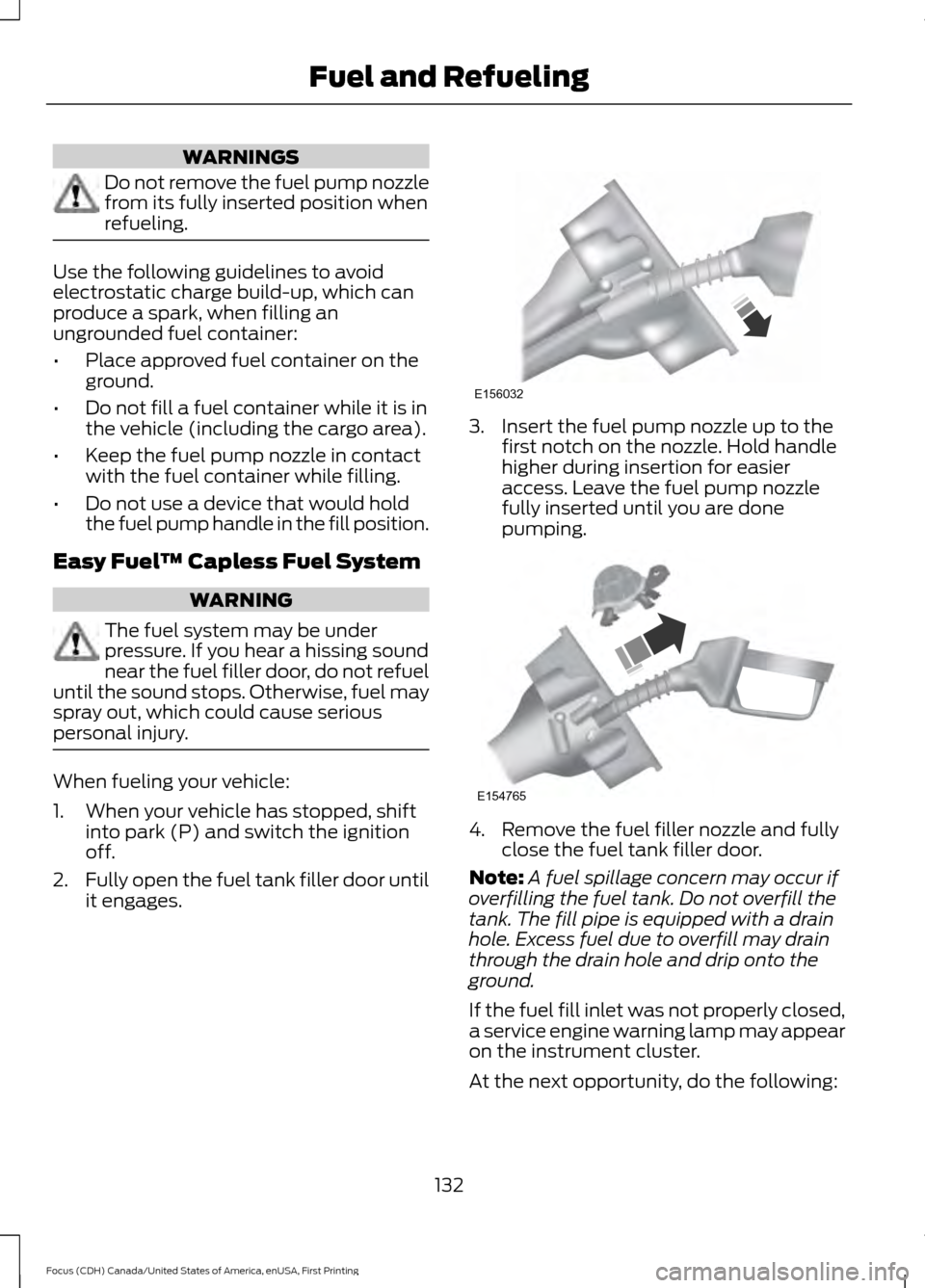
it engages. 3. Insert the fuel pump nozzle up to the
first notch on the nozzle. Hold handle
higher during insertion for easier
access. Leave the fuel pump nozzle
fully inserted until you are done
pumping. 4. Remove the fuel filler nozzle and fully
close the fuel tank filler door.
Note: A fuel spillage concern may occur if
overfilling the fuel tank. Do not overfill the
tank. The fill pipe is equipped with a drain
hole. Excess fuel due to overfill may drain
through the drain hole and drip onto the
ground.
If the fuel fill inlet was not properly closed,
a service engine warning lamp may appear
on the instrument cluster.
At the next opportunity, do the following:
132
Focus (CDH) Canada/United States of America, enUSA, First Printing Fuel and RefuelingE156032 E154765
Page 145 of 385
Upshifts when accelerating (recom-
mended for best fuel economy)
Shift from:15 mph (24 km/h)
1 - 2
25 mph (40 km/h)
2 - 3
40 mph (64 km/h)
3 - 4
45 mph (72 km/h)
4 - 5
50 mph (80 km/h)
5 - 6
The instrument cluster displays your
currently selected gear.
Note: The system stays in manual control
until you make another shift selection (for
example, drive [D]).
Brake-Shift Interlock WARNINGS
Do not drive your vehicle until you
verify that the brake lamps are
working.
When doing this procedure, you will
be taking your vehicle out of park (P)
which means your vehicle can roll
freely. To avoid unwanted vehicle
movement, always fully set the parking
brake prior to doing this procedure. Use
wheel chocks if appropriate. If you fully release the parking brake
and the brake warning lamp remains
illuminated, the brakes may not be
working properly. See your authorized
dealer. Note:
For some markets this feature will be
disabled. Your vehicle is equipped with a brake-shift
interlock feature that prevents moving the
gearshift lever from park (P) when the
ignition is in the on position and the brake
pedal is not pressed.
If you cannot move the gearshift lever out
of park (P) position with the ignition in the
on position and the brake pedal pressed,
a malfunction may have occurred. It is
possible that a fuse has blown or your
vehicle
’s brake lamps are not operating
properly. See Fuse Specification Chart
(page 201).
If the fuse is not blown and the brake
lamps are working properly, the following
procedure will allow you to move the
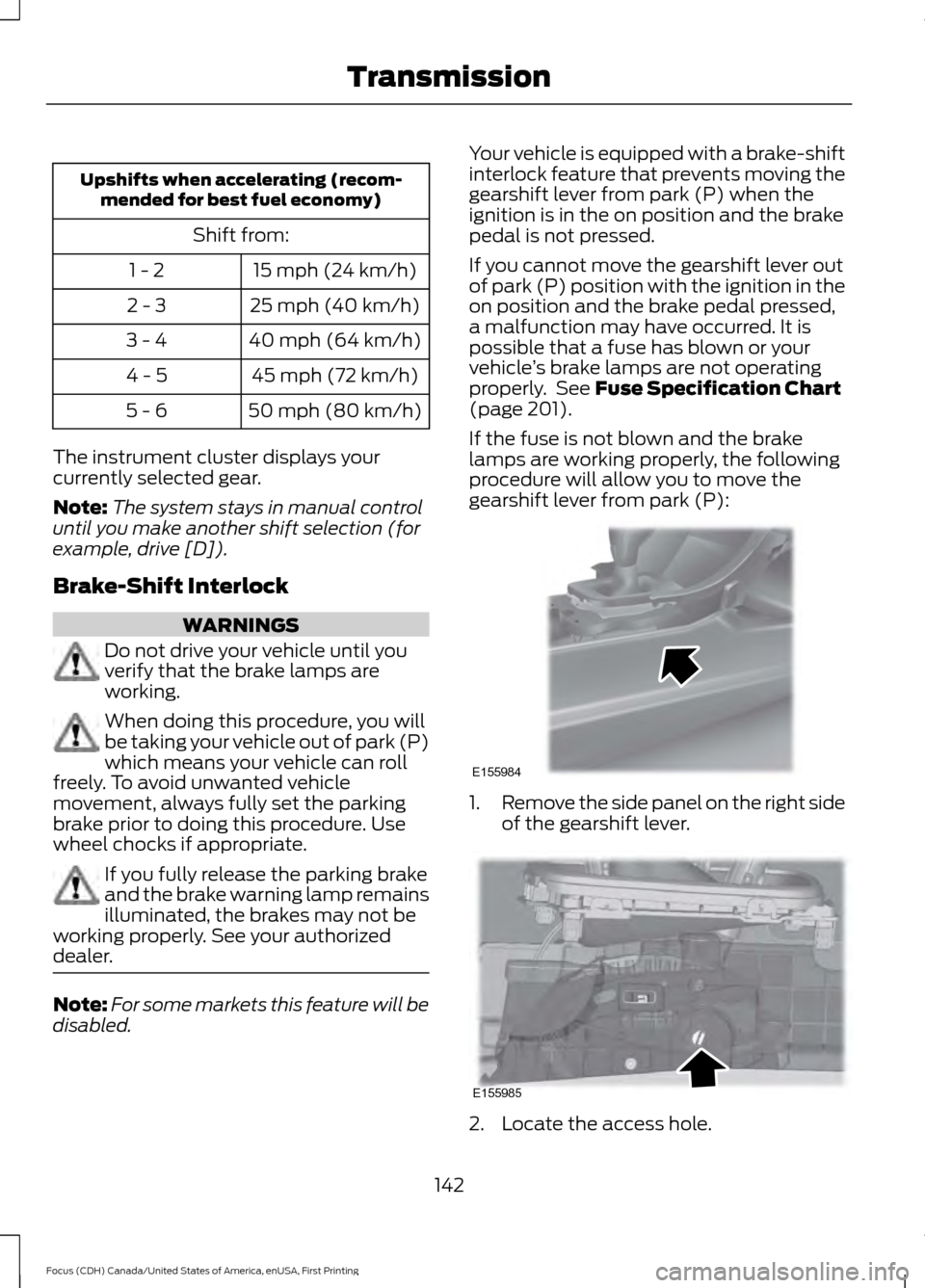
gearshift lever from park (P): 1.
Remove the side panel on the right side
of the gearshift lever. 2. Locate the access hole.
142
Focus (CDH) Canada/United States of America, enUSA, First Printing TransmissionE155984 E155985
Page 162 of 385
PRINCIPLE OF OPERATION
Cruise control lets you maintain a set
speed without keeping your foot on the
accelerator pedal. You can use cruise
control when your vehicle speed is greater
than 20 mph (30 km/h).
USING CRUISE CONTROL WARNINGS
Do not use cruise control on winding
roads, in heavy traffic or when the
road surface is slippery. This could
result in loss of vehicle control, serious
injury or death. When you are going downhill, your
vehicle speed may increase above
the set speed. The system will not
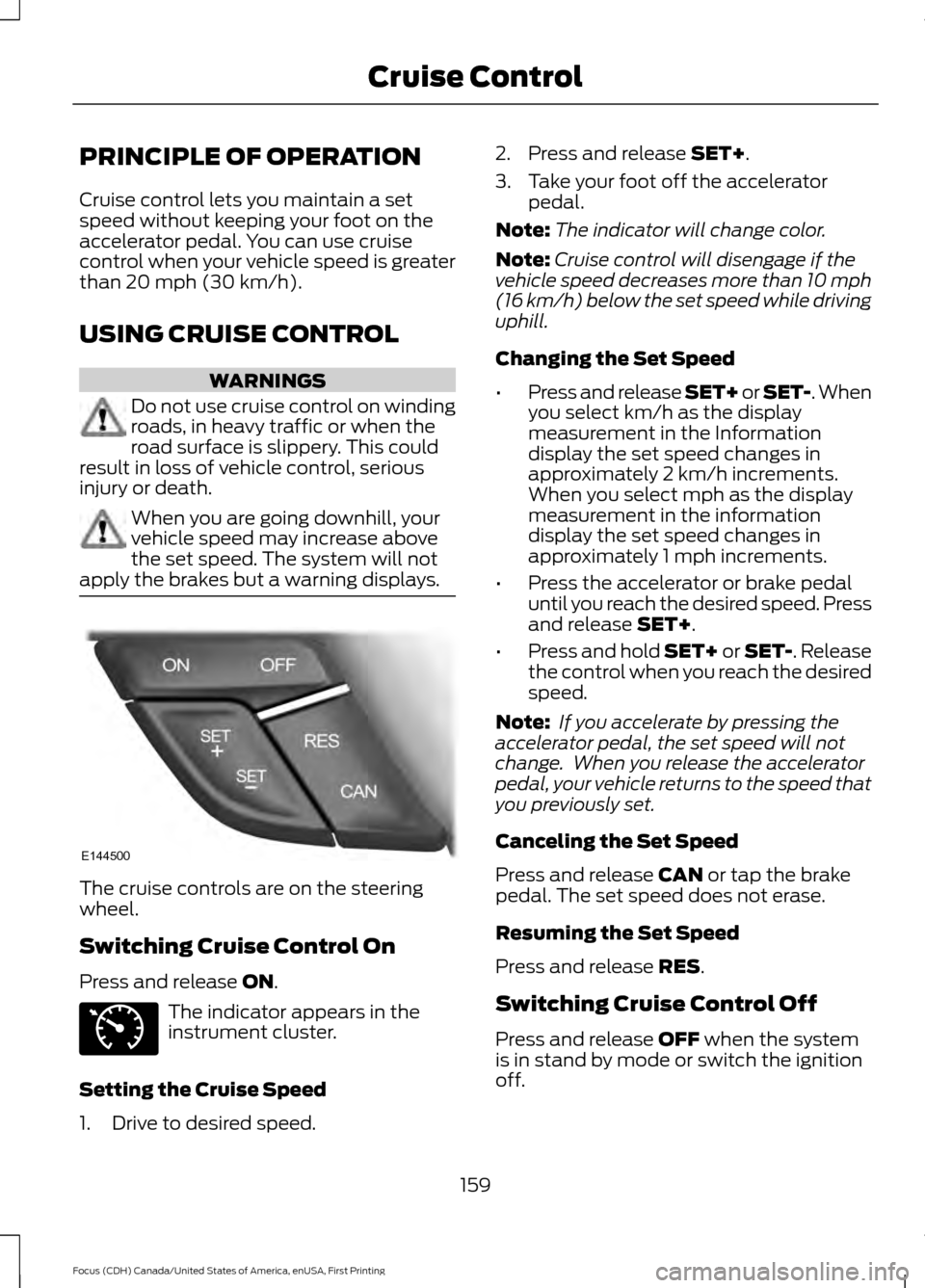
apply the brakes but a warning displays. The cruise controls are on the steering
wheel.
Switching Cruise Control On
Press and release
ON.
The indicator appears in the
instrument cluster.
Setting the Cruise Speed
1. Drive to desired speed. 2. Press and release
SET+.
3. Take your foot off the accelerator pedal.
Note: The indicator will change color.
Note: Cruise control will disengage if the
vehicle speed decreases more than 10 mph
(16 km/h) below the set speed while driving
uphill.
Changing the Set Speed
• Press and release SET+ or SET-. When
you select km/h as the display
measurement in the Information
display the set speed changes in
approximately 2 km/h increments.
When you select mph as the display
measurement in the information
display the set speed changes in
approximately 1 mph increments.
• Press the accelerator or brake pedal
until you reach the desired speed. Press
and release
SET+.
• Press and hold SET+ or SET-. Release
the control when you reach the desired
speed.
Note: If you accelerate by pressing the
accelerator pedal, the set speed will not
change. When you release the accelerator
pedal, your vehicle returns to the speed that
you previously set.
Canceling the Set Speed
Press and release
CAN or tap the brake
pedal. The set speed does not erase.
Resuming the Set Speed
Press and release
RES.
Switching Cruise Control Off
Press and release
OFF when the system
is in stand by mode or switch the ignition
off.
159
Focus (CDH) Canada/United States of America, enUSA, First Printing Cruise ControlE144500 E71340
Page 165 of 385
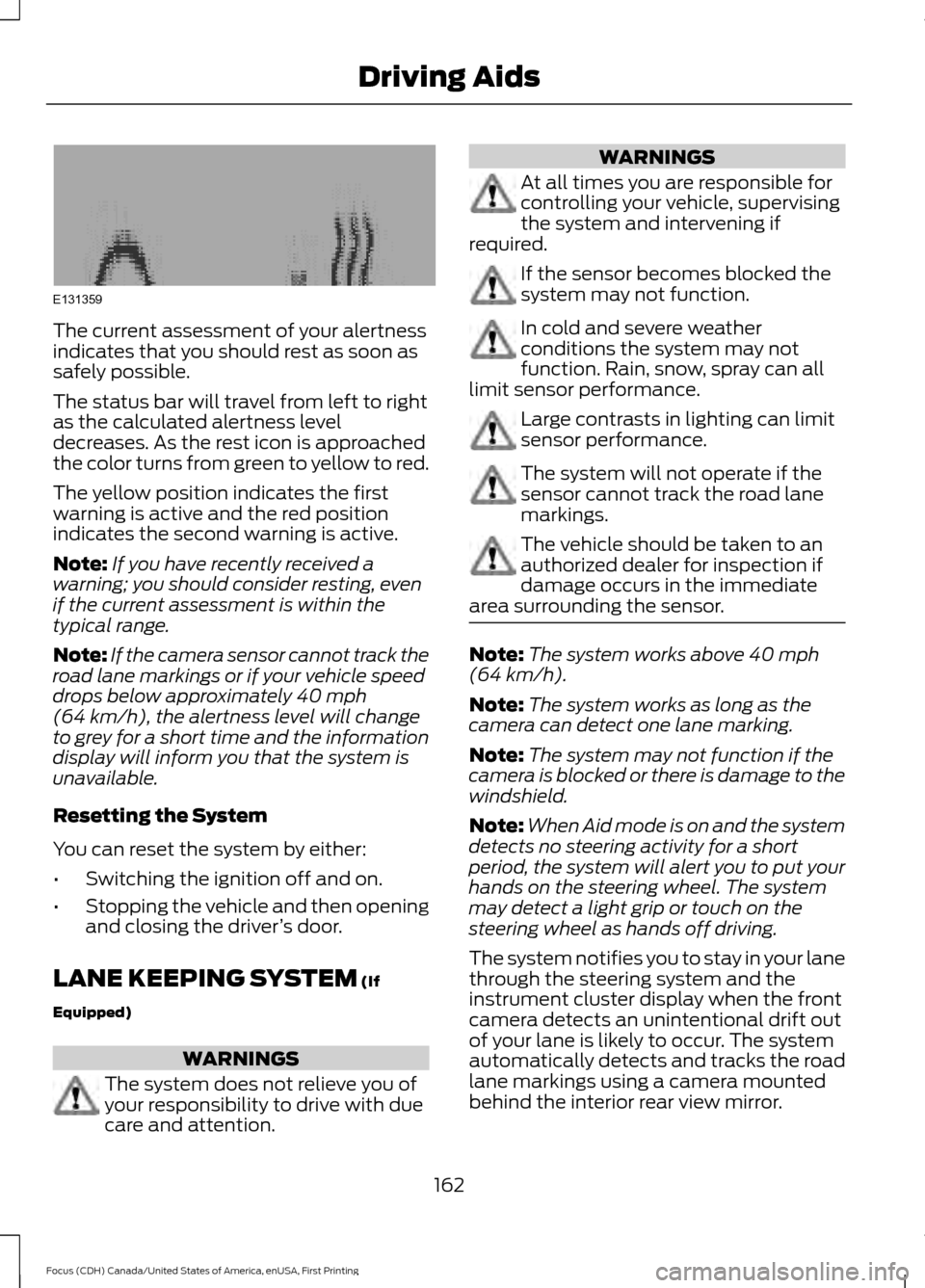
The current assessment of your alertness
indicates that you should rest as soon as
safely possible.
The status bar will travel from left to right
as the calculated alertness level
decreases. As the rest icon is approached
the color turns from green to yellow to red.
The yellow position indicates the first
warning is active and the red position
indicates the second warning is active.
Note:
If you have recently received a
warning; you should consider resting, even
if the current assessment is within the
typical range.
Note: If the camera sensor cannot track the
road lane markings or if your vehicle speed
drops below approximately 40 mph
(64 km/h), the alertness level will change
to grey for a short time and the information
display will inform you that the system is
unavailable.
Resetting the System
You can reset the system by either:
• Switching the ignition off and on.
• Stopping the vehicle and then opening
and closing the driver ’s door.
LANE KEEPING SYSTEM
(If
Equipped) WARNINGS
The system does not relieve you of
your responsibility to drive with due
care and attention. WARNINGS
At all times you are responsible for
controlling your vehicle, supervising
the system and intervening if
required. If the sensor becomes blocked the
system may not function.
In cold and severe weather
conditions the system may not
function. Rain, snow, spray can all
limit sensor performance. Large contrasts in lighting can limit
sensor performance.
The system will not operate if the
sensor cannot track the road lane
markings.
The vehicle should be taken to an
authorized dealer for inspection if
damage occurs in the immediate
area surrounding the sensor. Note:
The system works above
40 mph
(64 km/h).
Note: The system works as long as the
camera can detect one lane marking.
Note: The system may not function if the
camera is blocked or there is damage to the
windshield.
Note: When Aid mode is on and the system
detects no steering activity for a short
period, the system will alert you to put your
hands on the steering wheel. The system
may detect a light grip or touch on the
steering wheel as hands off driving.
The system notifies you to stay in your lane
through the steering system and the
instrument cluster display when the front
camera detects an unintentional drift out
of your lane is likely to occur. The system
automatically detects and tracks the road
lane markings using a camera mounted
behind the interior rear view mirror.
162
Focus (CDH) Canada/United States of America, enUSA, First Printing Driving AidsE131359
Page 209 of 385
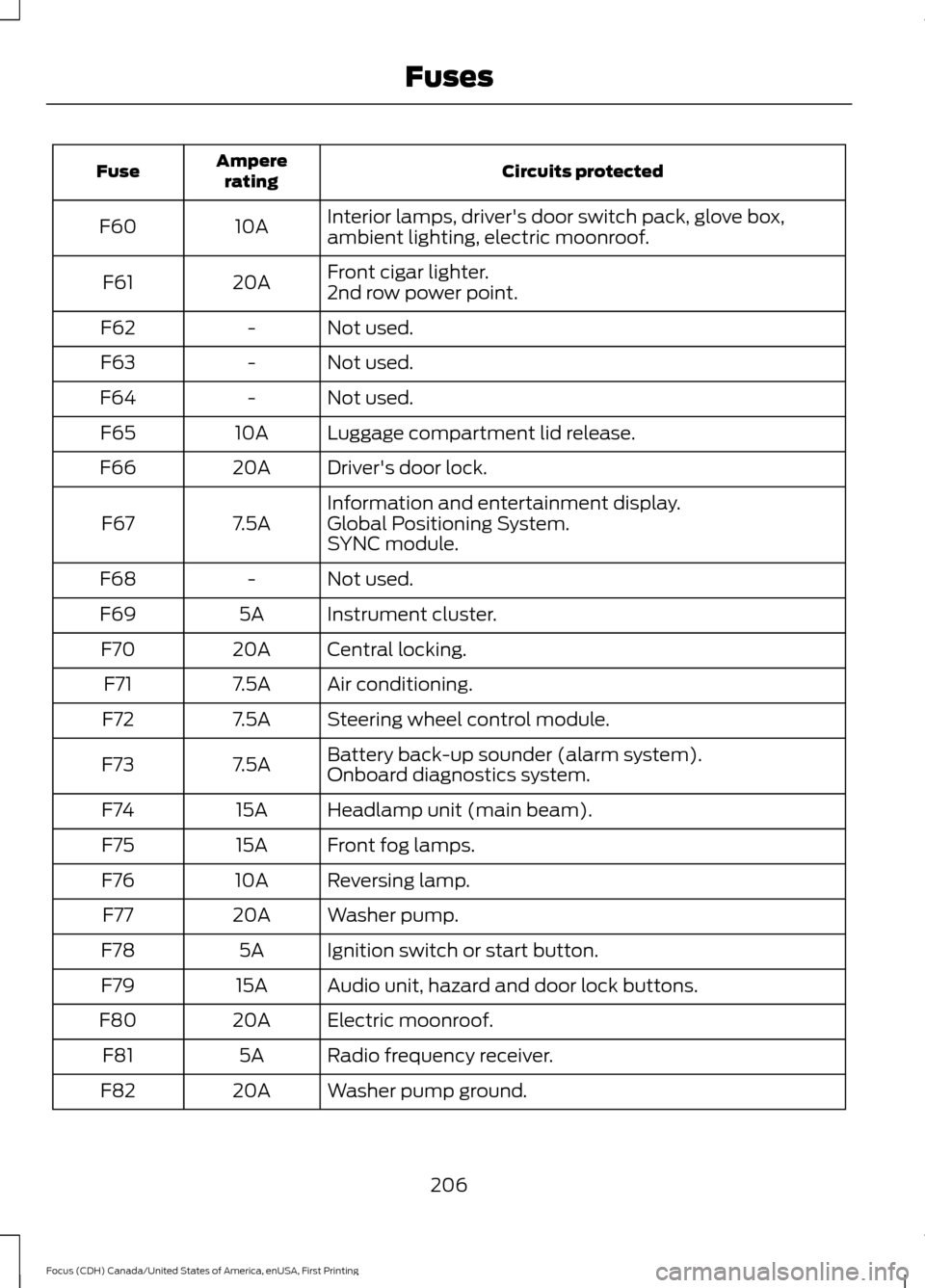
Circuits protected
Ampere
rating
Fuse
Interior lamps, driver's door switch pack, glove box,
ambient lighting, electric moonroof.
10A
F60
Front cigar lighter.
20A
F61
2nd row power point.
Not used.
-
F62
Not used.
-
F63
Not used.
-
F64
Luggage compartment lid release.
10A
F65
Driver's door lock.
20A
F66
Information and entertainment display.
7.5A
F67 Global Positioning System.
SYNC module.
Not used.
-
F68
Instrument cluster.
5A
F69
Central locking.
20A
F70
Air conditioning.
7.5A
F71
Steering wheel control module.
7.5A
F72
Battery back-up sounder (alarm system).
7.5A
F73
Onboard diagnostics system.
Headlamp unit (main beam).
15A
F74
Front fog lamps.
15A
F75
Reversing lamp.
10A
F76
Washer pump.
20A
F77
Ignition switch or start button.
5A
F78
Audio unit, hazard and door lock buttons.
15A
F79
Electric moonroof.
20A
F80
Radio frequency receiver.
5A
F81
Washer pump ground.
20A
F82
206
Focus (CDH) Canada/United States of America, enUSA, First Printing Fuses
Page 240 of 385
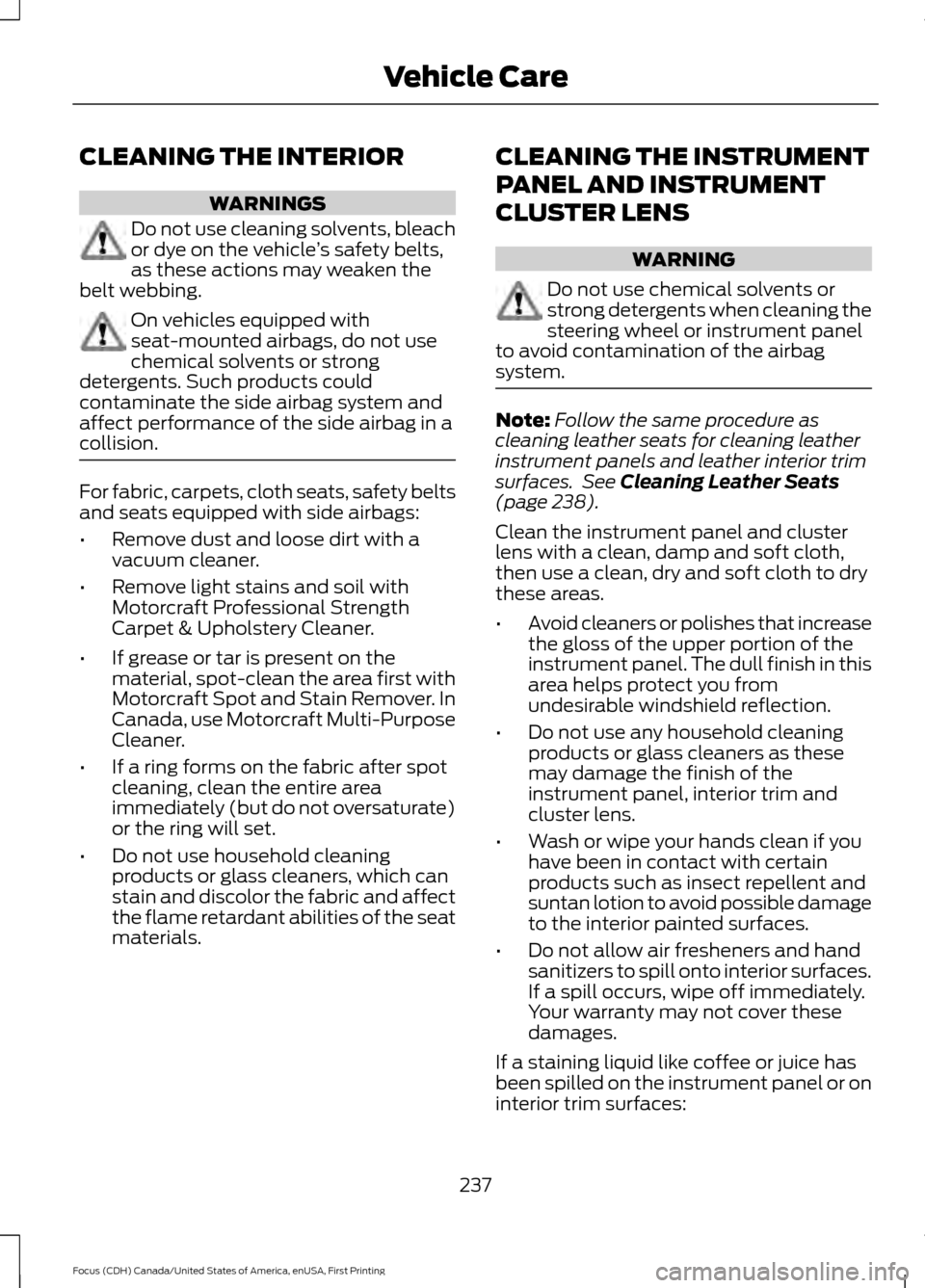
CLEANING THE INTERIOR
WARNINGS
Do not use cleaning solvents, bleach
or dye on the vehicle
’s safety belts,
as these actions may weaken the
belt webbing. On vehicles equipped with
seat-mounted airbags, do not use
chemical solvents or strong
detergents. Such products could
contaminate the side airbag system and
affect performance of the side airbag in a
collision. For fabric, carpets, cloth seats, safety belts
and seats equipped with side airbags:
•
Remove dust and loose dirt with a
vacuum cleaner.
• Remove light stains and soil with
Motorcraft Professional Strength
Carpet & Upholstery Cleaner.
• If grease or tar is present on the
material, spot-clean the area first with
Motorcraft Spot and Stain Remover. In
Canada, use Motorcraft Multi-Purpose
Cleaner.
• If a ring forms on the fabric after spot
cleaning, clean the entire area
immediately (but do not oversaturate)
or the ring will set.
• Do not use household cleaning
products or glass cleaners, which can
stain and discolor the fabric and affect
the flame retardant abilities of the seat
materials. CLEANING THE INSTRUMENT
PANEL AND INSTRUMENT
CLUSTER LENS WARNING
Do not use chemical solvents or
strong detergents when cleaning the
steering wheel or instrument panel
to avoid contamination of the airbag
system. Note:
Follow the same procedure as
cleaning leather seats for cleaning leather
instrument panels and leather interior trim
surfaces. See Cleaning Leather Seats
(page 238).
Clean the instrument panel and cluster
lens with a clean, damp and soft cloth,
then use a clean, dry and soft cloth to dry
these areas.
• Avoid cleaners or polishes that increase
the gloss of the upper portion of the
instrument panel. The dull finish in this
area helps protect you from
undesirable windshield reflection.
• Do not use any household cleaning
products or glass cleaners as these
may damage the finish of the
instrument panel, interior trim and
cluster lens.
• Wash or wipe your hands clean if you
have been in contact with certain
products such as insect repellent and
suntan lotion to avoid possible damage
to the interior painted surfaces.
• Do not allow air fresheners and hand
sanitizers to spill onto interior surfaces.
If a spill occurs, wipe off immediately.
Your warranty may not cover these
damages.
If a staining liquid like coffee or juice has
been spilled on the instrument panel or on
interior trim surfaces:
237
Focus (CDH) Canada/United States of America, enUSA, First Printing Vehicle Care
Page 377 of 385
Blind Spot Information System..............166
Switching the System Off and On...............168
System Errors....................................................... 168
Using the System............................................... 166
Bonnet Lock See: Opening and Closing the Hood............212
Booster Seats..................................................23
Types of Booster Seats...................................... 23
Brake Fluid Check
.........................................219
Brakes...............................................................144 General Information.......................................... 144
Breaking-In.....................................................186
Bulb Specification Chart
..........................230
C
Cabin Air Filter
...............................................108
California Proposition 65..............................11
Capacities and Specifications - 1.0L EcoBoost™.................................................270
Specifications....................................................... 271
Capacities and Specifications - 2.0L
.................................................................273
Specifications...................................................... 274
Capacities and Specifications
................265
Car Wash See: Cleaning the Exterior.............................. 234
Center Console
................................................117
Changing a Bulb...........................................225 Front Fog Lamp................................................... 227
Headlamp............................................................. 225
LED Rear Lamps................................................ 230
Rear Lamps - 4 Door........................................ 228
Rear Lamps - 5 Door........................................ 229
Replacing Licence Plate and High Mounted Brake Lamp Bulbs........................................ 230
Changing a Fuse...........................................210 Fuses....................................................................... 210
Changing a Road Wheel
...........................260
Dissimilar Spare Wheel and Tire Assembly
Information..................................................... 260
Tire Change Procedure..................................... 261
Changing the 12V Battery.........................220
Changing the Engine Air Filter.................232
Changing the Wiper Blades
......................221 Checking MyKey System Status...............56
MyKey Distance.................................................... 56
Number of Admin Keys...................................... 56
Number of MyKeys.............................................. 56
Checking the Wiper Blades
.......................221
Child Restraint and Seatbelt Maintenance.................................................34
Child Restraint Positioning.........................25
Child Safety
.......................................................15
General Information............................................. 15
Child Safety Locks.........................................26 Left-Hand Side...................................................... 27
Right-Hand Side................................................... 27
Cleaning Leather Seats.............................238
Cleaning Products
.......................................234
Cleaning the Alloy Wheels.......................238
Cleaning the Engine....................................236
Cleaning the Exterior..................................234 Exterior Chrome Parts...................................... 235
Exterior Plastic Parts........................................ 235
Stripes or Graphics............................................ 235
Underbody............................................................ 235
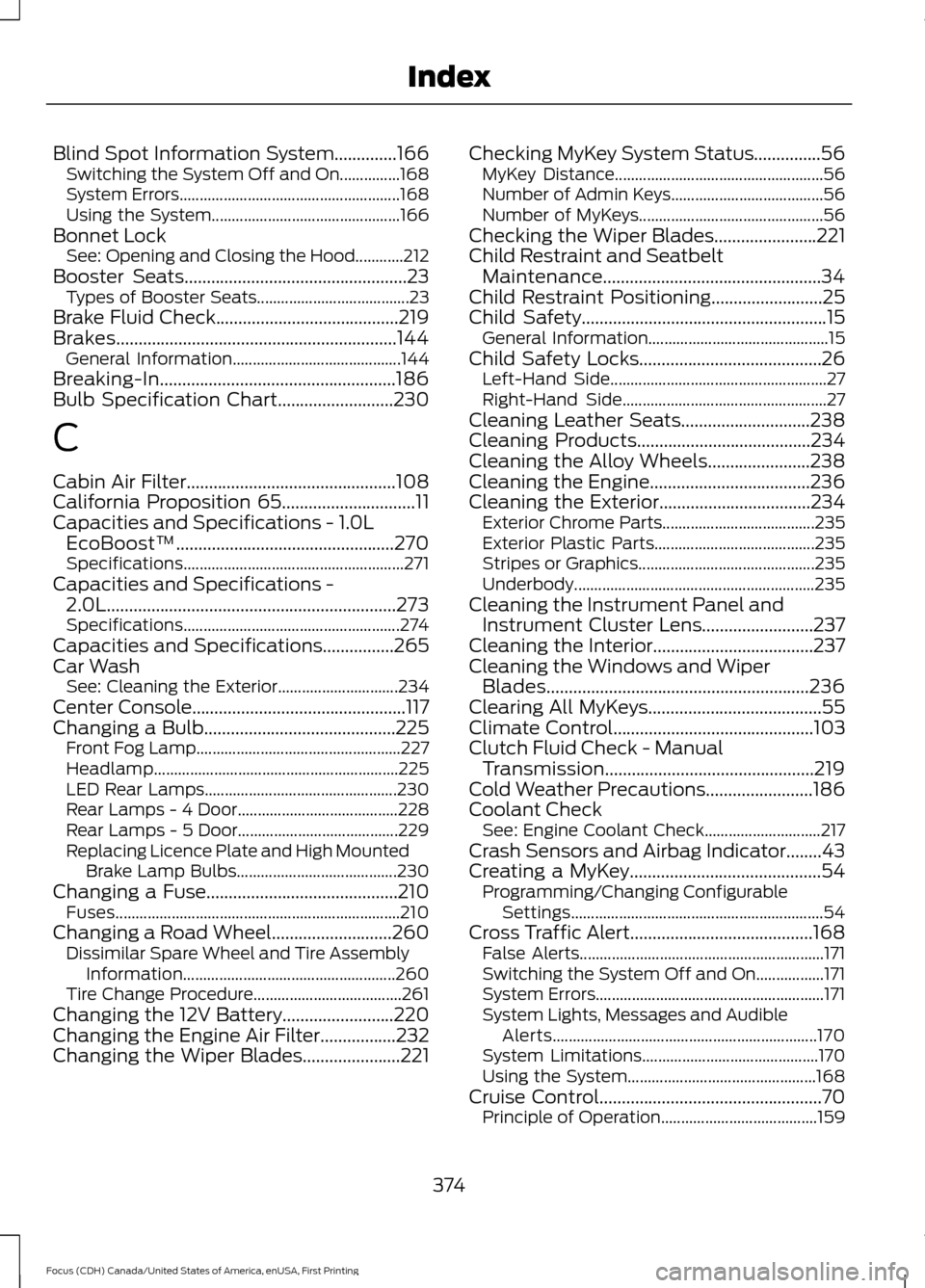
Cleaning the Instrument Panel and Instrument Cluster Lens.........................237
Cleaning the Interior....................................237
Cleaning the Windows and Wiper Blades...........................................................236
Clearing All MyKeys.......................................55
Climate Control
.............................................103
Clutch Fluid Check - Manual Transmission...............................................219
Cold Weather Precautions
........................186
Coolant Check See: Engine Coolant Check............................. 217
Crash Sensors and Airbag Indicator........43
Creating a MyKey
...........................................54
Programming/Changing Configurable
Settings............................................................... 54
Cross Traffic Alert
.........................................168
False Alerts............................................................. 171
Switching the System Off and On.................171
System Errors......................................................... 171
System Lights, Messages and Audible Alerts.................................................................. 170
System Limitations............................................ 170
Using the System............................................... 168
Cruise Control
..................................................70
Principle of Operation....................................... 159
374
Focus (CDH) Canada/United States of America, enUSA, First Printing Index
Page 380 of 385
Information Messages.................................95
Airbag....................................................................... 95
Alarm........................................................................\
95
Automatic Engine Shutdown ......................... 96
Battery and Charging System......................... 96
Blind Spot Information and Cross Traffic Alert System..................................................... 96
Doors........................................................................\
. 97
Engine....................................................................... 97
Hill Start Assist..................................................... 98
Keyless Vehicle..................................................... 98
Lane Keeping Aid................................................. 98
Lighting.................................................................... 99
Maintenance.......................................................... 99
Message Indicator................................................ 95
MyKey....................................................................... 99
Occupant Protection........................................ 100
Park Aid.................................................................. 100
Park Brake............................................................. 100
Power Steering..................................................... 101
Starting System .................................................. 101
Start-Stop.............................................................. 101
Tire Pressure Monitoring System.................. 102
Traction Control.................................................. 102
Transmission........................................................ 102
Installing Child Restraints
............................16
Child Seats............................................................... 16
Using Lap and Shoulder Belts.......................... 17
Using Lower Anchors and Tethers for Children (LATCH)............................................. 19
Using Tether Straps.............................................. 21
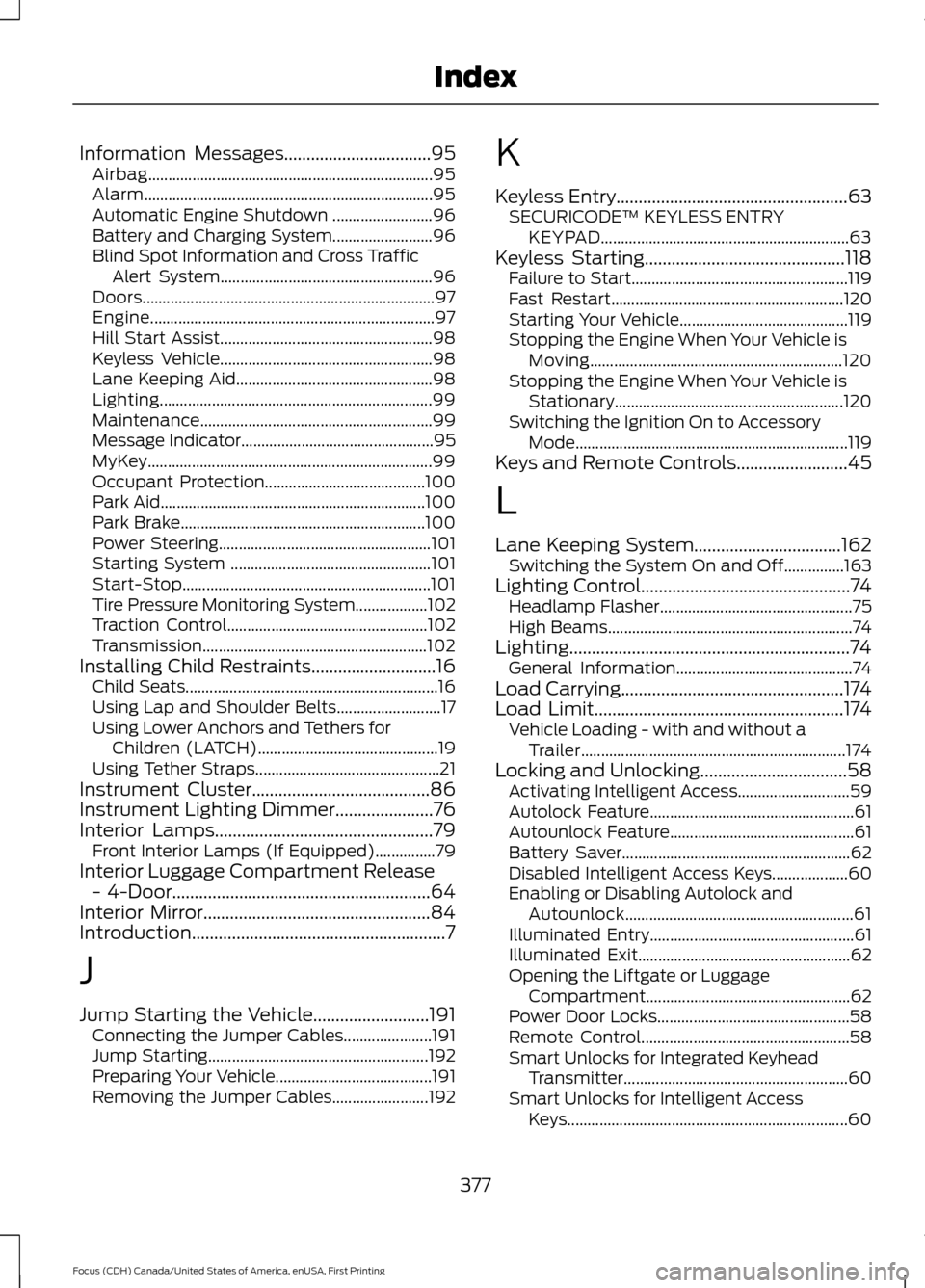
Instrument Cluster
........................................86
Instrument Lighting Dimmer......................76
Interior Lamps.................................................79
Front Interior Lamps (If Equipped)...............79
Interior Luggage Compartment Release - 4-Door
..........................................................64
Interior Mirror...................................................84
Introduction.........................................................7
J
Jump Starting the Vehicle..........................191 Connecting the Jumper Cables...................... 191
Jump Starting....................................................... 192
Preparing Your Vehicle....................................... 191
Removing the Jumper Cables........................ 192K
Keyless Entry
....................................................63
SECURICODE™ KEYLESS ENTRY
KEYPAD.............................................................. 63
Keyless Starting.............................................118 Failure to Start...................................................... 119
Fast Restart.......................................................... 120
Starting Your Vehicle.......................................... 119
Stopping the Engine When Your Vehicle is Moving............................................................... 120
Stopping the Engine When Your Vehicle is Stationary......................................................... 120
Switching the Ignition On to Accessory Mode.................................................................... 119
Keys and Remote Controls.........................45
L
Lane Keeping System.................................162 Switching the System On and Off...............163
Lighting Control
...............................................74
Headlamp Flasher................................................ 75
High Beams............................................................. 74
Lighting...............................................................74 General Information............................................ 74
Load Carrying
..................................................174
Load Limit........................................................174
Vehicle Loading - with and without a
Trailer.................................................................. 174
Locking and Unlocking
.................................58
Activating Intelligent Access............................ 59
Autolock Feature................................................... 61
Autounlock Feature.............................................. 61
Battery Saver......................................................... 62
Disabled Intelligent Access Keys................... 60
Enabling or Disabling Autolock and Autounlock......................................................... 61
Illuminated Entry................................................... 61
Illuminated Exit..................................................... 62
Opening the Liftgate or Luggage Compartment................................................... 62
Power Door Locks................................................ 58
Remote Control.................................................... 58
Smart Unlocks for Integrated Keyhead Transmitter........................................................ 60
Smart Unlocks for Intelligent Access Keys...................................................................... 60
377
Focus (CDH) Canada/United States of America, enUSA, First Printing Index