cruise control FORD FOCUS 2017 3.G Owners Manual
[x] Cancel search | Manufacturer: FORD, Model Year: 2017, Model line: FOCUS, Model: FORD FOCUS 2017 3.GPages: 467, PDF Size: 5.34 MB
Page 5 of 467
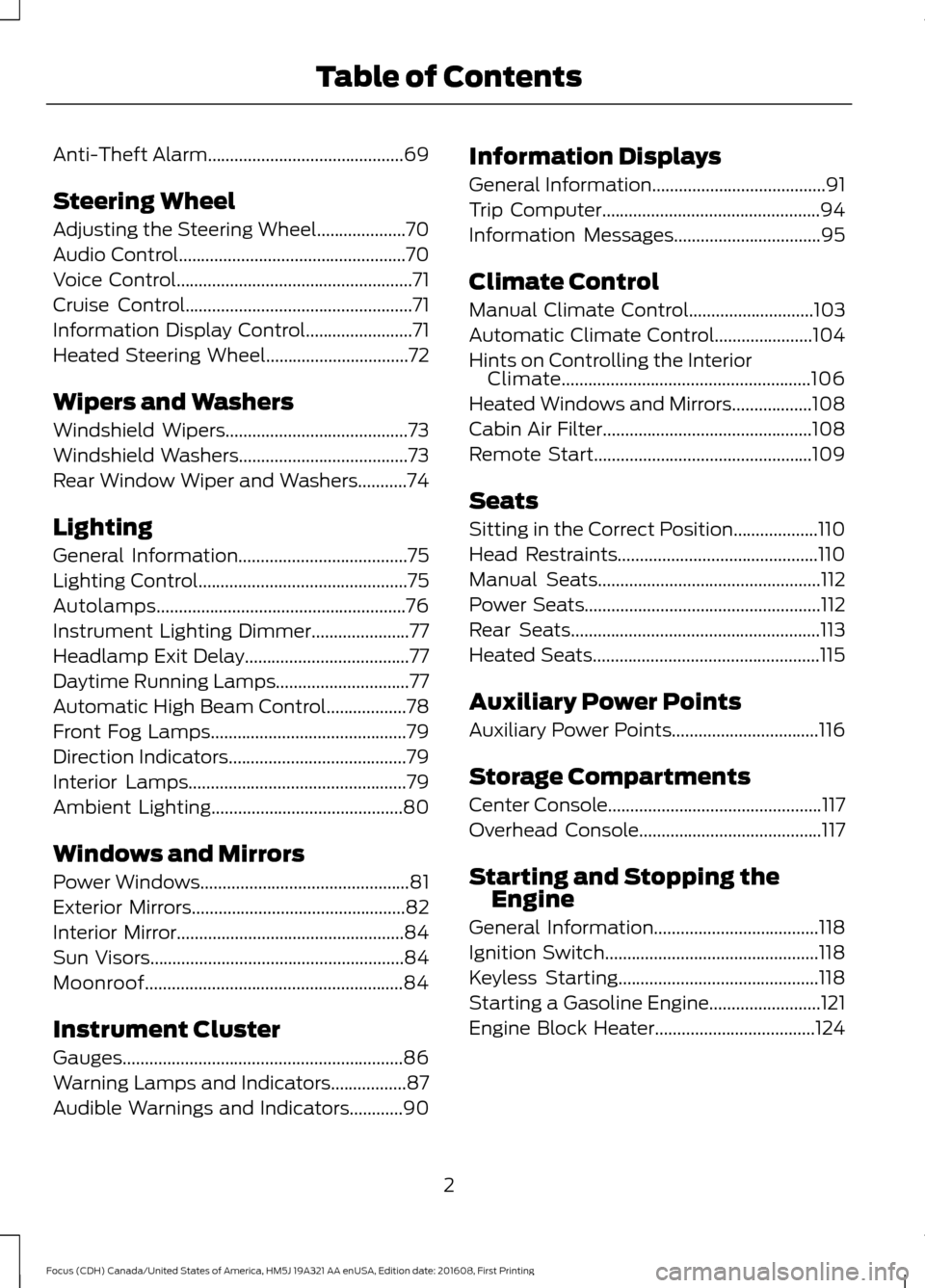
Anti-Theft Alarm............................................69
Steering Wheel
Adjusting the Steering Wheel....................70
Audio Control...................................................70
Voice Control.....................................................71
Cruise Control
...................................................71
Information Display Control
........................71
Heated Steering Wheel................................72
Wipers and Washers
Windshield Wipers
.........................................73
Windshield Washers......................................73
Rear Window Wiper and Washers...........74
Lighting
General Information......................................75
Lighting Control...............................................75
Autolamps........................................................76
Instrument Lighting Dimmer......................77
Headlamp Exit Delay.....................................77
Daytime Running Lamps..............................77
Automatic High Beam Control..................78
Front Fog Lamps............................................79
Direction Indicators........................................79
Interior Lamps
.................................................79
Ambient Lighting...........................................80
Windows and Mirrors
Power Windows...............................................81
Exterior Mirrors................................................82
Interior Mirror...................................................84
Sun Visors
.........................................................84
Moonroof..........................................................84
Instrument Cluster
Gauges...............................................................86
Warning Lamps and Indicators.................87
Audible Warnings and Indicators............90 Information Displays
General Information
.......................................91
Trip Computer
.................................................94
Information Messages
.................................95
Climate Control
Manual Climate Control
............................103
Automatic Climate Control......................104
Hints on Controlling the Interior Climate........................................................106
Heated Windows and Mirrors..................108
Cabin Air Filter
...............................................108
Remote Start.................................................109
Seats
Sitting in the Correct Position...................110
Head Restraints.............................................110
Manual Seats
..................................................112
Power Seats
.....................................................112
Rear Seats
........................................................113
Heated Seats...................................................115
Auxiliary Power Points
Auxiliary Power Points
.................................116
Storage Compartments
Center Console
................................................117
Overhead Console.........................................117
Starting and Stopping the Engine
General Information
.....................................118
Ignition Switch................................................118
Keyless Starting.............................................118
Starting a Gasoline Engine.........................121
Engine Block Heater
....................................124
2
Focus (CDH) Canada/United States of America, HM5J 19A321 AA enUSA, Edition date: 201608, First Printing Table of Contents
Page 6 of 467
Unique Driving Character-
istics
Auto-Start-Stop...........................................126
Fuel and Refueling
Safety Precautions.......................................128
Fuel Quality - E85
........................................129
Fuel Quality - Gasoline...............................130
Fuel Filler Funnel Location
........................130
Running Out of Fuel......................................131
Catalytic Converter
......................................132
Refueling..........................................................132
Fuel Consumption
........................................134
Emission Control System
..........................135
Transmission
Manual Transmission - 6-Speed Manual Transmission (MMT6)
...........................138
Manual Transmission - 5-Speed Manual Transmission (MTX-75)........................139
Automatic Transmission...........................140
Brakes
General Information....................................145
Hints on Driving With Anti-Lock Brakes...........................................................145
Parking Brake.................................................146
Hill Start Assist..............................................146
Traction Control
Principle of Operation
................................148
Using Traction Control...............................148
Stability Control
Principle of Operation................................149
Using Stability Control
...............................150
Parking Aids
Principle of Operation
..................................151
Rear Parking Aid
.............................................151 Front Parking Aid..........................................152
Active Park Assist
.........................................153
Rear View Camera
.......................................159
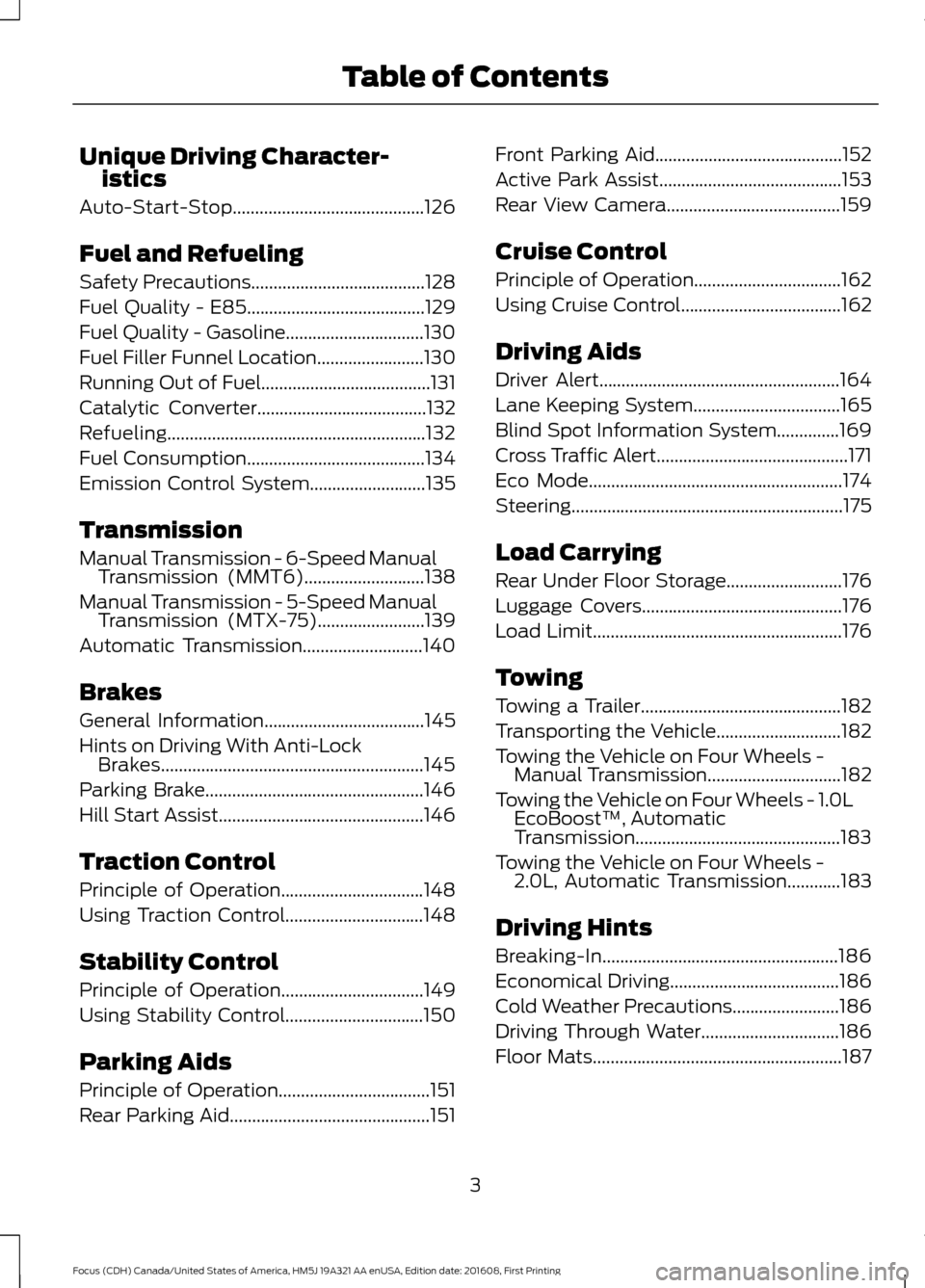
Cruise Control
Principle of Operation.................................162
Using Cruise Control
....................................162
Driving Aids
Driver Alert
......................................................164
Lane Keeping System.................................165
Blind Spot Information System..............169
Cross Traffic Alert
...........................................171
Eco Mode
.........................................................174
Steering .............................................................
175
Load Carrying
Rear Under Floor Storage..........................176
Luggage Covers
.............................................176
Load Limit
........................................................176
Towing
Towing a Trailer.............................................182
Transporting the Vehicle............................182
Towing the Vehicle on Four Wheels - Manual Transmission
..............................182
Towing the Vehicle on Four Wheels - 1.0L EcoBoost™, Automatic
Transmission..............................................183
Towing the Vehicle on Four Wheels - 2.0L, Automatic Transmission............183
Driving Hints
Breaking-In.....................................................186
Economical Driving
......................................186
Cold Weather Precautions
........................186
Driving Through Water...............................186
Floor Mats........................................................187
3
Focus (CDH) Canada/United States of America, HM5J 19A321 AA enUSA, Edition date: 201608, First Printing Table of Contents
Page 11 of 467
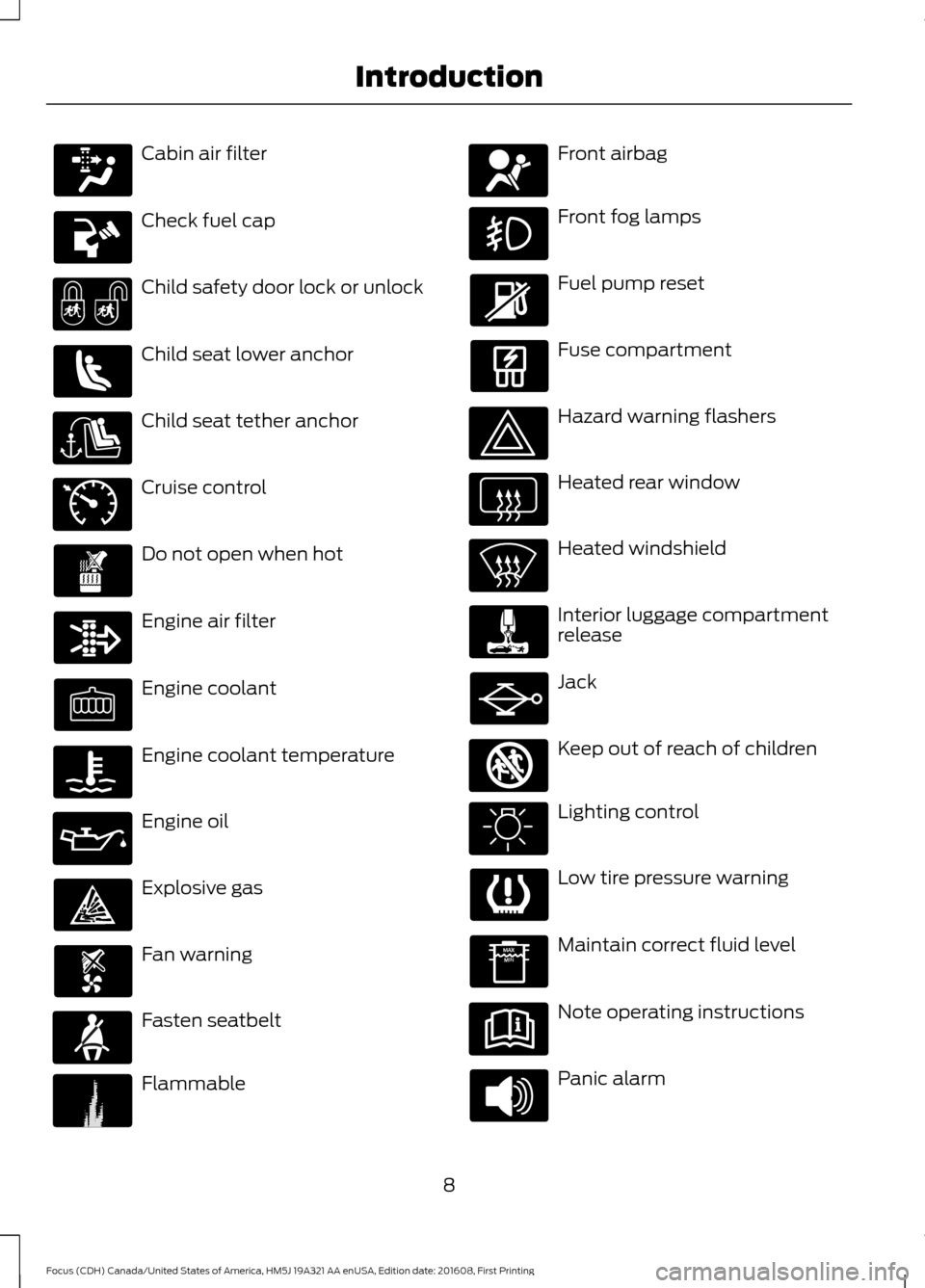
Cabin air filter
Check fuel cap
Child safety door lock or unlock
Child seat lower anchor
Child seat tether anchor
Cruise control
Do not open when hot
Engine air filter
Engine coolant
Engine coolant temperature
Engine oil
Explosive gas
Fan warning
Fasten seatbelt
Flammable Front airbag
Front fog lamps
Fuel pump reset
Fuse compartment
Hazard warning flashers
Heated rear window
Heated windshield
Interior luggage compartment
release
Jack
Keep out of reach of children
Lighting control
Low tire pressure warning
Maintain correct fluid level
Note operating instructions
Panic alarm
8
Focus (CDH) Canada/United States of America, HM5J 19A321 AA enUSA, Edition date: 201608, First Printing Introduction E71340 E71880 E231160 E67017 E161353
Page 57 of 467
PRINCIPLE OF OPERATION
MyKey allows you to program keys with
restricted driving modes to promote good
driving habits. All but one of the keys can
be activated with these restricted modes.
Any keys that remain unprogrammed are
referred to as administrator keys or admin
keys. They can be used to:
•
Create a MyKey.
• Program configurable MyKey settings.
• Clear all MyKey features.
When you have created a MyKey, you can
access the following information by using
the information display to determine:
• How many admin keys and MyKeys are
programmed to your vehicle.
• The total distance your vehicle traveled
with a MyKey.
Note: Switch the ignition on to use the
system.
Note: All MyKeys are programmed to the
same settings. You cannot program them
individually.
Note: For vehicles equipped with a
push-button start, when both a MyKey and
an admin key are present, the admin key will
be recognized by the vehicle when you start
the vehicle.
Non-configurable Settings
The following settings cannot be changed
by an admin key user:
• Safety belt reminder. You cannot
disable this feature. The audio system
will mute when the front seat
passengers’ safety belts are not
fastened.
• Early low fuel warning. The low-fuel
warning activates earlier, giving MyKey
users more time to refuel. •
Driver assist features, if equipped on
your vehicle, are forced on: parking aid
and Blind Spot Information System
(BLIS) with cross traffic alert.
• Satellite radio adult content
restrictions, if equipped on your vehicle.
• Pre-collision assist and Lane Departure
warning switches on every ignition
cycle, but can be switched off by the
MyKey user.
Configurable Settings
With an admin key, you can configure
certain MyKey settings when you first
create a MyKey and before you recycle the
key or restart the engine. You can also
change the settings afterward with an
admin key.
• A vehicle speed limit can be set.
Warnings will be shown in the display
followed by an audible tone when your
vehicle reaches the set speed. You
cannot override the set speed by fully
depressing the accelerator pedal or by
setting cruise control. WARNING
Do not set MyKey maximum speed
limit to a limit that will prevent the
driver from maintaining a safe speed
considering posted speed limits and
prevailing road conditions. The driver is
always responsible to drive in accordance
with local laws and prevailing conditions.
Failure to do so could result in accident or
injury. 54
Focus (CDH) Canada/United States of America, HM5J 19A321 AA enUSA, Edition date: 201608, First Printing MyKey
™
Page 74 of 467
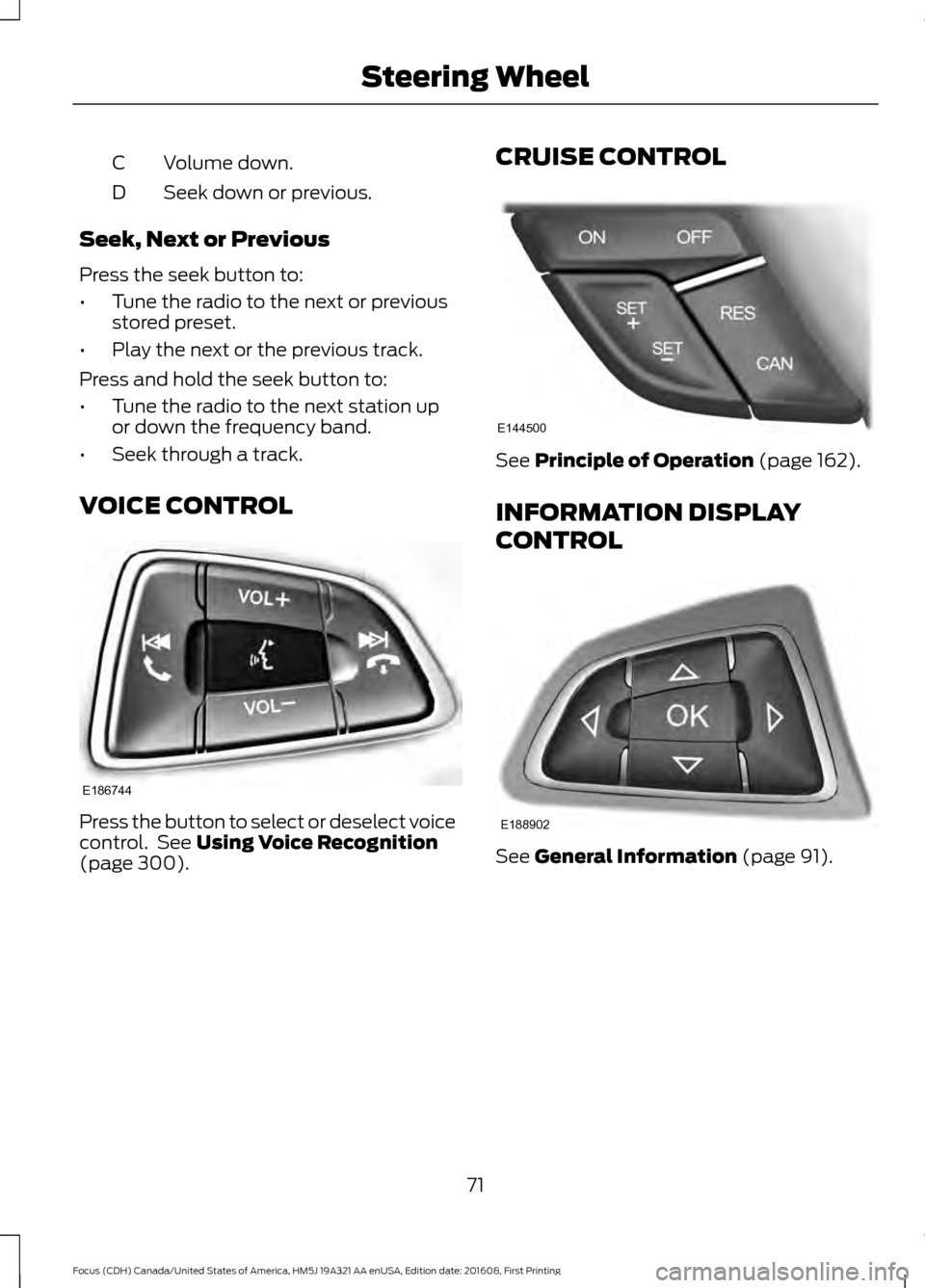
Volume down.
C
Seek down or previous.
D
Seek, Next or Previous
Press the seek button to:
• Tune the radio to the next or previous
stored preset.
• Play the next or the previous track.
Press and hold the seek button to:
• Tune the radio to the next station up
or down the frequency band.
• Seek through a track.
VOICE CONTROL Press the button to select or deselect voice
control. See Using Voice Recognition
(page 300). CRUISE CONTROL See
Principle of Operation (page 162).
INFORMATION DISPLAY
CONTROL See
General Information (page 91).
71
Focus (CDH) Canada/United States of America, HM5J 19A321 AA enUSA, Edition date: 201608, First Printing Steering WheelE186744 E144500 E188902
Page 90 of 467
If the needle enters the red section, the
engine is overheating. Stop the engine,
switch the ignition off and determine the
cause once the engine has cooled down.
See Engine Coolant Check (page 218).
Fuel Gauge
Note: : The fuel gauge may vary slightly
when your vehicle is moving or on a gradient.
Switch the ignition on. The fuel gauge will
indicate approximately how much fuel is
left in the fuel tank. The arrow adjacent to
the fuel pump symbol indicates on which
side of your vehicle the fuel filler door is
located.
The needle should move toward F when
you refuel your vehicle. If the needle points
to E after adding fuel, this indicates your
vehicle needs service soon.
After refueling some variability in needle
position is normal.
Note: It may take a short time for the
needle to reach F after leaving the gas
station. This is normal and depends upon
the slope of pavement at the gas station.
Note: The fuel amount dispensed into the
tank is a little less or more than the gauge
indicated. This is normal and depends upon
the slope of pavement at the gas station.
Note: If the gas station nozzle shuts off
before the tank is full, try a different gas
pump nozzle.
Low Fuel Reminder
A low fuel reminder triggers at about 50
miles (80 km). The low fuel warning light
will light, a warning chime will sound and
a pop up will be shown in the display
indicating the remaining distance to empty.
You will also get a subsequent reminder
at 20, 10 and 0 miles. WARNING LAMPS AND
INDICATORS
The following warning lamps and
indicators alert you to a vehicle condition
that may become serious. Some lamps
illuminate when you start your vehicle to
make sure they work. If any lamps remain
on after starting your vehicle, refer to the
respective system warning lamp for further
information.
Note:
Some warning indicators appear in
the information display and operate the
same as a warning lamp but do not
illuminate when you start your vehicle.
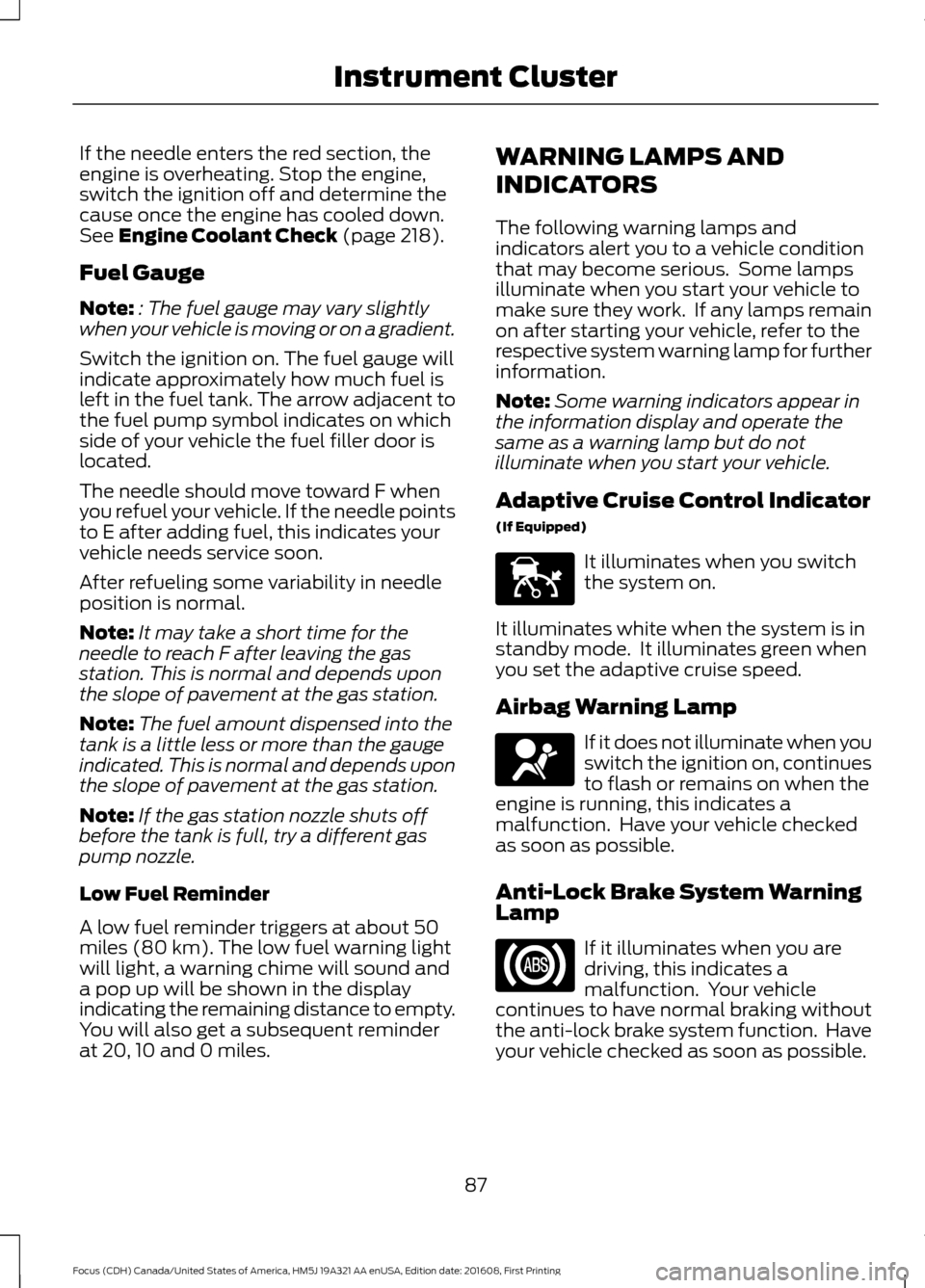
Adaptive Cruise Control Indicator
(If Equipped) It illuminates when you switch
the system on.
It illuminates white when the system is in
standby mode. It illuminates green when
you set the adaptive cruise speed.
Airbag Warning Lamp If it does not illuminate when you
switch the ignition on, continues
to flash or remains on when the
engine is running, this indicates a
malfunction. Have your vehicle checked
as soon as possible.
Anti-Lock Brake System Warning
Lamp If it illuminates when you are
driving, this indicates a
malfunction. Your vehicle
continues to have normal braking without
the anti-lock brake system function. Have
your vehicle checked as soon as possible.
87
Focus (CDH) Canada/United States of America, HM5J 19A321 AA enUSA, Edition date: 201608, First Printing Instrument ClusterE144524 E67017
Page 91 of 467
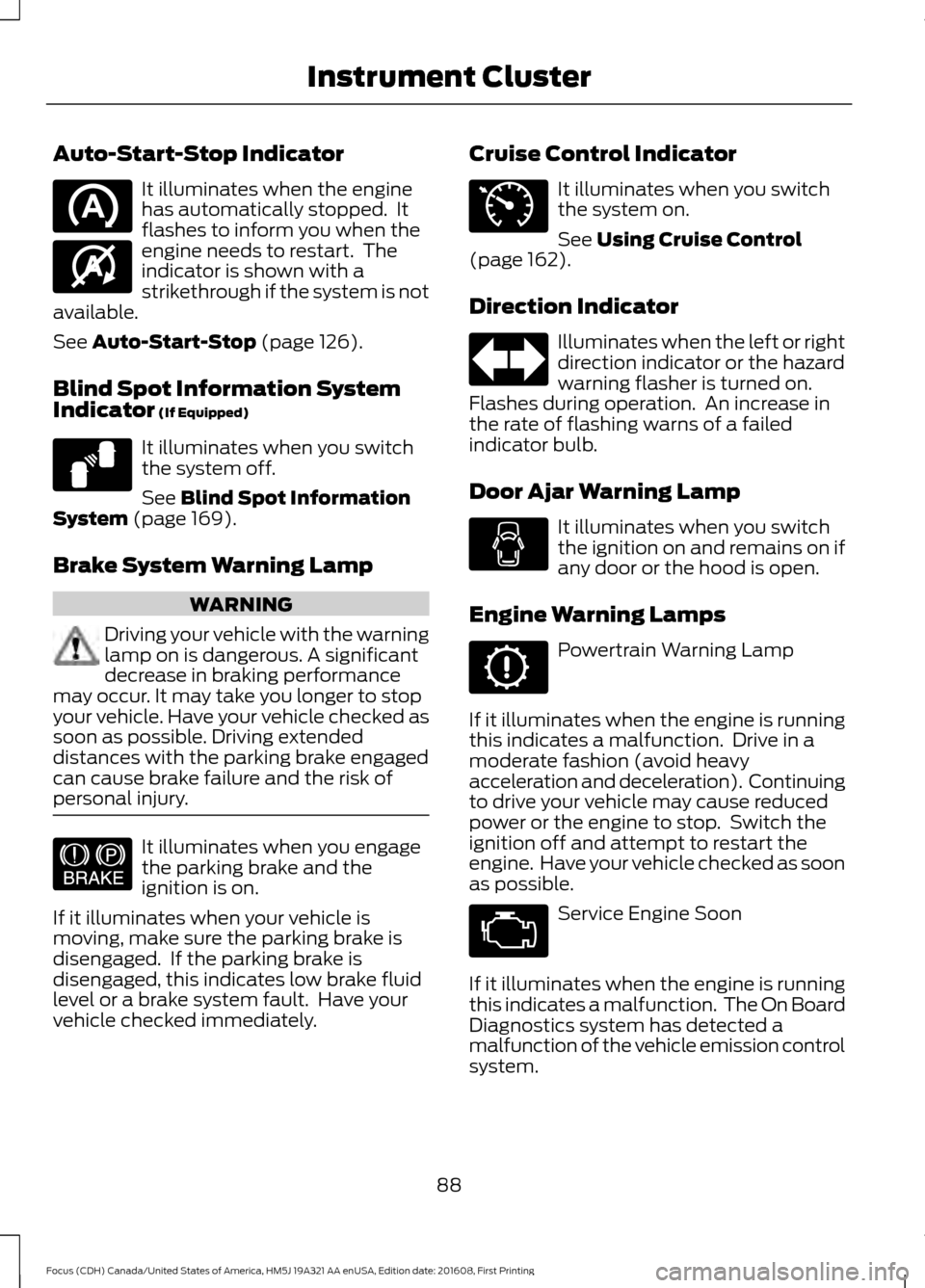
Auto-Start-Stop Indicator
It illuminates when the engine
has automatically stopped. It
flashes to inform you when the
engine needs to restart. The
indicator is shown with a
strikethrough if the system is not
available.
See Auto-Start-Stop (page 126).
Blind Spot Information System
Indicator
(If Equipped) It illuminates when you switch
the system off.
See
Blind Spot Information
System (page 169).
Brake System Warning Lamp WARNING
Driving your vehicle with the warning
lamp on is dangerous. A significant
decrease in braking performance
may occur. It may take you longer to stop
your vehicle. Have your vehicle checked as
soon as possible. Driving extended
distances with the parking brake engaged
can cause brake failure and the risk of
personal injury. It illuminates when you engage
the parking brake and the
ignition is on.
If it illuminates when your vehicle is
moving, make sure the parking brake is
disengaged. If the parking brake is
disengaged, this indicates low brake fluid
level or a brake system fault. Have your
vehicle checked immediately. Cruise Control Indicator It illuminates when you switch
the system on.
See
Using Cruise Control
(page 162).
Direction Indicator Illuminates when the left or right
direction indicator or the hazard
warning flasher is turned on.
Flashes during operation. An increase in
the rate of flashing warns of a failed
indicator bulb.
Door Ajar Warning Lamp It illuminates when you switch
the ignition on and remains on if
any door or the hood is open.
Engine Warning Lamps Powertrain Warning Lamp
If it illuminates when the engine is running
this indicates a malfunction. Drive in a
moderate fashion (avoid heavy
acceleration and deceleration). Continuing
to drive your vehicle may cause reduced
power or the engine to stop. Switch the
ignition off and attempt to restart the
engine. Have your vehicle checked as soon
as possible. Service Engine Soon
If it illuminates when the engine is running
this indicates a malfunction. The On Board
Diagnostics system has detected a
malfunction of the vehicle emission control
system.
88
Focus (CDH) Canada/United States of America, HM5J 19A321 AA enUSA, Edition date: 201608, First Printing Instrument Cluster E146361 E124823 E144522 E71340
Page 95 of 467
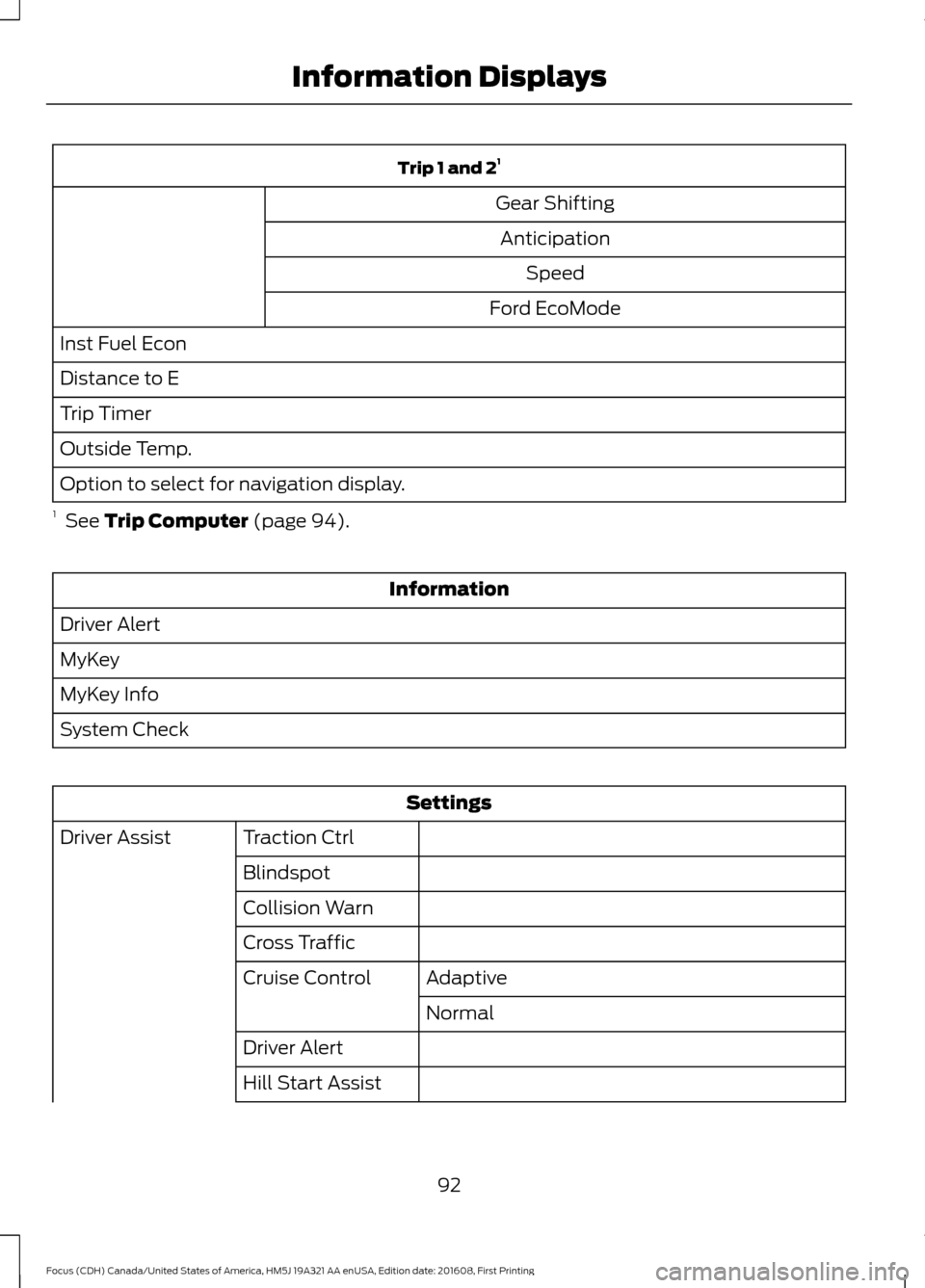
Trip 1 and 2
1
Gear Shifting Anticipation Speed
Ford EcoMode
Inst Fuel Econ
Distance to E
Trip Timer
Outside Temp.
Option to select for navigation display.
1 See Trip Computer (page 94). Information
Driver Alert
MyKey
MyKey Info
System Check Settings
Traction Ctrl
Driver Assist
Blindspot
Collision Warn
Cross TrafficAdaptive
Cruise Control
Normal
Driver Alert
Hill Start Assist
92
Focus (CDH) Canada/United States of America, HM5J 19A321 AA enUSA, Edition date: 201608, First Printing Information Displays
Page 165 of 467
PRINCIPLE OF OPERATION
Cruise control lets you maintain a set
speed without keeping your foot on the
accelerator pedal. You can use cruise
control when your vehicle speed is greater
than 20 mph (30 km/h).
USING CRUISE CONTROL WARNINGS
Do not use cruise control on winding
roads, in heavy traffic or when the
road surface is slippery. This could
result in loss of vehicle control, serious
injury or death. When you are going downhill, your
vehicle speed could increase above
the set speed. The system does not
apply the brakes. Note:
Cruise control disengages if the
vehicle speed decreases more than 10 mph
(16 km/h) below the set speed when driving
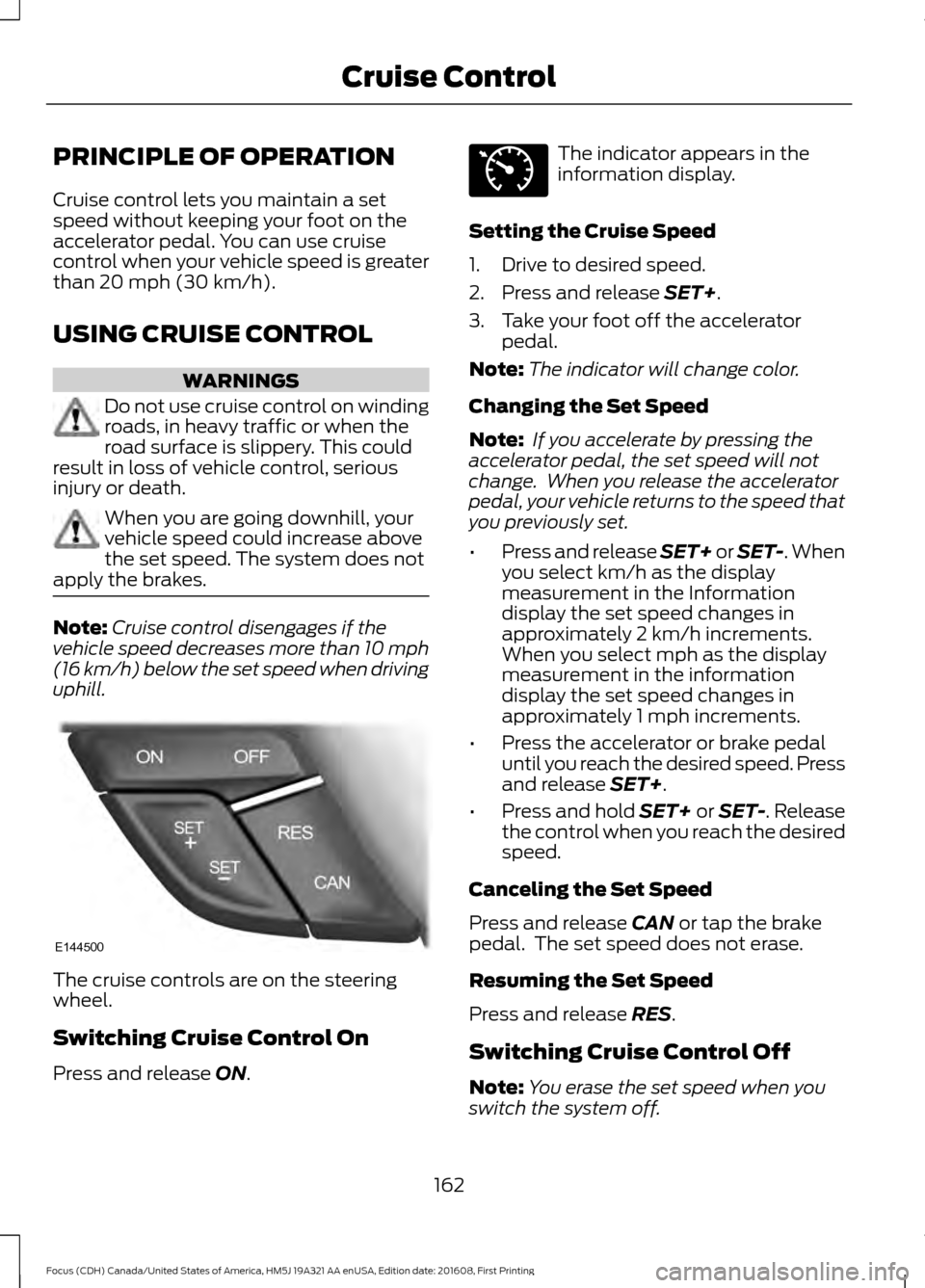
uphill. The cruise controls are on the steering
wheel.
Switching Cruise Control On
Press and release
ON. The indicator appears in the
information display.
Setting the Cruise Speed
1. Drive to desired speed.
2. Press and release
SET+.
3. Take your foot off the accelerator pedal.
Note: The indicator will change color.
Changing the Set Speed
Note: If you accelerate by pressing the
accelerator pedal, the set speed will not
change. When you release the accelerator
pedal, your vehicle returns to the speed that
you previously set.
• Press and release SET+ or SET-. When
you select km/h as the display
measurement in the Information
display the set speed changes in
approximately 2 km/h increments.
When you select mph as the display
measurement in the information
display the set speed changes in
approximately 1 mph increments.
• Press the accelerator or brake pedal
until you reach the desired speed. Press
and release
SET+.
• Press and hold SET+ or SET-. Release
the control when you reach the desired
speed.
Canceling the Set Speed
Press and release
CAN or tap the brake
pedal. The set speed does not erase.
Resuming the Set Speed
Press and release
RES.
Switching Cruise Control Off
Note: You erase the set speed when you
switch the system off.
162
Focus (CDH) Canada/United States of America, HM5J 19A321 AA enUSA, Edition date: 201608, First Printing Cruise ControlE144500 E71340
Page 166 of 467
Press and release OFF when the system is
in stand by mode or switch the ignition off.
163
Focus (CDH) Canada/United States of America, HM5J 19A321 AA enUSA, Edition date: 201608, First Printing Cruise Control