key battery FORD FOCUS 2018 User Guide
[x] Cancel search | Manufacturer: FORD, Model Year: 2018, Model line: FOCUS, Model: FORD FOCUS 2018Pages: 473, PDF Size: 39.91 MB
Page 123 of 473
Switching the Ignition On toAccessory Mode
Press the push button ignition switch oncewithout your foot on the brake or clutchpedal. It is on the instrument panel nearthe steering wheel. All electrical circuitsand accessories are operational and thewarning lamps and indicators illuminate.
Press the push button ignition switch againwithout your foot on the brake or clutchpedal to switch the ignition off.
Starting Your Vehicle
Vehicles with Manual Transmission
1.Fully depress the clutch pedal.
2.Press the push button ignition switchuntil the engine starts.
Note:Releasing the clutch pedal duringengine starting stops the engine fromcranking.
Vehicles with Automatic Transmission
1.Move the gearshift lever to park (P).
2.Fully depress the brake pedal.
3.Briefly press the push button ignitionswitch.
Note:Releasing the brake pedal duringengine starting stops the engine cranking.
Failure to Start
The system does not function if:
•The passive key frequencies arejammed.
•The passive key battery has no charge.
If you are unable to start your vehicle, dothe following:
1.Open the floor console storagecompartment lid.
2.Remove the tray.
1202018 Focus (CDH) Canada/United States of America, JM5J 19A321 AA enUSA, Edition date: 201706, Second PrintingStarting and Stopping the EngineE142555 E18438521
Page 125 of 473
Once your vehicle starts, it remains runninguntil you press the push button ignitionswitch, even if your vehicle does not detecta valid passive key. If you open and closea door while your vehicle is running, thesystem searches for a valid passive key.
You cannot start your vehicle if you openthe driver door and the system does notdetect a valid passive key.
STARTING A GASOLINE
ENGINE
When you start the engine, the idle speedincreases. This helps to warm up theengine. If the engine idle speed does notslow down automatically, have yourvehicle checked by an authorized dealer.
Note:You can crank the engine for a totalof 60 seconds without the engine startingbefore the starting system temporarilydisables. The 60 seconds does not have tobe all at once. For example, if you crank theengine three times for 20 seconds eachtime, without the engine starting, youreached the 60-second time limit. Amessage appears in the information displayalerting you that you exceeded the crankingtime. You cannot attempt to start the enginefor at least 15 minutes. After 15 minutes, youare limited to a 15-second engine crankingtime. You need to wait 60 minutes beforeyou can crank the engine for 60 secondsagain.
Before starting your vehicle, check thefollowing:
•Make sure all occupants have fastenedtheir safety belts.
•Make sure the headlamps andelectrical accessories are off.
•Make sure the parking brake is on.
•Make sure the transmission is in park(P).
•Switch the ignition key to position II. Ifyour vehicle is equipped with a keylessignition, see the following instructions.
Vehicles with an Ignition Key
Note:Do not touch the accelerator pedal.
1.Fully press the brake pedal. If yourvehicle is equipped with a manualtransmission, fully press the clutchpedal.
2.Turn the key to position III to start theengine.
Note:The engine may continue crankingfor up to 15 seconds or until it starts.
Note:If you cannot start the engine on thefirst try, wait for a short period and try again.
Vehicles with Keyless Start
Note:Do not touch the accelerator pedal.
Note:You must have your intelligent accesskey in your vehicle in order to shift thetransmission out of park (P).
1.Fully depress the brake pedal.
2.Press the push button ignition switch.
The system does not function if:
•The passive key frequencies arejammed.
•The key battery has no charge.
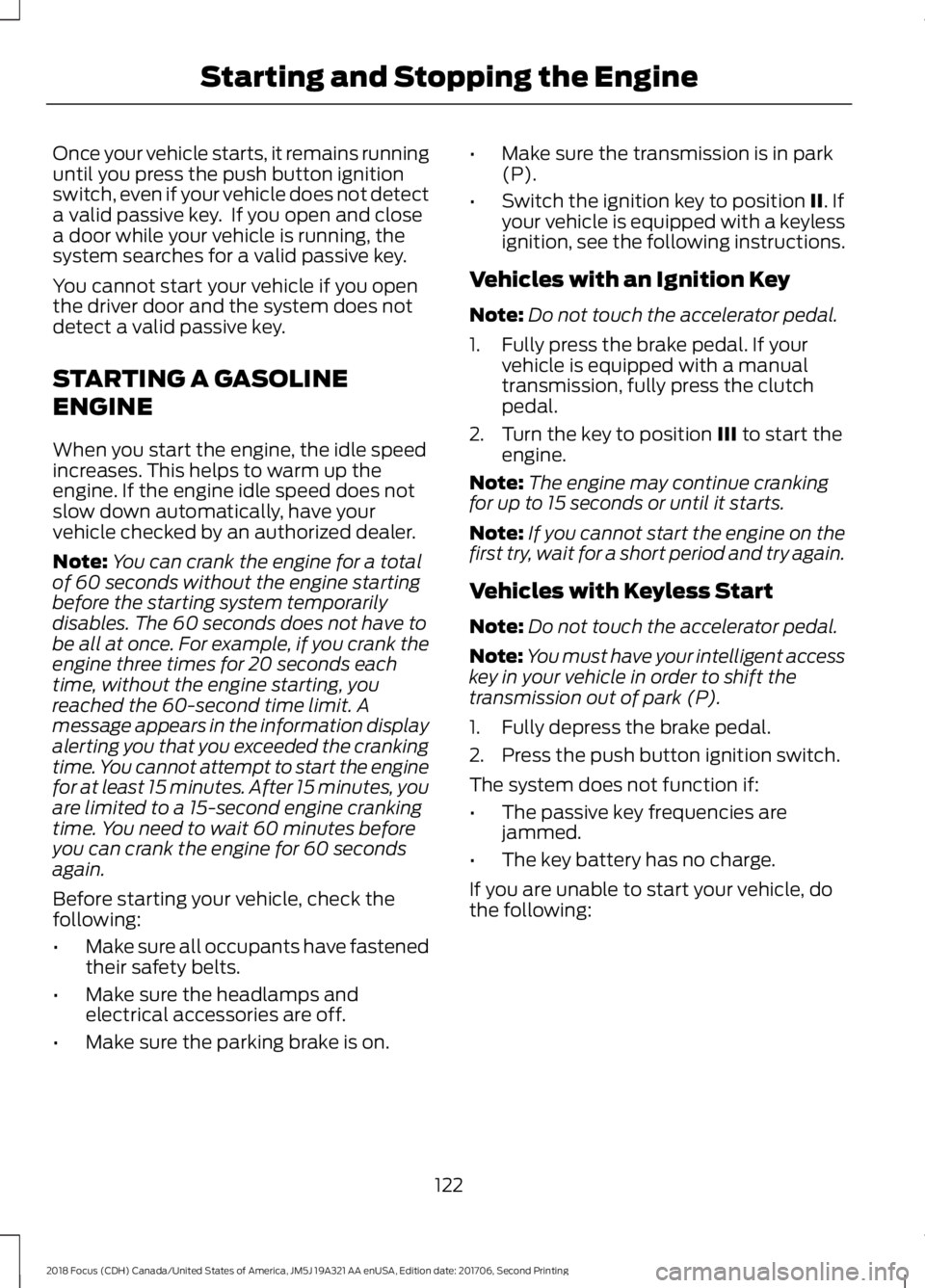
If you are unable to start your vehicle, dothe following:
1222018 Focus (CDH) Canada/United States of America, JM5J 19A321 AA enUSA, Edition date: 201706, Second PrintingStarting and Stopping the Engine
Page 126 of 473
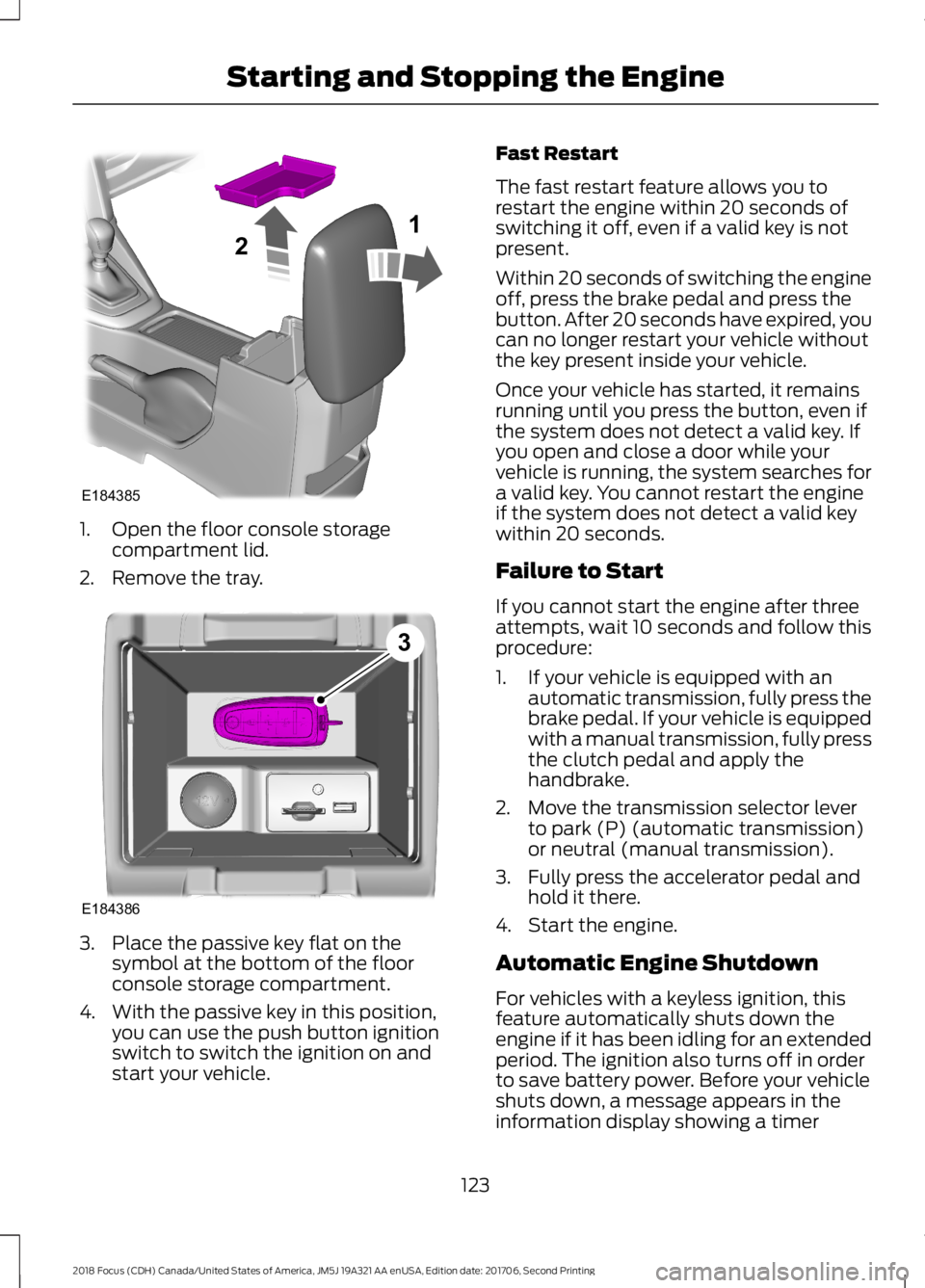
1.Open the floor console storagecompartment lid.
2.Remove the tray.
3.Place the passive key flat on thesymbol at the bottom of the floorconsole storage compartment.
4.With the passive key in this position,you can use the push button ignitionswitch to switch the ignition on andstart your vehicle.
Fast Restart
The fast restart feature allows you torestart the engine within 20 seconds ofswitching it off, even if a valid key is notpresent.
Within 20 seconds of switching the engineoff, press the brake pedal and press thebutton. After 20 seconds have expired, youcan no longer restart your vehicle withoutthe key present inside your vehicle.
Once your vehicle has started, it remainsrunning until you press the button, even ifthe system does not detect a valid key. Ifyou open and close a door while yourvehicle is running, the system searches fora valid key. You cannot restart the engineif the system does not detect a valid keywithin 20 seconds.
Failure to Start
If you cannot start the engine after threeattempts, wait 10 seconds and follow thisprocedure:
1.If your vehicle is equipped with anautomatic transmission, fully press thebrake pedal. If your vehicle is equippedwith a manual transmission, fully pressthe clutch pedal and apply thehandbrake.
2.Move the transmission selector leverto park (P) (automatic transmission)or neutral (manual transmission).
3.Fully press the accelerator pedal andhold it there.
4.Start the engine.
Automatic Engine Shutdown
For vehicles with a keyless ignition, thisfeature automatically shuts down theengine if it has been idling for an extendedperiod. The ignition also turns off in orderto save battery power. Before your vehicleshuts down, a message appears in theinformation display showing a timer
1232018 Focus (CDH) Canada/United States of America, JM5J 19A321 AA enUSA, Edition date: 201706, Second PrintingStarting and Stopping the EngineE18438521 E1843863
Page 142 of 473
Your vehicle may not pass the I/M test ifthe service engine soon indicator is on ornot working properly (bulb is burned out),or if the OBD-II system has determinedthat some of the emission control systemshave not been properly checked. In thiscase, the vehicle is not ready for I/Mtesting.
If the vehicle’s engine or transmission hasjust been serviced, or the battery hasrecently run down or been replaced, theOBD-II system may indicate that thevehicle is not ready for I/M testing. Todetermine if the vehicle is ready for I/Mtesting, turn the ignition key to the onposition for 15 seconds without crankingthe engine. If the service engine soonindicator blinks eight times, it means thatthe vehicle is not ready for I/M testing; ifthe service engine soon indicator stays onsolid, it means that your vehicle is readyfor I/M testing.
The OBD-II system checks the emissioncontrol system during normal driving. Acomplete check may take several days.
If the vehicle is not ready for I/M testing,you can perform the following driving cycleconsisting of mixed city and highwaydriving:
1.15 minutes of steady driving on anexpressway or highway followed by 20minutes of stop-and-go driving with atleast four 30-second idle periods.
2.Allow your vehicle to sit for at leasteight hours with the ignition off. Then,start the vehicle and complete theabove driving cycle. The vehicle mustwarm up to its normal operatingtemperature. Once started, do not turnoff the vehicle until the above drivingcycle is complete.
If the vehicle is still not ready for I/Mtesting, you need to repeat the abovedriving cycle.
1392018 Focus (CDH) Canada/United States of America, JM5J 19A321 AA enUSA, Edition date: 201706, Second PrintingEngine Emission Control
Page 187 of 473
You can flat-tow (all wheels on theground, regardless of the powertrain andtransmission configuration) your disabledvehicle (without access to wheel dollies,car-hauling trailer, or flatbed transportvehicle) under the following conditions:
•Your vehicle is facing forward so youtow it in a forward direction.
•You place the transmission in neutral(N). If you cannot place thetransmission in neutral (N), you mayneed to override it. See Transmission(page 140).
•Maximum speed is 35 mph (56 km/h).
•Maximum distance is 50 mi (80 km).
Recreational Towing
Vehicles with an Ignition Key
Note: Put your climate control system inrecirculated air mode to prevent exhaustfumes from entering the vehicle. SeeClimate Control (page 104).
Note:There must be battery power to movethe transmission's internal components toneutral (N) properly in Step 3. In addition,moving the gearshift to the neutral (N)position without first switching the ignitionto the on position limits the towingcapability to 35 mph (56 km/h) and 50 mi(80 km).
1.Release the parking brake.
2.Switch the ignition to the on position.
3.Press the brake pedal, and then movethe gearshift to the neutral (N)position.
4.Wait for a message in the informationand entertainment display indicatingthat the transmission is ready, and thenswitch off the ignition and release thebrake pedal.
5.Disconnect the negative (black) cablefrom the battery. See Changing the12V Battery (page 222).
Note:The anti-theft system does not workuntil you reconnect the battery cable.
Note:The maximum towing speed is70 mph (112 km/h).
Note:There is no limit on towing distance.
After towing, start the engine within 15minutes of reconnecting the battery cable.See Changing the 12V Battery (page 222).
Vehicles with Keyless Start
Note: Put your climate control system inrecirculated air mode to prevent exhaustfumes from entering the vehicle. SeeClimate Control (page 104).
Note:There must be battery power to movethe transmission's internal components toneutral (N) properly in Step 3. In addition,moving the gearshift to the neutral (N)position without first switching the ignitionto the on position limits the towingcapability to 35 mph (56 km/h) and 50 mi(80 km).
1.Release the parking brake.
2.Switch on the ignition by pressing thekeyless start button, but do not applythe brake pedal.
3.Press the brake pedal, and then movethe gearshift to the neutral (N)position. Release the brake pedal.
4.Wait for a message indicating that thetransmission is ready in the informationand entertainment display, and thenswitch off the ignition by pressing thekeyless start button.
5.Disconnect the negative (black) cablefrom the battery. You need the doorkey to lock and unlock doors when thebattery cable is disconnected. SeeChanging the 12V Battery (page 222).
Note:The anti-theft system does not workuntil you reconnect the battery cable.
Note:The maximum towing speed is70 mph (112 km/h).
1842018 Focus (CDH) Canada/United States of America, JM5J 19A321 AA enUSA, Edition date: 201706, Second PrintingTowing
Page 191 of 473
ROADSIDE ASSISTANCE
Vehicles Sold in the United States:Getting Roadside Assistance
To fully assist you should you have avehicle concern, Ford Motor Companyoffers a complimentary roadsideassistance program. This program isseparate from the New Vehicle LimitedWarranty.
The service is available:
•24 hours a day, seven days a week.
•For the coverage period listed on theRoadside Assistance Card included inyour Owner's Manual portfolio.
Roadside Assistance covers:
•A flat tire change with a good spare(except vehicles supplied with a tireinflation kit).
•Battery jump start.
•Lock-out assistance (key replacementcost is the customer's responsibility).
•Fuel delivery — independent servicecontractors, if not prohibited by state,local or municipal law, shall deliver upto 2 gal (8 L) of gasoline or 5 gal (20 L)of diesel fuel to a disabled vehicle.Roadside Assistance limits fuel deliveryservice to two no-charge occurrenceswithin a 12-month period.
•Winch out — available within 100 ft(30 m) of a paved or countymaintained road, no recoveries.
•Towing — independent servicecontractors, if not prohibited by state,local or municipal law, shall tow Fordeligible vehicles to an authorized dealerwithin 35 mi (56 km) of thedisablement location or to the nearestauthorized dealer. If a memberrequests a tow to an authorized dealerthat is more than 35 mi (56 km) fromthe disablement location, the membershall be responsible for any mileagecosts in excess of 35 mi (56 km).
•Roadside Assistance includes up to$200 for a towed trailer if the disabledeligible vehicle requires service at thenearest authorized dealer. If the towingvehicle is operational but the trailer isnot, then the trailer does not qualify forany roadside services.
Vehicles Sold in the United States:Using Roadside Assistance
Complete the roadside assistanceidentification card and place it in yourwallet for quick reference. This card is inthe owner's information portfolio in theglove compartment.
United States vehicle customers whorequire Roadside Assistance, call1-800-241-3673.
If you need to arrange roadside assistancefor yourself, Ford Motor Companyreimburses a reasonable amount fortowing to the nearest dealership within35 mi (56 km). To obtain reimbursementinformation, United States vehiclecustomers call 1-800-241-3673.Customers need to submit their originalreceipts.
1882018 Focus (CDH) Canada/United States of America, JM5J 19A321 AA enUSA, Edition date: 201706, Second PrintingRoadside Emergencies
Page 192 of 473
Vehicles Sold in Canada: GettingRoadside Assistance
To fully assist you should you have avehicle concern, Ford Motor Company ofCanada, Limited offers a complimentaryroadside assistance program. Thisprogram is eligible within Canada or thecontinental United States.
This program is separate from the NewVehicle Limited Warranty, but the coverageis concurrent with the powertrain coverageperiod of your vehicle.
Canadian customers who require roadsideassistance, call 1-800-665-2006.
Vehicles Sold in Canada: UsingRoadside Assistance
Complete the roadside assistanceidentification card and place it in yourwallet for quick reference.
In Canada, this card is found in theWarranty Guide in the glove compartmentof your vehicle.
Vehicles Sold in Canada: RoadsideAssistance Program Coverage
The service is available 24 hours a day,seven days a week.
Canadian roadside coverage and benefitsmay differ from the U.S. coverage.
If you require more information, pleaserefer to the coverage section of yourwarranty guide, call us in Canada at1-800-665-2006, or visit our website atwww.ford.ca.
HAZARD FLASHERS
Note:If used when the vehicle is notrunning, the battery will lose charge. Theremay be insufficient power to restart yourvehicle.
The hazard warning button islocated on the instrument panel.Use it when your vehicle iscreating a safety hazard for othermotorists.
•Press the button to turn on the hazardwarning function, and the front andrear direction indicators will flash.
•Press the button again to turn themoff.
FUEL SHUTOFF
WARNING
If your vehicle has been involved in acrash, have the fuel system checked.Failure to follow this instructioncould result in fire, personal injury or death.
In the event of a moderate to severecollision, this vehicle includes a fuel pumpshutoff feature that stops the flow of fuelto the engine. Not every impact will causea shutoff.
Should your vehicle shut off after acollision, you may restart your vehicle. Forvehicles equipped with a key system:
1.Switch off the ignition.
2.Switch to start position.
3.Switch off the ignition.
4.Switch on the ignition to re-enable thefuel pump.
For vehicles equipped with a push buttonstart system:
1.Press the START/STOP button toswitch off the ignition.
2.Press the brake pedal and press theSTART/STOP button to switch on theignition.
1892018 Focus (CDH) Canada/United States of America, JM5J 19A321 AA enUSA, Edition date: 201706, Second PrintingRoadside Emergencies
Page 369 of 473
To call a number in your contacts,select:
Action and DescriptionMenu Item
You can then select thename of the contact youwant to call. Any numbersstored for that contactdisplay along with anystored contact photos. Youcan then select thenumber that you want tocall. The system begins thecall.
Contacts
To call a number from your recent calls,select:
Action and DescriptionMenu Item
You can then select anentry that you want to call.The system begins the call.
Recent CallList
To call a number that is not stored inyour phone, select:
Action and DescriptionMenu Item
Select the digits of thenumber you wish to call.PhoneKeypad
The system begins the call.Call
Pressing the backspace button deletes thelast digit you typed.
Receiving Calls
During an incoming call, an audible tonesounds. Caller information appears in thedisplay if it is available.
To accept the call, select:
Menu Item
Accept
Note:You can also accept the call bypressing the phone button on the steeringwheel.
To reject the call, select:
Menu Item
Reject
Note:You can also reject the call bypressing the phone button on the steeringwheel.
Ignore the call by doing nothing. SYNC 3logs it as a missed call.
During a Phone Call
During a phone call, the contacts nameand number display on the screen alongwith the call duration.
The phone status items are also visible:
•Signal Strength.
•Battery.
•911 Assist (United States and Canadaonly). See Settings (page 379).
You can select any of the following duringan active phone call:
3662018 Focus (CDH) Canada/United States of America, JM5J 19A321 AA enUSA, Edition date: 201706, Second PrintingSYNC™ 3
Page 463 of 473
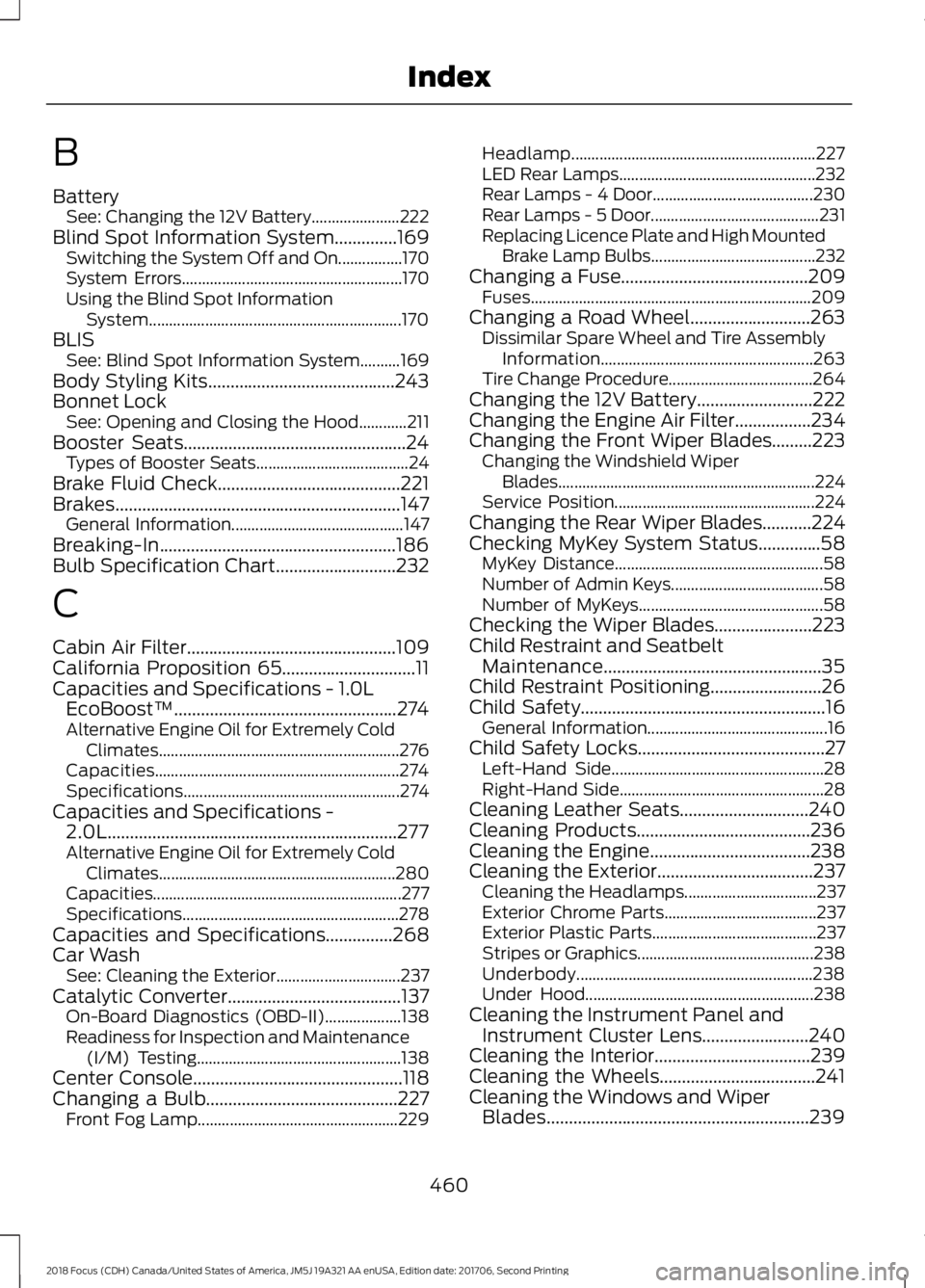
B
BatterySee: Changing the 12V Battery......................222Blind Spot Information System..............169Switching the System Off and On................170System Errors.......................................................170Using the Blind Spot InformationSystem...............................................................170BLISSee: Blind Spot Information System..........169Body Styling Kits..........................................243Bonnet LockSee: Opening and Closing the Hood............211Booster Seats..................................................24Types of Booster Seats......................................24Brake Fluid Check.........................................221Brakes................................................................147General Information...........................................147Breaking-In.....................................................186Bulb Specification Chart...........................232
C
Cabin Air Filter...............................................109California Proposition 65..............................11Capacities and Specifications - 1.0LEcoBoost™..................................................274Alternative Engine Oil for Extremely ColdClimates............................................................276Capacities.............................................................274Specifications......................................................274Capacities and Specifications -2.0L.................................................................277Alternative Engine Oil for Extremely ColdClimates...........................................................280Capacities..............................................................277Specifications......................................................278Capacities and Specifications...............268Car WashSee: Cleaning the Exterior...............................237Catalytic Converter.......................................137On-Board Diagnostics (OBD-II)...................138Readiness for Inspection and Maintenance(I/M) Testing...................................................138Center Console...............................................118Changing a Bulb...........................................227Front Fog Lamp..................................................229
Headlamp.............................................................227LED Rear Lamps.................................................232Rear Lamps - 4 Door........................................230Rear Lamps - 5 Door..........................................231Replacing Licence Plate and High MountedBrake Lamp Bulbs.........................................232Changing a Fuse..........................................209Fuses......................................................................209Changing a Road Wheel...........................263Dissimilar Spare Wheel and Tire AssemblyInformation.....................................................263Tire Change Procedure....................................264Changing the 12V Battery..........................222Changing the Engine Air Filter.................234Changing the Front Wiper Blades.........223Changing the Windshield WiperBlades................................................................224Service Position..................................................224Changing the Rear Wiper Blades...........224Checking MyKey System Status..............58MyKey Distance....................................................58Number of Admin Keys......................................58Number of MyKeys..............................................58Checking the Wiper Blades......................223Child Restraint and SeatbeltMaintenance.................................................35Child Restraint Positioning.........................26Child Safety.......................................................16General Information.............................................16Child Safety Locks..........................................27Left-Hand Side.....................................................28Right-Hand Side...................................................28Cleaning Leather Seats.............................240Cleaning Products.......................................236Cleaning the Engine....................................238Cleaning the Exterior...................................237Cleaning the Headlamps.................................237Exterior Chrome Parts......................................237Exterior Plastic Parts.........................................237Stripes or Graphics............................................238Underbody...........................................................238Under Hood.........................................................238Cleaning the Instrument Panel andInstrument Cluster Lens........................240Cleaning the Interior...................................239Cleaning the Wheels...................................241Cleaning the Windows and WiperBlades...........................................................239
4602018 Focus (CDH) Canada/United States of America, JM5J 19A321 AA enUSA, Edition date: 201706, Second PrintingIndex
Page 466 of 473
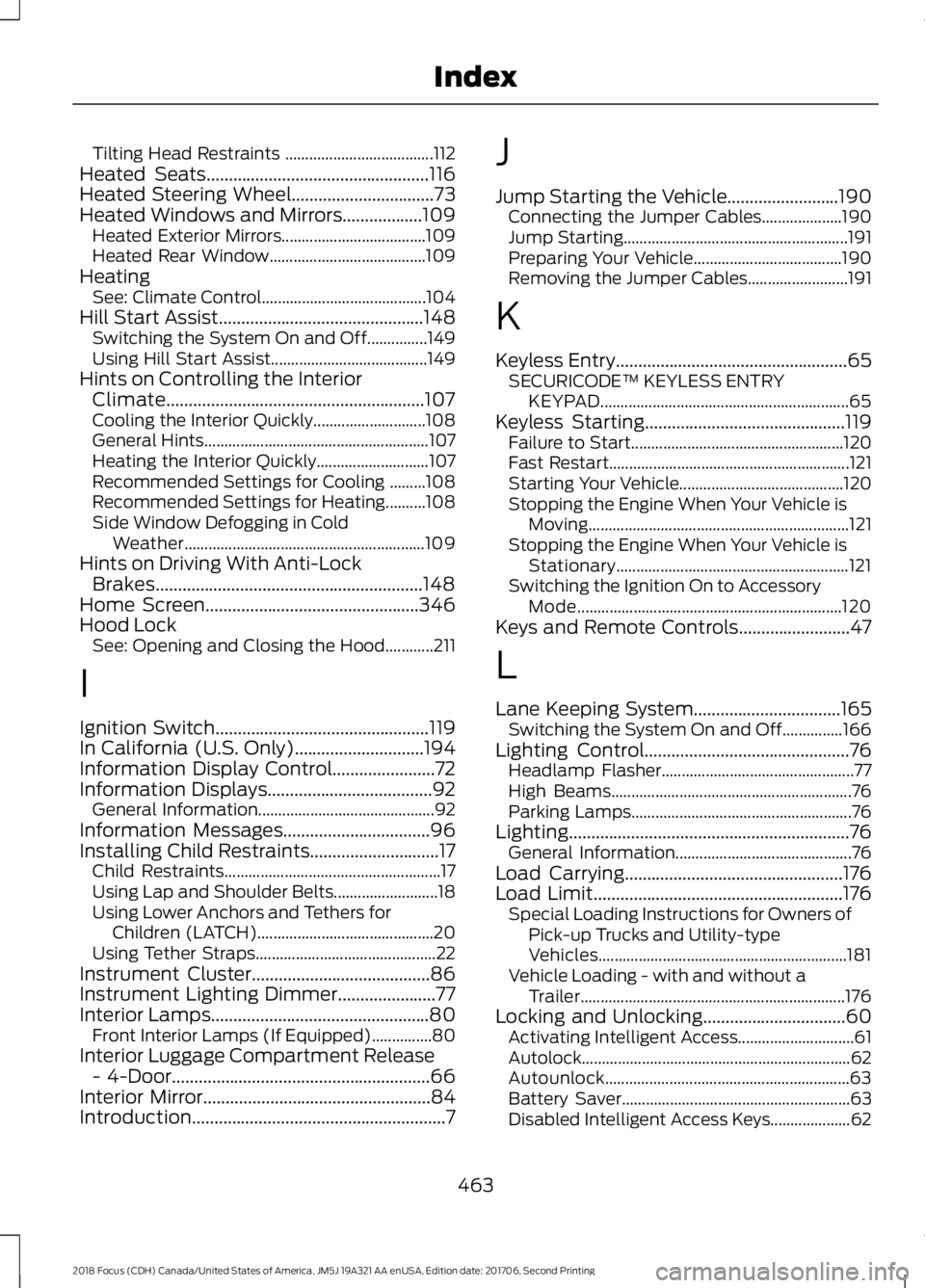
Tilting Head Restraints .....................................112Heated Seats..................................................116Heated Steering Wheel................................73Heated Windows and Mirrors..................109Heated Exterior Mirrors....................................109Heated Rear Window.......................................109HeatingSee: Climate Control.........................................104Hill Start Assist..............................................148Switching the System On and Off...............149Using Hill Start Assist.......................................149Hints on Controlling the InteriorClimate..........................................................107Cooling the Interior Quickly............................108General Hints........................................................107Heating the Interior Quickly............................107Recommended Settings for Cooling .........108Recommended Settings for Heating..........108Side Window Defogging in ColdWeather............................................................109Hints on Driving With Anti-LockBrakes............................................................148Home Screen................................................346Hood LockSee: Opening and Closing the Hood............211
I
Ignition Switch................................................119In California (U.S. Only).............................194Information Display Control.......................72Information Displays.....................................92General Information............................................92Information Messages.................................96Installing Child Restraints.............................17Child Restraints......................................................17Using Lap and Shoulder Belts..........................18Using Lower Anchors and Tethers forChildren (LATCH)............................................20Using Tether Straps.............................................22Instrument Cluster........................................86Instrument Lighting Dimmer......................77Interior Lamps.................................................80Front Interior Lamps (If Equipped)...............80Interior Luggage Compartment Release- 4-Door..........................................................66Interior Mirror...................................................84Introduction.........................................................7
J
Jump Starting the Vehicle.........................190Connecting the Jumper Cables....................190Jump Starting........................................................191Preparing Your Vehicle.....................................190Removing the Jumper Cables.........................191
K
Keyless Entry....................................................65SECURICODE™ KEYLESS ENTRYKEYPAD..............................................................65Keyless Starting.............................................119Failure to Start.....................................................120Fast Restart............................................................121Starting Your Vehicle.........................................120Stopping the Engine When Your Vehicle isMoving.................................................................121Stopping the Engine When Your Vehicle isStationary..........................................................121Switching the Ignition On to AccessoryMode..................................................................120Keys and Remote Controls.........................47
L
Lane Keeping System.................................165Switching the System On and Off...............166Lighting Control..............................................76Headlamp Flasher................................................77High Beams............................................................76Parking Lamps.......................................................76Lighting...............................................................76General Information............................................76Load Carrying.................................................176Load Limit........................................................176Special Loading Instructions for Owners ofPick-up Trucks and Utility-typeVehicles..............................................................181Vehicle Loading - with and without aTrailer..................................................................176Locking and Unlocking................................60Activating Intelligent Access.............................61Autolock...................................................................62Autounlock.............................................................63Battery Saver.........................................................63Disabled Intelligent Access Keys....................62
4632018 Focus (CDH) Canada/United States of America, JM5J 19A321 AA enUSA, Edition date: 201706, Second PrintingIndex