steering FORD FOCUS 2018 Workshop Manual
[x] Cancel search | Manufacturer: FORD, Model Year: 2018, Model line: FOCUS, Model: FORD FOCUS 2018Pages: 473, PDF Size: 39.91 MB
Page 350 of 473
Home screen displayTileItem
If your vehicle does not have navigation, this space contains theaudio information.
* If equipped.
You can touch any of the feature displaysto access that feature.
Anytime you select the home button, thesystem returns you to this screen.
USING VOICE RECOGNITION
The SYNC 3 system allows you to use voicecommands, to control features like audioand phone. By using voice commands, youcan keep your hands on the wheel and youreyes on the road.
You can access each feature controlled bySYNC 3 through a variety of commands.
To activate the SYNC 3 voicecommands push the voicebutton on the steering wheel andwait for the prompt.
___ is a dynamic listing, meaning that it canbe the name of anything, such as artist, thename of contact or number. The contextand the description of the command tellyou what to say for this dynamic option.
There are some commands that work forevery feature, these commands are:
Action and DescriptionVoice Command
Brings you to the main menu.Main Menu
Returns you to the previous screen.Go back
Ends the voice session.Cancel
Gives you a list of possible voice commands.List of Commands
You can name any feature and the system gives a list ofcommands available for the feature. For example, you couldsay:
___ List of Commands
Phone List of Commands
Navigation List of Commands
You can use this command to view the next page of options onany screen where multiple pages of choices are given.Next Page
You can use this command to view the previous page of optionson any screen where multiple pages of choices are given.Previous Page
Gives you available commands you can use on the currentscreen.Help
3472018 Focus (CDH) Canada/United States of America, JM5J 19A321 AA enUSA, Edition date: 201706, Second PrintingSYNC™ 3E142599
Page 368 of 473
Action and DescriptionMenu ItemItem
You can also sort the calls by selecting the drop downmenu at the top of the screen. You can choose:
MissedOutgoingIncomingAll
All of your contacts from your phone display in alphabet-ical order.ContactsB
Selecting this button allowsyou to choose a specific letterto view.
A-Z Jump
Displays the name of your phone and takes you to thephone settings options.PhoneSettingsC
From this menu, you can pair subsequent devices, set ringtones and alerts.
Gives you access to the list of paired or connectedBluetooth devices allowing you to change or select adevice.
ChangeDeviceD
Displays all recent text messages.TextMessagesE
Use this keypad to dial in a phone number.PhoneKeypadFUse the backspace button to delete numbers.
Press this button to begin acall.Call
Touch this button to reject all incoming calls automatic-ally. Text message notifications do not display on thescreen. All ringtones and alerts are set to silent.
Do NotDisturbG
Users with phones having voice servicesmay see a button to access the feature.For example, iPhone users see a Siri button.A press and hold of the voice button on thesteering wheel also accesses this feature.
Making Calls
There are many ways to make calls fromthe SYNC 3 system, including using voicecommands. See Using VoiceRecognition (page 347). You can use thetouchscreen to place calls as well.
3652018 Focus (CDH) Canada/United States of America, JM5J 19A321 AA enUSA, Edition date: 201706, Second PrintingSYNC™ 3
Page 369 of 473
To call a number in your contacts,select:
Action and DescriptionMenu Item
You can then select thename of the contact youwant to call. Any numbersstored for that contactdisplay along with anystored contact photos. Youcan then select thenumber that you want tocall. The system begins thecall.
Contacts
To call a number from your recent calls,select:
Action and DescriptionMenu Item
You can then select anentry that you want to call.The system begins the call.
Recent CallList
To call a number that is not stored inyour phone, select:
Action and DescriptionMenu Item
Select the digits of thenumber you wish to call.PhoneKeypad
The system begins the call.Call
Pressing the backspace button deletes thelast digit you typed.
Receiving Calls
During an incoming call, an audible tonesounds. Caller information appears in thedisplay if it is available.
To accept the call, select:
Menu Item
Accept
Note:You can also accept the call bypressing the phone button on the steeringwheel.
To reject the call, select:
Menu Item
Reject
Note:You can also reject the call bypressing the phone button on the steeringwheel.
Ignore the call by doing nothing. SYNC 3logs it as a missed call.
During a Phone Call
During a phone call, the contacts nameand number display on the screen alongwith the call duration.
The phone status items are also visible:
•Signal Strength.
•Battery.
•911 Assist (United States and Canadaonly). See Settings (page 379).
You can select any of the following duringan active phone call:
3662018 Focus (CDH) Canada/United States of America, JM5J 19A321 AA enUSA, Edition date: 201706, Second PrintingSYNC™ 3
Page 370 of 473
Item
Immediately end aphone call. You canalso press thebutton on thesteering wheel.
End Call
Press this to accessthe phone keypad.Keypad
You can switch themicrophone off sothe caller does nothear you.
Mute
Item
PrivacyTransfer the call tothe cell phone orback to SYNC 3.
Text Messaging
Note:Downloading and sending textmessages using Bluetooth are cellphone-dependent features.
Note:Certain features in text messagingare speed-dependent and not availablewhen your vehicle is traveling at speeds over3 mph (5 km/h).
Receiving a Text Message
When a new message arrives, an audible tone sounds and the screen displays apop-up with the caller name and ID, if supported by your cell phone. You can select:
Action and DescriptionMenu Item
Have SYNC 3 read the message to you.Hear It
View the text on the touchscreen.View
To call the sender.Call
You can select from 15 preset messages. Press the messagethat you would like to use and confirm to send the message.SYNC 3 confirms when the message is sent successfully.
Reply
To exit the screen.Close
Smartphone Connectivity (If Equipped)
SYNC 3 allows you to use Apple CarPlayand Android Auto to access your phone.
When you use Apple CarPlay or AndroidAuto, you can:
•Make calls.
•Send and receive messages.
•Listen to music.
•Use your phone's voice assistant.
Apple CarPlay and Android Auto disablesome SYNC 3 features.
Most Apple CarPlay and Android Autofeatures use mobile data.
Apple CarPlay
Apple CarPlay requires an iPhone 5 ornewer with iOS 7.1 or newer. Updating tothe latest iOS version is recommended.
1.Plug your phone into a USB port. SeeUSB Port (page 296).
3672018 Focus (CDH) Canada/United States of America, JM5J 19A321 AA enUSA, Edition date: 201706, Second PrintingSYNC™ 3
Page 379 of 473
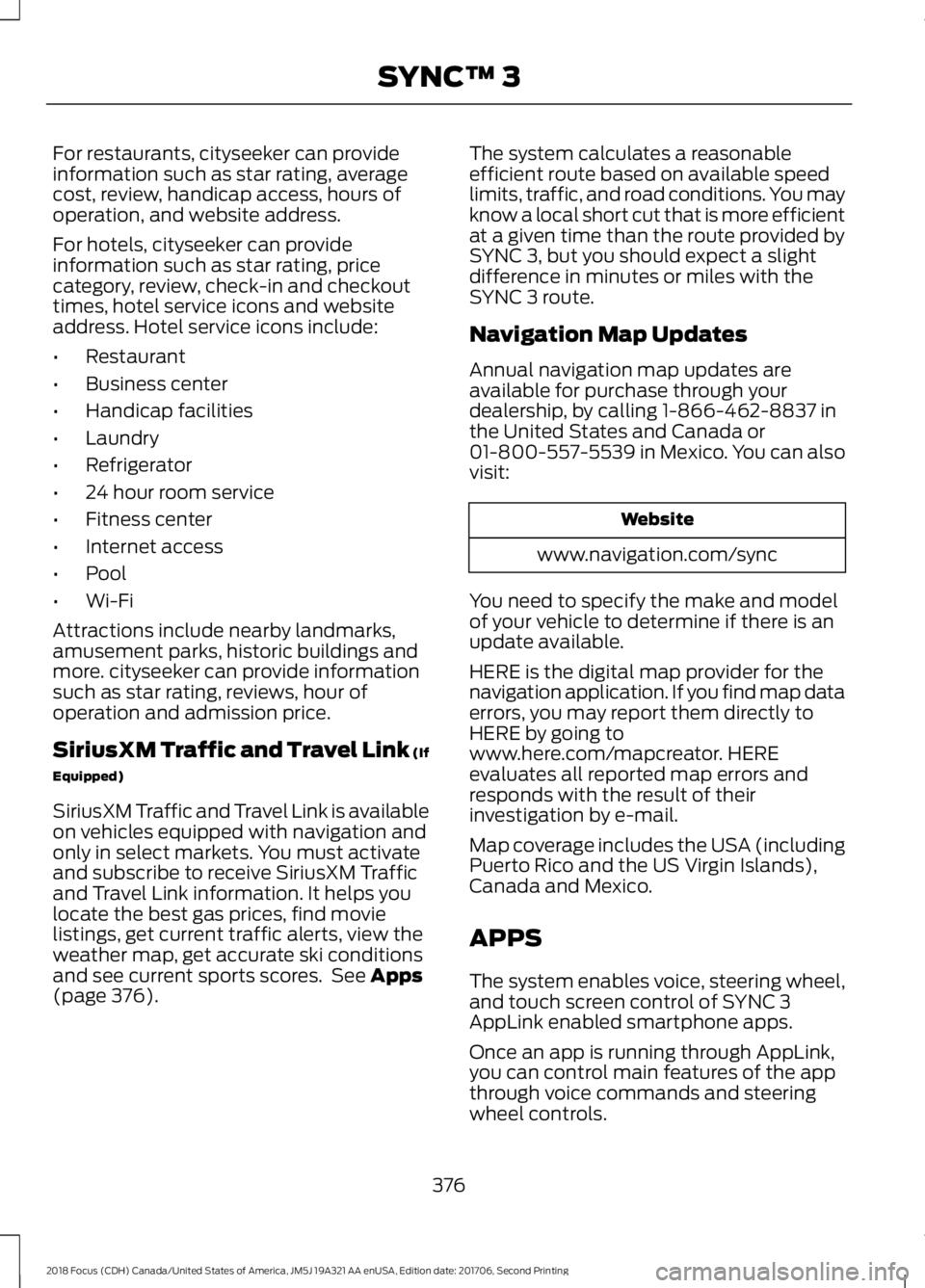
For restaurants, cityseeker can provideinformation such as star rating, averagecost, review, handicap access, hours ofoperation, and website address.
For hotels, cityseeker can provideinformation such as star rating, pricecategory, review, check-in and checkouttimes, hotel service icons and websiteaddress. Hotel service icons include:
•Restaurant
•Business center
•Handicap facilities
•Laundry
•Refrigerator
•24 hour room service
•Fitness center
•Internet access
•Pool
•Wi-Fi
Attractions include nearby landmarks,amusement parks, historic buildings andmore. cityseeker can provide informationsuch as star rating, reviews, hour ofoperation and admission price.
SiriusXM Traffic and Travel Link (If
Equipped)
SiriusXM Traffic and Travel Link is availableon vehicles equipped with navigation andonly in select markets. You must activateand subscribe to receive SiriusXM Trafficand Travel Link information. It helps youlocate the best gas prices, find movielistings, get current traffic alerts, view theweather map, get accurate ski conditionsand see current sports scores. See Apps(page 376).
The system calculates a reasonableefficient route based on available speedlimits, traffic, and road conditions. You mayknow a local short cut that is more efficientat a given time than the route provided bySYNC 3, but you should expect a slightdifference in minutes or miles with theSYNC 3 route.
Navigation Map Updates
Annual navigation map updates areavailable for purchase through yourdealership, by calling 1-866-462-8837 inthe United States and Canada or01-800-557-5539 in Mexico. You can alsovisit:
Website
www.navigation.com/sync
You need to specify the make and modelof your vehicle to determine if there is anupdate available.
HERE is the digital map provider for thenavigation application. If you find map dataerrors, you may report them directly toHERE by going towww.here.com/mapcreator. HEREevaluates all reported map errors andresponds with the result of theirinvestigation by e-mail.
Map coverage includes the USA (includingPuerto Rico and the US Virgin Islands),Canada and Mexico.
APPS
The system enables voice, steering wheel,and touch screen control of SYNC 3AppLink enabled smartphone apps.
Once an app is running through AppLink,you can control main features of the appthrough voice commands and steeringwheel controls.
3762018 Focus (CDH) Canada/United States of America, JM5J 19A321 AA enUSA, Edition date: 201706, Second PrintingSYNC™ 3
Page 415 of 473
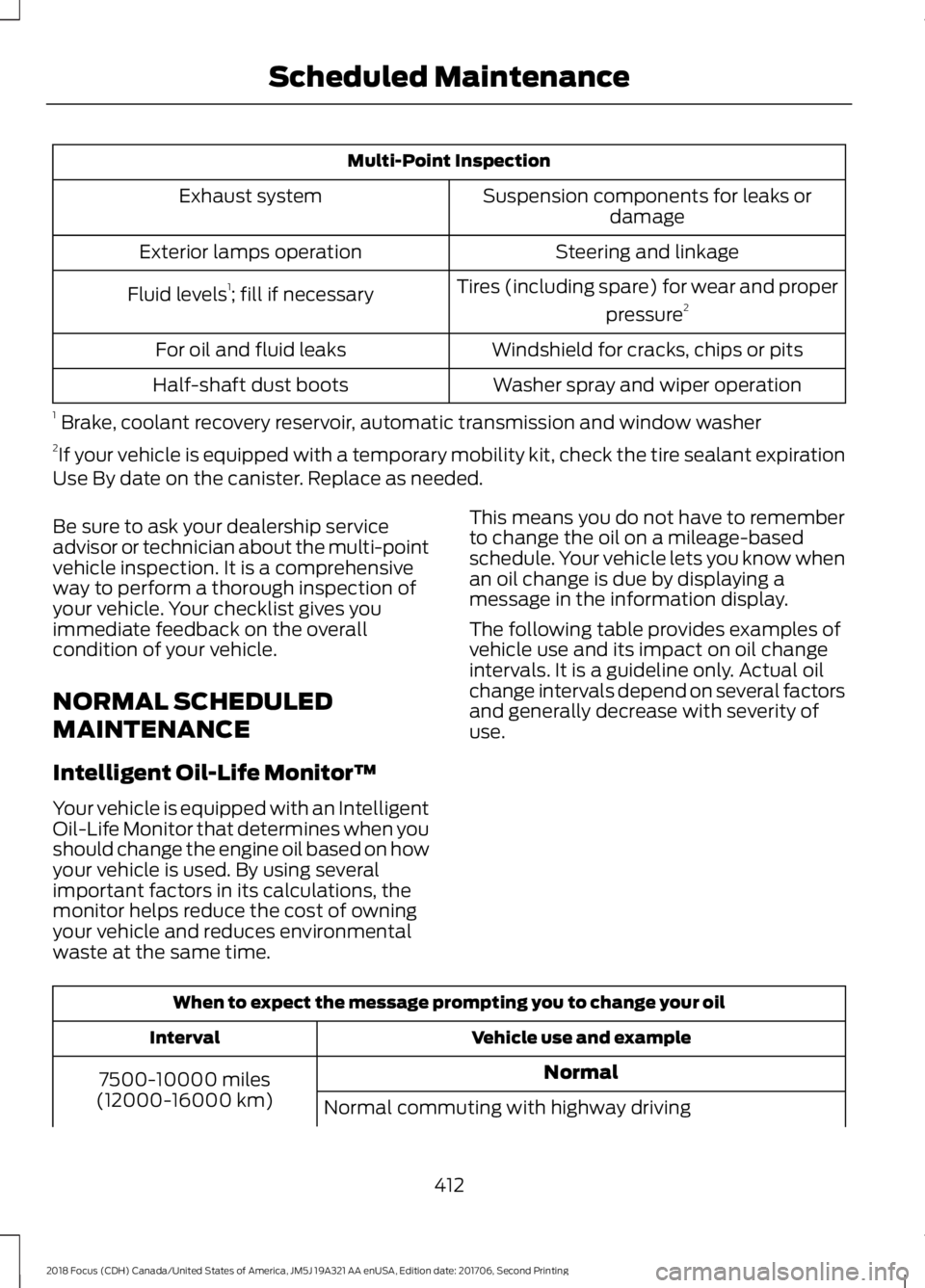
Multi-Point Inspection
Suspension components for leaks ordamageExhaust system
Steering and linkageExterior lamps operation
Tires (including spare) for wear and proper
pressure2Fluid levels1; fill if necessary
Windshield for cracks, chips or pitsFor oil and fluid leaks
Washer spray and wiper operationHalf-shaft dust boots
1 Brake, coolant recovery reservoir, automatic transmission and window washer2If your vehicle is equipped with a temporary mobility kit, check the tire sealant expirationUse By date on the canister. Replace as needed.
Be sure to ask your dealership serviceadvisor or technician about the multi-pointvehicle inspection. It is a comprehensiveway to perform a thorough inspection ofyour vehicle. Your checklist gives youimmediate feedback on the overallcondition of your vehicle.
NORMAL SCHEDULED
MAINTENANCE
Intelligent Oil-Life Monitor™
Your vehicle is equipped with an IntelligentOil-Life Monitor that determines when youshould change the engine oil based on howyour vehicle is used. By using severalimportant factors in its calculations, themonitor helps reduce the cost of owningyour vehicle and reduces environmentalwaste at the same time.
This means you do not have to rememberto change the oil on a mileage-basedschedule. Your vehicle lets you know whenan oil change is due by displaying amessage in the information display.
The following table provides examples ofvehicle use and its impact on oil changeintervals. It is a guideline only. Actual oilchange intervals depend on several factorsand generally decrease with severity ofuse.
When to expect the message prompting you to change your oil
Vehicle use and exampleInterval
Normal7500-10000 miles(12000-16000 km)Normal commuting with highway driving
4122018 Focus (CDH) Canada/United States of America, JM5J 19A321 AA enUSA, Edition date: 201706, Second PrintingScheduled Maintenance
Page 416 of 473
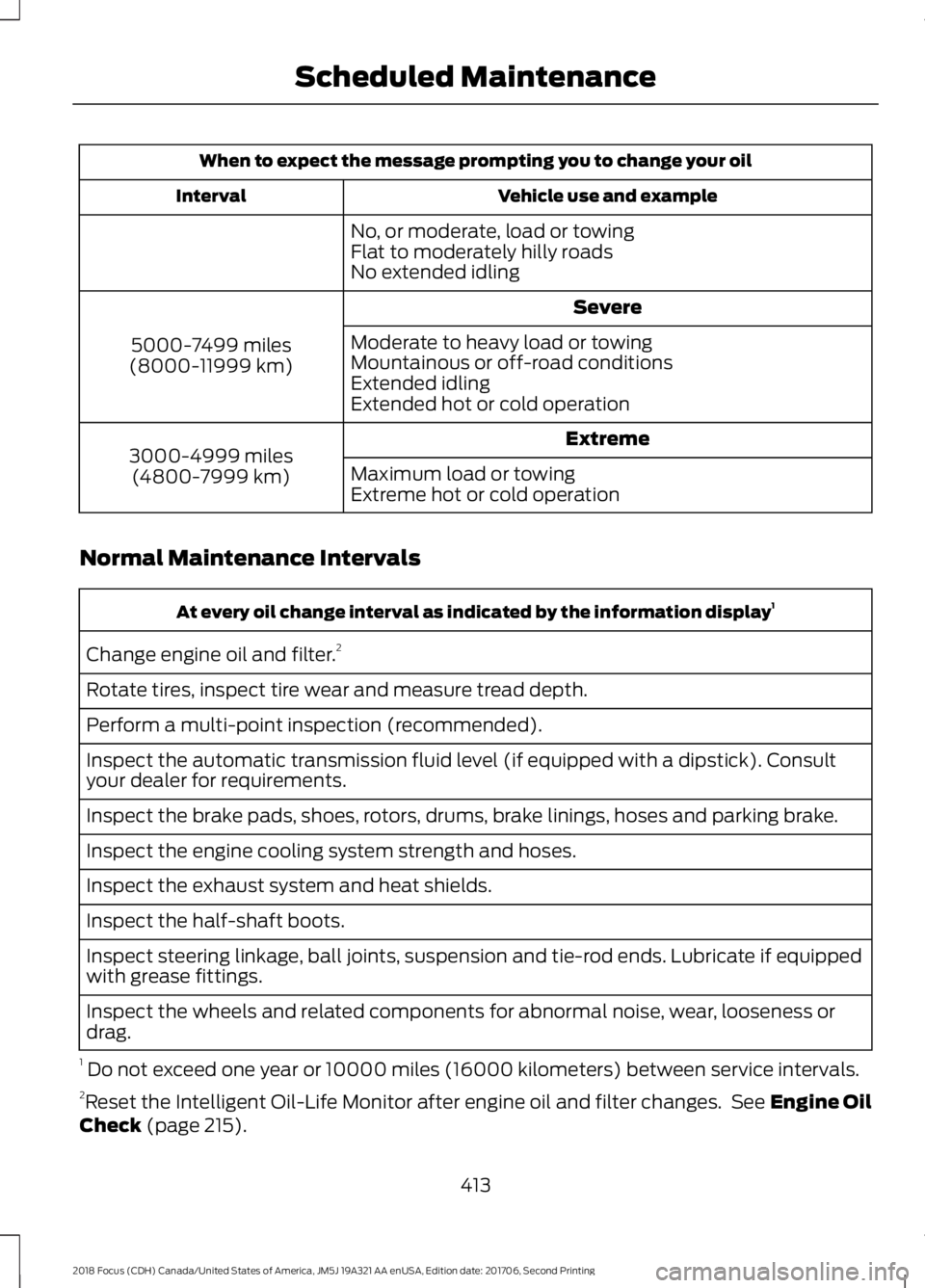
When to expect the message prompting you to change your oil
Vehicle use and exampleInterval
No, or moderate, load or towingFlat to moderately hilly roadsNo extended idling
Severe
5000-7499 miles(8000-11999 km)
Moderate to heavy load or towingMountainous or off-road conditionsExtended idlingExtended hot or cold operation
Extreme3000-4999 miles(4800-7999 km)Maximum load or towingExtreme hot or cold operation
Normal Maintenance Intervals
At every oil change interval as indicated by the information display1
Change engine oil and filter.2
Rotate tires, inspect tire wear and measure tread depth.
Perform a multi-point inspection (recommended).
Inspect the automatic transmission fluid level (if equipped with a dipstick). Consultyour dealer for requirements.
Inspect the brake pads, shoes, rotors, drums, brake linings, hoses and parking brake.
Inspect the engine cooling system strength and hoses.
Inspect the exhaust system and heat shields.
Inspect the half-shaft boots.
Inspect steering linkage, ball joints, suspension and tie-rod ends. Lubricate if equippedwith grease fittings.
Inspect the wheels and related components for abnormal noise, wear, looseness ordrag.
1 Do not exceed one year or 10000 miles (16000 kilometers) between service intervals.2Reset the Intelligent Oil-Life Monitor after engine oil and filter changes. See Engine OilCheck (page 215).
4132018 Focus (CDH) Canada/United States of America, JM5J 19A321 AA enUSA, Edition date: 201706, Second PrintingScheduled Maintenance
Page 462 of 473
A
A/CSee: Climate Control.........................................104About This Manual...........................................7ABSSee: Brakes............................................................147ABS driving hintsSee: Hints on Driving With Anti-LockBrakes................................................................148Accessories...................................................405Exterior style.......................................................405Interior style.........................................................405Lifestyle.................................................................405Peace of mind....................................................405AccessoriesSee: Replacement PartsRecommendation............................................12Active Park Assist.........................................155Deactivating the Active Park AssistFeature...............................................................157Parallel Parking Assist......................................155Troubleshooting the System..........................158Adjusting the Headlamps.........................225Horizontal Aim Adjustment...........................226Vertical Aim Adjustment.................................225Adjusting the Steering Wheel.....................71Airbag Disposal..............................................46Air ConditioningSee: Climate Control.........................................104Air FilterSee: Changing the Engine Air Filter.............234AlarmSee: Anti-Theft Alarm........................................70Ambient Lighting.............................................81Anti-Theft Alarm............................................70Arming the Alarm.................................................70Disarming the Alarm...........................................70Appendices....................................................427Apps..................................................................376...................................................................................376SiriusXM Traffic and Travel Link...................378Audible Warnings and Indicators............90Fasten Safety Belt................................................91Headlamps On Warning Chime.....................90Key in Ignition Warning Chime........................90Keyless Warning Alert........................................90Low Fuel Minder....................................................91
Parking Brake On Warning Chime...................91Audio Control....................................................71Seek, Next or Previous........................................72Audio System.................................................281General Information..........................................281Audio Unit - Vehicles With: SatelliteRadio.............................................................289Audio Unit - Vehicles With: Sony AudioSystem..........................................................285Menu Structure..................................................286Audio Unit - Vehicles With: SYNC.........282Autolamps.........................................................77Windshield Wiper ActivatedHeadlamps.........................................................77Automatic Climate Control......................105Dual Zone Temperature Control...................107Single Zone Temperature Control...............106Temperature Control........................................106Automatic High Beam Control..................79Automatic High Beam Indicator....................80Overriding the System.......................................80Switching the System On and Off.................79Automatic Transmission............................142Automatic Transmission AdaptiveLearning............................................................146Brake-Shift Interlock.........................................145If Your Vehicle Gets Stuck In Mud orSnow..................................................................146SelectShift Automatic™Transmission...................................................143Understanding the Positions of YourAutomatic Transmission.............................143Automatic Transmission FluidCheck..............................................................221Auto-Start-Stop............................................127Limitations of Use..............................................128Switching the System On and Off...............128Using Auto-Start-Stop with a ManualTransmission....................................................127Using Auto-Start-Stop with an AutomaticTransmission....................................................127Auxiliary Power Points..................................11712 Volt DC Power Point.......................................117Location...................................................................117
4592018 Focus (CDH) Canada/United States of America, JM5J 19A321 AA enUSA, Edition date: 201706, Second PrintingIndex
Page 466 of 473
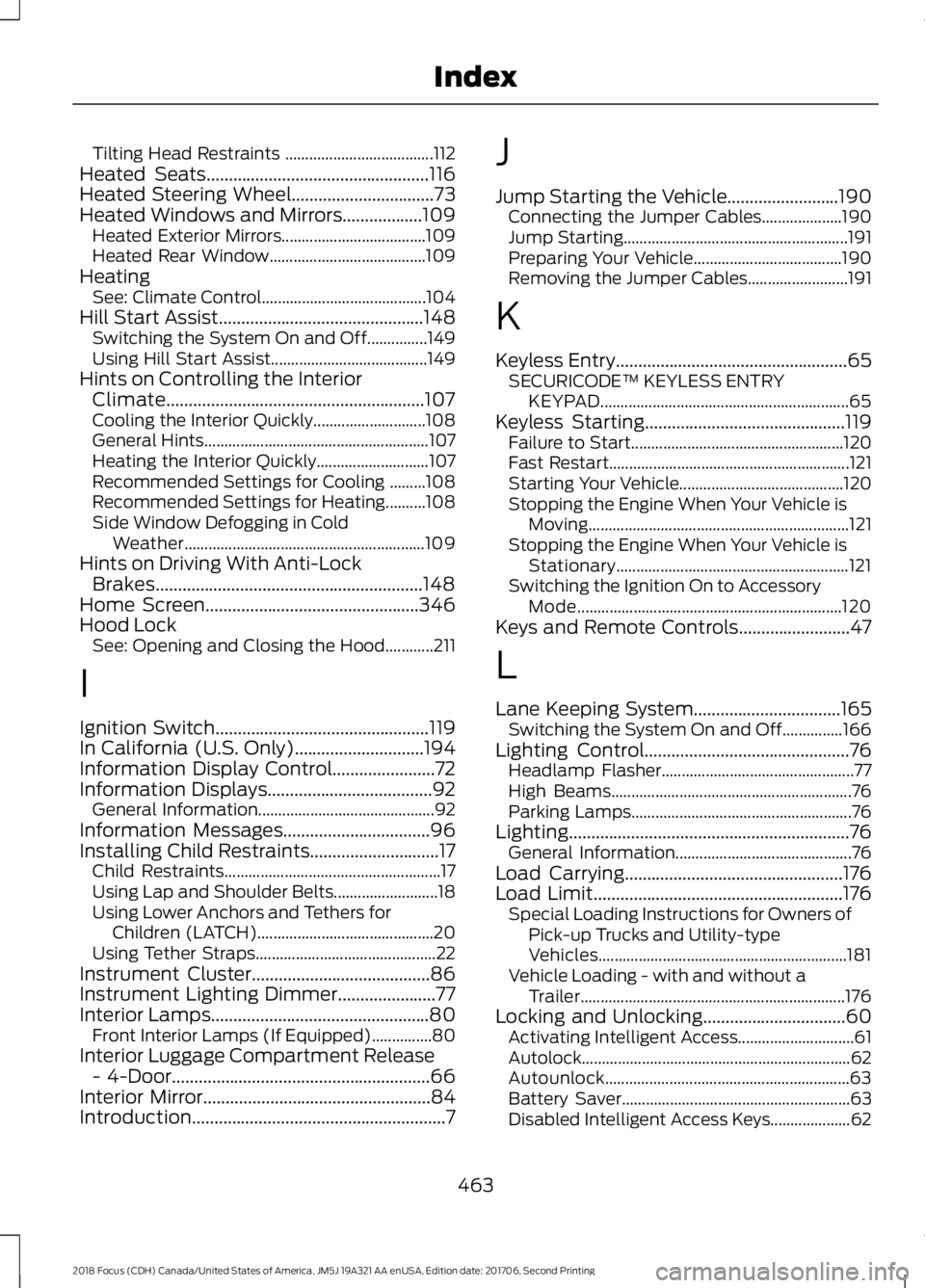
Tilting Head Restraints .....................................112Heated Seats..................................................116Heated Steering Wheel................................73Heated Windows and Mirrors..................109Heated Exterior Mirrors....................................109Heated Rear Window.......................................109HeatingSee: Climate Control.........................................104Hill Start Assist..............................................148Switching the System On and Off...............149Using Hill Start Assist.......................................149Hints on Controlling the InteriorClimate..........................................................107Cooling the Interior Quickly............................108General Hints........................................................107Heating the Interior Quickly............................107Recommended Settings for Cooling .........108Recommended Settings for Heating..........108Side Window Defogging in ColdWeather............................................................109Hints on Driving With Anti-LockBrakes............................................................148Home Screen................................................346Hood LockSee: Opening and Closing the Hood............211
I
Ignition Switch................................................119In California (U.S. Only).............................194Information Display Control.......................72Information Displays.....................................92General Information............................................92Information Messages.................................96Installing Child Restraints.............................17Child Restraints......................................................17Using Lap and Shoulder Belts..........................18Using Lower Anchors and Tethers forChildren (LATCH)............................................20Using Tether Straps.............................................22Instrument Cluster........................................86Instrument Lighting Dimmer......................77Interior Lamps.................................................80Front Interior Lamps (If Equipped)...............80Interior Luggage Compartment Release- 4-Door..........................................................66Interior Mirror...................................................84Introduction.........................................................7
J
Jump Starting the Vehicle.........................190Connecting the Jumper Cables....................190Jump Starting........................................................191Preparing Your Vehicle.....................................190Removing the Jumper Cables.........................191
K
Keyless Entry....................................................65SECURICODE™ KEYLESS ENTRYKEYPAD..............................................................65Keyless Starting.............................................119Failure to Start.....................................................120Fast Restart............................................................121Starting Your Vehicle.........................................120Stopping the Engine When Your Vehicle isMoving.................................................................121Stopping the Engine When Your Vehicle isStationary..........................................................121Switching the Ignition On to AccessoryMode..................................................................120Keys and Remote Controls.........................47
L
Lane Keeping System.................................165Switching the System On and Off...............166Lighting Control..............................................76Headlamp Flasher................................................77High Beams............................................................76Parking Lamps.......................................................76Lighting...............................................................76General Information............................................76Load Carrying.................................................176Load Limit........................................................176Special Loading Instructions for Owners ofPick-up Trucks and Utility-typeVehicles..............................................................181Vehicle Loading - with and without aTrailer..................................................................176Locking and Unlocking................................60Activating Intelligent Access.............................61Autolock...................................................................62Autounlock.............................................................63Battery Saver.........................................................63Disabled Intelligent Access Keys....................62
4632018 Focus (CDH) Canada/United States of America, JM5J 19A321 AA enUSA, Edition date: 201706, Second PrintingIndex
Page 469 of 473
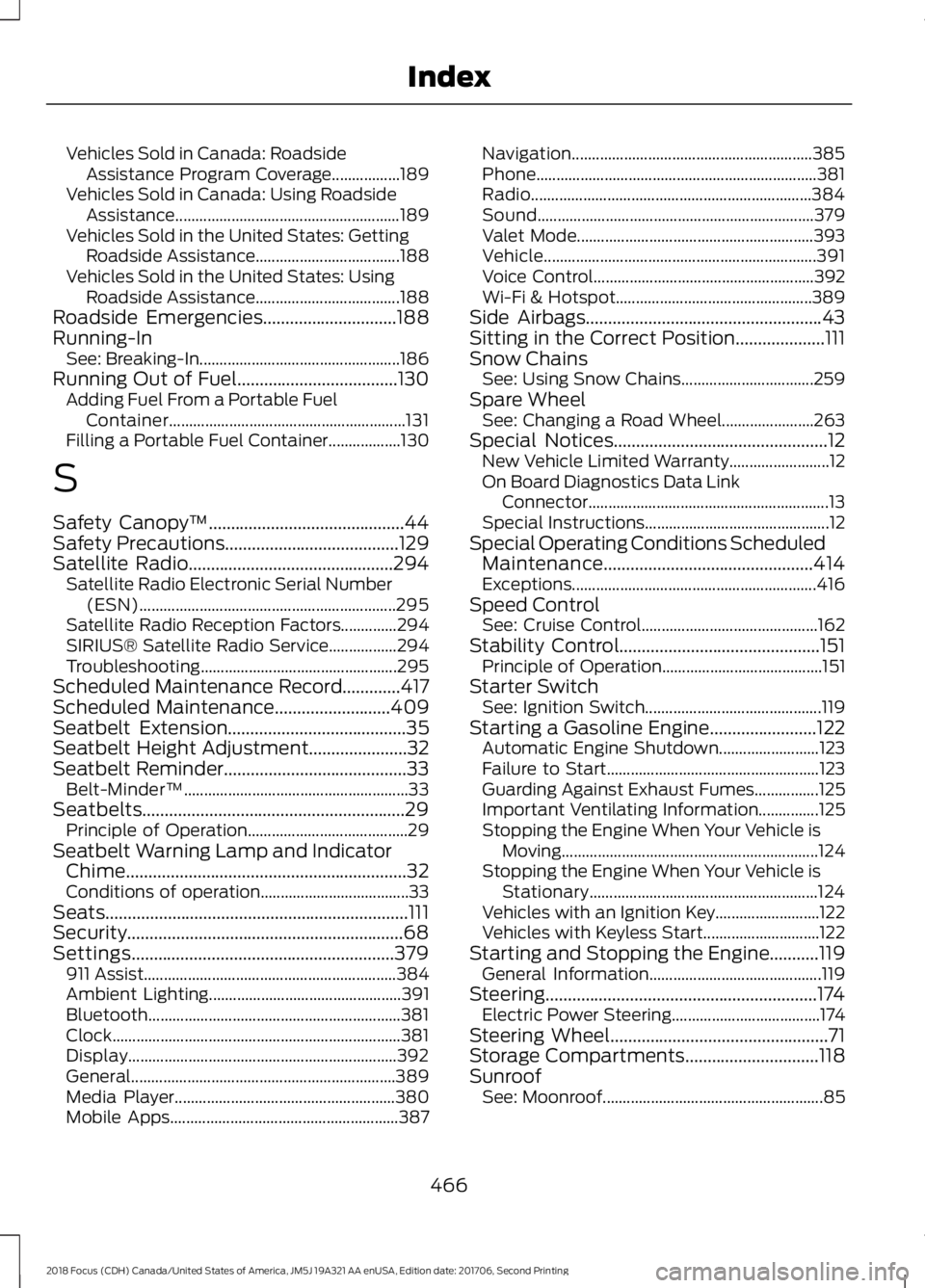
Vehicles Sold in Canada: RoadsideAssistance Program Coverage.................189Vehicles Sold in Canada: Using RoadsideAssistance........................................................189Vehicles Sold in the United States: GettingRoadside Assistance....................................188Vehicles Sold in the United States: UsingRoadside Assistance....................................188Roadside Emergencies..............................188Running-InSee: Breaking-In..................................................186Running Out of Fuel....................................130Adding Fuel From a Portable FuelContainer...........................................................131Filling a Portable Fuel Container..................130
S
Safety Canopy™............................................44Safety Precautions.......................................129Satellite Radio..............................................294Satellite Radio Electronic Serial Number(ESN)................................................................295Satellite Radio Reception Factors..............294SIRIUS® Satellite Radio Service.................294Troubleshooting.................................................295Scheduled Maintenance Record.............417Scheduled Maintenance..........................409Seatbelt Extension........................................35Seatbelt Height Adjustment......................32Seatbelt Reminder.........................................33Belt-Minder™........................................................33Seatbelts...........................................................29Principle of Operation........................................29Seatbelt Warning Lamp and IndicatorChime...............................................................32Conditions of operation.....................................33Seats....................................................................111Security..............................................................68Settings...........................................................379911 Assist...............................................................384Ambient Lighting................................................391Bluetooth...............................................................381Clock........................................................................381Display...................................................................392General..................................................................389Media Player.......................................................380Mobile Apps.........................................................387
Navigation............................................................385Phone......................................................................381Radio......................................................................384Sound.....................................................................379Valet Mode...........................................................393Vehicle....................................................................391Voice Control.......................................................392Wi-Fi & Hotspot.................................................389Side Airbags.....................................................43Sitting in the Correct Position....................111Snow ChainsSee: Using Snow Chains.................................259Spare WheelSee: Changing a Road Wheel.......................263Special Notices................................................12New Vehicle Limited Warranty.........................12On Board Diagnostics Data LinkConnector............................................................13Special Instructions..............................................12Special Operating Conditions ScheduledMaintenance...............................................414Exceptions.............................................................416Speed ControlSee: Cruise Control............................................162Stability Control.............................................151Principle of Operation........................................151Starter SwitchSee: Ignition Switch............................................119Starting a Gasoline Engine........................122Automatic Engine Shutdown.........................123Failure to Start.....................................................123Guarding Against Exhaust Fumes................125Important Ventilating Information...............125Stopping the Engine When Your Vehicle isMoving................................................................124Stopping the Engine When Your Vehicle isStationary.........................................................124Vehicles with an Ignition Key..........................122Vehicles with Keyless Start.............................122Starting and Stopping the Engine...........119General Information...........................................119Steering.............................................................174Electric Power Steering.....................................174Steering Wheel.................................................71Storage Compartments..............................118SunroofSee: Moonroof.......................................................85
4662018 Focus (CDH) Canada/United States of America, JM5J 19A321 AA enUSA, Edition date: 201706, Second PrintingIndex