lights FORD FOCUS 2018 Owners Manual
[x] Cancel search | Manufacturer: FORD, Model Year: 2018, Model line: FOCUS, Model: FORD FOCUS 2018Pages: 473, PDF Size: 39.91 MB
Page 40 of 473
The Personal Safety System provides animproved overall level of frontal crashprotection to front seat occupants and isdesigned to help further reduce the risk ofairbag-related injuries. The system is ableto analyze different occupant conditionsand crash severity before activating theappropriate safety devices to help betterprotect a range of occupants in a varietyof frontal crash situations.
The Vehicle Personal Safety Systemconsists of:
•Driver and passenger dual-stage airbagsupplemental restraints.
•Front seat outboard seatbelts withpretensioners, energy managementretractors and seatbelt usage sensors.
•Driver seat position sensor.
•Passenger seat position sensor.
•Front passenger sensing system.
•Passenger airbag off and on indicatorlamp.
•Front crash severity sensors.
•Restraints control module with impactand safing sensors.
•Restraint system warning lamp andtone.
•The electrical wiring for the airbags,crash sensors, seatbelt pretensioners,front seatbelt usage sensors, driverseat position sensor, passenger seatposition sensor, front passengersensing system and indicator lights.
How Does the Personal SafetySystem Work?
The Personal Safety System can adapt thedeployment strategy of the safety devicesaccording to crash severity and occupantconditions. A collection of crash andoccupant sensors provides information tothe restraints control module. During acrash, the restraints control module maydeploy the seatbelt pretensioners, one orboth stages of the dual-stage airbagsbased on crash severity and occupantconditions.
372018 Focus (CDH) Canada/United States of America, JM5J 19A321 AA enUSA, Edition date: 201706, Second PrintingPersonal Safety System™
Page 68 of 473
Opening the Liftgate
Manually
Press the release button above the licenseplate to unlatch the liftgate.
With the Remote Control
Press the button twice withinthree seconds.
Closing the Liftgate
A handle is located inside the liftgate tohelp with closing.
KEYLESS ENTRY (If Equipped)
SECURICODE™ KEYLESS ENTRYKEYPAD
The keypad is located near the driverwindow. It is invisible until touched andthen it lights up so you can see and touchthe appropriate buttons.
Note: If you enter your entry code too faston the keypad, the unlock function may notwork. Enter your entry code again moreslowly.
You can use the keypad to do thefollowing:
•Lock or unlock the doors.
•Program and erase user codes.
•Arm and disarm the anti-theft alarm.
You can operate the keypad with thefactory-set five-digit entry code. The codeis on the owner’s wallet card in the glovebox and is available from an authorizeddealer. You can also program up to five ofyour own five-digit personal entry codes.
Programming a Personal Entry Code
1.Enter the factory-set five-digit code.
652018 Focus (CDH) Canada/United States of America, JM5J 19A321 AA enUSA, Edition date: 201706, Second PrintingDoors and LocksE190028 E138630 E155976 E138637
Page 83 of 473
Switch the lighting control to theautolamps position. See Autolamps(page 77).
Overriding the System
Push the lever away from you to switchbetween high beam and low beam.
Automatic High Beam Indicator (If
Equipped)
The indicator illuminates toconfirm when the system isready to assist.
FRONT FOG LAMPS (If Equipped)
Press the control to switch the fog lampson or off.
You can switch the fog lamps on when thelighting control is in any position exceptOff and the high beams are not on.
DIRECTION INDICATORS
Push the lever up or down to use thedirection indicators.
Note:Tap the lever up or down to make thedirection indicators flash three times toindicate a lane change.
INTERIOR LAMPS
The lamps turn on when:
•You open any door.
•You press a remote control button.
•You press the buttons on the maplamps.
Front Interior Lamps (If Equipped)
Note: Press the door function switch toswitch off interior lights when you open anydoor. The indicator lamp illuminates amberwhen the door function is off. When thedoor function is off and you open a door, thecourtesy and door lamps stay off. Press theswitch again to switch the door functionback on. The indicator lamp illuminateswhite when the door function is on. Whenthe door function is on and you open a door,the courtesy and door lamps switch on.
802018 Focus (CDH) Canada/United States of America, JM5J 19A321 AA enUSA, Edition date: 201706, Second PrintingLighting E142453 E162681
Page 119 of 473
HEATED SEATS (If Equipped)
WARNING
People who are unable to feel painto their skin because of advancedage, chronic illness, diabetes, spinalcord injury, medication, alcohol use,exhaustion or other physical conditions,must exercise care when using the heatedseat. The heated seat may cause burnseven at low temperatures, especially ifused for long periods of time. Do not placeanything on the seat that insulates againstheat, such as a blanket or cushion. Thismay cause the heated seat to overheat.Do not puncture the seat with pins, needlesor other pointed objects. This may damagethe heating element which may cause theheated seat to overheat. An overheatedseat may cause serious personal injury.
Do not do the following:
•Place heavy objects on the seat.
•Operate the heated seat if water or anyother liquid is spilled on the seat. Allowthe seat to dry thoroughly.
•Operate the heated seats unless theengine is running. Doing so can causethe battery to lose charge.
Press the heated seat symbol to cyclethrough the various heat settings and off.Warmer settings are indicated by moreindicator lights.
1162018 Focus (CDH) Canada/United States of America, JM5J 19A321 AA enUSA, Edition date: 201706, Second PrintingSeatsE146941
Page 130 of 473
AUTO-START-STOP (If Equipped)
The system reduces fuel consumption andCO2 emissions by shutting down theengine when your vehicle is idling, forexample at traffic lights.
WARNINGS
Always fully apply the parking brake.Make sure you shift into park (P) forvehicles with an automatictransmission. Switch the ignition off andremove the key whenever you leave yourvehicle.
Before opening the hood orperforming any maintenance, fullyapply the parking brake, shift intopark (P) or neutral (N) and switch theignition off.
Always switch the ignition off beforeleaving the vehicle. If the ignition isswitched on an automatic restartmay occur at any time.
The system may require the engineto automatically restart when theauto-start-stop indicator illuminatesgreen or flashes amber. Failure to followthis instruction could result in personalinjury.
Note:The Auto-Start-Stop indicatorilluminates green when the engine shutsdown. See Warning Lamps and Indicators(page 87). It flashes amber with a messagewhen the driver needs to shift to neutral orpress a pedal. See Information Messages(page 96). If it illuminates grey, the systemis not available.
Using Auto-Start-Stop with aManual Transmission
To Stop the Engine
1.Stop your vehicle.
2.Shift into neutral.
3.Release the clutch and acceleratorpedal.
To Re-Start the Engine
Press the clutch pedal
Note:To obtain maximum benefit from thesystem, move the transmission selectorlever to neutral and release the clutch pedalduring any stop of longer than threeseconds.
Note:Auto-Start-Stop also comes withstall recovery. If you fully press the clutchpedal after stalling the engine, the engineautomatically restarts.
Using Auto-Start-Stop with anAutomatic Transmission
To Stop the Engine
1.Stop your vehicle in drive (D).
2.Release the accelerator pedal.
3.Maintain pressure on the brake pedal.
Note:If your vehicle is in an engine offAuto-Start-Stop state and you move thetransmission to reverse (R) while the brakepedal is not pressed, a message will appearon your instrument cluster. Press the brakepedal within 60 seconds or you will need toshift to park (P). A manual restart will berequired.
Note:If the Shift to P, Restart Enginemessage appears and the amberAuto-Start-Stop indicator flashes,automatic restart is not available. You mustrestart your vehicle manually.
1272018 Focus (CDH) Canada/United States of America, JM5J 19A321 AA enUSA, Edition date: 201706, Second PrintingUnique Driving Characteristics
Page 150 of 473
GENERAL INFORMATION
Wet brakes result in reduced brakingefficiency. Gently press the brake pedal afew times when driving from a car wash orstanding water to dry the brakes.
Note: Occasional brake noise is normal. Ifa metal-to-metal, continuous grinding orcontinuous squeal sound is present, thebrake linings may be worn-out. Have thesystem checked by an authorized dealer. Ifyour vehicle has continuous vibration orshudder in the steering wheel while braking,have it checked by an authorized dealer.
Note:Brake dust may accumulate on thewheels, even under normal drivingconditions. Some dust is inevitable as thebrakes wear and does not contribute tobrake noise. See Cleaning the Wheels(page 241).
Note:Depending on applicable laws andregulations in the country for which yourvehicle was originally built, the brake lampscould flash during heavy braking. Followingthis, the hazard lights could also flash whenyour vehicle comes to a stop.
Brake Over Accelerator
In the event that the accelerator pedalbecomes stuck or entrapped, apply steadyand firm pressure to the brake pedal toslow your vehicle and reduce enginepower. If you experience this condition,apply the brakes and bring your vehicle toa safe stop. Move the transmission to park(P), switch the engine off and apply theparking brake. Inspect the acceleratorpedal for any interference. If none arefound and the condition persists, have yourvehicle towed to the nearest authorizeddealer.
Brake Assist
Brake assist detects when you rapidlybrake by measuring the rate at which youpress the brake pedal. It providesmaximum braking efficiency as long as youpress the pedal, and can reduce stoppingdistances in critical situations
Anti-Lock Brake System
This system helps you maintain steeringcontrol during emergency stops by keepingthe brakes from locking.
If it illuminates when you aredriving, this indicates amalfunction. Your vehiclecontinues to have normal braking withoutthe anti-lock brake system function. Haveyour vehicle checked as soon as possible.
It also momentarily illuminates when youswitch the ignition on to confirm the lampis functional. If it does not illuminate whenyou switch the ignition on, or begins toflash at any time, have the system checkedby an authorized dealer.
It illuminates when you engagethe parking brake and theignition is on.
If it illuminates when your vehicle ismoving, make sure the parking brake isdisengaged. If the parking brake isdisengaged, this indicates low brake fluidlevel or a brake system fault. Have yourvehicle immediately checked.
It also momentarily illuminates when youswitch the ignition on to confirm the lampis functional. If it does not illuminate whenyou switch the ignition on, or begins toflash at any time, have the system checkedby an authorized dealer.
1472018 Focus (CDH) Canada/United States of America, JM5J 19A321 AA enUSA, Edition date: 201706, Second PrintingBrakes E138644
Page 152 of 473
The system makes it easier to pull awaywhen your vehicle is on a slope without theneed to use the parking brake.
When the system activates, your vehicleremains stationary on a slope for a fewseconds after you release the brake pedal.This allows you time to move your footfrom the brake to the accelerator pedal.The brakes release when the engine hasdeveloped sufficient torque to prevent yourvehicle from rolling down the slope. Thisis an advantage when pulling away on aslope, for example from a car park ramp,traffic lights or when reversing uphill intoa parking space.
The system activates on any slope thatcauses your vehicle to roll.
Note:There is no warning lamp to indicatethe system is either on or off.
Using Hill Start Assist
1.Press the brake pedal to bring yourvehicle to a complete standstill. Keepthe brake pedal pressed and shift intofirst gear when facing uphill or reverse(R) when facing downhill.
2.The system activates if the sensorsdetect that your vehicle is on a slope.
3.When you remove your foot from thebrake pedal, your vehicle remains onthe slope without rolling away for a fewseconds. This hold time increases if youare in the process of driving off.
4.Pull away in the normal manner.
Switching the System On and Off
Vehicles with Manual Transmission
You can switch this feature on or off in theinformation display. The systemremembers the last setting when you startyour vehicle.
Vehicles with Automatic Transmission
The system turns on when you switch theignition on and you cannot switch thesystem off.
1492018 Focus (CDH) Canada/United States of America, JM5J 19A321 AA enUSA, Edition date: 201706, Second PrintingBrakes
Page 153 of 473
PRINCIPLE OF OPERATION
The traction control system helps avoiddrive wheel spin and loss of traction.
If your vehicle begins to slide, the systemapplies the brakes to individual wheelsand, when needed, reduces engine powerat the same time. If the wheels spin whenaccelerating on slippery or loose surfaces,the system reduces engine power in orderto increase traction.
USING TRACTION CONTROL
WARNING
The stability and traction controllight illuminates steadily if thesystem detects a failure. Make sureyou did not manually disable the tractioncontrol system using the informationdisplay controls or the switch. If thestability control and traction control lightis still illuminating steadily, have thesystem serviced by an authorized dealerimmediately. Operating your vehicle withthe traction control disabled could lead toan increased risk of loss of vehicle control,vehicle rollover, personal injury and death.
The system automatically turns on eachtime you switch the ignition on.
If your vehicle is stuck in mud or snow,switching traction control off may bebeneficial as this allows the wheels to spin.
Note:When you switch traction control off,stability control remains fully active.
Switching the System Off
When you switch the system off or on, amessage appears in the informationdisplay showing system status.
You can switch the system off by eitherusing the information display controls orthe switch.
Using the Information DisplayControls
You can switch this feature off or on in theinformation display. See GeneralInformation (page 92).
Using a Switch (If Equipped)
Use the traction control switch on theinstrument panel to switch the system offor on.
System Indicator Lights andMessages
The stability and traction controllight:
•Temporarily illuminates on enginestart-up.
•Flashes when a driving conditionactivates either of the systems.
•Illuminates if a problem occurs in eitherof the systems.
The stability and traction controloff light temporarily illuminateson engine start-up and stays onwhen you switch the traction controlsystem off.
1502018 Focus (CDH) Canada/United States of America, JM5J 19A321 AA enUSA, Edition date: 201706, Second PrintingTraction ControlE138639 E130458
Page 164 of 473
The fixed and active guidelines fade in andout depending on the steering wheelposition. The active guidelines are notshown when the steering wheel positionis straight.
Always use caution while reversing.Objects in the red zone are closest to yourvehicle and objects in the green zone arefarther away. Objects are getting closer toyour vehicle as they move from the greenzone to the yellow or red zones. Use theexterior mirrors and rear view mirror to getbetter coverage on both sides and rear ofyour vehicle.
Manual Zoom
WARNING
When manual zoom is on, the fullarea behind your vehicle may notshow. Be aware of your surroundingswhen using the manual zoom feature.
Note:Manual zoom is only available whenthe transmission is in reverse (R).
Note:When manual zoom is enabled, onlythe centerline is shown.
This allows you to get a closer view of anobject behind your vehicle. The zoomedimage keeps the bumper in the image toprovide a reference. The zoom is onlyactive while the transmission is in reverse(R). When the transmission is shifted outof reverse (R), the feature automaticallyturns off and must be reset when it is usedagain.
Selectable settings for this feature are +and -. The default setting for the manualzoom is OFF.
Rear Camera Delay (If Equipped)
When you shift the transmission out ofreverse (R) and into any gear while the rearcamera delay is active, the camera imagedisplays until:
•Your vehicle speed sufficientlyincreases.
•You shift your vehicle into park (P).
Selectable settings for this feature are ONand OFF. The default setting for the rearcamera delay is OFF.
Enhanced Park Aids
Note:The reverse sensing system is noteffective at speeds above 6 mph (10 km/h)and may not detect certain angular ormoving objects.
When the sensing system detects anobject, it displays red, yellow and greenhighlights at the top of the image. The alerthighlights all objects detected.
Selectable settings for this feature are ONand OFF.
1612018 Focus (CDH) Canada/United States of America, JM5J 19A321 AA enUSA, Edition date: 201706, Second PrintingParking Aids
Page 173 of 473
Using the Blind Spot InformationSystem
Vehicles with Automatic Transmission
The system turns on when all of thefollowing occur:
•You start your vehicle.
•You shift into drive (D).
•The vehicle speed is greater than6 mph (10 km/h).
Note:The system does not operate in park(P) or reverse (R).
Vehicles with Manual Transmission
The system turns on when all of thefollowing occur:
•You start your vehicle.
•The vehicle speed is greater than6 mph (10 km/h).
Note:The system does not operate inreverse (R).
System Lights and Messages
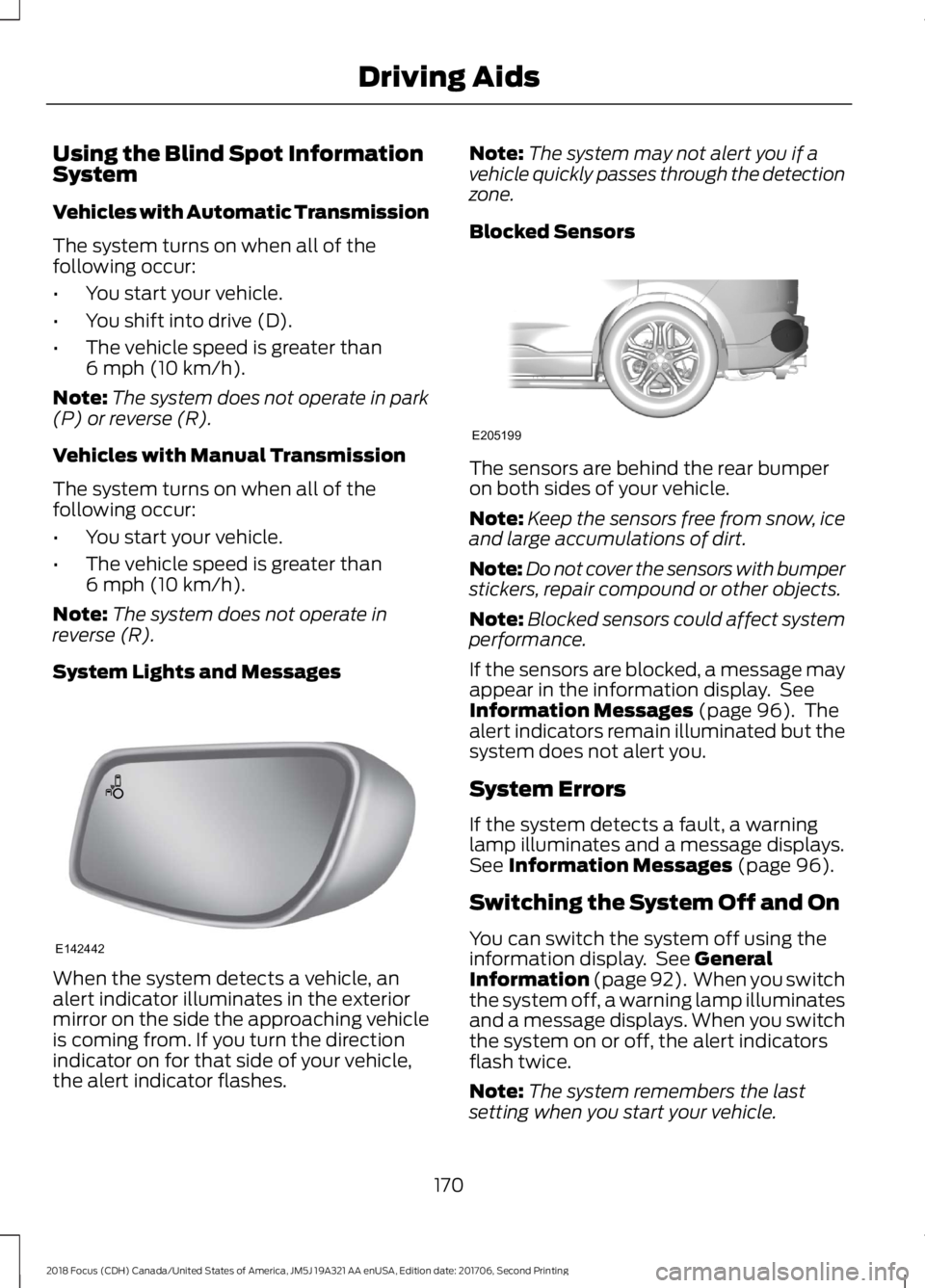
When the system detects a vehicle, analert indicator illuminates in the exteriormirror on the side the approaching vehicleis coming from. If you turn the directionindicator on for that side of your vehicle,the alert indicator flashes.
Note:The system may not alert you if avehicle quickly passes through the detectionzone.
Blocked Sensors
The sensors are behind the rear bumperon both sides of your vehicle.
Note:Keep the sensors free from snow, iceand large accumulations of dirt.
Note:Do not cover the sensors with bumperstickers, repair compound or other objects.
Note:Blocked sensors could affect systemperformance.
If the sensors are blocked, a message mayappear in the information display. SeeInformation Messages (page 96). Thealert indicators remain illuminated but thesystem does not alert you.
System Errors
If the system detects a fault, a warninglamp illuminates and a message displays.See Information Messages (page 96).
Switching the System Off and On
You can switch the system off using theinformation display. See GeneralInformation (page 92). When you switchthe system off, a warning lamp illuminatesand a message displays. When you switchthe system on or off, the alert indicatorsflash twice.
Note:The system remembers the lastsetting when you start your vehicle.
1702018 Focus (CDH) Canada/United States of America, JM5J 19A321 AA enUSA, Edition date: 201706, Second PrintingDriving AidsE142442 E205199