remote start FORD FOCUS ELECTRIC 2014 3.G User Guide
[x] Cancel search | Manufacturer: FORD, Model Year: 2014, Model line: FOCUS ELECTRIC, Model: FORD FOCUS ELECTRIC 2014 3.GPages: 403, PDF Size: 6.42 MB
Page 72 of 403
Illuminated Entry
The interior lamps and select exterior lamps will illuminate when you
unlock the doors with the remote entry system.
The illuminated entry system will turn off the lights if:
•you start your vehicle,
•you press the remote control lock button, or
•after 25 seconds of illumination.
The lights will not turn off if:
•you turn them on with the lamp control, or
•any door is open.
Illuminated Exit
The interior lamps and select exterior lamps will illuminate when all
doors are closed and you switch the ignition off.
The lamps will turn off if all the doors remain closed and:
•25 seconds elapse
•you lock your vehicle from the outside.
Battery Saver
If you leave the courtesy lamps or dome lamps on and switch the ignition
off, the battery saver shuts them off after some time.
Accessory Mode Battery Saver for Intelligent Access Keys
(If Equipped)
If you leave the ignition on after leaving your vehicle, it will shut off
15 minutes after you close all of the doors.
Locks71
2014 Focus Electric Vehicle(fob)
Owners Guide gf, 1st Printing, May 2013
USA(fus)
Page 74 of 403
SECURILOCK® PASSIVE ANTI-THEFT SYSTEM
Note:The system is not compatible with non-Ford aftermarket remote
start systems. Use of these systems may result in vehicle starting
problems and a loss of security protection.
Note:Metallic objects, electronic devices or a second coded key on the
same key chain may cause vehicle starting issues if they are too close to
the key when starting your vehicle. Prevent these objects from touching
the coded key while starting your vehicle. Switch the ignition off, move
all objects on the key chain away from the coded key and restart the
vehicle if a problem occurs.
Note:Do not leave a duplicate coded key in the vehicle. Always take
your keys and lock all doors when leaving the vehicle.
The system helps prevent the vehicle from starting unless you use a
coded key programmed to your vehicle. Using the wrong key may
prevent your vehicle from starting. A message may appear in the
information display.
If you are unable to start your vehicle with a correctly coded key, a
malfunction has happened and a message may appear in the information
display.
Automatic Arming
Your vehicle arms immediately after you switch the ignition off.
Automatic Disarming
Your vehicle disarms when you switch the ignition on with a coded key.
Replacement Keys
Note:Your vehicle comes with two intelligent access keys.
The intelligent access key functions as a programmed key that operates
the driver door lock and activates the intelligent access with push button
start systems, as well as a remote control.
If your intelligent access key is lost or stolen and you do not have
an extra coded key, you will need to have your vehicle towed to an
authorized dealer. The key codes need to be erased from your vehicle
and new coded keys will need to be programmed.
Store an extra programmed key away from your vehicle in a safe place to
help prevent any inconveniences. See an authorized dealer to purchase
additional spare or replacement keys.
Security73
2014 Focus Electric Vehicle(fob)
Owners Guide gf, 1st Printing, May 2013
USA(fus)
Page 75 of 403
Programming a Spare Intelligent Access Key
See your authorized dealer to have additional keys programmed to your
vehicle.
ANTI-THEFT ALARM
The system will warn you of an unauthorized entry to your vehicle.
The park and turn lamps flash and the horn sounds if unauthorized entry
is attempted while the alarm is armed. It triggers immediately if the
luggage compartment or the hood opens, and after a 12-second delay if
any door opens.
Take all remote controls to an authorized dealer if there is any potential
alarm problem with your vehicle.
Arming the Alarm
The alarm is ready to arm when there is not a key in the ignition. Lock
the vehicle to arm the alarm.
The message indicator flashes when theft protection is active.
Disarming the alarm
Disarm the alarm by any of the following actions:
•Unlock the doors or luggage compartment with the remote control.
•Turn the ignition on or start the vehicle.
•Use a key in the driver door to unlock your vehicle, then turn the
ignition on within 12 seconds.
74Security
2014 Focus Electric Vehicle(fob)
Owners Guide gf, 1st Printing, May 2013
USA(fus)
Page 110 of 403
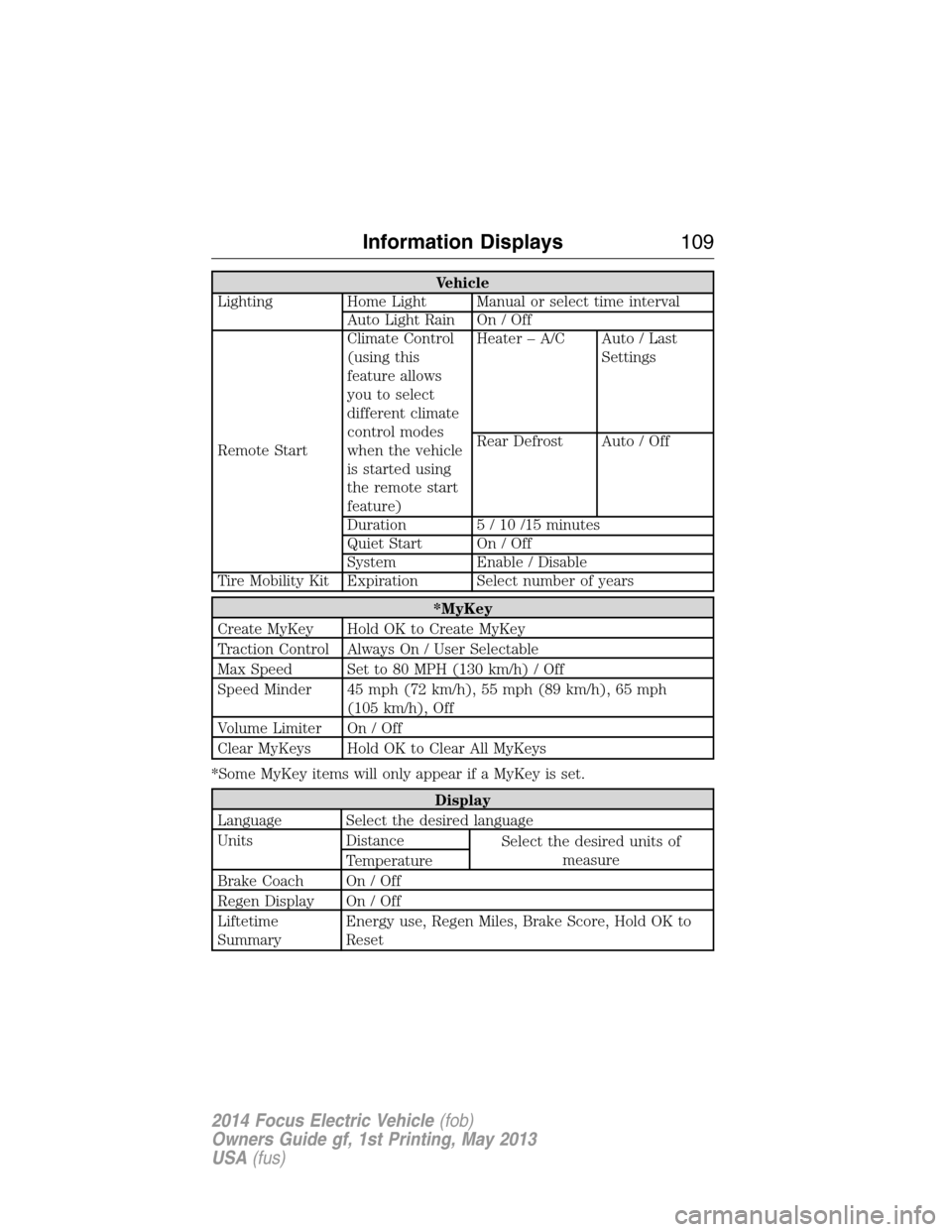
Vehicle
Lighting Home Light Manual or select time interval
Auto Light Rain On / Off
Remote StartClimate Control
(using this
feature allows
you to select
different climate
control modes
when the vehicle
is started using
the remote start
feature)Heater – A/C Auto / Last
Settings
Rear Defrost Auto / Off
Duration 5 / 10 /15 minutes
Quiet Start On / Off
System Enable / Disable
Tire Mobility Kit Expiration Select number of years
*MyKey
Create MyKey Hold OK to Create MyKey
Traction Control Always On / User Selectable
Max Speed Set to 80 MPH (130 km/h) / Off
Speed Minder 45 mph (72 km/h), 55 mph (89 km/h), 65 mph
(105 km/h), Off
Volume Limiter On / Off
Clear MyKeys Hold OK to Clear All MyKeys
*Some MyKey items will only appear if a MyKey is set.
Display
Language Select the desired language
Units Distance
Select the desired units of
measure
Temperature
Brake Coach On / Off
Regen Display On / Off
Liftetime
SummaryEnergy use, Regen Miles, Brake Score, Hold OK to
Reset
Information Displays109
2014 Focus Electric Vehicle(fob)
Owners Guide gf, 1st Printing, May 2013
USA(fus)
Page 119 of 403
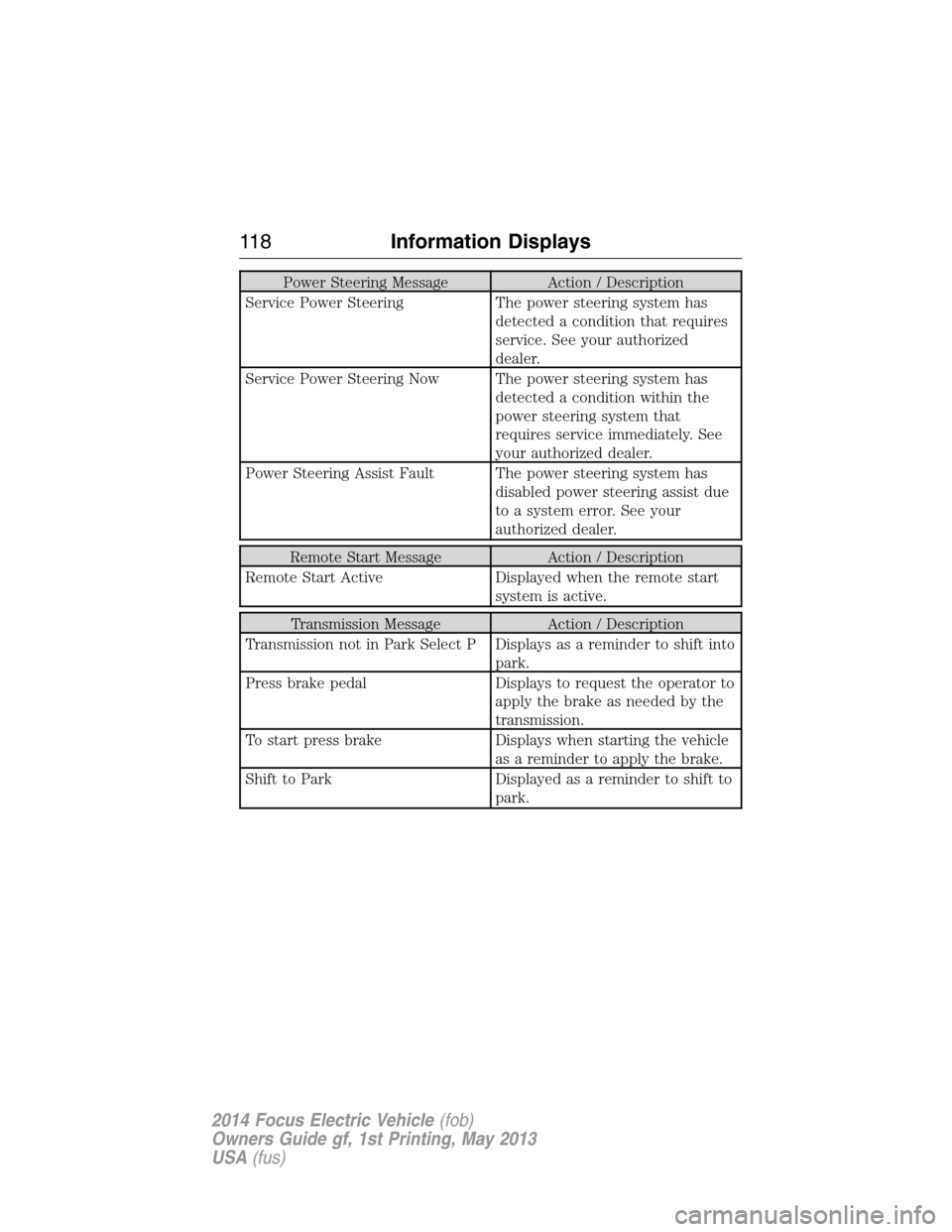
Power Steering Message Action / Description
Service Power Steering The power steering system has
detected a condition that requires
service. See your authorized
dealer.
Service Power Steering Now The power steering system has
detected a condition within the
power steering system that
requires service immediately. See
your authorized dealer.
Power Steering Assist Fault The power steering system has
disabled power steering assist due
to a system error. See your
authorized dealer.
Remote Start Message Action / Description
Remote Start Active Displayed when the remote start
system is active.
Transmission Message Action / Description
Transmission not in Park Select P Displays as a reminder to shift into
park.
Press brake pedal Displays to request the operator to
apply the brake as needed by the
transmission.
To start press brake Displays when starting the vehicle
as a reminder to apply the brake.
Shift to Park Displayed as a reminder to shift to
park.
11 8Information Displays
2014 Focus Electric Vehicle(fob)
Owners Guide gf, 1st Printing, May 2013
USA(fus)
Page 126 of 403
CABIN AIR FILTER
Note:Make sure you have a cabin air filter installed at all times. This
prevents foreign objects from entering the system. Running the system
without a filter in place could result in degradation or damage to the
system.
Your cabin air filter is located under the instrument panel in the
passenger footwell area. The particulate filtration system reduces the
concentration of airborne particles such as dust, spores and pollen in
the air supplied to the interior of your vehicle. The particulate filtration
system gives you and your passengers the following benefits:
•It improves your driving comfort by reducing particle concentration.
•It improves the interior compartment cleanliness.
•It protects the climate control components from particle deposits.
Replace the filter at regular intervals. See theScheduled Maintenance
chapter.
For more information about your filter, see an authorized dealer.
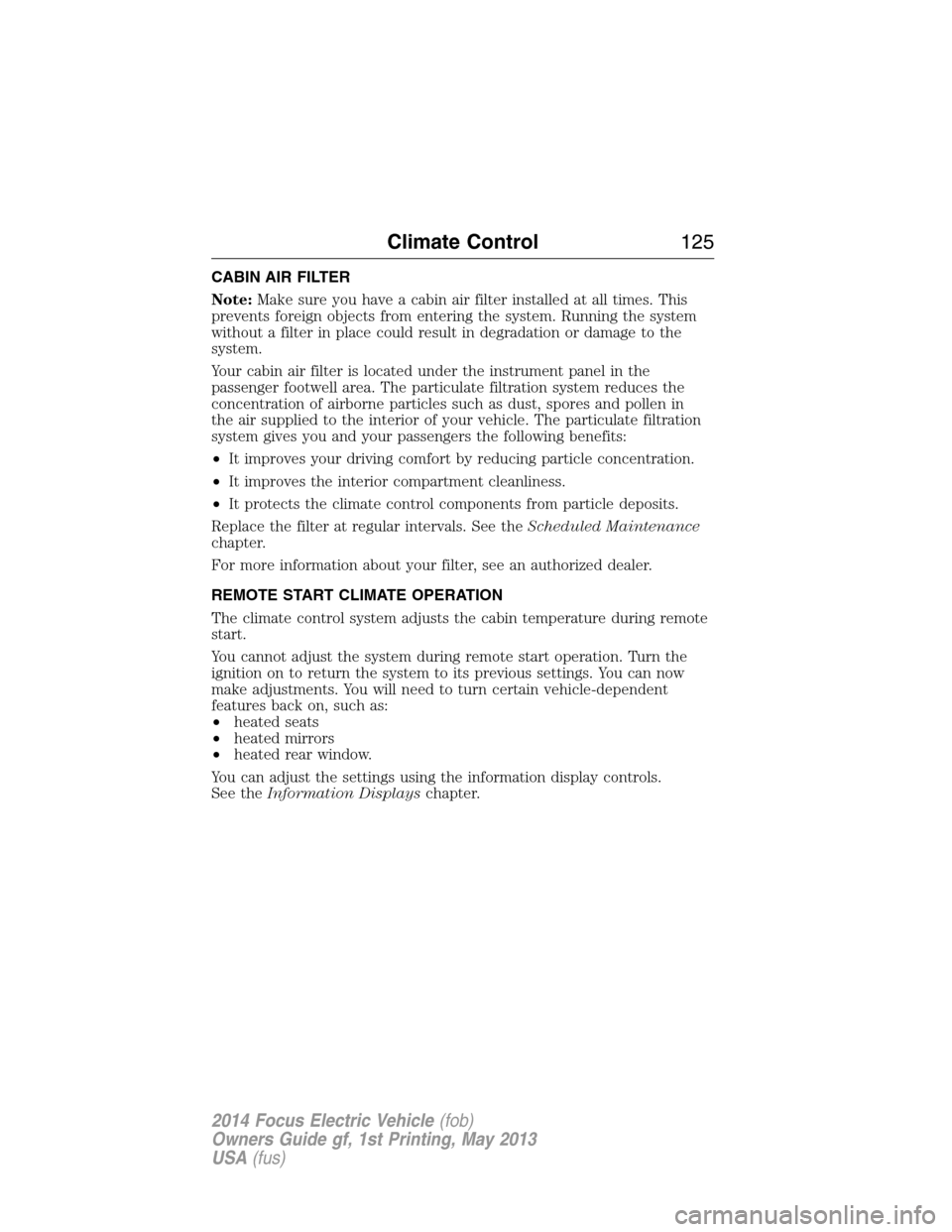
REMOTE START CLIMATE OPERATION
The climate control system adjusts the cabin temperature during remote
start.
You cannot adjust the system during remote start operation. Turn the
ignition on to return the system to its previous settings. You can now
make adjustments. You will need to turn certain vehicle-dependent
features back on, such as:
•heated seats
•heated mirrors
•heated rear window.
You can adjust the settings using the information display controls.
See theInformation Displayschapter.
Climate Control125
2014 Focus Electric Vehicle(fob)
Owners Guide gf, 1st Printing, May 2013
USA(fus)
Page 127 of 403
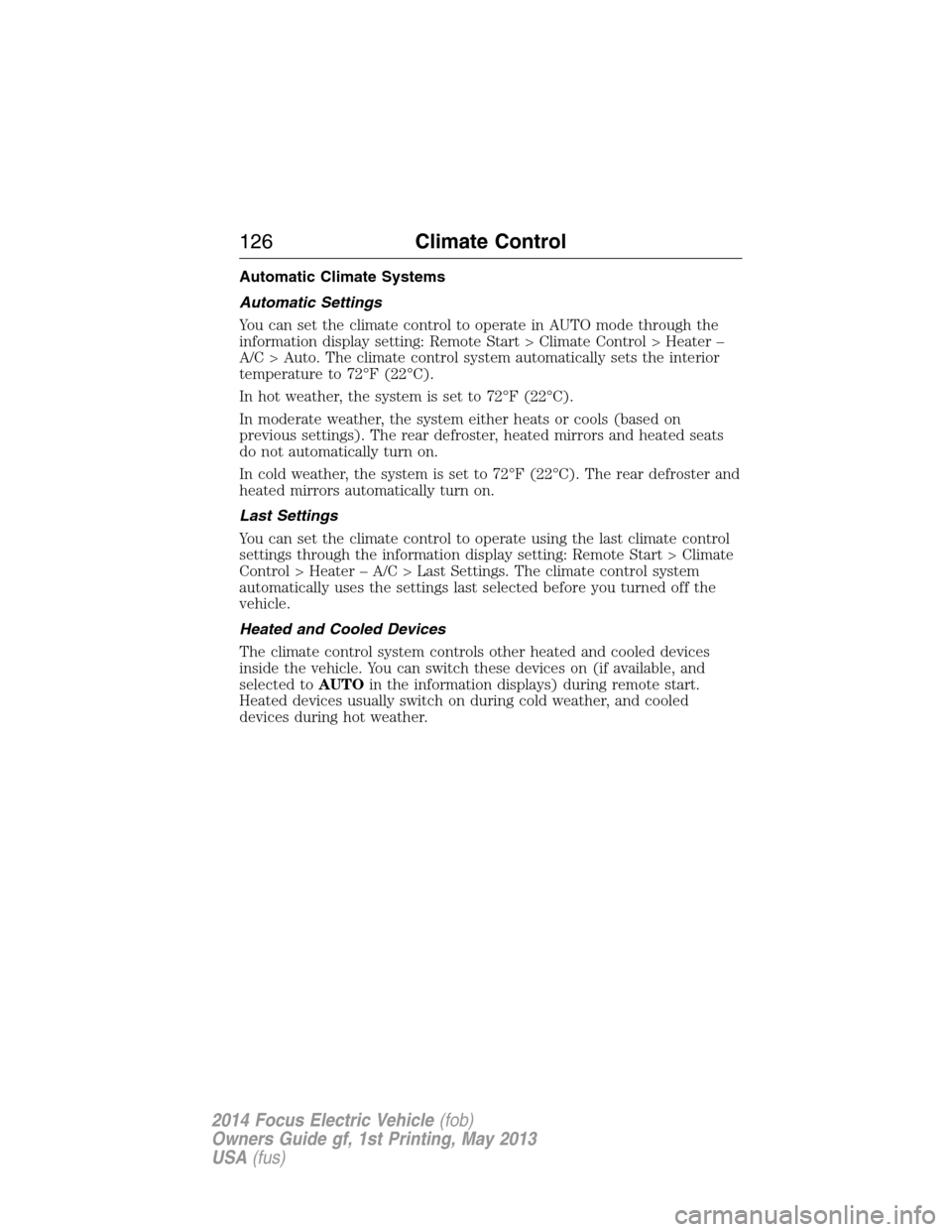
Automatic Climate Systems
Automatic Settings
You can set the climate control to operate in AUTO mode through the
information display setting: Remote Start > Climate Control > Heater –
A/C > Auto. The climate control system automatically sets the interior
temperature to 72°F (22°C).
In hot weather, the system is set to 72°F (22°C).
In moderate weather, the system either heats or cools (based on
previous settings). The rear defroster, heated mirrors and heated seats
do not automatically turn on.
In cold weather, the system is set to 72°F (22°C). The rear defroster and
heated mirrors automatically turn on.
Last Settings
You can set the climate control to operate using the last climate control
settings through the information display setting: Remote Start > Climate
Control > Heater – A/C > Last Settings. The climate control system
automatically uses the settings last selected before you turned off the
vehicle.
Heated and Cooled Devices
The climate control system controls other heated and cooled devices
inside the vehicle. You can switch these devices on (if available, and
selected toAUTOin the information displays) during remote start.
Heated devices usually switch on during cold weather, and cooled
devices during hot weather.
126Climate Control
2014 Focus Electric Vehicle(fob)
Owners Guide gf, 1st Printing, May 2013
USA(fus)
Page 140 of 403
GENERAL INFORMATION
The powertrain control system meets all Canadian interference-causing
equipment standard requirements regulating the impulse electrical field
or radio noise.
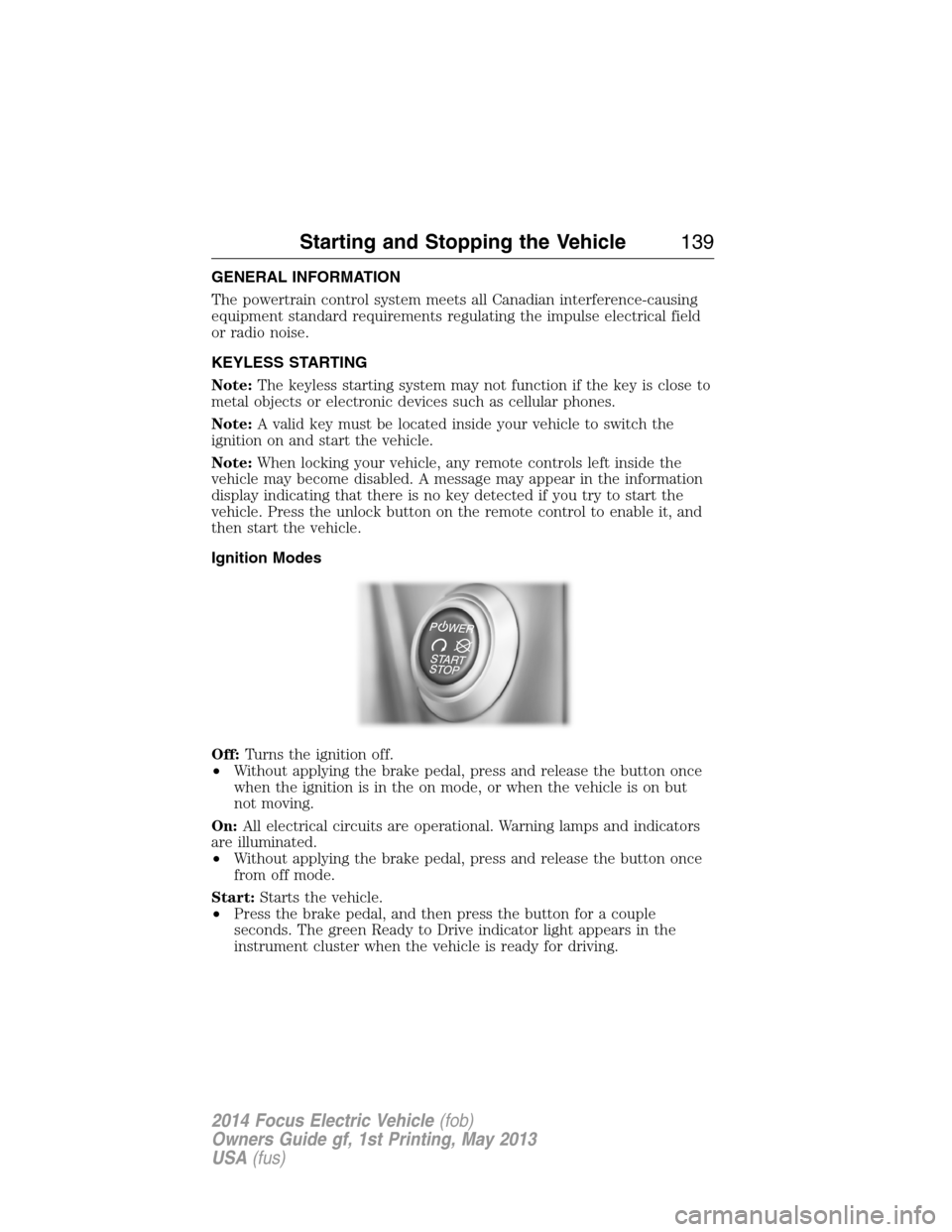
KEYLESS STARTING
Note:The keyless starting system may not function if the key is close to
metal objects or electronic devices such as cellular phones.
Note:A valid key must be located inside your vehicle to switch the
ignition on and start the vehicle.
Note:When locking your vehicle, any remote controls left inside the
vehicle may become disabled. A message may appear in the information
display indicating that there is no key detected if you try to start the
vehicle. Press the unlock button on the remote control to enable it, and
then start the vehicle.
Ignition Modes
Off:Turns the ignition off.
•Without applying the brake pedal, press and release the button once
when the ignition is in the on mode, or when the vehicle is on but
not moving.
On:All electrical circuits are operational. Warning lamps and indicators
are illuminated.
•Without applying the brake pedal, press and release the button once
from off mode.
Start:Starts the vehicle.
•Press the brake pedal, and then press the button for a couple
seconds. The green Ready to Drive indicator light appears in the
instrument cluster when the vehicle is ready for driving.
Starting and Stopping the Vehicle139
2014 Focus Electric Vehicle(fob)
Owners Guide gf, 1st Printing, May 2013
USA(fus)
Page 270 of 403
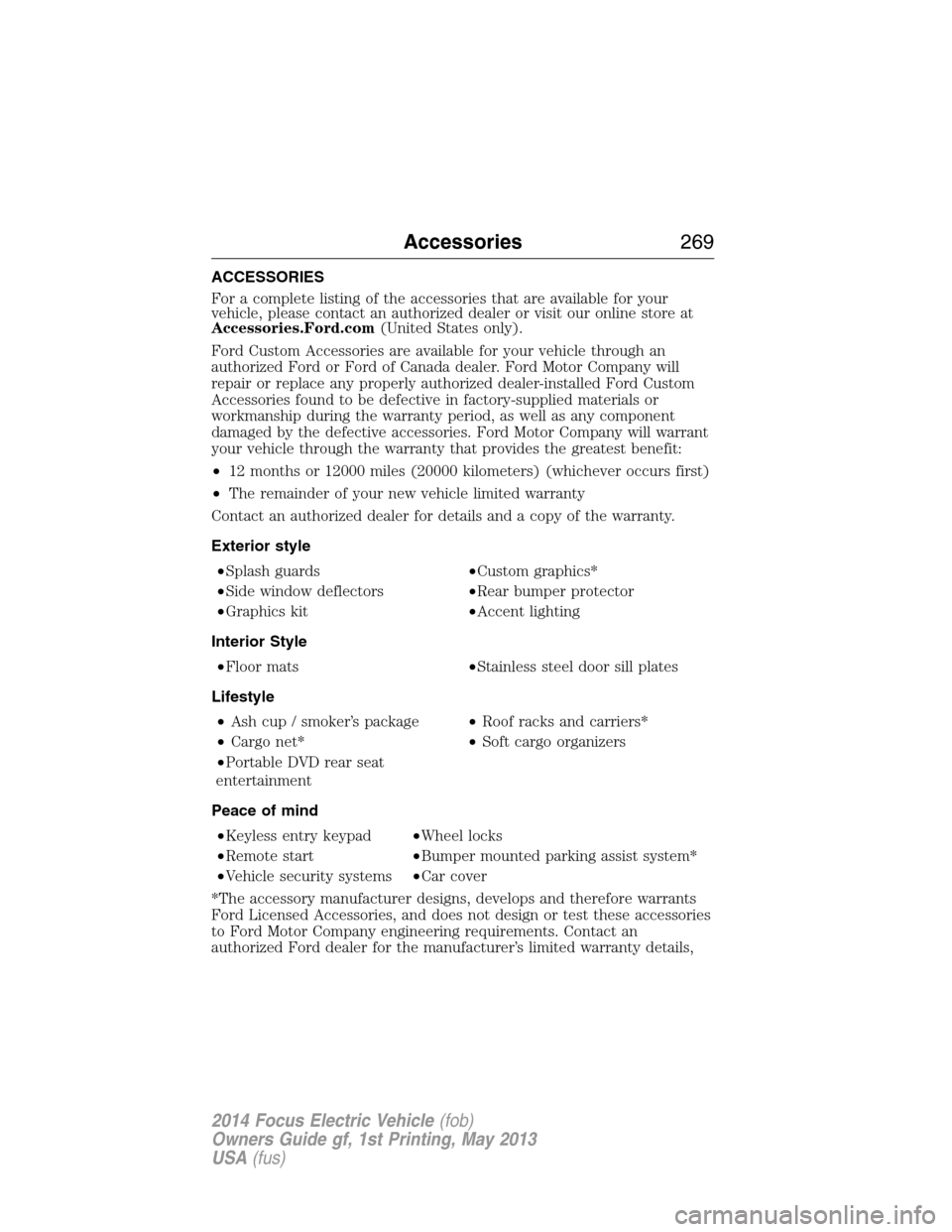
ACCESSORIES
For a complete listing of the accessories that are available for your
vehicle, please contact an authorized dealer or visit our online store at
Accessories.Ford.com(United States only).
Ford Custom Accessories are available for your vehicle through an
authorized Ford or Ford of Canada dealer. Ford Motor Company will
repair or replace any properly authorized dealer-installed Ford Custom
Accessories found to be defective in factory-supplied materials or
workmanship during the warranty period, as well as any component
damaged by the defective accessories. Ford Motor Company will warrant
your vehicle through the warranty that provides the greatest benefit:
•12 months or 12000 miles (20000 kilometers) (whichever occurs first)
•The remainder of your new vehicle limited warranty
Contact an authorized dealer for details and a copy of the warranty.
Exterior style
•Splash guards•Custom graphics*
•Side window deflectors•Rear bumper protector
•Graphics kit•Accent lighting
Interior Style
•Floor mats•Stainless steel door sill plates
Lifestyle
•Ash cup / smoker’s package•Roof racks and carriers*
•Cargo net*•Soft cargo organizers
•Portable DVD rear seat
entertainment
Peace of mind
•Keyless entry keypad•Wheel locks
•Remote start•Bumper mounted parking assist system*
•Vehicle security systems•Car cover
*The accessory manufacturer designs, develops and therefore warrants
Ford Licensed Accessories, and does not design or test these accessories
to Ford Motor Company engineering requirements. Contact an
authorized Ford dealer for the manufacturer’s limited warranty details,
Accessories269
2014 Focus Electric Vehicle(fob)
Owners Guide gf, 1st Printing, May 2013
USA(fus)
Page 401 of 403
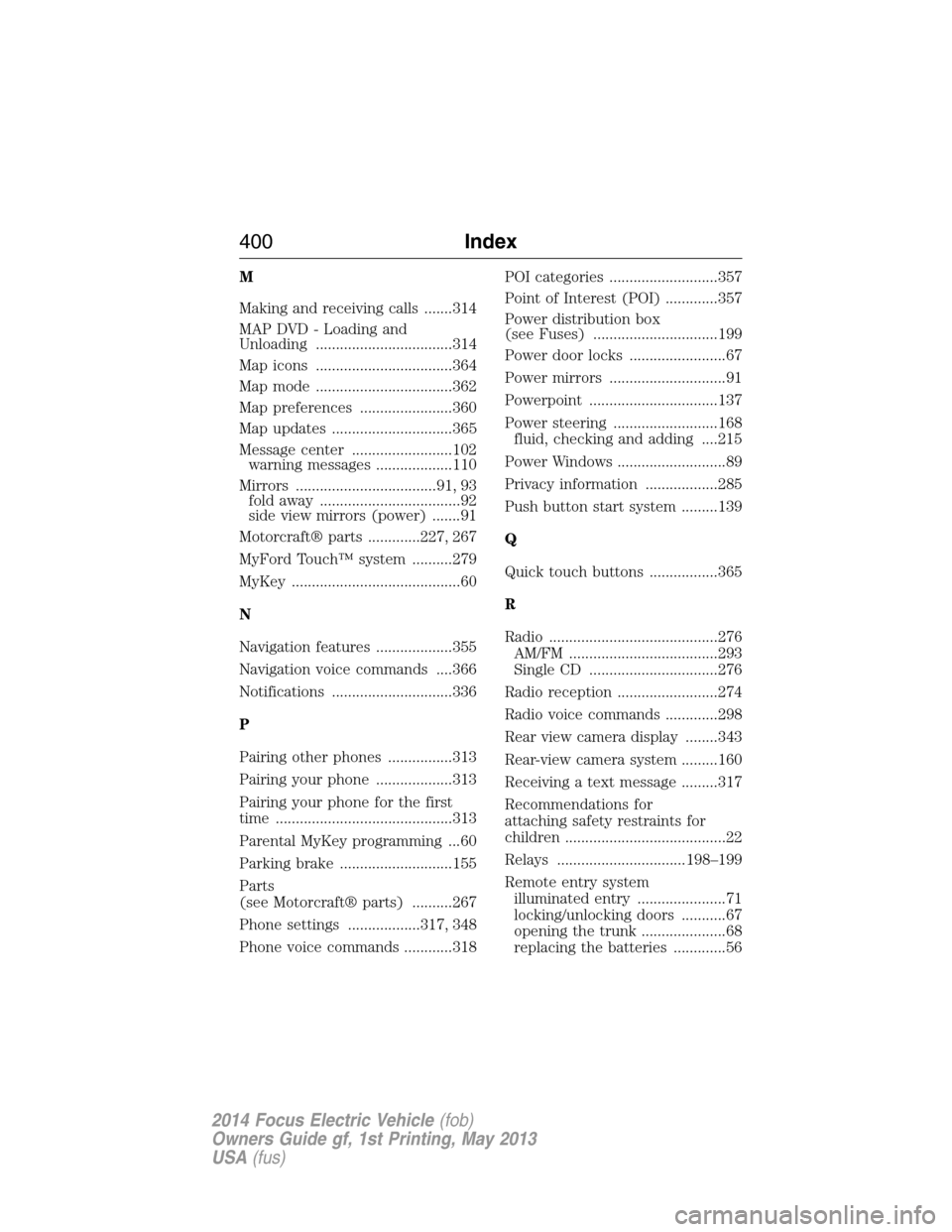
M
Making and receiving calls .......314
MAP DVD - Loading and
Unloading ..................................314
Map icons ..................................364
Map mode ..................................362
Map preferences .......................360
Map updates ..............................365
Message center .........................102
warning messages ...................110
Mirrors ...................................91, 93
fold away ...................................92
side view mirrors (power) .......91
Motorcraft® parts .............227, 267
MyFord Touch™ system ..........279
MyKey ..........................................60
N
Navigation features ...................355
Navigation voice commands ....366
Notifications ..............................336
P
Pairing other phones ................313
Pairing your phone ...................313
Pairing your phone for the first
time ............................................313
Parental MyKey programming ...60
Parking brake ............................155
Parts
(see Motorcraft® parts) ..........267
Phone settings ..................317, 348
Phone voice commands ............318POI categories ...........................357
Point of Interest (POI) .............357
Power distribution box
(see Fuses) ...............................199
Power door locks ........................67
Power mirrors .............................91
Powerpoint ................................137
Power steering ..........................168
fluid, checking and adding ....215
Power Windows ...........................89
Privacy information ..................285
Push button start system .........139
Q
Quick touch buttons .................365
R
Radio ..........................................276
AM/FM .....................................293
Single CD ................................276
Radio reception .........................274
Radio voice commands .............298
Rear view camera display ........343
Rear-view camera system .........160
Receiving a text message .........317
Recommendations for
attaching safety restraints for
children ........................................22
Relays ................................198–199
Remote entry system
illuminated entry ......................71
locking/unlocking doors ...........67
opening the trunk .....................68
replacing the batteries .............56
400Index
2014 Focus Electric Vehicle(fob)
Owners Guide gf, 1st Printing, May 2013
USA(fus)