battery FORD FOCUS ELECTRIC 2015 3.G User Guide
[x] Cancel search | Manufacturer: FORD, Model Year: 2015, Model line: FOCUS ELECTRIC, Model: FORD FOCUS ELECTRIC 2015 3.GPages: 369, PDF Size: 4.53 MB
Page 84 of 369
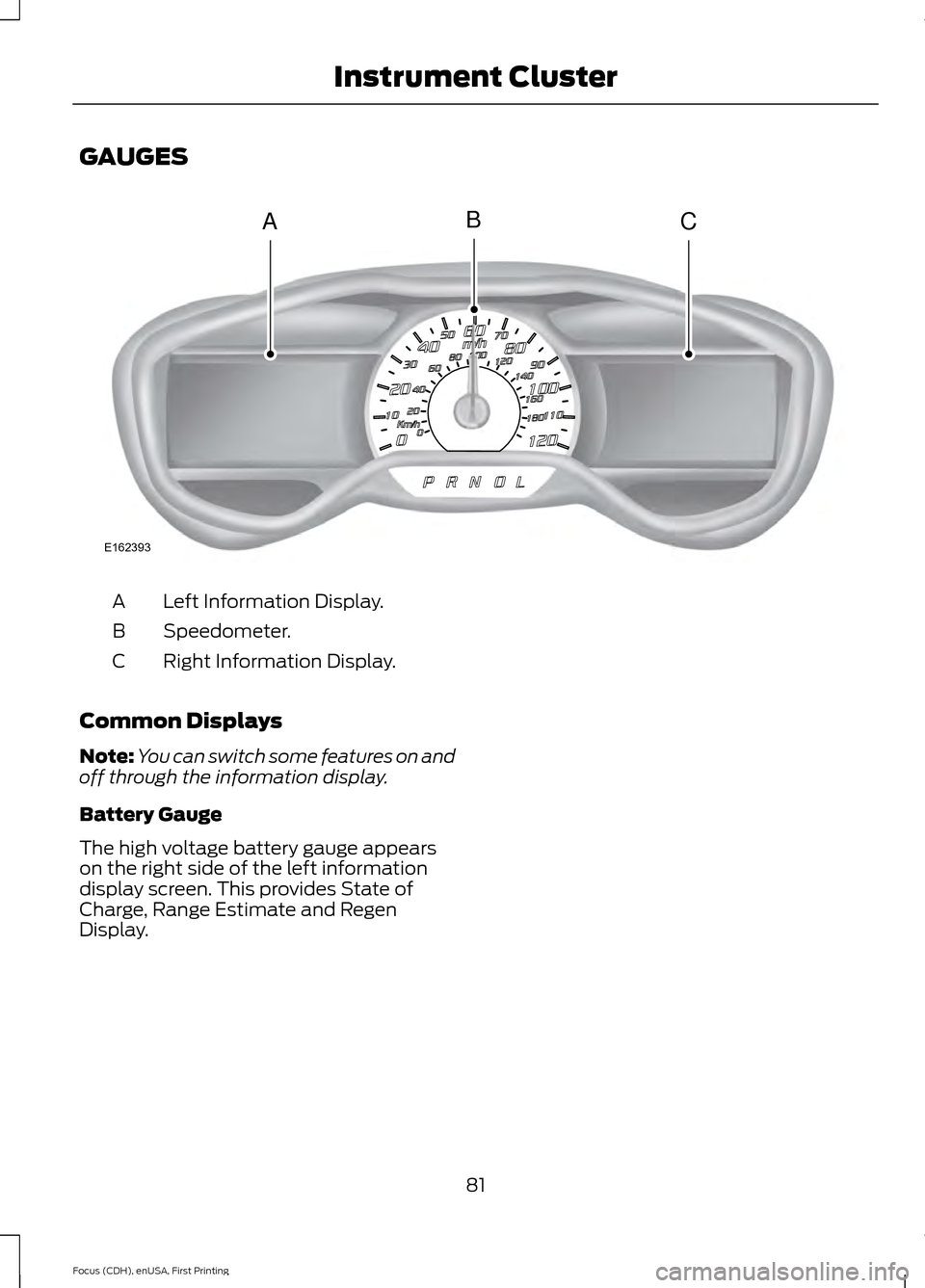
GAUGES
Left Information Display.
A
Speedometer.
B
Right Information Display.
C
Common Displays
Note: You can switch some features on and
off through the information display.
Battery Gauge
The high voltage battery gauge appears
on the right side of the left information
display screen. This provides State of
Charge, Range Estimate and Regen
Display.
81
Focus (CDH), enUSA, First Printing Instrument ClusterACB
E162393
Page 85 of 369
•
State of Charge - The state of charge
for the high voltage battery is shown
as a colored fill. The fill color is
normally blue. When a low battery
condition is reached the fill turns
amber. When the battery is depleted
the fill turns red. See the Information
Messages section for details on
associated Low Battery and Depleted
Battery warnings.
• Distance to Empty - The Range
Estimate in the Battery Gauge is
personalized to your key. This is the
estimated distance your vehicle can
travel before needing a recharge. The
Range Estimate is based on your
typical energy usage while driving. This
includes your Drive Habits as well as
your use of accessories such as Climate
Control. Your Range Estimate may
change immediately when you change
your Climate Control settings.
• Regen Display - A circular arrow
symbol appears in the center of the
Battery Gauge when energy is being
recaptured through the regenerative
braking system.
Brake Coach Display
The Brake Coach appears after your
vehicle has come to a stop. It coaches you
to brake in a manner which maximizes the
amount of energy returned through the
regenerative braking system. The percent
displayed is an indication of the
regenerative braking efficiency with 100%
representing the maximum amount of
energy recovery. If desired, this feature can
be disabled in the Display section of the
Settings menu. Trip Summary and Lifetime Summary
These summaries display after switching
off your vehicle. The Trip Summary
appears first, followed by the Lifetime
Summary. You can toggle between these
displays using the up and down arrow keys
on the left hand steering wheel controls.
Trip Summary data is from the last power
cycle, while Lifetime Summary data is
cumulative from the last Lifetime
Summary reset done through the Settings
menu in the information display.
Trip Summary:
•
Distance - The total distance traveled,
and regen distance are displayed.
Regen distance is the estimated range
gained from energy recaptured through
regenerative braking.
• Energy Used - The total kilowatt hours
and average watt hours per unit of
distance are displayed. The average
watt hours per mi (km) will be shown
in blue if less than (better than) the
lifetime average watt hours per mi
(km).
• Brake Score - The percentage of
braking energy recaptured and returned
to the high voltage battery through
regenerative braking. The brake score
will be shown in blue if greater than
(better than) the lifetime brake score.
Lifetime Summary:
• Distance - The total regen distance,
which is the estimated range gained
from energy recaptured through
regenerative braking.
• Energy Used - The average watt hours
per mi (km).
• Brake Score - The average percentage
of braking energy recaptured and
returned to the high voltage battery
through regenerative braking.
82
Focus (CDH), enUSA, First Printing Instrument Cluster
Page 86 of 369
WARNING LAMPS AND
INDICATORS
The following warning lamps and
indicators alert you to a vehicle condition
that may become serious. Some lamps
illuminate when you start your vehicle to
make sure they work. If any lamps remain
on after starting your vehicle, refer to the
respective system warning lamp for further
information.
Note:
Some warning indicators appear in
the information display and operate the
same as a warning lamp but do not
illuminate when you start your vehicle
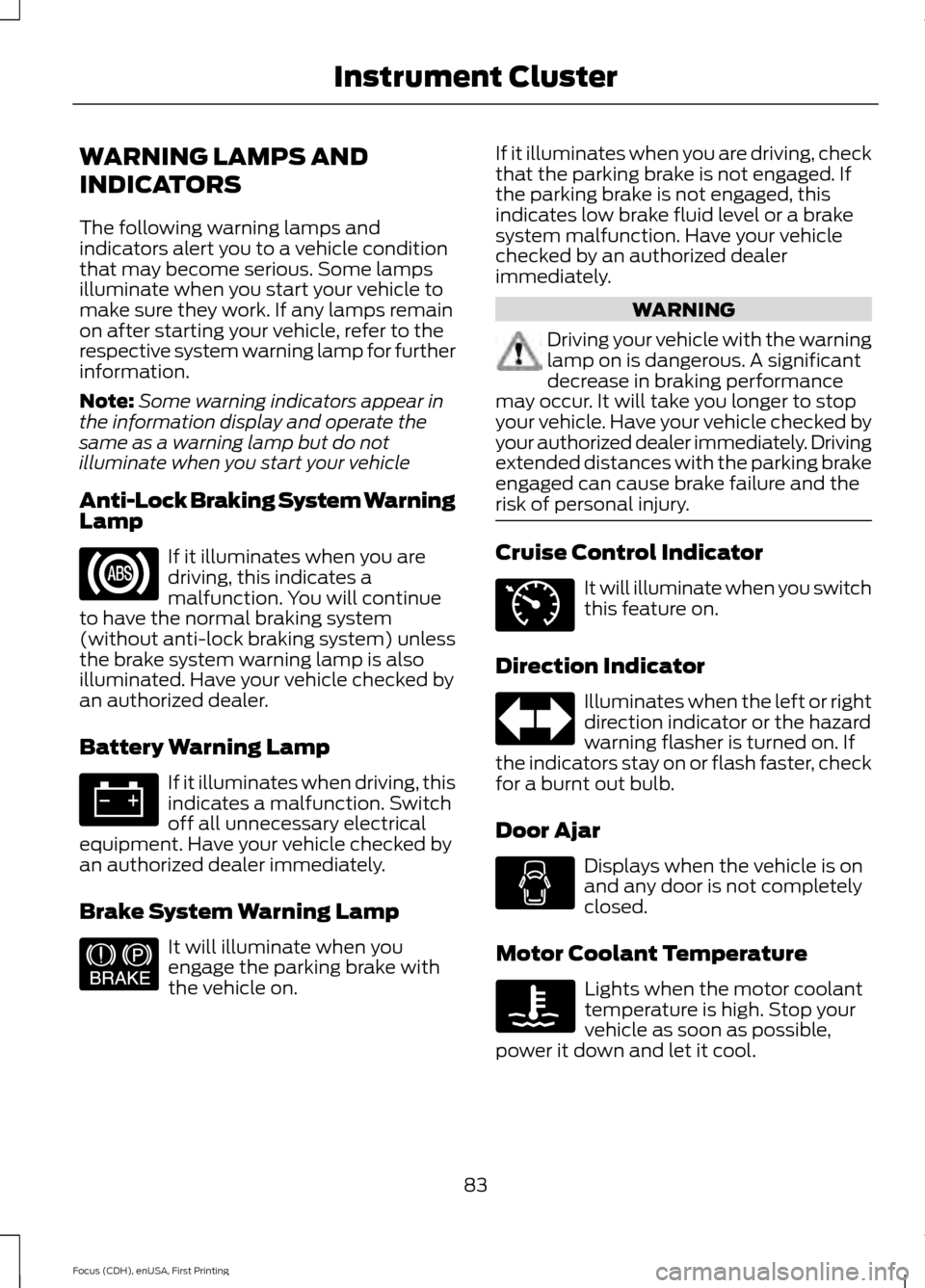
Anti-Lock Braking System Warning
Lamp If it illuminates when you are
driving, this indicates a
malfunction. You will continue
to have the normal braking system
(without anti-lock braking system) unless
the brake system warning lamp is also
illuminated. Have your vehicle checked by
an authorized dealer.
Battery Warning Lamp If it illuminates when driving, this
indicates a malfunction. Switch
off all unnecessary electrical
equipment. Have your vehicle checked by
an authorized dealer immediately.
Brake System Warning Lamp It will illuminate when you
engage the parking brake with
the vehicle on. If it illuminates when you are driving, check
that the parking brake is not engaged. If
the parking brake is not engaged, this
indicates low brake fluid level or a brake
system malfunction. Have your vehicle
checked by an authorized dealer
immediately. WARNING
Driving your vehicle with the warning
lamp on is dangerous. A significant
decrease in braking performance
may occur. It will take you longer to stop
your vehicle. Have your vehicle checked by
your authorized dealer immediately. Driving
extended distances with the parking brake
engaged can cause brake failure and the
risk of personal injury. Cruise Control Indicator
It will illuminate when you switch
this feature on.
Direction Indicator Illuminates when the left or right
direction indicator or the hazard
warning flasher is turned on. If
the indicators stay on or flash faster, check
for a burnt out bulb.
Door Ajar Displays when the vehicle is on
and any door is not completely
closed.
Motor Coolant Temperature Lights when the motor coolant
temperature is high. Stop your
vehicle as soon as possible,
power it down and let it cool.
83
Focus (CDH), enUSA, First Printing Instrument Cluster E144522 E71340
Page 87 of 369
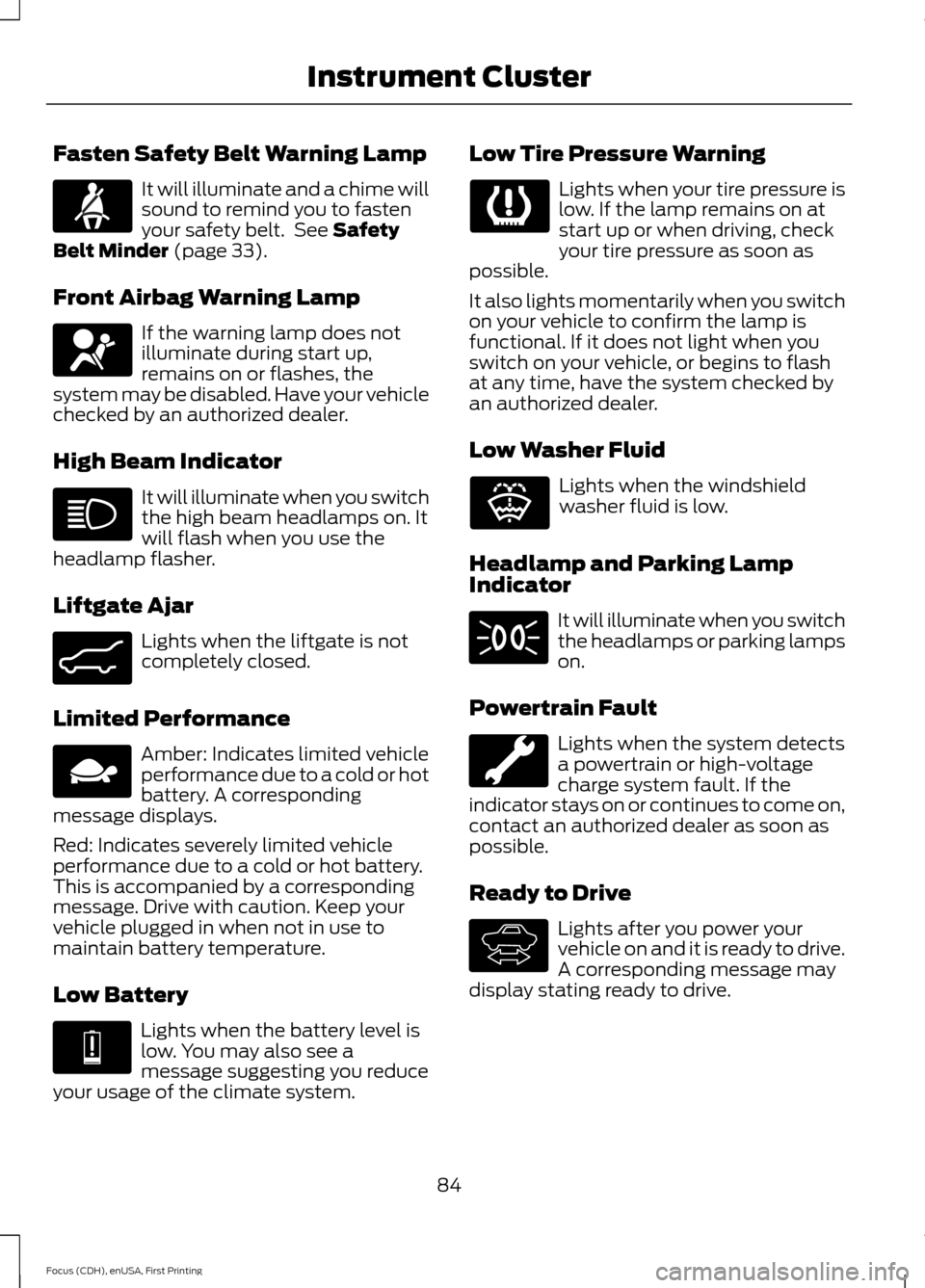
Fasten Safety Belt Warning Lamp
It will illuminate and a chime will
sound to remind you to fasten
your safety belt. See Safety
Belt Minder (page 33).
Front Airbag Warning Lamp If the warning lamp does not
illuminate during start up,
remains on or flashes, the
system may be disabled. Have your vehicle
checked by an authorized dealer.
High Beam Indicator It will illuminate when you switch
the high beam headlamps on. It
will flash when you use the
headlamp flasher.
Liftgate Ajar Lights when the liftgate is not
completely closed.
Limited Performance Amber: Indicates limited vehicle
performance due to a cold or hot
battery. A corresponding
message displays.
Red: Indicates severely limited vehicle
performance due to a cold or hot battery.
This is accompanied by a corresponding
message. Drive with caution. Keep your
vehicle plugged in when not in use to
maintain battery temperature.
Low Battery Lights when the battery level is
low. You may also see a
message suggesting you reduce
your usage of the climate system. Low Tire Pressure Warning Lights when your tire pressure is
low. If the lamp remains on at
start up or when driving, check
your tire pressure as soon as
possible.
It also lights momentarily when you switch
on your vehicle to confirm the lamp is
functional. If it does not light when you
switch on your vehicle, or begins to flash
at any time, have the system checked by
an authorized dealer.
Low Washer Fluid Lights when the windshield
washer fluid is low.
Headlamp and Parking Lamp
Indicator It will illuminate when you switch
the headlamps or parking lamps
on.
Powertrain Fault Lights when the system detects
a powertrain or high-voltage
charge system fault. If the
indicator stays on or continues to come on,
contact an authorized dealer as soon as
possible.
Ready to Drive Lights after you power your
vehicle on and it is ready to drive.
A corresponding message may
display stating ready to drive.
84
Focus (CDH), enUSA, First Printing Instrument Cluster E162453 E144690 E144691 E132353 E144692
Page 90 of 369
Display Mode
Budget Text or Help
Options
Budget Text
View
Gauge Scale, Budget Text or Help
Budget View
Surplus Graphic, Budget Text or Help
Range View
Gauge Scale - check enabled or uncheck disabled
MyView
Budget Text - check enabled or uncheck disabled Budget View
Budget Text
Change
MyView Budget + Avg
Range View
AccessoryPower
Accessory Power
Trip 1
Trip 1
Trip 2
Trip 2
Energy Coach
Energy History
Blank
Energy Coach
Blank
Help
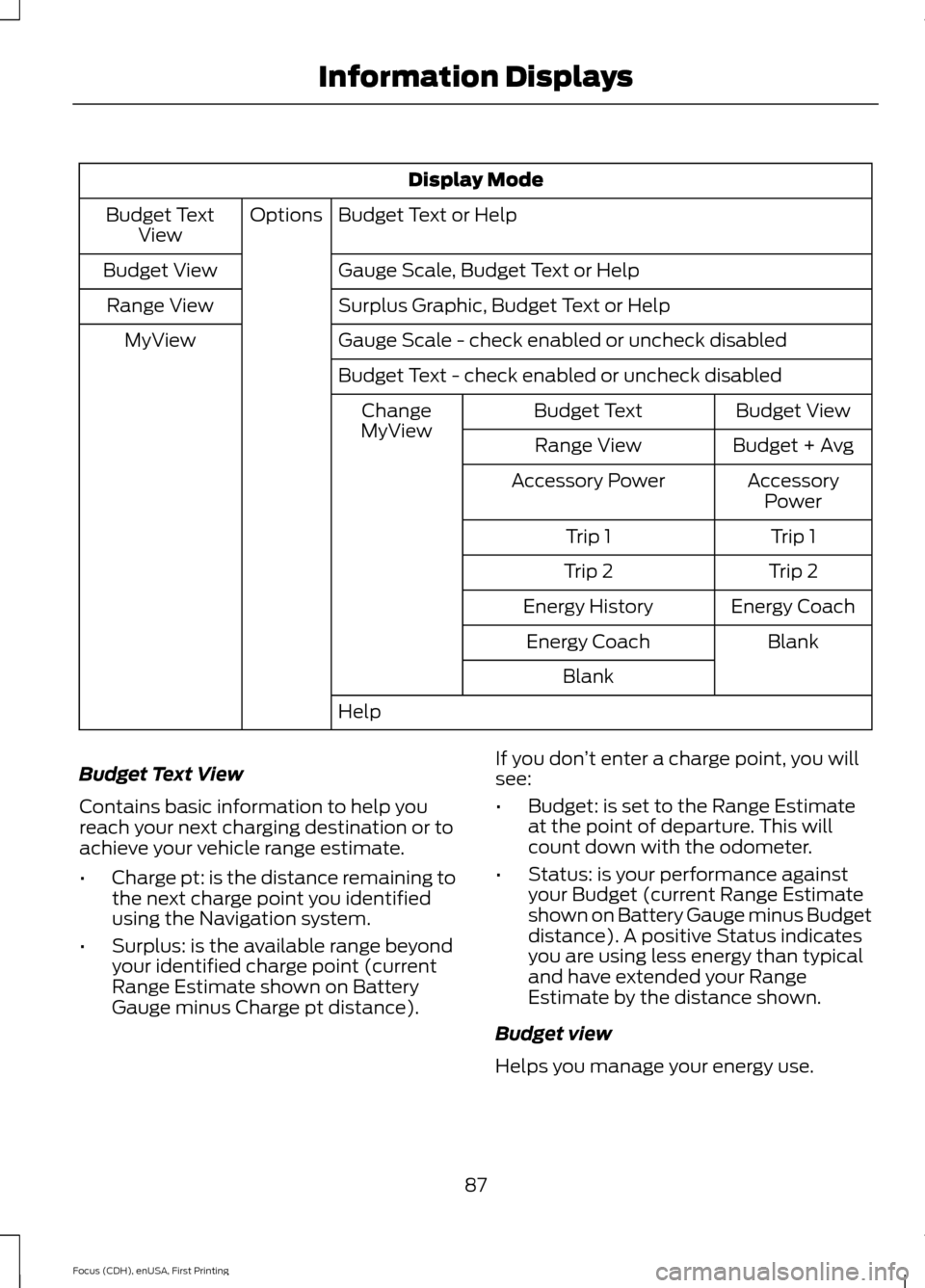
Budget Text View
Contains basic information to help you
reach your next charging destination or to
achieve your vehicle range estimate.
• Charge pt: is the distance remaining to
the next charge point you identified
using the Navigation system.
• Surplus: is the available range beyond
your identified charge point (current
Range Estimate shown on Battery
Gauge minus Charge pt distance). If you don
’t enter a charge point, you will
see:
• Budget: is set to the Range Estimate
at the point of departure. This will
count down with the odometer.
• Status: is your performance against
your Budget (current Range Estimate
shown on Battery Gauge minus Budget
distance). A positive Status indicates
you are using less energy than typical
and have extended your Range
Estimate by the distance shown.
Budget view
Helps you manage your energy use.
87
Focus (CDH), enUSA, First Printing Information Displays
Page 96 of 369
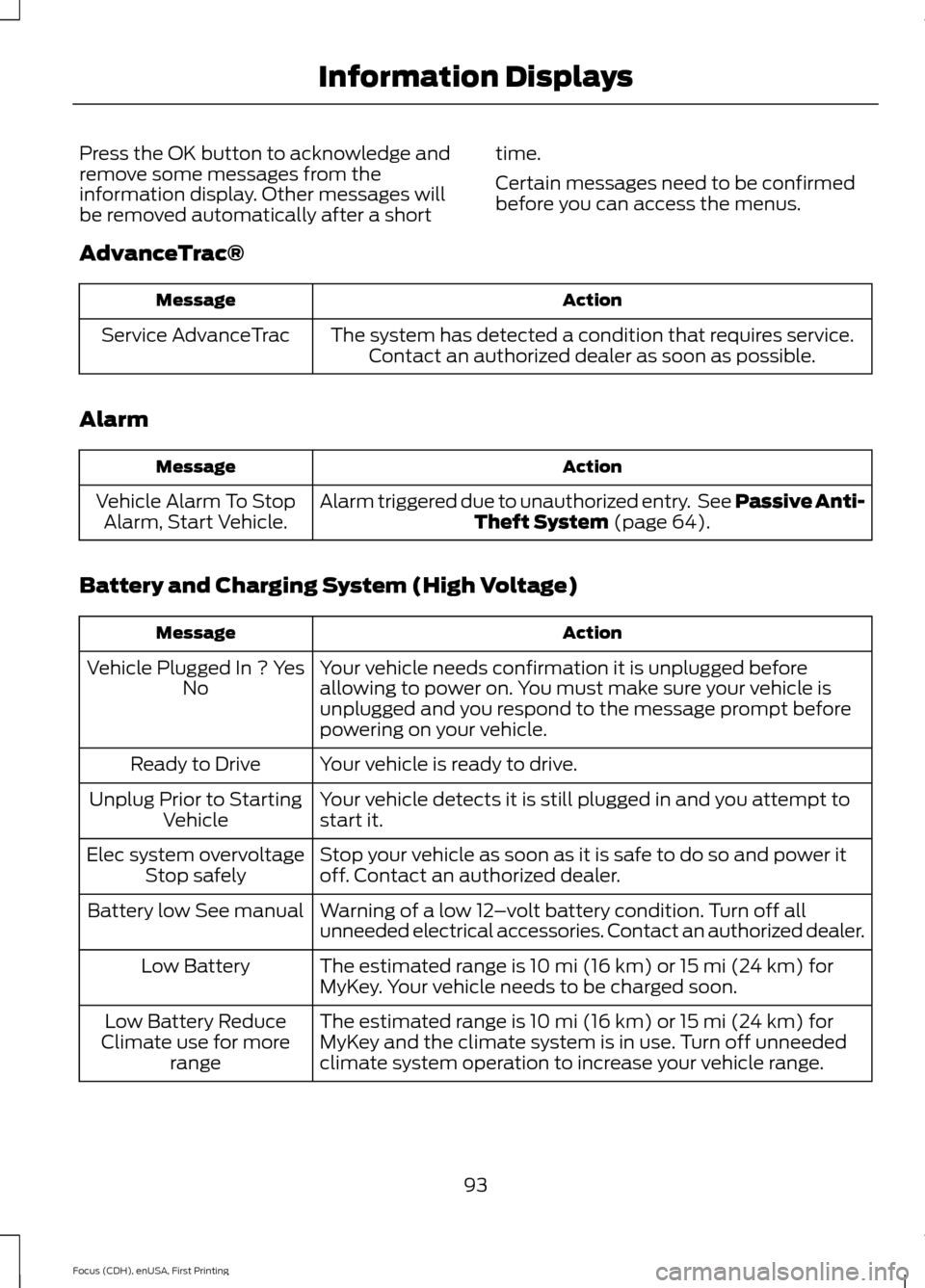
Press the OK button to acknowledge and
remove some messages from the
information display. Other messages will
be removed automatically after a short
time.
Certain messages need to be confirmed
before you can access the menus.
AdvanceTrac® Action
Message
The system has detected a condition that requires service.Contact an authorized dealer as soon as possible.
Service AdvanceTrac
Alarm Action
Message
Alarm triggered due to unauthorized entry. See Passive Anti-Theft System (page 64).
Vehicle Alarm To Stop
Alarm, Start Vehicle.
Battery and Charging System (High Voltage) Action
Message
Your vehicle needs confirmation it is unplugged before
allowing to power on. You must make sure your vehicle is
unplugged and you respond to the message prompt before
powering on your vehicle.
Vehicle Plugged In ? Yes
No
Your vehicle is ready to drive.
Ready to Drive
Your vehicle detects it is still plugged in and you attempt to
start it.
Unplug Prior to Starting
Vehicle
Stop your vehicle as soon as it is safe to do so and power it
off. Contact an authorized dealer.
Elec system overvoltage
Stop safely
Warning of a low 12–volt battery condition. Turn off all
unneeded electrical accessories. Contact an authorized dealer.
Battery low See manual
The estimated range is 10 mi (16 km) or 15 mi (24 km) for
MyKey. Your vehicle needs to be charged soon.
Low Battery
The estimated range is 10 mi (16 km) or 15 mi (24 km) for
MyKey and the climate system is in use. Turn off unneeded
climate system operation to increase your vehicle range.
Low Battery Reduce
Climate use for more range
93
Focus (CDH), enUSA, First Printing Information Displays
Page 97 of 369
Action
Message
The estimated range is 0 mi (0 km). Stop your vehicle in a
safe place. Your vehicle must be charged.
Depleted Battery Stop
safely now
High climate usage may make it difficult to stay within your
energy budget.
Reduce Climate Use for
More Range
Cold battery temperatures is affecting your vehicle perform-
ance.
Limited Performance
Due to cold battery
Your vehicle performance is severely affected by cold battery
temperatures. Drive with caution. Keep your vehicle plugged
in when not in use to maintain proper battery temperature.
Severely Limited
Performance Due to cold battery
Hot battery temperature is affecting your vehicle performance.
Limited Performance
Due to hot battery
Your vehicle performance is severely affected by hot battery
temperatures. Drive with caution. Keep your vehicle plugged
in when not in use to maintain proper battery temperature.
Severely Limited
Performance Due to hot battery
You have not specified a charge point through your vehicle
Mytouch system and your vehicle range will soon be less than
what is needed to return Home. Your Home address must be
specified through your vehicle Mytouch system to enable this
feature.
Approaching Range
Limit to Return Home
The stop safely hazard warning lamp is illuminated. This
indicates an electrical component fault or failure that will
cause your vehicle to shut down or enter into limited operating
mode.
Stop Safely Now
The ambient temperature is hot. Plug in your vehicle to cool
the high voltage battery for optimum performance.
Outside Air Temperature
High Plug Vehicle inWhen not in use
The ambient temperature is cold. Plug in your vehicle to warm
the high voltage battery for optimum performance.
Outside Air Temperature
Low Plug Vehicle inWhen not in use
Your vehicle is ready to drive and you have not specified your
next charge point through your vehicle navigation system.
Your budget is set for the current vehicle range estimate.
Ready to Drive Budget
set to {distance
imperial:###0} mi
Your budget is reset because you have reached your charge
point destination, or you no longer have a charge point
destination identified through your vehicle navigation system.
Your budget is set for the current vehicle range estimate.
Budget set to {distance
imperial:###0} mi
94
Focus (CDH), enUSA, First Printing Information Displays
Page 105 of 369
Note:
Remove any snow, ice, or leaves from
the air intake area at the base of the
windshield.
Note: To improve air conditioning when
starting your vehicle, drive with the windows
slightly open for two to three minutes.
Recommended Settings for
Cooling
1. Press the AUTO button.
2. Adjust the temperature control to the desired setting.
Side Window Defogging in Cold
Weather
1. Select air distribution through the floor
vent.
2. Select air distribution through the panel
vent.
3. Select
A/C.
4. Adjust the temperature control to the desired setting.
5. Adjust the outer panel vents toward the side windows.
Note: To increase airflow to the outer panel
vents, close the vents in the middle of the
instrument panel.
Improving Vehicle Drive Range
Your vehicle is equipped with a high
voltage electric compressor and a high
voltage electric heater. You can increase
your driving range by minimizing the
amount of energy expended to cool or heat
the interior during the drive.
Pre-condition the interior temperature
during vehicle charging reduces the battery
energy use on the interior comfort and
improves range.
Note: Your vehicle may not always reach
the set cabin temperature due to charging
and ambient temperature conditions. Hot and cold temperatures make your
vehicle use more energy to achieve and
maintain a comfortable interior
temperature. Park the vehicle in the shade
or in a parking structure when hot, and in
a garage when cold.
Consider partially opening a window (or
windows) to let fresh air circulate, if
weather conditions permit. You can
achieve maximum energy savings by
switching the climate system off. Do this
only if conditions exist for safe vehicle
operation.
Reduce fan speed.
Set the
AUTO temperature a couple
degrees cooler than you normally do on
cold days and a couple degrees higher on
hot days. Use the heated seats on cold
days to increase interior comfort.
Switch the air conditioning off in mild
temperatures or low humidity conditions.
Defrost mode automatically turns the air
conditioning on to dehumidify the air, and
cannot be switched off. If defogging or
defrosting is not necessary, select a
non-defrost mode and disengage air
conditioning to extend vehicle range.
Air conditioning and heating functions are
automatically switched off (unless in
defrost mode) when driving distance to
empty is zero miles (zero km). The interior
fan will continue to operate.
HEATED WINDOWS AND
MIRRORS
Heated Rear Window
Note: Make sure the vehicle is running
before operating the heated windows.
102
Focus (CDH), enUSA, First Printing Climate Control
Page 112 of 369
HEATED SEATS
WARNING
People who are unable to feel pain
to their skin because of advanced
age, chronic illness, diabetes, spinal
cord injury, medication, alcohol use,
exhaustion or other physical conditions,
must exercise care when using the heated
seat. The heated seat may cause burns
even at low temperatures, especially if
used for long periods of time. Do not place
anything on the seat that insulates against
heat, such as a blanket or cushion. This
may cause the heated seat to overheat.
Do not puncture the seat with pins, needles
or other pointed objects. This may damage
the heating element which may cause the
heated seat to overheat. An overheated
seat may cause serious personal injury. Do not do the following:
•
Place heavy objects on the seat.
• Operate the heated seat if water or any
other liquid spills on the seat. Allow the
seat to dry thoroughly.
• Operate the heated seats unless the
vehicle is powered to Ready to Drive.
Doing so can deplete the 12-volt
battery. Press the heated seat symbol to cycle
through the various heat settings and off.
More indicator lights indicate warmer
settings.
109
Focus (CDH), enUSA, First Printing SeatsE146941
Page 113 of 369
12 Volt DC Power Point
WARNING
Do not plug optional electrical
accessories into the cigar lighter
socket. Incorrect use of the lighter
can cause damage not covered by your
warranty, and can result in fire or serious
injury. Note:
After starting your vehicle, you can
use the socket to power 12-volt appliances
with a maximum current rating of 20 amps.
After you switch your vehicle off, the power
supply works only for a maximum of 30
minutes.
Note: Do not insert objects other than an
accessory plug into the power point. This
damages the outlet and can blow the fuse.
Note: Do not hang any type of accessory or
accessory bracket from the plug.
Note: Do not use the power point over the
vehicle capacity of 12 volt DC 180 watt or a
fuse may blow.
Note: Do not use the power point for
operating a cigar lighter element.
Note: Incorrect use of the power point can
cause damage not covered by your
warranty.
Note: Always keep the power point caps
closed when not in use.
Run the vehicle for full capacity use of the
power point.
To prevent the battery from running out of
charge:
• Do not use the power point longer than
necessary after switching the vehicle
off.
• Do not leave devices plugged in
overnight or when your vehicle is in park
(P) for extended periods. Location
You may find power points in the following
locations:
•
On the center console
• In the center console.
110
Focus (CDH), enUSA, First Printing Auxiliary Power Points