climate control FORD FOCUS ELECTRIC 2015 3.G User Guide
[x] Cancel search | Manufacturer: FORD, Model Year: 2015, Model line: FOCUS ELECTRIC, Model: FORD FOCUS ELECTRIC 2015 3.GPages: 369, PDF Size: 4.53 MB
Page 176 of 369
If you drive in extremely hot climates:
•
It may be necessary to have a Ford
authorized dealer decrease the coolant
concentration to 40%.
• A coolant concentration of 40%
provides improved overheat protection.
Coolant concentrations below 40%
will decrease the freeze and corrosion
protection characteristics of the
coolant and may cause vehicle
damage.
Vehicles driven year-round in non-extreme
climates should use prediluted coolant for
optimum cooling system and vehicle
protection.
BRAKE FLUID CHECK WARNINGS
Do not use any fluid other than the
recommended brake fluid as this will
reduce brake efficiency. Use of
incorrect fluid could result in the loss of
vehicle control, serious personal injury or
death. Only use brake fluid from a sealed
container. Contamination with dirt,
water, petroleum products or other
materials may result in brake system
damage or failure. Failure to adhere to this
warning could result in the loss of vehicle
control, serious personal injury or death. Do not allow the fluid to touch your
skin or eyes. If this happens, rinse the
affected areas immediately with
plenty of water and contact your physician. A fluid level between the MAX and
MIN lines is within the normal
operating range and there is no need
to add fluid. A fluid level not in the normal
operating range could compromise the
performance of the system. Have your
vehicle checked immediately. Only use fluid that meets Ford
specifications.
WASHER FLUID CHECK
When adding fluid, use a mixture of washer
fluid and water to help prevent freezing in
cold weather and improve the cleaning
capability. For information on fluid dilution,
refer to the product instructions.
Note:
The reservoir supplies the front and
rear washer systems.
CHANGING THE 12V BATTERY WARNINGS
Batteries normally produce explosive
gases which can cause personal
injury. Therefore, do not allow
flames, sparks or lighted substances to
come near the battery. When working near
the battery, always shield your face and
protect your eyes. Always provide correct
ventilation. When lifting a plastic-cased battery,
excessive pressure on the end walls
could cause acid to flow through the
vent caps, resulting in personal injury and
damage to the vehicle or battery. Lift the
battery with a battery carrier or with your
hands on opposite corners.
173
Focus (CDH), enUSA, First Printing MaintenanceE170684
Page 190 of 369
We engineer and test all motor vehicles
and their components for reliable, regular
driving. Under various conditions,
long-term storage may lead to degraded
engine performance or failure unless you
use specific precautions to preserve engine
components.
General
•
Store all vehicles in a dry, ventilated
place.
• Protect from sunlight, if possible.
• If you store vehicles outside, they
require regular maintenance to protect
against rust and damage.
Body
• Wash your vehicle thoroughly to
remove dirt, grease, oil, tar or mud from
exterior surfaces, rear-wheel housing
and the underside of front fenders.
• Periodically wash your vehicle if you
store it in exposed locations.
• Touch-up exposed or primed metal to
prevent rust.
• Cover chrome and stainless steel parts
with a thick coat of auto wax to prevent
discoloration. Re-wax as necessary
when you wash your vehicle.
• Lubricate all hood, door and luggage
compartment hinges and latches with
a light grade oil.
• Cover interior trim to prevent fading.
• Keep all rubber parts free from oil and
solvents.
Electric Motor
• Start your vehicle every 15 days for a
minimum of 15 minutes. Run at fast idle
with the climate controls set to defrost
until your vehicle reaches normal
operating temperature. Fuel System
•
Fill the fuel tank with high-quality fuel
until the first automatic shutoff of the
fuel pump nozzle.
Cooling System
• Protect against freezing temperatures.
• When removing your vehicle from
storage, check coolant fluid level.
Confirm that there are no cooling
system leaks and that fluid is at the
recommended level.
12V Battery
• Check and recharge as necessary. Keep
connections clean.
• If storing your vehicle for more than 30
days without recharging the battery,
we recommend that you disconnect
the battery cables to maintain battery
charge for quick starting.
Note: It is necessary to reset memory
features if you disconnect the battery
cables.
We recommend the following options for
your plug-in vehicle:
• Leave your vehicle plugged in. The 12V
battery maintains power if left plugged
in. However, this periodically uses
electricity from the household outlet.
• Connect a battery charger to your 12V
battery and leave it on a continuous,
slow charge.
• Disconnect the 12V battery. If your 12V
battery is located in the luggage
compartment, do not fully shut the
luggage compartment after
disconnecting the 12V battery. Only
leave the luggage compartment open
if your vehicle is stored in a locked
location.
187
Focus (CDH), enUSA, First Printing Vehicle Care
Page 205 of 369
U.S. Department of
Transportation-Tire quality
grades: The U.S. Department of
Transportation requires Ford
Motor Company to give you the
following information about tire
grades exactly as the government
has written it.
Treadwear
The treadwear grade is a
comparative rating based on the
wear rate of the tire when tested
under controlled conditions on a
specified government test course.
For example, a tire graded 150
would wear 1½ times as well on
the government course as a tire
graded 100. The relative
performance of tires depends
upon the actual conditions of their
use, however, and may depart
significantly from the norm due to
variations in driving habits, service
practices, and differences in road
characteristics and climate.
Traction AA A B C WARNING
The traction grade assigned
to this tire is based on
straight-ahead braking traction
tests, and does not include
acceleration, cornering,
hydroplaning or peak traction
characteristics. The traction grades, from highest
to lowest are AA, A, B, and C. The
grades represent the tire
’s ability
to stop on wet pavement as
measured under controlled
conditions on specified
government test surfaces of
asphalt and concrete. A tire
marked C may have poor traction
performance.
Temperature A B C WARNING
The temperature grade for
this tire is established for a
tire that is properly inflated and
not overloaded. Excessive speed,
under-inflation, or excessive
loading, either separately or in
combination, can cause heat
buildup and possible tire failure. The temperature grades are A
(the highest), B and C,
representing the tire
’s resistance
to the generation of heat and its
ability to dissipate heat when
tested under controlled conditions
on a specified indoor laboratory
test wheel. Sustained high
temperature can cause the
material of the tire to degenerate
and reduce tire life, and excessive
temperature can lead to sudden
tire failure. The grade C
corresponds to a level of
performance which all passenger
car tires must meet under the
202
Focus (CDH), enUSA, First Printing Wheels and Tires
Page 234 of 369
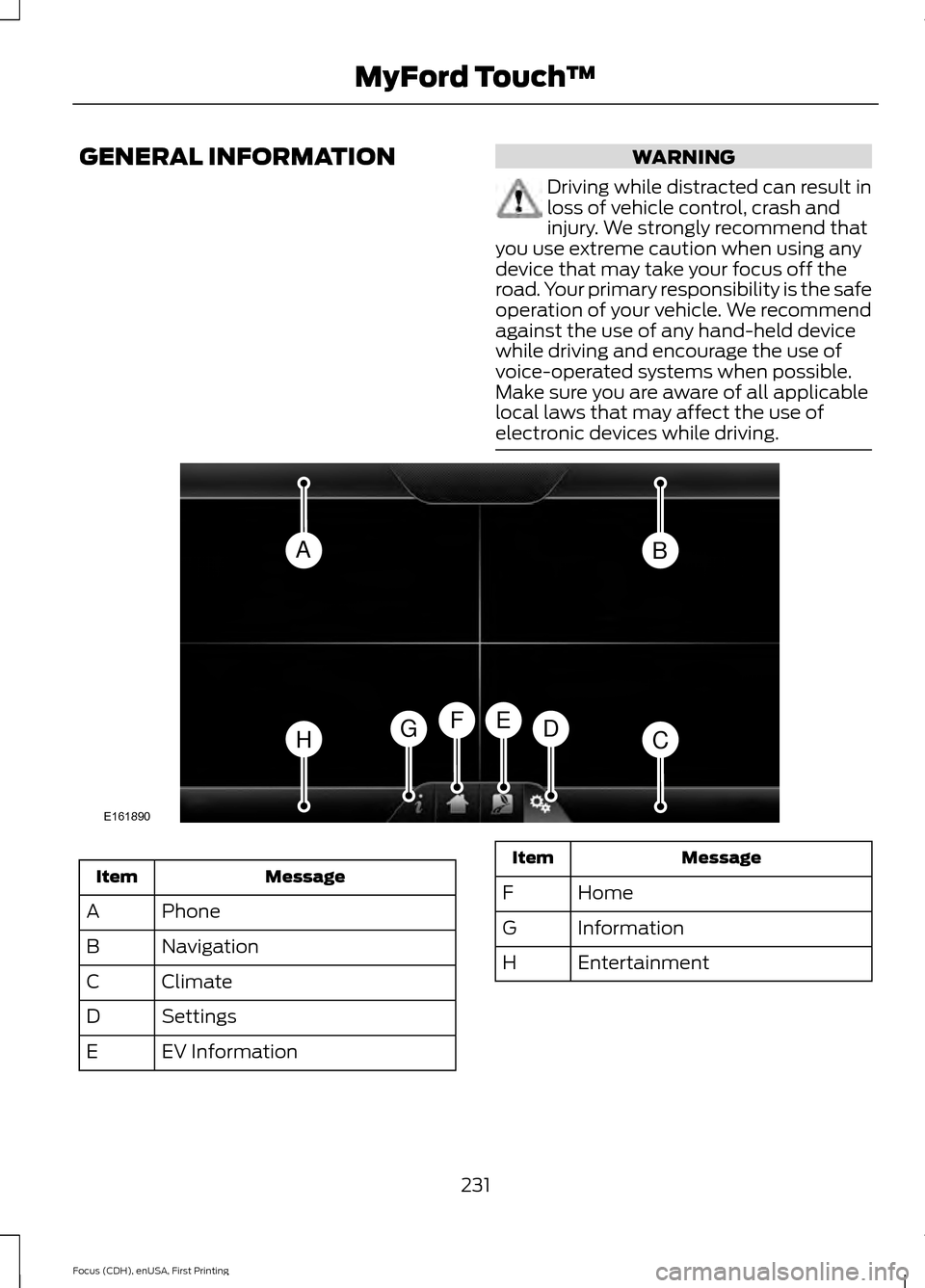
GENERAL INFORMATION WARNING
Driving while distracted can result in
loss of vehicle control, crash and
injury. We strongly recommend that
you use extreme caution when using any
device that may take your focus off the
road. Your primary responsibility is the safe
operation of your vehicle. We recommend
against the use of any hand-held device
while driving and encourage the use of
voice-operated systems when possible.
Make sure you are aware of all applicable
local laws that may affect the use of
electronic devices while driving. Message
Item
Phone
A
Navigation
B
Climate
C
Settings
D
EV Information
E Message
Item
Home
F
Information
G
Entertainment
H
231
Focus (CDH), enUSA, First Printing MyFord Touch
™AB
HCDGEF
E161890
Page 235 of 369
This system uses a four-corner strategy to
provide quick access to several vehicle
features and settings. The touchscreen
provides easy interaction with your cell
phone, entertainment, information and
system settings. The corners display active
modes within the menus, for example; your
cell phone's status.
Note:
Some features are not available while
your vehicle is moving.
Note: You can access the entertainment
features for 30 minutes after you switch the
ignition off, and no doors are opened.
Phone
Press to select any of the following: Message
Phone
Quick Dial
Phonebook
History
Messaging
Settings
Navigation
Press to select any of the following: Message
My Home
Favorites
Previous Destinations
Point of Interest
Emergency
Street Address
Intersection Message
City Center
Map
Edit Route
Cancel Route
CLIMATE
Press the corresponding icons to control
the following options:
• Driver Settings
• Recirculated Air
• Auto
• Dual
• Passenger Settings
• A/C
• Defrost
Settings Press to select any of the following:
Message
Clock
Display
Sound
Vehicle
Settings
Help
232
Focus (CDH), enUSA, First Printing MyFord Touch
™E142607
Page 293 of 369
Description
Item
Callout
Includes all power usage from the low voltageaccessories such as the climate control fan,
headlights and heated seats. The higher the power usage is from these accessories, the
larger the circle around the node. This node illuminates anytime the vehicle is on since
there is always some low level power in use.
2
Other
E
Includes the power usage from the high-
voltage climate control components such as the electric A/C compressor and the electric heater. The higher the power usage is from
these components, the larger the circle around this node.
2,3
Climate
F
Represents your high-voltage battery. A circleilluminates around the node when the high- voltage battery is receiving power from
regenerative braking, engine charging or
external charging (when you plug it in). The
higher the power going into the high-voltage
battery, the larger the circle around this node.
High Voltage
Battery Power
G
Represents the power going to the wheels.
The higher the wheel power is, the larger the circle around this node.
Drive Power
H
1 The battery-to-motor flow includes
battery power the vehicle is using for
acceleration. It does not include energy the
vehicle is using for accessories (such as air
conditioning, headlights and radio). This
screen displays accessories and climate
usage separately.
2 Accessories indicates electrical power
demands from your vehicle ’s accessory
systems. Accessories use power but do not
contribute to making the vehicle move. The
power flow displays power usage from the
climate control system and other
accessories separately. 3
The climate control system may
determine A/C is necessary even when you
switch it off. In this case, you may see some
climate power when the A/C is off.
Status
This indicates which mode is active within
the vehicle system.
290
Focus (CDH), enUSA, First Printing MyFord Touch
™
Page 304 of 369
If you want to run a report by using the
touchscreen, select:
Message
Apps
Vehicle Health Report You can also run a vehicle health
report by voice command.
Press the voice button and when
prompted say: Voice command
Vehicle Health Report
Vehicle Health Report Privacy Notice
When you create a Vehicle Health Report,
Ford Motor Company may collect your
cellular phone number (to process your
report request) and diagnostic information
about your vehicle. Certain versions or
updates to Vehicle Health Report may also
collect more vehicle information. Ford may
use your vehicle information it collects for
any purpose. If you do not want to disclose
your cellular phone number or vehicle information, do not run the feature or set
up your Vehicle Health Report profile at
www.SYNCMyRide.com. See
www.SYNCMyRide.com (Vehicle Health
Report Terms and Conditions, and Privacy
Statement) for more information.
Where Am I?
For information about your current
location, select: Action and Descrip-
tion
Message
View your vehicle's
current location, if
your vehicle is
equipped with
navigation. If your
vehicle is not
equipped with
navigation, nothing
displays.
Where Am I?
CLIMATE
Press the lower right corner on the
touchscreen to access your climate control
features. Depending on your vehicle line
and option package, your climate screen
may look different from the screen shown
here.
Note: You can switch temperature units
between Fahrenheit and Celsius. See
Settings (page 240).
301
Focus (CDH), enUSA, First Printing MyFord Touch
™E142599
Page 306 of 369
MAX Defrost: Distributes outside air through the windshield air vents and
automatically switches the air conditioning on. The fan is set to the highest
speed and the temperature to HI. When the air distribution is set in this position,
you are unable to select recirculated air or manually adjust the fan speed and
temperature control.
I
Manual airflow distribution controls:
Airflow can be directed into the
following locations:
J
Footwell and Defrost: Distributes air through the windshield defroster vents,
demister vents, floor vents and rear seat floor vents, and provides outside air
to reduce window fogging.
Panel:
Distributes air through the instrument panel vents.
Panel and Floor:
Distributes air through the instrument panel vents, demister
vents, floor vents and rear seat floor vents.
Floor:
Distributes air through the demister vents, floor vents and rear seat floor
vents.
Defrost:
Touch to clear the windshield of fog and thin ice. Touch again to return
to the previous airflow selection. When on, defrost provides outside air to reduce
window fogging and distributes air through the windshield defroster vents and
demister vents.
Driver settings:
Touch + or – adjust the temperature.
K
Climate Control Voice Commands Press the voice button on the
steering wheel controls. When
prompted, say any of the
following or a similar command: Voice commands
Climate On
Climate Off Adjust the temperature to between 59 - 86°F (15.0- 30.0°C).
Set temperature
303
Focus (CDH), enUSA, First Printing MyFord Touch
™E142599
Page 362 of 369
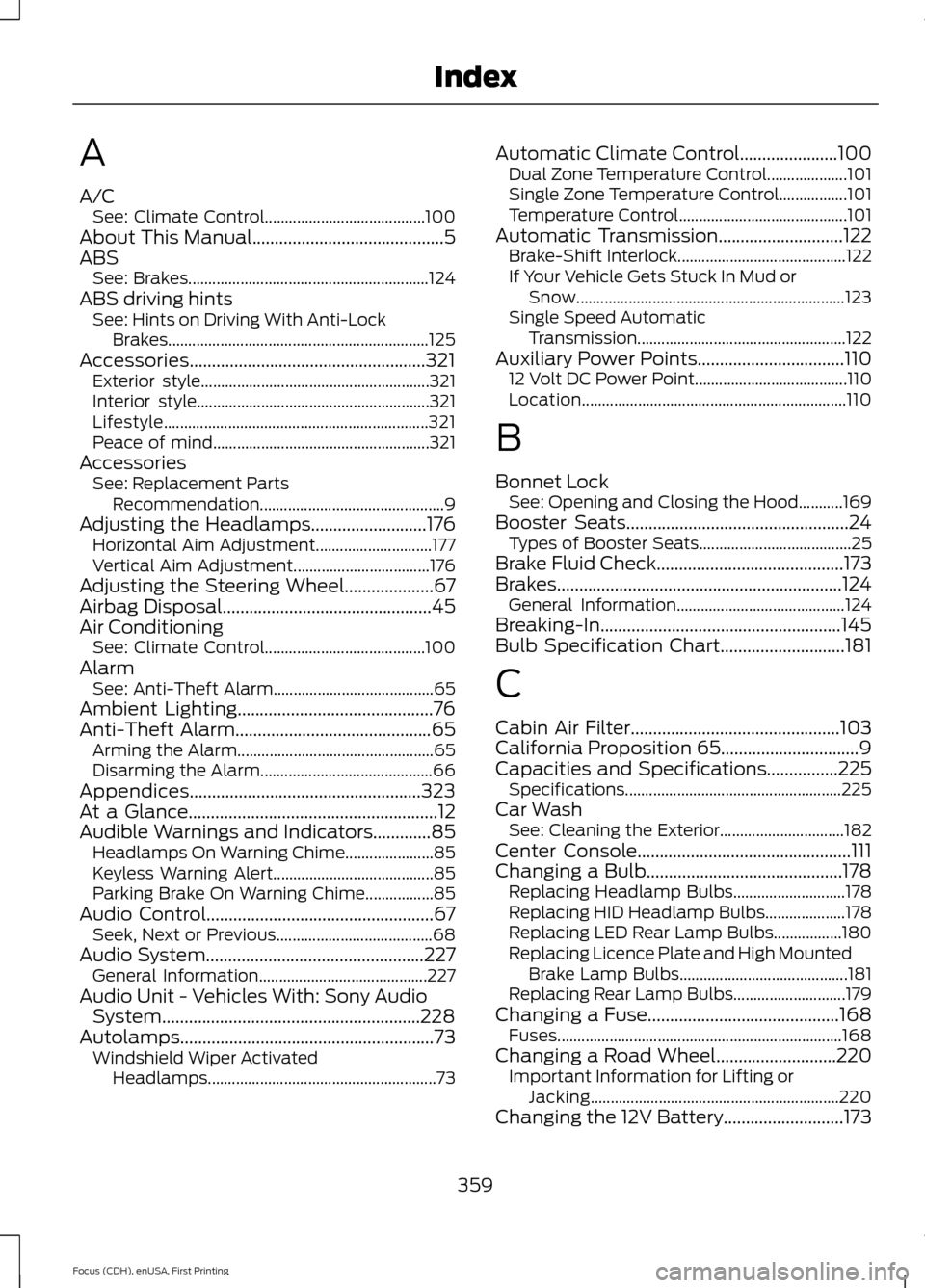
A
A/C
See: Climate Control........................................ 100
About This Manual...........................................5
ABS See: Brakes............................................................ 124
ABS driving hints See: Hints on Driving With Anti-Lock
Brakes................................................................. 125
Accessories.....................................................321 Exterior style......................................................... 321
Interior style.......................................................... 321
Lifestyle.................................................................. 321
Peace of mind...................................................... 321
Accessories See: Replacement Parts
Recommendation.............................................. 9
Adjusting the Headlamps..........................176 Horizontal Aim Adjustment............................. 177
Vertical Aim Adjustment.................................. 176
Adjusting the Steering Wheel....................67
Airbag Disposal...............................................45
Air Conditioning See: Climate Control........................................ 100
Alarm See: Anti-Theft Alarm........................................ 65
Ambient Lighting............................................76
Anti-Theft Alarm
............................................65
Arming the Alarm................................................. 65
Disarming the Alarm........................................... 66
Appendices....................................................323
At a Glance
........................................................12
Audible Warnings and Indicators.............85 Headlamps On Warning Chime...................... 85
Keyless Warning Alert........................................ 85
Parking Brake On Warning Chime.................85
Audio Control...................................................67 Seek, Next or Previous....................................... 68
Audio System
.................................................227
General Information.......................................... 227
Audio Unit - Vehicles With: Sony Audio System..........................................................228
Autolamps.........................................................73 Windshield Wiper Activated
Headlamps......................................................... 73Automatic Climate Control......................100
Dual Zone Temperature Control.................... 101
Single Zone Temperature Control.................101
Temperature Control.......................................... 101
Automatic Transmission............................122 Brake-Shift Interlock.......................................... 122
If Your Vehicle Gets Stuck In Mud or Snow................................................................... 123
Single Speed Automatic Transmission.................................................... 122
Auxiliary Power Points.................................110 12 Volt DC Power Point...................................... 110
Location.................................................................. 110
B
Bonnet Lock See: Opening and Closing the Hood...........169
Booster Seats..................................................24 Types of Booster Seats...................................... 25
Brake Fluid Check..........................................173
Brakes................................................................124 General Information.......................................... 124
Breaking-In......................................................145
Bulb Specification Chart............................181
C
Cabin Air Filter...............................................103
California Proposition 65...............................9
Capacities and Specifications
................225
Specifications ...................................................... 225
Car Wash See: Cleaning the Exterior............................... 182
Center Console................................................111
Changing a Bulb............................................178 Replacing Headlamp Bulbs............................ 178
Replacing HID Headlamp Bulbs.................... 178
Replacing LED Rear Lamp Bulbs.................180
Replacing Licence Plate and High Mounted Brake Lamp Bulbs.......................................... 181
Replacing Rear Lamp Bulbs............................ 179
Changing a Fuse
...........................................168
Fuses....................................................................... 168
Changing a Road Wheel
...........................220
Important Information for Lifting or
Jacking.............................................................. 220
Changing the 12V Battery...........................173
359
Focus (CDH), enUSA, First Printing Index
Page 363 of 369
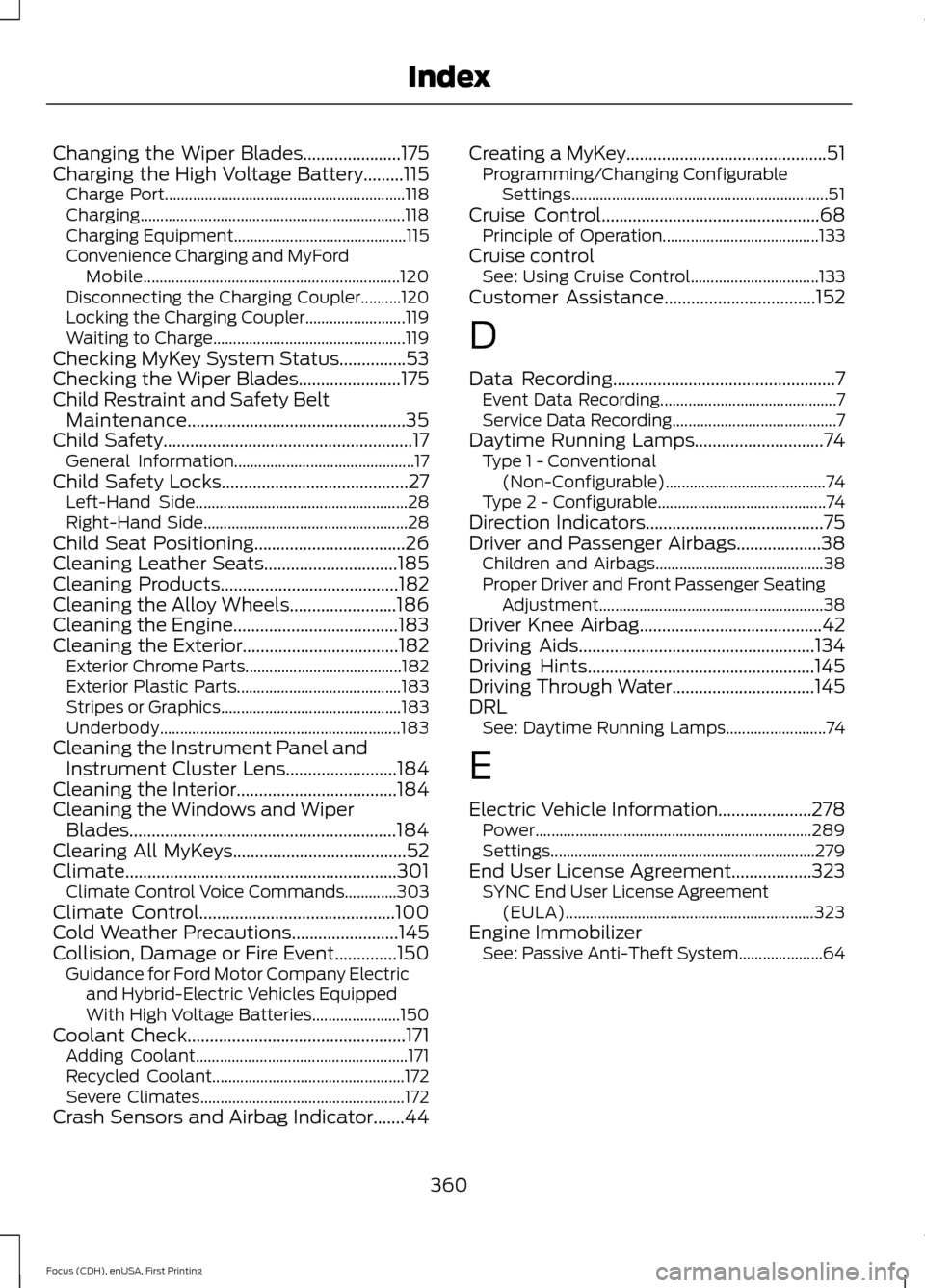
Changing the Wiper Blades......................175
Charging the High Voltage Battery.........115 Charge Port............................................................ 118
Charging.................................................................. 118
Charging Equipment........................................... 115
Convenience Charging and MyFord Mobile................................................................ 120
Disconnecting the Charging Coupler..........120
Locking the Charging Coupler......................... 119
Waiting to Charge................................................ 119
Checking MyKey System Status...............53
Checking the Wiper Blades.......................175
Child Restraint and Safety Belt Maintenance.................................................35
Child Safety
........................................................17
General Information............................................. 17
Child Safety Locks..........................................27 Left-Hand Side..................................................... 28
Right-Hand Side................................................... 28
Child Seat Positioning..................................26
Cleaning Leather Seats..............................185
Cleaning Products
........................................182
Cleaning the Alloy Wheels........................186
Cleaning the Engine.....................................183
Cleaning the Exterior...................................182 Exterior Chrome Parts....................................... 182
Exterior Plastic Parts......................................... 183
Stripes or Graphics............................................. 183
Underbody............................................................ 183
Cleaning the Instrument Panel and Instrument Cluster Lens.........................184
Cleaning the Interior
....................................184
Cleaning the Windows and Wiper Blades............................................................184
Clearing All MyKeys.......................................52
Climate.............................................................301 Climate Control Voice Commands.............303
Climate Control............................................100
Cold Weather Precautions........................145
Collision, Damage or Fire Event..............150 Guidance for Ford Motor Company Electric
and Hybrid-Electric Vehicles Equipped
With High Voltage Batteries...................... 150
Coolant Check.................................................171 Adding Coolant..................................................... 171
Recycled Coolant................................................ 172
Severe Climates................................................... 172
Crash Sensors and Airbag Indicator.......44 Creating a MyKey.............................................51
Programming/Changing Configurable
Settings................................................................ 51
Cruise Control.................................................68 Principle of Operation....................................... 133
Cruise control See: Using Cruise Control................................ 133
Customer Assistance
..................................152
D
Data Recording
..................................................7
Event Data Recording............................................ 7
Service Data Recording......................................... 7
Daytime Running Lamps.............................74 Type 1 - Conventional
(Non-Configurable)........................................ 74
Type 2 - Configurable.......................................... 74
Direction Indicators........................................75
Driver and Passenger Airbags...................38 Children and Airbags.......................................... 38
Proper Driver and Front Passenger Seating Adjustment........................................................ 38
Driver Knee Airbag.........................................42
Driving Aids
.....................................................134
Driving Hints...................................................145
Driving Through Water................................145
DRL See: Daytime Running Lamps......................... 74
E
Electric Vehicle Information.....................278 Power..................................................................... 289
Settings.................................................................. 279
End User License Agreement..................323 SYNC End User License Agreement
(EULA).............................................................. 323
Engine Immobilizer See: Passive Anti-Theft System..................... 64
360
Focus (CDH), enUSA, First Printing Index