light FORD FOCUS ELECTRIC 2015 3.G User Guide
[x] Cancel search | Manufacturer: FORD, Model Year: 2015, Model line: FOCUS ELECTRIC, Model: FORD FOCUS ELECTRIC 2015 3.GPages: 369, PDF Size: 4.53 MB
Page 39 of 369
The Personal Safety System provides an
improved overall level of frontal crash
protection to front seat occupants and is
designed to help further reduce the risk of
airbag-related injuries. The system is able
to analyze different occupant conditions
and crash severity before activating the
appropriate safety devices to help better
protect a range of occupants in a variety
of frontal crash situations.
The Vehicle Personal Safety System
consists of:
•
Driver and passenger dual-stage airbag
supplemental restraints.
• Front seat outboard safety belts with
pretensioners, energy management
retractors and safety belt usage
sensors.
• Driver seat position sensor.
• Front passenger sensing system.
• Passenger airbag off and on indicator
lamp.
• Front crash severity sensors.
• Restraints control module with impact
and safing sensors.
• Restraint system warning light and
backup tone.
• The electrical wiring for the airbags,
crash sensors, safety belt
pretensioners, front safety belt usage
sensors, driver seat position sensor,
front passenger sensing system and
indicator lights. How Does the Personal Safety
System Work?
The Personal Safety System can adapt the
deployment strategy of the safety devices
according to crash severity and occupant
conditions. A collection of crash and
occupant sensors provides information to
the restraints control module. During a
crash, the restraints control module may
deploy the safety belt pretensioners, one
or both stages of the dual-stage airbags
based on crash severity and occupant
conditions.
36
Focus (CDH), enUSA, First Printing Personal Safety System
™
Page 41 of 369
DRIVER AND PASSENGER
AIRBAGS
WARNINGS
Never place your arm or any objects
over an airbag module. Placing your
arm over a deploying airbag can
result in serious arm fractures or other
injuries. Objects placed on or over the
airbag inflation area may cause those
objects to be propelled by the airbag into
your face and torso causing serious injury. Airbags can kill or injure a child in a
child seat. Never place a rear-facing
child seat in front of an active airbag.
If you must use a forward-facing child seat
in the front seat, move the seat upon which
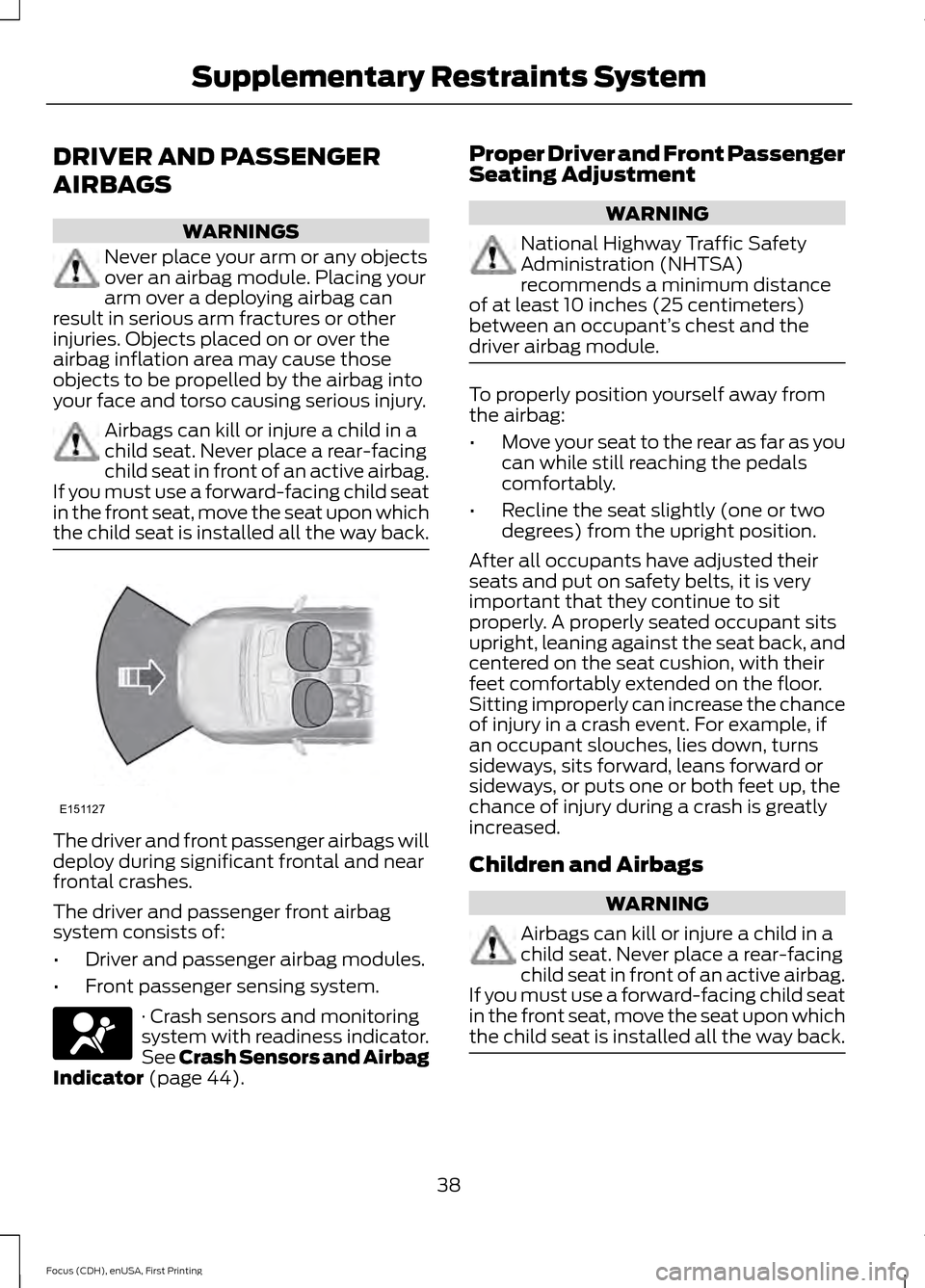
the child seat is installed all the way back. The driver and front passenger airbags will
deploy during significant frontal and near
frontal crashes.
The driver and passenger front airbag
system consists of:
•
Driver and passenger airbag modules.
• Front passenger sensing system. · Crash sensors and monitoring
system with readiness indicator.
See Crash Sensors and Airbag
Indicator (page 44). Proper Driver and Front Passenger
Seating Adjustment WARNING
National Highway Traffic Safety
Administration (NHTSA)
recommends a minimum distance
of at least 10 inches (25 centimeters)
between an occupant’ s chest and the
driver airbag module. To properly position yourself away from
the airbag:
•
Move your seat to the rear as far as you
can while still reaching the pedals
comfortably.
• Recline the seat slightly (one or two
degrees) from the upright position.
After all occupants have adjusted their
seats and put on safety belts, it is very
important that they continue to sit
properly. A properly seated occupant sits
upright, leaning against the seat back, and
centered on the seat cushion, with their
feet comfortably extended on the floor.
Sitting improperly can increase the chance
of injury in a crash event. For example, if
an occupant slouches, lies down, turns
sideways, sits forward, leans forward or
sideways, or puts one or both feet up, the
chance of injury during a crash is greatly
increased.
Children and Airbags WARNING
Airbags can kill or injure a child in a
child seat. Never place a rear-facing
child seat in front of an active airbag.
If you must use a forward-facing child seat
in the front seat, move the seat upon which
the child seat is installed all the way back. 38
Focus (CDH), enUSA, First Printing Supplementary Restraints SystemE151127
Page 44 of 369
After all occupants have adjusted their
seats and put on safety belts, it is very
important that they continue to sit
properly. A properly seated occupant sits
upright, leaning against the seatback, and
centered on the seat cushion, with their
feet comfortably extended on the floor.
Sitting improperly can increase the chance
of injury in a crash event. For example, if
an occupant slouches, lies down, turns
sideways, sits forward, leans forward or
sideways, or puts one or both feet up, the
chance of injury during a crash is greatly
increased.
If you think that the status of the passenger
airbag indicator lamp is incorrect, check
for the following:
•
Objects lodged underneath the seat.
• Objects between the seat cushion and
the center console.
• Objects hanging off the seatback.
• Objects stowed in the seatback map
pocket.
• Objects placed on the occupant’ s lap.
• Cargo interference with the seat.
• Other passengers pushing or pulling on
the seat.
• Rear passenger feet and knees resting
or pushing on the seat.
The conditions listed above may cause the
weight of a properly seated occupant to
be incorrectly interpreted by the front
passenger sensing system. The person in
the front passenger seat may appear
heavier or lighter due to the conditions
described in the list above. Make sure the front passenger
sensing system is operating
properly, See Crash Sensors
and Airbag Indicator (page 44).
If the airbag readiness lamp is lit, do
the following: The driver or adult passengers should
check for any objects that may be lodged
underneath the front passenger seat or
cargo interfering with the seat.
If objects are lodged or cargo is interfering
with the seat, please take the following
steps to remove the obstruction:
•
Pull the vehicle over.
• Turn the vehicle off.
• Driver or adult passengers should
check for any objects lodged
underneath the front passenger seat
or cargo interfering with the seat.
• Remove the obstruction(s) (if found).
• Restart the vehicle.
• Wait at least two minutes and verify
that the airbag readiness lamp is no
longer illuminated
• If the airbag readiness lamp remains
illuminated, this may or may not be a
problem due to the front passenger
sensing system.
Do not attempt to repair or service the
system. Take your vehicle immediately to
an authorized dealer.
If it is necessary to modify an advanced
front airbag system to accommodate a
person with disabilities, contact the Ford
Customer Relationship Center. See
Getting the Services You Need
(page
152).
SIDE AIRBAGS WARNINGS
Do not place objects or mount
equipment on or near the airbag
cover, on the side of the seatbacks
(of the front seats), or in front seat areas
that may come into contact with a
deploying airbag. Failure to follow these
instructions may increase the risk of
personal injury in the event of a crash.
41
Focus (CDH), enUSA, First Printing Supplementary Restraints System
Page 63 of 369
Autounlock Feature
The autounlock feature will unlock all the
doors when:
•
Your vehicle is switched on, all the
doors are closed and your vehicle has
been in motion at a speed greater than
4 mph (7 km/h).
• Your vehicle comes to a stop and you
switch your vehicle off or to accessory.
• You open the driver door within 10
minutes of switching your vehicle off
or to accessory.
Note: If you electronically lock your vehicle
after you switch your vehicle off with the
driver door closed, the doors will not
autounlock.
Enabling or Disabling Autolock and
Autounlock
You can enable or disable the autolock and
autounlock features independently of each
other.
To enable or disable autolock, do the
following:
1. Switch your vehicle on.
2. Press the power door unlock control three times.
3. Switch your vehicle off.
4. Press the power door unlock control three times.
5. Switch your vehicle on. The horn sounds indicating your vehicle is in
programming mode.
6. Press the power door unlock control and within five seconds, press the
power door lock control. The horn
sounds once if disabled or twice if
enabled.
7. Switch your vehicle off. The horn sounds indicating programming is
complete. To enable or disable autounlock, do the
following:
1. Switch your vehicle on.
2. Press the power door unlock control
three times.
3. Switch your vehicle off.
4. Press the power door unlock control three times.
5. Switch your vehicle on. The horn sounds indicating your vehicle is in
programming mode.
6. Press the power door lock control and within five seconds, press the power
door unlock control. The horn sounds
once if disabled or twice if enabled.
7. Switch your vehicle off. The horn sounds indicating programming is
complete.
Illuminated Entry
The interior lamps and select exterior
lamps illuminate when you unlock the
doors with the remote entry system.
The lamps turn off if:
• Your vehicle is switched on.
• You press the remote control lock
button.
• 25 seconds have elapsed.
The lamps will not turn off if:
• You switch them on with the lighting
control.
• Any door is open.
Illuminated Exit
The lamps will turn off if all the doors
remain closed and:
• 25 seconds have elapsed.
• You press the START/STOP button.
60
Focus (CDH), enUSA, First Printing Locks
Page 65 of 369
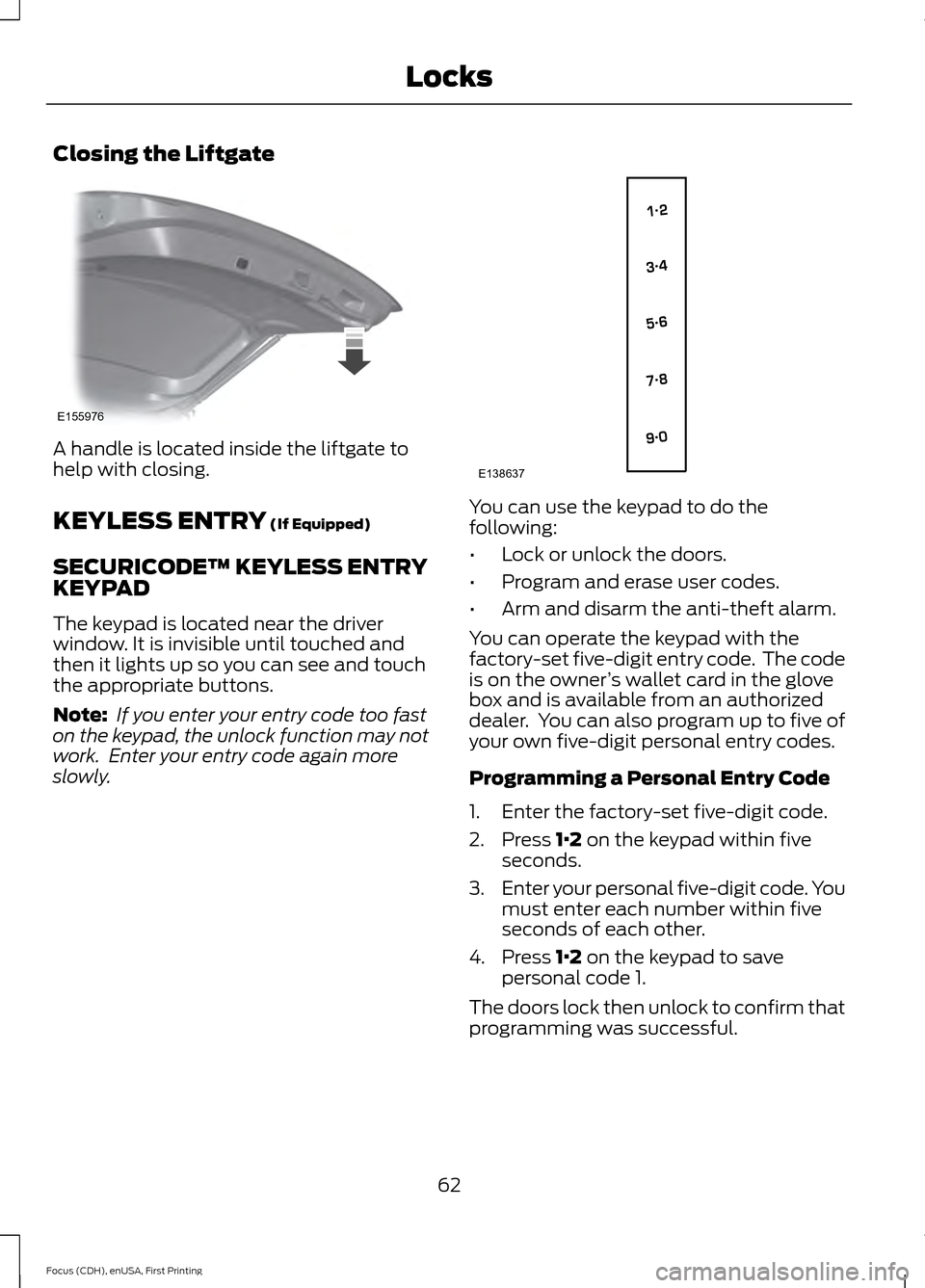
Closing the Liftgate
A handle is located inside the liftgate to
help with closing.
KEYLESS ENTRY (If Equipped)
SECURICODE™ KEYLESS ENTRY
KEYPAD
The keypad is located near the driver
window. It is invisible until touched and
then it lights up so you can see and touch
the appropriate buttons.
Note: If you enter your entry code too fast
on the keypad, the unlock function may not
work. Enter your entry code again more
slowly. You can use the keypad to do the
following:
•
Lock or unlock the doors.
• Program and erase user codes.
• Arm and disarm the anti-theft alarm.
You can operate the keypad with the
factory-set five-digit entry code. The code
is on the owner ’s wallet card in the glove
box and is available from an authorized
dealer. You can also program up to five of
your own five-digit personal entry codes.
Programming a Personal Entry Code
1. Enter the factory-set five-digit code.
2. Press
1·2 on the keypad within five
seconds.
3. Enter your personal five-digit code. You
must enter each number within five
seconds of each other.
4. Press
1·2 on the keypad to save
personal code 1.
The doors lock then unlock to confirm that
programming was successful.
62
Focus (CDH), enUSA, First Printing LocksE155976 E138637
Page 75 of 369
GENERAL INFORMATION
Condensation in Lamp Assemblies
Exterior lamps have vents to
accommodate normal changes in air
pressure.
Condensation can be a natural by-product
of this design. When moist air enters the
lamp assembly through the vents, there is
a possibility that condensation can occur
when the temperature is cold. When
normal condensation occurs, a fine mist
can form on the interior of the lens. The
fine mist eventually clears and exits
through the vents during normal operation.
Clearing time may take as long as 48 hours
under dry weather conditions.
Examples of acceptable condensation are:
•
The presence of a fine mist (no streaks,
drip marks or large droplets).
• A fine mist covers less than 50% of the
lens.
Examples of unacceptable condensation
are:
• A water puddle inside the lamp.
• Streaks, drip marks or large droplets
present on the interior of the lens.
If you see any unacceptable condensation,
have your vehicle checked by an authorized
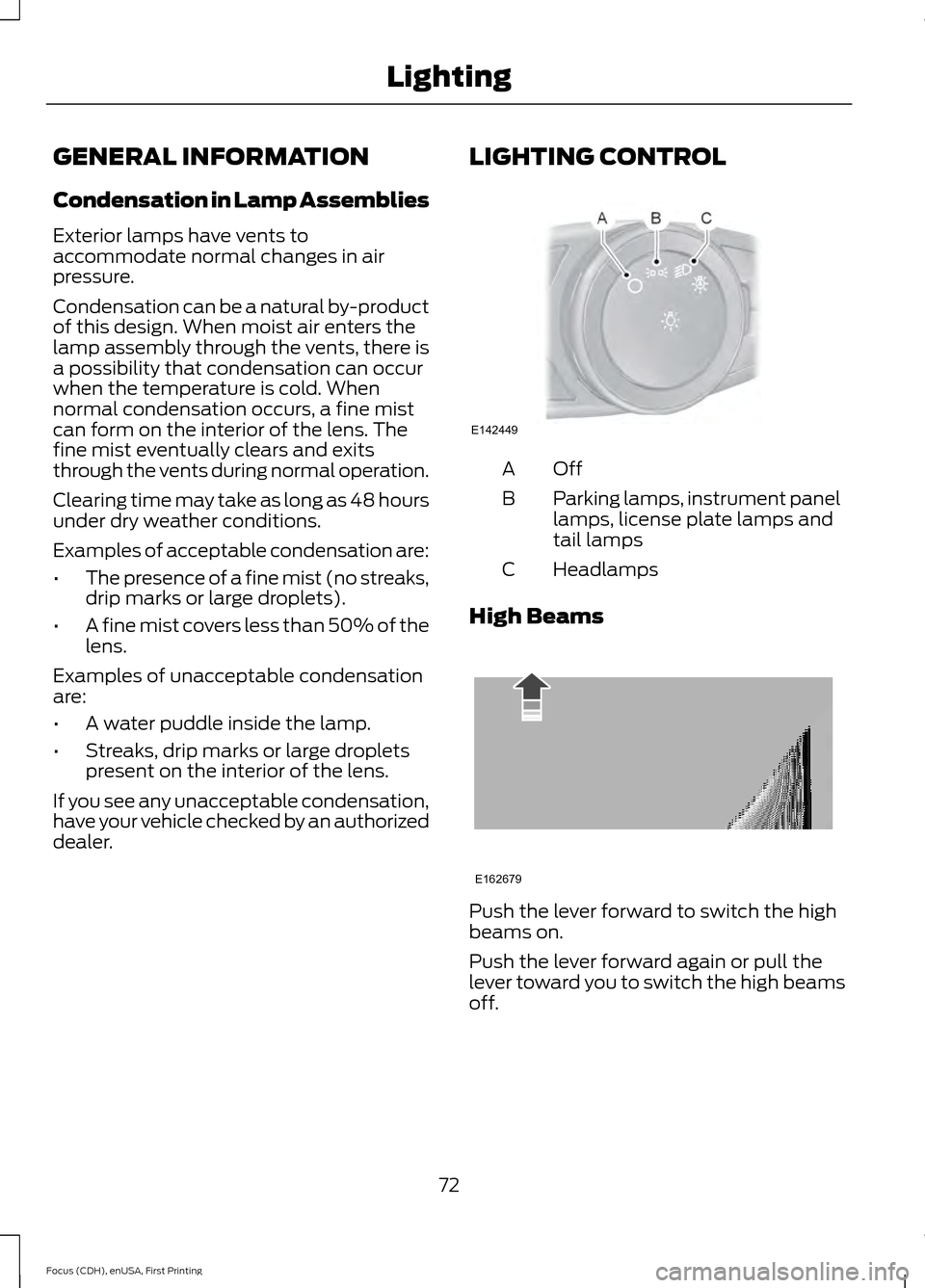
dealer. LIGHTING CONTROL OffA
Parking lamps, instrument panel
lamps, license plate lamps and
tail lamps
B
Headlamps
C
High Beams Push the lever forward to switch the high
beams on.
Push the lever forward again or pull the
lever toward you to switch the high beams
off.
72
Focus (CDH), enUSA, First Printing LightingE142449 E162679
Page 76 of 369
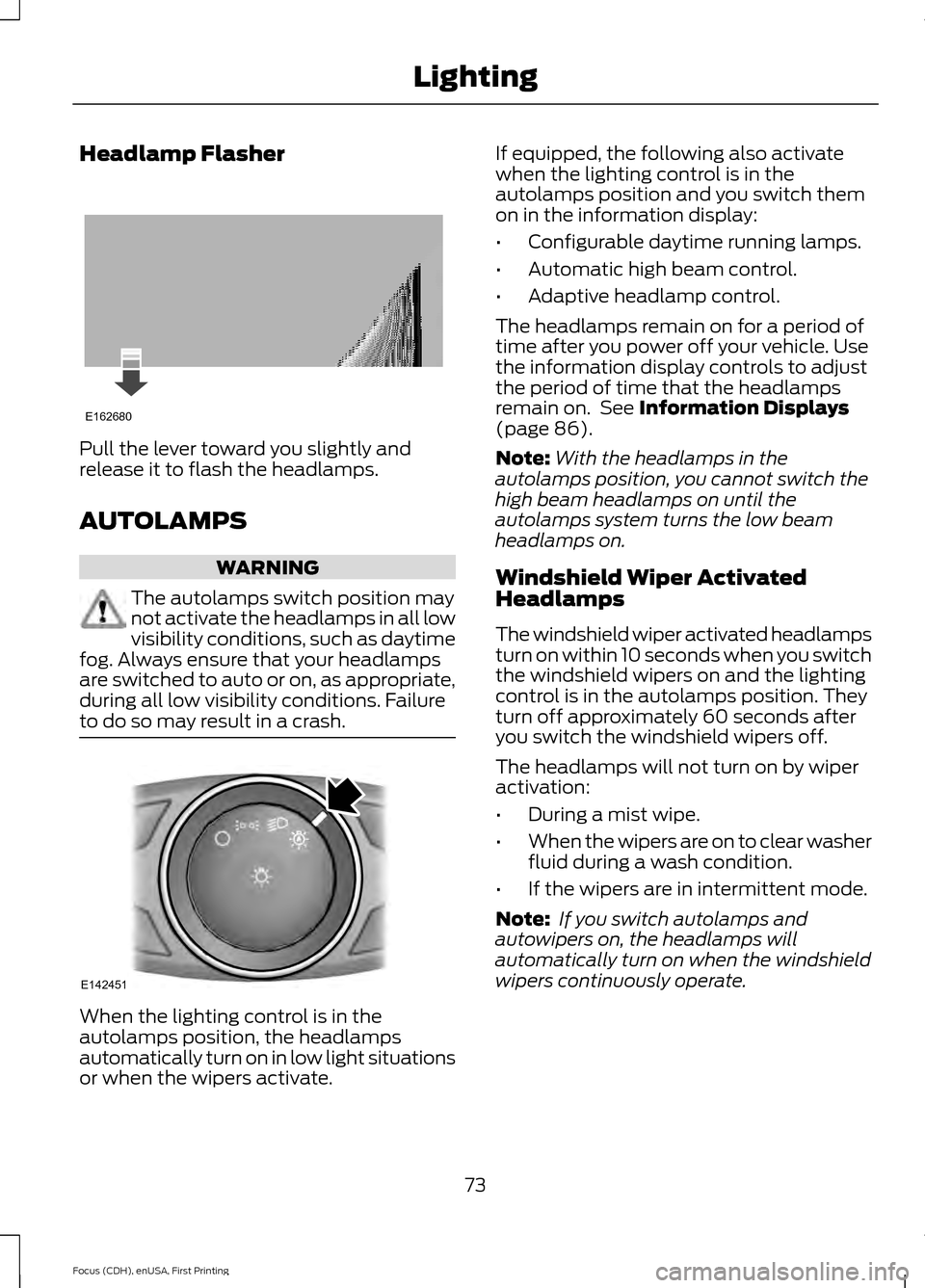
Headlamp Flasher
Pull the lever toward you slightly and
release it to flash the headlamps.
AUTOLAMPS
WARNING
The autolamps switch position may
not activate the headlamps in all low
visibility conditions, such as daytime
fog. Always ensure that your headlamps
are switched to auto or on, as appropriate,
during all low visibility conditions. Failure
to do so may result in a crash. When the lighting control is in the
autolamps position, the headlamps
automatically turn on in low light situations
or when the wipers activate. If equipped, the following also activate
when the lighting control is in the
autolamps position and you switch them
on in the information display:
•
Configurable daytime running lamps.
• Automatic high beam control.
• Adaptive headlamp control.
The headlamps remain on for a period of
time after you power off your vehicle. Use
the information display controls to adjust
the period of time that the headlamps
remain on. See Information Displays
(page 86).
Note: With the headlamps in the
autolamps position, you cannot switch the
high beam headlamps on until the
autolamps system turns the low beam
headlamps on.
Windshield Wiper Activated
Headlamps
The windshield wiper activated headlamps
turn on within 10 seconds when you switch
the windshield wipers on and the lighting
control is in the autolamps position. They
turn off approximately 60 seconds after
you switch the windshield wipers off.
The headlamps will not turn on by wiper
activation:
• During a mist wipe.
• When the wipers are on to clear washer
fluid during a wash condition.
• If the wipers are in intermittent mode.
Note: If you switch autolamps and
autowipers on, the headlamps will
automatically turn on when the windshield
wipers continuously operate.
73
Focus (CDH), enUSA, First Printing LightingE162680 E142451
Page 77 of 369
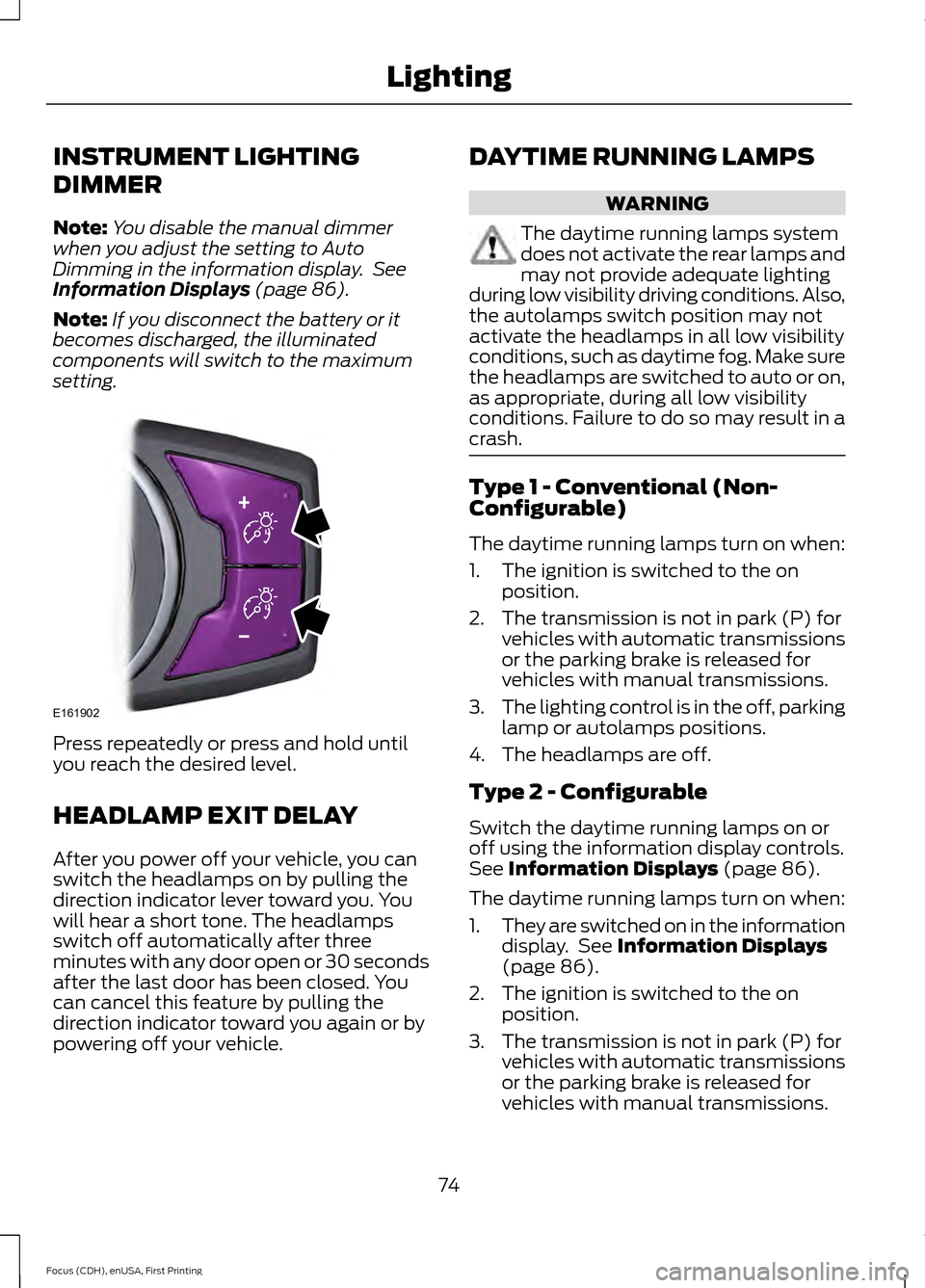
INSTRUMENT LIGHTING
DIMMER
Note:
You disable the manual dimmer
when you adjust the setting to Auto
Dimming in the information display. See
Information Displays (page 86).
Note: If you disconnect the battery or it
becomes discharged, the illuminated
components will switch to the maximum
setting. Press repeatedly or press and hold until
you reach the desired level.
HEADLAMP EXIT DELAY
After you power off your vehicle, you can
switch the headlamps on by pulling the
direction indicator lever toward you. You
will hear a short tone. The headlamps
switch off automatically after three
minutes with any door open or 30 seconds
after the last door has been closed. You
can cancel this feature by pulling the
direction indicator toward you again or by
powering off your vehicle. DAYTIME RUNNING LAMPS WARNING
The daytime running lamps system
does not activate the rear lamps and
may not provide adequate lighting
during low visibility driving conditions. Also,
the autolamps switch position may not
activate the headlamps in all low visibility
conditions, such as daytime fog. Make sure
the headlamps are switched to auto or on,
as appropriate, during all low visibility
conditions. Failure to do so may result in a
crash. Type 1 - Conventional (Non-
Configurable)
The daytime running lamps turn on when:
1. The ignition is switched to the on
position.
2. The transmission is not in park (P) for vehicles with automatic transmissions
or the parking brake is released for
vehicles with manual transmissions.
3. The lighting control is in the off, parking
lamp or autolamps positions.
4. The headlamps are off.
Type 2 - Configurable
Switch the daytime running lamps on or
off using the information display controls.
See
Information Displays (page 86).
The daytime running lamps turn on when:
1. They are switched on in the information
display. See
Information Displays
(page 86).
2. The ignition is switched to the on position.
3. The transmission is not in park (P) for vehicles with automatic transmissions
or the parking brake is released for
vehicles with manual transmissions.
74
Focus (CDH), enUSA, First Printing LightingE161902
Page 78 of 369
4.
The lighting control is in the autolamps
position.
5. The headlamps are off.
The other lighting control switch positions
do not activate the daytime running lamps,
and you can use them to temporarily
override autolamp control.
When switched off in the information
display, the daytime running lamps are off
in all lighting control switch positions.
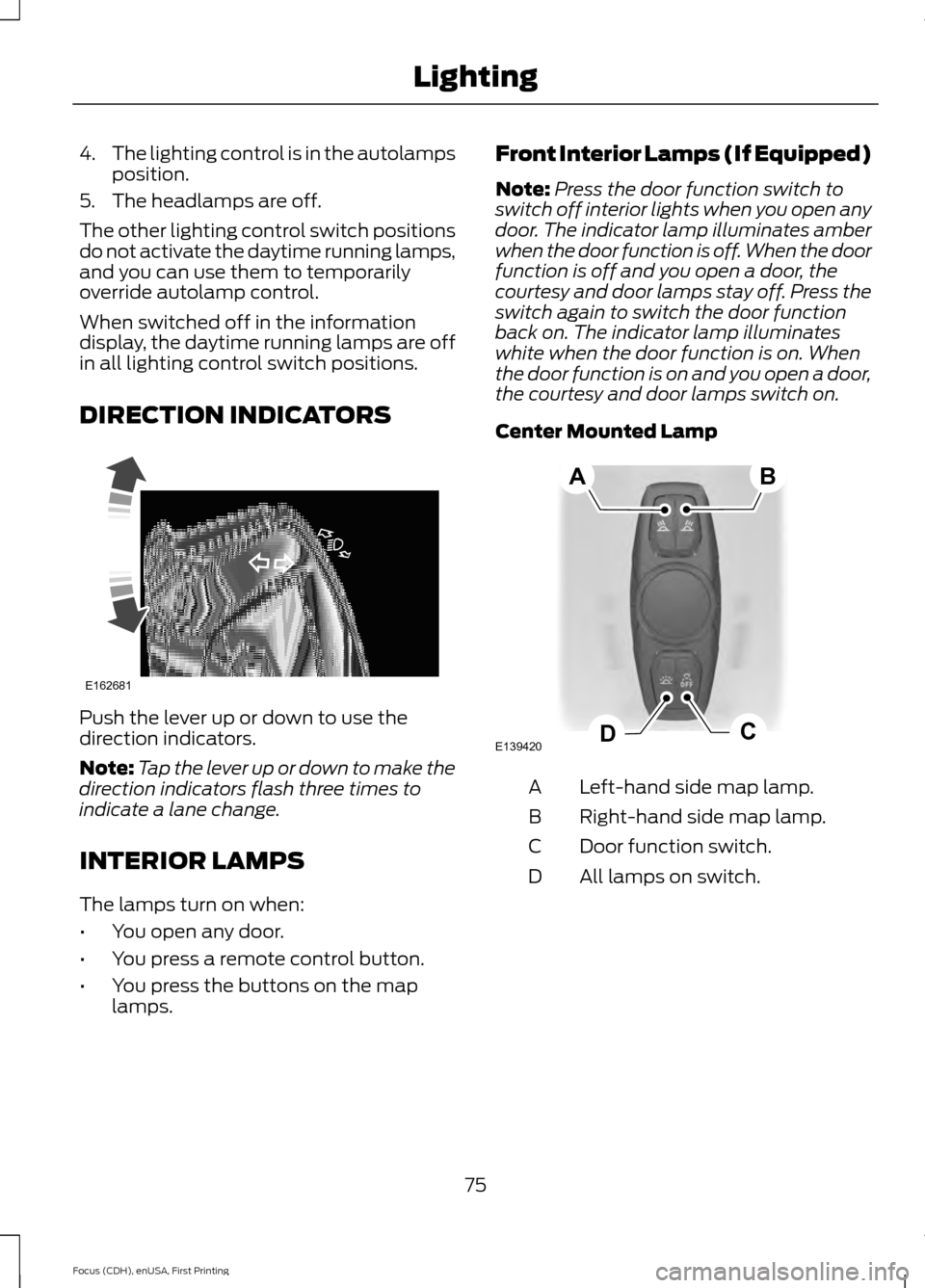
DIRECTION INDICATORS Push the lever up or down to use the
direction indicators.
Note:
Tap the lever up or down to make the
direction indicators flash three times to
indicate a lane change.
INTERIOR LAMPS
The lamps turn on when:
• You open any door.
• You press a remote control button.
• You press the buttons on the map
lamps. Front Interior Lamps (If Equipped)
Note:
Press the door function switch to
switch off interior lights when you open any
door. The indicator lamp illuminates amber
when the door function is off. When the door
function is off and you open a door, the
courtesy and door lamps stay off. Press the
switch again to switch the door function
back on. The indicator lamp illuminates
white when the door function is on. When
the door function is on and you open a door,
the courtesy and door lamps switch on.
Center Mounted Lamp Left-hand side map lamp.
A
Right-hand side map lamp.
B
Door function switch.
C
All lamps on switch.
D
75
Focus (CDH), enUSA, First Printing LightingE162681 E139420C
D
AB
Page 79 of 369
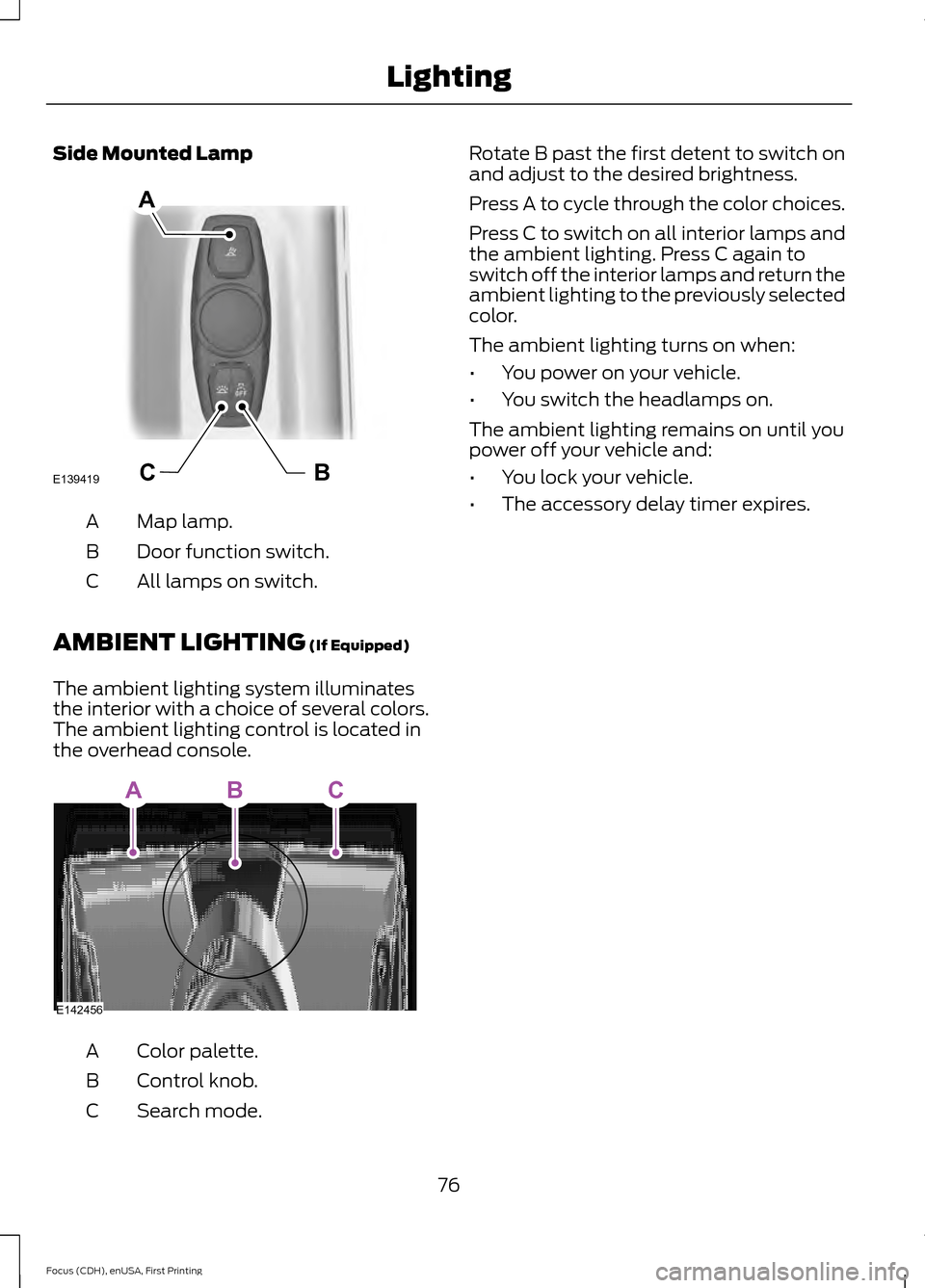
Side Mounted Lamp
Map lamp.
A
Door function switch.
B
All lamps on switch.
C
AMBIENT LIGHTING (If Equipped)
The ambient lighting system illuminates
the interior with a choice of several colors.
The ambient lighting control is located in
the overhead console. Color palette.
A
Control knob.
B
Search mode.
C Rotate B past the first detent to switch on
and adjust to the desired brightness.
Press A to cycle through the color choices.
Press C to switch on all interior lamps and
the ambient lighting. Press C again to
switch off the interior lamps and return the
ambient lighting to the previously selected
color.
The ambient lighting turns on when:
•
You power on your vehicle.
• You switch the headlamps on.
The ambient lighting remains on until you
power off your vehicle and:
• You lock your vehicle.
• The accessory delay timer expires.
76
Focus (CDH), enUSA, First Printing LightingBCE139419
A E142456
ABC