sensor FORD FOCUS ELECTRIC 2015 3.G User Guide
[x] Cancel search | Manufacturer: FORD, Model Year: 2015, Model line: FOCUS ELECTRIC, Model: FORD FOCUS ELECTRIC 2015 3.GPages: 369, PDF Size: 4.53 MB
Page 46 of 369
SIDE CURTAIN AIRBAGS
WARNINGS
Do not place objects or mount
equipment on or near the headliner
at the siderail that may come into
contact with a deploying side curtain
airbag. Failure to follow these instructions
may increase the risk of personal injury in
the event of a crash. Do not lean your head on the door.
The side curtain airbag could injure
you as it deploys from the headliner.
Do not attempt to service, repair, or
modify the side curtain airbags, its
fuses, the A, B, or C pillar trim, or the
headliner on a vehicle containing side
curtain airbags. Contact your authorized
dealer as soon as possible. All occupants of the vehicle including
the driver should always wear their
safety belts even when an airbag
supplemental restraint system and side
curtain airbag is provided. Failure to
properly wear your safety belt could
seriously increase the risk of injury or death. To reduce risk of injury, do not
obstruct or place objects in the
deployment path of the side curtain
airbag. If the side curtain airbags have
deployed, the side curtain airbags
will not function again. The side
curtain airbags (including the A, B and C
pillar trim and headliner) must be
inspected and serviced by an authorized
dealer. If the side curtain airbag is not
replaced, the unrepaired area will increase
the risk of injury in a crash. In certain sideways crashes, the side
curtain airbag on the side affected by the
crash will be inflated. The side curtain
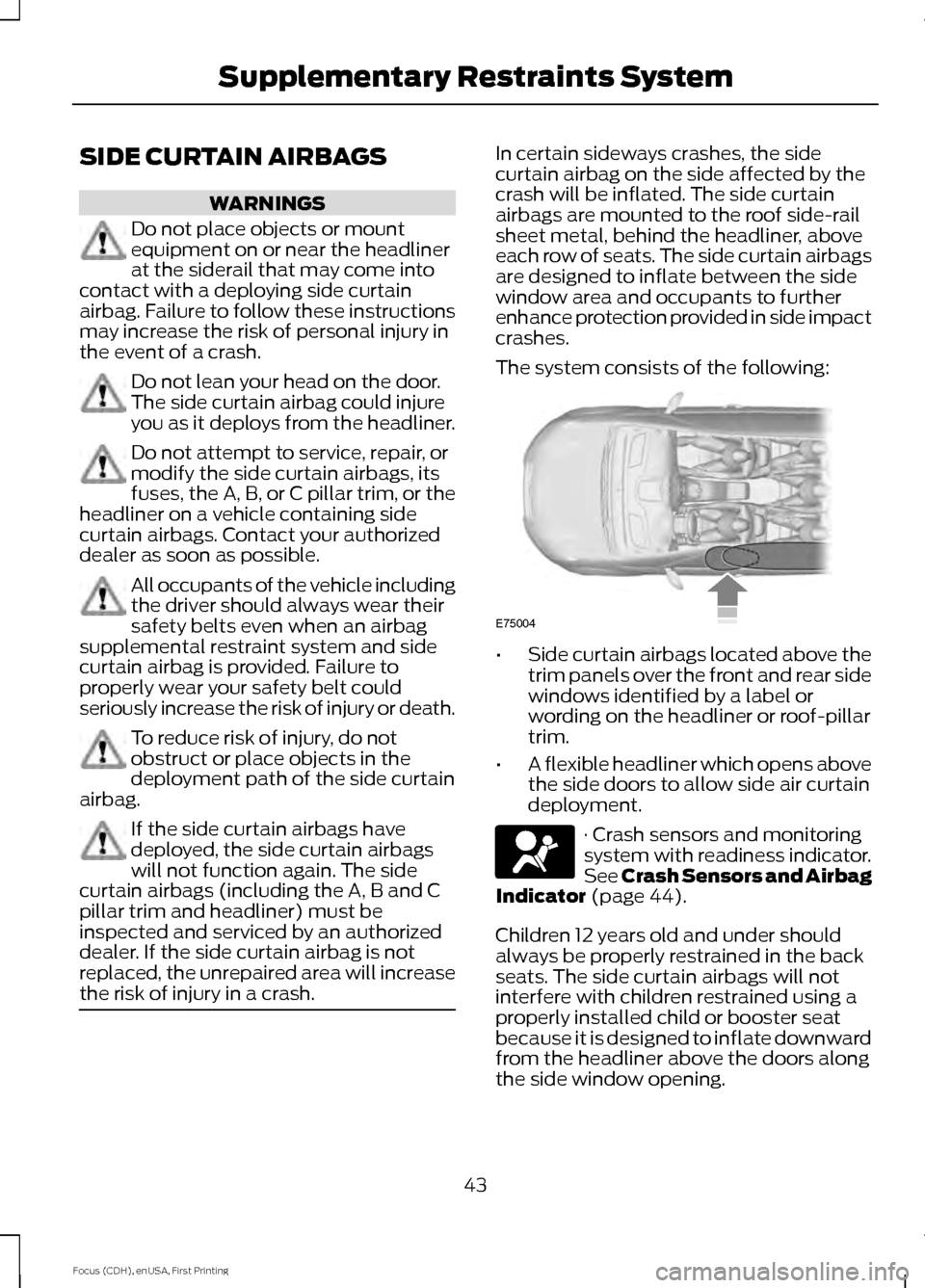
airbags are mounted to the roof side-rail
sheet metal, behind the headliner, above
each row of seats. The side curtain airbags
are designed to inflate between the side
window area and occupants to further
enhance protection provided in side impact
crashes.
The system consists of the following:
•
Side curtain airbags located above the
trim panels over the front and rear side
windows identified by a label or
wording on the headliner or roof-pillar
trim.
• A flexible headliner which opens above
the side doors to allow side air curtain
deployment. · Crash sensors and monitoring
system with readiness indicator.
See Crash Sensors and Airbag
Indicator (page 44).
Children 12 years old and under should
always be properly restrained in the back
seats. The side curtain airbags will not
interfere with children restrained using a
properly installed child or booster seat
because it is designed to inflate downward
from the headliner above the doors along
the side window opening.
43
Focus (CDH), enUSA, First Printing Supplementary Restraints SystemE75004
Page 47 of 369
The design and development of the side
curtain airbags included recommended
testing procedures that were developed
by a group of automotive safety experts
known as the Side Airbag Technical
Working Group. These recommended
testing procedures help reduce the risk of
injuries related to the deployment of side
curtain airbags.
CRASH SENSORS AND
AIRBAG INDICATOR
WARNING
Do not modify the front end of your
vehicle. Modifying or adding
equipment to the front end of your
vehicle, including frame, bumper, front end
body structure or tow hooks, may affect
the performance of the airbag system,
increasing the risk of injury. Your vehicle has a collection of crash and
occupant sensors. These provide
information to the restraints control
module which will deploy the front safety
belt pretensioners, driver airbag, driver knee
airbag, passenger airbag, seat mounted
side airbags, and the side curtain airbags.
Based on the type of crash, frontal impact
or side impact, the restraints control
module will deploy the appropriate safety
devices.
The restraints control module also
monitors the readiness of the above safety
devices plus the crash and occupant
sensors. The readiness of the safety
system is indicated by a warning lamp in
the instrument cluster or by a backup tone
if the warning lamp is not working. Routine
maintenance of the airbag is not required.
A difficulty with the system is indicated by
one or more of the following: The lamp will not illuminate
immediately when you switch
the ignition on.
• The lamp will either flash or remain on.
• A series of five beeps will be heard. The
tone pattern will repeat periodically
until the problem, the lamp or both are
repaired.
If any of these things happen, even
intermittently, have the supplemental
restraint system checked by an authorized
dealer immediately. Unless serviced, the
system may not function correctly in the
event of a crash.
The safety belt pretensioners and the front
airbag supplemental restraint system are
designed to deploy when your vehicle
sustains longitudinal deceleration
sufficient to cause the restraints control
module to deploy a safety device.
The fact that the safety belt pretensioners
or front airbags did not deploy for both
front seat occupants in a crash does not
mean that something is wrong with the
system. It means the restraints control
module determined that the crash
conditions were not appropriate to deploy
these safety devices.
• The design of the front airbags is to
deploy only in frontal and near-frontal
crashes (not rollovers, side impacts or
rear impacts) unless the crash causes
sufficient longitudinal deceleration.
• The design of the safety belt
pretensioners is to deploy in frontal and
near-frontal crashes, and may also
deploy when a side curtain airbag
deploys.
44
Focus (CDH), enUSA, First Printing Supplementary Restraints System
Page 61 of 369
Opening the Liftgate
Press twice within three seconds
to unlatch the liftgate.
Make sure to close and latch the liftgate
before driving your vehicle. An unlatched
liftgate may cause objects to fall out or
block your view.
Closing the Liftgate
The liftgate will not fully close if an
intelligent access key is located inside the
luggage compartment with the doors
locked.
Note: If a second passive key is located
within the liftgate detection range, the
liftgate can be fully closed.
Activating Intelligent Access (If
Equipped)
The system will not function if:
• Your vehicle battery has no charge.
• The intelligent access key battery has
no charge.
• The intelligent access key frequencies
are jammed.
Note: If the system does not function, use
the key blade to lock and unlock your
vehicle.
See Keys and Remote Controls
(page 46).
The system allows you to unlock, operate
and lock your vehicle without using a key
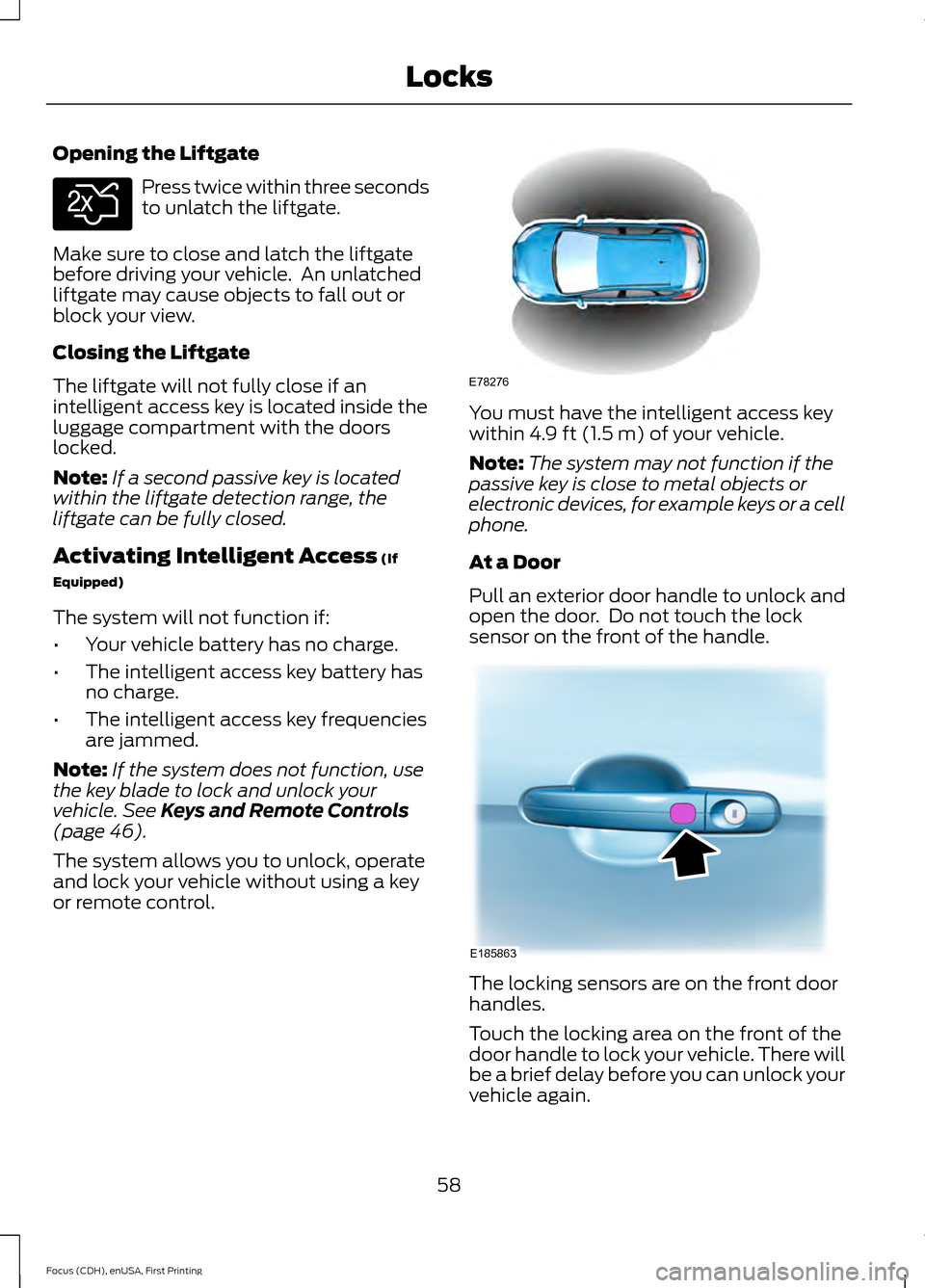
or remote control. You must have the intelligent access key
within
4.9 ft (1.5 m) of your vehicle.
Note: The system may not function if the
passive key is close to metal objects or
electronic devices, for example keys or a cell
phone.
At a Door
Pull an exterior door handle to unlock and
open the door. Do not touch the lock
sensor on the front of the handle. The locking sensors are on the front door
handles.
Touch the locking area on the front of the
door handle to lock your vehicle. There will
be a brief delay before you can unlock your
vehicle again.
58
Focus (CDH), enUSA, First Printing LocksE138630 E78276 E185863
Page 62 of 369
Note:
Keep the door handle clean to make
sure the system operates correctly.
Note: Your vehicle does not automatically
lock. If you do not touch a locking sensor
your vehicle will remain unlocked.
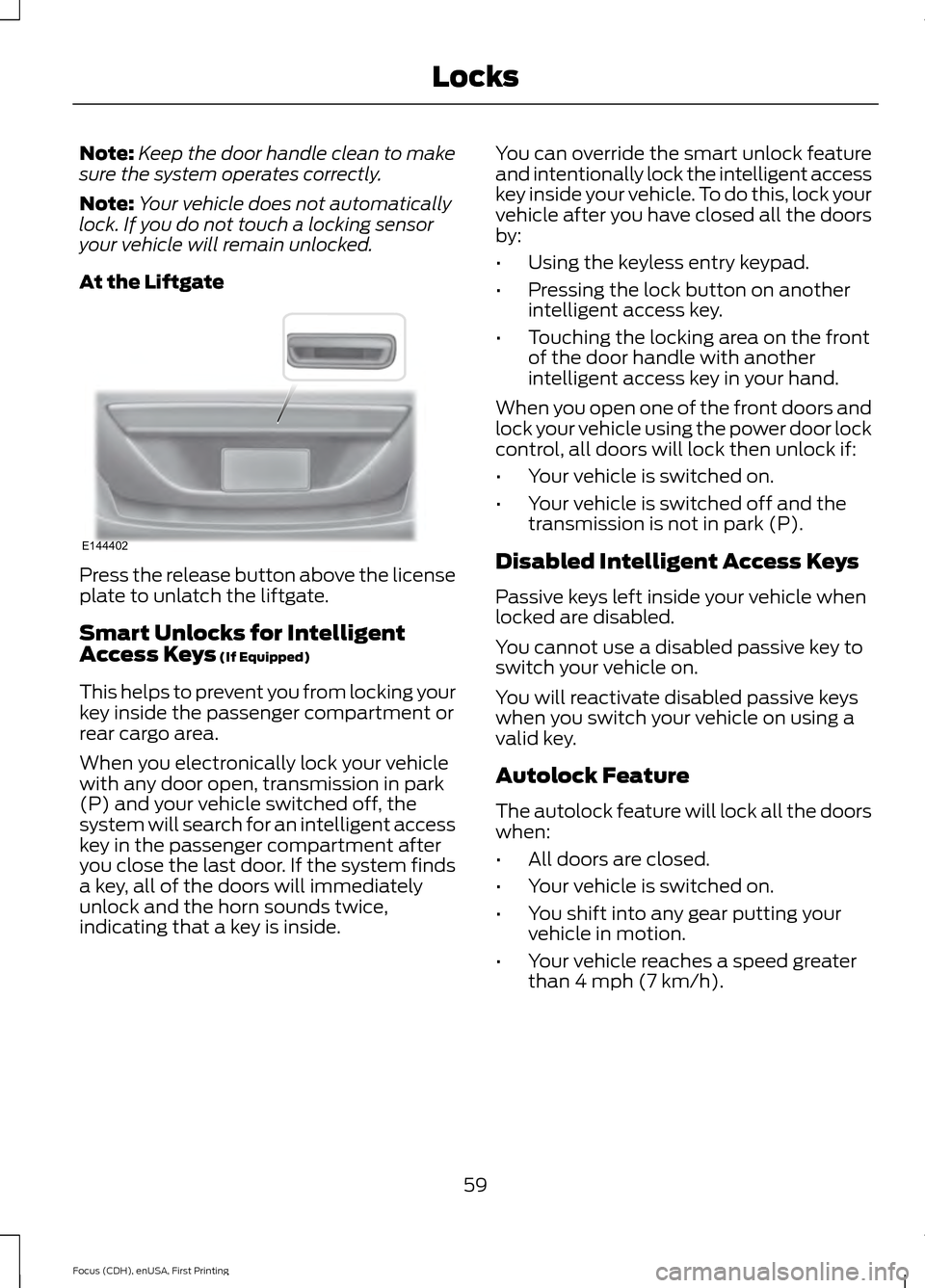
At the Liftgate Press the release button above the license
plate to unlatch the liftgate.
Smart Unlocks for Intelligent
Access Keys (If Equipped)
This helps to prevent you from locking your
key inside the passenger compartment or
rear cargo area.
When you electronically lock your vehicle
with any door open, transmission in park
(P) and your vehicle switched off, the
system will search for an intelligent access
key in the passenger compartment after
you close the last door. If the system finds
a key, all of the doors will immediately
unlock and the horn sounds twice,
indicating that a key is inside. You can override the smart unlock feature
and intentionally lock the intelligent access
key inside your vehicle. To do this, lock your
vehicle after you have closed all the doors
by:
•
Using the keyless entry keypad.
• Pressing the lock button on another
intelligent access key.
• Touching the locking area on the front
of the door handle with another
intelligent access key in your hand.
When you open one of the front doors and
lock your vehicle using the power door lock
control, all doors will lock then unlock if:
• Your vehicle is switched on.
• Your vehicle is switched off and the
transmission is not in park (P).
Disabled Intelligent Access Keys
Passive keys left inside your vehicle when
locked are disabled.
You cannot use a disabled passive key to
switch your vehicle on.
You will reactivate disabled passive keys
when you switch your vehicle on using a
valid key.
Autolock Feature
The autolock feature will lock all the doors
when:
• All doors are closed.
• Your vehicle is switched on.
• You shift into any gear putting your
vehicle in motion.
• Your vehicle reaches a speed greater
than 4 mph (7 km/h).
59
Focus (CDH), enUSA, First Printing LocksE144402
Page 101 of 369
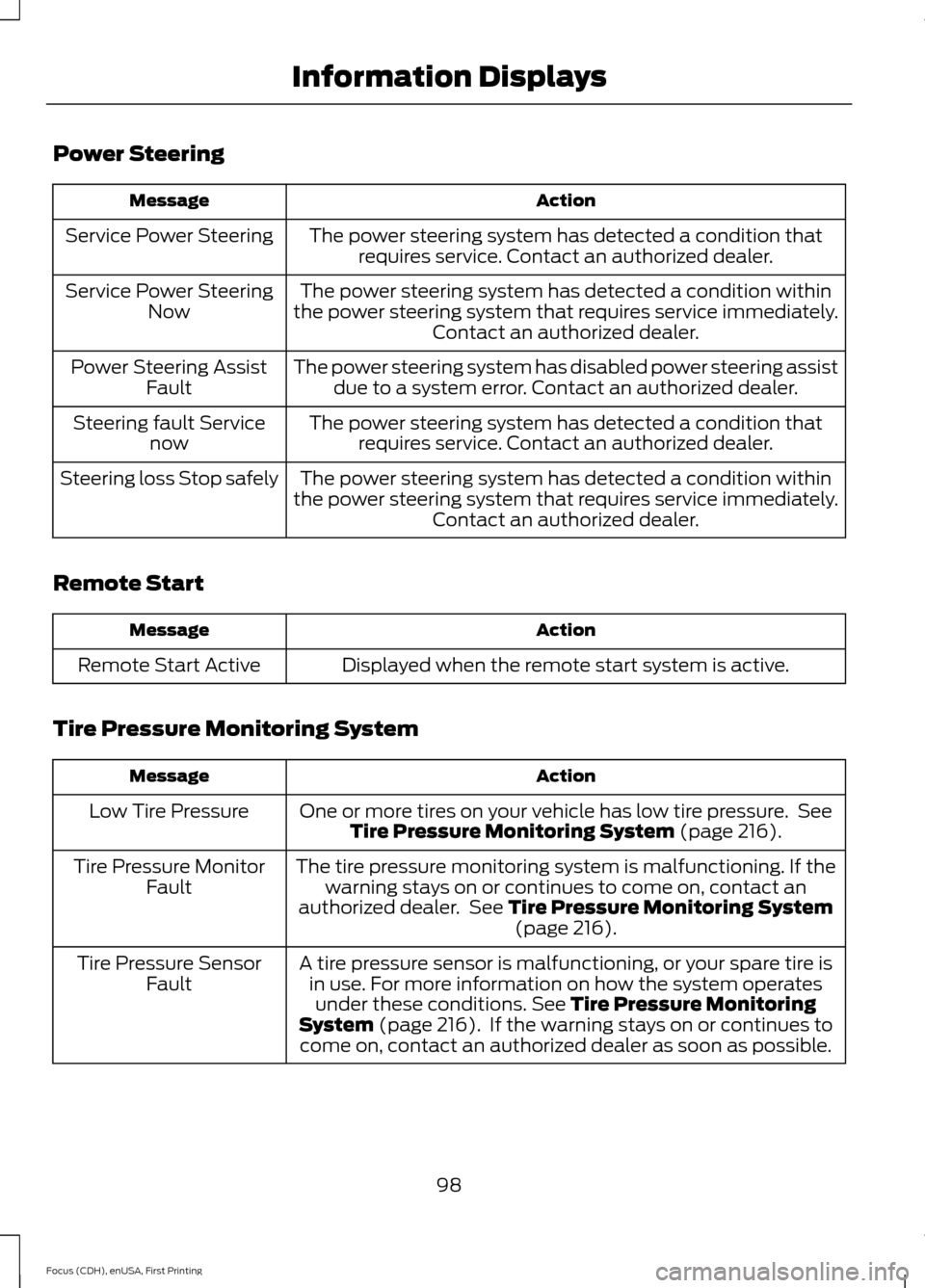
Power Steering
Action
Message
The power steering system has detected a condition thatrequires service. Contact an authorized dealer.
Service Power Steering
The power steering system has detected a condition within
the power steering system that requires service immediately. Contact an authorized dealer.
Service Power Steering
Now
The power steering system has disabled power steering assistdue to a system error. Contact an authorized dealer.
Power Steering Assist
Fault
The power steering system has detected a condition thatrequires service. Contact an authorized dealer.
Steering fault Service
now
The power steering system has detected a condition within
the power steering system that requires service immediately. Contact an authorized dealer.
Steering loss Stop safely
Remote Start Action
Message
Displayed when the remote start system is active.
Remote Start Active
Tire Pressure Monitoring System Action
Message
One or more tires on your vehicle has low tire pressure. SeeTire Pressure Monitoring System (page 216).
Low Tire Pressure
The tire pressure monitoring system is malfunctioning. If thewarning stays on or continues to come on, contact an
authorized dealer. See
Tire Pressure Monitoring System (page 216).
Tire Pressure Monitor
Fault
A tire pressure sensor is malfunctioning, or your spare tire isin use. For more information on how the system operatesunder these conditions.
See Tire Pressure Monitoring
System (page 216). If the warning stays on or continues to
come on, contact an authorized dealer as soon as possible.
Tire Pressure Sensor
Fault
98
Focus (CDH), enUSA, First Printing Information Displays
Page 129 of 369
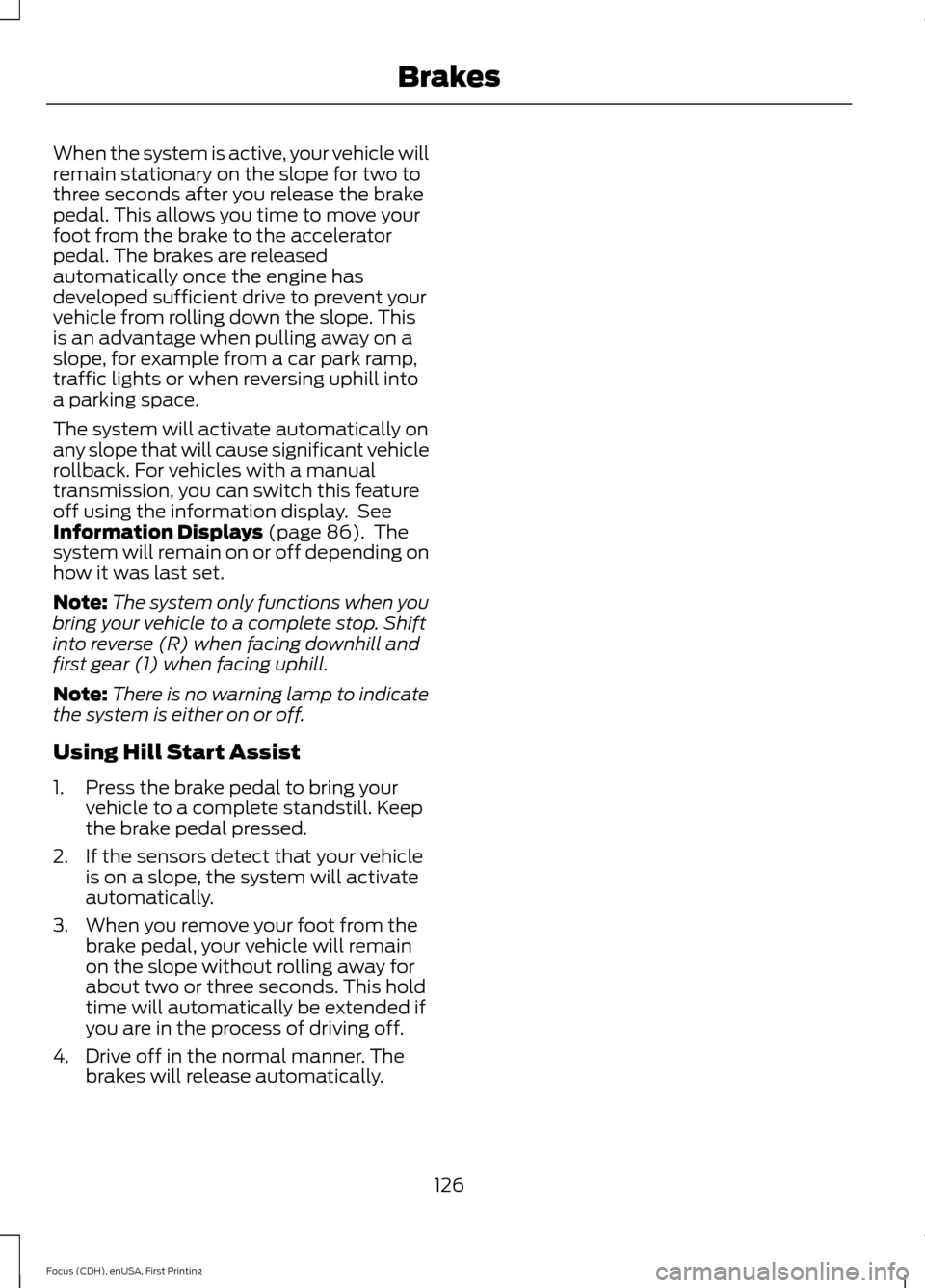
When the system is active, your vehicle will
remain stationary on the slope for two to
three seconds after you release the brake
pedal. This allows you time to move your
foot from the brake to the accelerator
pedal. The brakes are released
automatically once the engine has
developed sufficient drive to prevent your
vehicle from rolling down the slope. This
is an advantage when pulling away on a
slope, for example from a car park ramp,
traffic lights or when reversing uphill into
a parking space.
The system will activate automatically on
any slope that will cause significant vehicle
rollback. For vehicles with a manual
transmission, you can switch this feature
off using the information display. See
Information Displays (page 86). The
system will remain on or off depending on
how it was last set.
Note: The system only functions when you
bring your vehicle to a complete stop. Shift
into reverse (R) when facing downhill and
first gear (1) when facing uphill.
Note: There is no warning lamp to indicate
the system is either on or off.
Using Hill Start Assist
1. Press the brake pedal to bring your vehicle to a complete standstill. Keep
the brake pedal pressed.
2. If the sensors detect that your vehicle is on a slope, the system will activate
automatically.
3. When you remove your foot from the brake pedal, your vehicle will remain
on the slope without rolling away for
about two or three seconds. This hold
time will automatically be extended if
you are in the process of driving off.
4. Drive off in the normal manner. The brakes will release automatically.
126
Focus (CDH), enUSA, First Printing Brakes
Page 131 of 369
PRINCIPLE OF OPERATION
WARNINGS
Vehicle modifications involving
braking system, aftermarket roof
racks, suspension, steering system,
tire construction and wheel and tire size
may change the handling characteristics
of the vehicle and may adversely affect
the performance of the AdvanceTrac
system. In addition, installing any stereo
loudspeakers may interfere with and
adversely affect the AdvanceTrac system.
Install any aftermarket stereo loudspeaker
as far as possible from the front center
console, the tunnel, and the front seats in
order to minimize the risk of interfering with
the AdvanceTrac sensors. Reducing the
effectiveness of the AdvanceTrac system
could lead to an increased risk of loss of
vehicle control, vehicle rollover, personal
injury and death. Remember that even advanced
technology cannot defy the laws of
physics. It’
s always possible to lose
control of a vehicle due to inappropriate
driver input for the conditions. Aggressive
driving on any road condition can cause
you to lose control of your vehicle
increasing the risk of personal injury or
property damage. Activation of the
AdvanceTrac system is an indication that
at least some of the tires have exceeded
their ability to grip the road; this could
reduce the operator ’s ability to control the
vehicle potentially resulting in a loss of
vehicle control, vehicle rollover, personal
injury and death. If your AdvanceTrac
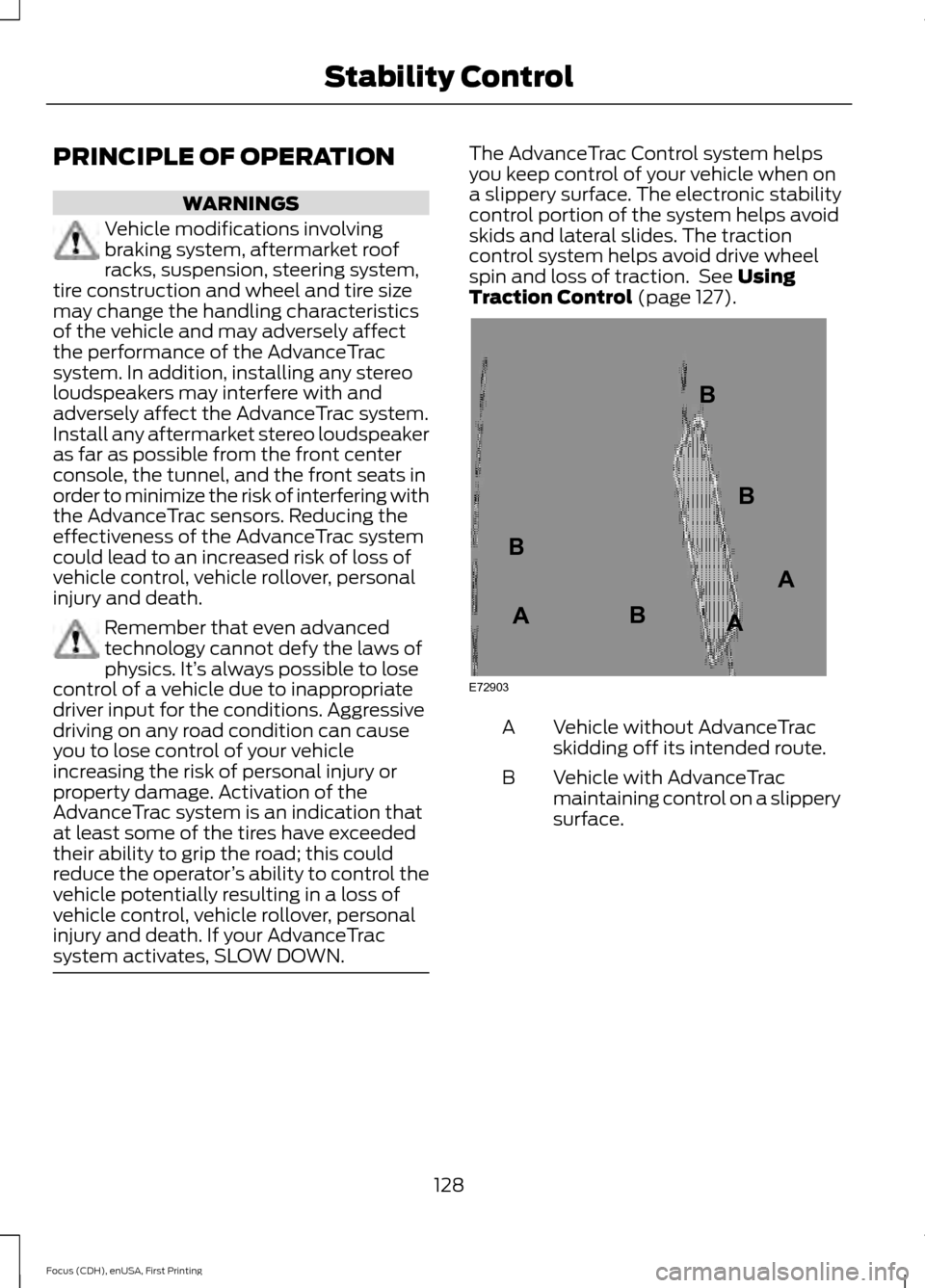
system activates, SLOW DOWN. The AdvanceTrac Control system helps
you keep control of your vehicle when on
a slippery surface. The electronic stability
control portion of the system helps avoid
skids and lateral slides. The traction
control system helps avoid drive wheel
spin and loss of traction. See Using
Traction Control (page 127). Vehicle without AdvanceTrac
skidding off its intended route.
A
Vehicle with AdvanceTrac
maintaining control on a slippery
surface.
B
128
Focus (CDH), enUSA, First Printing Stability ControlE72903A
AA
B
BB
B
Page 132 of 369
REAR PARKING AID (If Equipped)
WARNINGS
The parking aid system can only
assist you to detect objects when
your vehicle is moving at parking
speeds. Take care when using the system
to avoid personal injury. The parking aid system may not
prevent contact with small or moving
objects that are close to the ground.
The parking aid system gives an audible
warning when it detects a large object
helping to avoid damage to your vehicle.
To help avoid personal injury you must take
care when using the parking aid system. Traffic control systems, inclement
weather, air brakes and external
motors and fans may affect correct
operation of the sensing system; this may
include reduced performance or a false
alerts. Rear Sensing System
When the parking aid system produces an
audible warning, the audio system may
reduce the set volume to a predetermined
level.
Note:
Some add-on equipment can cause
reduced performance or a false alert. For
example, large trailer hitches, bike or
surfboard racks.
Note: Keep the sensors free from snow, ice
and large accumulations of dirt. If the
sensors are blocked system accuracy may
be affected. Do not clean the sensors with
sharp objects.
Note: If your vehicle sustains damage
leaving the sensors misaligned, this will
cause inaccurate measurements or false
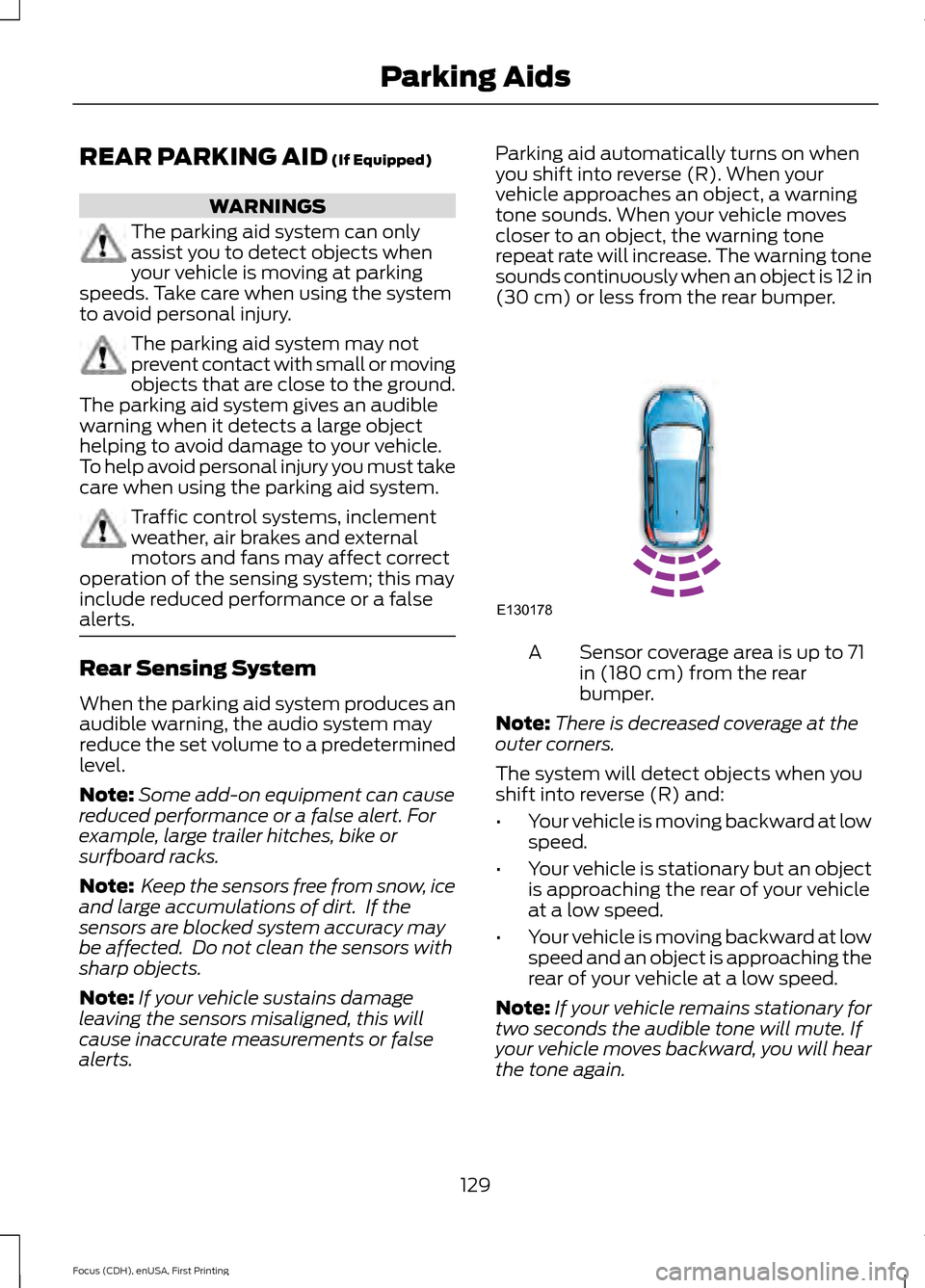
alerts. Parking aid automatically turns on when
you shift into reverse (R). When your
vehicle approaches an object, a warning
tone sounds. When your vehicle moves
closer to an object, the warning tone
repeat rate will increase. The warning tone
sounds continuously when an object is 12 in
(30 cm)
or less from the rear bumper.
Sensor coverage area is up to 71
in (180 cm) from the rear
bumper.
A
Note: There is decreased coverage at the
outer corners.
The system will detect objects when you
shift into reverse (R) and:
• Your vehicle is moving backward at low
speed.
• Your vehicle is stationary but an object
is approaching the rear of your vehicle
at a low speed.
• Your vehicle is moving backward at low
speed and an object is approaching the
rear of your vehicle at a low speed.
Note: If your vehicle remains stationary for
two seconds the audible tone will mute. If
your vehicle moves backward, you will hear
the tone again.
129
Focus (CDH), enUSA, First Printing Parking AidsE130178
Page 167 of 369
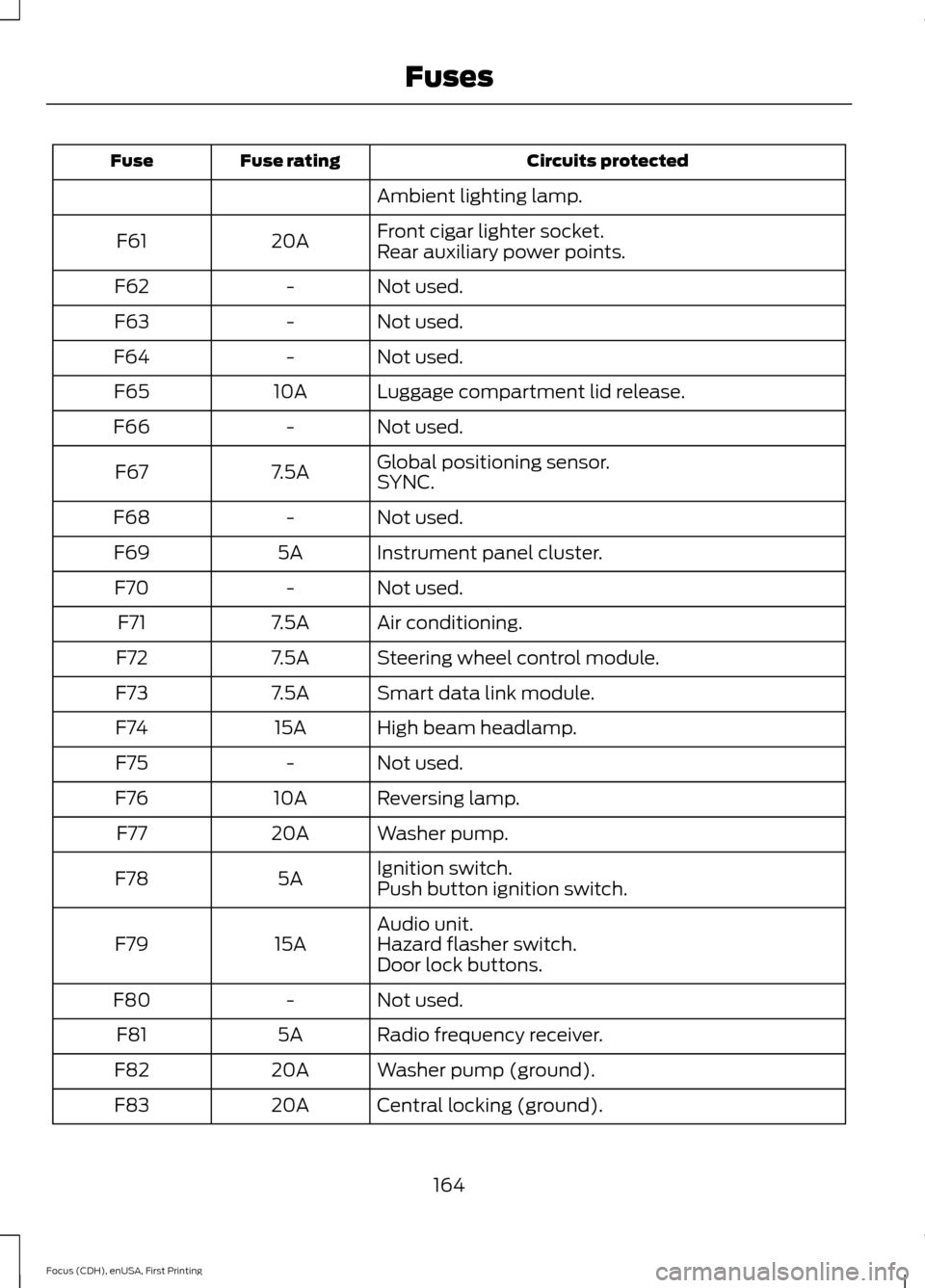
Circuits protected
Fuse rating
Fuse
Ambient lighting lamp.
Front cigar lighter socket.
20A
F61
Rear auxiliary power points.
Not used.
-
F62
Not used.
-
F63
Not used.
-
F64
Luggage compartment lid release.
10A
F65
Not used.
-
F66
Global positioning sensor.
7.5A
F67
SYNC.
Not used.
-
F68
Instrument panel cluster.
5A
F69
Not used.
-
F70
Air conditioning.
7.5A
F71
Steering wheel control module.
7.5A
F72
Smart data link module.
7.5A
F73
High beam headlamp.
15A
F74
Not used.
-
F75
Reversing lamp.
10A
F76
Washer pump.
20A
F77
Ignition switch.
5A
F78
Push button ignition switch.
Audio unit.
15A
F79 Hazard flasher switch.
Door lock buttons.
Not used.
-
F80
Radio frequency receiver.
5A
F81
Washer pump (ground).
20A
F82
Central locking (ground).
20A
F83
164
Focus (CDH), enUSA, First Printing Fuses
Page 193 of 369
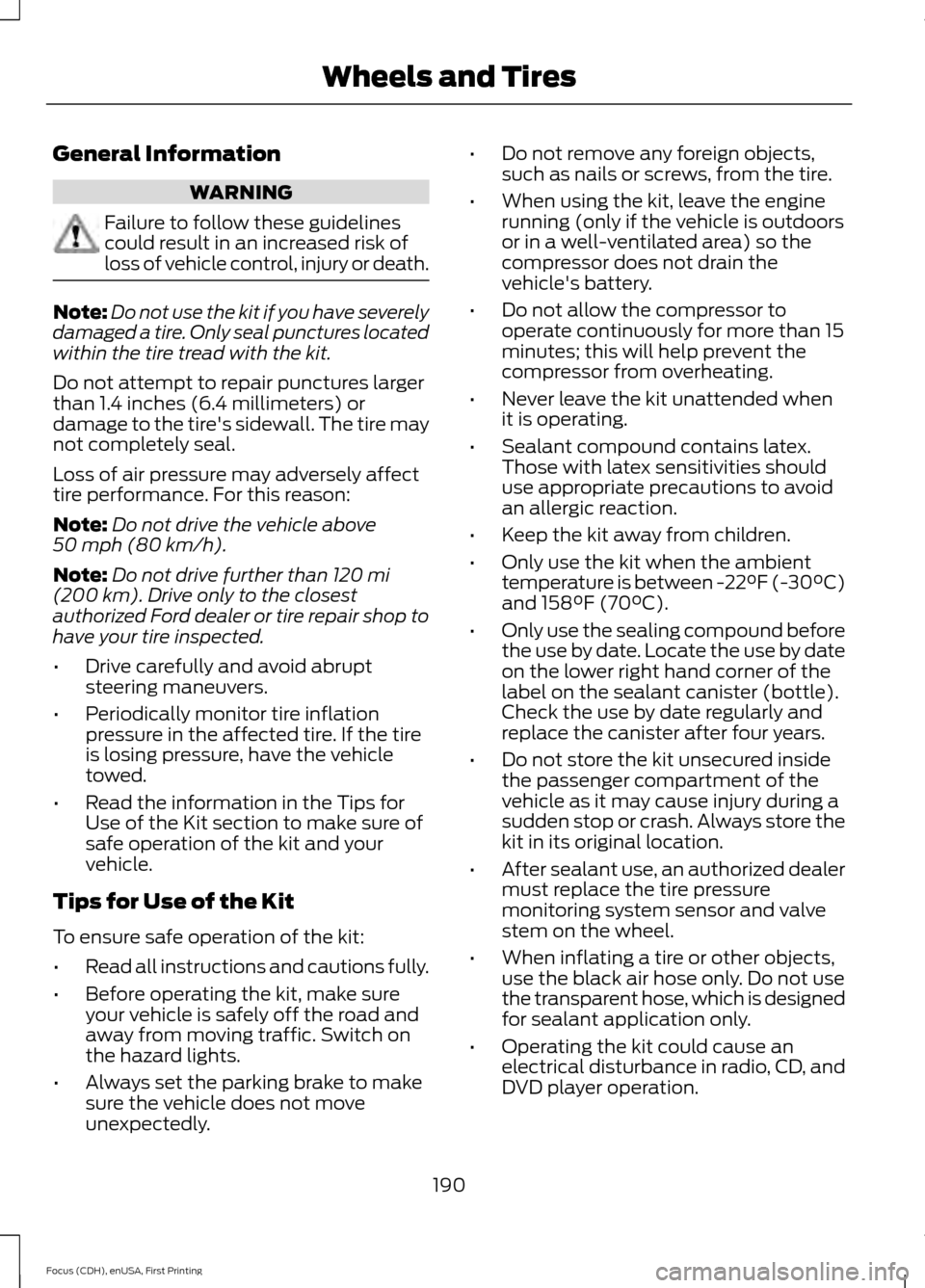
General Information
WARNING
Failure to follow these guidelines
could result in an increased risk of
loss of vehicle control, injury or death.
Note:
Do not use the kit if you have severely
damaged a tire. Only seal punctures located
within the tire tread with the kit.
Do not attempt to repair punctures larger
than 1.4 inches (6.4 millimeters) or
damage to the tire's sidewall. The tire may
not completely seal.
Loss of air pressure may adversely affect
tire performance. For this reason:
Note: Do not drive the vehicle above
50 mph (80 km/h).
Note: Do not drive further than
120 mi
(200 km). Drive only to the closest
authorized Ford dealer or tire repair shop to
have your tire inspected.
• Drive carefully and avoid abrupt
steering maneuvers.
• Periodically monitor tire inflation
pressure in the affected tire. If the tire
is losing pressure, have the vehicle
towed.
• Read the information in the Tips for
Use of the Kit section to make sure of
safe operation of the kit and your
vehicle.
Tips for Use of the Kit
To ensure safe operation of the kit:
• Read all instructions and cautions fully.
• Before operating the kit, make sure
your vehicle is safely off the road and
away from moving traffic. Switch on
the hazard lights.
• Always set the parking brake to make
sure the vehicle does not move
unexpectedly. •
Do not remove any foreign objects,
such as nails or screws, from the tire.
• When using the kit, leave the engine
running (only if the vehicle is outdoors
or in a well-ventilated area) so the
compressor does not drain the
vehicle's battery.
• Do not allow the compressor to
operate continuously for more than 15
minutes; this will help prevent the
compressor from overheating.
• Never leave the kit unattended when
it is operating.
• Sealant compound contains latex.
Those with latex sensitivities should
use appropriate precautions to avoid
an allergic reaction.
• Keep the kit away from children.
• Only use the kit when the ambient
temperature is between -22°F (-30°C)
and 158°F (70°C).
• Only use the sealing compound before
the use by date. Locate the use by date
on the lower right hand corner of the
label on the sealant canister (bottle).
Check the use by date regularly and
replace the canister after four years.
• Do not store the kit unsecured inside
the passenger compartment of the
vehicle as it may cause injury during a
sudden stop or crash. Always store the
kit in its original location.
• After sealant use, an authorized dealer
must replace the tire pressure
monitoring system sensor and valve
stem on the wheel.
• When inflating a tire or other objects,
use the black air hose only. Do not use
the transparent hose, which is designed
for sealant application only.
• Operating the kit could cause an
electrical disturbance in radio, CD, and
DVD player operation.
190
Focus (CDH), enUSA, First Printing Wheels and Tires