warning FORD FOCUS ELECTRIC 2016 3.G Owner's Guide
[x] Cancel search | Manufacturer: FORD, Model Year: 2016, Model line: FOCUS ELECTRIC, Model: FORD FOCUS ELECTRIC 2016 3.GPages: 276, PDF Size: 4.31 MB
Page 48 of 276
Children 12 years old and under should
always be properly restrained in the rear
seats. The Safety Canopy will not interfere
with children restrained using a properly
installed child or booster seat because it
is designed to inflate downward from the
headliner above the doors along the side
window opening.
The design and development of the Safety
Canopy included recommended testing
procedures that were developed by a
group of automotive safety experts known
as the Side Airbag Technical Working
Group. These recommended testing
procedures help reduce the risk of injuries
related to the deployment of side airbags
(including the Safety Canopy).
CRASH SENSORS AND
AIRBAG INDICATOR
WARNING
Modifying or adding equipment to
the front end of your vehicle
(including frame, bumper, front end
body structure and tow hooks) may affect
the performance of the airbag system,
increasing the risk of injury. Do not modify
the front end of your vehicle. Your vehicle has a collection of crash and
occupant sensors which provide
information to the restraints control
module which deploys (activates) the
front safety belt pretensioners, driver
airbag, passenger airbag, knee airbag(s),
seat mounted side airbags, and the Safety
Canopy. Based on the type of accident
(frontal impact, side impact or rollover)
the restraints control module will deploy
the appropriate safety devices. The restraints control module also
monitors the readiness of the above safety
devices plus the crash and occupant
sensors. A warning indicator light in the
instrument cluster indicates the readiness
of the safety system. If this warning
indicator light is not functioning and there
is another fault within the system, the
message cluster may display an airbag
failure warning. See Supplementary
Restraints System (page 38). You will
hear five tones that repeat periodically
until you repair the problem, the warning
indicator light or both. Routine
maintenance of the airbag is not required.
A difficulty with the system is indicated by
one or more of the following: •
The readiness light will not illuminate
immediately after the ignition is turned
on.
• The readiness light will either flash or
stay lit.
• A series of five beeps will be heard. The
tone pattern will repeat periodically
until the problem, the light or both are
repaired.
If any of these things happen, even
intermittently, have the supplemental
restraint system serviced at an authorized
dealer immediately. Unless serviced, the
system may not function properly in the
event of a crash.
The safety belt pretensioners and the
airbag supplemental restraint system is
designed to activate when your vehicle
sustains frontal or sideways deceleration
sufficient to cause the restraints control
module to deploy a safety device or when
a certain likelihood of a rollover event is
detected by the rollover sensor.
45
Focus (CDH) Battery Electric Vehicle (BEV), Canada/United States of America, enUSA, First Printing Supplementary Restraints System
Page 54 of 276
PRINCIPLE OF OPERATION
MyKey allows you to program keys with
restricted driving modes to promote good
driving habits. All but one of the keys can
be activated with these restricted modes.
Any keys that remain unprogrammed are
referred to as administrator keys or admin
keys. They can be used to:
•
Create a MyKey.
• Program configurable MyKey settings.
• Clear all MyKey features.
When you have created a MyKey, you can
access the following information by using
the information display to determine:
• How many admin keys and MyKeys are
programmed to your vehicle.
• The total distance your vehicle traveled
with a MyKey.
Note: Switch the ignition on to use the
system.
Note: All MyKeys are programmed to the
same settings. You cannot program them
individually.
Note: For vehicles equipped with a
push-button start, when both a MyKey and
an admin key are present, the admin key will
be recognized by the vehicle while switching
the vehicle on to start.
Non-configurable Settings
The following settings cannot be changed
by an admin key user:
• Safety belt reminder. You cannot
disable this feature. The audio system
will mute when the front seat
passengers’ safety belts are not
fastened.
• Early low charge. The low-charge
warning activates earlier, giving the
MyKey user more time to recharge. •
Driver assist features, if equipped on
your vehicle, are forced on: parking aid.
• Satellite radio adult content
restrictions, if equipped on your vehicle.
Configurable Settings
With an admin key, you can configure
certain MyKey settings when you first
create a MyKey and before you recycle the
key or restart the engine. You can also
change the settings afterward with an
admin key.
• A vehicle speed limit can be set.
Warnings will be shown in the display
followed by an audible tone when your
vehicle reaches the set speed. You
cannot override the set speed by fully
depressing the accelerator pedal or by
setting cruise control. WARNING
Do not set MyKey maximum speed
limit to a limit that will prevent the
driver from maintaining a safe speed
considering posted speed limits and
prevailing road conditions. The driver is
always responsible to drive in accordance
with local laws and prevailing conditions.
Failure to do so could result in accident or
injury. 51
Focus (CDH) Battery Electric Vehicle (BEV), Canada/United States of America, enUSA, First Printing MyKey
™
Page 65 of 276
Battery Saver
If you leave the courtesy lamps, dome
lamps or headlamps on, the battery saver
will turn them off 10 minutes after you
switch your vehicle off.
Accessory Mode Battery Saver for
Intelligent Access Keys (If Equipped)
If you leave your vehicle switched on and
the electric motor is not running, the
battery saver will turn the power off when
it detects a certain amount of battery
drain, or after 45 minutes have elapsed.
Opening the Liftgate
With the Remote Control
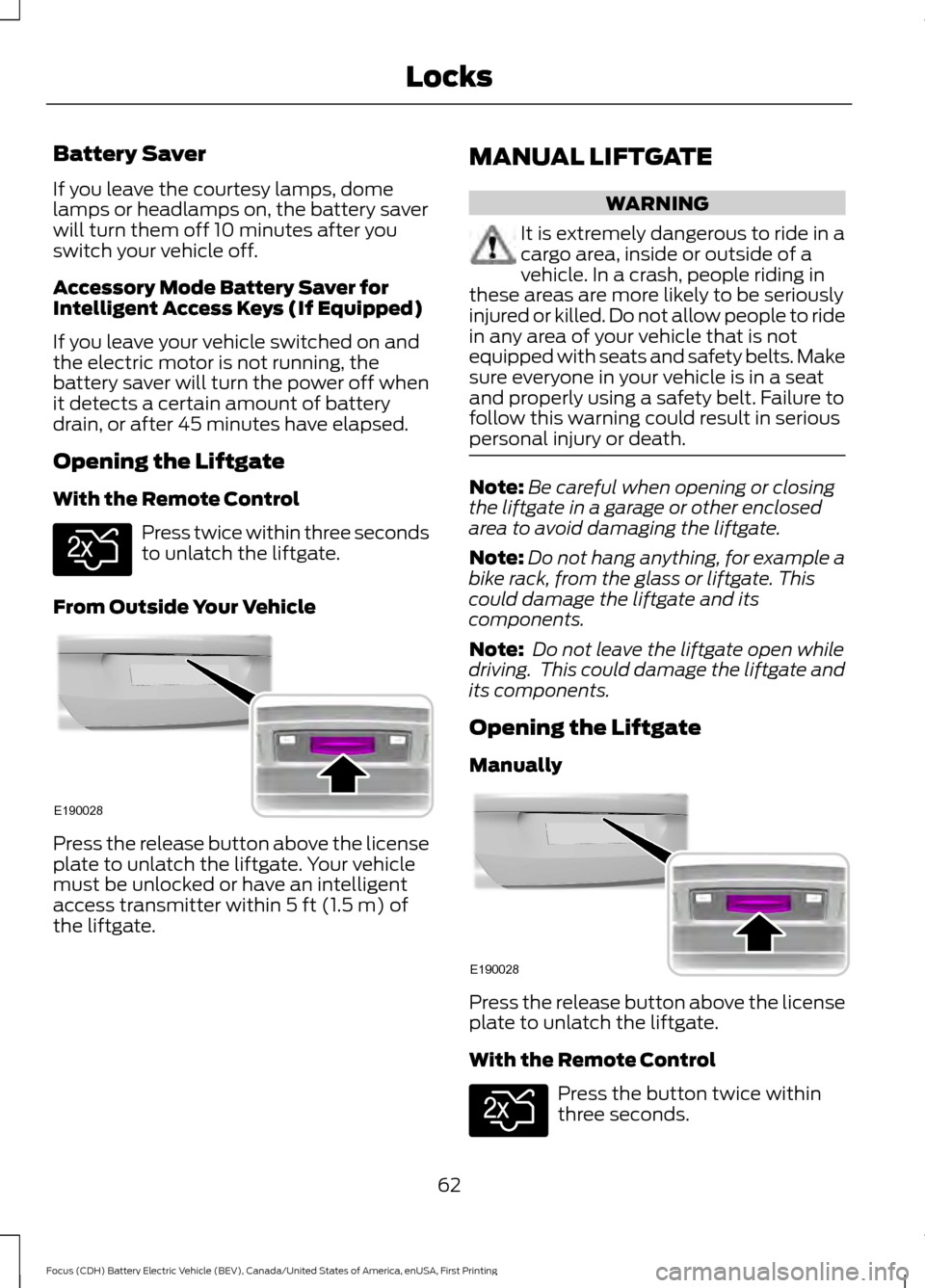
Press twice within three seconds
to unlatch the liftgate.
From Outside Your Vehicle Press the release button above the license
plate to unlatch the liftgate. Your vehicle
must be unlocked or have an intelligent
access transmitter within 5 ft (1.5 m) of
the liftgate. MANUAL LIFTGATE WARNING
It is extremely dangerous to ride in a
cargo area, inside or outside of a
vehicle. In a crash, people riding in
these areas are more likely to be seriously
injured or killed. Do not allow people to ride
in any area of your vehicle that is not
equipped with seats and safety belts. Make
sure everyone in your vehicle is in a seat
and properly using a safety belt. Failure to
follow this warning could result in serious
personal injury or death. Note:
Be careful when opening or closing
the liftgate in a garage or other enclosed
area to avoid damaging the liftgate.
Note: Do not hang anything, for example a
bike rack, from the glass or liftgate. This
could damage the liftgate and its
components.
Note: Do not leave the liftgate open while
driving. This could damage the liftgate and
its components.
Opening the Liftgate
Manually Press the release button above the license
plate to unlatch the liftgate.
With the Remote Control
Press the button twice within
three seconds.
62
Focus (CDH) Battery Electric Vehicle (BEV), Canada/United States of America, enUSA, First Printing LocksE138630 E190028 E190028 E138630
Page 71 of 276
ADJUSTING THE STEERING
WHEEL
WARNING
Do not adjust the steering wheel
when your vehicle is moving.
Note:
Make sure that you are sitting in the
correct position. See Sitting in the Correct
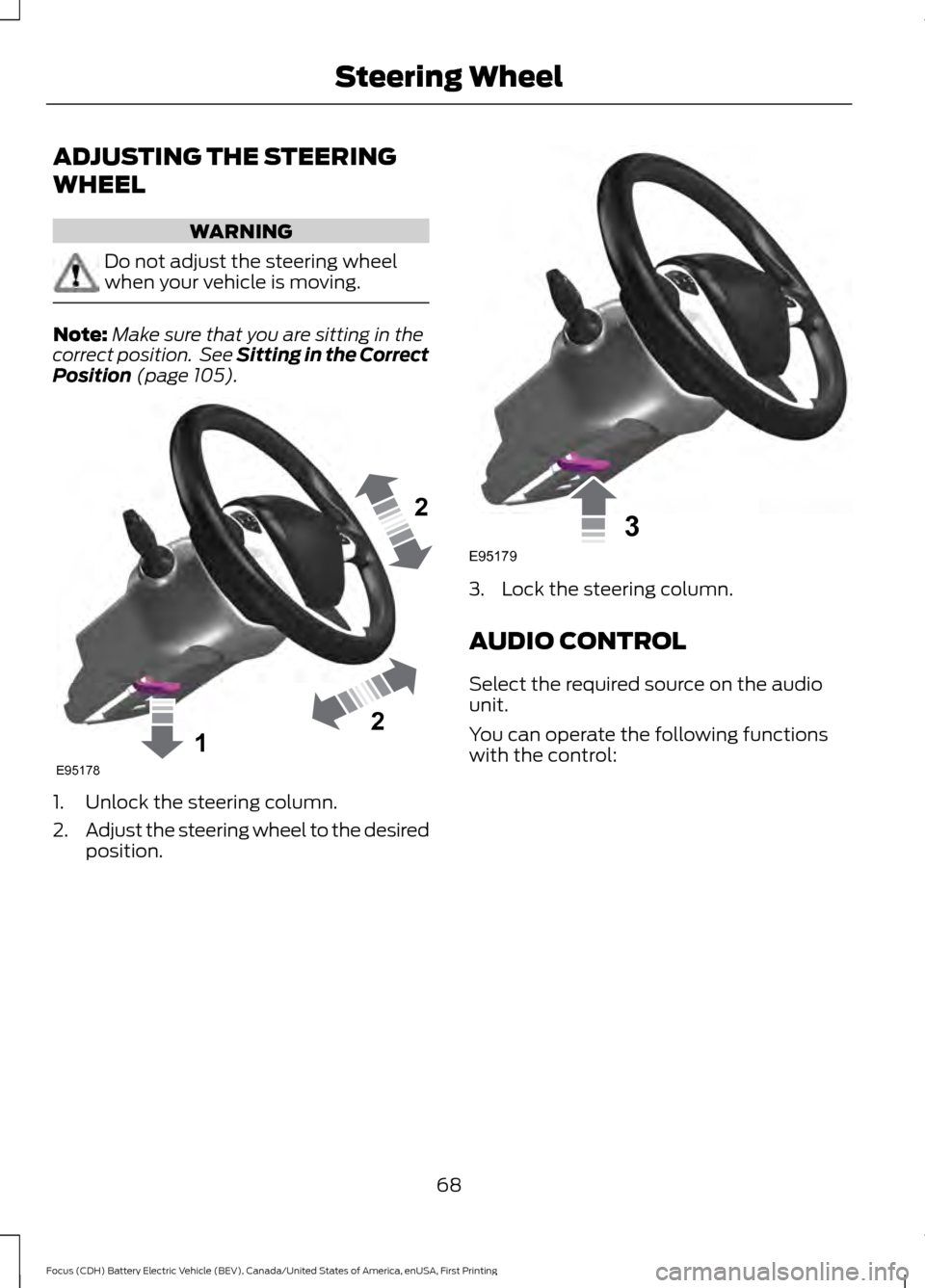
Position (page 105). 1. Unlock the steering column.
2.
Adjust the steering wheel to the desired
position. 3. Lock the steering column.
AUDIO CONTROL
Select the required source on the audio
unit.
You can operate the following functions
with the control:
68
Focus (CDH) Battery Electric Vehicle (BEV), Canada/United States of America, enUSA, First Printing Steering Wheel122E95178 3E95179
Page 77 of 276
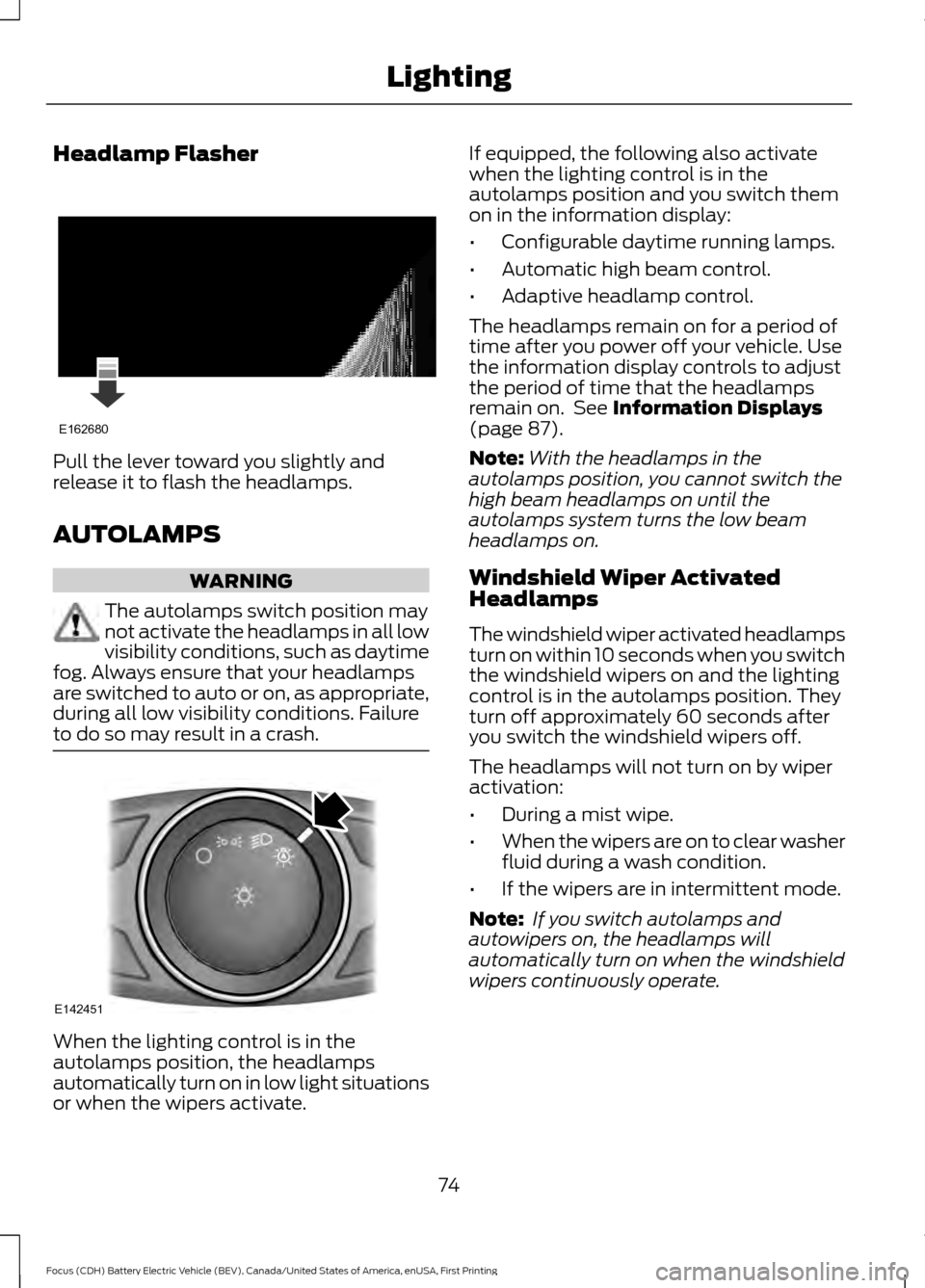
Headlamp Flasher
Pull the lever toward you slightly and
release it to flash the headlamps.
AUTOLAMPS
WARNING
The autolamps switch position may
not activate the headlamps in all low
visibility conditions, such as daytime
fog. Always ensure that your headlamps
are switched to auto or on, as appropriate,
during all low visibility conditions. Failure
to do so may result in a crash. When the lighting control is in the
autolamps position, the headlamps
automatically turn on in low light situations
or when the wipers activate. If equipped, the following also activate
when the lighting control is in the
autolamps position and you switch them
on in the information display:
•
Configurable daytime running lamps.
• Automatic high beam control.
• Adaptive headlamp control.
The headlamps remain on for a period of
time after you power off your vehicle. Use
the information display controls to adjust
the period of time that the headlamps
remain on. See Information Displays
(page 87).
Note: With the headlamps in the
autolamps position, you cannot switch the
high beam headlamps on until the
autolamps system turns the low beam
headlamps on.
Windshield Wiper Activated
Headlamps
The windshield wiper activated headlamps
turn on within 10 seconds when you switch
the windshield wipers on and the lighting
control is in the autolamps position. They
turn off approximately 60 seconds after
you switch the windshield wipers off.
The headlamps will not turn on by wiper
activation:
• During a mist wipe.
• When the wipers are on to clear washer
fluid during a wash condition.
• If the wipers are in intermittent mode.
Note: If you switch autolamps and
autowipers on, the headlamps will
automatically turn on when the windshield
wipers continuously operate.
74
Focus (CDH) Battery Electric Vehicle (BEV), Canada/United States of America, enUSA, First Printing LightingE162680 E142451
Page 78 of 276
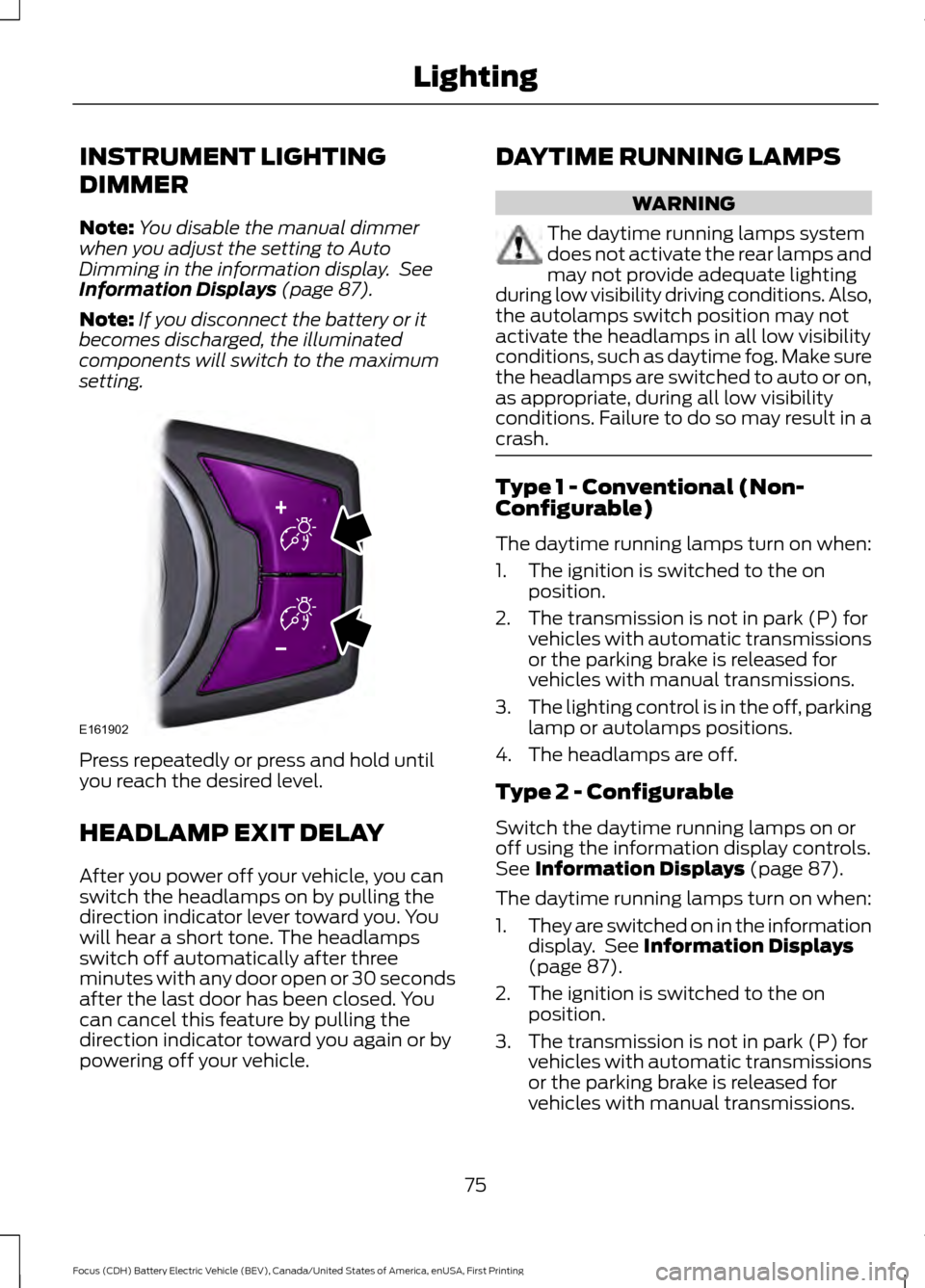
INSTRUMENT LIGHTING
DIMMER
Note:
You disable the manual dimmer
when you adjust the setting to Auto
Dimming in the information display. See
Information Displays (page 87).
Note: If you disconnect the battery or it
becomes discharged, the illuminated
components will switch to the maximum
setting. Press repeatedly or press and hold until
you reach the desired level.
HEADLAMP EXIT DELAY
After you power off your vehicle, you can
switch the headlamps on by pulling the
direction indicator lever toward you. You
will hear a short tone. The headlamps
switch off automatically after three
minutes with any door open or 30 seconds
after the last door has been closed. You
can cancel this feature by pulling the
direction indicator toward you again or by
powering off your vehicle. DAYTIME RUNNING LAMPS WARNING
The daytime running lamps system
does not activate the rear lamps and
may not provide adequate lighting
during low visibility driving conditions. Also,
the autolamps switch position may not
activate the headlamps in all low visibility
conditions, such as daytime fog. Make sure
the headlamps are switched to auto or on,
as appropriate, during all low visibility
conditions. Failure to do so may result in a
crash. Type 1 - Conventional (Non-
Configurable)
The daytime running lamps turn on when:
1. The ignition is switched to the on
position.
2. The transmission is not in park (P) for vehicles with automatic transmissions
or the parking brake is released for
vehicles with manual transmissions.
3. The lighting control is in the off, parking
lamp or autolamps positions.
4. The headlamps are off.
Type 2 - Configurable
Switch the daytime running lamps on or
off using the information display controls.
See
Information Displays (page 87).
The daytime running lamps turn on when:
1. They are switched on in the information
display. See
Information Displays
(page 87).
2. The ignition is switched to the on position.
3. The transmission is not in park (P) for vehicles with automatic transmissions
or the parking brake is released for
vehicles with manual transmissions.
75
Focus (CDH) Battery Electric Vehicle (BEV), Canada/United States of America, enUSA, First Printing LightingE161902
Page 81 of 276
POWER WINDOWS
WARNINGS
Do not leave children unattended in
your vehicle and do not let them play
with the power windows. They may
seriously injure themselves. When closing the power windows,
you should verify they are free of
obstructions and make sure that
children and pets are not in the proximity
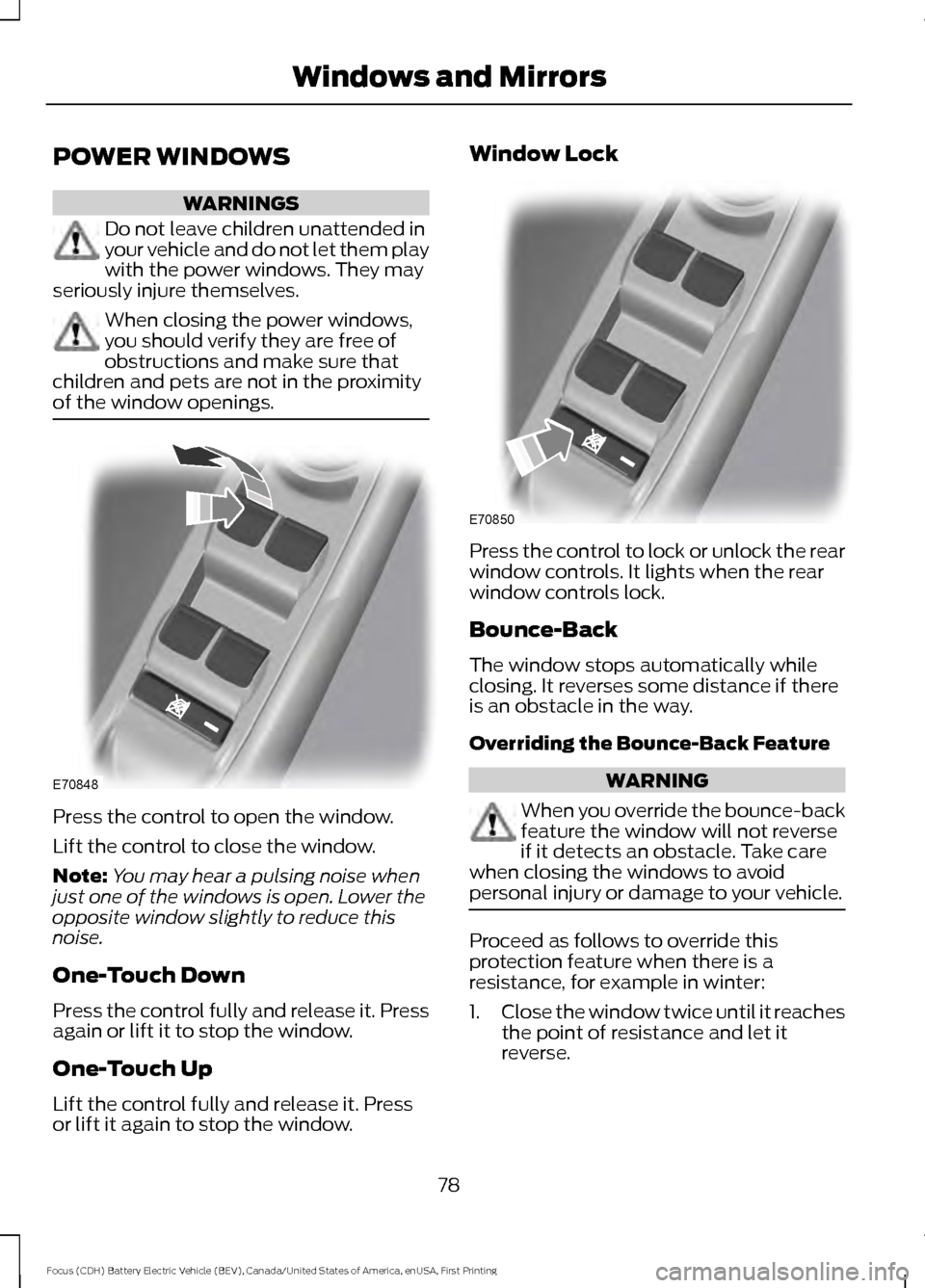
of the window openings. Press the control to open the window.
Lift the control to close the window.
Note:
You may hear a pulsing noise when
just one of the windows is open. Lower the
opposite window slightly to reduce this
noise.
One-Touch Down
Press the control fully and release it. Press
again or lift it to stop the window.
One-Touch Up
Lift the control fully and release it. Press
or lift it again to stop the window. Window Lock
Press the control to lock or unlock the rear
window controls. It lights when the rear
window controls lock.
Bounce-Back
The window stops automatically while
closing. It reverses some distance if there
is an obstacle in the way.
Overriding the Bounce-Back Feature
WARNING
When you override the bounce-back
feature the window will not reverse
if it detects an obstacle. Take care
when closing the windows to avoid
personal injury or damage to your vehicle. Proceed as follows to override this
protection feature when there is a
resistance, for example in winter:
1.
Close the window twice until it reaches
the point of resistance and let it
reverse.
78
Focus (CDH) Battery Electric Vehicle (BEV), Canada/United States of America, enUSA, First Printing Windows and MirrorsE70848 E70850
Page 82 of 276
2. Close the window a third time to the
point of resistance. You disabled the
bounce-back feature and you can now
close the window manually. The
window travels past the point of
resistance and you can close it fully.
Contact an authorized dealer as soon as
possible if the window does not close after
the third attempt.
Resetting the Bounce-Back Feature WARNING
The bounce-back feature remains
turned off until you reset the
memory.
If you have disconnected the battery, you
must reset the bounce-back memory
separately for each window.
1. Lift and hold the control until the
window is fully closed.
2. Release the control.
3. Lift and hold the control again for a few
seconds.
4. Release the control.
5. Lift and hold the control again for a few
seconds.
6. Release the control.
7. Press and hold the control until the window is fully open.
8. Lift and hold the control until the window is fully closed.
9. Release the control.
10. Open the window and then try to close it automatically.
11. Repeat the procedure if the window does not close automatically. Accessory Delay
You can use the window controls for
several minutes after switching off the
ignition or until opening either front door.
EXTERIOR MIRRORS
Power Exterior Mirrors WARNING
Do not adjust the mirrors when your
vehicle is moving.
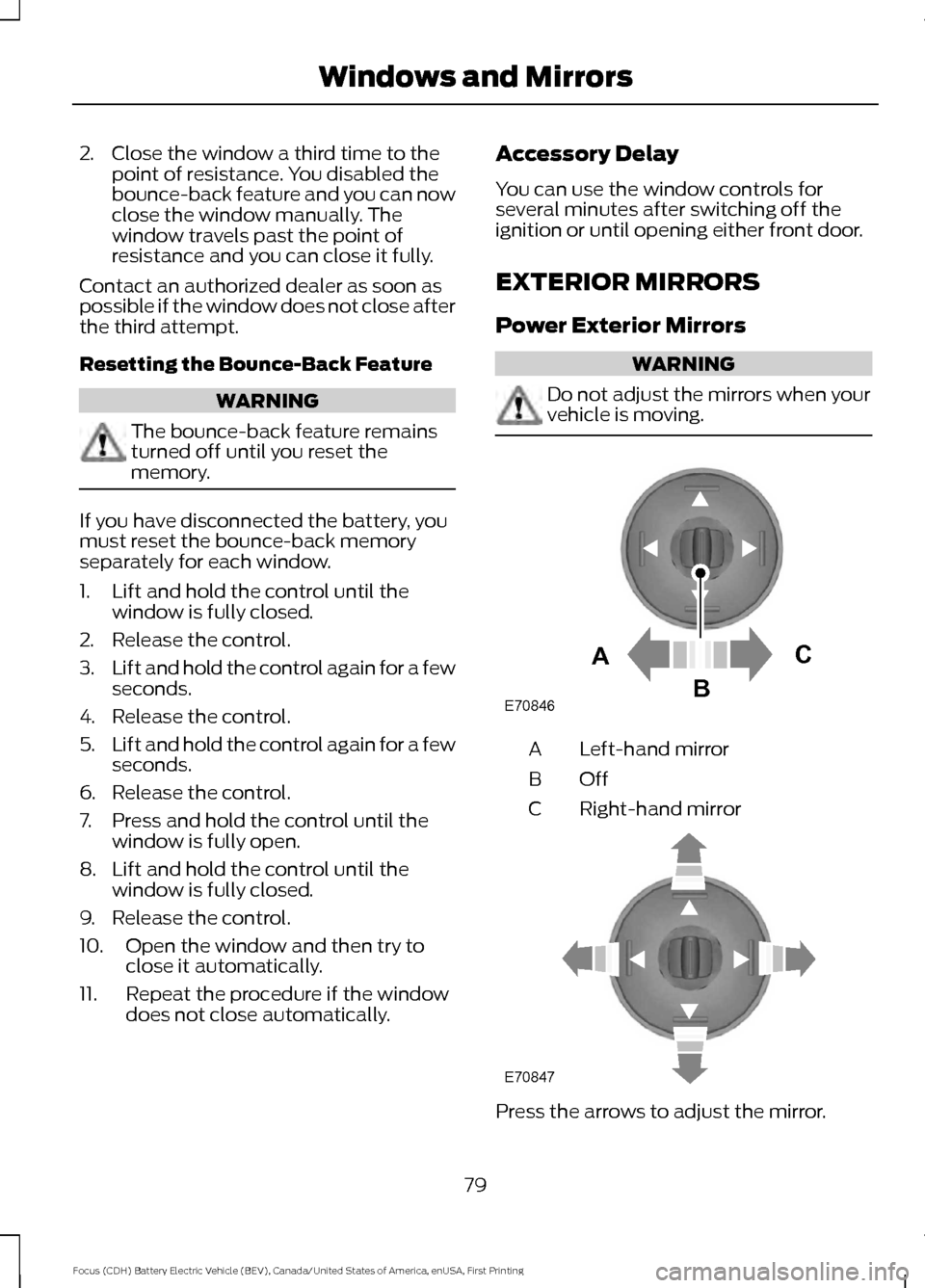
Left-hand mirror
A
OffB
Right-hand mirror
C Press the arrows to adjust the mirror.
79
Focus (CDH) Battery Electric Vehicle (BEV), Canada/United States of America, enUSA, First Printing Windows and MirrorsE70846A
C
B E70847
Page 83 of 276
Fold-Away Exterior Mirrors
Push the mirror toward the door window
glass. Make sure that you fully engage the
mirror in its support when returning it to its
original position.
Heated Exterior Mirrors
See Heated Windows and Mirrors (page
103).
Integrated Blind Spot Mirrors WARNING
Objects in the blind spot mirror are
closer than they appear.
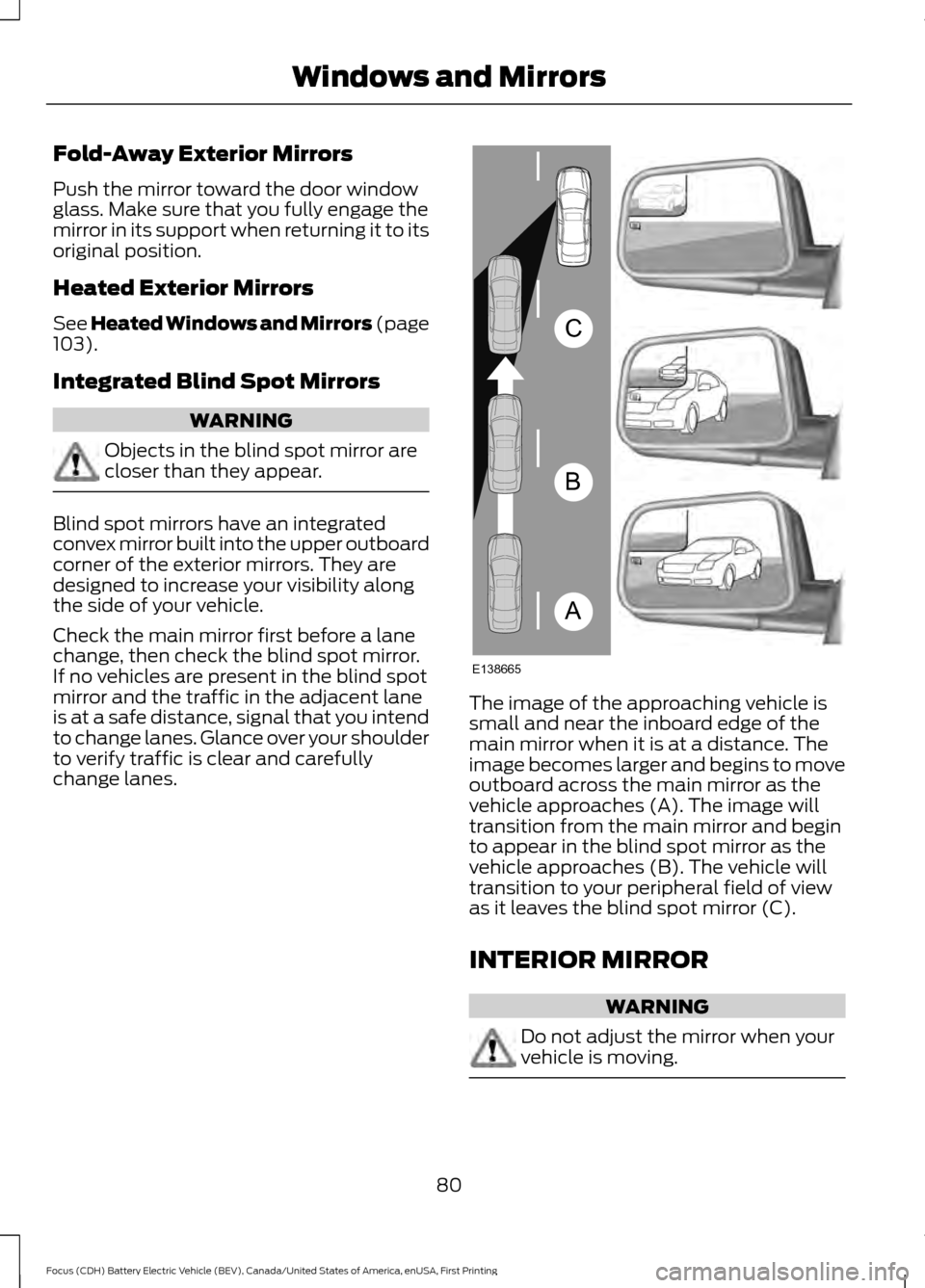
Blind spot mirrors have an integrated
convex mirror built into the upper outboard
corner of the exterior mirrors. They are
designed to increase your visibility along
the side of your vehicle.
Check the main mirror first before a lane
change, then check the blind spot mirror.
If no vehicles are present in the blind spot
mirror and the traffic in the adjacent lane
is at a safe distance, signal that you intend
to change lanes. Glance over your shoulder
to verify traffic is clear and carefully
change lanes.
The image of the approaching vehicle is
small and near the inboard edge of the
main mirror when it is at a distance. The
image becomes larger and begins to move
outboard across the main mirror as the
vehicle approaches (A). The image will
transition from the main mirror and begin
to appear in the blind spot mirror as the
vehicle approaches (B). The vehicle will
transition to your peripheral field of view
as it leaves the blind spot mirror (C).
INTERIOR MIRROR
WARNING
Do not adjust the mirror when your
vehicle is moving.
80
Focus (CDH) Battery Electric Vehicle (BEV), Canada/United States of America, enUSA, First Printing Windows and MirrorsA
B
C
E138665
Page 86 of 276
•
State of Charge - The state of charge
for the high voltage battery is shown
as a colored fill. The fill color is
normally blue. When a low battery
condition is reached the fill turns
amber. When the battery is depleted
the fill turns red. See the Information
Messages section for details on
associated Low Battery and Depleted
Battery warnings.
• Distance to Empty - The Range
Estimate in the Battery Gauge is
personalized to your key. This is the
estimated distance your vehicle can
travel before needing a recharge. The
Range Estimate is based on your
typical energy usage while driving. This
includes your Drive Habits as well as
your use of accessories such as Climate
Control. Your Range Estimate may
change immediately when you change
your Climate Control settings.
• Regen Display - A circular arrow
symbol appears in the center of the
Battery Gauge when energy is being
recaptured through the regenerative
braking system.
Brake Coach Display
The Brake Coach appears after your
vehicle has come to a stop. It coaches you
to brake in a manner which maximizes the
amount of energy returned through the
regenerative braking system. The percent
displayed is an indication of the
regenerative braking efficiency with 100%
representing the maximum amount of
energy recovery. If desired, this feature can
be disabled in the Display section of the
Settings menu. Trip Summary and Lifetime Summary
These summaries display after switching
off your vehicle. The Trip Summary
appears first, followed by the Lifetime
Summary. You can toggle between these
displays using the up and down arrow keys
on the left hand steering wheel controls.
Trip Summary data is from the last power
cycle, while Lifetime Summary data is
cumulative from the last Lifetime
Summary reset done through the Settings
menu in the information display.
Trip Summary:
•
Distance - The total distance traveled,
and regen distance are displayed.
Regen distance is the estimated range
gained from energy recaptured through
regenerative braking.
• Energy Used - The total kilowatt hours
and average watt hours per unit of
distance are displayed. The average
watt hours per mi (km) will be shown
in blue if less than (better than) the
lifetime average watt hours per mi
(km).
• Brake Score - The percentage of
braking energy recaptured and returned
to the high voltage battery through
regenerative braking. The brake score
will be shown in blue if greater than
(better than) the lifetime brake score.
Lifetime Summary:
• Distance - The total regen distance,
which is the estimated range gained
from energy recaptured through
regenerative braking.
• Energy Used - The average watt hours
per mi (km).
• Brake Score - The average percentage
of braking energy recaptured and
returned to the high voltage battery
through regenerative braking.
83
Focus (CDH) Battery Electric Vehicle (BEV), Canada/United States of America, enUSA, First Printing Instrument Cluster