automatic transmission FORD FOCUS ELECTRIC 2016 3.G Owners Manual
[x] Cancel search | Manufacturer: FORD, Model Year: 2016, Model line: FOCUS ELECTRIC, Model: FORD FOCUS ELECTRIC 2016 3.GPages: 276, PDF Size: 4.31 MB
Page 5 of 276
Steering Wheel
Adjusting the Steering Wheel...................68
Audio Control..................................................68
Voice Control...................................................69
Cruise Control.................................................69
Information Display Control
.......................70
Wipers and Washers
Windshield Wipers
..........................................71
Windshield Washers.......................................71
Rear Window Wiper and Washers...........72
Lighting
General Information......................................73
Lighting Control...............................................73
Autolamps........................................................74
Instrument Lighting Dimmer......................75
Headlamp Exit Delay
.....................................75
Daytime Running Lamps.............................75
Direction Indicators........................................76
Interior Lamps
.................................................76
Ambient Lighting.............................................77
Windows and Mirrors
Power Windows
..............................................78
Exterior Mirrors
................................................79
Interior Mirror
...................................................80
Sun Visors..........................................................81
Instrument Cluster
Gauges...............................................................82
Warning Lamps and Indicators................84
Audible Warnings and Indicators
.............86
Information Displays
General Information......................................87
Information Messages
.................................94 Climate Control
Automatic Climate Control.......................101
Hints on Controlling the Interior
Climate.........................................................102
Heated Windows and Mirrors..................103
Cabin Air Filter...............................................104
Remote Start
.................................................104
Seats
Sitting in the Correct Position
..................105
Head Restraints............................................105
Manual Seats.................................................107
Power Seats
....................................................107
Rear Seats
......................................................108
Heated Seats..................................................110
Auxiliary Power Points
Auxiliary Power Points..................................111
Storage Compartments
Center Console
...............................................112
Overhead Console.........................................112
Starting and Stopping the Electric Motor
Starting the Electric Motor.........................113
Switching Off the Electric Motor
.............114
High Voltage Battery
General Information
.....................................116
Charging the High Voltage Battery.........116
High Voltage Battery Cut-Off Switch............................................................121
Transmission
Automatic Transmission
............................123
Brakes
General Information
....................................125
2
Focus (CDH) Battery Electric Vehicle (BEV), Canada/United States of America, enUSA, First Printing Table of Contents
Page 52 of 276
Sounding the Panic Alarm (If Equipped)
Press the button to activate the
alarm. Press the button again or
switch your vehicle on to
deactivate it.
Note: The panic alarm only operates when
your vehicle is switched off.
Remote Start The remote start button is on the
transmitter.
This feature allows you to start your
vehicle from the outside. The transmitter
has an extended operating range.
Vehicles with automatic climate control
can be configured to operate when your
vehicle is remote started. See Automatic
Climate Control (page 101).
Many states and provinces have
restrictions for the use of remote start.
Check your local and state or provincial
laws for specific requirements regarding
remote start systems.
The remote start system does not work if
any of the following occur:
• Your vehicle is switched on.
• The alarm system activates.
• You turn off the feature.
• The hood is open.
• The transmission is not in park (P).
• Your vehicle battery has no charge.
• The powertrain fault indicator was on
the last time you drove your vehicle.
Remote Starting your Vehicle
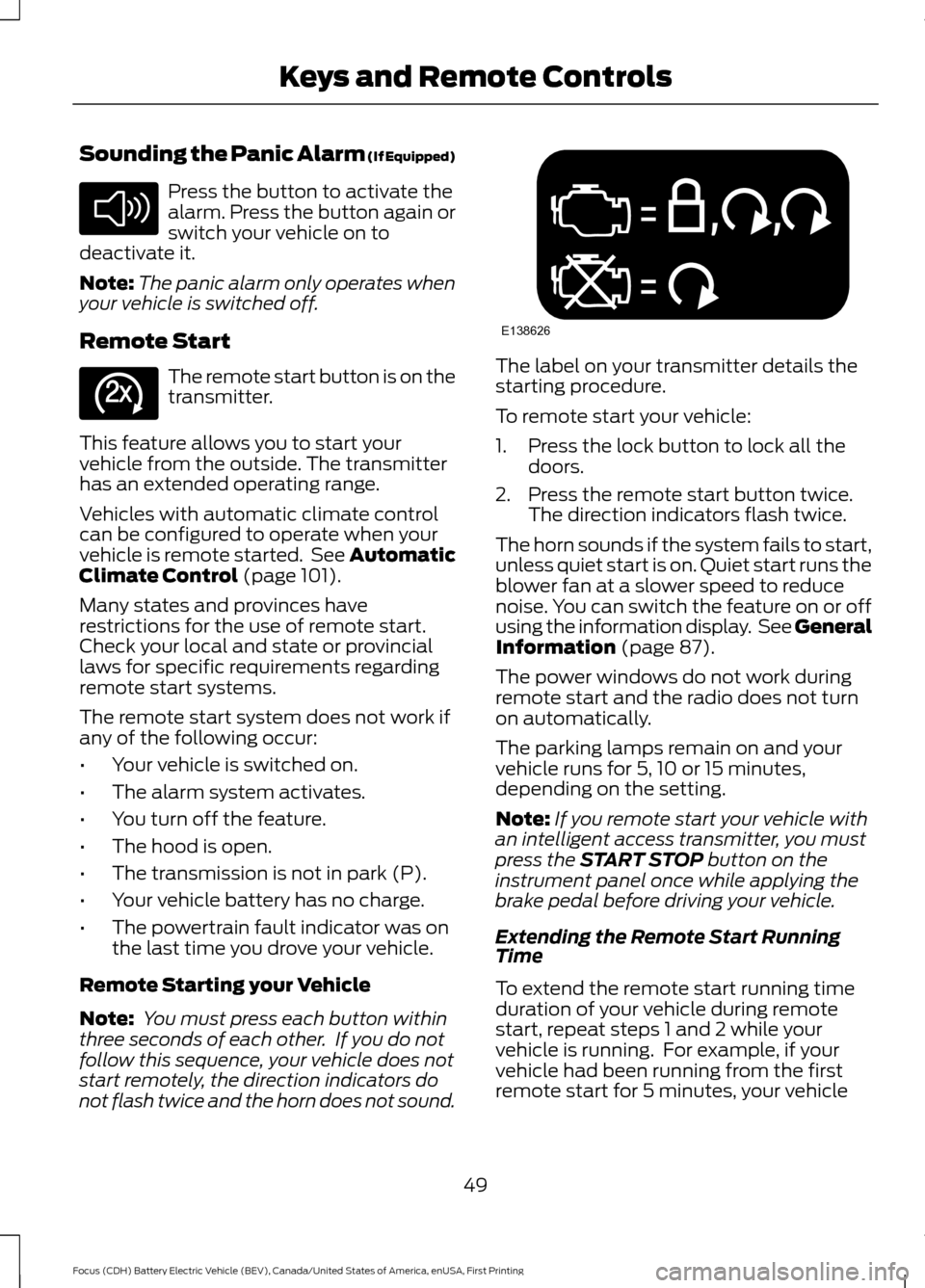
Note: You must press each button within
three seconds of each other. If you do not
follow this sequence, your vehicle does not
start remotely, the direction indicators do
not flash twice and the horn does not sound. The label on your transmitter details the
starting procedure.
To remote start your vehicle:
1. Press the lock button to lock all the
doors.
2. Press the remote start button twice. The direction indicators flash twice.
The horn sounds if the system fails to start,
unless quiet start is on. Quiet start runs the
blower fan at a slower speed to reduce
noise. You can switch the feature on or off
using the information display. See
General
Information (page 87).
The power windows do not work during
remote start and the radio does not turn
on automatically.
The parking lamps remain on and your
vehicle runs for 5, 10 or 15 minutes,
depending on the setting.
Note: If you remote start your vehicle with
an intelligent access transmitter, you must
press the
START STOP button on the
instrument panel once while applying the
brake pedal before driving your vehicle.
Extending the Remote Start Running
Time
To extend the remote start running time
duration of your vehicle during remote
start, repeat steps 1 and 2 while your
vehicle is running. For example, if your
vehicle had been running from the first
remote start for 5 minutes, your vehicle
49
Focus (CDH) Battery Electric Vehicle (BEV), Canada/United States of America, enUSA, First Printing Keys and Remote ControlsE138624 E138625 E138626
Page 63 of 276
Touch the locking area on the front of the
door handle to lock your vehicle. There will
be a brief delay before you can unlock your
vehicle again.
Note:
Keep the door handle clean to make
sure the system operates correctly.
Note: Your vehicle does not automatically
lock. If you do not touch a locking sensor
your vehicle will remain unlocked.
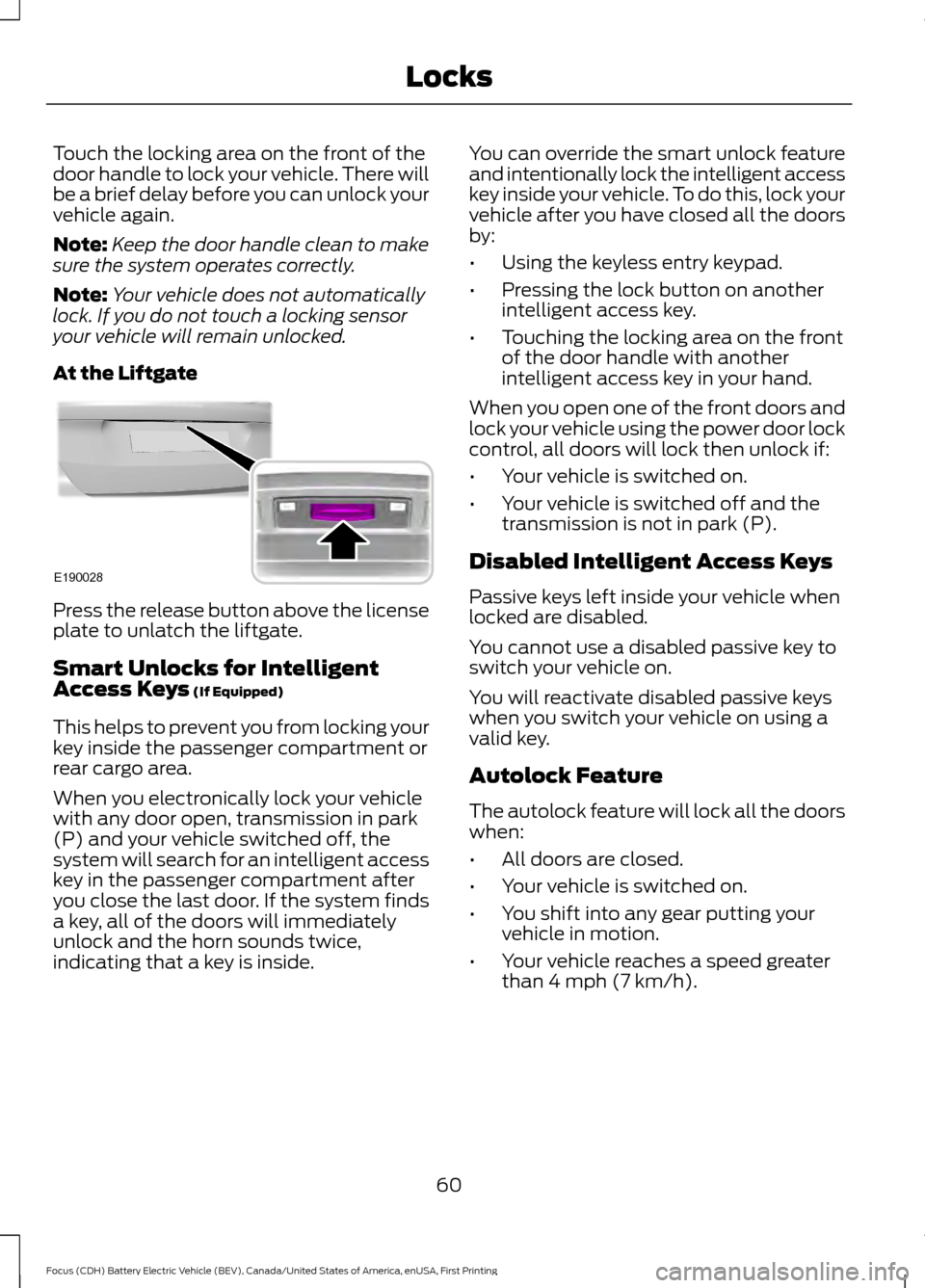
At the Liftgate Press the release button above the license
plate to unlatch the liftgate.
Smart Unlocks for Intelligent
Access Keys (If Equipped)
This helps to prevent you from locking your
key inside the passenger compartment or
rear cargo area.
When you electronically lock your vehicle
with any door open, transmission in park
(P) and your vehicle switched off, the
system will search for an intelligent access
key in the passenger compartment after
you close the last door. If the system finds
a key, all of the doors will immediately
unlock and the horn sounds twice,
indicating that a key is inside. You can override the smart unlock feature
and intentionally lock the intelligent access
key inside your vehicle. To do this, lock your
vehicle after you have closed all the doors
by:
•
Using the keyless entry keypad.
• Pressing the lock button on another
intelligent access key.
• Touching the locking area on the front
of the door handle with another
intelligent access key in your hand.
When you open one of the front doors and
lock your vehicle using the power door lock
control, all doors will lock then unlock if:
• Your vehicle is switched on.
• Your vehicle is switched off and the
transmission is not in park (P).
Disabled Intelligent Access Keys
Passive keys left inside your vehicle when
locked are disabled.
You cannot use a disabled passive key to
switch your vehicle on.
You will reactivate disabled passive keys
when you switch your vehicle on using a
valid key.
Autolock Feature
The autolock feature will lock all the doors
when:
• All doors are closed.
• Your vehicle is switched on.
• You shift into any gear putting your
vehicle in motion.
• Your vehicle reaches a speed greater
than 4 mph (7 km/h).
60
Focus (CDH) Battery Electric Vehicle (BEV), Canada/United States of America, enUSA, First Printing LocksE190028
Page 78 of 276
INSTRUMENT LIGHTING
DIMMER
Note:
You disable the manual dimmer
when you adjust the setting to Auto
Dimming in the information display. See
Information Displays (page 87).
Note: If you disconnect the battery or it
becomes discharged, the illuminated
components will switch to the maximum
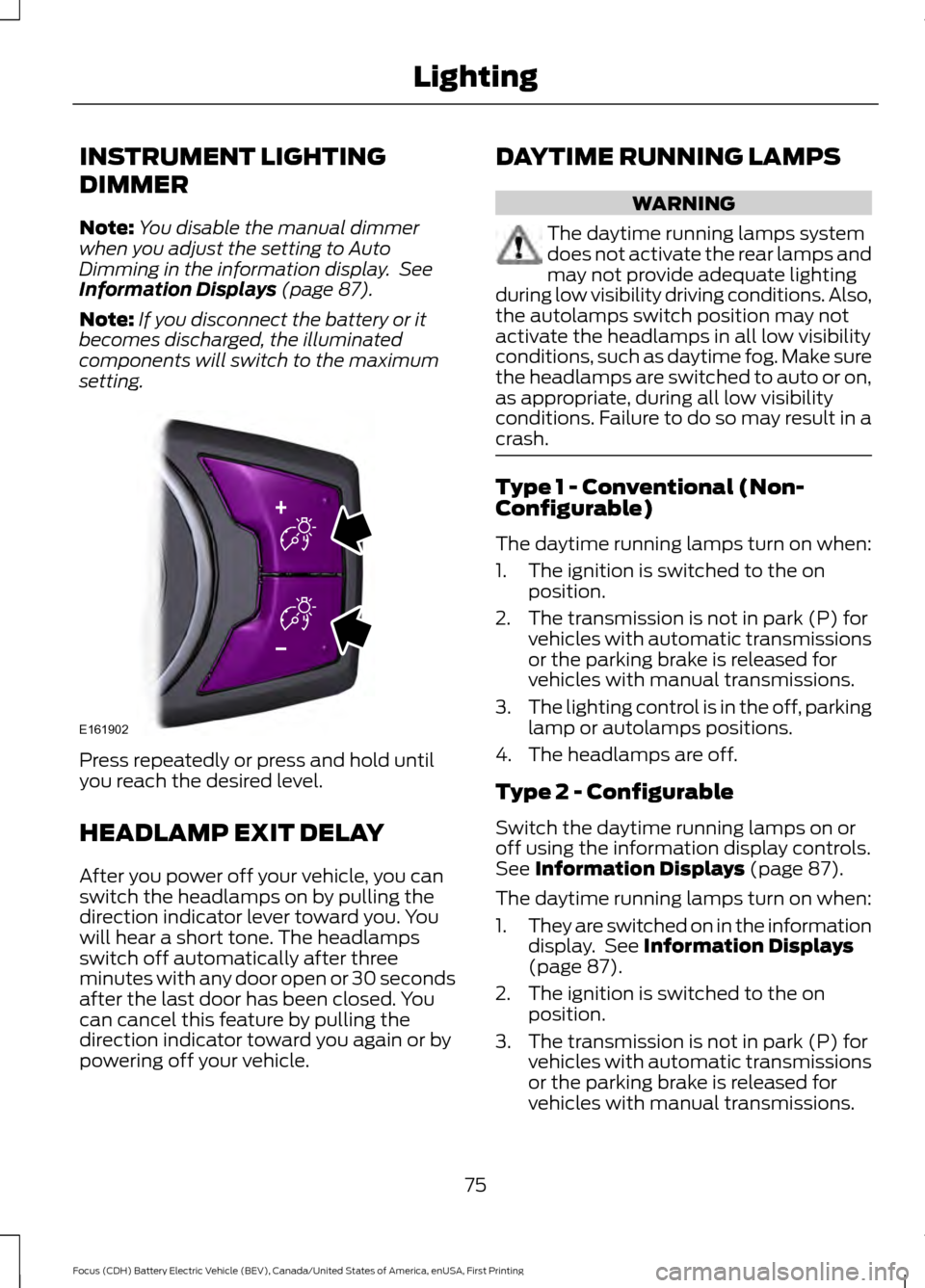
setting. Press repeatedly or press and hold until
you reach the desired level.
HEADLAMP EXIT DELAY
After you power off your vehicle, you can
switch the headlamps on by pulling the
direction indicator lever toward you. You
will hear a short tone. The headlamps
switch off automatically after three
minutes with any door open or 30 seconds
after the last door has been closed. You
can cancel this feature by pulling the
direction indicator toward you again or by
powering off your vehicle. DAYTIME RUNNING LAMPS WARNING
The daytime running lamps system
does not activate the rear lamps and
may not provide adequate lighting
during low visibility driving conditions. Also,
the autolamps switch position may not
activate the headlamps in all low visibility
conditions, such as daytime fog. Make sure
the headlamps are switched to auto or on,
as appropriate, during all low visibility
conditions. Failure to do so may result in a
crash. Type 1 - Conventional (Non-
Configurable)
The daytime running lamps turn on when:
1. The ignition is switched to the on
position.
2. The transmission is not in park (P) for vehicles with automatic transmissions
or the parking brake is released for
vehicles with manual transmissions.
3. The lighting control is in the off, parking
lamp or autolamps positions.
4. The headlamps are off.
Type 2 - Configurable
Switch the daytime running lamps on or
off using the information display controls.
See
Information Displays (page 87).
The daytime running lamps turn on when:
1. They are switched on in the information
display. See
Information Displays
(page 87).
2. The ignition is switched to the on position.
3. The transmission is not in park (P) for vehicles with automatic transmissions
or the parking brake is released for
vehicles with manual transmissions.
75
Focus (CDH) Battery Electric Vehicle (BEV), Canada/United States of America, enUSA, First Printing LightingE161902
Page 126 of 276
AUTOMATIC TRANSMISSION
Understanding the Positions of
Your Automatic Transmission
WARNING
Always set the parking brake fully
and make sure you shift the gearshift
lever to park (P). Switch the power
off and remove the key whenever you leave
your vehicle. The single speed transmission is built
specifically to handle the high rotational
speed range of an electric motor.
Gearshift Lever Positions
ParkP
Reverse
R
Neutral
N
Drive
D
LowL
Press the button on the gearshift lever to
change to each position.
The gearshift lever position appears in the
information display. Park (P)
In this position, power is not transmitted
to the drive wheels and the transmission
is locked. You can start the electric motor
with the gearshift lever in this position.
Reverse (R)
With the gearshift lever in reverse (R), the
vehicle moves backward. Always come to
a complete stop before shifting into and
out of reverse (R).
Neutral (N)
In this position, power is not transmitted
to the drive wheels but the transmission is
not locked. You can start the electric motor
with the gearshift lever in this position.
Drive (D)
The normal position for driving your vehicle.
The transmission operates in a single gear
built specifically to handle the electric
motor output.
Low (L)
Use this position for maximum motor
braking, for example when driving down a
steep hill. You can select this position at
any vehicle speed.
Brake-Shift Interlock
WARNINGS
Do not drive your vehicle until you
verify that the brake lamps are
working.
When performing this procedure, you
will be taking the vehicle out of park
which means the vehicle can roll
freely. To avoid unwanted vehicle
movement, always fully set the parking
brake prior to performing this procedure.
Use wheel chocks if appropriate.
123
Focus (CDH) Battery Electric Vehicle (BEV), Canada/United States of America, enUSA, First Printing TransmissionE157387
Page 128 of 276
GENERAL INFORMATION
Note:
Occasional brake noise is normal. If
a metal-to-metal, continuous grinding or
continuous squeal sound is present, the
brake linings may be worn-out. Have the
system checked by an authorized dealer. If
the vehicle has continuous vibration or
shudder in the steering wheel while braking,
have it checked by an authorized dealer.
Note: Brake dust may accumulate on the
wheels, even under normal driving
conditions. Some dust is inevitable as the
brakes wear and does not contribute to
brake noise. See Cleaning the Alloy
Wheels (page 190). See
Warning Lamps and
Indicators (page 84).
Wet brakes result in reduced braking
efficiency. Gently press the brake pedal a
few times when driving from a car wash or
standing water to dry the brakes.
Brake Over Accelerator
In the event the accelerator pedal
becomes stuck or entrapped, apply steady
and firm pressure to the brake pedal to
slow the vehicle and reduce engine power.
If you experience this condition, apply the
brakes and bring your vehicle to a safe
stop. Move the transmission to park (P),
switch the engine off and apply the parking
brake. Inspect the accelerator pedal for
any interference. If none are found and the
condition persists, have your vehicle towed
to the nearest authorized dealer.
Brake Assist
Brake assist detects when you brake
heavily by measuring the rate at which you
press the brake pedal. It provides
maximum braking efficiency as long as you
press the pedal. Brake assist can reduce
stopping distances in critical situations. Anti-lock Brake System
This system helps you maintain steering
control during emergency stops by keeping
the brakes from locking. This lamp momentarily
illuminates when you turn the
ignition on. If the light does not
illuminate during start up, remains on or
flashes, the system may be disabled. Have
the system checked by an authorized
dealer. If the anti-lock brake system is
disabled, normal braking is still effective. If the brake warning lamp
illuminates when you release the
parking brake, have the system
checked by an authorized dealer.
Regenerative Braking System
This feature is used to simulate the engine
braking of an internal combustion engine
and assist the standard brake system while
recovering some of the energy of motion
and storing it in the battery to improve the
range of your vehicle. The standard brake
system is designed to fully stop the car if
regenerative braking is not available.
During regenerative braking, the motor is
spun as a generator to create electrical
current. This recharges the battery and
slows the vehicle. In effect, once the
accelerator pedal is released, the motor
changes from an energy user to an energy
producer.
When the accelerator pedal is released or
the brake pedal is applied, the brake
controller automatically detects the
amount of deceleration requested and
optimizes how much of the deceleration
will be produced by regenerative braking.
The remaining portion is generated by
125
Focus (CDH) Battery Electric Vehicle (BEV), Canada/United States of America, enUSA, First Printing BrakesE144522 E144522
Page 129 of 276
standard friction braking. When the battery
is almost fully charged, the amount of
regenerative braking is limited to avoid
overcharging, and the requested
deceleration is produced by standard
friction braking alone.
Regenerative braking does not take the
place of the standard friction brakes; it only
assists them. Regenerative braking has
also been designed to interact with the
anti-lock brake system. Regenerative
braking is disabled when the anti-lock
brake system is activated or the battery is
fully charged.
HINTS ON DRIVING WITH
ANTI-LOCK BRAKES
Note:
When the system is operating, the
brake pedal may pulse and may travel
further. Maintain pressure on the brake
pedal. You may also hear a noise from the
system. This is normal.
The anti-lock braking system will not
eliminate the risks when:
• You drive too closely to the vehicle in
front of you.
• Your vehicle is hydroplaning.
• You take corners too fast.
• The road surface is poor.
PARKING BRAKE WARNING
Always set the parking brake fully
and make sure you shift the gearshift
lever to park (P). Switch the ignition
off and remove the key whenever you leave
your vehicle. Note:
Do not press the release button while
pulling the lever up.
To apply the parking brake: 1. Press the foot brake pedal firmly.
2. Pull the parking brake lever up to its
fullest extent.
Note: If you park your vehicle on a hill and
facing uphill, shift the gearshift lever to park
(P) and turn the steering wheel away from
the curb.
Note: If you park your vehicle on a hill and
facing downhill, shift the gearshift lever to
park (P) and turn the steering wheel toward
the curb.
To release the parking brake:
1. Press the brake pedal firmly.
2. Pull the lever up slightly.
3. Press the release button and push the lever down.
HILL START ASSIST WARNINGS
The system does not replace the
parking brake. When you leave your
vehicle, always apply the parking
brake and shift the transmission into park
(P) for automatic transmission or first gear
for manual transmission. You must remain in your vehicle once
you have activated the system.
During all times, you are responsible
for controlling your vehicle,
supervising the system and
intervening, if required. If the engine is revved excessively, or
if a malfunction is detected, the
system will be deactivated.
The system makes it easier to pull away
when your vehicle is on a slope without the
need to use the parking brake.
126
Focus (CDH) Battery Electric Vehicle (BEV), Canada/United States of America, enUSA, First Printing Brakes
Page 130 of 276
When the system is active, your vehicle will
remain stationary on the slope for two to
three seconds after you release the brake
pedal. This allows you time to move your
foot from the brake to the accelerator
pedal. The brakes are released
automatically once the engine has
developed sufficient torque to prevent your
vehicle from rolling down the slope. This
is an advantage when pulling away on a
slope, for example from a car park ramp,
traffic lights or when reversing uphill into
a parking space.
The system will activate automatically on
any slope that will cause significant vehicle
rollback. For vehicles with a manual
transmission, you can switch this feature
off using the information display. See
Information Displays (page 87). The
system will remain on or off depending on
how it was last set.
Note: There is no warning lamp to indicate
the system is either on or off.
Using Hill Start Assist
1. Press the brake pedal to bring your vehicle to a complete standstill. Keep
the brake pedal pressed and select an
uphill gear (for example, first (1) when
facing uphill or reverse (R) when facing
downhill).
2. If the sensors detect that your vehicle is on a slope, the system will activate
automatically.
3. When you remove your foot from the brake pedal, your vehicle will remain
on the slope without rolling away for
about two or three seconds. This hold
time will automatically be extended if
you are in the process of driving off.
4. Drive off in the normal manner. The brakes will release automatically. Switching the System On and Off
Vehicles with Manual Transmission
You can switch this feature on or off in the
information display. The system
remembers the last setting when you start
your vehicle.
Vehicles with Automatic Transmission
You cannot turn the system on or off.
When you switch the ignition on, the
system automatically turns on.
127
Focus (CDH) Battery Electric Vehicle (BEV), Canada/United States of America, enUSA, First Printing Brakes
Page 134 of 276
PRINCIPLE OF OPERATION
WARNINGS
The system does not relieve you of
your responsibility to drive with due
care and attention.
If your vehicles has a non-Ford
approved trailer tow module the
system may not correctly detect
objects. The sensors may not detect objects
in heavy rain or other conditions that
cause disruptive reflections.
The sensors may not detect objects
with surfaces that absorb ultrasonic
waves.
The system does not detect objects
that are moving away from your
vehicle. They will only be detected
shortly after they start to move toward
your vehicle. Take particular care when reversing
with a tow ball arm or a rear fitted
accessory. For example, a bicycle
carrier. The rear parking aid will only
indicate the approximate distance from
the rear bumper to an object. Sensing is only an aid to detect some
objects when moving forward or
backward at low speeds. Traffic
control systems, inclement weather or an
external motor and fan can affect the
sensors; this may include reduced
performance or false activation. To help
avoid personal injury you must read and
understand the limitations of the system
detailed in this section. WARNINGS
The parking aid system may not
prevent contact with small or moving
objects that are close to the ground.
The parking aid system gives an audible
warning when it detects a large object
helping to avoid damage to your vehicle.
To help avoid personal injury you must take
care when using the parking aid system. Note:
If you use a high pressure spray to
wash your vehicle, only spray the sensors
briefly from a distance not less than 8 in
(20 cm).
Note: If your vehicle has a tow ball arm, the
system is turned off automatically when
trailer lamps (or lighting boards) are
connected to the 13-pin socket through a
Ford approved trailer tow module.
Note: Keep the sensors free from dirt, ice
or snow. Do not clean with sharp objects.
Note: The system may emit false alerts if
it detects a signal using the same frequency
as the sensors or if your vehicle is fully
loaded.
Note: The outer sensors may detect the
side walls of a garage. If the distance
between the outer sensors and the side wall
remains constant for three seconds, the
alert will turn off. As you continue the inner
sensors will detect objects directly behind
your vehicle.
REAR PARKING AID
The rear sensors are only active when the
transmission is in reverse (R). As your
vehicle moves closer to the obstacle, the
rate of the audible warning increases.
When the obstacle is less than
10 in
(25 cm) away, the warning sounds
continuously. If the system detects a
131
Focus (CDH) Battery Electric Vehicle (BEV), Canada/United States of America, enUSA, First Printing Parking Aids
Page 148 of 276
TOWING A TRAILER
WARNING
Your vehicle is not approved
for trailer towing. Never tow
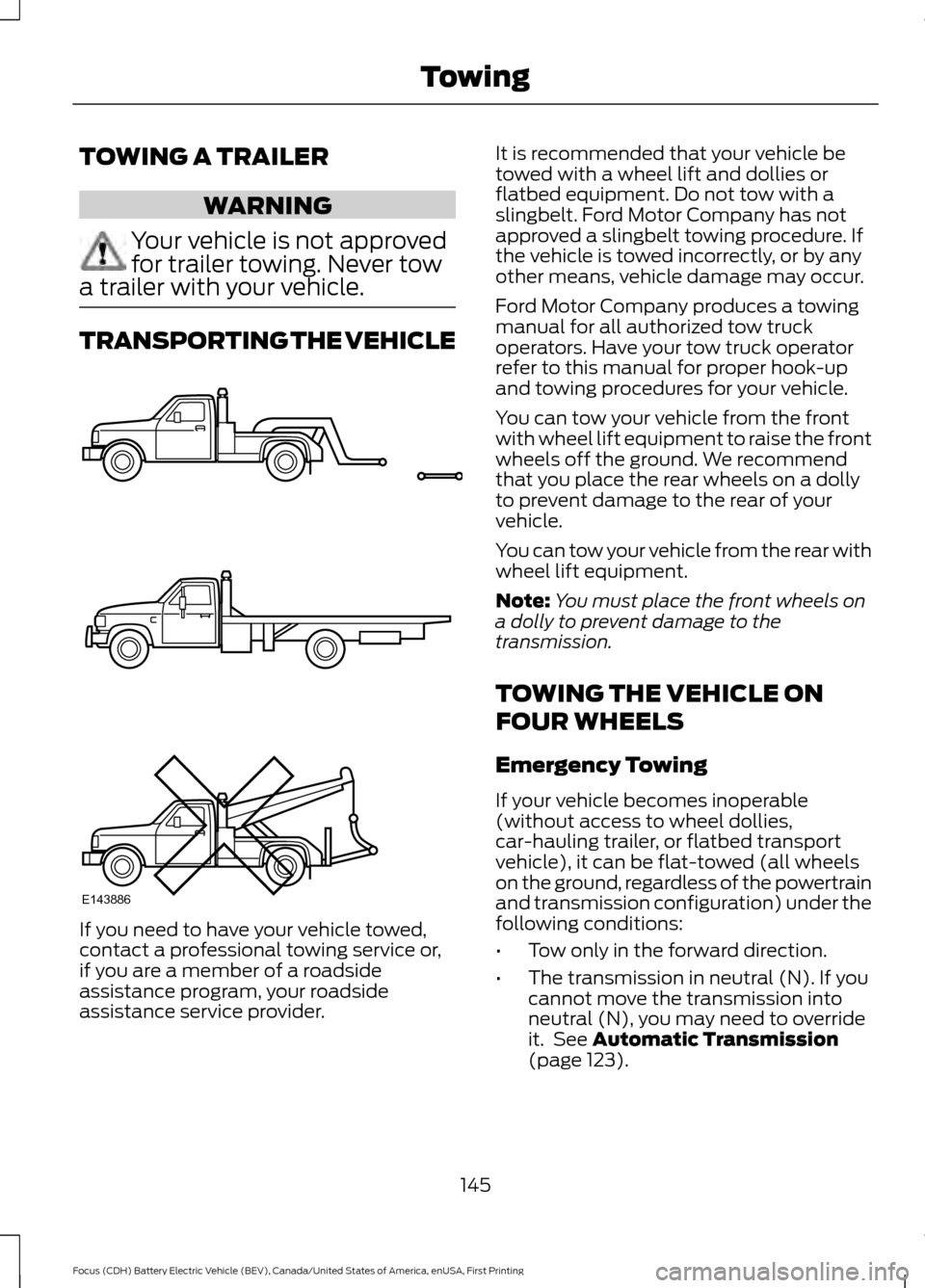
a trailer with your vehicle. TRANSPORTING THE VEHICLE
If you need to have your vehicle towed,
contact a professional towing service or,
if you are a member of a roadside
assistance program, your roadside
assistance service provider. It is recommended that your vehicle be
towed with a wheel lift and dollies or
flatbed equipment. Do not tow with a
slingbelt. Ford Motor Company has not
approved a slingbelt towing procedure. If
the vehicle is towed incorrectly, or by any
other means, vehicle damage may occur.
Ford Motor Company produces a towing
manual for all authorized tow truck
operators. Have your tow truck operator
refer to this manual for proper hook-up
and towing procedures for your vehicle.
You can tow your vehicle from the front
with wheel lift equipment to raise the front
wheels off the ground. We recommend
that you place the rear wheels on a dolly
to prevent damage to the rear of your
vehicle.
You can tow your vehicle from the rear with
wheel lift equipment.
Note:
You must place the front wheels on
a dolly to prevent damage to the
transmission.
TOWING THE VEHICLE ON
FOUR WHEELS
Emergency Towing
If your vehicle becomes inoperable
(without access to wheel dollies,
car-hauling trailer, or flatbed transport
vehicle), it can be flat-towed (all wheels
on the ground, regardless of the powertrain
and transmission configuration) under the
following conditions:
• Tow only in the forward direction.
• The transmission in neutral (N). If you
cannot move the transmission into
neutral (N), you may need to override
it. See Automatic Transmission
(page 123).
145
Focus (CDH) Battery Electric Vehicle (BEV), Canada/United States of America, enUSA, First Printing TowingE143886