steering FORD FOCUS ELECTRIC 2016 3.G Owners Manual
[x] Cancel search | Manufacturer: FORD, Model Year: 2016, Model line: FOCUS ELECTRIC, Model: FORD FOCUS ELECTRIC 2016 3.GPages: 276, PDF Size: 4.31 MB
Page 5 of 276
Steering Wheel
Adjusting the Steering Wheel...................68
Audio Control..................................................68
Voice Control...................................................69
Cruise Control.................................................69
Information Display Control
.......................70
Wipers and Washers
Windshield Wipers
..........................................71
Windshield Washers.......................................71
Rear Window Wiper and Washers...........72
Lighting
General Information......................................73
Lighting Control...............................................73
Autolamps........................................................74
Instrument Lighting Dimmer......................75
Headlamp Exit Delay
.....................................75
Daytime Running Lamps.............................75
Direction Indicators........................................76
Interior Lamps
.................................................76
Ambient Lighting.............................................77
Windows and Mirrors
Power Windows
..............................................78
Exterior Mirrors
................................................79
Interior Mirror
...................................................80
Sun Visors..........................................................81
Instrument Cluster
Gauges...............................................................82
Warning Lamps and Indicators................84
Audible Warnings and Indicators
.............86
Information Displays
General Information......................................87
Information Messages
.................................94 Climate Control
Automatic Climate Control.......................101
Hints on Controlling the Interior
Climate.........................................................102
Heated Windows and Mirrors..................103
Cabin Air Filter...............................................104
Remote Start
.................................................104
Seats
Sitting in the Correct Position
..................105
Head Restraints............................................105
Manual Seats.................................................107
Power Seats
....................................................107
Rear Seats
......................................................108
Heated Seats..................................................110
Auxiliary Power Points
Auxiliary Power Points..................................111
Storage Compartments
Center Console
...............................................112
Overhead Console.........................................112
Starting and Stopping the Electric Motor
Starting the Electric Motor.........................113
Switching Off the Electric Motor
.............114
High Voltage Battery
General Information
.....................................116
Charging the High Voltage Battery.........116
High Voltage Battery Cut-Off Switch............................................................121
Transmission
Automatic Transmission
............................123
Brakes
General Information
....................................125
2
Focus (CDH) Battery Electric Vehicle (BEV), Canada/United States of America, enUSA, First Printing Table of Contents
Page 6 of 276
Hints on Driving With Anti-Lock
Brakes...........................................................126
Parking Brake.................................................126
Hill Start Assist..............................................126
Traction Control
Principle of Operation.................................128
Using Traction Control................................128
Stability Control
Principle of Operation.................................129
Using Stability Control...............................130
Parking Aids
Principle of Operation..................................131
Rear Parking Aid.............................................131
Rear View Camera........................................132
Cruise Control
Principle of Operation.................................136
Using Cruise Control
....................................136
Driving Aids
Steering
.............................................................137
Load Carrying
Rear Under Floor Storage..........................138
Load Limit
.......................................................138
Towing
Towing a Trailer
.............................................145
Transporting the Vehicle............................145
Towing the Vehicle on Four Wheels
......145
Driving Hints
Breaking-In......................................................147
Cold Weather Precautions........................147
Driving Through Water................................147
Floor Mats........................................................147 Roadside Emergencies
Roadside Assistance
...................................149
Hazard Warning Flashers..........................150
Jump Starting the Vehicle.........................150
Collision, Damage or Fire Event...............152
Post-Crash Alert System...........................153
Customer Assistance
Getting the Services You Need................154
In California (U.S. Only).............................155
The Better Business Bureau (BBB) Auto Line Program (U.S. Only)......................156
Utilizing the Mediation/Arbitration Program (Canada Only).........................157
Getting Assistance Outside the U.S. and Canada.........................................................157
Ordering Additional Owner's Literature
.....................................................158
Reporting Safety Defects (U.S. Only).............................................................159
Reporting Safety Defects (Canada Only).............................................................159
Fuses
Fuse Specification Chart
............................161
Changing a Fuse.............................................171
Maintenance
General Information.....................................172
Opening and Closing the Hood...............173
Under Hood Overview.................................174
Coolant Check................................................174
Brake Fluid Check.........................................176
Washer Fluid Check......................................177
Changing the 12V Battery...........................177
Checking the Wiper Blades
.......................178
Changing the Wiper Blades......................179
Adjusting the Headlamps.........................180
Removing a Headlamp...............................181
Changing a Bulb
............................................182
Bulb Specification Chart...........................184
3
Focus (CDH) Battery Electric Vehicle (BEV), Canada/United States of America, enUSA, First Printing Table of Contents
Page 10 of 276
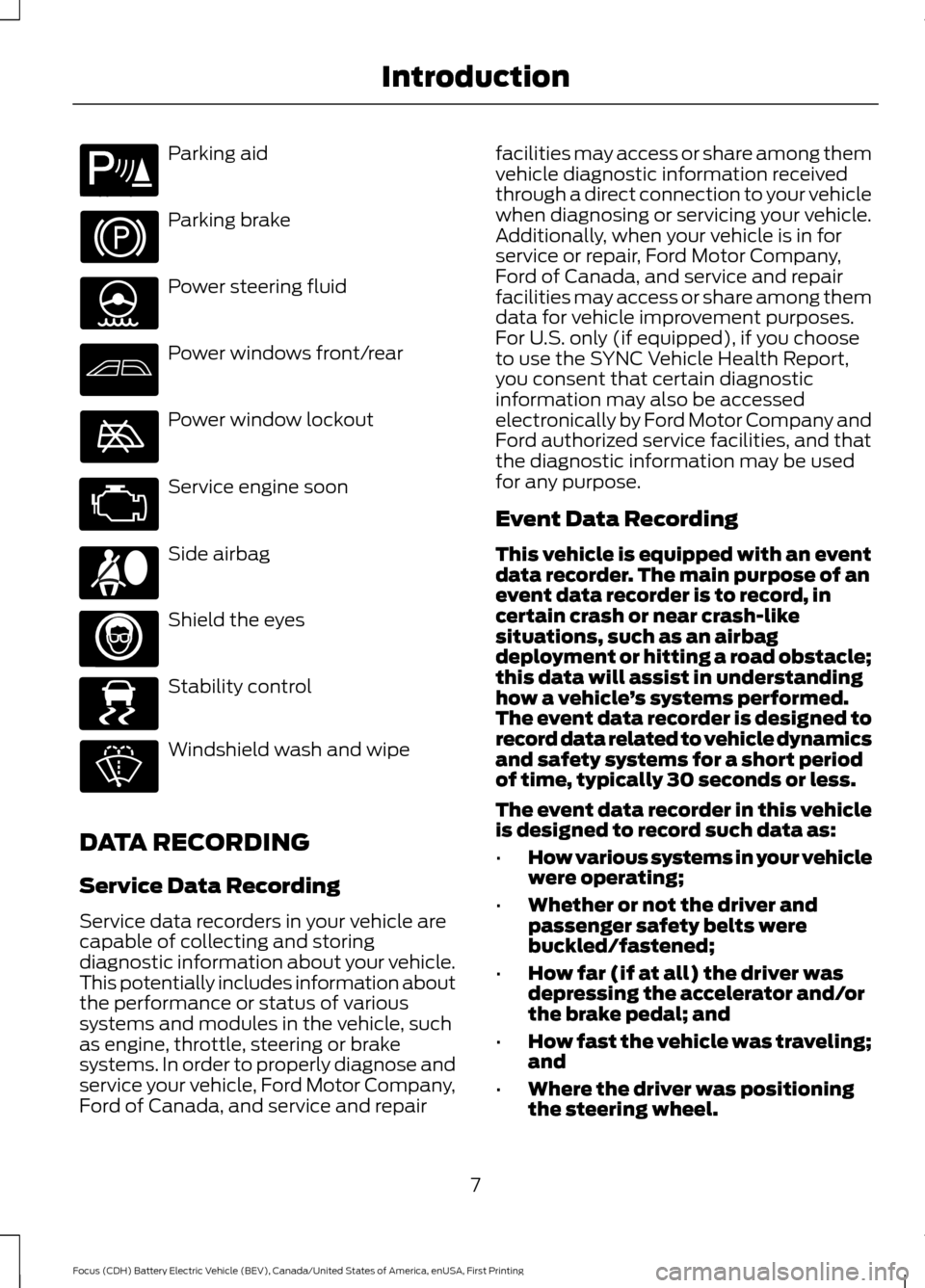
Parking aid
Parking brake
Power steering fluid
Power windows front/rear
Power window lockout
Service engine soon
Side airbag
Shield the eyes
Stability control
Windshield wash and wipe
DATA RECORDING
Service Data Recording
Service data recorders in your vehicle are
capable of collecting and storing
diagnostic information about your vehicle.
This potentially includes information about
the performance or status of various
systems and modules in the vehicle, such
as engine, throttle, steering or brake
systems. In order to properly diagnose and
service your vehicle, Ford Motor Company,
Ford of Canada, and service and repair facilities may access or share among them
vehicle diagnostic information received
through a direct connection to your vehicle
when diagnosing or servicing your vehicle.
Additionally, when your vehicle is in for
service or repair, Ford Motor Company,
Ford of Canada, and service and repair
facilities may access or share among them
data for vehicle improvement purposes.
For U.S. only (if equipped), if you choose
to use the SYNC Vehicle Health Report,
you consent that certain diagnostic
information may also be accessed
electronically by Ford Motor Company and
Ford authorized service facilities, and that
the diagnostic information may be used
for any purpose.
Event Data Recording
This vehicle is equipped with an event
data recorder. The main purpose of an
event data recorder is to record, in
certain crash or near crash-like
situations, such as an airbag
deployment or hitting a road obstacle;
this data will assist in understanding
how a vehicle
’s systems performed.
The event data recorder is designed to
record data related to vehicle dynamics
and safety systems for a short period
of time, typically 30 seconds or less.
The event data recorder in this vehicle
is designed to record such data as:
• How various systems in your vehicle
were operating;
• Whether or not the driver and
passenger safety belts were
buckled/fastened;
• How far (if at all) the driver was
depressing the accelerator and/or
the brake pedal; and
• How fast the vehicle was traveling;
and
• Where the driver was positioning
the steering wheel.
7
Focus (CDH) Battery Electric Vehicle (BEV), Canada/United States of America, enUSA, First Printing IntroductionE139213 E167012 E138639
Page 20 of 276

Media hub. See Media Hub (page 228).
M
Keyless start button. See
Starting the Electric Motor (page 113).
N
Audio control. See Audio Control (page 68). Voice control. See Voice Control
(page
69).
O
Steering wheel adjustment. See
Adjusting the Steering Wheel (page 68).
P
Cruise control switches. See
Using Cruise Control (page 136).
Q
Lighting control. See
Lighting (page 73).
R
17
Focus (CDH) Battery Electric Vehicle (BEV), Canada/United States of America, enUSA, First Printing At a Glance
Page 56 of 276
Note:
You can clear or change your MyKey
settings at any time during the same key
cycle as you created the MyKey. Once you
have switched the vehicle off, however, you
will need an admin key to change or clear
your MyKey settings.
Note: When you make any changes to your
MyKey settings, you change the settings for
every MyKey. You cannot make individual
changes to apply to certain MyKeys. CLEARING ALL MYKEYS
You can clear or change your MyKey
settings using the information display
control on the steering wheel. See
Information Displays (page 87).
Switch the ignition on using an admin key
or remote control.
To clear all MyKeys of all MyKey settings, press the left arrow button to access
the main menu and scroll to: Action and Description
Message
Press the
OK button.
Settings
Press the
OK button.
MyKey
Press and hold the
OK button until the following message
displays.
Clear MyKey
All MyKeys
Cleared
Note: When you clear your MyKeys, you remove all restrictions and return all MyKeys to
their original admin key status.
53
Focus (CDH) Battery Electric Vehicle (BEV), Canada/United States of America, enUSA, First Printing MyKey
™
Page 57 of 276
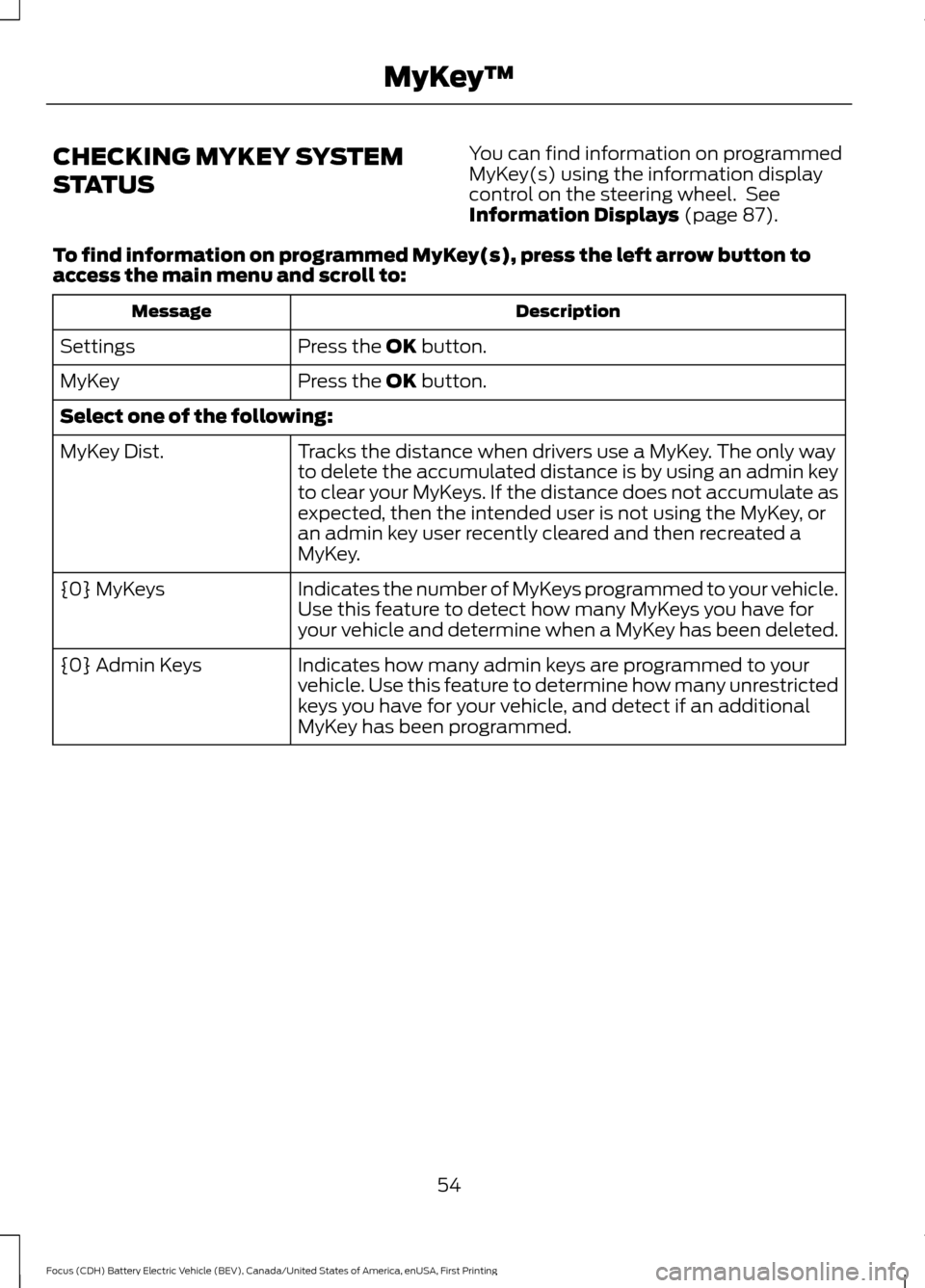
CHECKING MYKEY SYSTEM
STATUS
You can find information on programmed
MyKey(s) using the information display
control on the steering wheel. See
Information Displays (page 87).
To find information on programmed MyKey(s), press the left arrow button to
access the main menu and scroll to: Description
Message
Press the
OK button.
Settings
Press the
OK button.
MyKey
Select one of the following:
Tracks the distance when drivers use a MyKey. The only way
to delete the accumulated distance is by using an admin key
to clear your MyKeys. If the distance does not accumulate as
expected, then the intended user is not using the MyKey, or
an admin key user recently cleared and then recreated a
MyKey.
MyKey Dist.
Indicates the number of MyKeys programmed to your vehicle.
Use this feature to detect how many MyKeys you have for
your vehicle and determine when a MyKey has been deleted.
{0} MyKeys
Indicates how many admin keys are programmed to your
vehicle. Use this feature to determine how many unrestricted
keys you have for your vehicle, and detect if an additional
MyKey has been programmed.
{0} Admin Keys
54
Focus (CDH) Battery Electric Vehicle (BEV), Canada/United States of America, enUSA, First Printing MyKey
™
Page 71 of 276
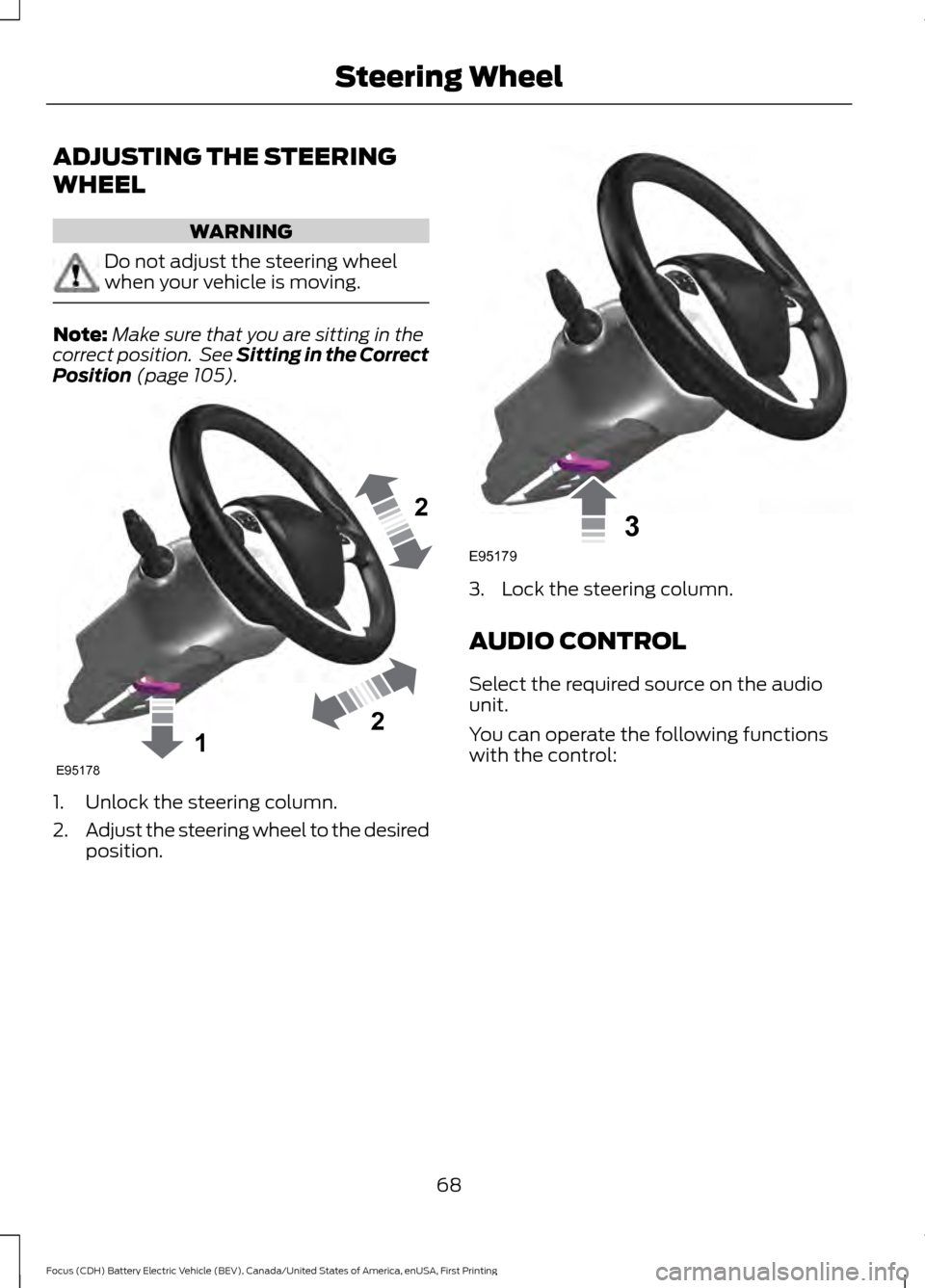
ADJUSTING THE STEERING
WHEEL
WARNING
Do not adjust the steering wheel
when your vehicle is moving.
Note:
Make sure that you are sitting in the
correct position. See Sitting in the Correct
Position (page 105). 1. Unlock the steering column.
2.
Adjust the steering wheel to the desired
position. 3. Lock the steering column.
AUDIO CONTROL
Select the required source on the audio
unit.
You can operate the following functions
with the control:
68
Focus (CDH) Battery Electric Vehicle (BEV), Canada/United States of America, enUSA, First Printing Steering Wheel122E95178 3E95179
Page 72 of 276
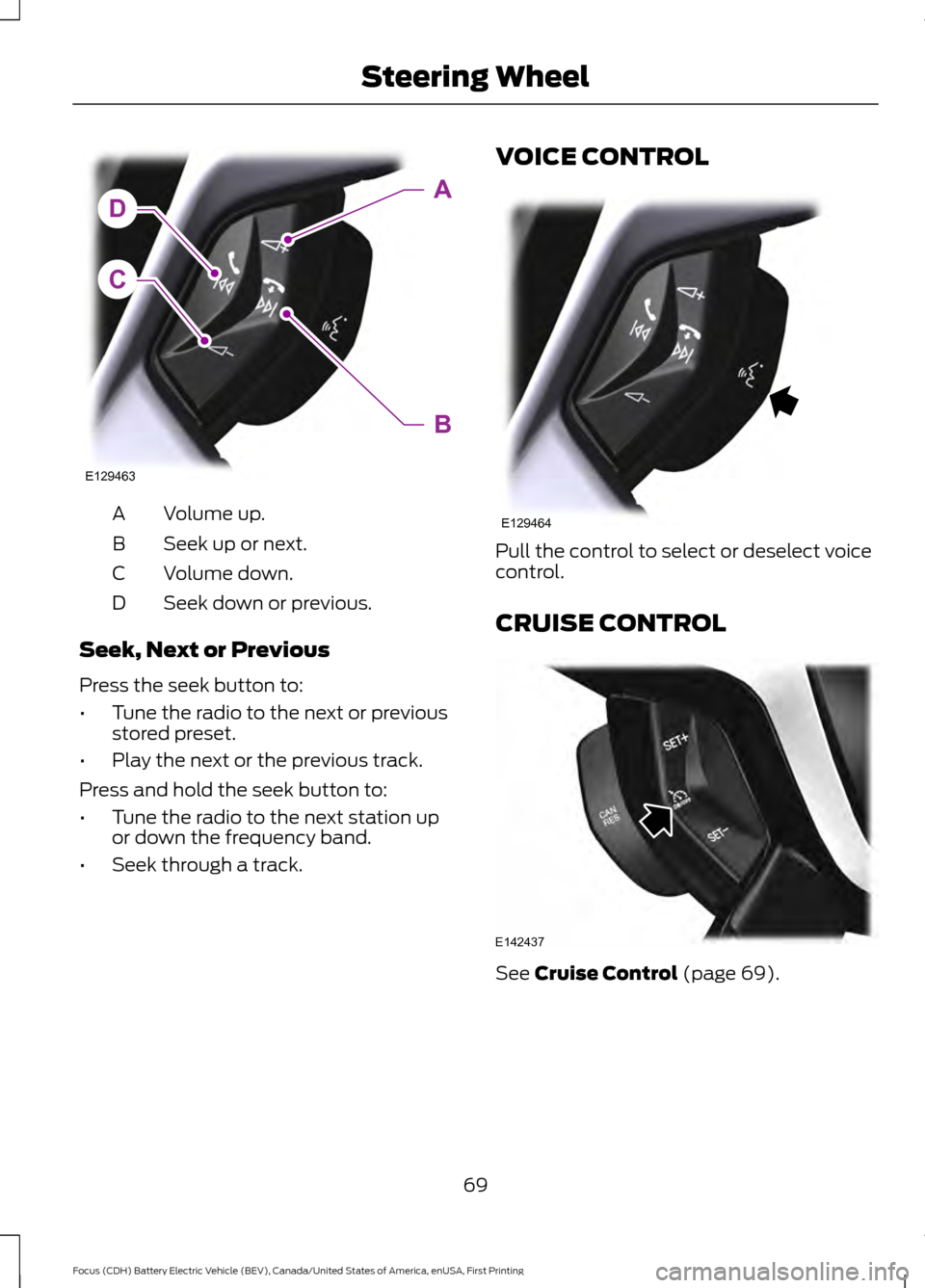
Volume up.
A
Seek up or next.
B
Volume down.
C
Seek down or previous.
D
Seek, Next or Previous
Press the seek button to:
• Tune the radio to the next or previous
stored preset.
• Play the next or the previous track.
Press and hold the seek button to:
• Tune the radio to the next station up
or down the frequency band.
• Seek through a track. VOICE CONTROL
Pull the control to select or deselect voice
control.
CRUISE CONTROL
See Cruise Control (page 69).
69
Focus (CDH) Battery Electric Vehicle (BEV), Canada/United States of America, enUSA, First Printing Steering WheelC
DA
B
E129463 E129464 E142437
Page 73 of 276
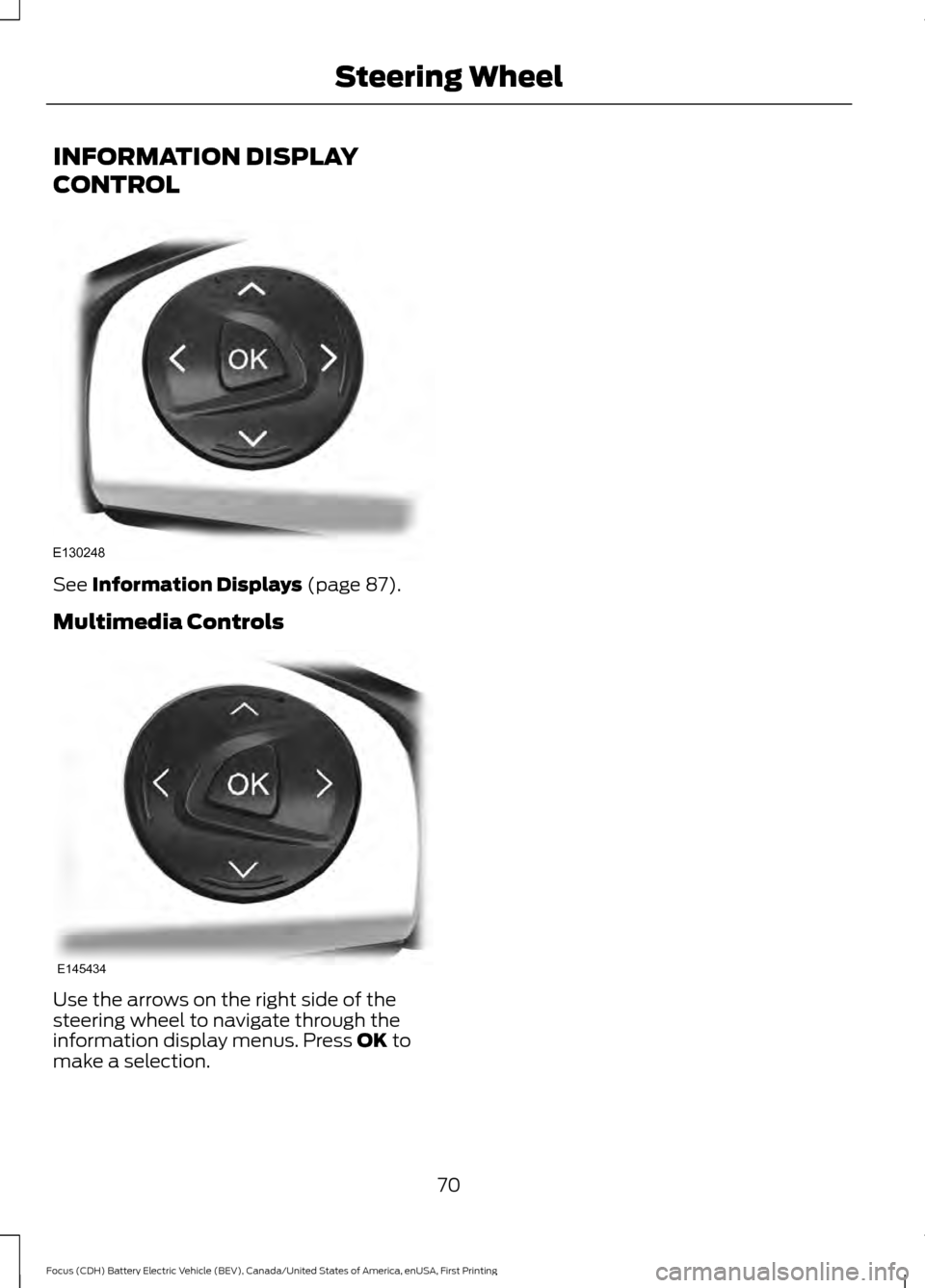
INFORMATION DISPLAY
CONTROL
See Information Displays (page 87).
Multimedia Controls Use the arrows on the right side of the
steering wheel to navigate through the
information display menus. Press
OK to
make a selection.
70
Focus (CDH) Battery Electric Vehicle (BEV), Canada/United States of America, enUSA, First Printing Steering WheelE130248 E145434
Page 86 of 276
•
State of Charge - The state of charge
for the high voltage battery is shown
as a colored fill. The fill color is
normally blue. When a low battery
condition is reached the fill turns
amber. When the battery is depleted
the fill turns red. See the Information
Messages section for details on
associated Low Battery and Depleted
Battery warnings.
• Distance to Empty - The Range
Estimate in the Battery Gauge is
personalized to your key. This is the
estimated distance your vehicle can
travel before needing a recharge. The
Range Estimate is based on your
typical energy usage while driving. This
includes your Drive Habits as well as
your use of accessories such as Climate
Control. Your Range Estimate may
change immediately when you change
your Climate Control settings.
• Regen Display - A circular arrow
symbol appears in the center of the
Battery Gauge when energy is being
recaptured through the regenerative
braking system.
Brake Coach Display
The Brake Coach appears after your
vehicle has come to a stop. It coaches you
to brake in a manner which maximizes the
amount of energy returned through the
regenerative braking system. The percent
displayed is an indication of the
regenerative braking efficiency with 100%
representing the maximum amount of
energy recovery. If desired, this feature can
be disabled in the Display section of the
Settings menu. Trip Summary and Lifetime Summary
These summaries display after switching
off your vehicle. The Trip Summary
appears first, followed by the Lifetime
Summary. You can toggle between these
displays using the up and down arrow keys
on the left hand steering wheel controls.
Trip Summary data is from the last power
cycle, while Lifetime Summary data is
cumulative from the last Lifetime
Summary reset done through the Settings
menu in the information display.
Trip Summary:
•
Distance - The total distance traveled,
and regen distance are displayed.
Regen distance is the estimated range
gained from energy recaptured through
regenerative braking.
• Energy Used - The total kilowatt hours
and average watt hours per unit of
distance are displayed. The average
watt hours per mi (km) will be shown
in blue if less than (better than) the
lifetime average watt hours per mi
(km).
• Brake Score - The percentage of
braking energy recaptured and returned
to the high voltage battery through
regenerative braking. The brake score
will be shown in blue if greater than
(better than) the lifetime brake score.
Lifetime Summary:
• Distance - The total regen distance,
which is the estimated range gained
from energy recaptured through
regenerative braking.
• Energy Used - The average watt hours
per mi (km).
• Brake Score - The average percentage
of braking energy recaptured and
returned to the high voltage battery
through regenerative braking.
83
Focus (CDH) Battery Electric Vehicle (BEV), Canada/United States of America, enUSA, First Printing Instrument Cluster