transmission FORD FOCUS ELECTRIC 2018 Owners Manual
[x] Cancel search | Manufacturer: FORD, Model Year: 2018, Model line: FOCUS ELECTRIC, Model: FORD FOCUS ELECTRIC 2018Pages: 375, PDF Size: 12.81 MB
Page 5 of 375
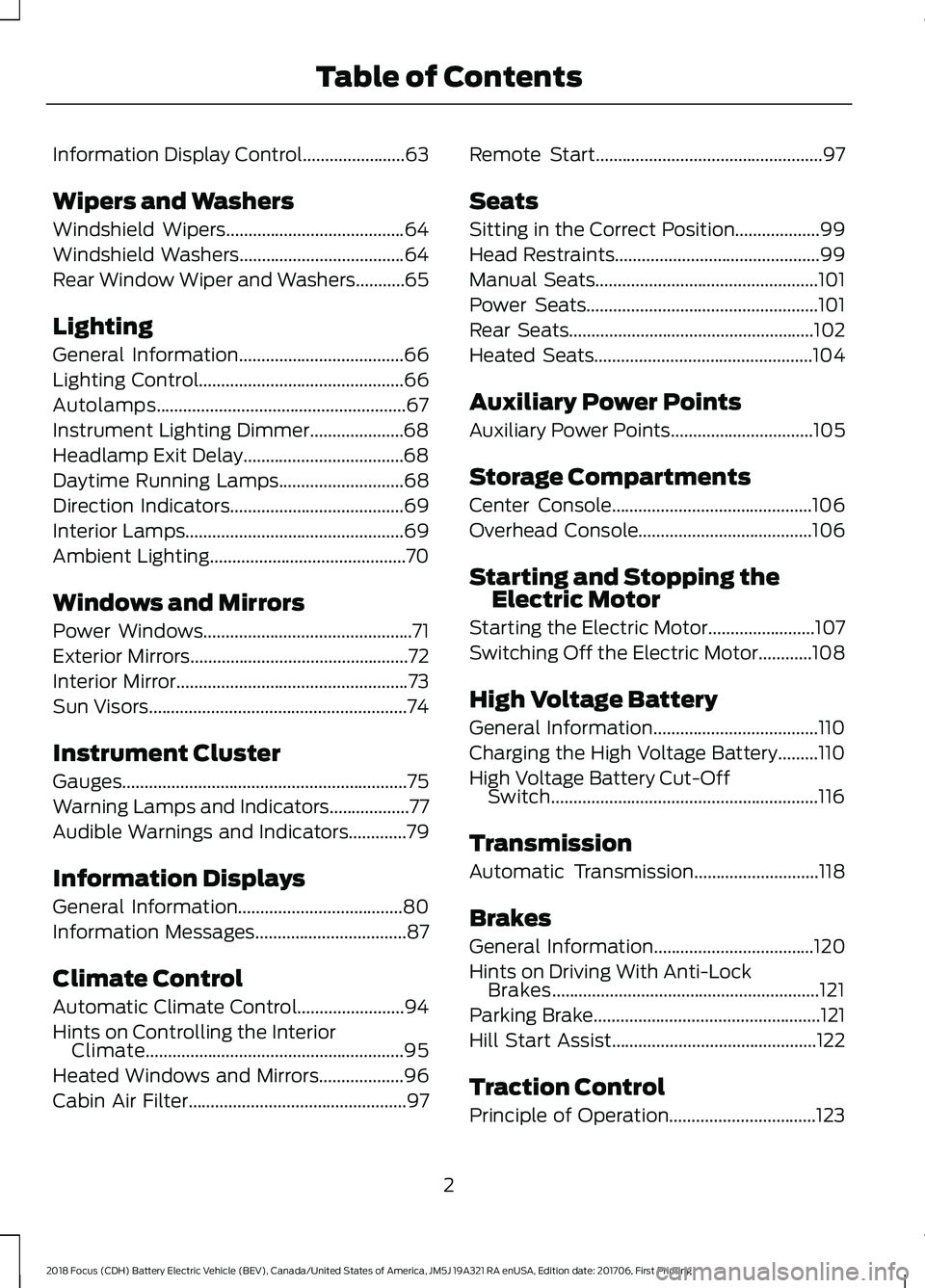
Information Display Control.......................63
Wipers and Washers
Windshield Wipers........................................64
Windshield Washers
.....................................64
Rear Window Wiper and Washers...........65
Lighting
General Information.....................................66
Lighting Control..............................................66
Autolamps........................................................67
Instrument Lighting Dimmer.....................68
Headlamp Exit Delay....................................68
Daytime Running Lamps
............................68
Direction Indicators
.......................................69
Interior Lamps.................................................69
Ambient Lighting
............................................70
Windows and Mirrors
Power Windows
...............................................71
Exterior Mirrors
.................................................72
Interior Mirror
....................................................73
Sun Visors
..........................................................74
Instrument Cluster
Gauges................................................................75
Warning Lamps and Indicators..................77
Audible Warnings and Indicators
.............79
Information Displays
General Information
.....................................80
Information Messages
..................................87
Climate Control
Automatic Climate Control
........................94
Hints on Controlling the Interior Climate..........................................................95
Heated Windows and Mirrors...................96
Cabin Air Filter
.................................................97 Remote Start...................................................97
Seats
Sitting in the Correct Position...................99
Head Restraints..............................................99
Manual Seats
..................................................101
Power Seats
....................................................101
Rear Seats.......................................................102
Heated Seats
.................................................104
Auxiliary Power Points
Auxiliary Power Points
................................105
Storage Compartments
Center Console.............................................106
Overhead Console
.......................................106
Starting and Stopping the Electric Motor
Starting the Electric Motor........................107
Switching Off the Electric Motor............108
High Voltage Battery
General Information.....................................110
Charging the High Voltage Battery.........110
High Voltage Battery Cut-Off Switch............................................................116
Transmission
Automatic Transmission
............................118
Brakes
General Information
....................................120
Hints on Driving With Anti-Lock Brakes............................................................121
Parking Brake
...................................................121
Hill Start Assist..............................................122
Traction Control
Principle of Operation.................................123
2
2018 Focus (CDH) Battery Electric Vehicle (BEV), Canada/United States of America, JM5J 19A321 RA enUSA, Edition date: 201706, First Printing Table of Contents
Page 7 of 375
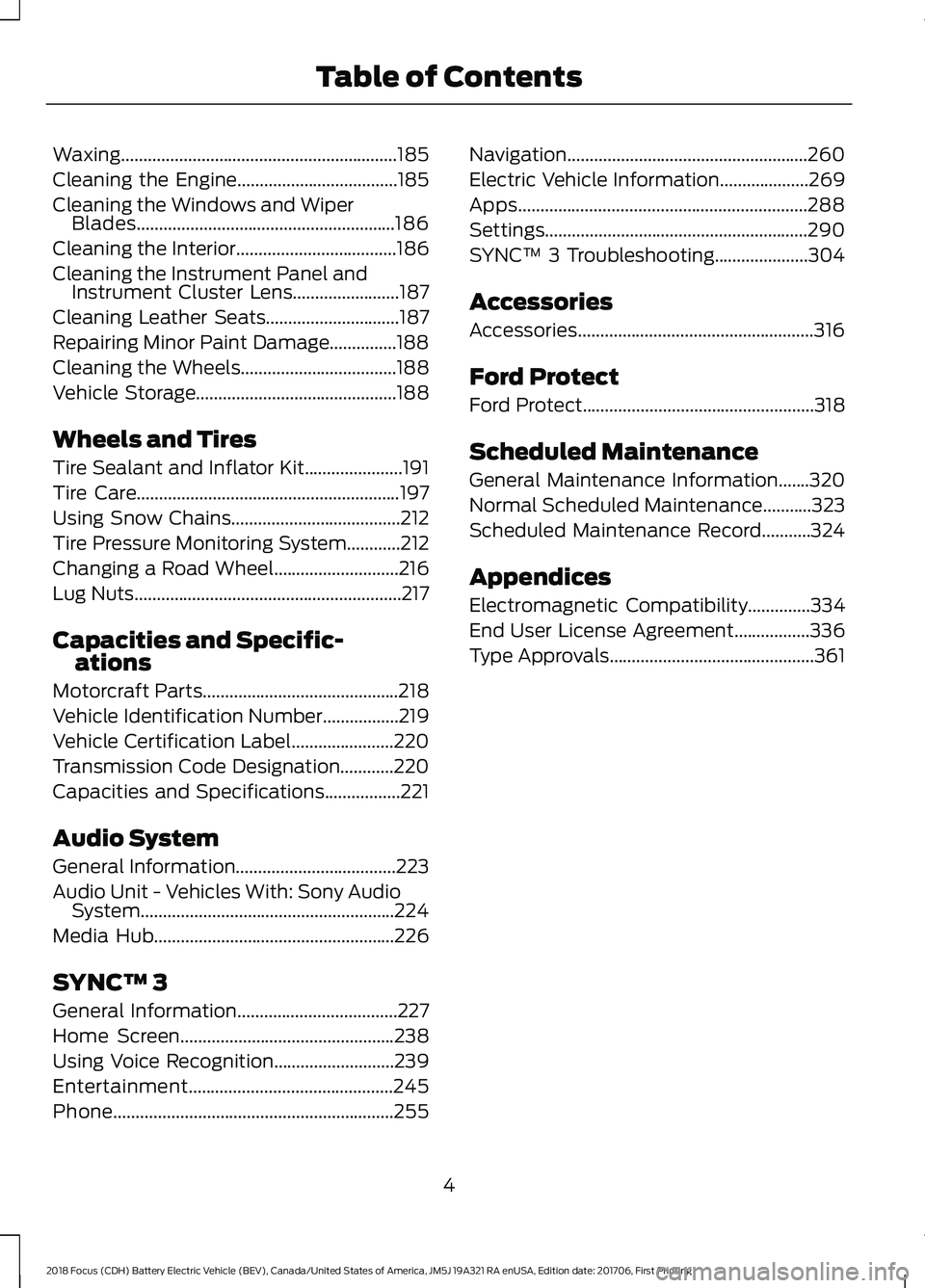
Waxing..............................................................185
Cleaning the Engine....................................185
Cleaning the Windows and Wiper
Blades..........................................................186
Cleaning the Interior....................................186
Cleaning the Instrument Panel and Instrument Cluster Lens........................187
Cleaning Leather Seats..............................187
Repairing Minor Paint Damage...............188
Cleaning the Wheels
...................................188
Vehicle Storage
.............................................188
Wheels and Tires
Tire Sealant and Inflator Kit......................191
Tire Care
...........................................................197
Using Snow Chains......................................212
Tire Pressure Monitoring System............212
Changing a Road Wheel
............................216
Lug Nuts
............................................................217
Capacities and Specific- ations
Motorcraft Parts
............................................218
Vehicle Identification Number.................219
Vehicle Certification Label
.......................220
Transmission Code Designation............220
Capacities and Specifications.................221
Audio System
General Information
....................................223
Audio Unit - Vehicles With: Sony Audio System.........................................................224
Media Hub
......................................................226
SYNC™ 3
General Information
....................................227
Home Screen
................................................238
Using Voice Recognition...........................239
Entertainment..............................................245
Phone...............................................................255 Navigation......................................................260
Electric Vehicle Information....................269
Apps.................................................................288
Settings...........................................................290
SYNC™ 3 Troubleshooting.....................304
Accessories
Accessories.....................................................316
Ford Protect
Ford Protect....................................................318
Scheduled Maintenance
General Maintenance Information.......320
Normal Scheduled Maintenance...........323
Scheduled Maintenance Record...........324
Appendices
Electromagnetic Compatibility
..............334
End User License Agreement.................336
Type Approvals
..............................................361
4
2018 Focus (CDH) Battery Electric Vehicle (BEV), Canada/United States of America, JM5J 19A321 RA enUSA, Edition date: 201706, First Printing Table of Contents
Page 14 of 375
On Board Diagnostics Data Link
Connector
WARNING
Do not connect wireless plug-in
devices to the data link connector.
Unauthorized third parties could gain
access to vehicle data and impair the
performance of safety related systems.
Only allow repair facilities that follow our
service and repair instructions to connect
their equipment to the data link connector. Your vehicle has an OBD Data Link
Connector (DLC) that is used in
conjunction with a diagnostic scan tool for
vehicle diagnostics, repairs and
reprogramming services. Installing an
aftermarket device that uses the DLC
during normal driving for purposes such as
remote insurance company monitoring,
transmission of vehicle data to other
devices or entities, or altering the
performance of the vehicle, may cause
interference with or even damage to
vehicle systems. We do not recommend
or endorse the use of aftermarket plug-in
devices unless approved by Ford. The
vehicle Warranty will not cover damage
caused by an aftermarket plug-in device.
MOBILE COMMUNICATIONS
EQUIPMENT WARNING
Driving while distracted can result in
loss of vehicle control, crash and
injury. We strongly recommend that
you use extreme caution when using any
device that may take your focus off the
road. Your primary responsibility is the safe
operation of your vehicle. We recommend
against the use of any hand-held device
while driving and encourage the use of
voice-operated systems when possible.
Make sure you are aware of all applicable
local laws that may affect the use of
electronic devices while driving. Using mobile communications equipment
is becoming increasingly important in the
conduct of business and personal affairs.
However, you must not compromise your
own or others’
safety when using such
equipment. Mobile communications can
enhance personal safety and security when
appropriately used, particularly in
emergency situations. Safety must be
paramount when using mobile
communications equipment to avoid
negating these benefits. Mobile
communication equipment includes, but
is not limited to, cellular phones, pagers,
portable email devices, text messaging
devices and portable two-way radios.
11
2018 Focus (CDH) Battery Electric Vehicle (BEV), Canada/United States of America, JM5J 19A321 RA enUSA, Edition date: 201706, First Printing Introduction
Page 35 of 375
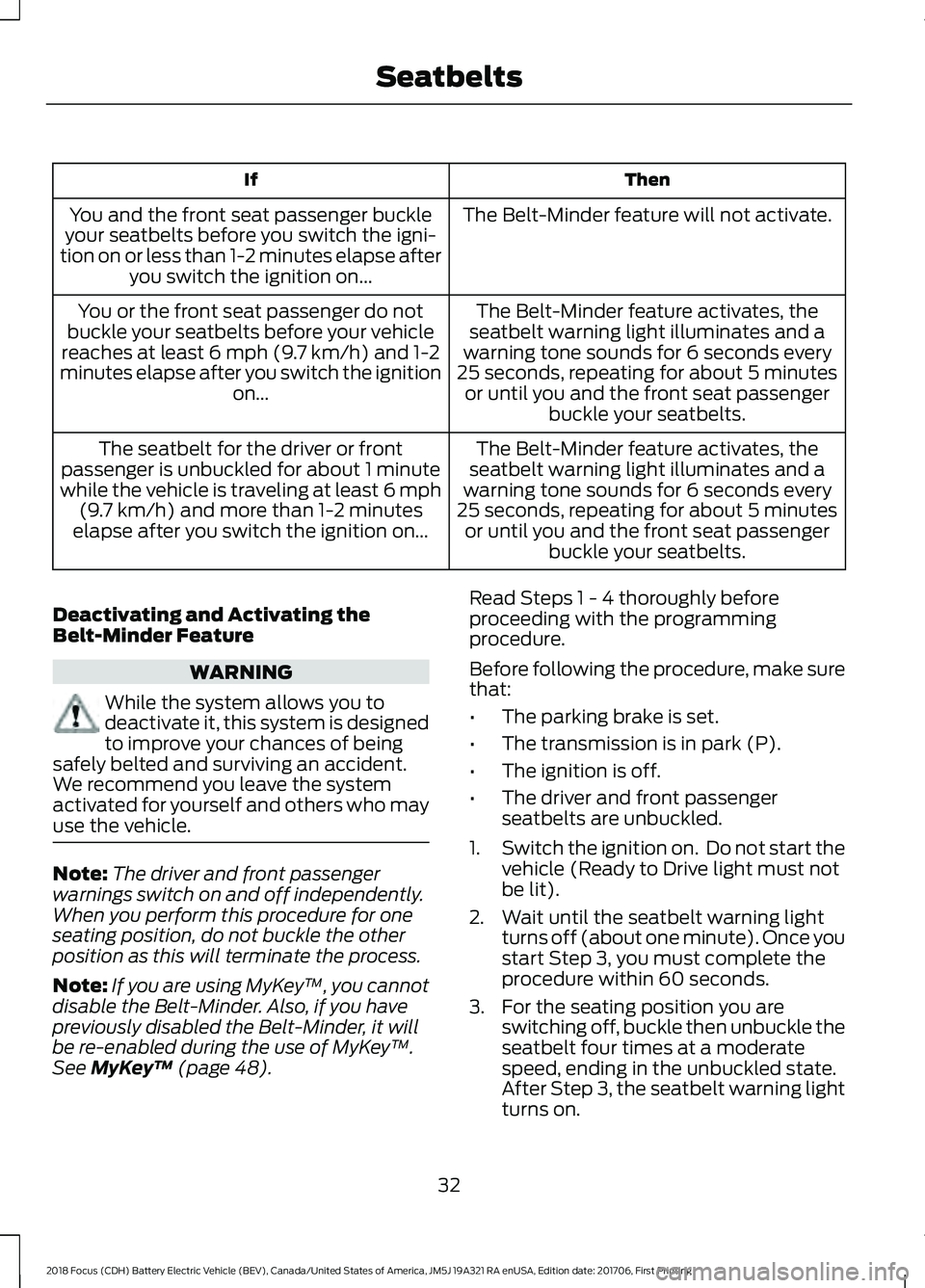
Then
If
The Belt-Minder feature will not activate.
You and the front seat passenger buckle
your seatbelts before you switch the igni-
tion on or less than 1-2 minutes elapse after you switch the ignition on...
The Belt-Minder feature activates, the
seatbelt warning light illuminates and a
warning tone sounds for 6 seconds every
25 seconds, repeating for about 5 minutes or until you and the front seat passenger buckle your seatbelts.
You or the front seat passenger do not
buckle your seatbelts before your vehicle
reaches at least 6 mph (9.7 km/h) and 1-2
minutes elapse after you switch the ignition on...
The Belt-Minder feature activates, the
seatbelt warning light illuminates and a
warning tone sounds for 6 seconds every
25 seconds, repeating for about 5 minutes or until you and the front seat passenger buckle your seatbelts.
The seatbelt for the driver or front
passenger is unbuckled for about 1 minute
while the vehicle is traveling at least 6 mph (9.7 km/h)
and more than 1-2 minutes
elapse after you switch the ignition on...
Deactivating and Activating the
Belt-Minder Feature WARNING
While the system allows you to
deactivate it, this system is designed
to improve your chances of being
safely belted and surviving an accident.
We recommend you leave the system
activated for yourself and others who may
use the vehicle. Note:
The driver and front passenger
warnings switch on and off independently.
When you perform this procedure for one
seating position, do not buckle the other
position as this will terminate the process.
Note: If you are using MyKey ™, you cannot
disable the Belt-Minder. Also, if you have
previously disabled the Belt-Minder, it will
be re-enabled during the use of MyKey ™.
See
MyKey ™ (page 48). Read Steps 1 - 4 thoroughly before
proceeding with the programming
procedure.
Before following the procedure, make sure
that:
•
The parking brake is set.
• The transmission is in park (P).
• The ignition is off.
• The driver and front passenger
seatbelts are unbuckled.
1. Switch the ignition on. Do not start the
vehicle (Ready to Drive light must not
be lit).
2. Wait until the seatbelt warning light turns off (about one minute). Once you
start Step 3, you must complete the
procedure within 60 seconds.
3. For the seating position you are switching off, buckle then unbuckle the
seatbelt four times at a moderate
speed, ending in the unbuckled state.
After Step 3, the seatbelt warning light
turns on.
32
2018 Focus (CDH) Battery Electric Vehicle (BEV), Canada/United States of America, JM5J 19A321 RA enUSA, Edition date: 201706, First Printing Seatbelts
Page 47 of 375
GENERAL INFORMATION ON
RADIO FREQUENCIES
This device complies with Part 15 of the
FCC Rules and with Licence exempt RSS
Standards of Industry Canada. Operation
is subject to the following two conditions:
•
This device may not cause harmful
interference, and
• This device must accept any
interference received, including
interference that may cause undesired
operation. WARNING
Changes or modifications not
expressively approved by the party
responsible for compliance could
void the user's authority to operate the
equipment. The term "IC:" before the radio
certification number only signifies that
Industry Canada technical specifications
were met. The typical operating range for your
transmitter is approximately 33 ft (10 m).
Vehicles with the remote start feature will
have a greater range. One of the following
could cause a decrease in operating range:
• Weather conditions.
• Nearby radio towers.
• Structures around the vehicle.
• Other vehicles parked next to your
vehicle.
Other short distance radio transmissions,
for example amateur radios, medical
equipment, wireless headphones, remote
controls and alarm systems can also use
the radio frequency used by your remote
control. If the frequencies are jammed, you
will not be able to use your remote control.
You can lock and unlock the doors with the
key. Note:
Make sure to lock your vehicle before
leaving it unattended.
Note: If you are in range, the remote control
will operate if you press any button
unintentionally.
Note: The remote control contains sensitive
electrical components. Exposure to moisture
or impact may cause permanent damage.
REMOTE CONTROL
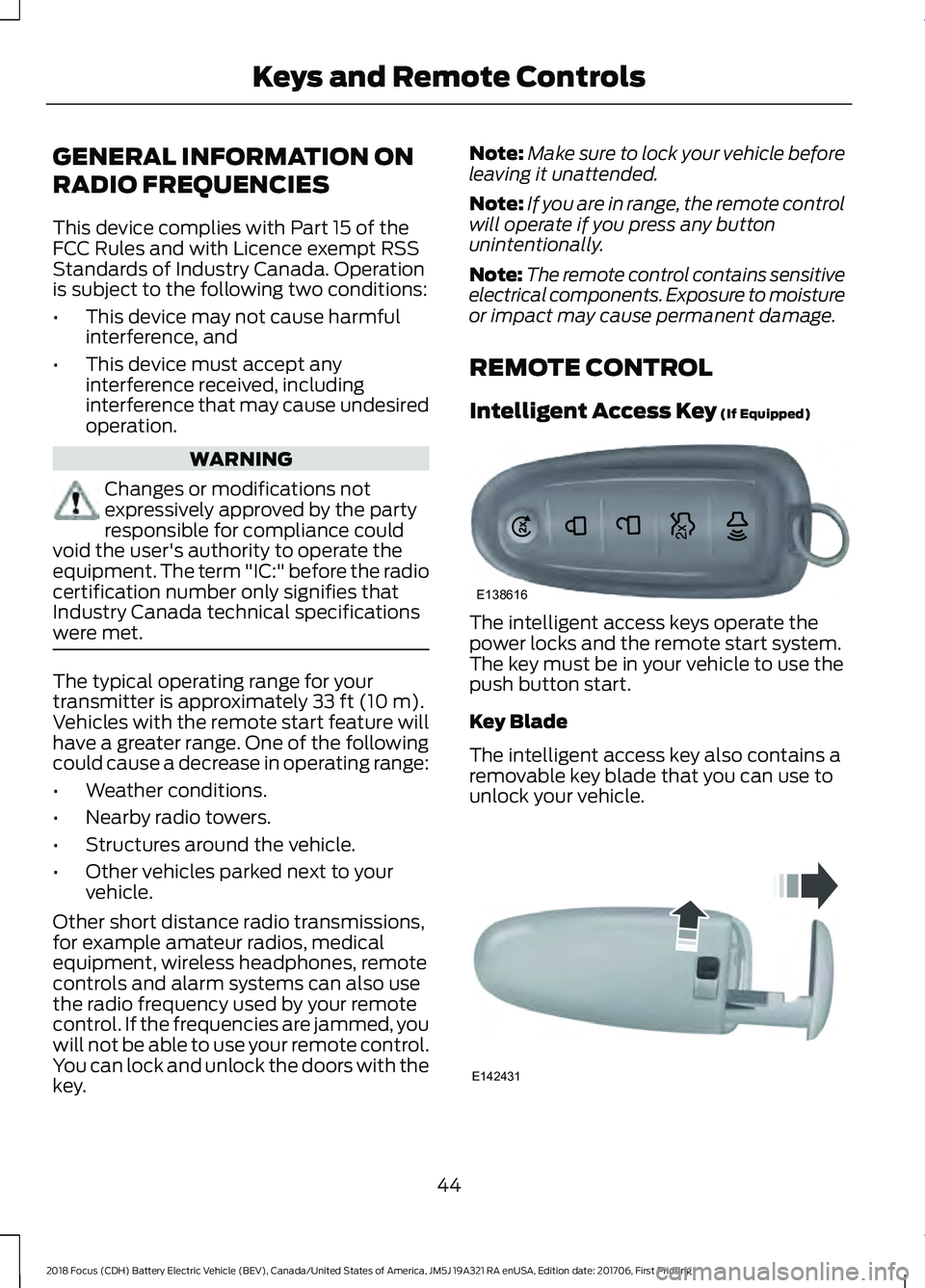
Intelligent Access Key
(If Equipped) The intelligent access keys operate the
power locks and the remote start system.
The key must be in your vehicle to use the
push button start.
Key Blade
The intelligent access key also contains a
removable key blade that you can use to
unlock your vehicle.
44
2018 Focus (CDH) Battery Electric Vehicle (BEV), Canada/United States of America, JM5J 19A321 RA enUSA, Edition date: 201706, First Printing Keys and Remote ControlsE138616 E142431
Page 49 of 375
Note:
Do not wipe off any grease on the
battery terminals or on the back surface of
the circuit board.
Note: Replacing the battery does not
delete the transmitter from your vehicle.
The transmitter should operate normally.
Locating Your Vehicle
Press the lock button on the key twice
within three seconds. The horn sounds and
the direction indicators flash. We
recommend you use this method to locate
your vehicle, rather than using the panic
alarm.
The horn sounds twice and the direction
indicators do not flash if:
• Locking was not successful.
• Any door or the liftgate is open.
• The hood is open on vehicles with an
anti-theft alarm or remote start.
Sounding the Panic Alarm (If Equipped) Press the button to activate the
alarm. Press the button again or
switch your vehicle on to
deactivate it.
Note: The panic alarm only operates when
your vehicle is switched off.
Remote Start The remote start button is on the
transmitter.
This feature allows you to start your
vehicle from the outside. The transmitter
has an extended operating range.
Vehicles with automatic climate control
can be configured to operate when your
vehicle is remote started. See Automatic
Climate Control (page 94). Many states and provinces have
restrictions for the use of remote start.
Check your local and state or provincial
laws for specific requirements regarding
remote start systems.
The remote start system does not work if
any of the following occur:
•
Your vehicle is switched on.
• The alarm system activates.
• You turn off the feature.
• The hood is open.
• The transmission is not in park (P).
• Your vehicle battery has no charge.
• The powertrain fault indicator was on
the last time you drove your vehicle.
Remote Starting your Vehicle
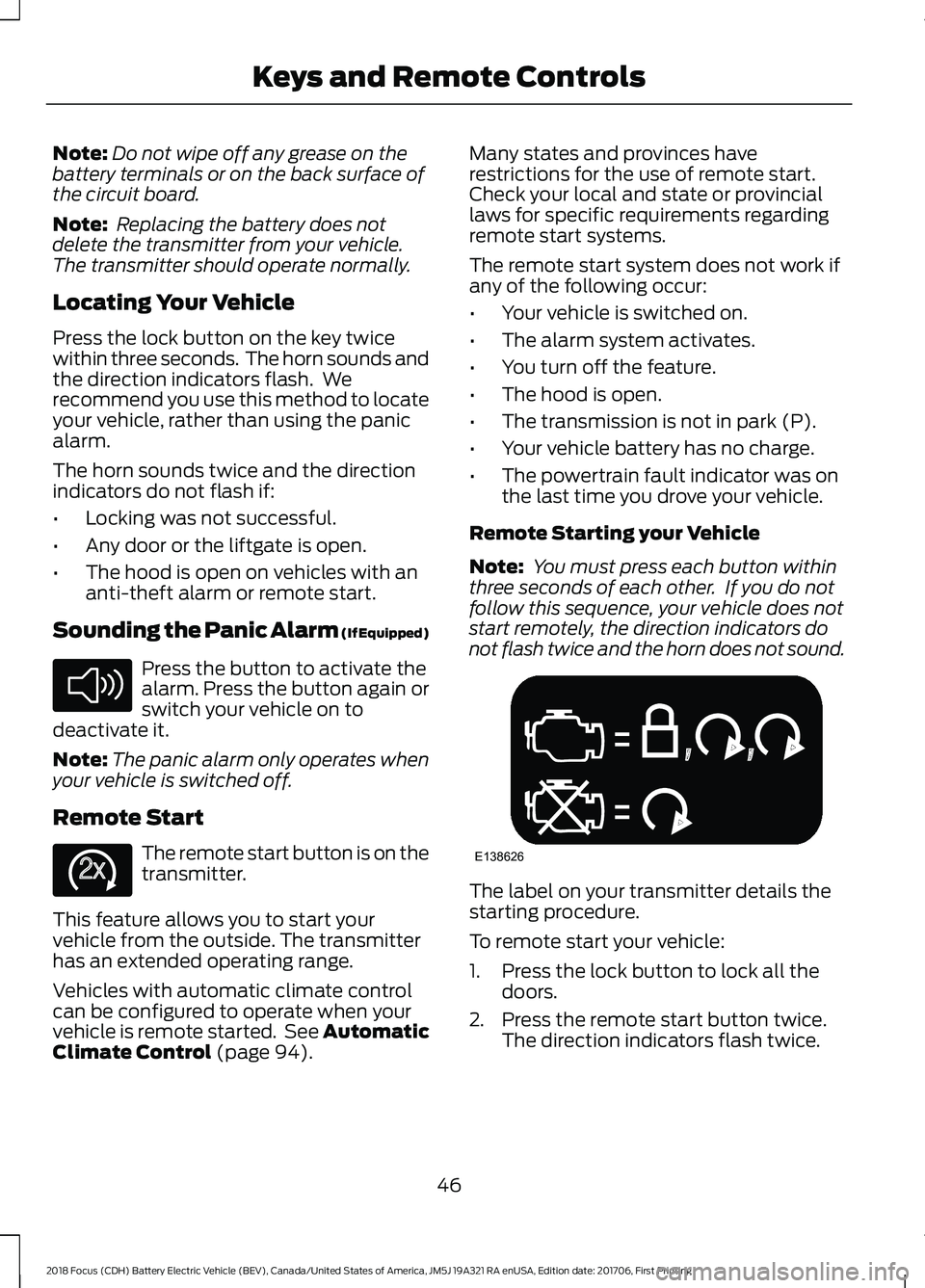
Note: You must press each button within
three seconds of each other. If you do not
follow this sequence, your vehicle does not
start remotely, the direction indicators do
not flash twice and the horn does not sound. The label on your transmitter details the
starting procedure.
To remote start your vehicle:
1. Press the lock button to lock all the
doors.
2. Press the remote start button twice. The direction indicators flash twice.
46
2018 Focus (CDH) Battery Electric Vehicle (BEV), Canada/United States of America, JM5J 19A321 RA enUSA, Edition date: 201706, First Printing Keys and Remote ControlsE138624 E138625 E138626
Page 58 of 375
Touch a locking sensor once to lock your
vehicle and arm the alarm. There is a brief
delay before you can unlock your vehicle
again.
Note:
Keep the door handle clean to make
sure the system operates correctly.
Note: Your vehicle does not automatically
lock. If you do not touch a locking sensor
your vehicle will remain unlocked.
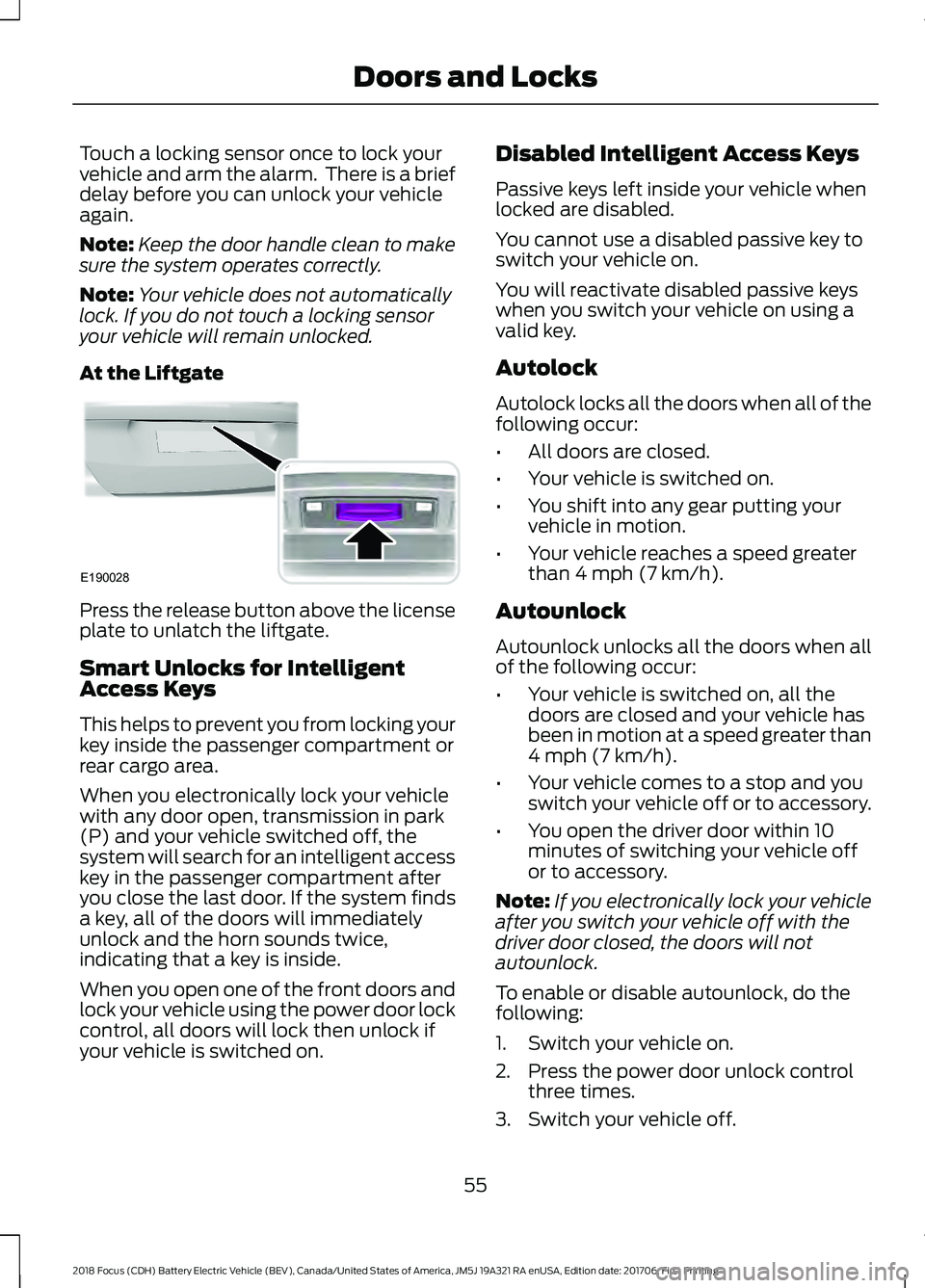
At the Liftgate Press the release button above the license
plate to unlatch the liftgate.
Smart Unlocks for Intelligent
Access Keys
This helps to prevent you from locking your
key inside the passenger compartment or
rear cargo area.
When you electronically lock your vehicle
with any door open, transmission in park
(P) and your vehicle switched off, the
system will search for an intelligent access
key in the passenger compartment after
you close the last door. If the system finds
a key, all of the doors will immediately
unlock and the horn sounds twice,
indicating that a key is inside.
When you open one of the front doors and
lock your vehicle using the power door lock
control, all doors will lock then unlock if
your vehicle is switched on. Disabled Intelligent Access Keys
Passive keys left inside your vehicle when
locked are disabled.
You cannot use a disabled passive key to
switch your vehicle on.
You will reactivate disabled passive keys
when you switch your vehicle on using a
valid key.
Autolock
Autolock locks all the doors when all of the
following occur:
•
All doors are closed.
• Your vehicle is switched on.
• You shift into any gear putting your
vehicle in motion.
• Your vehicle reaches a speed greater
than 4 mph (7 km/h).
Autounlock
Autounlock unlocks all the doors when all
of the following occur:
• Your vehicle is switched on, all the
doors are closed and your vehicle has
been in motion at a speed greater than
4 mph (7 km/h)
.
• Your vehicle comes to a stop and you
switch your vehicle off or to accessory.
• You open the driver door within 10
minutes of switching your vehicle off
or to accessory.
Note: If you electronically lock your vehicle
after you switch your vehicle off with the
driver door closed, the doors will not
autounlock.
To enable or disable autounlock, do the
following:
1. Switch your vehicle on.
2. Press the power door unlock control three times.
3. Switch your vehicle off.
55
2018 Focus (CDH) Battery Electric Vehicle (BEV), Canada/United States of America, JM5J 19A321 RA enUSA, Edition date: 201706, First Printing Doors and LocksE190028
Page 71 of 375
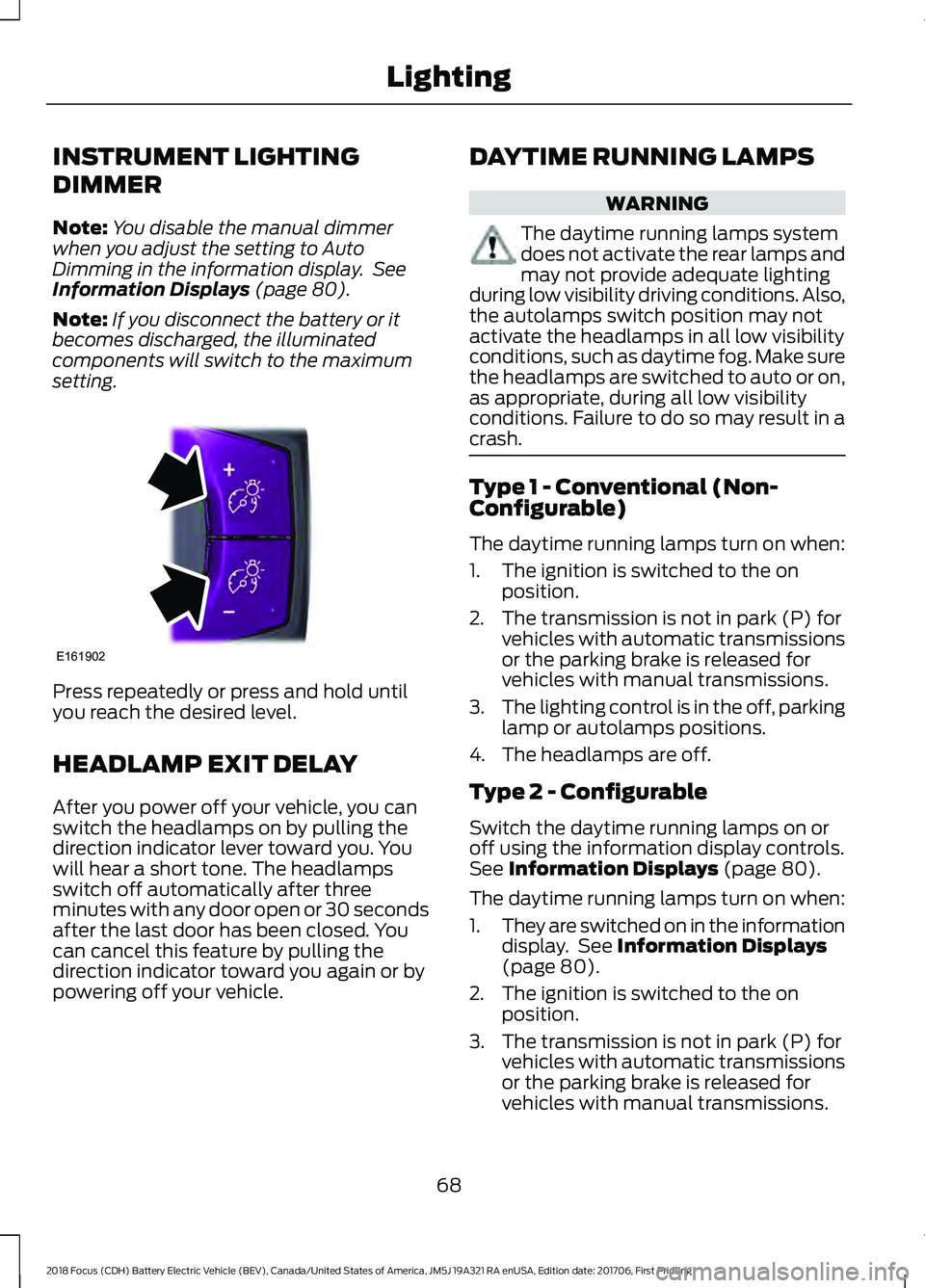
INSTRUMENT LIGHTING
DIMMER
Note:
You disable the manual dimmer
when you adjust the setting to Auto
Dimming in the information display. See
Information Displays (page 80).
Note: If you disconnect the battery or it
becomes discharged, the illuminated
components will switch to the maximum
setting. Press repeatedly or press and hold until
you reach the desired level.
HEADLAMP EXIT DELAY
After you power off your vehicle, you can
switch the headlamps on by pulling the
direction indicator lever toward you. You
will hear a short tone. The headlamps
switch off automatically after three
minutes with any door open or 30 seconds
after the last door has been closed. You
can cancel this feature by pulling the
direction indicator toward you again or by
powering off your vehicle. DAYTIME RUNNING LAMPS WARNING
The daytime running lamps system
does not activate the rear lamps and
may not provide adequate lighting
during low visibility driving conditions. Also,
the autolamps switch position may not
activate the headlamps in all low visibility
conditions, such as daytime fog. Make sure
the headlamps are switched to auto or on,
as appropriate, during all low visibility
conditions. Failure to do so may result in a
crash. Type 1 - Conventional (Non-
Configurable)
The daytime running lamps turn on when:
1. The ignition is switched to the on
position.
2. The transmission is not in park (P) for vehicles with automatic transmissions
or the parking brake is released for
vehicles with manual transmissions.
3. The lighting control is in the off, parking
lamp or autolamps positions.
4. The headlamps are off.
Type 2 - Configurable
Switch the daytime running lamps on or
off using the information display controls.
See
Information Displays (page 80).
The daytime running lamps turn on when:
1. They are switched on in the information
display. See
Information Displays
(page 80).
2. The ignition is switched to the on position.
3. The transmission is not in park (P) for vehicles with automatic transmissions
or the parking brake is released for
vehicles with manual transmissions.
68
2018 Focus (CDH) Battery Electric Vehicle (BEV), Canada/United States of America, JM5J 19A321 RA enUSA, Edition date: 201706, First Printing LightingE161902
Page 96 of 375
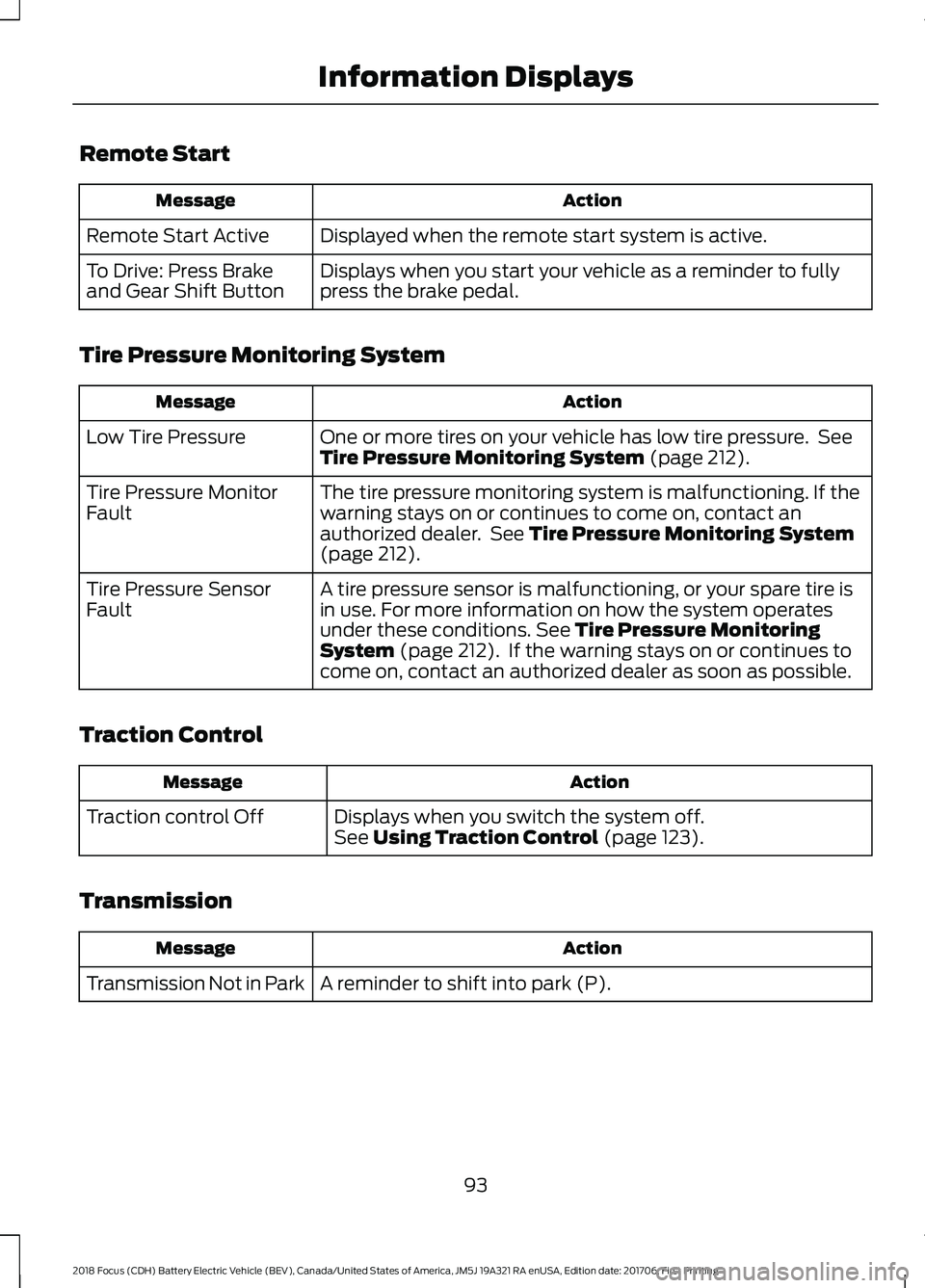
Remote Start
Action
Message
Displayed when the remote start system is active.
Remote Start Active
Displays when you start your vehicle as a reminder to fully
press the brake pedal.
To Drive: Press Brake
and Gear Shift Button
Tire Pressure Monitoring System Action
Message
One or more tires on your vehicle has low tire pressure. See
Tire Pressure Monitoring System (page 212).
Low Tire Pressure
The tire pressure monitoring system is malfunctioning. If the
warning stays on or continues to come on, contact an
authorized dealer. See
Tire Pressure Monitoring System
(page 212).
Tire Pressure Monitor
Fault
A tire pressure sensor is malfunctioning, or your spare tire is
in use. For more information on how the system operates
under these conditions.
See Tire Pressure Monitoring
System (page 212). If the warning stays on or continues to
come on, contact an authorized dealer as soon as possible.
Tire Pressure Sensor
Fault
Traction Control Action
Message
Displays when you switch the system off.
See
Using Traction Control (page 123).
Traction control Off
Transmission Action
Message
A reminder to shift into park (P).
Transmission Not in Park
93
2018 Focus (CDH) Battery Electric Vehicle (BEV), Canada/United States of America, JM5J 19A321 RA enUSA, Edition date: 201706, First Printing Information Displays
Page 112 of 375
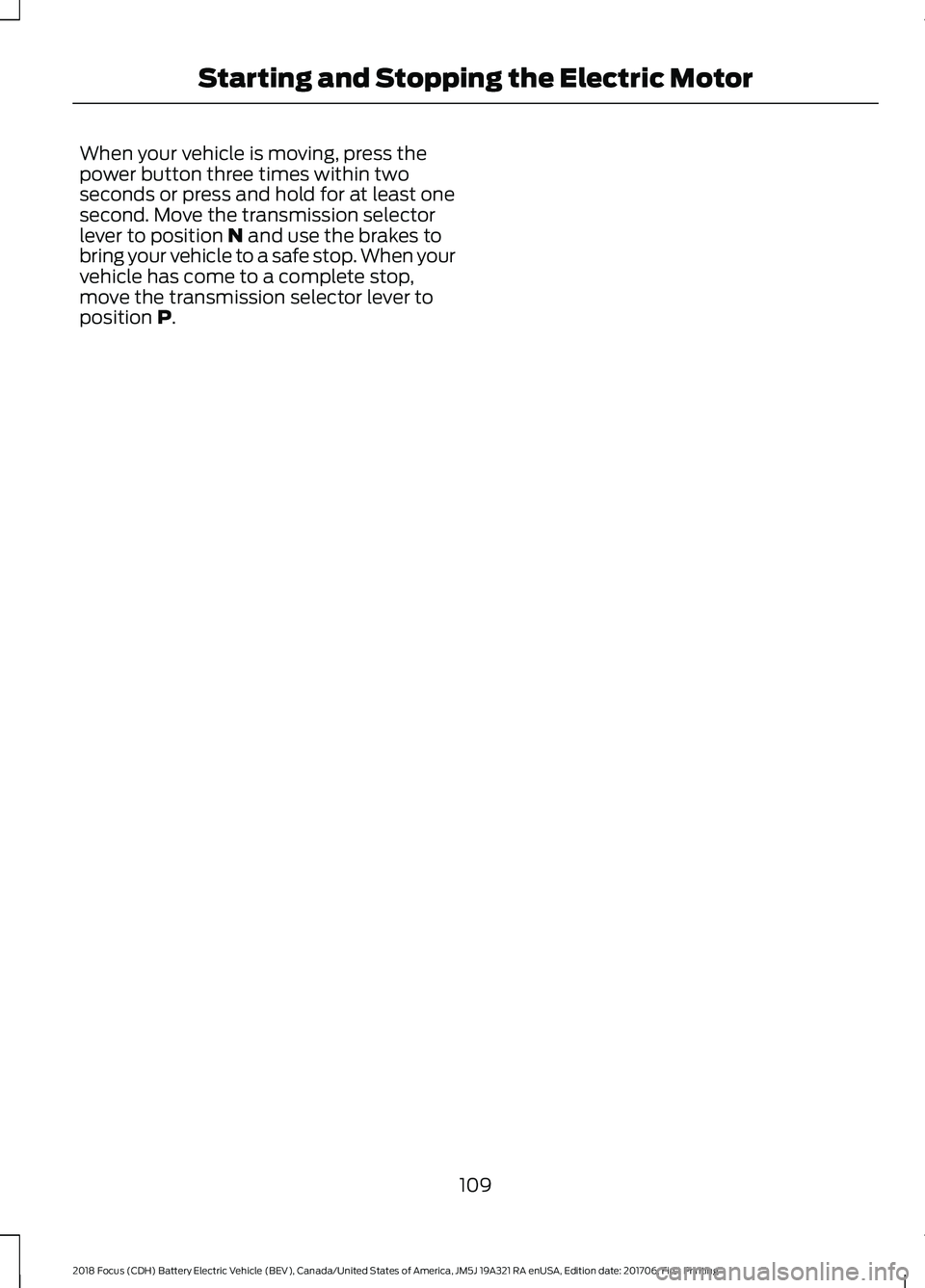
When your vehicle is moving, press the
power button three times within two
seconds or press and hold for at least one
second. Move the transmission selector
lever to position N and use the brakes to
bring your vehicle to a safe stop. When your
vehicle has come to a complete stop,
move the transmission selector lever to
position
P.
109
2018 Focus (CDH) Battery Electric Vehicle (BEV), Canada/United States of America, JM5J 19A321 RA enUSA, Edition date: 201706, First Printing Starting and Stopping the Electric Motor