interior lights FORD FREESTAR 2005 1.G Owners Manual
[x] Cancel search | Manufacturer: FORD, Model Year: 2005, Model line: FREESTAR, Model: FORD FREESTAR 2005 1.GPages: 312, PDF Size: 3.96 MB
Page 10 of 312
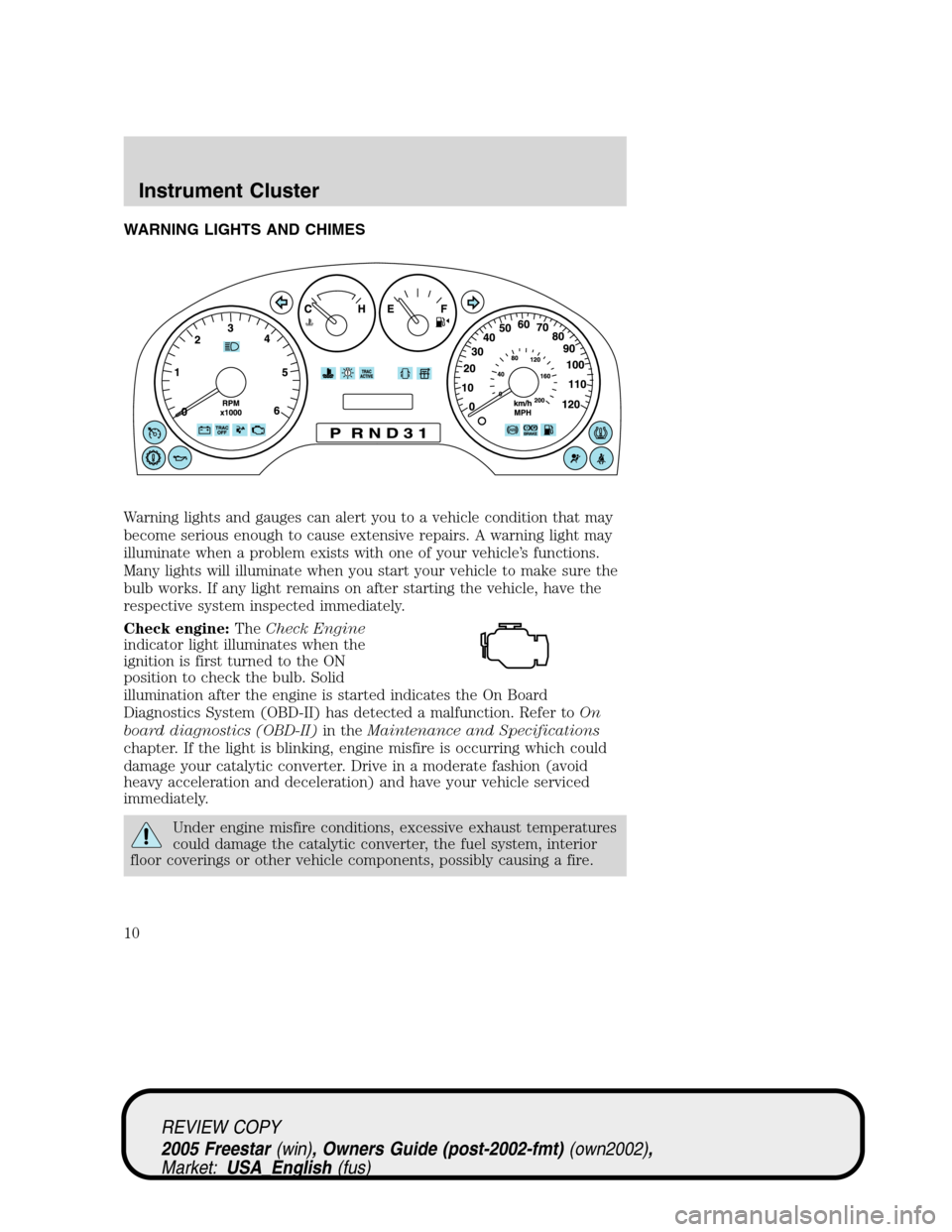
WARNING LIGHTS AND CHIMES
Warning lights and gauges can alert you to a vehicle condition that may
become serious enough to cause extensive repairs. A warning light may
illuminate when a problem exists with one of your vehicle’s functions.
Many lights will illuminate when you start your vehicle to make sure the
bulb works. If any light remains on after starting the vehicle, have the
respective system inspected immediately.
Check engine:TheCheck Engine
indicator light illuminates when the
ignition is first turned to the ON
position to check the bulb. Solid
illumination after the engine is started indicates the On Board
Diagnostics System (OBD-II) has detected a malfunction. Refer toOn
board diagnostics (OBD-II)in theMaintenance and Specifications
chapter. If the light is blinking, engine misfire is occurring which could
damage your catalytic converter. Drive in a moderate fashion (avoid
heavy acceleration and deceleration) and have your vehicle serviced
immediately.
Under engine misfire conditions, excessive exhaust temperatures
could damage the catalytic converter, the fuel system, interior
floor coverings or other vehicle components, possibly causing a fire.
REVIEW COPY
2005 Freestar(win), Owners Guide (post-2002-fmt)(own2002),
Market:USA_English(fus)
Instrument Cluster
Instrument Cluster
10
Page 42 of 312
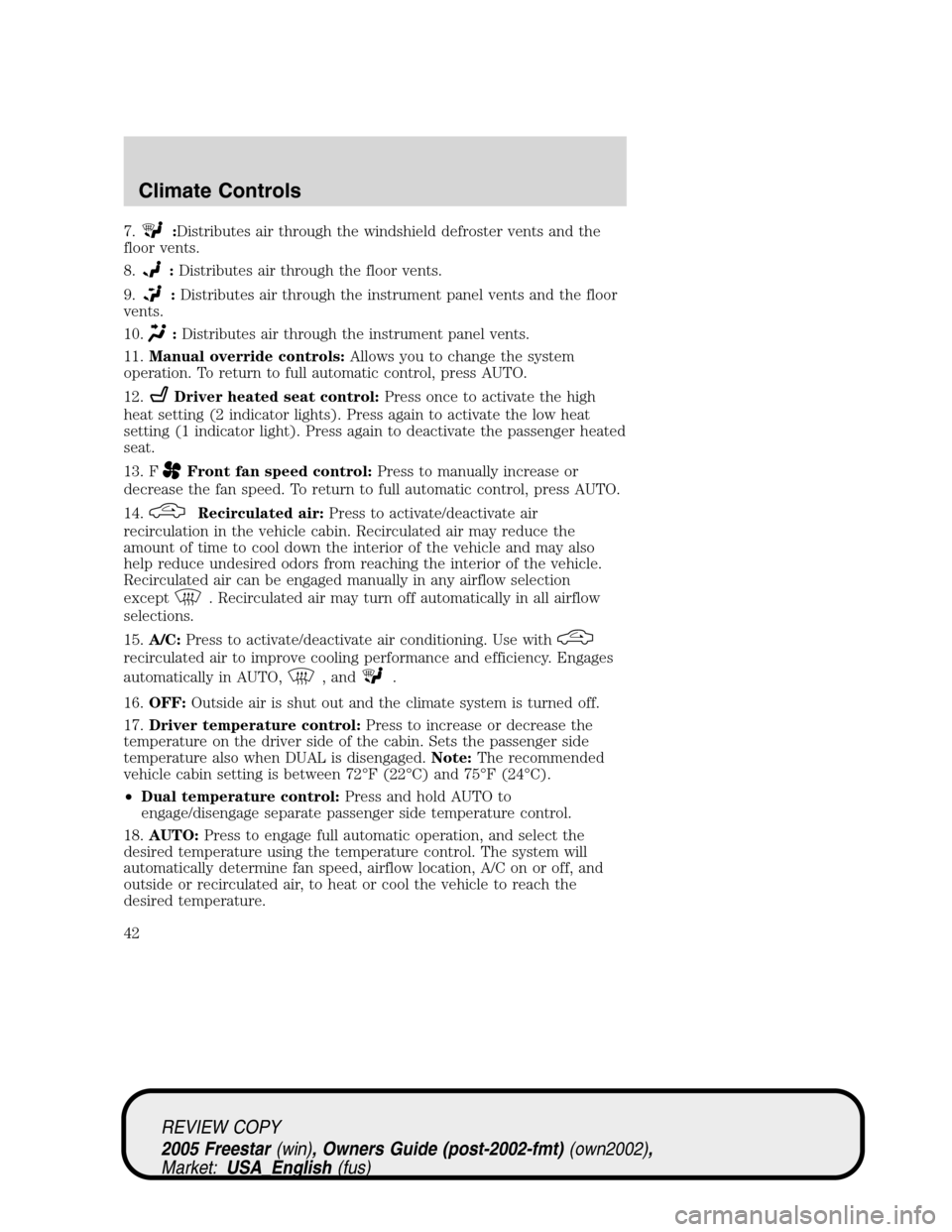
7.:Distributes air through the windshield defroster vents and the
floor vents.
8.
:Distributes air through the floor vents.
9.
:Distributes air through the instrument panel vents and the floor
vents.
10.
:Distributes air through the instrument panel vents.
11.Manual override controls:Allows you to change the system
operation. To return to full automatic control, press AUTO.
12.
Driver heated seat control:Press once to activate the high
heat setting (2 indicator lights). Press again to activate the low heat
setting (1 indicator light). Press again to deactivate the passenger heated
seat.
13. F
Front fan speed control:Press to manually increase or
decrease the fan speed. To return to full automatic control, press AUTO.
14.
Recirculated air:Press to activate/deactivate air
recirculation in the vehicle cabin. Recirculated air may reduce the
amount of time to cool down the interior of the vehicle and may also
help reduce undesired odors from reaching the interior of the vehicle.
Recirculated air can be engaged manually in any airflow selection
except
. Recirculated air may turn off automatically in all airflow
selections.
15.A/C:Press to activate/deactivate air conditioning. Use with
recirculated air to improve cooling performance and efficiency. Engages
automatically in AUTO,
, and.
16.OFF:Outside air is shut out and the climate system is turned off.
17.Driver temperature control:Press to increase or decrease the
temperature on the driver side of the cabin. Sets the passenger side
temperature also when DUAL is disengaged.Note:The recommended
vehicle cabin setting is between 72°F (22°C) and 75°F (24°C).
•Dual temperature control:Press and hold AUTO to
engage/disengage separate passenger side temperature control.
18.AUTO:Press to engage full automatic operation, and select the
desired temperature using the temperature control. The system will
automatically determine fan speed, airflow location, A/C on or off, and
outside or recirculated air, to heat or cool the vehicle to reach the
desired temperature.
REVIEW COPY
2005 Freestar(win), Owners Guide (post-2002-fmt)(own2002),
Market:USA_English(fus)
Climate Controls
42
Page 47 of 312
Flash to pass
Pull toward you slightly to activate
and release to deactivate.
Battery saver
The battery saver will shut off the exterior lamps and interior lamps,
except the hazard warning lamps if activated, 10 minutes after the
ignition control has been turned off. The battery saver will extend the
time-out period for courtesy lamps to 30 minutes if the liftgate is ajar or
the dome lamp is on via manual activation using the dome lamp switch
or the headlamp switch, whichever is provided. The system will not turn
off the parking lamps if the headlamp control is in the PARK position.
For interior lights, refer toIlluminated entryin theLocks and security
chapter.
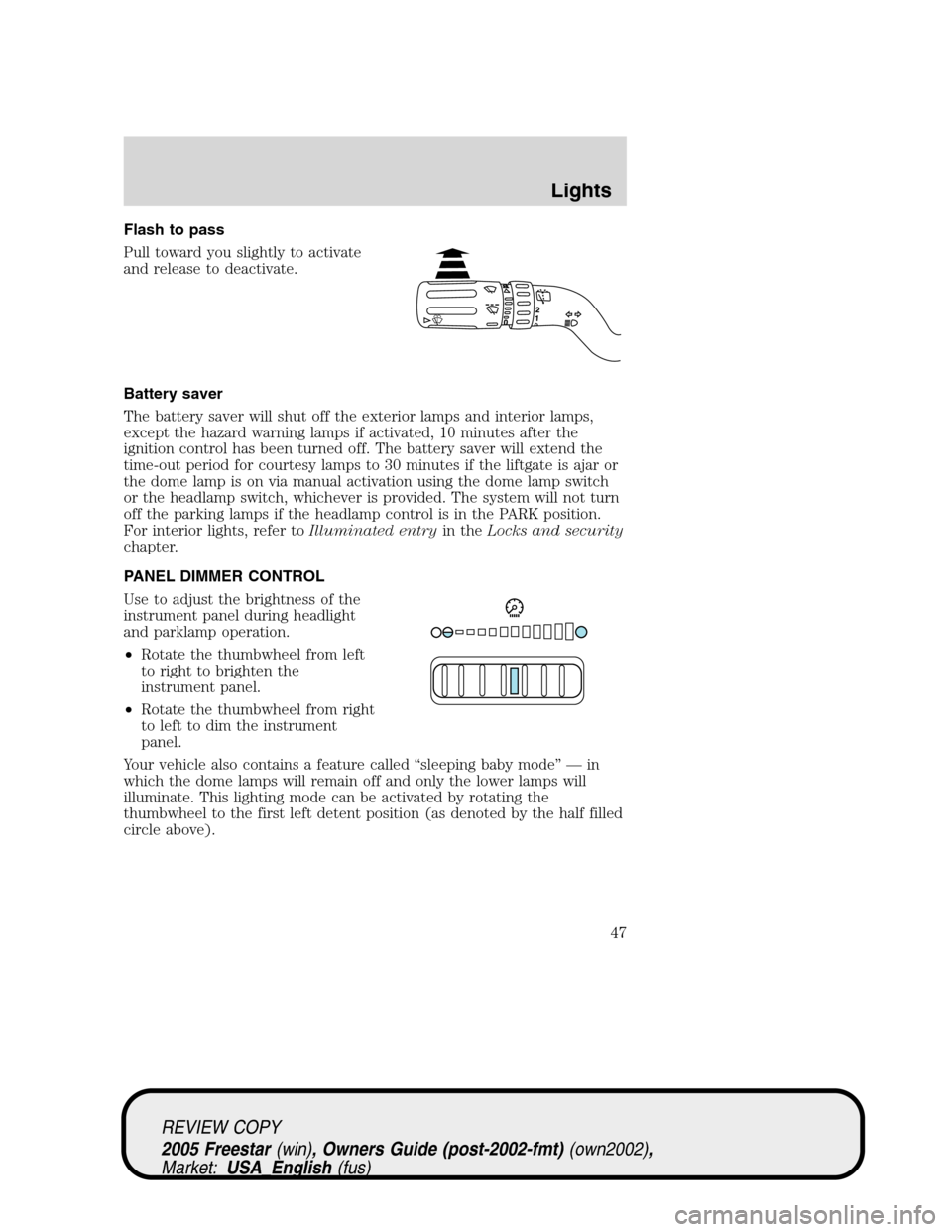
PANEL DIMMER CONTROL
Use to adjust the brightness of the
instrument panel during headlight
and parklamp operation.
•Rotate the thumbwheel from left
to right to brighten the
instrument panel.
•Rotate the thumbwheel from right
to left to dim the instrument
panel.
Your vehicle also contains a feature called“sleeping baby mode”—in
which the dome lamps will remain off and only the lower lamps will
illuminate. This lighting mode can be activated by rotating the
thumbwheel to the first left detent position (as denoted by the half filled
circle above).
REVIEW COPY
2005 Freestar(win), Owners Guide (post-2002-fmt)(own2002),
Market:USA_English(fus)
Lights
47
Page 49 of 312
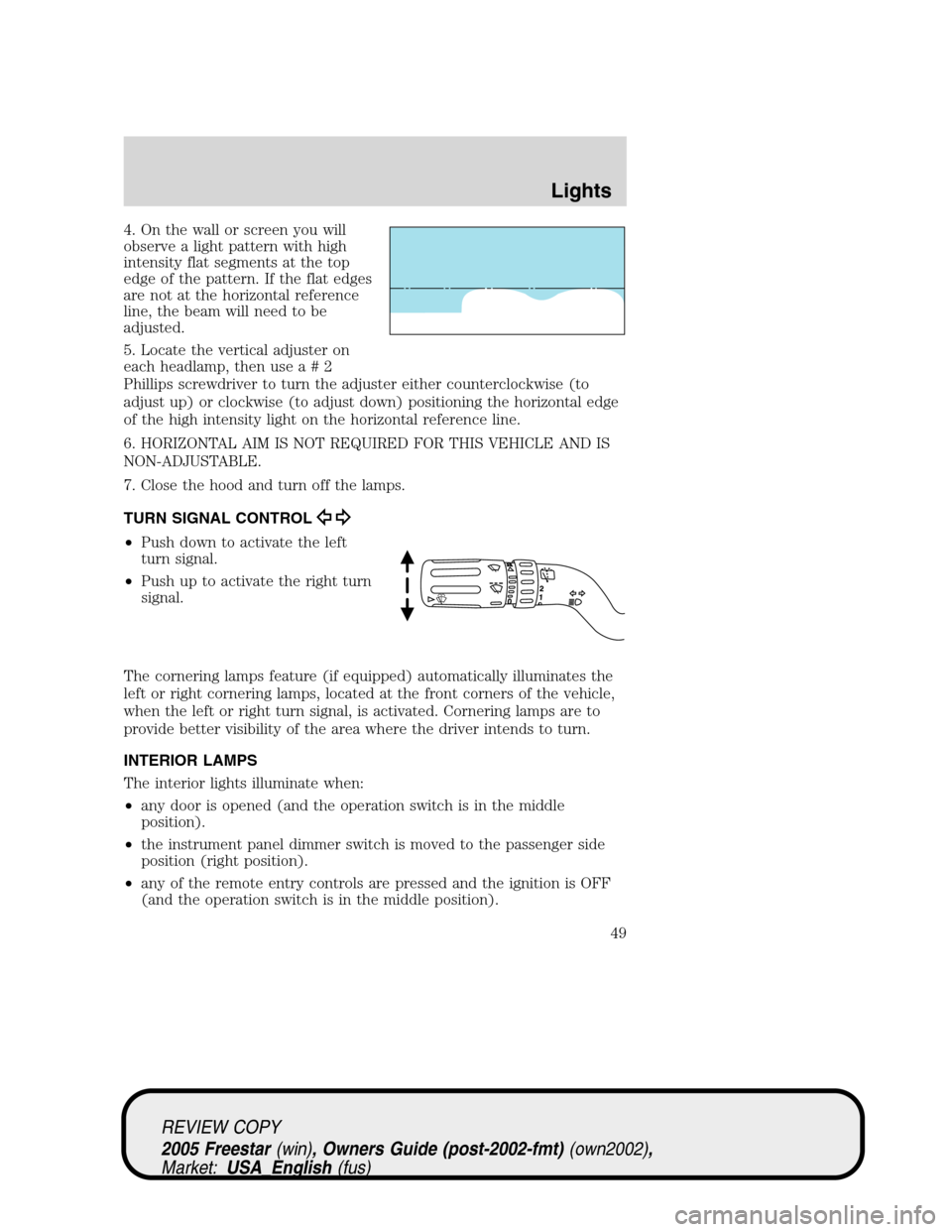
4. On the wall or screen you will
observe a light pattern with high
intensity flat segments at the top
edge of the pattern. If the flat edges
are not at the horizontal reference
line, the beam will need to be
adjusted.
5. Locate the vertical adjuster on
each headlamp, then usea#2
Phillips screwdriver to turn the adjuster either counterclockwise (to
adjust up) or clockwise (to adjust down) positioning the horizontal edge
of the high intensity light on the horizontal reference line.
6. HORIZONTAL AIM IS NOT REQUIRED FOR THIS VEHICLE AND IS
NON-ADJUSTABLE.
7. Close the hood and turn off the lamps.
TURN SIGNAL CONTROL
•Push down to activate the left
turn signal.
•Push up to activate the right turn
signal.
The cornering lamps feature (if equipped) automatically illuminates the
left or right cornering lamps, located at the front corners of the vehicle,
when the left or right turn signal, is activated. Cornering lamps are to
provide better visibility of the area where the driver intends to turn.
INTERIOR LAMPS
The interior lights illuminate when:
•any door is opened (and the operation switch is in the middle
position).
•the instrument panel dimmer switch is moved to the passenger side
position (right position).
•any of the remote entry controls are pressed and the ignition is OFF
(and the operation switch is in the middle position).
REVIEW COPY
2005 Freestar(win), Owners Guide (post-2002-fmt)(own2002),
Market:USA_English(fus)
Lights
49
Page 90 of 312
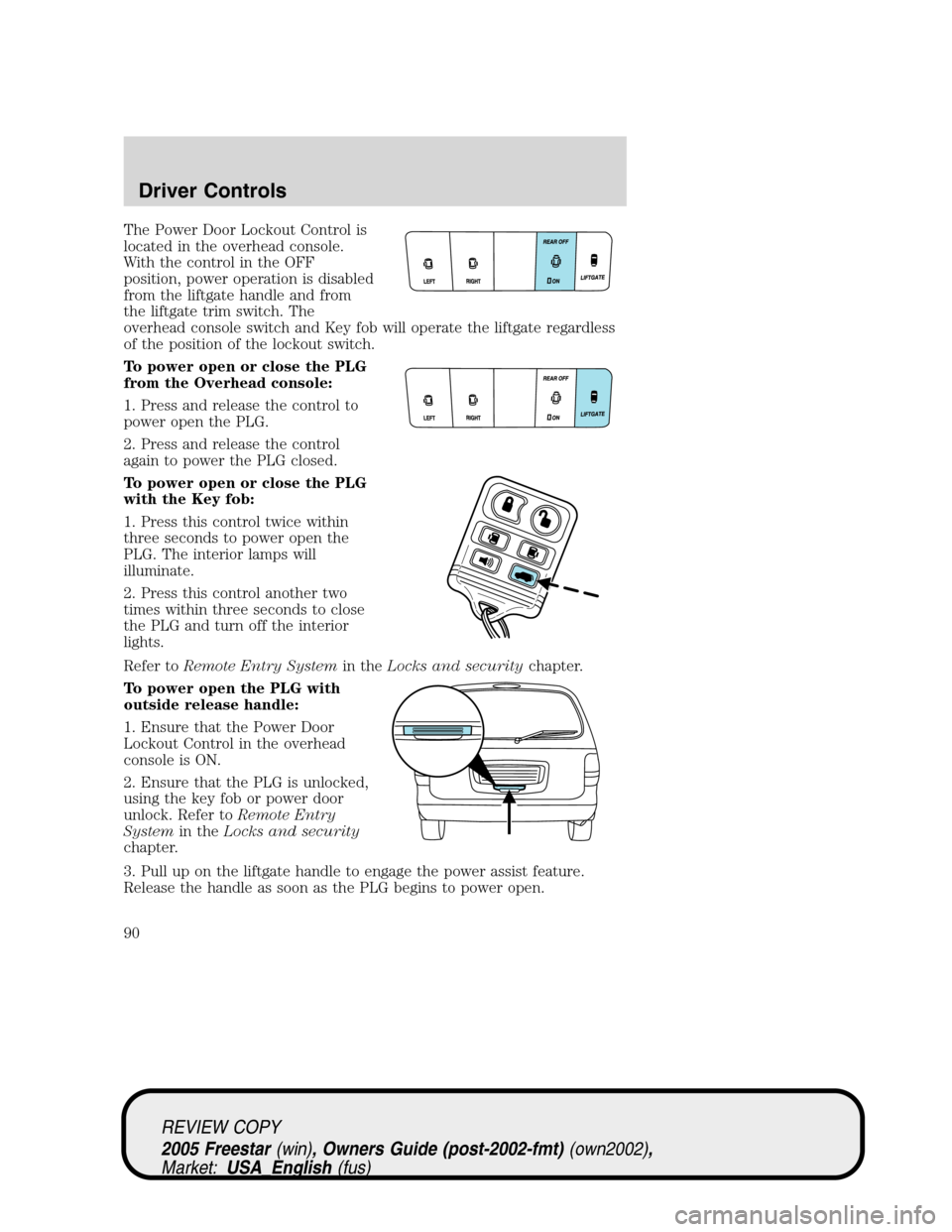
The Power Door Lockout Control is
located in the overhead console.
With the control in the OFF
position, power operation is disabled
from the liftgate handle and from
the liftgate trim switch. The
overhead console switch and Key fob will operate the liftgate regardless
of the position of the lockout switch.
To power open or close the PLG
from the Overhead console:
1. Press and release the control to
power open the PLG.
2. Press and release the control
again to power the PLG closed.
To power open or close the PLG
with the Key fob:
1. Press this control twice within
three seconds to power open the
PLG. The interior lamps will
illuminate.
2. Press this control another two
times within three seconds to close
the PLG and turn off the interior
lights.
Refer toRemote Entry Systemin theLocks and securitychapter.
To power open the PLG with
outside release handle:
1. Ensure that the Power Door
Lockout Control in the overhead
console is ON.
2. Ensure that the PLG is unlocked,
using the key fob or power door
unlock. Refer toRemote Entry
Systemin theLocks and security
chapter.
3. Pull up on the liftgate handle to engage the power assist feature.
Release the handle as soon as the PLG begins to power open.
REVIEW COPY
2005 Freestar(win), Owners Guide (post-2002-fmt)(own2002),
Market:USA_English(fus)
Driver Controls
90
Page 99 of 312
If there is any potential remote keyless entry problem with your vehicle,
ensureALL remote entry transmittersare taken to your authorized
dealer to aid in troubleshooting.
Unlocking the doors
1. Pressand release to unlock the driver’s door.Note:The interior
lamps will illuminate and the anti-theft system (if equipped) will disarm.
2. Press
and release again within three seconds to unlock all doors
and the liftgate.
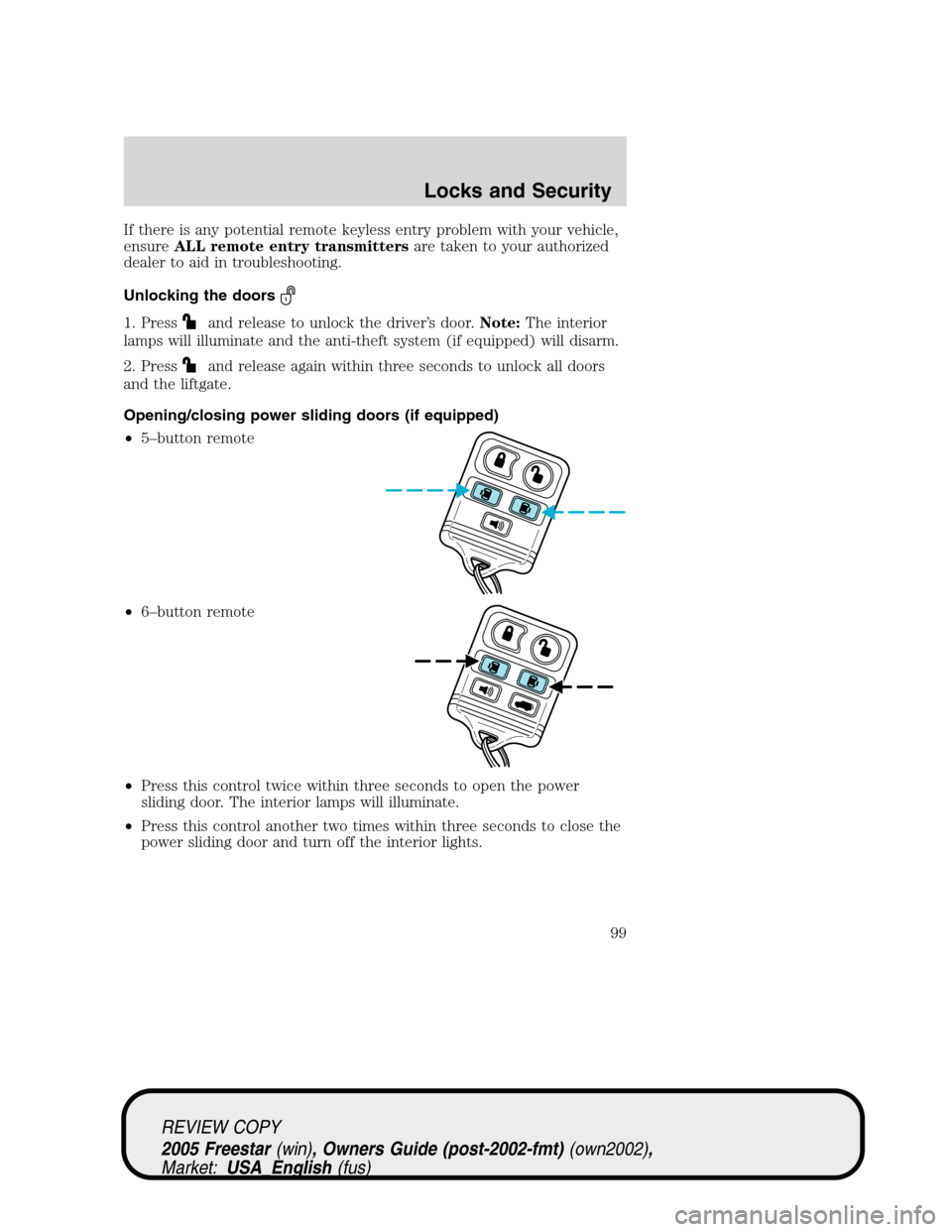
Opening/closing power sliding doors (if equipped)
•5–button remote
•6–button remote
•Press this control twice within three seconds to open the power
sliding door. The interior lamps will illuminate.
•Press this control another two times within three seconds to close the
power sliding door and turn off the interior lights.
REVIEW COPY
2005 Freestar(win), Owners Guide (post-2002-fmt)(own2002),
Market:USA_English(fus)
Locks and Security
99
Page 100 of 312
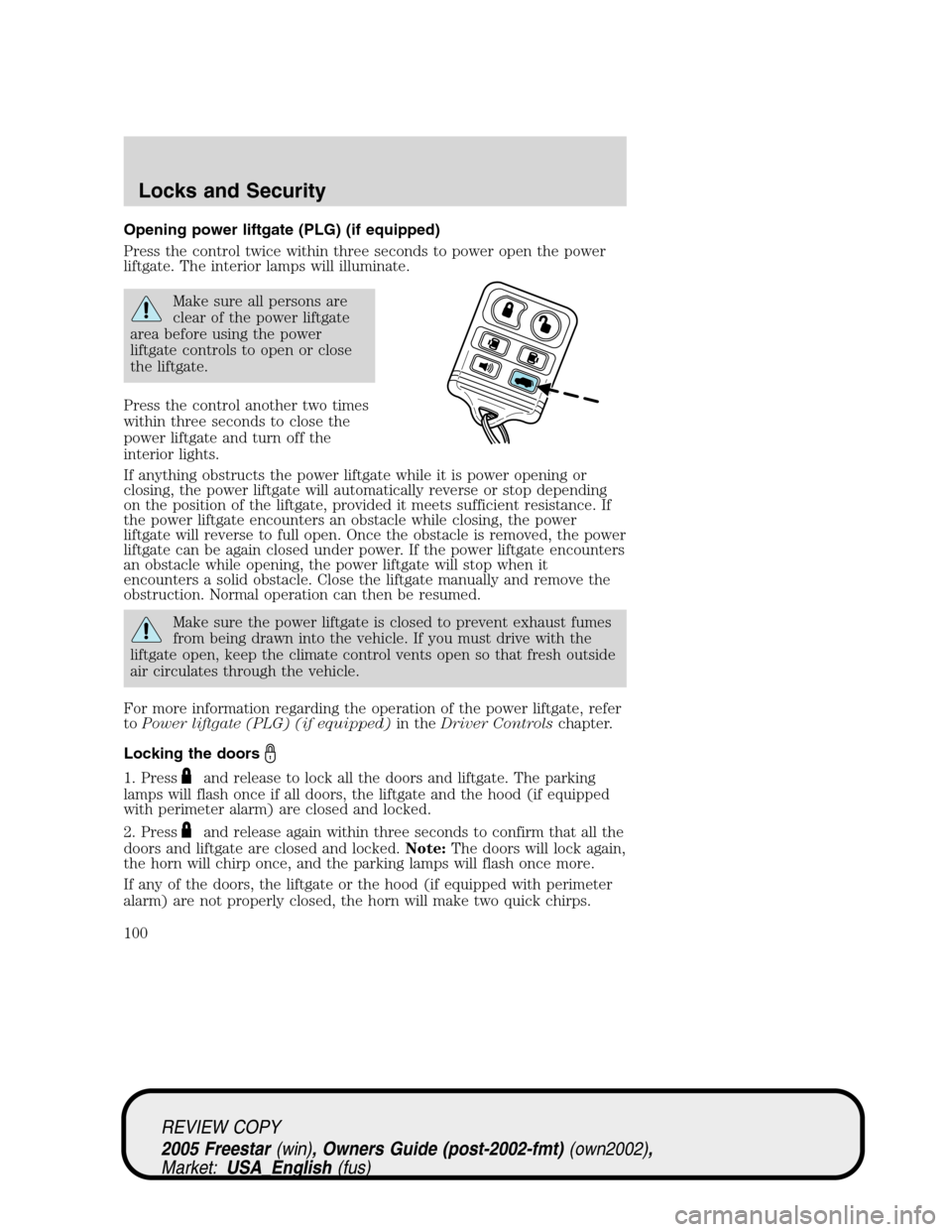
Opening power liftgate (PLG) (if equipped)
Press the control twice within three seconds to power open the power
liftgate. The interior lamps will illuminate.
Make sure all persons are
clear of the power liftgate
area before using the power
liftgate controls to open or close
the liftgate.
Press the control another two times
within three seconds to close the
power liftgate and turn off the
interior lights.
If anything obstructs the power liftgate while it is power opening or
closing, the power liftgate will automatically reverse or stop depending
on the position of the liftgate, provided it meets sufficient resistance. If
the power liftgate encounters an obstacle while closing, the power
liftgate will reverse to full open. Once the obstacle is removed, the power
liftgate can be again closed under power. If the power liftgate encounters
an obstacle while opening, the power liftgate will stop when it
encounters a solid obstacle. Close the liftgate manually and remove the
obstruction. Normal operation can then be resumed.
Make sure the power liftgate is closed to prevent exhaust fumes
from being drawn into the vehicle. If you must drive with the
liftgate open, keep the climate control vents open so that fresh outside
air circulates through the vehicle.
For more information regarding the operation of the power liftgate, refer
toPower liftgate (PLG) (if equipped)in theDriver Controlschapter.
Locking the doors
1. Pressand release to lock all the doors and liftgate. The parking
lamps will flash once if all doors, the liftgate and the hood (if equipped
with perimeter alarm) are closed and locked.
2. Press
and release again within three seconds to confirm that all the
doors and liftgate are closed and locked.Note:The doors will lock again,
the horn will chirp once, and the parking lamps will flash once more.
If any of the doors, the liftgate or the hood (if equipped with perimeter
alarm) are not properly closed, the horn will make two quick chirps.
REVIEW COPY
2005 Freestar(win), Owners Guide (post-2002-fmt)(own2002),
Market:USA_English(fus)
Locks and Security
100
Page 103 of 312
The illuminated entry system will turn off the interior lights if:
•the ignition switch is turned to the 4 (ON) position, or
•the keyless entry system or the remote entry transmitter lock control
is pressed, or
•after 25 seconds of illumination.
The panel dimmer control mustnotbe set to the off position for the
illuminated entry system to operate.
The inside lights will not turn off if:
•they have been turned on with the panel dimmer control, or
•any door, power sliding door (if equipped) or the liftgate is open.
The battery saver will shut off the interior lamps 30 minutes after the
last door is closed, even if the panel dimmer control is left on.
Illuminated exit
•The interior lights will illuminate when the key is removed from the
ignition.
•When the headlamp control is on the“sleeping baby mode”, only the
lower interior lights will illuminate.
The system automatically turns off after 25 seconds. The panel dimmer
control mustnotbe set to the off position for the illuminated exit to
operate.
Perimeter lamps illuminated entry (if equipped)
The exterior lamps illuminate when the vehicle is unlocked using the
remote entry transmitter, keyless keypad, or the driver’s door key lock
cylinder. The following items will illuminate:
•Puddle lamps
•Head lamps
•Park lamps
•Tail lamps
The system will automatically turn off if:
•the vehicle is locked using the remote entry system, the keyless entry
keypad or a key in the driver’s door key cylinder, or
•the ignition is turned to the 4 (ON) position, or
•after 25 seconds of illumination.
Deactivating/activating perimeter lamps
You may enable/disable this feature by having your vehicle serviced by
your authorized dealer.
REVIEW COPY
2005 Freestar(win), Owners Guide (post-2002-fmt)(own2002),
Market:USA_English(fus)
Locks and Security
103
Page 301 of 312
complete listing of the accessories that are available for your vehicle,
please contact your dealer or visit our online store at:
www.fordaccessoriesstore.com.
Exterior style
Bug shields
Deflectors
Front end covers
Headlamps, fog lights and Daytime Running Lamps (DRLs)
Splash guards
Interior style
Electrochromatic compass/temperature interior mirrors
Floor mats
Lifestyle
Bike racks
Cargo organization and management
Rear seat entertainment systems - DVD
Towing mirrors
Trailer hitches, wiring harnesses and accessories
Peace of mind
First aid and safety kits
Full vehicle covers
Locking gas cap
Remote start
Vehicle security systems
For maximum vehicle performance, keep the following information in
mind when adding accessories or equipment to your vehicle:
•When adding accessories, equipment, passengers and luggage to your
vehicle, do not exceed the total weight capacity of the vehicle or of
the front or rear axle (GVWR or GAWR as indicated on the Safety
Compliance Certification label). Consult your dealer for specific weight
information.
•
The Federal Communications Commission (FCC) and Canadian Radio
Telecommunications Commission (CRTC) regulate the use of mobile
REVIEW COPY
2005 Freestar(win), Owners Guide (post-2002-fmt)(own2002),
Market:USA_English(fus)
Accessories
301
Page 305 of 312
F
Floor mats ...................................75
Fluid capacities .........................294
Fuel ............................................276calculating fuel economy .......280
cap ...........................................278
capacity ...................................294
choosing the right fuel ...........278
comparisons with EPA fuel
economy estimates .................283
detergent in fuel .....................280
filling your vehicle with
fuel ...........................276, 278, 280
filter, specifications ........280, 293
fuel pump shut-off switch .....232
improving fuel economy ........280
octane rating ...................279, 297
quality ......................................279
running out of fuel .................280
safety information relating to
automotive fuels .....................276
Fuses ..................................233 –234
G
Garage Door Opener
(see Homelink wireless control
system) ........................................75
Gas cap (see Fuel cap) ............278
Gas mileage
(see Fuel economy) .................280
Gauges .........................................15
H
Hazard flashers .........................232
Head restraints .................112, 116
Headlamps ...................................45 aiming ........................................48 autolamp system .......................45
bulb specifications ....................51
daytime running lights .............46
flash to pass ..............................47
high beam .................................46
replacing bulbs .........................52
turning on and off ....................45
Heating heating and air conditioning
system .................................34, 36
Homelink wireless control
system ..........................................75
Hood ..........................................264
I
Ignition ...............................217, 297
Infant seats
(see Safety seats) .....................165
Inspection/maintenance (I/M)
testing ........................................285
Instrument panel ........................66 cleaning ...................................260
cluster ........................................10
lighting up panel and
interior .......................................47
J
Jump-starting your vehicle ......241
K
Keyless entry system ...............105 autolock ...........................104, 107
Keys ...........................................109 positions of the ignition .........217
REVIEW COPY
2005 Freestar (win), Owners Guide (post-2002-fmt) (own2002),
Market: USA_English (fus)
Index
305