ECO mode FORD FUSION 2019 Service Manual
[x] Cancel search | Manufacturer: FORD, Model Year: 2019, Model line: FUSION, Model: FORD FUSION 2019Pages: 550, PDF Size: 8.5 MB
Page 149 of 550
When the indicator light on the power point
is:
•
On: The power point is working, the
ignition is on and a device is plugged
in.
• Off: The power point is off, the ignition
is off or no device is plugged in.
• Flashing: The power point is in fault
mode.
The power outlet temporarily turns off
power when in fault mode if the device
exceeds the 150 watt limit. Unplug your
device and switch the ignition off. Switch
the ignition back on, but do not plug your
device back in. Let the system cool off and
switch the ignition off to reset the fault
mode. Switch the ignition back on and
make sure the indicator light remains on.
Do not use the power point for certain
electric devices, including:
• Cathode-ray, tube-type televisions.
• Motor loads, such as vacuum cleaners,
electric saws and other electric power
tools or compressor-driven
refrigerators.
• Measuring devices, which process
precise data, such as medical
equipment or measuring equipment.
• Other appliances requiring an
extremely stable power supply such as
microcomputer-controlled electric
blankets or touch-sensor lamps.
146
Fusion (CC7) Canada/United States of America, enUSA, Edition date: 201805, Second-Printing Auxiliary Power Points
Page 151 of 550
GENERAL INFORMATION
WARNING: Extended idling at high
engine speeds can produce very high
temperatures in the engine and exhaust
system, creating the risk of fire or other
damage. WARNING: Do not park, idle or
drive your vehicle on dry grass or other
dry ground cover. The emission system
heats up the engine compartment and
exhaust system, creating the risk of fire. WARNING: Do not start the engine
in a closed garage or in other enclosed
areas. Exhaust fumes can be toxic.
Always open the garage door before you
start the engine. WARNING:
Exhaust leaks may
result in entry of harmful and potentially
lethal fumes into the passenger
compartment. If you smell exhaust
fumes inside your vehicle, have your
vehicle inspected immediately. Do not
drive if you smell exhaust fumes.
If you disconnect the battery, your vehicle
may exhibit some unusual driving
characteristics for approximately
5 mi
(8 km) after you reconnect it. This is
because the engine management system
must realign itself with the engine. You
can disregard any unusual driving
characteristics during this period.
The powertrain control system meets all
Canadian interference-causing equipment
standard requirements regulating the
impulse electrical field or radio noise. When you start the engine, avoid pressing
the accelerator pedal before and during
operation. Only use the accelerator pedal
when you have difficulty starting the
engine.
KEYLESS STARTING
Note:
The system may not function if the
intelligent access key is close to metal
objects or electronic devices, for example
keys or a cell phone.
Note: A valid intelligent access key must
be located inside your vehicle to switch the
ignition on and start your vehicle.
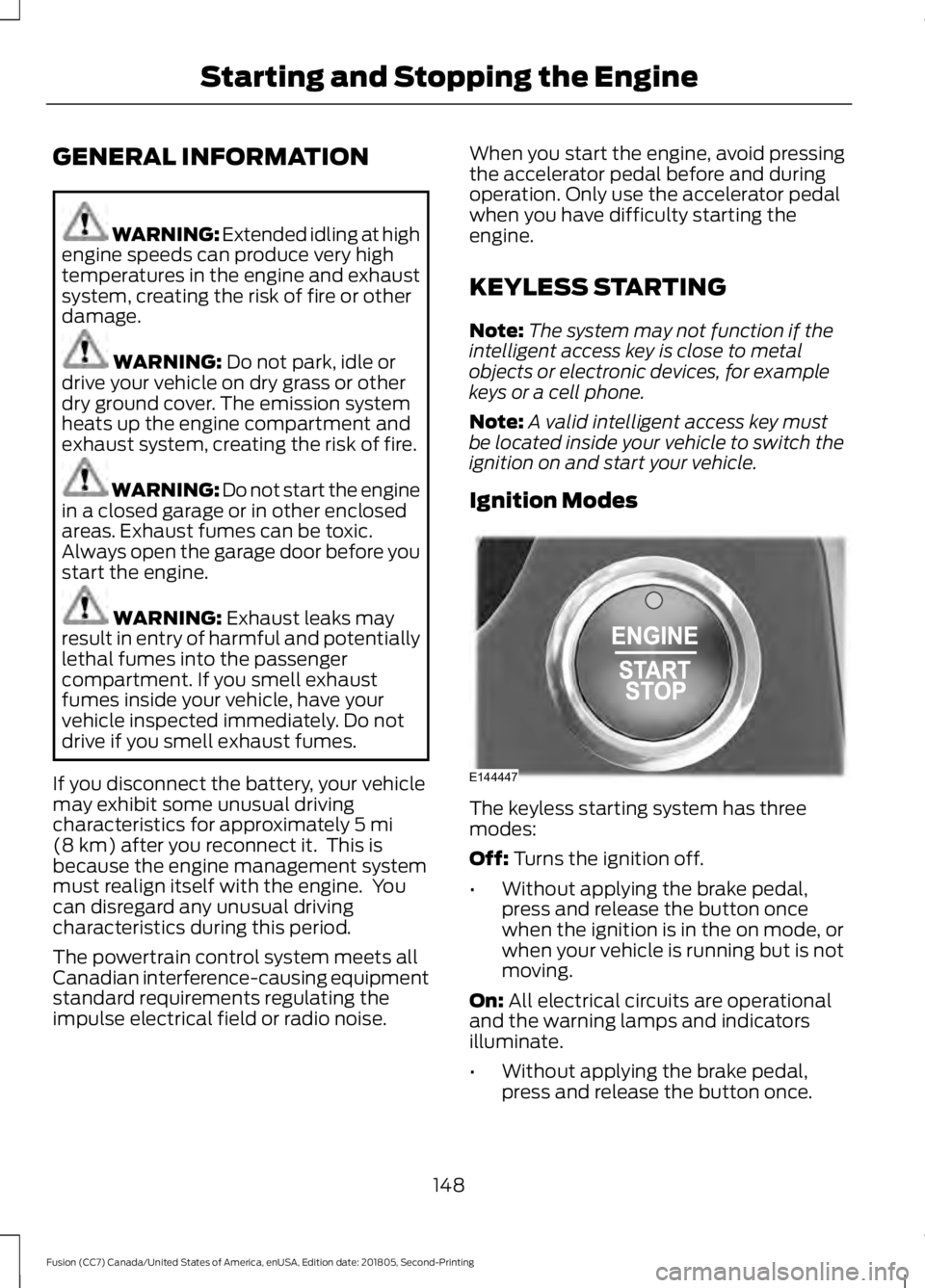
Ignition Modes The keyless starting system has three
modes:
Off: Turns the ignition off.
• Without applying the brake pedal,
press and release the button once
when the ignition is in the on mode, or
when your vehicle is running but is not
moving.
On:
All electrical circuits are operational
and the warning lamps and indicators
illuminate.
• Without applying the brake pedal,
press and release the button once.
148
Fusion (CC7) Canada/United States of America, enUSA, Edition date: 201805, Second-Printing Starting and Stopping the EngineE144447
Page 156 of 550
AUTO-START-STOP (IF EQUIPPED)
The system helps reduce fuel consumption
by automatically shutting off and restarting
the engine while your vehicle is stopped.
The engine will restart automatically when
you release the brake pedal. In some
situations, your vehicle may restart
automatically, for example:
• To maintain interior comfort
• To recharge the battery
Note: Power assist steering is turned off
when the engine is off. WARNING:
Always fully apply the
parking brake. Failure to follow this
instruction could result in personal injury
or death. WARNING:
Apply the parking
brake, shift into park (P), switch the
ignition off and remove the key before
you leave your vehicle. Failure to follow
this instruction could result in personal
injury or death. WARNING:
The system may
require the engine to automatically
restart when the auto-start-stop
indicator illuminates green or flashes
amber. Failure to follow this instruction
could result in personal injury.
The Auto-Start-Stop system status is
available at a glance within the information
display. See Information Displays (page
97
).
Enabling Auto-Start-Stop
The system is automatically enabled every
time you start your vehicle if the following
conditions are met: •
The Auto-Start-Stop button is not
pressed (not illuminated).
• Your vehicle exceeds an initial speed
of
3 mph (5 km/h) after you have
initially started the vehicle.
• Your vehicle is stopped.
• Your foot is on the brake pedal.
• The transmission is in drive (D).
• The driver's door is closed.
• There is adequate brake vacuum.
• The interior compartment has been
cooled or warmed to an acceptable
level.
• The front windshield defroster is off.
• The steering wheel is not turned rapidly
or is not at a sharp angle.
• The vehicle is not on a steep road
grade.
• The battery is within optimal operating
conditions (battery state of charge and
temperature in range).
• The engine coolant is at operating
temperature.
• Elevation is below approximately
12,000 ft (3,650 m)
.
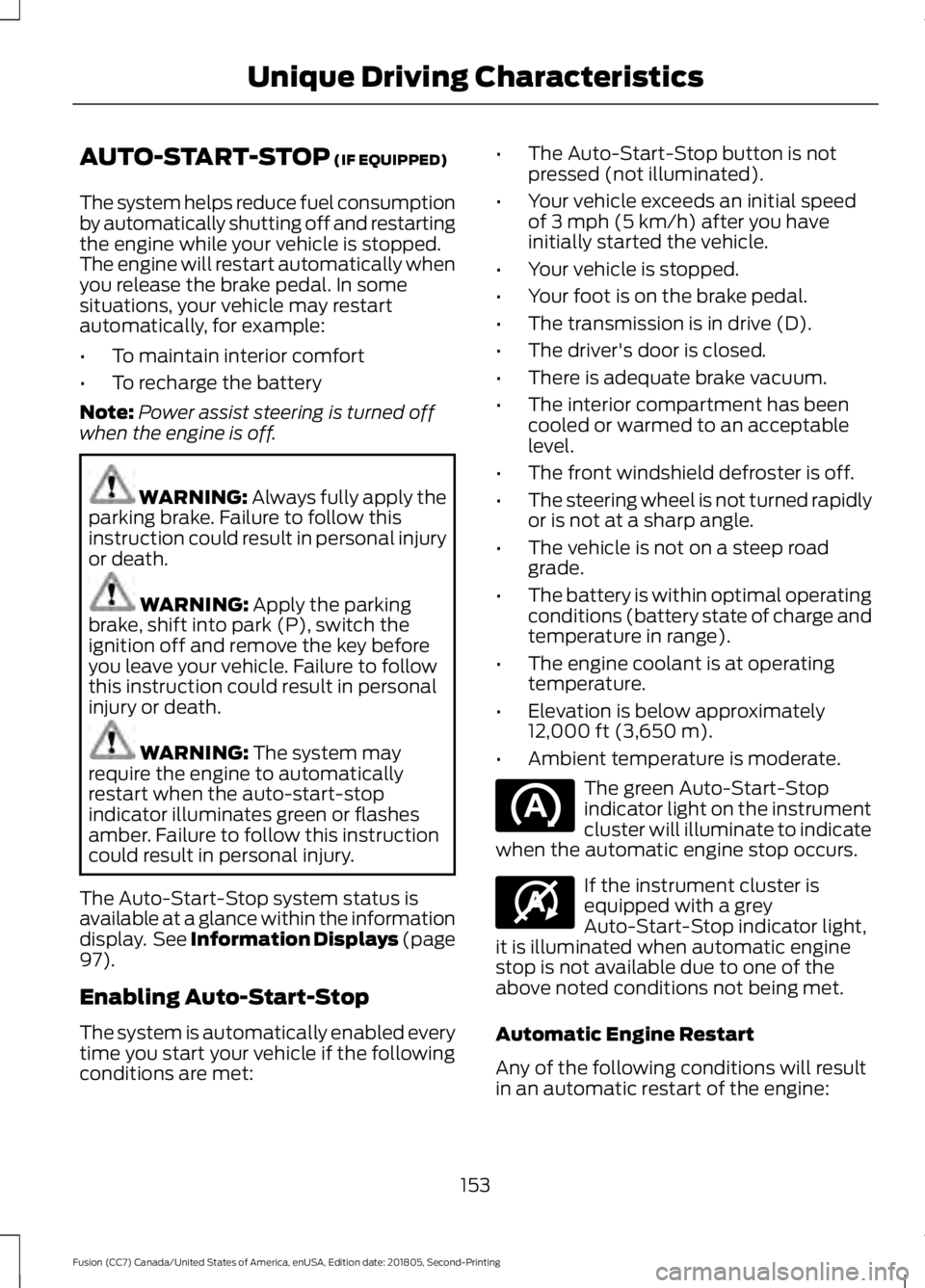
• Ambient temperature is moderate. The green Auto-Start-Stop
indicator light on the instrument
cluster will illuminate to indicate
when the automatic engine stop occurs. If the instrument cluster is
equipped with a grey
Auto-Start-Stop indicator light,
it is illuminated when automatic engine
stop is not available due to one of the
above noted conditions not being met.
Automatic Engine Restart
Any of the following conditions will result
in an automatic restart of the engine:
153
Fusion (CC7) Canada/United States of America, enUSA, Edition date: 201805, Second-Printing Unique Driving Characteristics E146361
Page 170 of 550
Automatic Return to Park
Note:
This feature does not operate when
your vehicle is in Stay in Neutral mode or
neutral tow.
Your vehicle has a feature that
automatically shifts your vehicle into park
(P) when any of the following conditions
occur:
• You turn the vehicle off.
• You open the driver's door with your
seatbelt unlatched.
• Your seatbelt is unlatched when the
driver's door is open.
If you turn your vehicle off when moving,
your vehicle first shifts into neutral (N) until
it slows down enough to shift into park (P)
automatically.
Note: If you have waited an extended
period of time (2-15 minutes) before starting
your vehicle, unlatching your seatbelt causes
this feature to activate, even with the
driver's door closed.
Note: This feature may not work properly
if the door ajar switch is malfunctioning. If
your door ajar indicator does not illuminate
when you open the driver ’s door or the
indicator illuminates with the driver ’s door
closed, see your authorized dealer.
Reverse (R)
With the selector in reverse (R), your
vehicle moves backward. Always come to
a complete stop before shifting into and
out of reverse (R).
Neutral (N)
With the selector in neutral (N), your
vehicle can be started and is free to roll.
Hold the brake pedal down when in this
position. Stay in Neutral Mode
Note:
Always put your vehicle in Stay in
Neutral mode when entering an automatic
car wash. Failure to do this could result in
vehicle damage not covered by warranty.
Note: When entering an automatic car
wash, always shift to Neutral (N). If you are
exiting the vehicle before the car wash, Stay
in Neutral Mode is available.
Stay in Neutral mode allows your vehicle
to stay in neutral when you exit your
vehicle. Your vehicle must be stationary to
enter this mode.
To enter Stay in Neutral mode:
1. Switch your vehicle on but do not start
the engine. See Keyless Starting
(page 148).
2. Place your foot on the brake pedal and
rotate the transmission selector to
neutral (N).
Note: When in neutral (N), a message
appears in the display screen informing you
how to access Stay in Neutral mode.
3. Press either the low (L) or sport (S) button in the middle of the
transmission selector to enter Stay in
Neutral mode.
A message appears in the display screen
confirming your vehicle is in Stay in Neutral
mode. The neutral (N) indicator light on
the transmission selector also flashes.
To exit Stay in Neutral mode, place your
foot on the brake pedal and rotate the
transmission selector to park (P).
Drive (D)
Drive (D) is the normal driving position for
the best fuel economy. The overdrive
function allows automatic upshifts and
downshifts through gears one through six.
167
Fusion (CC7) Canada/United States of America, enUSA, Edition date: 201805, Second-Printing Transmission
Page 172 of 550
SelectShift does not automatically upshift,
even if the engine is approaching the RPM
limit. It must be shifted manually by
pressing the + button.
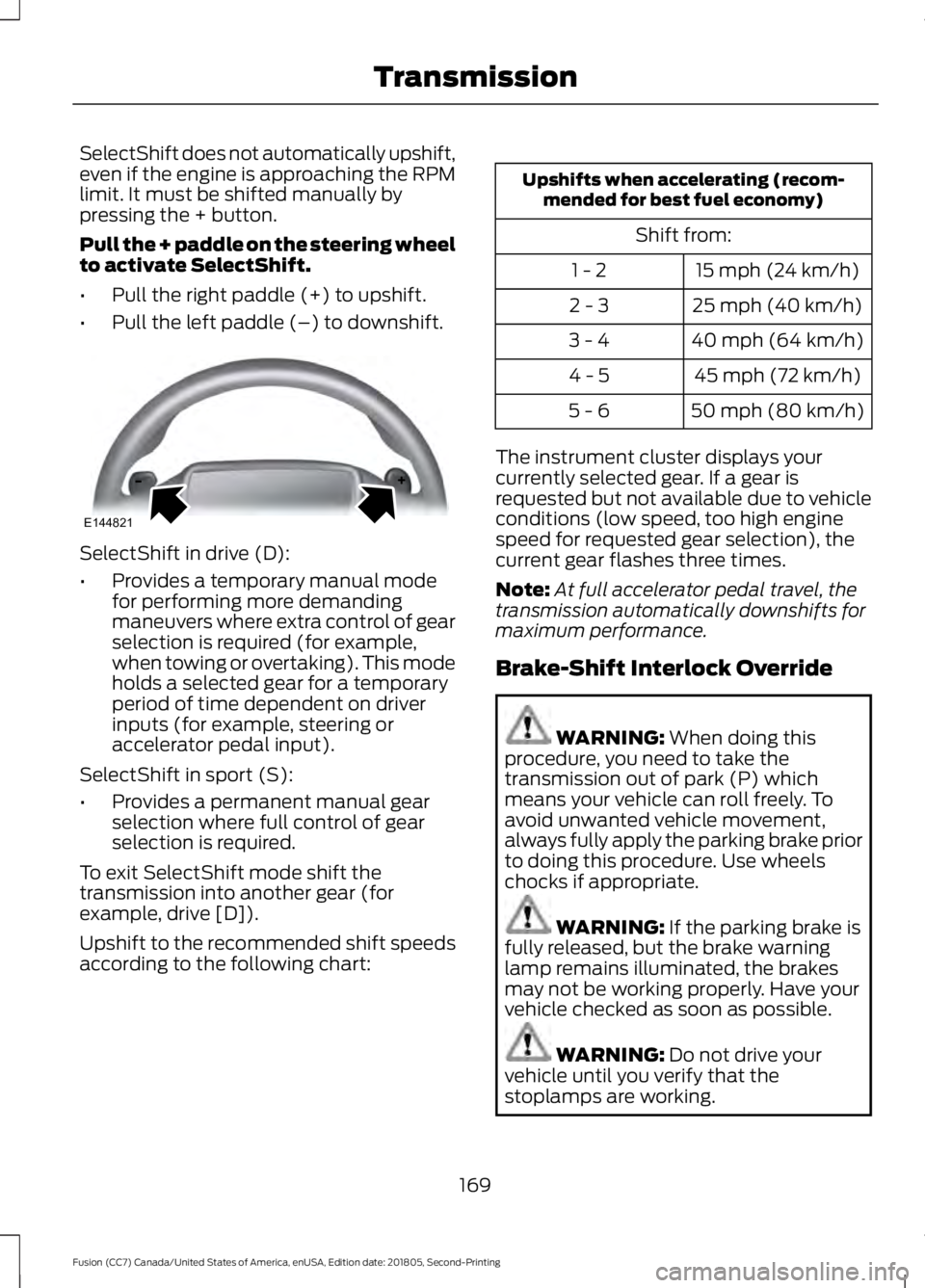
Pull the + paddle on the steering wheel
to activate SelectShift.
•
Pull the right paddle (+) to upshift.
• Pull the left paddle (–) to downshift. SelectShift in drive (D):
•
Provides a temporary manual mode
for performing more demanding
maneuvers where extra control of gear
selection is required (for example,
when towing or overtaking). This mode
holds a selected gear for a temporary
period of time dependent on driver
inputs (for example, steering or
accelerator pedal input).
SelectShift in sport (S):
• Provides a permanent manual gear
selection where full control of gear
selection is required.
To exit SelectShift mode shift the
transmission into another gear (for
example, drive [D]).
Upshift to the recommended shift speeds
according to the following chart: Upshifts when accelerating (recom-
mended for best fuel economy)
Shift from:15 mph (24 km/h)
1 - 2
25 mph (40 km/h)
2 - 3
40 mph (64 km/h)
3 - 4
45 mph (72 km/h)
4 - 5
50 mph (80 km/h)
5 - 6
The instrument cluster displays your
currently selected gear. If a gear is
requested but not available due to vehicle
conditions (low speed, too high engine
speed for requested gear selection), the
current gear flashes three times.
Note: At full accelerator pedal travel, the
transmission automatically downshifts for
maximum performance.
Brake-Shift Interlock Override WARNING: When doing this
procedure, you need to take the
transmission out of park (P) which
means your vehicle can roll freely. To
avoid unwanted vehicle movement,
always fully apply the parking brake prior
to doing this procedure. Use wheels
chocks if appropriate. WARNING:
If the parking brake is
fully released, but the brake warning
lamp remains illuminated, the brakes
may not be working properly. Have your
vehicle checked as soon as possible. WARNING:
Do not drive your
vehicle until you verify that the
stoplamps are working.
169
Fusion (CC7) Canada/United States of America, enUSA, Edition date: 201805, Second-Printing TransmissionE144821
Page 173 of 550
Note:
See your authorized dealer as soon
as possible if this procedure is used.
Note: For some markets this feature is
disabled.
Note: This feature only functions if your
12-volt battery has power. If vehicle battery
voltage is not sufficient, an external 12-volt
power source (for example, jumper cables,
battery charger or jump pack) may be
required to function the interlock override
switch.
Use the brake-shift interlock override to
move your transmission from the park
position in the event of an electrical
malfunction. If your vehicle has a dead
battery, you need an external power
source.
1. Apply the parking brake and turn your ignition off before performing this
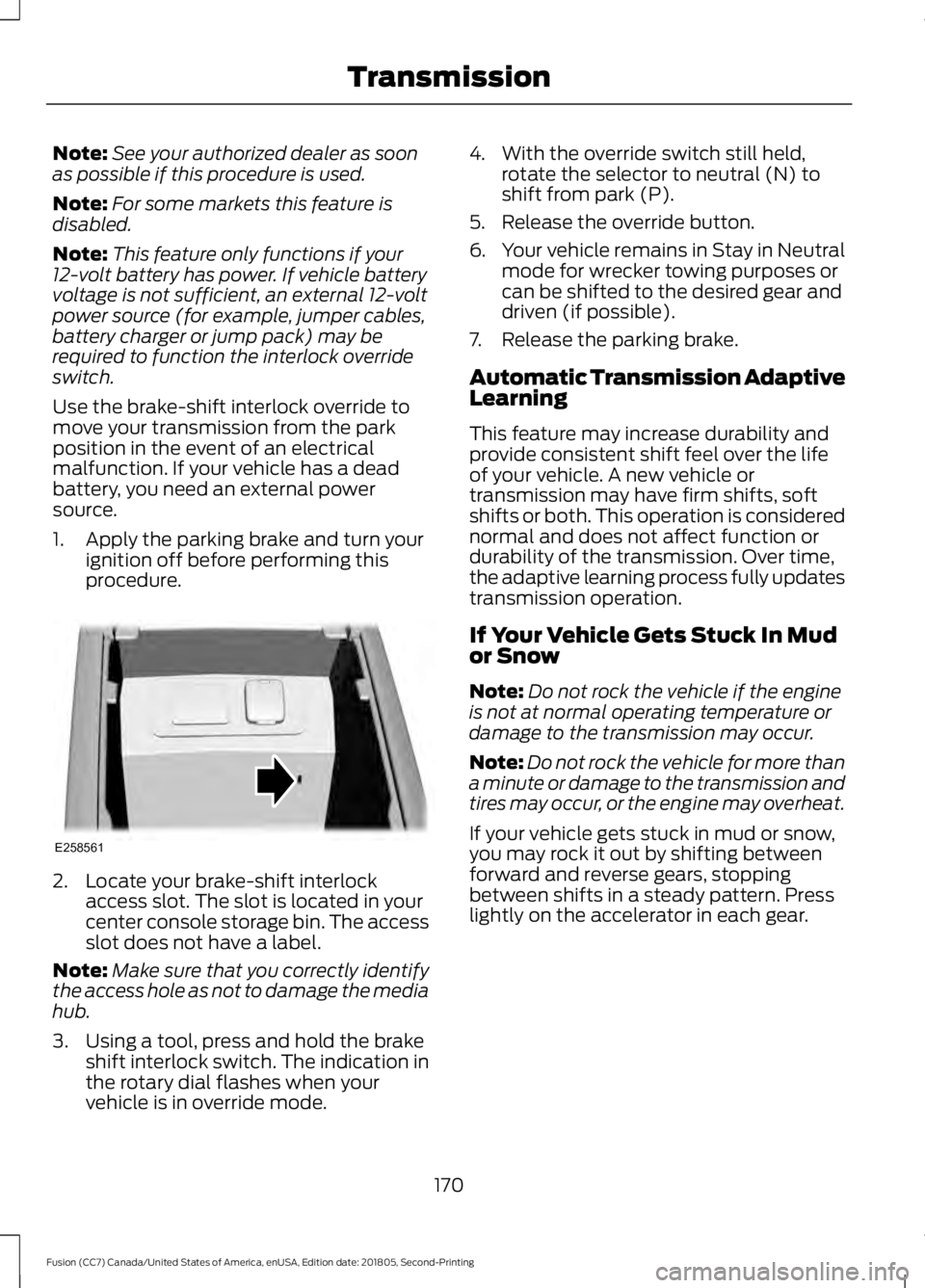
procedure. 2. Locate your brake-shift interlock
access slot. The slot is located in your
center console storage bin. The access
slot does not have a label.
Note: Make sure that you correctly identify
the access hole as not to damage the media
hub.
3. Using a tool, press and hold the brake shift interlock switch. The indication in
the rotary dial flashes when your
vehicle is in override mode. 4. With the override switch still held,
rotate the selector to neutral (N) to
shift from park (P).
5. Release the override button.
6. Your vehicle remains in Stay in Neutral
mode for wrecker towing purposes or
can be shifted to the desired gear and
driven (if possible).
7. Release the parking brake.
Automatic Transmission Adaptive
Learning
This feature may increase durability and
provide consistent shift feel over the life
of your vehicle. A new vehicle or
transmission may have firm shifts, soft
shifts or both. This operation is considered
normal and does not affect function or
durability of the transmission. Over time,
the adaptive learning process fully updates
transmission operation.
If Your Vehicle Gets Stuck In Mud
or Snow
Note: Do not rock the vehicle if the engine
is not at normal operating temperature or
damage to the transmission may occur.
Note: Do not rock the vehicle for more than
a minute or damage to the transmission and
tires may occur, or the engine may overheat.
If your vehicle gets stuck in mud or snow,
you may rock it out by shifting between
forward and reverse gears, stopping
between shifts in a steady pattern. Press
lightly on the accelerator in each gear.
170
Fusion (CC7) Canada/United States of America, enUSA, Edition date: 201805, Second-Printing TransmissionE258561
Page 174 of 550
USING ALL-WHEEL DRIVE
All-wheel drive uses all four wheels to
power the vehicle. This increases traction,
enabling you to drive over terrain and road
conditions that a conventional two-wheel
drive vehicle cannot. The AWD system
turns on when needed and does not require
input from you.
Note:
The AWD feature gives your vehicle
some limited off-road capabilities in which
driving surfaces are relatively level,
obstruction-free and otherwise similar to
normal on-road driving conditions.
Operating your vehicle under other than
those conditions could subject the vehicle
to excessive stress which might result in
damage which is not covered under your
warranty.
Note: A warning message will be displayed
in the information display when an AWD
system fault is present See General
Information (page 97). An AWD system
fault will cause the AWD system to default
to front-wheel drive only mode. When this
warning message is displayed, have your
vehicle serviced at an authorized dealer
Note: A warning message will be displayed
in the information display if the AWD system
has overheated
See General Information
(page 97). This condition may occur if the
vehicle was operated in extreme conditions
with excessive wheel slip, such as deep
sand. To resume normal AWD function as
soon as possible, stop the vehicle in a safe
location and stop the engine for at least 10
minutes. After the engine has been restarted
and the AWD system has adequately
cooled, the warning message will turn off
and normal AWD function will return.
Do not use a spare tire of a different size
other than the tire provided. If the
mini-spare tire is installed, the AWD
system may disable automatically and
enter front-wheel drive only mode to
protect driveline components. This condition will be indicated by a warning in
the information display
See General
Information (page 97). If there is a
warning message in the information
display from using the spare tire, this
indicator should turn off after reinstalling
the repaired or replaced normal road tire
and cycling the ignition off and on. It is
recommended to reinstall the repaired or
replaced road tire as soon as possible.
Major dissimilar tire sizes between the front
and rear axles could cause the AWD
system to stop functioning and default to
front-wheel drive or damage the AWD
system.
Driving In Special Conditions With
All-Wheel Drive (AWD)
AWD vehicles are equipped for driving on
sand, snow, mud and rough roads and have
operating characteristics that are
somewhat different from conventional
vehicles, both on and off the highway.
Under severe operating conditions, the A/C
may cycle on and off to protect
overheating of the engine.
Basic operating principles in special
conditions
• Drive slower in strong crosswinds which
can affect the normal steering
characteristics of your vehicle.
• Be extremely careful when driving on
pavement made slippery by loose sand,
water, gravel, snow or ice.
171
Fusion (CC7) Canada/United States of America, enUSA, Edition date: 201805, Second-Printing All-Wheel Drive
(If Equipped)
Page 191 of 550
•
The front bumper, rear bumper or the
side sensors are damaged.
• The correct tire size is not in use on your
vehicle. For example, a mini-spare tire.
Using Active Park Assist
Selecting an Active Park Assist Mode Press the button once to
activate parallel parking. Press
the button a second time to
activate perpendicular parking. If you press
the button again the system switches off.
If your vehicle is parked and after you
switch the ignition on, you can use the
information display to toggle through the
modes. Press the button to switch the
system on and open the system menu in
the information display.
Note: If your vehicle is parked, the default
mode is parallel park out assist. However,
if you did not use active park assist to
parallel park your vehicle, use the
information display to select park out assist.
Note: You can repeatedly press the active
park assist button to toggle through the
modes only after moving your vehicle
approximately 33 ft (10 m).
To toggle through the modes, use the
buttons on the information display to
select the following:
• Parallel parking.
• Perpendicular parking.
• Parallel park out assist.
• Switch the system off.
Note: There is no time limit for toggling
through the modes. Parallel Parking
The system detects available parallel
parking spaces and steers your vehicle into
the space. You control the accelerator,
gearshift and brakes. The system visually
and audibly guides you into a parallel
parking space. Press the button once to search
for a parking space.
Note: You can also switch the system on
after you have already driven partially or
completely past a parking space. Press the
active park assist button and the system
informs you if you have recently passed a
suitable parking space.
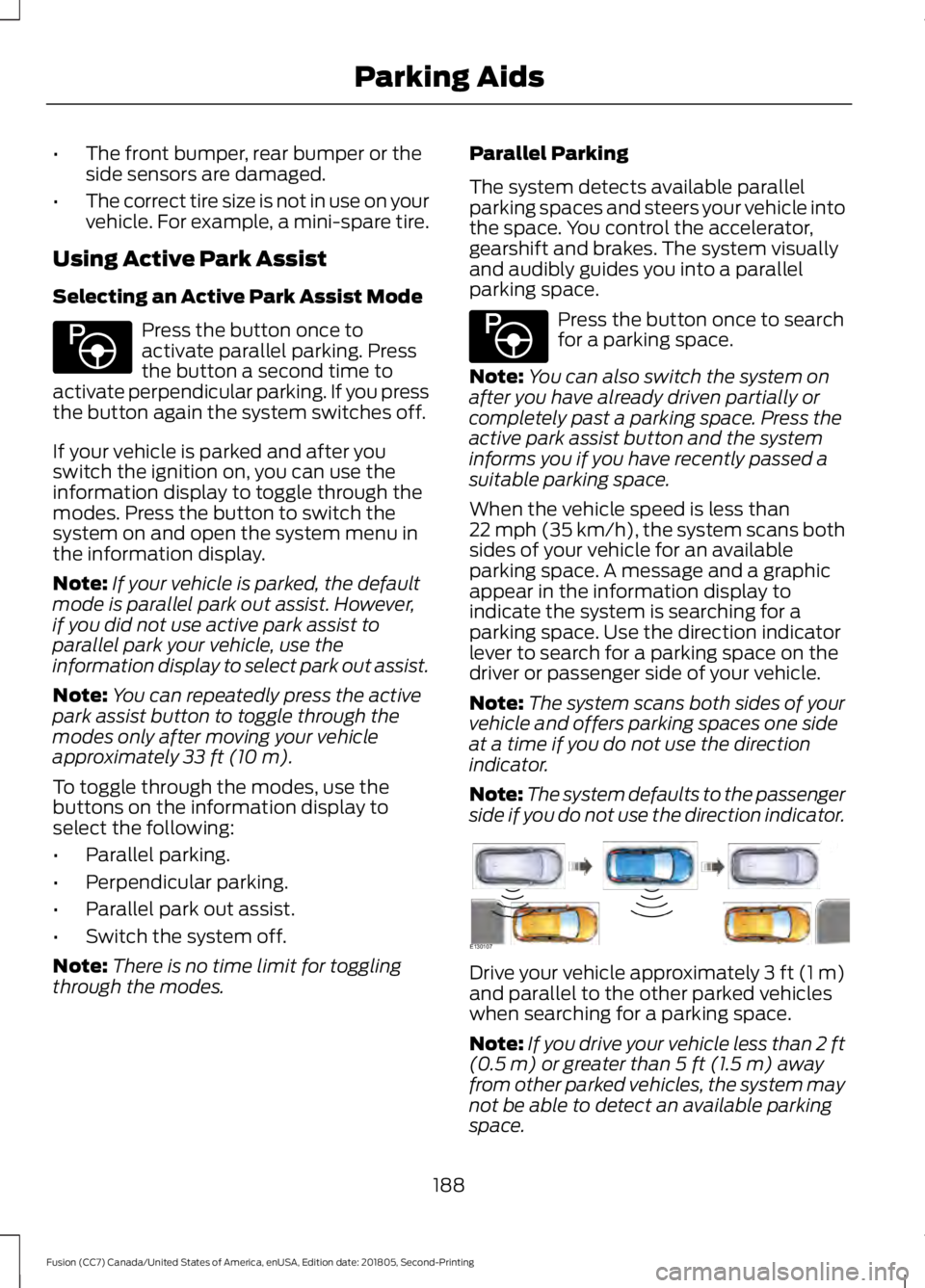
When the vehicle speed is less than
22 mph (35 km/h), the system scans both
sides of your vehicle for an available
parking space. A message and a graphic
appear in the information display to
indicate the system is searching for a
parking space. Use the direction indicator
lever to search for a parking space on the
driver or passenger side of your vehicle.
Note: The system scans both sides of your
vehicle and offers parking spaces one side
at a time if you do not use the direction
indicator.
Note: The system defaults to the passenger
side if you do not use the direction indicator. Drive your vehicle approximately 3 ft (1 m)
and parallel to the other parked vehicles
when searching for a parking space.
Note:
If you drive your vehicle less than 2 ft
(0.5 m)
or greater than 5 ft (1.5 m) away
from other parked vehicles, the system may
not be able to detect an available parking
space.
188
Fusion (CC7) Canada/United States of America, enUSA, Edition date: 201805, Second-Printing Parking AidsE146186 E146186 E130107
Page 201 of 550
Note:
If you accelerate by pressing only the
accelerator pedal, the set speed does not
change. When you release the accelerator
pedal, your vehicle returns to the speed you
previously set.
Canceling the Set Speed Press and release the button, or
tap the brake pedal to cancel the
set speed.
Note: The system remembers the set
speed.
Resuming the Set Speed Press and release to resume the
set speed.
Switching Cruise Control Off For vehicles without Speed
Limiter, press and release the
button when the system is in
standby mode or switch the ignition off. For vehicles with Speed Limiter,
press and release the button
when the system is in standby
mode or switch the ignition off.
Note: You erase the set speed when you
switch the system off.
USING ADAPTIVE CRUISE
CONTROL (IF EQUIPPED) WARNING:
Always pay close
attention to changing road conditions
when using adaptive cruise control. The
system does not replace attentive
driving. Failing to pay attention to the
road may result in a crash, serious injury
or death. WARNING:
Do not use the
adaptive cruise control when entering or
leaving a highway, on roads with
intersections or roundabouts or
non-vehicular traffic or roads that are
winding, slippery, unpaved, or steep
slopes. WARNING:
Do not use the system
in poor visibility, for example fog, heavy
rain, spray or snow. WARNING:
Do not use the system
when towing a trailer that has
aftermarket electronic trailer brake
controls. Failure to follow this instruction
could result in the loss of control of your
vehicle, personal injury or death. WARNING:
Do not use tire sizes
other than those recommended because
this can affect the normal operation of
the system. Failure to do so may result
in a loss of vehicle control, which could
result in serious injury. WARNING: Adaptive cruise control
may not detect stationary or slow
moving vehicles below 6 mph (10 km/h). WARNING: Adaptive cruise control
does not detect pedestrians or objects
in the road. WARNING: Adaptive cruise control
does not detect oncoming vehicles in the
same lane. WARNING: Adaptive cruise control
is not a crash warning or avoidance
system.
198
Fusion (CC7) Canada/United States of America, enUSA, Edition date: 201805, Second-Printing Cruise ControlE265298 E265297 E71340
Page 205 of 550
Automatic Cancellation
Automatic cancellation can also occur
when:
•
The tires lose traction.
• You apply the parking brake.
Park Brake Application
Automatic parking brake application and
cancellation occurs if:
• You unbuckle the seatbelt and open
the door after you stop the vehicle.
• You hold the vehicle at a stop
continuously for more than three
minutes.
Hilly Condition Usage
You should select a lower gear when the
system is active in situations such as
prolonged downhill driving on steep
grades, for example in mountainous areas.
The system needs additional engine
braking in these situations to reduce the
load on the vehicle ’s regular brake system
to prevent it from overheating.
Note: An audible alarm sounds and the
system shuts down if it applies brakes for
an extended period of time. This allows the
brakes to cool. The system functions
normally again after the brakes cool.
Switching Adaptive Cruise Control
Off For vehicles without Speed
Limiter, press and release the
button when the system is in
standby mode or switch the ignition off. For vehicles with Speed Limiter,
press and release the button
when the system is in standby
mode or switch the ignition off.
Note: You erase the set speed when you
switch the system off. Detection Issues WARNING: On rare occasions,
detection issues can occur due to the
road infrastructures, for example bridges,
tunnels and safety barriers. In these
cases, the system may brake late or
unexpectedly. At all times, you are
responsible for controlling your vehicle,
supervising the system and intervening,
if required. WARNING:
If the system
malfunctions, have your vehicle checked
as soon as possible.
The radar sensor has a limited field of view.
It may not detect vehicles at all or detect
a vehicle later than expected in some
situations. The lead vehicle graphic does
not illuminate if the system does not
detect a vehicle in front of you.
202
Fusion (CC7) Canada/United States of America, enUSA, Edition date: 201805, Second-Printing Cruise ControlE265297 E144529