alarm FORD FUSION (AMERICAS) 2013 2.G Owners Manual
[x] Cancel search | Manufacturer: FORD, Model Year: 2013, Model line: FUSION (AMERICAS), Model: FORD FUSION (AMERICAS) 2013 2.GPages: 458
Page 4 of 458
Introduction
About This Manual...........................................7
Symbols Glossary
.............................................7
Data Recording
..................................................9
California Proposition 65..............................11
Perchlorate.........................................................11
Ford Credit
..........................................................11
Replacement Parts Recommendation
........................................11
Special Notices................................................12
Mobile Communications Equipment.....................................................12
Export Unique Options
..................................12
Child Safety
General Information
.......................................13
Child Seat Positioning
...................................15
Booster Seats
...................................................16
Installing Child Seats
.....................................18
Child Safety Locks..........................................23
Safety Belts
Principle of Operation
...................................25
Fastening the Safety Belts
..........................26
Safety Belt Height Adjustment.................28
Safety Belt Warning Lamp and Indicator Chime.............................................................29
Safety Belt Minder.........................................29
Child Restraint and Safety Belt Maintenance
.................................................31
Personal Safety System ™
Personal Safety System ™
..........................32
Supplementary Restraints System
Principle of Operation...................................33
Driver and Passenger Airbags...................34
Knee Airbag......................................................35
Front Passenger Sensing System............36 Side Airbags
.....................................................38
Side Curtain Airbags
.....................................39
Crash Sensors and Airbag Indicator.......40
Airbag Disposal................................................41
Keys and Remote Controls
General Information on Radio Frequencies..................................................42
Remote Control
..............................................42
Replacing a Lost Key or Remote Control............................................................47
MyKey ™
Principle of Operation..................................48
Creating a MyKey...........................................49
Clearing All MyKeys.......................................49
Checking MyKey System Status..............50
Using MyKey With Remote Start Systems
.........................................................50
MyKey Troubleshooting
...............................50
Locks
Locking and Unlocking.................................52
Keyless Entry....................................................55
Interior Luggage Compartment Release..........................................................58
Security
Passive Anti-Theft System
........................59
Anti-Theft Alarm
.............................................61
Steering Wheel
Adjusting the Steering Wheel....................62
Audio Control
...................................................62
Voice Control
...................................................63
Cruise Control
..................................................63
Information Display Control.......................63
Wipers and Washers
Windshield Wipers
........................................65
1
Fusion/Mondeo (CC7) Table of Contents
Page 12 of 458
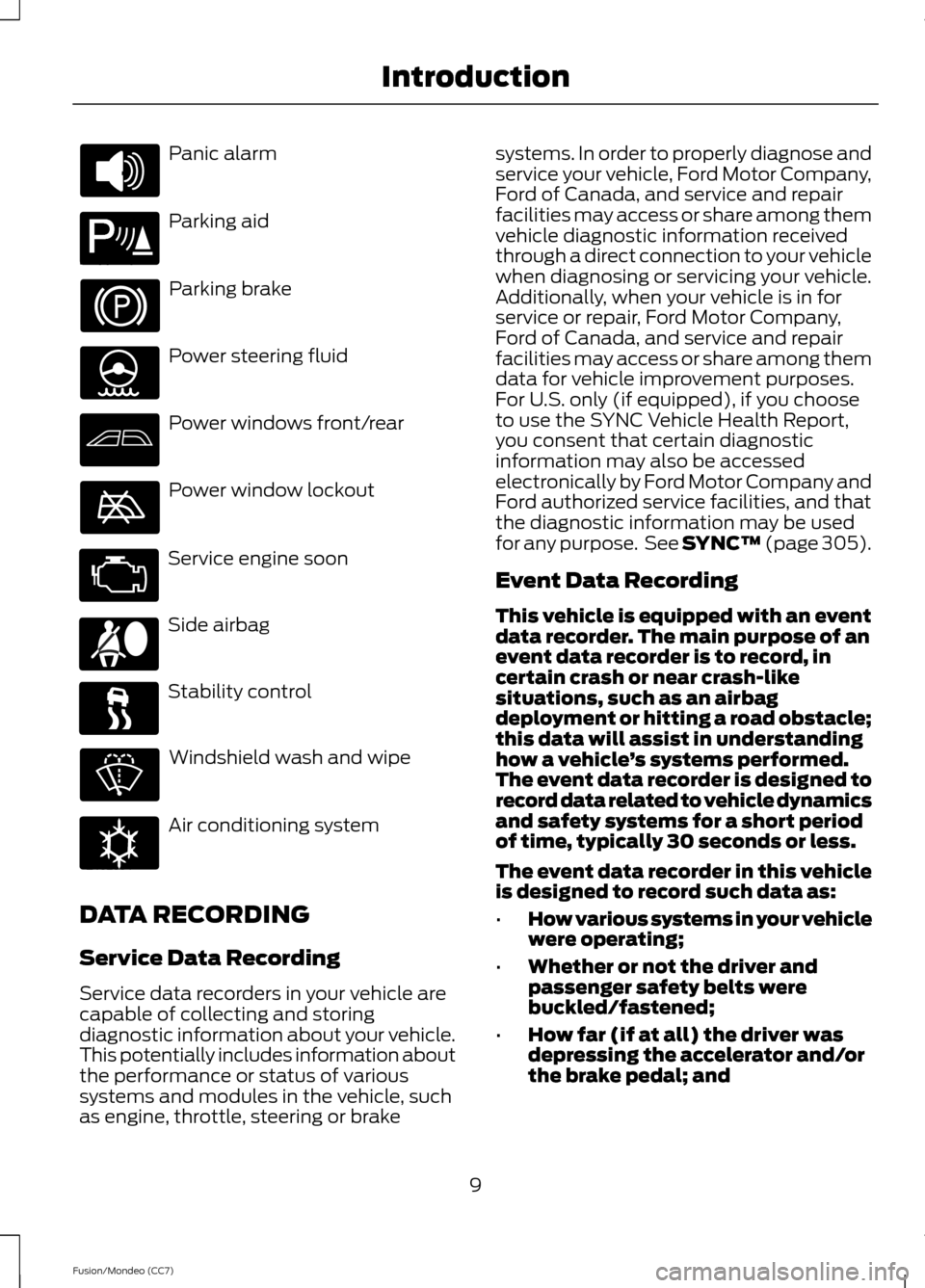
Panic alarm
Parking aid
Parking brake
Power steering fluid
Power windows front/rear
Power window lockout
Service engine soon
Side airbag
Stability control
Windshield wash and wipe
Air conditioning system
DATA RECORDING
Service Data Recording
Service data recorders in your vehicle are
capable of collecting and storing
diagnostic information about your vehicle.
This potentially includes information about
the performance or status of various
systems and modules in the vehicle, such
as engine, throttle, steering or brake systems. In order to properly diagnose and
service your vehicle, Ford Motor Company,
Ford of Canada, and service and repair
facilities may access or share among them
vehicle diagnostic information received
through a direct connection to your vehicle
when diagnosing or servicing your vehicle.
Additionally, when your vehicle is in for
service or repair, Ford Motor Company,
Ford of Canada, and service and repair
facilities may access or share among them
data for vehicle improvement purposes.
For U.S. only (if equipped), if you choose
to use the SYNC Vehicle Health Report,
you consent that certain diagnostic
information may also be accessed
electronically by Ford Motor Company and
Ford authorized service facilities, and that
the diagnostic information may be used
for any purpose. See SYNC™ (page 305).
Event Data Recording
This vehicle is equipped with an event
data recorder. The main purpose of an
event data recorder is to record, in
certain crash or near crash-like
situations, such as an airbag
deployment or hitting a road obstacle;
this data will assist in understanding
how a vehicle
’s systems performed.
The event data recorder is designed to
record data related to vehicle dynamics
and safety systems for a short period
of time, typically 30 seconds or less.
The event data recorder in this vehicle
is designed to record such data as:
• How various systems in your vehicle
were operating;
• Whether or not the driver and
passenger safety belts were
buckled/fastened;
• How far (if at all) the driver was
depressing the accelerator and/or
the brake pedal; and
9
Fusion/Mondeo (CC7) Introduction E139213 E162384
Page 45 of 458
GENERAL INFORMATION ON
RADIO FREQUENCIES
This device complies with Part 15 of the
FCC Rules and with Industry Canada
license-exempt RSS standard(s).
Operation is subject to the following two
conditions: (1) This device may not cause
harmful interference, and (2) This device
must accept any interference received,
including interference that may cause
undesired operation.
Note:
Changes or modifications not
expressively approved by the party
responsible for compliance could void the
user's authority to operate the equipment.
The term IC before the radio certification
number only signifies that Industry Canada
technical specifications were met.
The typical operating range for your
transmitter is approximately 33 feet (10
meters). Vehicles with the remote start
feature will have a greater range. One of
the following could cause a decrease in
operating range:
• weather conditions
• nearby radio towers
• structures around the vehicle
• other vehicles parked next to your
vehicle
The radio frequency used by your remote
control can also be used by other short
distance radio transmissions, for example
amateur radios, medical equipment,
wireless headphones, remote controls and
alarm systems. If the frequencies are
jammed, you will not be able to use your
remote control. You can lock and unlock
the doors with the key.
Note: Make sure to lock your vehicle before
leaving it unattended.
Note: If you are in range, the remote control
will operate if you press any button
unintentionally. Intelligent Access
(If Equipped)
The system uses a radio frequency signal
to communicate with your vehicle and
authorize your vehicle to unlock when one
of the following conditions are met:
• You touch the inside of the front
exterior door handle.
• You press the luggage compartment
button.
• You press a button on the transmitter.
If excessive radio frequency interference
is present in the area or if the transmitter
battery is low, you may need to
mechanically unlock your door. You can
use the mechanical key blade in your
intelligent access key to open the driver
door in this situation. See
Remote
Control (page 42).
REMOTE CONTROL
Integrated Keyhead Transmitters
(If Equipped)
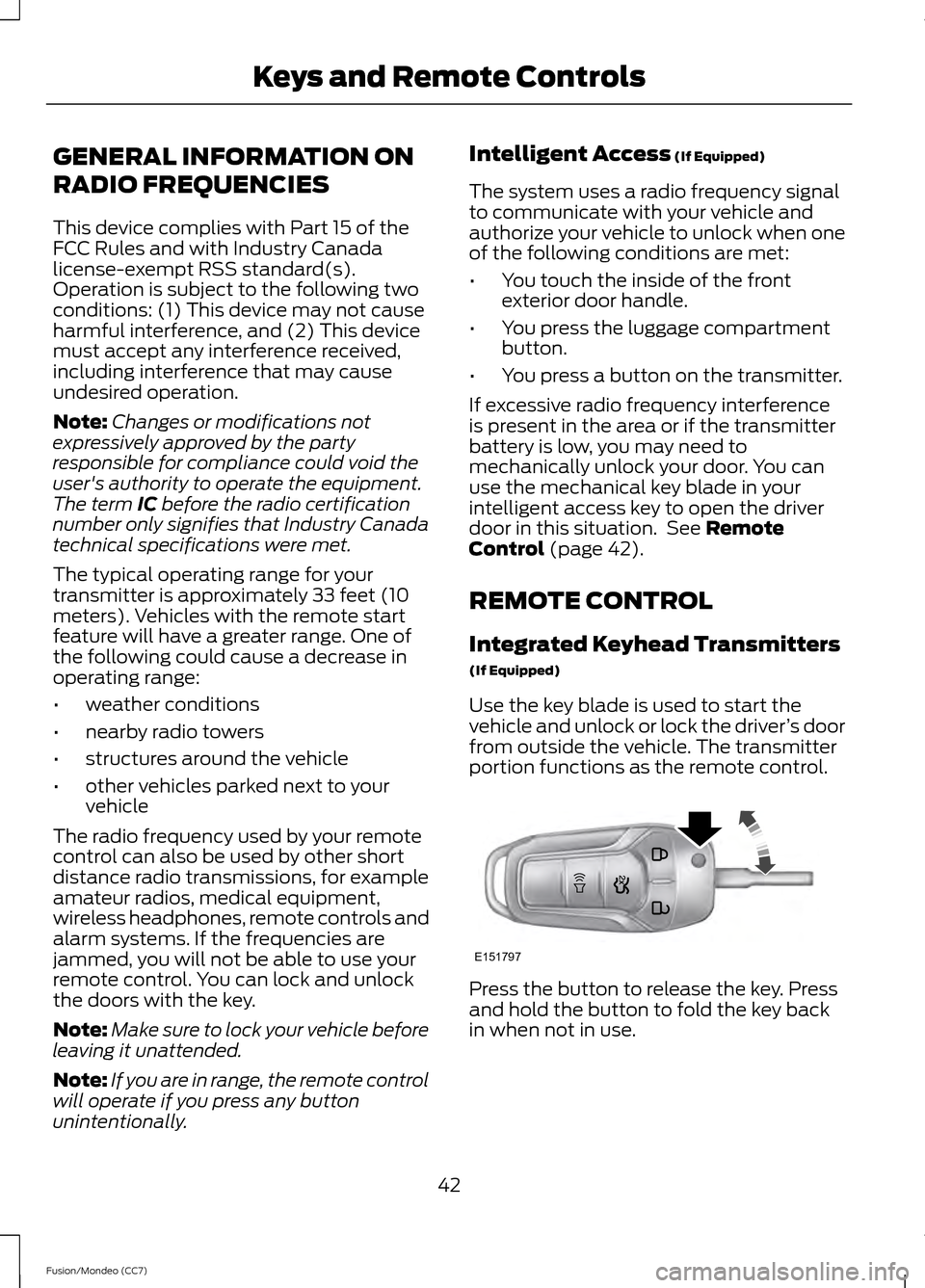
Use the key blade is used to start the
vehicle and unlock or lock the driver ’s door
from outside the vehicle. The transmitter
portion functions as the remote control. Press the button to release the key. Press
and hold the button to fold the key back
in when not in use.
42
Fusion/Mondeo (CC7) Keys and Remote ControlsE151797
Page 49 of 458
5. Reinstall the housing and cover.
Car Finder
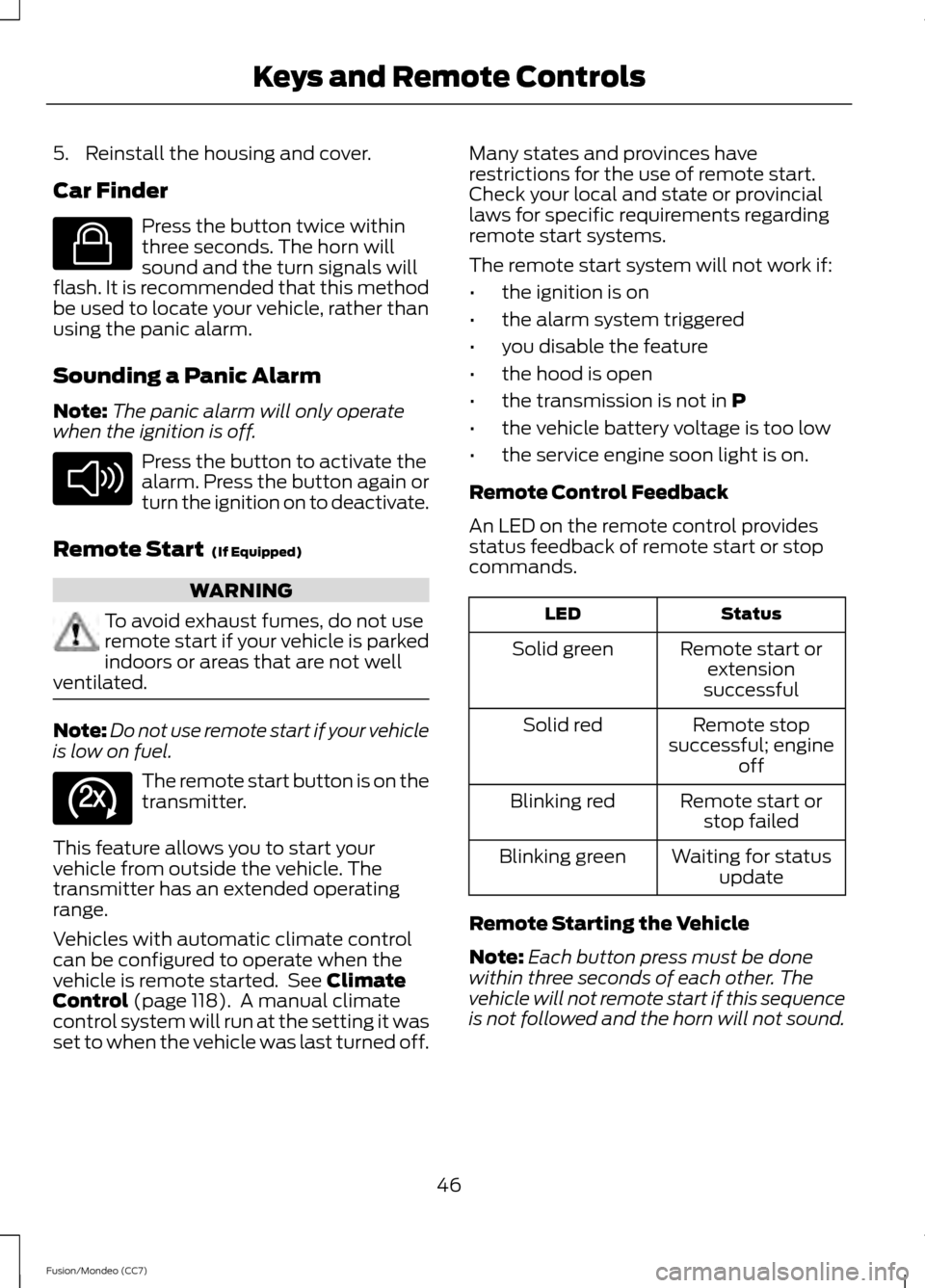
Press the button twice within
three seconds. The horn will
sound and the turn signals will
flash. It is recommended that this method
be used to locate your vehicle, rather than
using the panic alarm.
Sounding a Panic Alarm
Note: The panic alarm will only operate
when the ignition is off. Press the button to activate the
alarm. Press the button again or
turn the ignition on to deactivate.
Remote Start (If Equipped) WARNING
To avoid exhaust fumes, do not use
remote start if your vehicle is parked
indoors or areas that are not well
ventilated. Note:
Do not use remote start if your vehicle
is low on fuel. The remote start button is on the
transmitter.
This feature allows you to start your
vehicle from outside the vehicle. The
transmitter has an extended operating
range.
Vehicles with automatic climate control
can be configured to operate when the
vehicle is remote started. See
Climate
Control (page 118). A manual climate
control system will run at the setting it was
set to when the vehicle was last turned off. Many states and provinces have
restrictions for the use of remote start.
Check your local and state or provincial
laws for specific requirements regarding
remote start systems.
The remote start system will not work if:
•
the ignition is on
• the alarm system triggered
• you disable the feature
• the hood is open
• the transmission is not in
P
• the vehicle battery voltage is too low
• the service engine soon light is on.
Remote Control Feedback
An LED on the remote control provides
status feedback of remote start or stop
commands. Status
LED
Remote start orextension
successful
Solid green
Remote stop
successful; engine off
Solid red
Remote start orstop failed
Blinking red
Waiting for statusupdate
Blinking green
Remote Starting the Vehicle
Note: Each button press must be done
within three seconds of each other. The
vehicle will not remote start if this sequence
is not followed and the horn will not sound.
46
Fusion/Mondeo (CC7) Keys and Remote ControlsE138623 E138624 E138625
Page 56 of 458
Mislock
If any door or the luggage compartment is
open, or if the hood is open on vehicles
with an anti-theft alarm or remote start,
the horn will sound twice and the lamps
will not flash. You can enable or disable
this feature in the information display. See
General Information (page 83).
Opening the Luggage Compartment Press twice within three seconds
to open the luggage
compartment.
Make sure to close and latch the luggage
compartment before driving your vehicle.
An unlatched luggage compartment may
cause objects to fall out or block your view.
Activating Intelligent Access
(If
Equipped)
You must have the intelligent access key
within 3 feet (1 meter) of your vehicle.
At a Door
Pull an exterior door handle to unlock and
open the door. Make sure not to touch the
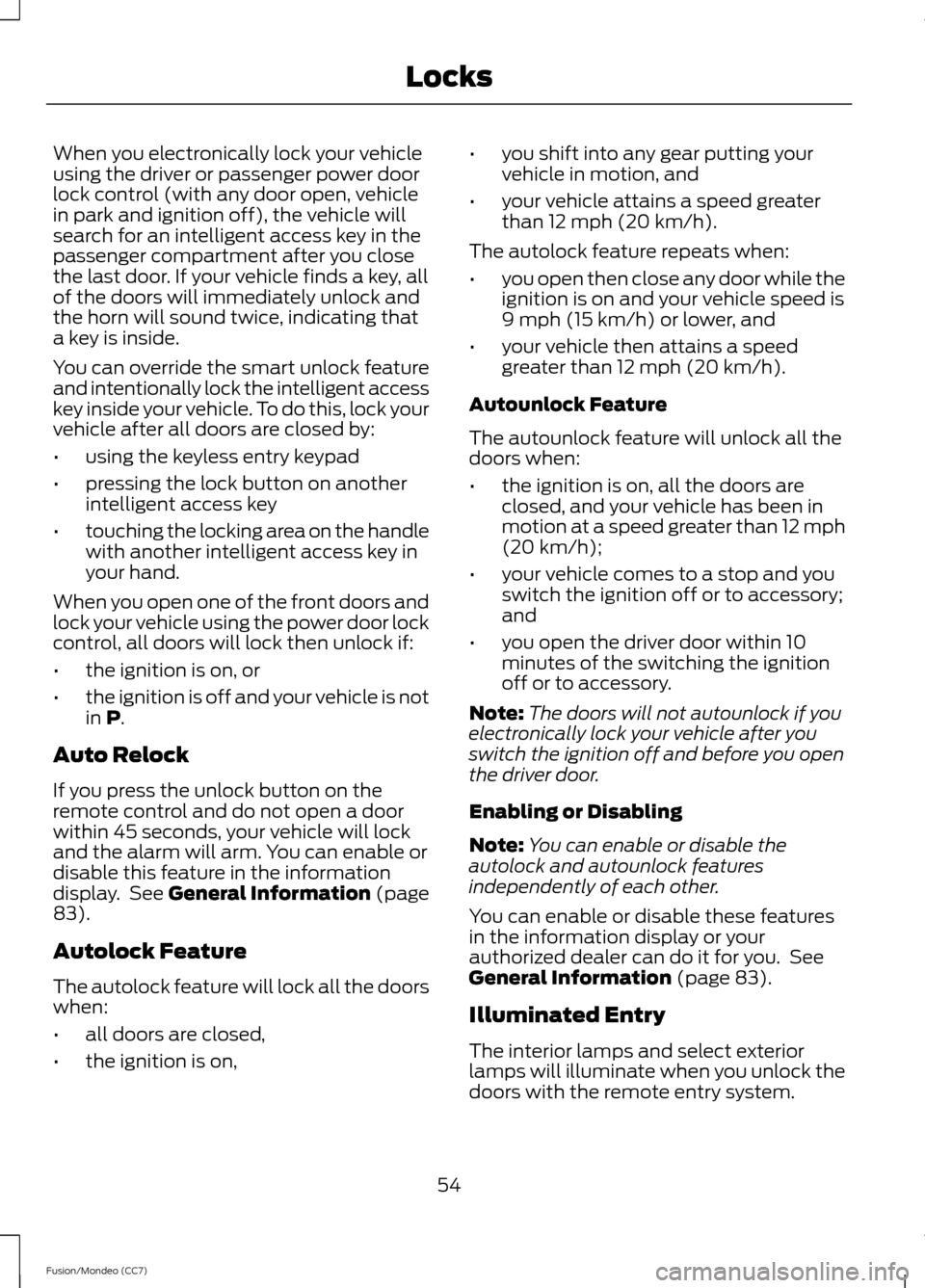
lock sensor on top of the handle. Touch the top of the door handle to lock
your vehicle. At the Luggage Compartment
Press the exterior release button hidden
above the license plate.
Smart Unlocks For Integrated
Keyhead Transmitter
This feature helps to prevent you from
locking yourself out of your vehicle if your
key is still in the ignition.
When you open one of the front doors and
lock the vehicle with the power door lock
control, all the doors will lock then unlock
and the horn will sound twice if your key is
still in the ignition.
Your vehicle can still be locked with the
key in the ignition by using the keyless entry
keypad with the driver door closed, or by
pressing the lock button on the transmitter
even if the doors are not closed.
If both front doors are closed, the vehicle
can be locked by any method, regardless
of whether the key is in the ignition or not.
Smart Unlocks For Intelligent
Access Keys
(If Equipped)
This feature helps to prevent you from
unintentionally locking your intelligent
access key inside your vehicle ’s passenger
compartment or rear cargo area.
53
Fusion/Mondeo (CC7) LocksE138630 E157085 E144402
Page 57 of 458
When you electronically lock your vehicle
using the driver or passenger power door
lock control (with any door open, vehicle
in park and ignition off), the vehicle will
search for an intelligent access key in the
passenger compartment after you close
the last door. If your vehicle finds a key, all
of the doors will immediately unlock and
the horn will sound twice, indicating that
a key is inside.
You can override the smart unlock feature
and intentionally lock the intelligent access
key inside your vehicle. To do this, lock your
vehicle after all doors are closed by:
•
using the keyless entry keypad
• pressing the lock button on another
intelligent access key
• touching the locking area on the handle
with another intelligent access key in
your hand.
When you open one of the front doors and
lock your vehicle using the power door lock
control, all doors will lock then unlock if:
• the ignition is on, or
• the ignition is off and your vehicle is not
in P.
Auto Relock
If you press the unlock button on the
remote control and do not open a door
within 45 seconds, your vehicle will lock
and the alarm will arm. You can enable or
disable this feature in the information
display. See
General Information (page
83).
Autolock Feature
The autolock feature will lock all the doors
when:
• all doors are closed,
• the ignition is on, •
you shift into any gear putting your
vehicle in motion, and
• your vehicle attains a speed greater
than 12 mph (20 km/h).
The autolock feature repeats when:
• you open then close any door while the
ignition is on and your vehicle speed is
9 mph (15 km/h) or lower, and
• your vehicle then attains a speed
greater than 12 mph (20 km/h).
Autounlock Feature
The autounlock feature will unlock all the
doors when:
• the ignition is on, all the doors are
closed, and your vehicle has been in
motion at a speed greater than 12 mph
(20 km/h);
• your vehicle comes to a stop and you
switch the ignition off or to accessory;
and
• you open the driver door within 10
minutes of the switching the ignition
off or to accessory.
Note: The doors will not autounlock if you
electronically lock your vehicle after you
switch the ignition off and before you open
the driver door.
Enabling or Disabling
Note: You can enable or disable the
autolock and autounlock features
independently of each other.
You can enable or disable these features
in the information display or your
authorized dealer can do it for you. See
General Information
(page 83).
Illuminated Entry
The interior lamps and select exterior
lamps will illuminate when you unlock the
doors with the remote entry system.
54
Fusion/Mondeo (CC7) Locks
Page 59 of 458
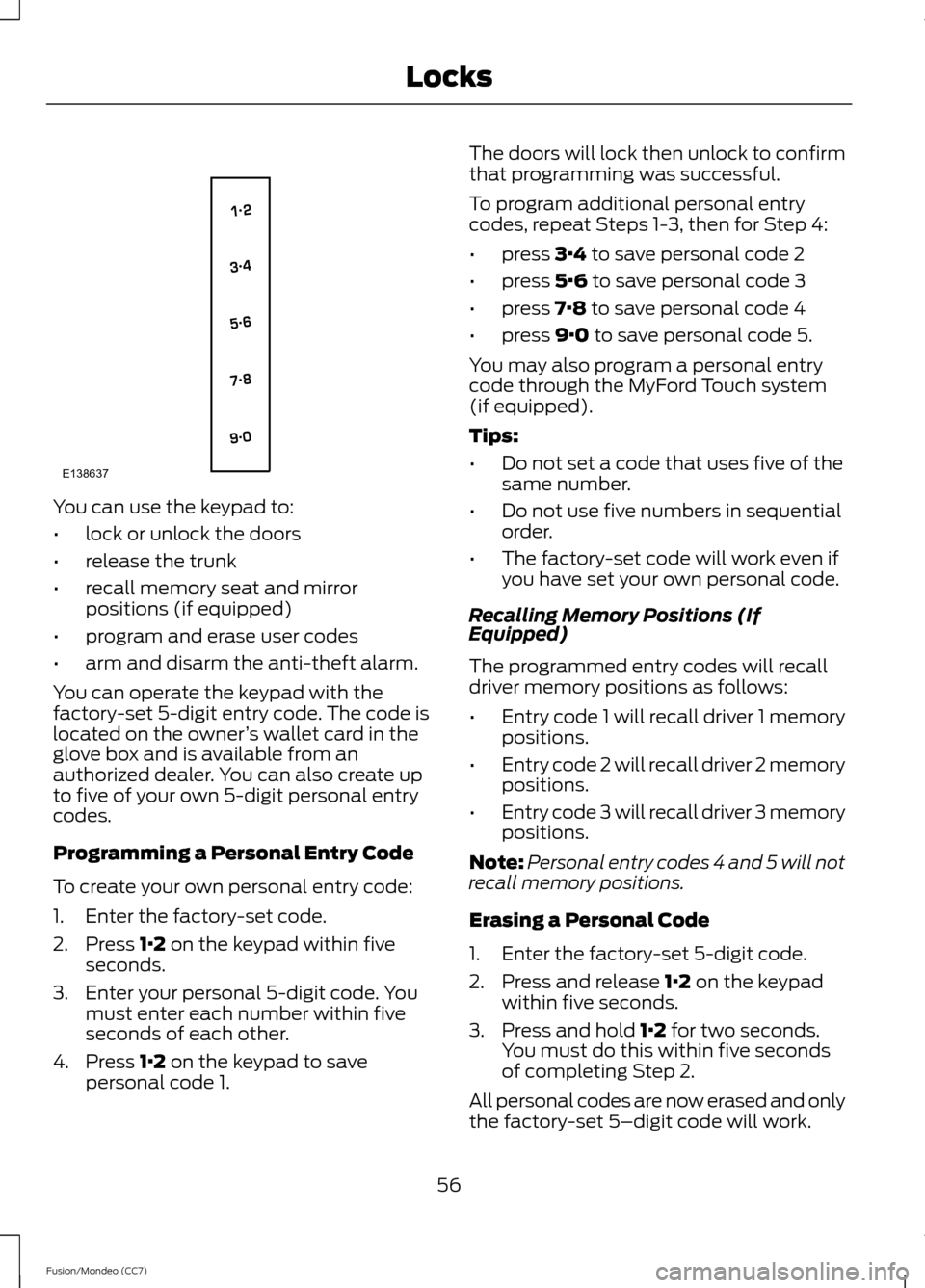
You can use the keypad to:
•
lock or unlock the doors
• release the trunk
• recall memory seat and mirror
positions (if equipped)
• program and erase user codes
• arm and disarm the anti-theft alarm.
You can operate the keypad with the
factory-set 5-digit entry code. The code is
located on the owner ’s wallet card in the
glove box and is available from an
authorized dealer. You can also create up
to five of your own 5-digit personal entry
codes.
Programming a Personal Entry Code
To create your own personal entry code:
1. Enter the factory-set code.
2. Press 1·2 on the keypad within five
seconds.
3. Enter your personal 5-digit code. You must enter each number within five
seconds of each other.
4. Press
1·2 on the keypad to save
personal code 1. The doors will lock then unlock to confirm
that programming was successful.
To program additional personal entry
codes, repeat Steps 1-3, then for Step 4:
•
press
3·4 to save personal code 2
• press
5·6 to save personal code 3
• press
7·8 to save personal code 4
• press
9·0 to save personal code 5.
You may also program a personal entry
code through the MyFord Touch system
(if equipped).
Tips:
• Do not set a code that uses five of the
same number.
• Do not use five numbers in sequential
order.
• The factory-set code will work even if
you have set your own personal code.
Recalling Memory Positions (If
Equipped)
The programmed entry codes will recall
driver memory positions as follows:
• Entry code 1 will recall driver 1 memory
positions.
• Entry code 2 will recall driver 2 memory
positions.
• Entry code 3 will recall driver 3 memory
positions.
Note: Personal entry codes 4 and 5 will not
recall memory positions.
Erasing a Personal Code
1. Enter the factory-set 5-digit code.
2. Press and release
1·2 on the keypad
within five seconds.
3. Press and hold
1·2 for two seconds.
You must do this within five seconds
of completing Step 2.
All personal codes are now erased and only
the factory-set 5–digit code will work.
56
Fusion/Mondeo (CC7) LocksE138637
Page 64 of 458
4. Within 10 seconds, place a second
programmed intelligent access key in
the backup slot and press the
START/STOP button.
5. Wait 5 seconds, then press the START/STOP
button again.
6. Remove the intelligent access key.
7. Wait 5 seconds, then place the unprogrammed intelligent access key
in the backup slot and press the
START/STOP
button.
Programming is now complete. Verify the
remote control functions operate and the
vehicle starts with the new intelligent
access key.
If programming was not successful, wait
10 seconds and repeat Steps 1 through 7.
If you are still unsuccessful, take your
vehicle to your authorized dealer.
ANTI-THEFT ALARM
The system will warn you of an
unauthorized entry to your vehicle. It will
be triggered if any door, the luggage
compartment or the hood is opened
without using the key, remote control or
keyless entry keypad.
The direction indicators will flash and the
horn will sound if unauthorized entry is
attempted while the alarm is armed.
Take all remote controls to an authorized
dealer if there is any potential alarm
problem with your vehicle.
Arming the Alarm
The alarm is ready to arm when there is
not a key in the ignition. Electronically lock
the vehicle to arm the alarm.
Disarming the Alarm
Disarm the alarm by any of the following
actions: •
Unlock the doors or luggage
compartment with the remote control
or keyless entry keypad.
• Switch the ignition on or start the
vehicle.
• Use a key in the driver ’s door to unlock
the vehicle, then switch the ignition on
within 12 seconds.
Note: Pressing the panic button on the
remote control will stop the horn and signal
indicators, but will not disarm the system.
61
Fusion/Mondeo (CC7) Security
Page 96 of 458
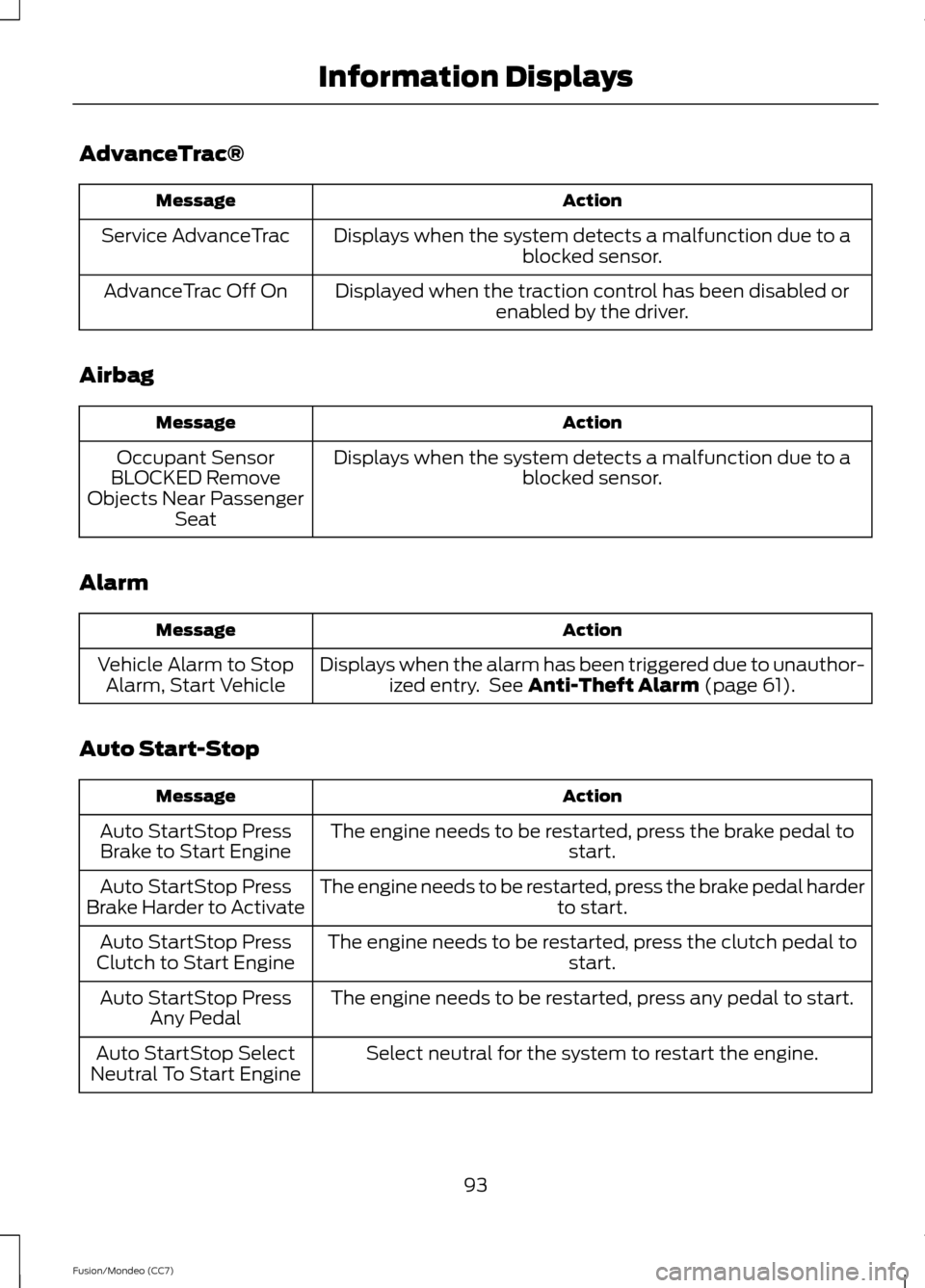
AdvanceTrac®
Action
Message
Displays when the system detects a malfunction due to a blocked sensor.
Service AdvanceTrac
Displayed when the traction control has been disabled orenabled by the driver.
AdvanceTrac Off On
Airbag Action
Message
Displays when the system detects a malfunction due to a blocked sensor.
Occupant Sensor
BLOCKED Remove
Objects Near Passenger Seat
Alarm Action
Message
Displays when the alarm has been triggered due to unauthor-ized entry. See Anti-Theft Alarm (page 61).
Vehicle Alarm to Stop
Alarm, Start Vehicle
Auto Start-Stop Action
Message
The engine needs to be restarted, press the brake pedal to start.
Auto StartStop Press
Brake to Start Engine
The engine needs to be restarted, press the brake pedal harder to start.
Auto StartStop Press
Brake Harder to Activate
The engine needs to be restarted, press the clutch pedal to start.
Auto StartStop Press
Clutch to Start Engine
The engine needs to be restarted, press any pedal to start.
Auto StartStop Press
Any Pedal
Select neutral for the system to restart the engine.
Auto StartStop Select
Neutral To Start Engine
93
Fusion/Mondeo (CC7) Information Displays
Page 180 of 458
PARKING AID (IF EQUIPPED)
WARNINGS
To help avoid personal injury, please
read and understand the limitations
of the system as contained in this
section. Sensing is only an aid for some
(generally large and fixed) objects when
moving in reverse on a flat surface at
parking speeds. Traffic control systems,
inclement weather, air brakes, and external
motors and fans may also affect the
function of the sensing system; this may
include reduced performance or a false
activation. To help avoid personal injury, always
use caution when in R (Reverse) and
when using the sensing system.
This system is not designed to
prevent contact with small or moving
objects. The system is designed to
provide a warning to assist the driver in
detecting large stationary objects to avoid
damaging the vehicle. The system may not
detect smaller objects, particularly those
close to the ground. Certain add-on devices such as large
trailer hitches, bike or surfboard racks
and any device that may block the
normal detection zone of the system, may
create false beeps. Note:
Keep the sensors, located on the
bumper or fascia, free from snow, ice and
large accumulations of dirt. If the sensors
are covered, the system ’s accuracy can be
affected. Do not clean the sensors with
sharp objects.
Note: If your vehicle sustains damage to
the bumper or fascia, leaving it misaligned
or bent, the sensing zone may be altered
causing inaccurate measurement of
obstacles or false alarms. Note:
If your vehicle is equipped with
MyKey®, it is possible to prevent turning the
sensing system off. See
MyKey ™ (page
48).
The sensing system warns the driver of
obstacles within a certain range of the
bumper area. The system turns on
automatically whenever the ignition is
switched on.
When receiving a detection warning, the
radio volume is reduced to a
predetermined level. After the warning
goes away, the radio volume returns to the
previous level.
The system can be switched off through
the information display menu or from the
pop-up message that appears once the
transmission is shifted into R. See General
Information
(page 83).
If a fault is present in the system, a warning
message appears in the information
display and does not allow the driver to
switch the faulted system on. See
Information Messages
(page 91).
Rear Sensing System
The rear sensors are only active when the
transmission is in
R. As the vehicle moves
closer to the obstacle, the rate of the
audible warning increases. When the
obstacle is fewer than 10 inches (25
centimeters) away, the warning sounds
continuously. If a stationary or receding
object is detected farther than 10 inches
(25 centimeters) from the side of the
vehicle, the tone sounds for only three
seconds. Once the system detects an
object approaching, the warning sounds
again.
177
Fusion/Mondeo (CC7) Parking Aids