ESP FORD FUSION (AMERICAS) 2014 2.G Owners Manual
[x] Cancel search | Manufacturer: FORD, Model Year: 2014, Model line: FUSION (AMERICAS), Model: FORD FUSION (AMERICAS) 2014 2.GPages: 458, PDF Size: 27.89 MB
Page 8 of 458
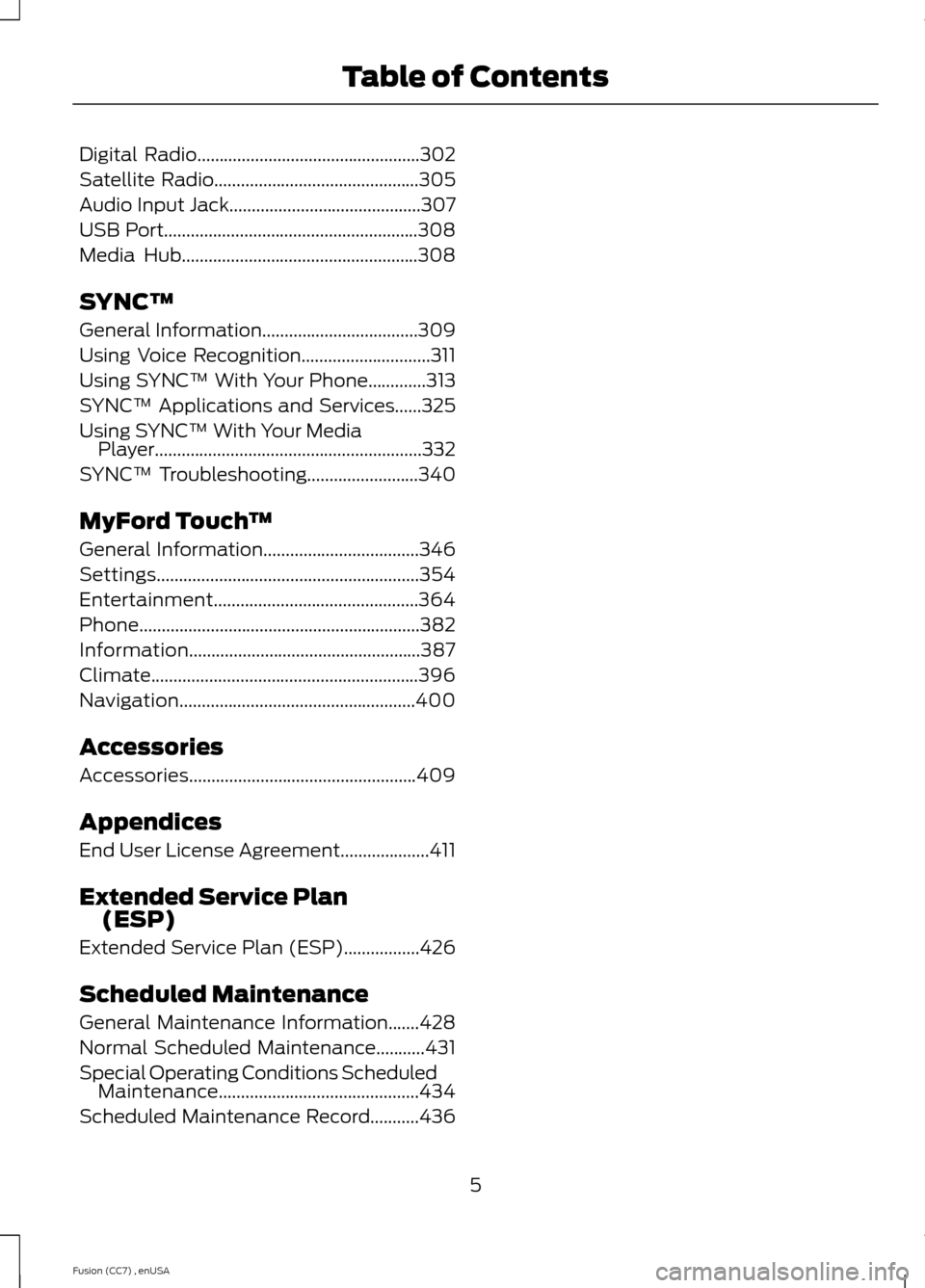
Digital Radio..................................................302
Satellite Radio..............................................305
Audio Input Jack...........................................307
USB Port.........................................................308
Media Hub.....................................................308
SYNC™
General Information...................................309
Using Voice Recognition.............................311
Using SYNC™ With Your Phone.............313
SYNC™ Applications and Services......325
Using SYNC™ With Your MediaPlayer............................................................332
SYNC™ Troubleshooting.........................340
MyFord Touch™
General Information...................................346
Settings...........................................................354
Entertainment..............................................364
Phone...............................................................382
Information....................................................387
Climate............................................................396
Navigation.....................................................400
Accessories
Accessories...................................................409
Appendices
End User License Agreement....................411
Extended Service Plan(ESP)
Extended Service Plan (ESP).................426
Scheduled Maintenance
General Maintenance Information.......428
Normal Scheduled Maintenance...........431
Special Operating Conditions ScheduledMaintenance.............................................434
Scheduled Maintenance Record...........436
5Fusion (CC7) , enUSATable of Contents
Page 10 of 458
ABOUT THIS MANUAL
Thank you for choosing Ford. Werecommend that you take some time toget to know your vehicle by reading thismanual. The more that you know about it,the greater the safety and pleasure youwill get from driving it.
WARNING
Driving while distracted can result inloss of vehicle control, crash andinjury. We strongly recommend thatyou use extreme caution when using anydevice that may take your focus off theroad. Your primary responsibility is the safeoperation of your vehicle. We recommendagainst the use of any handheld devicewhile driving and encourage the use ofvoice-operated systems when possible.Make sure you are aware of all applicablelocal laws that may affect the use ofelectronic devices while driving.
Note:This manual describes productfeatures and options available throughoutthe range of available models, sometimeseven before they are generally available. Itmay describe options not fitted to yourvehicle.
Note:Some of the illustrations in thismanual may be used for different models,so may appear different to you on yourvehicle. However, the essential informationin the illustrations is always correct.
Note:Always use and operate your vehiclein line with all applicable laws andregulations.
Note:Pass on this manual when sellingyour vehicle. It is an integral part of thevehicle.
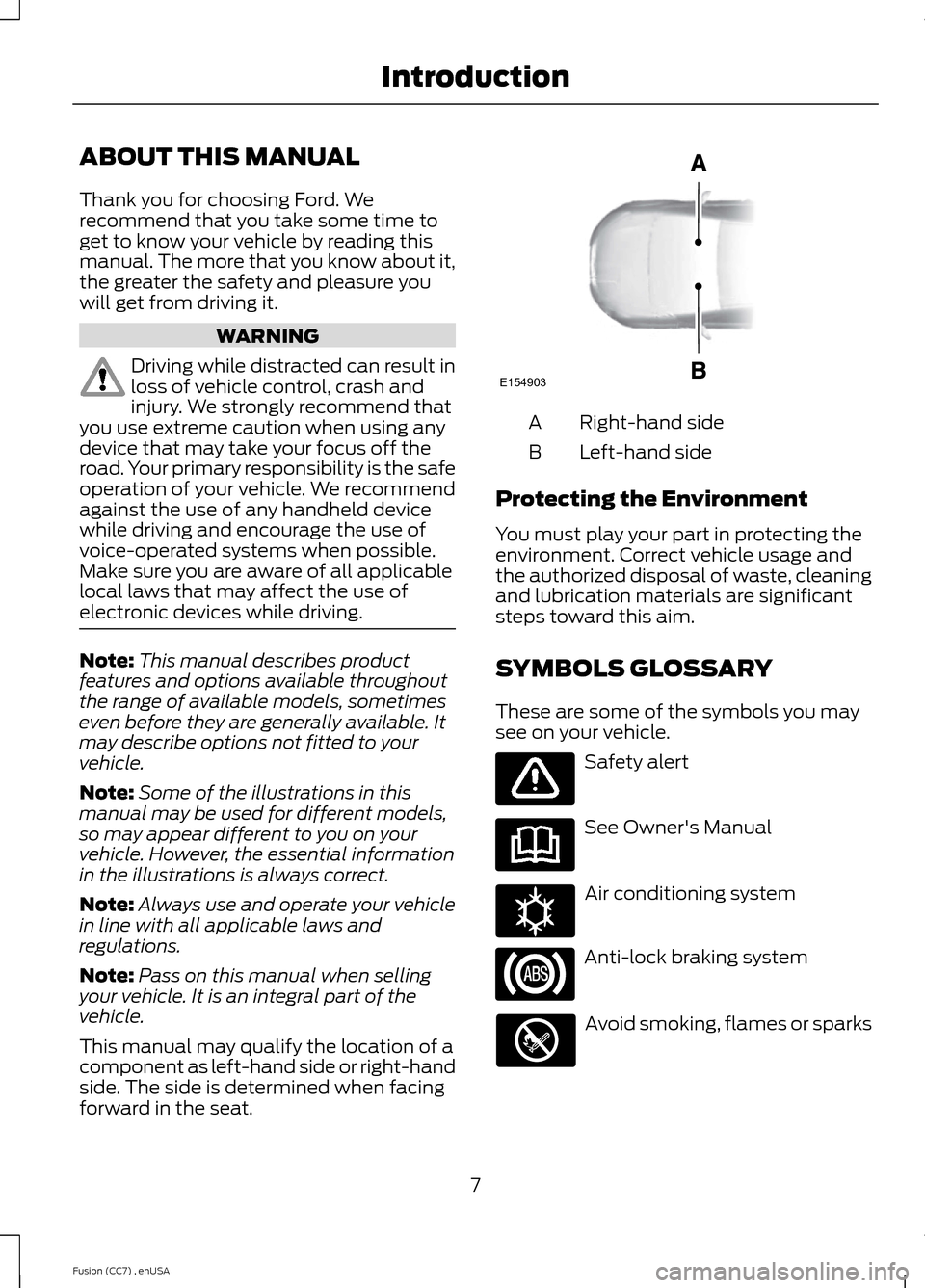
This manual may qualify the location of acomponent as left-hand side or right-handside. The side is determined when facingforward in the seat.
Right-hand sideA
Left-hand sideB
Protecting the Environment
You must play your part in protecting theenvironment. Correct vehicle usage andthe authorized disposal of waste, cleaningand lubrication materials are significantsteps toward this aim.
SYMBOLS GLOSSARY
These are some of the symbols you maysee on your vehicle.
Safety alert
See Owner's Manual
Air conditioning system
Anti-lock braking system
Avoid smoking, flames or sparks
7Fusion (CC7) , enUSAIntroductionE154903 E162384
Page 14 of 458
vendors it uses to provide you with thisinformation do not store your vehicletravel information. For moreinformation, see Traffic, Directions andInformation, Terms and Conditions.See SYNC™ (page 309).
CALIFORNIA PROPOSITION 65
WARNING
Some constituents of engineexhaust, certain vehicle components,certain fluids contained in vehiclesand certain products of component wearcontain or emit chemicals known to theState of California to cause cancer andbirth defects or other reproductive harm.
PERCHLORATE
Certain components in your vehicle suchas airbag modules, safety beltpretensioners and remote control batteriesmay contain perchlorate material. Specialhandling may apply for service or vehicleend of life disposal. For more informationvisit:
Web Address
www.dtsc.ca.gov/hazardouswaste/perchlorate
FORD CREDIT
(U.S. Only)
Ford Credit offers a full range of financingand lease plans to help you acquire yourvehicle. If you have financed or leased yourvehicle through Ford Credit, thank you foryour business.
For your convenience we offer a numberof ways to contact us, as well as helpmanage your account.
Phone: 1-800-727-7000
For more information regarding Ford Credit,as well as access Account Manager, pleasego to www.fordcredit.com.
REPLACEMENT PARTS
RECOMMENDATION
Your vehicle has been built to the higheststandards using quality parts. Werecommend that you demand the use ofgenuine Ford and Motorcraft partswhenever your vehicle requires scheduledmaintenance or repair. You can clearlyidentify genuine Ford and Motorcraft partsby looking for the Ford, FoMoCo orMotorcraft branding on the parts or theirpackaging.
Scheduled Maintenance andMechanical Repairs
One of the best ways for you to make surethat your vehicle provides years of serviceis to have it maintained in line with ourrecommendations using parts thatconform to the specifications detailed inthis Owner’s Manual. Genuine Ford andMotorcraft parts meet or exceed thesespecifications.
Collision Repairs
We hope that you never experience acollision, but accidents do happen. GenuineFord replacement collision parts meet ourstringent requirements for fit, finish,structural integrity, corrosion protectionand dent resistance. During vehicledevelopment we validate these partsdeliver the intended level of protection asa whole system. A great way to know forsure you are getting this level of protectionis to use genuine Ford replacementcollision parts.
11Fusion (CC7) , enUSAIntroduction
Page 15 of 458
Warranty on Replacement Parts
Genuine Ford and Motorcraft replacementparts are the only replacement parts thatbenefit from a Ford Warranty. Damagecaused to your vehicle as a result of thefailure of non-Ford parts may not becovered by the Ford Warranty. Foradditional information, refer to the termsand conditions of the Ford Warranty.
SPECIAL NOTICES
New Vehicle Limited Warranty
For a detailed description of what iscovered and what is not covered by yourvehicle’s New Vehicle Limited Warranty,refer to the Warranty Manual that isprovided to you along with your Owner’sManual.
Special Instructions
For your added safety, your vehicle is fittedwith sophisticated electronic controls.
WARNINGS
Failure to follow the specificwarnings and instructions couldresult in personal injury. SeeSupplementary Restraints System(page 35).
Front seat mounted rear-facing childor infant seats should NEVER beplaced in front of an activepassenger airbag.
MOBILE COMMUNICATIONS
EQUIPMENT
Using mobile communications equipmentis becoming increasingly important in theconduct of business and personal affairs.However, you must not compromise yourown or others’ safety when using suchequipment. Mobile communications can
enhance personal safety and security whenappropriately used, particularly inemergency situations. Safety must beparamount when using mobilecommunications equipment to avoidnegating these benefits. Mobilecommunication equipment includes, butis not limited to, cellular phones, pagers,portable email devices, text messagingdevices and portable two-way radios.
WARNING
Driving while distracted can result inloss of vehicle control, crash andinjury. We strongly recommend thatyou use extreme caution when using anydevice that may take your focus off theroad. Your primary responsibility is the safeoperation of your vehicle. We recommendagainst the use of any hand-held devicewhile driving and encourage the use ofvoice-operated systems when possible.Make sure you are aware of all applicablelocal laws that may affect the use ofelectronic devices while driving.
EXPORT UNIQUE OPTIONS
For your particular global region, yourvehicle may be equipped with features andoptions that are different from the featuresand options that are described in thisOwner’s Manual. A market uniquesupplement may be supplied thatcomplements this book. By referring to themarket unique supplement, if provided,you can properly identify those features,recommendations and specifications thatare unique to your vehicle. This Owner’sManual is written primarily for the U.S. andCanadian Markets. Features or equipmentlisted as standard may be different on unitsbuilt for Export.Refer to this Owner’sManual for all other requiredinformation and warnings.
12Fusion (CC7) , enUSAIntroduction
Page 16 of 458
GENERAL INFORMATION
See the following sections for directionson how to properly use safety restraintsfor children.
WARNINGS
Always make sure your child issecured properly in a device that isappropriate for their height, age andweight. Child safety restraints must bebought separately from your vehicle.Failure to follow these instructions andguidelines may result in an increased riskof serious injury or death to your child.
All children are shaped differently.The recommendations for safetyrestraints are based on probablechild height, age and weight thresholdsfrom National Highway Traffic SafetyAdministration and other safetyorganizations, or are the minimum
WARNINGS
requirements of law. Ford recommendschecking with a NHTSA Certified ChildPassenger Safety Technician (CPST) andconsult your pediatrician to make sure yourchild seat is appropriate for your child, andis compatible with and properly installedin your vehicle. To locate a child seat fittingstation and CPST, contact the NHTSA tollfree at 1-888-327-4236 or go tohttp://www.nhtsa.dot.gov. In Canada,check with your local St. John Ambulanceoffice for referral to a CPST or for furtherinformation, contact your provincialministry of transportation, locate your localSt. John Ambulance office by searching forSt. John Ambulance on the internet, orTransport Canada at 1-800-333-0371(http://www.tc.gc.ca). Failure to properlyrestrain children in safety seats madeespecially for their height, age, and weightmay result in an increased risk of seriousinjury or death to your child.
13Fusion (CC7) , enUSAChild Safety
Page 30 of 458
Pregnant women should always wear theirsafety belt. The lap belt portion of acombination lap and shoulder belt shouldbe positioned low across the hips belowthe belly and worn as tight as comfort willallow. The shoulder belt should bepositioned to cross the middle of theshoulder and the center of the chest.
Safety Belt Locking Modes
WARNINGS
After any vehicle crash, the safetybelt system at all passenger seatingpositions must be checked by anauthorized dealer to verify that theautomatic locking retractor feature forchild seats is still functioning properly. Inaddition, all safety belts should be checkedfor proper function.
Belt and retractor assembly must bereplaced if the safety belt assemblyautomatic locking retractor featureor any other safety belt function is notoperating properly when checked by anauthorized dealer. Failure to replace thebelt and retractor assembly could increasethe risk of injury in crashes.
All safety restraints in the vehicle arecombination lap and shoulder belts. Thedriver safety belt has the vehicle sensitivelocking mode. The front outboardpassenger and rear seat safety belts haveboth the vehicle sensitive locking modeand the automatic locking mode.
Vehicle Sensitive Mode
This is the normal retractor mode, whichallows free shoulder belt lengthadjustment to your movements andlocking in response to vehicle movement.For example, if the driver brakes suddenlyor turns a corner sharply, or the vehiclereceives an impact of approximately 5 mph(8 km/h) or more, the combination safetybelts will lock to help reduce forwardmovement of the driver and passengers.
In addition, the retractor is designed to lockif the webbing is pulled out too quickly. Ifthis occurs, let the belt retract slightly andpull webbing out again in a slow andcontrolled manner.
Automatic Locking Mode
In this mode, the shoulder belt isautomatically pre-locked. The belt will stillretract to remove any slack in the shoulderbelt. The automatic locking mode is notavailable on the driver safety belt.
When to Use the Automatic LockingMode
This mode should be used any time a childsafety seat, except a booster, is installedin passenger front or rear seating positions.Children 12 years old and under should beproperly restrained in a rear seatingposition whenever possible. See ChildSafety (page 13).
How to Use the Automatic LockingMode
Non-inflatable safety belts
27Fusion (CC7) , enUSASafety Belts
Page 43 of 458
WARNINGS
If the side airbag has deployed, theairbag will not function again. Theside airbag system (including theseat) must be inspected and serviced byan authorized dealer. If the airbag is notreplaced, the unrepaired area will increasethe risk of injury in a crash.
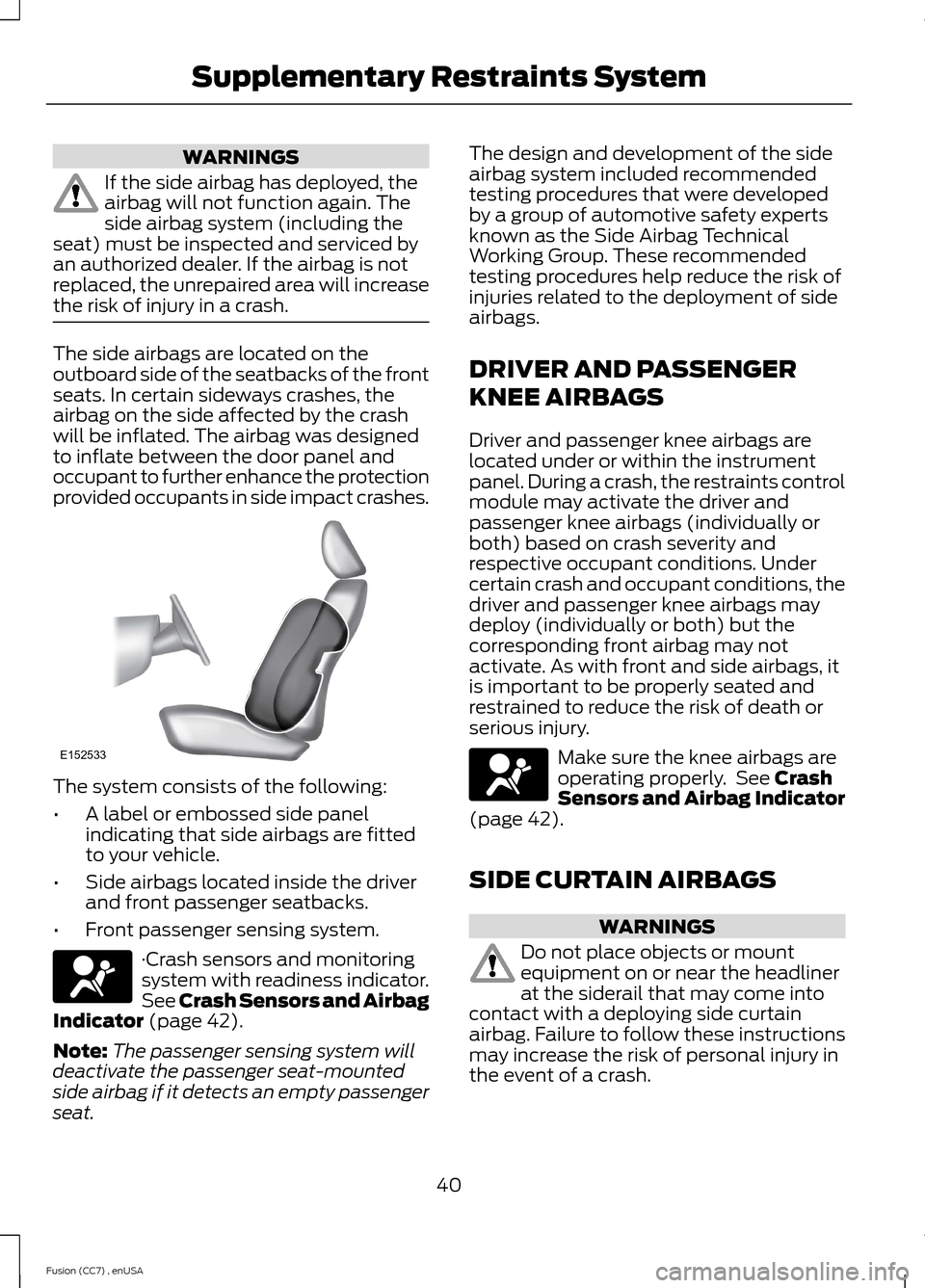
The side airbags are located on theoutboard side of the seatbacks of the frontseats. In certain sideways crashes, theairbag on the side affected by the crashwill be inflated. The airbag was designedto inflate between the door panel andoccupant to further enhance the protectionprovided occupants in side impact crashes.
The system consists of the following:
•A label or embossed side panelindicating that side airbags are fittedto your vehicle.
•Side airbags located inside the driverand front passenger seatbacks.
•Front passenger sensing system.
·Crash sensors and monitoringsystem with readiness indicator.See Crash Sensors and AirbagIndicator (page 42).
Note:The passenger sensing system willdeactivate the passenger seat-mountedside airbag if it detects an empty passengerseat.
The design and development of the sideairbag system included recommendedtesting procedures that were developedby a group of automotive safety expertsknown as the Side Airbag TechnicalWorking Group. These recommendedtesting procedures help reduce the risk ofinjuries related to the deployment of sideairbags.
DRIVER AND PASSENGER
KNEE AIRBAGS
Driver and passenger knee airbags arelocated under or within the instrumentpanel. During a crash, the restraints controlmodule may activate the driver andpassenger knee airbags (individually orboth) based on crash severity andrespective occupant conditions. Undercertain crash and occupant conditions, thedriver and passenger knee airbags maydeploy (individually or both) but thecorresponding front airbag may notactivate. As with front and side airbags, itis important to be properly seated andrestrained to reduce the risk of death orserious injury.
Make sure the knee airbags areoperating properly. See CrashSensors and Airbag Indicator(page 42).
SIDE CURTAIN AIRBAGS
WARNINGS
Do not place objects or mountequipment on or near the headlinerat the siderail that may come intocontact with a deploying side curtainairbag. Failure to follow these instructionsmay increase the risk of personal injury inthe event of a crash.
40Fusion (CC7) , enUSASupplementary Restraints SystemE152533
Page 47 of 458
GENERAL INFORMATION ON
RADIO FREQUENCIES
This device complies with Part 15 of theFCC Rules and with Industry Canadalicense-exempt RSS standard(s).Operation is subject to the following twoconditions: (1) This device may not causeharmful interference, and (2) This devicemust accept any interference received,including interference that may causeundesired operation.
Note:Changes or modifications notexpressively approved by the partyresponsible for compliance could void theuser's authority to operate the equipment.The term IC before the radio certificationnumber only signifies that Industry Canadatechnical specifications were met.
The typical operating range for yourtransmitter is approximately 33 feet (10meters). Vehicles with the remote startfeature will have a greater range. One ofthe following could cause a decrease inoperating range:
•weather conditions
•nearby radio towers
•structures around the vehicle
•other vehicles parked next to yourvehicle
The radio frequency used by your remotecontrol can also be used by other shortdistance radio transmissions, for exampleamateur radios, medical equipment,wireless headphones, remote controls andalarm systems. If the frequencies arejammed, you will not be able to use yourremote control. You can lock and unlockthe doors with the key.
Note:Make sure to lock your vehicle beforeleaving it unattended.
Note:If you are in range, the remote controlwill operate if you press any buttonunintentionally.
Intelligent Access (If Equipped)
The system uses a radio frequency signalto communicate with your vehicle andauthorize your vehicle to unlock when oneof the following conditions are met:
•You touch the inside of the frontexterior door handle.
•You press the luggage compartmentbutton.
•You press a button on the transmitter.
If excessive radio frequency interferenceis present in the area or if the transmitterbattery is low, you may need tomechanically unlock your door. You canuse the mechanical key blade in yourintelligent access key to open the driverdoor in this situation. See RemoteControl (page 44).
REMOTE CONTROL
Integrated Keyhead Transmitters
(If Equipped)
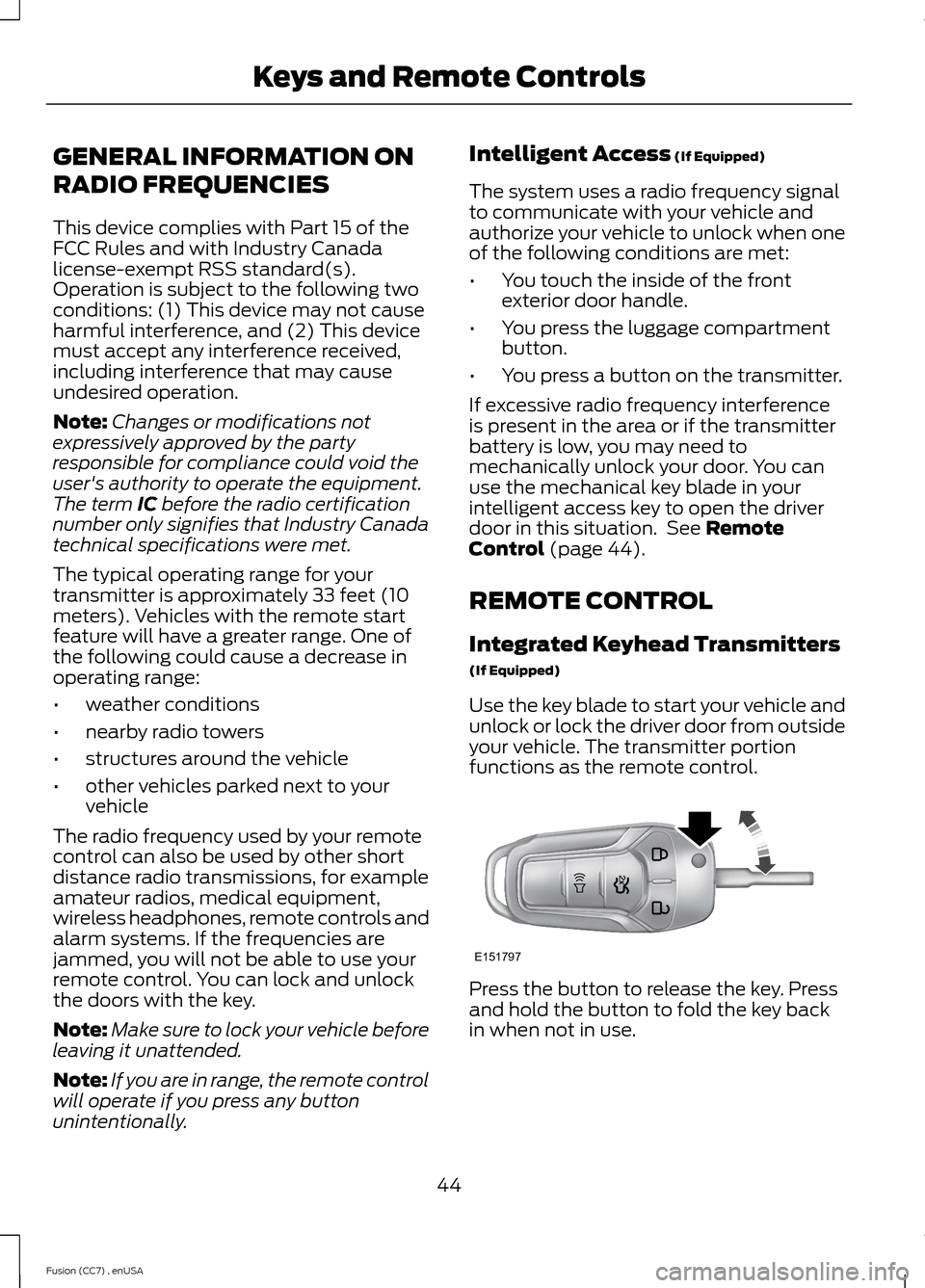
Use the key blade to start your vehicle andunlock or lock the driver door from outsideyour vehicle. The transmitter portionfunctions as the remote control.
Press the button to release the key. Pressand hold the button to fold the key backin when not in use.
44Fusion (CC7) , enUSAKeys and Remote ControlsE151797
Page 53 of 458
PRINCIPLE OF OPERATION
MyKey allows you to program keys withrestricted driving modes to promote gooddriving habits. All but one of the keysprogrammed to the vehicle can beactivated with these restricted modes.
Any keys that have not been programmedare referred to as administrator keys oradmin keys. These can be used to:
•create a MyKey
•program configurable MyKey settings
•clear all MyKey features.
When you have programmed a MyKey, youcan access the following information usingthe information display:
•How many admin keys and MyKeys areprogrammed to your vehicle.
•The total distance your vehicle hastraveled using a MyKey.
Note:All MyKeys are programmed to thesame settings. You cannot program themindividually.
Note:For vehicles with intelligent accesswith push-button start, when both a MyKeyand an admin intelligent access key fob arepresent, the admin fob will be recognizedby the vehicle while switching the ignitionon to start the vehicle.
Non-configurable Settings
The following settings cannot be changedby an admin key user:
•Belt-Minder. You cannot disable thisfeature. The audio system will mutewhen the front seat occupants’ safetybelts are not fastened.
•Early low fuel. The low-fuel warningactivates earlier, giving the MyKey usermore time to refuel.
•Driver assist features, if equipped onyour vehicle, are forced on: parking aid,blind spot information system (BLIS)with cross traffic alert, lane departurewarning and forward collision warningsystem.
Configurable Settings
With an admin key, you can configurecertain MyKey settings when you firstcreate a MyKey and before you recycle thekey or restart the vehicle. You can alsochange the settings afterward with anadmin key.
•A vehicle speed limit can be set.Warnings will be shown in the displayfollowed by an audible tone when yourvehicle reaches the set speed. Youcannot override the set speed by fullydepressing the accelerator pedal or bysetting cruise control.
•Vehicle speed minders of 45, 55 or 65mph (75, 90 or 105 km/h). Once youselect a speed, it will be shown in thedisplay, followed by an audible tonewhen the preselected vehicle speed isexceeded.
•Audio system maximum volume of45%. A message will be shown in thedisplay when you attempt to exceedthe limited volume. Also, thespeed-sensitive or compensatedautomatic volume control will bedisabled.
•Always on setting. When this isselected, you will not be able to turnoff Advance Trac (if your vehicle isequipped with this feature).
50Fusion (CC7) , enUSAMyKey™
Page 57 of 458
LOCKING AND UNLOCKING
You can use the power door lock controlor the remote control to lock and unlockthe vehicle.
Power Door Locks
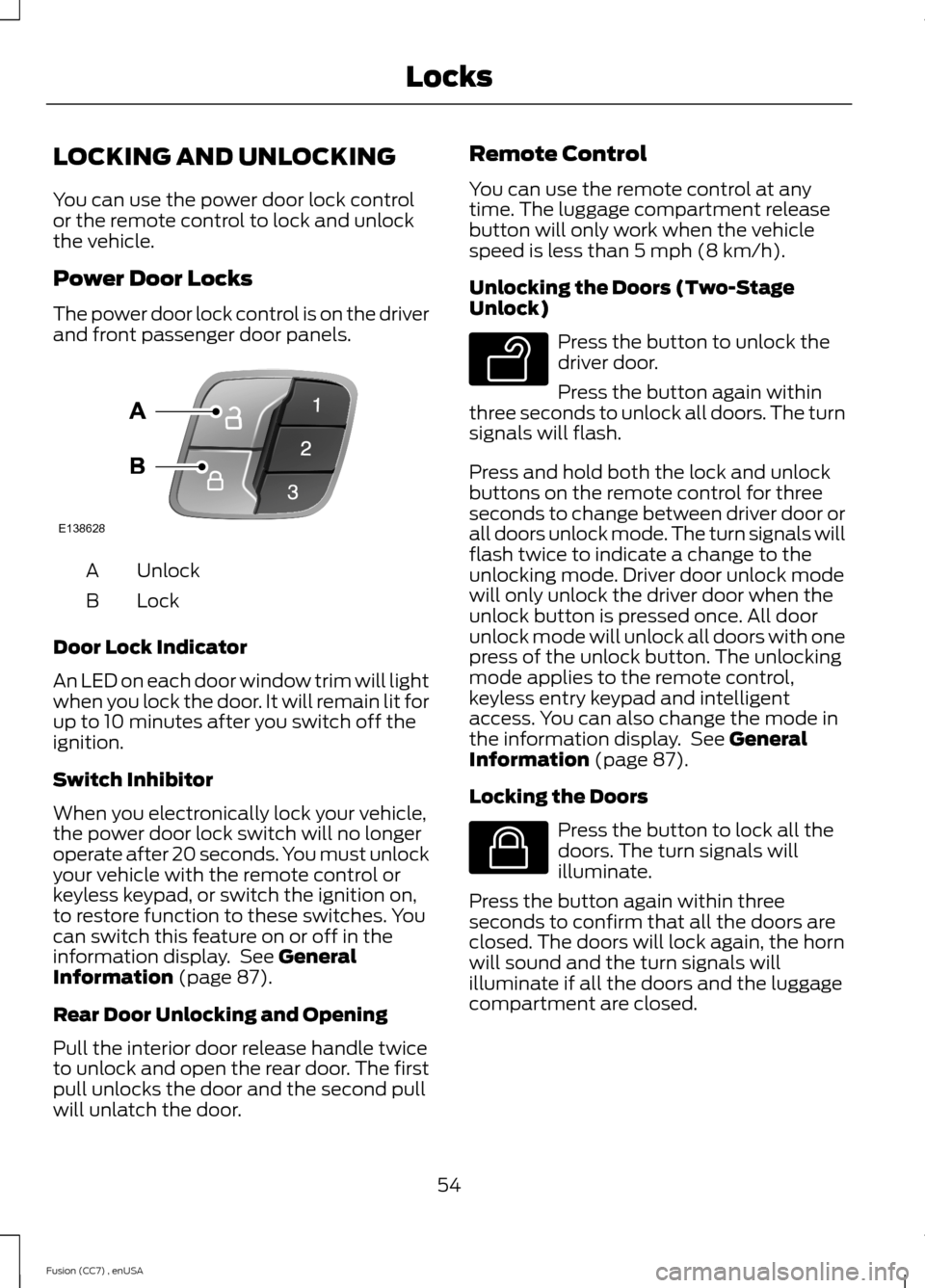
The power door lock control is on the driverand front passenger door panels.
UnlockA
LockB
Door Lock Indicator
An LED on each door window trim will lightwhen you lock the door. It will remain lit forup to 10 minutes after you switch off theignition.
Switch Inhibitor
When you electronically lock your vehicle,the power door lock switch will no longeroperate after 20 seconds. You must unlockyour vehicle with the remote control orkeyless keypad, or switch the ignition on,to restore function to these switches. Youcan switch this feature on or off in theinformation display. See GeneralInformation (page 87).
Rear Door Unlocking and Opening
Pull the interior door release handle twiceto unlock and open the rear door. The firstpull unlocks the door and the second pullwill unlatch the door.
Remote Control
You can use the remote control at anytime. The luggage compartment releasebutton will only work when the vehiclespeed is less than 5 mph (8 km/h).
Unlocking the Doors (Two-StageUnlock)
Press the button to unlock thedriver door.
Press the button again withinthree seconds to unlock all doors. The turnsignals will flash.
Press and hold both the lock and unlockbuttons on the remote control for threeseconds to change between driver door orall doors unlock mode. The turn signals willflash twice to indicate a change to theunlocking mode. Driver door unlock modewill only unlock the driver door when theunlock button is pressed once. All doorunlock mode will unlock all doors with onepress of the unlock button. The unlockingmode applies to the remote control,keyless entry keypad and intelligentaccess. You can also change the mode inthe information display. See GeneralInformation (page 87).
Locking the Doors
Press the button to lock all thedoors. The turn signals willilluminate.
Press the button again within threeseconds to confirm that all the doors areclosed. The doors will lock again, the hornwill sound and the turn signals willilluminate if all the doors and the luggagecompartment are closed.
54Fusion (CC7) , enUSALocksE138628 E138629 E138623