ESP FORD FUSION ENERGI 2017 User Guide
[x] Cancel search | Manufacturer: FORD, Model Year: 2017, Model line: FUSION ENERGI, Model: FORD FUSION ENERGI 2017Pages: 526, PDF Size: 7.89 MB
Page 58 of 526
Note:Not every feature applies to everyvehicle in every market. When they areavailable for your vehicle, then they appearin your information display, providingchoices to switch them on or off, or to selecta more specific setting.
•Various vehicle speed limits so theMyKey driver cannot exceed certainspeeds. The information display showswarnings followed by an audible tonewhen the MyKey driver reaches the setspeed. You cannot override the setspeed by fully depressing theaccelerator pedal.
WARNING
Do not set MyKey maximum speedlimit to a limit that will prevent thedriver from maintaining a safe speedconsidering posted speed limits andprevailing road conditions. The driver isalways responsible to drive in accordancewith local laws and prevailing conditions.Failure to do so could result in accident orinjury.
•Various vehicle speed reminders soMyKey drivers know when their vehiclespeed approaches the limits. Warningsappear in your information display anda tone sounds when the MyKey driversexceed the set vehicle speed.
•The audio system's maximum volumelimits to 45% so MyKey drivers canconcentrate on the road. A messageappears in the information displaywhen MyKey drivers attempt to exceedthe limited volume. MyKey alsodisables the automatic volume control.Note: If your vehicle includes anAM/FM radio or a very basic audiosystem, then the radio may not limit.
•Always on setting. This setting forcescertain features to remain on andactive for MyKey drivers. For example,E911 or emergency assistance and thedo not disturb features stay on even ifa MyKey driver uses the feature'scontrol to switch it off.
CREATING A MYKEY
Use the information display to create aMyKey.
1. Switch the ignition on using the key orthe transmitter you want to program.
2. Access the main menu in theinformation display and then scrollthrough the menus to beginprogramming your MyKey. SeeInformation Displays (page 94).
3. Follow the instructions in the display.
4.A confirmation message appears in thedisplay after you finish programmingyour MyKey. The programmedrestrictions apply when you restart yourvehicle with the programmed key ortransmitter.
Note:Make sure you label the programmedMyKey so you can distinguish it from theadmin keys.
55
Fusion Energi / Fusion Hybrid (CC7) Hybrid Electric Vehicle (HEV)/Plug-In Hybrid Electric Vehicle (PHEV), Canada/United States of America, enUSA, Edition date: 201602, Second Printing
MyKey™
Page 68 of 526
PASSIVE ANTI-THEFT
SYSTEM
Note: The system is not compatible withnon-Ford aftermarket remote start systems.Use of these systems may result in enginestarting problems and a loss of securityprotection.
Note: Metallic objects, electronic devicesor a second coded key on the same keychain may result in vehicle startingproblems, especially if they are too close tothe key when starting your vehicle. Preventthese objects from touching the coded keywhen starting your vehicle. Switch theignition off, move all objects on the keychain away from the coded key and restartyour vehicle if a problem occurs.
Note: Do not leave a duplicate coded keyin your vehicle. Always take your keys andlock all doors when leaving your vehicle.
SecuriLock®
The system helps prevent the engine fromstarting unless you use a coded keyprogrammed to your vehicle. Using thewrong key may prevent your vehicle fromstarting. A message may appear in theinformation display.
If you are unable to start your vehicle witha coded key, it is not operating correctly.A message may appear in the informationdisplay.
Automatic Arming
The system arms when you switch theignition off.
Automatic Disarming
The system disarms when you switch theignition on with a coded key.
Replacement Keys
Note: Your vehicle comes with two keys.
The intelligent access key functions as aprogrammed key that operates the driverdoor lock and turns on the intelligentaccess with push button start system, aswell as a remote control.
If your programmed transmitters are lostor stolen and you do not have an extracoded key, you will need to have yourvehicle towed to an authorized dealer. Youneed to erase the key codes from yourvehicle and program new coded keys.
Store a spare intelligent access key awayfrom your vehicle in a safe place. You canpurchase replacement keys or remotecontrols from an authorized dealer.
Programming a Spare IntelligentAccess Key
Note:You can program a maximum of fourkeys to your vehicle.
You must have two previouslyprogrammed intelligent access keys insideyour vehicle and the new unprogrammedintelligent access key readily accessible.You can purchase replacement keys orremote controls from an authorized dealer.
Make sure that the ignition is switched offbefore beginning this procedure. Make surethat you close all the doors beforebeginning and that they remain closedthroughout the procedure. Carry out allsteps within 30 seconds of starting thesequence. Stop and wait for at least oneminute before starting again if you carryout any steps out of sequence.
Read and understand the entire procedurebefore you begin.
1. Remove the key blade from thetransmitter.
65
Fusion Energi / Fusion Hybrid (CC7) Hybrid Electric Vehicle (HEV)/Plug-In Hybrid Electric Vehicle (PHEV), Canada/United States of America, enUSA, Edition date: 201602, Second Printing
Security
Page 71 of 526
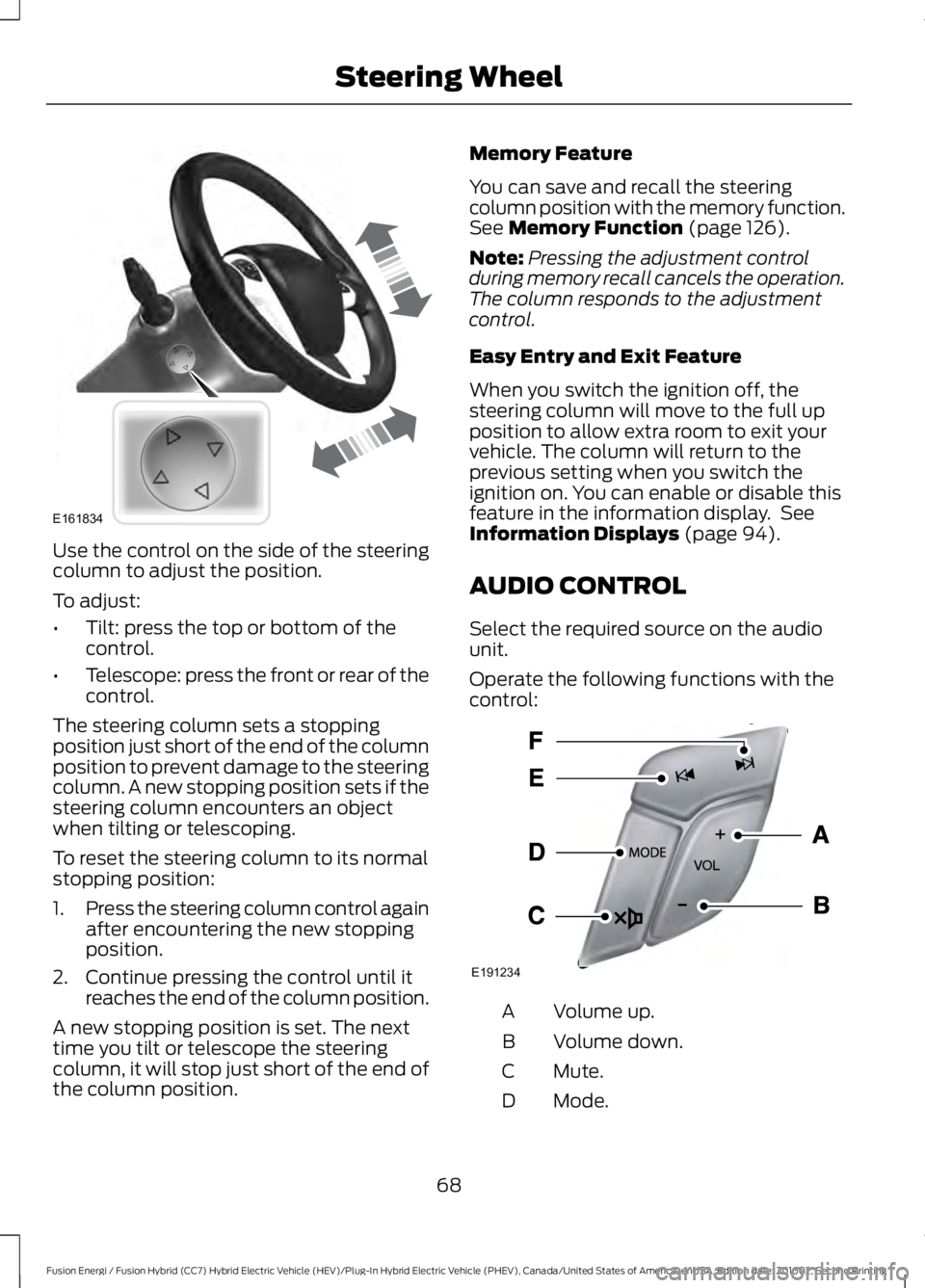
Use the control on the side of the steeringcolumn to adjust the position.
To adjust:
•Tilt: press the top or bottom of thecontrol.
•Telescope: press the front or rear of thecontrol.
The steering column sets a stoppingposition just short of the end of the columnposition to prevent damage to the steeringcolumn. A new stopping position sets if thesteering column encounters an objectwhen tilting or telescoping.
To reset the steering column to its normalstopping position:
1.Press the steering column control againafter encountering the new stoppingposition.
2. Continue pressing the control until itreaches the end of the column position.
A new stopping position is set. The nexttime you tilt or telescope the steeringcolumn, it will stop just short of the end ofthe column position.
Memory Feature
You can save and recall the steeringcolumn position with the memory function.See Memory Function (page 126).
Note:Pressing the adjustment controlduring memory recall cancels the operation.The column responds to the adjustmentcontrol.
Easy Entry and Exit Feature
When you switch the ignition off, thesteering column will move to the full upposition to allow extra room to exit yourvehicle. The column will return to theprevious setting when you switch theignition on. You can enable or disable thisfeature in the information display. SeeInformation Displays (page 94).
AUDIO CONTROL
Select the required source on the audiounit.
Operate the following functions with thecontrol:
Volume up.A
Volume down.B
Mute.C
Mode.D
68
Fusion Energi / Fusion Hybrid (CC7) Hybrid Electric Vehicle (HEV)/Plug-In Hybrid Electric Vehicle (PHEV), Canada/United States of America, enUSA, Edition date: 201602, Second Printing
Steering WheelE161834 E191234
Page 80 of 526
Note:Typical road dust, dirt and waterspots will not affect the performance of theautomatic high beam system. However, incold or inclement weather conditions, youwill notice a decrease in the availability ofthe high beam system, especially at startup. If you want to change the beam stateindependently of the system, you mayswitch the high beams on or off using themultifunction switch. Automatic control willresume when conditions are correct.
Note:Modification of the vehicle ride heightsuch as using much larger tires, maydegrade feature performance.
A camera sensor, centrally mountedbehind the windshield of your vehicle,continuously monitors conditions to decidewhen to switch the high beams off and on.
Once the system is active, the high beamswill switch on if:
•the ambient light level is low enough
•there is no traffic in front of the vehicle
•the vehicle speed is greater thanapproximately 32 mph (52 km/h).
The high beams will switch off if:
•the system detects the headlamps ofan approaching vehicle or the taillamps of a preceding vehicle.
•vehicle speed falls belowapproximately 27 mph (44 km/h)
•the ambient light level is high enoughthat high beams are not required
•the system detects severe rain, snowor fog
•the camera is blocked.
Activating the System
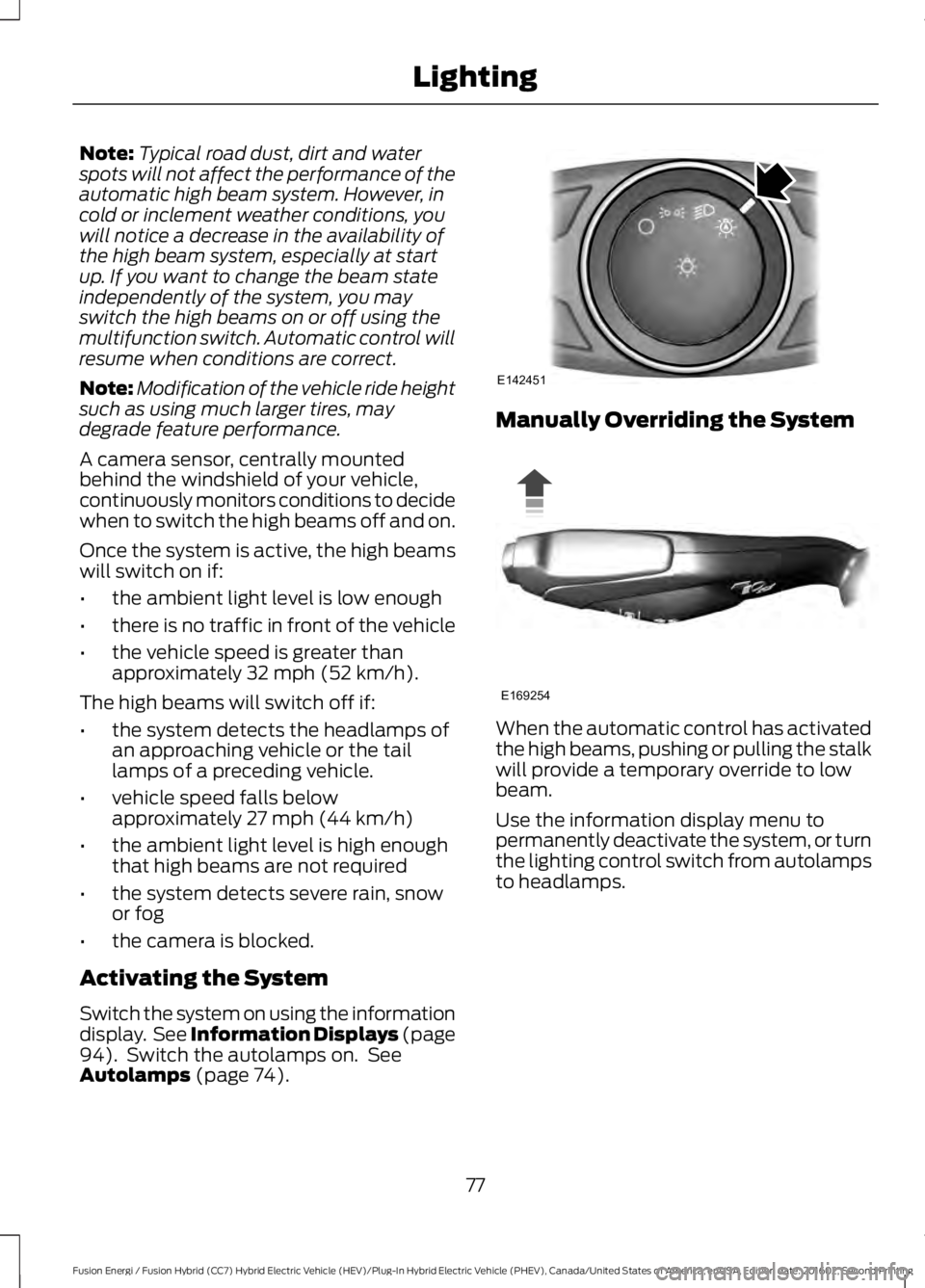
Switch the system on using the informationdisplay. See Information Displays (page94). Switch the autolamps on. SeeAutolamps (page 74).
Manually Overriding the System
When the automatic control has activatedthe high beams, pushing or pulling the stalkwill provide a temporary override to lowbeam.
Use the information display menu topermanently deactivate the system, or turnthe lighting control switch from autolampsto headlamps.
77
Fusion Energi / Fusion Hybrid (CC7) Hybrid Electric Vehicle (HEV)/Plug-In Hybrid Electric Vehicle (PHEV), Canada/United States of America, enUSA, Edition date: 201602, Second Printing
LightingE142451 E169254
Page 91 of 526
Brake Coach Display:
The Brake Coach appears after the vehiclehas come to a stop. It coaches you to brakein a manner which maximizes the amountof energy returned through theregenerative braking system. The percentdisplayed is an indication of theregenerative braking efficiency with 100%representing the maximum amount ofenergy recovery.
You can switch this feature on or off in theinformation displays settings menu. SeeGeneral Information (page 94).
Trip Summary:
Trip Summary displays upon shutting offyour vehicle. The information is cumulativeover the last trip. A new trip begins eachtime your start your vehicle (when theReady to Drive message comes on).
•Distance - Displays the total distancetraveled, distance traveled on batterypower only (EV distance) and Regendistance. Regen distance is theestimated range gained from energyrecaptured through regenerativebraking.
•Energy Use - Displays the average fueleconomy. In addition for Energi,displays the total electrical energy usedwhile in Plug-in Power Mode in kilowatthours (kWh).
•Brake Score - The percent displayed isan indication of the regenerativebraking efficiency for the trip.
Note:Corresponding trip efficiency leavesappear on the right information display uponshutting off your Hybrid vehicle. On Energivehicles, the trip efficiency leaves are shownon the right information display when thevehicle operates in Hybrid Mode for theentire trip. For trips with Plug-in Power Modeoperation, an estimate of your EVRange/Full Charge is provided along with alisting of factors and their contributions tothis estimate. See Next Full Charge underRight Information Display in this chapter.
Right Information Display
Entertainment
See General Information (page 365).
Phone
See General Information (page 365).
Navigation or Compass
See General Information (page 365).
Fuel Economy
See General Information (page 94).
Vehicle Range
Vehicle range indicates the estimateddistance your vehicle will travel with theenergy currently onboard. The range isdisplayed at the bottom of the screen withgasoline range shown in white and electricrange (Energi only) shown in blue.
•Gasoline Range: Is the estimateddistance to empty based on the fuelremaining in the tank.
•Electric Range: Is the estimateddistance you can travel in Plug-InPower Mode with the engine off. Thisrange is based on a calculationdetermined by the amount of energystored in the high voltage battery as aresult of charging while plugged in andthe energy being used while driving.
88
Fusion Energi / Fusion Hybrid (CC7) Hybrid Electric Vehicle (HEV)/Plug-In Hybrid Electric Vehicle (PHEV), Canada/United States of America, enUSA, Edition date: 201602, Second Printing
Instrument Cluster
Page 92 of 526
The amount of energy being used whiledriving is affected by:
•Mild or aggressive acceleration orbraking.
•Your vehicle speed.
•Your use of accessories such as climatecontrol.
•The ambient temperature and otherweather conditions.
•City or highway driving.
•Road grades.
Note: It is normal for vehicle rangeestimates to vary due to changes in averageenergy usage. This is why you typically seedifferent range estimates each time you fillup your fuel tank or fully charge your battery.
Trip Efficiency Leaves
Trip Efficiency Leaves display uponshutting off your Hybrid vehicle. For Energivehicles, the trip efficiency leaves displayonly when the vehicle operates in HybridMode for the entire trip. The number ofleaves represent the average for the lasttrip. A new trip begins each time you startyour vehicle (when the Ready to Drivemessage comes on). Corresponding TripSummary data displays on the leftinformation display.
Next Full Charge
The Next Full Charge display is shownupon shutting off your Energi vehiclewhenever your vehicle operates in Plug-inPower Mode for a portion of your trip.
Miles or kilometers per full charge
This is an estimate of the EV Range youwould see if you plugged in and fullycharged your vehicle right now. Theestimate is based on your energy usagewhile driving. Energy usage is affected byyour driving style and route, climate controluse, outside temperature and other factors.
Energy usage effects (+/-)
A green bar indicates a positive effect onyour EV range per full charge estimate. Anamber bar indicates a negative effect. Thebigger the bar the bigger the effect on yourestimate.
•Driving style/route – This includesenergy used to propel your vehiclebased on your driving style and route.Your driving style includes how fast youdrive and whether your accelerationand braking is mild or aggressive. Yourroute includes factors such as theamount of city or highway driving androad grades.
•Climate control use – This includesenergy used by your vehicle’s highvoltage climate control componentssuch as the electric A/C compressorand the electric heater.
•Outside temp./other – This includesenergy losses due to outsidetemperature and other conditionswhich reduce vehicle system efficiency.Energy used for low voltageaccessories such as cabin fans, heatedseats, headlights, etc. is also included.
WARNING LAMPS AND
INDICATORS
The following warning lamps andindicators will alert you to a vehiclecondition that may become serious. Somelamps will light when you start your vehicleto make sure they work. If any lampsremain on after starting your vehicle, referto the respective system warning lamp forfurther information.
Note:Some warning indicators appear inthe information display and function thesame as a warning lamp but do not displaywhen you start your vehicle.
89
Fusion Energi / Fusion Hybrid (CC7) Hybrid Electric Vehicle (HEV)/Plug-In Hybrid Electric Vehicle (PHEV), Canada/United States of America, enUSA, Edition date: 201602, Second Printing
Instrument Cluster
Page 95 of 526
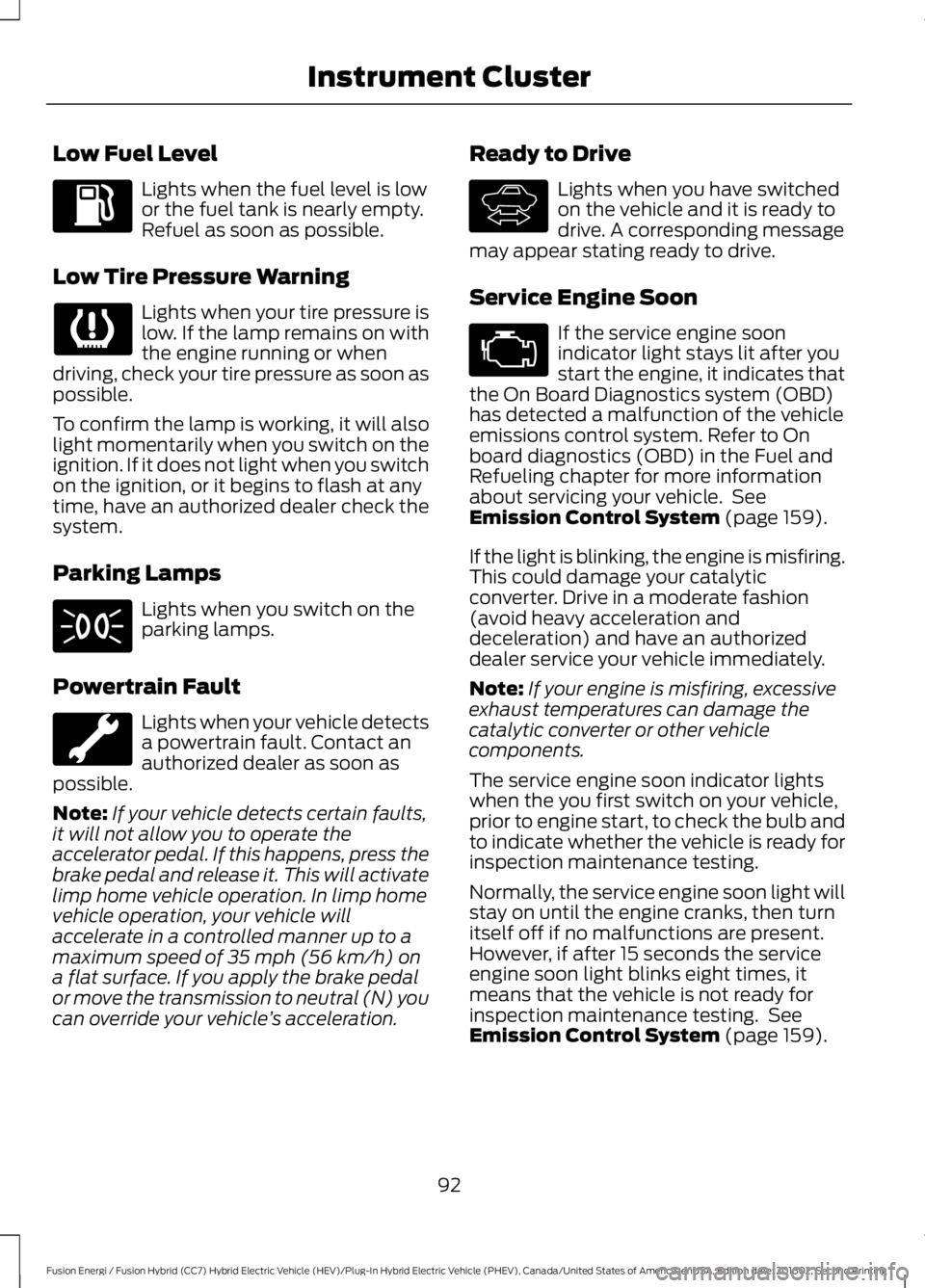
Low Fuel Level
Lights when the fuel level is lowor the fuel tank is nearly empty.Refuel as soon as possible.
Low Tire Pressure Warning
Lights when your tire pressure islow. If the lamp remains on withthe engine running or whendriving, check your tire pressure as soon aspossible.
To confirm the lamp is working, it will alsolight momentarily when you switch on theignition. If it does not light when you switchon the ignition, or it begins to flash at anytime, have an authorized dealer check thesystem.
Parking Lamps
Lights when you switch on theparking lamps.
Powertrain Fault
Lights when your vehicle detectsa powertrain fault. Contact anauthorized dealer as soon aspossible.
Note:If your vehicle detects certain faults,it will not allow you to operate theaccelerator pedal. If this happens, press thebrake pedal and release it. This will activatelimp home vehicle operation. In limp homevehicle operation, your vehicle willaccelerate in a controlled manner up to amaximum speed of 35 mph (56 km/h) ona flat surface. If you apply the brake pedalor move the transmission to neutral (N) youcan override your vehicle’s acceleration.
Ready to Drive
Lights when you have switchedon the vehicle and it is ready todrive. A corresponding messagemay appear stating ready to drive.
Service Engine Soon
If the service engine soonindicator light stays lit after youstart the engine, it indicates thatthe On Board Diagnostics system (OBD)has detected a malfunction of the vehicleemissions control system. Refer to Onboard diagnostics (OBD) in the Fuel andRefueling chapter for more informationabout servicing your vehicle. SeeEmission Control System (page 159).
If the light is blinking, the engine is misfiring.This could damage your catalyticconverter. Drive in a moderate fashion(avoid heavy acceleration anddeceleration) and have an authorizeddealer service your vehicle immediately.
Note:If your engine is misfiring, excessiveexhaust temperatures can damage thecatalytic converter or other vehiclecomponents.
The service engine soon indicator lightswhen the you first switch on your vehicle,prior to engine start, to check the bulb andto indicate whether the vehicle is ready forinspection maintenance testing.
Normally, the service engine soon light willstay on until the engine cranks, then turnitself off if no malfunctions are present.However, if after 15 seconds the serviceengine soon light blinks eight times, itmeans that the vehicle is not ready forinspection maintenance testing. SeeEmission Control System (page 159).
92
Fusion Energi / Fusion Hybrid (CC7) Hybrid Electric Vehicle (HEV)/Plug-In Hybrid Electric Vehicle (PHEV), Canada/United States of America, enUSA, Edition date: 201602, Second Printing
Instrument Cluster E144692
Page 96 of 526
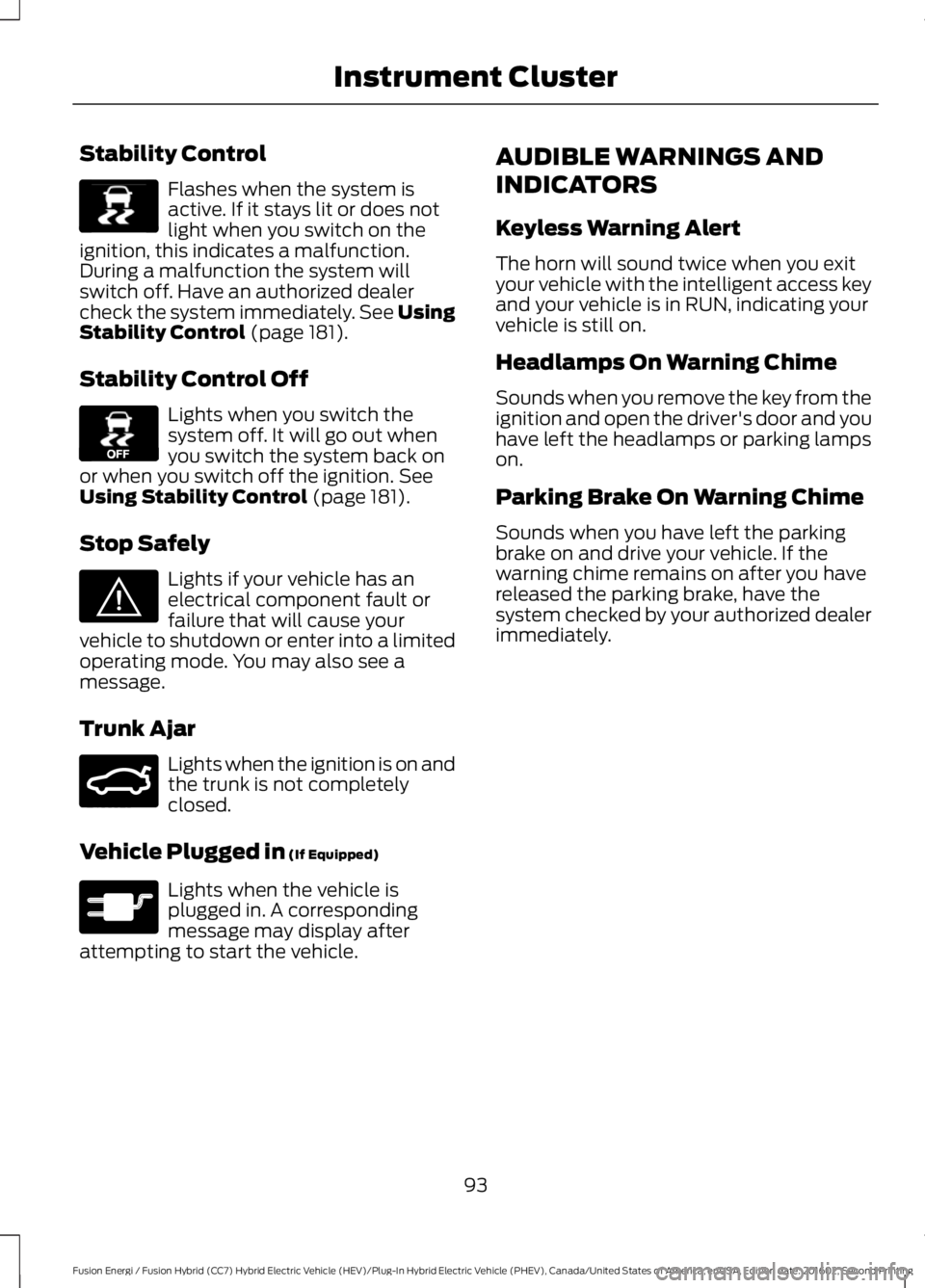
Stability Control
Flashes when the system isactive. If it stays lit or does notlight when you switch on theignition, this indicates a malfunction.During a malfunction the system willswitch off. Have an authorized dealercheck the system immediately. See UsingStability Control (page 181).
Stability Control Off
Lights when you switch thesystem off. It will go out whenyou switch the system back onor when you switch off the ignition. SeeUsing Stability Control (page 181).
Stop Safely
Lights if your vehicle has anelectrical component fault orfailure that will cause yourvehicle to shutdown or enter into a limitedoperating mode. You may also see amessage.
Trunk Ajar
Lights when the ignition is on andthe trunk is not completelyclosed.
Vehicle Plugged in (If Equipped)
Lights when the vehicle isplugged in. A correspondingmessage may display afterattempting to start the vehicle.
AUDIBLE WARNINGS AND
INDICATORS
Keyless Warning Alert
The horn will sound twice when you exityour vehicle with the intelligent access keyand your vehicle is in RUN, indicating yourvehicle is still on.
Headlamps On Warning Chime
Sounds when you remove the key from theignition and open the driver's door and youhave left the headlamps or parking lampson.
Parking Brake On Warning Chime
Sounds when you have left the parkingbrake on and drive your vehicle. If thewarning chime remains on after you havereleased the parking brake, have thesystem checked by your authorized dealerimmediately.
93
Fusion Energi / Fusion Hybrid (CC7) Hybrid Electric Vehicle (HEV)/Plug-In Hybrid Electric Vehicle (PHEV), Canada/United States of America, enUSA, Edition date: 201602, Second Printing
Instrument ClusterE138639 E130458 E144693 E159323 E144694
Page 97 of 526
GENERAL INFORMATION
WARNING
Driving while distracted can result inloss of vehicle control, crash andinjury. We strongly recommend thatyou use extreme caution when using anydevice that may take your focus off theroad. Your primary responsibility is the safeoperation of your vehicle. We recommendagainst the use of any handheld devicewhile driving and encourage the use ofvoice-operated systems when possible.Make sure you are aware of all applicablelocal laws that may affect the use ofelectronic devices while driving.
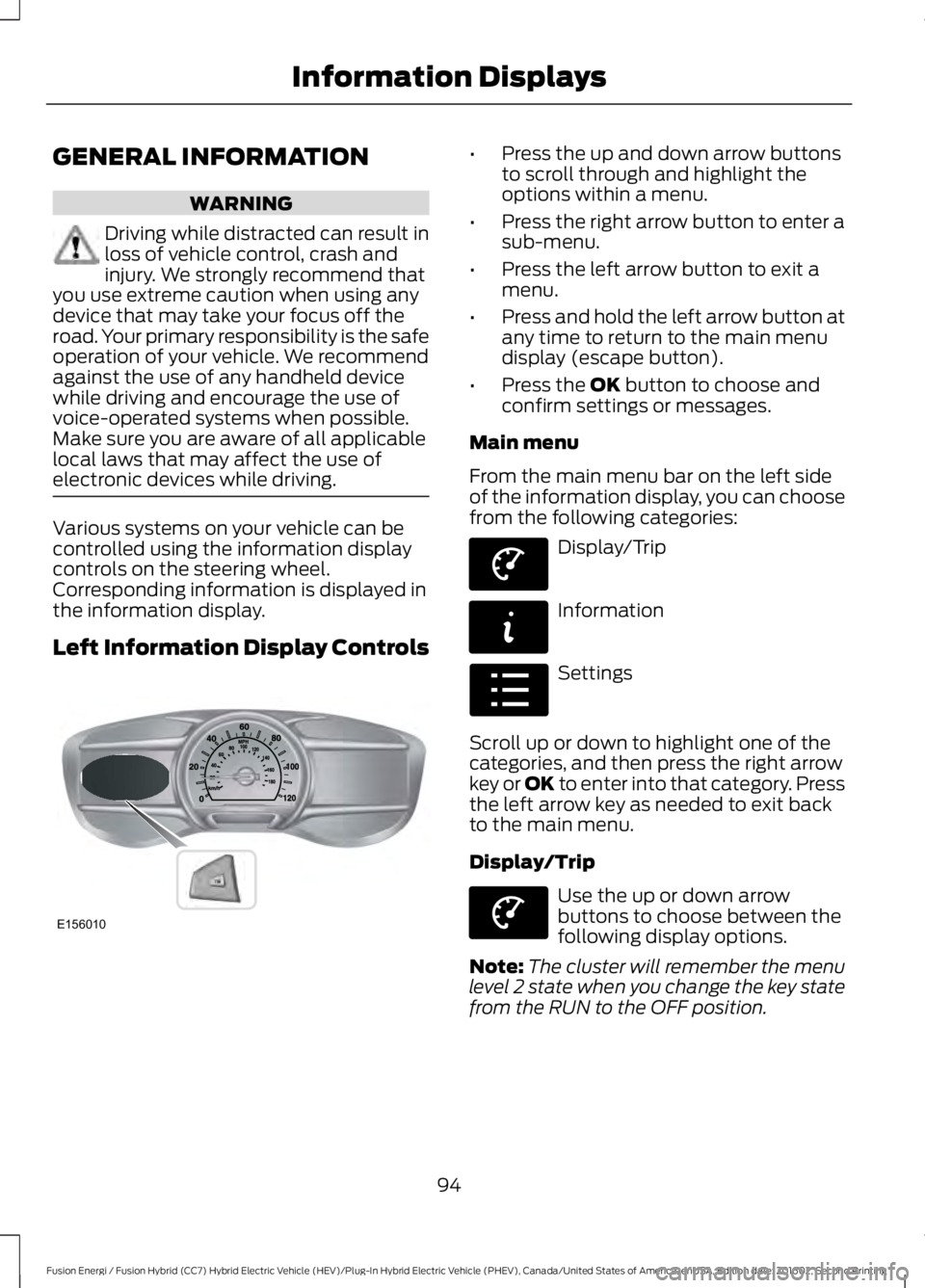
Various systems on your vehicle can becontrolled using the information displaycontrols on the steering wheel.Corresponding information is displayed inthe information display.
Left Information Display Controls
•Press the up and down arrow buttonsto scroll through and highlight theoptions within a menu.
•Press the right arrow button to enter asub-menu.
•Press the left arrow button to exit amenu.
•Press and hold the left arrow button atany time to return to the main menudisplay (escape button).
•Press the OK button to choose andconfirm settings or messages.
Main menu
From the main menu bar on the left sideof the information display, you can choosefrom the following categories:
Display/Trip
Information
Settings
Scroll up or down to highlight one of thecategories, and then press the right arrowkey or OK to enter into that category. Pressthe left arrow key as needed to exit backto the main menu.
Display/Trip
Use the up or down arrowbuttons to choose between thefollowing display options.
Note:The cluster will remember the menulevel 2 state when you change the key statefrom the RUN to the OFF position.
94
Fusion Energi / Fusion Hybrid (CC7) Hybrid Electric Vehicle (HEV)/Plug-In Hybrid Electric Vehicle (PHEV), Canada/United States of America, enUSA, Edition date: 201602, Second Printing
Information DisplaysE156010 E144639 E144642 E100023 E144639
Page 106 of 526
Common Displays
Both Average fuel economy and aninstantaneous fuel economy gauge areincluded in Engage, Empower, MyView (ifselected) and Fuel Economy (shown inHybrid Mode) on the left-hand informationdisplay. They are also included in FuelHistory on the right-hand informationdisplay.
Average Fuel Economy
Average Fuel Economy is continuouslyaveraged since the last reset. You can resetyour average fuel economy by pressing andholding the OK button on thecorresponding steering wheel controls. ForEnergi vehicles both Hybrid and Plug-inPower mode operation will be included inthe calculation.
Note:Average fuel economy cannot bereset in MyView.
Instantaneous Fuel Economy
If your instantaneous fuel economy isgreater than the maximum valuedisplayed, a + sign will be shown next tothe maximum scale number. When yourvehicle is operating on battery power only,EV will display and the gauge fill will showin blue.
INFORMATION MESSAGES
Note:Depending on the vehicle optionsequipped with your vehicle, not all of themessages will display or be available.Certain messages may be abbreviated orshortened depending upon which clustertype you have.
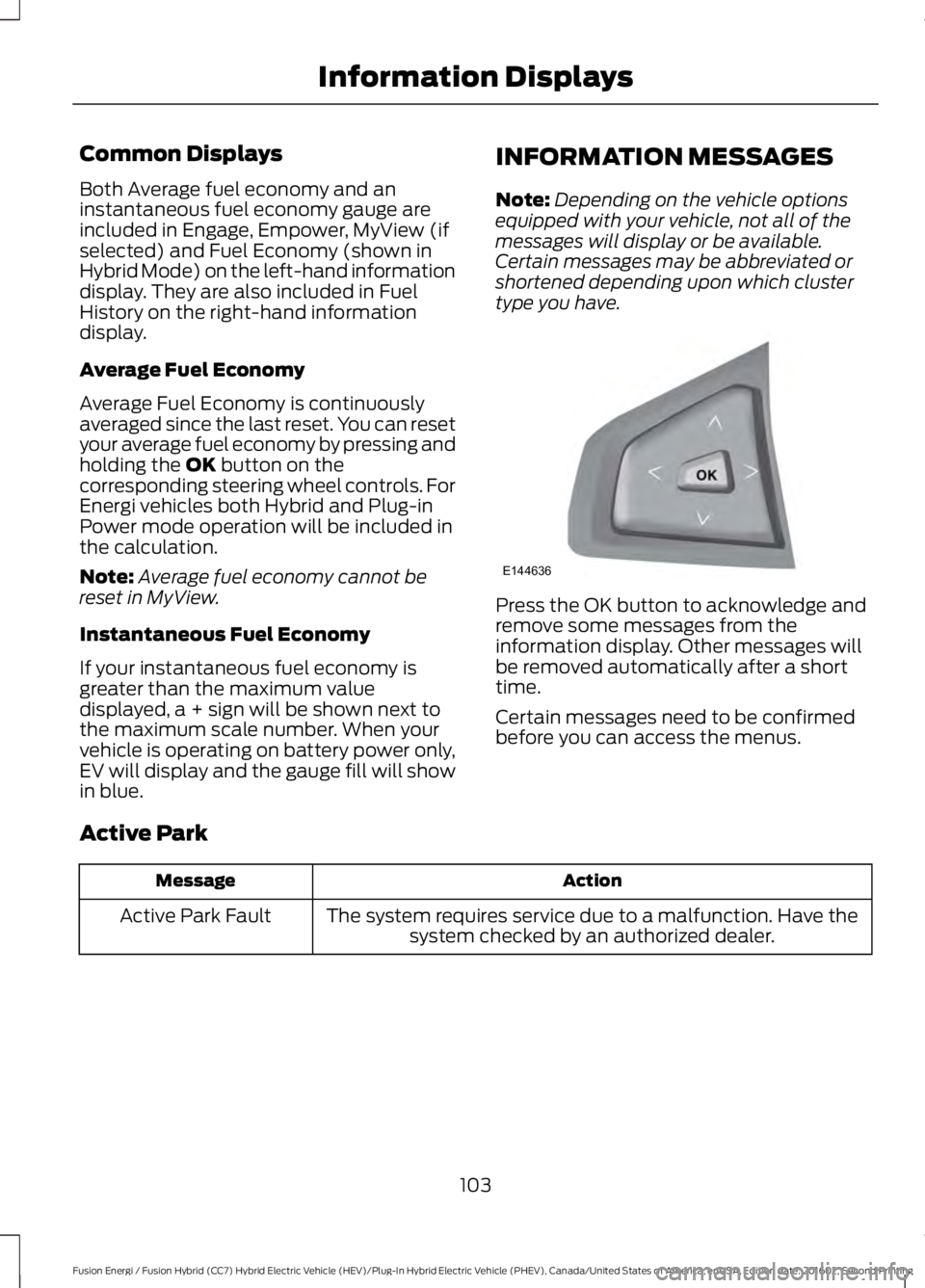
Press the OK button to acknowledge andremove some messages from theinformation display. Other messages willbe removed automatically after a shorttime.
Certain messages need to be confirmedbefore you can access the menus.
Active Park
ActionMessage
The system requires service due to a malfunction. Have thesystem checked by an authorized dealer.Active Park Fault
103
Fusion Energi / Fusion Hybrid (CC7) Hybrid Electric Vehicle (HEV)/Plug-In Hybrid Electric Vehicle (PHEV), Canada/United States of America, enUSA, Edition date: 201602, Second Printing
Information DisplaysE144636