charging FORD FUSION ENERGI 2017 User Guide
[x] Cancel search | Manufacturer: FORD, Model Year: 2017, Model line: FUSION ENERGI, Model: FORD FUSION ENERGI 2017Pages: 526, PDF Size: 7.89 MB
Page 171 of 526
The light ring will display how far along thecharge is:
•When the top right quadrant is pulsing,the charge is between 0-25 percent.
•When the top right quadrant light is onand the bottom right quadrant ispulsing, the charge is between 25-50percent.
•When the lights on both right sidequadrants are on and the bottom leftquadrant is pulsing, the charge isbetween 50-75 percent.
•When the lights on the three quadrantsare on and the top left quadrant ispulsing, the charge is between 75-100percent.
•When all lights on the entire ring areon, the charge is complete.
Note:The light ring will turn off one minuteafter reaching a full charge.
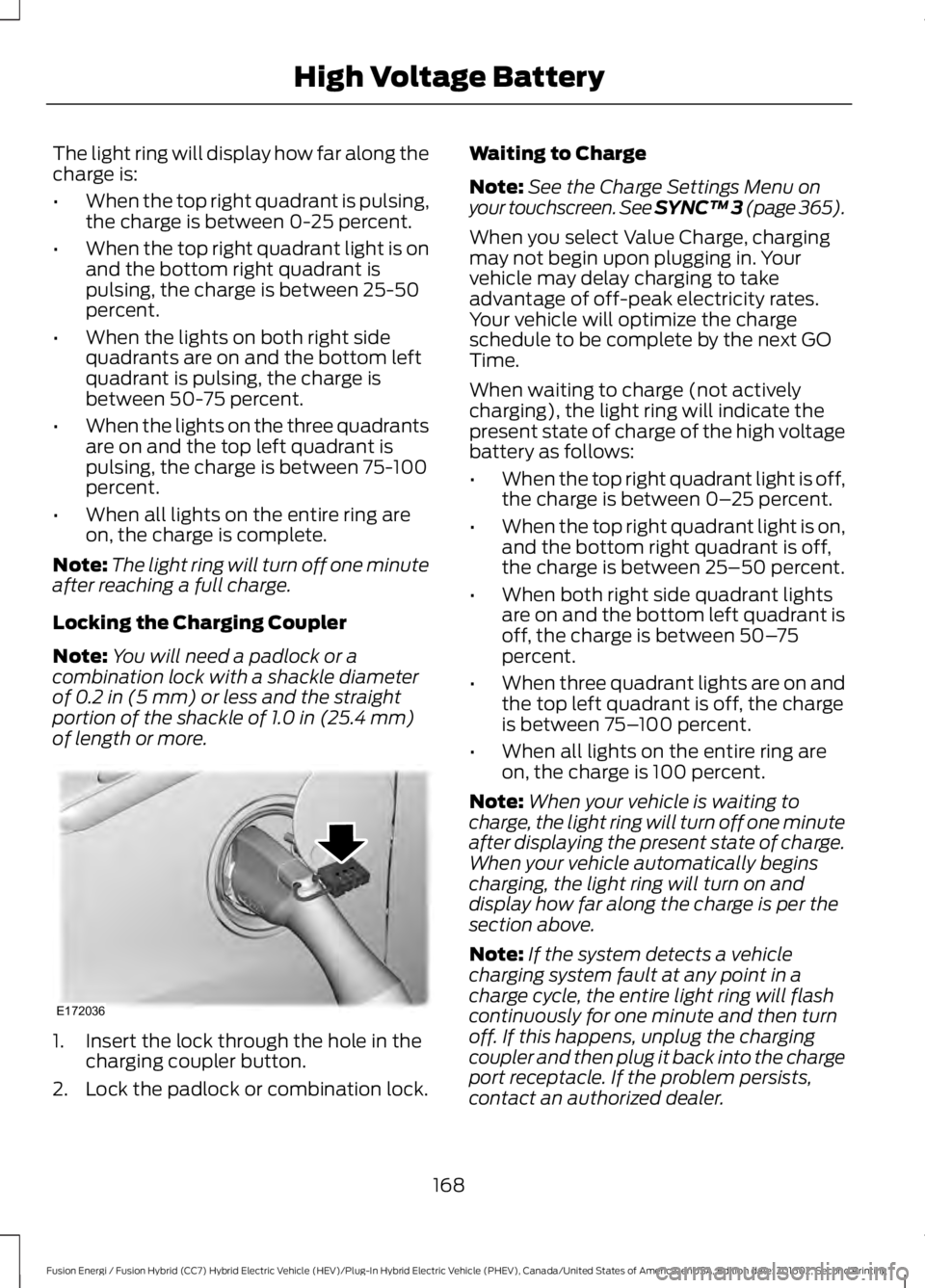
Locking the Charging Coupler
Note:You will need a padlock or acombination lock with a shackle diameterof 0.2 in (5 mm) or less and the straightportion of the shackle of 1.0 in (25.4 mm)of length or more.
1. Insert the lock through the hole in thecharging coupler button.
2. Lock the padlock or combination lock.
Waiting to Charge
Note:See the Charge Settings Menu onyour touchscreen. See SYNC™ 3 (page 365).
When you select Value Charge, chargingmay not begin upon plugging in. Yourvehicle may delay charging to takeadvantage of off-peak electricity rates.Your vehicle will optimize the chargeschedule to be complete by the next GOTime.
When waiting to charge (not activelycharging), the light ring will indicate thepresent state of charge of the high voltagebattery as follows:
•When the top right quadrant light is off,the charge is between 0–25 percent.
•When the top right quadrant light is on,and the bottom right quadrant is off,the charge is between 25–50 percent.
•When both right side quadrant lightsare on and the bottom left quadrant isoff, the charge is between 50–75percent.
•When three quadrant lights are on andthe top left quadrant is off, the chargeis between 75–100 percent.
•When all lights on the entire ring areon, the charge is 100 percent.
Note:When your vehicle is waiting tocharge, the light ring will turn off one minuteafter displaying the present state of charge.When your vehicle automatically beginscharging, the light ring will turn on anddisplay how far along the charge is per thesection above.
Note:If the system detects a vehiclecharging system fault at any point in acharge cycle, the entire light ring will flashcontinuously for one minute and then turnoff. If this happens, unplug the chargingcoupler and then plug it back into the chargeport receptacle. If the problem persists,contact an authorized dealer.
168
Fusion Energi / Fusion Hybrid (CC7) Hybrid Electric Vehicle (HEV)/Plug-In Hybrid Electric Vehicle (PHEV), Canada/United States of America, enUSA, Edition date: 201602, Second Printing
High Voltage BatteryE172036
Page 172 of 526
You can modify the lighting ring, refer tothe Charge Port Light Ring Settings. SeeSYNC™ 3 (page 365).
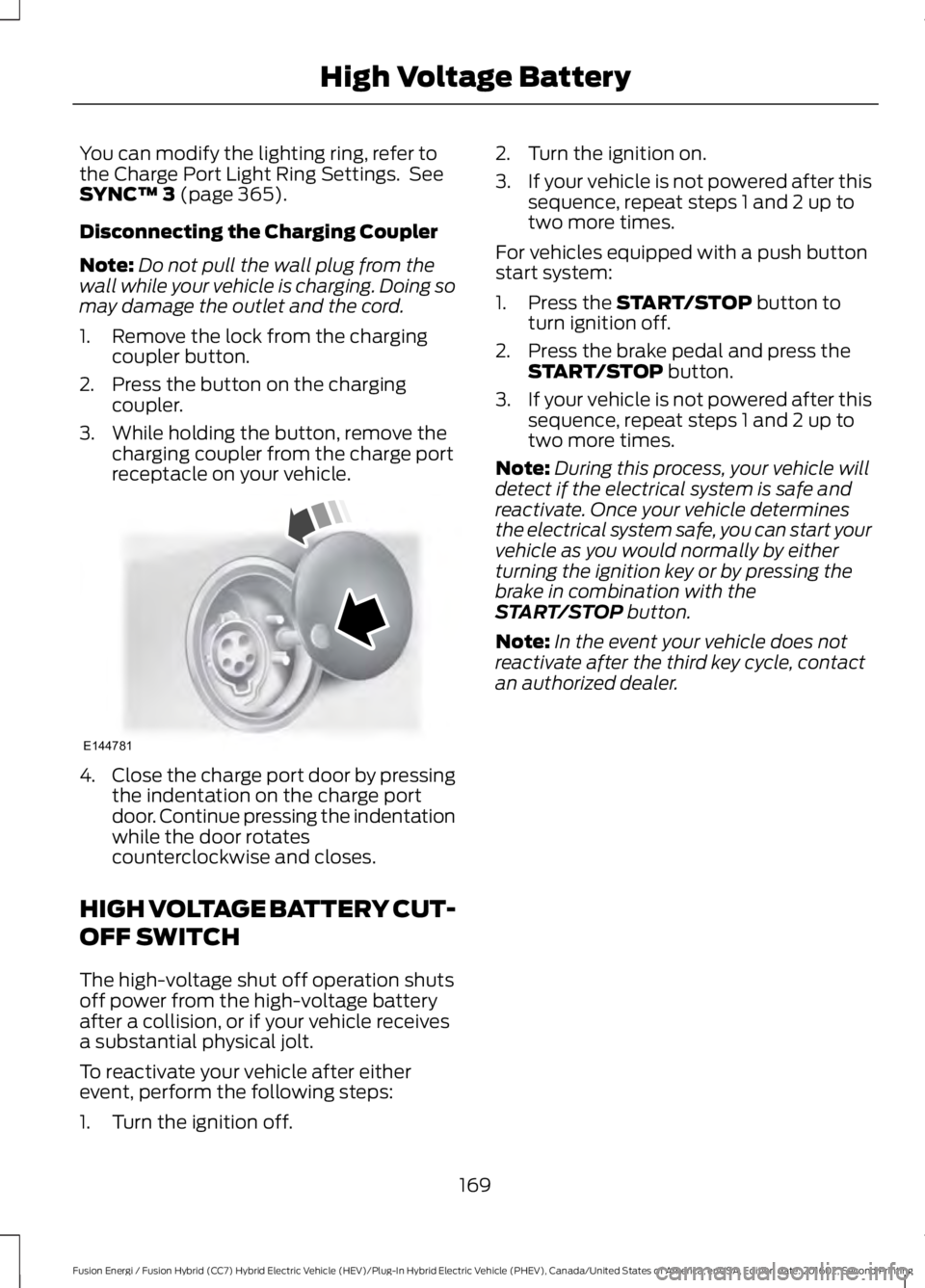
Disconnecting the Charging Coupler
Note:Do not pull the wall plug from thewall while your vehicle is charging. Doing somay damage the outlet and the cord.
1. Remove the lock from the chargingcoupler button.
2. Press the button on the chargingcoupler.
3. While holding the button, remove thecharging coupler from the charge portreceptacle on your vehicle.
4.Close the charge port door by pressingthe indentation on the charge portdoor. Continue pressing the indentationwhile the door rotatescounterclockwise and closes.
HIGH VOLTAGE BATTERY CUT-
OFF SWITCH
The high-voltage shut off operation shutsoff power from the high-voltage batteryafter a collision, or if your vehicle receivesa substantial physical jolt.
To reactivate your vehicle after eitherevent, perform the following steps:
1. Turn the ignition off.
2. Turn the ignition on.
3.If your vehicle is not powered after thissequence, repeat steps 1 and 2 up totwo more times.
For vehicles equipped with a push buttonstart system:
1. Press the START/STOP button toturn ignition off.
2. Press the brake pedal and press theSTART/STOP button.
3.If your vehicle is not powered after thissequence, repeat steps 1 and 2 up totwo more times.
Note:During this process, your vehicle willdetect if the electrical system is safe andreactivate. Once your vehicle determinesthe electrical system safe, you can start yourvehicle as you would normally by eitherturning the ignition key or by pressing thebrake in combination with theSTART/STOP button.
Note:In the event your vehicle does notreactivate after the third key cycle, contactan authorized dealer.
169
Fusion Energi / Fusion Hybrid (CC7) Hybrid Electric Vehicle (HEV)/Plug-In Hybrid Electric Vehicle (PHEV), Canada/United States of America, enUSA, Edition date: 201602, Second Printing
High Voltage BatteryE144781
Page 174 of 526
Reverse (R)
With the selector in reverse (R), yourvehicle moves backward. Always come toa complete stop before shifting into andout of reverse (R).
Neutral (N)
With the selector in neutral (N), yourvehicle can be started and is free to roll.Hold the brake pedal down while in thisposition.
Stay in Neutral Mode
Note:Always put your vehicle in Stay inNeutral mode when entering an automaticcar wash. Failure to do this could result invehicle damage not covered by warranty.
Stay in Neutral mode allows your vehicleto stay in neutral when you exit yourvehicle. Your vehicle must be stationary toenter this mode.
To enter Stay in Neutral mode:
•Move the transmission selector toneutral (N).
•A message will appear in yourinformation display screen promptingyou to press the low (L) button.
•Press the low (L) button again to enterStay in Neutral mode.
To exit Stay in Neutral mode, select a gearother than low (L).
A message will appear in your informationdisplay screen when your vehicle hasentered Stay in Neutral mode.
Drive (D)
Drive (D) is the normal driving position forthe best fuel economy.
Grade Assist
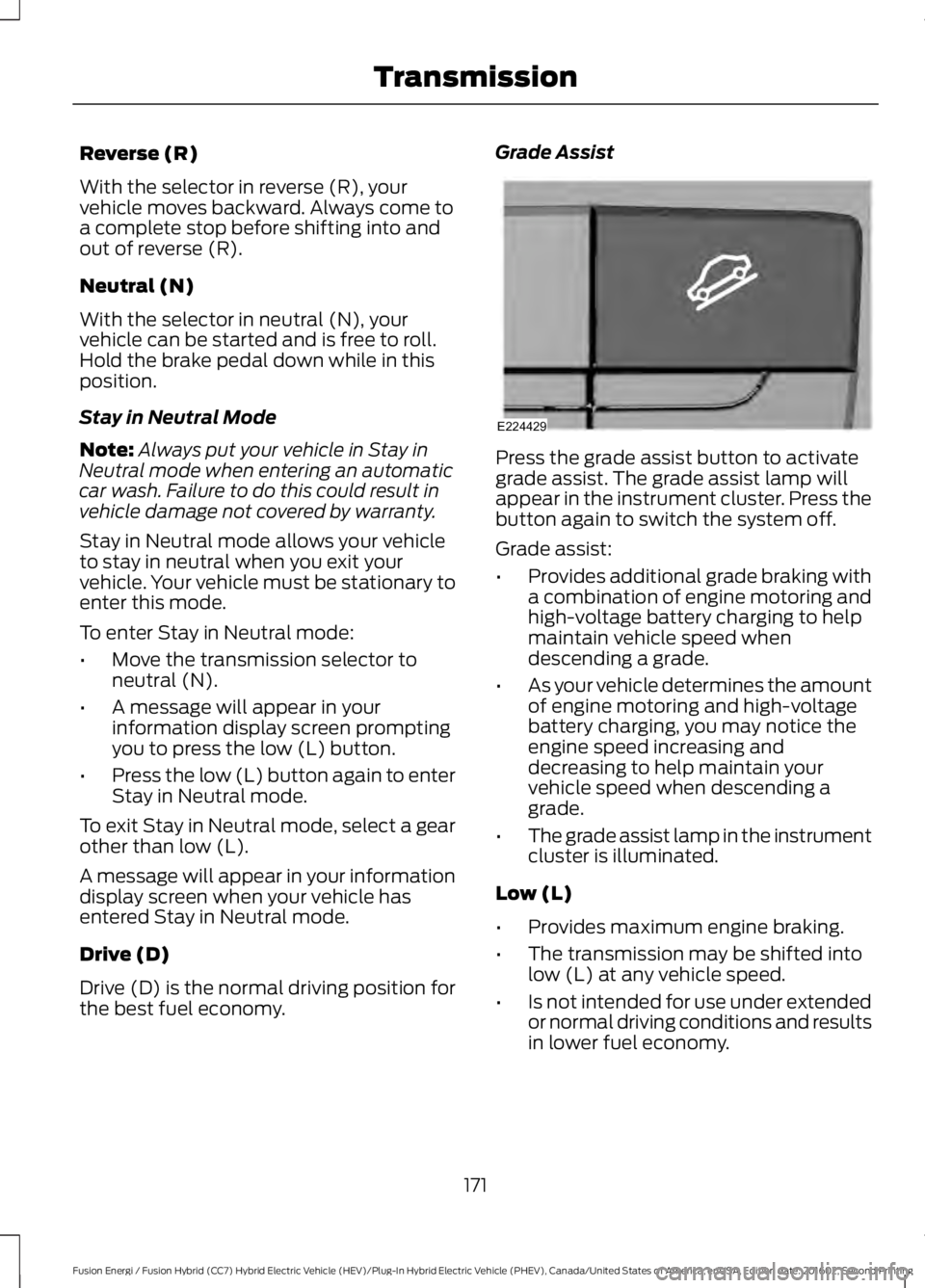
Press the grade assist button to activategrade assist. The grade assist lamp willappear in the instrument cluster. Press thebutton again to switch the system off.
Grade assist:
•Provides additional grade braking witha combination of engine motoring andhigh-voltage battery charging to helpmaintain vehicle speed whendescending a grade.
•As your vehicle determines the amountof engine motoring and high-voltagebattery charging, you may notice theengine speed increasing anddecreasing to help maintain yourvehicle speed when descending agrade.
•The grade assist lamp in the instrumentcluster is illuminated.
Low (L)
•Provides maximum engine braking.
•The transmission may be shifted intolow (L) at any vehicle speed.
•Is not intended for use under extendedor normal driving conditions and resultsin lower fuel economy.
171
Fusion Energi / Fusion Hybrid (CC7) Hybrid Electric Vehicle (HEV)/Plug-In Hybrid Electric Vehicle (PHEV), Canada/United States of America, enUSA, Edition date: 201602, Second Printing
TransmissionE224429
Page 178 of 526
braking. When the battery is almost fullycharged, the amount of regenerativebraking is limited to avoid overcharging,and the requested deceleration isproduced by standard friction brakingalone.
Regenerative braking does not take theplace of the standard friction brakes; it onlyassists them. Regenerative braking hasalso been designed to interact with theanti-lock brake system. Regenerativebraking is disabled when the anti-lockbrake system is activated or the battery isfully charged.
HINTS ON DRIVING WITH
ANTI-LOCK BRAKES
Note:When the system is operating, thebrake pedal may pulse and may travelfurther. Maintain pressure on the brakepedal. You may also hear a noise from thesystem. This is normal.
The anti-lock braking system will noteliminate the risks when:
•You drive too closely to the vehicle infront of you.
•Your vehicle is hydroplaning.
•You take corners too fast.
•The road surface is poor.
ELECTRIC PARKING BRAKE
The electric parking brake replaces theconventional handbrake. The operatingswitch is located in the center console.
WARNING
Always set the parking brake andleave your vehicle with thetransmission in park (P) (automatictransmission) or in first gear (1) or reverse(R) (manual transmission).
Note:When you apply the electric parkingbrake in certain conditions, for example, ona steep hill, the electric parking brake mayreapply the brakes within three to tenminutes.
Note:You may notice various noises whenyou apply and release the electric parkingbrake. This is normal and no cause forconcern.
Parking On a Hill (Vehicles With aManual Transmission)
If you park your vehicle facing uphill, movethe transmission to first gear (1) and turnthe steering wheel away from the curb. Ifyou park your vehicle facing downhill, movethe transmission to reverse (R) and turnthe steering wheel toward the curb.
Applying the Electric Parkingbrake
WARNINGS
The brake system warning lamp willflash during an electric parking brakeapply. If the brake system warninglamp continues to flash, there could be aproblem with your electric parking brake.
Applying the electric parking brakewhile moving will result in use of theanti-lock braking system. Do not usethe electric parking brake system when thevehicle is moving unless the normal brakesystem is unable to stop the vehicle.
With the exception of emergencyconditions (for example, the brakepedal does not work or is blocked),do not apply the electric parking brakewhile the vehicle is moving. On bends, orpoor road surfaces or weather conditions,emergency braking can cause the vehicleto skid out of control or off the road.
175
Fusion Energi / Fusion Hybrid (CC7) Hybrid Electric Vehicle (HEV)/Plug-In Hybrid Electric Vehicle (PHEV), Canada/United States of America, enUSA, Edition date: 201602, Second Printing
Brakes
Page 198 of 526
PRINCIPLE OF OPERATION
Cruise control lets you maintain a setspeed without keeping your foot on theaccelerator pedal. You can use cruisecontrol when your vehicle speed is greaterthan 20 mph (30 km/h).
USING CRUISE CONTROL
WARNINGS
Do not use cruise control on windingroads, in heavy traffic or when theroad surface is slippery. This couldresult in loss of vehicle control, seriousinjury or death.
When you are going downhill, yourvehicle speed could increase abovethe set speed. The system does notapply the brakes.
Note:Cruise control disengages if thevehicle speed decreases more than 10 mph(16 km/h) below the set speed when drivinguphill.
Note: When you are going downhill whileusing cruise control, the battery chargingsystem and engine work together to helpmaintain the set speed. Engine noise mayincrease or decrease under these conditions.
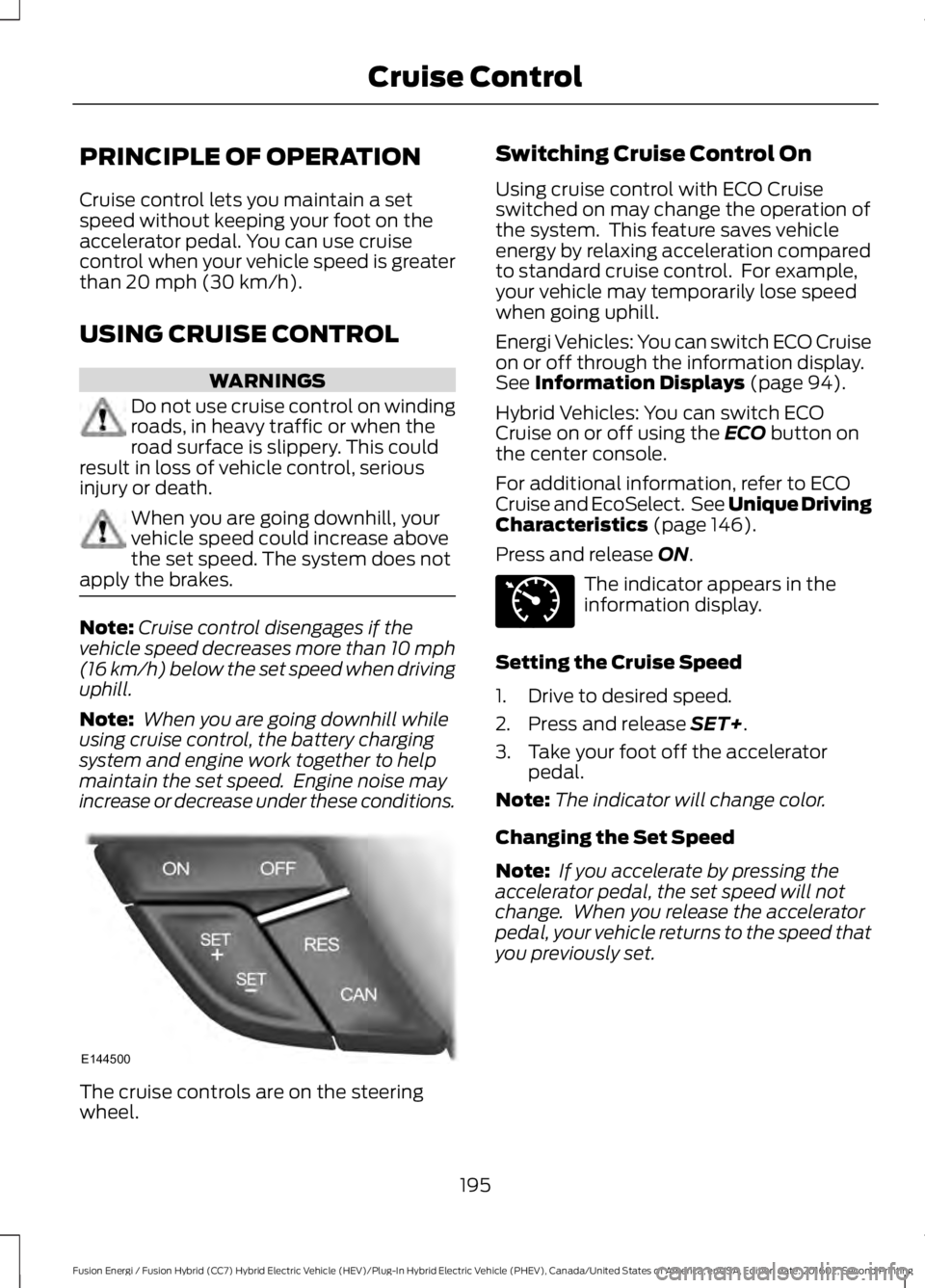
The cruise controls are on the steeringwheel.
Switching Cruise Control On
Using cruise control with ECO Cruiseswitched on may change the operation ofthe system. This feature saves vehicleenergy by relaxing acceleration comparedto standard cruise control. For example,your vehicle may temporarily lose speedwhen going uphill.
Energi Vehicles: You can switch ECO Cruiseon or off through the information display.See Information Displays (page 94).
Hybrid Vehicles: You can switch ECOCruise on or off using the ECO button onthe center console.
For additional information, refer to ECOCruise and EcoSelect. See Unique DrivingCharacteristics (page 146).
Press and release ON.
The indicator appears in theinformation display.
Setting the Cruise Speed
1. Drive to desired speed.
2. Press and release SET+.
3. Take your foot off the acceleratorpedal.
Note:The indicator will change color.
Changing the Set Speed
Note: If you accelerate by pressing theaccelerator pedal, the set speed will notchange. When you release the acceleratorpedal, your vehicle returns to the speed thatyou previously set.
195
Fusion Energi / Fusion Hybrid (CC7) Hybrid Electric Vehicle (HEV)/Plug-In Hybrid Electric Vehicle (PHEV), Canada/United States of America, enUSA, Edition date: 201602, Second Printing
Cruise ControlE144500 E71340
Page 265 of 526
7.Drive the vehicle at least 10 mi (16 km)to completely relearn the idle trim andfuel trim strategy.
Note:If you do not allow the engine torelearn the idle and fuel trim strategy, theidle quality of your vehicle may be adverselyaffected until the engine computereventually relearns the idle trim and fueltrim strategy.
Make sure that you dispose of old batteriesin an environmentally friendly way. Seekadvice from your local authority aboutrecycling old batteries.
If storing your vehicle for more than 30days without recharging the battery, werecommend that you disconnect thebattery cables to maintain battery chargefor quick starting.
CHECKING THE WIPER
BLADES
Run the tip of your fingers over the edge ofthe blade to check for roughness.
Clean the wiper blades with washer fluidor water applied with a soft sponge orcloth.
CHANGING THE WIPER
BLADES
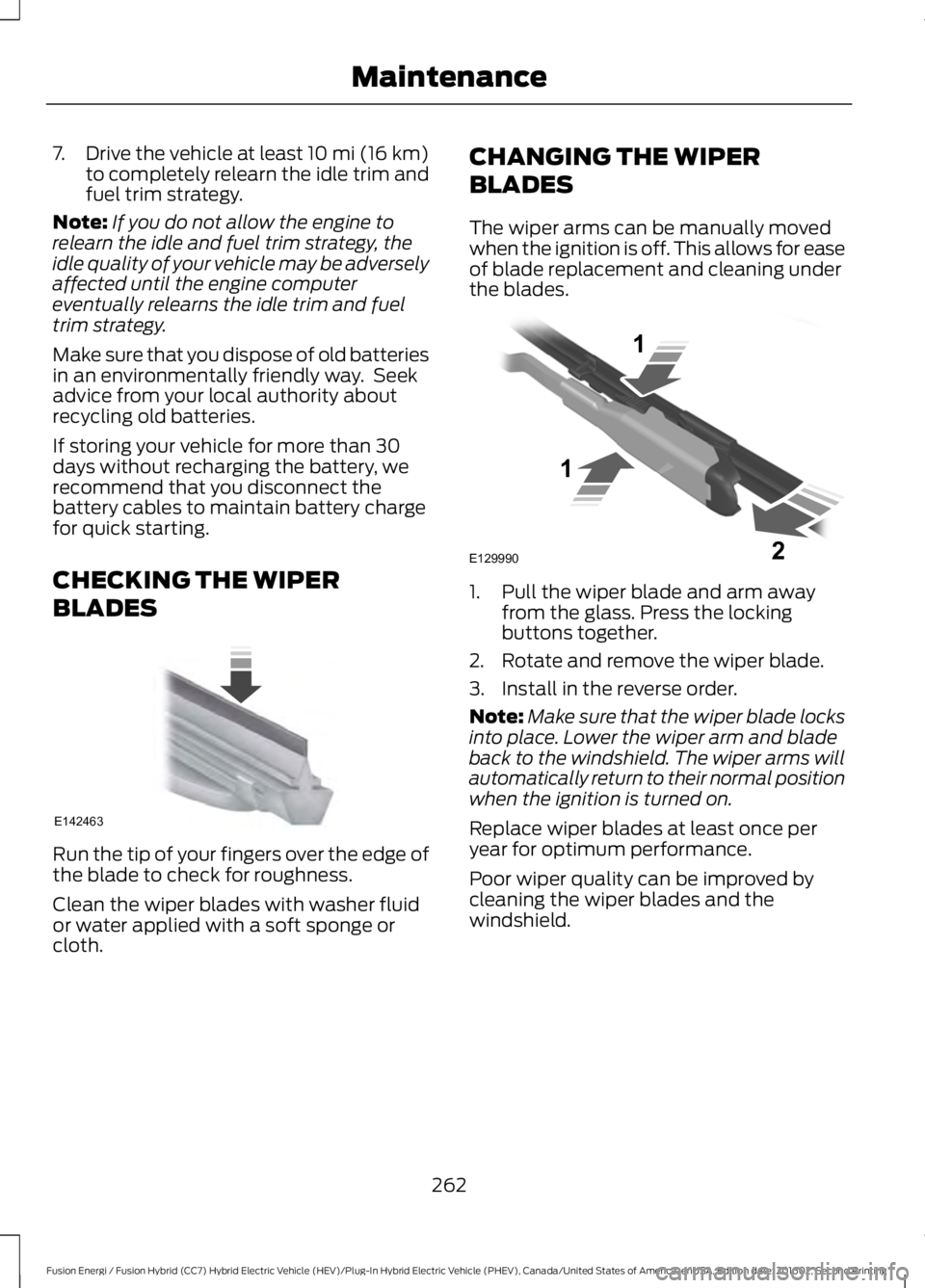
The wiper arms can be manually movedwhen the ignition is off. This allows for easeof blade replacement and cleaning underthe blades.
1. Pull the wiper blade and arm awayfrom the glass. Press the lockingbuttons together.
2. Rotate and remove the wiper blade.
3. Install in the reverse order.
Note:Make sure that the wiper blade locksinto place. Lower the wiper arm and bladeback to the windshield. The wiper arms willautomatically return to their normal positionwhen the ignition is turned on.
Replace wiper blades at least once peryear for optimum performance.
Poor wiper quality can be improved bycleaning the wiper blades and thewindshield.
262
Fusion Energi / Fusion Hybrid (CC7) Hybrid Electric Vehicle (HEV)/Plug-In Hybrid Electric Vehicle (PHEV), Canada/United States of America, enUSA, Edition date: 201602, Second Printing
MaintenanceE142463 E129990
1
1 2
Page 279 of 526
General
•Store all vehicles in a dry, ventilatedplace.
•Protect from sunlight, if possible.
•If you store vehicles outside, theyrequire regular maintenance to protectagainst rust and damage.
Body
•Wash your vehicle thoroughly toremove dirt, grease, oil, tar or mud fromexterior surfaces, rear-wheel housingand the underside of front fenders.
•Periodically wash your vehicle if youstore it in exposed locations.
•Touch-up exposed or primed metal toprevent rust.
•Cover chrome and stainless steel partswith a thick coat of auto wax to preventdiscoloration. Re-wax as necessarywhen you wash your vehicle.
•Lubricate all hood, door and luggagecompartment hinges and latches witha light grade oil.
•Cover interior trim to prevent fading.
•Keep all rubber parts free from oil andsolvents.
Engine
•Change the engine oil and filter prior tostorage because used engine oilcontains contaminates which maycause engine damage.
•Start the engine every 15 days for aminimum of 15 minutes. Run at fast idlewith the climate controls set to defrostuntil the engine reaches normaloperating temperature.
•With your foot on the brake, shiftthrough all the gears while the engineis running.
•We recommend that you change theengine oil before you use your vehicleagain.
Fuel System
•Fill the fuel tank with high-quality fueluntil the first automatic shutoff of thefuel pump nozzle.
Cooling System
•Protect against freezing temperatures.
•When removing your vehicle fromstorage, check coolant fluid level.Confirm that there are no coolingsystem leaks and that fluid is at therecommended level.
12V Battery
•Check and recharge as necessary. Keepconnections clean.
•If storing your vehicle for more than 30days without recharging the battery,we recommend that you disconnectthe battery cables to maintain batterycharge for quick starting.
Note:It is necessary to reset memoryfeatures if you disconnect the batterycables.
276
Fusion Energi / Fusion Hybrid (CC7) Hybrid Electric Vehicle (HEV)/Plug-In Hybrid Electric Vehicle (PHEV), Canada/United States of America, enUSA, Edition date: 201602, Second Printing
Vehicle Care
Page 409 of 526
Button
Start
Range Rings and Charge Points (EnergiOnly)
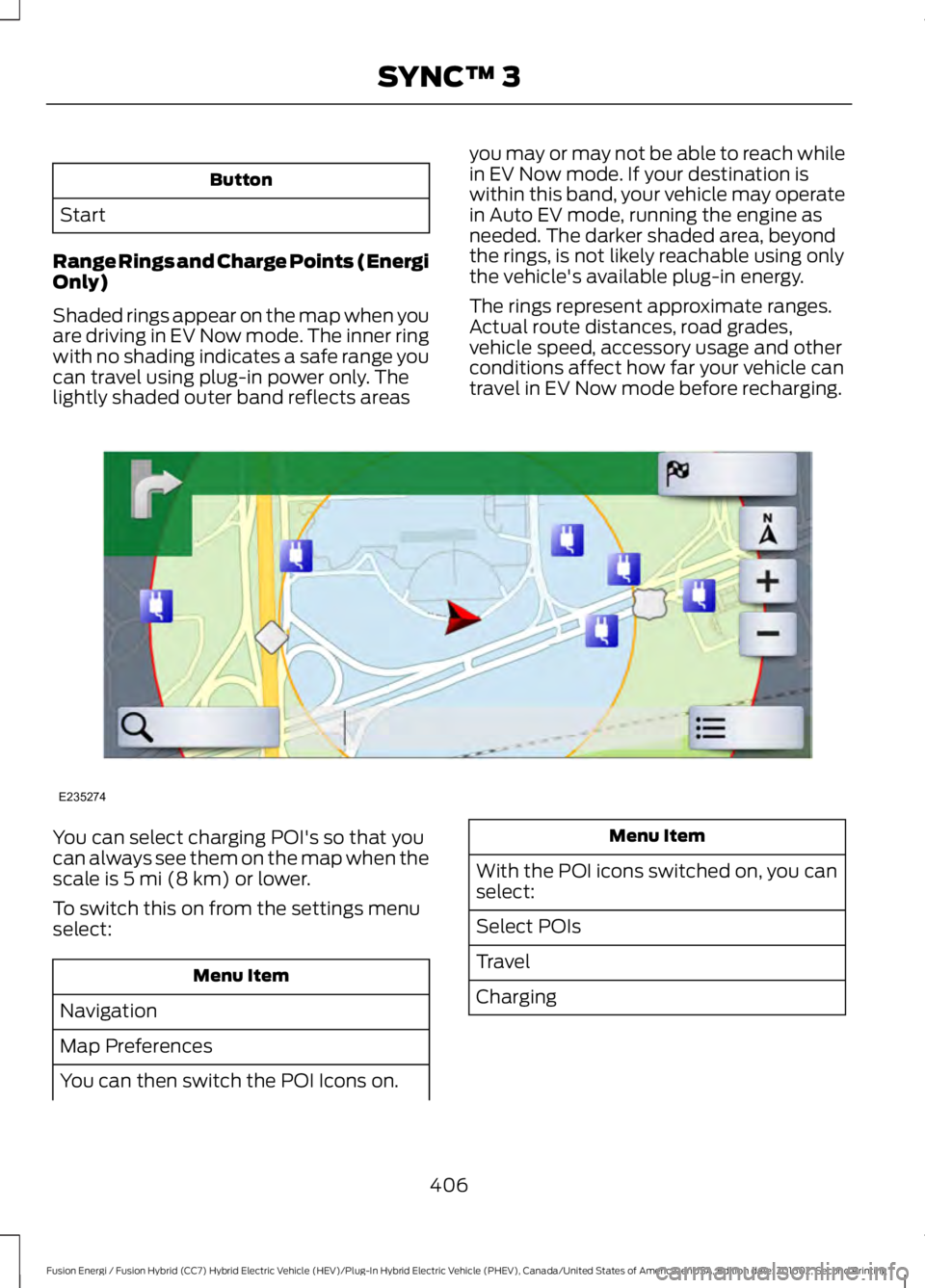
Shaded rings appear on the map when youare driving in EV Now mode. The inner ringwith no shading indicates a safe range youcan travel using plug-in power only. Thelightly shaded outer band reflects areas
you may or may not be able to reach whilein EV Now mode. If your destination iswithin this band, your vehicle may operatein Auto EV mode, running the engine asneeded. The darker shaded area, beyondthe rings, is not likely reachable using onlythe vehicle's available plug-in energy.
The rings represent approximate ranges.Actual route distances, road grades,vehicle speed, accessory usage and otherconditions affect how far your vehicle cantravel in EV Now mode before recharging.
You can select charging POI's so that youcan always see them on the map when thescale is 5 mi (8 km) or lower.
To switch this on from the settings menuselect:
Menu Item
Navigation
Map Preferences
You can then switch the POI Icons on.
Menu Item
With the POI icons switched on, you canselect:
Select POIs
Travel
Charging
406
Fusion Energi / Fusion Hybrid (CC7) Hybrid Electric Vehicle (HEV)/Plug-In Hybrid Electric Vehicle (PHEV), Canada/United States of America, enUSA, Edition date: 201602, Second Printing
SYNC™ 3E235274
Page 418 of 526
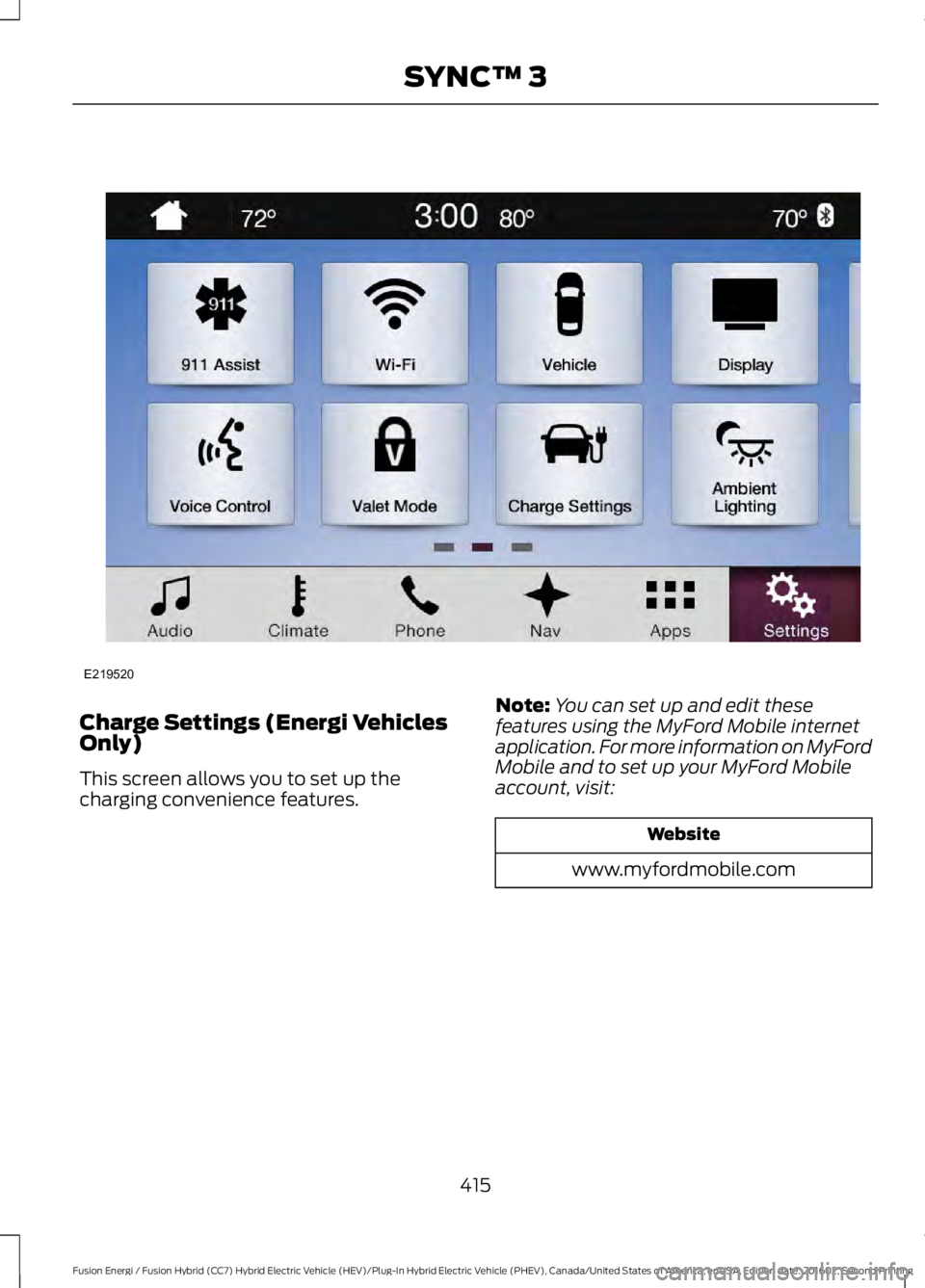
Charge Settings (Energi VehiclesOnly)
This screen allows you to set up thecharging convenience features.
Note:You can set up and edit thesefeatures using the MyFord Mobile internetapplication. For more information on MyFordMobile and to set up your MyFord Mobileaccount, visit:
Website
www.myfordmobile.com
415
Fusion Energi / Fusion Hybrid (CC7) Hybrid Electric Vehicle (HEV)/Plug-In Hybrid Electric Vehicle (PHEV), Canada/United States of America, enUSA, Edition date: 201602, Second Printing
SYNC™ 3E219520
Page 419 of 526
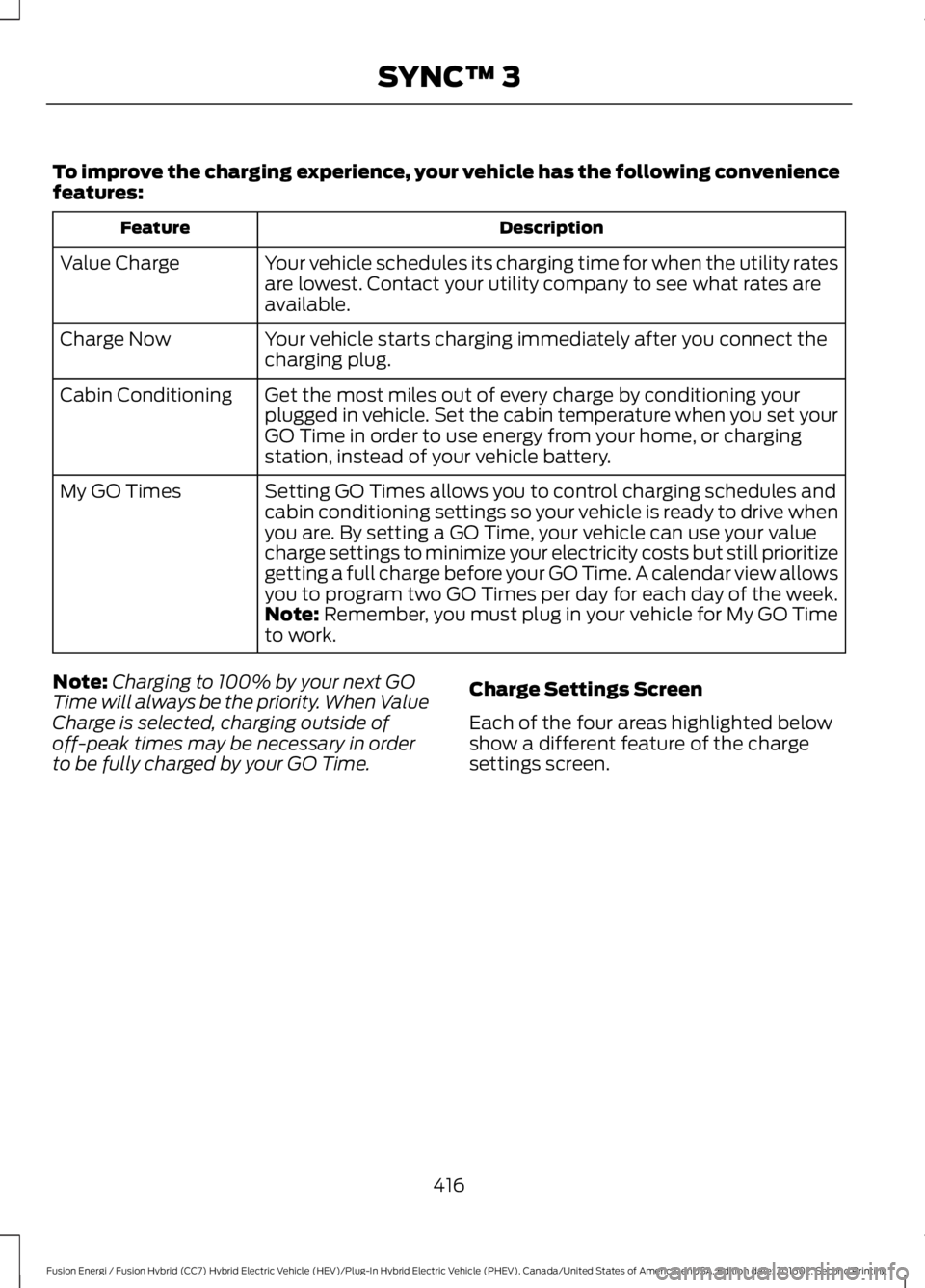
To improve the charging experience, your vehicle has the following conveniencefeatures:
DescriptionFeature
Your vehicle schedules its charging time for when the utility ratesare lowest. Contact your utility company to see what rates areavailable.
Value Charge
Your vehicle starts charging immediately after you connect thecharging plug.Charge Now
Get the most miles out of every charge by conditioning yourplugged in vehicle. Set the cabin temperature when you set yourGO Time in order to use energy from your home, or chargingstation, instead of your vehicle battery.
Cabin Conditioning
Setting GO Times allows you to control charging schedules andcabin conditioning settings so your vehicle is ready to drive whenyou are. By setting a GO Time, your vehicle can use your valuecharge settings to minimize your electricity costs but still prioritizegetting a full charge before your GO Time. A calendar view allowsyou to program two GO Times per day for each day of the week.
My GO Times
Note: Remember, you must plug in your vehicle for My GO Timeto work.
Note:Charging to 100% by your next GOTime will always be the priority. When ValueCharge is selected, charging outside ofoff-peak times may be necessary in orderto be fully charged by your GO Time.
Charge Settings Screen
Each of the four areas highlighted belowshow a different feature of the chargesettings screen.
416
Fusion Energi / Fusion Hybrid (CC7) Hybrid Electric Vehicle (HEV)/Plug-In Hybrid Electric Vehicle (PHEV), Canada/United States of America, enUSA, Edition date: 201602, Second Printing
SYNC™ 3