engine FORD FUSION ENERGI 2018 Owners Manual
[x] Cancel search | Manufacturer: FORD, Model Year: 2018, Model line: FUSION ENERGI, Model: FORD FUSION ENERGI 2018Pages: 538, PDF Size: 7.52 MB
Page 6 of 538
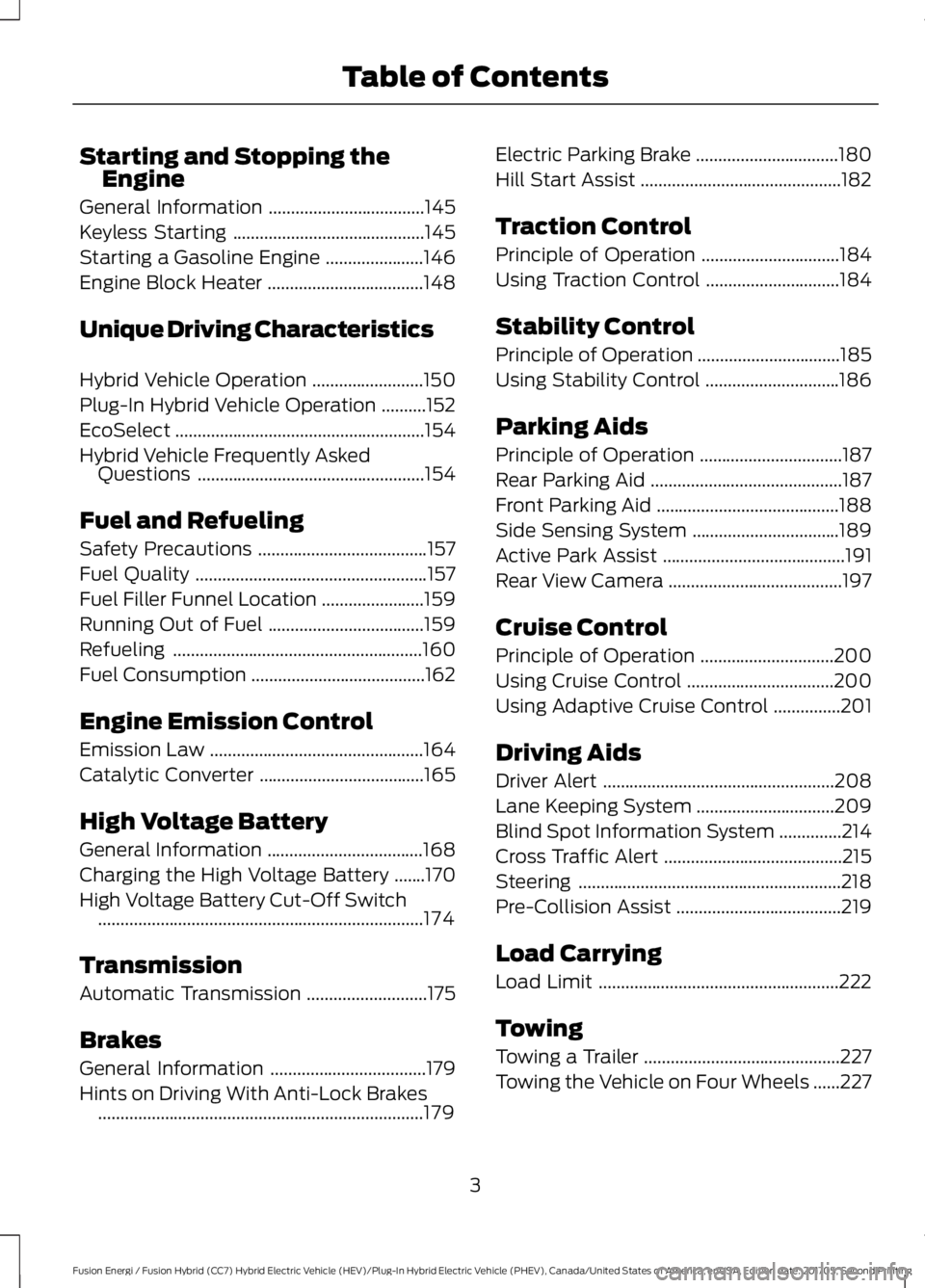
Starting and Stopping theEngine
General Information...................................145
Keyless Starting...........................................145
Starting a Gasoline Engine......................146
Engine Block Heater...................................148
Unique Driving Characteristics
Hybrid Vehicle Operation.........................150
Plug-In Hybrid Vehicle Operation..........152
EcoSelect........................................................154
Hybrid Vehicle Frequently AskedQuestions...................................................154
Fuel and Refueling
Safety Precautions......................................157
Fuel Quality....................................................157
Fuel Filler Funnel Location.......................159
Running Out of Fuel...................................159
Refueling........................................................160
Fuel Consumption.......................................162
Engine Emission Control
Emission Law................................................164
Catalytic Converter.....................................165
High Voltage Battery
General Information...................................168
Charging the High Voltage Battery.......170
High Voltage Battery Cut-Off Switch.........................................................................174
Transmission
Automatic Transmission...........................175
Brakes
General Information...................................179
Hints on Driving With Anti-Lock Brakes.........................................................................179
Electric Parking Brake................................180
Hill Start Assist.............................................182
Traction Control
Principle of Operation...............................184
Using Traction Control..............................184
Stability Control
Principle of Operation................................185
Using Stability Control..............................186
Parking Aids
Principle of Operation................................187
Rear Parking Aid...........................................187
Front Parking Aid.........................................188
Side Sensing System.................................189
Active Park Assist.........................................191
Rear View Camera.......................................197
Cruise Control
Principle of Operation..............................200
Using Cruise Control.................................200
Using Adaptive Cruise Control...............201
Driving Aids
Driver Alert....................................................208
Lane Keeping System...............................209
Blind Spot Information System..............214
Cross Traffic Alert........................................215
Steering...........................................................218
Pre-Collision Assist.....................................219
Load Carrying
Load Limit......................................................222
Towing
Towing a Trailer............................................227
Towing the Vehicle on Four Wheels......227
3
Fusion Energi / Fusion Hybrid (CC7) Hybrid Electric Vehicle (HEV)/Plug-In Hybrid Electric Vehicle (PHEV), Canada/United States of America, enUSA, Edition date: 201705, Second Printing
Table of Contents
Page 7 of 538
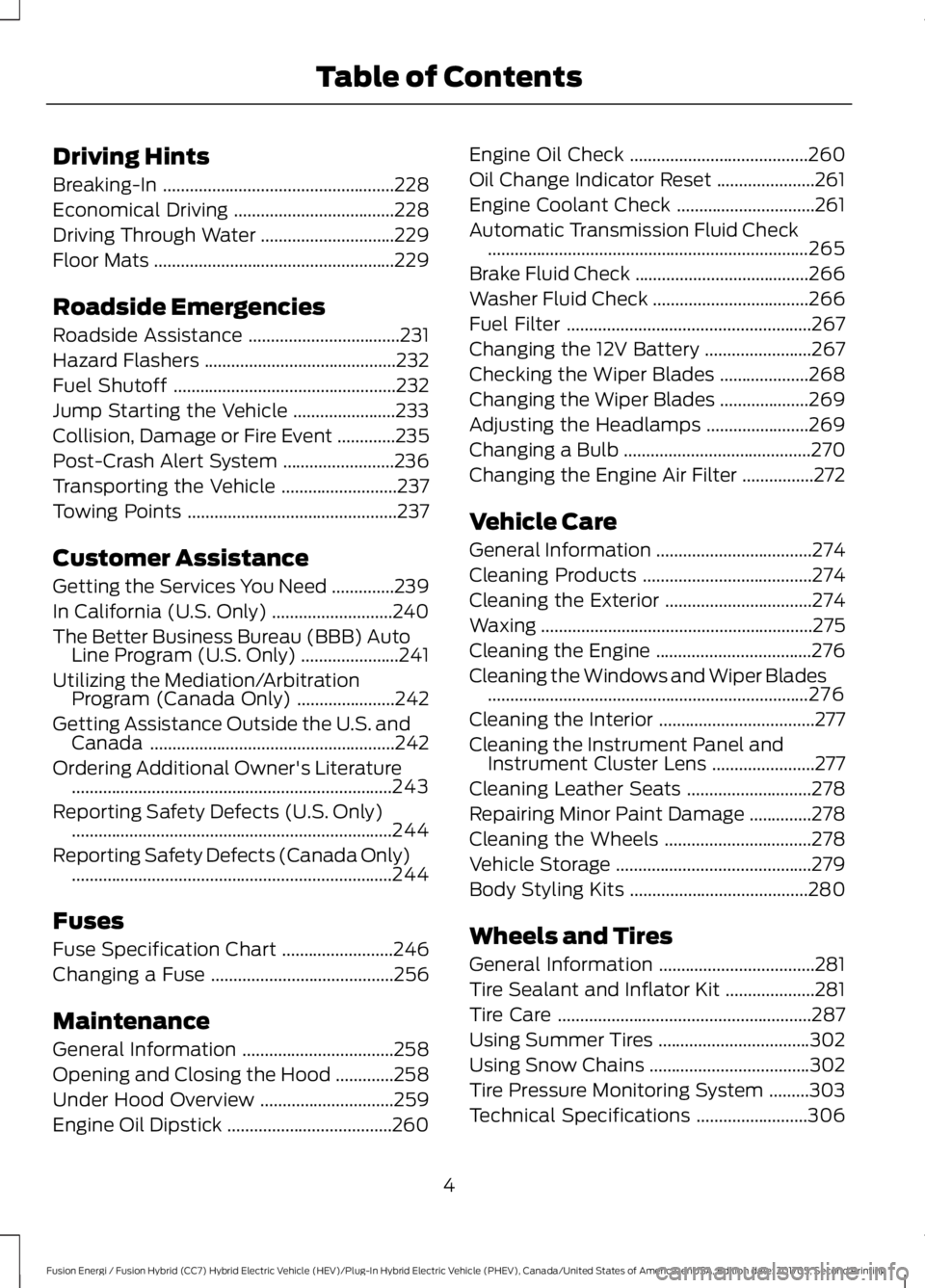
Driving Hints
Breaking-In....................................................228
Economical Driving....................................228
Driving Through Water..............................229
Floor Mats......................................................229
Roadside Emergencies
Roadside Assistance..................................231
Hazard Flashers...........................................232
Fuel Shutoff..................................................232
Jump Starting the Vehicle.......................233
Collision, Damage or Fire Event.............235
Post-Crash Alert System.........................236
Transporting the Vehicle..........................237
Towing Points...............................................237
Customer Assistance
Getting the Services You Need..............239
In California (U.S. Only)...........................240
The Better Business Bureau (BBB) AutoLine Program (U.S. Only)......................241
Utilizing the Mediation/ArbitrationProgram (Canada Only)......................242
Getting Assistance Outside the U.S. andCanada.......................................................242
Ordering Additional Owner's Literature........................................................................243
Reporting Safety Defects (U.S. Only)........................................................................244
Reporting Safety Defects (Canada Only)........................................................................244
Fuses
Fuse Specification Chart.........................246
Changing a Fuse.........................................256
Maintenance
General Information..................................258
Opening and Closing the Hood.............258
Under Hood Overview..............................259
Engine Oil Dipstick.....................................260
Engine Oil Check........................................260
Oil Change Indicator Reset......................261
Engine Coolant Check...............................261
Automatic Transmission Fluid Check........................................................................265
Brake Fluid Check.......................................266
Washer Fluid Check...................................266
Fuel Filter.......................................................267
Changing the 12V Battery........................267
Checking the Wiper Blades....................268
Changing the Wiper Blades....................269
Adjusting the Headlamps.......................269
Changing a Bulb..........................................270
Changing the Engine Air Filter................272
Vehicle Care
General Information...................................274
Cleaning Products......................................274
Cleaning the Exterior.................................274
Waxing.............................................................275
Cleaning the Engine...................................276
Cleaning the Windows and Wiper Blades........................................................................276
Cleaning the Interior...................................277
Cleaning the Instrument Panel andInstrument Cluster Lens.......................277
Cleaning Leather Seats............................278
Repairing Minor Paint Damage..............278
Cleaning the Wheels.................................278
Vehicle Storage............................................279
Body Styling Kits........................................280
Wheels and Tires
General Information...................................281
Tire Sealant and Inflator Kit....................281
Tire Care.........................................................287
Using Summer Tires..................................302
Using Snow Chains....................................302
Tire Pressure Monitoring System.........303
Technical Specifications.........................306
4
Fusion Energi / Fusion Hybrid (CC7) Hybrid Electric Vehicle (HEV)/Plug-In Hybrid Electric Vehicle (PHEV), Canada/United States of America, enUSA, Edition date: 201705, Second Printing
Table of Contents
Page 8 of 538
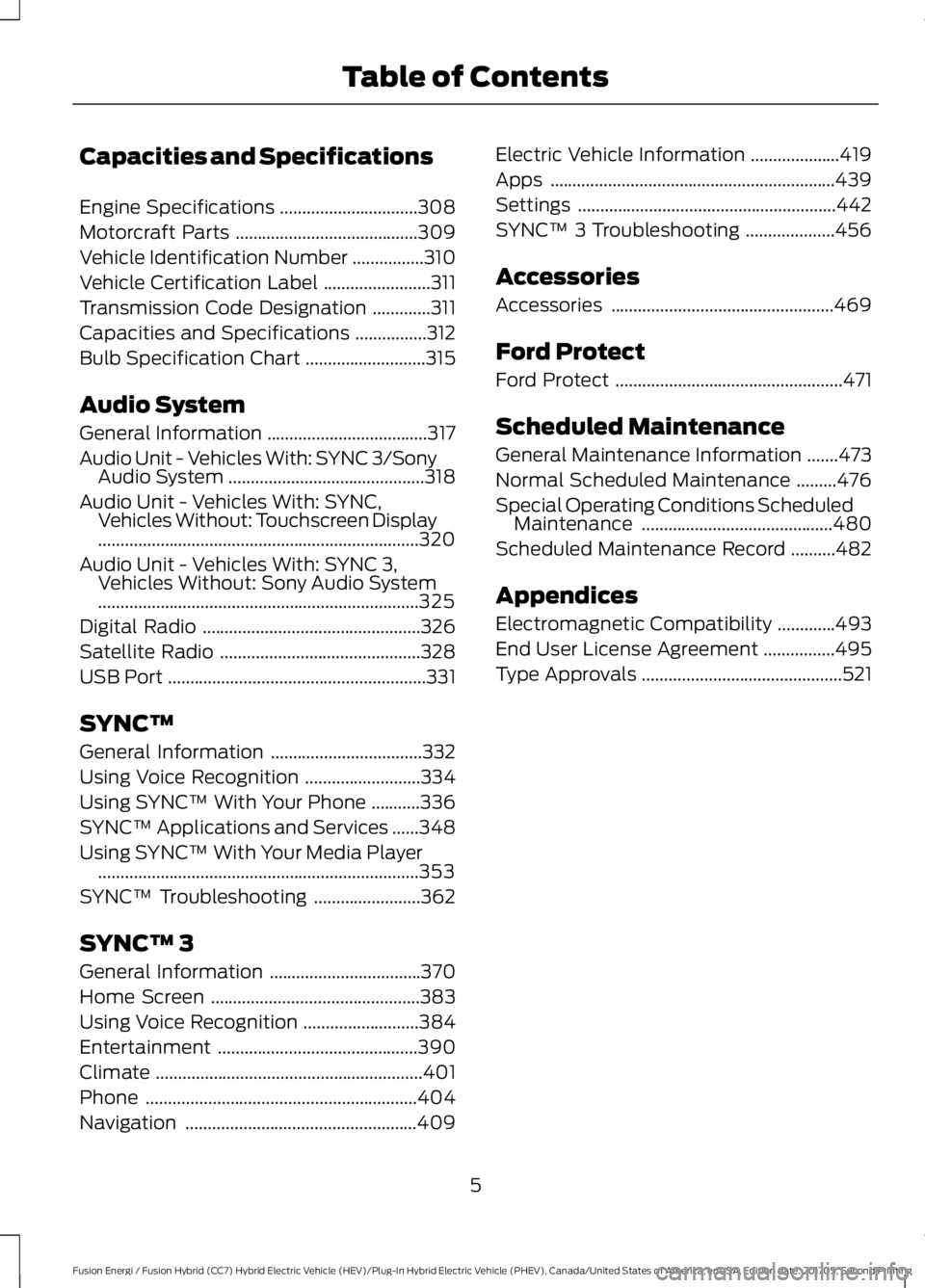
Capacities and Specifications
Engine Specifications...............................308
Motorcraft Parts.........................................309
Vehicle Identification Number................310
Vehicle Certification Label........................311
Transmission Code Designation.............311
Capacities and Specifications................312
Bulb Specification Chart...........................315
Audio System
General Information....................................317
Audio Unit - Vehicles With: SYNC 3/SonyAudio System............................................318
Audio Unit - Vehicles With: SYNC,Vehicles Without: Touchscreen Display........................................................................320
Audio Unit - Vehicles With: SYNC 3,Vehicles Without: Sony Audio System........................................................................325
Digital Radio.................................................326
Satellite Radio.............................................328
USB Port..........................................................331
SYNC™
General Information..................................332
Using Voice Recognition..........................334
Using SYNC™ With Your Phone...........336
SYNC™ Applications and Services......348
Using SYNC™ With Your Media Player........................................................................353
SYNC™ Troubleshooting........................362
SYNC™ 3
General Information..................................370
Home Screen...............................................383
Using Voice Recognition..........................384
Entertainment.............................................390
Climate............................................................401
Phone.............................................................404
Navigation....................................................409
Electric Vehicle Information....................419
Apps................................................................439
Settings..........................................................442
SYNC™ 3 Troubleshooting....................456
Accessories
Accessories..................................................469
Ford Protect
Ford Protect...................................................471
Scheduled Maintenance
General Maintenance Information.......473
Normal Scheduled Maintenance.........476
Special Operating Conditions ScheduledMaintenance...........................................480
Scheduled Maintenance Record..........482
Appendices
Electromagnetic Compatibility.............493
End User License Agreement................495
Type Approvals.............................................521
5
Fusion Energi / Fusion Hybrid (CC7) Hybrid Electric Vehicle (HEV)/Plug-In Hybrid Electric Vehicle (PHEV), Canada/United States of America, enUSA, Edition date: 201705, Second Printing
Table of Contents
Page 11 of 538
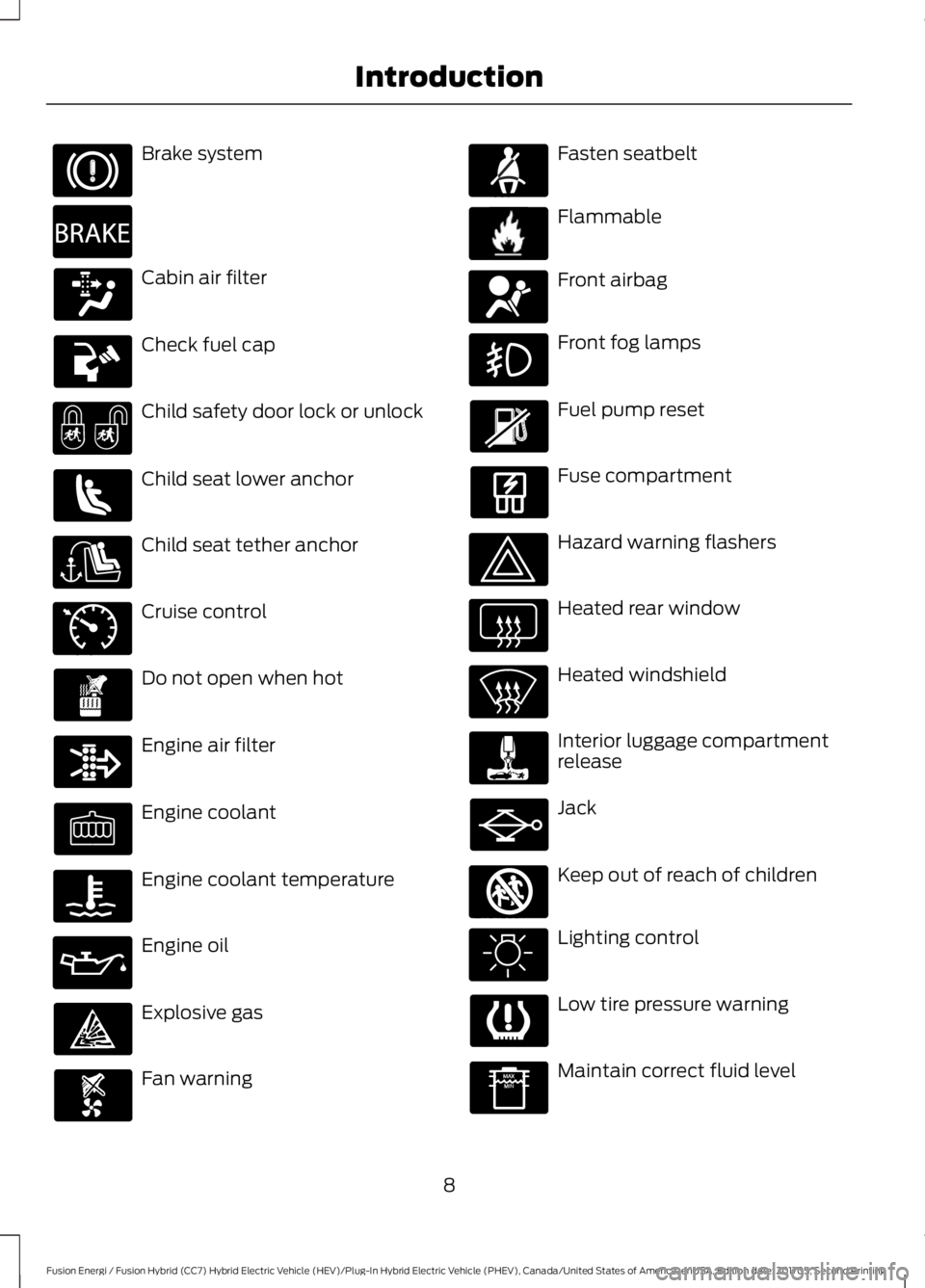
Brake system
Cabin air filter
Check fuel cap
Child safety door lock or unlock
Child seat lower anchor
Child seat tether anchor
Cruise control
Do not open when hot
Engine air filter
Engine coolant
Engine coolant temperature
Engine oil
Explosive gas
Fan warning
Fasten seatbelt
Flammable
Front airbag
Front fog lamps
Fuel pump reset
Fuse compartment
Hazard warning flashers
Heated rear window
Heated windshield
Interior luggage compartmentrelease
Jack
Keep out of reach of children
Lighting control
Low tire pressure warning
Maintain correct fluid level
8
Fusion Energi / Fusion Hybrid (CC7) Hybrid Electric Vehicle (HEV)/Plug-In Hybrid Electric Vehicle (PHEV), Canada/United States of America, enUSA, Edition date: 201705, Second Printing
Introduction E270480 E71340 E71880 E231160 E67017 E161353
Page 12 of 538
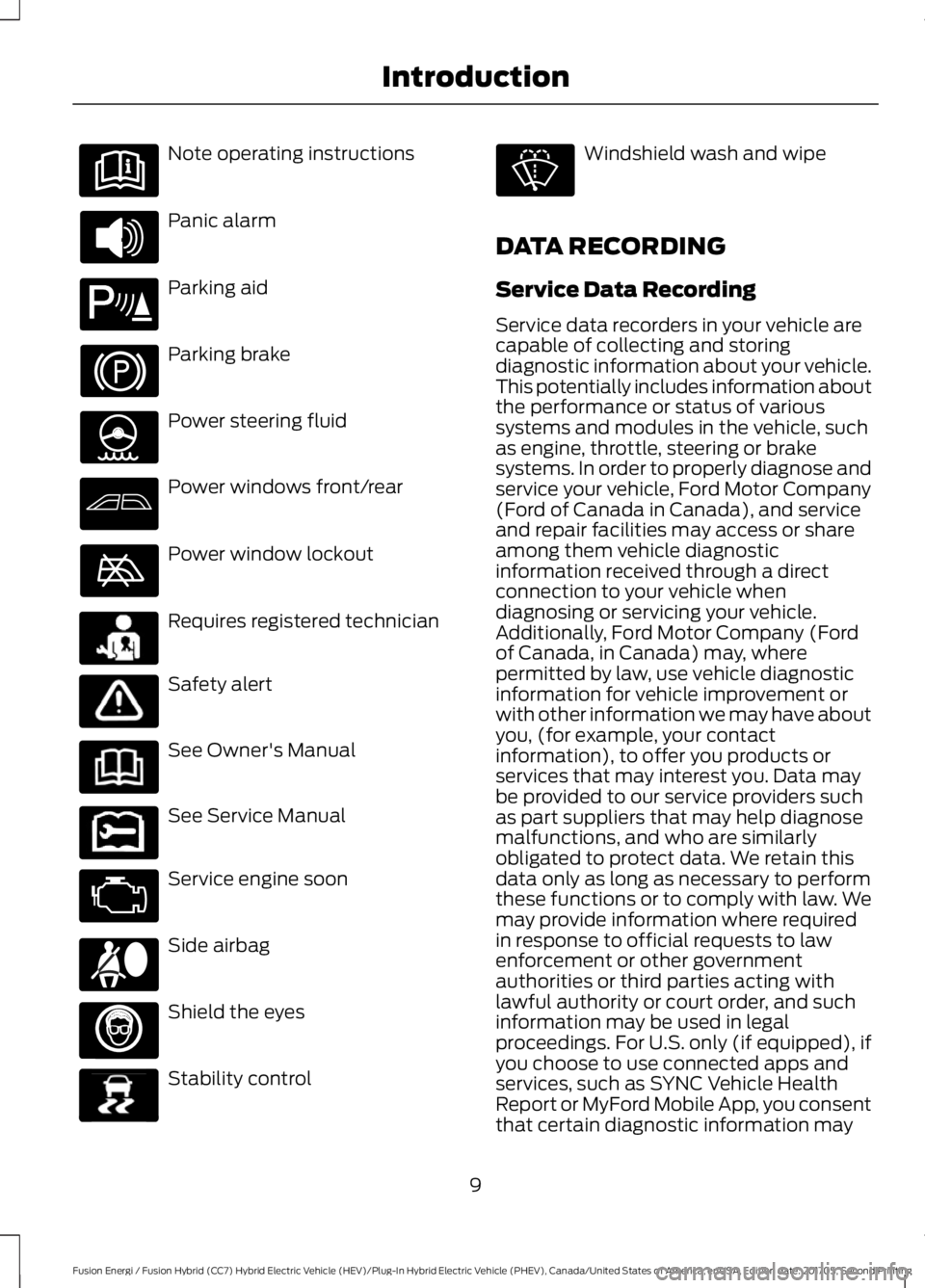
Note operating instructions
Panic alarm
Parking aid
Parking brake
Power steering fluid
Power windows front/rear
Power window lockout
Requires registered technician
Safety alert
See Owner's Manual
See Service Manual
Service engine soon
Side airbag
Shield the eyes
Stability control
Windshield wash and wipe
DATA RECORDING
Service Data Recording
Service data recorders in your vehicle arecapable of collecting and storingdiagnostic information about your vehicle.This potentially includes information aboutthe performance or status of varioussystems and modules in the vehicle, suchas engine, throttle, steering or brakesystems. In order to properly diagnose andservice your vehicle, Ford Motor Company(Ford of Canada in Canada), and serviceand repair facilities may access or shareamong them vehicle diagnosticinformation received through a directconnection to your vehicle whendiagnosing or servicing your vehicle.Additionally, Ford Motor Company (Fordof Canada, in Canada) may, wherepermitted by law, use vehicle diagnosticinformation for vehicle improvement orwith other information we may have aboutyou, (for example, your contactinformation), to offer you products orservices that may interest you. Data maybe provided to our service providers suchas part suppliers that may help diagnosemalfunctions, and who are similarlyobligated to protect data. We retain thisdata only as long as necessary to performthese functions or to comply with law. Wemay provide information where requiredin response to official requests to lawenforcement or other governmentauthorities or third parties acting withlawful authority or court order, and suchinformation may be used in legalproceedings. For U.S. only (if equipped), ifyou choose to use connected apps andservices, such as SYNC Vehicle HealthReport or MyFord Mobile App, you consentthat certain diagnostic information may
9
Fusion Energi / Fusion Hybrid (CC7) Hybrid Electric Vehicle (HEV)/Plug-In Hybrid Electric Vehicle (PHEV), Canada/United States of America, enUSA, Edition date: 201705, Second Printing
Introduction E139213 E231159 E231158 E167012 E138639
Page 14 of 538
Note:Including to the extent that anylaw pertaining to Event Data Recordersapplies to SYNC or its features, pleasenote the following: Once 911 Assist (ifequipped) is enabled (set ON), 911 Assistmay, through any paired and connectedcell phone, disclose to emergencyservices that the vehicle has been in acrash involving the deployment of anairbag or, in certain vehicles, theactivation of the fuel pump shut-off.Certain versions or updates to 911 Assistmay also be capable of being used toelectronically or verbally provide to 911operators the vehicle location (such aslatitude and longitude), and/or otherdetails about the vehicle or crash orpersonal information about theoccupants to assist 911 operators toprovide the most appropriate emergencyservices. If you do not want to disclosethis information, do not activate the 911Assist feature. See SYNC™ (page 332).
Additionally, when you connect toTraffic, Directions and Information (ifequipped, U.S. only), the service usesGPS technology and advanced vehiclesensors to collect the vehicle’s currentlocation, travel direction, and speed(“vehicle travel information”), only tohelp provide you with the directions,traffic reports, or business searchesthat you request. If you do not wantFord or its vendors to receive thisinformation, do not activate theservice. For more information, seeTraffic, Directions and Information,Terms and Conditions. See SYNC™(page 332).
CALIFORNIA PROPOSITION 65
WARNINGS
Some constituents of engineexhaust, certain vehicle components,certain fluids contained in vehiclesand certain products of component wearcontain or emit chemicals known to theState of California to cause cancer andbirth defects or other reproductive harm.
Battery posts, terminals and relatedaccessories contain lead and leadcompounds, chemicals known to theState of California to cause cancer andreproductive harm. Batteries also containother chemicals known to the State ofCalifornia to cause cancer. Wash yourhands after handling.
PERCHLORATE
Certain components in your vehicle suchas airbag modules, seatbelt pretensionersand remote control batteries may containperchlorate material. Special handlingmay apply for service or vehicle end of lifedisposal.
For more information visit:
Web Address
www.dtsc.ca.gov/hazard-ouswaste/perchlorate
FORD CREDIT
US Only
Ford Credit offers a full range of financingand lease plans to help you acquire yourvehicle. If you have financed or leased yourvehicle through Ford Credit, thank you foryour business.
11
Fusion Energi / Fusion Hybrid (CC7) Hybrid Electric Vehicle (HEV)/Plug-In Hybrid Electric Vehicle (PHEV), Canada/United States of America, enUSA, Edition date: 201705, Second Printing
Introduction
Page 58 of 538
Note:You must press the push buttonignition switch on the instrument panel oncewhile applying the brake pedal beforedriving your vehicle.
The power windows do not work duringremote start and the radio does not turnon automatically.
The parking lamps remain on and yourvehicle will run for 5, 10 or 15 minutes,depending on the setting.
Extending the Engine Running Time
To extend the engine running time durationof your vehicle during remote start, repeatsteps 1 and 2 while the engine is running.If the duration is set to 15 minutes, theduration extends by another 15 minutes.For example, if your vehicle had beenrunning from the first remote start for 10minutes, your vehicle continues to run nowfor a total of 30 minutes. You can extendthe engine running time duration to amaximum of 30 minutes.
Wait at least five seconds before remotestarting after the engine stops running.
Turning Your Vehicle Off After RemoteStarting
Press the button once. Yourvehicle and the parking lampsturn off.
You may have to be closer to your vehiclethan when starting due to ground reflectionand the added noise of your runningvehicle.
You can switch this feature on or off in theinformation display.
Memory Feature
You can program your intelligent accesskey to recall memory positions. SeeMemory Function (page 132).
REPLACING A LOST KEY OR
REMOTE CONTROL
Replacement keys or remote controls canbe purchased from an authorized dealer.Authorized dealers can program remotecontrols for your vehicle. See PassiveAnti-Theft System (page 68).
55
Fusion Energi / Fusion Hybrid (CC7) Hybrid Electric Vehicle (HEV)/Plug-In Hybrid Electric Vehicle (PHEV), Canada/United States of America, enUSA, Edition date: 201705, Second Printing
Keys and Remote ControlsE138625
Page 60 of 538
Note:Not every feature applies to everyvehicle in every market. When they areavailable for your vehicle, then they appearin your information display, providingchoices to switch them on or off, or to selecta more specific setting.
•Various vehicle speed limits so theMyKey driver cannot exceed certainspeeds. The information display showswarnings followed by an audible tonewhen the MyKey driver reaches the setspeed. You cannot override the setspeed by fully depressing theaccelerator pedal.
WARNING
Do not set MyKey maximum speedlimit to a limit that will prevent thedriver from maintaining a safe speedconsidering posted speed limits andprevailing road conditions. The driver isalways responsible to drive in accordancewith local laws and prevailing conditions.Failure to do so could result in accident orinjury.
•Various vehicle speed reminders soMyKey drivers know when their vehiclespeed approaches the limits. Warningsappear in your information display anda tone sounds when the MyKey driversexceed the set vehicle speed.
•The audio system's maximum volumelimits to 45% so MyKey drivers canconcentrate on the road. A messageappears in the information displaywhen MyKey drivers attempt to exceedthe limited volume. MyKey alsodisables the automatic volume control.Note: If your vehicle includes anAM/FM radio or a very basic audiosystem, then the radio may not limit.
•Always on setting. This setting forcescertain features to remain on andactive for MyKey drivers. For example,E911 or emergency assistance and thedo not disturb features stay on even ifa MyKey driver uses the feature'scontrol to switch it off. When youselect, you will not be able to turn offAdvance Trac or traction control (ifyour vehicle has this feature).
CREATING A MYKEY
Use the information display to create aMyKey.
1. Switch the ignition on using the key orthe transmitter you want to program.If your vehicle has a push-button start,place the transmitter into the backupslot. See Starting a Gasoline Engine(page 146).
2. Access the main menu in theinformation display and then scrollthrough the menus to beginprogramming your MyKey. SeeInformation Displays (page 97).
3. Follow the instructions in the display.
57
Fusion Energi / Fusion Hybrid (CC7) Hybrid Electric Vehicle (HEV)/Plug-In Hybrid Electric Vehicle (PHEV), Canada/United States of America, enUSA, Edition date: 201705, Second Printing
MyKey™
Page 61 of 538
4.A confirmation message appears in thedisplay after you finish programmingyour MyKey. The programmedrestrictions apply when you key off,open and close driver door and restartyour vehicle with the programmed keyor transmitter.
Note:Make sure you label the programmedMyKey so you can distinguish it from theadmin keys.
You can also program the optional MyKeysettings.
Programming or ChangingConfigurable Settings
Use the information display to program orchange your optional MyKey settings.
1. Switch the ignition on using the key orthe transmitter you want to program.
2. Access the main menu in theinformation display and then scrollthrough the menus to change thesettings of your MyKey. SeeInformation Displays (page 97).
3. Follow the instructions in the display.
4.A confirmation message appears in thedisplay after you finish programmingyour MyKey. The programmedrestrictions apply when you key off,open and close the driver door andrestart your vehicle with theprogrammed key or transmitter.
Note:You can clear or change your MyKeysettings at any time during the same keycycle as you created the MyKey. If youswitch the engine off, you must use anadmin key to change or clear your optionalMyKey settings.
CLEARING ALL MYKEYS
When you clear your MyKeys, you removeall restrictions and return all MyKeys totheir original admin key status at once. Toclear all MyKeys of all MyKey settings, usethe information display.
1. Switch the ignition on using an adminkey.
2. Access the main menu in theinformation display and then scrollthrough the menus to begin clearingyour MyKey programming. SeeInformation Displays (page 97).
3. Follow the instructions in the display.
4.A confirmation message appears in thedisplay after you finish clearing yourMyKeys.
Note:When you clear your MyKeys, youremove all restrictions and return all MyKeysto their original admin key status. Youcannot remove the MyKey restrictionsindividually.
CHECKING MYKEY SYSTEM
STATUS
You can find information about yourprogrammed MyKeys by using theinformation display. See InformationDisplays (page 97).
MyKey Distance
Tracks the distance when drivers use aMyKey. The only way to delete theaccumulated distance is by using an adminkey to clear all MyKeys. If the distance doesnot accumulate as expected, then theintended user is not using the MyKey, or anadmin key user recently cleared and thenrecreated a MyKey.
58
Fusion Energi / Fusion Hybrid (CC7) Hybrid Electric Vehicle (HEV)/Plug-In Hybrid Electric Vehicle (PHEV), Canada/United States of America, enUSA, Edition date: 201705, Second Printing
MyKey™
Page 71 of 538
PASSIVE ANTI-THEFT
SYSTEM
Note: The system is not compatible withnon-Ford aftermarket remote start systems.Use of these systems may result in enginestarting problems and a loss of securityprotection.
Note: Metallic objects, electronic devicesor a second coded key on the same keychain may result in vehicle startingproblems, especially if they are too close tothe key when starting your vehicle. Preventthese objects from touching the coded keywhen starting your vehicle. Switch theignition off, move all objects on the keychain away from the coded key and restartyour vehicle if a problem occurs.
Note: Do not leave a duplicate coded keyin your vehicle. Always take your keys andlock all doors when leaving your vehicle.
SecuriLock®
The system helps prevent the engine fromstarting unless you use a coded keyprogrammed to your vehicle. Using thewrong key may prevent your vehicle fromstarting. A message may appear in theinformation display.
If you are unable to start your vehicle witha coded key, it is not operating correctly.A message may appear in the informationdisplay.
Automatic Arming
The system arms when you switch theignition off.
Automatic Disarming
The system disarms when you switch theignition on with a coded key.
Replacement Keys
Note: Your vehicle comes with two keys.
The intelligent access key functions as aprogrammed key that operates the driverdoor lock and turns on the intelligentaccess with push button start system, aswell as a remote control.
If your programmed transmitters are lostor stolen and you do not have an extracoded key, you will need to have yourvehicle towed to an authorized dealer. Youneed to erase the key codes from yourvehicle and program new coded keys.
Store a spare intelligent access key awayfrom your vehicle in a safe place. You canpurchase replacement keys or remotecontrols from an authorized dealer.
Programming a Spare IntelligentAccess Key
Note:You can program a maximum of fourkeys to your vehicle.
You must have two previouslyprogrammed intelligent access keys insideyour vehicle and the new unprogrammedintelligent access key readily accessible.You can purchase replacement keys orremote controls from an authorized dealer.
Make sure that the ignition is switched offbefore beginning this procedure. Make surethat you close all the doors beforebeginning and that they remain closedthroughout the procedure. Carry out allsteps within 30 seconds of starting thesequence. Stop and wait for at least oneminute before starting again if you carryout any steps out of sequence.
Read and understand the entire procedurebefore you begin.
1. Remove the key blade from thetransmitter.
68
Fusion Energi / Fusion Hybrid (CC7) Hybrid Electric Vehicle (HEV)/Plug-In Hybrid Electric Vehicle (PHEV), Canada/United States of America, enUSA, Edition date: 201705, Second Printing
Security