remote control FORD FUSION ENERGI 2019 Owner's Manual
[x] Cancel search | Manufacturer: FORD, Model Year: 2019, Model line: FUSION ENERGI, Model: FORD FUSION ENERGI 2019Pages: 541, PDF Size: 7.19 MB
Page 134 of 541
•
Driver seat.
• Power mirrors.
• Power steering column.
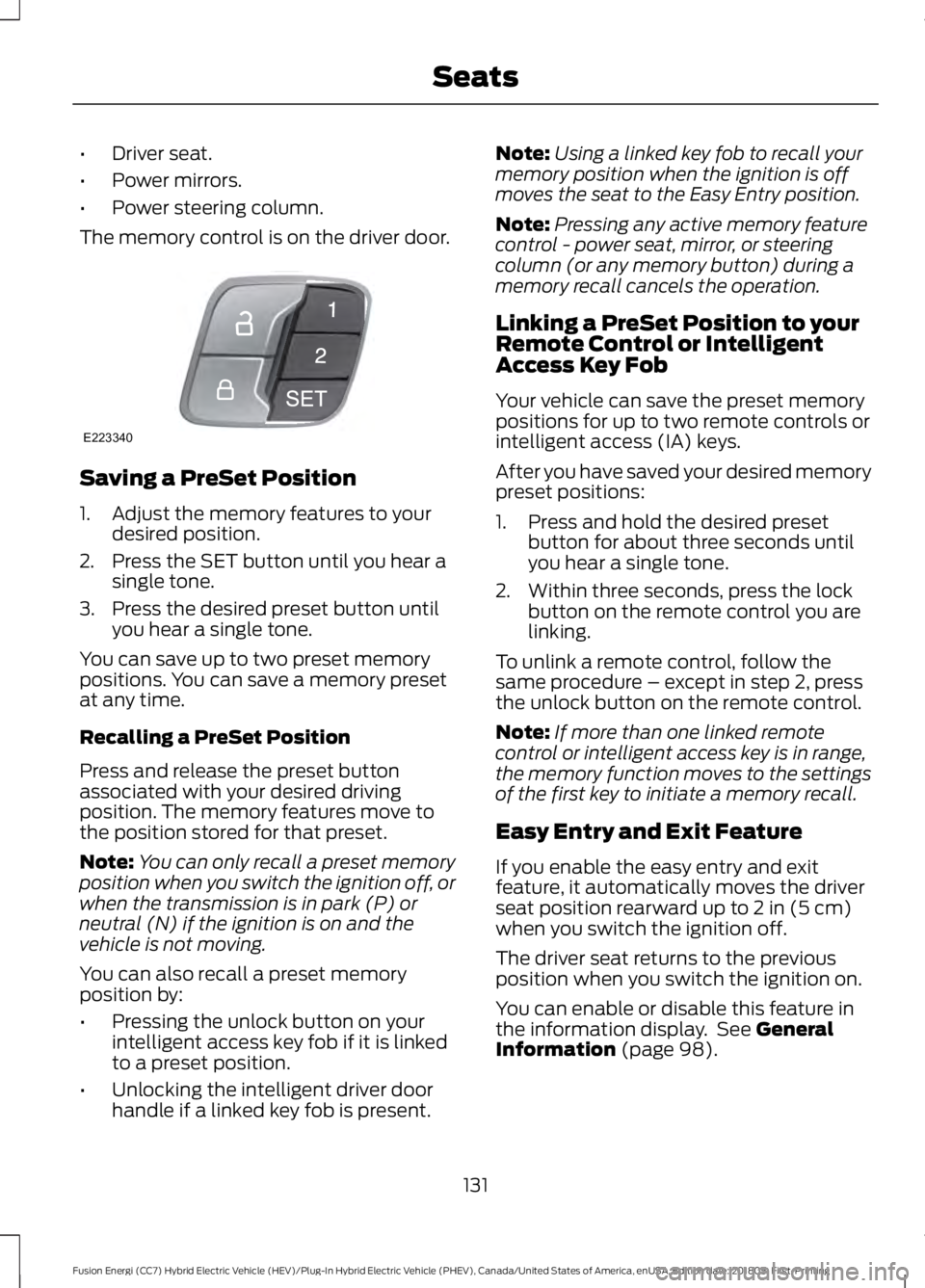
The memory control is on the driver door. Saving a PreSet Position
1. Adjust the memory features to your
desired position.
2. Press the SET button until you hear a single tone.
3. Press the desired preset button until you hear a single tone.
You can save up to two preset memory
positions. You can save a memory preset
at any time.
Recalling a PreSet Position
Press and release the preset button
associated with your desired driving
position. The memory features move to
the position stored for that preset.
Note: You can only recall a preset memory
position when you switch the ignition off, or
when the transmission is in park (P) or
neutral (N) if the ignition is on and the
vehicle is not moving.
You can also recall a preset memory
position by:
• Pressing the unlock button on your
intelligent access key fob if it is linked
to a preset position.
• Unlocking the intelligent driver door
handle if a linked key fob is present. Note:
Using a linked key fob to recall your
memory position when the ignition is off
moves the seat to the Easy Entry position.
Note: Pressing any active memory feature
control - power seat, mirror, or steering
column (or any memory button) during a
memory recall cancels the operation.
Linking a PreSet Position to your
Remote Control or Intelligent
Access Key Fob
Your vehicle can save the preset memory
positions for up to two remote controls or
intelligent access (IA) keys.
After you have saved your desired memory
preset positions:
1. Press and hold the desired preset button for about three seconds until
you hear a single tone.
2. Within three seconds, press the lock button on the remote control you are
linking.
To unlink a remote control, follow the
same procedure – except in step 2, press
the unlock button on the remote control.
Note: If more than one linked remote
control or intelligent access key is in range,
the memory function moves to the settings
of the first key to initiate a memory recall.
Easy Entry and Exit Feature
If you enable the easy entry and exit
feature, it automatically moves the driver
seat position rearward up to 2 in (5 cm)
when you switch the ignition off.
The driver seat returns to the previous
position when you switch the ignition on.
You can enable or disable this feature in
the information display. See
General
Information (page 98).
131
Fusion Energi (CC7) Hybrid Electric Vehicle (HEV)/Plug-In Hybrid Electric Vehicle (PHEV), Canada/United States of America, enUSA, Edition date: 201805, First-Printing SeatsE223340
Page 138 of 541
HomeLink Wireless Control
System
WARNING: Do not use the system
with any garage door opener that does not
have the safety stop and reverse feature
as required by U.S. Federal Safety
Standards (this includes any garage door
opener manufactured before April 1, 1982).
A garage door opener which cannot detect
an object, signaling the door to stop and
reverse, does not meet current federal
safety standards. Using a garage door
opener without these features increases
the risk of serious injury or death.
Note: Make sure that the garage door and
security device are free from obstruction
when you are programming. Do not program
the system with the vehicle in the garage.
Note: Make sure you keep the original
remote control transmitter for use in other
vehicles as well as for future system
programming.
Note: We recommend that upon the sale
or lease termination of your vehicle, you
erase the programmed function buttons for
security reasons. See Erasing the Function
Button Codes
.
Note: You can program a maximum of
three devices. To change or replace any of
the three devices after it has been initially
programmed, you must first erase the
current settings. See Erasing the Function
Button Codes
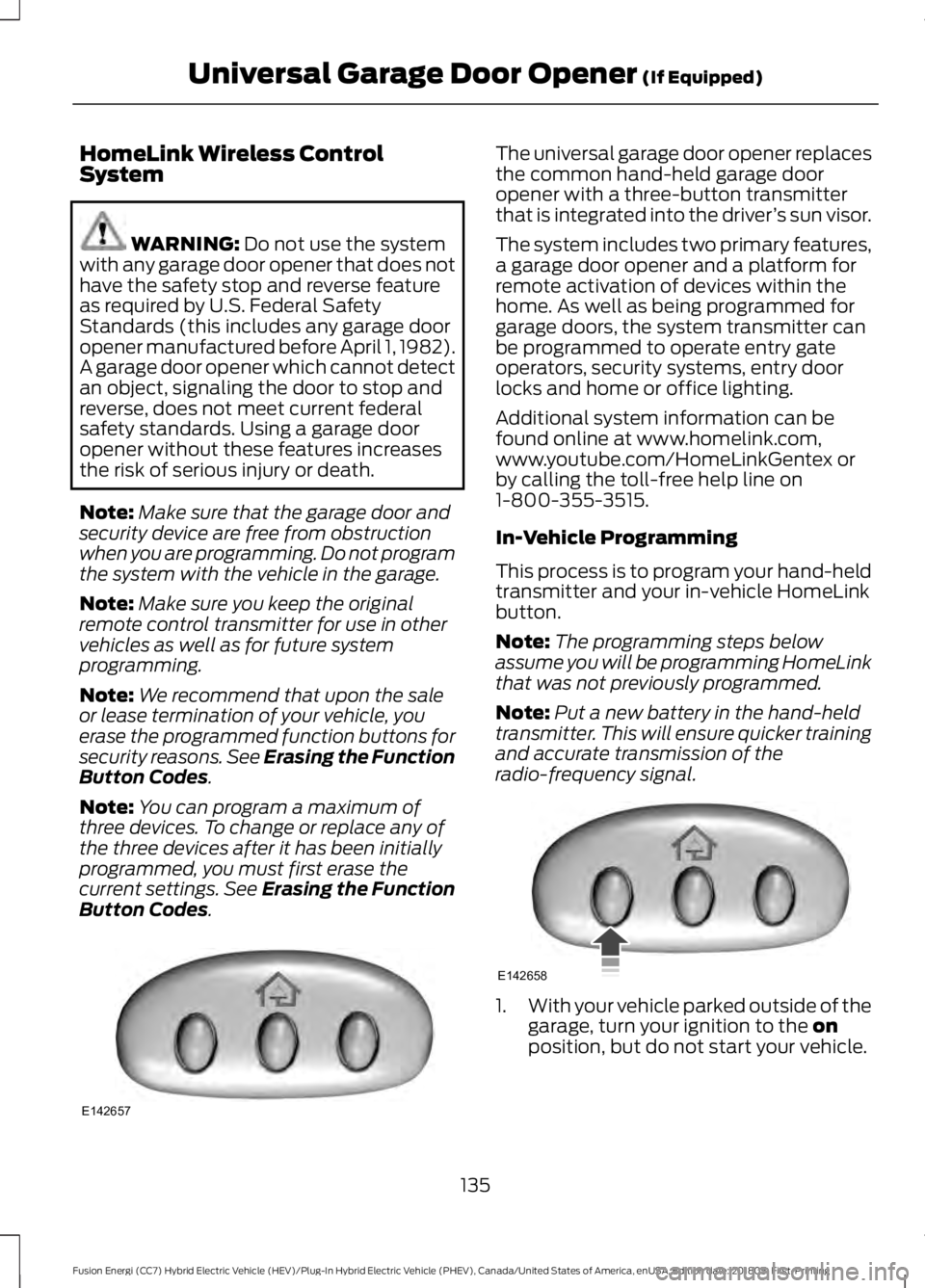
. The universal garage door opener replaces
the common hand-held garage door
opener with a three-button transmitter
that is integrated into the driver
’s sun visor.
The system includes two primary features,
a garage door opener and a platform for
remote activation of devices within the
home. As well as being programmed for
garage doors, the system transmitter can
be programmed to operate entry gate
operators, security systems, entry door
locks and home or office lighting.
Additional system information can be
found online at www.homelink.com,
www.youtube.com/HomeLinkGentex or
by calling the toll-free help line on
1-800-355-3515.
In-Vehicle Programming
This process is to program your hand-held
transmitter and your in-vehicle HomeLink
button.
Note: The programming steps below
assume you will be programming HomeLink
that was not previously programmed.
Note: Put a new battery in the hand-held
transmitter. This will ensure quicker training
and accurate transmission of the
radio-frequency signal. 1.
With your vehicle parked outside of the
garage, turn your ignition to the
on
position, but do not start your vehicle.
135
Fusion Energi (CC7) Hybrid Electric Vehicle (HEV)/Plug-In Hybrid Electric Vehicle (PHEV), Canada/United States of America, enUSA, Edition date: 201805, First-Printing Universal Garage Door Opener
(If Equipped)E142657 E142658
Page 208 of 541
Possible Causes and Actions for This Message Displaying:
Action
Cause
Clean the grille surface in front of the radar
or remove the object causing the obstruc-
tion.
The surface of the radar is dirty or
obstructed.
Wait a short time. It may take several
minutes for the radar to detect that it is free
from obstruction.
The surface of the radar is clean but the
message remains in the display.
Do not use the system in these conditions
because it may not detect any vehicles
ahead.
Heavy rain or snow is interfering with the
radar signals.
Do not use the system in these conditions
because it may not detect any vehicles
ahead.
Water, snow or ice on the surface of the
road may interfere with the radar signals.
Wait a short time or switch to normal cruise
control.
You are in a desert or remote area with no
other vehicles and no roadside objects.
Due to the nature of radar technology, it is possible to get a blockage warning with no
actual block. A false blocked condition either self clears, or clears after you restart your
vehicle.
Switching to Normal Cruise
Control WARNING: Normal cruise control
will not brake when your vehicle is
approaching slower vehicles. Always be
aware of which mode you have selected
and apply the brakes when necessary. The cruise control indicator light
replaces the adaptive cruise
control indicator light if you
select normal cruise control. The gap
setting does not display, and the system
does not respond to lead vehicles.
Automatic braking remains active to
maintain set speed. You can change from adaptive cruise
control to normal cruise control through
the information display.
Switching to ECO Cruise
Using cruise control with ECO Cruise
switched on may change the operation of
the system. This feature saves vehicle
energy by relaxing acceleration compared
to standard cruise control. For example,
your vehicle may temporarily lose speed
when going uphill.
For Energi vehicles, you can switch on ECO
Cruise using the information display.
For Hybrid vehicles, press
ECO on the
center console.
For additional information, refer to ECO
Cruise and EcoSelect. See
EcoSelect
(page 152).
205
Fusion Energi (CC7) Hybrid Electric Vehicle (HEV)/Plug-In Hybrid Electric Vehicle (PHEV), Canada/United States of America, enUSA, Edition date: 201805, First-Printing Cruise ControlE71340
Page 237 of 541
Crashes
A crash or impact significant enough to
require an emergency response for
conventional vehicles would also require
the same response for an electric or
hybrid-electric vehicle.
If possible:
•
Move your vehicle to a safe, nearby
location and remain on the scene.
• Roll down the windows before
switching your vehicle off.
• Place your vehicle in park (P), set the
parking brake, switch off the vehicle,
activate the hazard warning flashers
and move your key(s) at least 15 ft
(5 m) away from the vehicle.
Always:
• Call emergency assistance if needed
and advise that an electric or
hybrid-electric vehicle is involved.
• Exposed electrical components, wires,
and high-voltage batteries present
potential high-voltage shock hazards.
• Avoid contact with leaking fluids and
gases, and remain out of the way of
oncoming traffic until emergency
responders arrive.
• When emergency responders arrive,
tell them that the vehicle involved is an
electric vehicle or hybrid-electric
vehicle.
Fires
As with any vehicle, call emergency
assistance immediately if you see sparks,
smoke or flames coming from the vehicle.
Remain a safe distance from the vehicle
and try to stay clear of the smoke.
• Exit the vehicle immediately.
• Advise emergency assistance that an
electric or hybrid-electric vehicle is
involved. •
As with any vehicle fire, do not inhale
smoke, vapors or gas from the vehicle,
as they may be hazardous.
• Stay out of the roadway and stay out
of the way of any oncoming traffic
while awaiting the arrival of emergency
responders.
Post-Incident
• Do not store a severely damaged
vehicle with a lithium-ion battery inside
a structure or within 49 ft (15 m) of any
structure or vehicle.
• Make sure that passenger and luggage
compartments remain ventilated.
• Call emergency assistance if you
observe leaking fluids, sparks, smoke
or flames, or hear gurgling or bubbling
from the high-voltage battery.
POST-CRASH ALERT SYSTEM
The system flashes the direction indicators
and sounds the horn (intermittently) in the
event of a serious impact that deploys an
airbag (front, side, side curtain or Safety
Canopy) or the seatbelt pretensioners.
The horn and indicators turn off when:
• You press the hazard control button.
• You press the panic button on the
remote entry transmitter (if equipped).
• Your vehicle runs out of power.
• Sounding of the horn is only enabled
in specific markets.
234
Fusion Energi (CC7) Hybrid Electric Vehicle (HEV)/Plug-In Hybrid Electric Vehicle (PHEV), Canada/United States of America, enUSA, Edition date: 201805, First-Printing Roadside Emergencies
Page 303 of 541
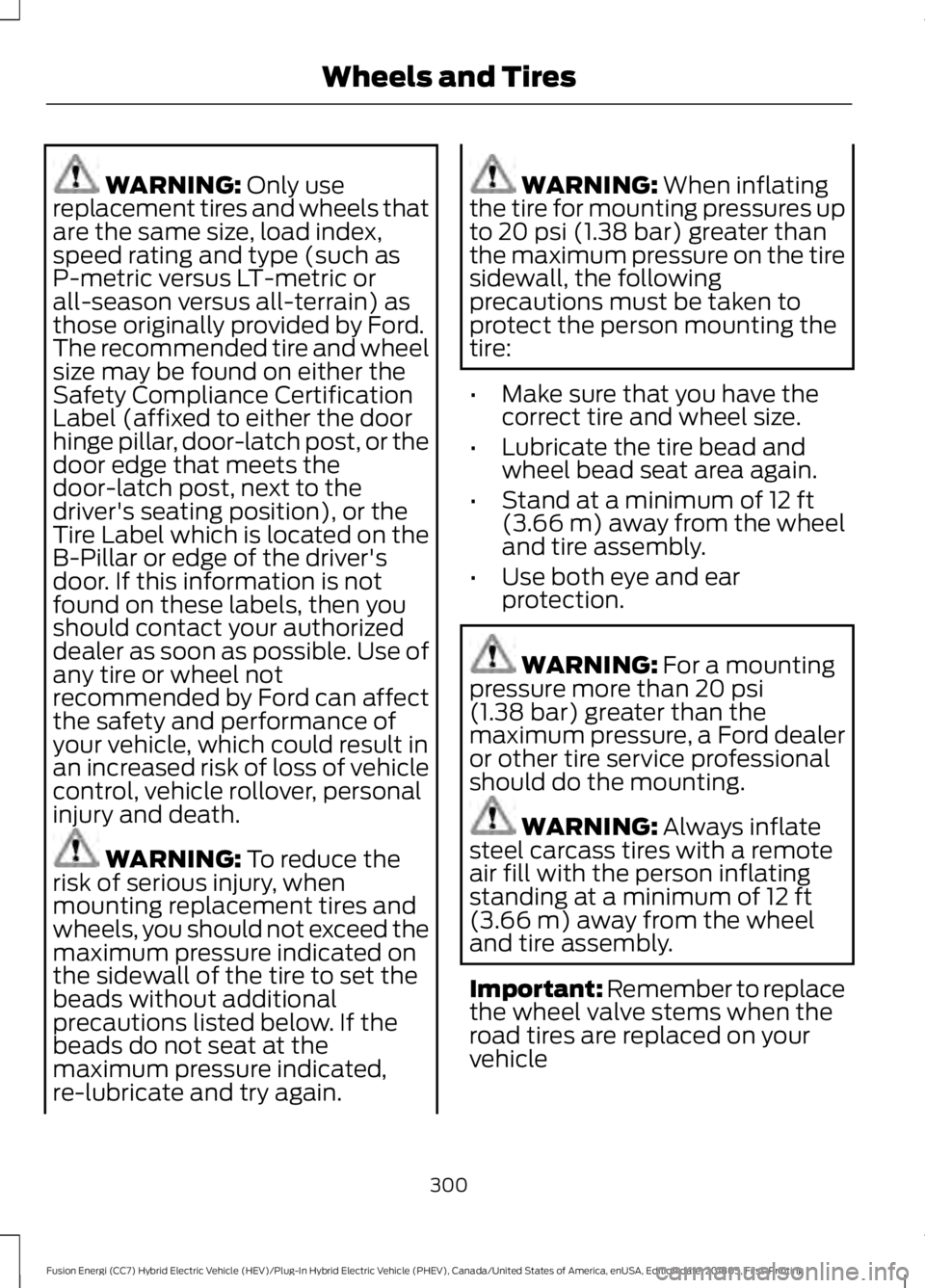
WARNING: Only use
replacement tires and wheels that
are the same size, load index,
speed rating and type (such as
P-metric versus LT-metric or
all-season versus all-terrain) as
those originally provided by Ford.
The recommended tire and wheel
size may be found on either the
Safety Compliance Certification
Label (affixed to either the door
hinge pillar, door-latch post, or the
door edge that meets the
door-latch post, next to the
driver's seating position), or the
Tire Label which is located on the
B-Pillar or edge of the driver's
door. If this information is not
found on these labels, then you
should contact your authorized
dealer as soon as possible. Use of
any tire or wheel not
recommended by Ford can affect
the safety and performance of
your vehicle, which could result in
an increased risk of loss of vehicle
control, vehicle rollover, personal
injury and death. WARNING:
To reduce the
risk of serious injury, when
mounting replacement tires and
wheels, you should not exceed the
maximum pressure indicated on
the sidewall of the tire to set the
beads without additional
precautions listed below. If the
beads do not seat at the
maximum pressure indicated,
re-lubricate and try again. WARNING:
When inflating
the tire for mounting pressures up
to
20 psi (1.38 bar) greater than
the maximum pressure on the tire
sidewall, the following
precautions must be taken to
protect the person mounting the
tire:
• Make sure that you have the
correct tire and wheel size.
• Lubricate the tire bead and
wheel bead seat area again.
• Stand at a minimum of
12 ft
(3.66 m) away from the wheel
and tire assembly.
• Use both eye and ear
protection. WARNING:
For a mounting
pressure more than 20 psi
(1.38 bar) greater than the
maximum pressure, a Ford dealer
or other tire service professional
should do the mounting. WARNING:
Always inflate
steel carcass tires with a remote
air fill with the person inflating
standing at a minimum of
12 ft
(3.66 m) away from the wheel
and tire assembly.
Important: Remember to replace
the wheel valve stems when the
road tires are replaced on your
vehicle
300
Fusion Energi (CC7) Hybrid Electric Vehicle (HEV)/Plug-In Hybrid Electric Vehicle (PHEV), Canada/United States of America, enUSA, Edition date: 201805, First-Printing Wheels and Tires
Page 535 of 541
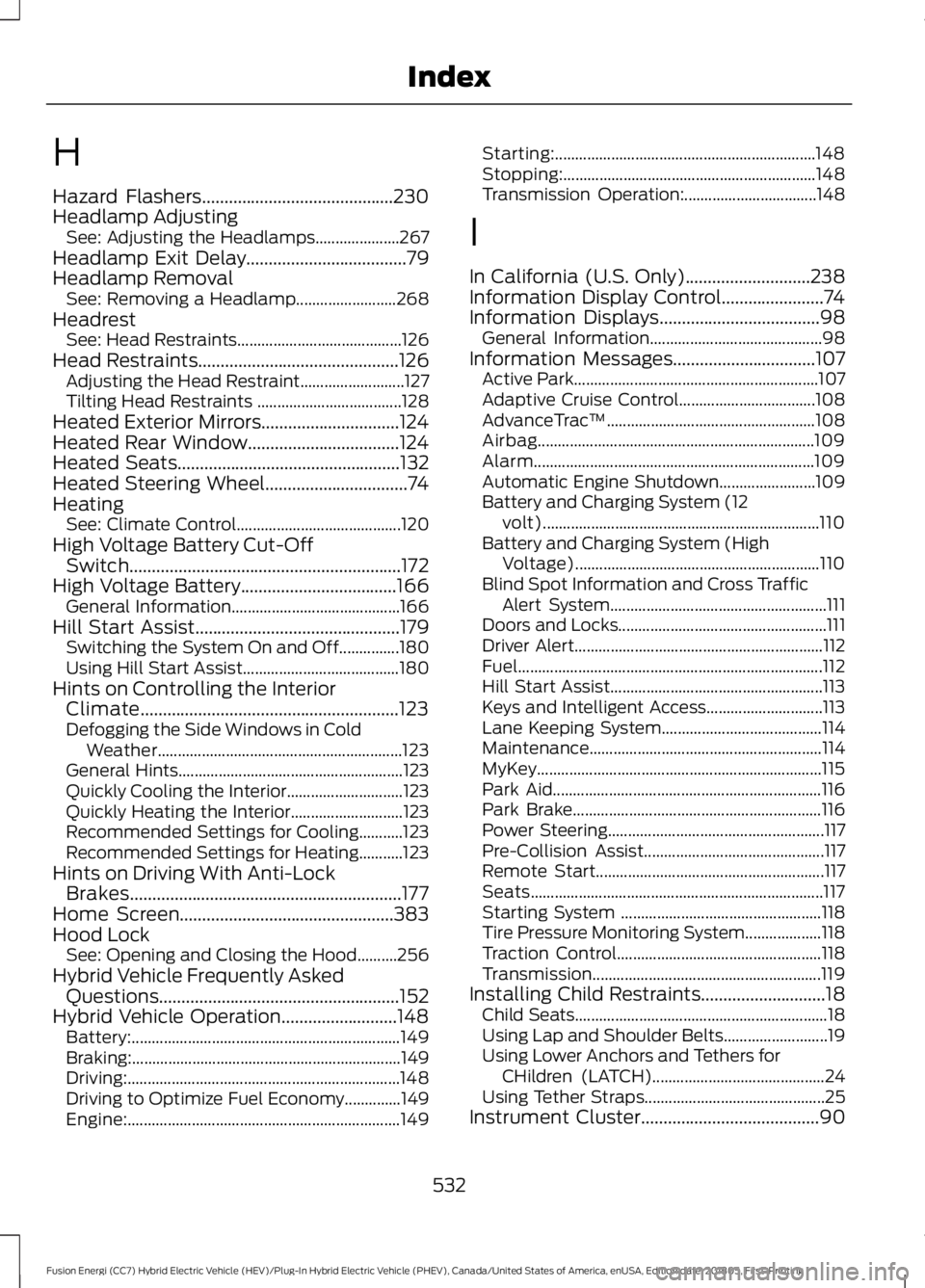
H
Hazard Flashers...........................................230
Headlamp Adjusting See: Adjusting the Headlamps..................... 267
Headlamp Exit Delay
....................................79
Headlamp Removal See: Removing a Headlamp......................... 268
Headrest See: Head Restraints......................................... 126
Head Restraints.............................................126 Adjusting the Head Restraint.......................... 127
Tilting Head Restraints .................................... 128
Heated Exterior Mirrors...............................124
Heated Rear Window..................................124
Heated Seats..................................................132
Heated Steering Wheel................................74
Heating See: Climate Control......................................... 120
High Voltage Battery Cut-Off Switch.............................................................172
High Voltage Battery
...................................166
General Information.......................................... 166
Hill Start Assist..............................................179 Switching the System On and Off...............180
Using Hill Start Assist....................................... 180
Hints on Controlling the Interior Climate..........................................................123
Defogging the Side Windows in Cold Weather............................................................. 123
General Hints........................................................ 123
Quickly Cooling the Interior............................. 123
Quickly Heating the Interior............................ 123
Recommended Settings for Cooling...........123
Recommended Settings for Heating...........123
Hints on Driving With Anti-Lock Brakes.............................................................177
Home Screen................................................383
Hood Lock See: Opening and Closing the Hood..........256
Hybrid Vehicle Frequently Asked Questions......................................................152
Hybrid Vehicle Operation..........................148 Battery:................................................................... 149
Braking:................................................................... 149
Driving:.................................................................... 148
Driving to Optimize Fuel Economy..............149
Engine:.................................................................... 149Starting:.................................................................
148
Stopping:............................................................... 148
Transmission Operation:................................. 148
I
In California (U.S. Only)............................238
Information Display Control.......................74
Information Displays
....................................98
General Information........................................... 98
Information Messages................................107 Active Park............................................................. 107
Adaptive Cruise Control.................................. 108
AdvanceTrac ™.................................................... 108
Airbag..................................................................... 109
Alarm...................................................................... 109
Automatic Engine Shutdown........................ 109
Battery and Charging System (12 volt)..................................................................... 110
Battery and Charging System (High Voltage)............................................................. 110
Blind Spot Information and Cross Traffic Alert System...................................................... 111
Doors and Locks.................................................... 111
Driver Alert.............................................................. 112
Fuel........................................................................\
.... 112
Hill Start Assist..................................................... 113
Keys and Intelligent Access............................. 113
Lane Keeping System........................................ 114
Maintenance.......................................................... 114
MyKey....................................................................... 115
Park Aid................................................................... 116
Park Brake.............................................................. 116
Power Steering...................................................... 117
Pre-Collision Assist............................................. 117
Remote Start......................................................... 117
Seats........................................................................\
. 117
Starting System .................................................. 118
Tire Pressure Monitoring System................... 118
Traction Control................................................... 118
Transmission......................................................... 119
Installing Child Restraints
............................18
Child Seats............................................................... 18
Using Lap and Shoulder Belts.......................... 19
Using Lower Anchors and Tethers for CHildren (LATCH)........................................... 24
Using Tether Straps............................................. 25
Instrument Cluster
........................................90
532
Fusion Energi (CC7) Hybrid Electric Vehicle (HEV)/Plug-In Hybrid Electric Vehicle (PHEV), Canada/United States of America, enUSA, Edition date: 201805, First-Printing Index
Page 536 of 541
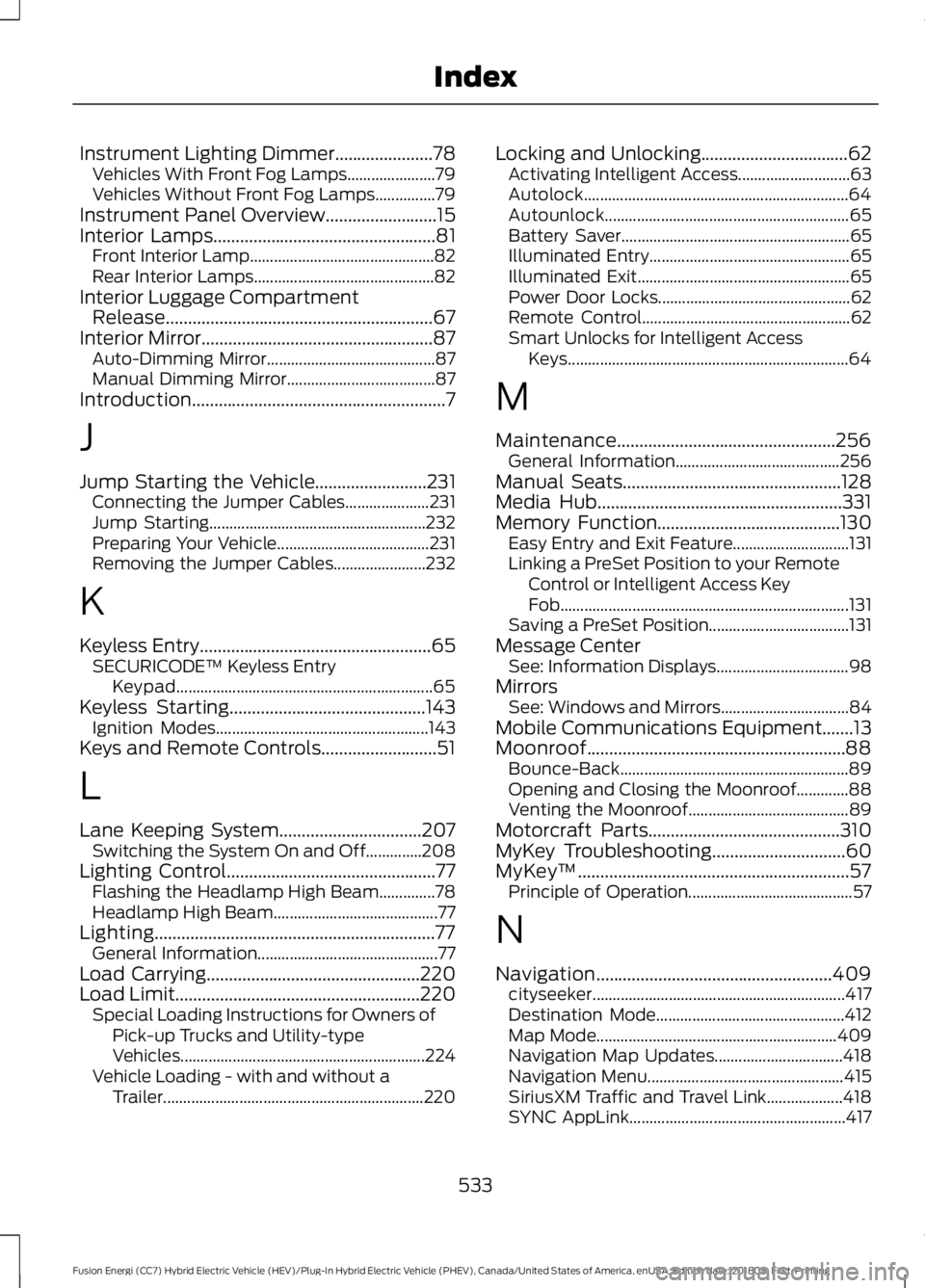
Instrument Lighting Dimmer......................78
Vehicles With Front Fog Lamps...................... 79
Vehicles Without Front Fog Lamps...............79
Instrument Panel Overview.........................15
Interior Lamps..................................................81
Front Interior Lamp.............................................. 82
Rear Interior Lamps............................................. 82
Interior Luggage Compartment Release............................................................67
Interior Mirror
....................................................87
Auto-Dimming Mirror.......................................... 87
Manual Dimming Mirror..................................... 87
Introduction.........................................................7
J
Jump Starting the Vehicle
.........................231
Connecting the Jumper Cables..................... 231
Jump Starting...................................................... 232
Preparing Your Vehicle...................................... 231
Removing the Jumper Cables....................... 232
K
Keyless Entry
....................................................65
SECURICODE™ Keyless Entry
Keypad................................................................ 65
Keyless Starting
............................................143
Ignition Modes..................................................... 143
Keys and Remote Controls..........................51
L
Lane Keeping System................................207 Switching the System On and Off..............208
Lighting Control
...............................................77
Flashing the Headlamp High Beam..............78
Headlamp High Beam......................................... 77
Lighting...............................................................77 General Information............................................. 77
Load Carrying
................................................220
Load Limit.......................................................220
Special Loading Instructions for Owners of
Pick-up Trucks and Utility-type
Vehicles............................................................. 224
Vehicle Loading - with and without a Trailer................................................................. 220Locking and Unlocking.................................62
Activating Intelligent Access............................ 63
Autolock.................................................................. 64
Autounlock............................................................. 65
Battery Saver......................................................... 65
Illuminated Entry.................................................. 65
Illuminated Exit..................................................... 65
Power Door Locks................................................ 62
Remote Control.................................................... 62
Smart Unlocks for Intelligent Access Keys...................................................................... 64
M
Maintenance.................................................256 General Information......................................... 256
Manual Seats.................................................128
Media Hub.......................................................331
Memory Function.........................................130 Easy Entry and Exit Feature............................. 131
Linking a PreSet Position to your Remote Control or Intelligent Access Key
Fob........................................................................\
131
Saving a PreSet Position................................... 131
Message Center See: Information Displays................................. 98
Mirrors See: Windows and Mirrors................................ 84
Mobile Communications Equipment.......13
Moonroof..........................................................88 Bounce-Back......................................................... 89
Opening and Closing the Moonroof.............88
Venting the Moonroof........................................ 89
Motorcraft Parts
...........................................310
MyKey Troubleshooting..............................60
MyKey ™.............................................................57
Principle of Operation......................................... 57
N
Navigation.....................................................409 cityseeker............................................................... 417
Destination Mode............................................... 412
Map Mode............................................................ 409
Navigation Map Updates................................ 418
Navigation Menu................................................. 415
SiriusXM Traffic and Travel Link................... 418
SYNC AppLink...................................................... 417
533
Fusion Energi (CC7) Hybrid Electric Vehicle (HEV)/Plug-In Hybrid Electric Vehicle (PHEV), Canada/United States of America, enUSA, Edition date: 201805, First-Printing Index
Page 537 of 541
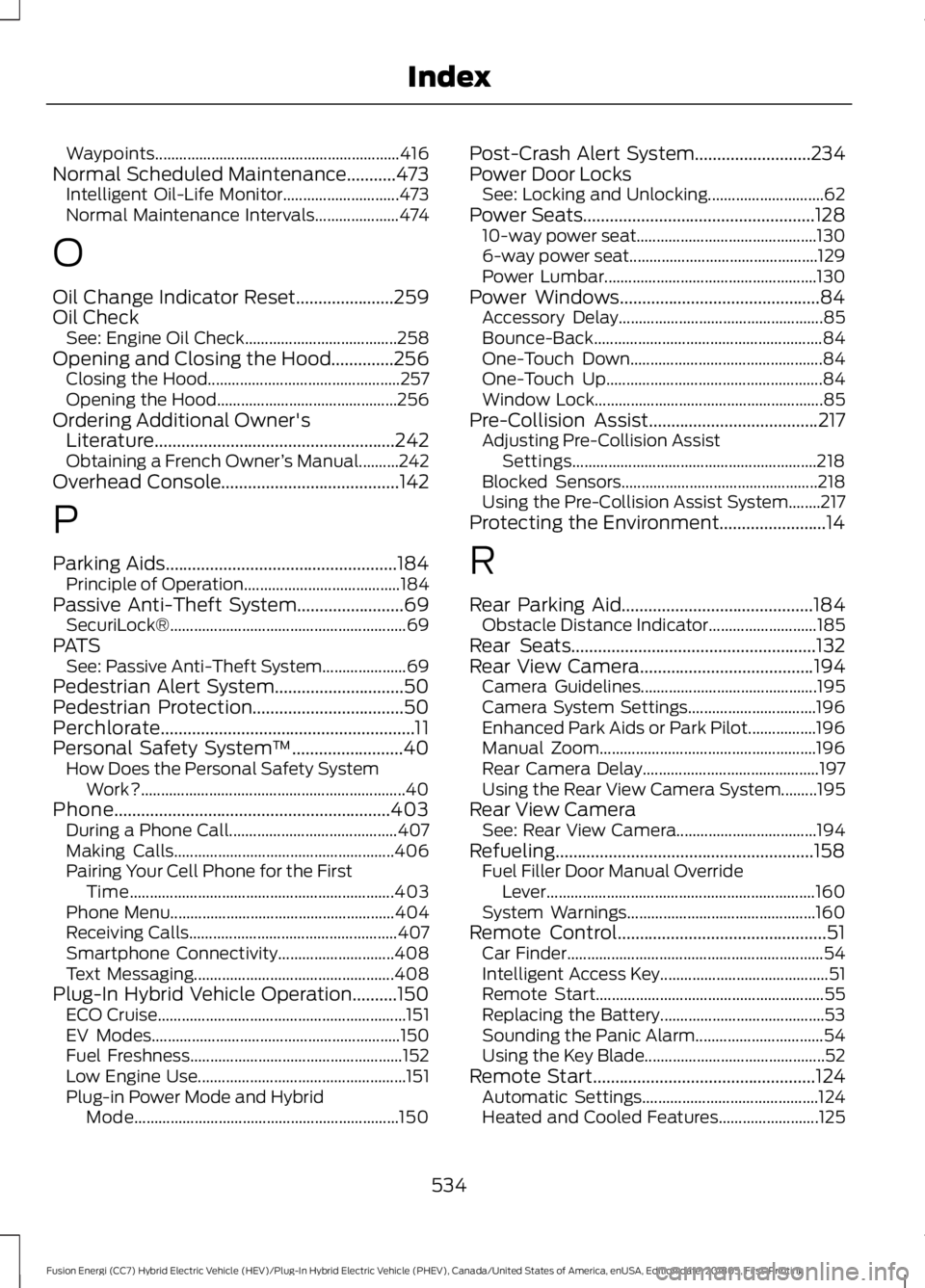
Waypoints.............................................................
416
Normal Scheduled Maintenance...........473 Intelligent Oil-Life Monitor............................. 473
Normal Maintenance Intervals..................... 474
O
Oil Change Indicator Reset......................259
Oil Check See: Engine Oil Check...................................... 258
Opening and Closing the Hood..............256 Closing the Hood................................................ 257
Opening the Hood............................................. 256
Ordering Additional Owner's Literature......................................................242
Obtaining a French Owner ’s Manual..........242
Overhead Console........................................142
P
Parking Aids....................................................184
Principle of Operation.......................................184
Passive Anti-Theft System
........................69
SecuriLock® ........................................................... 69
PATS See: Passive Anti-Theft System..................... 69
Pedestrian Alert System
.............................50
Pedestrian Protection..................................50
Perchlorate.........................................................11
Personal Safety System ™
.........................40
How Does the Personal Safety System
Work?.................................................................. 40
Phone..............................................................403 During a Phone Call.......................................... 407
Making Calls....................................................... 406
Pairing Your Cell Phone for the First Time.................................................................. 403
Phone Menu........................................................ 404
Receiving Calls.................................................... 407
Smartphone Connectivity............................. 408
Text Messaging.................................................. 408
Plug-In Hybrid Vehicle Operation..........150 ECO Cruise.............................................................. 151
EV Modes.............................................................. 150
Fuel Freshness..................................................... 152
Low Engine Use.................................................... 151
Plug-in Power Mode and Hybrid Mode.................................................................. 150Post-Crash Alert System
..........................234
Power Door Locks See: Locking and Unlocking............................. 62
Power Seats
....................................................128
10-way power seat............................................. 130
6-way power seat............................................... 129
Power Lumbar..................................................... 130
Power Windows.............................................84 Accessory Delay................................................... 85
Bounce-Back......................................................... 84
One-Touch Down................................................ 84
One-Touch Up...................................................... 84
Window Lock......................................................... 85
Pre-Collision Assist
......................................217
Adjusting Pre-Collision Assist
Settings............................................................. 218
Blocked Sensors................................................. 218
Using the Pre-Collision Assist System........217
Protecting the Environment........................14
R
Rear Parking Aid
...........................................184
Obstacle Distance Indicator........................... 185
Rear Seats.......................................................132
Rear View Camera
.......................................194
Camera Guidelines............................................ 195
Camera System Settings................................ 196
Enhanced Park Aids or Park Pilot.................196
Manual Zoom...................................................... 196
Rear Camera Delay............................................ 197
Using the Rear View Camera System.........195
Rear View Camera See: Rear View Camera................................... 194
Refueling..........................................................158 Fuel Filler Door Manual Override
Lever................................................................... 160
System Warnings............................................... 160
Remote Control
...............................................51
Car Finder................................................................ 54
Intelligent Access Key.......................................... 51
Remote Start......................................................... 55
Replacing the Battery......................................... 53
Sounding the Panic Alarm................................ 54
Using the Key Blade............................................. 52
Remote Start
..................................................124
Automatic Settings............................................ 124
Heated and Cooled Features......................... 125
534
Fusion Energi (CC7) Hybrid Electric Vehicle (HEV)/Plug-In Hybrid Electric Vehicle (PHEV), Canada/United States of America, enUSA, Edition date: 201805, First-Printing Index
Page 538 of 541
Last Settings.........................................................
125
Removing a Headlamp.............................268
Repairing Minor Paint Damage...............279
Replacement Parts Recommendation........................................12
Collision Repairs.................................................... 12
Scheduled Maintenance and Mechanical Repairs.................................................................. 12
Warranty on Replacement Parts..................... 12
Replacing a Lost Key or Remote Control............................................................56
Reporting Safety Defects (Canada Only)..............................................................242
Reporting Safety Defects (U.S. Only)..............................................................242
Roadside Assistance..................................229
Vehicles Sold in Canada: Getting Roadside
Assistance....................................................... 230
Vehicles Sold in Canada: Roadside Assistance Program Coverage................230
Vehicles Sold in Canada: Using Roadside Assistance....................................................... 230
Vehicles Sold in the United States: Getting Roadside Assistance................................... 229
Vehicles Sold in the United States: Using Roadside Assistance................................... 229
Roadside Emergencies
..............................229
Running-In See: Breaking-In................................................. 226
Running Out of Fuel
.....................................157
Adding Fuel From a Portable Fuel
Container........................................................... 157
Filling a Portable Fuel Container................... 157
S
Safety Canopy ™
.............................................47
Safety Precautions.......................................155
Satellite Radio..............................................328 Satellite Radio Electronic Serial Number
(ESN)................................................................ 329
Satellite Radio Reception Factors...............329
SiriusXM Satellite Radio Service.................. 329
Troubleshooting................................................. 330
Scheduled Maintenance Record...........478
Scheduled Maintenance
...........................470
Seatbelt Extension........................................39
Seatbelt Height Adjustment......................36 Seatbelt Reminder.........................................37
Belt-Minder™......................................................... 37
Seatbelts...........................................................32 Principle of Operation......................................... 32
Seatbelt Warning Lamp and Indicator Chime...............................................................37
Conditions of operation..................................... 37
Seats.................................................................126
Security..............................................................69
Settings..........................................................440 911 Assist............................................................... 445
Ambient Lighting................................................ 451
Bluetooth.............................................................. 442
Clock....................................................................... 442
Display................................................................... 453
General.................................................................. 449
Media Player......................................................... 441
Mobile Apps........................................................ 448
Navigation............................................................ 446
Phone
..................................................................... 442
Radio...................................................................... 445
Sound.................................................................... 440
Valet Mode........................................................... 453
Vehicle.................................................................... 451
Voice Control....................................................... 453
Wi-Fi and Hotspot............................................ 450
Side Airbags
.....................................................45
Side Sensing System..................................186 Obstacle Distance Indicator........................... 187
Sitting in the Correct Position..................126
Snow Chains See: Using Snow Chains................................. 303
Special Notices................................................12 New Vehicle Limited Warranty......................... 12
On Board Diagnostics Data Link Connector............................................................ 13
Special Instructions.............................................. 12
Special Operating Conditions Scheduled Maintenance...............................................477
Exceptions............................................................ 478
Speed Control See: Cruise Control............................................ 198
Stability Control............................................182 Principle of Operation....................................... 182
Starting a Hybrid Electric Vehicle System...........................................................144
Automatic Shutdown....................................... 145
Fast Restart.......................................................... 144
535
Fusion Energi (CC7) Hybrid Electric Vehicle (HEV)/Plug-In Hybrid Electric Vehicle (PHEV), Canada/United States of America, enUSA, Edition date: 201805, First-Printing Index
Page 540 of 541
U
Under Hood Overview................................257
Unique Driving Characteristics................148
Universal Garage Door Opener...............135
HomeLink Wireless Control System............135
USB Port...........................................................331
Using Adaptive Cruise Control................199 Automatic Cancellation.................................. 202
Blocked Sensor.................................................. 204
Canceling the Set Speed................................ 202
Changing the Set Speed................................. 202
Detection Issues................................................ 203
Following a Vehicle............................................ 201
Following a Vehicle to a Complete Stop.................................................................... 201
Hilly Condition Usage....................................... 203
Overriding the Set Speed............................... 202
Park Brake Application.................................... 203
Resuming the Set Speed................................ 202
Setting the Adaptive Cruise Speed............200
Setting the Adaptive Cruise Speed When Your Vehicle is Stationary......................... 200
Setting the Gap Distance................................ 201
Switching Adaptive Cruise Control Off...................................................................... 203
Switching Adaptive Cruise Control On......................................................................\
.200
Switching to ECO Cruise................................. 205
Switching to Normal Cruise Control..........205
System Not Available...................................... 204
Using Cruise Control...................................198 Canceling the Set Speed................................. 199
Changing the Set Speed................................. 198
Resuming the Set Speed................................. 199
Setting the Cruise Speed................................ 198
Switching Cruise Control Off......................... 199
Switching Cruise Control On.......................... 198
Switching to ECO Cruise.................................. 199
Using MyKey With Remote Start Systems..........................................................60
Using Snow Chains
.....................................303
Using Stability Control...............................183
Using Summer Tires...................................303
Using SYNC™ With Your Media Player.............................................................353
Accessing Your USB Song Library................357 Bluetooth Devices and System
Settings............................................................ 359
Connecting Your Digital Media Player to the USB Port........................................................... 353
Media Menu Features...................................... 356
Media Voice Commands................................ 354
USB 2
...................................................................... 359
Voice Commands for Audio Sources.........360
Using SYNC™ With Your Phone............336 Accessing Features through the Phone
Menu................................................................... 341
Accessing Your Phone Settings................... 344
Bluetooth Devices............................................. 345
Making Calls........................................................ 340
Pairing a Phone for the First Time...............337
Pairing Subsequent Phones.......................... 338
Phone Options during an Active Call.........340
Phone Voice Commands................................ 338
Receiving Calls................................................... 340
System Settings................................................. 346
Text Messaging................................................... 342
Using Traction Control
.................................181
Switching the System Off................................ 181
System Indicator Lights and Messages........................................................... 181
Using a Switch...................................................... 181
Using the Information Display Controls.............................................................. 181
Using Voice Recognition...........................334 Audio Voice Commands................................. 385
Climate Voice Commands............................. 386
Initiating a Voice Session................................ 334
Mobile App Voice Commands...................... 389
Navigation Voice Commands....................... 387
Phone Voice Commands............................... 386
SiriusXM Traffic and Travel Link Voice Commands..................................................... 389
System Interaction and Feedback..............335
Voice Settings Commands............................ 390
Utilizing the Mediation/Arbitration Program (Canada Only)........................240
V
Vehicle Care
...................................................274
General Information.......................................... 274
Vehicle Certification Label........................312
Vehicle Identification Number..................311
537
Fusion Energi (CC7) Hybrid Electric Vehicle (HEV)/Plug-In Hybrid Electric Vehicle (PHEV), Canada/United States of America, enUSA, Edition date: 201805, First-Printing Index