climate settings FORD FUSION ENERGI 2020 User Guide
[x] Cancel search | Manufacturer: FORD, Model Year: 2020, Model line: FUSION ENERGI, Model: FORD FUSION ENERGI 2020Pages: 486, PDF Size: 6.28 MB
Page 137 of 486
Do not do the following:
•
Place heavy objects on the seat.
• Operate the seat heater if water or any
other liquid spills on the seat. Allow the
seat to dry thoroughly.
• Operate the heated seats unless the
engine is running. Doing so can cause
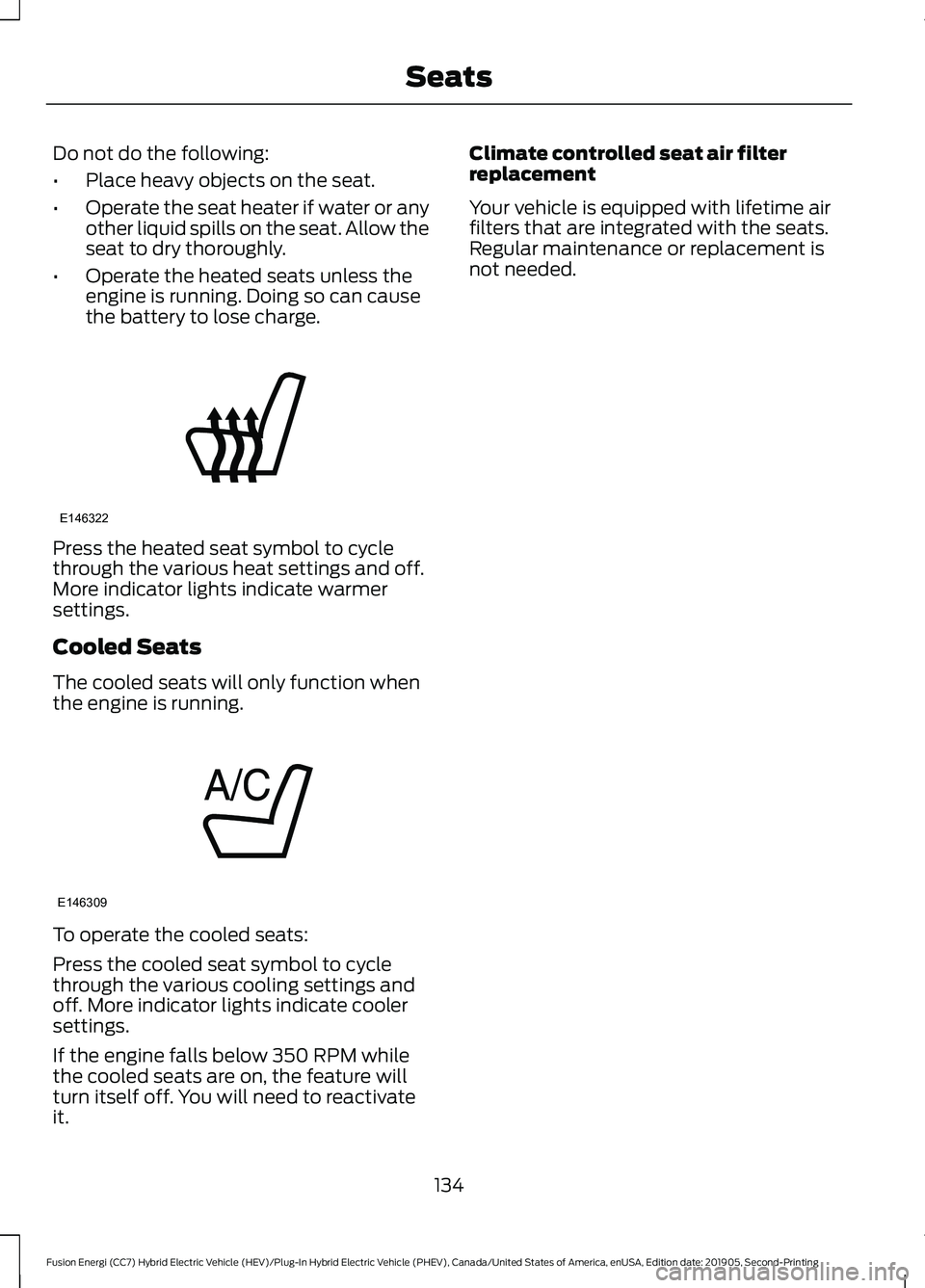
the battery to lose charge. Press the heated seat symbol to cycle
through the various heat settings and off.
More indicator lights indicate warmer
settings.
Cooled Seats
The cooled seats will only function when
the engine is running.
To operate the cooled seats:
Press the cooled seat symbol to cycle
through the various cooling settings and
off. More indicator lights indicate cooler
settings.
If the engine falls below 350 RPM while
the cooled seats are on, the feature will
turn itself off. You will need to reactivate
it. Climate controlled seat air filter
replacement
Your vehicle is equipped with lifetime air
filters that are integrated with the seats.
Regular maintenance or replacement is
not needed.
134
Fusion Energi (CC7) Hybrid Electric Vehicle (HEV)/Plug-In Hybrid Electric Vehicle (PHEV), Canada/United States of America, enUSA, Edition date: 201905, Second-Printing SeatsE146322 E146309
Page 154 of 486
3. Press the EV button. This will change
the mode to EV Later and permit
engine operation.
Your vehicle may automatically enter
Engine Enabled mode if system conditions
require it. A engine enabled message will
display if this occurs. This is normal
function, and your vehicle will return to EV
Now when possible.
Your vehicle may enter Enable Engine
mode if the climate control is in a defrost
mode and the outside temperature is cold.
A engine enabled message will display if
this occurs. If defrost is not needed, select
a different climate control mode to permit
EV Now.
When you enable EV Now, a blue EV icon
displays in the left-hand information
display. If your vehicle is in the Engine
Enabled mode, the EV icon will be yellow.
EV Now will automatically exit when the
Plug in power has been depleted.
EV Later This mode saves most of the
high voltage battery plug in
power for future use (for
example, your initial drive is at high speeds
on open roads, but later your drive will be
at low speeds in an urban area where
plug-in power usage is most efficient).
Your vehicle will run the engine as needed
and keep most of the high voltage battery
plug in power for later use in Auto Mode or
EV Now mode.
When you enable EV Later, a white EV
Later icon appears on the left-hand
information display.
The EV Later mode will automatically reset
to EV Auto mode when you power your
vehicle off. You may press the EV button
twice during the next drive to return to EV
Later mode, if desired. ECO Cruise
Note:
ECO Cruise is available as a separate
feature on Energi vehicles only. On non
plug-in vehicles it is included in EcoSelect.
This feature saves vehicle energy by
relaxing acceleration compared to
standard cruise control. For example, your
vehicle may temporarily lose speed when
going uphill. When set to on, ECO appears
in the information display when cruise
control is on.
You can switch it on or off in through the
information display. See General
Information (page 96). Settings
ECO Cruise
Driver Assist
Low Engine Use
The low engine use mode is equipped on
Energi models only. The Low Engine Use
mode maintains proper engine lubrication
at sufficient temperature, and will activate
automatically when you drive your vehicle
with limited engine operation. When your
vehicle is in low engine use mode, your
vehicle will automatically run the engine
as necessary.
Note: If your vehicle is in low engine use
mode when you start your vehicle, a
message will appear in the information
display. See
Information Messages (page
105).
If you select the EV Now mode while the
vehicle is in the low engine use mode, EV
Now mode will be suspended for as long
as you are in low engine use mode. The low
engine use mode will resume the next time
you start your vehicle and will
automatically stop when no longer needed.
Note: Cold temperatures will affect the
engine warm up time and the low engine
use mode may operate more frequently.
151
Fusion Energi (CC7) Hybrid Electric Vehicle (HEV)/Plug-In Hybrid Electric Vehicle (PHEV), Canada/United States of America, enUSA, Edition date: 201905, Second-Printing Unique Driving CharacteristicsE151263
Page 357 of 486
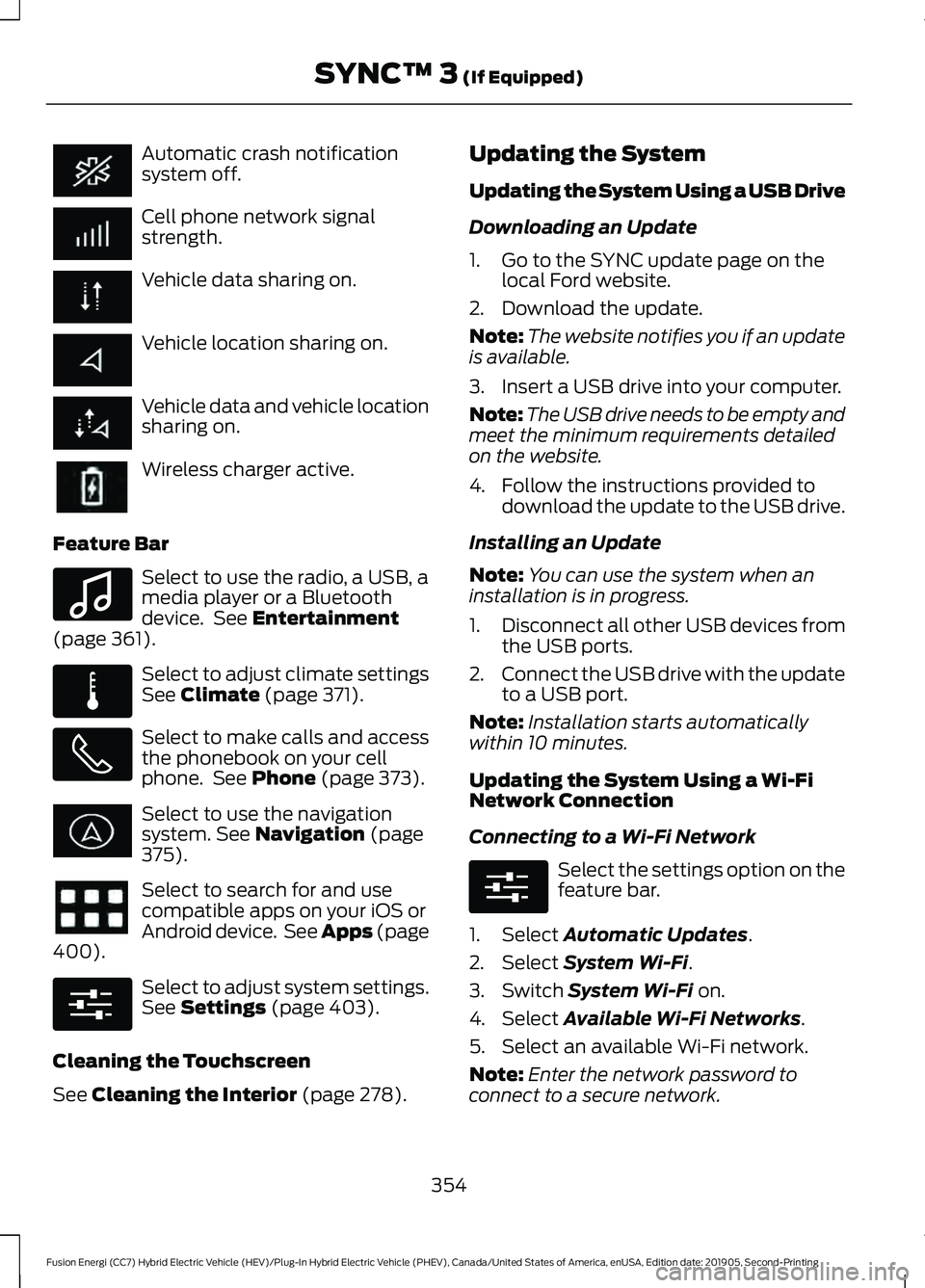
Automatic crash notification
system off.
Cell phone network signal
strength.
Vehicle data sharing on.
Vehicle location sharing on.
Vehicle data and vehicle location
sharing on.
Wireless charger active.
Feature Bar Select to use the radio, a USB, a
media player or a Bluetooth
device. See Entertainment
(page 361). Select to adjust climate settings
See
Climate (page 371).
Select to make calls and access
the phonebook on your cell
phone. See
Phone (page 373).
Select to use the navigation
system.
See Navigation (page
375). Select to search for and use
compatible apps on your iOS or
Android device. See Apps (page
400
). Select to adjust system settings.
See
Settings (page 403).
Cleaning the Touchscreen
See
Cleaning the Interior (page 278). Updating the System
Updating the System Using a USB Drive
Downloading an Update
1. Go to the SYNC update page on the
local Ford website.
2. Download the update.
Note: The website notifies you if an update
is available.
3. Insert a USB drive into your computer.
Note: The USB drive needs to be empty and
meet the minimum requirements detailed
on the website.
4. Follow the instructions provided to download the update to the USB drive.
Installing an Update
Note: You can use the system when an
installation is in progress.
1. Disconnect all other USB devices from
the USB ports.
2. Connect the USB drive with the update
to a USB port.
Note: Installation starts automatically
within 10 minutes.
Updating the System Using a Wi-Fi
Network Connection
Connecting to a Wi-Fi Network Select the settings option on the
feature bar.
1. Select
Automatic Updates.
2. Select
System Wi-Fi.
3. Switch
System Wi-Fi on.
4. Select
Available Wi-Fi Networks.
5. Select an available Wi-Fi network.
Note: Enter the network password to
connect to a secure network.
354
Fusion Energi (CC7) Hybrid Electric Vehicle (HEV)/Plug-In Hybrid Electric Vehicle (PHEV), Canada/United States of America, enUSA, Edition date: 201905, Second-Printing SYNC™ 3
(If Equipped) E100027 E283811 E280315 E280315
Page 374 of 486
Supported USB file systems include: FAT,
exFAT, and NTFS.
SYNC 3 is also able to organize the media
from your USB device by metadata tags.
Metadata tags, which are descriptive
software identifiers embedded in the
media files, provide information about the
file.
If your indexed media files contain no
information embedded in these metadata
tags, SYNC 3 may classify the empty
metadata tags as unknown.
SYNC 3 is capable of indexing up to
50,000 songs per USB device, for up to 10
devices.
CLIMATE
Touch the climate button on the
touchscreen to access your climate control
features.
Note:
You can switch temperature units
between Fahrenheit and Celsius. See
Settings (page 403).
Accessing the Climate Control
Menu Touch the button to access
additional controls for the front
climate system.
Directing the Airflow Touch the button to direct
airflow to the windshield air
vents and de-mister.
Touch the button to direct
airflow to the instrument panel
air vents.
Touch the button to direct
airflow to the footwell air vents. You can direct air through any combination
of these air vents.
Setting the Blower Motor Speed Touch up or down to increase or
decrease the volume of air that
circulates in your vehicle.
Setting the Temperature
Touch up or down on the left-hand
temperature control to set the left-hand
temperature.
Note: This control also adjusts the
right-hand side temperature when you
switch off dual zone mode.
Touch up or down on the right-hand
temperature control to set the right-hand
temperature.
Switching Auto Mode On and Off Touch the button to switch on
automatic operation, then set
the temperature.
The system adjusts the blower motor
speed, air distribution, air conditioning
operation, and outside or recirculated air
to reach and maintain the temperature you
have set.
Switching the Air Conditioning On
and Off A pop-up appears on the screen
to display the air conditioning
options.
MAX A/C:
Touch the button to activate
and maximize cooling. The driver and
passenger temperatures are set to LO,
recirculated air flows through the
instrument panel vents, air conditioning
automatically turns on and the fan
automatically adjusts to the highest speed.
371
Fusion Energi (CC7) Hybrid Electric Vehicle (HEV)/Plug-In Hybrid Electric Vehicle (PHEV), Canada/United States of America, enUSA, Edition date: 201905, Second-Printing SYNC™ 3
(If Equipped)E265038
Page 375 of 486
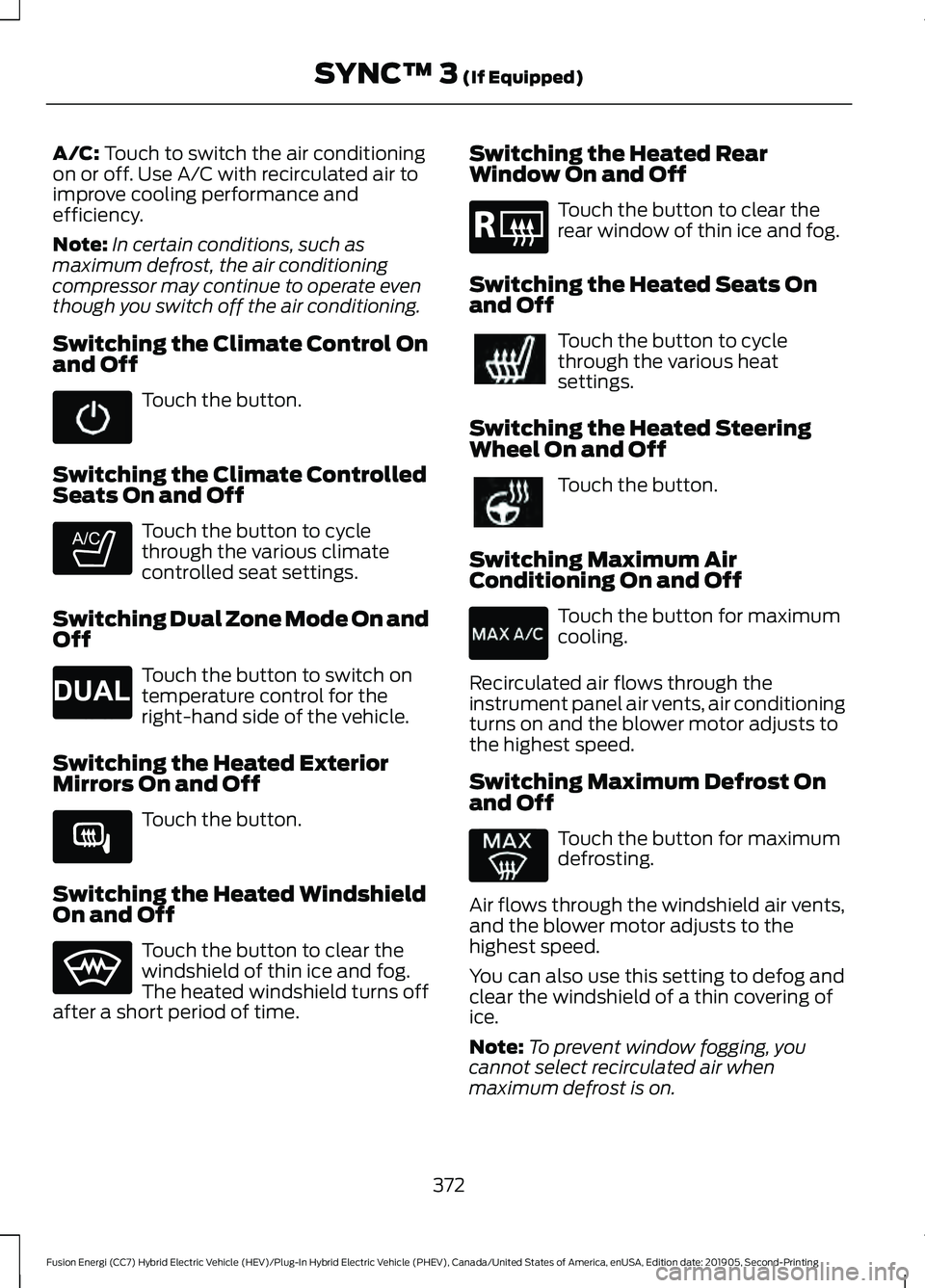
A/C: Touch to switch the air conditioning
on or off. Use A/C with recirculated air to
improve cooling performance and
efficiency.
Note: In certain conditions, such as
maximum defrost, the air conditioning
compressor may continue to operate even
though you switch off the air conditioning.
Switching the Climate Control On
and Off Touch the button.
Switching the Climate Controlled
Seats On and Off Touch the button to cycle
through the various climate
controlled seat settings.
Switching Dual Zone Mode On and
Off Touch the button to switch on
temperature control for the
right-hand side of the vehicle.
Switching the Heated Exterior
Mirrors On and Off Touch the button.
Switching the Heated Windshield
On and Off Touch the button to clear the
windshield of thin ice and fog.
The heated windshield turns off
after a short period of time. Switching the Heated Rear
Window On and Off Touch the button to clear the
rear window of thin ice and fog.
Switching the Heated Seats On
and Off Touch the button to cycle
through the various heat
settings.
Switching the Heated Steering
Wheel On and Off Touch the button.
Switching Maximum Air
Conditioning On and Off Touch the button for maximum
cooling.
Recirculated air flows through the
instrument panel air vents, air conditioning
turns on and the blower motor adjusts to
the highest speed.
Switching Maximum Defrost On
and Off Touch the button for maximum
defrosting.
Air flows through the windshield air vents,
and the blower motor adjusts to the
highest speed.
You can also use this setting to defog and
clear the windshield of a thin covering of
ice.
Note: To prevent window fogging, you
cannot select recirculated air when
maximum defrost is on.
372
Fusion Energi (CC7) Hybrid Electric Vehicle (HEV)/Plug-In Hybrid Electric Vehicle (PHEV), Canada/United States of America, enUSA, Edition date: 201905, Second-Printing SYNC™ 3
(If Equipped) E265282 E265280 E266189 E184884
Page 376 of 486
Note:
The heated rear window also turns
on when you select maximum defrost.
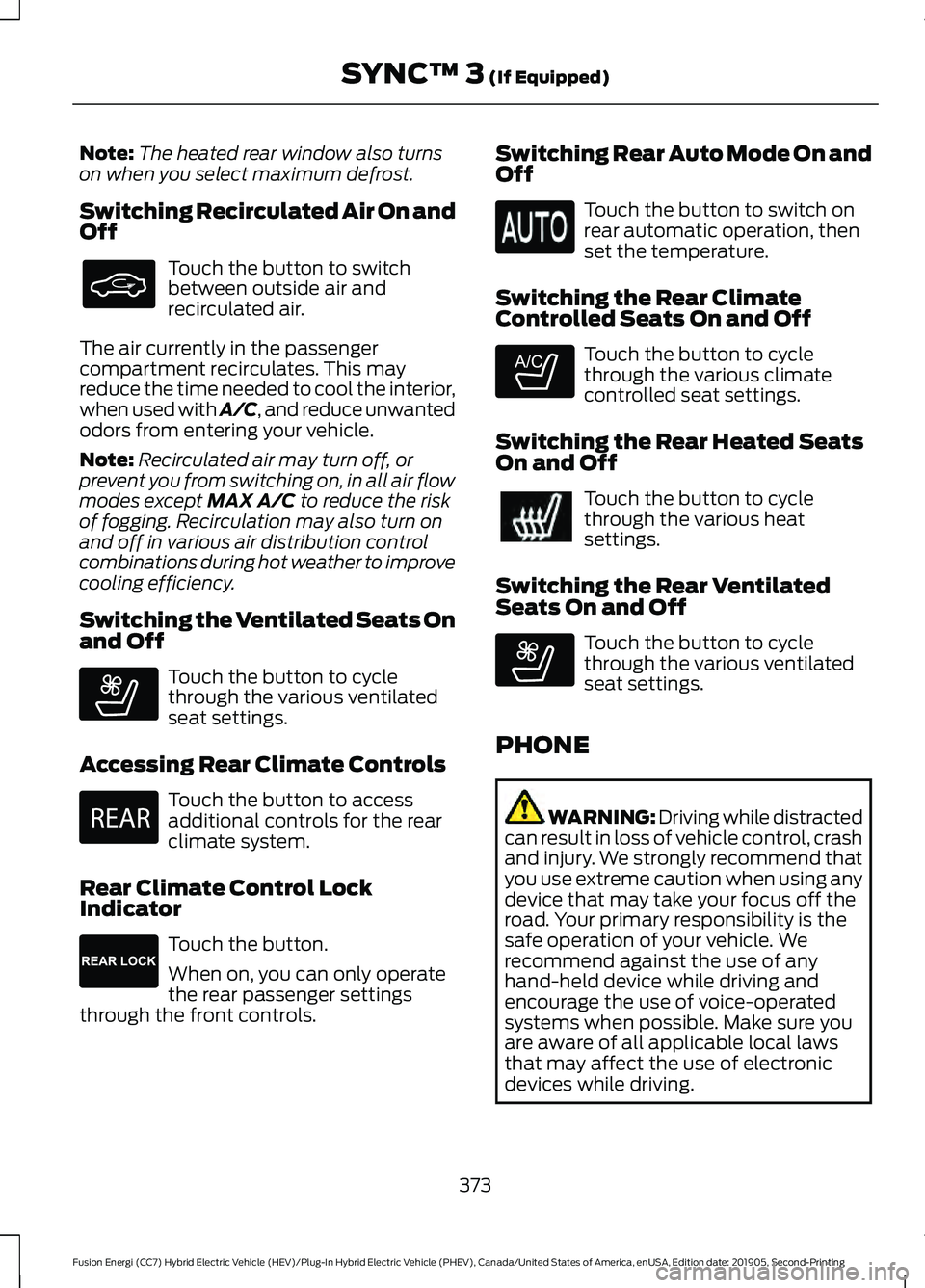
Switching Recirculated Air On and
Off Touch the button to switch
between outside air and
recirculated air.
The air currently in the passenger
compartment recirculates. This may
reduce the time needed to cool the interior,
when used with A/C, and reduce unwanted
odors from entering your vehicle.
Note: Recirculated air may turn off, or
prevent you from switching on, in all air flow
modes except MAX A/C to reduce the risk
of fogging. Recirculation may also turn on
and off in various air distribution control
combinations during hot weather to improve
cooling efficiency.
Switching the Ventilated Seats On
and Off Touch the button to cycle
through the various ventilated
seat settings.
Accessing Rear Climate Controls Touch the button to access
additional controls for the rear
climate system.
Rear Climate Control Lock
Indicator Touch the button.
When on, you can only operate
the rear passenger settings
through the front controls. Switching Rear Auto Mode On and
Off Touch the button to switch on
rear automatic operation, then
set the temperature.
Switching the Rear Climate
Controlled Seats On and Off Touch the button to cycle
through the various climate
controlled seat settings.
Switching the Rear Heated Seats
On and Off Touch the button to cycle
through the various heat
settings.
Switching the Rear Ventilated
Seats On and Off Touch the button to cycle
through the various ventilated
seat settings.
PHONE WARNING: Driving while distracted
can result in loss of vehicle control, crash
and injury. We strongly recommend that
you use extreme caution when using any
device that may take your focus off the
road. Your primary responsibility is the
safe operation of your vehicle. We
recommend against the use of any
hand-held device while driving and
encourage the use of voice-operated
systems when possible. Make sure you
are aware of all applicable local laws
that may affect the use of electronic
devices while driving.
373
Fusion Energi (CC7) Hybrid Electric Vehicle (HEV)/Plug-In Hybrid Electric Vehicle (PHEV), Canada/United States of America, enUSA, Edition date: 201905, Second-Printing SYNC™ 3
(If Equipped) E268558 E270447 E265289 E265282 E268558
Page 474 of 486
A
A/C
See: Climate Control.......................................... 119
About This Manual...........................................7
ABS See: Brakes............................................................. 177
ABS driving hints See: Hints on Driving With Anti-Lock
Brakes................................................................. 178
Accessories
.....................................................418
Accessories See: Replacement Parts
Recommendation............................................ 14
ACC See: Using Adaptive Cruise Control...........200
Active Park Assist.........................................189 Using Active Park Assist.................................. 190
Adjusting the Headlamps.........................267 Horizontal Aim Adjustment........................... 268
Vertical Aim Adjustment................................. 267
Adjusting the Steering Wheel.....................71
Airbag Disposal
...............................................49
Air Conditioning See: Climate Control.......................................... 119
Air Filter See: Changing the Engine Air Filter............260
Alarm See: Anti-Theft Alarm........................................ 70
Ambient Lighting...........................................80 Adjusting the Brightness................................... 80
Changing the Color............................................. 80
Switching Ambient Lighting Off.................... 80
Switching Ambient Lighting On..................... 80
Anti-Theft Alarm............................................70 Arming the Alarm................................................. 70
Disarming the Alarm........................................... 70
Appendices.....................................................441
Apps
.................................................................400
SiriusXM Traffic and Travel Link................... 401
Using Apps on an Android Device................401
Using Apps on an iOS Device........................ 401
Using Mobile Navigation on an Android Device................................................................ 401
At a Glance........................................................18
Audible Warnings and Indicators.............95 Headlamps On Warning Chime...................... 95
Keyless Warning Alert........................................ 95Parking Brake On Warning Chime.................95
Audio Control....................................................71 You can operate the following functions
with the control:................................................ 71
Audio System
................................................325
General Information......................................... 325
Audio Unit - Vehicles With: Sony Audio System/Touchscreen Display
..............329
Accessing the Sound Settings...................... 329
Adjusting the Volume....................................... 329
Changing Radio Stations................................ 330
Ejecting the CD................................................... 330
Inserting a CD...................................................... 330
Switching the Audio Unit On and Off........330
Using Seek, Fast Forward and Reverse............................................................. 330
Audio Unit - Vehicles With: SYNC.........326 Accessing the Apps Menu............................... 327
Accessing the Clock Settings......................... 327
Accessing the Media Source Menu.............327
Accessing the Phone Features...................... 327
Accessing the Settings Menu........................ 327
Accessing the Sound Settings....................... 327
Adjusting the Volume....................................... 327
Changing Radio Stations................................ 328
Listening to the Radio...................................... 328
Playing or Pausing Media............................... 328
Switching Radio Text On and Off................328
Switching Repeat Mode On and Off..........328
Switching Shuffle Mode On and Off..........328
Switching the Audio Unit On and Off........328
Switching the Display On and Off...............328
Using Seek, Fast Forward and Reverse............................................................. 329
Using the Display Control............................... 328
Using the Number Block................................. 328
Audio Unit - Vehicles With: Touchscreen Display, Vehicles Without: Sony Audio
System..........................................................325
Adjusting the Volume....................................... 326
Changing Radio Stations................................ 326
Playing or Pausing Media............................... 326
Switching the Audio Unit On and Off........326
Using Seek, Fast Forward and Reverse............................................................. 326
Autolamps
.........................................................77
Windshield Wiper Activated
Headlamps......................................................... 77
471
Fusion Energi (CC7) Hybrid Electric Vehicle (HEV)/Plug-In Hybrid Electric Vehicle (PHEV), Canada/United States of America, enUSA, Edition date: 201905, Second-Printing Index
Page 475 of 486
Automatic Climate Control - Vehicles
With: Sony Audio System/Touchscreen
Display...........................................................120
Setting the Blower Motor Speed.................. 120
Setting the Temperature................................. 120
Switching Auto Mode On and Off.................121
Switching Defrost On and Off......................... 121
Switching Maximum Air Conditioning On and Off................................................................ 121
Switching Maximum Defrost On and Off........................................................................\
. 121
Switching Recirculated Air On and Off........................................................................\
. 121
Switching the Air Conditioning On and Off........................................................................\
. 121
Switching the Climate Control On and Off........................................................................\
. 121
Automatic Climate Control - Vehicles With: SYNC
...................................................122
Directing Air to the Footwell Air Vents........122
Directing Air to the Instrument Panel Air
Vents................................................................... 122
Setting the Blower Motor Speed................... 122
Setting the Temperature.................................. 122
Switching Auto Mode On and Off................122
Switching Defrost On and Off........................ 123
Switching Maximum Air Conditioning On and Off............................................................... 123
Switching Maximum Defrost On and Off........................................................................\
123
Switching Recirculated Air On and Off........................................................................\
123
Switching the Air Conditioning On and Off........................................................................\
123
Switching the Climate Control On and Off........................................................................\
123
Automatic Climate Control - Vehicles With: Touchscreen Display, Vehicles
Without: Sony Audio System.................119
Accessing the Air Distribution Controls.............................................................. 119
Setting the Blower Motor Speed................... 119
Setting the Temperature.................................. 119
Switching Auto Mode On and Off.................119
Switching Maximum Air Conditioning On and Off................................................................ 119
Switching Maximum Defrost On and Off....................................................................... 120Switching Recirculated Air On and
Off....................................................................... 120
Switching the Air Conditioning On and Off........................................................................\
119
Switching the Climate Control On and Off........................................................................\
119
Automatic High Beam Control..................81
Automatic High Beam Control Indicators
.........................................................81
Automatic Transmission............................173 Brake-Shift Interlock Override....................... 175
If Your Vehicle Gets Stuck In Mud or Snow................................................................... 176
Understanding the Positions of Your Rotary Shift Transmission......................................... 173
Automatic Transmission Fluid Check............................................................264
Autowipers........................................................74 Autowipers Settings............................................ 75
Auxiliary Power Points...............................140 110 Volt AC Power Point................................... 140
12 Volt DC Power Point..................................... 140
Locations............................................................... 140
B
Battery See: Changing the 12V Battery..................... 266
Blind Spot Information System...............212 Switching the System Off and On................213
System Errors....................................................... 213
Using the Blind Spot Information System............................................................... 213
BLIS See: Blind Spot Information System...........212
Body Styling Kits..........................................282
Bonnet Lock See: Opening and Closing the Hood..........256
Booster Seats
...................................................27
Types of Booster Seats...................................... 28
Brake Fluid Check........................................265 Brake Fluid Service Interval........................... 265
Brakes................................................................177 General Information........................................... 177
Breaking-In.....................................................228
Bulb Specification Chart...........................319
472
Fusion Energi (CC7) Hybrid Electric Vehicle (HEV)/Plug-In Hybrid Electric Vehicle (PHEV), Canada/United States of America, enUSA, Edition date: 201905, Second-Printing Index
Page 477 of 486
Switching the Heated Seats On and
Off....................................................................... 372
Switching the Heated Steering Wheel On and Off.............................................................. 372
Switching the Heated Windshield On and Off....................................................................... 372
Switching the Rear Climate Controlled Seats On and Off........................................... 373
Switching the Rear Heated Seats On and Off....................................................................... 373
Switching the Rear Ventilated Seats On and Off.............................................................. 373
Switching the Ventilated Seats On and Off....................................................................... 373
Climate Control..............................................119
Climate Controlled Seats..........................133 Cooled Seats........................................................ 134
Collision, Damage or Fire Event.............234 Guidance for Ford Motor Company Electric
and Hybrid-Electric Vehicles Equipped
With High Voltage Batteries..................... 234
Connected Vehicle
.......................................321
Connecting the Vehicle to a Mobile
Network............................................................. 321
Connected Vehicle Limitations
................321
Connected Vehicle Requirements..........321
Connected Vehicle – Troubleshooting........................................322
Connecting the Vehicle to a Mobile Network.........................................................321
Connecting FordPass to the Modem..........321
Enabling and Disabling the Modem............321
What Is the Modem........................................... 321
Connecting the Vehicle to a Wi-Fi Network.........................................................321
Coolant Check See: Engine Coolant Check........................... 260
Crash Sensors and Airbag Indicator.......48
Creating a MyKey
...........................................58
Programming or Changing Configurable
Settings............................................................... 59
Creating a Wi-Fi Hotspot..........................324 Connecting a Device to the Wi-Fi
Hotspot............................................................. 324
Finding the Wi-Fi Hotspot Name and Password......................................................... 324Cross Traffic Alert
.........................................214
Cross Traffic Alert Behavior When Trailer
is Attached....................................................... 216
Cross Traffic Alert Indicator............................ 216
Cross Traffic Alert Information Messages.......................................................... 216
Cross Traffic Alert System Limitations........................................................ 215
Cross Traffic Alert System Sensors..............215
Switching the System On and Off...............216
Using Cross Traffic Alert................................... 214
Cruise Control................................................199
Cruise Control Indicators..........................200
Cruise Control - Vehicles With: Adaptive Cruise Control With Stop and Go
..........72
Cruise Control - Vehicles With: Cruise Control.............................................................72
Customer Assistance
..................................237
D
Data Recording
..................................................9
Comfort, Convenience and Entertainment
Data........................................................................\
11
Event Data................................................................. 11
Service Data............................................................ 10
Services That Third Parties Provide...............12
Services That We Provide.................................. 12
Vehicles With a Modem...................................... 12
Vehicles With an Emergency Call System.................................................................. 13
Vehicles With SYNC............................................. 12
Daytime Running Lamps - Vehicles With: Configurable Daytime Running
Lamps..............................................................78
Daytime Running Lamps - Vehicles With: Daytime Running Lamps (DRL)............78
Declaration of Conformity
.......................469
Declaration of Conformity - Vehicles With: SYNC 3.............................................469
Radio Frequency Statement........................ 469
Digital Radio
..................................................330
HD Radio Reception and Station
Troubleshooting............................................. 331
Direction Indicators........................................79
Doors and Locks.............................................62
Driver Alert
......................................................207
Principle of Operation...................................... 207
474
Fusion Energi (CC7) Hybrid Electric Vehicle (HEV)/Plug-In Hybrid Electric Vehicle (PHEV), Canada/United States of America, enUSA, Edition date: 201905, Second-Printing Index
Page 478 of 486
Using Driver Alert...............................................
207
Driver and Passenger Airbags....................42 Children and Airbags........................................... 43
Proper Driver and Front Passenger Seating Adjustment........................................................ 42
Driver and Passenger Knee Airbags........46
Driving Aids....................................................207
Driving Hints...................................................227
Driving Through Water
...............................228
DRL See: Daytime Running Lamps - Vehicles With:
Configurable Daytime Running Lamps....78
See: Daytime Running Lamps - Vehicles With: Daytime Running Lamps (DRL)................78
E
Economical Driving
......................................227
EcoSelect.........................................................152
Electric Parking Brake.................................178 Applying the Electric Parking Brake.............178
Automatically Releasing the Electric
Parking Brake................................................... 179
Manually Releasing the Electric Parking Brake................................................................... 179
Releasing the Electric Parking Brake if the Vehicle Battery is Running Out of
Charge................................................................ 179
Electric Vehicle Information....................380 Charge Settings (Energi Vehicles
Only)................................................................. 380
Power Flow (Hybrid Vehicles Only)............395
Electromagnetic Compatibility
...............441
Emission Law.................................................162
Noise Emissions Warranty, Prohibited
Tampering Acts and Maintenance..........163
Tampering With a Noise Control System............................................................... 162
End User License Agreement.................443 VEHICLE SOFTWARE END USER LICENSE
AGREEMENT (EULA) ................................. 443
Engine Block Heater
....................................146
Using the Engine Block Heater....................... 147
Engine Coolant Check...............................260 Adding Coolant.................................................... 261
Coolant Change................................................. 263
Engine Coolant Temperature Management.................................................. 264Fail-Safe Cooling...............................................
263
Recycled Coolant............................................... 262
Severe Climates................................................. 262
Engine Emission Control............................162
Engine Immobilizer See: Passive Anti-Theft System..................... 69
Engine Oil Check
..........................................258
Adding Engine Oil.............................................. 258
Engine Oil Dipstick......................................258
Engine Specifications
.................................310
Entertainment...............................................361 AM/FM Radio...................................................... 362
Apps........................................................................\
370
Bluetooth Stereo or USB................................ 369
CD (If equipped)................................................ 368
HD Radio ™ Information (If
Available)........................................................ 365
SiriusXM® Satellite Radio (If Activated)........................................................ 363
Sources.................................................................. 362
Supported Media Players, Formats and Metadata Information................................. 370
USB Ports............................................................. 370
Environment......................................................17
EPB See: Electric Parking Brake.............................. 178
Event Data Recording See: Data Recording.............................................. 9
Export Unique Options.................................15
Exterior Mirrors
................................................84
Auto-Dimming Feature...................................... 85
Blind Spot Monitor.............................................. 85
Fold-Away Exterior Mirrors............................... 85
Heated Exterior Mirrors...................................... 85
Memory Mirrors..................................................... 85
Power Exterior Mirrors........................................ 84
Power-Folding Mirrors........................................ 85
Puddle Lamps ...................................................... 85
Signal Indicator Mirrors...................................... 85
F
Fastening the Seatbelts..............................34 Seatbelt Locking Modes.................................... 35
Using Seatbelts During Pregnancy................34
Flat Tire Inflation See: Tire Sealant and Inflator Kit.................283
Floor Mats
.......................................................228
475
Fusion Energi (CC7) Hybrid Electric Vehicle (HEV)/Plug-In Hybrid Electric Vehicle (PHEV), Canada/United States of America, enUSA, Edition date: 201905, Second-Printing Index