light FORD FUSION HYBRID 2019 Owner's Manual
[x] Cancel search | Manufacturer: FORD, Model Year: 2019, Model line: FUSION HYBRID, Model: FORD FUSION HYBRID 2019Pages: 541, PDF Size: 7.19 MB
Page 84 of 541
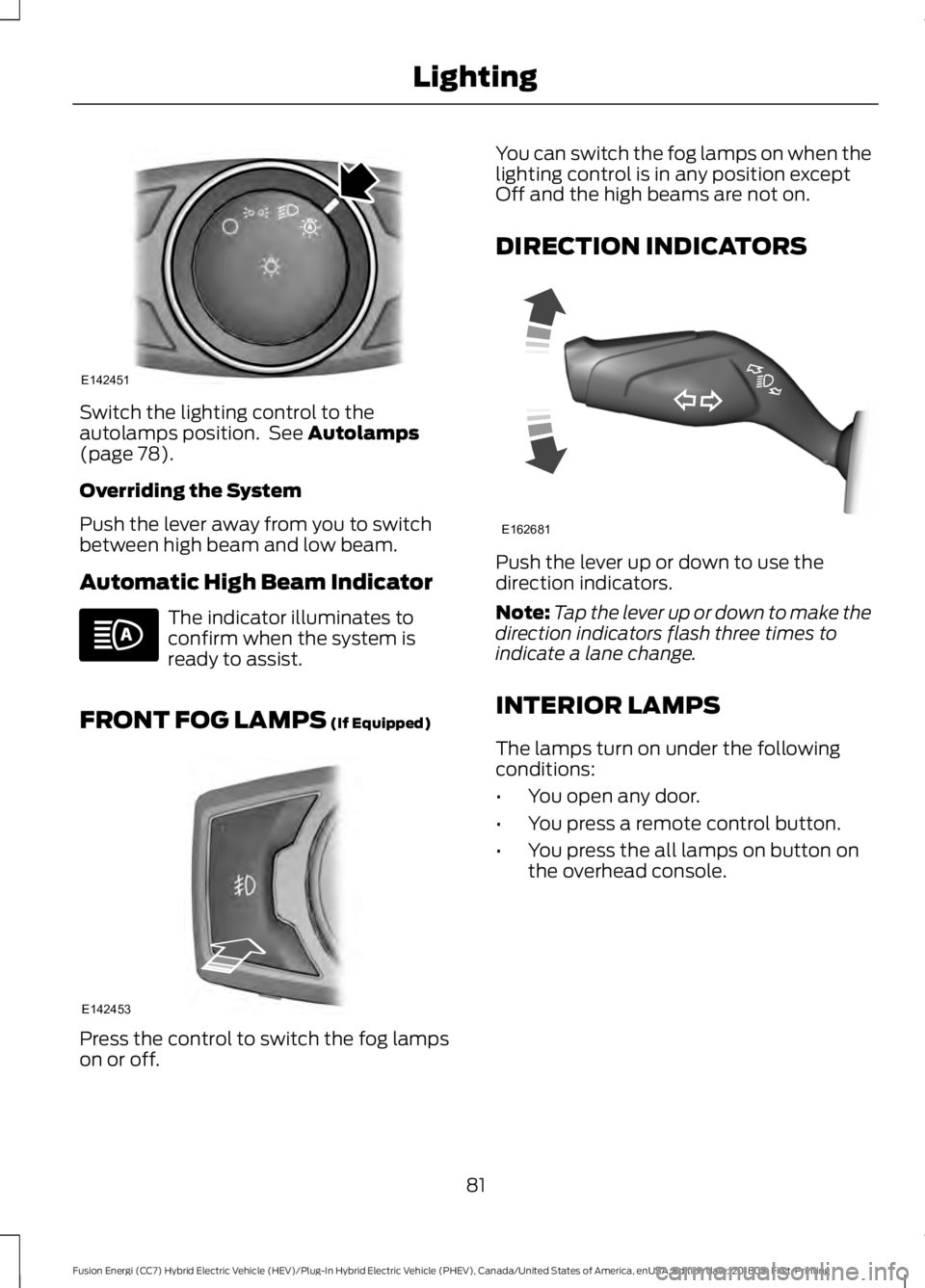
Switch the lighting control to the
autolamps position. See Autolamps
(page 78).
Overriding the System
Push the lever away from you to switch
between high beam and low beam.
Automatic High Beam Indicator The indicator illuminates to
confirm when the system is
ready to assist.
FRONT FOG LAMPS
(If Equipped) Press the control to switch the fog lamps
on or off. You can switch the fog lamps on when the
lighting control is in any position except
Off and the high beams are not on.
DIRECTION INDICATORS
Push the lever up or down to use the
direction indicators.
Note:
Tap the lever up or down to make the
direction indicators flash three times to
indicate a lane change.
INTERIOR LAMPS
The lamps turn on under the following
conditions:
• You open any door.
• You press a remote control button.
• You press the all lamps on button on
the overhead console.
81
Fusion Energi (CC7) Hybrid Electric Vehicle (HEV)/Plug-In Hybrid Electric Vehicle (PHEV), Canada/United States of America, enUSA, Edition date: 201805, First-Printing LightingE142451 E142453 E162681
Page 85 of 541
Front Interior Lamp
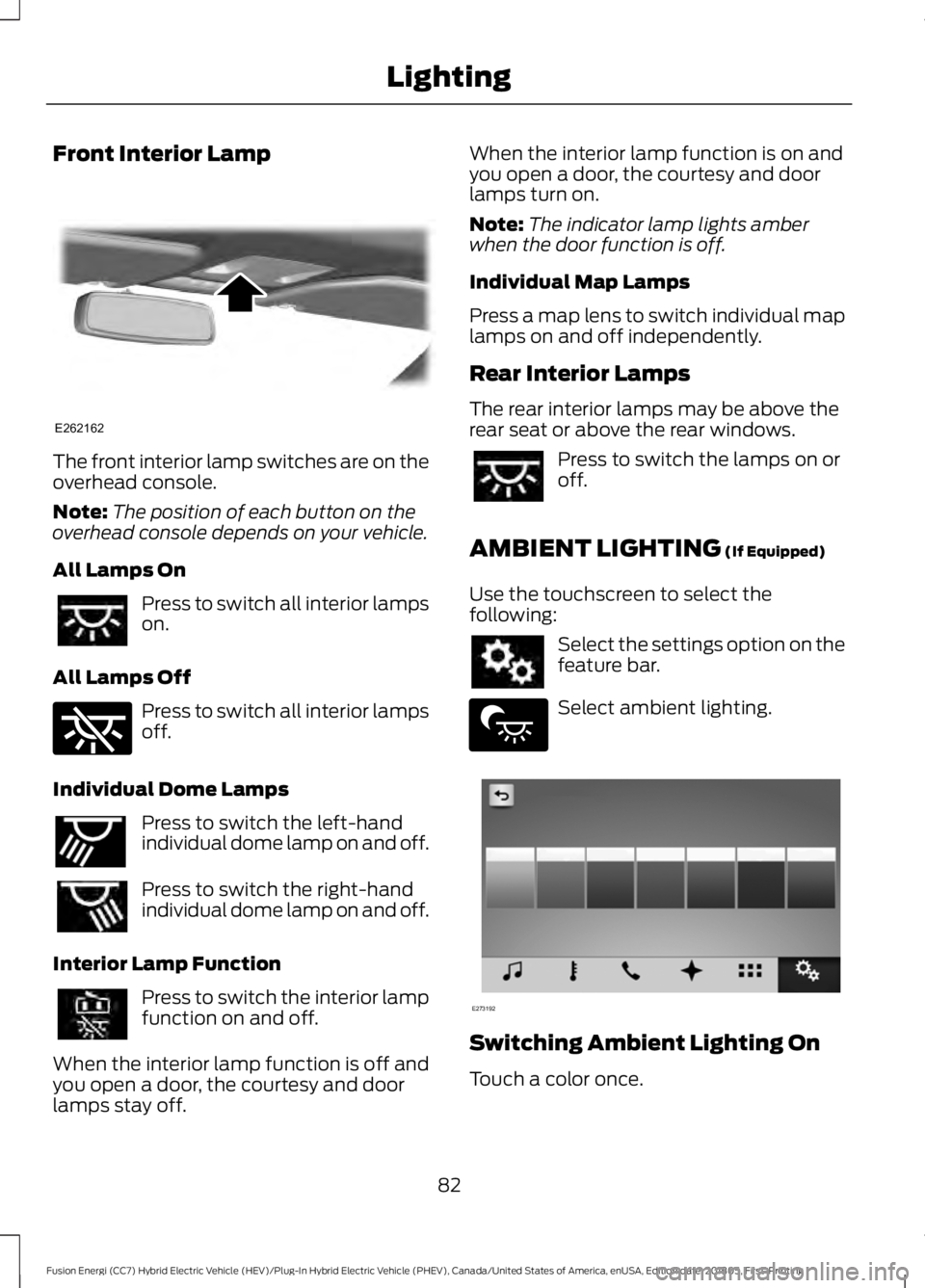
The front interior lamp switches are on the
overhead console.
Note:
The position of each button on the
overhead console depends on your vehicle.
All Lamps On Press to switch all interior lamps
on.
All Lamps Off Press to switch all interior lamps
off.
Individual Dome Lamps Press to switch the left-hand
individual dome lamp on and off.
Press to switch the right-hand
individual dome lamp on and off.
Interior Lamp Function Press to switch the interior lamp
function on and off.
When the interior lamp function is off and
you open a door, the courtesy and door
lamps stay off. When the interior lamp function is on and
you open a door, the courtesy and door
lamps turn on.
Note:
The indicator lamp lights amber
when the door function is off.
Individual Map Lamps
Press a map lens to switch individual map
lamps on and off independently.
Rear Interior Lamps
The rear interior lamps may be above the
rear seat or above the rear windows. Press to switch the lamps on or
off.
AMBIENT LIGHTING (If Equipped)
Use the touchscreen to select the
following: Select the settings option on the
feature bar.
Select ambient lighting.
Switching Ambient Lighting On
Touch a color once.
82
Fusion Energi (CC7) Hybrid Electric Vehicle (HEV)/Plug-In Hybrid Electric Vehicle (PHEV), Canada/United States of America, enUSA, Edition date: 201805, First-Printing LightingE262162 E262185 E262193 E279027 E273192
Page 86 of 541
Changing the Color
Touch any color once.
Adjusting the Brightness
Drag the selected color up or down.
Switching Ambient Lighting Off
Touch the selected color once or drag the
selected color down to zero brightness.
83
Fusion Energi (CC7) Hybrid Electric Vehicle (HEV)/Plug-In Hybrid Electric Vehicle (PHEV), Canada/United States of America, enUSA, Edition date: 201805, First-Printing Lighting
Page 87 of 541
POWER WINDOWS
WARNING: Do not leave children
unattended in your vehicle and do not let
them play with the power windows. Failure
to follow this instruction could result in
personal injury. WARNING: When closing the power
windows, verify they are free of obstruction
and make sure that children and pets are
not in the proximity of the window
openings. Note:
You may hear a pulsing noise when
only one of the windows is open. Lower the
opposite window slightly to reduce this
noise.
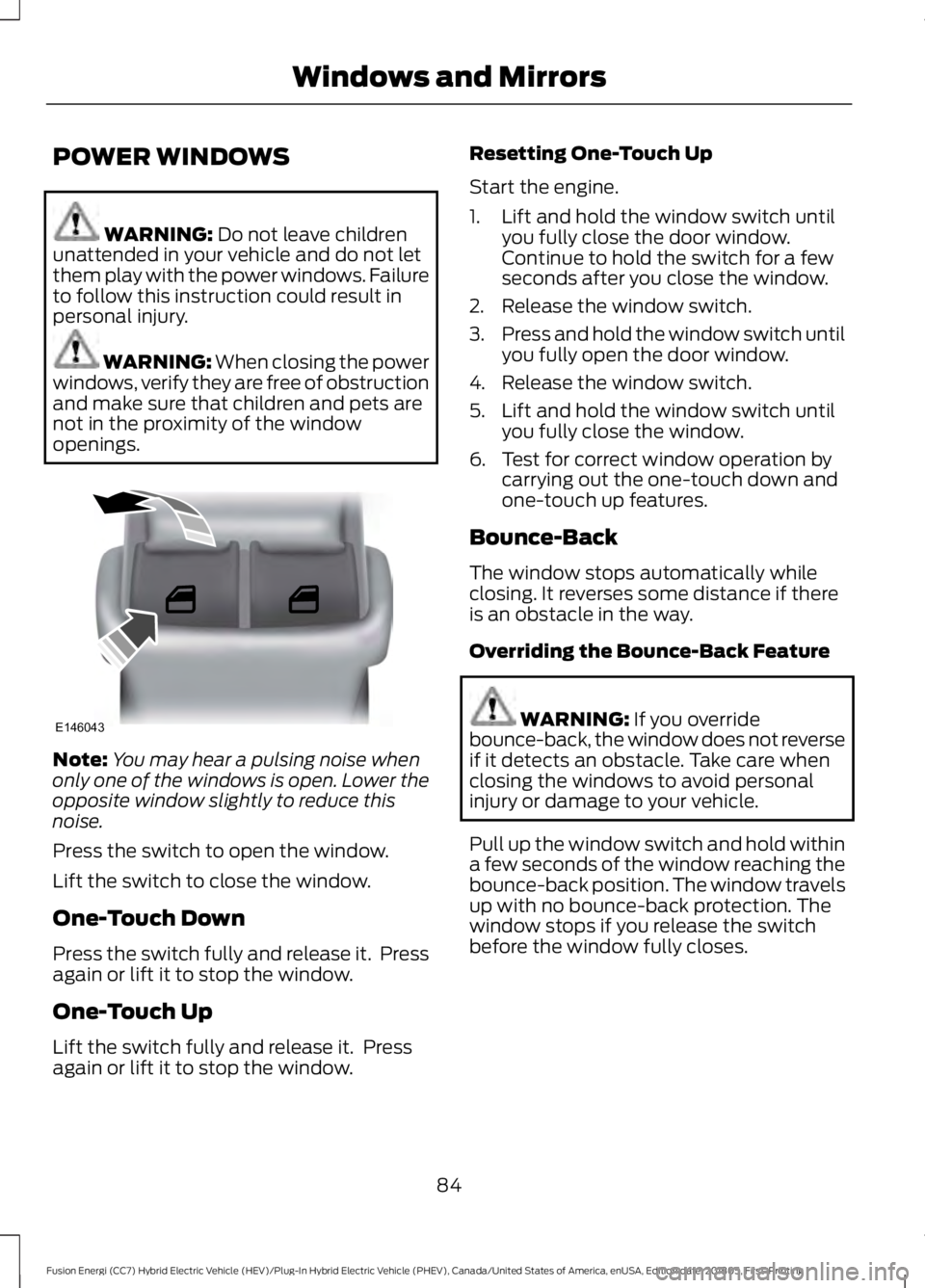
Press the switch to open the window.
Lift the switch to close the window.
One-Touch Down
Press the switch fully and release it. Press
again or lift it to stop the window.
One-Touch Up
Lift the switch fully and release it. Press
again or lift it to stop the window. Resetting One-Touch Up
Start the engine.
1. Lift and hold the window switch until
you fully close the door window.
Continue to hold the switch for a few
seconds after you close the window.
2. Release the window switch.
3. Press and hold the window switch until
you fully open the door window.
4. Release the window switch.
5. Lift and hold the window switch until you fully close the window.
6. Test for correct window operation by carrying out the one-touch down and
one-touch up features.
Bounce-Back
The window stops automatically while
closing. It reverses some distance if there
is an obstacle in the way.
Overriding the Bounce-Back Feature WARNING:
If you override
bounce-back, the window does not reverse
if it detects an obstacle. Take care when
closing the windows to avoid personal
injury or damage to your vehicle.
Pull up the window switch and hold within
a few seconds of the window reaching the
bounce-back position. The window travels
up with no bounce-back protection. The
window stops if you release the switch
before the window fully closes.
84
Fusion Energi (CC7) Hybrid Electric Vehicle (HEV)/Plug-In Hybrid Electric Vehicle (PHEV), Canada/United States of America, enUSA, Edition date: 201805, First-Printing Windows and MirrorsE146043
Page 89 of 541
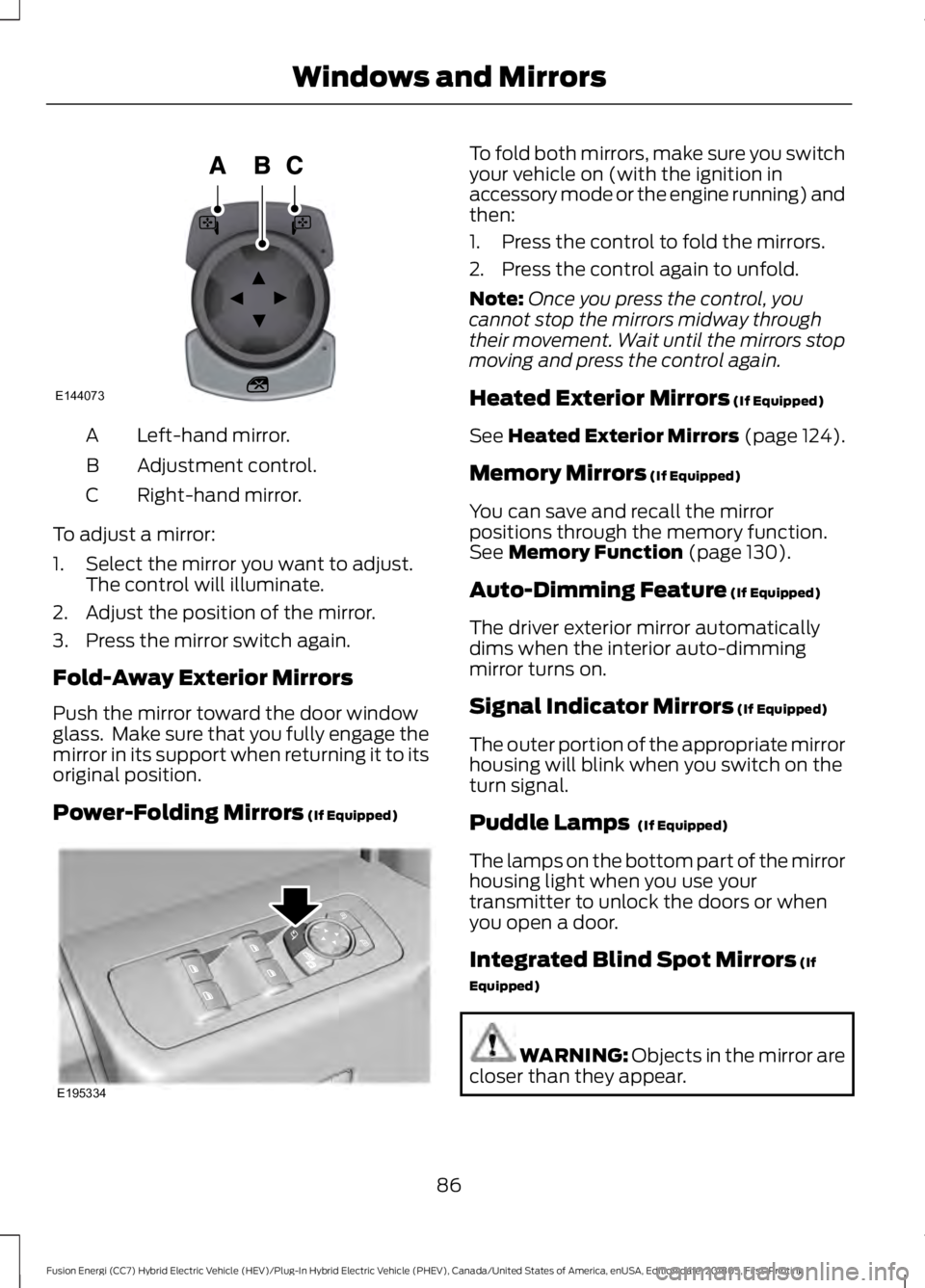
Left-hand mirror.
A
Adjustment control.
B
Right-hand mirror.
C
To adjust a mirror:
1. Select the mirror you want to adjust. The control will illuminate.
2. Adjust the position of the mirror.
3. Press the mirror switch again.
Fold-Away Exterior Mirrors
Push the mirror toward the door window
glass. Make sure that you fully engage the
mirror in its support when returning it to its
original position.
Power-Folding Mirrors (If Equipped) To fold both mirrors, make sure you switch
your vehicle on (with the ignition in
accessory mode or the engine running) and
then:
1. Press the control to fold the mirrors.
2. Press the control again to unfold.
Note:
Once you press the control, you
cannot stop the mirrors midway through
their movement. Wait until the mirrors stop
moving and press the control again.
Heated Exterior Mirrors
(If Equipped)
See
Heated Exterior Mirrors (page 124).
Memory Mirrors
(If Equipped)
You can save and recall the mirror
positions through the memory function.
See
Memory Function (page 130).
Auto-Dimming Feature
(If Equipped)
The driver exterior mirror automatically
dims when the interior auto-dimming
mirror turns on.
Signal Indicator Mirrors
(If Equipped)
The outer portion of the appropriate mirror
housing will blink when you switch on the
turn signal.
Puddle Lamps
(If Equipped)
The lamps on the bottom part of the mirror
housing light when you use your
transmitter to unlock the doors or when
you open a door.
Integrated Blind Spot Mirrors
(If
Equipped) WARNING:
Objects in the mirror are
closer than they appear.
86
Fusion Energi (CC7) Hybrid Electric Vehicle (HEV)/Plug-In Hybrid Electric Vehicle (PHEV), Canada/United States of America, enUSA, Edition date: 201805, First-Printing Windows and MirrorsE144073 E195334
Page 90 of 541
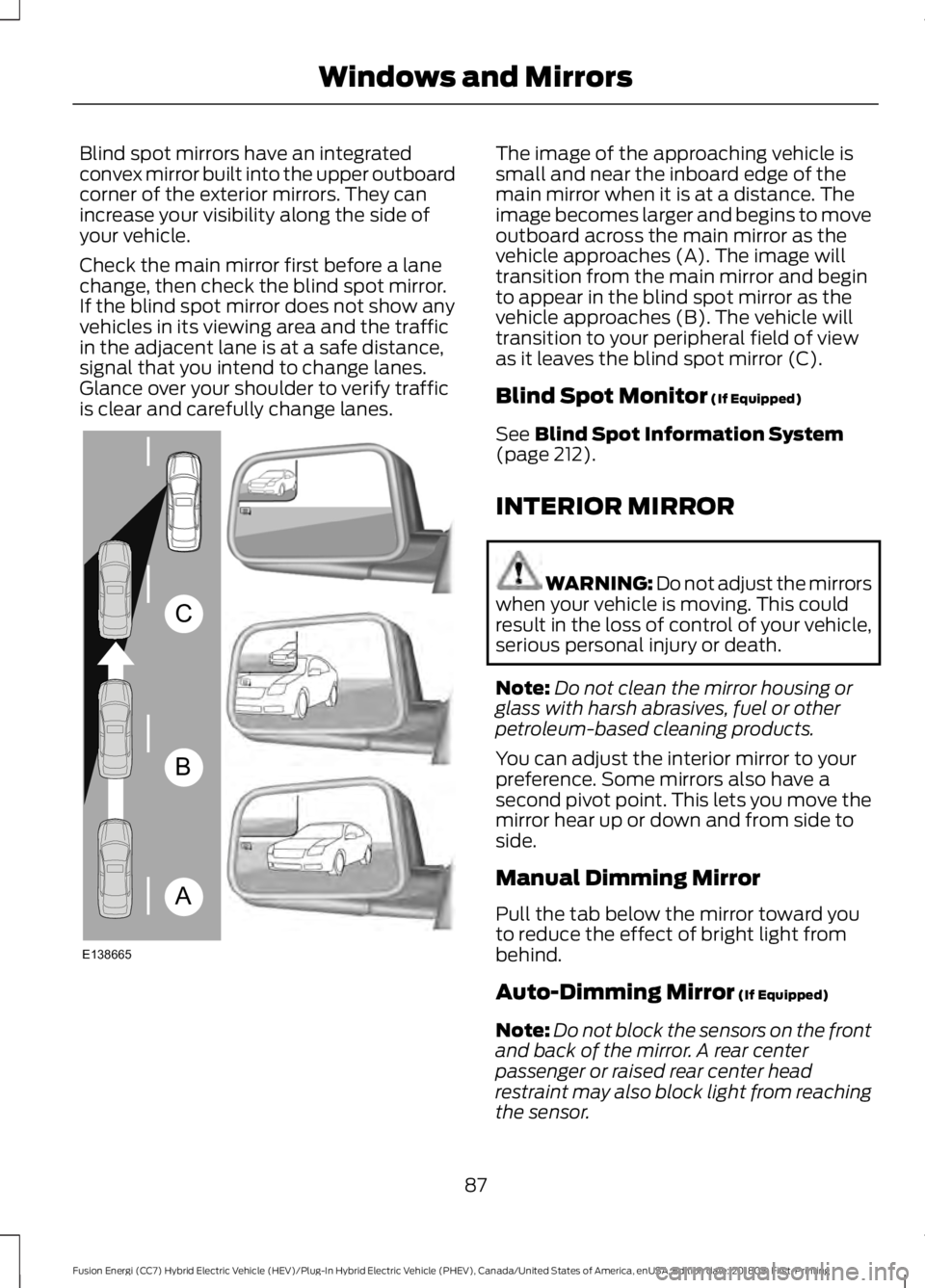
Blind spot mirrors have an integrated
convex mirror built into the upper outboard
corner of the exterior mirrors. They can
increase your visibility along the side of
your vehicle.
Check the main mirror first before a lane
change, then check the blind spot mirror.
If the blind spot mirror does not show any
vehicles in its viewing area and the traffic
in the adjacent lane is at a safe distance,
signal that you intend to change lanes.
Glance over your shoulder to verify traffic
is clear and carefully change lanes. The image of the approaching vehicle is
small and near the inboard edge of the
main mirror when it is at a distance. The
image becomes larger and begins to move
outboard across the main mirror as the
vehicle approaches (A). The image will
transition from the main mirror and begin
to appear in the blind spot mirror as the
vehicle approaches (B). The vehicle will
transition to your peripheral field of view
as it leaves the blind spot mirror (C).
Blind Spot Monitor (If Equipped)
See
Blind Spot Information System
(page 212).
INTERIOR MIRROR WARNING: Do not adjust the mirrors
when your vehicle is moving. This could
result in the loss of control of your vehicle,
serious personal injury or death.
Note: Do not clean the mirror housing or
glass with harsh abrasives, fuel or other
petroleum-based cleaning products.
You can adjust the interior mirror to your
preference. Some mirrors also have a
second pivot point. This lets you move the
mirror hear up or down and from side to
side.
Manual Dimming Mirror
Pull the tab below the mirror toward you
to reduce the effect of bright light from
behind.
Auto-Dimming Mirror
(If Equipped)
Note: Do not block the sensors on the front
and back of the mirror. A rear center
passenger or raised rear center head
restraint may also block light from reaching
the sensor.
87
Fusion Energi (CC7) Hybrid Electric Vehicle (HEV)/Plug-In Hybrid Electric Vehicle (PHEV), Canada/United States of America, enUSA, Edition date: 201805, First-Printing Windows and MirrorsA
B
C
E138665
Page 91 of 541
The mirror dims to reduce glare when
bright lights are detected from behind your
vehicle. It automatically returns to normal
reflection when you shift the transmission
into reverse (R) to make sure you have a
clear view when backing up.
SUN VISORS
Rotate the sun visor toward the side
window and extend it rearward for extra
shade.
Illuminated Vanity Mirror
Lift the cover to switch the lamp on. MOONROOF (If Equipped) WARNING:
Do not let children play
with the moonroof or leave them
unattended in the vehicle. They may
seriously hurt themselves. WARNING:
When closing the
moonroof, you should verify that it is free
of obstructions and make sure that
children and pets are not in the proximity
of the roof opening.
The sliding shade can be manually opened
or closed when the moonroof is closed.
Pull the shade toward the front of the
vehicle to close it.
The moonroof controls are located on the
overhead console and have a one-touch
open and close feature. To stop it during
one-touch operation, touch the control a
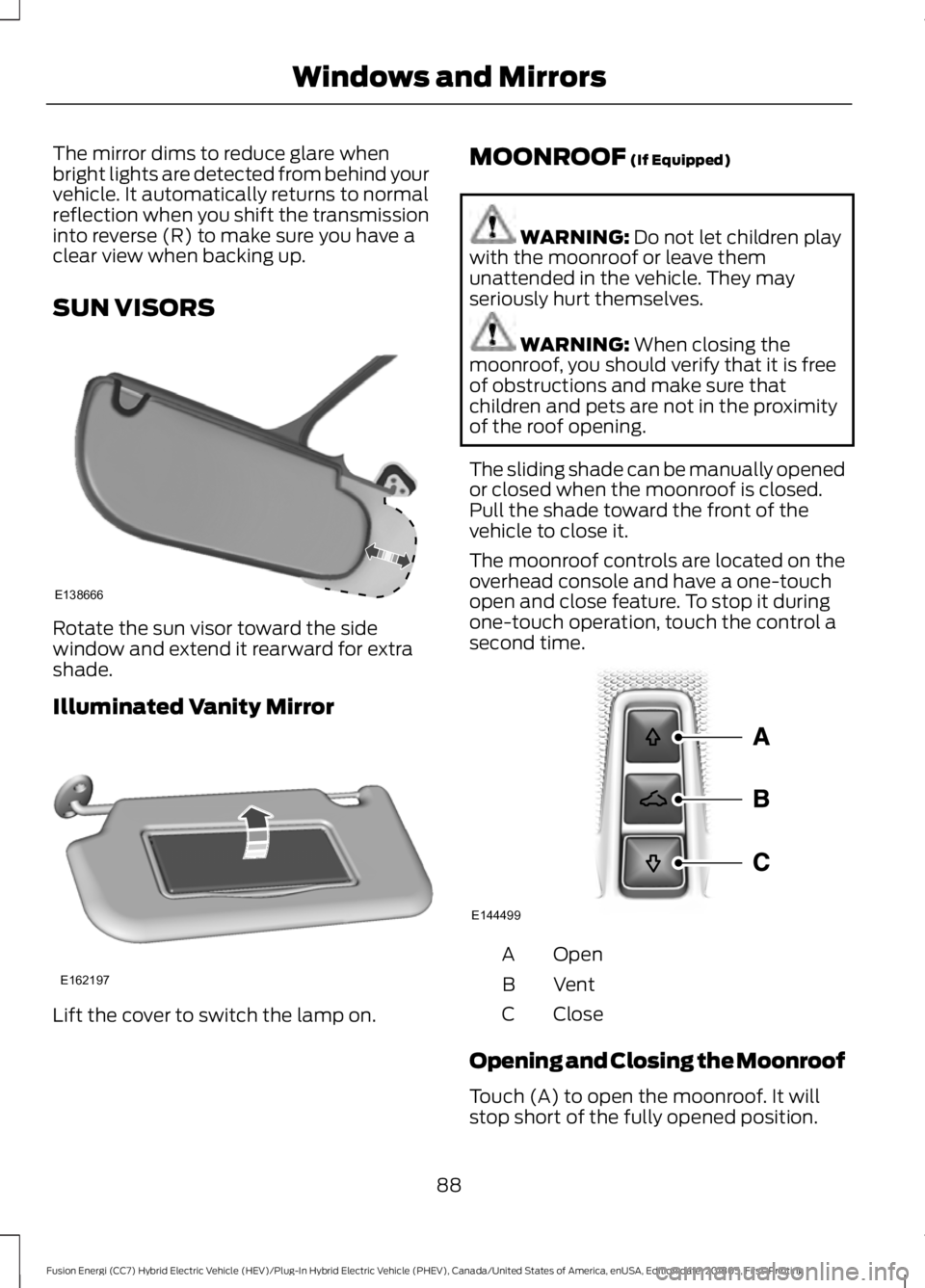
second time. Open
A
Vent
B
Close
C
Opening and Closing the Moonroof
Touch (A) to open the moonroof. It will
stop short of the fully opened position.
88
Fusion Energi (CC7) Hybrid Electric Vehicle (HEV)/Plug-In Hybrid Electric Vehicle (PHEV), Canada/United States of America, enUSA, Edition date: 201805, First-Printing Windows and MirrorsE138666 E162197 E144499
Page 94 of 541
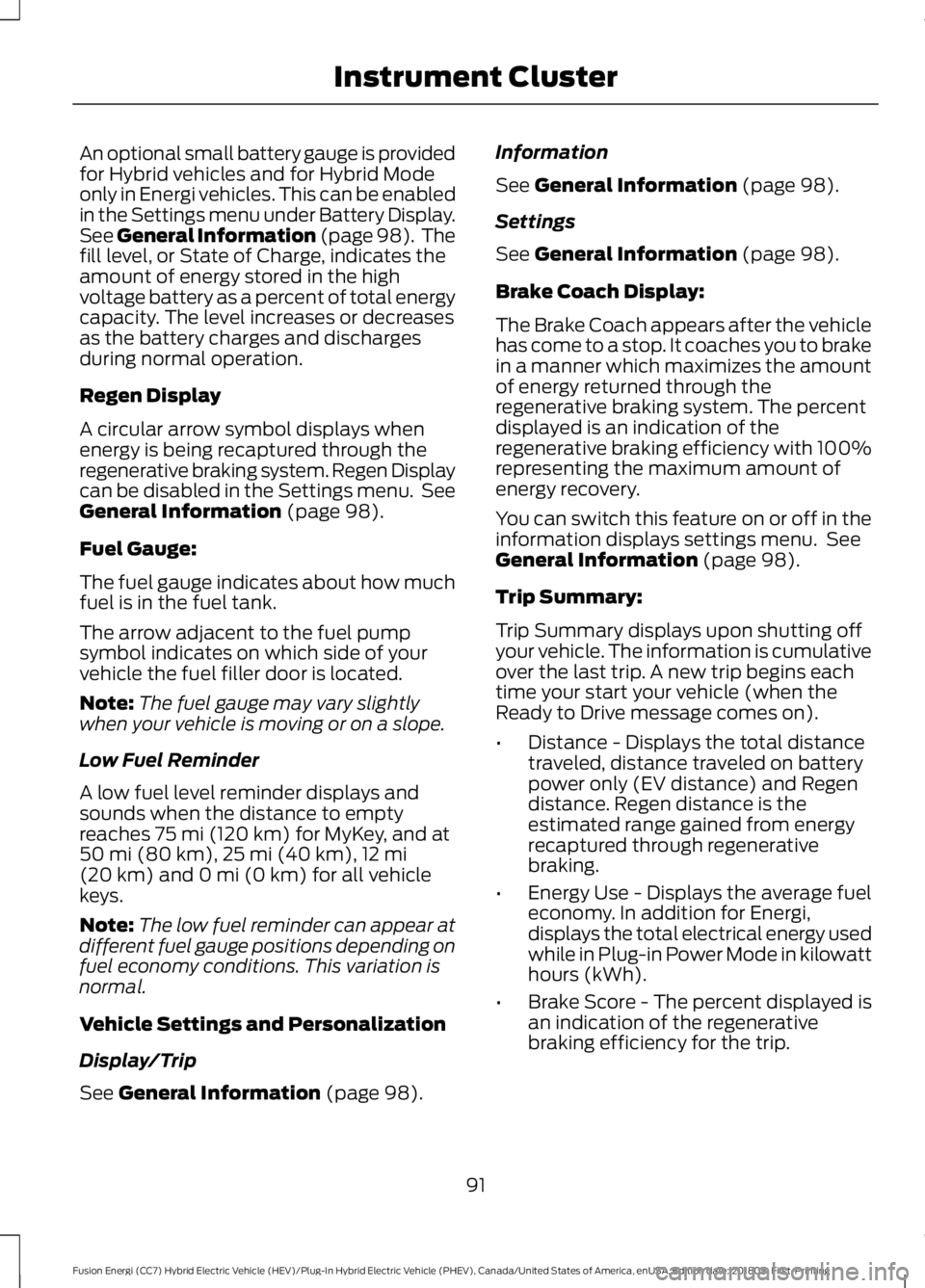
An optional small battery gauge is provided
for Hybrid vehicles and for Hybrid Mode
only in Energi vehicles. This can be enabled
in the Settings menu under Battery Display.
See General Information (page 98). The
fill level, or State of Charge, indicates the
amount of energy stored in the high
voltage battery as a percent of total energy
capacity. The level increases or decreases
as the battery charges and discharges
during normal operation.
Regen Display
A circular arrow symbol displays when
energy is being recaptured through the
regenerative braking system. Regen Display
can be disabled in the Settings menu. See
General Information (page 98).
Fuel Gauge:
The fuel gauge indicates about how much
fuel is in the fuel tank.
The arrow adjacent to the fuel pump
symbol indicates on which side of your
vehicle the fuel filler door is located.
Note: The fuel gauge may vary slightly
when your vehicle is moving or on a slope.
Low Fuel Reminder
A low fuel level reminder displays and
sounds when the distance to empty
reaches
75 mi (120 km) for MyKey, and at
50 mi (80 km), 25 mi (40 km), 12 mi
(20 km) and 0 mi (0 km) for all vehicle
keys.
Note: The low fuel reminder can appear at
different fuel gauge positions depending on
fuel economy conditions. This variation is
normal.
Vehicle Settings and Personalization
Display/Trip
See
General Information (page 98). Information
See
General Information (page 98).
Settings
See
General Information (page 98).
Brake Coach Display:
The Brake Coach appears after the vehicle
has come to a stop. It coaches you to brake
in a manner which maximizes the amount
of energy returned through the
regenerative braking system. The percent
displayed is an indication of the
regenerative braking efficiency with 100%
representing the maximum amount of
energy recovery.
You can switch this feature on or off in the
information displays settings menu. See
General Information
(page 98).
Trip Summary:
Trip Summary displays upon shutting off
your vehicle. The information is cumulative
over the last trip. A new trip begins each
time your start your vehicle (when the
Ready to Drive message comes on).
• Distance - Displays the total distance
traveled, distance traveled on battery
power only (EV distance) and Regen
distance. Regen distance is the
estimated range gained from energy
recaptured through regenerative
braking.
• Energy Use - Displays the average fuel
economy. In addition for Energi,
displays the total electrical energy used
while in Plug-in Power Mode in kilowatt
hours (kWh).
• Brake Score - The percent displayed is
an indication of the regenerative
braking efficiency for the trip.
91
Fusion Energi (CC7) Hybrid Electric Vehicle (HEV)/Plug-In Hybrid Electric Vehicle (PHEV), Canada/United States of America, enUSA, Edition date: 201805, First-Printing Instrument Cluster
Page 96 of 541
Energy usage effects (+/-)
A green bar indicates a positive effect on
your EV range per full charge estimate. An
amber bar indicates a negative effect. The
bigger the bar the bigger the effect on your
estimate.
•
Driving style/route – This includes
energy used to propel your vehicle
based on your driving style and route.
Your driving style includes how fast you
drive and whether your acceleration
and braking is mild or aggressive. Your
route includes factors such as the
amount of city or highway driving and
road grades.
• Climate control use – This includes
energy used by your vehicle ’s high
voltage climate control components
such as the electric A/C compressor
and the electric heater.
• Outside temp./other – This includes
energy losses due to outside
temperature and other conditions
which reduce vehicle system efficiency.
Energy used for low voltage
accessories such as cabin fans, heated
seats, headlights, etc. is also included.
WARNING LAMPS AND
INDICATORS
The following warning lamps and
indicators alert you to a vehicle condition
that may become serious. Some lamps
illuminate when you start your vehicle to
make sure they work. If any lamps remain
on after starting your vehicle, refer to the
respective system warning lamp for further
information.
Note: Some warning indicators appear in
the information display and operate the
same as a warning lamp but do not
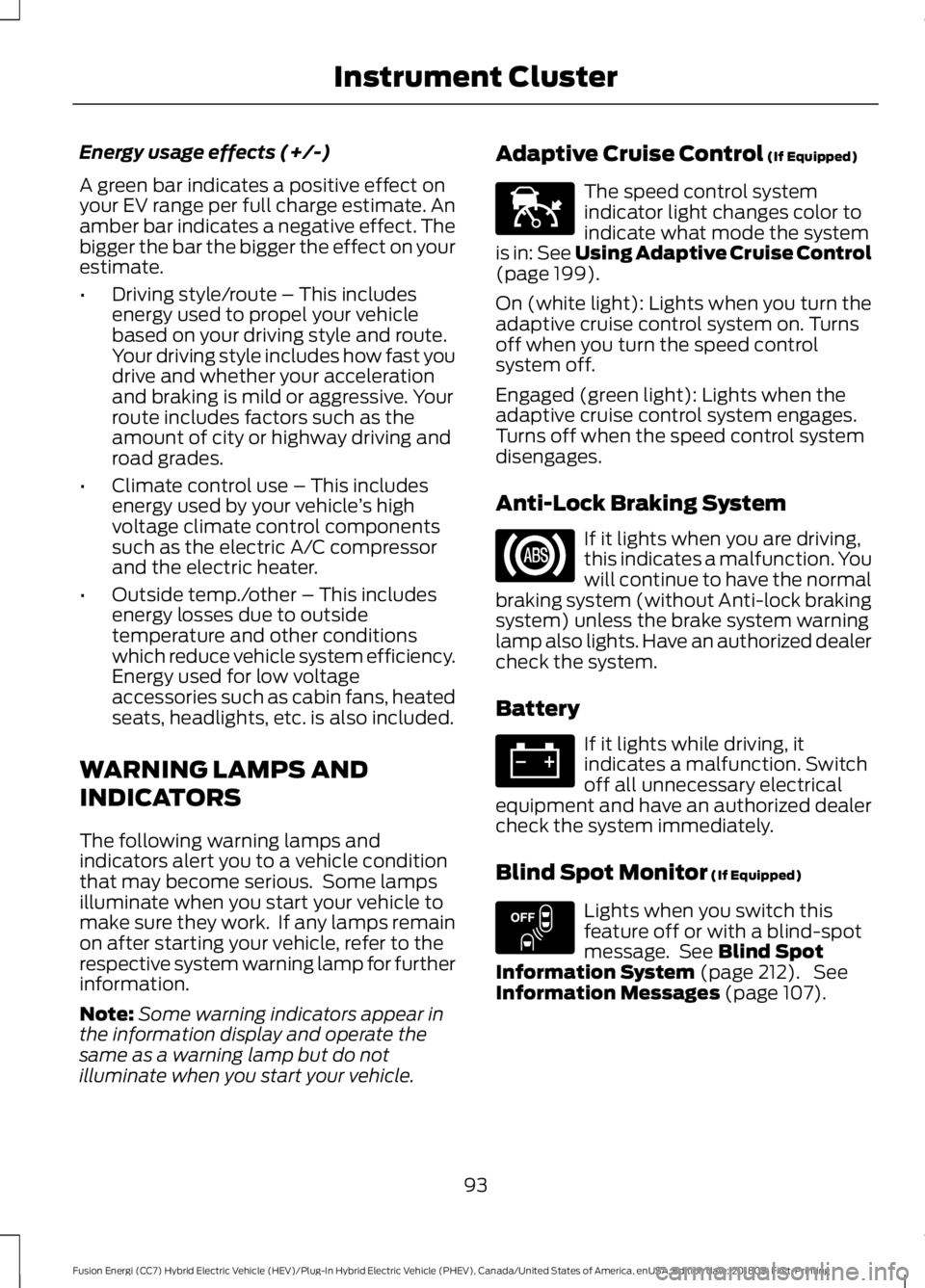
illuminate when you start your vehicle. Adaptive Cruise Control (If Equipped) The speed control system
indicator light changes color to
indicate what mode the system
is in:
See Using Adaptive Cruise Control
(page 199).
On (white light): Lights when you turn the
adaptive cruise control system on. Turns
off when you turn the speed control
system off.
Engaged (green light): Lights when the
adaptive cruise control system engages.
Turns off when the speed control system
disengages.
Anti-Lock Braking System If it lights when you are driving,
this indicates a malfunction. You
will continue to have the normal
braking system (without Anti-lock braking
system) unless the brake system warning
lamp also lights. Have an authorized dealer
check the system.
Battery If it lights while driving, it
indicates a malfunction. Switch
off all unnecessary electrical
equipment and have an authorized dealer
check the system immediately.
Blind Spot Monitor
(If Equipped) Lights when you switch this
feature off or with a blind-spot
message. See
Blind Spot
Information System (page 212). See
Information Messages (page 107).
93
Fusion Energi (CC7) Hybrid Electric Vehicle (HEV)/Plug-In Hybrid Electric Vehicle (PHEV), Canada/United States of America, enUSA, Edition date: 201805, First-Printing Instrument ClusterE144524 E151262
Page 97 of 541
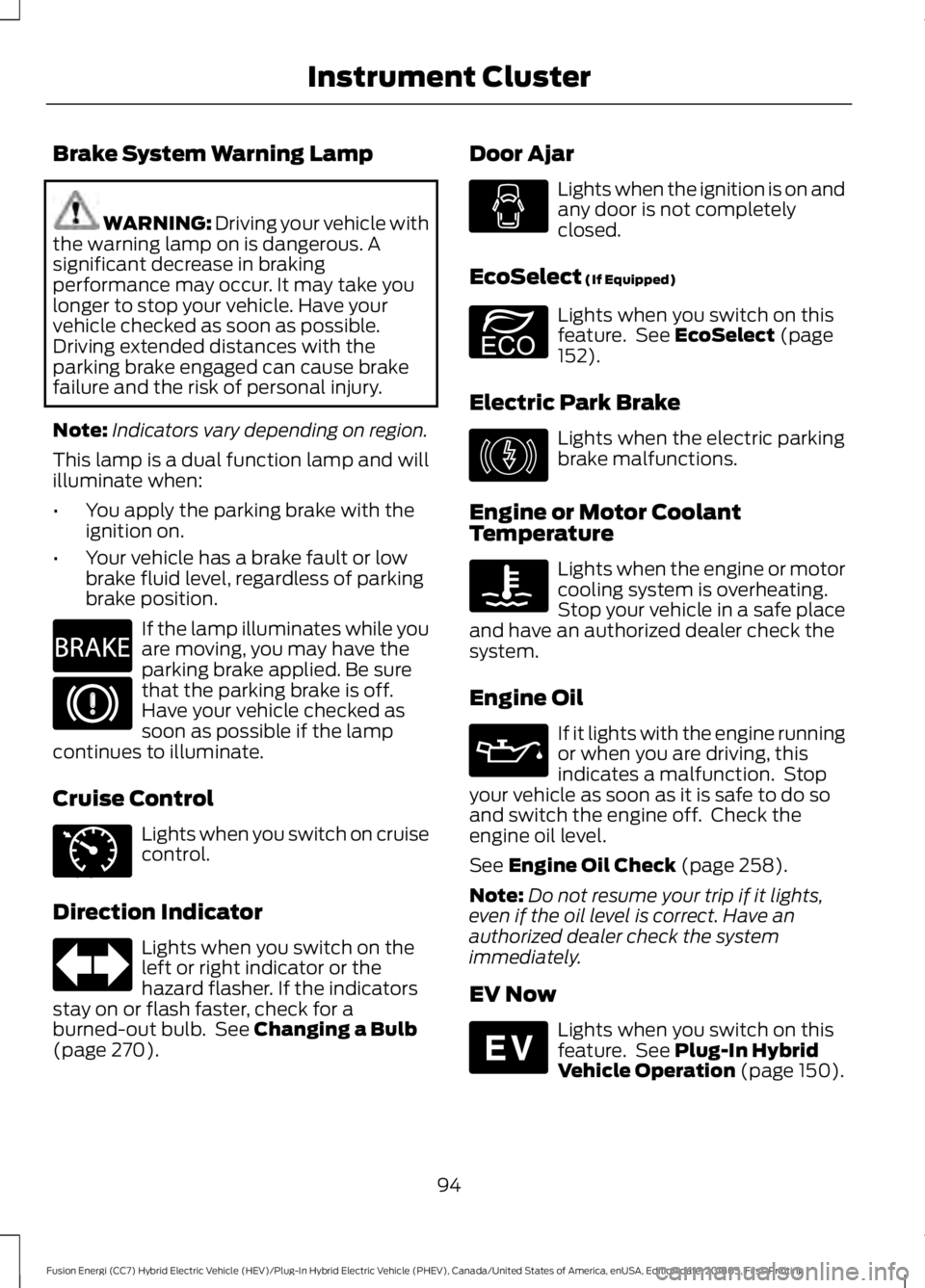
Brake System Warning Lamp
WARNING: Driving your vehicle with
the warning lamp on is dangerous. A
significant decrease in braking
performance may occur. It may take you
longer to stop your vehicle. Have your
vehicle checked as soon as possible.
Driving extended distances with the
parking brake engaged can cause brake
failure and the risk of personal injury.
Note: Indicators vary depending on region.
This lamp is a dual function lamp and will
illuminate when:
• You apply the parking brake with the
ignition on.
• Your vehicle has a brake fault or low
brake fluid level, regardless of parking
brake position. If the lamp illuminates while you
are moving, you may have the
parking brake applied. Be sure
that the parking brake is off.
Have your vehicle checked as
soon as possible if the lamp
continues to illuminate.
Cruise Control Lights when you switch on cruise
control.
Direction Indicator Lights when you switch on the
left or right indicator or the
hazard flasher. If the indicators
stay on or flash faster, check for a
burned-out bulb. See Changing a Bulb
(page 270). Door Ajar Lights when the ignition is on and
any door is not completely
closed.
EcoSelect
(If Equipped) Lights when you switch on this
feature. See
EcoSelect (page
152).
Electric Park Brake Lights when the electric parking
brake malfunctions.
Engine or Motor Coolant
Temperature Lights when the engine or motor
cooling system is overheating.
Stop your vehicle in a safe place
and have an authorized dealer check the
system.
Engine Oil If it lights with the engine running
or when you are driving, this
indicates a malfunction. Stop
your vehicle as soon as it is safe to do so
and switch the engine off. Check the
engine oil level.
See
Engine Oil Check (page 258).
Note: Do not resume your trip if it lights,
even if the oil level is correct. Have an
authorized dealer check the system
immediately.
EV Now Lights when you switch on this
feature. See
Plug-In Hybrid
Vehicle Operation (page 150).
94
Fusion Energi (CC7) Hybrid Electric Vehicle (HEV)/Plug-In Hybrid Electric Vehicle (PHEV), Canada/United States of America, enUSA, Edition date: 201805, First-Printing Instrument ClusterE270480 E71340 E194390 E146190 E144814