fuel FORD FUSION/HYBRID 2020 User Guide
[x] Cancel search | Manufacturer: FORD, Model Year: 2020, Model line: FUSION/HYBRID, Model: FORD FUSION/HYBRID 2020Pages: 486, PDF Size: 6.28 MB
Page 97 of 486
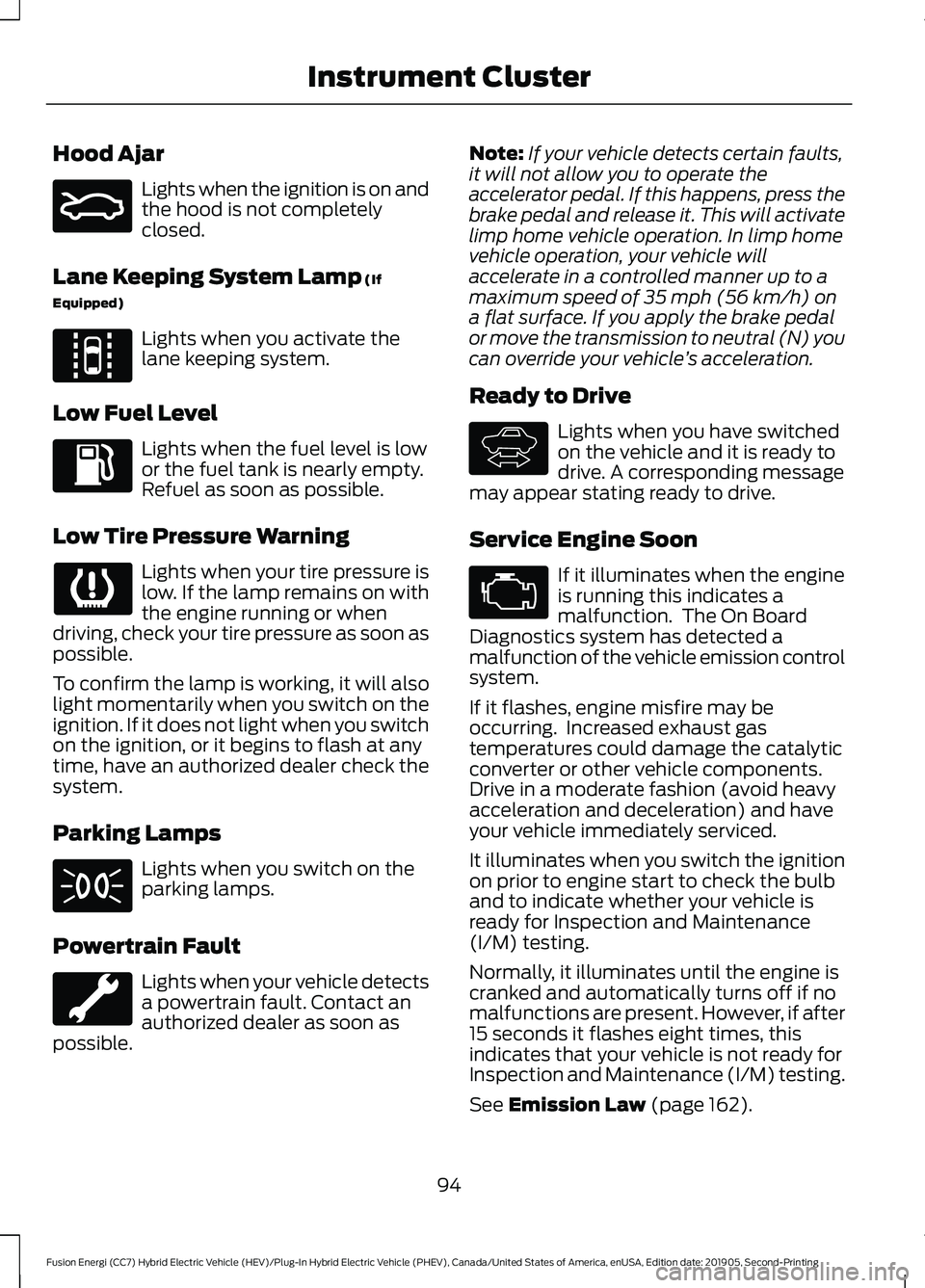
Hood Ajar
Lights when the ignition is on and
the hood is not completely
closed.
Lane Keeping System Lamp (If
Equipped) Lights when you activate the
lane keeping system.
Low Fuel Level Lights when the fuel level is low
or the fuel tank is nearly empty.
Refuel as soon as possible.
Low Tire Pressure Warning Lights when your tire pressure is
low. If the lamp remains on with
the engine running or when
driving, check your tire pressure as soon as
possible.
To confirm the lamp is working, it will also
light momentarily when you switch on the
ignition. If it does not light when you switch
on the ignition, or it begins to flash at any
time, have an authorized dealer check the
system.
Parking Lamps Lights when you switch on the
parking lamps.
Powertrain Fault Lights when your vehicle detects
a powertrain fault. Contact an
authorized dealer as soon as
possible. Note:
If your vehicle detects certain faults,
it will not allow you to operate the
accelerator pedal. If this happens, press the
brake pedal and release it. This will activate
limp home vehicle operation. In limp home
vehicle operation, your vehicle will
accelerate in a controlled manner up to a
maximum speed of 35 mph (56 km/h) on
a flat surface. If you apply the brake pedal
or move the transmission to neutral (N) you
can override your vehicle ’s acceleration.
Ready to Drive Lights when you have switched
on the vehicle and it is ready to
drive. A corresponding message
may appear stating ready to drive.
Service Engine Soon If it illuminates when the engine
is running this indicates a
malfunction. The On Board
Diagnostics system has detected a
malfunction of the vehicle emission control
system.
If it flashes, engine misfire may be
occurring. Increased exhaust gas
temperatures could damage the catalytic
converter or other vehicle components.
Drive in a moderate fashion (avoid heavy
acceleration and deceleration) and have
your vehicle immediately serviced.
It illuminates when you switch the ignition
on prior to engine start to check the bulb
and to indicate whether your vehicle is
ready for Inspection and Maintenance
(I/M) testing.
Normally, it illuminates until the engine is
cranked and automatically turns off if no
malfunctions are present. However, if after
15 seconds it flashes eight times, this
indicates that your vehicle is not ready for
Inspection and Maintenance (I/M) testing.
See
Emission Law (page 162).
94
Fusion Energi (CC7) Hybrid Electric Vehicle (HEV)/Plug-In Hybrid Electric Vehicle (PHEV), Canada/United States of America, enUSA, Edition date: 201905, Second-Printing Instrument ClusterE159324 E144813 E144692
Page 100 of 486
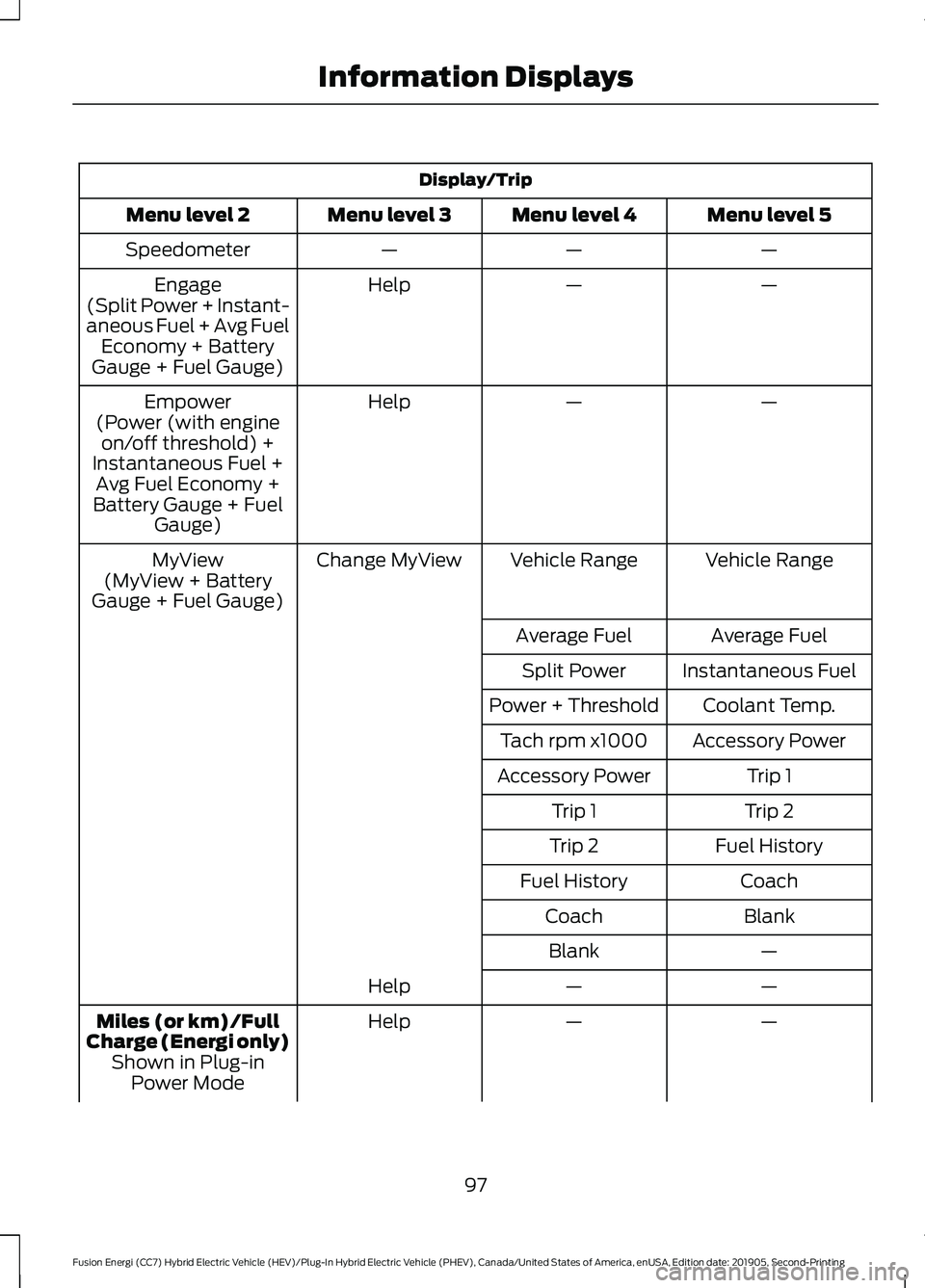
Display/Trip
Menu level 5
Menu level 4
Menu level 3
Menu level 2
—
—
—
Speedometer
—
—
Help
Engage
(Split Power + Instant-
aneous Fuel + Avg Fuel Economy + Battery
Gauge + Fuel Gauge)
—
—
Help
Empower
(Power (with engine on/off threshold) +
Instantaneous Fuel + Avg Fuel Economy +
Battery Gauge + Fuel Gauge)
Vehicle Range
Vehicle Range
Change MyView
MyView
(MyView + Battery
Gauge + Fuel Gauge)
Average Fuel
Average Fuel
Instantaneous Fuel
Split Power
Coolant Temp.
Power + Threshold
Accessory Power
Tach rpm x1000
Trip 1
Accessory Power
Trip 2
Trip 1
Fuel History
Trip 2
Coach
Fuel History
Blank
Coach
—
Blank
—
—
Help
—
—
Help
Miles (or km)/Full
Charge (Energi only) Shown in Plug-inPower Mode
97
Fusion Energi (CC7) Hybrid Electric Vehicle (HEV)/Plug-In Hybrid Electric Vehicle (PHEV), Canada/United States of America, enUSA, Edition date: 201905, Second-Printing Information Displays
Page 101 of 486
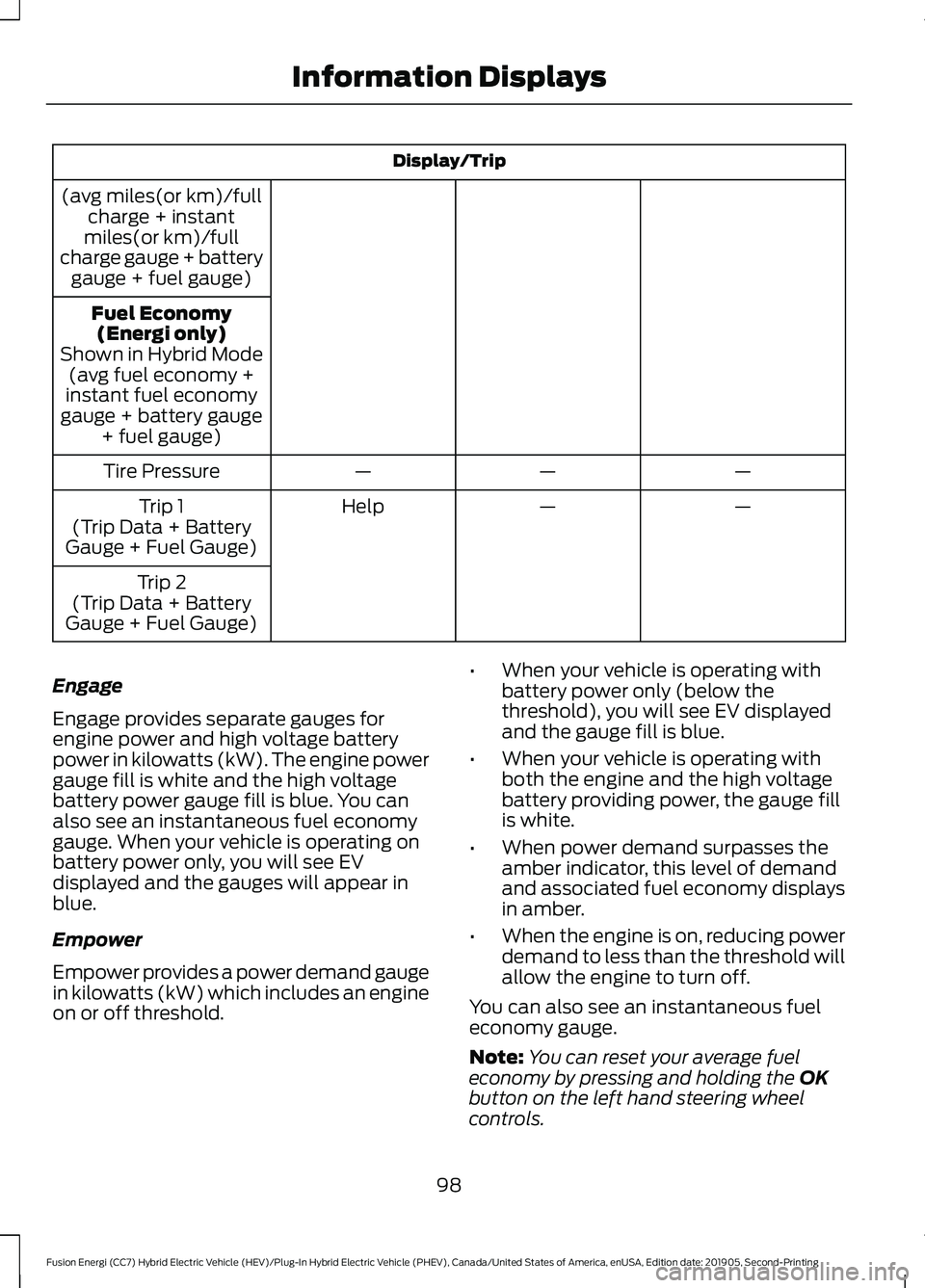
Display/Trip
(avg miles(or km)/full charge + instant
miles(or km)/full
charge gauge + battery gauge + fuel gauge)
Fuel Economy(Energi only)
Shown in Hybrid Mode (avg fuel economy +
instant fuel economy
gauge + battery gauge + fuel gauge)
—
—
—
Tire Pressure
—
—
Help
Trip 1
(Trip Data + Battery
Gauge + Fuel Gauge)
Trip 2
(Trip Data + Battery
Gauge + Fuel Gauge)
Engage
Engage provides separate gauges for
engine power and high voltage battery
power in kilowatts (kW). The engine power
gauge fill is white and the high voltage
battery power gauge fill is blue. You can
also see an instantaneous fuel economy
gauge. When your vehicle is operating on
battery power only, you will see EV
displayed and the gauges will appear in
blue.
Empower
Empower provides a power demand gauge
in kilowatts (kW) which includes an engine
on or off threshold. •
When your vehicle is operating with
battery power only (below the
threshold), you will see EV displayed
and the gauge fill is blue.
• When your vehicle is operating with
both the engine and the high voltage
battery providing power, the gauge fill
is white.
• When power demand surpasses the
amber indicator, this level of demand
and associated fuel economy displays
in amber.
• When the engine is on, reducing power
demand to less than the threshold will
allow the engine to turn off.
You can also see an instantaneous fuel
economy gauge.
Note: You can reset your average fuel
economy by pressing and holding the OK
button on the left hand steering wheel
controls.
98
Fusion Energi (CC7) Hybrid Electric Vehicle (HEV)/Plug-In Hybrid Electric Vehicle (PHEV), Canada/United States of America, enUSA, Edition date: 201905, Second-Printing Information Displays
Page 102 of 486
MyView
You can choose what to display in this
view. Selecting Change MyView in the
options menu allows you to scroll through
two columns of content choices.
• Press the up or down arrow to view
content.
• Press
OK to save your selected
content.
• You must select content in both
columns before you can save your new
MyView.
Unique content available in MyView:
• Vehicle Range (Energi vehicles only) –
Indicates the estimated distance your
vehicle will travel with the energy
currently onboard. Separately displays
range available in Hybrid Mode fueled
by gasoline, electric range available in
Plug-in Power Mode, and total range.
Gasoline range and electric range are
also shown on the bottom of the right
information display. Changes in driving
pattern and climate control use will
cause the values to vary.
• Accessory Power — Indicates electrical
power demands from your vehicle ’s
accessory systems. Accessories use
power but do not contribute to
propelling your vehicle. The gauge
separately displays power demand in
kilowatts (kW) for climate and other
accessories. Climate includes the
power being used by high voltage
climate control components such as
the electric A/C compressor and the
electric heater (Energi vehicles only).
Other includes all power being used by
the low voltage accessories (cabin
fans, headlights, heated seats, etc.). •
Coolant Temp – Indicates engine
coolant temperature. At normal
operating temperature, the level
indicator will be white and will be in the
normal range (between H and C). If the
engine coolant temperature exceeds
the normal range, the level indicator
will change to red to indicate that the
engine is overheating. Stop your vehicle
as soon as safely possible, turn your
vehicle off and let the engine cool.
• Tach rpm x 1000 — When the gasoline
engine is running, the tachometer
gauge displays the engine speed in
revolutions per minute (RPM). When
your vehicle is operating on battery
power only with the engine off, EV
displays and the tachometer is greyed
out.
Note: The trip data, and average fuel
economy cannot be reset in MyView.
Miles (or km)/Full Charge (Energi only)
In Hybrid Mode the display changes to Fuel
Economy. Miles or Kilometers per Full
Charge is an estimate of your EV Range
with a fully charged battery.
This display is only available in Plug-in
Power Mode.
Average Miles or Kilometers per Full
Charge is provided along with an
Instantaneous gauge. This information is
based on your energy usage while driving.
Energy usage is affected by your driving
style and route, climate control use,
outside temperature and other factors. For
more information refer to Next Full Charge.
See
Gauges (page 88).
When you select EV Now operation this
screen will automatically be shown. You
can press OK to enable the engine when
viewing this screen during EV Now
operation. See
Plug-In Hybrid Vehicle
Operation (page 150).
99
Fusion Energi (CC7) Hybrid Electric Vehicle (HEV)/Plug-In Hybrid Electric Vehicle (PHEV), Canada/United States of America, enUSA, Edition date: 201905, Second-Printing Information Displays
Page 103 of 486
Fuel Economy (Energi only)
This display is only available in Hybrid
Mode. In Plug-in Power Mode the display
changes to Miles (or km)/Full Charge.
An Instant Fuel Economy gauge is provided
along with Avg Fuel Economy. While
viewing this screen you can reset your
average fuel economy by pressing and
holding the OK button on the left hand
steering wheel controls. For more
information see Common Displays in this
chapter.
Trip 1 & 2
Provides trip odometer, trip average fuel
economy and trip timer.
Distance traveled on battery power only
with the engine off is shown in blue next
to total trip distance.
For Energi vehicles total plug-in electricity
used in kilowatt hours (kWh) is shown in
blue next to trip average fuel economy.
Information In this mode, you can view
different vehicle system
information and perform a
system check. Information
Displays a number of different system tutorials. Use the
up or down arrows to scroll through the tutorials. Then
press OK to view.
Tutorial
Warnings
MyKeys (Number of MyKeys programmed)
MyKey
MyKey Miles (km) (Distance traveled using a
programmed MyKey)
Admin Keys (Number of admin keys)
Settings In this mode, you can configure
different driver setting choices.
Note:
Some items are optional and may
not appear.
Note: Some MyKey items will only appear
if a MyKey is set. Settings
Menu level 6
Menu level 5
Menu level 4
Menu level 3
Menu level 2
—
On or Off
Traction Ctrl
Driver Assist
—
On or Off
Blindspot
—
On or Off
Cross Traffic
—
Adaptive or
Normal
Cruise Control
100
Fusion Energi (CC7) Hybrid Electric Vehicle (HEV)/Plug-In Hybrid Electric Vehicle (PHEV), Canada/United States of America, enUSA, Edition date: 201905, Second-Printing Information DisplaysE144642 E100023
Page 106 of 486
Settings
On or Off
Regen Display
Hold OK to Reset
Driving History
* Energi only.
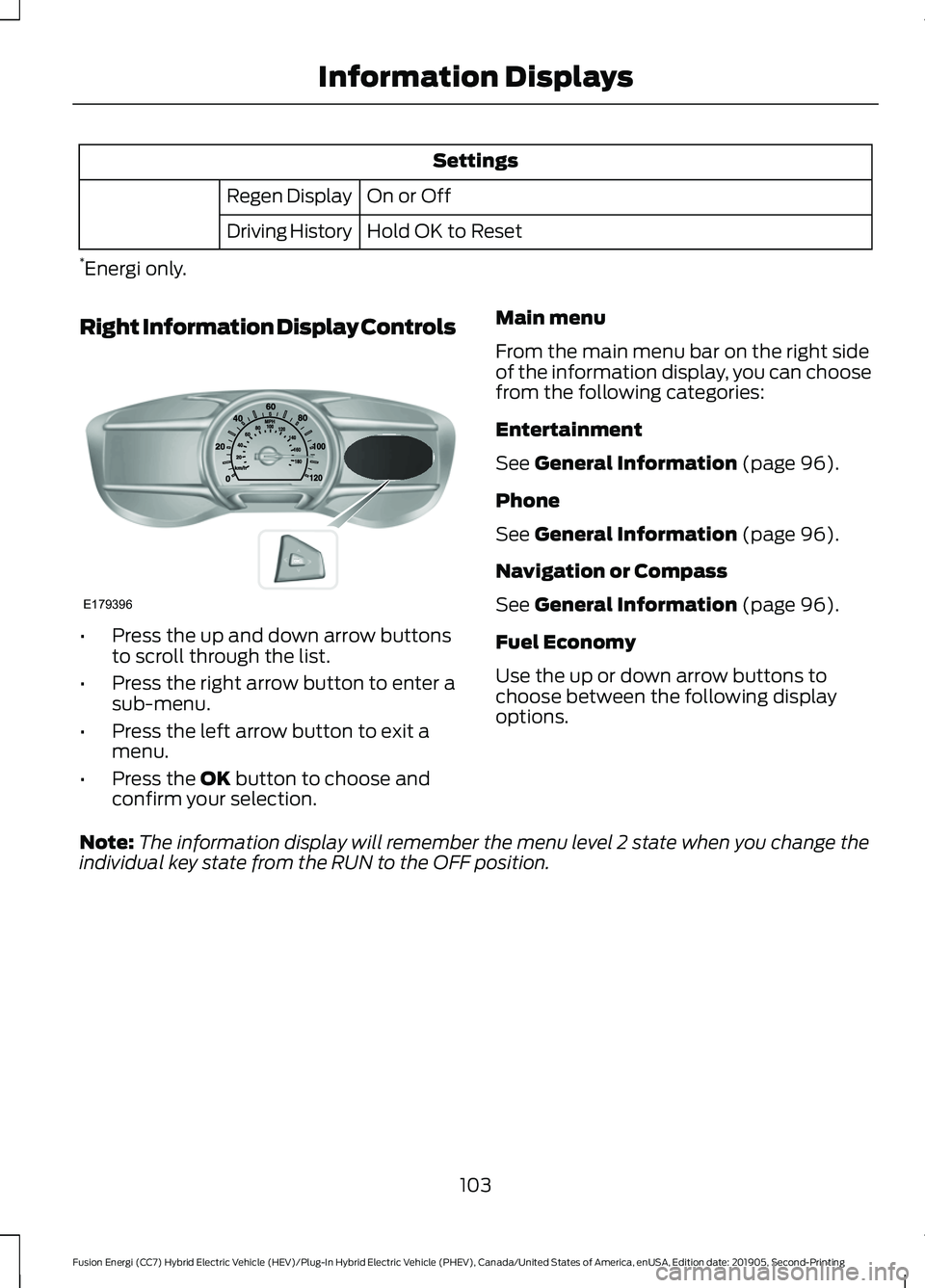
Right Information Display Controls •
Press the up and down arrow buttons
to scroll through the list.
• Press the right arrow button to enter a
sub-menu.
• Press the left arrow button to exit a
menu.
• Press the OK button to choose and
confirm your selection. Main menu
From the main menu bar on the right side
of the information display, you can choose
from the following categories:
Entertainment
See
General Information (page 96).
Phone
See
General Information (page 96).
Navigation or Compass
See
General Information (page 96).
Fuel Economy
Use the up or down arrow buttons to
choose between the following display
options.
Note: The information display will remember the menu level 2 state when you change the
individual key state from the RUN to the OFF position.
103
Fusion Energi (CC7) Hybrid Electric Vehicle (HEV)/Plug-In Hybrid Electric Vehicle (PHEV), Canada/United States of America, enUSA, Edition date: 201905, Second-Printing Information DisplaysE179396
Page 107 of 486
Fuel Economy
Menu level 5
Menu level 4
Menu level 3
Menu level 2
—
—
Help
Efficiency Leaves
—
5, 10 or 30 minutes
Duration
Fuel History
(Instantaneous Fuel Economy + Fuel
Economy History + Avg Fuel Economy) —
—
Help
—
—
Help
Coach
Efficiency Leaves
Efficiency leaves indicate short term driving
efficiency measured over the last few
minutes. The more leaves and vines that
appear on the display, the better your fuel
economy. Leaves and vines will
occasionally appear and disappear to
indicate a change in your driving efficiency.
Fuel History
From left to right this view includes an
instantaneous fuel economy gauge,
historical fuel economy data and average
fuel economy. The historical data
represents an average over time intervals
of either 1, 2 or 6 minutes, with the leftmost
interval being the most recent. Shown at
the bottom of the view is the total time
duration for the 5 intervals. You can select
total duration in the options menu.
Intervals shown in grey color are from the
previous drive. The blue horizontal line
represents the average fuel economy value
shown to the right.
Note: Hold OK to reset fuel history and
average fuel economy. Coach
This view provides a comparison of your
recent acceleration, braking and cruising
behavior, then recommends the most
efficient use of energy under present
conditions. The horizontal bars fill from left
to right with best behavior and appear blue
when at least half full. When the bars are
less than half full, the color is amber,
suggesting that you need a change in your
driving behavior to achieve better energy
efficiency.
Note:
Fuel Economy will be impacted by
your use of brakes, accelerator and
accessories, as well as environmental
conditions such as hills and weather.
Note: Fuel economy is not always a
measure of appropriate driving behavior. For
example, when driving uphill and
maintaining an appropriate speed, your
instant fuel economy may not be good
(losing leaves) but the Coach may show a
blue bar for Acceleration and Cruising.
104
Fusion Energi (CC7) Hybrid Electric Vehicle (HEV)/Plug-In Hybrid Electric Vehicle (PHEV), Canada/United States of America, enUSA, Edition date: 201905, Second-Printing Information Displays
Page 108 of 486
Common Displays
Both Average fuel economy and an
instantaneous fuel economy gauge are
included in Engage, Empower, MyView (if
selected) and Fuel Economy (shown in
Hybrid Mode) on the left-hand information
display. They are also included in Fuel
History on the right-hand information
display.
Average Fuel Economy
Average Fuel Economy is continuously
averaged since the last reset. You can reset
your average fuel economy by pressing and
holding the OK button on the
corresponding steering wheel controls. For
Energi vehicles both Hybrid and Plug-in
Power mode operation will be included in
the calculation.
Note: Average fuel economy cannot be
reset in MyView.
Instantaneous Fuel Economy
If your instantaneous fuel economy is
greater than the maximum value
displayed, a + sign will be shown next to
the maximum scale number. When your
vehicle is operating on battery power only,
EV will display and the gauge fill will show
in blue. INFORMATION MESSAGES
Note:
Depending on your vehicle options
and instrument cluster type, not all
messages display or are available. Certain
messages may be abbreviated or shortened
depending upon which cluster type you
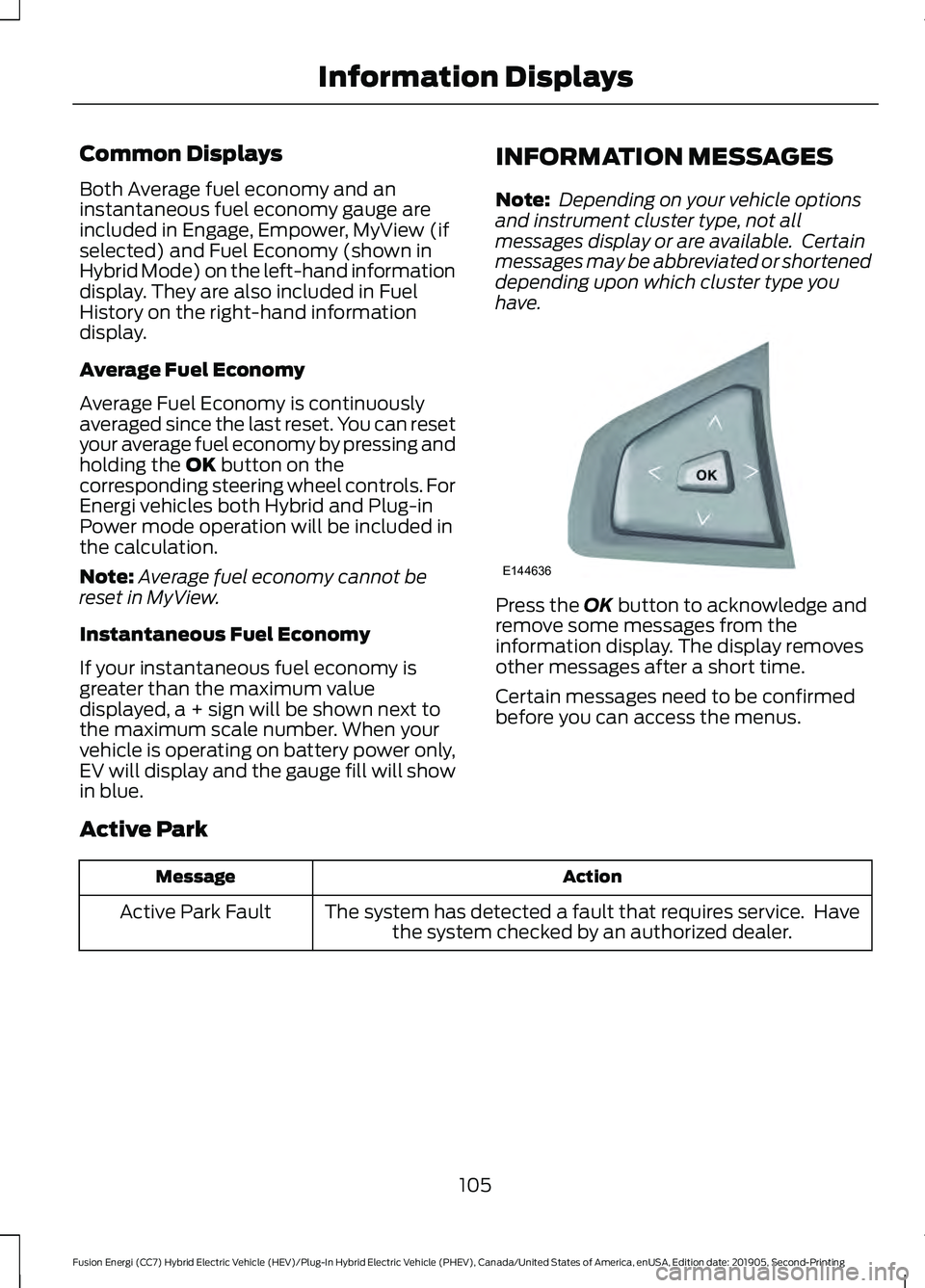
have. Press the
OK button to acknowledge and
remove some messages from the
information display. The display removes
other messages after a short time.
Certain messages need to be confirmed
before you can access the menus.
Active Park Action
Message
The system has detected a fault that requires service. Havethe system checked by an authorized dealer.
Active Park Fault
105
Fusion Energi (CC7) Hybrid Electric Vehicle (HEV)/Plug-In Hybrid Electric Vehicle (PHEV), Canada/United States of America, enUSA, Edition date: 201905, Second-Printing Information DisplaysE144636
Page 110 of 486
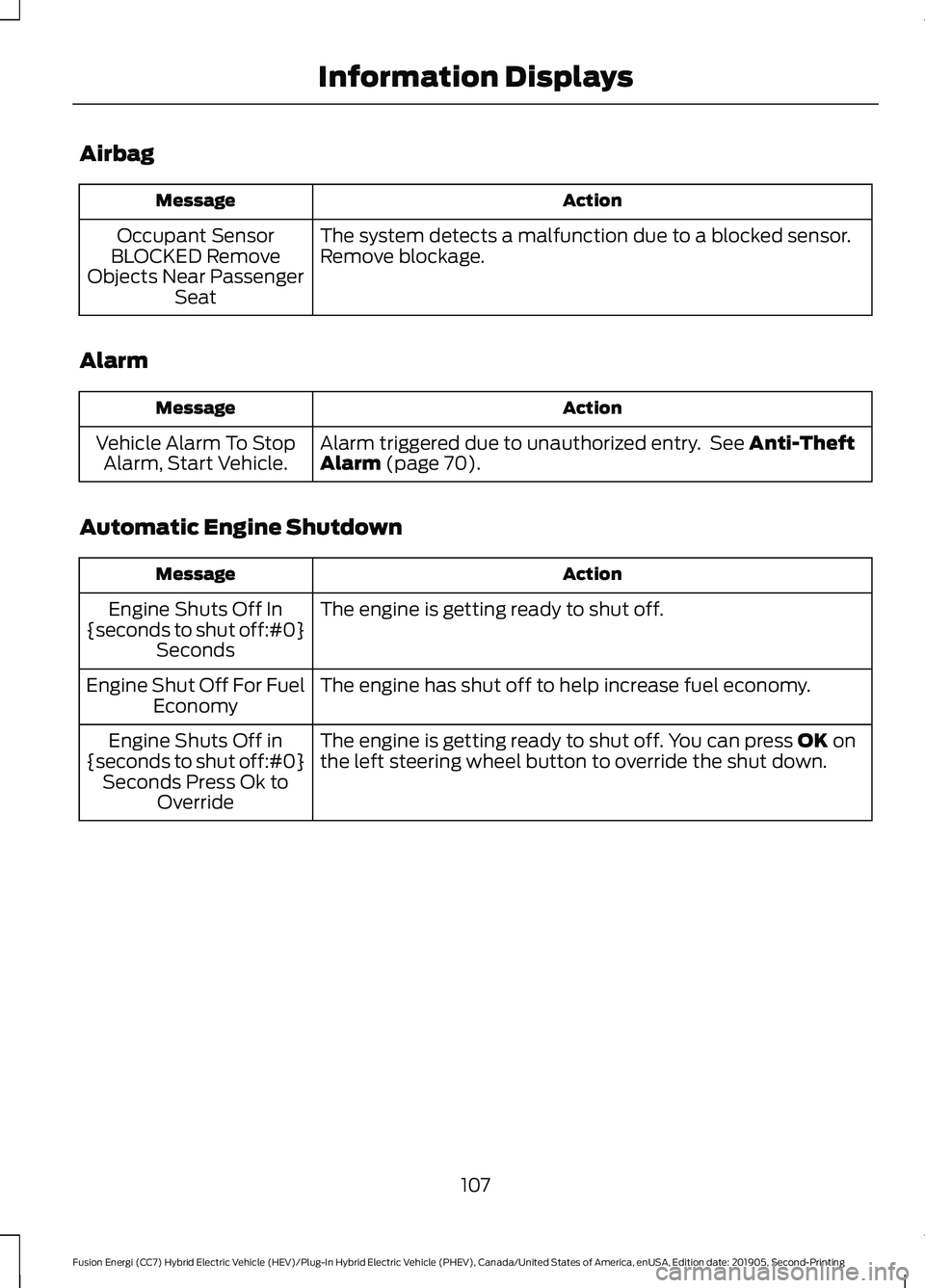
Airbag
Action
Message
The system detects a malfunction due to a blocked sensor.
Remove blockage.
Occupant Sensor
BLOCKED Remove
Objects Near Passenger Seat
Alarm Action
Message
Alarm triggered due to unauthorized entry. See Anti-Theft
Alarm (page 70).
Vehicle Alarm To Stop
Alarm, Start Vehicle.
Automatic Engine Shutdown Action
Message
The engine is getting ready to shut off.
Engine Shuts Off In
{seconds to shut off:#0} Seconds
The engine has shut off to help increase fuel economy.
Engine Shut Off For Fuel
Economy
The engine is getting ready to shut off. You can press
OK on
the left steering wheel button to override the shut down.
Engine Shuts Off in
{seconds to shut off:#0} Seconds Press Ok to Override
107
Fusion Energi (CC7) Hybrid Electric Vehicle (HEV)/Plug-In Hybrid Electric Vehicle (PHEV), Canada/United States of America, enUSA, Edition date: 201905, Second-Printing Information Displays
Page 113 of 486
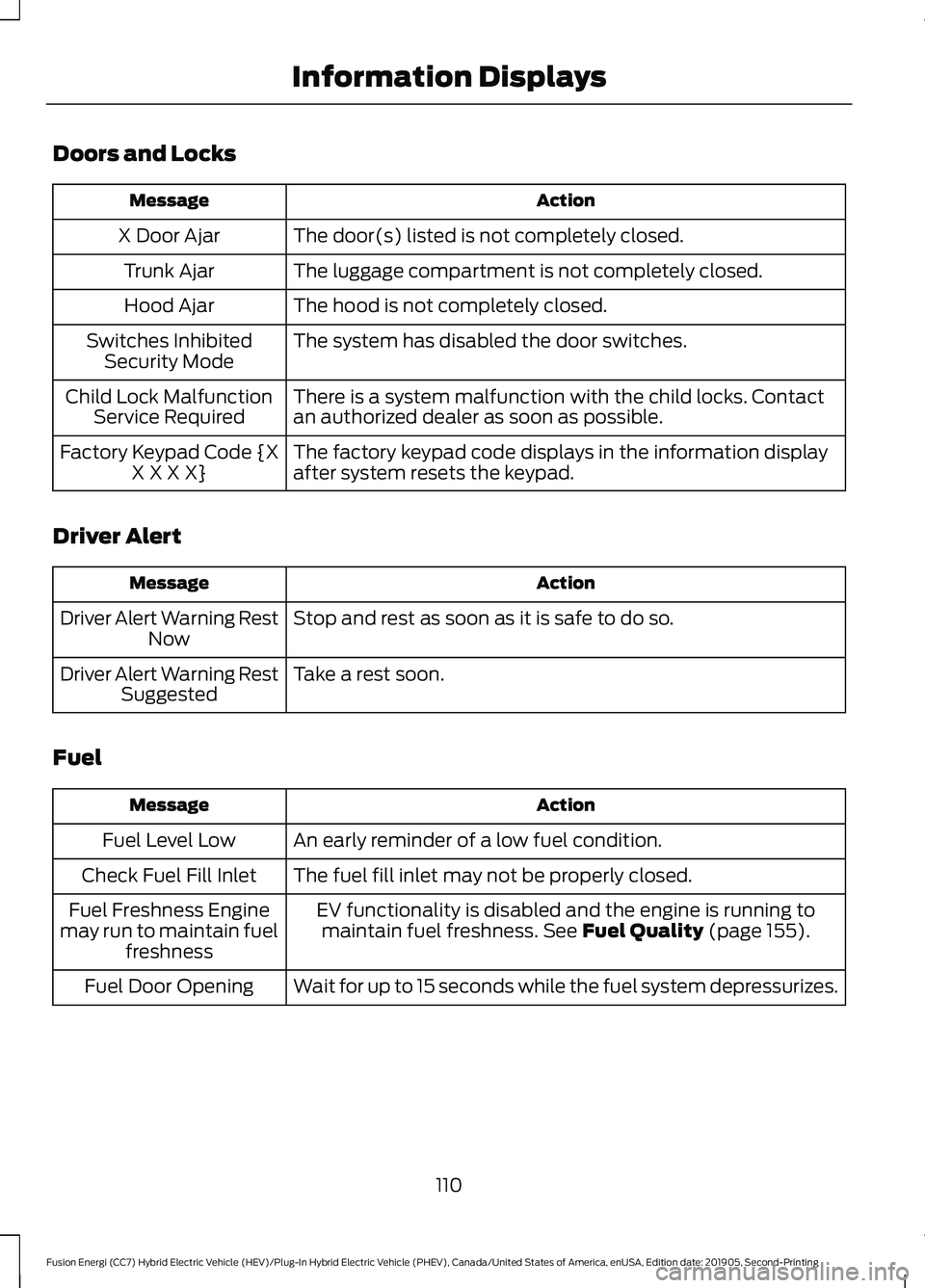
Doors and Locks
Action
Message
The door(s) listed is not completely closed.
X Door Ajar
The luggage compartment is not completely closed.
Trunk Ajar
The hood is not completely closed.
Hood Ajar
The system has disabled the door switches.
Switches Inhibited
Security Mode
There is a system malfunction with the child locks. Contact
an authorized dealer as soon as possible.
Child Lock Malfunction
Service Required
The factory keypad code displays in the information display
after system resets the keypad.
Factory Keypad Code {X
X X X X}
Driver Alert Action
Message
Stop and rest as soon as it is safe to do so.
Driver Alert Warning Rest
Now
Take a rest soon.
Driver Alert Warning Rest
Suggested
Fuel Action
Message
An early reminder of a low fuel condition.
Fuel Level Low
The fuel fill inlet may not be properly closed.
Check Fuel Fill Inlet
EV functionality is disabled and the engine is running tomaintain fuel freshness. See Fuel Quality (page 155).
Fuel Freshness Engine
may run to maintain fuel freshness
Wait for up to 15 seconds while the fuel system depressurizes.
Fuel Door Opening
110
Fusion Energi (CC7) Hybrid Electric Vehicle (HEV)/Plug-In Hybrid Electric Vehicle (PHEV), Canada/United States of America, enUSA, Edition date: 201905, Second-Printing Information Displays