instrument cluster FORD FUSION/HYBRID 2020 User Guide
[x] Cancel search | Manufacturer: FORD, Model Year: 2020, Model line: FUSION/HYBRID, Model: FORD FUSION/HYBRID 2020Pages: 486, PDF Size: 6.28 MB
Page 97 of 486
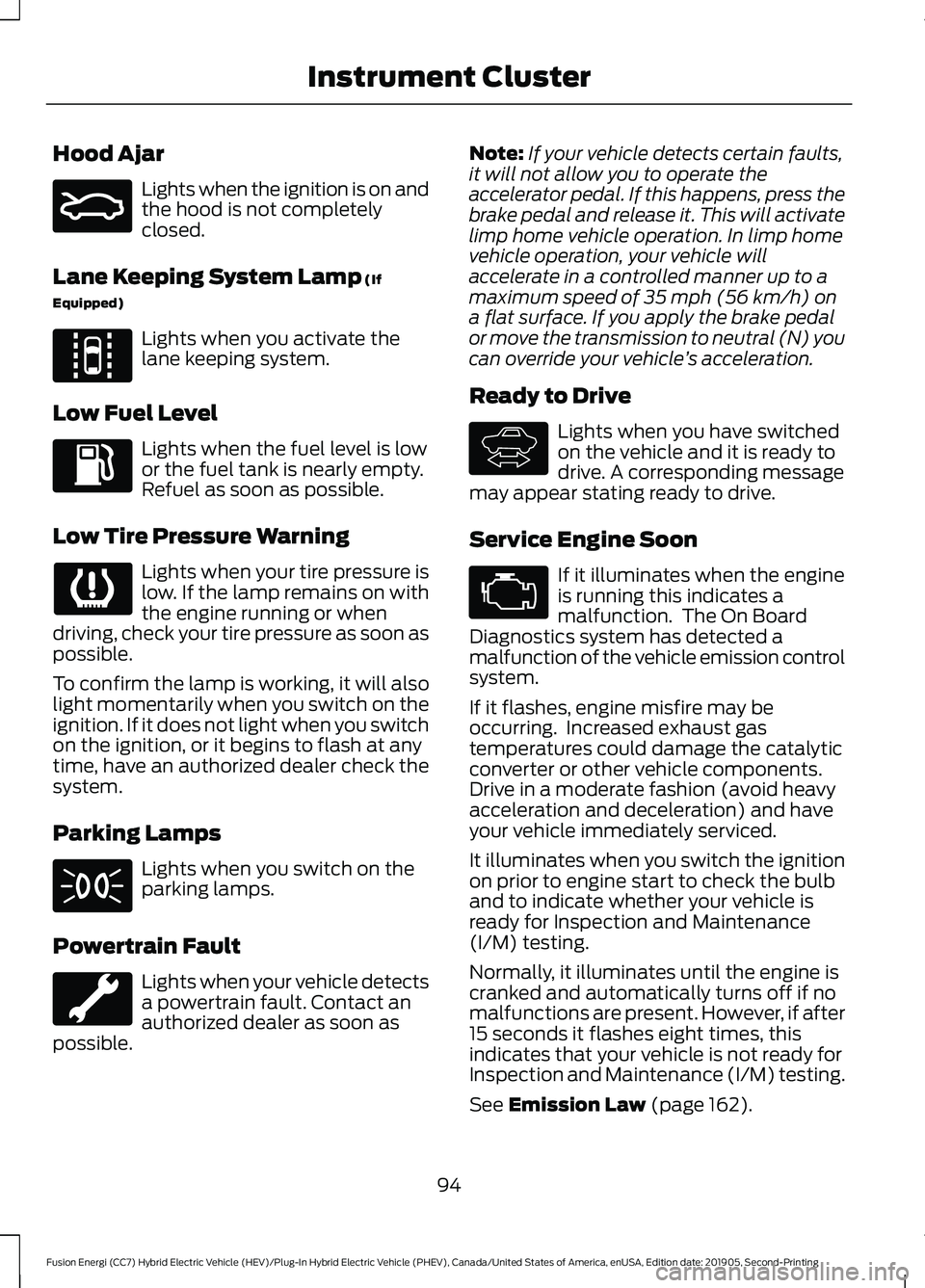
Hood Ajar
Lights when the ignition is on and
the hood is not completely
closed.
Lane Keeping System Lamp (If
Equipped) Lights when you activate the
lane keeping system.
Low Fuel Level Lights when the fuel level is low
or the fuel tank is nearly empty.
Refuel as soon as possible.
Low Tire Pressure Warning Lights when your tire pressure is
low. If the lamp remains on with
the engine running or when
driving, check your tire pressure as soon as
possible.
To confirm the lamp is working, it will also
light momentarily when you switch on the
ignition. If it does not light when you switch
on the ignition, or it begins to flash at any
time, have an authorized dealer check the
system.
Parking Lamps Lights when you switch on the
parking lamps.
Powertrain Fault Lights when your vehicle detects
a powertrain fault. Contact an
authorized dealer as soon as
possible. Note:
If your vehicle detects certain faults,
it will not allow you to operate the
accelerator pedal. If this happens, press the
brake pedal and release it. This will activate
limp home vehicle operation. In limp home
vehicle operation, your vehicle will
accelerate in a controlled manner up to a
maximum speed of 35 mph (56 km/h) on
a flat surface. If you apply the brake pedal
or move the transmission to neutral (N) you
can override your vehicle ’s acceleration.
Ready to Drive Lights when you have switched
on the vehicle and it is ready to
drive. A corresponding message
may appear stating ready to drive.
Service Engine Soon If it illuminates when the engine
is running this indicates a
malfunction. The On Board
Diagnostics system has detected a
malfunction of the vehicle emission control
system.
If it flashes, engine misfire may be
occurring. Increased exhaust gas
temperatures could damage the catalytic
converter or other vehicle components.
Drive in a moderate fashion (avoid heavy
acceleration and deceleration) and have
your vehicle immediately serviced.
It illuminates when you switch the ignition
on prior to engine start to check the bulb
and to indicate whether your vehicle is
ready for Inspection and Maintenance
(I/M) testing.
Normally, it illuminates until the engine is
cranked and automatically turns off if no
malfunctions are present. However, if after
15 seconds it flashes eight times, this
indicates that your vehicle is not ready for
Inspection and Maintenance (I/M) testing.
See
Emission Law (page 162).
94
Fusion Energi (CC7) Hybrid Electric Vehicle (HEV)/Plug-In Hybrid Electric Vehicle (PHEV), Canada/United States of America, enUSA, Edition date: 201905, Second-Printing Instrument ClusterE159324 E144813 E144692
Page 98 of 486
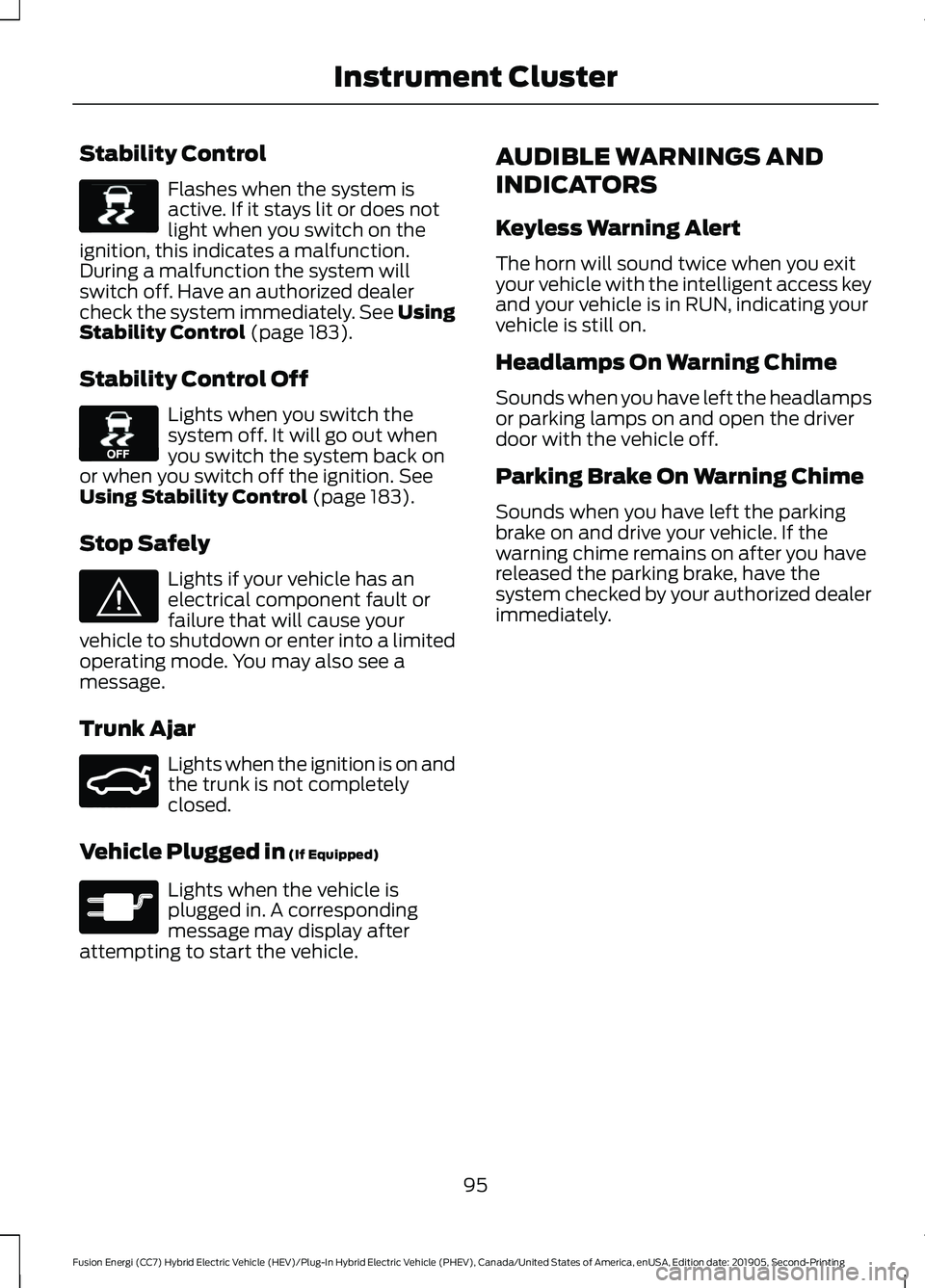
Stability Control
Flashes when the system is
active. If it stays lit or does not
light when you switch on the
ignition, this indicates a malfunction.
During a malfunction the system will
switch off. Have an authorized dealer
check the system immediately. See Using
Stability Control (page 183).
Stability Control Off Lights when you switch the
system off. It will go out when
you switch the system back on
or when you switch off the ignition.
See
Using Stability Control (page 183).
Stop Safely Lights if your vehicle has an
electrical component fault or
failure that will cause your
vehicle to shutdown or enter into a limited
operating mode. You may also see a
message.
Trunk Ajar Lights when the ignition is on and
the trunk is not completely
closed.
Vehicle Plugged in
(If Equipped) Lights when the vehicle is
plugged in. A corresponding
message may display after
attempting to start the vehicle. AUDIBLE WARNINGS AND
INDICATORS
Keyless Warning Alert
The horn will sound twice when you exit
your vehicle with the intelligent access key
and your vehicle is in RUN, indicating your
vehicle is still on.
Headlamps On Warning Chime
Sounds when you have left the headlamps
or parking lamps on and open the driver
door with the vehicle off.
Parking Brake On Warning Chime
Sounds when you have left the parking
brake on and drive your vehicle. If the
warning chime remains on after you have
released the parking brake, have the
system checked by your authorized dealer
immediately.
95
Fusion Energi (CC7) Hybrid Electric Vehicle (HEV)/Plug-In Hybrid Electric Vehicle (PHEV), Canada/United States of America, enUSA, Edition date: 201905, Second-Printing Instrument ClusterE138639 E130458 E144693 E159323 E144694
Page 108 of 486
Common Displays
Both Average fuel economy and an
instantaneous fuel economy gauge are
included in Engage, Empower, MyView (if
selected) and Fuel Economy (shown in
Hybrid Mode) on the left-hand information
display. They are also included in Fuel
History on the right-hand information
display.
Average Fuel Economy
Average Fuel Economy is continuously
averaged since the last reset. You can reset
your average fuel economy by pressing and
holding the OK button on the
corresponding steering wheel controls. For
Energi vehicles both Hybrid and Plug-in
Power mode operation will be included in
the calculation.
Note: Average fuel economy cannot be
reset in MyView.
Instantaneous Fuel Economy
If your instantaneous fuel economy is
greater than the maximum value
displayed, a + sign will be shown next to
the maximum scale number. When your
vehicle is operating on battery power only,
EV will display and the gauge fill will show
in blue. INFORMATION MESSAGES
Note:
Depending on your vehicle options
and instrument cluster type, not all
messages display or are available. Certain
messages may be abbreviated or shortened
depending upon which cluster type you
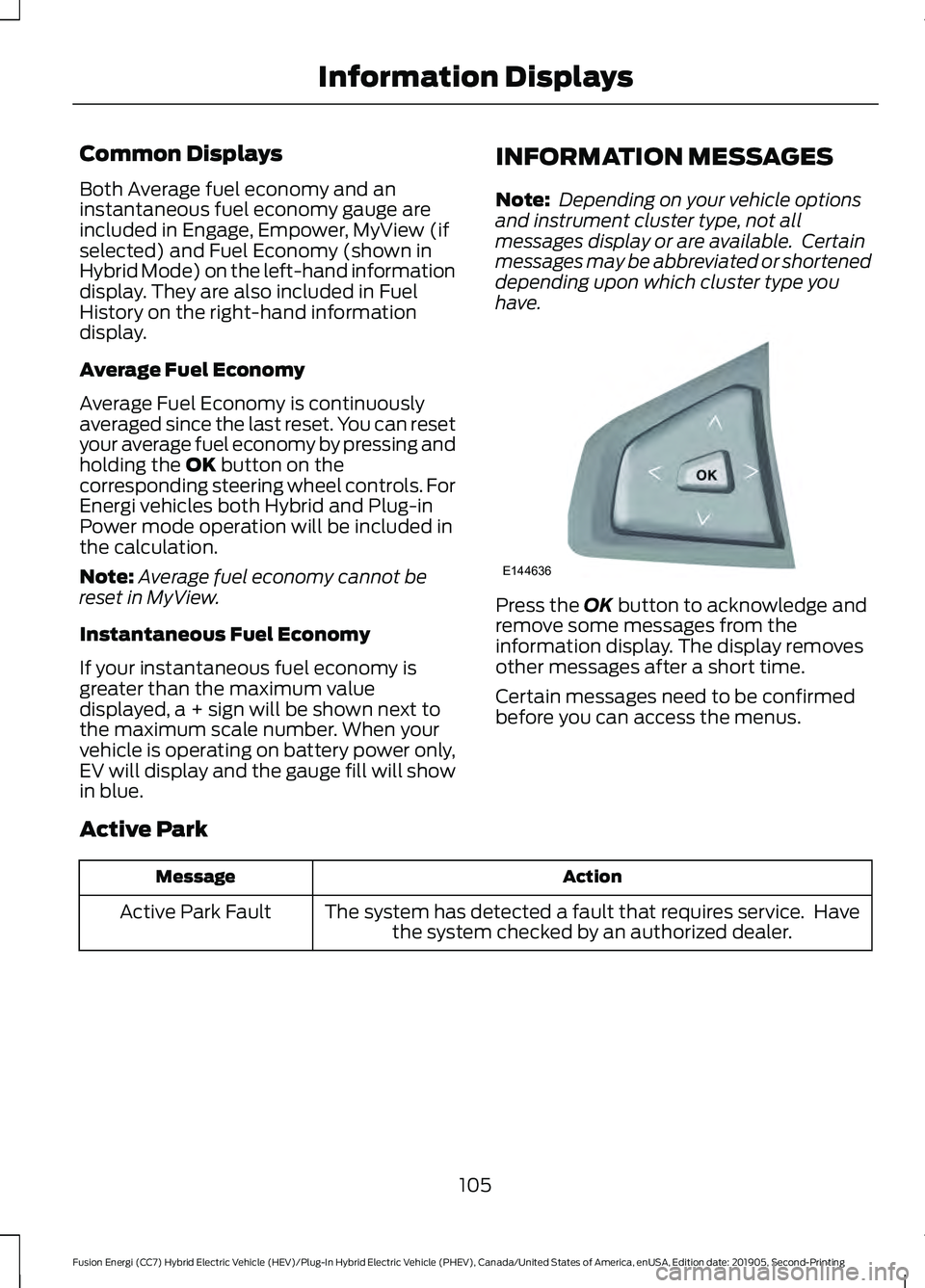
have. Press the
OK button to acknowledge and
remove some messages from the
information display. The display removes
other messages after a short time.
Certain messages need to be confirmed
before you can access the menus.
Active Park Action
Message
The system has detected a fault that requires service. Havethe system checked by an authorized dealer.
Active Park Fault
105
Fusion Energi (CC7) Hybrid Electric Vehicle (HEV)/Plug-In Hybrid Electric Vehicle (PHEV), Canada/United States of America, enUSA, Edition date: 201905, Second-Printing Information DisplaysE144636
Page 151 of 486
HYBRID VEHICLE OPERATION
This hybrid vehicle combines electric and
gasoline propulsion to provide
breakthrough performance and improved
efficiency.
Familiarizing yourself with these unique
characteristics will provide an optimal
driving experience from your new vehicle.
Note:
You may notice higher engine speeds
upon start-up. This temporary condition is
normal and necessary to heat up the cabin
and minimize emissions.
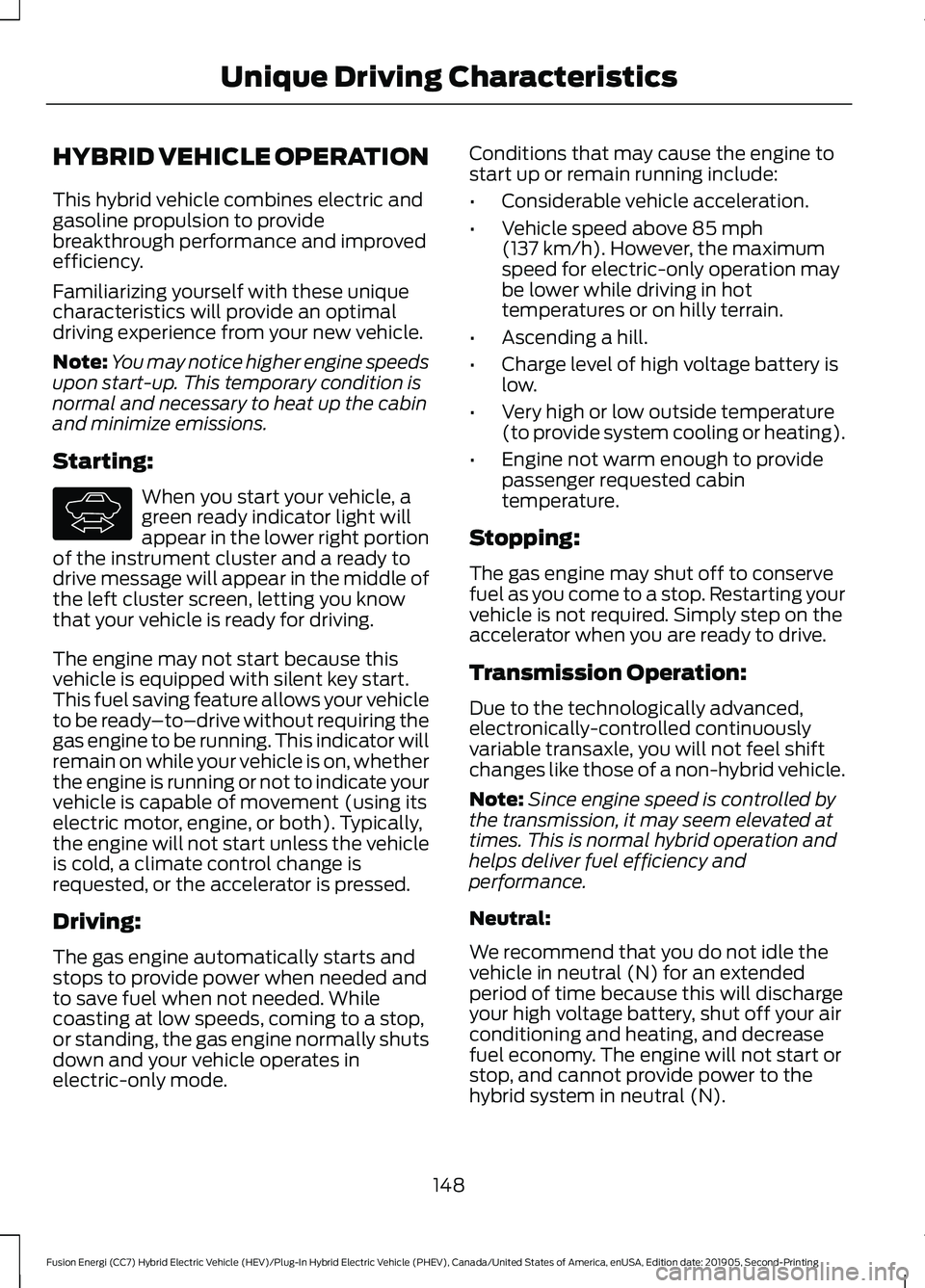
Starting: When you start your vehicle, a
green ready indicator light will
appear in the lower right portion
of the instrument cluster and a ready to
drive message will appear in the middle of
the left cluster screen, letting you know
that your vehicle is ready for driving.
The engine may not start because this
vehicle is equipped with silent key start.
This fuel saving feature allows your vehicle
to be ready –to–drive without requiring the
gas engine to be running. This indicator will
remain on while your vehicle is on, whether
the engine is running or not to indicate your
vehicle is capable of movement (using its
electric motor, engine, or both). Typically,
the engine will not start unless the vehicle
is cold, a climate control change is
requested, or the accelerator is pressed.
Driving:
The gas engine automatically starts and
stops to provide power when needed and
to save fuel when not needed. While
coasting at low speeds, coming to a stop,
or standing, the gas engine normally shuts
down and your vehicle operates in
electric-only mode. Conditions that may cause the engine to
start up or remain running include:
•
Considerable vehicle acceleration.
• Vehicle speed above 85 mph
(137 km/h). However, the maximum
speed for electric-only operation may
be lower while driving in hot
temperatures or on hilly terrain.
• Ascending a hill.
• Charge level of high voltage battery is
low.
• Very high or low outside temperature
(to provide system cooling or heating).
• Engine not warm enough to provide
passenger requested cabin
temperature.
Stopping:
The gas engine may shut off to conserve
fuel as you come to a stop. Restarting your
vehicle is not required. Simply step on the
accelerator when you are ready to drive.
Transmission Operation:
Due to the technologically advanced,
electronically-controlled continuously
variable transaxle, you will not feel shift
changes like those of a non-hybrid vehicle.
Note: Since engine speed is controlled by
the transmission, it may seem elevated at
times. This is normal hybrid operation and
helps deliver fuel efficiency and
performance.
Neutral:
We recommend that you do not idle the
vehicle in neutral (N) for an extended
period of time because this will discharge
your high voltage battery, shut off your air
conditioning and heating, and decrease
fuel economy. The engine will not start or
stop, and cannot provide power to the
hybrid system in neutral (N).
148
Fusion Energi (CC7) Hybrid Electric Vehicle (HEV)/Plug-In Hybrid Electric Vehicle (PHEV), Canada/United States of America, enUSA, Edition date: 201905, Second-Printing Unique Driving CharacteristicsE144692
Page 153 of 486
•
Perform all scheduled maintenance.
• There is no need to wait for your engine
to warm up. The vehicle is ready to
drive immediately after starting.
PLUG-IN HYBRID VEHICLE
OPERATION
Plug-in Power Mode and Hybrid
Mode
You must plug in your Energi vehicle
regularly for optimal use of the high
voltage battery's extended range
capability. Charging your vehicle adds
electrical energy. This energy is used to
propel the vehicle in plug-in power mode.
Estimated electric range is shown in blue
next to gasoline range at the bottom of the
right information display. You can also
configure MyView to include detailed
vehicle range information. See Gauges
(page 88).
The system maximizes the use of
electric-only operation in plug-in power
mode. System conditions may require
engine operation; however, the system
uses plug-in power whenever possible.
When your plug-in power is depleted, the
powertrain system will automatically
switch to hybrid mode. Hybrid mode uses
both the gasoline engine and electric
motor to power your vehicle and maximize
fuel economy.
EV Modes Your vehicle contains selectable
EV modes through the EV button
on the center console. These modes are available when your
vehicle can run under high voltage battery
power. With your vehicle in driving mode,
you can change EV modes with each press
of the EV button. The current mode will be
displayed in the left-hand instrument
cluster screen.
Auto EV This mode provides an
automatic use of high voltage
battery power during the drive,
staying in electric mode when possible and
running the engine when needed. This
mode will be the only one available if the
plug-in power has been depleted.
EV Now This mode provides an electric
only driving experience. The
left-hand information display
changes to a screen displaying your
average miles or kilometers per charge
along with EV specific tools and functions.
Your vehicle may accelerate more slowly
and the top speed may be lower in EV Now
mode than in Auto EV mode.
You can enable your engine at any time by
using one of the following methods:
1. Press the OK button on the left 5– way
steering wheel control while viewing
the miles or kilometers per charge
screen. Your vehicle will enable the
engine as needed, and will
automatically return to EV Now after
eight seconds or when the engine is no
longer needed.
2. Press the accelerator pedal fully. A pop
up message will appear. Press OK on
the left-hand steering wheel button to
activate as needed. The message will
disappear if you release the accelerator
pedal.
150
Fusion Energi (CC7) Hybrid Electric Vehicle (HEV)/Plug-In Hybrid Electric Vehicle (PHEV), Canada/United States of America, enUSA, Edition date: 201905, Second-Printing Unique Driving CharacteristicsE144814 E155152 E144814
Page 176 of 486
AUTOMATIC TRANSMISSION
WARNING: Always fully apply the
parking brake and make sure you shift
into park (P). Failure to follow this
instruction could result in personal injury
or death. WARNING:
Do not apply the brake
pedal and accelerator pedal
simultaneously. Applying both pedals
simultaneously for more than a few
seconds will limit engine performance,
which may result in difficulty maintaining
speed in traffic and could lead to serious
injury. WARNING:
When your vehicle is
stationary, keep the brake pedal fully
pressed when shifting gears. Failure to
follow this instruction could result in
personal injury, death or property
damage.
Note: The ready to drive indicator may be
off and you may not be able to shift out of
park (P) unless the intelligent access key is
inside your vehicle.
Understanding the Positions of
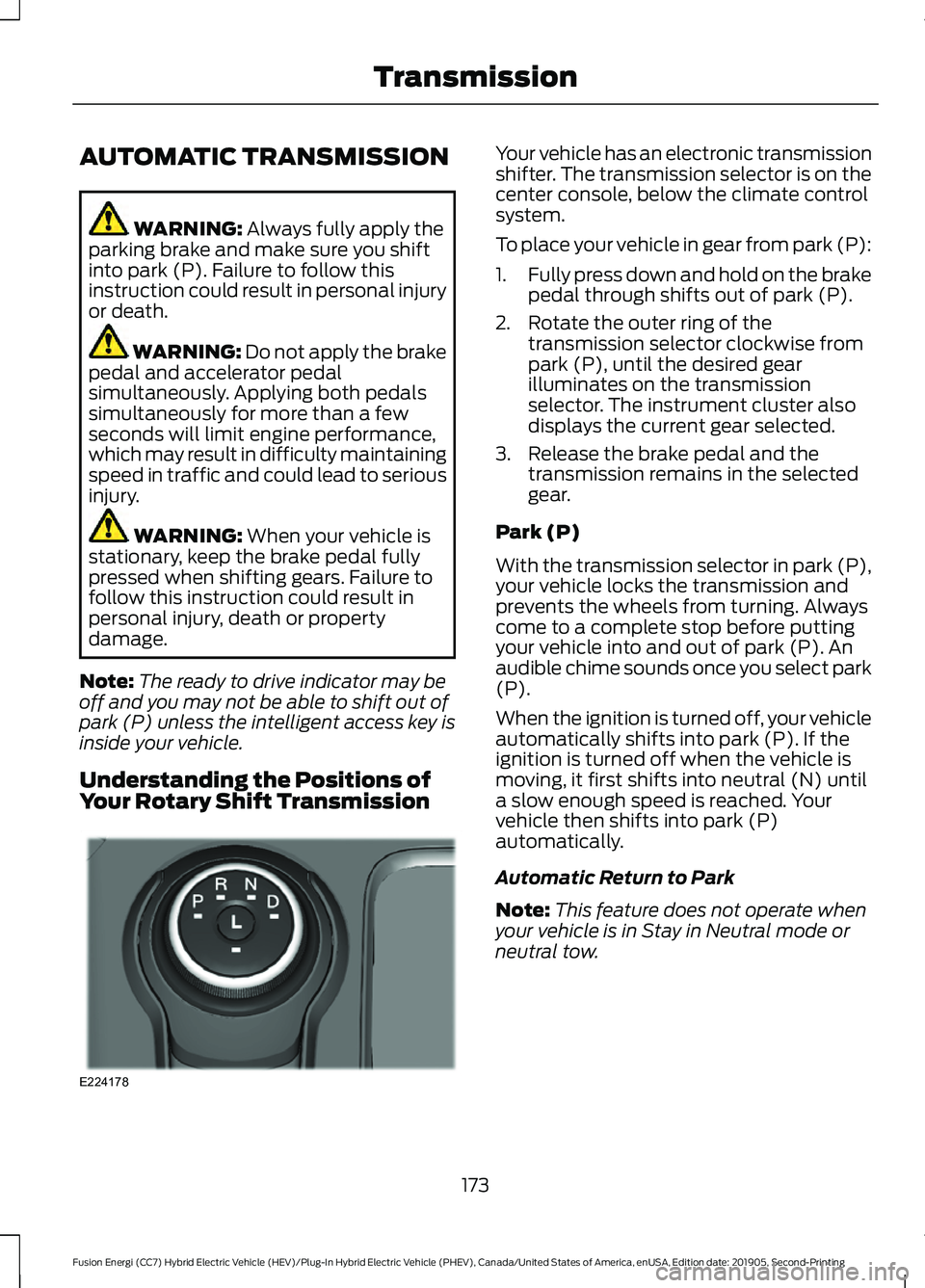
Your Rotary Shift Transmission Your vehicle has an electronic transmission
shifter. The transmission selector is on the
center console, below the climate control
system.
To place your vehicle in gear from park (P):
1.
Fully press down and hold on the brake
pedal through shifts out of park (P).
2. Rotate the outer ring of the transmission selector clockwise from
park (P), until the desired gear
illuminates on the transmission
selector. The instrument cluster also
displays the current gear selected.
3. Release the brake pedal and the transmission remains in the selected
gear.
Park (P)
With the transmission selector in park (P),
your vehicle locks the transmission and
prevents the wheels from turning. Always
come to a complete stop before putting
your vehicle into and out of park (P). An
audible chime sounds once you select park
(P).
When the ignition is turned off, your vehicle
automatically shifts into park (P). If the
ignition is turned off when the vehicle is
moving, it first shifts into neutral (N) until
a slow enough speed is reached. Your
vehicle then shifts into park (P)
automatically.
Automatic Return to Park
Note: This feature does not operate when
your vehicle is in Stay in Neutral mode or
neutral tow.
173
Fusion Energi (CC7) Hybrid Electric Vehicle (HEV)/Plug-In Hybrid Electric Vehicle (PHEV), Canada/United States of America, enUSA, Edition date: 201905, Second-Printing TransmissionE224178
Page 177 of 486
Your vehicle has a feature that
automatically shifts your vehicle into park
(P) when any of the following conditions
occur:
•
You turn the vehicle off.
• You open the driver's door with your
seatbelt unlatched.
• Your seatbelt is unlatched when the
driver's door is open.
If you turn your vehicle off when moving,
your vehicle first shifts into neutral (N) until
it slows down enough to shift into park (P)
automatically.
Note: If you have waited an extended
period of time (2-15 minutes) before starting
your vehicle, unlatching your seatbelt causes
this feature to activate, even with the
driver's door closed.
Note: This feature may not work properly
if the door ajar switch is malfunctioning. If
your door ajar indicator does not illuminate
when you open the driver ’s door or the
indicator illuminates with the driver ’s door
closed, see your authorized dealer.
Reverse (R)
With the transmission selector in reverse
(R), your vehicle moves backward. Always
come to a complete stop before shifting
into and out of reverse (R).
Neutral (N)
With the transmission selector in neutral
(N), your vehicle can be started and is free
to roll. Hold the brake pedal down when in
this position.
Stay in Neutral Mode
Note: Always put your vehicle in Stay in
Neutral mode when entering an automatic
car wash. Failure to do this could result in
vehicle damage not covered by warranty. Note:
When entering an automatic car
wash, always shift to Neutral (N). If you are
exiting the vehicle before the car wash, Stay
in Neutral Mode is available.
Stay in Neutral mode allows your vehicle
to stay in neutral when you exit your
vehicle. Your vehicle must be stationary to
enter this mode.
To enter Stay in Neutral mode:
1. Switch your vehicle on but do not start
the engine. See Keyless Starting
(page 143).
2. Place your foot on the brake pedal and
rotate the transmission selector to
neutral (N).
Note: When in neutral (N), a message
appears in the display screen informing you
how to access Stay in Neutral mode.
3. Press either the low (L) or sport (S) button in the middle of the
transmission selector to enter Stay in
Neutral mode.
A message appears in the display screen
confirming your vehicle is in Stay in Neutral
mode. The neutral (N) indicator light on
the transmission selector also flashes.
To exit Stay in Neutral mode, place your
foot on the brake pedal and rotate the
transmission selector to park (P).
Drive (D)
Drive (D) is the normal driving position for
the best fuel economy.
Grade Assist Press the grade assist button to
activate grade assist. The grade
assist lamp appears in the
instrument cluster. Press the button again
to switch it off.
174
Fusion Energi (CC7) Hybrid Electric Vehicle (HEV)/Plug-In Hybrid Electric Vehicle (PHEV), Canada/United States of America, enUSA, Edition date: 201905, Second-Printing TransmissionE144523
Page 178 of 486
Grade assist:
•
Provides additional grade braking with
a combination of engine motoring and
high-voltage battery charging to help
maintain vehicle speed when
descending a grade.
• As your vehicle determines the amount
of engine motoring and high-voltage
battery charging, you may notice the
engine speed increasing and
decreasing to help maintain your
vehicle speed when descending a
grade.
• The grade assist lamp in the instrument
cluster is illuminated.
Low (L)
• Provides maximum engine braking.
• The transmission may be shifted into
low (L) at any vehicle speed.
• Is not intended for use under extended
or normal driving conditions and results
in lower fuel economy.
Brake-Shift Interlock Override WARNING: When doing this
procedure, you need to take the
transmission out of park (P) which
means your vehicle can roll freely. To
avoid unwanted vehicle movement,
always fully apply the parking brake prior
to doing this procedure. Use wheels
chocks if appropriate. WARNING:
If the parking brake is
fully released, but the brake warning
lamp remains illuminated, the brakes
may not be working properly. Have your
vehicle checked as soon as possible.
Note: Do not drive your vehicle until you
verify that the brake lamps are working. Note:
See your authorized dealer as soon
as possible if this procedure is used.
Note: For some markets this feature is
disabled.
Note: This feature only functions if your
12-volt battery has power. If vehicle battery
voltage is not sufficient, an external 12-volt
power source (for example, jumper cables,
battery charger or jump pack) may be
required to function the interlock override
switch.
Use the brake-shift interlock override to
move your transmission from the park
position in the event of an electrical
malfunction. If your vehicle has a dead
battery, an external power source is
required.
1. Apply the parking brake and turn your ignition off before performing this
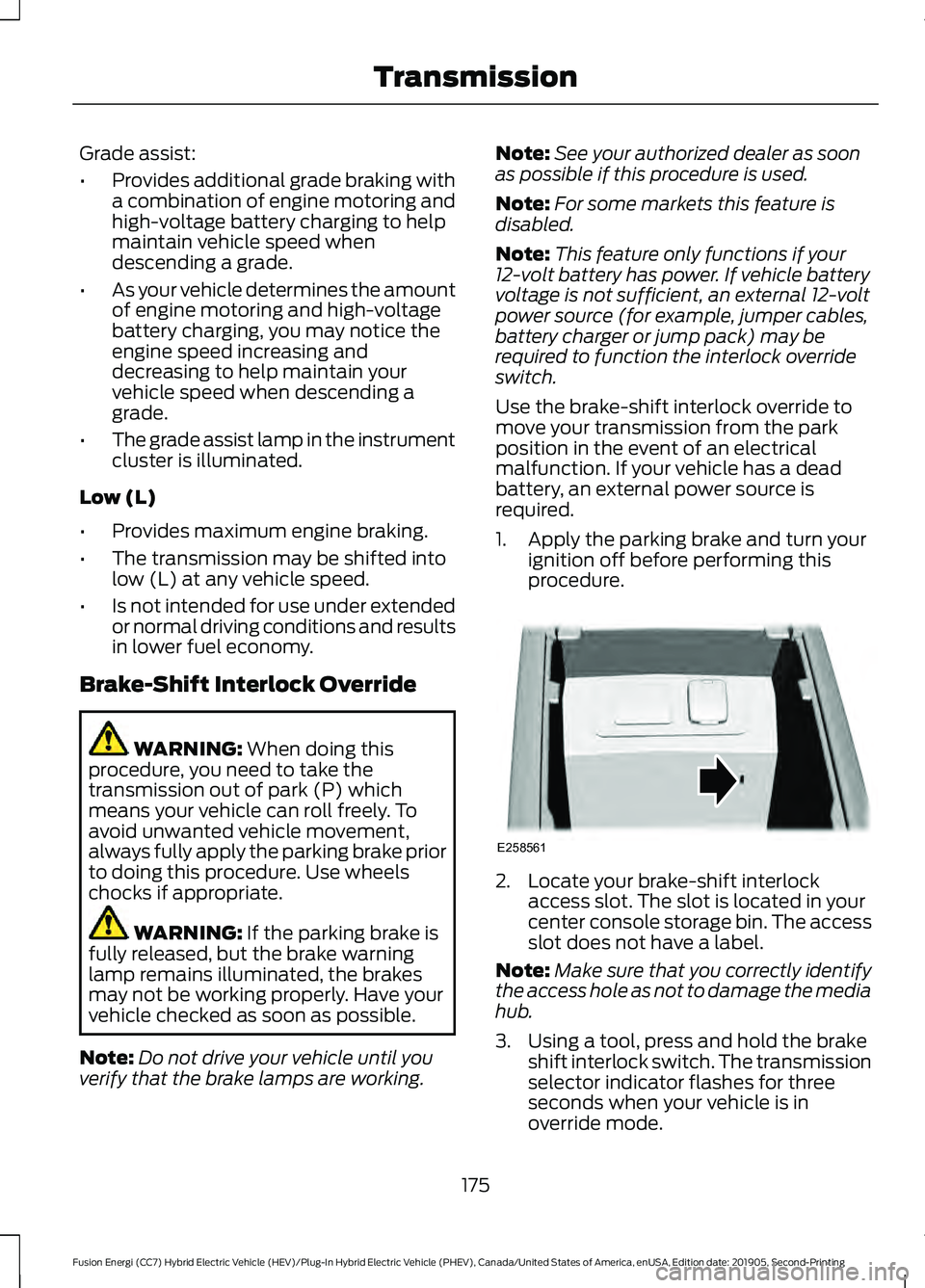
procedure. 2. Locate your brake-shift interlock
access slot. The slot is located in your
center console storage bin. The access
slot does not have a label.
Note: Make sure that you correctly identify
the access hole as not to damage the media
hub.
3. Using a tool, press and hold the brake shift interlock switch. The transmission
selector indicator flashes for three
seconds when your vehicle is in
override mode.
175
Fusion Energi (CC7) Hybrid Electric Vehicle (HEV)/Plug-In Hybrid Electric Vehicle (PHEV), Canada/United States of America, enUSA, Edition date: 201905, Second-Printing TransmissionE258561
Page 219 of 486
Cross Traffic Alert Behavior When
Trailer is Attached
Note:
The system may not correctly operate
when towing a trailer. For vehicles with an
approved trailer tow module and tow bar,
the system turns off when you attach a
trailer. For vehicles with an aftermarket
trailer tow module or tow bar, we
recommend that you switch the system off
when you attach a trailer.
Cross traffic alert remains on when you
attach a trailer in vehicles that come with
blind spot information system with trailer
tow under the following conditions:
• You connect a trailer.
• The trailer is a bike rack or cargo rack
with a maximum length of 3 ft (1 m).
• You set the trailer length to
3 ft (1 m)
in the information display.
See
Blind Spot Information System
(page 212).
Switching the System On and Off
To switch the system on or off, adjust the
setting. Depending on your vehicle options,
the setting could be in the following: •
Information display.
See General
Information (page 353).
• Touchscreen. See Settings (page 403).
Note: The system turns on every time you
switch the ignition on. To permanently
switch the system off, contact an authorized
dealer.
Cross Traffic Alert Indicator When the system detects an
approaching vehicle, a tone
sounds, a warning lamp
illuminates in the relevant exterior mirror
and arrows appear in the information
display to show which side the
approaching vehicle is coming from.
Note: If arrows do not display, a message
appears in the information display.
If the system malfunctions, a warning lamp
illuminates in the instrument cluster and
a message appears in the information
display. Have your vehicle checked as soon
as possible.
Note: In exceptional conditions, the system
could alert you, even when there is nothing
in the detection zone, for example a vehicle
passing further away from your vehicle.
Cross Traffic Alert Information Messages Action
Message
Displays instead of indication arrows when the system
detects a vehicle. Check for approaching traffic.
Cross Traffic Alert
Indicates blocked cross traffic alert system sensors. Clean
the sensors. If the message continues to appear, have your
vehicle checked as soon as possible.
Cross Traffic Not Avail-
able Sensor Blocked See
Manual
The system has malfunctioned. Have your vehicle checked
as soon as possible.
Cross Traffic System
Fault
Displays if you attach a trailer to your vehicle.
Cross Traffic Alert Deac-
tivated Trailer Attached
216
Fusion Energi (CC7) Hybrid Electric Vehicle (HEV)/Plug-In Hybrid Electric Vehicle (PHEV), Canada/United States of America, enUSA, Edition date: 201905, Second-Printing Driving AidsE268294
Page 236 of 486
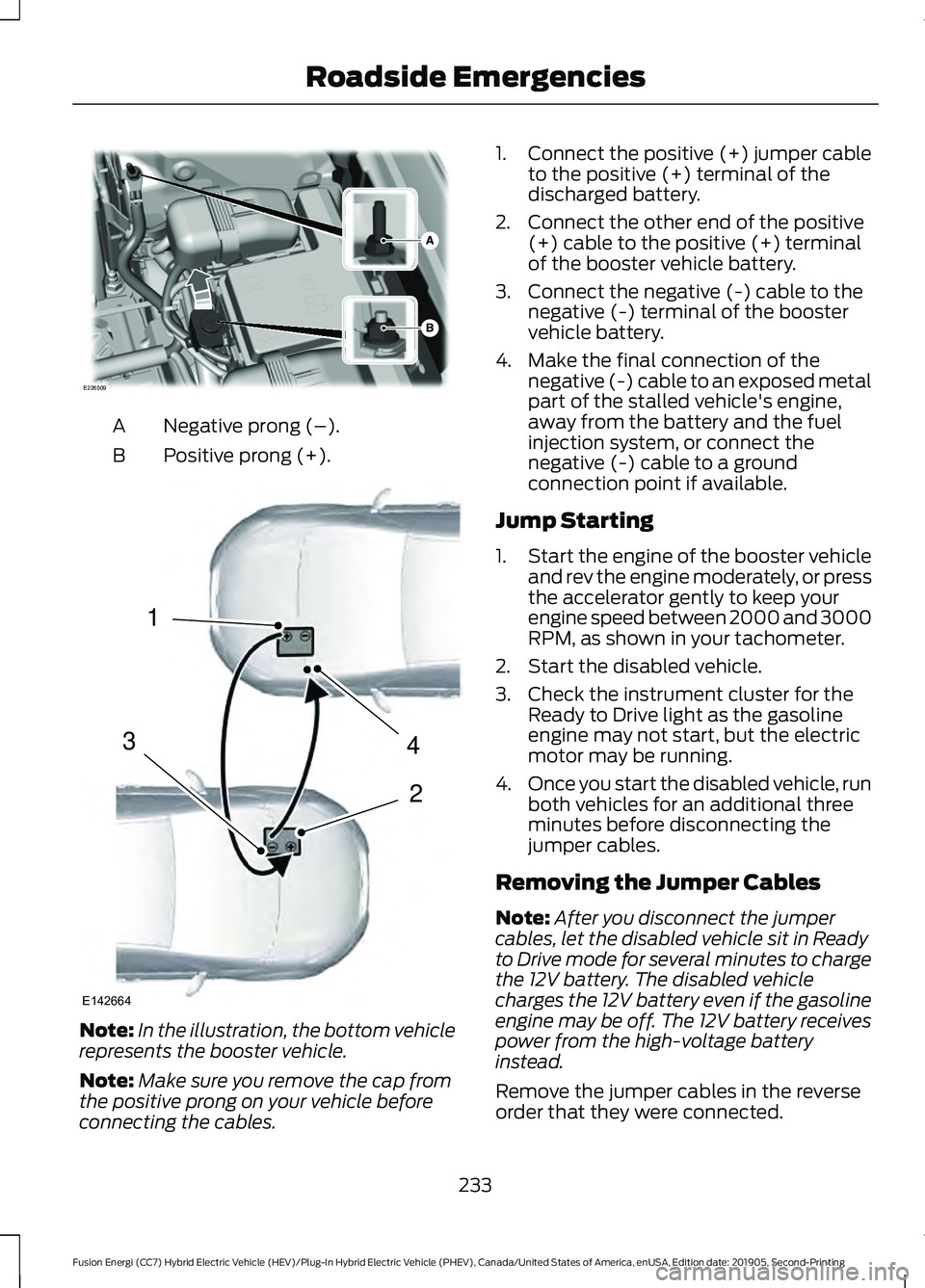
Negative prong (–).
A
Positive prong (+).
B Note:
In the illustration, the bottom vehicle
represents the booster vehicle.
Note: Make sure you remove the cap from
the positive prong on your vehicle before
connecting the cables. 1.
Connect the positive (+) jumper cable
to the positive (+) terminal of the
discharged battery.
2. Connect the other end of the positive (+) cable to the positive (+) terminal
of the booster vehicle battery.
3. Connect the negative (-) cable to the negative (-) terminal of the booster
vehicle battery.
4. Make the final connection of the negative (-) cable to an exposed metal
part of the stalled vehicle's engine,
away from the battery and the fuel
injection system, or connect the
negative (-) cable to a ground
connection point if available.
Jump Starting
1. Start the engine of the booster vehicle
and rev the engine moderately, or press
the accelerator gently to keep your
engine speed between 2000 and 3000
RPM, as shown in your tachometer.
2. Start the disabled vehicle.
3. Check the instrument cluster for the Ready to Drive light as the gasoline
engine may not start, but the electric
motor may be running.
4. Once you start the disabled vehicle, run
both vehicles for an additional three
minutes before disconnecting the
jumper cables.
Removing the Jumper Cables
Note: After you disconnect the jumper
cables, let the disabled vehicle sit in Ready
to Drive mode for several minutes to charge
the 12V battery. The disabled vehicle
charges the 12V battery even if the gasoline
engine may be off. The 12V battery receives
power from the high-voltage battery
instead.
Remove the jumper cables in the reverse
order that they were connected.
233
Fusion Energi (CC7) Hybrid Electric Vehicle (HEV)/Plug-In Hybrid Electric Vehicle (PHEV), Canada/United States of America, enUSA, Edition date: 201905, Second-Printing Roadside EmergenciesE226509 4
2
1
3
E142664