warning FORD GT 2018 Repair Manual
[x] Cancel search | Manufacturer: FORD, Model Year: 2018, Model line: GT, Model: FORD GT 2018Pages: 325, PDF Size: 6.61 MB
Page 123 of 325
Always use caution while reversing.
Objects in the red zone are closest to your
vehicle and objects in the green zone are
farther away. Objects are getting closer to
your vehicle as they move from the green
zone to the yellow or red zones. Use the
side view mirrors and rear view mirror to
get better coverage on both sides and rear
of the vehicle.
Manual Zoom
WARNING
When manual zoom is on, the full
area behind your vehicle may not
show. Be aware of your surroundings
when using the manual zoom feature. Note:
Manual zoom is only available when
the transmission is in reverse (R).
Selectable settings for this feature are
Zoom in (+) and Zoom out (-). Press the
symbol in the camera screen to change the
view. The default setting is Zoom OFF.
This feature allows you to get a closer view
of an object behind your vehicle. The zoom
is only active while the transmission is in
reverse (R). When the transmission shifts
out of reverse (R), the feature
automatically turns off and must be reset
when it is used again.
Rear Camera Delay
You can select to have the rear camera
continue to display after shifting from
reverse (R). See Settings (page 248).
120
Ford GT (CGX), enUSA, Edition date: 201711, First Printing Parking Aids
Page 124 of 325
PRINCIPLE OF OPERATION
Cruise control lets you maintain a set
speed without keeping your foot on the
accelerator pedal. You can use cruise
control when your vehicle speed is greater
than 20 mph (30 km/h).
USING CRUISE CONTROL WARNINGS
Do not use cruise control on winding
roads, in heavy traffic or when the
road surface is slippery. This could
result in loss of vehicle control, serious
injury or death. When you are going downhill, your
vehicle speed could increase above
the set speed. The system does not
apply the brakes. Note:
Cruise control disengages if the
vehicle speed decreases more than 10 mph
(16 km/h) below the set speed when driving
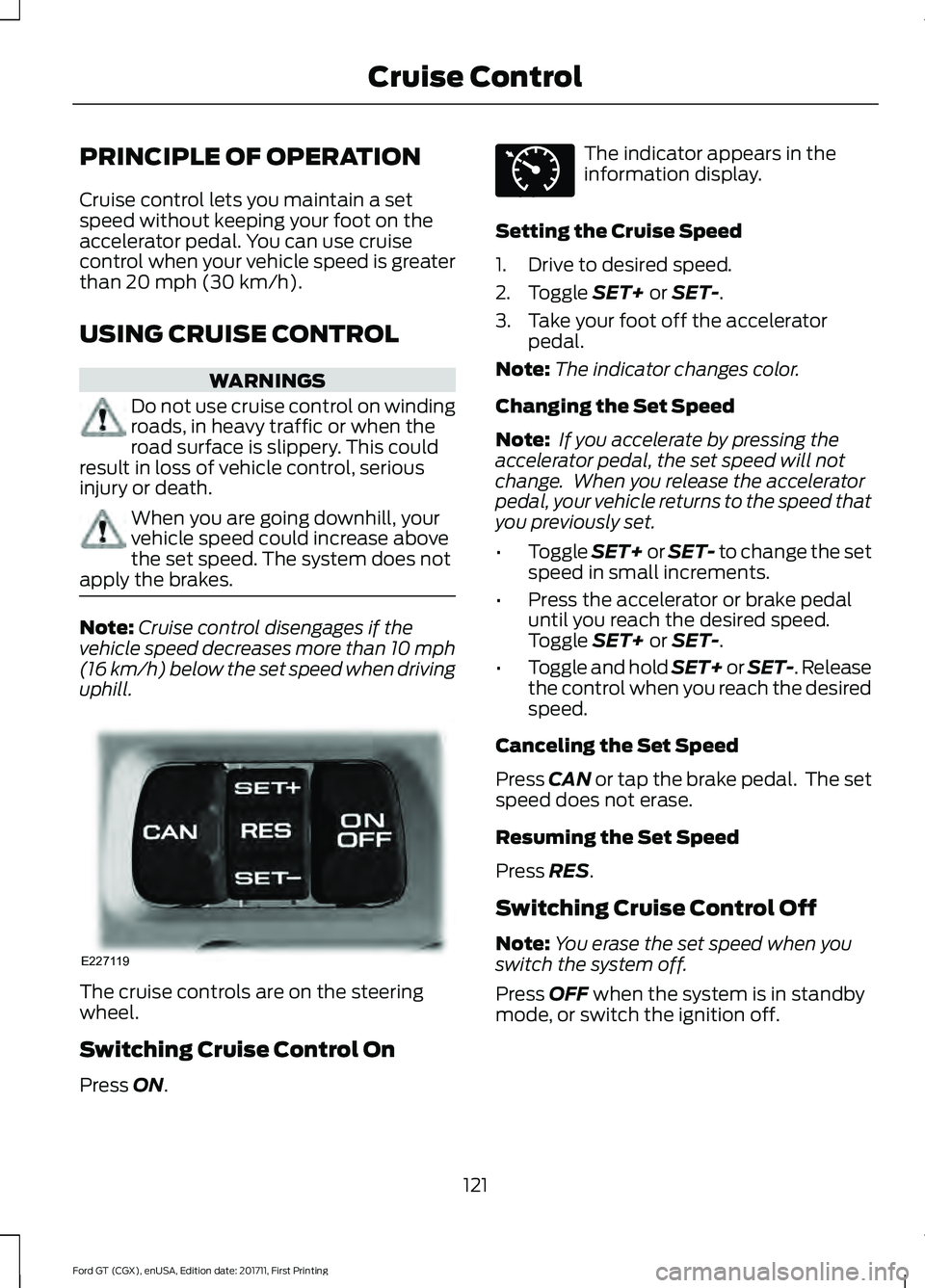
uphill. The cruise controls are on the steering
wheel.
Switching Cruise Control On
Press
ON. The indicator appears in the
information display.
Setting the Cruise Speed
1. Drive to desired speed.
2. Toggle
SET+ or SET-.
3. Take your foot off the accelerator pedal.
Note: The indicator changes color.
Changing the Set Speed
Note: If you accelerate by pressing the
accelerator pedal, the set speed will not
change. When you release the accelerator
pedal, your vehicle returns to the speed that
you previously set.
• Toggle
SET+ or SET- to change the set
speed in small increments.
• Press the accelerator or brake pedal
until you reach the desired speed.
Toggle
SET+ or SET-.
• Toggle and hold SET+ or SET-. Release
the control when you reach the desired
speed.
Canceling the Set Speed
Press
CAN or tap the brake pedal. The set
speed does not erase.
Resuming the Set Speed
Press
RES.
Switching Cruise Control Off
Note: You erase the set speed when you
switch the system off.
Press
OFF when the system is in standby
mode, or switch the ignition off.
121
Ford GT (CGX), enUSA, Edition date: 201711, First Printing Cruise ControlE227119 E71340
Page 129 of 325
Front Lift
WARNING
Before using front lift, make sure the
area around your vehicle is free from
obstruction. Failure to follow this
instruction could result in personal injury
or death. Your vehicle has a front lift system to
provide additional front end clearance
when approaching a speed bump,
driveway ramp or another similar surface
where front end clearance could be a
concern.
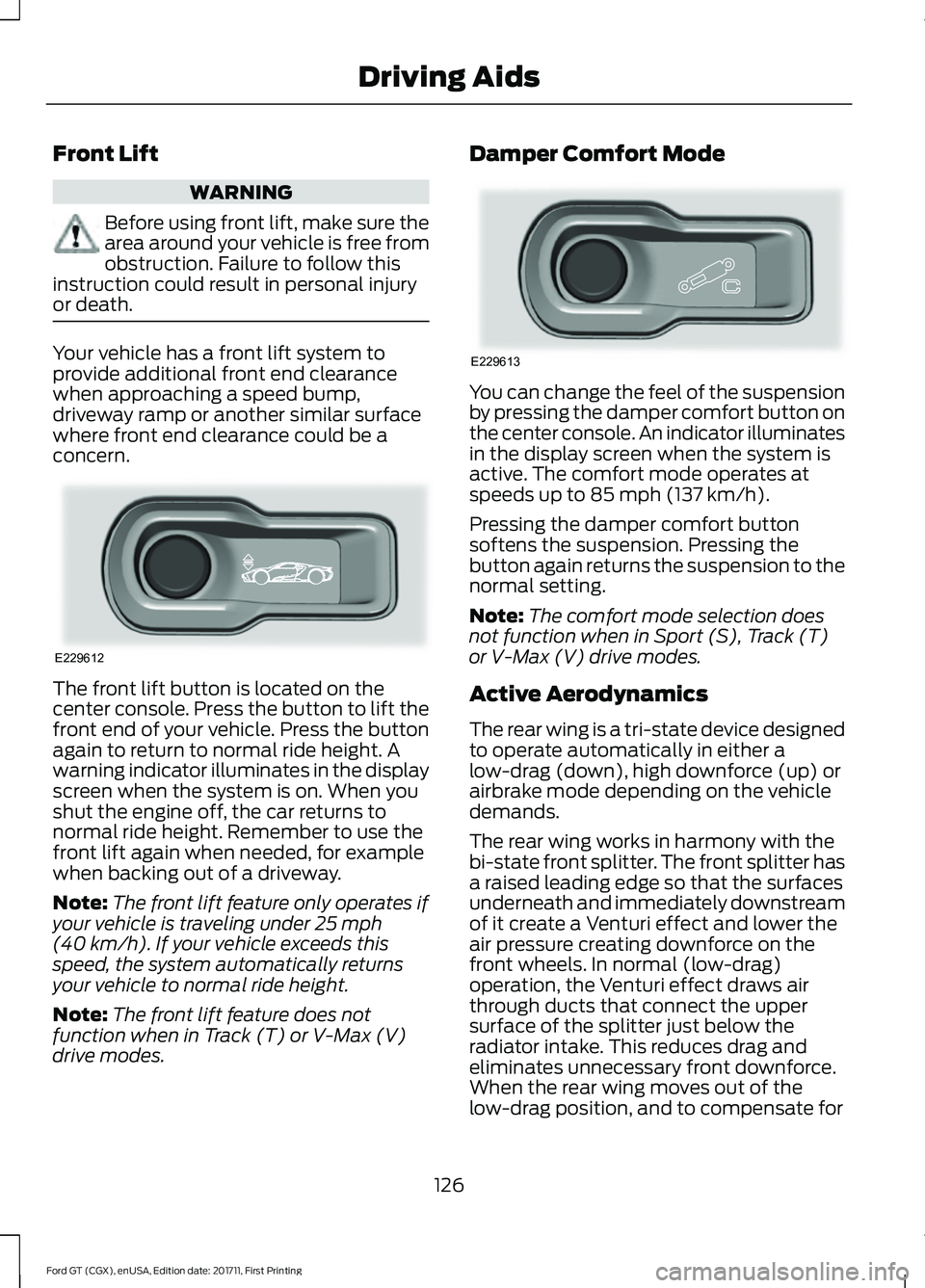
The front lift button is located on the
center console. Press the button to lift the
front end of your vehicle. Press the button
again to return to normal ride height. A
warning indicator illuminates in the display
screen when the system is on. When you
shut the engine off, the car returns to
normal ride height. Remember to use the
front lift again when needed, for example
when backing out of a driveway.
Note:
The front lift feature only operates if
your vehicle is traveling under 25 mph
(40 km/h). If your vehicle exceeds this
speed, the system automatically returns
your vehicle to normal ride height.
Note: The front lift feature does not
function when in Track (T) or V-Max (V)
drive modes. Damper Comfort Mode
You can change the feel of the suspension
by pressing the damper comfort button on
the center console. An indicator illuminates
in the display screen when the system is
active. The comfort mode operates at
speeds up to
85 mph (137 km/h).
Pressing the damper comfort button
softens the suspension. Pressing the
button again returns the suspension to the
normal setting.
Note: The comfort mode selection does
not function when in Sport (S), Track (T)
or V-Max (V) drive modes.
Active Aerodynamics
The rear wing is a tri-state device designed
to operate automatically in either a
low-drag (down), high downforce (up) or
airbrake mode depending on the vehicle
demands.
The rear wing works in harmony with the
bi-state front splitter. The front splitter has
a raised leading edge so that the surfaces
underneath and immediately downstream
of it create a Venturi effect and lower the
air pressure creating downforce on the
front wheels. In normal (low-drag)
operation, the Venturi effect draws air
through ducts that connect the upper
surface of the splitter just below the
radiator intake. This reduces drag and
eliminates unnecessary front downforce.
When the rear wing moves out of the
low-drag position, and to compensate for
126
Ford GT (CGX), enUSA, Edition date: 201711, First Printing Driving AidsE229612 E229613
Page 132 of 325
loading label. Look for
“The
combined weight of occupants
and cargo should never exceed
XXX kg OR XXX lb ” for maximum
payload. The payload listed on the
Tire and Loading Information label
is the maximum payload for your
vehicle as built by the assembly
plant. If you install any additional
equipment on your vehicle, you
must determine the new payload.
Subtract the weight of the
equipment from the payload listed
on the Tire and Loading label.
When towing, trailer tongue
weight or king pin weight is also
part of payload.
Note: Your Ford GT is not designed
for trailer towing. Never tow a
trailer with your Ford GT. WARNING
The appropriate loading
capacity of your vehicle can
be limited either by volume
capacity (how much space is
available) or by payload capacity
(how much weight the vehicle
should carry). Once you have
reached the maximum payload of
your vehicle, do not add more
cargo, even if there is space
available. Overloading or
improperly loading your vehicle
can contribute to loss of vehicle
control and vehicle rollover. GAWR (Gross Axle Weight
Rating)
GAWR is the maximum allowable
weight that a single axle (front or
rear) can carry. These numbers
are on the Safety Compliance
Certification label. The label is
located on the door hinge pillar,
door-latch post, or the door edge
that meets the door-latch post,
next to the driver seating position.
The total load on each axle must
never exceed its Gross Axle
Weight Rating.
GVWR (Gross Vehicle Weight
Rating)
GVWR is the maximum allowable
weight of the fully loaded vehicle.
This includes all options,
equipment, passengers and cargo.
It appears on the Safety
Compliance Certification label.
The label is located on the door
hinge pillar, door-latch post, or the
door edge that meets the
door-latch post, next to the driver
seating position.
The gross vehicle weight must
never exceed the Gross Vehicle
Weight Rating.
129
Ford GT (CGX), enUSA, Edition date: 201711, First Printing Load Carrying
Page 133 of 325
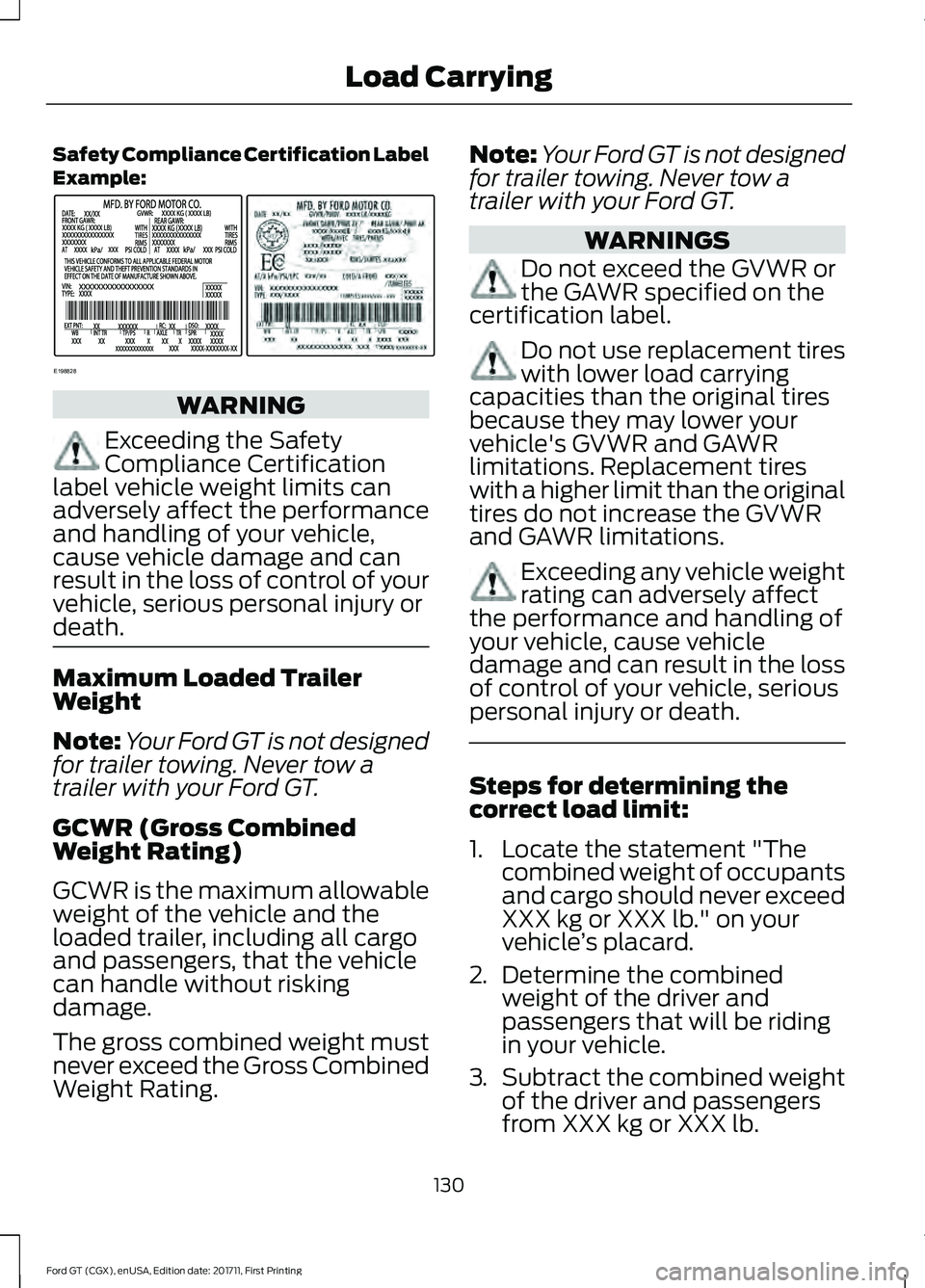
Safety Compliance Certification Label
Example:
WARNING
Exceeding the Safety
Compliance Certification
label vehicle weight limits can
adversely affect the performance
and handling of your vehicle,
cause vehicle damage and can
result in the loss of control of your
vehicle, serious personal injury or
death. Maximum Loaded Trailer
Weight
Note:
Your Ford GT is not designed
for trailer towing. Never tow a
trailer with your Ford GT.
GCWR (Gross Combined
Weight Rating)
GCWR is the maximum allowable
weight of the vehicle and the
loaded trailer, including all cargo
and passengers, that the vehicle
can handle without risking
damage.
The gross combined weight must
never exceed the Gross Combined
Weight Rating. Note:
Your Ford GT is not designed
for trailer towing. Never tow a
trailer with your Ford GT. WARNINGS
Do not exceed the GVWR or
the GAWR specified on the
certification label. Do not use replacement tires
with lower load carrying
capacities than the original tires
because they may lower your
vehicle's GVWR and GAWR
limitations. Replacement tires
with a higher limit than the original
tires do not increase the GVWR
and GAWR limitations. Exceeding any vehicle weight
rating can adversely affect
the performance and handling of
your vehicle, cause vehicle
damage and can result in the loss
of control of your vehicle, serious
personal injury or death. Steps for determining the
correct load limit:
1. Locate the statement "The
combined weight of occupants
and cargo should never exceed
XXX kg or XXX lb." on your
vehicle ’s placard.
2. Determine the combined
weight of the driver and
passengers that will be riding
in your vehicle.
3. Subtract the combined weight
of the driver and passengers
from XXX kg or XXX lb.
130
Ford GT (CGX), enUSA, Edition date: 201711, First Printing Load CarryingE198828
Page 137 of 325
BREAKING-IN
You need to break in new tires for
approximately 300 mi (480 km). During
this time, your vehicle may exhibit some
unusual driving characteristics.
You should not drive your Ford GT
aggressively for the first
600 mi
(1,000 km) of vehicle operation. This will
allow for proper break in of the powertrain
and braking systems.
For the first 600 miles (1,000 km):
• Do not apply high load at low engine
speed.
• Do not drive the vehicle at a sustained
high-speed, high load.
• Avoid driving the vehicle at full throttle.
• Drive the vehicle at varying road and
engine speeds.
• Do not drive in competition and race
track conditions.
• Do not use launch control.
• If you are going to use the vehicle on
the race track right after break in,
change the oil after break in.
Cold Engine Operation
The design of your Ford GT restricts engine
power and RPM when the engine is cold.
The engine RPM and power output will be
reduced until the engine reaches full
operating temperature.
Hot Engine Shut down
You should allow your Ford GT engine to
cool down for a few minutes prior to shut
down after high speed or high performance
driving. Allowing the engine to run at light
loads and or idle for a few minutes will
reduce overall engine oil and coolant
temperatures. DRIVING THROUGH WATER WARNING
Do not drive through flowing or deep
water as you may lose control of your
vehicle.
Note:
Driving through standing water can
cause vehicle damage.
Note: Engine damage can occur if water
enters the air filter.
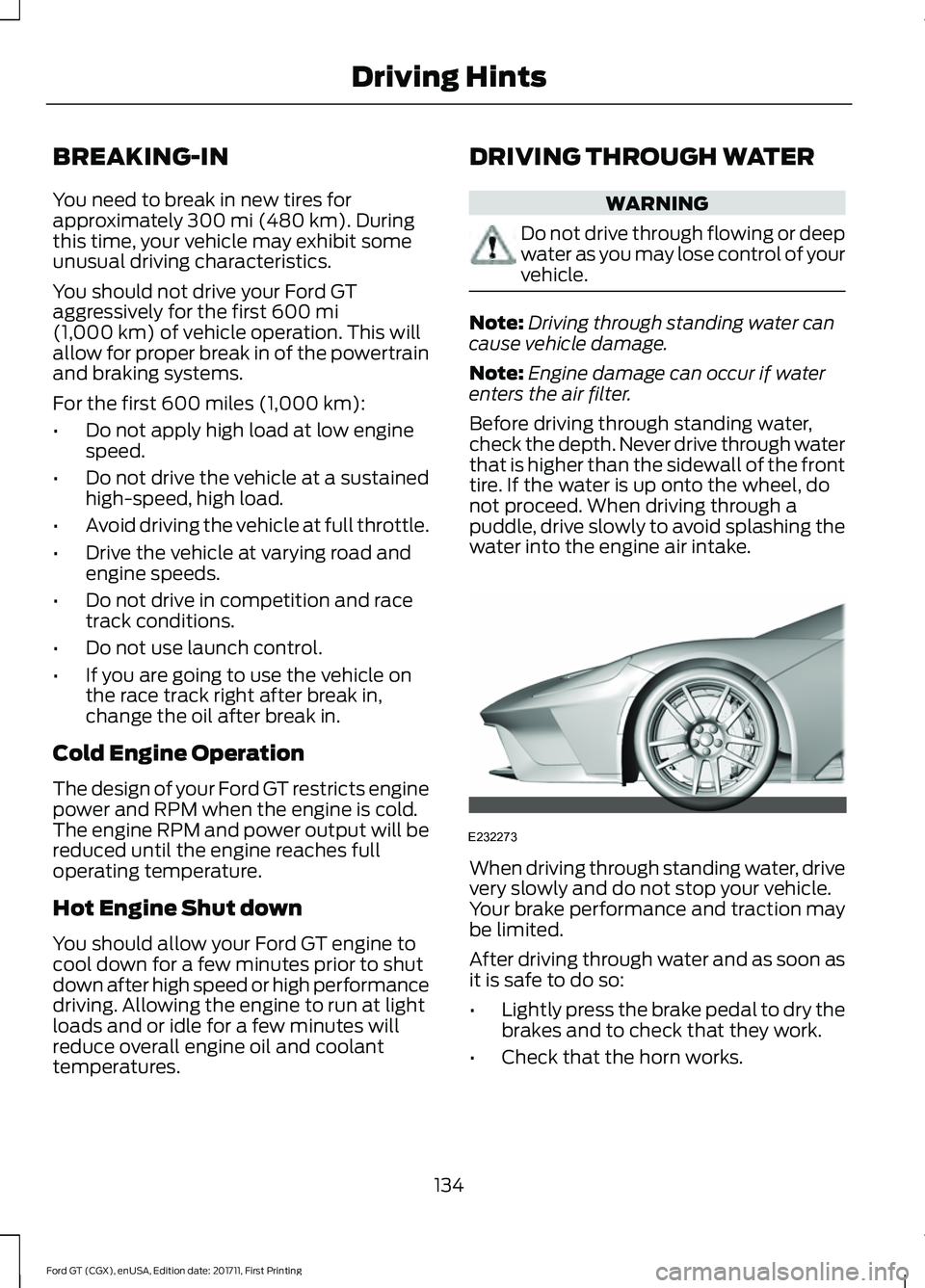
Before driving through standing water,
check the depth. Never drive through water
that is higher than the sidewall of the front
tire. If the water is up onto the wheel, do
not proceed. When driving through a
puddle, drive slowly to avoid splashing the
water into the engine air intake. When driving through standing water, drive
very slowly and do not stop your vehicle.
Your brake performance and traction may
be limited.
After driving through water and as soon as
it is safe to do so:
•
Lightly press the brake pedal to dry the
brakes and to check that they work.
• Check that the horn works.
134
Ford GT (CGX), enUSA, Edition date: 201711, First Printing Driving HintsE232273
Page 138 of 325
•
Check that the exterior lights work.
• Turn the steering wheel to check that
the steering power assist works.
FLOOR MATS WARNINGS
Use a floor mat designed to fit the
footwell of your vehicle that does not
obstruct the pedal area. Failure to
follow this instruction could result in the
loss of control of your vehicle, personal
injury or death. Pedals that cannot move freely can
cause loss of vehicle control and
increase the risk of serious personal
injury. Secure the floor mat to both
retention devices so that it cannot
slip out of position and interfere with
the pedals. Failure to follow this instruction
could result in the loss of control of your
vehicle, personal injury or death. Do not place additional floor mats
or any other covering on top of the
original floor mats. This could result
in the floor mat interfering with the
operation of the pedals. Failure to follow
this instruction could result in the loss of
control of your vehicle, personal injury or
death. Always make sure that objects
cannot fall into the driver foot well
while your vehicle is moving. Objects
that are loose can become trapped under
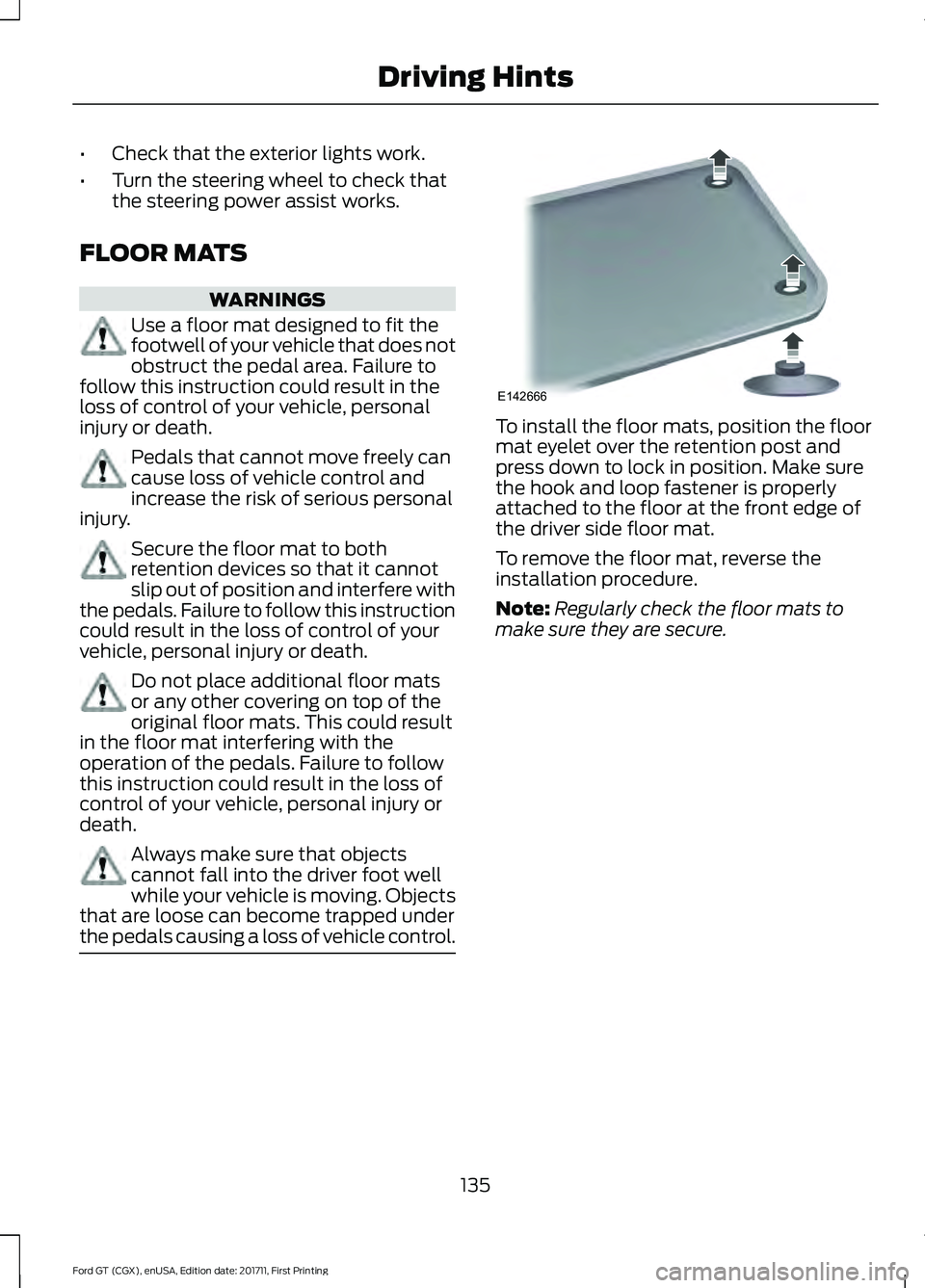
the pedals causing a loss of vehicle control. To install the floor mats, position the floor
mat eyelet over the retention post and
press down to lock in position. Make sure
the hook and loop fastener is properly
attached to the floor at the front edge of
the driver side floor mat.
To remove the floor mat, reverse the
installation procedure.
Note:
Regularly check the floor mats to
make sure they are secure.
135
Ford GT (CGX), enUSA, Edition date: 201711, First Printing Driving HintsE142666
Page 139 of 325
ROADSIDE ASSISTANCE
Vehicles Sold in the United States:
Getting Roadside Assistance
To fully assist you should you have a
vehicle concern, Ford Motor Company
offers a complimentary roadside
assistance program. This program is
separate from the New Vehicle Limited
Warranty.
The service is available:
•
24 hours a day, seven days a week.
• The coverage period is three years from
the date of purchase.
Roadside Assistance covers:
• Assistance with a flat tire.
• Battery jump start.
• Lock-out assistance (key replacement
cost is the customer's responsibility).
• Assistance if your vehicle runs out of
fuel.
• Winch out — available if your vehicle is
stuck.
• Towing — Ford dealership or
independent service contractors, if not
prohibited by state, local or municipal
law, shall tow your vehicle to the
nearest Certified Ford GT Dealership.
Vehicles Sold in the United States:
Using Roadside Assistance
United States Ford GT customers who
require Roadside Assistance, call the Ford
GT Concierge at 800-210-5795.
If you need to arrange roadside assistance
for yourself, Ford Motor Company
reimburses a reasonable amount for
towing to the nearest authorized
dealership. To obtain reimbursement
information, contact the Ford GT Concierge
at 800-210-5795. For assistance outside of the United
States, refer to the complete list of Ford
GT Concierge phone numbers. See About
This Manual (page 5).
HAZARD FLASHERS
Note: The hazard flashers operate when
the ignition is in any position. If used when
the vehicle is not running, the battery loses
charge. As a result, there may be insufficient
power to restart your vehicle. The hazard flasher control is on
the floor console. Use your
hazard flashers when your
vehicle is creating a safety hazard for other
motorists.
• Press the flasher control and all front
and rear direction indicators flash.
• Press the button again to switch them
off.
FUEL SHUTOFF WARNING
If your vehicle has been involved in a
crash, have the fuel system checked.
Failure to follow this instruction
could result in fire, personal injury or death. Note:
When you try to restart your vehicle
after a fuel shutoff, the vehicle makes sure
that various systems are safe to restart.
Once the vehicle determines the systems
are safe, then the vehicle allows you to
restart.
Note: In the event that your vehicle does
not restart after your third attempt, contact
a qualified technician.
The fuel pump shutoff stops the flow of
fuel to the engine in the event of a
moderate to severe crash. Not every
impact causes a shutoff.
136
Ford GT (CGX), enUSA, Edition date: 201711, First Printing Roadside EmergenciesE142663
Page 140 of 325
Should your vehicle shut off after a crash,
you may restart your vehicle.
1. Press START/STOP to switch off your
vehicle.
2. Press the brake pedal and START/STOP
to switch on your
vehicle.
3. Remove your foot from the brake pedal
and press
START/STOP to switch off
your vehicle.
4. You can attempt to start the vehicle by pressing the brake pedal and
START/STOP
, or press START/STOP
without pressing the brake pedal.
Note: Both methods re-enable the fuel
system.
JUMP STARTING THE VEHICLE WARNINGS
Do not use fuel lines, engine valve
covers, windshield wiper arms, the
intake manifold, or hood latch as
ground points. Use only adequately sized cables
with insulated clamps.
Preparing Your Vehicle
Note:
Attempting to push-start a vehicle
with an automatic transmission may cause
transmission damage.
Note: Use only a 12-volt supply to start your
vehicle.
Note: Do not disconnect the battery of the
disabled vehicle as this could damage the
vehicle's electrical system.
Park the booster vehicle close to the hood
of the disabled vehicle, making sure the
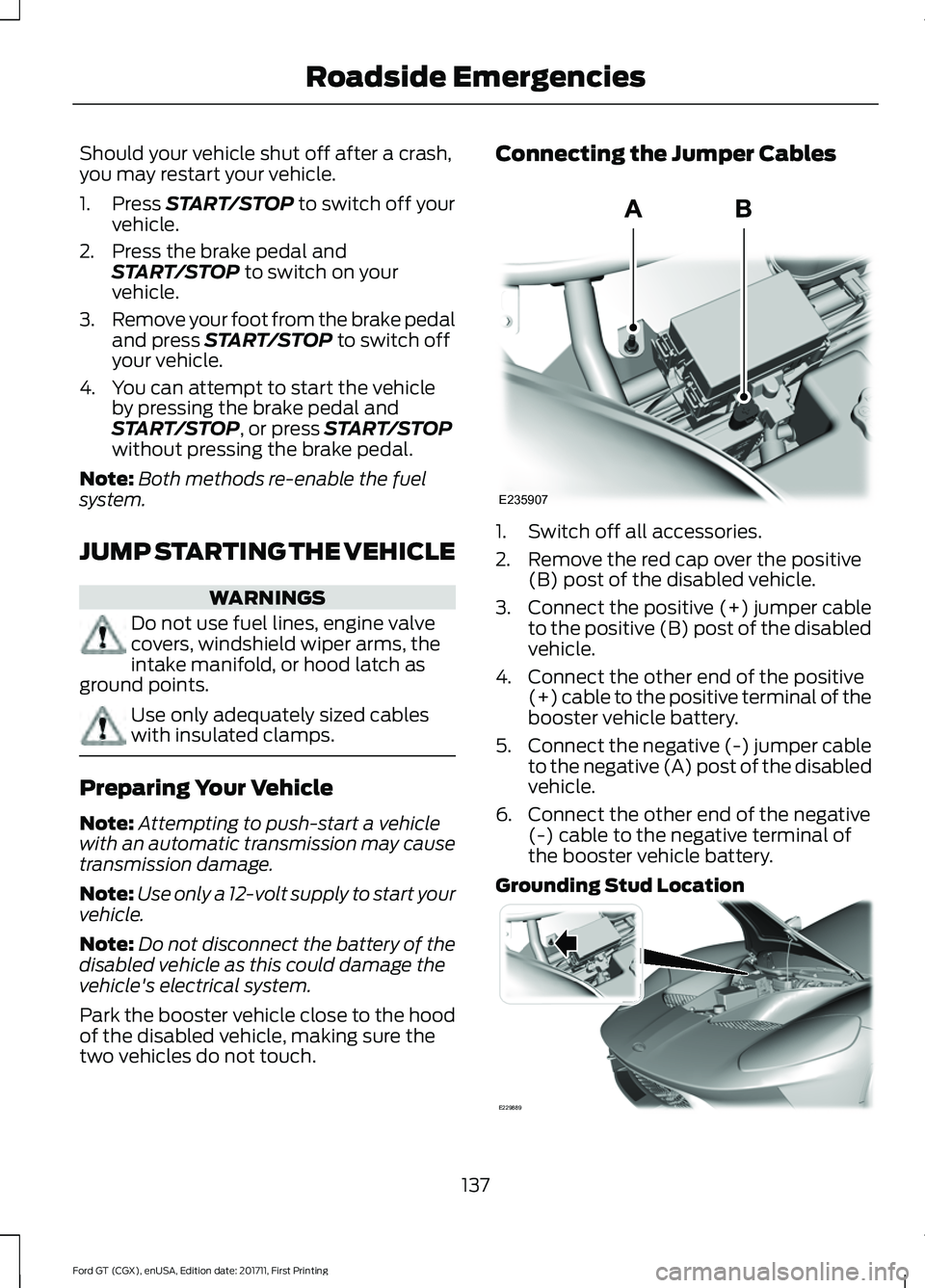
two vehicles do not touch. Connecting the Jumper Cables
1. Switch off all accessories.
2. Remove the red cap over the positive
(B) post of the disabled vehicle.
3. Connect the positive (+) jumper cable
to the positive (B) post of the disabled
vehicle.
4. Connect the other end of the positive (+) cable to the positive terminal of the
booster vehicle battery.
5. Connect the negative (-) jumper cable
to the negative (A) post of the disabled
vehicle.
6. Connect the other end of the negative (-) cable to the negative terminal of
the booster vehicle battery.
Grounding Stud Location 137
Ford GT (CGX), enUSA, Edition date: 201711, First Printing Roadside EmergenciesE235907 E229889
Page 149 of 325
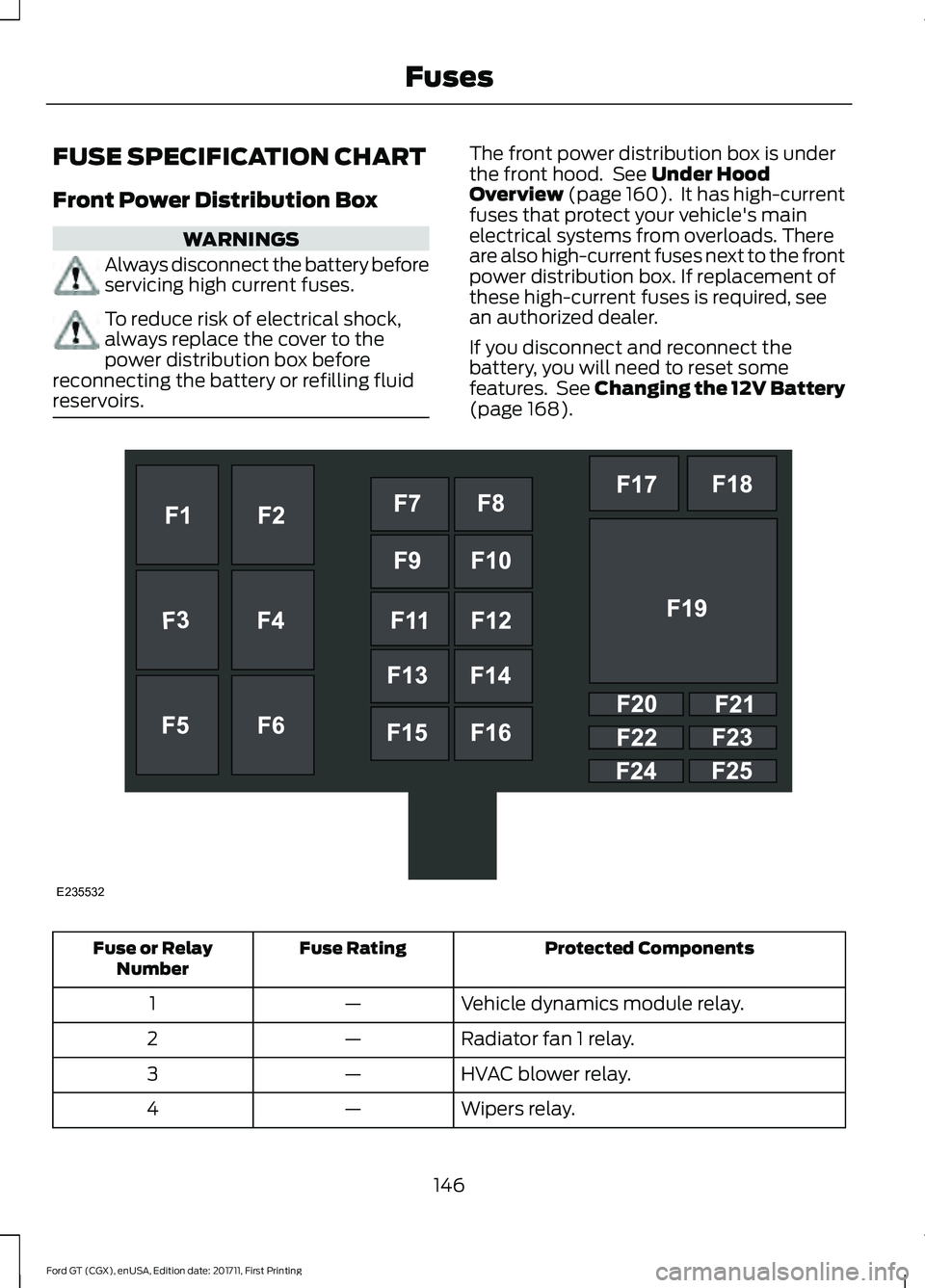
FUSE SPECIFICATION CHART
Front Power Distribution Box
WARNINGS
Always disconnect the battery before
servicing high current fuses.
To reduce risk of electrical shock,
always replace the cover to the
power distribution box before
reconnecting the battery or refilling fluid
reservoirs. The front power distribution box is under
the front hood. See Under Hood
Overview (page 160). It has high-current
fuses that protect your vehicle's main
electrical systems from overloads. There
are also high-current fuses next to the front
power distribution box. If replacement of
these high-current fuses is required, see
an authorized dealer.
If you disconnect and reconnect the
battery, you will need to reset some
features. See Changing the 12V Battery
(page
168). Protected Components
Fuse Rating
Fuse or Relay
Number
Vehicle dynamics module relay.
—
1
Radiator fan 1 relay.
—
2
HVAC blower relay.
—
3
Wipers relay.
—
4
146
Ford GT (CGX), enUSA, Edition date: 201711, First Printing FusesE235532