brake FORD GT 2019 User Guide
[x] Cancel search | Manufacturer: FORD, Model Year: 2019, Model line: GT, Model: FORD GT 2019Pages: 321, PDF Size: 5.24 MB
Page 68 of 321
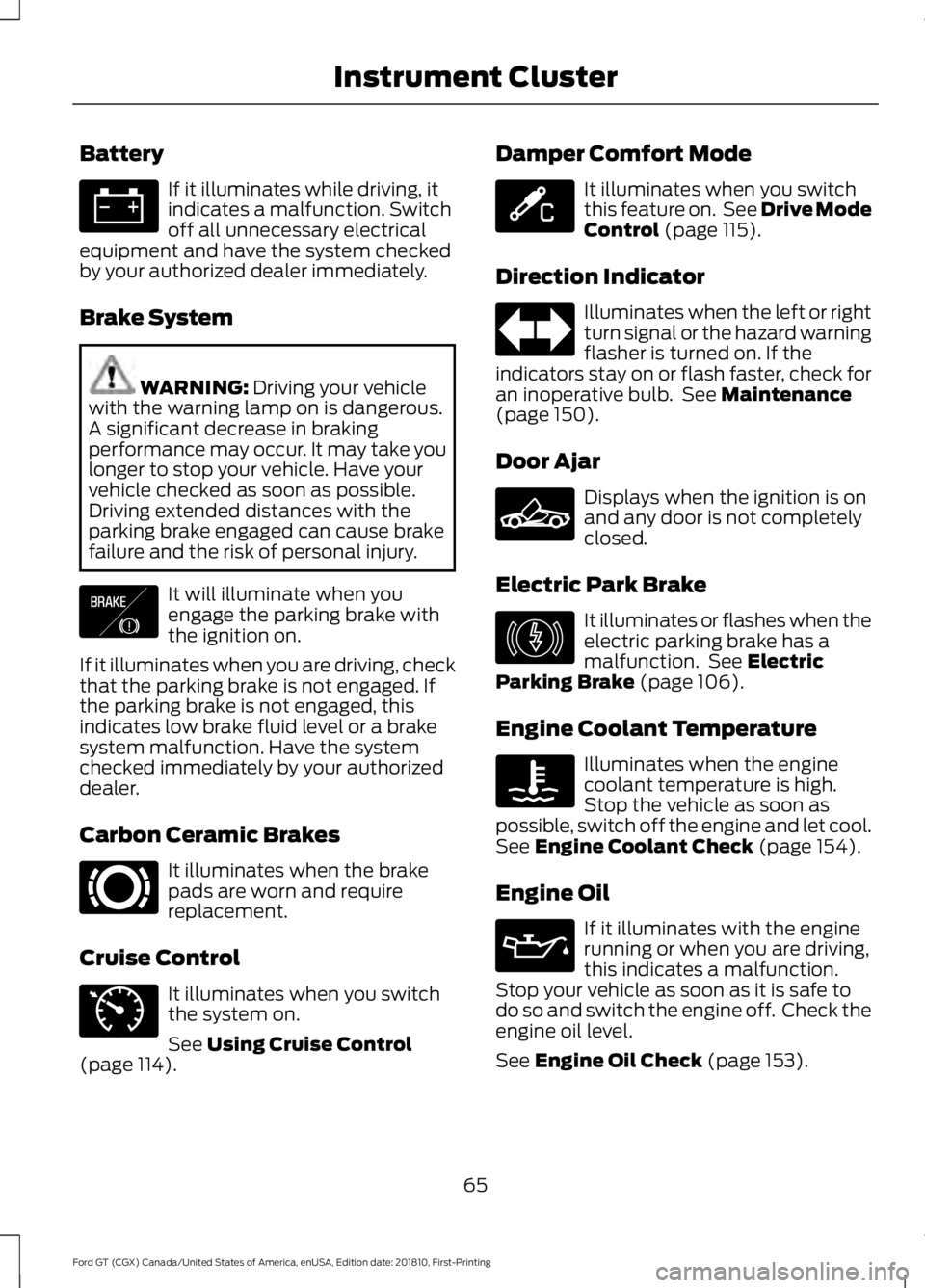
Battery
If it illuminates while driving, it
indicates a malfunction. Switch
off all unnecessary electrical
equipment and have the system checked
by your authorized dealer immediately.
Brake System WARNING: Driving your vehicle
with the warning lamp on is dangerous.
A significant decrease in braking
performance may occur. It may take you
longer to stop your vehicle. Have your
vehicle checked as soon as possible.
Driving extended distances with the
parking brake engaged can cause brake
failure and the risk of personal injury. It will illuminate when you
engage the parking brake with
the ignition on.
If it illuminates when you are driving, check
that the parking brake is not engaged. If
the parking brake is not engaged, this
indicates low brake fluid level or a brake
system malfunction. Have the system
checked immediately by your authorized
dealer.
Carbon Ceramic Brakes It illuminates when the brake
pads are worn and require
replacement.
Cruise Control It illuminates when you switch
the system on.
See
Using Cruise Control
(page 114). Damper Comfort Mode It illuminates when you switch
this feature on. See Drive Mode
Control
(page 115).
Direction Indicator Illuminates when the left or right
turn signal or the hazard warning
flasher is turned on. If the
indicators stay on or flash faster, check for
an inoperative bulb. See
Maintenance
(page 150).
Door Ajar Displays when the ignition is on
and any door is not completely
closed.
Electric Park Brake It illuminates or flashes when the
electric parking brake has a
malfunction. See
Electric
Parking Brake (page 106).
Engine Coolant Temperature Illuminates when the engine
coolant temperature is high.
Stop the vehicle as soon as
possible, switch off the engine and let cool.
See
Engine Coolant Check (page 154).
Engine Oil If it illuminates with the engine
running or when you are driving,
this indicates a malfunction.
Stop your vehicle as soon as it is safe to
do so and switch the engine off. Check the
engine oil level.
See
Engine Oil Check (page 153).
65
Ford GT (CGX) Canada/United States of America, enUSA, Edition date: 201810, First-Printing Instrument Cluster E138644 E269429 E71340 E234586 E236449 E146190
Page 78 of 321
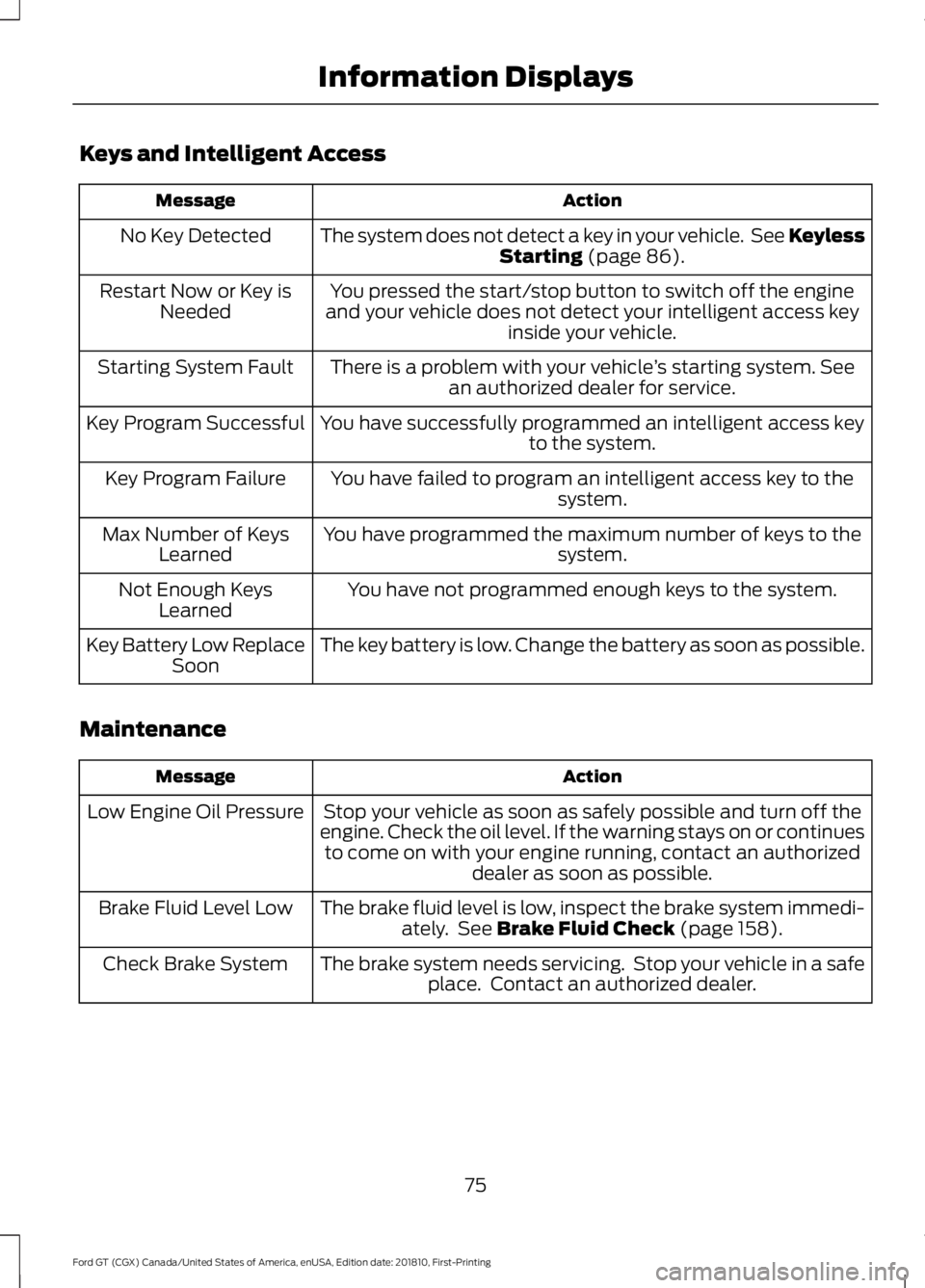
Keys and Intelligent Access
Action
Message
The system does not detect a key in your vehicle. See Keyless Starting (page 86).
No Key Detected
You pressed the start/stop button to switch off the engine
and your vehicle does not detect your intelligent access key inside your vehicle.
Restart Now or Key is
Needed
There is a problem with your vehicle ’s starting system. See
an authorized dealer for service.
Starting System Fault
You have successfully programmed an intelligent access keyto the system.
Key Program Successful
You have failed to program an intelligent access key to thesystem.
Key Program Failure
You have programmed the maximum number of keys to the system.
Max Number of Keys
Learned
You have not programmed enough keys to the system.
Not Enough Keys
Learned
The key battery is low. Change the battery as soon as possible.
Key Battery Low Replace
Soon
Maintenance Action
Message
Stop your vehicle as soon as safely possible and turn off the
engine. Check the oil level. If the warning stays on or continues to come on with your engine running, contact an authorized dealer as soon as possible.
Low Engine Oil Pressure
The brake fluid level is low, inspect the brake system immedi-ately. See
Brake Fluid Check (page 158).
Brake Fluid Level Low
The brake system needs servicing. Stop your vehicle in a safeplace. Contact an authorized dealer.
Check Brake System
75
Ford GT (CGX) Canada/United States of America, enUSA, Edition date: 201810, First-Printing Information Displays
Page 79 of 321
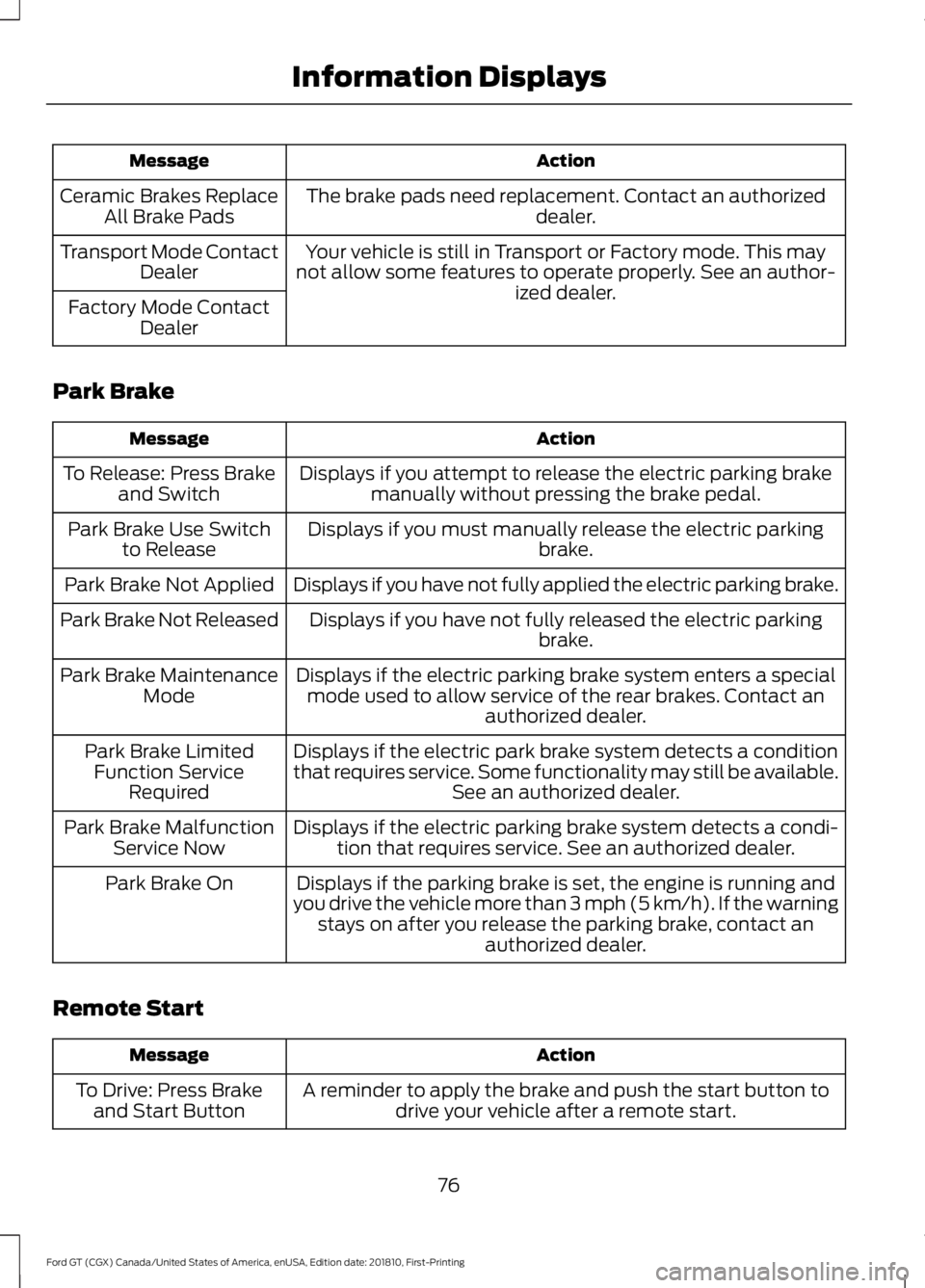
Action
Message
The brake pads need replacement. Contact an authorized dealer.
Ceramic Brakes Replace
All Brake Pads
Your vehicle is still in Transport or Factory mode. This may
not allow some features to operate properly. See an author- ized dealer.
Transport Mode Contact
Dealer
Factory Mode Contact Dealer
Park Brake Action
Message
Displays if you attempt to release the electric parking brakemanually without pressing the brake pedal.
To Release: Press Brake
and Switch
Displays if you must manually release the electric parking brake.
Park Brake Use Switch
to Release
Displays if you have not fully applied the electric parking brake.
Park Brake Not Applied
Displays if you have not fully released the electric parkingbrake.
Park Brake Not Released
Displays if the electric parking brake system enters a specialmode used to allow service of the rear brakes. Contact an authorized dealer.
Park Brake Maintenance
Mode
Displays if the electric park brake system detects a condition
that requires service. Some functionality may still be available. See an authorized dealer.
Park Brake Limited
Function Service Required
Displays if the electric parking brake system detects a condi-tion that requires service. See an authorized dealer.
Park Brake Malfunction
Service Now
Displays if the parking brake is set, the engine is running and
you drive the vehicle more than 3 mph (5 km/h). If the warning stays on after you release the parking brake, contact an authorized dealer.
Park Brake On
Remote Start Action
Message
A reminder to apply the brake and push the start button todrive your vehicle after a remote start.
To Drive: Press Brake
and Start Button
76
Ford GT (CGX) Canada/United States of America, enUSA, Edition date: 201810, First-Printing Information Displays
Page 81 of 321
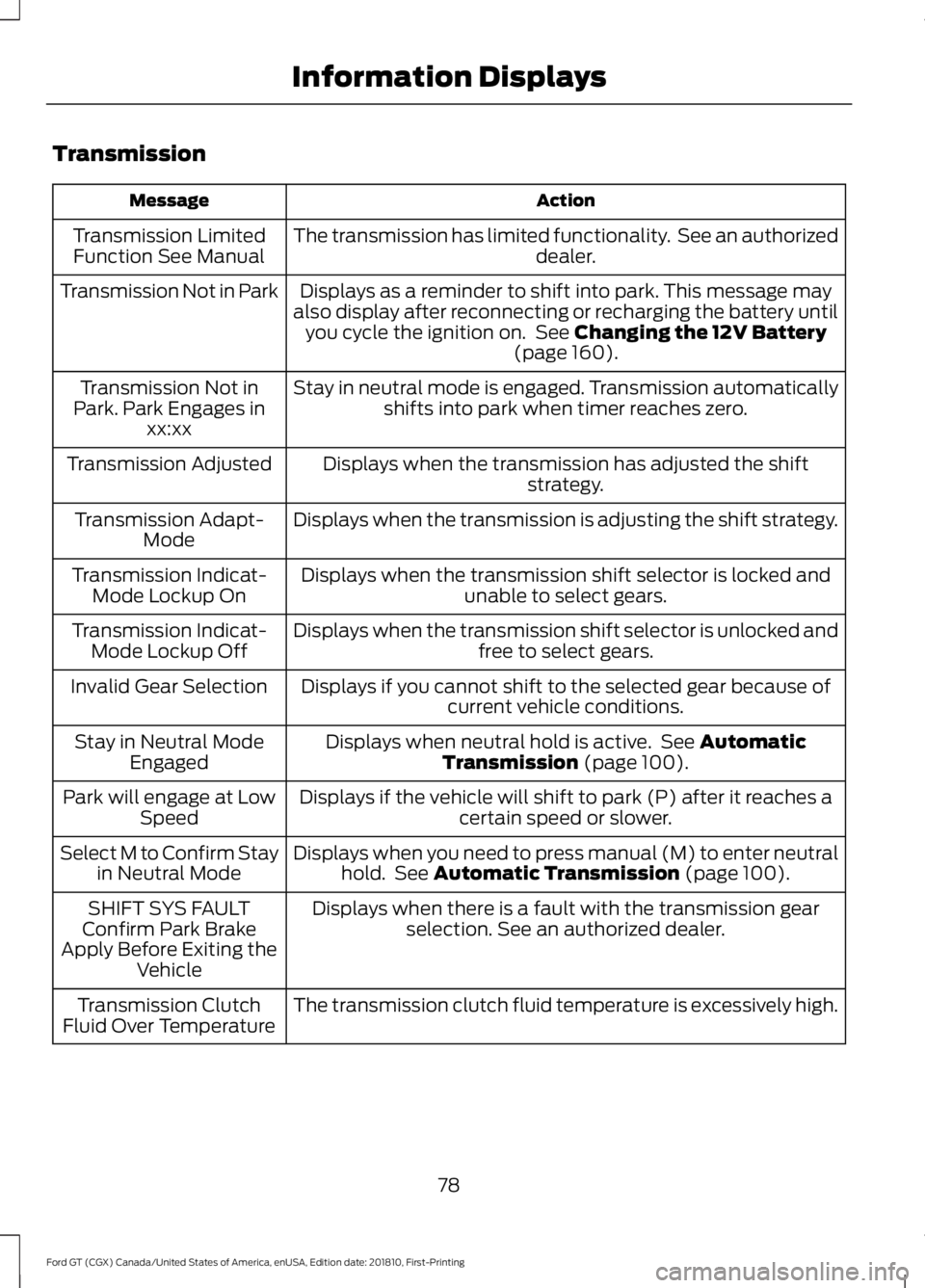
Transmission
Action
Message
The transmission has limited functionality. See an authorized dealer.
Transmission Limited
Function See Manual
Displays as a reminder to shift into park. This message may
also display after reconnecting or recharging the battery until you cycle the ignition on. See Changing the 12V Battery
(page 160).
Transmission Not in Park
Stay in neutral mode is engaged. Transmission automaticallyshifts into park when timer reaches zero.
Transmission Not in
Park. Park Engages in xx:xx
Displays when the transmission has adjusted the shift strategy.
Transmission Adjusted
Displays when the transmission is adjusting the shift strategy.
Transmission Adapt-
Mode
Displays when the transmission shift selector is locked and unable to select gears.
Transmission Indicat-
Mode Lockup On
Displays when the transmission shift selector is unlocked andfree to select gears.
Transmission Indicat-
Mode Lockup Off
Displays if you cannot shift to the selected gear because ofcurrent vehicle conditions.
Invalid Gear Selection
Displays when neutral hold is active. See
Automatic
Transmission (page 100).
Stay in Neutral Mode
Engaged
Displays if the vehicle will shift to park (P) after it reaches acertain speed or slower.
Park will engage at Low
Speed
Displays when you need to press manual (M) to enter neutralhold. See
Automatic Transmission (page 100).
Select M to Confirm Stay
in Neutral Mode
Displays when there is a fault with the transmission gearselection. See an authorized dealer.
SHIFT SYS FAULT
Confirm Park Brake
Apply Before Exiting the Vehicle
The transmission clutch fluid temperature is excessively high.
Transmission Clutch
Fluid Over Temperature
78
Ford GT (CGX) Canada/United States of America, enUSA, Edition date: 201810, First-Printing Information Displays
Page 89 of 321
GENERAL INFORMATION
WARNING: Extended idling at high
engine speeds can produce very high
temperatures in the engine and exhaust
system, creating the risk of fire or other
damage. WARNING: Do not park, idle or
drive your vehicle on dry grass or other
dry ground cover. The emission system
heats up the engine compartment and
exhaust system, creating the risk of fire. WARNING: Do not start the engine
in a closed garage or in other enclosed
areas. Exhaust fumes can be toxic.
Always open the garage door before you
start the engine. WARNING:
Exhaust leaks may
result in entry of harmful and potentially
lethal fumes into the passenger
compartment. If you smell exhaust
fumes inside your vehicle, have your
vehicle inspected immediately. Do not
drive if you smell exhaust fumes.
If you disconnect the battery, your vehicle
may exhibit some unusual driving
characteristics for approximately
5 mi
(8 km) after you reconnect it. This is
because the engine management system
must realign itself with the engine. You
can disregard any unusual driving
characteristics during this period.
The powertrain control system meets all
Canadian interference-causing equipment
standard requirements regulating the
impulse electrical field or radio noise. When you start the engine, avoid pressing
the accelerator pedal before and during
operation. Only use the accelerator pedal
when you have difficulty starting the
engine.
KEYLESS STARTING
Note:
The keyless starting system may not
function if the key is close to metal objects
or electronic devices such as cellular
phones.
Note: A valid key must be located inside
your vehicle to switch the ignition on and
start the engine.
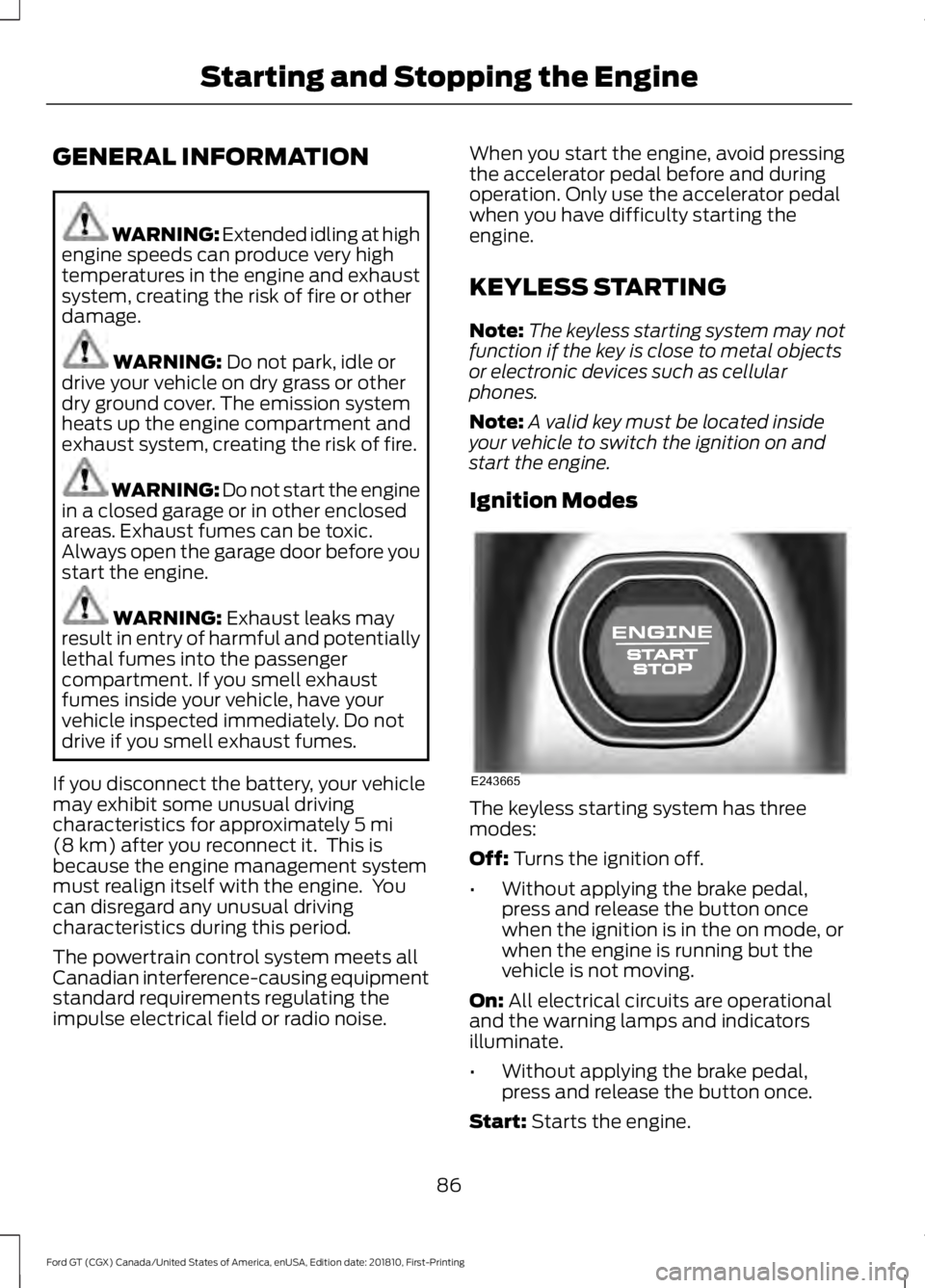
Ignition Modes The keyless starting system has three
modes:
Off: Turns the ignition off.
• Without applying the brake pedal,
press and release the button once
when the ignition is in the on mode, or
when the engine is running but the
vehicle is not moving.
On:
All electrical circuits are operational
and the warning lamps and indicators
illuminate.
• Without applying the brake pedal,
press and release the button once.
Start:
Starts the engine.
86
Ford GT (CGX) Canada/United States of America, enUSA, Edition date: 201810, First-Printing Starting and Stopping the EngineE243665
Page 90 of 321
•
Press the brake pedal and then press
the button for any length of time.
STEERING WHEEL LOCK
The steering wheel locks automatically
when you leave your vehicle and take the
intelligent access key with you. The
steering wheel unlocks automatically when
you enter your vehicle with the intelligent
access key.
Note: You may need to turn the steering
wheel left or right if the wheel does not
unlock completely. This may happen in
certain situations, such as parking your
vehicle on a steep grade.
STARTING THE ENGINE
When you start the engine, the idle speed
increases. This helps to warm up the
engine. If the engine idle speed does not
slow down automatically, have your
vehicle checked by an authorized dealer.
Note: You can crank the engine for a total
of 60 seconds, without the engine starting,
before the starting system temporarily
disables. The 60 seconds does not have to
be all at once. For example, you can crank
the engine three times for 20 seconds each,
without the engine starting, to reach the 60
second time limit. If you exceed the
cranking time, you cannot attempt to start
the engine for at least 15 minutes. After 15
minutes, you have a 15 second time limit to
crank the engine. You need to wait 60
minutes before you crank the engine again
for 60 seconds.
Before starting the engine, check the
following:
• Make sure all occupants fasten their
seatbelts.
• Make sure the headlamps and
electrical accessories are off. •
Make sure the parking brake is on.
• Move the transmission selector into
park (P).
Note: Do not touch the accelerator pedal.
Note: You must have your intelligent access
key in the vehicle in order to shift the
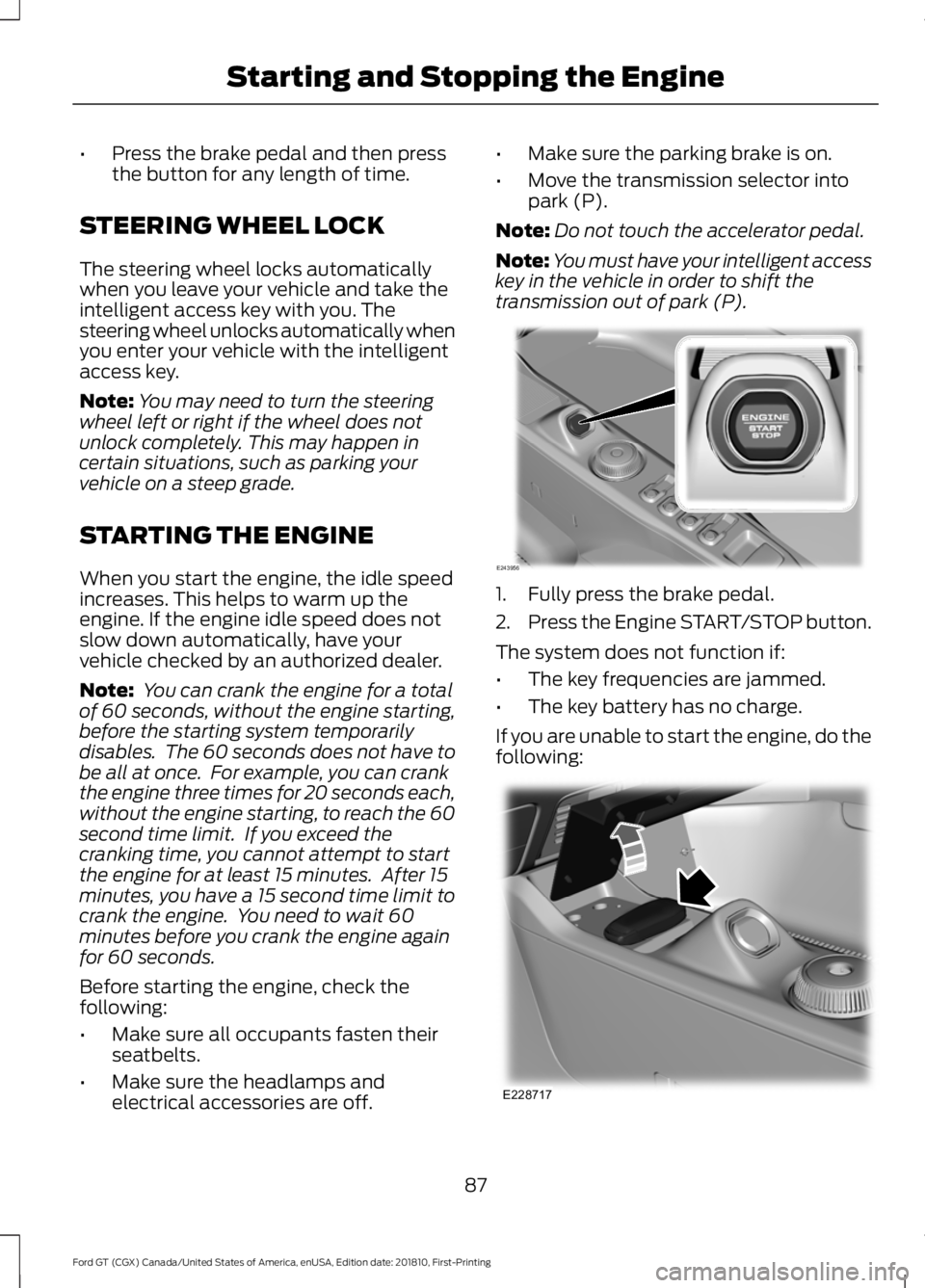
transmission out of park (P). 1. Fully press the brake pedal.
2.
Press the Engine START/STOP button.
The system does not function if:
• The key frequencies are jammed.
• The key battery has no charge.
If you are unable to start the engine, do the
following: 87
Ford GT (CGX) Canada/United States of America, enUSA, Edition date: 201810, First-Printing Starting and Stopping the EngineE243956 E228717
Page 91 of 321
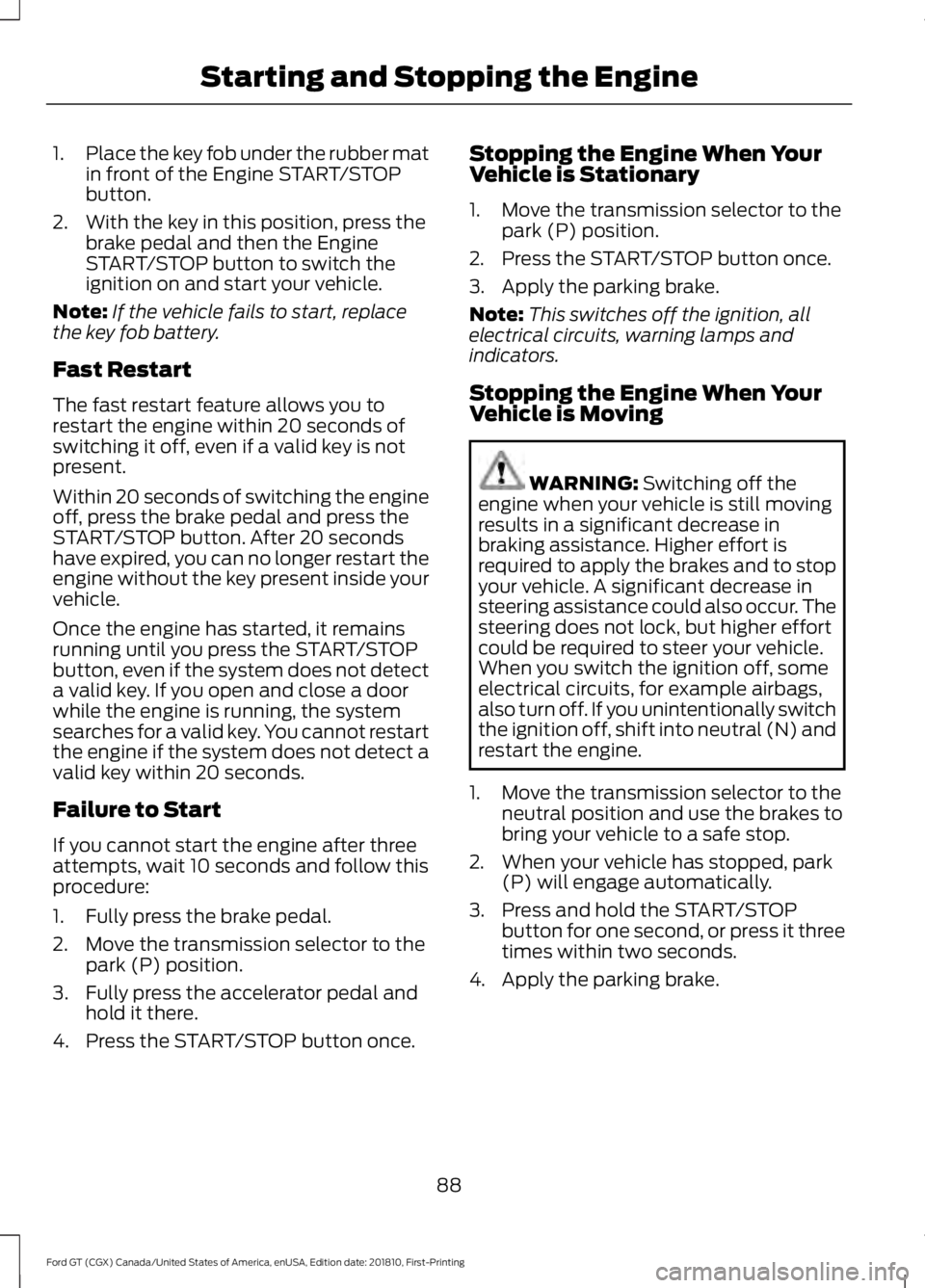
1.
Place the key fob under the rubber mat
in front of the Engine START/STOP
button.
2. With the key in this position, press the brake pedal and then the Engine
START/STOP button to switch the
ignition on and start your vehicle.
Note: If the vehicle fails to start, replace
the key fob battery.
Fast Restart
The fast restart feature allows you to
restart the engine within 20 seconds of
switching it off, even if a valid key is not
present.
Within 20 seconds of switching the engine
off, press the brake pedal and press the
START/STOP button. After 20 seconds
have expired, you can no longer restart the
engine without the key present inside your
vehicle.
Once the engine has started, it remains
running until you press the START/STOP
button, even if the system does not detect
a valid key. If you open and close a door
while the engine is running, the system
searches for a valid key. You cannot restart
the engine if the system does not detect a
valid key within 20 seconds.
Failure to Start
If you cannot start the engine after three
attempts, wait 10 seconds and follow this
procedure:
1. Fully press the brake pedal.
2. Move the transmission selector to the park (P) position.
3. Fully press the accelerator pedal and hold it there.
4. Press the START/STOP button once. Stopping the Engine When Your
Vehicle is Stationary
1. Move the transmission selector to the
park (P) position.
2. Press the START/STOP button once.
3. Apply the parking brake.
Note: This switches off the ignition, all
electrical circuits, warning lamps and
indicators.
Stopping the Engine When Your
Vehicle is Moving WARNING: Switching off the
engine when your vehicle is still moving
results in a significant decrease in
braking assistance. Higher effort is
required to apply the brakes and to stop
your vehicle. A significant decrease in
steering assistance could also occur. The
steering does not lock, but higher effort
could be required to steer your vehicle.
When you switch the ignition off, some
electrical circuits, for example airbags,
also turn off. If you unintentionally switch
the ignition off, shift into neutral (N) and
restart the engine.
1. Move the transmission selector to the neutral position and use the brakes to
bring your vehicle to a safe stop.
2. When your vehicle has stopped, park (P) will engage automatically.
3. Press and hold the START/STOP button for one second, or press it three
times within two seconds.
4. Apply the parking brake.
88
Ford GT (CGX) Canada/United States of America, enUSA, Edition date: 201810, First-Printing Starting and Stopping the Engine
Page 97 of 321
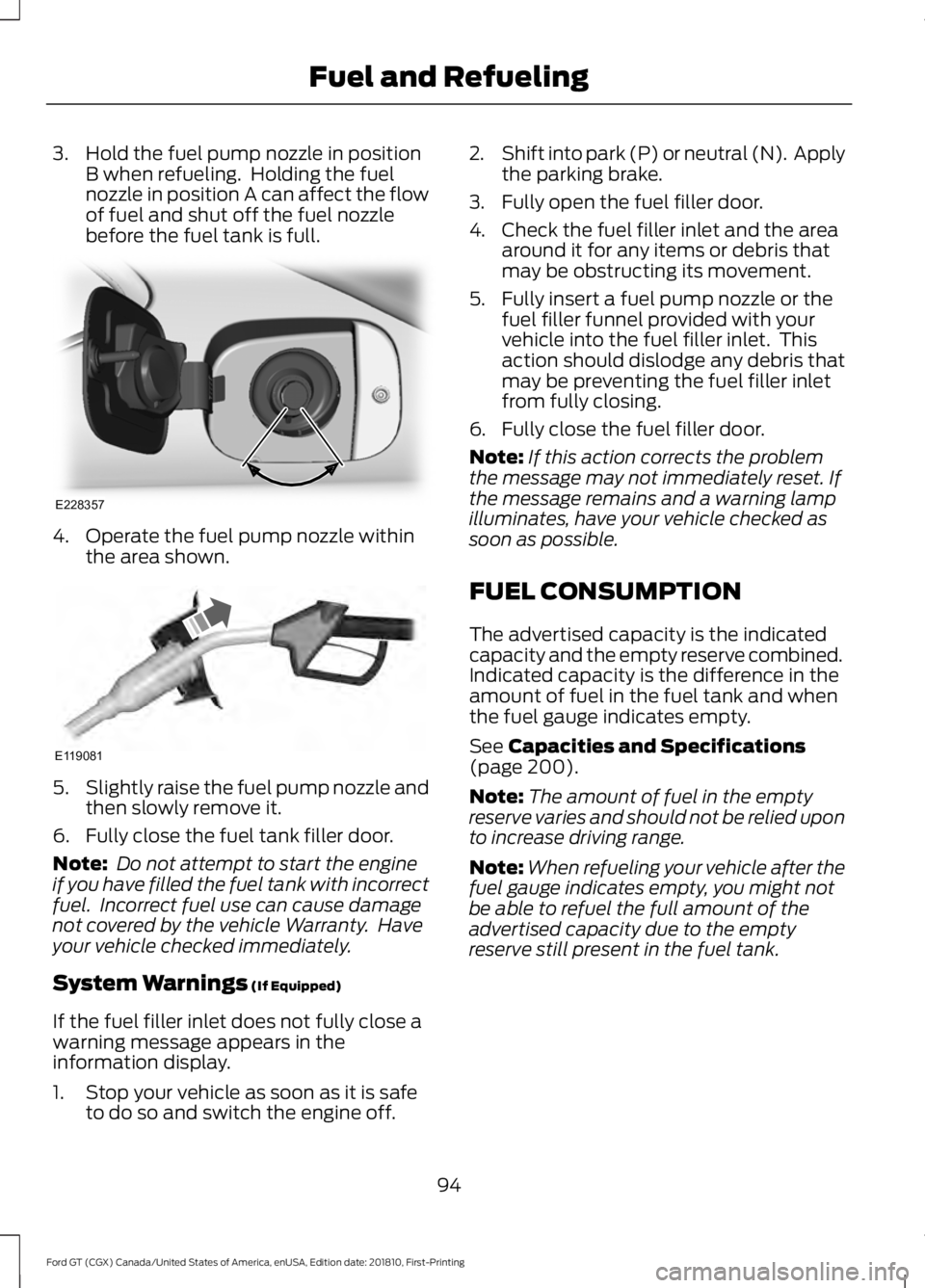
3. Hold the fuel pump nozzle in position
B when refueling. Holding the fuel
nozzle in position A can affect the flow
of fuel and shut off the fuel nozzle
before the fuel tank is full. 4. Operate the fuel pump nozzle within
the area shown. 5.
Slightly raise the fuel pump nozzle and
then slowly remove it.
6. Fully close the fuel tank filler door.
Note: Do not attempt to start the engine
if you have filled the fuel tank with incorrect
fuel. Incorrect fuel use can cause damage
not covered by the vehicle Warranty. Have
your vehicle checked immediately.
System Warnings (If Equipped)
If the fuel filler inlet does not fully close a
warning message appears in the
information display.
1. Stop your vehicle as soon as it is safe to do so and switch the engine off. 2.
Shift into park (P) or neutral (N). Apply
the parking brake.
3. Fully open the fuel filler door.
4. Check the fuel filler inlet and the area around it for any items or debris that
may be obstructing its movement.
5. Fully insert a fuel pump nozzle or the fuel filler funnel provided with your
vehicle into the fuel filler inlet. This
action should dislodge any debris that
may be preventing the fuel filler inlet
from fully closing.
6. Fully close the fuel filler door.
Note: If this action corrects the problem
the message may not immediately reset. If
the message remains and a warning lamp
illuminates, have your vehicle checked as
soon as possible.
FUEL CONSUMPTION
The advertised capacity is the indicated
capacity and the empty reserve combined.
Indicated capacity is the difference in the
amount of fuel in the fuel tank and when
the fuel gauge indicates empty.
See
Capacities and Specifications
(page 200).
Note: The amount of fuel in the empty
reserve varies and should not be relied upon
to increase driving range.
Note: When refueling your vehicle after the
fuel gauge indicates empty, you might not
be able to refuel the full amount of the
advertised capacity due to the empty
reserve still present in the fuel tank.
94
Ford GT (CGX) Canada/United States of America, enUSA, Edition date: 201810, First-Printing Fuel and RefuelingE228357 E119081
Page 103 of 321
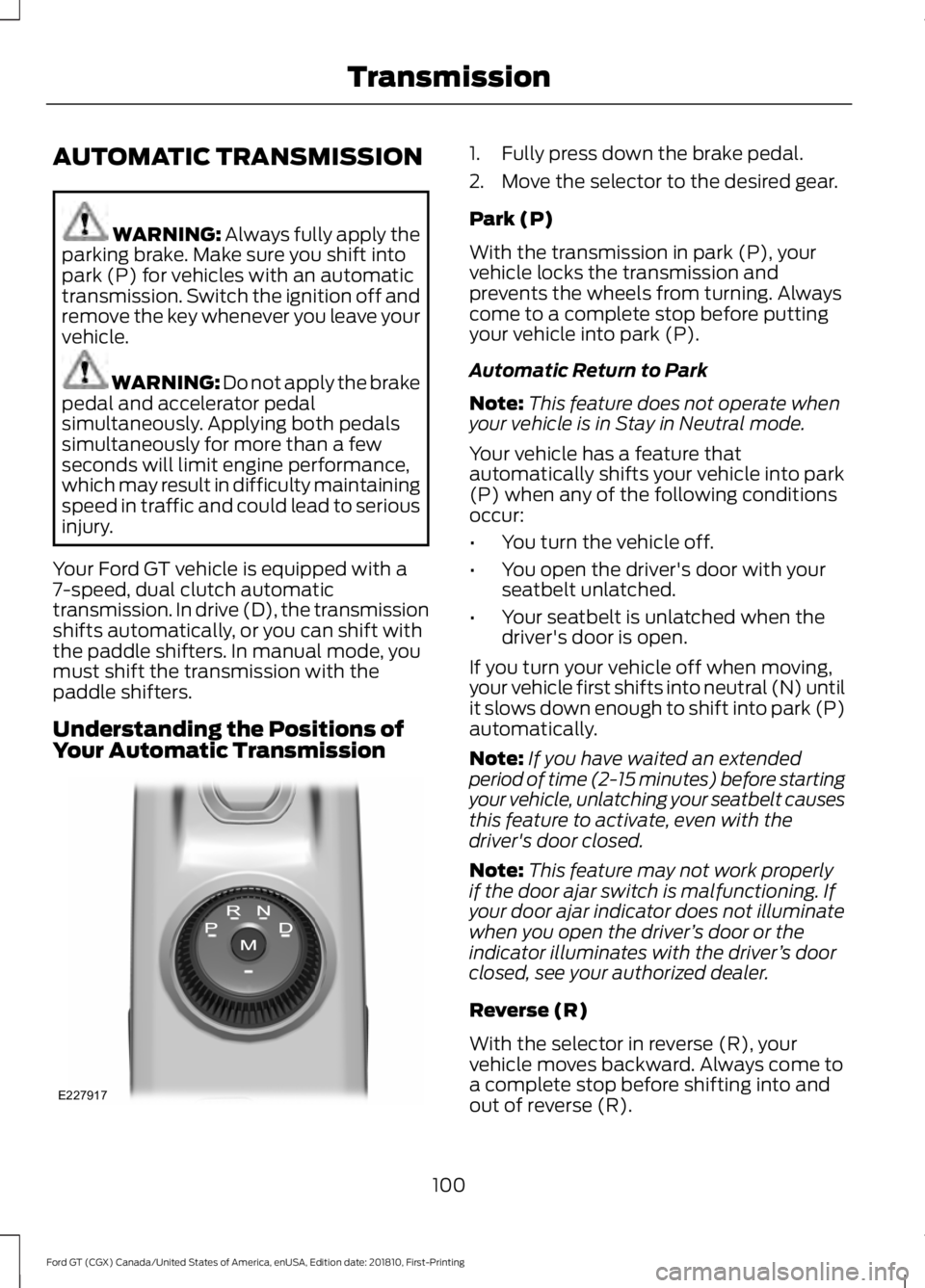
AUTOMATIC TRANSMISSION
WARNING: Always fully apply the
parking brake. Make sure you shift into
park (P) for vehicles with an automatic
transmission. Switch the ignition off and
remove the key whenever you leave your
vehicle. WARNING:
Do not apply the brake
pedal and accelerator pedal
simultaneously. Applying both pedals
simultaneously for more than a few
seconds will limit engine performance,
which may result in difficulty maintaining
speed in traffic and could lead to serious
injury.
Your Ford GT vehicle is equipped with a
7-speed, dual clutch automatic
transmission. In drive (D), the transmission
shifts automatically, or you can shift with
the paddle shifters. In manual mode, you
must shift the transmission with the
paddle shifters.
Understanding the Positions of
Your Automatic Transmission 1. Fully press down the brake pedal.
2. Move the selector to the desired gear.
Park (P)
With the transmission in park (P), your
vehicle locks the transmission and
prevents the wheels from turning. Always
come to a complete stop before putting
your vehicle into park (P).
Automatic Return to Park
Note:
This feature does not operate when
your vehicle is in Stay in Neutral mode.
Your vehicle has a feature that
automatically shifts your vehicle into park
(P) when any of the following conditions
occur:
• You turn the vehicle off.
• You open the driver's door with your
seatbelt unlatched.
• Your seatbelt is unlatched when the
driver's door is open.
If you turn your vehicle off when moving,
your vehicle first shifts into neutral (N) until
it slows down enough to shift into park (P)
automatically.
Note: If you have waited an extended
period of time (2-15 minutes) before starting
your vehicle, unlatching your seatbelt causes
this feature to activate, even with the
driver's door closed.
Note: This feature may not work properly
if the door ajar switch is malfunctioning. If
your door ajar indicator does not illuminate
when you open the driver ’s door or the
indicator illuminates with the driver ’s door
closed, see your authorized dealer.
Reverse (R)
With the selector in reverse (R), your
vehicle moves backward. Always come to
a complete stop before shifting into and
out of reverse (R).
100
Ford GT (CGX) Canada/United States of America, enUSA, Edition date: 201810, First-Printing TransmissionE227917
Page 104 of 321
Neutral (N)
With the selector in neutral (N), your
vehicle can be started and is free to roll.
Hold the brake pedal down when in this
position.
Stay in Neutral Mode
Stay in Neutral mode allows your vehicle
to stay in neutral when you exit your
vehicle. Your vehicle must be stationary to
enter this mode.
To enter Stay in Neutral mode:
•
With the engine running.
• Release the parking brake if applied,
press down the brake pedal and press
the parking brake release switch on the
center console.
• Press down the brake pedal and move
the transmission selector to neutral
(N).
• A message appears in your display
screen.
• Press the manual (M) button to enter
Stay in Neutral mode.
• Another message appears in your
display screen confirming Neutral
mode is engaged.
• Stay in Neutral mode remains engaged
as long as the engine is running. If the
engine is turned off, a 30 minute timer
starts and appears in your display
screen.
To exit Stay in Neutral mode, press down
the brake pedal and select a different gear.
Drive (D)
Drive (D) is the normal driving position for
the best fuel economy. In the drive (D)
position, the transmission automatically
shifts through gears one through seven. Manual (M)
To select manual (M), place the
transmission selector in drive (D) and press
"M" button in the middle of the selector.
Once you select manual (M), you must use
the paddle shifters to upshift or downshift
the transmission.
To exit manual (M) and return to drive (D),
press the "M" button again.
SelectShift™ Automatic
Transmission
Your vehicle is equipped with a SelectShift
Automatic transmission, which gives you
the ability to change gears up or down as
desired.
In order to prevent the engine from running
at too low an RPM, which may cause it to
stall, SelectShift still automatically makes
some downshifts if it has determined that
you have not downshifted in time.
Although SelectShift makes some
downshifts for you, it still allows you to
downshift at any time as long as
SelectShift determines that no damage
occurs to the engine from over-revving.
Note:
Engine damage may occur if you
maintain excessive engine revving without
shifting.
SelectShift does not automatically upshift,
even if the engine is approaching the RPM
limit. It must be shifted manually by use of
the upshift (+) paddle. When using Manual
(M) shift mode, pay attention to the shift
indicator on the top rim of the steering
wheel and the RPM indicator in the
instrument cluster.
Use the paddles on the steering wheel
to shift.
• Pull the right paddle (+) to upshift.
• Pull the left paddle (–) to downshift.
101
Ford GT (CGX) Canada/United States of America, enUSA, Edition date: 201810, First-Printing Transmission