parking brake FORD GT 2020 User Guide
[x] Cancel search | Manufacturer: FORD, Model Year: 2020, Model line: GT, Model: FORD GT 2020Pages: 316, PDF Size: 6.25 MB
Page 109 of 316
If you turn your vehicle off when moving,
your vehicle first shifts into neutral (N) until
it slows down enough to shift into park (P)
automatically.
Note:
If you have waited an extended
period of time (2-15 minutes) before starting
your vehicle, unlatching your seatbelt causes
this feature to activate, even with the
driver's door closed.
Note: This feature may not work properly
if the door ajar switch is malfunctioning. If
your door ajar indicator does not illuminate
when you open the driver ’s door or the
indicator illuminates with the driver ’s door
closed, see your authorized dealer.
Reverse (R)
With the selector in reverse (R), your
vehicle moves backward. Always come to
a complete stop before shifting into and
out of reverse (R).
Neutral (N)
With the selector in neutral (N), your
vehicle can be started and is free to roll.
Hold the brake pedal down when in this
position.
Stay in Neutral Mode
Stay in Neutral mode allows your vehicle
to stay in neutral when you exit your
vehicle. Your vehicle must be stationary to
enter this mode.
To enter Stay in Neutral mode:
• With the engine running.
• Release the parking brake if applied,
press down the brake pedal and press
the parking brake release switch on the
center console.
• Press down the brake pedal and move
the transmission selector to neutral
(N).
• A message appears in your display
screen. •
Press the manual (M) button to enter
Stay in Neutral mode.
• Another message appears in your
display screen confirming Neutral
mode is engaged.
• Stay in Neutral mode remains engaged
as long as the engine is running. If the
engine is turned off, a 30 minute timer
starts and appears in your display
screen.
To exit Stay in Neutral mode, press down
the brake pedal and select a different gear.
Drive (D)
Drive (D) is the normal driving position for
the best fuel economy. In the drive (D)
position, the transmission automatically
shifts through gears one through seven.
Manual (M)
To select manual (M), place the
transmission selector in drive (D) and press
"M" button in the middle of the selector.
Once you select manual (M), you must use
the paddle shifters to upshift or downshift
the transmission.
To exit manual (M) and return to drive (D),
press the "M" button again.
SelectShift™ Automatic
Transmission
Your vehicle is equipped with a SelectShift
Automatic transmission, which gives you
the ability to change gears up or down as
desired.
106
Ford GT (CGX) Canada/United States of America, enUSA, Edition date: 201908, First-Printing Transmission
Page 111 of 316
Use the following chart to help determine
when to manually shift:
Gear 4-7
(RPM)
Gear 1-3
(RPM)
LED Color
6100
5800
Green 1
6200
5900
Green 2
6300
6000
Green 3
6400
6100
Green 4
6500
6200
Green 5
6600
6300
Green 6
6700
6400
Red 1
6750
6500
Red 2
6800
6600
Red 3
6850
6700
Blue 1
6900
6800
Blue 2
6950
6900
Blue 3
7000
7000
Flashing
Red
Brake-Shift Interlock WARNING: When doing this
procedure, you need to take the
transmission out of park (P) which
means your vehicle can roll freely. To
avoid unwanted vehicle movement,
always fully apply the parking brake prior
to doing this procedure. Use wheels
chocks if appropriate. WARNING:
If the parking brake
is fully released, but the brake warning
lamp remains illuminated, the brakes
may not be working properly. Have your
vehicle checked as soon as possible.
Note: You should only use this procedure
in the event that your vehicle is disabled and
you cannot start the engine in order to shift
into Neutral (N) to move it. Use the provided
Transmission Park Override tool to release
the transmission park mechanism and allow
the rear tires to roll freely.
Note: See your authorized dealer as soon
as this procedure is used.
Note: Do not drive your vehicle until you
verify that the brake lamps are working.
Your vehicle is equipped with a brake-shift
interlock feature that prevents moving the
selector from park (P) when the ignition is
in the on position and the brake pedal is
not pressed.
If you cannot move the selector out of park
(P) position with the ignition in the on
position and the brake pedal pressed, a
malfunction may have occurred. It is
possible that a fuse has blown or your
vehicle ’s brake lamps are not operating
properly.
See Fuse Specification Chart
(page 145).
If the fuse is good and the brake lamps are
functioning, then there may be a fault in
the system. To roll the car or to allow the
vehicle to be transported for repair, use the
following procedure to place the
transmission into neutral (N) manually. To
place the transmission into neutral (N) in
the event of a battery failure, or other
electrical fault that prevents the shifter
from working, use this procedure.
108
Ford GT (CGX) Canada/United States of America, enUSA, Edition date: 201908, First-Printing Transmission
Page 112 of 316
Manually Placing the Transmission in
Park Override
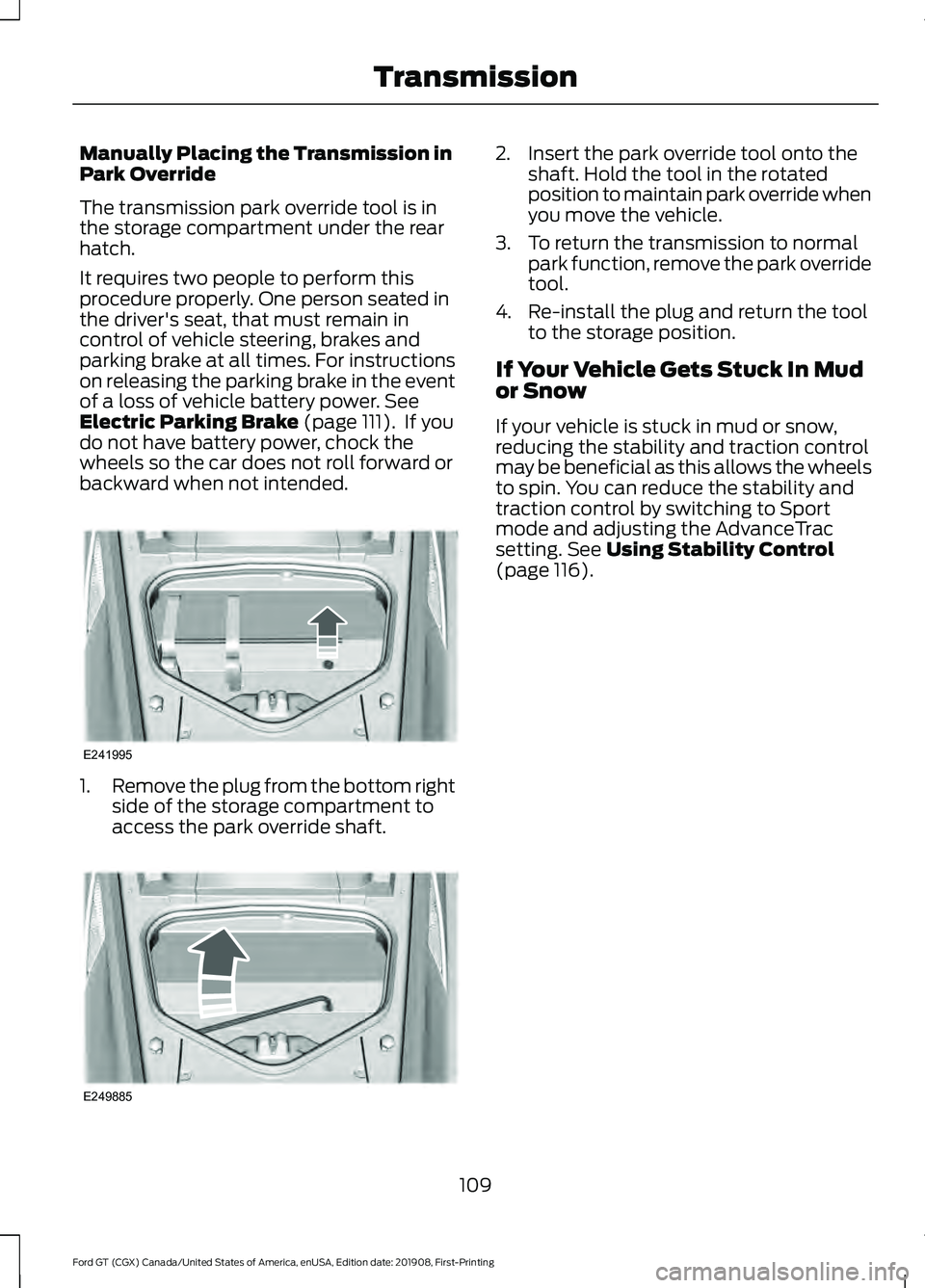
The transmission park override tool is in
the storage compartment under the rear
hatch.
It requires two people to perform this
procedure properly. One person seated in
the driver's seat, that must remain in
control of vehicle steering, brakes and
parking brake at all times. For instructions
on releasing the parking brake in the event
of a loss of vehicle battery power. See
Electric Parking Brake (page 111). If you
do not have battery power, chock the
wheels so the car does not roll forward or
backward when not intended. 1.
Remove the plug from the bottom right
side of the storage compartment to
access the park override shaft. 2. Insert the park override tool onto the
shaft. Hold the tool in the rotated
position to maintain park override when
you move the vehicle.
3. To return the transmission to normal park function, remove the park override
tool.
4. Re-install the plug and return the tool to the storage position.
If Your Vehicle Gets Stuck In Mud
or Snow
If your vehicle is stuck in mud or snow,
reducing the stability and traction control
may be beneficial as this allows the wheels
to spin. You can reduce the stability and
traction control by switching to Sport
mode and adjusting the AdvanceTrac
setting.
See Using Stability Control
(page 116).
109
Ford GT (CGX) Canada/United States of America, enUSA, Edition date: 201908, First-Printing TransmissionE241995 E249885
Page 113 of 316
GENERAL INFORMATION
Note:
Occasional brake noise is normal. If
a metal-to-metal, continuous grinding or
continuous squeal sound is present, the
brake linings may be worn-out. Have the
system checked by an authorized dealer. If
your vehicle has continuous vibration or
shudder in the steering wheel while braking,
have it checked by an authorized dealer.
Note: Brake dust may accumulate on the
wheels, even under normal driving
conditions. Some dust is inevitable as the
brakes wear and does not contribute to
brake noise. See Cleaning the Wheels
(page 180). See
Warning Lamps and
Indicators (page 69).
Wet brakes result in reduced braking
efficiency. Gently press the brake pedal a
few times after washing the car.
Carbon Ceramic Brake Discs
Your vehicle has carbon ceramic brake
discs. When cleaning your wheels and tires,
use care not to get any wheel cleaner or
tire dressing on the brake discs. This lamp illuminates when your
brakes pads are worn and
require replacement. See an
authorized dealer for replacement.
Brake Over Accelerator
In the event the accelerator pedal
becomes stuck or entrapped, apply steady
and firm pressure to the brake pedal to
slow the vehicle and reduce engine power.
If you experience this condition, apply the
brakes and bring your vehicle to a safe stop. Move the transmission to park (P),
switch the engine off and apply the parking
brake. Inspect the accelerator pedal for
any interferences. If none are found and
the condition persists, have your vehicle
towed to the nearest authorized dealer.
Brake Assist
Brake assist detects when you brake
rapidly by measuring the rate at which you
press the brake pedal. It provides
maximum braking efficiency as long as you
press the pedal, and can reduce stopping
distances in critical situations.
Anti-lock Brake System
This system helps you maintain steering
control during emergency stops by keeping
the brakes from locking.
This lamp momentarily
illuminates when you switch the
ignition on. If the light does not
illuminate during start up, remains on or
flashes, the system may be disabled. Have
the system checked by an authorized
dealer. If the anti-lock brake system is
disabled, normal braking is still effective. If the brake warning lamp
remains illuminated after you
release the parking brake, have
the system checked by an authorized
dealer. This lamp illuminates momentarily
when you switch the ignition on to confirm
the lamp is functional. If it does not
illuminate when you switch the ignition on,
or begins to flash at any time, have the
system checked by an authorized dealer.
If the brake warning lamp remains
illuminated after you release the parking
brake, have the system checked by an
authorized dealer.
110
Ford GT (CGX) Canada/United States of America, enUSA, Edition date: 201908, First-Printing BrakesE138644 E269429 E138644
Page 114 of 316
HINTS ON DRIVING WITH
ANTI-LOCK BRAKES
The anti-lock braking system does not
eliminate the risks when:
•
You drive too closely to the vehicle in
front of you.
• Your vehicle is hydroplaning.
• You take corners too fast.
• The road surface is poor.
Note: If the system activates, the brake
pedal may pulse and may travel further.
Maintain pressure on the brake pedal. You
may also hear a noise from the system. This
is normal.
ELECTRIC PARKING BRAKE WARNING: Always set the
parking brake and leave your vehicle with
the transmission in park (P).
The electric parking brake operates with
the switch in the center console.
Note: When you apply the electric parking
brake in certain conditions, for example, on
a steep hill, the electric parking brake may
reapply the brakes within three to ten
minutes.
Note: You may notice various noises when
you apply and release the electric parking
brake. This is normal and no cause for
concern. Applying the Electric Parking
brake WARNING: Applying the electric
parking brake while moving will result in
the engagement of the anti-lock braking
system. Do not use the electric parking
brake system when the vehicle is moving
unless the normal brake system is unable
to stop the vehicle. WARNING:
With the exception
of emergency conditions (for example,
the brake pedal is broken or is blocked),
do not apply the electric parking brake
while the vehicle is moving. On bends, or
poor road surfaces or weather
conditions, emergency braking can cause
the vehicle to skid out of control or off
the road.
Note: The brake system warning lamp
lights during an electric parking brake apply.
If the brake system warning lamp flashes
and continues to flash, there could be a
problem with your electric parking brake.
See your authorized dealer.
Note: The brake system warning lamp
illuminates for ten seconds if you switch the
ignition off after you apply the electric
parking brake, or you apply the electric
parking brake after you switch the ignition
off.
Note: When you switch the engine off, the
electric parking brake applies.
111
Ford GT (CGX) Canada/United States of America, enUSA, Edition date: 201908, First-Printing Brakes
Page 115 of 316
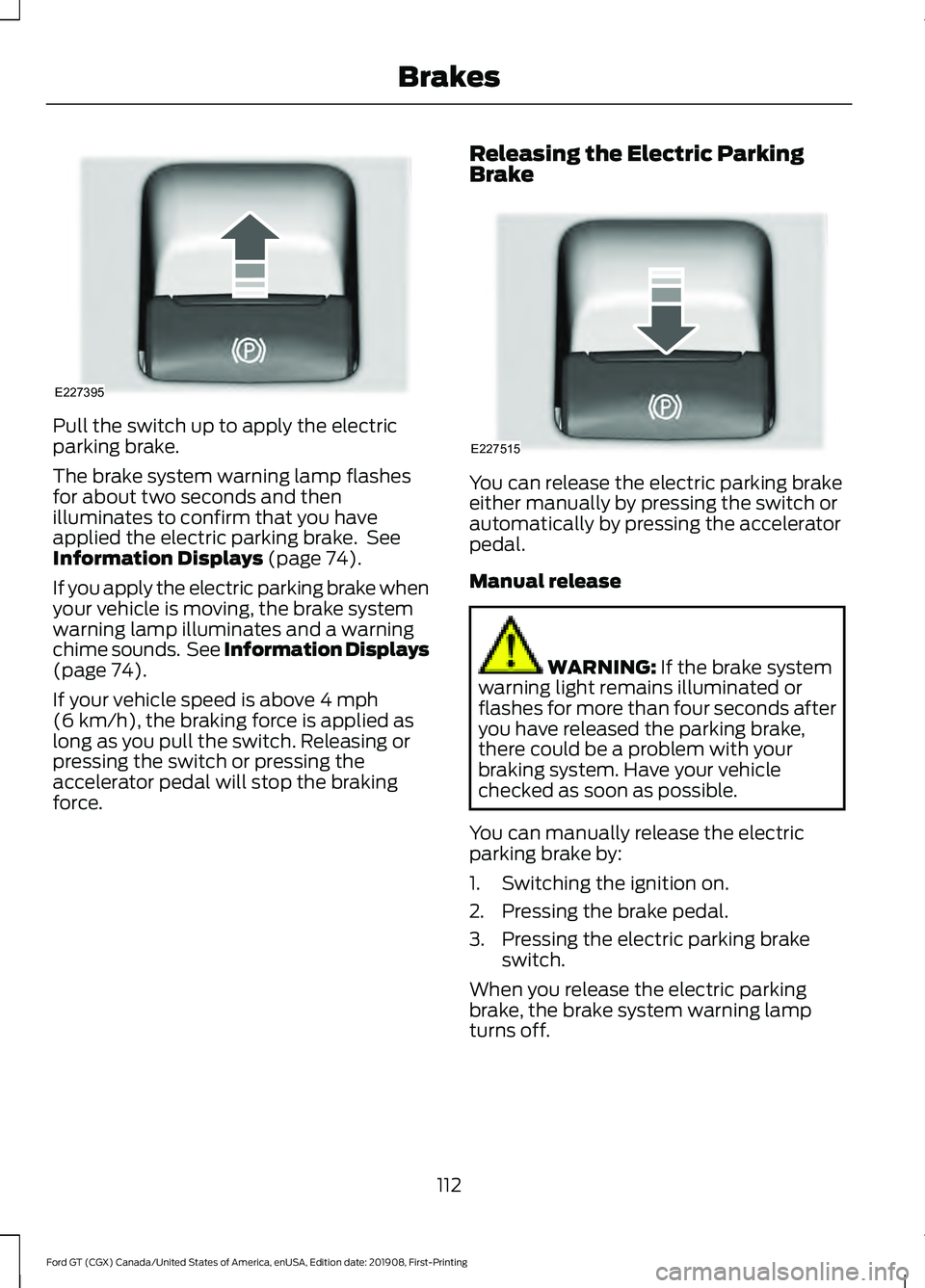
Pull the switch up to apply the electric
parking brake.
The brake system warning lamp flashes
for about two seconds and then
illuminates to confirm that you have
applied the electric parking brake. See
Information Displays (page 74).
If you apply the electric parking brake when
your vehicle is moving, the brake system
warning lamp illuminates and a warning
chime sounds. See Information Displays
(page
74).
If your vehicle speed is above
4 mph
(6 km/h), the braking force is applied as
long as you pull the switch. Releasing or
pressing the switch or pressing the
accelerator pedal will stop the braking
force. Releasing the Electric Parking
Brake You can release the electric parking brake
either manually by pressing the switch or
automatically by pressing the accelerator
pedal.
Manual release
WARNING:
If the brake system
warning light remains illuminated or
flashes for more than four seconds after
you have released the parking brake,
there could be a problem with your
braking system. Have your vehicle
checked as soon as possible.
You can manually release the electric
parking brake by:
1. Switching the ignition on.
2. Pressing the brake pedal.
3. Pressing the electric parking brake switch.
When you release the electric parking
brake, the brake system warning lamp
turns off.
112
Ford GT (CGX) Canada/United States of America, enUSA, Edition date: 201908, First-Printing BrakesE227395 E227515
Page 116 of 316
Automatic release - drive away release
Your vehicle automatically releases the
parking brake if all of the following
conditions exist:
•
You close the driver door.
• You put on your seatbelt.
• You press the accelerator pedal.
• The system does not detect any faults
in the parking brake system.
Note: If the electric parking brake warning
lamp stays illuminated, the electric parking
brake will not automatically release. You
must release the electric parking brake using
the electric parking brake switch.
The brake system warning lamp turns off
to confirm that you released the electric
parking brake.
Note: The electric parking brake drive away
release makes starting on a hill easier. This
feature releases the parking brake
automatically when the vehicle has
sufficient drive force to move up the hill. To
assure drive away release when starting
uphill, press the accelerator pedal quickly.
Battery With No Charge WARNING: You will not be able
to apply or release the electric parking
brake if the battery is low or has no
charge.
If the battery is low or has no charge, use
jumper cables and a booster battery.
After connecting the booster battery, you
should be able to apply or release the
electric parking brake. HILL START ASSIST WARNING:
The system does
not replace the parking brake. When you
leave your vehicle, always apply the
parking brake. WARNING:
You must remain in
your vehicle when the system turns on.
At all times, you are responsible for
controlling your vehicle, supervising the
system and intervening, if required.
Failure to take care may result in the loss
of control of your vehicle, serious
personal injury or death. WARNING:
The system turns
off if there is a malfunction or if you
excessively rev the engine.
The system makes it easier to pull away
when your vehicle is on a slope without the
need to use the parking brake.
When the system is active, your vehicle
remains stationary on the slope for two to
three seconds after you release the brake
pedal. This allows you time to move your
foot from the brake to the accelerator
pedal. The brakes release automatically
once the engine develops sufficient torque
to prevent your vehicle from rolling down
the slope. The system activates
automatically on any slope that causes
significant vehicle rollback.
Note: There is no warning lamp to indicate
the system is either on or off.
Using Hill Start Assist
1. Press the brake pedal to bring your vehicle to a complete standstill. Keep
the brake pedal pressed.
113
Ford GT (CGX) Canada/United States of America, enUSA, Edition date: 201908, First-Printing Brakes
Page 160 of 316
GENERAL INFORMATION
Have your Ford GT serviced regularly to
help maintain its roadworthiness and
resale value. There is a network of Ford GT
service dealers that are certified to help
you with their professional servicing
expertise. We believe that their specially
trained technicians are best qualified to
service your vehicle properly and expertly.
They are supported by a range of highly
specialized tools developed specifically
for servicing the Ford GT.
If your vehicle requires professional service,
an authorized dealer can provide the
necessary parts and service. Check your
warranty information to find out which
parts and services are covered.
Use only recommended fuels, lubricants,
fluids and service parts conforming to
specifications. Motorcraft® parts are
designed and built to provide the best
performance in your vehicle.
Precautions
•
Do not work on a hot engine.
• Make sure that nothing gets caught in
moving parts.
• Do not work on a vehicle with the
engine running in an enclosed space,
unless you are sure you have enough
ventilation.
• Keep all open flames and other burning
material (such as cigarettes) away
from the battery and all fuel related
parts.
Working with the Engine Off
1. Set the parking brake and shift to park
(P).
2. Switch off the engine.
3. Block the wheels. Working with the Engine On WARNING: To reduce the risk
of vehicle damage and personal burn
injuries, do not start your engine with the
air cleaner removed and do not remove
it while the engine is running.
1. Set the parking brake and shift to park
(P).
2. Block the wheels.
OPENING AND CLOSING THE
HOOD
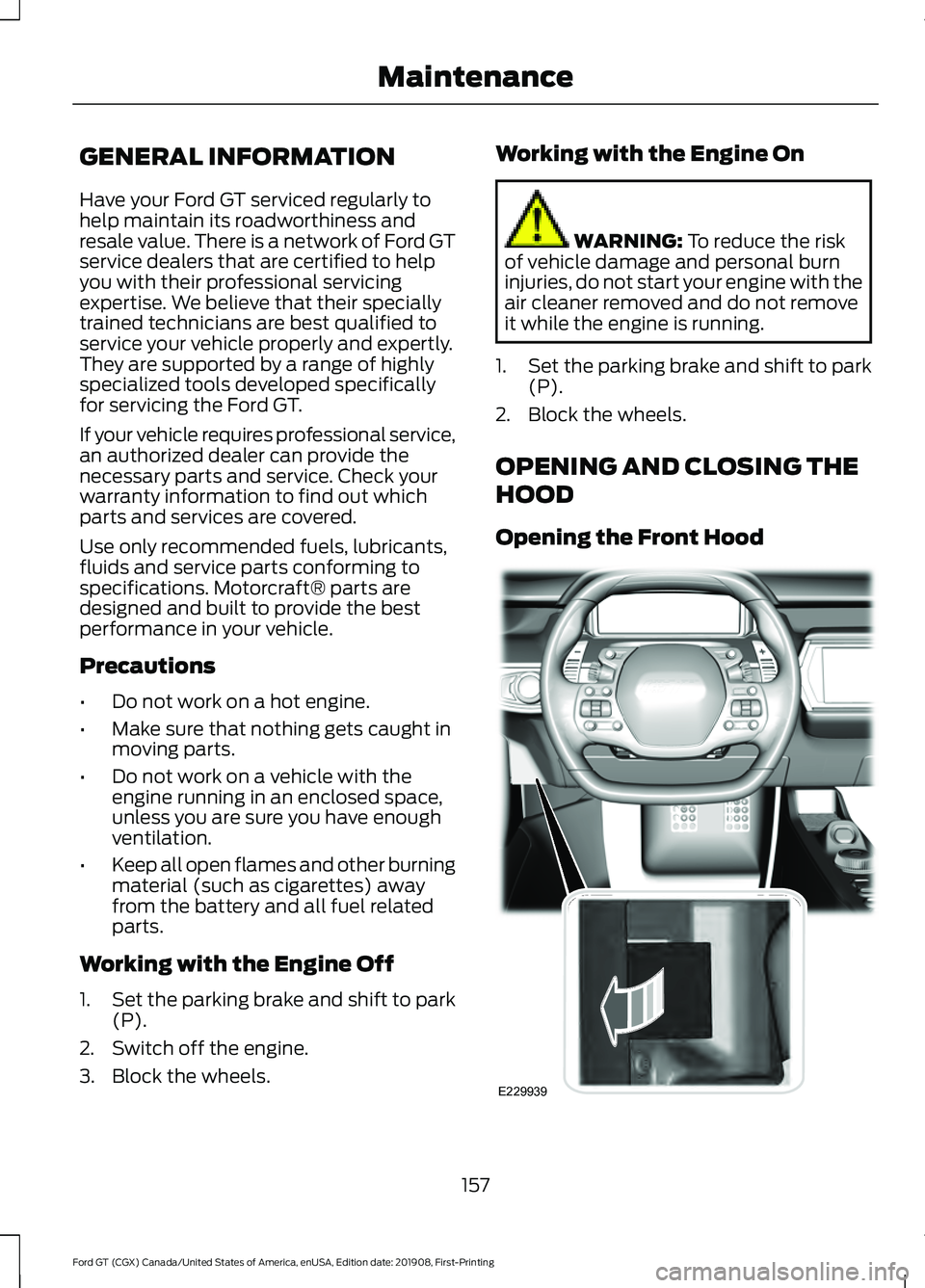
Opening the Front Hood 157
Ford GT (CGX) Canada/United States of America, enUSA, Edition date: 201908, First-Printing MaintenanceE229939
Page 163 of 316
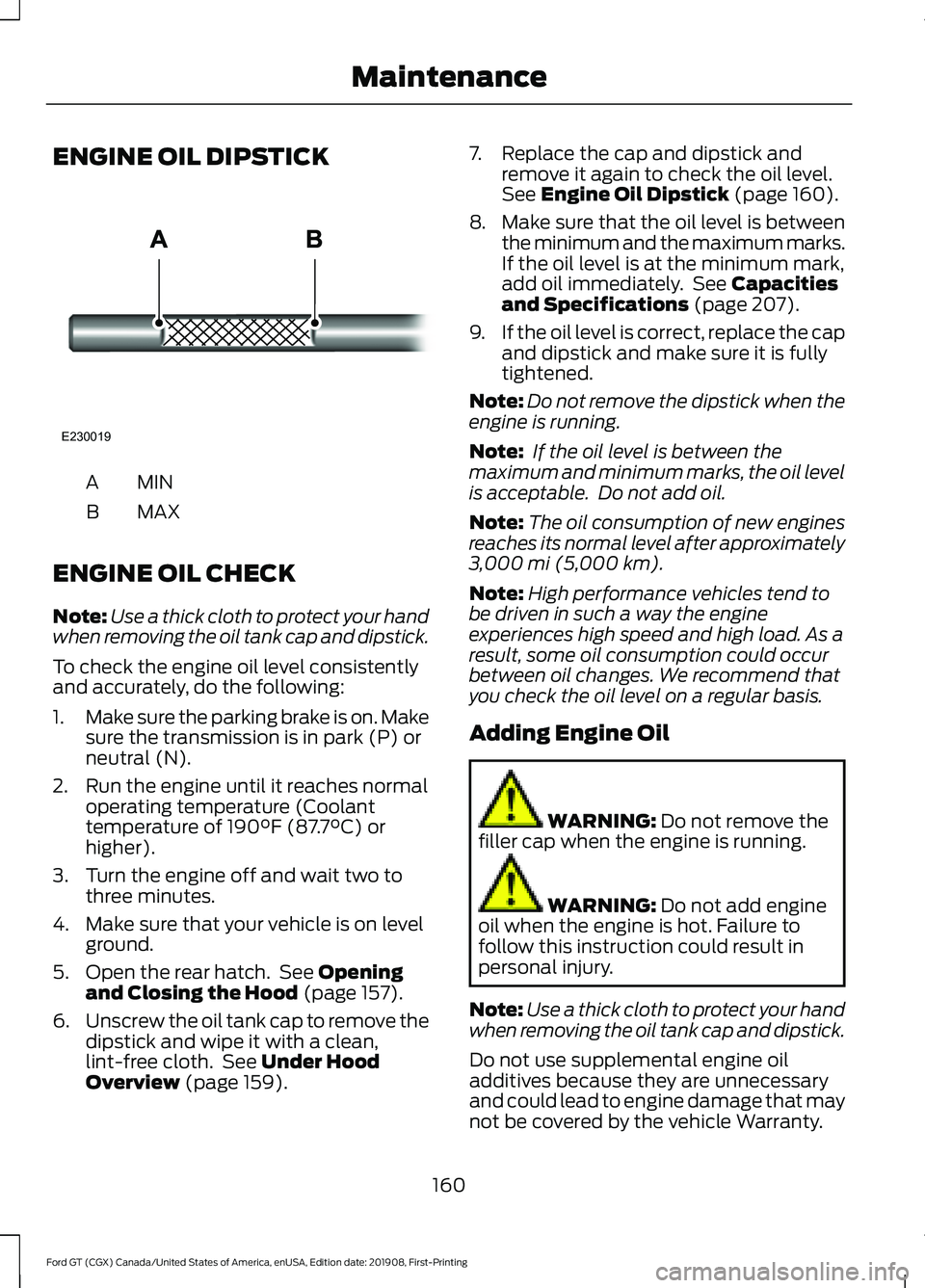
ENGINE OIL DIPSTICK
MINA
MAX
B
ENGINE OIL CHECK
Note: Use a thick cloth to protect your hand
when removing the oil tank cap and dipstick.
To check the engine oil level consistently
and accurately, do the following:
1. Make sure the parking brake is on. Make
sure the transmission is in park (P) or
neutral (N).
2. Run the engine until it reaches normal operating temperature (Coolant
temperature of 190°F (87.7°C) or
higher).
3. Turn the engine off and wait two to three minutes.
4. Make sure that your vehicle is on level ground.
5. Open the rear hatch. See
Opening
and Closing the Hood (page 157).
6. Unscrew the oil tank cap to remove the
dipstick and wipe it with a clean,
lint-free cloth. See
Under Hood
Overview (page 159). 7. Replace the cap and dipstick and
remove it again to check the oil level.
See
Engine Oil Dipstick (page 160).
8. Make sure that the oil level is between
the minimum and the maximum marks.
If the oil level is at the minimum mark,
add oil immediately. See
Capacities
and Specifications (page 207).
9. If the oil level is correct, replace the cap
and dipstick and make sure it is fully
tightened.
Note: Do not remove the dipstick when the
engine is running.
Note: If the oil level is between the
maximum and minimum marks, the oil level
is acceptable. Do not add oil.
Note: The oil consumption of new engines
reaches its normal level after approximately
3,000 mi (5,000 km)
.
Note: High performance vehicles tend to
be driven in such a way the engine
experiences high speed and high load. As a
result, some oil consumption could occur
between oil changes. We recommend that
you check the oil level on a regular basis.
Adding Engine Oil WARNING:
Do not remove the
filler cap when the engine is running. WARNING:
Do not add engine
oil when the engine is hot. Failure to
follow this instruction could result in
personal injury.
Note: Use a thick cloth to protect your hand
when removing the oil tank cap and dipstick.
Do not use supplemental engine oil
additives because they are unnecessary
and could lead to engine damage that may
not be covered by the vehicle Warranty.
160
Ford GT (CGX) Canada/United States of America, enUSA, Edition date: 201908, First-Printing MaintenanceE230019
Page 171 of 316
Because your vehicle
’s engine is
electronically controlled by a computer,
some control conditions are maintained
by power from the battery. When the
battery is disconnected or a new battery
is installed, the engine must relearn its idle
and fuel trim strategy for optimum
driveability and performance.
To restore the settings, do the following:
1. Apply the parking brake.
2. Shift into park (P) or neutral (N).
3. Switch off all accessories.
4. Press the brake pedal and start your vehicle.
5. Run the engine until it reaches normal operating temperature. As the engine
is warming up, complete the following:
Reset the clock. See Audio System
(page 218). Reset the radio station
presets. See Audio System (page 218).
6. Allow the engine to idle for at least one
minute.
7. Drive the vehicle at least 10 mi (16 km)
to completely relearn the idle trim and
fuel trim strategy.
Note: If you do not allow the engine to
relearn the idle and fuel trim strategy, the
idle quality of your vehicle may be adversely
affected until the engine computer
eventually relearns the idle trim and fuel
trim strategy.
Make sure that you dispose of old batteries
in an environmentally friendly way. Seek
advice from your local authority about
recycling old batteries.
Battery Charger and Maintainer
If you plan to have your GT parked or in
storage for more than two weeks without
driving it, connect the Li-Ion compatible
battery charger and maintainer provided.
There are two methods to connect the
charger: Method 1: Rear Hatch Storage
Compartment Power Point
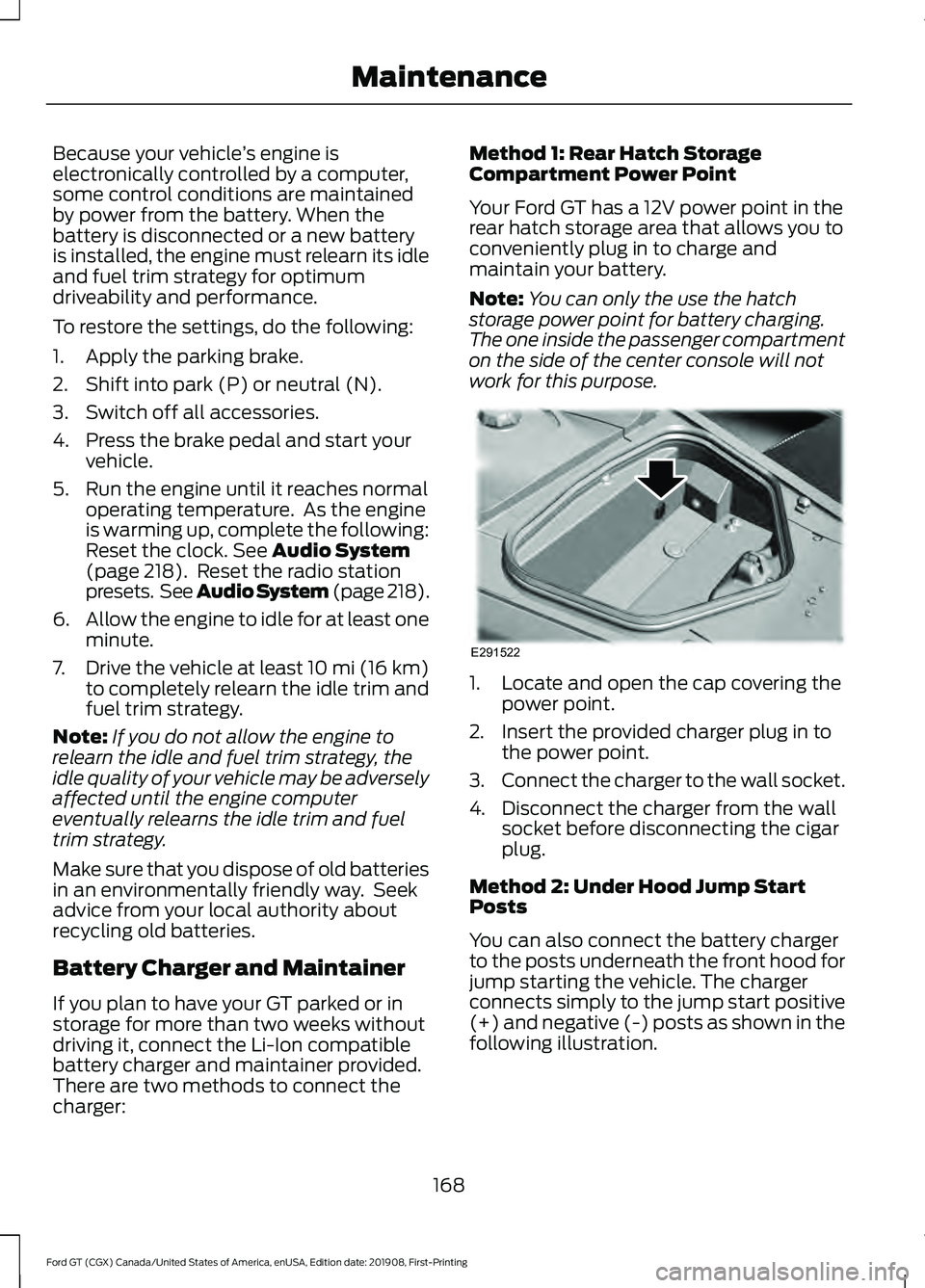
Your Ford GT has a 12V power point in the
rear hatch storage area that allows you to
conveniently plug in to charge and
maintain your battery.
Note:
You can only the use the hatch
storage power point for battery charging.
The one inside the passenger compartment
on the side of the center console will not
work for this purpose. 1. Locate and open the cap covering the
power point.
2. Insert the provided charger plug in to the power point.
3. Connect the charger to the wall socket.
4. Disconnect the charger from the wall socket before disconnecting the cigar
plug.
Method 2: Under Hood Jump Start
Posts
You can also connect the battery charger
to the posts underneath the front hood for
jump starting the vehicle. The charger
connects simply to the jump start positive
(+) and negative (-) posts as shown in the
following illustration.
168
Ford GT (CGX) Canada/United States of America, enUSA, Edition date: 201908, First-Printing MaintenanceE291522