service FORD GT 2020 User Guide
[x] Cancel search | Manufacturer: FORD, Model Year: 2020, Model line: GT, Model: FORD GT 2020Pages: 316, PDF Size: 6.25 MB
Page 39 of 316
PRINCIPLE OF OPERATION
WARNING: Airbags do not
inflate slowly or gently, and the risk of
injury from a deploying airbag is the
greatest close to the trim covering the
airbag module. WARNING: All occupants of your
vehicle, including the driver, should
always properly wear their seatbelts,
even when an airbag supplemental
restraint system is provided. Failure to
properly wear your seatbelt could
seriously increase the risk of injury or
death. WARNING:
Always use
appropriate child restraints. Failure to
follow this could seriously increase the
risk of injury or death. WARNING:
Never place your
arm over the airbag module as a
deploying airbag can result in serious arm
fractures or other injuries. WARNING:
Airbags can kill or
injure a child in a child restraint. Never
place a rear-facing child restraint in front
of an active airbag. WARNING:
Do not attempt to
service, repair, or modify the airbag
supplemental restraint systems or its
fuses as you could be seriously injured
or killed. Contact your authorized dealer
as soon as possible. WARNING:
Several airbag
system components get hot after
inflation. To reduce the risk of injury, do
not touch them after inflation. WARNING:
If the airbag has
deployed, the airbag will not function
again and must be replaced
immediately. If the airbag is not replaced,
the unrepaired area will increase the risk
of injury in a crash.
The airbags are a supplemental restraint
system and are designed to work with the
seatbelts to help protect the driver and
right front passenger from certain upper
body injuries. Airbags do not inflate slowly;
there is a risk of injury from a deploying
airbag.
Note: You will hear a loud bang and see a
cloud of harmless powdery residue if an
airbag deploys. This is normal.
The airbags inflate and deflate rapidly
upon activation. After airbag deployment,
it is normal to notice a smoke-like, powdery
residue or smell the burnt propellant. This
may consist of cornstarch, talcum powder
(to lubricate the bag) or sodium
compounds (for example, baking soda)
that result from the combustion process
that inflates the airbag. Small amounts of
sodium hydroxide may be present which
may irritate the skin and eyes, but none of
the residue is toxic.
Though the system is designed to help
reduce serious injuries, contact with a
deploying airbag may also cause abrasions
or swelling. Temporary hearing loss is also
a possibility as a result of the noise
associated with a deploying airbag.
Because airbags must inflate rapidly and
with considerable force, there is the risk of
death or serious injuries such as fractures,
36
Ford GT (CGX) Canada/United States of America, enUSA, Edition date: 201908, First-Printing Supplementary Restraints System
Page 43 of 316
If the airbag readiness light is lit, do the
following:
The driver and adult passenger should
check for objects interfering with the seat.
If there are objects interfering with the seat,
take the following steps to remove the
obstruction:
•
Pull the vehicle over.
• Switch the ignition off.
• Driver and adult passenger should
check for any objects interfering with
the seat.
• Remove the obstruction(s) (if found).
• Restart the vehicle.
• Wait at least two minutes and verify
that the airbag readiness light is no
longer illuminated.
• If the airbag readiness light remains
illuminated, this may or may not be a
problem due to the front passenger
sensing system.
Do not attempt to repair or service the
system. Take your vehicle immediately to
an authorized dealer.
If it is necessary to modify an advanced
front airbag system to accommodate a
person with disabilities, contact the Ford
GT Concierge.
SIDE AIRBAGS WARNING: To reduce risk of
injury, do not obstruct or place objects
in the deployment path of the airbag. WARNING:
Do not lean your
head on the door. The side airbag could
injure you as it deploys from the B-pillar. WARNING:
Do not attempt to
service, repair, or modify the airbag
supplemental restraint systems or its
fuses on a vehicle containing air bags as
you could be seriously injured or killed.
Contact your authorized dealer as soon
as possible. WARNING:
If the side airbag has
deployed, the airbag will not function
again. The side airbag system (including
the seat) must be inspected as soon as
possible. If the airbag is not replaced, the
unrepaired area will increase the risk of
injury in a crash.
The side airbags are near the B-pillar. In
certain sideways crashes, the airbag on the
side affected by the crash will be inflated.
The airbag was designed to inflate
between the door panel and occupant to
further enhance the protection provided
occupants in side impact crashes.
The system consists of the following:
• An embossed side panel indicating that
side airbags are on your vehicle.
• Side airbags near the B-pillar.
• Front passenger sensing system. ·Crash sensors and monitoring
system with readiness indicator.
See Crash Sensors and Airbag
Indicator
(page 41).
Note: The passenger sensing system will
deactivate the passenger side airbag (near
the B-pillar) if it detects an empty,
unbuckled passenger seat.
40
Ford GT (CGX) Canada/United States of America, enUSA, Edition date: 201908, First-Printing Supplementary Restraints SystemE67017
Page 45 of 316
If you experience any of these events, even
intermittently, have a qualified technician
service the supplemental restraint system
immediately. If it is not serviced, the
system may not function properly in a
crash.
The design of the seatbelt pretensioners
and the front airbag supplemental restraint
system is to activate when the vehicle
sustains frontal deceleration sufficient to
cause the restraints control module to
deploy a safety device.
If the seatbelt pretensioners or front
airbags do not activate for both front seat
occupants in a crash, it does not mean that
something is wrong with the system.
Rather, it means the restraints control
module determined the accident
conditions (crash severity, belt usage)
were not appropriate to activate these
safety devices.
•
The design of the front airbags is to
activate only in frontal and near-frontal
crashes (not rollovers, side impacts or
rear impacts unless the crash causes
sufficient frontal deceleration).
• The design of the seatbelt
pretensioners is to activate in frontal,
near-frontal and side crashes.
• The knee airbag(s) may deploy based
on crash severity and occupant
conditions.
• The design of the side airbags is to
inflate in certain side crashes. Side
airbags may activate in other types of
crashes if the vehicle experiences
sufficient sideways motion or
deformation.
AIRBAG DISPOSAL
Contact your authorized dealer as soon as
possible. Airbags must be disposed of by
qualified personnel.
42
Ford GT (CGX) Canada/United States of America, enUSA, Edition date: 201908, First-Printing Supplementary Restraints System
Page 46 of 316
WHAT IS 911 ASSIST
911 Assist is a SYNC system feature that
can call for help if you’re in an accident. If
a crash deploys an airbag (excluding knee
airbags and rear inflatable seatbelts [if
equipped]) or activates the fuel pump
shut-off, your SYNC-equipped vehicle may
be able to contact emergency services by
dialing 911 through a paired and connected
Bluetooth-enabled phone. You can learn
more about the 911 Assist feature, by
visiting:
Website
www.owner.ford.com
www.syncmyride.ca
www.syncmaroute.ca
Not all crashes will deploy an airbag or
activate the fuel pump shut-off (the
triggers for 911 Assist). If a connected cell
phone sustains damage or loses its
connection to SYNC during a crash, SYNC
will search for and try to connect to a
previously paired cell phone; SYNC will
then attempt to call the emergency
services.
Before making the call:
• SYNC provides a short window of time
(about 10 seconds) to cancel the call.
If you fail to cancel the call, SYNC
attempts to dial 911.
• SYNC says the following, or a similar
message: "SYNC will attempt to call
911, to cancel the call, press Cancel on
your screen or press and hold the
phone button on your steering wheel." If you do not cancel the call, and SYNC
makes a successful call, a pre-recorded
message plays for the 911 operator, and
then the occupant(s) in your vehicle is able
to talk with the operator. Be prepared to
provide your name, phone number and
location immediately, because not all 911
systems are capable of receiving this
information electronically.
During an emergency call, the system
transmits vehicle data to the emergency
service. See Data Recording (page 7).
EMERGENCY CALL
REQUIREMENTS WARNING:
Do not wait for 911
Assist to make an emergency call if you
can do it yourself. Dial emergency
services immediately to avoid delayed
response time which could increase the
risk of serious injury or death after a
crash. If you do not hear 911 Assist within
five seconds of the crash, the system or
phone may be damaged or
non-functional. WARNING:
Always place your
phone in a secure location in your vehicle
so it does not become a projectile or get
damaged in a crash. Failure to do so may
cause serious injury to someone or
damage the phone which could prevent
911 Assist from working properly. WARNING: Unless the 911 Assist
setting is set on before a crash, the
system will not dial for help which could
delay response time, potentially
increasing the risk of serious injury or
death after a crash.
43
Ford GT (CGX) Canada/United States of America, enUSA, Edition date: 201908, First-Printing 911 Assist
Page 57 of 316
PASSIVE ANTI-THEFT
SYSTEM
Note:
The system is not compatible with
non-Ford aftermarket remote start systems.
Use of these systems may result in vehicle
starting problems and a loss of security
protection.
Note: Metallic objects, electronic devices
or a second coded key on the same key
chain may cause vehicle starting problems
if they are too close to the key when starting
your vehicle. Prevent these objects from
touching the coded key while starting your
vehicle. Switch the ignition off, move all
objects on the key chain away from the
coded key and restart your vehicle if a
problem occurs.
Note: Do not leave a duplicate coded key
in your vehicle. Always take your keys and
lock all doors when leaving your vehicle.
SecuriLock
The system helps prevent your vehicle
from starting unless you use a coded key
programmed to your vehicle. Using the
wrong key may prevent your vehicle from
starting. A message may appear in the
information display.
If you are unable to start your vehicle with
a correctly coded key, it is not operating
properly. A message may appear in the
information display.
Automatic Arming
Your vehicle arms immediately after
switching the ignition off.
Automatic Disarming
Switching the ignition on with a coded key
disarms your vehicle. Replacement Keys
Note:
Your vehicle comes equipped with
two intelligent access keys.
The intelligent access key functions as a
programmed key that operates the driver
door lock and activates the intelligent
access with push button start system, as
well as a remote control.
If your programmed transmitters are lost
or stolen and you do not have an extra
coded key, contact the Ford GT concierge
to have your Ford GT transported to your
Certified Ford GT Service Dealership to
erase the key codes from your vehicle and
program new coded keys. See About This
Manual (page 5).
Store an extra programmed key away from
your vehicle in a safe place to help prevent
any inconveniences. See your authorized
dealer to purchase additional spare or
replacement keys.
Programming a Spare Intelligent
Access Key
Note: You can program a maximum of four
intelligent access keys to your vehicle.
You must have two previously
programmed intelligent access keys inside
your vehicle and the new unprogrammed
intelligent access keys readily accessible.
See an authorized dealer to have the spare
key programmed if two previously
programmed keys are not available.
Make sure that your vehicle is off before
beginning this procedure. Make sure that
you close all the doors before beginning
and that they remain closed throughout
the procedure. Perform all steps within 30
seconds of starting the sequence. Stop
and wait for at least one minute before
starting again if you perform any steps out
of sequence.
Read and understand the entire procedure
before you begin.
54
Ford GT (CGX) Canada/United States of America, enUSA, Edition date: 201908, First-Printing Security
Page 71 of 316
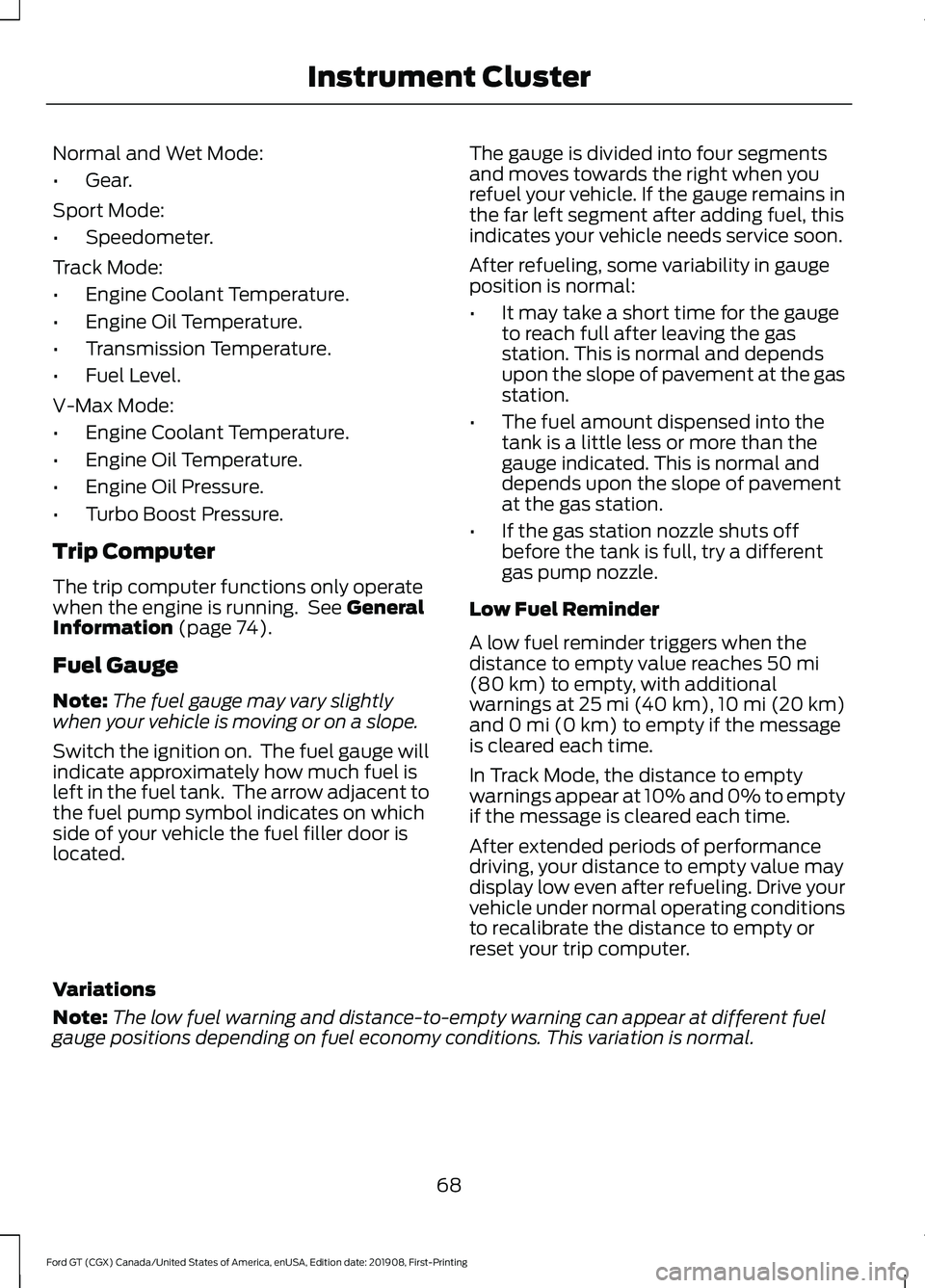
Normal and Wet Mode:
•
Gear.
Sport Mode:
• Speedometer.
Track Mode:
• Engine Coolant Temperature.
• Engine Oil Temperature.
• Transmission Temperature.
• Fuel Level.
V-Max Mode:
• Engine Coolant Temperature.
• Engine Oil Temperature.
• Engine Oil Pressure.
• Turbo Boost Pressure.
Trip Computer
The trip computer functions only operate
when the engine is running. See General
Information (page 74).
Fuel Gauge
Note: The fuel gauge may vary slightly
when your vehicle is moving or on a slope.
Switch the ignition on. The fuel gauge will
indicate approximately how much fuel is
left in the fuel tank. The arrow adjacent to
the fuel pump symbol indicates on which
side of your vehicle the fuel filler door is
located. The gauge is divided into four segments
and moves towards the right when you
refuel your vehicle. If the gauge remains in
the far left segment after adding fuel, this
indicates your vehicle needs service soon.
After refueling, some variability in gauge
position is normal:
•
It may take a short time for the gauge
to reach full after leaving the gas
station. This is normal and depends
upon the slope of pavement at the gas
station.
• The fuel amount dispensed into the
tank is a little less or more than the
gauge indicated. This is normal and
depends upon the slope of pavement
at the gas station.
• If the gas station nozzle shuts off
before the tank is full, try a different
gas pump nozzle.
Low Fuel Reminder
A low fuel reminder triggers when the
distance to empty value reaches
50 mi
(80 km) to empty, with additional
warnings at 25 mi (40 km), 10 mi (20 km)
and 0 mi (0 km) to empty if the message
is cleared each time.
In Track Mode, the distance to empty
warnings appear at 10% and 0% to empty
if the message is cleared each time.
After extended periods of performance
driving, your distance to empty value may
display low even after refueling. Drive your
vehicle under normal operating conditions
to recalibrate the distance to empty or
reset your trip computer.
Variations
Note: The low fuel warning and distance-to-empty warning can appear at different fuel
gauge positions depending on fuel economy conditions. This variation is normal.
68
Ford GT (CGX) Canada/United States of America, enUSA, Edition date: 201908, First-Printing Instrument Cluster
Page 75 of 316
It will also illuminate momentarily when
you switch the ignition on to confirm the
lamp is functional. If it does not illuminate
when you switch the ignition on, or begins
to flash at any time, have the system
checked by your authorized dealer.
Parking Lamps
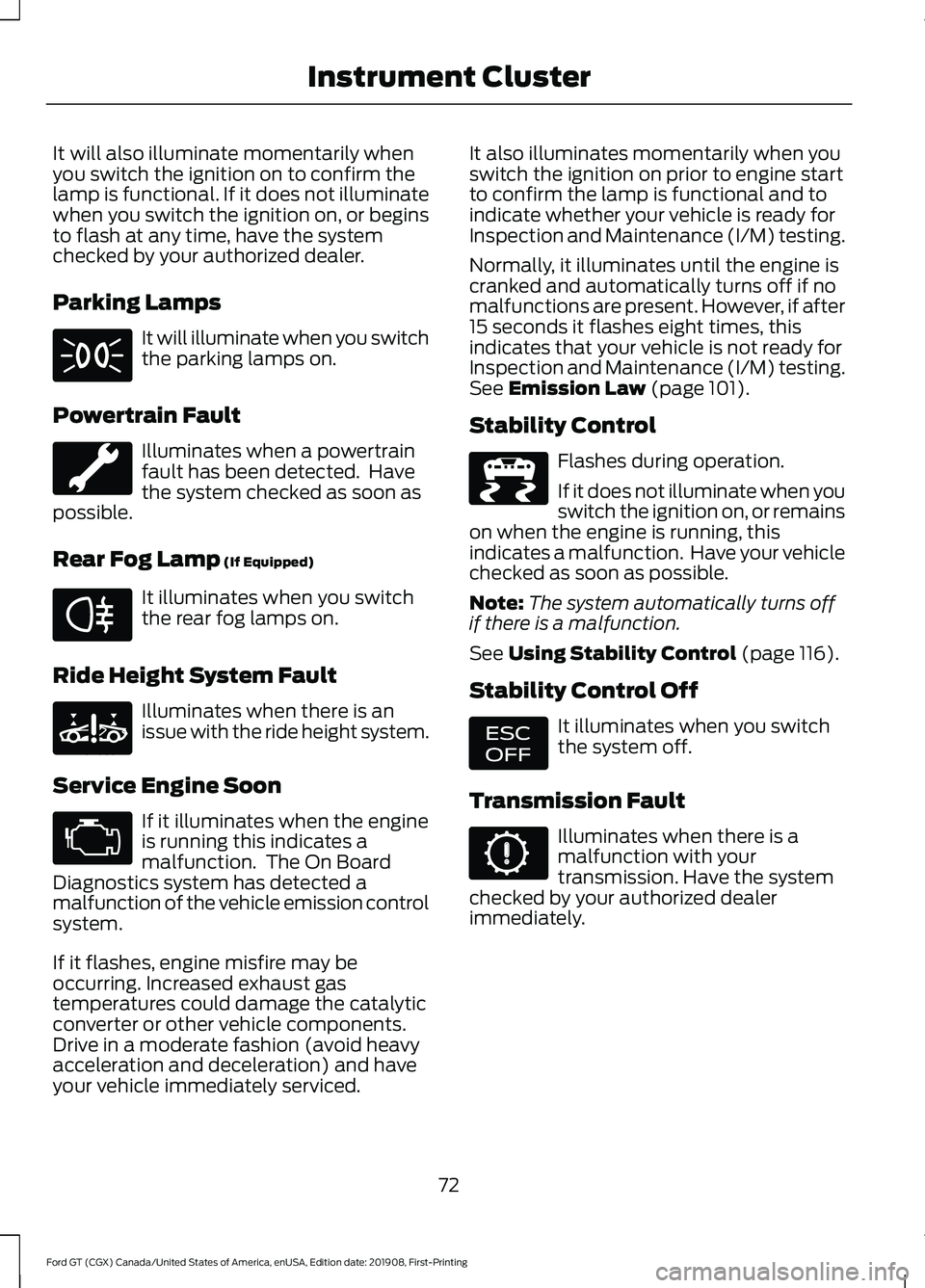
It will illuminate when you switch
the parking lamps on.
Powertrain Fault Illuminates when a powertrain
fault has been detected. Have
the system checked as soon as
possible.
Rear Fog Lamp (If Equipped) It illuminates when you switch
the rear fog lamps on.
Ride Height System Fault Illuminates when there is an
issue with the ride height system.
Service Engine Soon If it illuminates when the engine
is running this indicates a
malfunction. The On Board
Diagnostics system has detected a
malfunction of the vehicle emission control
system.
If it flashes, engine misfire may be
occurring. Increased exhaust gas
temperatures could damage the catalytic
converter or other vehicle components.
Drive in a moderate fashion (avoid heavy
acceleration and deceleration) and have
your vehicle immediately serviced. It also illuminates momentarily when you
switch the ignition on prior to engine start
to confirm the lamp is functional and to
indicate whether your vehicle is ready for
Inspection and Maintenance (I/M) testing.
Normally, it illuminates until the engine is
cranked and automatically turns off if no
malfunctions are present. However, if after
15 seconds it flashes eight times, this
indicates that your vehicle is not ready for
Inspection and Maintenance (I/M) testing.
See
Emission Law (page 101).
Stability Control Flashes during operation.
If it does not illuminate when you
switch the ignition on, or remains
on when the engine is running, this
indicates a malfunction. Have your vehicle
checked as soon as possible.
Note: The system automatically turns off
if there is a malfunction.
See
Using Stability Control (page 116).
Stability Control Off It illuminates when you switch
the system off.
Transmission Fault Illuminates when there is a
malfunction with your
transmission. Have the system
checked by your authorized dealer
immediately.
72
Ford GT (CGX) Canada/United States of America, enUSA, Edition date: 201908, First-Printing Instrument Cluster E67040 E234585 E236447 E236448
Page 80 of 316
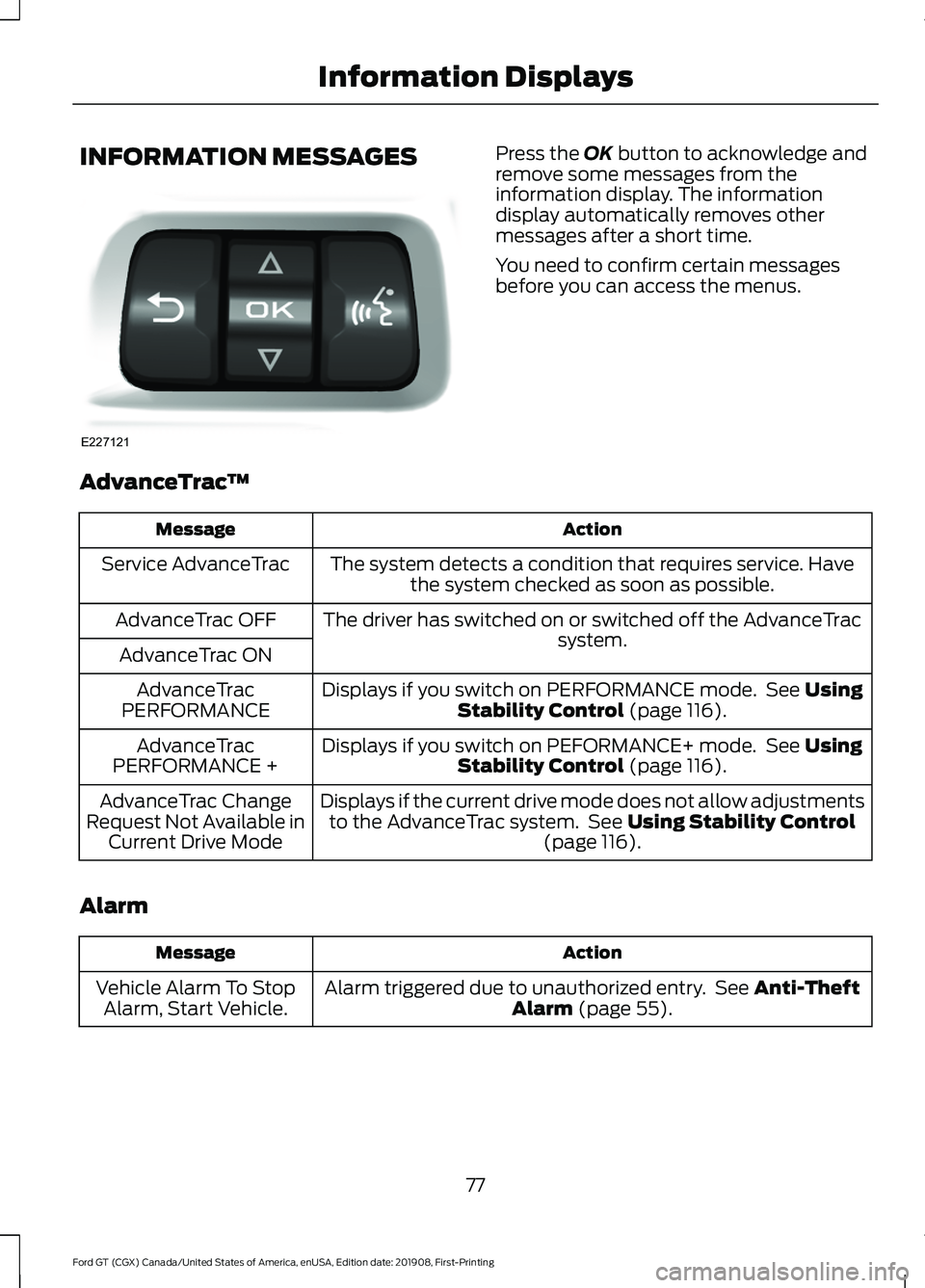
INFORMATION MESSAGES Press the OK button to acknowledge and
remove some messages from the
information display. The information
display automatically removes other
messages after a short time.
You need to confirm certain messages
before you can access the menus.
AdvanceTrac ™ Action
Message
The system detects a condition that requires service. Havethe system checked as soon as possible.
Service AdvanceTrac
The driver has switched on or switched off the AdvanceTrac system.
AdvanceTrac OFF
AdvanceTrac ON Displays if you switch on PERFORMANCE mode. See
Using
Stability Control (page 116).
AdvanceTrac
PERFORMANCE
Displays if you switch on PEFORMANCE+ mode. See
Using
Stability Control (page 116).
AdvanceTrac
PERFORMANCE +
Displays if the current drive mode does not allow adjustmentsto the AdvanceTrac system. See
Using Stability Control
(page 116).
AdvanceTrac Change
Request Not Available in Current Drive Mode
Alarm Action
Message
Alarm triggered due to unauthorized entry. See
Anti-Theft
Alarm (page 55).
Vehicle Alarm To Stop
Alarm, Start Vehicle.
77
Ford GT (CGX) Canada/United States of America, enUSA, Edition date: 201908, First-Printing Information DisplaysE227121
Page 81 of 316
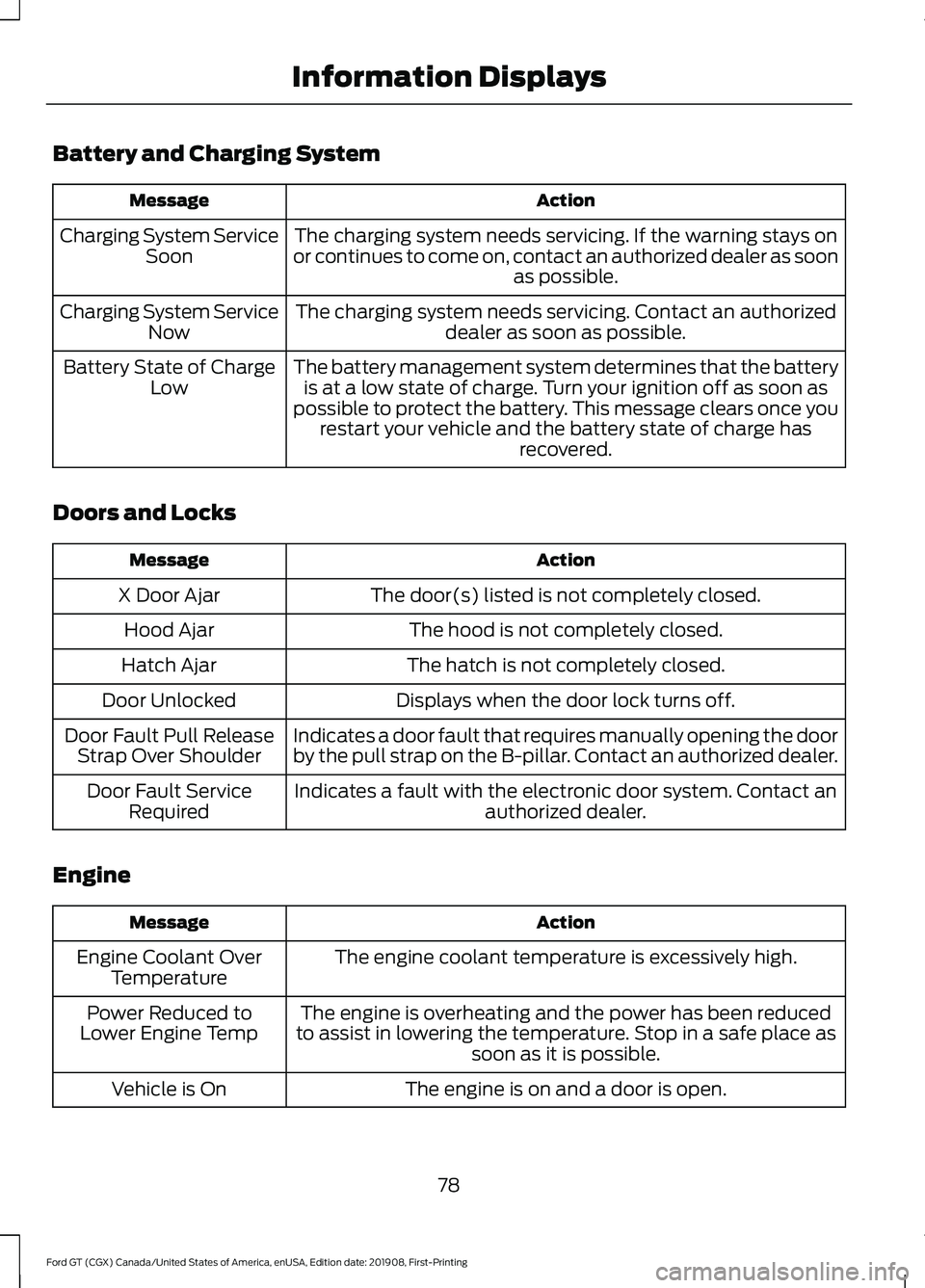
Battery and Charging System
Action
Message
The charging system needs servicing. If the warning stays on
or continues to come on, contact an authorized dealer as soon as possible.
Charging System Service
Soon
The charging system needs servicing. Contact an authorized dealer as soon as possible.
Charging System Service
Now
The battery management system determines that the batteryis at a low state of charge. Turn your ignition off as soon as
possible to protect the battery. This message clears once you restart your vehicle and the battery state of charge has recovered.
Battery State of Charge
Low
Doors and Locks Action
Message
The door(s) listed is not completely closed.
X Door Ajar
The hood is not completely closed.
Hood Ajar
The hatch is not completely closed.
Hatch Ajar
Displays when the door lock turns off.
Door Unlocked
Indicates a door fault that requires manually opening the door
by the pull strap on the B-pillar. Contact an authorized dealer.
Door Fault Pull Release
Strap Over Shoulder
Indicates a fault with the electronic door system. Contact anauthorized dealer.
Door Fault Service
Required
Engine Action
Message
The engine coolant temperature is excessively high.
Engine Coolant Over
Temperature
The engine is overheating and the power has been reduced
to assist in lowering the temperature. Stop in a safe place as soon as it is possible.
Power Reduced to
Lower Engine Temp
The engine is on and a door is open.
Vehicle is On
78
Ford GT (CGX) Canada/United States of America, enUSA, Edition date: 201908, First-Printing Information Displays
Page 83 of 316
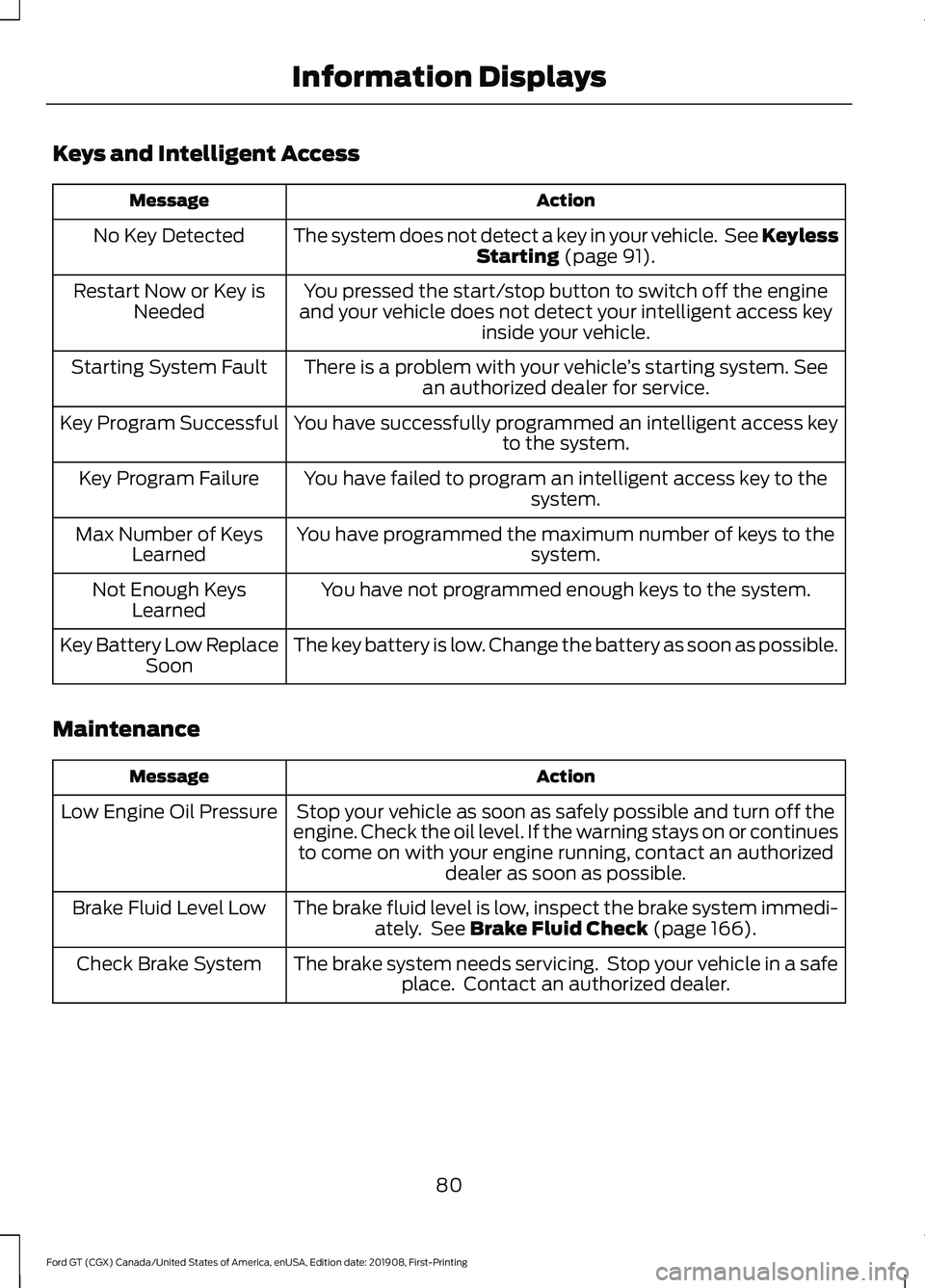
Keys and Intelligent Access
Action
Message
The system does not detect a key in your vehicle. See Keyless Starting (page 91).
No Key Detected
You pressed the start/stop button to switch off the engine
and your vehicle does not detect your intelligent access key inside your vehicle.
Restart Now or Key is
Needed
There is a problem with your vehicle ’s starting system. See
an authorized dealer for service.
Starting System Fault
You have successfully programmed an intelligent access keyto the system.
Key Program Successful
You have failed to program an intelligent access key to thesystem.
Key Program Failure
You have programmed the maximum number of keys to the system.
Max Number of Keys
Learned
You have not programmed enough keys to the system.
Not Enough Keys
Learned
The key battery is low. Change the battery as soon as possible.
Key Battery Low Replace
Soon
Maintenance Action
Message
Stop your vehicle as soon as safely possible and turn off the
engine. Check the oil level. If the warning stays on or continues to come on with your engine running, contact an authorized dealer as soon as possible.
Low Engine Oil Pressure
The brake fluid level is low, inspect the brake system immedi-ately. See
Brake Fluid Check (page 166).
Brake Fluid Level Low
The brake system needs servicing. Stop your vehicle in a safeplace. Contact an authorized dealer.
Check Brake System
80
Ford GT (CGX) Canada/United States of America, enUSA, Edition date: 201908, First-Printing Information Displays