Low level FORD KUGA 2010 1.G User Guide
[x] Cancel search | Manufacturer: FORD, Model Year: 2010, Model line: KUGA, Model: FORD KUGA 2010 1.GPages: 226, PDF Size: 8.07 MB
Page 151 of 226
BRAKE AND CLUTCH FLUID
CHECK
WARNINGS
Do not allow the fluid to touch your
skin or eyes. If this happens, rinse
the affected areas immediately with
plenty of water and contact your doctor. If the level is at the
MINmark, have
the system checked by a properly
trained technician as soon as
possible. Note:The brake and the clutch systems
are supplied from the same reservoir.
Top up with fluid that meets the Ford
specification. See Technical
specifications (page 150).
POWER STEERING FLUID
CHECK WARNING
Do not allow the fluid to touch your
skin or eyes. If this happens, rinse
the affected areas immediately with
plenty of water and contact your doctor. CAUTION
Make sure that the level is between
the
MIN and the MAXmarks. If the level is at the
MINmark, top up
immediately.
Topping up
Remove the filler cap. CAUTION
Do not top up further than the
MAX
mark. Top up with fluid that meets the Ford
specification. See
Technical
specifications (page 150).
WASHER FLUID CHECK
The front and rear washer systems are
supplied from the same reservoir.
149
Maintenance
Page 152 of 226
TECHNICAL SPECIFICATIONS
Vehicle fluids
Specification
Recommended fluid
Item
WSS-M2C913-C
Castrol Engine Oil *
Engine oil
WSS-M2C204-A2
Ford or Motorcraft Power
Steering Fluid
Power steering fluid
WSS-M97B44-D
Motorcraft SuperPlus Anti-
freeze
Coolant
ESD-M6C57-A
Ford or Motorcraft Super
DOT 4 Brake Fluid
Brake fluid
* Providing it meets the specification defined by WSS-M2C913-C, you can also use
Ford Engine Oil or an alternative engine oil.
Note:If you operate your vehicle in temperatures below -20°C (-4°F), you must not
use SAE 10W-40 engine oil.
Topping up the oil: If you are unable to find an oil that meets the specification defined
by WSS-M2C913-C, you must use SAE 5W-30(preferred),SAE 5W-40 (except
vehicles with E85 fuel) or SAE 10W-40that meets the specification defined by either
ACEA A1/B1 (preferred) orACEA A3/B3. Using these oils can result in longer engine
cranking periods, reduced engine performance, reduced fuel economy and increased
emission levels.
Castrol engine oil recommended. Capacities
Capacity in litres (gallons)
Item
Variant
MAX mark
Power assisted steering
fluid
All
approx. 8.6 (1.9)
Engine cooling system
All
4.0 (0.9)
Windscreen washer system
All
65 (14.3)
Fuel tank
2.0L Duratorq-TDCi
66 (14.5)
Fuel tank
2.5L Duratec
150
MaintenanceE115472
Page 164 of 226
•
Park your vehicle at the roadside so
that you do not obstruct the flow of
traffic and so that you are able to use
the kit without being in danger.
• Apply the parking brake, even if you
have parked on a level road, to make
sure that the vehicle will not move.
• Do not attempt to remove foreign
objects like nails or screws penetrating
the tyre.
• Leave the engine running while the kit
is in use, but not if the vehicle is in an
enclosed or poorly ventilated area (for
example, inside a building). In these
circumstances, switch the
compressor on with the engine turned
off.
• Replace the sealant bottle with a new
one before the expiry date (see top
of bottle) is reached.
• Inform all other users of the vehicle
that the tyre has been temporarily
sealed with the tyre repair kit and
make them aware of the special
driving conditions to be observed.
Inflating the tyre WARNINGS
Check the sidewall of the tyre prior
to inflation. If there are any cracks,
bumps or similar damage, do not
attempt to inflate the tyre. Do not stand directly beside the tyre
while the compressor is pumping.
Watch the sidewall of the tyre. If any
cracks, bumps or similar damage
appear, turn off the compressor and
let the air out by means of the pressure
relief valve B. Do not continue driving with
this tyre. WARNINGS
The sealant contains natural rubber
latex. Avoid contact with skin and
clothing. If this happens, rinse the
affected areas immediately with plenty of
water and contact your doctor. If the tyre inflation pressure does not
reach 1.8 bar (26 psi) within seven
minutes, the tyre may have suffered
excessive damage, making a temporary
repair impossible. In this case, do not
continue driving with this tyre. CAUTION
Screwing the bottle onto the bottle
holder will pierce the seal of the
bottle. Do not unscrew the bottle
from the holder as the sealant will escape. 162
Wheels and tyres
Page 184 of 226
PRINCIPLE OF OPERATION
CAUTION
Using the system with the engine off
will drain the battery.
Voice recognition enables operation of
the system without the need to divert your
attention from the road ahead in order to
change settings, or receive feedback
from the system.
Whenever you issue one of the defined
commands with the system active, the
voice recognition system converts your
command into a control signal for the
system. Your inputs take the form of
dialogues or commands. You are guided
through these dialogues by
announcements or questions.
Please familiarise yourself with the
functions of the system before using voice
recognition.
Supported commands
The voice control system allows you to
control the following vehicle functions:
•
Bluetooth phone
• radio
• CD Player/CD Changer
• external device (USB)
• external device (iPod)
• automatic climate control
• navigation system (DVD units only -
refer to separate DVD navigation
handbook).
System response
As you work through a voice session the
system will prompt you with a beep tone
each time the system is ready to proceed. Do not try to give any commands until the
beep tone has been heard. The voice
control system will repeat each spoken
command back to you.
If you are not sure how to continue say
"HELP" for assistance or "CANCEL" if you
do not wish to continue.
The "HELP" function provides only a
subset of the available voice commands.
Detailed explanations of all possible voice
commands can be found on the following
pages.
Voice commands
All voice commands should be given using
a natural speaking voice, as if speaking to
a passenger or on the phone. Your voice
level should be dependant on the
surrounding noise level inside or outside
the vehicle but do not shout.
USING VOICE CONTROL
System operation
The order and content of the voice
controls are given in the following lists. The
tables show the sequence of user voice
commands and system responses for
each available function.
<>
indicates a number or stored name tag
to be inserted by the user.
Short cuts
There are a number of voice command
short cuts available, which allow you to
control some vehicle features without
having to follow the complete command
menu. These are:
• phone: "MOBILE NAME", "DIAL
NUMBER", "DIAL NAME", and
"REDIAL"
• CD player/CD changer: "DISC" and
"TRACK"
182
Voice control
Page 202 of 226
GENERAL INFORMATION
CAUTIONS
Take care when handling external
devices with exposed electrical
connectors (such as the USB plug).
Always replace the protective cap/shield
when possible. There may be a risk of
electrostatic discharge causing damage
to the device. Do not touch or handle the USB
socket in the vehicle. Cover the
socket when not in use.
Only use USB Mass-Storage device
compliant devices.
Always switch your audio unit to a
different source (for example the
radio) before unplugging the USB
device. Do not install or connect USB hubs
or splitters.
Note:The system is only designed to
recognize and read suitable audio files from a USB device that conforms to theUSB Mass-Storage device class or aniPod. Not all available USB devices can beguaranteed to function with the system.
Note:It is possible to connect compatible
devices with a trailing USB lead as well as those that plug into the vehicle USBsocket directly (for example USB memorysticks and pen drives).
Note:Some USB devices with a higher
power consumption may not be compatible (for example some larger harddrives).
Note:Access time to read the files on
the external device will vary depending upon factors such as the file structure,size and device content.
The system supports a range of external
devices, to fully integrate with your audio
unit via the USB and auxiliary input
sockets. Once connected, control of the
external device is possible via the audio
unit.
A list of typical compatible devices are
shown below:
• USB memory sticks
• USB portable hard drives
• MP3 players with USB connection
• iPod media players (refer to
www.ford-mobile
-connectivity.com
for latest
compatibility list).
The system is USB 2.0 full speed
compatible, USB 1.1 host compliant and
supports FAT 16/32 file systems.
Information on audio file
structures for external devices
USB
Create only a single partition on the USB
device.
If playlists are created, they must contain
correct file paths referenced to the USB
device. It is recommended to create the
playlist after the audio files have been
transferred to the USB device.
Playlists must be created in .m3u format.
Audio files must be in .mp3 format.
Do not exceed the following limits:
• 1000 items per folder (files, folders and
playlists)
• 5000 folders per USB device
(including playlists)
• 8 subfolder levels.
200
Connectivity
Page 204 of 226
Bonding the device
Note:Some audio and navigation units
have a separate Bluetooth audio menu. Use this to access setup and control.
To connect the device to the system
follow the same procedure as for
Bluetooth hands free phones. See
Bluetooth setup (page 176).
Operating the device
Select Bluetooth audio as the active
source.
Tracks can be accessed by skipping
forwards and backwards using the
steering wheel controls, or directly from
the audio unit controls.
USING A USB DEVICE
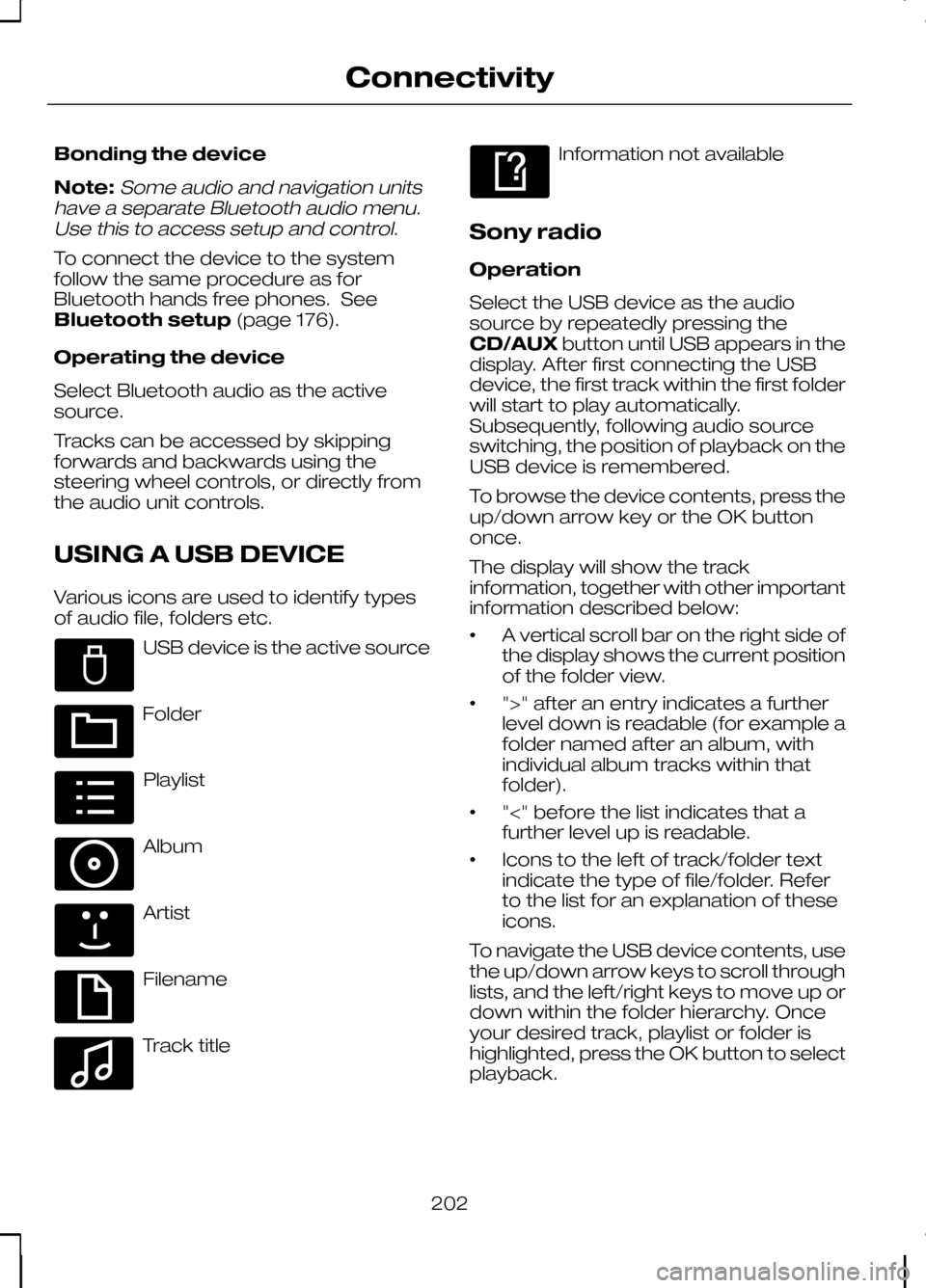
Various icons are used to identify types
of audio file, folders etc. USB device is the active source
Folder
Playlist
Album
Artist
Filename
Track title Information not available
Sony radio
Operation
Select the USB device as the audio
source by repeatedly pressing the
CD/AUX button until USB appears in the
display. After first connecting the USB
device, the first track within the first folder
will start to play automatically.
Subsequently, following audio source
switching, the position of playback on the
USB device is remembered.
To browse the device contents, press the
up/down arrow key or the OK button
once.
The display will show the track
information, together with other important
information described below:
• A vertical scroll bar on the right side of
the display shows the current position
of the folder view.
• ">" after an entry indicates a further
level down is readable (for example a
folder named after an album, with
individual album tracks within that
folder).
• "<" before the list indicates that a
further level up is readable.
• Icons to the left of track/folder text
indicate the type of file/folder. Refer
to the list for an explanation of these
icons.
To navigate the USB device contents, use
the up/down arrow keys to scroll through
lists, and the left/right keys to move up or
down within the folder hierarchy. Once
your desired track, playlist or folder is
highlighted, press the OK button to select
playback.
202
ConnectivityE100029 E100022 E100023 E100024 E100025 E100026 E100027 E100028
Page 205 of 226
Note:If you wish to jump to the top level
of the USB device contents, press and hold the left arrow key.
Audio control
Press the left and right arrow keys to skip
backwards and forwards through tracks.
Press and hold the left/right arrow keys
to enable fast rewind/fast forward through
track content.
Press the up/down arrow key or the OK
button to browse the device contents.
Press the MENU key to enter the USB
menu. It is possible to enable shuffle and
repeat functions here with respect to
folders and playlists.
Press the SCAN button to scan the whole
device, current folder or a playlist if it is in
operation.
Press the INFObutton to display the
following:
• filename
• title
• artist
• album
• track number and playing time.
Repeated button presses will scroll
through these displays.
CD Navigation units
Operation
Select the USB device as the audio
source by pressing the CD/AUXbutton
until DEVICES appears in the display.
Select DEVICES and then select USB from
the available device list. After first
connecting the USB device, the first track
within the first folder will start to play
automatically. Subsequently, following
audio source switching, the position of
playback on the USB device is
remembered. To browse the device contents, press the
SELECT
button once.
The display will show the track
information, together with other important
information described below:
• A vertical scroll bar on the right side of
the display shows the current position
of the folder view.
• ">" after an entry indicates a further
level down is readable (for example a
folder named after an album, with
individual album tracks within that
folder).
• "<" to the left hand side of the display
indicates that a further level up is
readable.
• Icons to the left of track/folder text
indicate the type of file/folder. Refer
to the list for an explanation of these
icons.
To navigate the USB device contents, use
the rotary scroll/select button to browse
through lists. Push the button to expand
the contents within the highlighted playlist
or folder, or to commence playback of a
particular track. Press ESCto go up one
level.
Audio control
Press the SEEKup and down keys to
skip backwards and forwards through
tracks.
Press and hold the SEEKkeys to enable
fast rewind/fast forward through track
content.
Rotate or press the SELECTbutton to
browse the device contents.
Press SHUFFLE or REPEAT buttons to
enable shuffle and repeat functions with
respect to folders and playlists. Different
options may appear depending upon
whether or not a playlist is in operation.
203
Connectivity
Page 206 of 226
Press the SCAN button to scan the
current playlist if it is in operation, or the
complete USB device or folder.
Press the
INFObutton to display the
following:
• filename
• title
• artist
• album
• track number and playing time.
DVD Navigation units
Operation
Select the USB device as the audio
source by pressing the CD/AUXbutton
until the USB button appears to the left of
the display. Select USB from the available
device list.
Note:Some devices may be shown but
not selectable, depending if the device is connected or not.
After first connecting the USB device, the
first track within the first folder will start to
play automatically. Subsequently, following
audio source switching, the position of
playback on the USB device is
remembered.
To browse the device contents, press the
scroll up or down arrow button.
The display will show the track
information, together with other important
information described below:
• A vertical scroll bar on the right side of
the display shows the current position
of the folder view.
• ">" after an entry indicates a further
level down is readable (for example a
folder named after an album, with
individual album tracks within that
folder). •
"<" to the left hand side of the display
indicates that a further level up is
readable.
• Icons to the left of track/folder text
indicate the type of file/folder. Refer
to the list for an explanation of these
icons.
To navigate the USB device contents, use
the scroll buttons to browse through lists.
Push the button to expand the contents
within the highlighted playlist or folder, or
to commence playback of a particular
track. Press the left arrow key to go up
one level.
Audio control
Press the SEEKup and down keys to
skip backwards and forwards through
tracks.
Press and hold the SEEKkeys to enable
fast rewind/fast forward through track
content.
Press the scroll bar arrow keys to browse
the device contents.
Press SHUFFLE or REPEAT buttons to
enable shuffle and repeat functions with
respect to folders and playlists.
Press the SCAN button to scan the
current playlist if it is in operation, or the
complete USB device or folder.
Press the INFObutton to display the
following:
• filename
• title
• artist
• album
• track number and playing time.
USING AN IPOD
Various icons are used to identify types
of audio file, folders etc.
204
Connectivity
Page 207 of 226
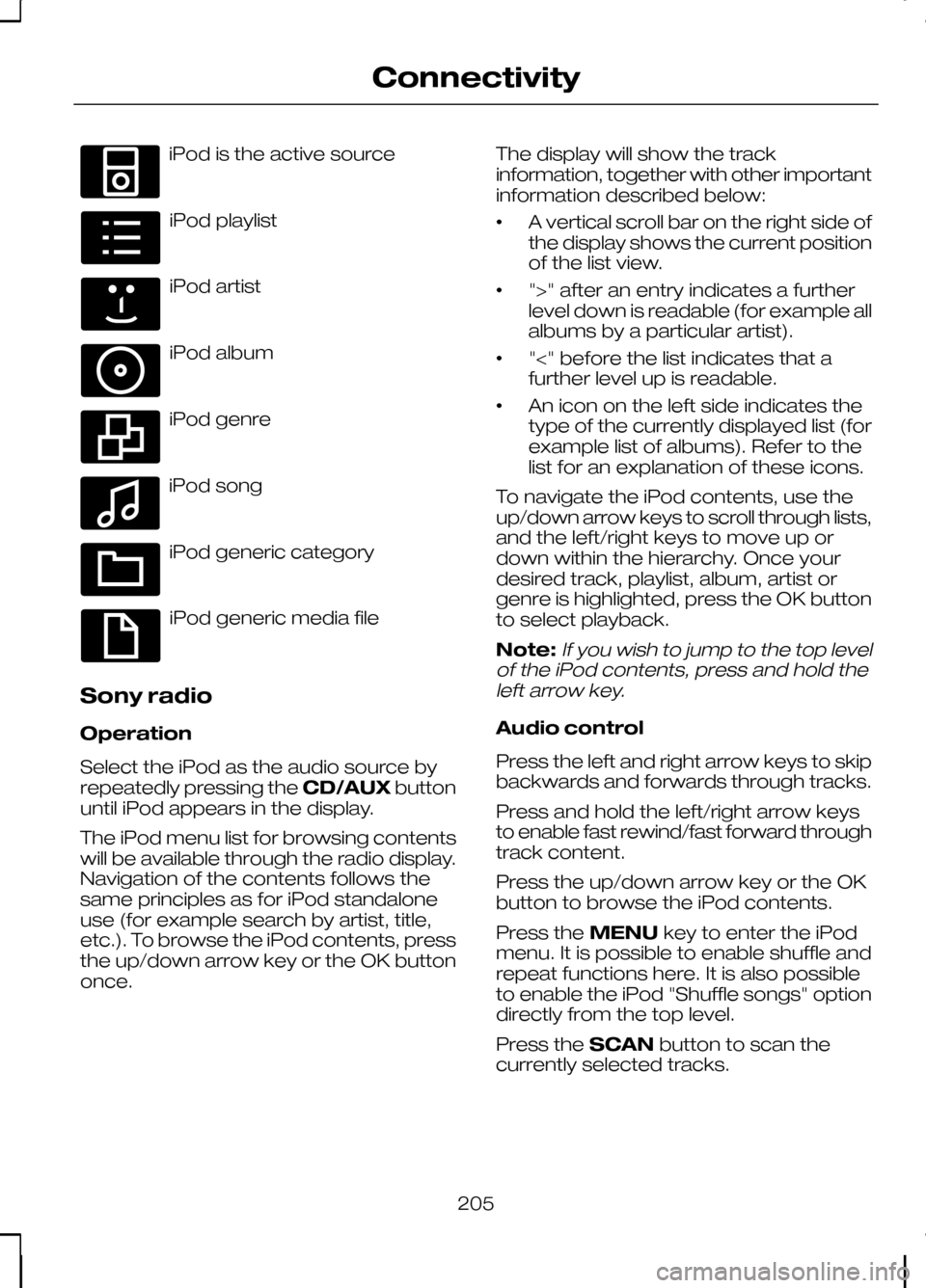
iPod is the active source
iPod playlist
iPod artist
iPod album
iPod genre
iPod song
iPod generic category
iPod generic media file
Sony radio
Operation
Select the iPod as the audio source by
repeatedly pressing the CD/AUXbutton
until iPod appears in the display.
The iPod menu list for browsing contents
will be available through the radio display.
Navigation of the contents follows the
same principles as for iPod standalone
use (for example search by artist, title,
etc.). To browse the iPod contents, press
the up/down arrow key or the OK button
once. The display will show the track
information, together with other important
information described below:
•
A vertical scroll bar on the right side of
the display shows the current position
of the list view.
• ">" after an entry indicates a further
level down is readable (for example all
albums by a particular artist).
• "<" before the list indicates that a
further level up is readable.
• An icon on the left side indicates the
type of the currently displayed list (for
example list of albums). Refer to the
list for an explanation of these icons.
To navigate the iPod contents, use the
up/down arrow keys to scroll through lists,
and the left/right keys to move up or
down within the hierarchy. Once your
desired track, playlist, album, artist or
genre is highlighted, press the OK button
to select playback.
Note:If you wish to jump to the top level
of the iPod contents, press and hold the left arrow key.
Audio control
Press the left and right arrow keys to skip
backwards and forwards through tracks.
Press and hold the left/right arrow keys
to enable fast rewind/fast forward through
track content.
Press the up/down arrow key or the OK
button to browse the iPod contents.
Press the MENUkey to enter the iPod
menu. It is possible to enable shuffle and
repeat functions here. It is also possible
to enable the iPod "Shuffle songs" option
directly from the top level.
Press the SCANbutton to scan the
currently selected tracks.
205
ConnectivityE100030 E100031 E100032 E100033 E100034 E100035 E100036 E100037
Page 208 of 226
Press the
INFObutton to display the
following:
• title
• artist
• track number and playing time.
Repeated button presses will scroll
through these displays.
CD Navigation units
Operation
Select the iPod as the audio source by
pressing the CD/AUXbutton until
DEVICES appears in the display. Select
DEVICES and then select iPod from the
available device list.
The iPod menu list for browsing contents
will be available through the display.
Navigation of the contents follows the
same principles as for iPod standalone
use (for example search by artist, title,
etc.). To browse the iPod contents, press
the SELECT button once.
The display will show the track
information, together with other important
information described below:
• A vertical scroll bar on the right side of
the display shows the current position
of the list view.
• ">" after an entry indicates a further
level down is readable (for example all
albums by a particular artist).
• "<" before the list indicates that a
further level up is readable.
• An icon on the left side indicates the
type of the currently displayed list (for
example list of albums). Refer to the
list for an explanation of these icons. To navigate the iPod contents, use the
rotary scroll/select button to browse
through lists. Push the button to expand
the contents within the highlighted playlist,
album, artist, genre or to commence
playback of a particular track. Press
ESC
to go up one level.
Audio control
Press the SEEKup and down keys to
skip backwards and forwards through
tracks.
Press and hold the SEEKkeys to enable
fast rewind/fast forward through track
content.
Rotate or press the SELECT button to
browse the iPod contents.
Press the MENU key to enter the iPod
menu. It is possible to enable shuffle and
repeat functions here. It is also possible
to enable the iPod "Shuffle songs" option
directly from the top level.
Press the SCAN button to scan the
currently selected tracks.
Press the INFObutton to display the
following:
• title
• artist
• track number and playing time.
DVD Navigation units
Operation
Select the iPod as the audio source by
pressing the CD/AUXbutton until the
iPod button appears to the left of the
display. Select iPod from the available
device list.
Note:Some devices may be shown but
not selectable, depending if the device is connected or not.
206
Connectivity