Settings FORD KUGA 2010 1.G User Guide
[x] Cancel search | Manufacturer: FORD, Model Year: 2010, Model line: KUGA, Model: FORD KUGA 2010 1.GPages: 226, PDF Size: 8.07 MB
Page 199 of 226
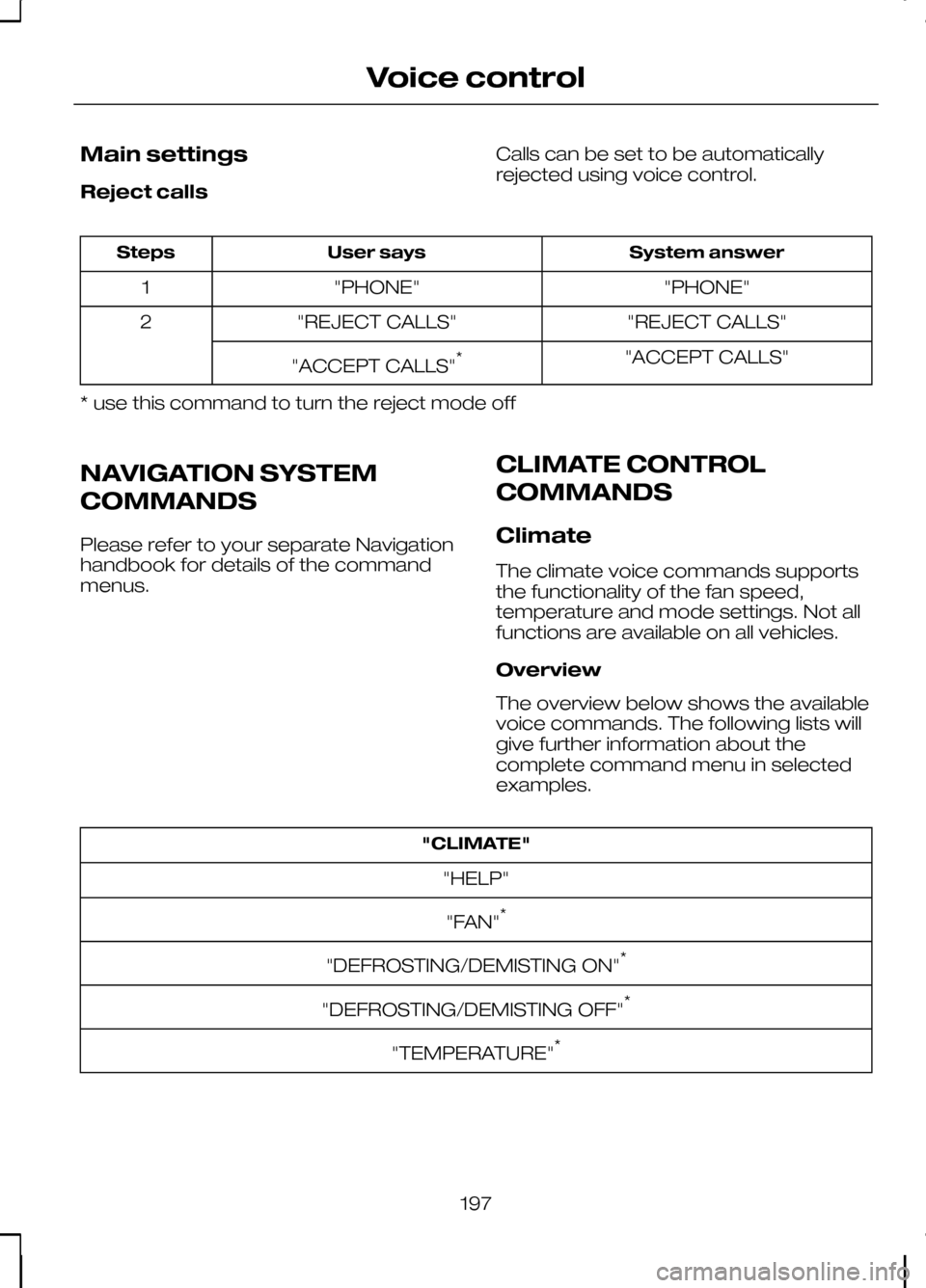
Main settings
Reject calls
Calls can be set to be automatically
rejected using voice control. System answer
User says
Steps
"PHONE"
"PHONE"
1
"REJECT CALLS"
"REJECT CALLS"
2
"ACCEPT CALLS"
"ACCEPT CALLS" *
* use this command to turn the reject mode off
NAVIGATION SYSTEM
COMMANDS
Please refer to your separate Navigation
handbook for details of the command
menus. CLIMATE CONTROL
COMMANDS
Climate
The climate voice commands supports
the functionality of the fan speed,
temperature and mode settings. Not all
functions are available on all vehicles.
Overview
The overview below shows the available
voice commands. The following lists will
give further information about the
complete command menu in selected
examples."CLIMATE"
"HELP"
"FAN" *
"DEFROSTING/DEMISTING ON" *
"DEFROSTING/DEMISTING OFF" *
"TEMPERATURE" *
197
Voice control
Page 203 of 226
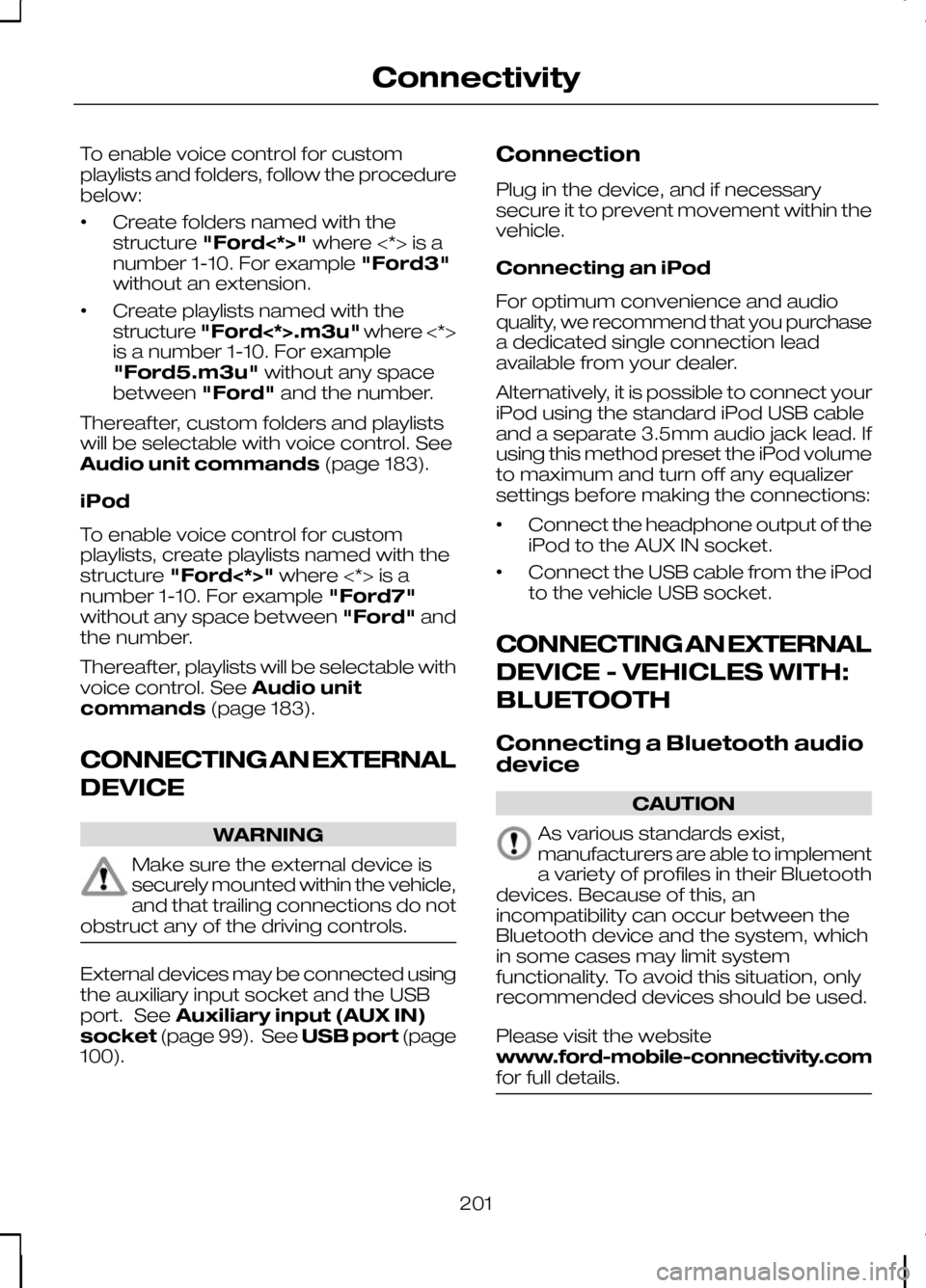
To enable voice control for custom
playlists and folders, follow the procedure
below:
•
Create folders named with the
structure
"Ford<*>" where <*> is a
number 1-10. For example "Ford3"
without an extension.
• Create playlists named with the
structure
"Ford<*>.m3u" where <*>
is a number 1-10. For example
"Ford5.m3u" without any space
between "Ford"and the number.
Thereafter, custom folders and playlists
will be selectable with voice control. See
Audio unit commands (page 183).
iPod
To enable voice control for custom
playlists, create playlists named with the
structure "Ford<*>" where <*> is a
number 1-10. For example "Ford7"
without any space between "Ford"and
the number.
Thereafter, playlists will be selectable with
voice control. See Audio unit
commands (page 183).
CONNECTING AN EXTERNAL
DEVICE WARNING
Make sure the external device is
securely mounted within the vehicle,
and that trailing connections do not
obstruct any of the driving controls. External devices may be connected using
the auxiliary input socket and the USB
port. See
Auxiliary input (AUX IN)
socket (page 99). See USB port(page
100). Connection
Plug in the device, and if necessary
secure it to prevent movement within the
vehicle.
Connecting an iPod
For optimum convenience and audio
quality, we recommend that you purchase
a dedicated single connection lead
available from your dealer.
Alternatively, it is possible to connect your
iPod using the standard iPod USB cable
and a separate 3.5mm audio jack lead. If
using this method preset the iPod volume
to maximum and turn off any equalizer
settings before making the connections:
•
Connect the headphone output of the
iPod to the AUX IN socket.
• Connect the USB cable from the iPod
to the vehicle USB socket.
CONNECTING AN EXTERNAL
DEVICE - VEHICLES WITH:
BLUETOOTH
Connecting a Bluetooth audio
device CAUTION
As various standards exist,
manufacturers are able to implement
a variety of profiles in their Bluetooth
devices. Because of this, an
incompatibility can occur between the
Bluetooth device and the system, which
in some cases may limit system
functionality. To avoid this situation, only
recommended devices should be used.
Please visit the website
www.ford-mobile-connectivity.com
for full details. 201
Connectivity
Page 222 of 226
Personalised settings..............................71
Chime deactivation......................................73
Clock setting..................................................71
ESP.................................................................. 71
Help screen and navigation information................................................ 72
Language setting.........................................72
Navigation information.................................72
Steering........................................................... 71
Units of measure..........................................73
Power steering fluid check..................149 Topping up...................................................149
Programming the remote control........27
Q
Quick start..................................................8 Adjusting the steering wheel.......................12
Airbag.............................................................. 15
Autolamps...................................................... 14
Automatic climate control...........................14
Autowipers..................................................... 14
Direction indicators.......................................14
Instrument panel overview...........................8
Keyless entry.................................................12
Keyless starting.............................................12
Locking and unlocking..................................11
Manual climate control.................................13
Manual transmission.....................................15
Towing the vehicle on four wheels.............15
R
Rear fog lamps........................................47
Rear seats................................................94 Creating a level load floor...........................94
Folding the seatbacks down......................94
Folding the seatbacks up...........................94
Rear under floor storage......................123
Rear view camera..................................117 Principle of operation..................................117
Rear window wiper and washers.........42 Intermittent wipe..........................................42
Rear window washer...................................43
Reverse gear wipe.......................................42
Refuelling................................................106 Remote control battery
See: Changing the remote control
battery........................................................ 27
Remote control programming See: Programming the remote control.....27
Removing a headlamp............................51
Repairing minor paint damage............153
Road Safety...........................................208 Safety information......................................208
Roof racks and load carriers...............124 Cycle carrier................................................125
Installing the crossbars..............................124
Roof rack......................................................124
Run flat tyres..........................................165 Principle of operation.................................165
Replacing run flat tyres..............................165
What to do if a run flat tyre has a
puncture.................................................. 165
Running-in...............................................131 Brakes and clutch.......................................131
Engine........................................................... 131
Tyres.............................................................. 131
S
Safety precautions................................104
Seat belt height adjustment..................24
Seat belt reminder..................................24 Deactivating the seat belt reminder..........25
Seats.........................................................90
Sitting in the correct position.................90
Snow chains See: Using snow chains............................166
Speed control See: Cruise control.....................................120
Stability control........................................113 Principle of operation..................................113
Stability control See: Using stability control.........................113
Starting the engine.................................101 General information....................................101
Status after a collision...........................133
Steering wheel.........................................39
Storage compartments.........................98 Front storage compartment......................98
Storage area under the rear seats............98
Sun blinds.................................................96 Panoramic roof.............................................96
220
Index
Page 223 of 226
Switching off the engine.......................103
Vehicles with a turbocharger....................103
Symbols glossary......................................5 Symbols in this handbook.............................5
Symbols on your vehicle...............................5
T
Technical specifications.........................171 Technical specifications..............................171
Telephone commands.........................192 Create a phonebook.................................195
Main settings...............................................197
Phone........................................................... 192
Phone functions..........................................193
Telephone controls................................177 Remote control...........................................177
Telephone setup....................................175 Bond another Bluetooth phone...............176
Making a phone an active phone............175
Phonebook.................................................. 175
Phonebook categories..............................175
Telephone...............................................175 General information....................................175
Telephone See: Using the telephone - Vehicles With:
Navigation System.................................180
See: Using the telephone - Vehicles Without: Navigation System..................................177
Toll reader.................................................99
Towing a trailer.......................................127 Steep gradients...........................................127
Towing points.........................................140
Towing the vehicle on four wheels..................................................140
All vehicles....................................................140
Vehicles with automatic transmission............................................. 141
Towing.....................................................127
Transmission..........................................108
Type approvals.......................................211 FCC/INDUSTRY CANADA NOTICE..........211
RX-42 - declaration of conformity............211
Tyre care.................................................166
Tyre pressure monitoring system.......167 System reset...............................................167
Tyre pressures See: Technical specifications....................168 Tyre repair kit...........................................161
Checking the tyre pressure......................164
General information....................................161
Inflating the tyre...........................................162
Using the tyre repair kit...............................161
Tyres See: Wheels and tyres...............................156
U
USB port.................................................100
Using an iPod........................................204 CD Navigation units...................................206
DVD Navigation units.................................206
Sony radio...................................................205
Using a USB device..............................202 CD Navigation units...................................203
DVD Navigation units.................................204
Sony radio...................................................202
Using booster cables............................154 To connect the booster cables................154
To start the engine.....................................155
Using cruise control..............................120 Cancelling the set speed...........................121
Changing the set speed............................120
Resuming the set speed............................121
Setting a speed...........................................120
Switching cruise control off.......................121
Switching cruise control on.......................120
Using seat belts during pregnancy......25
Using snow chains................................166 Vehicles with stability control (ESP)..........167
Using stability control.............................113
Using the parking aid.............................115 Manoeuvring with the parking aid............115
Switching the parking aid on and off........115
Using the rear view camera..................117 Activating the rear view camera...............117
Deactivating the rear view camera..........119
Using the display..........................................117
Vehicles with parking aid............................119
221
Index