ignition FORD KUGA 2010 1.G User Guide
[x] Cancel search | Manufacturer: FORD, Model Year: 2010, Model line: KUGA, Model: FORD KUGA 2010 1.GPages: 226, PDF Size: 8.07 MB
Page 62 of 226
ELECTRIC WINDOWS
WARNING
Do not operate the electric windows
unless they are free from
obstruction.
Note:If you operate the switches often
during a short period of time, the system might become inoperable for a certaintime to prevent damage due tooverheating.
Switch on the ignition to operate the
electric windows.
Global opening and closing
You can also operate the electric
windows with the ignition off via the global
opening and closing function. See Locks
(page 29).
Driver's door switches
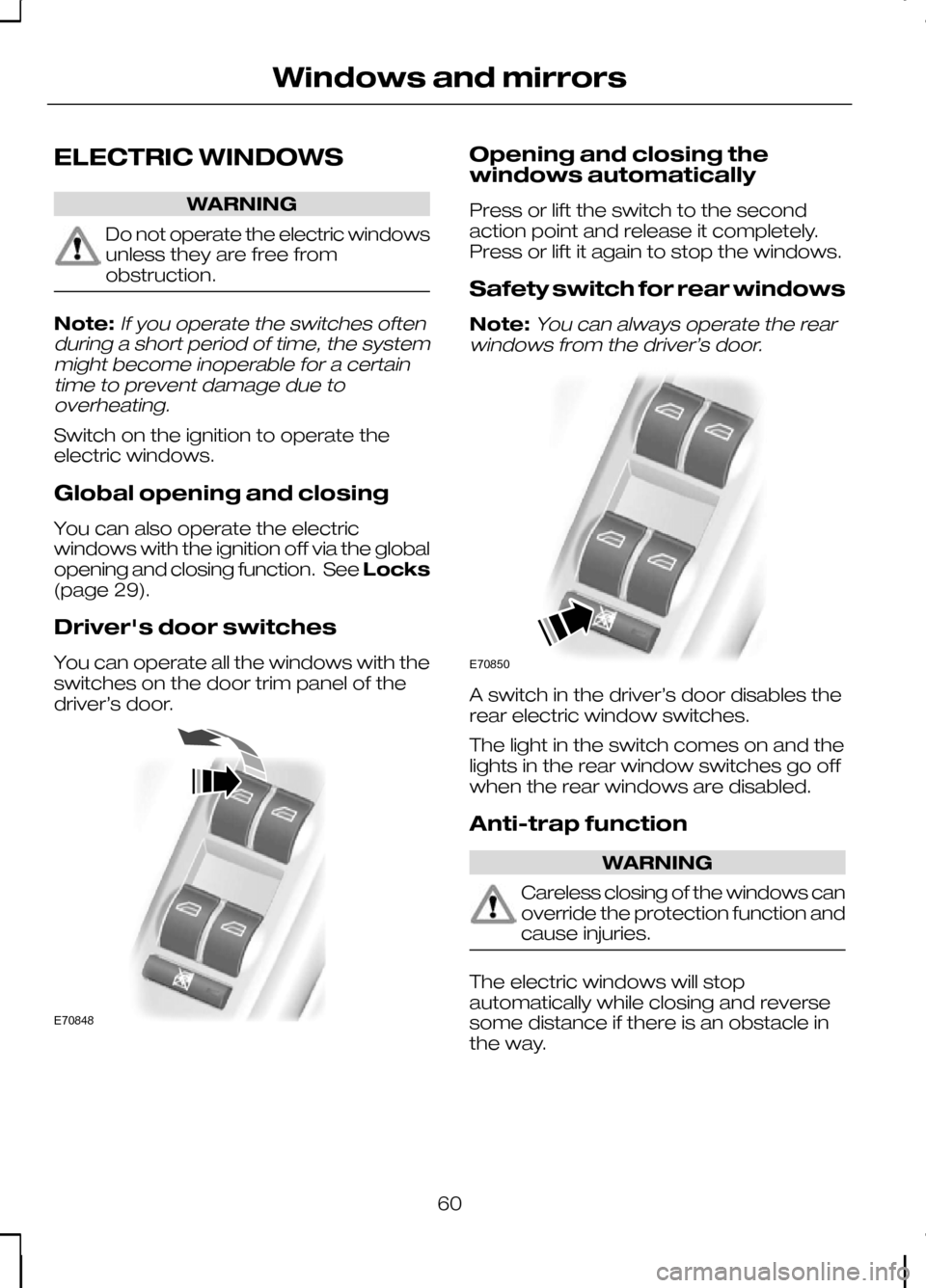
You can operate all the windows with the
switches on the door trim panel of the
driver’s door. Opening and closing the
windows automatically
Press or lift the switch to the second
action point and release it completely.
Press or lift it again to stop the windows.
Safety switch for rear windows
Note:
You can always operate the rear
windows from the driver’s door. A switch in the driver’s door disables the
rear electric window switches.
The light in the switch comes on and the
lights in the rear window switches go off
when the rear windows are disabled.
Anti-trap function
WARNING
Careless closing of the windows can
override the protection function and
cause injuries.
The electric windows will stop
automatically while closing and reverse
some distance if there is an obstacle in
the way.
60
Windows and mirrorsE70848 E70850
Page 64 of 226
ELECTRIC EXTERIOR
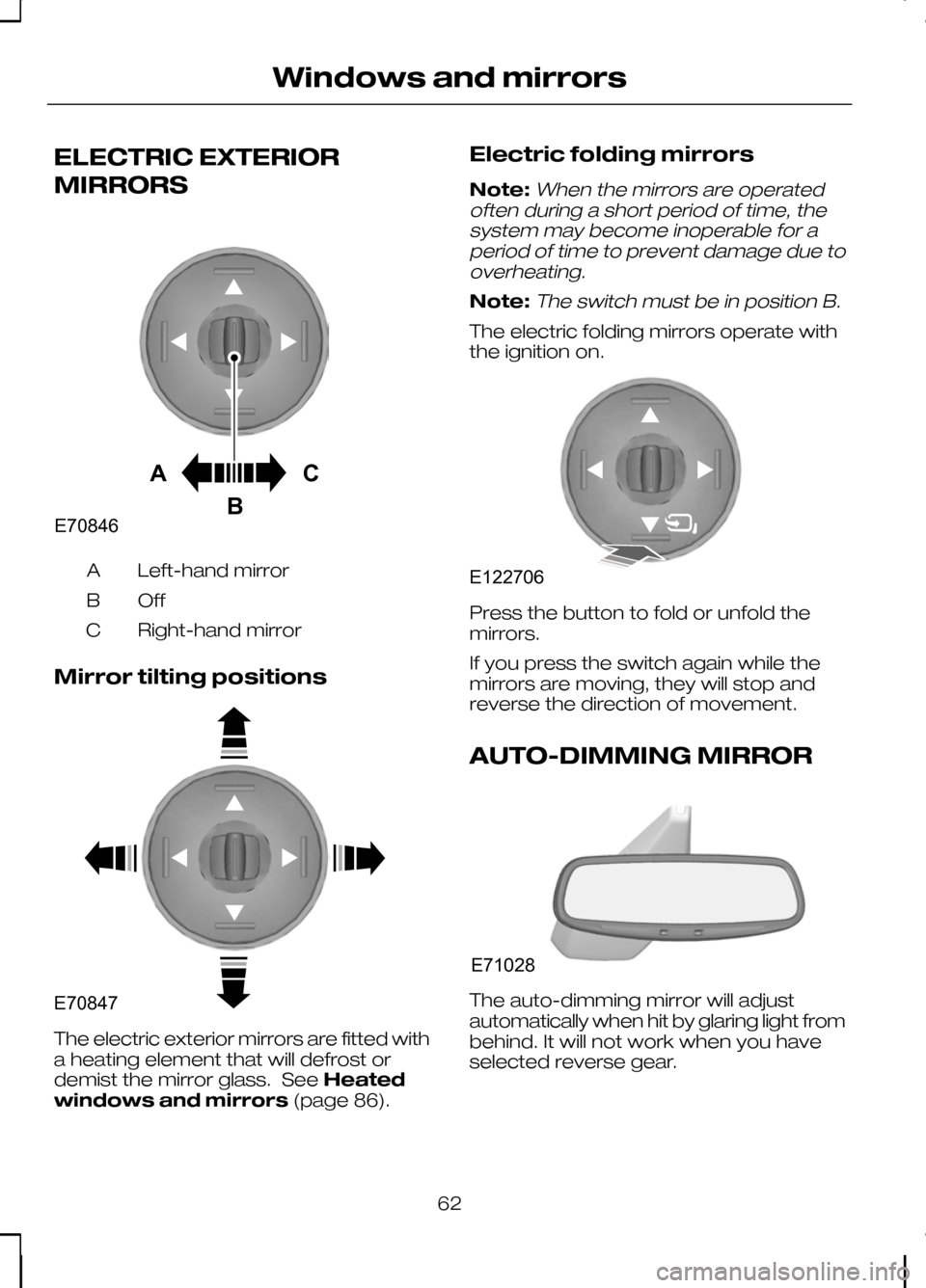
MIRRORS
Left-hand mirror
A
OffB
Right-hand mirror
C
Mirror tilting positions The electric exterior mirrors are fitted with
a heating element that will defrost or
demist the mirror glass. See
Heated
windows and mirrors (page 86).Electric folding mirrors
Note:When the mirrors are operated
often during a short period of time, the system may become inoperable for aperiod of time to prevent damage due tooverheating.
Note:The switch must be in position B.
The electric folding mirrors operate with
the ignition on. Press the button to fold or unfold the
mirrors.
If you press the switch again while the
mirrors are moving, they will stop and
reverse the direction of movement.
AUTO-DIMMING MIRROR
The auto-dimming mirror will adjust
automatically when hit by glaring light from
behind. It will not work when you have
selected reverse gear.
62
Windows and mirrorsACBE70846 E70847 E122706 E71028
Page 66 of 226
If the needle enters the red section, the
engine is overheating. Stop the engine,
switch the ignition off and determine the
cause
once the engine has cooled
down. See Engine coolant check
(page 148).
Fuel gauge
The arrow adjacent to the fuel pump
symbol indicates on which side of the
vehicle the fuel filler cap is located.
WARNING LAMPS AND
INDICATORS
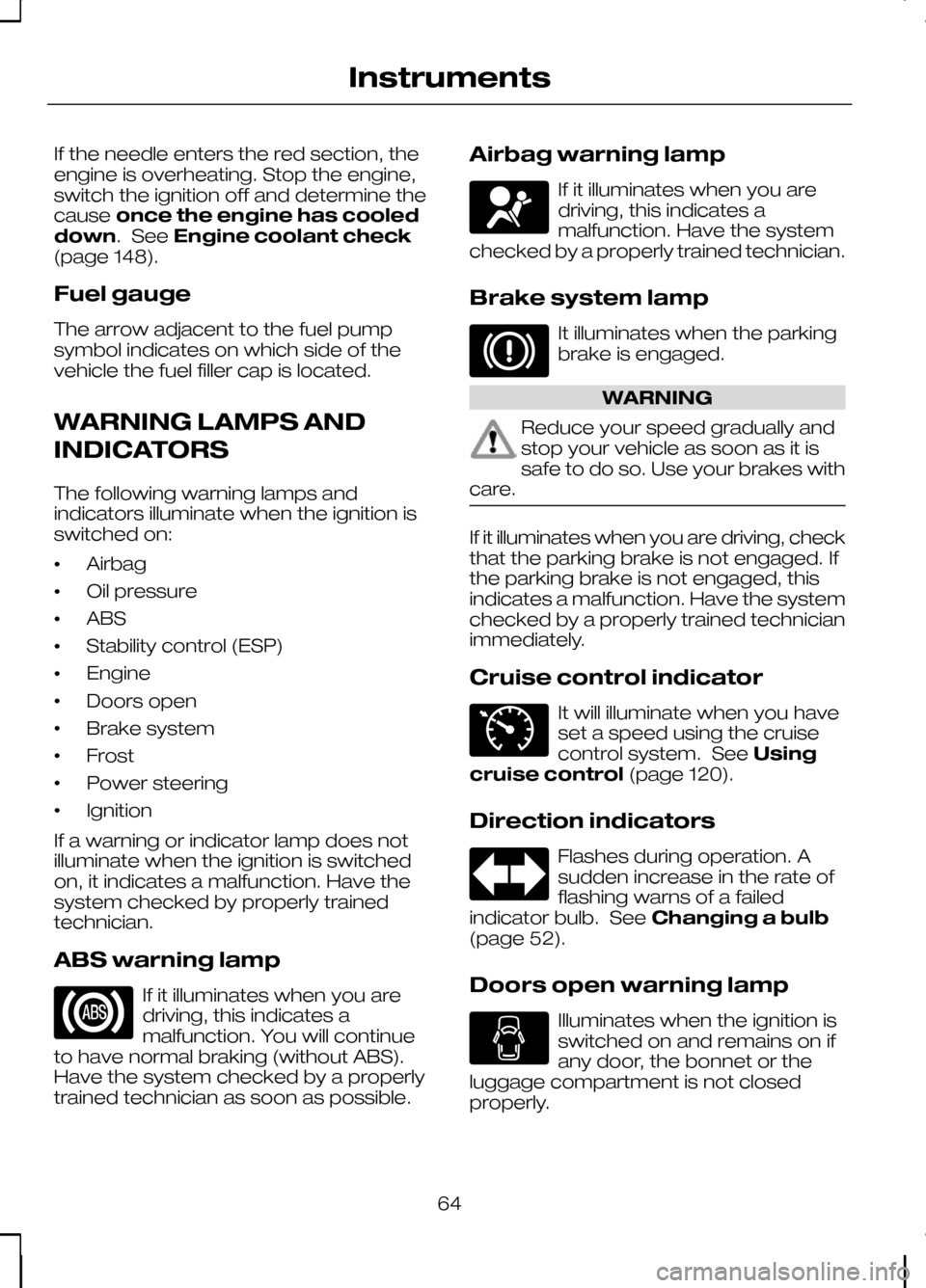
The following warning lamps and
indicators illuminate when the ignition is
switched on:
• Airbag
• Oil pressure
• ABS
• Stability control (ESP)
• Engine
• Doors open
• Brake system
• Frost
• Power steering
• Ignition
If a warning or indicator lamp does not
illuminate when the ignition is switched
on, it indicates a malfunction. Have the
system checked by properly trained
technician.
ABS warning lamp If it illuminates when you are
driving, this indicates a
malfunction. You will continue
to have normal braking (without ABS).
Have the system checked by a properly
trained technician as soon as possible. Airbag warning lamp If it illuminates when you are
driving, this indicates a
malfunction. Have the system
checked by a properly trained technician.
Brake system lamp It illuminates when the parking
brake is engaged.
WARNING
Reduce your speed gradually and
stop your vehicle as soon as it is
safe to do so. Use your brakes with
care. If it illuminates when you are driving, check
that the parking brake is not engaged. If
the parking brake is not engaged, this
indicates a malfunction. Have the system
checked by a properly trained technician
immediately.
Cruise control indicator
It will illuminate when you have
set a speed using the cruise
control system. See
Using
cruise control (page 120).
Direction indicators Flashes during operation. A
sudden increase in the rate of
flashing warns of a failed
indicator bulb. See Changing a bulb
(page 52).
Doors open warning lamp Illuminates when the ignition is
switched on and remains on if
any door, the bonnet or the
luggage compartment is not closed
properly.
64
Instruments E71340
Page 67 of 226
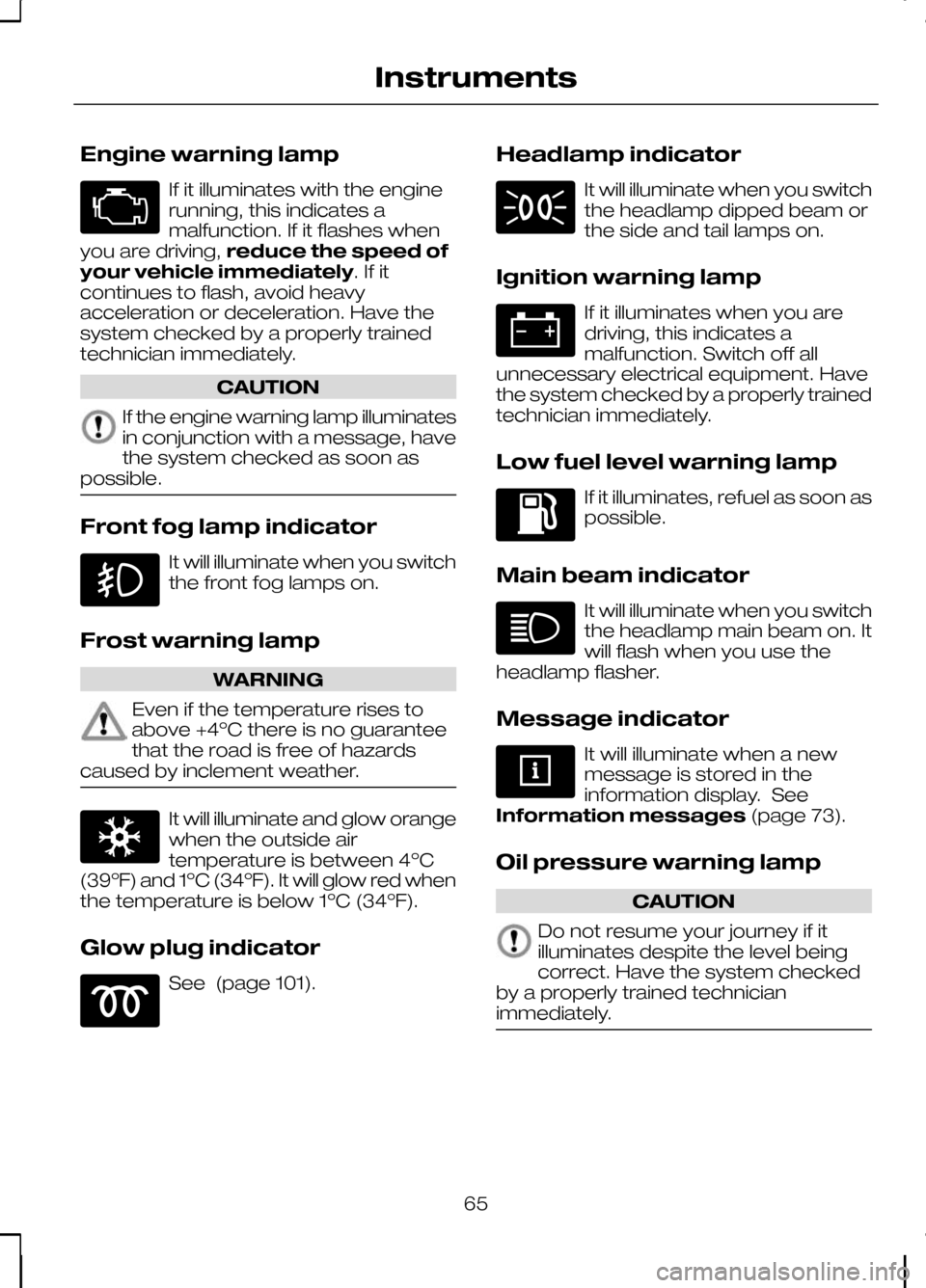
Engine warning lamp
If it illuminates with the engine
running, this indicates a
malfunction. If it flashes when
you are driving, reduce the speed of
your vehicle immediately. If it
continues to flash, avoid heavy
acceleration or deceleration. Have the
system checked by a properly trained
technician immediately. CAUTION
If the engine warning lamp illuminates
in conjunction with a message, have
the system checked as soon as
possible. Front fog lamp indicator
It will illuminate when you switch
the front fog lamps on.
Frost warning lamp WARNING
Even if the temperature rises to
above +4ºC there is no guarantee
that the road is free of hazards
caused by inclement weather. It will illuminate and glow orange
when the outside air
temperature is between 4ºC
(39ºF) and 1ºC (34ºF). It will glow red when
the temperature is below 1ºC (34ºF).
Glow plug indicator See (page 101). Headlamp indicator It will illuminate when you switch
the headlamp dipped beam or
the side and tail lamps on.
Ignition warning lamp If it illuminates when you are
driving, this indicates a
malfunction. Switch off all
unnecessary electrical equipment. Have
the system checked by a properly trained
technician immediately.
Low fuel level warning lamp If it illuminates, refuel as soon as
possible.
Main beam indicator It will illuminate when you switch
the headlamp main beam on. It
will flash when you use the
headlamp flasher.
Message indicator It will illuminate when a new
message is stored in the
information display. See
Information messages (page 73).
Oil pressure warning lamp CAUTION
Do not resume your journey if it
illuminates despite the level being
correct. Have the system checked
by a properly trained technician
immediately. 65
Instruments
Page 68 of 226
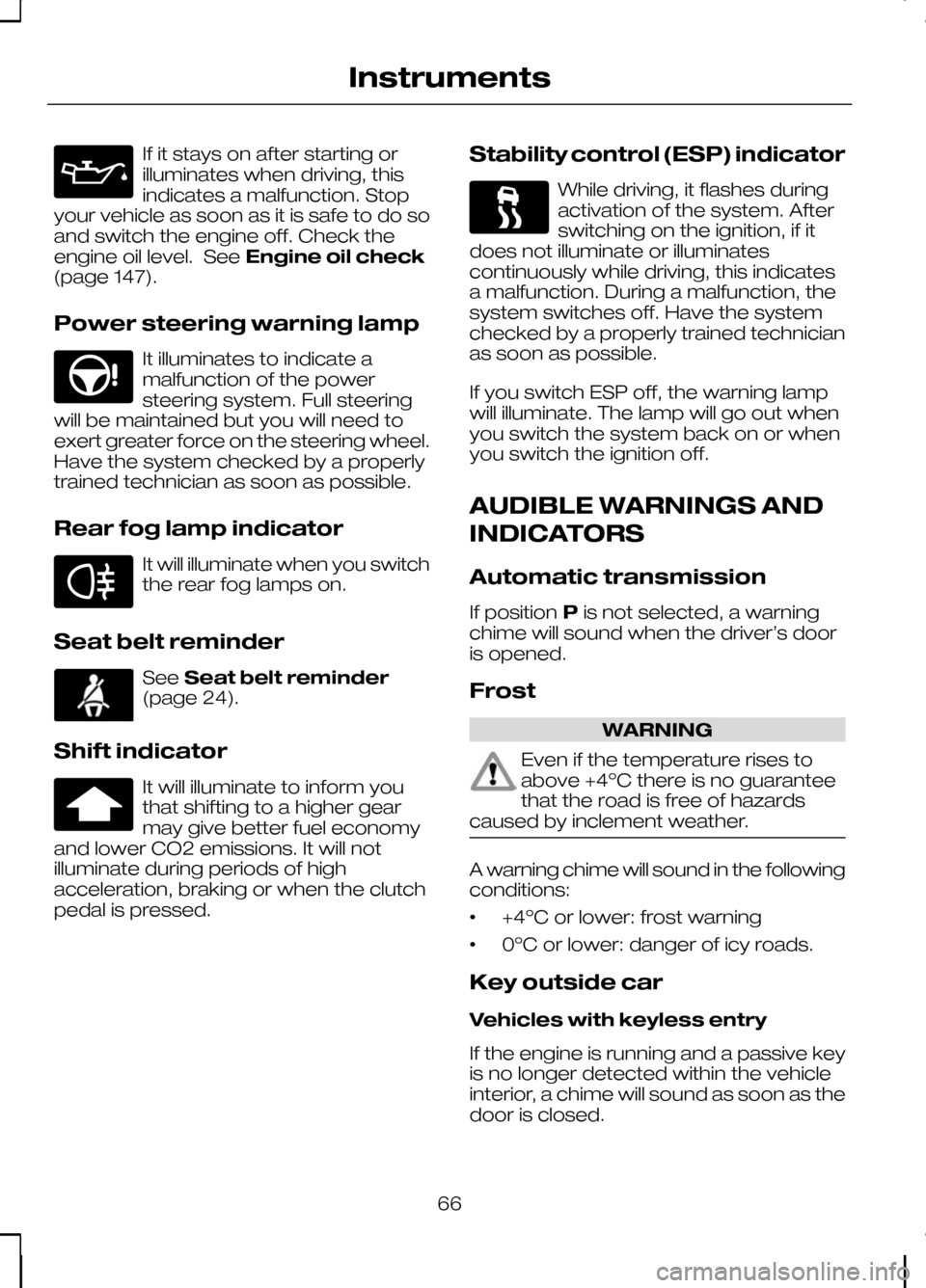
If it stays on after starting or
illuminates when driving, this
indicates a malfunction. Stop
your vehicle as soon as it is safe to do so
and switch the engine off. Check the
engine oil level. See Engine oil check
(page 147).
Power steering warning lamp It illuminates to indicate a
malfunction of the power
steering system. Full steering
will be maintained but you will need to
exert greater force on the steering wheel.
Have the system checked by a properly
trained technician as soon as possible.
Rear fog lamp indicator It will illuminate when you switch
the rear fog lamps on.
Seat belt reminder See
Seat belt reminder
(page 24).
Shift indicator It will illuminate to inform you
that shifting to a higher gear
may give better fuel economy
and lower CO2 emissions. It will not
illuminate during periods of high
acceleration, braking or when the clutch
pedal is pressed. Stability control (ESP) indicator While driving, it flashes during
activation of the system. After
switching on the ignition, if it
does not illuminate or illuminates
continuously while driving, this indicates
a malfunction. During a malfunction, the
system switches off. Have the system
checked by a properly trained technician
as soon as possible.
If you switch ESP off, the warning lamp
will illuminate. The lamp will go out when
you switch the system back on or when
you switch the ignition off.
AUDIBLE WARNINGS AND
INDICATORS
Automatic transmission
If position Pis not selected, a warning
chime will sound when the driver’s door
is opened.
Frost WARNING
Even if the temperature rises to
above +4ºC there is no guarantee
that the road is free of hazards
caused by inclement weather. A warning chime will sound in the following
conditions:
•
+4ºC or lower: frost warning
• 0ºC or lower: danger of icy roads.
Key outside car
Vehicles with keyless entry
If the engine is running and a passive key
is no longer detected within the vehicle
interior, a chime will sound as soon as the
door is closed.
66
Instruments
Page 69 of 226
Key-in-ignition
Except vehicles with keyless entry
A warning tone will sound when the
driver’s door is opened if:
•
the key is in the ignition.
Vehicles with keyless entry
A warning tone will sound when the
driver’s door is opened if:
• the ignition is still on
• the spare key is in the ignition.
Lights on
A warning chime will sound if the driver’s
door is opened with the exterior lights
switched on and the ignition switched off.
Low fuel
A warning chime will sound at the
following ranges: 80 km (50 miles), 40 km
(25 miles), 20 km (12 miles), 0 km (0
miles).
Seat belt reminder
See Seat belt reminder (page 24).
67
Instruments
Page 70 of 226
GENERAL INFORMATION
WARNING
Do not operate the information
display controls when the vehicle is
moving.
Note:The information display will remain
on for several minutes after you switch off the ignition.
Various systems on your vehicle can be
controlled using the multi-function lever
on the steering column. Corresponding
information is displayed in the information
display.
For detailed instructions on navigation,
refer to the appropriate manual.
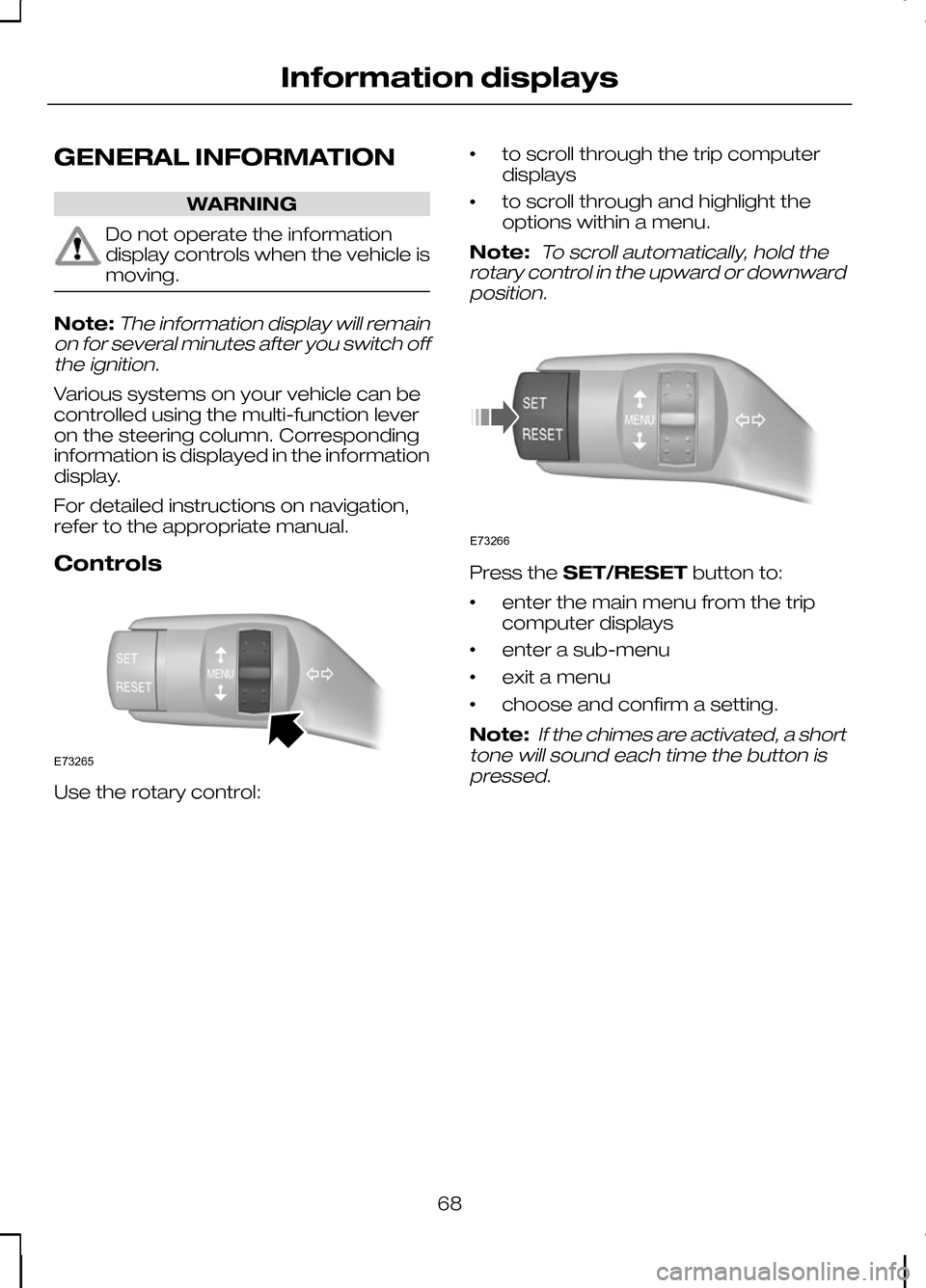
Controls Use the rotary control: •
to scroll through the trip computer
displays
• to scroll through and highlight the
options within a menu.
Note:
To scroll automatically, hold the
rotary control in the upward or downward position. Press the
SET/RESET button to:
• enter the main menu from the trip
computer displays
• enter a sub-menu
• exit a menu
• choose and confirm a setting.
Note:
If the chimes are activated, a short
tone will sound each time the button is pressed.
68
Information displaysE73265 E73266
Page 74 of 226
2.
Highlight Clockand press the
SET/RESET button.
3. Highlight Set Clock and press the
SET/RESET button. The hours start
to flash.
4. Use the rotary control to adjust the hours to the desired setting.
5. Press the SET/RESET button to
confirm the setting. The minutes start
to flash.
6. Proceed in the same way to set the minutes and the date.
7. Press the SET/RESET button to
confirm the setting.
8. Highlight Backand repeatedly press
the SET/RESET button to return to
the main menu.
Help screen and navigation
information
The help screen appears for a few
seconds when you switch the ignition on.
If the navigation is operating, information
relating to this system is displayed in the
information display.
To select which information is displayed
in the information display:
1. Use the rotary control to enter the main menu.
2. Highlight Setupand press the
SET/RESET button.
3. Highlight Display and press the
SET/RESET button.
4. Highlight Configure and press the
SET/RESET button.
5. Highlight the desired setting and press
the SET/RESET button to confirm
the setting.
6. Highlight Backand repeatedly press
the SET/RESET button to return to
the main menu. Navigation information
You can also choose when the navigation
information is displayed in the information
display. Three options are available:
•
Always off: No navigation
information is displayed in the
information display.
• On guidance: The navigation
information will only appear when the
navigation system provides a
guidance instruction. This function is
only available on certain navigation
systems.
• Always on: Navigation information
will always appear in the information
display when the navigation system is
operating.
To set when navigation information should
be displayed:
1. Use the rotary control to enter the main menu.
2. Highlight Setupand press the
SET/RESET button.
3. Highlight Display and press the
SET/RESET button.
4. Highlight Configure and press the
SET/RESET button.
5. Highlight Nav Info and press the
SET/RESET button.
6. Highlight the desired setting and press
the SET/RESET button to confirm
the setting.
7. Highlight Backand repeatedly press
the SET/RESET button to return to
the main menu.
Language setting
A choice of eleven languages are
available.
English, German, Italian, French, Spanish,
Turkish, Russian, Dutch, Polish, Swedish
and Portuguese.
72
Information displays
Page 97 of 226
The heated front seats are operated by
rotary controls in the instrument panel.
For item location: See
Quick start(page
8).
The maximum temperature is reached
after five or six minutes. It is regulated
thermostatically.
The seat heating will operate only when
the ignition is on.
95
Seats
Page 99 of 226
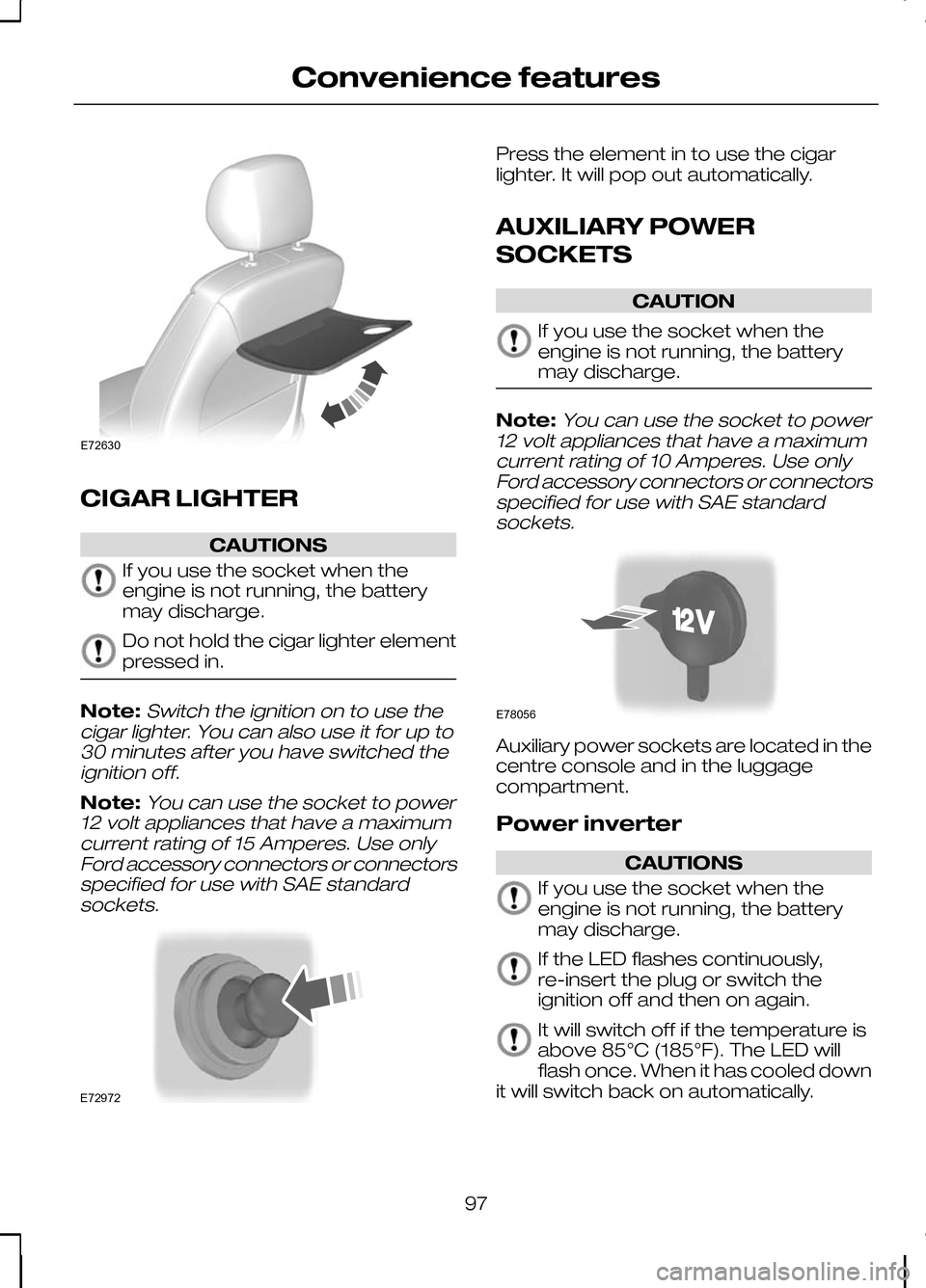
CIGAR LIGHTER
CAUTIONS
If you use the socket when the
engine is not running, the battery
may discharge.
Do not hold the cigar lighter element
pressed in.
Note:Switch the ignition on to use the
cigar lighter. You can also use it for up to 30 minutes after you have switched theignition off.
Note:You can use the socket to power
12 volt appliances that have a maximum current rating of 15 Amperes. Use onlyFord accessory connectors or connectorsspecified for use with SAE standardsockets. Press the element in to use the cigar
lighter. It will pop out automatically.
AUXILIARY POWER
SOCKETS
CAUTION
If you use the socket when the
engine is not running, the battery
may discharge.
Note:
You can use the socket to power
12 volt appliances that have a maximum current rating of 10 Amperes. Use onlyFord accessory connectors or connectorsspecified for use with SAE standardsockets. Auxiliary power sockets are located in the
centre console and in the luggage
compartment.
Power inverter
CAUTIONS
If you use the socket when the
engine is not running, the battery
may discharge.
If the LED flashes continuously,
re-insert the plug or switch the
ignition off and then on again.
It will switch off if the temperature is
above 85°C (185°F). The LED will
flash once. When it has cooled down
it will switch back on automatically.
97
Convenience featuresE72630 E72972 E78056