warning light FORD KUGA 2010 1.G Owner's Manual
[x] Cancel search | Manufacturer: FORD, Model Year: 2010, Model line: KUGA, Model: FORD KUGA 2010 1.GPages: 226, PDF Size: 8.07 MB
Page 117 of 226
PRINCIPLE OF OPERATION
WARNING
The parking aid does not relieve you
of your responsibility to drive with
due care and attention.
CAUTIONS
Vehicles fitted with a trailer tow
module not approved by us may not
correctly detect obstacles.
The sensors may not detect objects
in heavy rain or other conditions that
cause disruptive reflections.
The sensors may not detect objects
with surfaces that absorb ultrasonic
waves.
The parking aid does not detect
obstacles moving away from the
vehicle. They will only be detected
shortly after they start to move towards
the vehicle again. Take particular care when reversing
with a tow ball arm or rear fitted
accessories e.g. a bicycle carrier, as
the rear parking aid will only indicate the
distance from the bumper to the obstacle. If you use a high pressure spray to
wash your vehicle, only spray the
sensors briefly from a distance not
less than 20 centimetres (8 inches). Note:On vehicles fitted with a tow ball
arm, the parking aid is deactivated automatically when any trailer lamps (orlighting boards) are connected to the13-pin socket via a trailer tow module wehave approved.
Note:Keep the sensors free from dirt,
ice and snow. Do not clean with sharp objects.
Note:The parking aid may emit false
tones if it detects a signal using the same frequency as the sensors or if the vehicleis fully laden.
Note:The outer sensors may detect the
side walls of a garage. If the distance between the outer sensor and the sidewall remains constant for three seconds,the tone will switch off. As you continue,the inner sensors will detect rearwardobjects.
USING THE PARKING AID
Switching the parking aid on
and off
Note:
The parking aid switches off
automatically when you start the engine or when you exceed 16 km/h (10 mph).
Note:The front and rear sensors are
always activated or deactivated together.
The parking aid is per default off. To
switch the parking aid on, press the switch
in the instrument panel or select reverse
gear.
The light in the switch illuminates when
the parking aid is activated.
To turn it off, press the switch again.
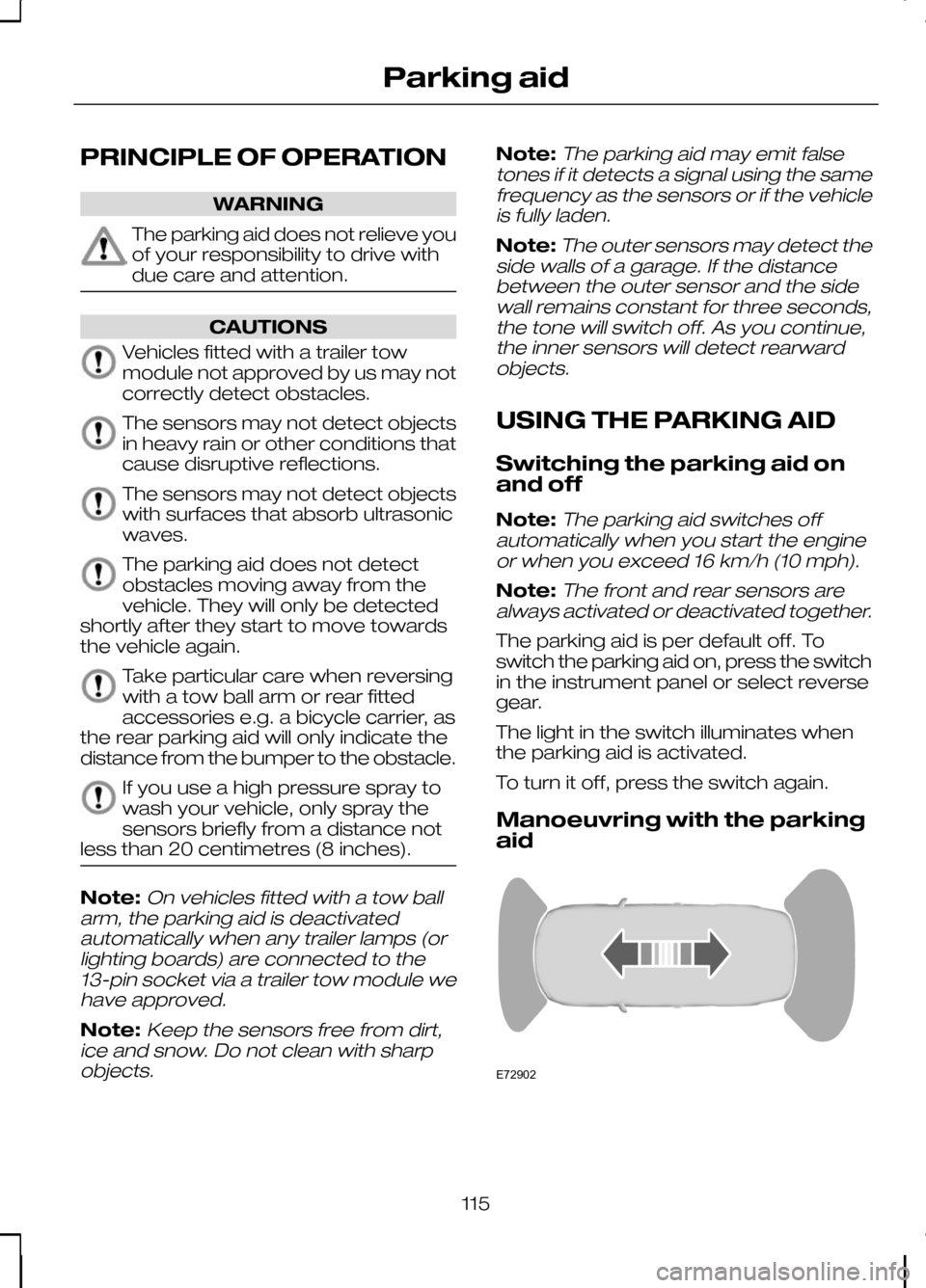
Manoeuvring with the parking
aid 115
Parking aidE72902
Page 118 of 226
Note:If a high pitch warning tone sounds
for three seconds and the light in the switch is flashing, it indicates amalfunction. The system will be disabled.Have the system checked by properlytrained technicians.
You will hear an intermittent tone at a
distance of up to approximately 150
centimetres (59 inches) between the
obstacle and rear bumper, 80 centimetres
(31 inches) between the obstacle and
front bumper and 50 centimetres (20
inches) to the side. Decreasing the
distance accelerates the intermittent tone.
A continuous tone will start at a distance
of less than 30 centimetres (12 inches).
You will hear an alternating tone from the
front and rear if obstacles are closer than
30 centimetres (12 inches) to the front
and rear bumpers.
116
Parking aid
Page 119 of 226
PRINCIPLE OF OPERATION
The camera is a visual aid for use when
reversing.
WARNING
The camera does not relieve you of
your responsibility to drive with due
care and attention.
CAUTIONS
If you use a high pressure spray to
wash your vehicle, only spray the
camera briefly from a distance not
less than 20 centimetres (8 inches). Do not apply pressure to the camera.
The position and the angle of the
camera automatically changes.
Note:Keep the camera free from dirt,
ice and snow. Do not clean with sharp objects, degreaser, wax or organicproducts. Use only a soft cloth.
During operation, guide lines appear in
the display which represent your vehicle's
path and approximate distance from
rearward objects.
USING THE REAR VIEW
CAMERA WARNINGS
The operation of the camera may
vary depending on the ambient
temperature, vehicle and road
conditions. The distances shown in the display
may differ from the actual distance.
Do not place objects in front of the
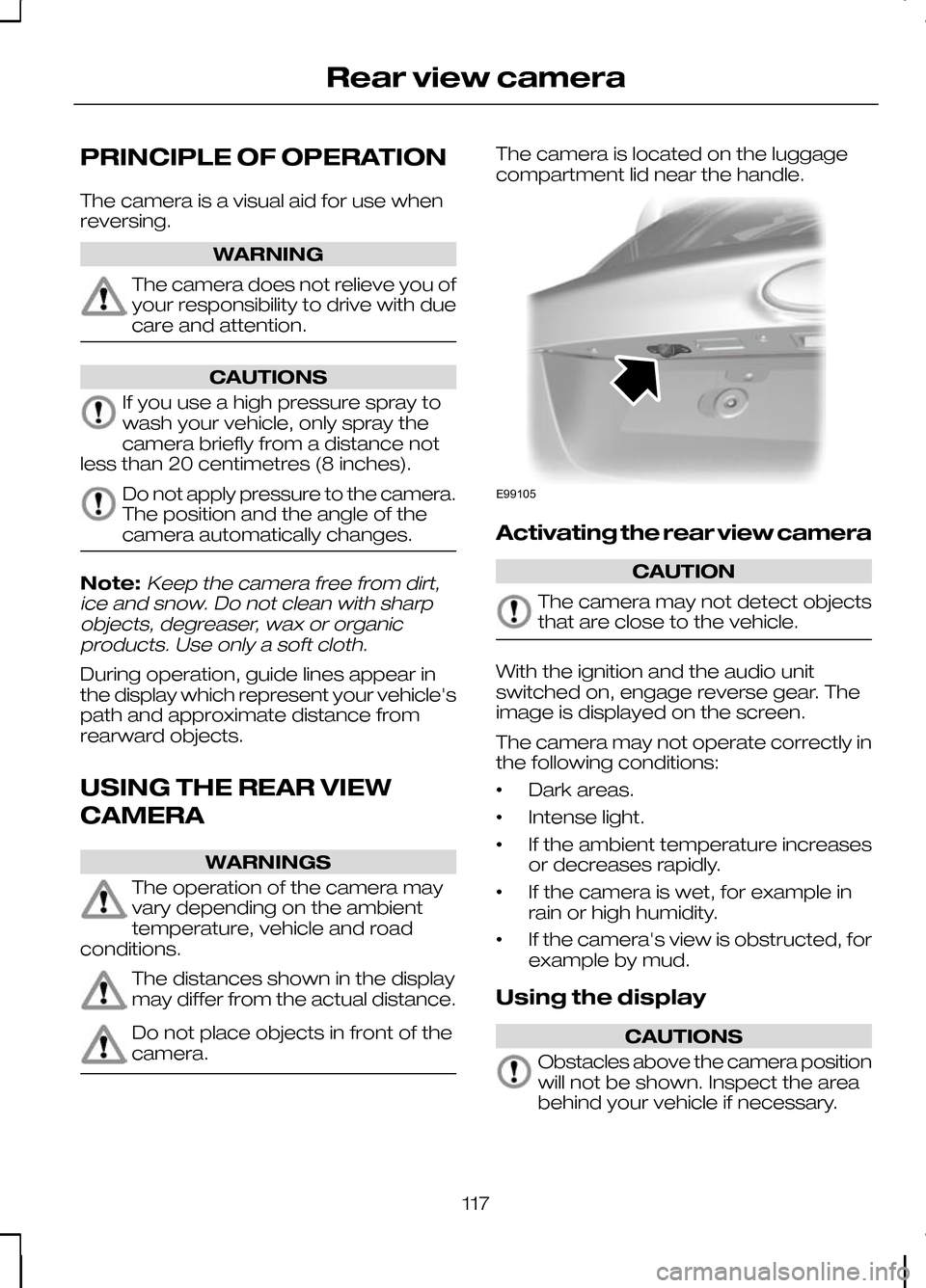
camera. The camera is located on the luggage
compartment lid near the handle.
Activating the rear view camera
CAUTION
The camera may not detect objects
that are close to the vehicle.
With the ignition and the audio unit
switched on, engage reverse gear. The
image is displayed on the screen.
The camera may not operate correctly in
the following conditions:
•
Dark areas.
• Intense light.
• If the ambient temperature increases
or decreases rapidly.
• If the camera is wet, for example in
rain or high humidity.
• If the camera's view is obstructed, for
example by mud.
Using the display CAUTIONS
Obstacles above the camera position
will not be shown. Inspect the area
behind your vehicle if necessary.
117
Rear view cameraE99105
Page 133 of 226
RUNNING-IN
Tyres
WARNING
New tyres need to be run-in for
approximately 500 kilometres (300
miles). During this time, you may
experience different driving
characteristics. Brakes and clutch
WARNING
Avoid heavy use of the brakes and
clutch if possible for the first 150
kilometres (100 miles) in town and
for the first 1 500 kilometres (1 000 miles)
on motorways. Engine
CAUTION
Avoid driving too fast during the first
1 500 kilometres (1 000 miles). Vary
your speed frequently and change
up through the gears early. Do not labour
the engine. COLD WEATHER
PRECAUTIONS
The functional operation of some
components and systems can be
affected at temperatures below -30°C
(-22°F). DRIVING THROUGH WATER
Driving through water CAUTIONS
Drive through water in an emergency
only, and not as part of normal
driving.
Engine damage can occur if water
enters the air filter.
In an emergency, the vehicle can be
driven through water to a maximum depth
of 200 mm and at a maximum speed of
10 km/h (6 mph). Extra caution should be
exercised when driving through flowing
water.
When driving in water, maintain a low
speed and do not stop the vehicle. After
driving through water, and as soon as it
is safe to do so:
•
Depress the brake pedal lightly and
check that full brake function is
achieved.
• Check that the horn works.
• Check that the vehicle's lights are fully
operational.
• Check the power assistance
of the steering system.
131
Driving hints
Page 210 of 226
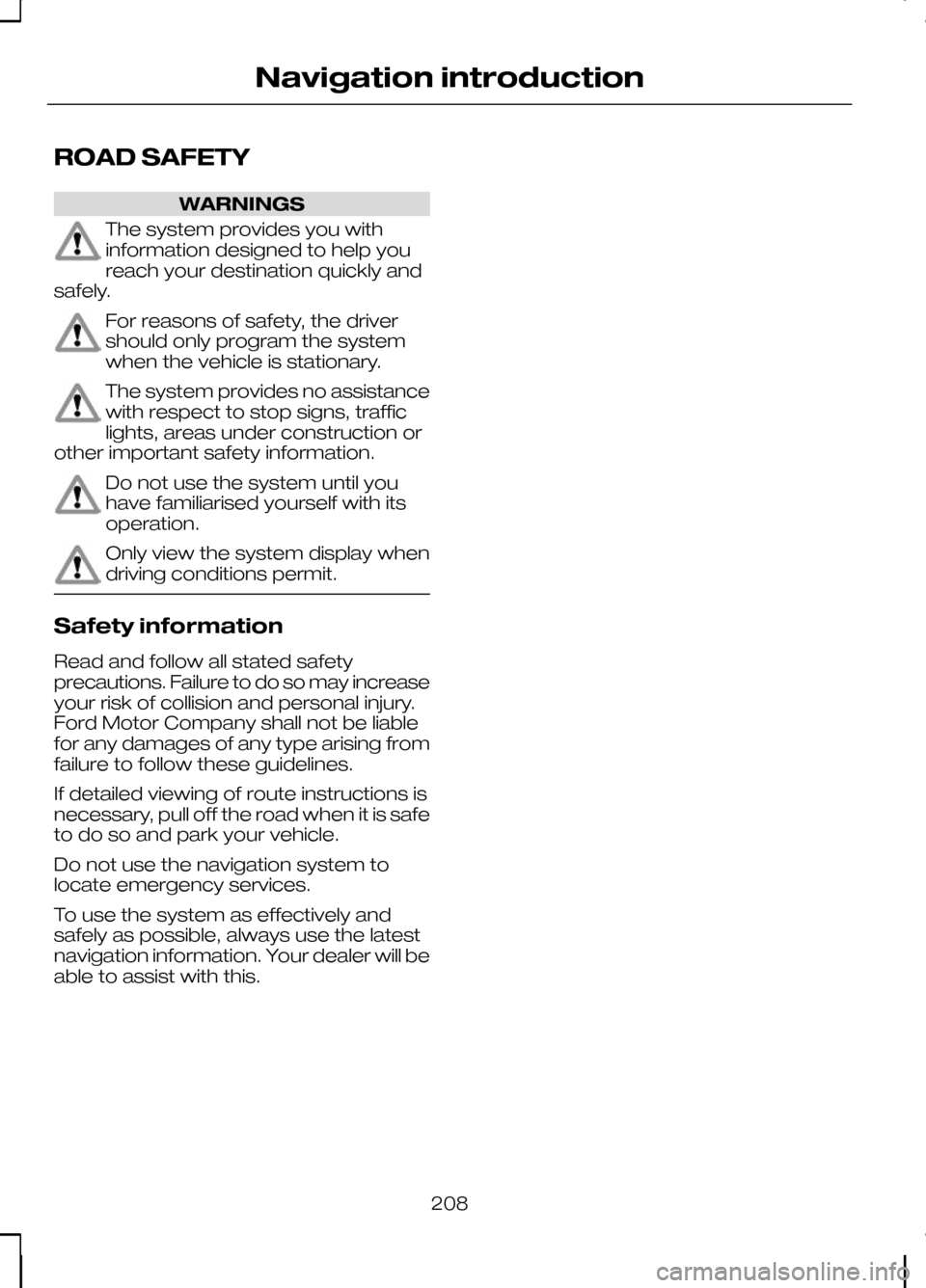
ROAD SAFETY
WARNINGS
The system provides you with
information designed to help you
reach your destination quickly and
safely. For reasons of safety, the driver
should only program the system
when the vehicle is stationary.
The system provides no assistance
with respect to stop signs, traffic
lights, areas under construction or
other important safety information. Do not use the system until you
have familiarised yourself with its
operation.
Only view the system display when
driving conditions permit.
Safety information
Read and follow all stated safety
precautions. Failure to do so may increase
your risk of collision and personal injury.
Ford Motor Company shall not be liable
for any damages of any type arising from
failure to follow these guidelines.
If detailed viewing of route instructions is
necessary, pull off the road when it is safe
to do so and park your vehicle.
Do not use the navigation system to
locate emergency services.
To use the system as effectively and
safely as possible, always use the latest
navigation information. Your dealer will be
able to assist with this.
208
Navigation introduction
Page 217 of 226
A
A/C
See: Climate control....................................80
About this handbook................................5
ABS See: Brakes..................................................112
ABS driving hints See: Hints on driving with ABS..................112
Accessories See: Parts and accessories..........................5
Adaptive front lighting system (AFS).......................................................49
Adjusting the steering wheel.................39
Adjusting the windscreen washer jets...........................................................43
AFS See: Adaptive front lighting system
(AFS)........................................................... 49
Air conditioning See: Climate control....................................80
Air vents....................................................80
Alarm.........................................................37
All-wheel drive (AWD).............................111
Appendices.............................................211
Arming the alarm.....................................37 Automatic arming delay..............................37
Interior sensors.............................................37
Arming the engine immobiliser.............36
Audible warnings and indicators..........66 Automatic transmission..............................66
Frost............................................................... 66
Key-in-ignition............................................... 67
Key outside car.............................................66
Lights on........................................................67
Low fuel..........................................................67
Seat belt reminder........................................67
Audio control...........................................39 Mode.............................................................. 40
Seek............................................................... 40
Volume........................................................... 39
Audio unit commands..........................183 Auxiliary input...............................................189
CD Changer.................................................184
CD Player.....................................................183
External devices - iPod...............................191
External devices - USB..............................189
Radio............................................................. 186Auto-dimming mirror..............................62
Autolamps................................................47
Automatic climate control.....................83
Air distribution...............................................85
Blower............................................................ 84
Mono mode..................................................84
Recirculated air.............................................85
Setting the temperature.............................84
Switching off the automatic climate control........................................................ 85
Switching the air conditioning on and off................................................................ 85
To switch mono mode back on.................84
To switch mono mode off...........................84
Windscreen defrosting and demisting................................................... 85
Automatic transmission........................108 Emergency park position release
lever........................................................... 110
Hints on driving with an automatic transmission............................................. 110
Manual shifting - Vehicles with a 5 speed transmission............................................ 109
Selector lever positions.............................108
Sport mode and manual shifting - Vehicles with a 6 speed transmission.................109
Autowipers................................................41
Auxiliary heater........................................86 Diesel auxiliary heater (depending on
country)..................................................... 89
Fuel operated heater (depending on country)..................................................... 89
Parking heater..............................................86
Auxiliary input (AUX IN) socket..............99
Auxiliary power sockets.........................97 Power inverter...............................................97
AWD See: All-wheel drive (AWD).........................111
B
Bluetooth setup.....................................176 Handling of phones....................................176
Requirements for Bluetooth
connection............................................... 176
Bonnet lock See: Opening and closing the bonnet.....142
215
Index
Page 220 of 226
G
Gauges.....................................................63
Engine coolant temperature gauge..........63
Fuel gauge.....................................................64
Gearbox See: Transmission.......................................108
General information on radio frequencies............................................27
Getting started......................................209 Activating the mobile phone navigation
system..................................................... 209
Compatibility of phones............................209
Installing the micro SD card......................209
Glasses holder.........................................99
Global opening and closing...................34 Global closing................................................34
Global opening.............................................34
H
Handbrake See: Parking brake......................................112
Hazard warning flashers........................48
Headlamp levelling..................................47 Recommended headlamp levelling control
positions.................................................... 48
Headlamp washers................................43
Head restraints........................................90 Adjusting the head restraint.......................90
Removing the head restraint......................90
Heated seats...........................................94
Heated windows and mirrors...............86 Heated exterior mirrors...............................86
Heated windows..........................................86
Heating See: Climate control....................................80
Hints on driving with ABS......................112
I
Immobiliser See: Engine immobiliser..............................36
Information displays................................68 General information.....................................68 Information messages...........................73
All wheel drive...............................................74
Doors open....................................................75
Keyless system.............................................75
Lighting........................................................... 76
Maintenance................................................. 76
Message indicator........................................74
Message symbols........................................74
Power steering..............................................77
Stability control (ESP)...................................77
Transmission................................................. 78
Tyre pressure monitoring system..............79
Viewing current messages.........................74
Instrument lighting dimmer...................96
Instruments..............................................63
Interior lamps...........................................50 Courtesy lamp..............................................50
Reading lamps..............................................50
Vanity mirror lamps.......................................51
Introduction................................................5
ISOFIX anchor points..............................20 Attaching a child restraint with a top
tether.......................................................... 20
J
Jump starting See: Using booster cables........................154
K
Keyless entry............................................31 Disabled keys................................................33
General information......................................31
Locking and unlocking the doors with the
key blade...................................................34
Locking the vehicle......................................32
Passive key...................................................32
Unlocking the vehicle...................................33
Keyless starting......................................101 Failure to start..............................................102
Ignition on.....................................................101
Starting a diesel engine..............................101
Starting with automatic transmission.......101
Starting with manual transmission............101
Stopping the engine...................................102
Keys and remote controls.....................27
218
Index