light FORD KUGA 2010 1.G Workshop Manual
[x] Cancel search | Manufacturer: FORD, Model Year: 2010, Model line: KUGA, Model: FORD KUGA 2010 1.GPages: 226, PDF Size: 8.07 MB
Page 207 of 226
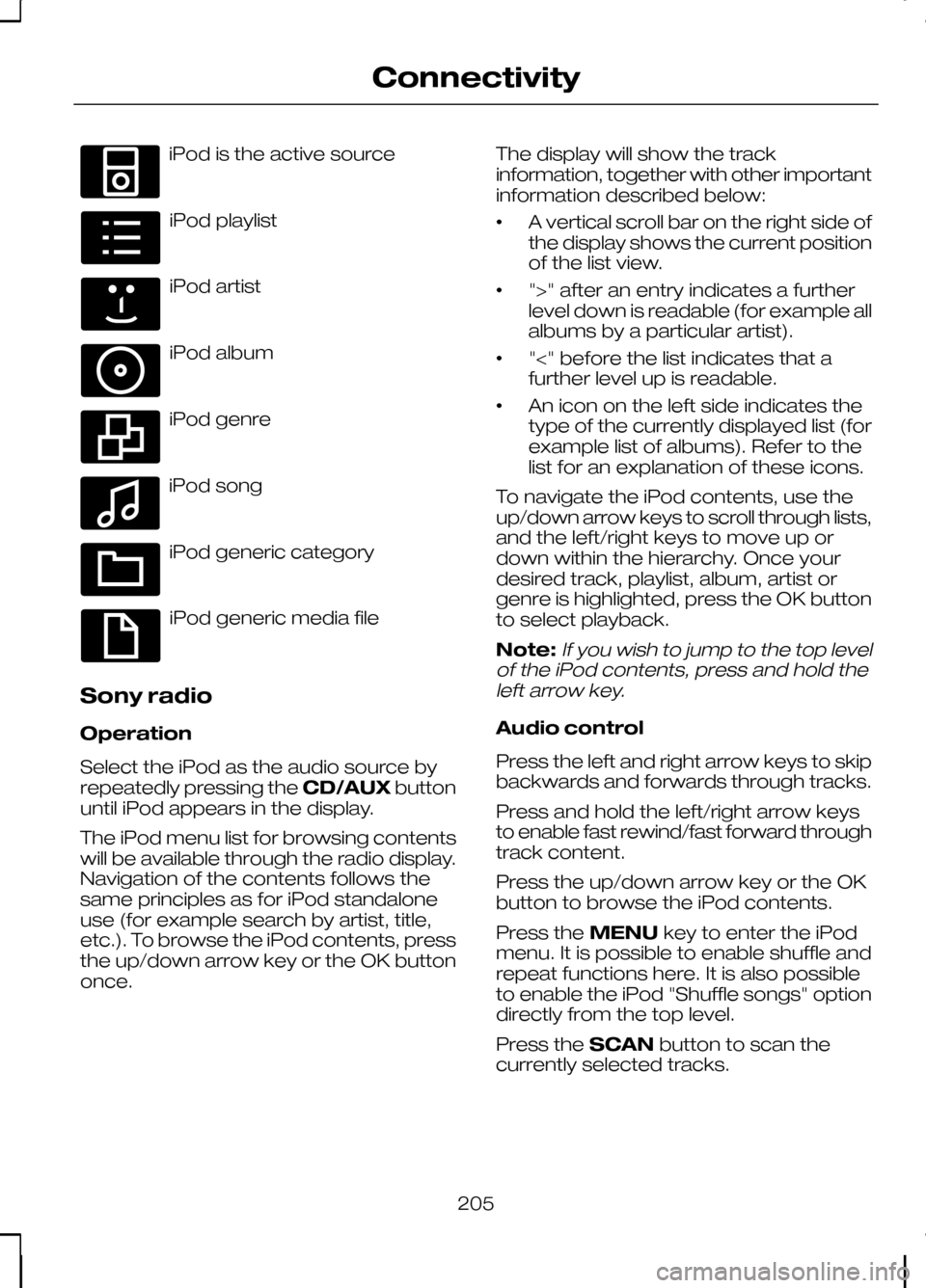
iPod is the active source
iPod playlist
iPod artist
iPod album
iPod genre
iPod song
iPod generic category
iPod generic media file
Sony radio
Operation
Select the iPod as the audio source by
repeatedly pressing the CD/AUXbutton
until iPod appears in the display.
The iPod menu list for browsing contents
will be available through the radio display.
Navigation of the contents follows the
same principles as for iPod standalone
use (for example search by artist, title,
etc.). To browse the iPod contents, press
the up/down arrow key or the OK button
once. The display will show the track
information, together with other important
information described below:
•
A vertical scroll bar on the right side of
the display shows the current position
of the list view.
• ">" after an entry indicates a further
level down is readable (for example all
albums by a particular artist).
• "<" before the list indicates that a
further level up is readable.
• An icon on the left side indicates the
type of the currently displayed list (for
example list of albums). Refer to the
list for an explanation of these icons.
To navigate the iPod contents, use the
up/down arrow keys to scroll through lists,
and the left/right keys to move up or
down within the hierarchy. Once your
desired track, playlist, album, artist or
genre is highlighted, press the OK button
to select playback.
Note:If you wish to jump to the top level
of the iPod contents, press and hold the left arrow key.
Audio control
Press the left and right arrow keys to skip
backwards and forwards through tracks.
Press and hold the left/right arrow keys
to enable fast rewind/fast forward through
track content.
Press the up/down arrow key or the OK
button to browse the iPod contents.
Press the MENUkey to enter the iPod
menu. It is possible to enable shuffle and
repeat functions here. It is also possible
to enable the iPod "Shuffle songs" option
directly from the top level.
Press the SCANbutton to scan the
currently selected tracks.
205
ConnectivityE100030 E100031 E100032 E100033 E100034 E100035 E100036 E100037
Page 208 of 226
Press the
INFObutton to display the
following:
• title
• artist
• track number and playing time.
Repeated button presses will scroll
through these displays.
CD Navigation units
Operation
Select the iPod as the audio source by
pressing the CD/AUXbutton until
DEVICES appears in the display. Select
DEVICES and then select iPod from the
available device list.
The iPod menu list for browsing contents
will be available through the display.
Navigation of the contents follows the
same principles as for iPod standalone
use (for example search by artist, title,
etc.). To browse the iPod contents, press
the SELECT button once.
The display will show the track
information, together with other important
information described below:
• A vertical scroll bar on the right side of
the display shows the current position
of the list view.
• ">" after an entry indicates a further
level down is readable (for example all
albums by a particular artist).
• "<" before the list indicates that a
further level up is readable.
• An icon on the left side indicates the
type of the currently displayed list (for
example list of albums). Refer to the
list for an explanation of these icons. To navigate the iPod contents, use the
rotary scroll/select button to browse
through lists. Push the button to expand
the contents within the highlighted playlist,
album, artist, genre or to commence
playback of a particular track. Press
ESC
to go up one level.
Audio control
Press the SEEKup and down keys to
skip backwards and forwards through
tracks.
Press and hold the SEEKkeys to enable
fast rewind/fast forward through track
content.
Rotate or press the SELECT button to
browse the iPod contents.
Press the MENU key to enter the iPod
menu. It is possible to enable shuffle and
repeat functions here. It is also possible
to enable the iPod "Shuffle songs" option
directly from the top level.
Press the SCAN button to scan the
currently selected tracks.
Press the INFObutton to display the
following:
• title
• artist
• track number and playing time.
DVD Navigation units
Operation
Select the iPod as the audio source by
pressing the CD/AUXbutton until the
iPod button appears to the left of the
display. Select iPod from the available
device list.
Note:Some devices may be shown but
not selectable, depending if the device is connected or not.
206
Connectivity
Page 209 of 226
The iPod menu list for browsing contents
will be available through the display.
Navigation of the contents follows the
same principles as for iPod standalone
use (for example search by artist, title,
etc.). To browse the iPod contents, press
the scroll up or down arrow button.
The display will show the track
information, together with other important
information described below:
•
A vertical scroll bar on the right side of
the display shows the current position
of the list view.
• ">" after an entry indicates a further
level down is readable (for example all
albums by a particular artist).
• "<" before the list indicates that a
further level up is readable.
• An icon on the left side indicates the
type of the currently displayed list (for
example list of albums). Refer to the
list for an explanation of these icons.
To navigate the iPod contents, use the
scroll buttons to browse through lists.
Push the button to expand the contents
within the highlighted playlist, album, artist,
genre or to commence playback of a
particular track. Press the left arrow key
to go up one level.
Audio control
Press the SEEKup and down keys to
skip backwards and forwards through
tracks.
Press and hold the SEEKkeys to enable
fast rewind/fast forward through track
content.
Press the scroll bar arrow keys to browse
the iPod contents.
Press the MENU key to enter the iPod
menu. It is possible to enable shuffle and
repeat functions here. It is also possible
to enable the iPod "Shuffle songs" option
directly from the top level. Press the SCAN button to scan the
currently selected tracks.
Press the
INFObutton to display the
following:
• title
• artist
• track number and playing time.
207
Connectivity
Page 210 of 226
ROAD SAFETY
WARNINGS
The system provides you with
information designed to help you
reach your destination quickly and
safely. For reasons of safety, the driver
should only program the system
when the vehicle is stationary.
The system provides no assistance
with respect to stop signs, traffic
lights, areas under construction or
other important safety information. Do not use the system until you
have familiarised yourself with its
operation.
Only view the system display when
driving conditions permit.
Safety information
Read and follow all stated safety
precautions. Failure to do so may increase
your risk of collision and personal injury.
Ford Motor Company shall not be liable
for any damages of any type arising from
failure to follow these guidelines.
If detailed viewing of route instructions is
necessary, pull off the road when it is safe
to do so and park your vehicle.
Do not use the navigation system to
locate emergency services.
To use the system as effectively and
safely as possible, always use the latest
navigation information. Your dealer will be
able to assist with this.
208
Navigation introduction
Page 217 of 226
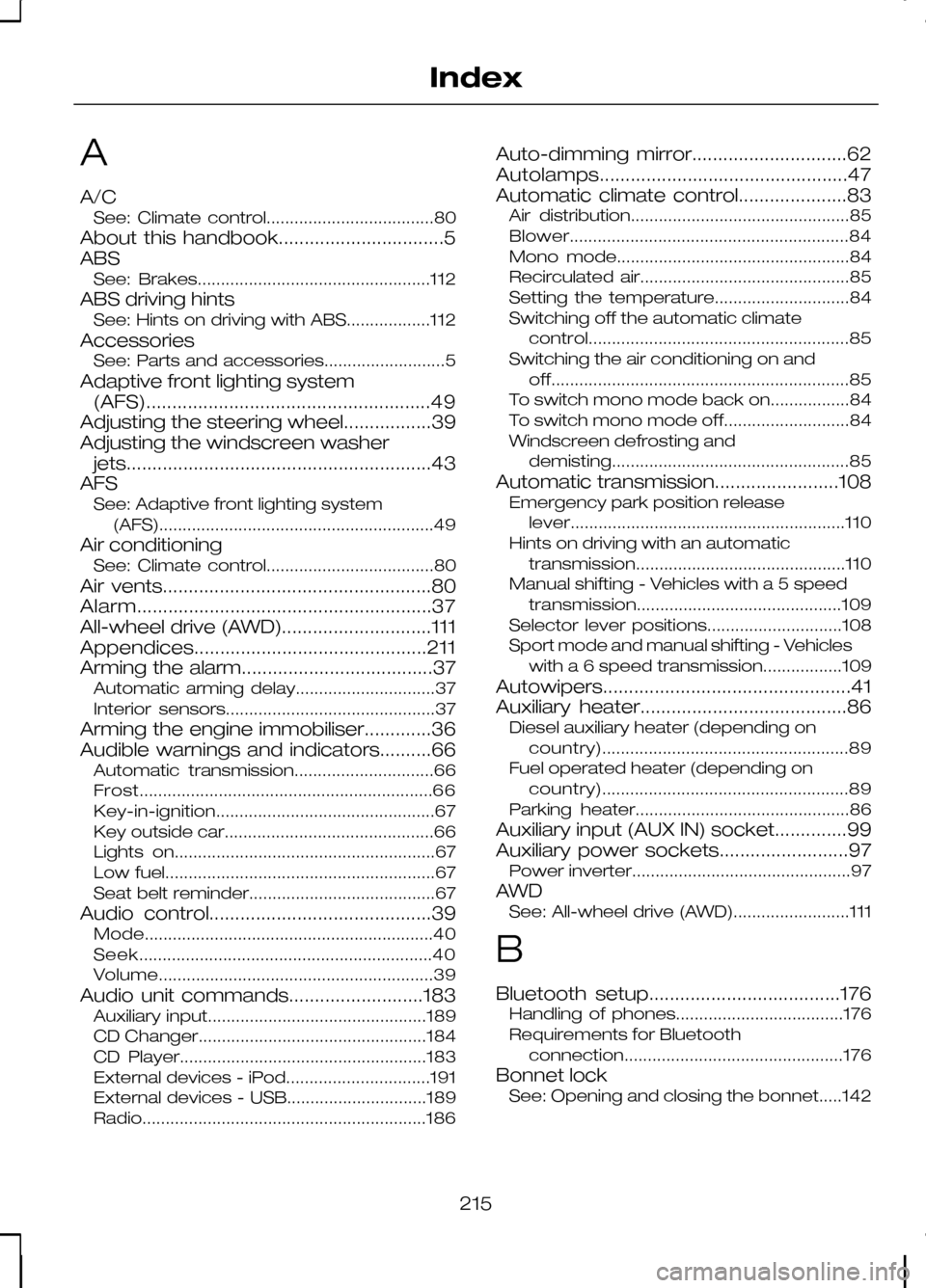
A
A/C
See: Climate control....................................80
About this handbook................................5
ABS See: Brakes..................................................112
ABS driving hints See: Hints on driving with ABS..................112
Accessories See: Parts and accessories..........................5
Adaptive front lighting system (AFS).......................................................49
Adjusting the steering wheel.................39
Adjusting the windscreen washer jets...........................................................43
AFS See: Adaptive front lighting system
(AFS)........................................................... 49
Air conditioning See: Climate control....................................80
Air vents....................................................80
Alarm.........................................................37
All-wheel drive (AWD).............................111
Appendices.............................................211
Arming the alarm.....................................37 Automatic arming delay..............................37
Interior sensors.............................................37
Arming the engine immobiliser.............36
Audible warnings and indicators..........66 Automatic transmission..............................66
Frost............................................................... 66
Key-in-ignition............................................... 67
Key outside car.............................................66
Lights on........................................................67
Low fuel..........................................................67
Seat belt reminder........................................67
Audio control...........................................39 Mode.............................................................. 40
Seek............................................................... 40
Volume........................................................... 39
Audio unit commands..........................183 Auxiliary input...............................................189
CD Changer.................................................184
CD Player.....................................................183
External devices - iPod...............................191
External devices - USB..............................189
Radio............................................................. 186Auto-dimming mirror..............................62
Autolamps................................................47
Automatic climate control.....................83
Air distribution...............................................85
Blower............................................................ 84
Mono mode..................................................84
Recirculated air.............................................85
Setting the temperature.............................84
Switching off the automatic climate control........................................................ 85
Switching the air conditioning on and off................................................................ 85
To switch mono mode back on.................84
To switch mono mode off...........................84
Windscreen defrosting and demisting................................................... 85
Automatic transmission........................108 Emergency park position release
lever........................................................... 110
Hints on driving with an automatic transmission............................................. 110
Manual shifting - Vehicles with a 5 speed transmission............................................ 109
Selector lever positions.............................108
Sport mode and manual shifting - Vehicles with a 6 speed transmission.................109
Autowipers................................................41
Auxiliary heater........................................86 Diesel auxiliary heater (depending on
country)..................................................... 89
Fuel operated heater (depending on country)..................................................... 89
Parking heater..............................................86
Auxiliary input (AUX IN) socket..............99
Auxiliary power sockets.........................97 Power inverter...............................................97
AWD See: All-wheel drive (AWD).........................111
B
Bluetooth setup.....................................176 Handling of phones....................................176
Requirements for Bluetooth
connection............................................... 176
Bonnet lock See: Opening and closing the bonnet.....142
215
Index
Page 218 of 226
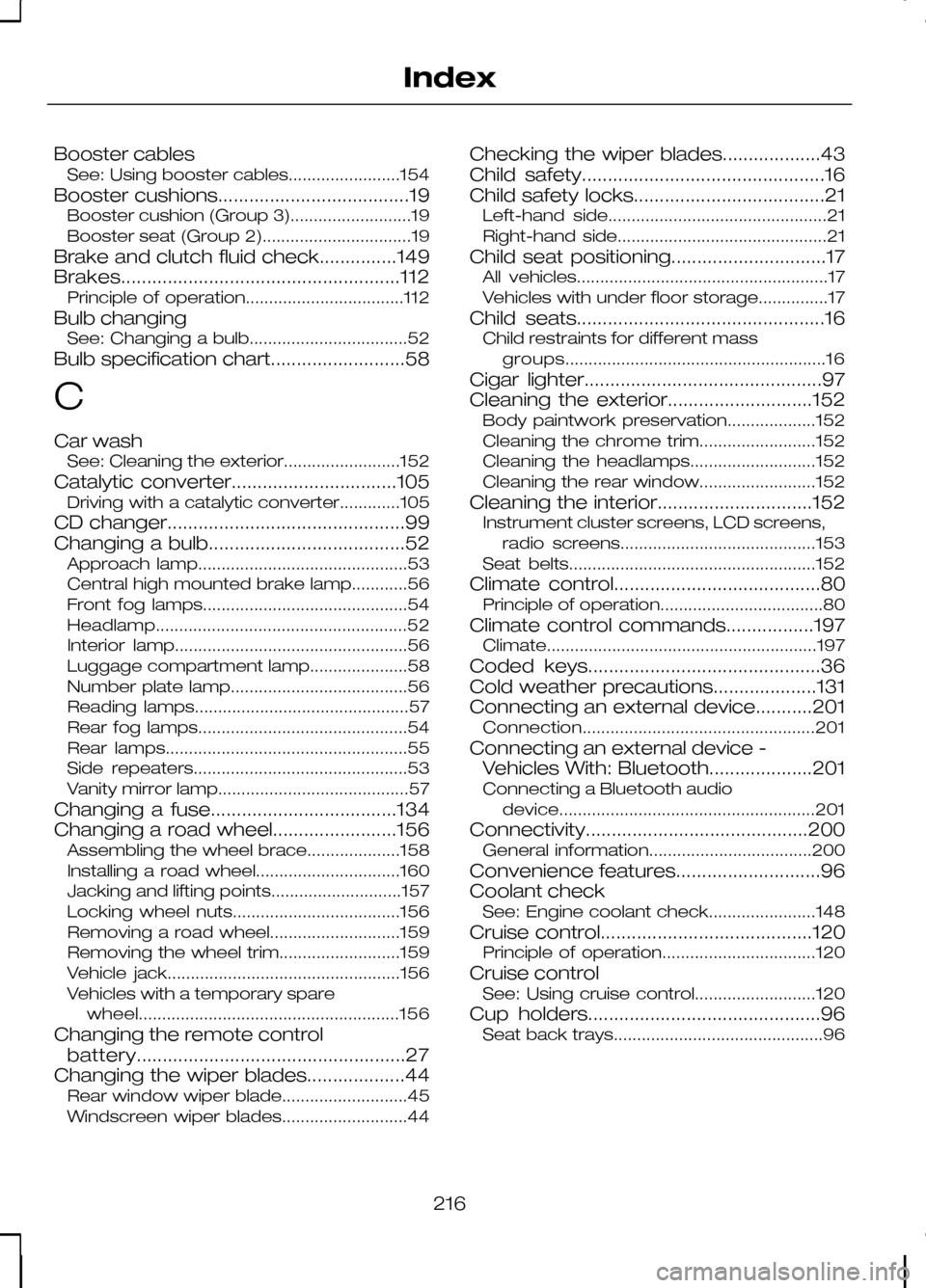
Booster cables
See: Using booster cables........................154
Booster cushions.....................................19 Booster cushion (Group 3)..........................19
Booster seat (Group 2)................................19
Brake and clutch fluid check...............149
Brakes......................................................112 Principle of operation..................................112
Bulb changing See: Changing a bulb..................................52
Bulb specification chart..........................58
C
Car wash See: Cleaning the exterior.........................152
Catalytic converter................................105 Driving with a catalytic converter.............105
CD changer..............................................99
Changing a bulb......................................52 Approach lamp.............................................53
Central high mounted brake lamp............56
Front fog lamps............................................54
Headlamp...................................................... 52
Interior lamp..................................................56
Luggage compartment lamp.....................58
Number plate lamp......................................56
Reading lamps..............................................57
Rear fog lamps.............................................54
Rear lamps....................................................55
Side repeaters..............................................53
Vanity mirror lamp.........................................57
Changing a fuse....................................134
Changing a road wheel........................156 Assembling the wheel brace....................158
Installing a road wheel...............................160
Jacking and lifting points............................157
Locking wheel nuts....................................156
Removing a road wheel............................159
Removing the wheel trim..........................159
Vehicle jack..................................................156
Vehicles with a temporary spare
wheel........................................................ 156
Changing the remote control battery....................................................27
Changing the wiper blades...................44 Rear window wiper blade...........................45
Windscreen wiper blades...........................44 Checking the wiper blades...................43
Child safety...............................................16
Child safety locks.....................................21
Left-hand side...............................................21
Right-hand side.............................................21
Child seat positioning..............................17 All vehicles......................................................17
Vehicles with under floor storage...............17
Child seats................................................16 Child restraints for different mass
groups........................................................ 16
Cigar lighter..............................................97
Cleaning the exterior............................152 Body paintwork preservation...................152
Cleaning the chrome trim.........................152
Cleaning the headlamps...........................152
Cleaning the rear window.........................152
Cleaning the interior..............................152 Instrument cluster screens, LCD screens,
radio screens..........................................153
Seat belts.....................................................152
Climate control........................................80 Principle of operation...................................80
Climate control commands.................197 Climate.......................................................... 197
Coded keys.............................................36
Cold weather precautions....................131
Connecting an external device...........201 Connection.................................................. 201
Connecting an external device - Vehicles With: Bluetooth....................201
Connecting a Bluetooth audio device....................................................... 201
Connectivity...........................................200 General information...................................200
Convenience features............................96
Coolant check See: Engine coolant check.......................148
Cruise control.........................................120 Principle of operation.................................120
Cruise control See: Using cruise control..........................120
Cup holders.............................................96 Seat back trays.............................................96
216
Index
Page 220 of 226
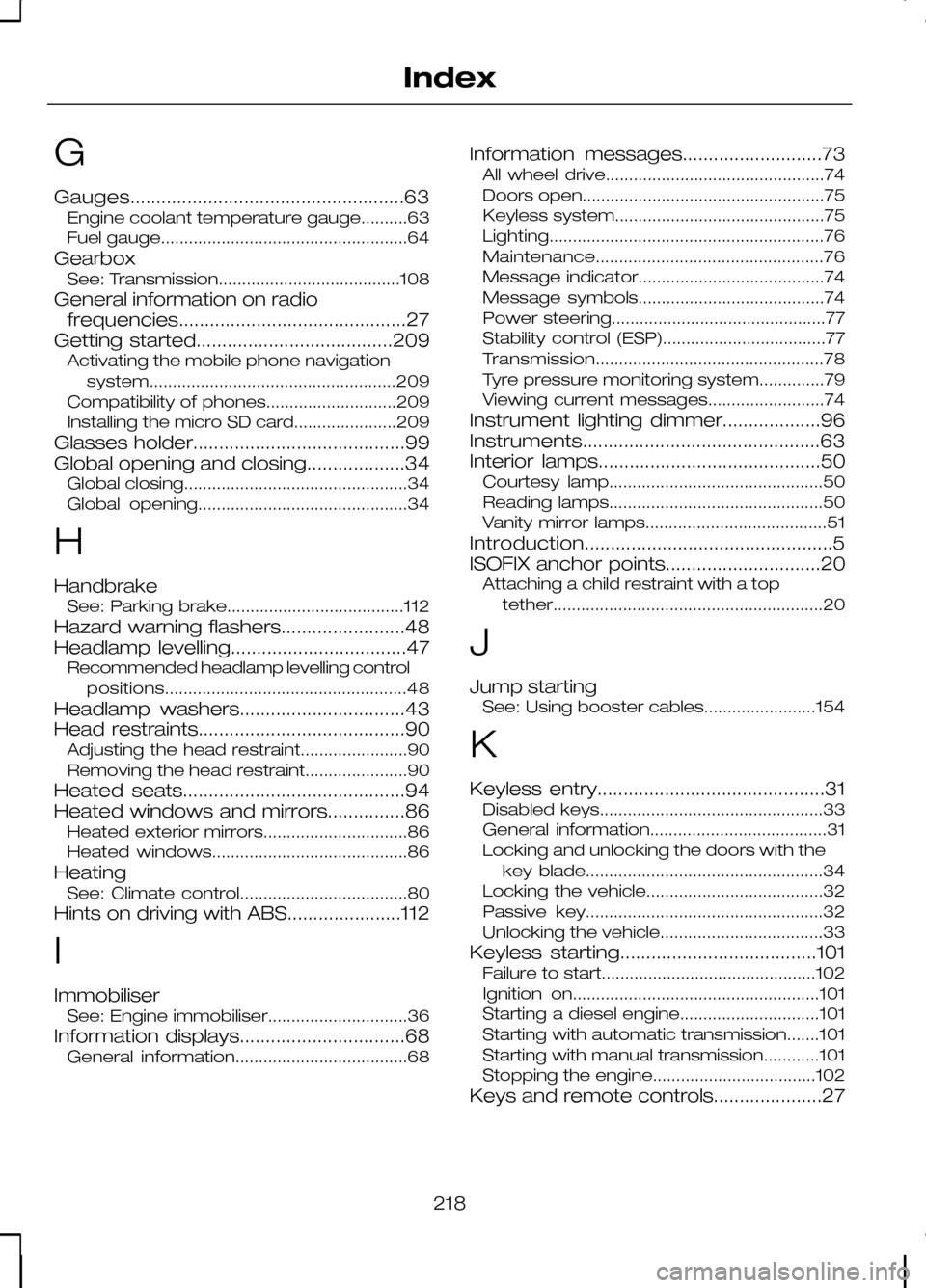
G
Gauges.....................................................63
Engine coolant temperature gauge..........63
Fuel gauge.....................................................64
Gearbox See: Transmission.......................................108
General information on radio frequencies............................................27
Getting started......................................209 Activating the mobile phone navigation
system..................................................... 209
Compatibility of phones............................209
Installing the micro SD card......................209
Glasses holder.........................................99
Global opening and closing...................34 Global closing................................................34
Global opening.............................................34
H
Handbrake See: Parking brake......................................112
Hazard warning flashers........................48
Headlamp levelling..................................47 Recommended headlamp levelling control
positions.................................................... 48
Headlamp washers................................43
Head restraints........................................90 Adjusting the head restraint.......................90
Removing the head restraint......................90
Heated seats...........................................94
Heated windows and mirrors...............86 Heated exterior mirrors...............................86
Heated windows..........................................86
Heating See: Climate control....................................80
Hints on driving with ABS......................112
I
Immobiliser See: Engine immobiliser..............................36
Information displays................................68 General information.....................................68 Information messages...........................73
All wheel drive...............................................74
Doors open....................................................75
Keyless system.............................................75
Lighting........................................................... 76
Maintenance................................................. 76
Message indicator........................................74
Message symbols........................................74
Power steering..............................................77
Stability control (ESP)...................................77
Transmission................................................. 78
Tyre pressure monitoring system..............79
Viewing current messages.........................74
Instrument lighting dimmer...................96
Instruments..............................................63
Interior lamps...........................................50 Courtesy lamp..............................................50
Reading lamps..............................................50
Vanity mirror lamps.......................................51
Introduction................................................5
ISOFIX anchor points..............................20 Attaching a child restraint with a top
tether.......................................................... 20
J
Jump starting See: Using booster cables........................154
K
Keyless entry............................................31 Disabled keys................................................33
General information......................................31
Locking and unlocking the doors with the
key blade...................................................34
Locking the vehicle......................................32
Passive key...................................................32
Unlocking the vehicle...................................33
Keyless starting......................................101 Failure to start..............................................102
Ignition on.....................................................101
Starting a diesel engine..............................101
Starting with automatic transmission.......101
Starting with manual transmission............101
Stopping the engine...................................102
Keys and remote controls.....................27
218
Index
Page 221 of 226
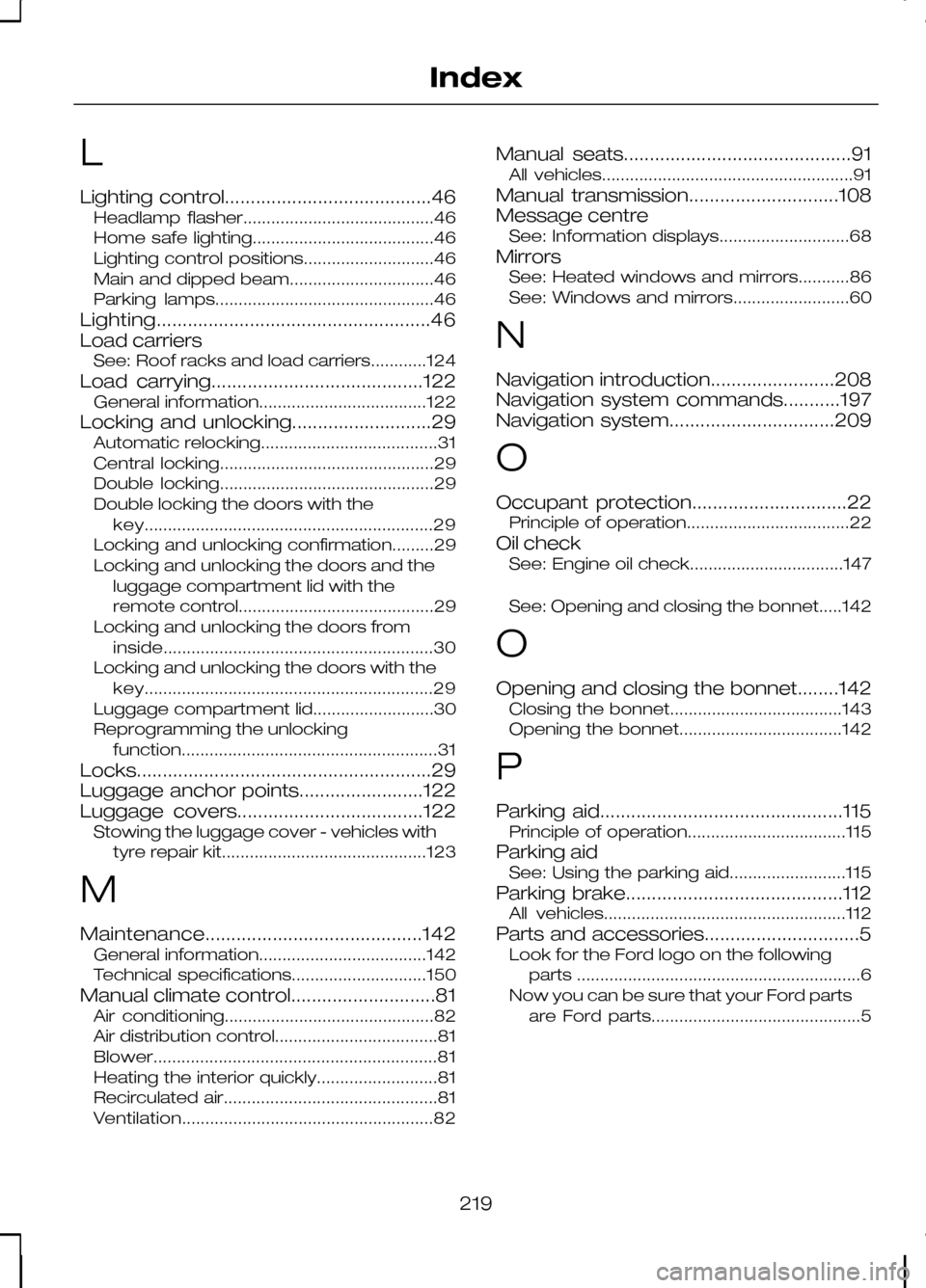
L
Lighting control........................................46
Headlamp flasher.........................................46
Home safe lighting.......................................46
Lighting control positions............................46
Main and dipped beam...............................46
Parking lamps...............................................46
Lighting.....................................................46
Load carriers See: Roof racks and load carriers............124
Load carrying.........................................122 General information....................................122
Locking and unlocking...........................29 Automatic relocking......................................31
Central locking..............................................29
Double locking..............................................29
Double locking the doors with the
key.............................................................. 29
Locking and unlocking confirmation.........29
Locking and unlocking the doors and the luggage compartment lid with the
remote control..........................................29
Locking and unlocking the doors from inside.......................................................... 30
Locking and unlocking the doors with the key.............................................................. 29
Luggage compartment lid..........................30
Reprogramming the unlocking function....................................................... 31
Locks.........................................................29
Luggage anchor points........................122
Luggage covers....................................122 Stowing the luggage cover - vehicles with
tyre repair kit............................................123
M
Maintenance..........................................142 General information....................................142
Technical specifications.............................150
Manual climate control............................81 Air conditioning.............................................82
Air distribution control...................................81
Blower............................................................. 81
Heating the interior quickly..........................81
Recirculated air..............................................81
Ventilation...................................................... 82Manual seats............................................91
All vehicles......................................................91
Manual transmission.............................108
Message centre See: Information displays............................68
Mirrors See: Heated windows and mirrors...........86
See: Windows and mirrors.........................60
N
Navigation introduction........................208
Navigation system commands...........197
Navigation system................................209
O
Occupant protection..............................22 Principle of operation...................................22
Oil check See: Engine oil check.................................147
See: Opening and closing the bonnet.....142
O
Opening and closing the bonnet........142 Closing the bonnet.....................................143
Opening the bonnet...................................142
P
Parking aid...............................................115 Principle of operation..................................115
Parking aid See: Using the parking aid.........................115
Parking brake..........................................112 All vehicles....................................................112
Parts and accessories..............................5 Look for the Ford logo on the following
parts .............................................................6
Now you can be sure that your Ford parts are Ford parts.............................................5
219
Index