warning FORD MAVERICK 2022 Owners Manual
[x] Cancel search | Manufacturer: FORD, Model Year: 2022, Model line: MAVERICK, Model: FORD MAVERICK 2022Pages: 533, PDF Size: 9.58 MB
Page 346 of 533
When the malfunction indicator is
illuminated, the system may not be able
to detect or signal low tire pressure as
intended. TPMS malfunctions may occur
for a variety of reasons, including the
installation of replacement or alternate
tires or wheels on the vehicle that prevent
the TPMS from functioning properly.
Always check the TPMS malfunction
telltale after replacing one or more tires or
wheels on your vehicle to ensure that the
replacement or alternate tires and wheels
allow the TPMS to continue to function
properly.
WARNING: Changes or
modifications not expressively approved
by the party responsible for compliance
could void the user's authority to operate
the equipment. The term "IC:" before the
radio certification number only signifies
that Industry Canada technical
specifications were met.
This device complies with Part 15 of the
FCC Rules and with License exempt RSS
Standards of Industry Canada. Operation
is subject to the following two conditions:
1. This device may not cause harmful interference, and
2. This device must accept any interference received, including
interference that may cause undesired
operation. TIRE PRESSURE MONITORING
SYSTEM PRECAUTIONS WARNING:
The tire pressure
monitoring system is not a substitute for
manually checking tire pressures. You
should periodically check tire pressures
using a pressure gauge. Failure to
correctly maintain tire pressures could
increase the risk of tire failure, loss of
control, vehicle rollover and personal
injury.
Note: The use of tire sealants can damage
the tire pressure monitoring system.
TIRE PRESSURE MONITORING
SYSTEM LIMITATIONS
When the outside temperature drops
significantly, the tire pressure could
decrease and activate the low tire pressure
warning lamp.
The warning lamp could also illuminate
when you use a spare wheel, or tire sealant
from the inflator kit.
Note: Regularly checking the vehicle tire
pressures can reduce the possibility for the
warning lamp to illuminate due to outside
air temperature changes.
Note: After you inflate the tires to the
recommended pressure it could take up to
two minutes of driving over
20 mph
(32 km/h) for the warning indicator to turn
off.
343
2022 Maverick (CFE) Canada/United States of America, enUSA, Edition date: 202106, First-Printing Tire Pressure Monitoring System
Page 347 of 533
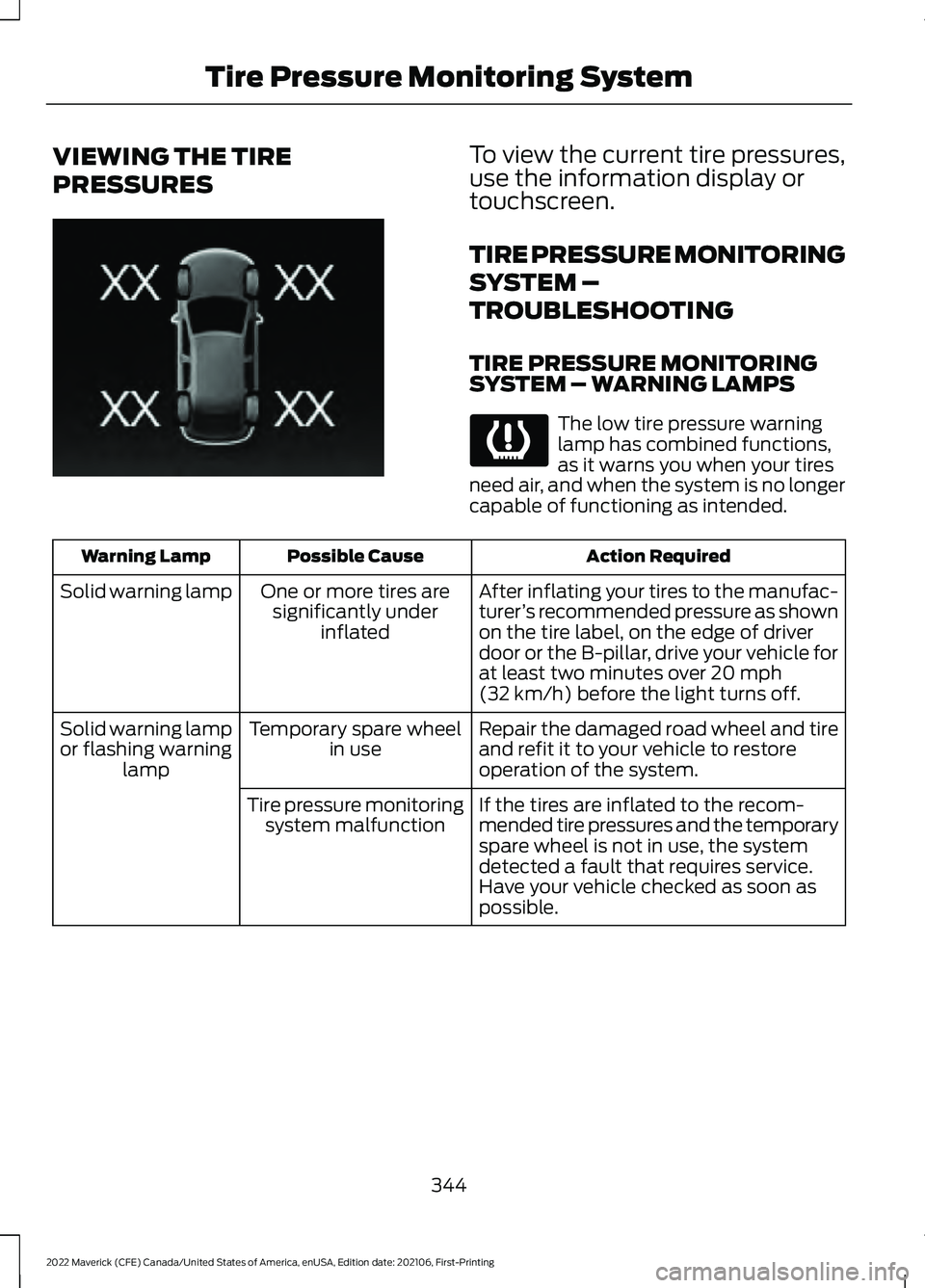
VIEWING THE TIRE
PRESSURES To view the current tire pressures,
use the information display or
touchscreen.
TIRE PRESSURE MONITORING
SYSTEM –
TROUBLESHOOTING
TIRE PRESSURE MONITORING
SYSTEM – WARNING LAMPS
The low tire pressure warning
lamp has combined functions,
as it warns you when your tires
need air, and when the system is no longer
capable of functioning as intended. Action Required
Possible Cause
Warning Lamp
After inflating your tires to the manufac-
turer’s recommended pressure as shown
on the tire label, on the edge of driver
door or the B-pillar, drive your vehicle for
at least two minutes over 20 mph
(32 km/h) before the light turns off.
One or more tires are
significantly under inflated
Solid warning lamp
Repair the damaged road wheel and tire
and refit it to your vehicle to restore
operation of the system.
Temporary spare wheel
in use
Solid warning lamp
or flashing warning lamp
If the tires are inflated to the recom-
mended tire pressures and the temporary
spare wheel is not in use, the system
detected a fault that requires service.
Have your vehicle checked as soon as
possible.
Tire pressure monitoring
system malfunction
344
2022 Maverick (CFE) Canada/United States of America, enUSA, Edition date: 202106, First-Printing Tire Pressure Monitoring SystemE250820
Page 349 of 533
CHANGING A FLAT TIRE
WARNING: If the tire pressure
monitor sensor becomes damaged it
may not function.
Note: The use of tire sealant may damage
your tire pressure monitoring system and
should only be used in roadside
emergencies.
Note: The tire pressure monitoring system
indicator light illuminates when the spare
tire is in use. To restore the full function of
the monitoring system, all road wheels
equipped with tire pressure monitoring
sensors must be mounted on this vehicle.
If you get a flat tire when driving, do not
apply the brake heavily. Instead, gradually
decrease your speed. Hold the steering
wheel firmly and slowly move to a safe
place on the side of the road.
Have a flat serviced by an authorized
dealer to prevent damage to the system
sensors.
See Tire Pressure Monitoring
System Precautions (page 343). Replace
the spare tire with a road tire as soon as
possible. During repairing or replacing the
flat tire, have the authorized dealer inspect
the system sensor for damage. WARNING:
Never place anything
between the vehicle jack and the ground. WARNING:
Never place anything
between the vehicle jack and your
vehicle. WARNING:
To help prevent your
vehicle from moving when changing a
wheel, shift the transmission into park
(P), set the parking brake and use an
appropriate block or wheel chock to
secure the wheel diagonally opposite to
the wheel being changed. For example,
when changing the front left wheel,
place an appropriate block or wheel
chock on the right rear wheel. WARNING: It is recommended that
the wheels of the vehicle be chocked,
and that no person should remain in a
vehicle that is being jacked. WARNING:
Always use the jack
provided as original equipment with your
vehicle. If using a jack other than the one
provided, make sure the jack capacity is
adequate for the vehicle weight,
including any vehicle cargo or
modifications. If you are unsure if the jack
capacity is adequate, contact the
authorized dealer. WARNING:
The jack supplied with
this vehicle is only intended for changing
wheels. Do not use the vehicle jack other
than when you are changing a wheel in
an emergency. WARNING: Check that the vehicle
jack is not damaged or deformed and
the thread is lubricated and clean. WARNING:
The jack should be
used on level firm ground wherever
possible. WARNING:
Use only the specified
jacking points. If you use other locations,
you could damage the body, steering,
suspension, engine, braking system or
the fuel lines.
346
2022 Maverick (CFE) Canada/United States of America, enUSA, Edition date: 202106, First-Printing Changing a Road Wheel
Page 350 of 533
WARNING: Switch the ignition off
and apply the park brake fully before
lifting vehicle. WARNING:
Park your vehicle so
that you do not obstruct the flow of
traffic or place yourself in any danger and
set up a warning triangle. WARNING:
The jack supplied with
this vehicle is only intended for changing
a flat tire in an emergency. Do not
attempt to do any other work on your
vehicle when it is supported by the jack,
as your vehicle could slip off the jack.
Failure to follow this instruction could
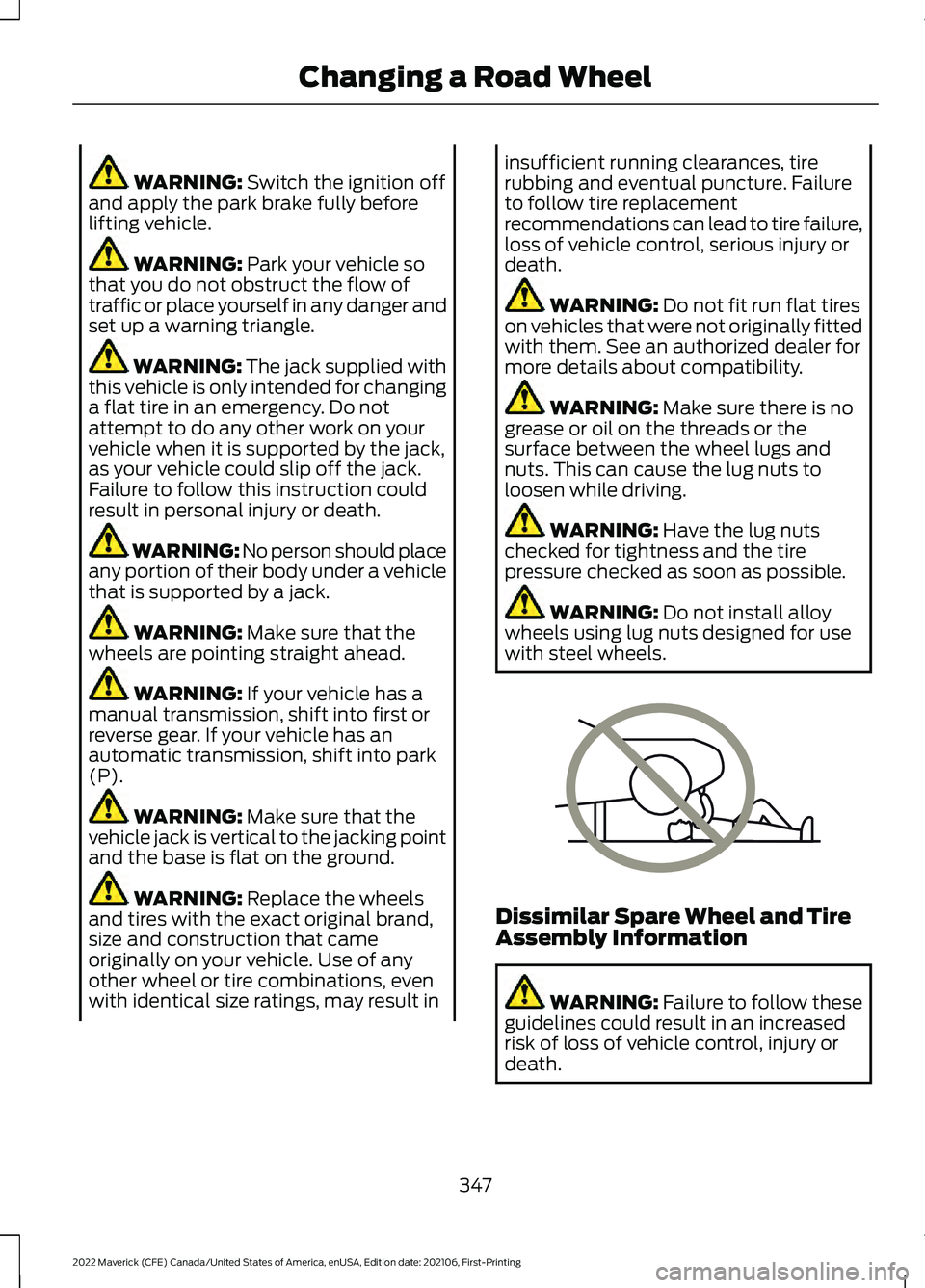
result in personal injury or death. WARNING: No person should place
any portion of their body under a vehicle
that is supported by a jack. WARNING:
Make sure that the
wheels are pointing straight ahead. WARNING:
If your vehicle has a
manual transmission, shift into first or
reverse gear. If your vehicle has an
automatic transmission, shift into park
(P). WARNING:
Make sure that the
vehicle jack is vertical to the jacking point
and the base is flat on the ground. WARNING:
Replace the wheels
and tires with the exact original brand,
size and construction that came
originally on your vehicle. Use of any
other wheel or tire combinations, even
with identical size ratings, may result in insufficient running clearances, tire
rubbing and eventual puncture. Failure
to follow tire replacement
recommendations can lead to tire failure,
loss of vehicle control, serious injury or
death.
WARNING:
Do not fit run flat tires
on vehicles that were not originally fitted
with them. See an authorized dealer for
more details about compatibility. WARNING:
Make sure there is no
grease or oil on the threads or the
surface between the wheel lugs and
nuts. This can cause the lug nuts to
loosen while driving. WARNING:
Have the lug nuts
checked for tightness and the tire
pressure checked as soon as possible. WARNING:
Do not install alloy
wheels using lug nuts designed for use
with steel wheels. Dissimilar Spare Wheel and Tire
Assembly Information
WARNING:
Failure to follow these
guidelines could result in an increased
risk of loss of vehicle control, injury or
death.
347
2022 Maverick (CFE) Canada/United States of America, enUSA, Edition date: 202106, First-Printing Changing a Road WheelE166722
Page 353 of 533
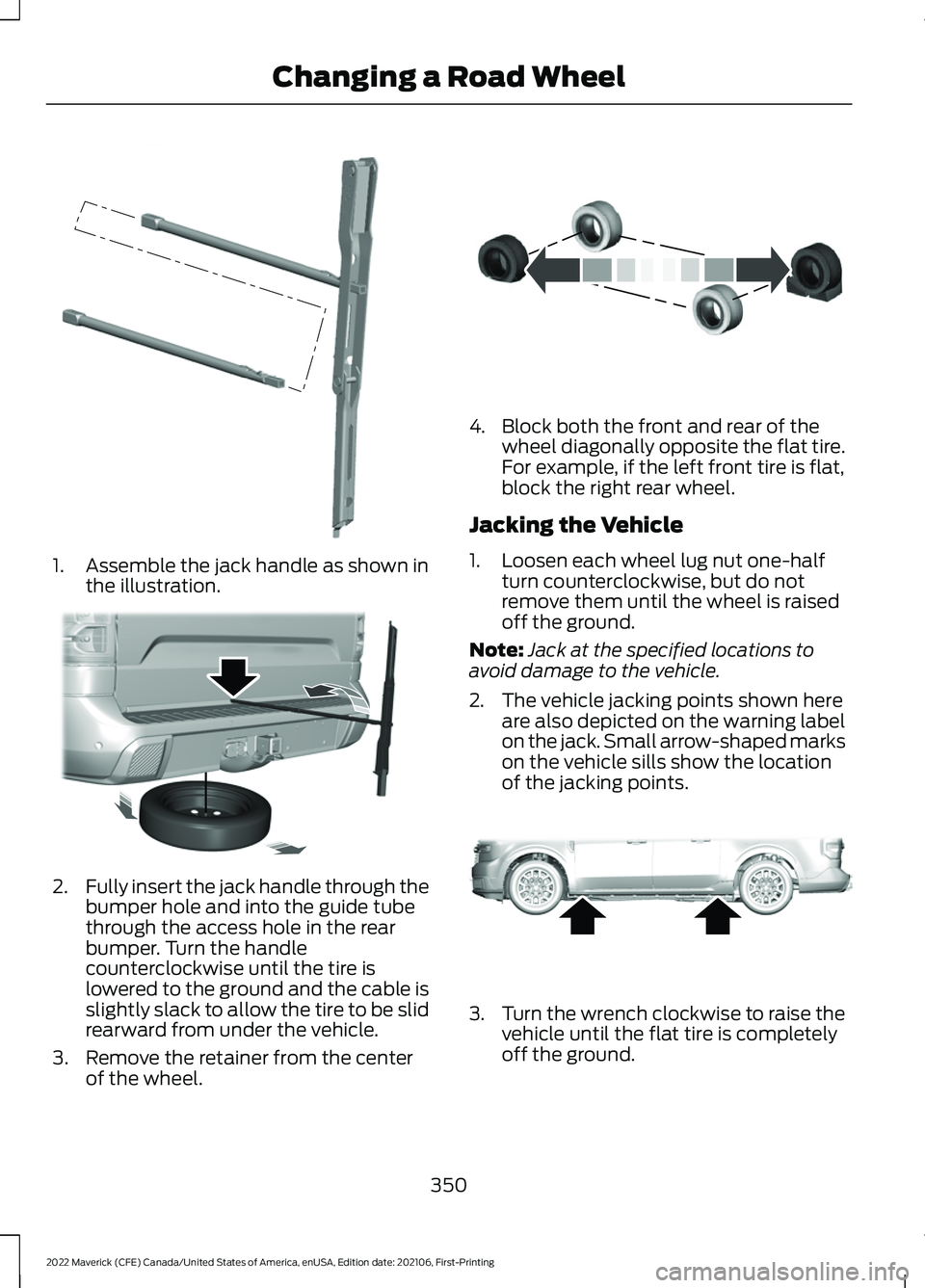
1. Assemble the jack handle as shown in
the illustration. 2.
Fully insert the jack handle through the
bumper hole and into the guide tube
through the access hole in the rear
bumper. Turn the handle
counterclockwise until the tire is
lowered to the ground and the cable is
slightly slack to allow the tire to be slid
rearward from under the vehicle.
3. Remove the retainer from the center of the wheel. 4. Block both the front and rear of the
wheel diagonally opposite the flat tire.
For example, if the left front tire is flat,
block the right rear wheel.
Jacking the Vehicle
1. Loosen each wheel lug nut one-half turn counterclockwise, but do not
remove them until the wheel is raised
off the ground.
Note: Jack at the specified locations to
avoid damage to the vehicle.
2. The vehicle jacking points shown here are also depicted on the warning label
on the jack. Small arrow-shaped marks
on the vehicle sills show the location
of the jacking points. 3.
Turn the wrench clockwise to raise the
vehicle until the flat tire is completely
off the ground.
350
2022 Maverick (CFE) Canada/United States of America, enUSA, Edition date: 202106, First-Printing Changing a Road WheelE352148 E352181 E175447 E352156
Page 357 of 533
WHEEL NUTS
WARNING: When you install a wheel, always remove any corrosion, dirt or foreign
materials present on the mounting surfaces of the wheel or the surface of the wheel
hub, brake drum or brake disc that contacts the wheel. Make sure to secure any fasteners
that attach the rotor to the hub so they do not interfere with the mounting surfaces of
the wheel. Installing wheels without correct metal-to-metal contact at the wheel
mounting surfaces can cause the wheel nuts to loosen and the wheel to come off while
your vehicle is in motion, resulting in loss of vehicle control, personal injury or death. lb.ft (Nm)
Bolt size
148 lb.ft (200 Nm)
M14 x 1.5
* Torque specifications are for nut and bolt threads free of dirt and rust. Use only Ford
recommended replacement fasteners.
Retighten the lug nuts to the specified torque within 100 mi (160 km) after any wheel
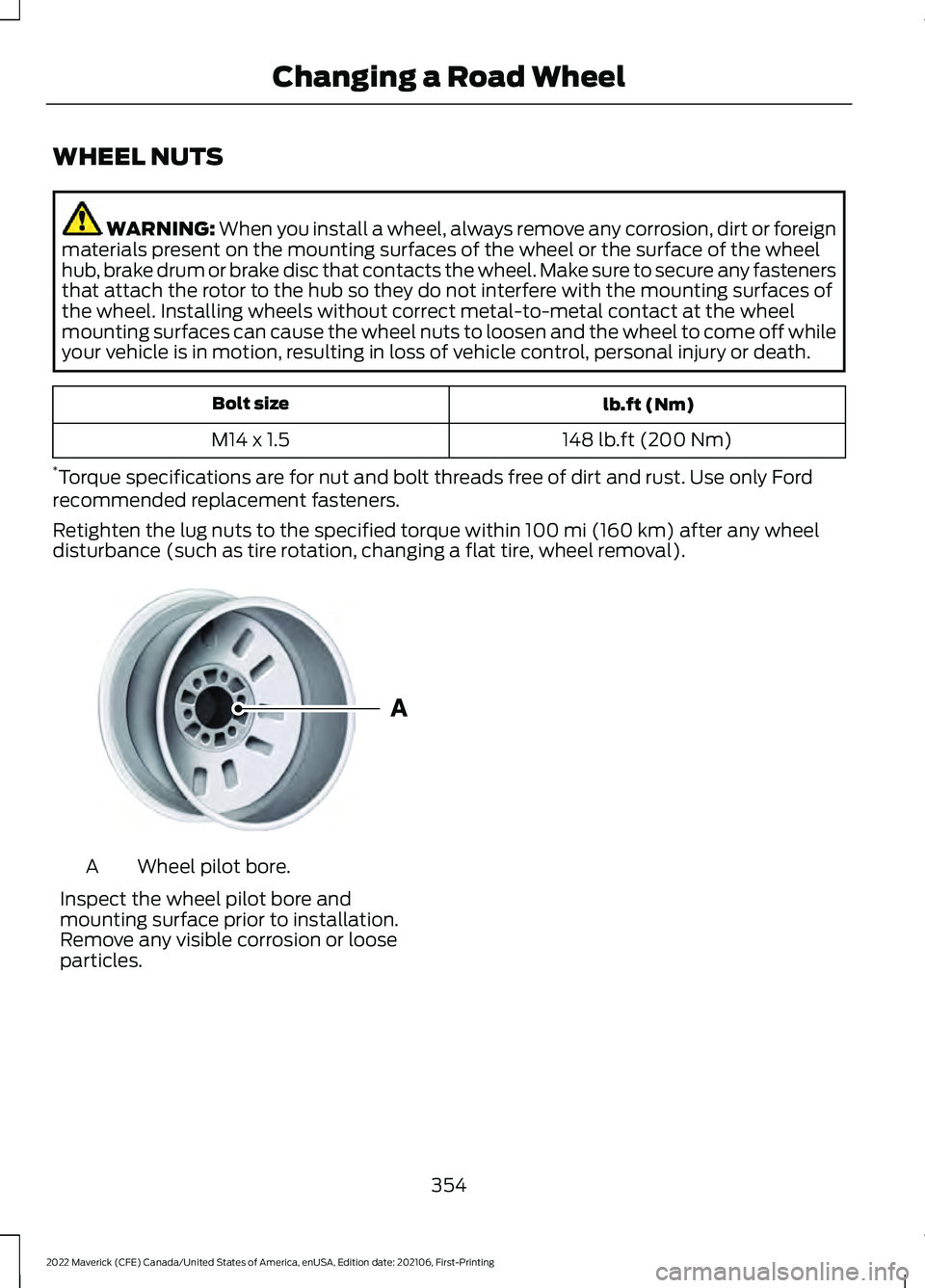
disturbance (such as tire rotation, changing a flat tire, wheel removal). Wheel pilot bore.
A
Inspect the wheel pilot bore and
mounting surface prior to installation.
Remove any visible corrosion or loose
particles.
354
2022 Maverick (CFE) Canada/United States of America, enUSA, Edition date: 202106, First-Printing Changing a Road WheelE145950
Page 368 of 533
AIR CONDITIONING SYSTEM
CAPACITY AND
SPECIFICATION - 2.0L
ECOBOOST™
WARNING: The air conditioning
refrigerant system contains refrigerant
under high pressure. Only qualified
personnel should service the air
conditioning refrigerant system. Opening the air conditioning refrigerant system
can cause personal injury.
Use refrigerant and oil that meets the
defined specifications.
If you do not use refrigerant and oil that
meets the defined specifications, it could
result in:
• Component damage that your vehicle
warranty does not cover.
• Reduced vehicle performance.
Capacities Refrigerant Oil
Refrigerant
Variant
3.4 fl oz (100 ml)
19.4 oz (0.55 kg)
All.
Materials Specification
Name
WSS-M17B21-A
R-1234yf Refrigerant(U.S.)
R-1234yf Refrigerant / Frigorigène R-1234yf(Canada)
YN-33-A(U.S.)
HS7Z-19B519-BA(Canada)
WSS-M2C300-A2
Motorcraft® R-1234yf Refrigerant PAG Oil(U.S.)
Motorcraft® R-1234yf Refrigerant PAG Oil / Huile
PAG pour frigorigène R-1234yf Motorcraft®(Canada)
YN-35(U.S. & Canada)
365
2022 Maverick (CFE) Canada/United States of America, enUSA, Edition date: 202106, First-Printing Capacities and Specifications
Page 369 of 533
AIR CONDITIONING SYSTEM
CAPACITY AND
SPECIFICATION - 2.5L, HYBRID
ELECTRIC VEHICLE (HEV)
WARNING: The air conditioning
refrigerant system contains refrigerant
under high pressure. Only qualified
personnel should service the air
conditioning refrigerant system. Opening the air conditioning refrigerant system
can cause personal injury.
Use refrigerant and oil that meets the
defined specifications.
If you do not use refrigerant and oil that
meets the defined specifications, it could
result in:
• Component damage that your vehicle
warranty does not cover.
• Reduced vehicle performance.
Capacities Refrigerant Oil
Refrigerant
Variant
5.1 fl oz (150 ml)
17.6 oz (0.5 kg)
All.
Materials Specification
Name
WSS-M17B21-A
R-1234yf Refrigerant(U.S.)
R-1234yf Refrigerant / Frigorigène R-1234yf(Canada)
YN-33-A(U.S.)
HS7Z-19B519-BA(Canada)
WSS-M2C31-B2
Motorcraft® R-1234yf Refrigerant POE Oil(U.S.)
Motorcraft® R-1234yf Refrigerant POE Oil / Huile
POE pour frigorigène R-1234yf Motorcraft®(Canada)
YN-34(U.S. & Canada)
WASHER FLUID SPECIFICATION
Capacities Quantity
Variant
Fill as required.
All.
366
2022 Maverick (CFE) Canada/United States of America, enUSA, Edition date: 202106, First-Printing Capacities and Specifications
Page 378 of 533
GENERAL INFORMATION
WARNING: Driving while distracted
can result in loss of vehicle control, crash
and injury. We strongly recommend that
you use extreme caution when using any
device that may take your focus off the
road. Your primary responsibility is the
safe operation of your vehicle. We
recommend against the use of any hand-held device while driving and
encourage the use of voice-operated
systems when possible. Make sure you
are aware of all applicable local laws
that may affect the use of electronic
devices while driving.
Radio Frequencies and Reception
Factors
Note: Listening to loud audio for long
periods of time could damage your hearing. Radio Reception Factors
The further you travel from an AM or FM station, the
weaker the signal and the weaker the reception.
Distance and strength
Hills, mountains, tall buildings, bridges, tunnels, freeway
overpasses, parking garages, dense tree foliage and
thunderstorms can interfere with the reception.
Terrain
When you pass a ground-based broadcast repeating
tower, a stronger signal may overtake a weaker one and
result in the audio system muting.
Station overload
AUDIO UNIT
Switching the Audio Unit On and
Off Note:
You can only switch the system off
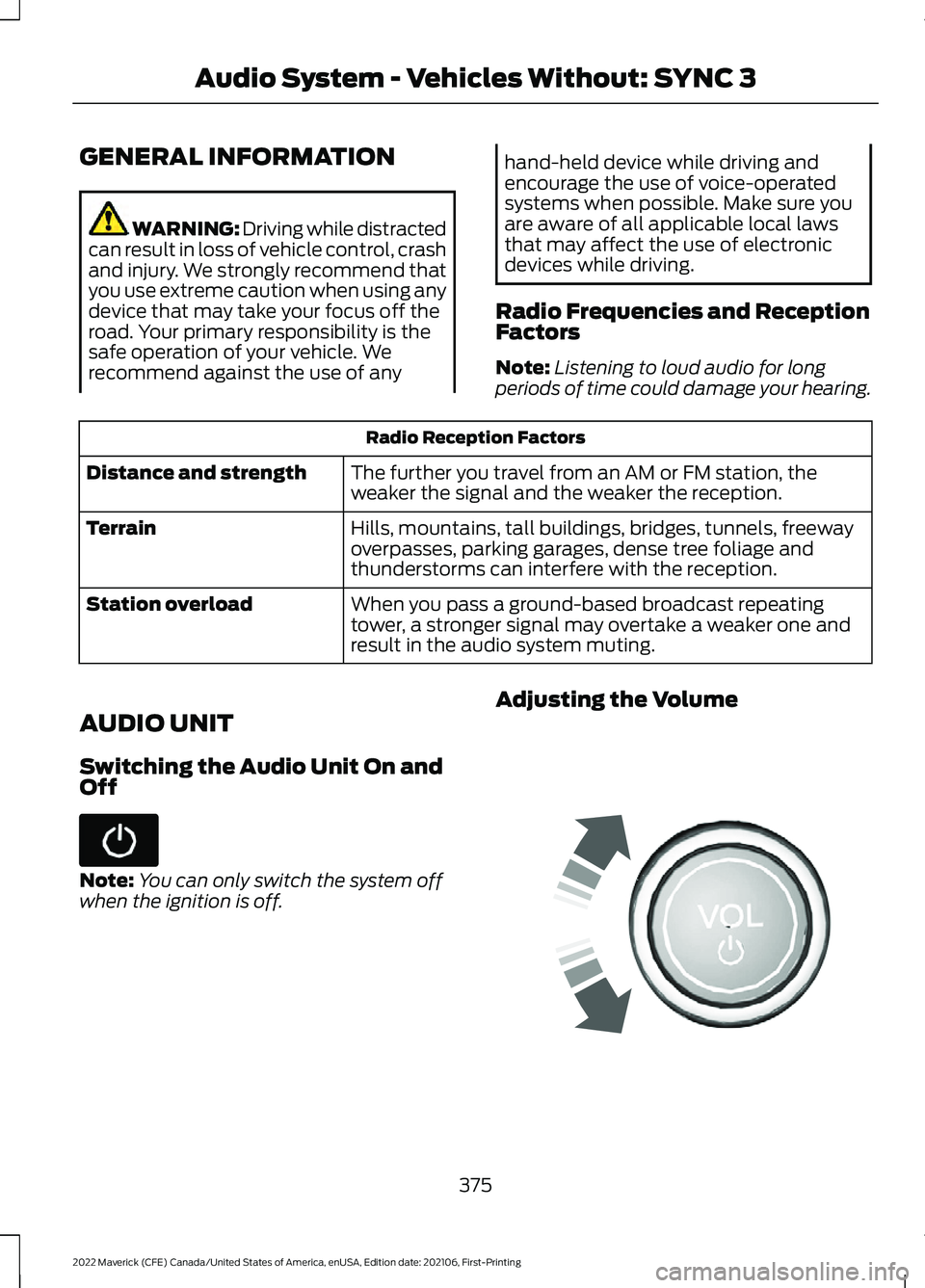
when the ignition is off. Adjusting the Volume
375
2022 Maverick (CFE) Canada/United States of America, enUSA, Edition date: 202106, First-Printing Audio System - Vehicles Without: SYNC 3 E248939
Page 382 of 533
Press the button once to return
to the beginning of the track.
Repeatedly press the button to
return to previous tracks.
Press and hold the button to fast rewind.
PLAYING MEDIA FROM A USB
DEVICE
Supported File Formats
The system supports the following file
formats:
• MP3, M4B, WMA, PCM, WAV, AAC,
APE, and FLAC audio file formats.
• WMV, MKV, AVI, MPEG, MP2, MPE,
MP4, MOV, M4V and 3GP video file
format.
• exFAT, FAT, FAT32 and NTFS file
systems.
Selecting the USB Device
Connect your device to the USB port. Select the audio option on the
feature bar.
Select Sources. Select the USB option.
Select
Browse.
You can play the tracks displayed on the
screen or search for new tracks.
Playing from the USB Device Press the button to play a track.
Press the button again to pause
the track.
Press the button to skip to the
next track. Press and hold the button to fast forward
through the track. Press the button once to return
to the beginning of a track.
Repeatedly press the button to
return to previous tracks.
Press and hold the button to fast rewind
through the track.
Sorting by Categories
You can also sort and play music by
specific categories, for example artist or
album.
USB PORT WARNING: Driving while distracted
can result in loss of vehicle control, crash
and injury. We strongly recommend that
you use extreme caution when using any
device that may take your focus off the
road. Your primary responsibility is the
safe operation of your vehicle. We
recommend against the use of any
hand-held device while driving and
encourage the use of voice-operated
systems when possible. Make sure you
are aware of all applicable local laws
that may affect the use of electronic
devices while driving. The USB port allows you to plug in media
playing devices, memory sticks and charge
devices (if supported).
379
2022 Maverick (CFE) Canada/United States of America, enUSA, Edition date: 202106, First-Printing Audio System - Vehicles Without: SYNC 3 E100027 E242003