brake sensor FORD MAVERICK 2022 User Guide
[x] Cancel search | Manufacturer: FORD, Model Year: 2022, Model line: MAVERICK, Model: FORD MAVERICK 2022Pages: 533, PDF Size: 9.58 MB
Page 251 of 533
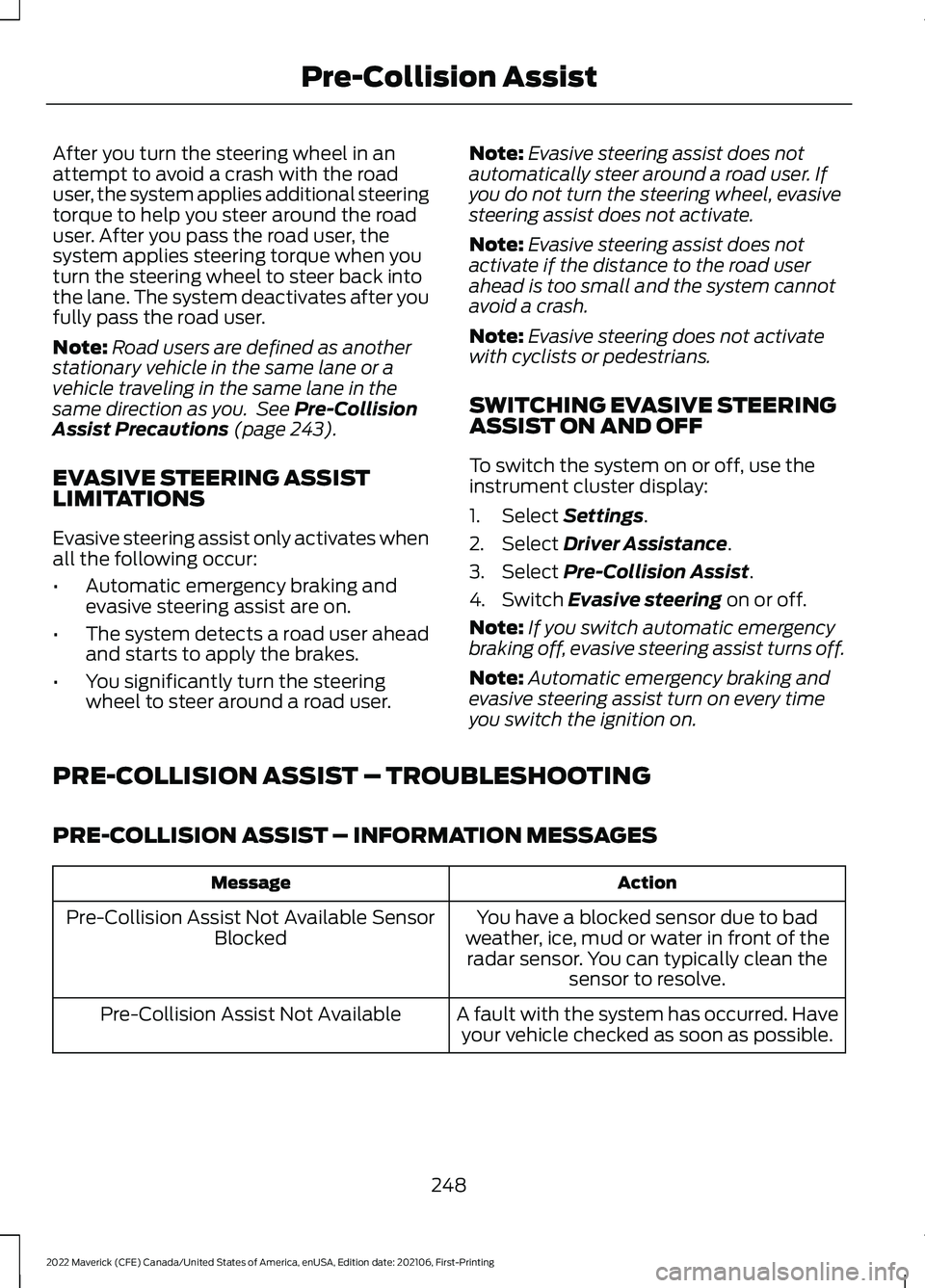
After you turn the steering wheel in an
attempt to avoid a crash with the road
user, the system applies additional steering
torque to help you steer around the road
user. After you pass the road user, the
system applies steering torque when you
turn the steering wheel to steer back into
the lane. The system deactivates after you
fully pass the road user.
Note:
Road users are defined as another
stationary vehicle in the same lane or a
vehicle traveling in the same lane in the
same direction as you. See Pre-Collision
Assist Precautions (page 243).
EVASIVE STEERING ASSIST
LIMITATIONS
Evasive steering assist only activates when
all the following occur:
• Automatic emergency braking and
evasive steering assist are on.
• The system detects a road user ahead
and starts to apply the brakes.
• You significantly turn the steering
wheel to steer around a road user. Note:
Evasive steering assist does not
automatically steer around a road user. If
you do not turn the steering wheel, evasive
steering assist does not activate.
Note: Evasive steering assist does not
activate if the distance to the road user
ahead is too small and the system cannot
avoid a crash.
Note: Evasive steering does not activate
with cyclists or pedestrians.
SWITCHING EVASIVE STEERING
ASSIST ON AND OFF
To switch the system on or off, use the
instrument cluster display:
1. Select
Settings.
2. Select
Driver Assistance.
3. Select
Pre-Collision Assist.
4. Switch
Evasive steering on or off.
Note: If you switch automatic emergency
braking off, evasive steering assist turns off.
Note: Automatic emergency braking and
evasive steering assist turn on every time
you switch the ignition on.
PRE-COLLISION ASSIST – TROUBLESHOOTING
PRE-COLLISION ASSIST – INFORMATION MESSAGES Action
Message
You have a blocked sensor due to bad
weather, ice, mud or water in front of the radar sensor. You can typically clean the sensor to resolve.
Pre-Collision Assist Not Available Sensor
Blocked
A fault with the system has occurred. Haveyour vehicle checked as soon as possible.
Pre-Collision Assist Not Available
248
2022 Maverick (CFE) Canada/United States of America, enUSA, Edition date: 202106, First-Printing Pre-Collision Assist
Page 314 of 533
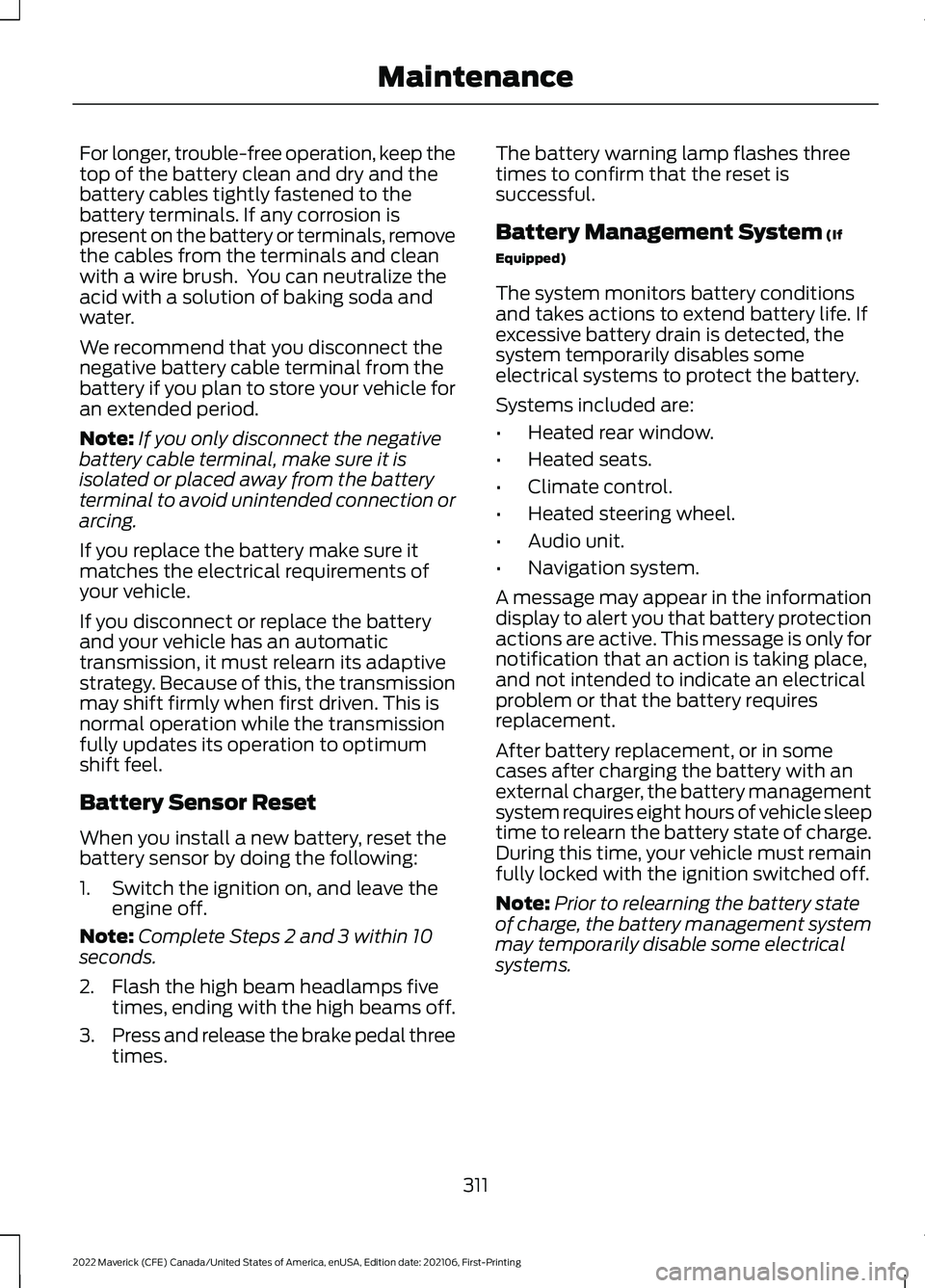
For longer, trouble-free operation, keep the
top of the battery clean and dry and the
battery cables tightly fastened to the
battery terminals. If any corrosion is
present on the battery or terminals, remove
the cables from the terminals and clean
with a wire brush. You can neutralize the
acid with a solution of baking soda and
water.
We recommend that you disconnect the
negative battery cable terminal from the
battery if you plan to store your vehicle for
an extended period.
Note:
If you only disconnect the negative
battery cable terminal, make sure it is
isolated or placed away from the battery
terminal to avoid unintended connection or
arcing.
If you replace the battery make sure it
matches the electrical requirements of
your vehicle.
If you disconnect or replace the battery
and your vehicle has an automatic
transmission, it must relearn its adaptive
strategy. Because of this, the transmission
may shift firmly when first driven. This is
normal operation while the transmission
fully updates its operation to optimum
shift feel.
Battery Sensor Reset
When you install a new battery, reset the
battery sensor by doing the following:
1. Switch the ignition on, and leave the engine off.
Note: Complete Steps 2 and 3 within 10
seconds.
2. Flash the high beam headlamps five times, ending with the high beams off.
3. Press and release the brake pedal three
times. The battery warning lamp flashes three
times to confirm that the reset is
successful.
Battery Management System (If
Equipped)
The system monitors battery conditions
and takes actions to extend battery life. If
excessive battery drain is detected, the
system temporarily disables some
electrical systems to protect the battery.
Systems included are:
• Heated rear window.
• Heated seats.
• Climate control.
• Heated steering wheel.
• Audio unit.
• Navigation system.
A message may appear in the information
display to alert you that battery protection
actions are active. This message is only for
notification that an action is taking place,
and not intended to indicate an electrical
problem or that the battery requires
replacement.
After battery replacement, or in some
cases after charging the battery with an
external charger, the battery management
system requires eight hours of vehicle sleep
time to relearn the battery state of charge.
During this time, your vehicle must remain
fully locked with the ignition switched off.
Note: Prior to relearning the battery state
of charge, the battery management system
may temporarily disable some electrical
systems.
311
2022 Maverick (CFE) Canada/United States of America, enUSA, Edition date: 202106, First-Printing Maintenance
Page 349 of 533
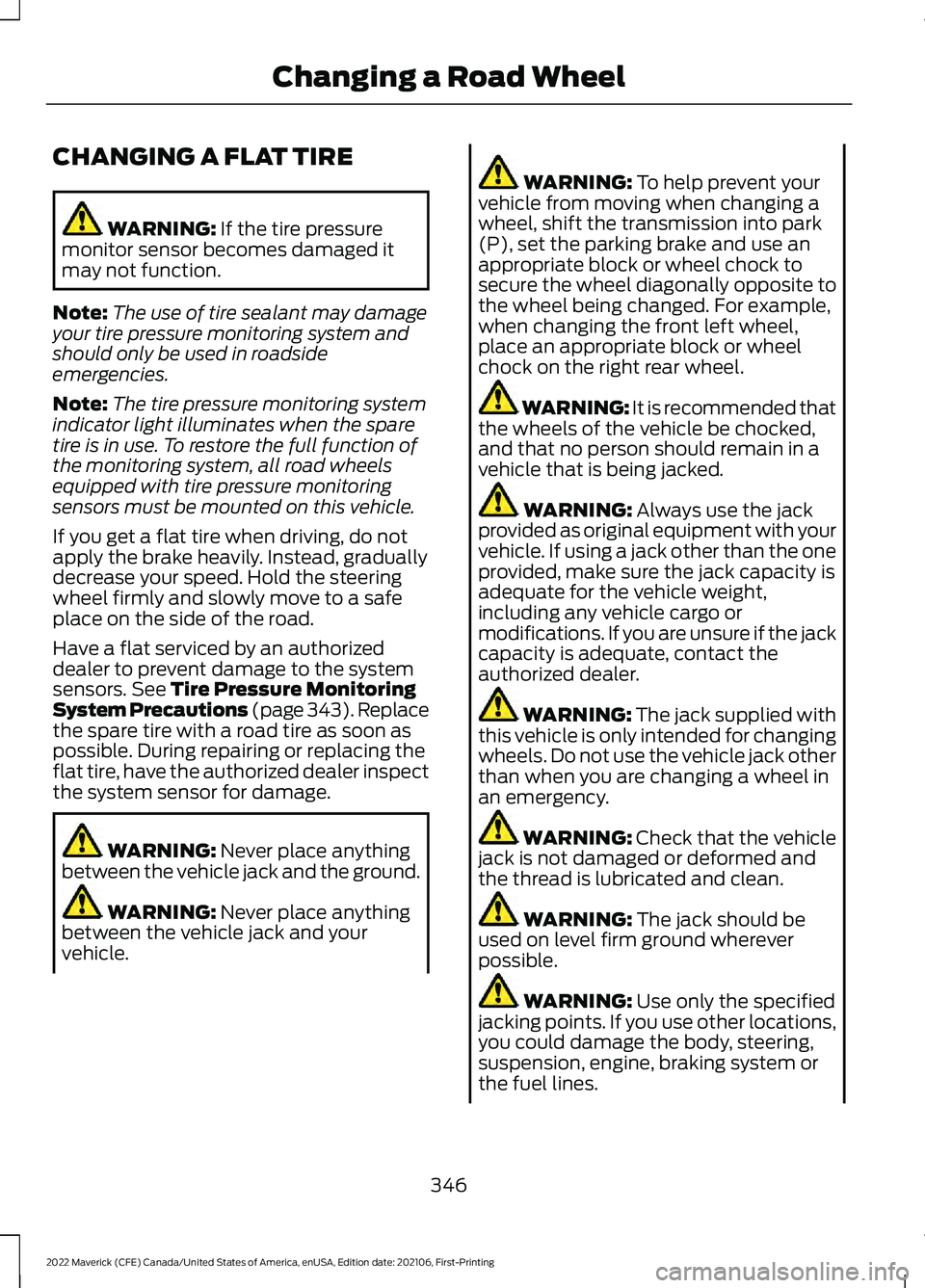
CHANGING A FLAT TIRE
WARNING: If the tire pressure
monitor sensor becomes damaged it
may not function.
Note: The use of tire sealant may damage
your tire pressure monitoring system and
should only be used in roadside
emergencies.
Note: The tire pressure monitoring system
indicator light illuminates when the spare
tire is in use. To restore the full function of
the monitoring system, all road wheels
equipped with tire pressure monitoring
sensors must be mounted on this vehicle.
If you get a flat tire when driving, do not
apply the brake heavily. Instead, gradually
decrease your speed. Hold the steering
wheel firmly and slowly move to a safe
place on the side of the road.
Have a flat serviced by an authorized
dealer to prevent damage to the system
sensors.
See Tire Pressure Monitoring
System Precautions (page 343). Replace
the spare tire with a road tire as soon as
possible. During repairing or replacing the
flat tire, have the authorized dealer inspect
the system sensor for damage. WARNING:
Never place anything
between the vehicle jack and the ground. WARNING:
Never place anything
between the vehicle jack and your
vehicle. WARNING:
To help prevent your
vehicle from moving when changing a
wheel, shift the transmission into park
(P), set the parking brake and use an
appropriate block or wheel chock to
secure the wheel diagonally opposite to
the wheel being changed. For example,
when changing the front left wheel,
place an appropriate block or wheel
chock on the right rear wheel. WARNING: It is recommended that
the wheels of the vehicle be chocked,
and that no person should remain in a
vehicle that is being jacked. WARNING:
Always use the jack
provided as original equipment with your
vehicle. If using a jack other than the one
provided, make sure the jack capacity is
adequate for the vehicle weight,
including any vehicle cargo or
modifications. If you are unsure if the jack
capacity is adequate, contact the
authorized dealer. WARNING:
The jack supplied with
this vehicle is only intended for changing
wheels. Do not use the vehicle jack other
than when you are changing a wheel in
an emergency. WARNING: Check that the vehicle
jack is not damaged or deformed and
the thread is lubricated and clean. WARNING:
The jack should be
used on level firm ground wherever
possible. WARNING:
Use only the specified
jacking points. If you use other locations,
you could damage the body, steering,
suspension, engine, braking system or
the fuel lines.
346
2022 Maverick (CFE) Canada/United States of America, enUSA, Edition date: 202106, First-Printing Changing a Road Wheel
Page 517 of 533
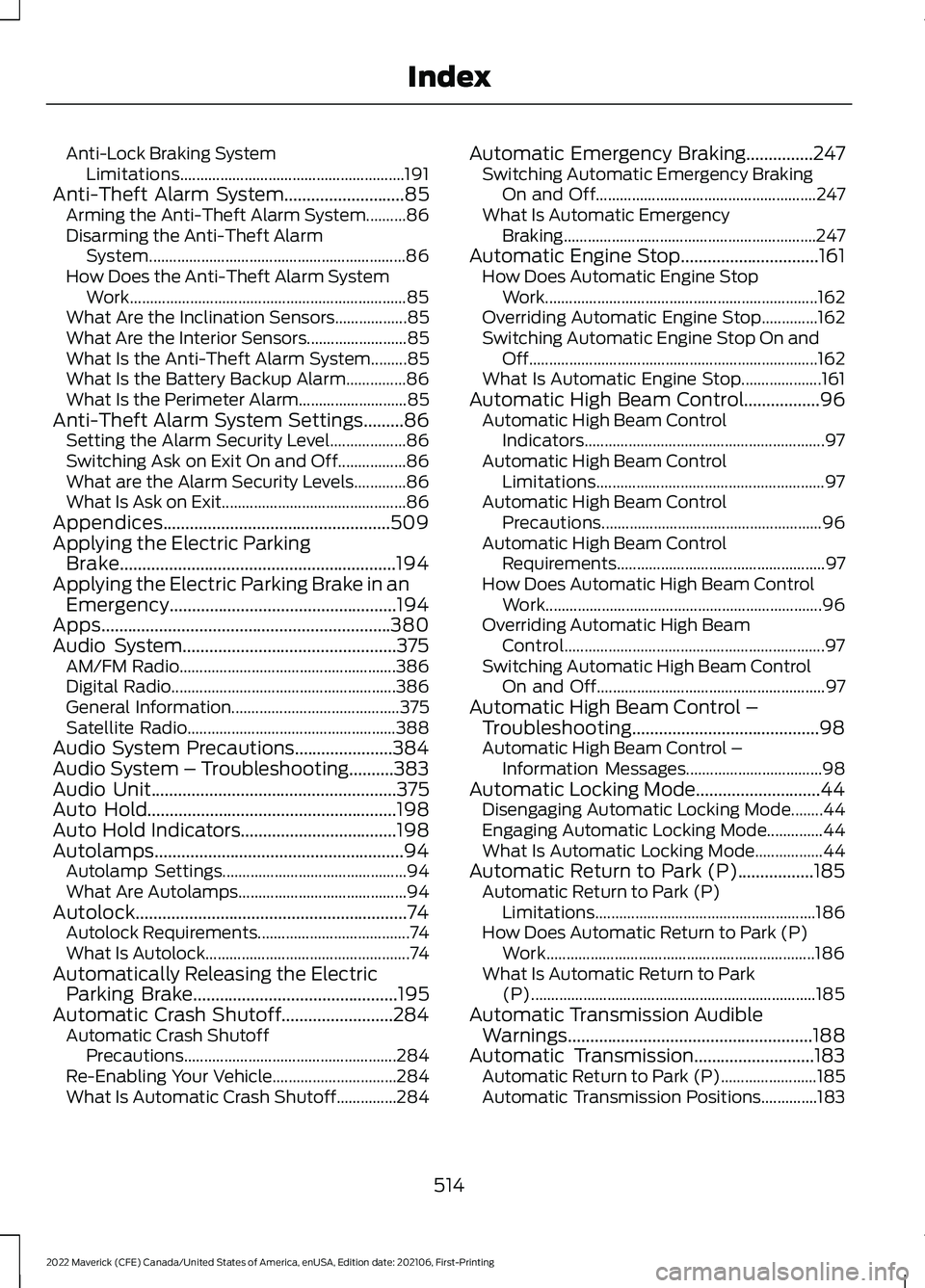
Anti-Lock Braking System
Limitations........................................................ 191
Anti-Theft Alarm System...........................85
Arming the Anti-Theft Alarm System..........86
Disarming the Anti-Theft Alarm
System................................................................ 86
How Does the Anti-Theft Alarm System Work..................................................................... 85
What Are the Inclination Sensors..................85
What Are the Interior Sensors......................... 85
What Is the Anti-Theft Alarm System.........85
What Is the Battery Backup Alarm...............86
What Is the Perimeter Alarm........................... 85
Anti-Theft Alarm System Settings
.........86
Setting the Alarm Security Level...................86
Switching Ask on Exit On and Off.................86
What are the Alarm Security Levels.............86
What Is Ask on Exit.............................................. 86
Appendices...................................................509
Applying the Electric Parking Brake..............................................................194
Applying the Electric Parking Brake in an Emergency...................................................194
Apps.................................................................380
Audio System................................................375 AM/FM Radio...................................................... 386
Digital Radio........................................................ 386
General Information.......................................... 375
Satellite Radio.................................................... 388
Audio System Precautions......................384
Audio System – Troubleshooting..........383
Audio Unit
.......................................................375
Auto Hold........................................................198
Auto Hold Indicators...................................198
Autolamps........................................................94 Autolamp Settings.............................................. 94
What Are Autolamps.......................................... 94
Autolock.............................................................74 Autolock Requirements...................................... 74
What Is Autolock................................................... 74
Automatically Releasing the Electric Parking Brake
..............................................195
Automatic Crash Shutoff.........................284 Automatic Crash Shutoff
Precautions..................................................... 284
Re-Enabling Your Vehicle............................... 284
What Is Automatic Crash Shutoff...............284 Automatic Emergency Braking...............247
Switching Automatic Emergency Braking
On and Off....................................................... 247
What Is Automatic Emergency Braking ............................................................... 247
Automatic Engine Stop...............................161 How Does Automatic Engine Stop
Work.................................................................... 162
Overriding Automatic Engine Stop..............162
Switching Automatic Engine Stop On and Off........................................................................\
162
What Is Automatic Engine Stop....................161
Automatic High Beam Control.................96 Automatic High Beam Control
Indicators............................................................ 97
Automatic High Beam Control Limitations......................................................... 97
Automatic High Beam Control Precautions....................................................... 96
Automatic High Beam Control Requirements.................................................... 97
How Does Automatic High Beam Control Work..................................................................... 96
Overriding Automatic High Beam Control................................................................. 97
Switching Automatic High Beam Control On and Off......................................................... 97
Automatic High Beam Control – Troubleshooting..........................................98
Automatic High Beam Control – Information Messages.................................. 98
Automatic Locking Mode............................44 Disengaging Automatic Locking Mode........44
Engaging Automatic Locking Mode..............44
What Is Automatic Locking Mode.................44
Automatic Return to Park (P).................185 Automatic Return to Park (P)
Limitations....................................................... 186
How Does Automatic Return to Park (P) Work................................................................... 186
What Is Automatic Return to Park (P)....................................................................... 185
Automatic Transmission Audible Warnings
.......................................................188
Automatic Transmission...........................183 Automatic Return to Park (P)........................185
Automatic Transmission Positions..............183
514
2022 Maverick (CFE) Canada/United States of America, enUSA, Edition date: 202106, First-Printing Index
Page 519 of 533
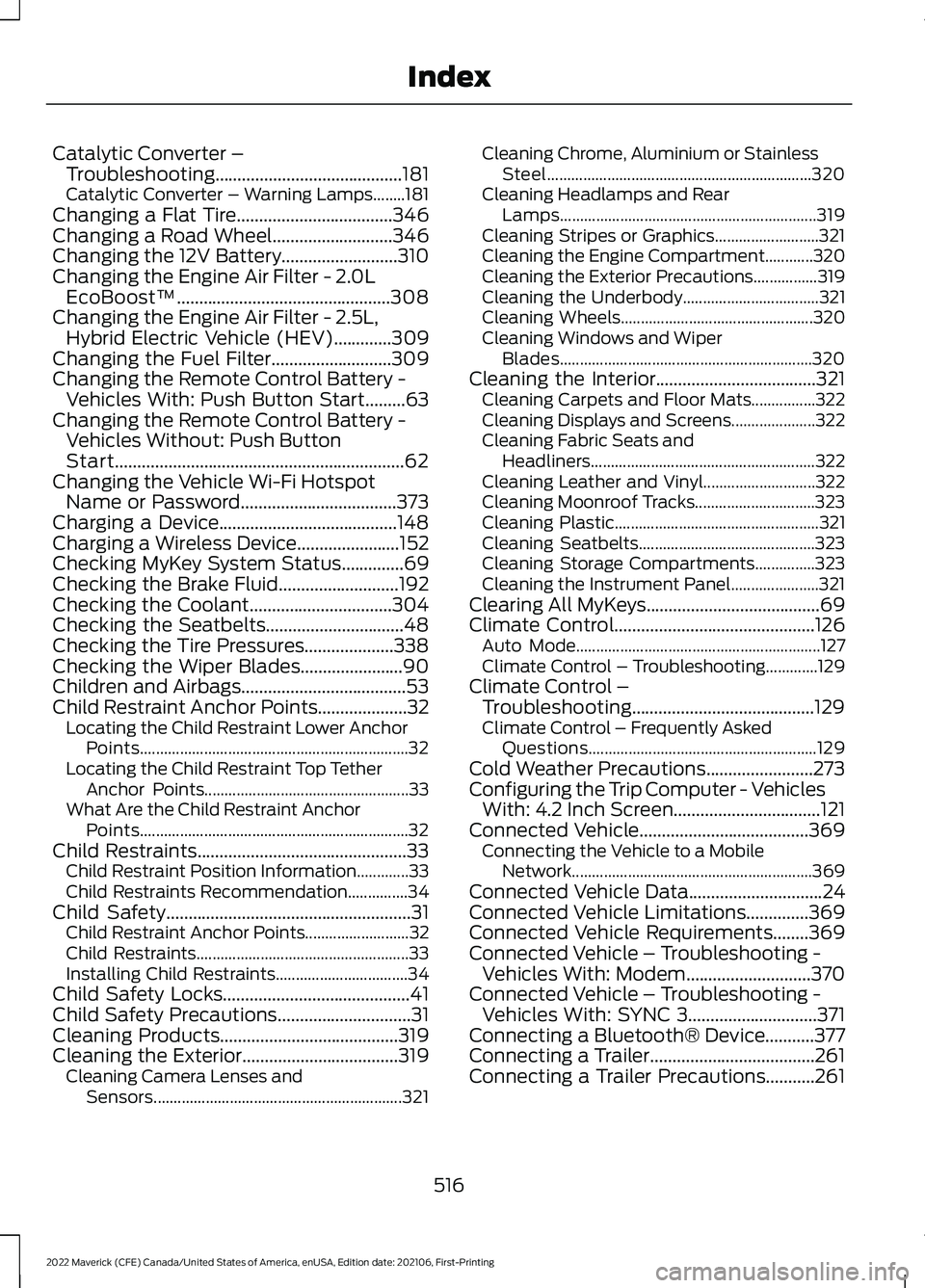
Catalytic Converter –
Troubleshooting..........................................181
C
atalytic Converter – Warning Lamps........181
Changing a Flat Tire...................................346
Changing a Road Wheel...........................346
Changing the 12V Battery..........................310
Changing the Engine Air Filter - 2.0L EcoBoost™................................................308
Changing the Engine Air Filter - 2.5L, Hybrid Electric Vehicle (HEV)
.............309
Changing the Fuel Filter...........................309
Changing the Remote Control Battery - Vehicles With: Push Button Start.........63
Changing the Remote Control Battery - Vehicles Without: Push Button
Start.................................................................62
Changing the Vehicle Wi-Fi Hotspot Name or Password...................................373
Charging a Device........................................148
Charging a Wireless Device.......................152
Checking MyKey System Status..............69
Checking the Brake Fluid...........................192
Checking the Coolant
................................304
Checking the Seatbelts...............................48
Checking the Tire Pressures....................338
Checking the Wiper Blades.......................90
Children and Airbags
.....................................53
Child Restraint Anchor Points....................32 Locating the Child Restraint Lower Anchor
Points................................................................... 32
Locating the Child Restraint Top Tether Anchor Points................................................... 33
What Are the Child Restraint Anchor Points................................................................... 32
Child Restraints
...............................................33
Child Restraint Position Information.............33
Child Restraints Recommendation...............34
Child Safety
.......................................................31
Child Restraint Anchor Points.......................... 32
Child Restraints..................................................... 33
Installing Child Restraints................................. 34
Child Safety Locks..........................................41
Child Safety Precautions
..............................31
Cleaning Products........................................319
Cleaning the Exterior...................................319 Cleaning Camera Lenses and
Sensors.............................................................. 321Cleaning Chrome, Aluminium or Stainless
Steel.................................................................. 320
Cleaning Headlamps and Rear Lamps................................................................ 319
Cleaning Stripes or Graphics..........................321
Cleaning the Engine Compartment............320
Cleaning the Exterior Precautions................319
Cleaning the Underbody.................................. 321
Cleaning Wheels................................................ 320
Cleaning Windows and Wiper Blades............................................................... 320
Cleaning the Interior....................................321 Cleaning Carpets and Floor Mats................322
Cleaning Displays and Screens..................... 322
Cleaning Fabric Seats and Headliners........................................................ 322
Cleaning Leather and Vinyl............................ 322
Cleaning Moonroof Tracks.............................. 323
Cleaning Plastic................................................... 321
Cleaning Seatbelts............................................ 323
Cleaning Storage Compartments...............323
Cleaning the Instrument Panel......................321
Clearing All MyKeys.......................................69
Climate Control.............................................126 Auto Mode............................................................. 127
Climate Control – Troubleshooting.............129
Climate Control – Troubleshooting.........................................129
Clima
te Control – Frequently Asked
Questions......................................................... 129
Cold Weather Precautions
........................273
Configuring the Trip Computer - Vehicles With: 4.2 Inch Screen.................................121
Connected Vehicle
......................................369
Connecting the Vehicle to a Mobile
Network............................................................ 369
Connected Vehicle Data
..............................24
Connected Vehicle Limitations..............369
Connected Vehicle Requirements........369
Connected Vehicle – Troubleshooting - Vehicles With: Modem
............................370
Connected Vehicle – Troubleshooting - Vehicles With: SYNC 3.............................371
Connecting a Bluetooth® Device
...........377
Connecting a Trailer.....................................261
Connecting a Trailer Precautions...........261
516
2022 Maverick (CFE) Canada/United States of America, enUSA, Edition date: 202106, First-Printing Index
Page 525 of 533
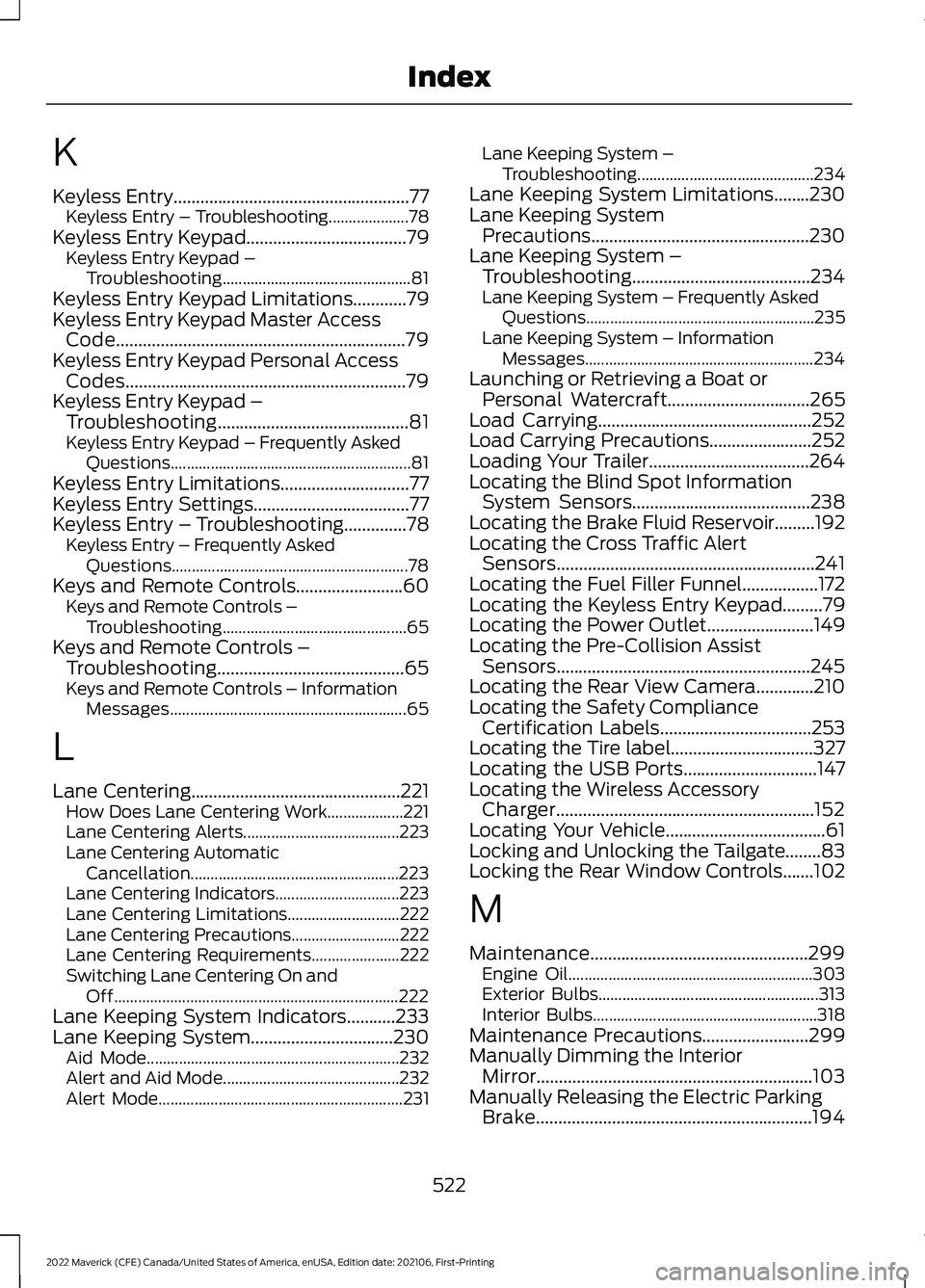
K
Keyless Entry.....................................................77
Keyless Entry – Troubleshooting....................78
Keyless Entry Keypad
....................................79
Keyless Entry Keypad –
Troubleshooting............................................... 81
Keyless Entry Keypad Limitations
............79
Keyless Entry Keypad Master Access Code.................................................................79
Keyless Entry Keypad Personal Access Codes...............................................................79
Keyless Entry Keypad – Troubleshooting...........................................81
Keyless Entry Keypad – Frequently Asked Questions............................................................ 81
Keyless Entry Limitations
.............................77
Keyless Entry Settings...................................77
Keyless Entry – Troubleshooting
..............78
Keyless Entry – Frequently Asked
Questions........................................................... 78
Keys and Remote Controls........................60 Keys and Remote Controls –
Troubleshooting.............................................. 65
Keys and Remote Controls – Troubleshooting..........................................65
Keys and Remote Controls – Information Messages........................................................... 65
L
Lane Centering...............................................221 How Does Lane Centering Work...................221
Lane Centering Alerts....................................... 223
Lane Centering Automatic Cancellation.................................................... 223
Lane Centering Indicators............................... 223
Lane Centering Limitations............................ 222
Lane Centering Precautions...........................222
Lane Centering Requirements......................222
Switching Lane Centering On and Off....................................................................... 222
Lane Keeping System Indicators
...........233
Lane Keeping System................................230 Aid Mode............................................................... 232
Alert and Aid Mode............................................ 232
Alert Mode............................................................. 231Lane Keeping System –
Troubleshooting............................................ 234
Lane Keeping System Limitations........230
Lane Keeping System Precautions.................................................230
Lane Keeping System – Troubleshooting........................................234
Lane Keeping System – Frequently Asked Questions......................................................... 235
Lane Keeping System – Information Messages......................................................... 234
Launching or Retrieving a Boat or Personal Watercraft................................265
Load Carrying
................................................252
Load Carrying Precautions.......................252
Loading Your Trailer....................................264
Locating the Blind Spot Information System Sensors........................................238
Locating the Brake Fluid Reservoir.........192
Locating the Cross Traffic Alert Sensors..........................................................241
Locating the Fuel Filler Funnel
.................172
Locating the Keyless Entry Keypad.........79
Locating the Power Outlet
........................149
Locating the Pre-Collision Assist Sensors.........................................................245
Locating the Rear View Camera.............210
Locating the Safety Compliance Certification Labels
..................................253
Locating the Tire label................................327
Locating the USB Ports..............................147
Locating the Wireless Accessory Charger..........................................................152
Locating Your Vehicle....................................61
Locking and Unlocking the Tailgate........83
Locking the Rear Window Controls.......102
M
Maintenance.................................................299 Engine Oil............................................................. 303
Exterior Bulbs....................................................... 313
Interior Bulbs........................................................ 318
Maintenance Precautions
........................299
Manually Dimming the Interior Mirror..............................................................103
Manually Releasing the Electric Parking Brake..............................................................194
522
2022 Maverick (CFE) Canada/United States of America, enUSA, Edition date: 202106, First-Printing Index
Page 528 of 533
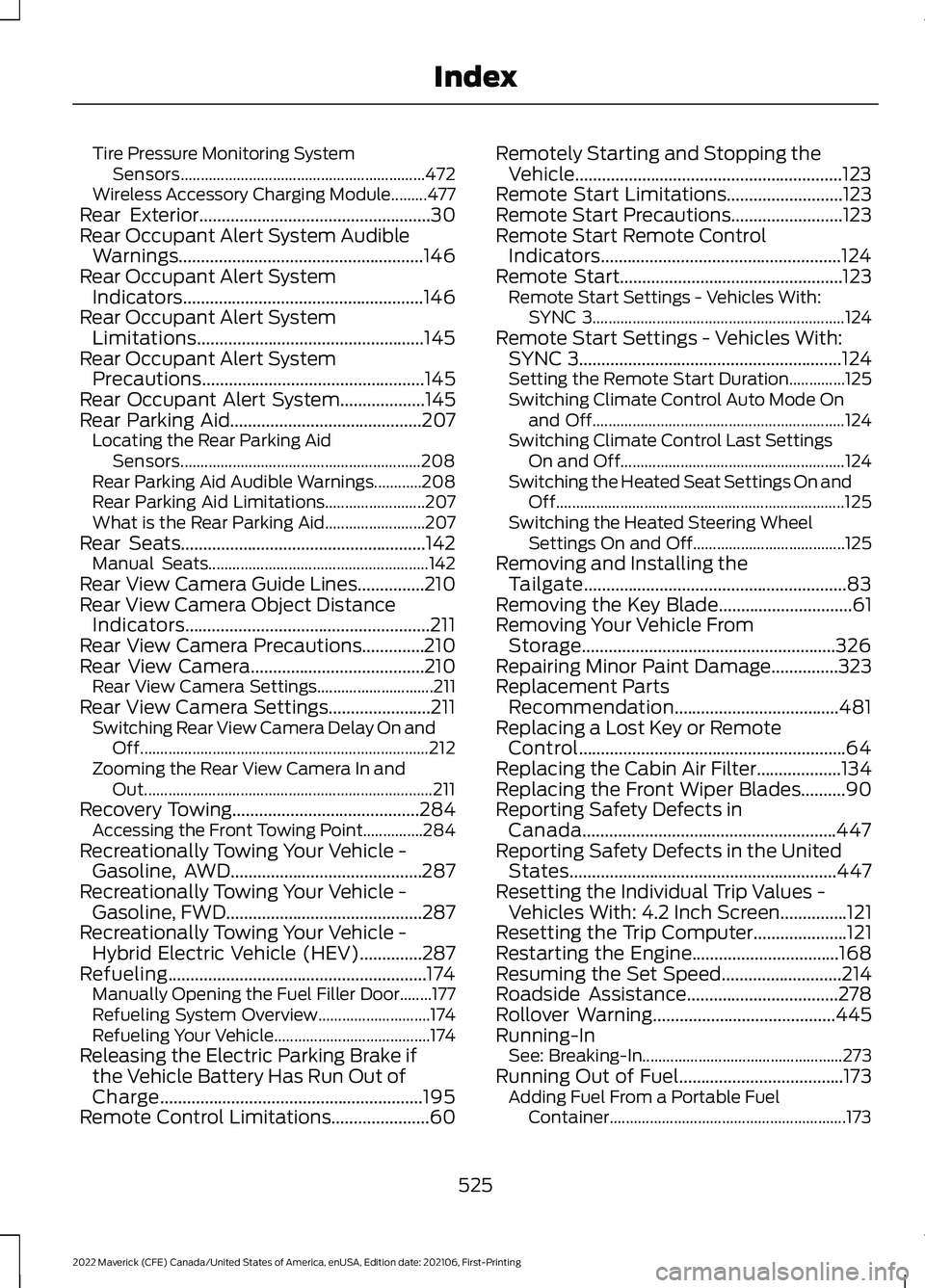
Tire Pressure Monitoring System
Sensors............................................................. 472
Wireless Accessory Charging Module.........477
Rear Exterior....................................................30
Rear Occupant Alert System Audible Warnings.......................................................146
Rear Occupant Alert System Indicators......................................................146
Rear Occupant Alert System Limitations...................................................145
Rear Occupant Alert System Precautions
..................................................145
Rear Occupant Alert System...................145
Rear Parking Aid
...........................................207
Locating the Rear Parking Aid
Sensors............................................................ 208
Rear Parking Aid Audible Warnings............208
Rear Parking Aid Limitations......................... 207
What is the Rear Parking Aid......................... 207
Rear Seats
.......................................................142
Manual Seats....................................................... 142
Rear View Camera Guide Lines...............210
Rear View Camera Object Distance Indicators.......................................................211
Rear View Camera Precautions..............210
Rear View Camera
.......................................210
Rear View Camera Settings............................. 211
Rear View Camera Settings.......................211 Switching Rear View Camera Delay On and
Off........................................................................\
212
Zooming the Rear View Camera In and Out........................................................................\
211
Recovery Towing
..........................................284
Accessing the Front Towing Point...............284
Recreationally Towing Your Vehicle - Gasoline, AWD...........................................287
Recreationally Towing Your Vehicle - Gasoline, FWD
............................................287
Recreationally Towing Your Vehicle - Hybrid Electric Vehicle (HEV)..............287
Refueling..........................................................174 Manually Opening the Fuel Filler Door........177
Refueling System Overview............................ 174
Refueling Your Vehicle....................................... 174
Releasing the Electric Parking Brake if the Vehicle Battery Has Run Out of
Charge...........................................................195
Remote Control Limitations......................60 Remotely Starting and Stopping the
Vehicle............................................................123
Remote Start Limitations..........................123
Remote Start Precautions.........................123
Remote Start Remote Control Indicators......................................................124
Remote Start..................................................123 Remote Start Settings - Vehicles With:
SYNC 3............................................................... 124
Remote Start Settings - Vehicles With: SYNC 3...........................................................124
Setting the Remote Start Duration..............125
Switching Climate Control Auto Mode On and Off............................................................... 124
Switching Climate Control Last Settings On and Off........................................................ 124
Switching the Heated Seat Settings On and Off........................................................................\
125
Switching the Heated Steering Wheel Settings On and Off...................................... 125
Removing and Installing the Tailgate...........................................................83
Removing the Key Blade
..............................61
Removing Your Vehicle From Storage.........................................................326
Repairing Minor Paint Damage
...............323
Replacement Parts Recommendation.....................................481
Replacing a Lost Key or Remote Control............................................................64
Replacing the Cabin Air Filter...................134
Replacing the Front Wiper Blades..........90
Reporting Safety Defects in Canada.........................................................447
Reporting Safety Defects in the United States............................................................447
Resetting the Individual Trip Values - Vehicles With: 4.2 Inch Screen...............121
Resetting the Trip Computer.....................121
Restarting the Engine.................................168
Resuming the Set Speed
...........................214
Roadside Assistance..................................278
Rollover Warning.........................................445
Running-In See: Breaking-In.................................................. 273
Running Out of Fuel.....................................173 Adding Fuel From a Portable Fuel
Container........................................................... 173
525
2022 Maverick (CFE) Canada/United States of America, enUSA, Edition date: 202106, First-Printing Index