phone FORD MAVERICK 2022 User Guide
[x] Cancel search | Manufacturer: FORD, Model Year: 2022, Model line: MAVERICK, Model: FORD MAVERICK 2022Pages: 533, PDF Size: 9.58 MB
Page 120 of 533
INSTRUMENT CLUSTER
DISPLAY MAIN MENU -
VEHICLES WITH: 6.5 INCH
SCREEN
Menu Item
Select Screens Audio
Phone
Settings
Display Setup
CUSTOMIZING THE
INSTRUMENT CLUSTER
DISPLAY - VEHICLES WITH: 4.2
INCH SCREEN
1. Using the information display controls on the steering wheel, select MyView.
2. Press the menu button.
3. Select a screen.
4. Press the
OK button.
CUSTOMIZING THE
INSTRUMENT CLUSTER
DISPLAY - VEHICLES WITH: 6.5
INCH SCREEN
Adding Screens Using Select
Screens
You can select various screens to show on
the instrument cluster display.
1. Select
Select Screens.
2. Use the controls on the steering wheel
to highlight a screen to add.
3. Press the
OK button. Note:
The amount of screens you can add
is limited. If the selected screen does not
appear, you must deselect items from the
menu. Select Screens
Calm screen
Fuel economy Trip 1
Trip 2
This trip
EV Coach
Tire pressure
Intelligent AWD Off-Road
Trailer light check Seatbelts
Auto StartStop Now playing
Note: Some options may appear slightly
different or not at all if items are optional.
Configuring Gauges
You can select which values your
speedometer shows in the instrument
cluster display.
1. Select
Display Setup.
2. Select a speed unit to display.
117
2022 Maverick (CFE) Canada/United States of America, enUSA, Edition date: 202106, First-Printing Instrument Cluster Display
Page 156 of 533
You can use the charger when the vehicle
is in accessory mode, when the vehicle is
running, or when SYNC is on.
Displays on the status bar when
wireless charging is in progress.
Note:
The charging performance may be
affected if your device is in a case. It may be
necessary to remove the case to wirelessly
charge your device.
Note: Software and firmware updates may
affect device compatibility, including the
use of unofficial software or firmware. You
should verify charging functionality with your
specific devices in-vehicle.
WIRELESS ACCESSORY CHARGER – TROUBLESHOOTING
WIRELESS ACCESSORY CHARGER – INFORMATION MESSAGES Description
Behavior
Message
This message appears whenwireless charging begins.
Message on screen display
or pop-up window.
Wireless Charger Active
The system stops chargingyour device if the system detects the phone is
misaligned, or a foreign
metal object is on the char- ging surface.
Pop-up window.
Phone misaligned or object
between phone and charger
detected. Correct the condi- tion to resume charging.
153
2022 Maverick (CFE) Canada/United States of America, enUSA, Edition date: 202106, First-Printing Wireless Accessory Charger (If Equipped)
Page 160 of 533
Starting the Engine
Turn the key to position III. Release the
key when the engine starts.
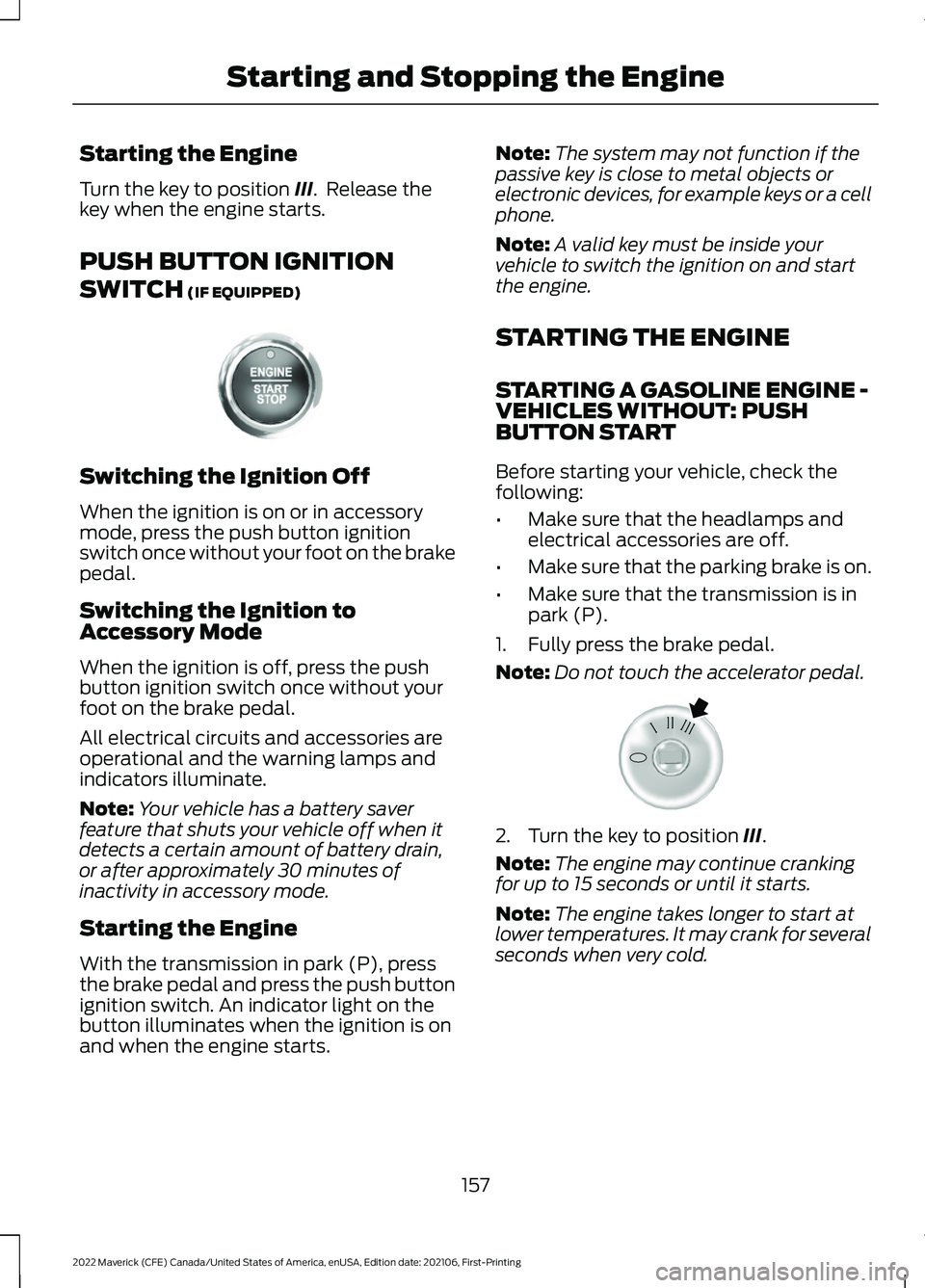
PUSH BUTTON IGNITION
SWITCH
(IF EQUIPPED) Switching the Ignition Off
When the ignition is on or in accessory
mode, press the push button ignition
switch once without your foot on the brake
pedal.
Switching the Ignition to
Accessory Mode
When the ignition is off, press the push
button ignition switch once without your
foot on the brake pedal.
All electrical circuits and accessories are
operational and the warning lamps and
indicators illuminate.
Note:
Your vehicle has a battery saver
feature that shuts your vehicle off when it
detects a certain amount of battery drain,
or after approximately 30 minutes of
inactivity in accessory mode.
Starting the Engine
With the transmission in park (P), press
the brake pedal and press the push button
ignition switch. An indicator light on the
button illuminates when the ignition is on
and when the engine starts. Note:
The system may not function if the
passive key is close to metal objects or
electronic devices, for example keys or a cell
phone.
Note: A valid key must be inside your
vehicle to switch the ignition on and start
the engine.
STARTING THE ENGINE
STARTING A GASOLINE ENGINE -
VEHICLES WITHOUT: PUSH
BUTTON START
Before starting your vehicle, check the
following:
• Make sure that the headlamps and
electrical accessories are off.
• Make sure that the parking brake is on.
• Make sure that the transmission is in
park (P).
1. Fully press the brake pedal.
Note: Do not touch the accelerator pedal. 2. Turn the key to position
III.
Note: The engine may continue cranking
for up to 15 seconds or until it starts.
Note: The engine takes longer to start at
lower temperatures. It may crank for several
seconds when very cold.
157
2022 Maverick (CFE) Canada/United States of America, enUSA, Edition date: 202106, First-Printing Starting and Stopping the EngineE321258 E322354
Page 174 of 533
FUEL AND REFUELING
PRECAUTIONS
WARNING: Do not overfill the fuel
tank. The pressure in an overfilled tank
may cause leakage and lead to fuel spray
and fire. WARNING:
The fuel system may
be under pressure. If you hear a hissing
sound near the fuel filler inlet, do not
refuel until the sound stops. Otherwise,
fuel may spray out, which could cause
serious personal injury. WARNING: Fuels can cause serious
injury or death if misused or mishandled. WARNING:
Fuel may contain
benzene, which is a cancer-causing
agent. WARNING: When refueling always
shut the engine off and never allow
sparks or open flames near the fuel tank
filler valve. Never smoke or use a cell
phone while refueling. Fuel vapor is
extremely hazardous under certain
conditions. Avoid inhaling excess fumes. WARNING: Read and follow all the
instructions on the pump island.
Follow these guidelines when refueling:
• Extinguish all smoking materials and
any open flames before refueling your
vehicle.
• Switch the engine off before refueling. •
Automotive fuels can be harmful or
fatal if swallowed. Fuel is highly toxic
and if swallowed can cause death or
permanent injury. If fuel is swallowed
immediately call a physician, even if no
symptoms are immediately apparent.
The toxic effects of fuel may not be
apparent for hours.
• Avoid inhaling fuel vapors. Inhaling fuel
vapor can lead to eye and respiratory
tract irritation. In severe cases,
excessive or prolonged breathing of
fuel vapor can cause serious illness and
permanent injury.
• Avoid getting fuel in your eyes. If you
splash fuel in your eyes, immediately
remove contact lenses, if worn, flush
with water for 15 minutes and seek
medical attention. Failure to seek
proper medical attention could lead to
permanent injury.
• Fuels can be harmful if absorbed
through the skin. If you splash fuel on
your skin, clothing or both, promptly
remove contaminated clothing and
thoroughly wash your skin with soap
and water. Repeated or prolonged skin
contact causes skin irritation.
• Be particularly careful if you are taking
Antabuse or other forms of Disulfiram
for the treatment of alcoholism.
Breathing fuel vapors could cause an
adverse reaction, serious personal
injury or sickness. Immediately call a
physician if you experience any adverse
reactions.
171
2022 Maverick (CFE) Canada/United States of America, enUSA, Edition date: 202106, First-Printing Fuel and Refueling
Page 177 of 533
Note:
If your vehicle runs out of fuel add a
minimum of 1.3 gal (5 L) of fuel to restart
the engine.
Note: You may need to switch the ignition
from off to on several times after refueling
to allow the fuel system to pump the fuel
from the tank to the engine. When
restarting, cranking time takes a few
seconds longer than normal.
Note: Extra funnels can be purchased from
an authorized dealer if you choose to
dispose of the funnel.
REFUELING
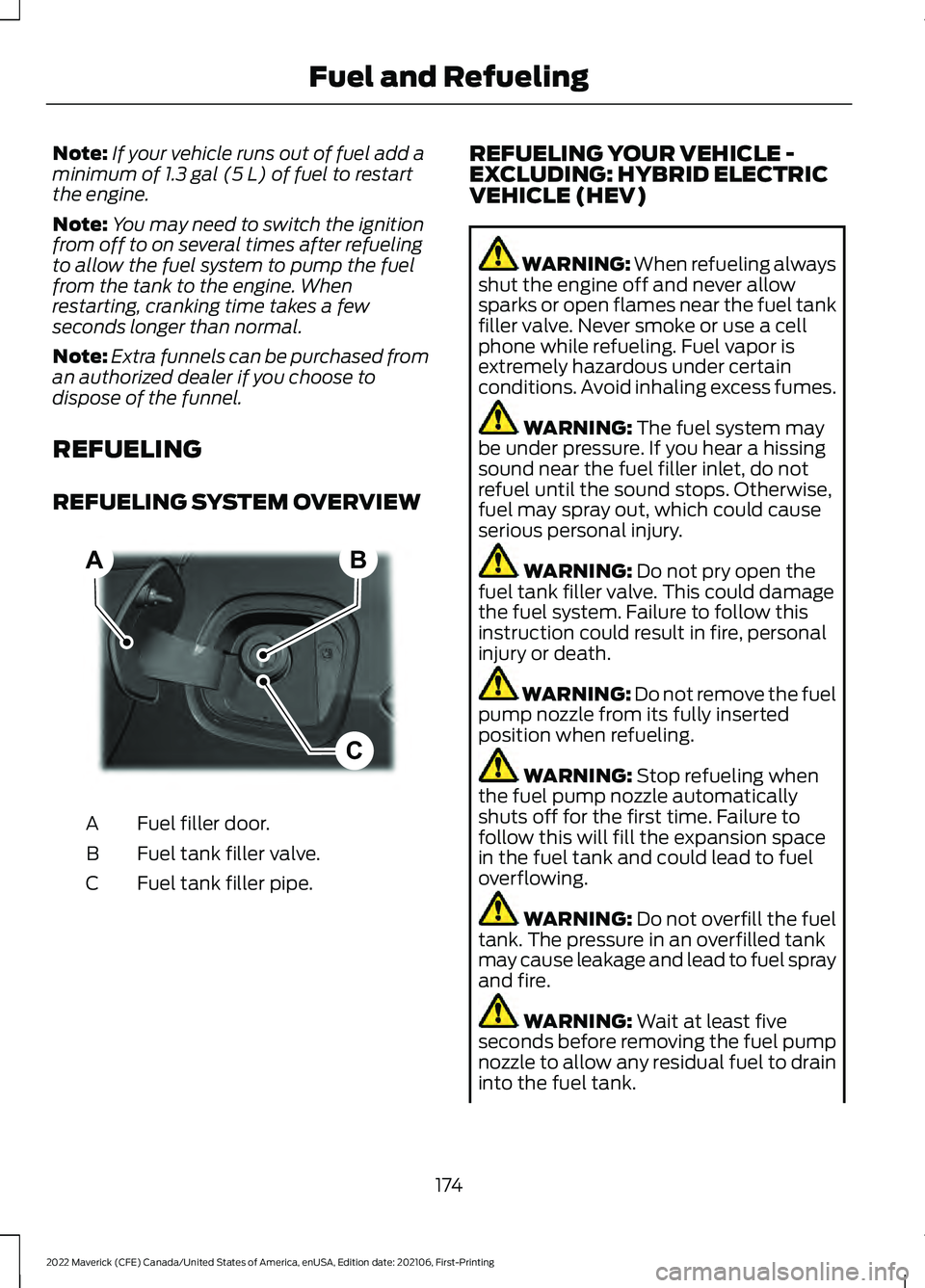
REFUELING SYSTEM OVERVIEW Fuel filler door.
A
Fuel tank filler valve.
B
Fuel tank filler pipe.
C REFUELING YOUR VEHICLE -
EXCLUDING: HYBRID ELECTRIC
VEHICLE (HEV) WARNING: When refueling always
shut the engine off and never allow
sparks or open flames near the fuel tank
filler valve. Never smoke or use a cell
phone while refueling. Fuel vapor is
extremely hazardous under certain
conditions. Avoid inhaling excess fumes. WARNING:
The fuel system may
be under pressure. If you hear a hissing
sound near the fuel filler inlet, do not
refuel until the sound stops. Otherwise,
fuel may spray out, which could cause
serious personal injury. WARNING:
Do not pry open the
fuel tank filler valve. This could damage
the fuel system. Failure to follow this
instruction could result in fire, personal
injury or death. WARNING: Do not remove the fuel
pump nozzle from its fully inserted
position when refueling. WARNING:
Stop refueling when
the fuel pump nozzle automatically
shuts off for the first time. Failure to
follow this will fill the expansion space
in the fuel tank and could lead to fuel
overflowing. WARNING:
Do not overfill the fuel
tank. The pressure in an overfilled tank
may cause leakage and lead to fuel spray
and fire. WARNING:
Wait at least five
seconds before removing the fuel pump
nozzle to allow any residual fuel to drain
into the fuel tank.
174
2022 Maverick (CFE) Canada/United States of America, enUSA, Edition date: 202106, First-Printing Fuel and RefuelingB
C
A E267248
Page 179 of 533
REFUELING YOUR VEHICLE -
HYBRID ELECTRIC VEHICLE (HEV)
WARNING: When refueling always
shut the engine off and never allow
sparks or open flames near the fuel tank
filler valve. Never smoke or use a cell
phone while refueling. Fuel vapor is
extremely hazardous under certain
conditions. Avoid inhaling excess fumes. WARNING: The fuel system may
be under pressure. If you hear a hissing
sound near the fuel filler inlet, do not
refuel until the sound stops. Otherwise,
fuel may spray out, which could cause
serious personal injury. WARNING:
Do not pry open the
fuel tank filler valve. This could damage
the fuel system. Failure to follow this
instruction could result in fire, personal
injury or death. WARNING: Do not remove the fuel
pump nozzle from its fully inserted
position when refueling. WARNING:
Stop refueling when
the fuel pump nozzle automatically
shuts off for the first time. Failure to
follow this will fill the expansion space
in the fuel tank and could lead to fuel
overflowing. WARNING:
Do not overfill the fuel
tank. The pressure in an overfilled tank
may cause leakage and lead to fuel spray
and fire. WARNING:
Wait at least five
seconds before removing the fuel pump
nozzle to allow any residual fuel to drain
into the fuel tank. WARNING: Read and follow all the
instructions on the pump island.
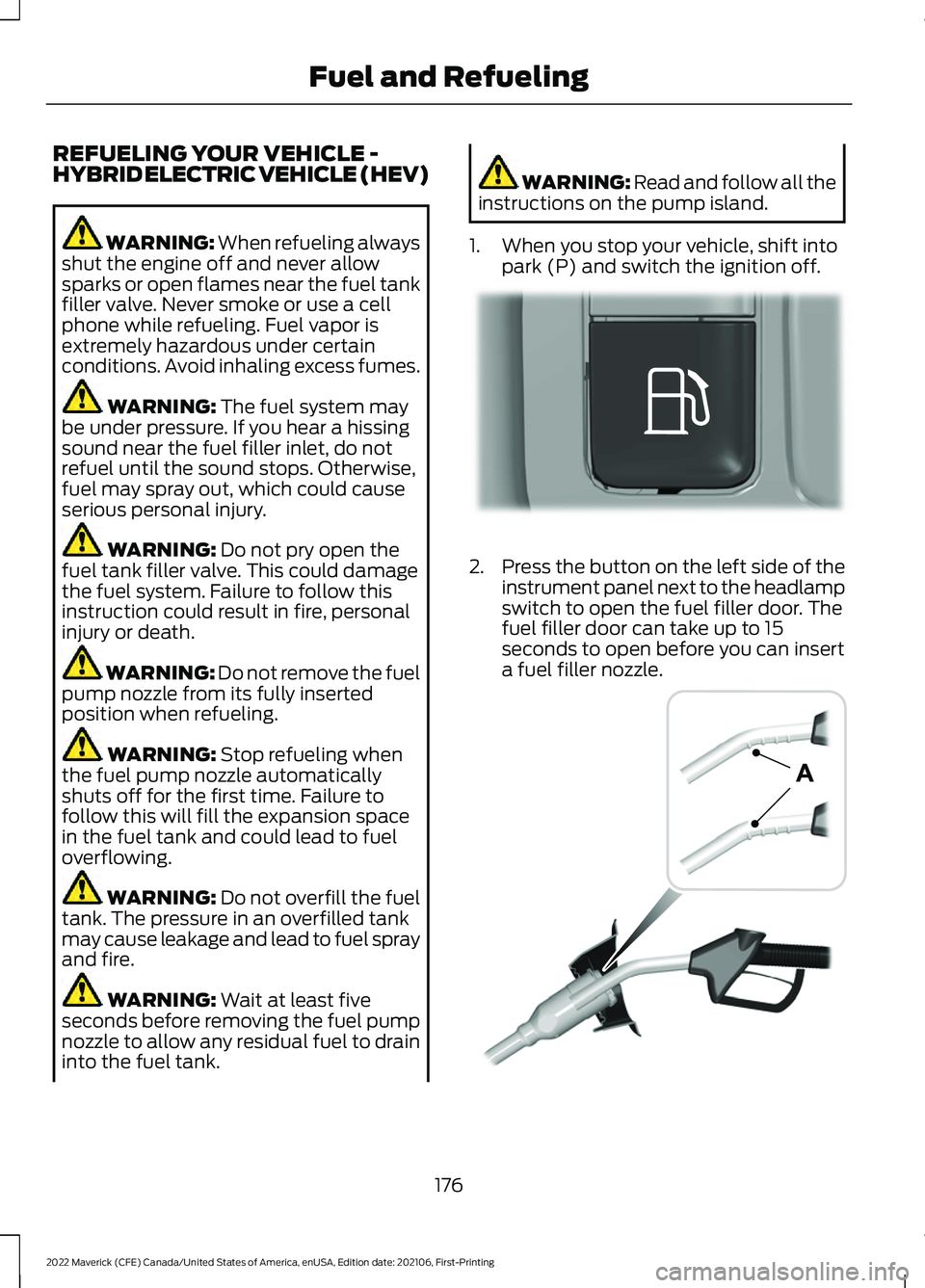
1. When you stop your vehicle, shift into park (P) and switch the ignition off. 2.
Press the button on the left side of the
instrument panel next to the headlamp
switch to open the fuel filler door. The
fuel filler door can take up to 15
seconds to open before you can insert
a fuel filler nozzle. 176
2022 Maverick (CFE) Canada/United States of America, enUSA, Edition date: 202106, First-Printing Fuel and RefuelingE293006 E139202
Page 375 of 533
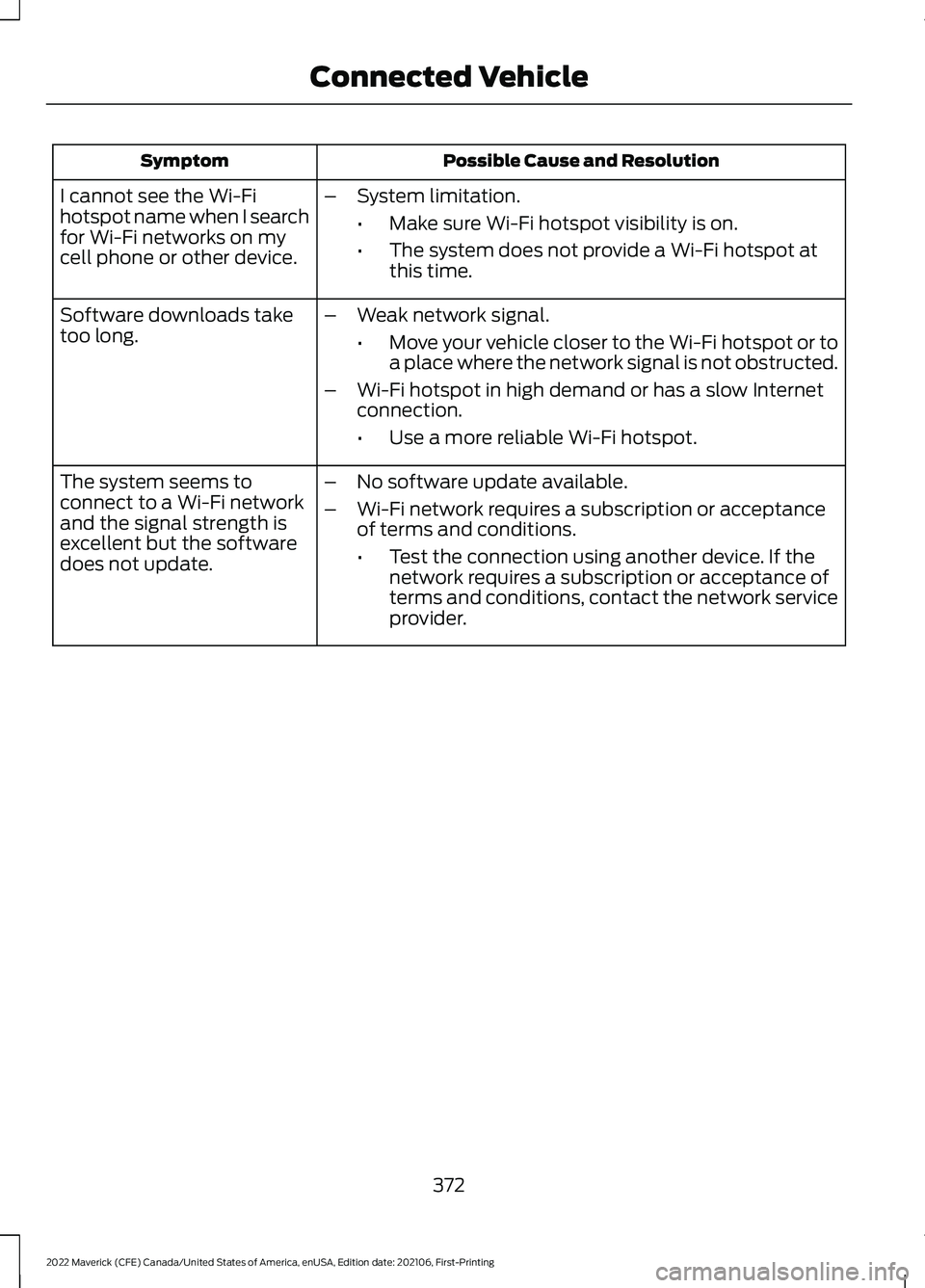
Possible Cause and Resolution
Symptom
I cannot see the Wi-Fi
hotspot name when I search
for Wi-Fi networks on my
cell phone or other device. –
System limitation.
•Make sure Wi-Fi hotspot visibility is on.
• The system does not provide a Wi-Fi hotspot at
this time.
– Weak network signal.
•Move your vehicle closer to the Wi-Fi hotspot or to
a place where the network signal is not obstructed.
– Wi-Fi hotspot in high demand or has a slow Internet
connection.
•Use a more reliable Wi-Fi hotspot.
Software downloads take
too long.
–No software update available.
– Wi-Fi network requires a subscription or acceptance
of terms and conditions.
•Test the connection using another device. If the
network requires a subscription or acceptance of
terms and conditions, contact the network service
provider.
The system seems to
connect to a Wi-Fi network
and the signal strength is
excellent but the software
does not update.
372
2022 Maverick (CFE) Canada/United States of America, enUSA, Edition date: 202106, First-Printing Connected Vehicle
Page 380 of 533
Selecting a Radio Station From a List
1. Select Sources.
2. Select a radio source.
3. Select
Browse.
4. Select a radio station from the list.
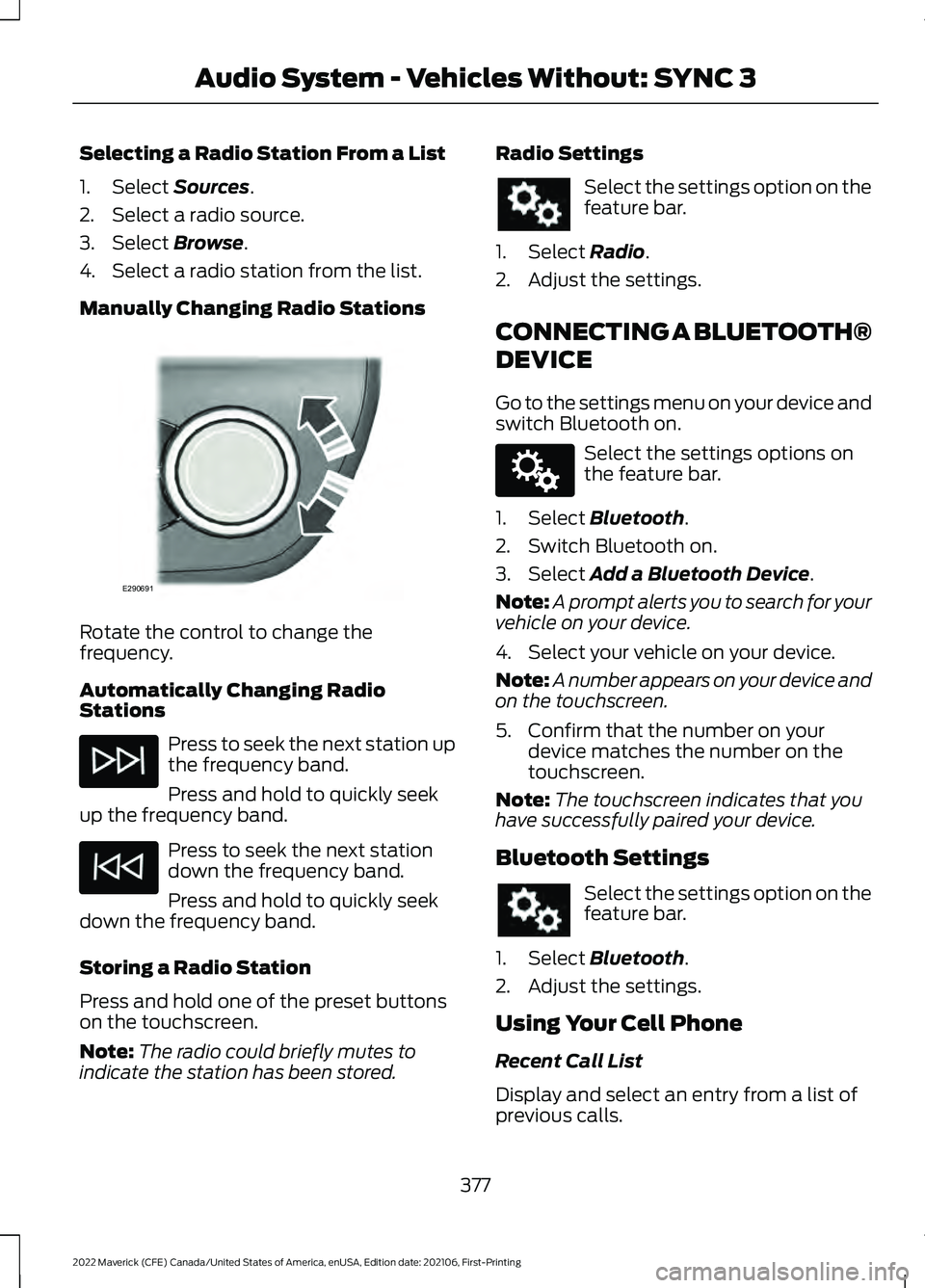
Manually Changing Radio Stations Rotate the control to change the
frequency.
Automatically Changing Radio
Stations
Press to seek the next station up
the frequency band.
Press and hold to quickly seek
up the frequency band. Press to seek the next station
down the frequency band.
Press and hold to quickly seek
down the frequency band.
Storing a Radio Station
Press and hold one of the preset buttons
on the touchscreen.
Note: The radio could briefly mutes to
indicate the station has been stored. Radio Settings Select the settings option on the
feature bar.
1. Select Radio.
2. Adjust the settings.
CONNECTING A BLUETOOTH®
DEVICE
Go to the settings menu on your device and
switch Bluetooth on. Select the settings options on
the feature bar.
1. Select
Bluetooth.
2. Switch Bluetooth on.
3. Select
Add a Bluetooth Device.
Note: A prompt alerts you to search for your
vehicle on your device.
4. Select your vehicle on your device.
Note: A number appears on your device and
on the touchscreen.
5. Confirm that the number on your device matches the number on the
touchscreen.
Note: The touchscreen indicates that you
have successfully paired your device.
Bluetooth Settings Select the settings option on the
feature bar.
1. Select
Bluetooth.
2. Adjust the settings.
Using Your Cell Phone
Recent Call List
Display and select an entry from a list of
previous calls.
377
2022 Maverick (CFE) Canada/United States of America, enUSA, Edition date: 202106, First-Printing Audio System - Vehicles Without: SYNC 3E290691 E142607
Page 381 of 533
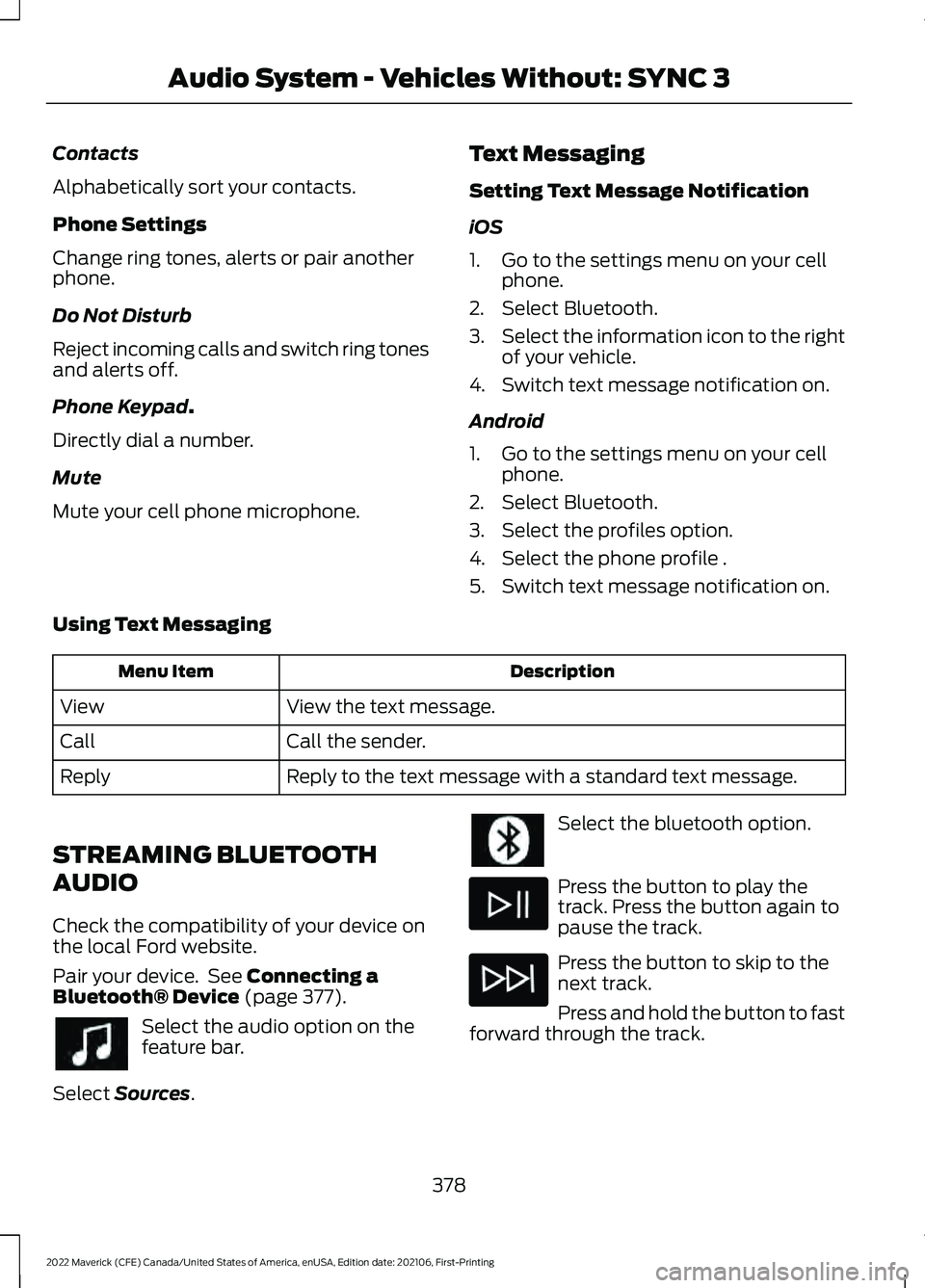
Contacts
Alphabetically sort your contacts.
Phone Settings
Change ring tones, alerts or pair another
phone.
Do Not Disturb
Reject incoming calls and switch ring tones
and alerts off.
Phone Keypad.
Directly dial a number.
Mute
Mute your cell phone microphone. Text Messaging
Setting Text Message Notification
iOS
1. Go to the settings menu on your cell
phone.
2. Select Bluetooth.
3. Select the information icon to the right
of your vehicle.
4. Switch text message notification on.
Android
1. Go to the settings menu on your cell phone.
2. Select Bluetooth.
3. Select the profiles option.
4. Select the phone profile .
5. Switch text message notification on.
Using Text Messaging Description
Menu Item
View the text message.
View
Call the sender.
Call
Reply to the text message with a standard text message.
Reply
STREAMING BLUETOOTH
AUDIO
Check the compatibility of your device on
the local Ford website.
Pair your device. See
Connecting a
Bluetooth® Device (page 377). Select the audio option on the
feature bar.
Select
Sources. Select the bluetooth option.
Press the button to play the
track. Press the button again to
pause the track.
Press the button to skip to the
next track.
Press and hold the button to fast
forward through the track.
378
2022 Maverick (CFE) Canada/United States of America, enUSA, Edition date: 202106, First-Printing Audio System - Vehicles Without: SYNC 3
Page 385 of 533
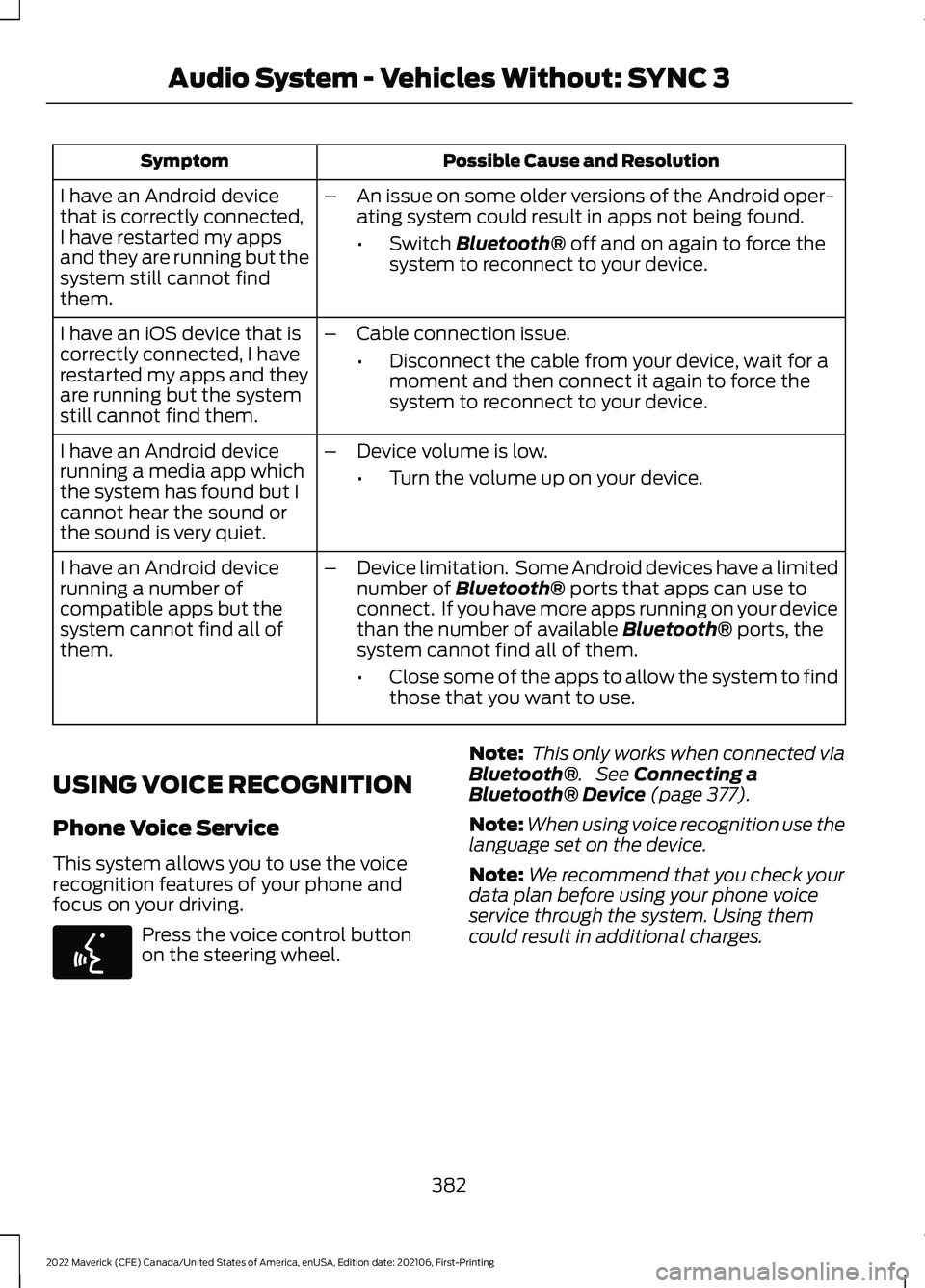
Possible Cause and Resolution
Symptom
I have an Android device
that is correctly connected,
I have restarted my apps
and they are running but the
system still cannot find
them. –
An issue on some older versions of the Android oper-
ating system could result in apps not being found.
•Switch Bluetooth® off and on again to force the
system to reconnect to your device.
I have an iOS device that is
correctly connected, I have
restarted my apps and they
are running but the system
still cannot find them. –
Cable connection issue.
•Disconnect the cable from your device, wait for a
moment and then connect it again to force the
system to reconnect to your device.
I have an Android device
running a media app which
the system has found but I
cannot hear the sound or
the sound is very quiet. –
Device volume is low.
•Turn the volume up on your device.
I have an Android device
running a number of
compatible apps but the
system cannot find all of
them. –
Device limitation. Some Android devices have a limited
number of
Bluetooth® ports that apps can use to
connect. If you have more apps running on your device
than the number of available
Bluetooth® ports, the
system cannot find all of them.
• Close some of the apps to allow the system to find
those that you want to use.
USING VOICE RECOGNITION
Phone Voice Service
This system allows you to use the voice
recognition features of your phone and
focus on your driving. Press the voice control button
on the steering wheel.
Note:
This only works when connected via
Bluetooth®
. See Connecting a
Bluetooth® Device (page 377).
Note: When using voice recognition use the
language set on the device.
Note: We recommend that you check your
data plan before using your phone voice
service through the system. Using them
could result in additional charges.
382
2022 Maverick (CFE) Canada/United States of America, enUSA, Edition date: 202106, First-Printing Audio System - Vehicles Without: SYNC 3E142599