sat nav FORD MAVERICK 2022 Owners Manual
[x] Cancel search | Manufacturer: FORD, Model Year: 2022, Model line: MAVERICK, Model: FORD MAVERICK 2022Pages: 533, PDF Size: 9.58 MB
Page 15 of 533
Audio System - Vehicles
Without: SYNC 3
General Information ...................................375
Audio Unit ......................................................
375
AM/FM Radio ...............................................
376
Connecting a Bluetooth® Device ..........
377
Streaming Bluetooth Audio ....................
378
Playing Media From a USB Device .......
379
USB Port .........................................................
379
Apps ................................................................
380
Using Voice Recognition ..........................
382
Audio System – Troubleshooting .........
383
Audio System - Vehicles With: SYNC 3
Audio System Precautions .....................
384
Switching the Audio Unit On and Off ........................................................................\
384
Selecting the Audio Source ....................
384
Playing or Pausing the Audio Source ........................................................................\
384
Adjusting the Volume ...............................
384
Switching Shuffle Mode On and Off ........................................................................\
384
Switching Repeat Mode On and Off ........................................................................\
384
Setting a Memory Preset .........................
384
Muting the Audio ........................................
385
Adjusting the Sound Settings ................
385
Setting the Clock and Date ....................
385
AM/FM Radio ...............................................
386
Digital Radio .................................................
386
Satellite Radio .............................................
388
SYNC™ 3
General Information ..................................
389
Using Voice Recognition ...........................
391
Entertainment .............................................
398
Phone .............................................................
408
Navigation ......................................................
410Electric Vehicle Information
....................
415
Apps .................................................................
416
Settings ...........................................................
418
SYNC™ 3 Troubleshooting ....................
420
Accessories
Accessories ...................................................
433
Ford Protect
What Is Ford Protect .................................
434
Scheduled Maintenance
General Maintenance Information ......
436
Normal Scheduled Maintenance .........
439
Special Operating Conditions Scheduled Maintenance ............................................
442
Customer Information
Rollover Warning ........................................
445
The Better Business Bureau Auto Line Program .....................................................
445
The Mediation and Arbitration Program .......................................................................
446
Ordering a Canadian French Owner's Manual .......................................................
446
Reporting Safety Defects in the United States ..........................................................
447
Reporting Safety Defects in Canada ........................................................................\
447
Radio Frequency Certification Labels .......................................................................
448
Perchlorate ...................................................
480
Replacement Parts Recommendation ........................................................................\
.
481
Mobile Communications Equipment ........................................................................\
.
481
Federal Highway Administration Regulation .................................................
482
End User License Agreement ................
482
Emission Law ...............................................
507
12
2022 Maverick (CFE) Canada/United States of America, enUSA, Edition date: 202106, First-Printing Table of Contents
Page 69 of 533
WHAT IS MYKEY
MyKey allows you to program keys with
restricted driving modes to promote good
driving habits.
MYKEY SETTINGS
NON-CONFIGURABLE MYKEY
SETTINGS
Seatbelt Reminder or Belt-
Minder™
MyKey mutes the audio system until the
front seat passengers buckle the front seat
belts.
Note:
If your vehicle includes an AM/FM
radio or a very basic audio system, then the
radio may not mute.
Satellite Radio (If Equipped)
Some Satellite radio channels have
restricted access to adult radio content.
Early Low Fuel
The low fuel level warning lamp turns on
earlier.
Driving and Parking Aids
You cannot configure settings for parking
aids, blind spot information system, and
cross traffic alert. These systems turn on
when the vehicle turns on, and you cannot
switch them off with a MyKey.
You cannot configure settings for
pre-collision assist and lane keeping. These
systems turn on when the vehicle turns on,
but you can switch them off with a MyKey.
A new destination in the navigation system
can only be set using voice commands
when using a MyKey, and with your vehicle
moving. Note:
MyKey drivers may be able to switch
the lane departure warning feature off, but
this feature turns back on automatically
with every new key cycle.
CONFIGURABLE MYKEY
SETTINGS
You can configure the following settings
after creating a MyKey. See
Creating a
MyKey (page 67).
Speed Limit WARNING:
Do not set MyKey
maximum speed limit to a limit that will
prevent the driver from maintaining a
safe speed considering posted speed
limits and prevailing road conditions. The
driver is always responsible to drive in
accordance with local laws and
prevailing conditions. Failure to do so
could result in accident or injury.
You can set a speed limit for your vehicle.
Warning messages appear in the
information display and a tone sounds if
your vehicle reaches the set speed. You
cannot override the set speed when using
a MyKey.
Speed Minder
You can set a speed reminder for your
vehicle. Warning messages appear in the
information display and a tone sounds if
your vehicle exceeds the set speed.
Audio System Volume Limit
The audio system maximum volume
reduces. A message appears in the
information display if you attempt to
exceed the volume limit. Automatic
volume control turns off.
66
2022 Maverick (CFE) Canada/United States of America, enUSA, Edition date: 202106, First-Printing MyKey
™
Page 512 of 533
ELECTROMAGNETIC
COMPATIBILITY
WARNING: Do not place objects
or mount equipment on or near the
airbag cover, on the side of the front or
rear seatbacks, or in areas that may
come into contact with a deploying
airbag. Failure to follow these
instructions may increase the risk of
personal injury in the event of a crash. WARNING: Do not fasten antenna
cables to vehicle wiring, fuel pipes and
brake pipes. WARNING:
Keep antenna and
power cables at least 4 in (10 cm) from
any electronic modules and airbags. Note:
We test and certify your vehicle to
meet electromagnetic compatibility
legislation. It is your responsibility to make
sure that any equipment an authorized
dealer installs on your vehicle complies with
applicable local legislation and other
requirements. Installation of some
aftermarket electronic devices could
degrade the performance of vehicle
functions, which use radio frequency signals
such as broadcast radio receiver, tire
pressure monitoring system, push button
start, Bluetooth®
connectivity or satellite
navigation.
Note: Any radio frequency transmitter
equipment in your vehicle (such as cellular
telephones and amateur radio transmitters)
must keep to the parameters in the
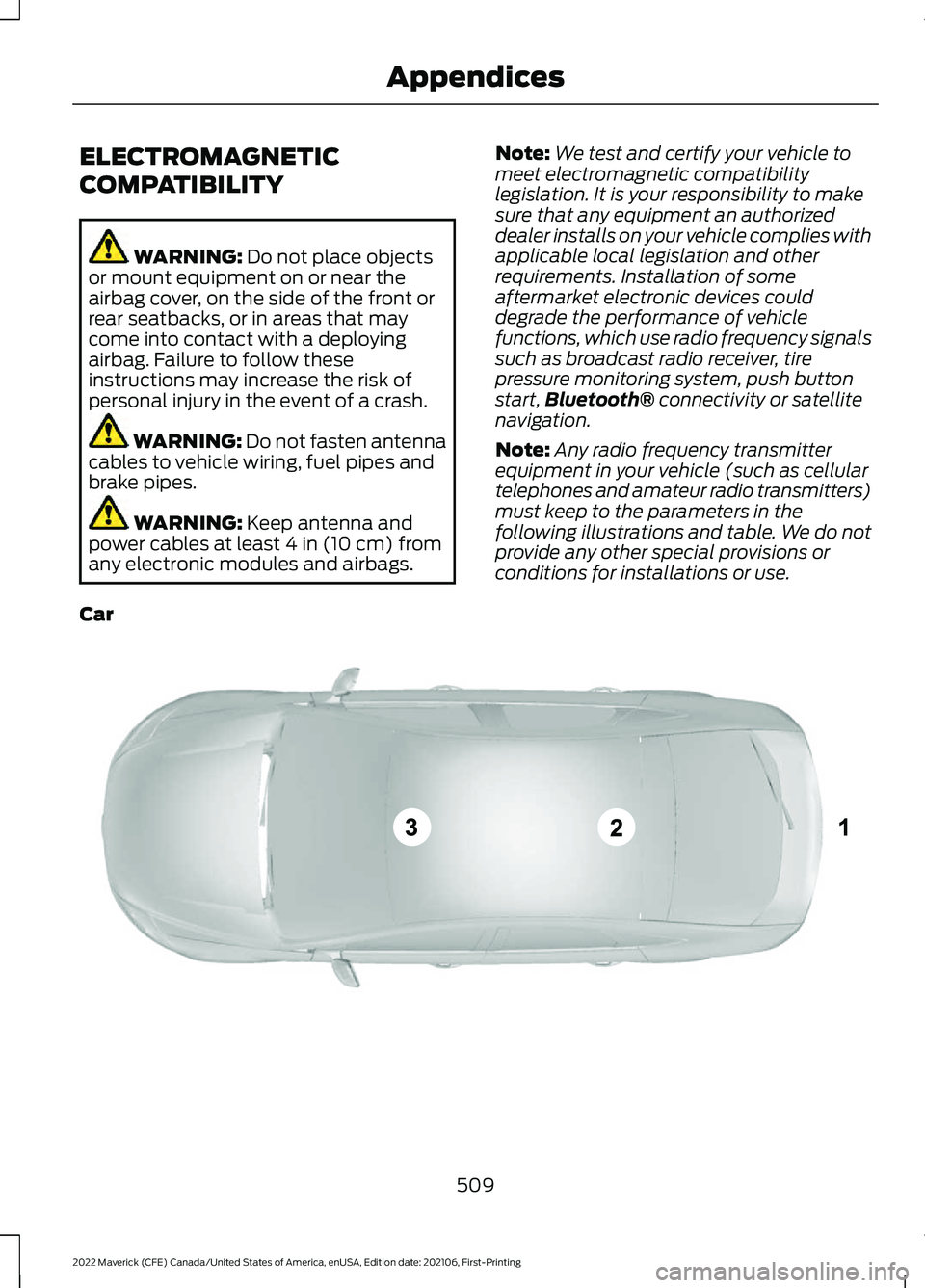
following illustrations and table. We do not
provide any other special provisions or
conditions for installations or use.
Car 509
2022 Maverick (CFE) Canada/United States of America, enUSA, Edition date: 202106, First-Printing AppendicesE239120